II. Introduction P Series LED Screens Products
[I] Size of LED screen
1
[II] Product features and parameters
 P Series is designed for stadiums.
 The unique structure design is convenient for installation and maintenance.
 PO Series comes with outdoor weather proof IP65.
 EMC & CE certified interior design.
P series technical parameters
Dot spacing 10mm 10mm 12mm 12mm 16mm 20mm
Pixel Configuration SMD3535 DIP346 SMD3535 DIP346 DIP346 DIP346
Pixel Density (/m2
) 10000 6944 3906 2500
Applicable Environment Outdoor
Module Size (mm) 240*160 160*160 192*192 256*128 320*160
Module Resolution 24*16 16*16 16*16 16*8 16*8
Cabinet Size (mm) 1920*960 1920*960 1920*960 1792*896 1920*960
Cabinet Resolution 192*96 192*96 160*80 112*56 96*48
Scanning Mode 1/2 1/4 Static 1/2 Static Static
Brightness (cd/m2
) ≥8000 ≥6000 ≥8000 ≥6000 ≥6000 ≥6000
Gray Scale (bit) ≥12
Refresh Rate (Hz) ≥800 ≥800 ≥1200 ≥800 ≥1200 ≥1200
Cabinet Weight (Kg) 50±1 58±1 52±1 58±1 58±1 58±1
Power Consumption (W/pc) ≤1000 ≤570 ≤1000 ≤570 ≤570 ≤570
Input voltage (V) 100-120V/110-220V/100-240V 50/60Hz
Viewing Angle SMD--H:140° V:140° DIP--H:120° V:90°
Temperature Range (℃) Storage:-40℃~+85℃;Operation:-30℃~+50℃
Operating Humidity 10-90% RH
Service Life 100,000H
MTBF 5000H
IP Rating Front SideIP65,Back SideIP54
2
[III] Introduction to accessories’functions
[IV] Cabinet
(1) Module
Two-hole rectangle connect – Connect & fix each
cabinet.
Weight :
Color:Black
SMD LED
Signal interface
Module power supply
DIP LED
3
(2) Cabinet
 Location hole
For connecting cabinets
Handle
Hold up the box for other operations
Side Lock
Connect to the adjacent cabinets
 Positioning pilar
Quickly align for cabinet installation
 Proof cover  Door Lock
Cabinet back cover protection lock
 Signal & Power Input  Oblique shore
Signal & Power Output  button shore










4
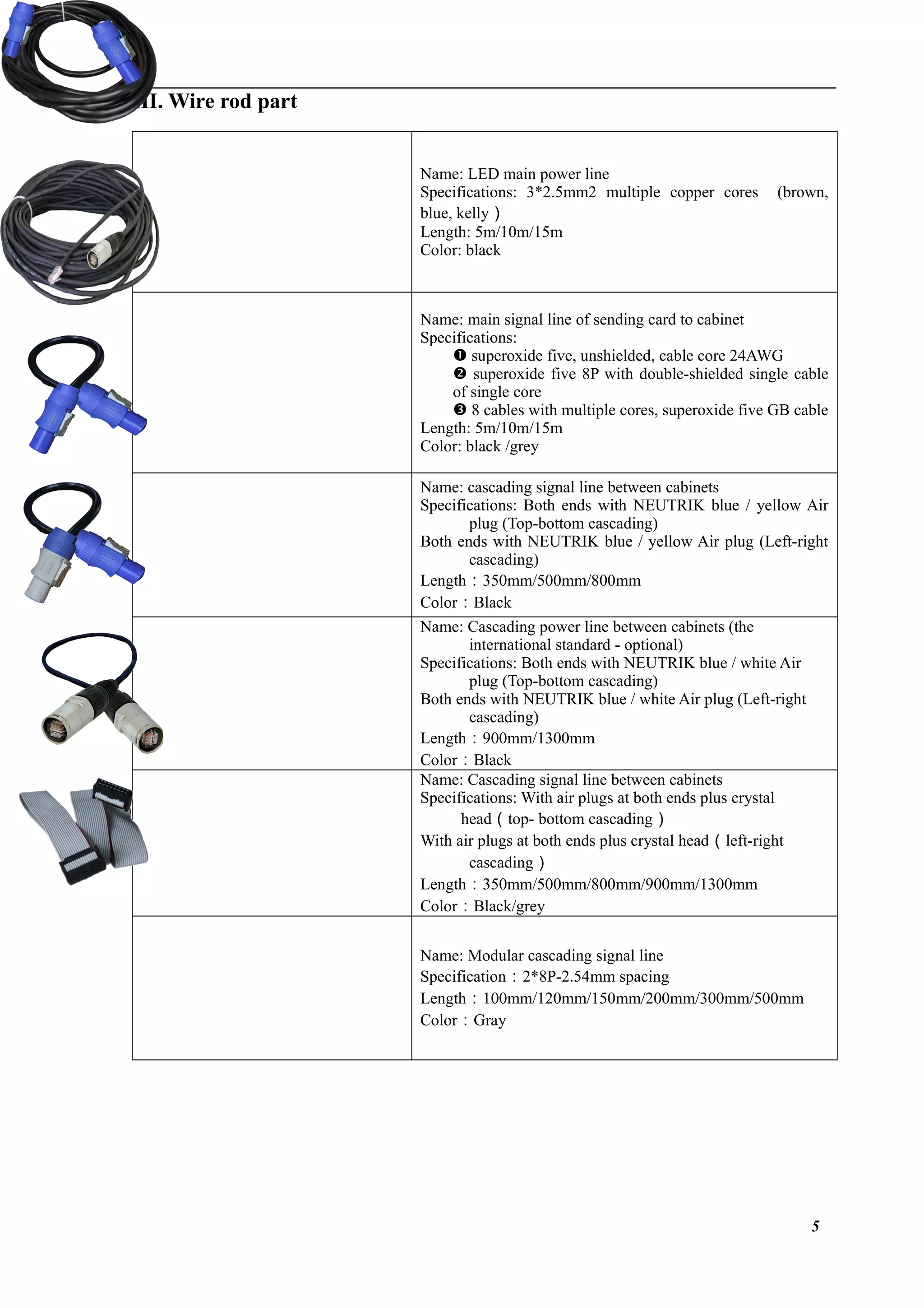
III. Wire rod part
Name: LED main power line
Specifications: 3*2.5mm2 multiple copper cores (brown,
blue, kelly)
Length: 5m/10m/15m
Color: black
Name: main signal line of sending card to cabinet
Specifications:
 superoxide five, unshielded, cable core 24AWG
 superoxide five 8P with double-shielded single cable
of single core
 8 cables with multiple cores, superoxide five GB cable
Length: 5m/10m/15m
Color: black /grey
Name: cascading signal line between cabinets
Specifications: Both ends with NEUTRIK blue / yellow Air
plug (Top-bottom cascading)
Both ends with NEUTRIK blue / yellow Air plug (Left-right
cascading)
Length:350mm/500mm/800mm
Color:Black
Name: Cascading power line between cabinets (the
international standard - optional)
Specifications: Both ends with NEUTRIK blue / white Air
plug (Top-bottom cascading)
Both ends with NEUTRIK blue / white Air plug (Left-right
cascading)
Length:900mm/1300mm
Color:Black
Name: Cascading signal line between cabinets
Specifications: With air plugs at both ends plus crystal
head(top- bottom cascading)
With air plugs at both ends plus crystal head(left-right
cascading)
Length:350mm/500mm/800mm/900mm/1300mm
Color:Black/grey
Name: Modular cascading signal line
Specification:2*8P-2.54mm spacing
Length:100mm/120mm/150mm/200mm/300mm/500mm
Color:Gray
5
IV. LED installation
[I] Installation tools and accessories
M10*25mm screw – fixing the
cabinet for vertical and hoisting
installation
S8 internal hexagonal wrench –
used for tightening M10mm
screw
Cross screwdriver
Digital multimeter – used for
measuring circuit
Key – used to open or lock
cabinet back door
6
[II] Installation method
(1) Viewing angle can be adjustbale
(2) Installation steps
 Pull out (upward) latch locking of the
bottom support at the cabinet’s both
sides, and locate the bottom support
well.
 Push out the front support plate from
the bottom support, and make it pass
through the cabinet bottom.
 Pull out (downward) latch locking of
the diagonal support at the cabinet’s
both sides, and locate the diagonal
support well.
 Use a S8 socket
head wrench and
insert it into side
lock hole, and then
rotate clockwise, to
open the side lock
and lock the
neighboring cabinet
together.
Lean (afterward) the cabinet, and
meanwhile put the diagonal support in
the slot with corresponding lean angle
calibration.
 Put the second cabinet with the same angle,
plug the location pin of one cabinet into the
location hole of the other cabinet after alignment
and make them be tightly
close to each other.
Connect and fix the
tops and bottoms of the
neighboring cabinets
with 2-hole connection
plate and M10*25mm
hexagon socket head
cap screws.
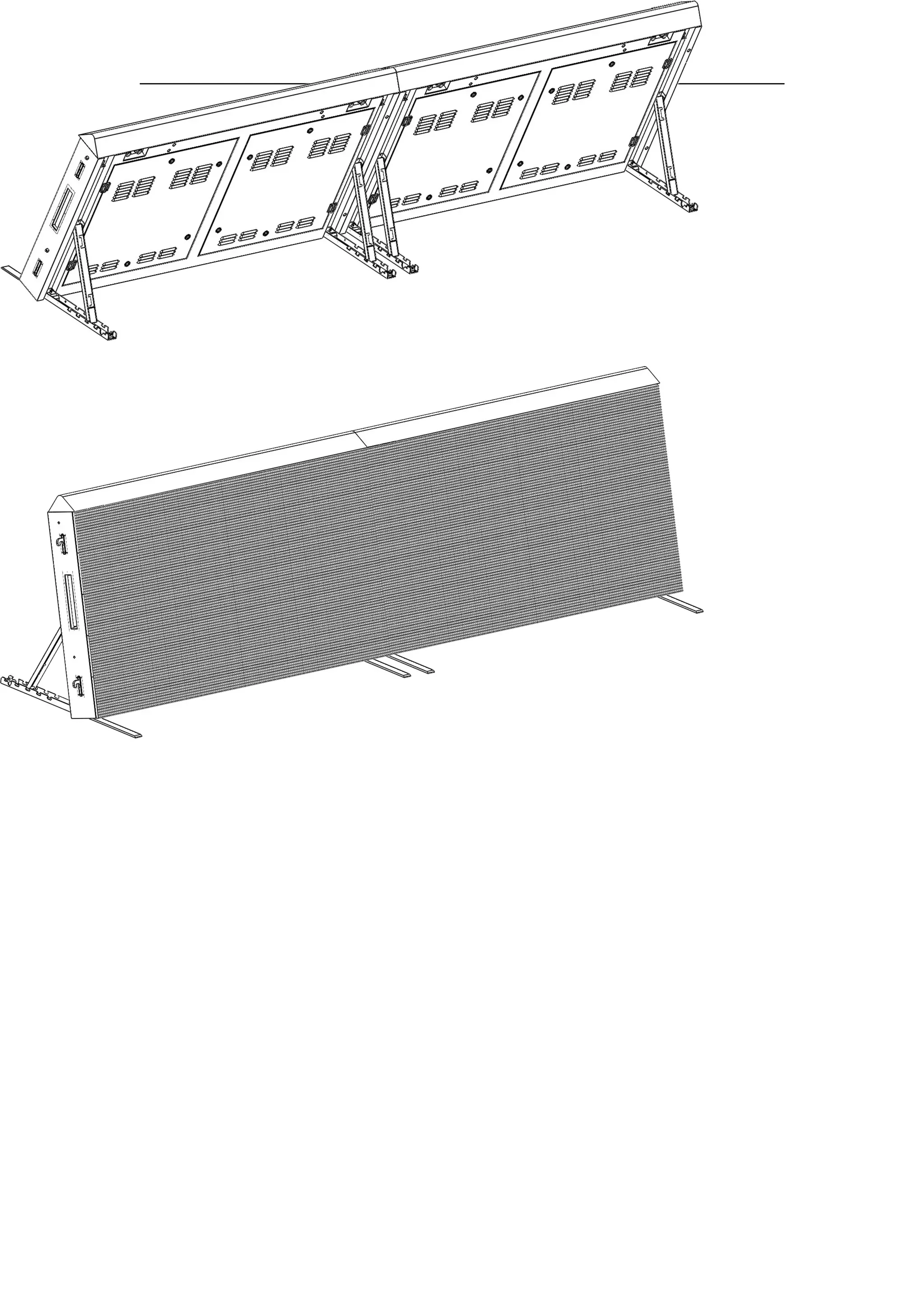
Installation drawing
Led perimeter screen

Led perimeter screen

  • 1.
    II. Introduction PSeries LED Screens Products [I] Size of LED screen 1
  • 2.
    [II] Product featuresand parameters  P Series is designed for stadiums.  The unique structure design is convenient for installation and maintenance.  PO Series comes with outdoor weather proof IP65.  EMC & CE certified interior design. P series technical parameters Dot spacing 10mm 10mm 12mm 12mm 16mm 20mm Pixel Configuration SMD3535 DIP346 SMD3535 DIP346 DIP346 DIP346 Pixel Density (/m2 ) 10000 6944 3906 2500 Applicable Environment Outdoor Module Size (mm) 240*160 160*160 192*192 256*128 320*160 Module Resolution 24*16 16*16 16*16 16*8 16*8 Cabinet Size (mm) 1920*960 1920*960 1920*960 1792*896 1920*960 Cabinet Resolution 192*96 192*96 160*80 112*56 96*48 Scanning Mode 1/2 1/4 Static 1/2 Static Static Brightness (cd/m2 ) ≥8000 ≥6000 ≥8000 ≥6000 ≥6000 ≥6000 Gray Scale (bit) ≥12 Refresh Rate (Hz) ≥800 ≥800 ≥1200 ≥800 ≥1200 ≥1200 Cabinet Weight (Kg) 50±1 58±1 52±1 58±1 58±1 58±1 Power Consumption (W/pc) ≤1000 ≤570 ≤1000 ≤570 ≤570 ≤570 Input voltage (V) 100-120V/110-220V/100-240V 50/60Hz Viewing Angle SMD--H:140° V:140° DIP--H:120° V:90° Temperature Range (℃) Storage:-40℃~+85℃;Operation:-30℃~+50℃ Operating Humidity 10-90% RH Service Life 100,000H MTBF 5000H IP Rating Front SideIP65,Back SideIP54 2
  • 3.
    [III] Introduction toaccessories’functions [IV] Cabinet (1) Module Two-hole rectangle connect – Connect & fix each cabinet. Weight : Color:Black SMD LED Signal interface Module power supply DIP LED 3
  • 4.
    (2) Cabinet  Locationhole For connecting cabinets Handle Hold up the box for other operations Side Lock Connect to the adjacent cabinets  Positioning pilar Quickly align for cabinet installation  Proof cover  Door Lock Cabinet back cover protection lock  Signal & Power Input  Oblique shore Signal & Power Output  button shore           4
  • 5.
    III. Wire rodpart Name: LED main power line Specifications: 3*2.5mm2 multiple copper cores (brown, blue, kelly) Length: 5m/10m/15m Color: black Name: main signal line of sending card to cabinet Specifications:  superoxide five, unshielded, cable core 24AWG  superoxide five 8P with double-shielded single cable of single core  8 cables with multiple cores, superoxide five GB cable Length: 5m/10m/15m Color: black /grey Name: cascading signal line between cabinets Specifications: Both ends with NEUTRIK blue / yellow Air plug (Top-bottom cascading) Both ends with NEUTRIK blue / yellow Air plug (Left-right cascading) Length:350mm/500mm/800mm Color:Black Name: Cascading power line between cabinets (the international standard - optional) Specifications: Both ends with NEUTRIK blue / white Air plug (Top-bottom cascading) Both ends with NEUTRIK blue / white Air plug (Left-right cascading) Length:900mm/1300mm Color:Black Name: Cascading signal line between cabinets Specifications: With air plugs at both ends plus crystal head(top- bottom cascading) With air plugs at both ends plus crystal head(left-right cascading) Length:350mm/500mm/800mm/900mm/1300mm Color:Black/grey Name: Modular cascading signal line Specification:2*8P-2.54mm spacing Length:100mm/120mm/150mm/200mm/300mm/500mm Color:Gray 5
  • 6.
    IV. LED installation [I]Installation tools and accessories M10*25mm screw – fixing the cabinet for vertical and hoisting installation S8 internal hexagonal wrench – used for tightening M10mm screw Cross screwdriver Digital multimeter – used for measuring circuit Key – used to open or lock cabinet back door 6
  • 7.
    [II] Installation method (1)Viewing angle can be adjustbale (2) Installation steps  Pull out (upward) latch locking of the bottom support at the cabinet’s both sides, and locate the bottom support well.  Push out the front support plate from the bottom support, and make it pass through the cabinet bottom.  Pull out (downward) latch locking of the diagonal support at the cabinet’s both sides, and locate the diagonal support well.
  • 8.
     Use aS8 socket head wrench and insert it into side lock hole, and then rotate clockwise, to open the side lock and lock the neighboring cabinet together. Lean (afterward) the cabinet, and meanwhile put the diagonal support in the slot with corresponding lean angle calibration.  Put the second cabinet with the same angle, plug the location pin of one cabinet into the location hole of the other cabinet after alignment and make them be tightly close to each other. Connect and fix the tops and bottoms of the neighboring cabinets with 2-hole connection plate and M10*25mm hexagon socket head cap screws.
  • 9.