Lecture Contents
Whatis Software?(Recall)
What is a Software Process?
Why Do We Need a Software Process?
Generic Activities in a Software Process
Umbrella Activities (Brief Reminder)
What is a Software Process Model?
Why Do We Need Process Models?
Common Software Process Models
What is the Waterfall Model?
Phases of the Waterfall Model.
Advantages and Disadvantages of the Waterfall Model.
4.
What is Software?
Beforedefining software process, recall what software is.
Software is not just a program. It includes:
• Programs (code)
• Documentation
• Data
• User manuals
• Configuration files
So, building software is more than writing code.
5.
What is Software?
Softwareis a collection of instructions, data, or
programs that tell a computer or device how to
operate and perform specific tasks. It acts as the
bridge between human needs and machine
capabilities, controlling the physical hardware.
6.
What is aSoftware Process?
A software process is a structured set of activities
required to develop, operate, and maintain software.
In simple words:
Software process is the step-by-step method used to
build software in a disciplined way.
7.
Why Do WeNeed a Software
Process?
Without a defined process:
Development becomes chaotic
Deadlines are missed
Quality is poor
Cost increases
Requirements change uncontrollably
8.
Why Do WeNeed a Software
Process?
A software process helps:
Plan work properly
Control cost and time
Improve software quality
Make work repeatable and manageable
9.
Everyday Analogy
Think ofcooking a meal.
If you cook without a recipe:
You may forget ingredients
Food quality is inconsistent
A recipe is like a software process.
10.
Generic Activities ina Software
Process
Most software processes include the following framework activities:
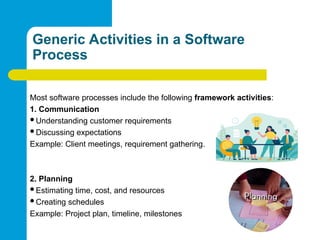
1. Communication
Understanding customer requirements
Discussing expectations
Example: Client meetings, requirement gathering.
2. Planning
Estimating time, cost, and resources
Creating schedules
Example: Project plan, timeline, milestones
11.
Generic Activities ina Software
Process
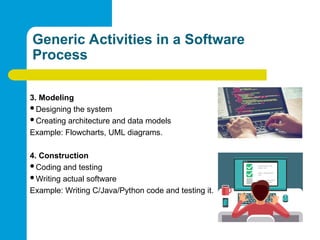
3. Modeling
Designing the system
Creating architecture and data models
Example: Flowcharts, UML diagrams.
4. Construction
Coding and testing
Writing actual software
Example: Writing C/Java/Python code and testing it.
12.
Generic Activities ina Software
Process
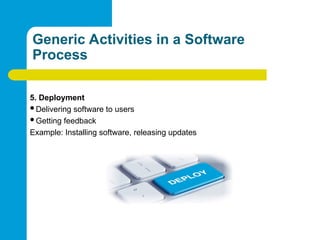
5. Deployment
Delivering software to users
Getting feedback
Example: Installing software, releasing updates
13.
Umbrella Activities (BriefReminder)
These run throughout the process:
Project tracking
Risk management
Quality assurance
Configuration management
Documentation
14.
Software Process Models
Whatis a Software Process Model?
A software process model is a representation of the software
process that shows:
Order of activities
Flow between stages
How development progresses
In simple terms:
A process model is a roadmap for software development.
15.
Why Do WeNeed Process Models?
Different projects have different needs:
Small vs large systems
Stable vs changing requirements
Low risk vs high risk
Process models help choose the right development approach.
16.
Common Software Process
Models
Somewell-known models:
Waterfall Model
Incremental Model
Iterative Model
Spiral Model
Agile Model
V-Model
In this lecture, we focus mainly on the Waterfall Model.
17.
Analogy for ProcessModels
Building a house:
You follow a plan
Foundation first, then walls, then roof
Different houses may need different building plans, just like different
software needs different models.
18.
Waterfall Model
What isthe Waterfall Model?
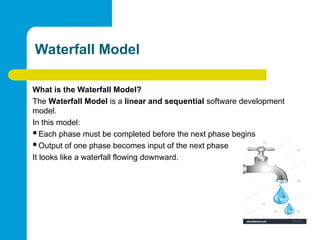
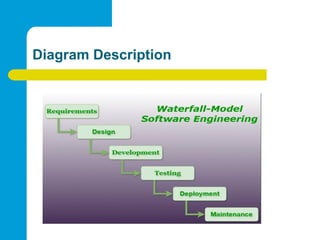
The Waterfall Model is a linear and sequential software development
model.
In this model:
Each phase must be completed before the next phase begins
Output of one phase becomes input of the next phase
It looks like a waterfall flowing downward.
Phases of theWaterfall Model
(Detailed)
Phase 1: Requirement Analysis
Purpose:
• Understand what the customer wants
Activities:
• Meeting clients
• Collecting requirements
• Writing SRS (Software Requirement Specification)
Output:
• SRS document
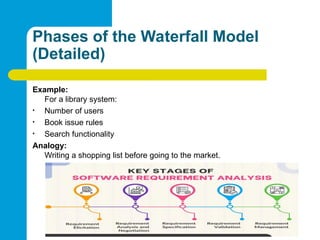
21.
Phases of theWaterfall Model
(Detailed)
Example:
For a library system:
• Number of users
• Book issue rules
• Search functionality
Analogy:
Writing a shopping list before going to the market.
22.
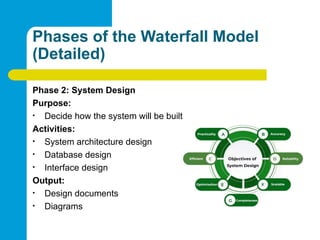
Phases of theWaterfall Model
(Detailed)
Phase 2: System Design
Purpose:
• Decide how the system will be built
Activities:
• System architecture design
• Database design
• Interface design
Output:
• Design documents
• Diagrams
23.
Phases of theWaterfall Model
(Detailed)
Example:
Deciding:
• Programming language
• Database type
• System modules
Analogy:
Architect drawing a house blueprint.
24.
Phases of theWaterfall Model
(Detailed)
Phase 3: Implementation (Coding)
Purpose:
• Convert design into code
Activities:
• Writing programs
• Unit testing
Output:
• Source code
25.
Phases of theWaterfall Model
(Detailed)
Example:
Writing login module, database module, UI
code
Analogy:
Actual construction of the house.
26.
Phases of theWaterfall Model
(Detailed)
Phase 4: Testing
Purpose:
• Find and fix errors
Activities:
• Unit testing
• Integration testing
• System testing
Output:
• Tested software
27.
Phases of theWaterfall Model
(Detailed)
Example:
Checking login errors, incorrect outputs
Analogy:
Inspecting the house for faults before living in it.
28.
Phases of theWaterfall Model
(Detailed)
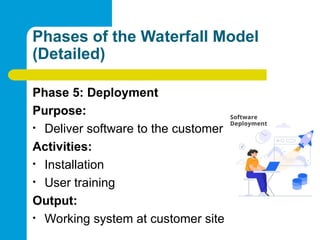
Phase 5: Deployment
Purpose:
• Deliver software to the customer
Activities:
• Installation
• User training
Output:
• Working system at customer site
29.
Phases of theWaterfall Model
(Detailed)
Analogy:
Handing over keys to the house owner.
30.
Phases of theWaterfall Model
(Detailed)
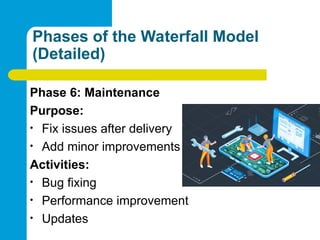
Phase 6: Maintenance
Purpose:
• Fix issues after delivery
• Add minor improvements
Activities:
• Bug fixing
• Performance improvement
• Updates
31.
Phases of theWaterfall Model
(Detailed)
Example:
Fixing a crash issue reported by users
Analogy:
Repairing and renovating a house after use.
32.
Advantages of theWaterfall Model
Simple and easy to understand
Well-structured and disciplined
Clear documentation
Easy to manage for small projects
Suitable when requirements are stable
33.
Disadvantages of theWaterfall Model
Not flexible to changes
Late testing increases risk
Customer feedback comes very late
Not suitable for large or complex projects
Errors discovered late are costly to fix
34.
When Should WaterfallModel Be
Used?
Small projects
Clearly defined requirements
Low-risk systems
Academic projects
Government or contract-based systems


![SOFTWARE ENGINEERING SEM 4 [Read-Only] [Read-Only] (3).pptx](https://cdn.slidesharecdn.com/ss_thumbnails/softwareengineeringsem4read-onlyread-only3-251216044811-dd17b10d-thumbnail.jpg?width=640&height=640&fit=bounds)


