R Programming
CSE437
By- Dr.Anuradha Misra
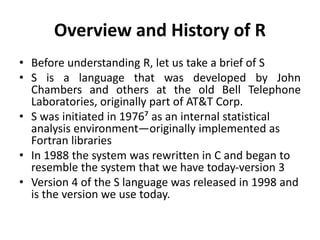
Overview and History of R
• Before understanding R, let us take a brief of S
• S is a language that was developed by John
Chambers and others at the old Bell Telephone
Laboratories, originally part of AT&T Corp.
• S was initiated in 1976⁷ as an internal statistical
analysis environment—originally implemented as
Fortran libraries
• In 1988 the system was rewritten in C and began to
resemble the system that we have today-version 3
• Version 4 of the S language was released in 1998 and
is the version we use today.
Cont..
• The R language came to use quite a bit after S had been
developed. One key limitation of the S language was that it
was only available in a commericial package, S-PLUS.
• In 1991, R was created by Ross Ihaka and Robert Gentleman in
the Department of Statistics at the University of Auckland.
• In 1995, Martin Mächler made an important contribution by
convincing Ross and Robert to use the GNU General Public
License⁹ to make R free software.
• in 1997 the R Core Group was formed, containing some
people associated with S and S-PLUS.
• Currently, the core group controls the source code for R and is
solely able to check in changes to the main R source tree.
• Finally, in 2000 R version 1.0.0 was released to the public.
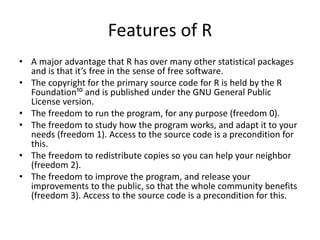
Features of R
• A major advantage that R has over many other statistical packages
and is that it’s free in the sense of free software.
• The copyright for the primary source code for R is held by the R
Foundation¹⁰ and is published under the GNU General Public
License version.
• The freedom to run the program, for any purpose (freedom 0).
• The freedom to study how the program works, and adapt it to your
needs (freedom 1). Access to the source code is a precondition for
this.
• The freedom to redistribute copies so you can help your neighbor
(freedom 2).
• The freedom to improve the program, and release your
improvements to the public, so that the whole community benefits
(freedom 3). Access to the source code is a precondition for this.
Installing R
• You may install R in a windows or Apple computer
by downloading from https://www.r‐project.org
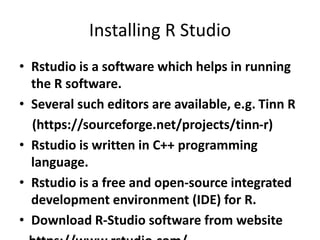
Installing R Studio
• Rstudio is a software which helps in running
the R software.
• Several such editors are available, e.g. Tinn R
(https://sourceforge.net/projects/tinn-r)
• Rstudio is written in C++ programming
language.
• Rstudio is a free and open‐source integrated
development environment (IDE) for R.
• Download R‐Studio software from website
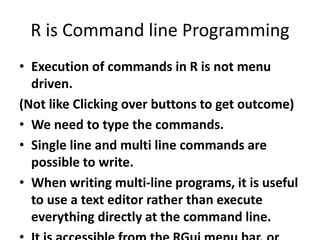
R is Command line Programming
• Execution of commands in R is not menu
driven.
(Not like Clicking over buttons to get outcome)
• We need to type the commands.
• Single line and multi line commands are
possible to write.
• When writing multi-line programs, it is useful
to use a text editor rather than execute
everything directly at the command line.
Free up space in Windows
• It is always a good practice to free up space
occupied by any variable names given to data
frames after its execution at the end of each
session in R.
• This way, variables with same names but
different properties will not get in each others
way in subsequent work.
• Use rm() command for this ex. Rm(x,y,z)
R Studio
• It is an interface between R and us.
• More useful for beginners.
• It makes coding easier.
• When we start R studio, we see 4 windows.
Example: Histogram of values 1,2,1,1,2,3,1,2,3,1,2,2,3
R studio has following operation and output:

lec1-Introduction.pptx

  • 1.
  • 2.
    Overview and Historyof R • Before understanding R, let us take a brief of S • S is a language that was developed by John Chambers and others at the old Bell Telephone Laboratories, originally part of AT&T Corp. • S was initiated in 1976⁷ as an internal statistical analysis environment—originally implemented as Fortran libraries • In 1988 the system was rewritten in C and began to resemble the system that we have today-version 3 • Version 4 of the S language was released in 1998 and is the version we use today.
  • 3.
    Cont.. • The Rlanguage came to use quite a bit after S had been developed. One key limitation of the S language was that it was only available in a commericial package, S-PLUS. • In 1991, R was created by Ross Ihaka and Robert Gentleman in the Department of Statistics at the University of Auckland. • In 1995, Martin Mächler made an important contribution by convincing Ross and Robert to use the GNU General Public License⁹ to make R free software. • in 1997 the R Core Group was formed, containing some people associated with S and S-PLUS. • Currently, the core group controls the source code for R and is solely able to check in changes to the main R source tree. • Finally, in 2000 R version 1.0.0 was released to the public.
  • 4.
    Features of R •A major advantage that R has over many other statistical packages and is that it’s free in the sense of free software. • The copyright for the primary source code for R is held by the R Foundation¹⁰ and is published under the GNU General Public License version. • The freedom to run the program, for any purpose (freedom 0). • The freedom to study how the program works, and adapt it to your needs (freedom 1). Access to the source code is a precondition for this. • The freedom to redistribute copies so you can help your neighbor (freedom 2). • The freedom to improve the program, and release your improvements to the public, so that the whole community benefits (freedom 3). Access to the source code is a precondition for this.
  • 5.
    Installing R • Youmay install R in a windows or Apple computer by downloading from https://www.r‐project.org
  • 6.
    Installing R Studio •Rstudio is a software which helps in running the R software. • Several such editors are available, e.g. Tinn R (https://sourceforge.net/projects/tinn-r) • Rstudio is written in C++ programming language. • Rstudio is a free and open‐source integrated development environment (IDE) for R. • Download R‐Studio software from website
  • 7.
    R is Commandline Programming • Execution of commands in R is not menu driven. (Not like Clicking over buttons to get outcome) • We need to type the commands. • Single line and multi line commands are possible to write. • When writing multi-line programs, it is useful to use a text editor rather than execute everything directly at the command line.
  • 8.
    Free up spacein Windows • It is always a good practice to free up space occupied by any variable names given to data frames after its execution at the end of each session in R. • This way, variables with same names but different properties will not get in each others way in subsequent work. • Use rm() command for this ex. Rm(x,y,z)
  • 9.
    R Studio • Itis an interface between R and us. • More useful for beginners. • It makes coding easier. • When we start R studio, we see 4 windows.
  • 11.
    Example: Histogram ofvalues 1,2,1,1,2,3,1,2,3,1,2,2,3 R studio has following operation and output: