Software Design and Architecture
(Use-Cases)
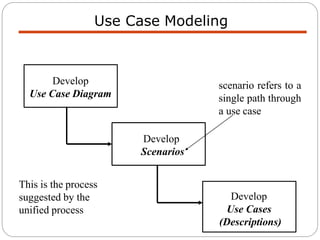
Use Case Modeling
Develop
Scenarios
Develop
Use Case Diagram
Develop
Use Cases
(Descriptions)
scenario refers to a
single path through
a use case
This is the process
suggested by the
unified process
 Identify actors
 Identify use cases
 Link actors to use cases
 Identify relationships between use cases
 Consider scenarios
 Write use case descriptions
 Validate with stakeholders
Use Case Modeling
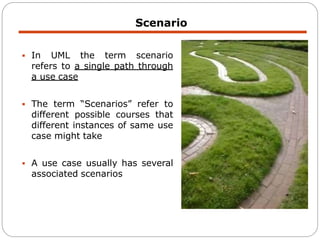
 In UML the term scenario
refers to a single path through
a use case
 The term “Scenarios” refer to
different possible courses that
different instances of same use
case might take
 A use case usually has several
associated scenarios
Scenario
 Normal Scenario:
1. Switch on kettle to boil water. [A1: Kettle empty]
2. Place tea bag and milk in mug.
3. When kettle has boiled pour boiling water into mug.
4. Let tea brew and then remove tea bag and put tea bag in the
bin.
Simple Scenario – Make Tea
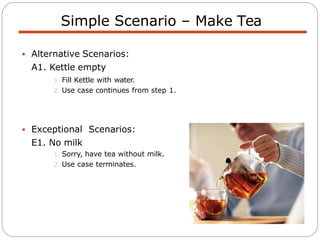
 Alternative Scenarios:
A1. Kettle empty
1. Fill Kettle with water.
2. Use case continues from step 1.
 Exceptional Scenarios:
E1. No milk
1. Sorry, have tea without milk.
2. Use case terminates.
Simple Scenario – Make Tea
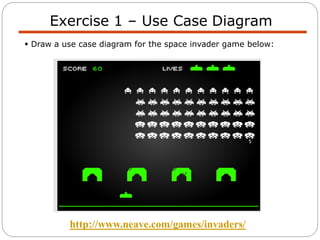
Exercise 1 – Use Case Diagram
 Draw a use case diagram for the space invader game below:
http://www.neave.com/games/invaders/
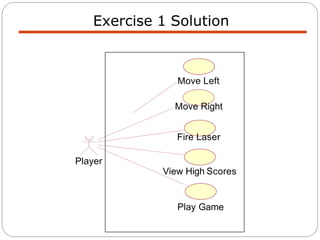
Exercise 1 Solution
View High Scores
Play Game
Player
Move Left
Move Right
Fire Laser
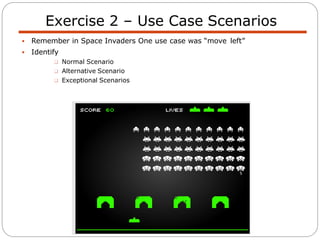
 Remember in Space Invaders One use case was “move left”
 Identify
 Normal Scenario
 Alternative Scenario
 Exceptional Scenarios
Exercise 2 – Use Case Scenarios
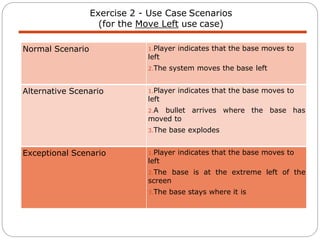
Exercise 2 - Use Case Scenarios
(for the Move Left use case)
Normal Scenario 1.Player indicates that the base moves to
left
2.The system moves the base left
Alternative Scenario 1.Player indicates that the base moves to
left
2.A bullet arrives where the base has
moved to
3.The base explodes
Exceptional Scenario 1.Player indicates that the base moves to
left
2.The base is at the extreme left of the
screen
3.The base stays where it is
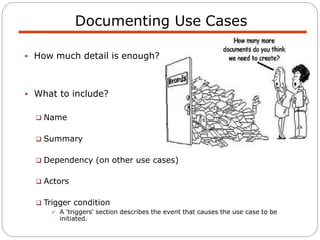
Documenting Use Cases
 How much detail is enough?
 What to include?
 Name
 Summary
 Dependency (on other use cases)
 Actors
 Trigger condition
 A 'triggers' section describes the event that causes the use case to be
initiated.
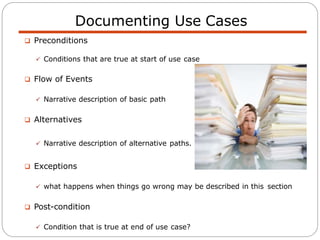
 Preconditions
 Conditions that are true at start of use case
 Flow of Events
 Narrative description of basic path
 Alternatives
 Narrative description of alternative paths.
 Exceptions
 what happens when things go wrong may be described in this section
 Post-condition
 Condition that is true at end of use case?
Documenting Use Cases
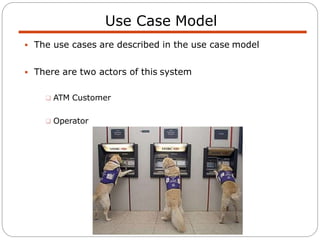
Use Case Model
 The use cases are described in the use case model
 There are two actors of this system
 ATM Customer
 Operator
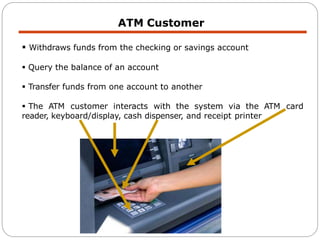
ATM Customer
 Withdraws funds from the checking or savings account
 Query the balance of an account
 Transfer funds from one account to another
 The ATM customer interacts with the system via the ATM card
reader, keyboard/display, cash dispenser, and receipt printer
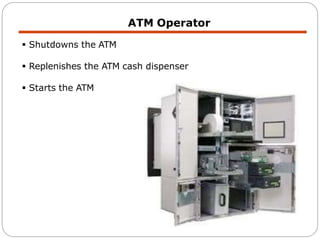
ATM Operator
 Shutdowns the ATM
 Replenishes the ATM cash dispenser
 Starts the ATM
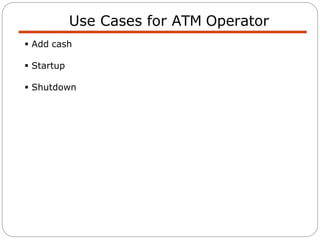
Use Cases for ATM Operator
 Add cash
 Startup
 Shutdown
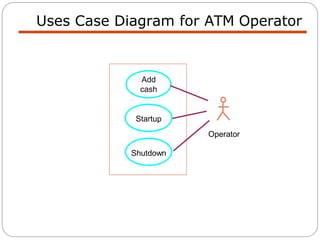
Uses Case Diagram for ATM Operator
Add
cash
Startup
Operator
Shutdown
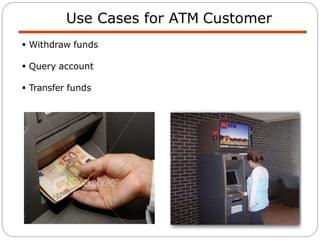
Use Cases for ATM Customer
 Withdraw funds
 Query account
 Transfer funds
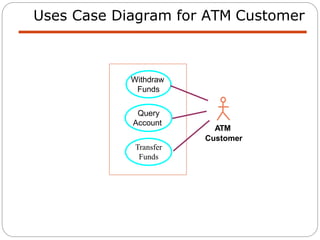
Uses Case Diagram for ATM Customer
Query
Account
Transfer
Funds
ATM
Customer
Withdraw
Funds
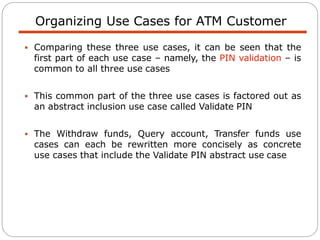
Organizing Use Cases for ATM Customer
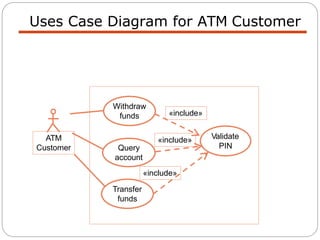
 Comparing these three use cases, it can be seen that the
first part of each use case – namely, the PIN validation – is
common to all three use cases
 This common part of the three use cases is factored out as
an abstract inclusion use case called Validate PIN
 The Withdraw funds, Query account, Transfer funds use
cases can each be rewritten more concisely as concrete
use cases that include the Validate PIN abstract use case
Uses Case Diagram for ATM Customer
ATM
Customer
Withdraw
funds
Query
account
Transfer
funds
Validate
PIN
«include»
«include»
«include»
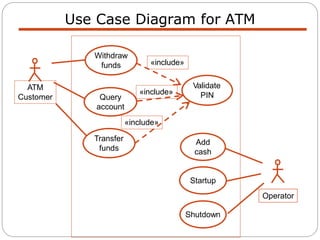
Use Case Diagram for ATM
ATM
Customer
Withdraw
funds
Query
account
Transfer
funds
Startup
Shutdown
Validate
PIN
Operator
Add
cash
«include»
«include»
«include»
Validate PIN Use Case - 1
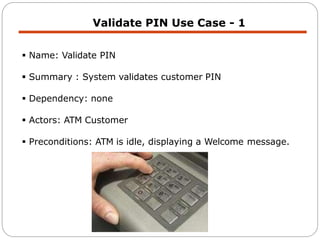
 Name: Validate PIN
 Summary : System validates customer PIN
 Dependency: none
 Actors: ATM Customer
 Preconditions: ATM is idle, displaying a Welcome message.
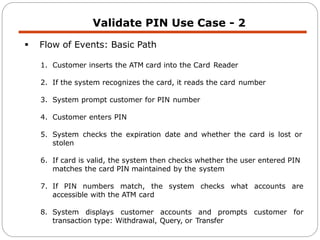
 Flow of Events: Basic Path
1. Customer inserts the ATM card into the Card Reader
2. If the system recognizes the card, it reads the card number
3. System prompt customer for PIN number
4. Customer enters PIN
5. System checks the expiration date and whether the card is lost or
stolen
6. If card is valid, the system then checks whether the user entered PIN
matches the card PIN maintained by the system
7. If PIN numbers match, the system checks what accounts are
accessible with the ATM card
8. System displays customer accounts and prompts customer for
transaction type: Withdrawal, Query, or Transfer
Validate PIN Use Case - 2
Validate PIN Use Case - 3
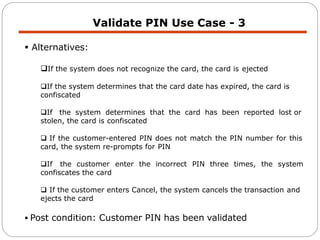
 Alternatives:
If the system does not recognize the card, the card is ejected
If the system determines that the card date has expired, the card is
confiscated
If the system determines that the card has been reported lost or
stolen, the card is confiscated
 If the customer-entered PIN does not match the PIN number for this
card, the system re-prompts for PIN
If the customer enter the incorrect PIN three times, the system
confiscates the card
 If the customer enters Cancel, the system cancels the transaction and
ejects the card
 Post condition: Customer PIN has been validated
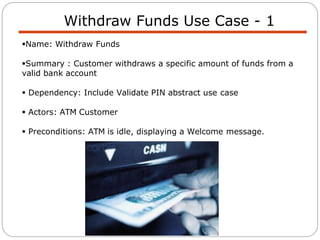
Withdraw Funds Use Case - 1
Name: Withdraw Funds
Summary : Customer withdraws a specific amount of funds from a
valid bank account
 Dependency: Include Validate PIN abstract use case
 Actors: ATM Customer
 Preconditions: ATM is idle, displaying a Welcome message.
Withdraw Funds Use Case - 2
 Flow of Events: Basic Path
1. Include Validate PIN abstract use case
2. Customer selects Withdrawal, enters the amount, and selects the
account number
3. System checks whether customer has enough funds in the account
and whether the daily limit will not be exceeded
4. If all checks are successful, system authorizes dispensing of cash
number, transaction
5. System dispenses the cash amount
6. System prints a receipt showing transaction
type, amount withdrawn, and account balance
7. System ejects card
8. System displays Welcome balance
Withdraw Funds Use Case - 3
 Alternatives:
 If the system determines that the account number is invalid, it
displays an error message and ejects the card
 If the system determines that there are insufficient funds in the
customer’s account, it displays an apology and ejects the card
 If the system determines that the maximum allowable daily
withdrawal amount has been exceeded, it displays an apology and
ejects the card
 If the ATM is out of funds, the system displays an apology, ejects
the card, and shuts down the ATM
 Post-condition: Customer funds have been withdrawn
Any question

Lec 10Use Case.pptx

  • 1.
    Software Design andArchitecture (Use-Cases)
  • 2.
    Use Case Modeling Develop Scenarios Develop UseCase Diagram Develop Use Cases (Descriptions) scenario refers to a single path through a use case This is the process suggested by the unified process
  • 3.
     Identify actors Identify use cases  Link actors to use cases  Identify relationships between use cases  Consider scenarios  Write use case descriptions  Validate with stakeholders Use Case Modeling
  • 4.
     In UMLthe term scenario refers to a single path through a use case  The term “Scenarios” refer to different possible courses that different instances of same use case might take  A use case usually has several associated scenarios Scenario
  • 5.
     Normal Scenario: 1.Switch on kettle to boil water. [A1: Kettle empty] 2. Place tea bag and milk in mug. 3. When kettle has boiled pour boiling water into mug. 4. Let tea brew and then remove tea bag and put tea bag in the bin. Simple Scenario – Make Tea
  • 6.
     Alternative Scenarios: A1.Kettle empty 1. Fill Kettle with water. 2. Use case continues from step 1.  Exceptional Scenarios: E1. No milk 1. Sorry, have tea without milk. 2. Use case terminates. Simple Scenario – Make Tea
  • 7.
    Exercise 1 –Use Case Diagram  Draw a use case diagram for the space invader game below: http://www.neave.com/games/invaders/
  • 8.
    Exercise 1 Solution ViewHigh Scores Play Game Player Move Left Move Right Fire Laser
  • 9.
     Remember inSpace Invaders One use case was “move left”  Identify  Normal Scenario  Alternative Scenario  Exceptional Scenarios Exercise 2 – Use Case Scenarios
  • 10.
    Exercise 2 -Use Case Scenarios (for the Move Left use case) Normal Scenario 1.Player indicates that the base moves to left 2.The system moves the base left Alternative Scenario 1.Player indicates that the base moves to left 2.A bullet arrives where the base has moved to 3.The base explodes Exceptional Scenario 1.Player indicates that the base moves to left 2.The base is at the extreme left of the screen 3.The base stays where it is
  • 11.
    Documenting Use Cases How much detail is enough?  What to include?  Name  Summary  Dependency (on other use cases)  Actors  Trigger condition  A 'triggers' section describes the event that causes the use case to be initiated.
  • 12.
     Preconditions  Conditionsthat are true at start of use case  Flow of Events  Narrative description of basic path  Alternatives  Narrative description of alternative paths.  Exceptions  what happens when things go wrong may be described in this section  Post-condition  Condition that is true at end of use case? Documenting Use Cases
  • 13.
    Use Case Model The use cases are described in the use case model  There are two actors of this system  ATM Customer  Operator
  • 14.
    ATM Customer  Withdrawsfunds from the checking or savings account  Query the balance of an account  Transfer funds from one account to another  The ATM customer interacts with the system via the ATM card reader, keyboard/display, cash dispenser, and receipt printer
  • 15.
    ATM Operator  Shutdownsthe ATM  Replenishes the ATM cash dispenser  Starts the ATM
  • 16.
    Use Cases forATM Operator  Add cash  Startup  Shutdown
  • 17.
    Uses Case Diagramfor ATM Operator Add cash Startup Operator Shutdown
  • 18.
    Use Cases forATM Customer  Withdraw funds  Query account  Transfer funds
  • 19.
    Uses Case Diagramfor ATM Customer Query Account Transfer Funds ATM Customer Withdraw Funds
  • 20.
    Organizing Use Casesfor ATM Customer  Comparing these three use cases, it can be seen that the first part of each use case – namely, the PIN validation – is common to all three use cases  This common part of the three use cases is factored out as an abstract inclusion use case called Validate PIN  The Withdraw funds, Query account, Transfer funds use cases can each be rewritten more concisely as concrete use cases that include the Validate PIN abstract use case
  • 21.
    Uses Case Diagramfor ATM Customer ATM Customer Withdraw funds Query account Transfer funds Validate PIN «include» «include» «include»
  • 22.
    Use Case Diagramfor ATM ATM Customer Withdraw funds Query account Transfer funds Startup Shutdown Validate PIN Operator Add cash «include» «include» «include»
  • 23.
    Validate PIN UseCase - 1  Name: Validate PIN  Summary : System validates customer PIN  Dependency: none  Actors: ATM Customer  Preconditions: ATM is idle, displaying a Welcome message.
  • 24.
     Flow ofEvents: Basic Path 1. Customer inserts the ATM card into the Card Reader 2. If the system recognizes the card, it reads the card number 3. System prompt customer for PIN number 4. Customer enters PIN 5. System checks the expiration date and whether the card is lost or stolen 6. If card is valid, the system then checks whether the user entered PIN matches the card PIN maintained by the system 7. If PIN numbers match, the system checks what accounts are accessible with the ATM card 8. System displays customer accounts and prompts customer for transaction type: Withdrawal, Query, or Transfer Validate PIN Use Case - 2
  • 25.
    Validate PIN UseCase - 3  Alternatives: If the system does not recognize the card, the card is ejected If the system determines that the card date has expired, the card is confiscated If the system determines that the card has been reported lost or stolen, the card is confiscated  If the customer-entered PIN does not match the PIN number for this card, the system re-prompts for PIN If the customer enter the incorrect PIN three times, the system confiscates the card  If the customer enters Cancel, the system cancels the transaction and ejects the card  Post condition: Customer PIN has been validated
  • 26.
    Withdraw Funds UseCase - 1 Name: Withdraw Funds Summary : Customer withdraws a specific amount of funds from a valid bank account  Dependency: Include Validate PIN abstract use case  Actors: ATM Customer  Preconditions: ATM is idle, displaying a Welcome message.
  • 27.
    Withdraw Funds UseCase - 2  Flow of Events: Basic Path 1. Include Validate PIN abstract use case 2. Customer selects Withdrawal, enters the amount, and selects the account number 3. System checks whether customer has enough funds in the account and whether the daily limit will not be exceeded 4. If all checks are successful, system authorizes dispensing of cash number, transaction 5. System dispenses the cash amount 6. System prints a receipt showing transaction type, amount withdrawn, and account balance 7. System ejects card 8. System displays Welcome balance
  • 28.
    Withdraw Funds UseCase - 3  Alternatives:  If the system determines that the account number is invalid, it displays an error message and ejects the card  If the system determines that there are insufficient funds in the customer’s account, it displays an apology and ejects the card  If the system determines that the maximum allowable daily withdrawal amount has been exceeded, it displays an apology and ejects the card  If the ATM is out of funds, the system displays an apology, ejects the card, and shuts down the ATM  Post-condition: Customer funds have been withdrawn
  • 29.