Recommended
PPT
Principles of Electronic Commerce_Unit_II.ppt
PDF
DOCX
E-commerce 2021 Business. Technology. Society.Sixteenth Editi
PPTX
E-commerce Chap 333 ưhhbshshdhdh (1).pptx
PPTX
DOC
Laudon traver ec11-im_ch04
PPTX
laudon-traver_ec13_ppt_chapter_3_Building Website.pptx
PPT
PPTX
PPTX
From E-Commerce to E-Business
PPTX
E commerce market research
PPTX
project Presentation.pptx
PPTX
E commerce & international information systems, mis, csvtu
PPT
Lecture03 E-commerce advance concepts.ppt
PPT
Lecture03 E-commerce advance concepts.ppt
PPTX
E-commerce Landscape 2012
PPT
PPT
laudon-traver_ec10_ppt_ch04 (1).ppt
PPT
laudon-traver_ec10_ppt_ch04.ppt
DOC
Laudon traver ec10-im_ch04
PDF
3. E-commerce Tools and Technologies - Copy.pdf
PPT
Steps for Building a Successful E-Commerce Presence
PPTX
DOC
Laudon traver ec10-im_ch04
PPTX
E commerce market research
KEY
eCommerce Strategy In-a-Box
PPTX
PPT
Laudon traver ec10-ppt_ch04
PPTX
laudon-traver-ec17-ppt-ch10-accessible-a0z8.pptx
PPTX
Digital Devices and Media - Presentation
More Related Content
PPT
Principles of Electronic Commerce_Unit_II.ppt
PDF
DOCX
E-commerce 2021 Business. Technology. Society.Sixteenth Editi
PPTX
E-commerce Chap 333 ưhhbshshdhdh (1).pptx
PPTX
DOC
Laudon traver ec11-im_ch04
PPTX
laudon-traver_ec13_ppt_chapter_3_Building Website.pptx
PPT
Similar to laudon-traver-ec17-ppt-ch04-dg-revised-eRcx.pptx
PPTX
PPTX
From E-Commerce to E-Business
PPTX
E commerce market research
PPTX
project Presentation.pptx
PPTX
E commerce & international information systems, mis, csvtu
PPT
Lecture03 E-commerce advance concepts.ppt
PPT
Lecture03 E-commerce advance concepts.ppt
PPTX
E-commerce Landscape 2012
PPT
PPT
laudon-traver_ec10_ppt_ch04 (1).ppt
PPT
laudon-traver_ec10_ppt_ch04.ppt
DOC
Laudon traver ec10-im_ch04
PDF
3. E-commerce Tools and Technologies - Copy.pdf
PPT
Steps for Building a Successful E-Commerce Presence
PPTX
DOC
Laudon traver ec10-im_ch04
PPTX
E commerce market research
KEY
eCommerce Strategy In-a-Box
PPTX
PPT
Laudon traver ec10-ppt_ch04
More from Malkhaz Nikolashvili
PPTX
laudon-traver-ec17-ppt-ch10-accessible-a0z8.pptx
PPTX
Digital Devices and Media - Presentation
PPT
Computer Organization �and Architecture - 01_Introduction.ppt
PDF
Malkhaz nikolashvili cv_2010_january
PPTX
Ch6-tia15e_ch06_accessible understanding hardware
PPT
03_Top Level View of Computer Function and Interconnection.ppt
Recently uploaded
PDF
IIMA 25-26 Prodman Marketing Consulting Finance.pdf
PDF
_How to Safely Buy Instagram Accounts in 2025.pdf
PDF
How to Safely Buy Instagram Accounts in 2025 (1).pdf
PPTX
Business Improvement blue and white scribble art presentation
PDF
How to Buy Snapchat Account( 9.7) A Step-by-Step Guide ....pdf
PDF
Best 7 Sites to Buy Verified Venmo Accounts With Zero ....pdf
PDF
Aagami Corporate Presentation December 2025
PDF
How To Buy, Verified Wise Account in 2026.pdf
PDF
Best 7 Sites to Buy Verified Venmo Accounts With Zero ....pdf
PDF
Step-by-Step Process for Buying a Verified Apple Pay ....pdf
PDF
Deckers stock picking idea from October 2025
PDF
How to Buy Verified Binance Accounts for USDT and BTC ....pdf
DOCX
5 Simple Steps to Purchase Telegram Accounts For Best Service Topusapro.docx
PDF
Kelli Molczyk - A Seasoned Brand Strategist
PDF
J Hamilton - Pensions UK V1 27.11.2025 (1).pdf
PDF
5 Best Marketplaces to Buy and Sell Facebook Accounts ... in 25-26.pdf
PDF
Dubai Multi Commodities Centre (DMCC) – Supplier Code of Conduct Policy
PDF
Updated-costings-on-changes-to-PPF-compensation-levels---with-31-March-2025-f...
PDF
Recommandation from Rail 1520 a rail car leasing company
PDF
BTP - GK 2025-4 (1) Consulting Marketing.pdf
laudon-traver-ec17-ppt-ch04-dg-revised-eRcx.pptx 1. E-commerce 2023: business. technology.
society.
Seventeenth Edition
Chapter 4
Building an E-commerce
Presence: Websites,
Mobile Sites, and Apps
Copyright © 2024, 2023, 2020 Pearson Education, Inc. All Rights Reserved
2. Copyright © 2024, 2022, 2020 Pearson Education, Inc. All Rights Reserved
Learning Objectives
4.1 Understand the questions you must ask and answer, and the steps
you should take, in developing an e-commerce presence.
4.2 Explain the process that should be followed in building an e-
commerce presence.
4.3 Identify and understand the major considerations involved in
choosing web server and e-commerce merchant server software.
4.4 Understand the issues involved in choosing the most appropriate
hardware for an e-commerce site.
4.5 Identify additional tools that can improve website performance.
4.6 Understand the important considerations involved in developing a
mobile website and building mobile applications.
3. Copyright © 2024, 2022, 2020 Pearson Education, Inc. All Rights Reserved
Walmart’s Omnichannel Strategy: From
Supercenter to Super App
• Class Discussion
– Why is Walmart considered an underdog in the e-
commerce arena?
– What advantages does Walmart have in pursuing its
goal to become an omnichannel retailer?
– What role did redesigning its website, developing
mobile apps, and creating a new design for its
physical stores play in Walmart’s omnichannel
strategy?
– Is Walmart’s strategy working?
4. Copyright © 2024, 2022, 2020 Pearson Education, Inc. All Rights Reserved
Imagine Your E-commerce Presence (1 of 3)
• What’s the idea? The vision includes:
– Mission statement
– Target audience
– Intended market space
– Strategic analysis
– Marketing matrix
– Development timeline
– Preliminary budget
5. Copyright © 2024, 2022, 2020 Pearson Education, Inc. All Rights Reserved
Imagine Your E-commerce Presence (2 of 3)
• Where’s the money?
– Business model(s)
– Revenue model(s)
• Who and where is the target audience?
– Demographics, lifestyle, consumption patterns, etc.
• What is the ballpark? Characterize the marketplace
– Size, growth, demographics, structure
6. Copyright © 2024, 2022, 2020 Pearson Education, Inc. All Rights Reserved
Imagine Your E-commerce Presence (3 of 3)
• Where’s the content coming from?
• Know yourself: SWOT analysis
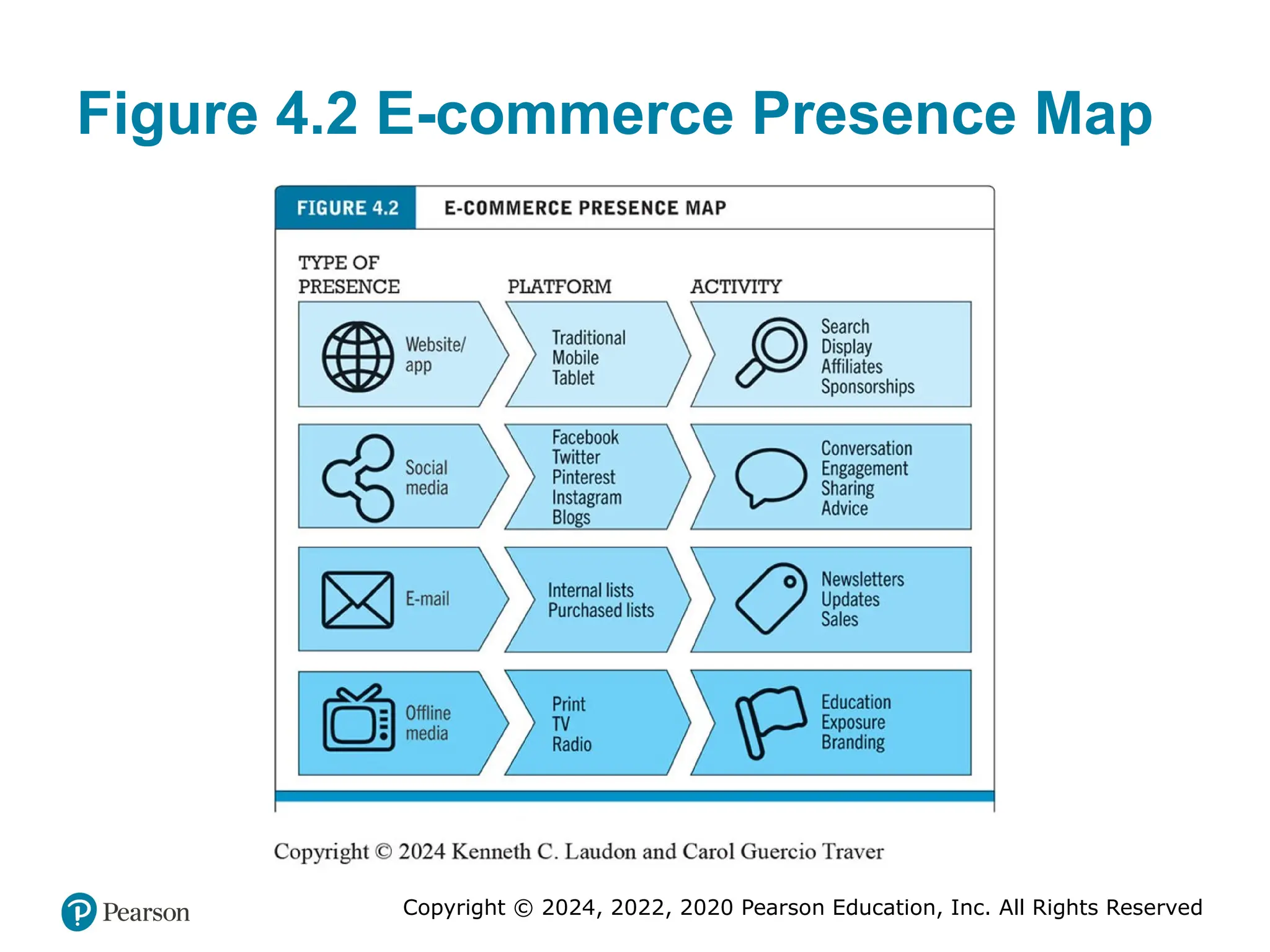
• Develop an e-commerce presence map
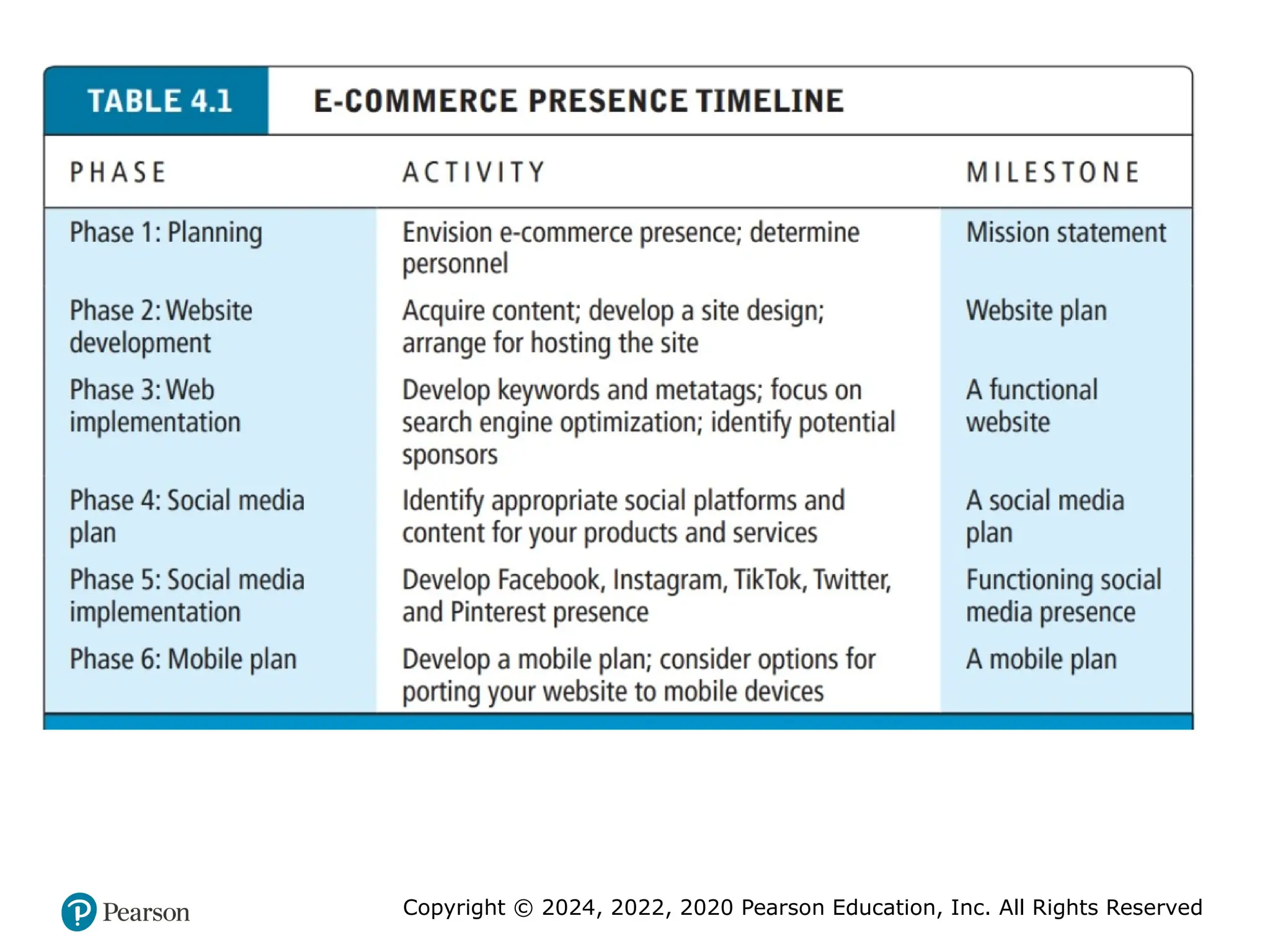
• Develop a timeline: Milestones
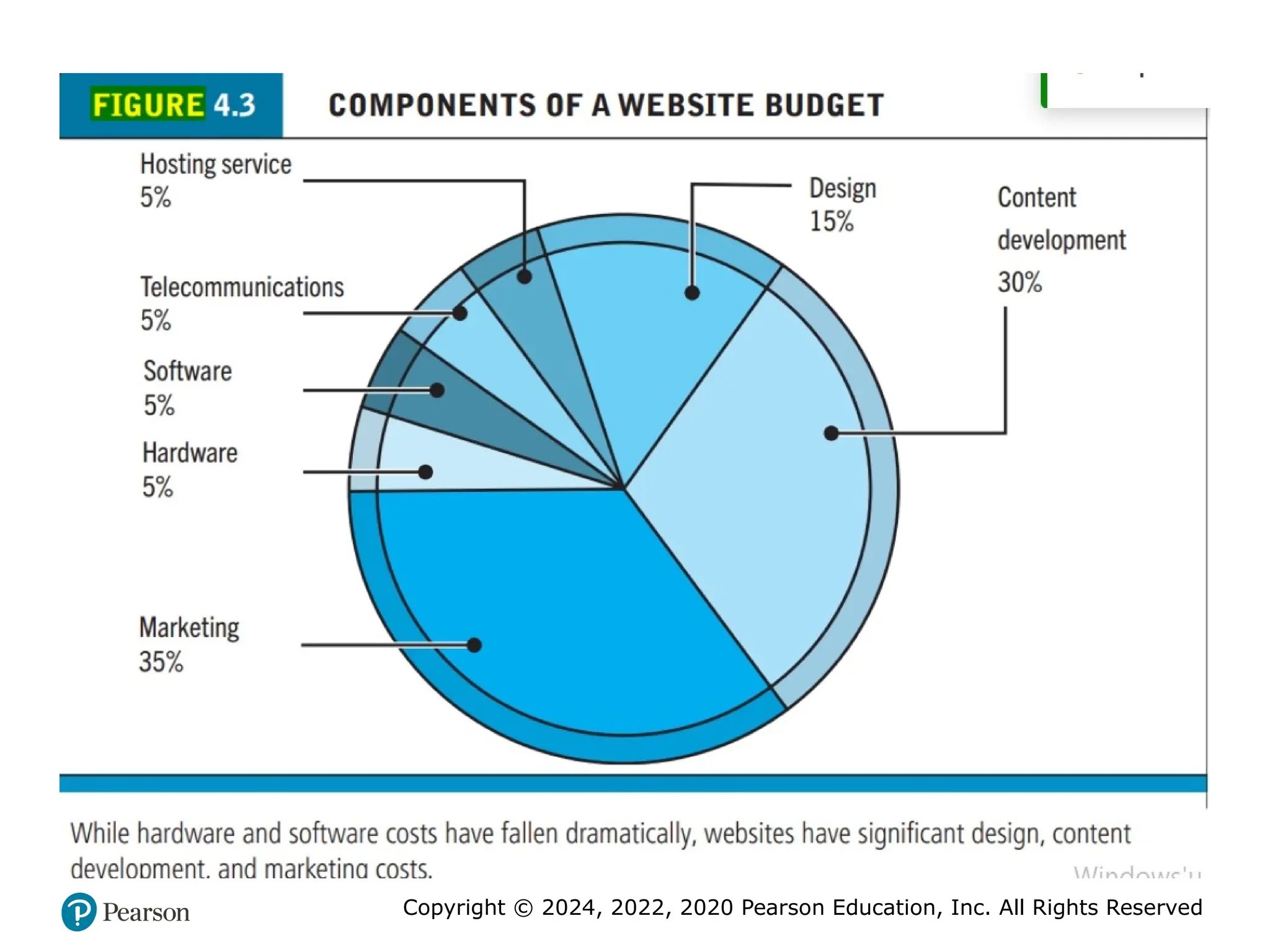
• How much will this cost?
– Simple website: up to $5000
– Small startup: $25,000 to $50,000
– Large corporate website: $100,000+ to millions
7. Copyright © 2024, 2022, 2020 Pearson Education, Inc. All Rights Reserved
• The Visioning Process
• Before you can plan and actually build an e-commerce
presence, you need to have a vision of what you hope to
accomplish and how you hope to accomplish it.
• The vision includes not only a statement of mission but also an
identification of the target audience, a characterization of the
market space, a strategic analysis, a marketing matrix, and a
development timeline. It starts with a dream and concludes with
a timeline and preliminary budget for development.
• WHERE’S THE MONEY: BUSINESS AND REVENUE MODEL
• Once you have defined your vision and mission statement, you
need to start thinking about where the money will be coming
from and develop a preliminary idea of your business and
revenue models.
8. Copyright © 2024, 2022, 2020 Pearson Education, Inc. All Rights Reserved
• WHO AND WHERE IS THE TARGET AUDIENCE?
• Without a clear understanding of your target audience, you
will not be able to develop a successful e-commerce
presence.
• There are two questions here: Who is your target audience,
and where can you best reach them?
• Your target audience can be described in a number of
ways: demographics, behavior patterns (lifestyles),
current consumption patterns (online vs. offline
purchasing), digital usage patterns, content creation
preferences (preferred social media venues), and buyer
personas (profiles of your typical customer).
9. Copyright © 2024, 2022, 2020 Pearson Education, Inc. All Rights Reserved
• CHARACTERIZE THE MARKETPLACE
• The chances of your success will depend greatly on the
characteristics of the market you are about to enter—and
not just on your entrepreneurial brilliance. Enter a declining
market filled with strong competitors, and you will multiply
your chances of failure.
• Features of the marketplace to focus on include the
demographics of the market and how an e-commerce
presence fits into the market. In addition, you will want to
know about the structure of the market: competitors,
suppliers, and substitute products.
10. Copyright © 2024, 2022, 2020 Pearson Education, Inc. All Rights Reserved
CHARACTERIZE THE MARKETPLACE
• What are the features of the marketplace you are about to
enter?
• Is the market growing, or receding in size? If it’s growing,
among which age and income groups?
• Is the marketplace shifting from offline to online delivery?
• Is there a special role for a mobile presence in this market?
• What percentage of your target audience uses a website,
smartphone, or tablet? What about social networks? What’s
the buzz on products like yours?
• Are your potential customers on Facebook, Instagram,
TikTok, Twitter, or Pinterest talking about the products and
services you want to offer?
11. Copyright © 2024, 2022, 2020 Pearson Education, Inc. All Rights Reserved
• WHERE’S THE CONTENT COMING FROM?
• There are generally two kinds of content: static and dynamic.
Static content is text and images that do not frequently
change, such as product descriptions, photos, or text that you
create to share with your visitors.
• Dynamic content is content that changes regularly, say, daily
or hourly. Dynamic content can be created by you or,
increasingly, by users. User-generated content has a number
of advantages: It’s free, it engages your customer fan base,
and search engines are more likely to catalog your site if
the content is changing. Other sources of content, especially
photos, are external websites that aggregate content such as
Pinterest
12. Copyright © 2024, 2022, 2020 Pearson Education, Inc. All Rights Reserved
Figure 4.1 SWOT Analysis
13. Copyright © 2024, 2022, 2020 Pearson Education, Inc. All Rights Reserved
Figure 4.2 E-commerce Presence Map
14. 15. 16. Copyright © 2024, 2022, 2020 Pearson Education, Inc. All Rights Reserved
Building an E-commerce Site: A
Systematic Approach
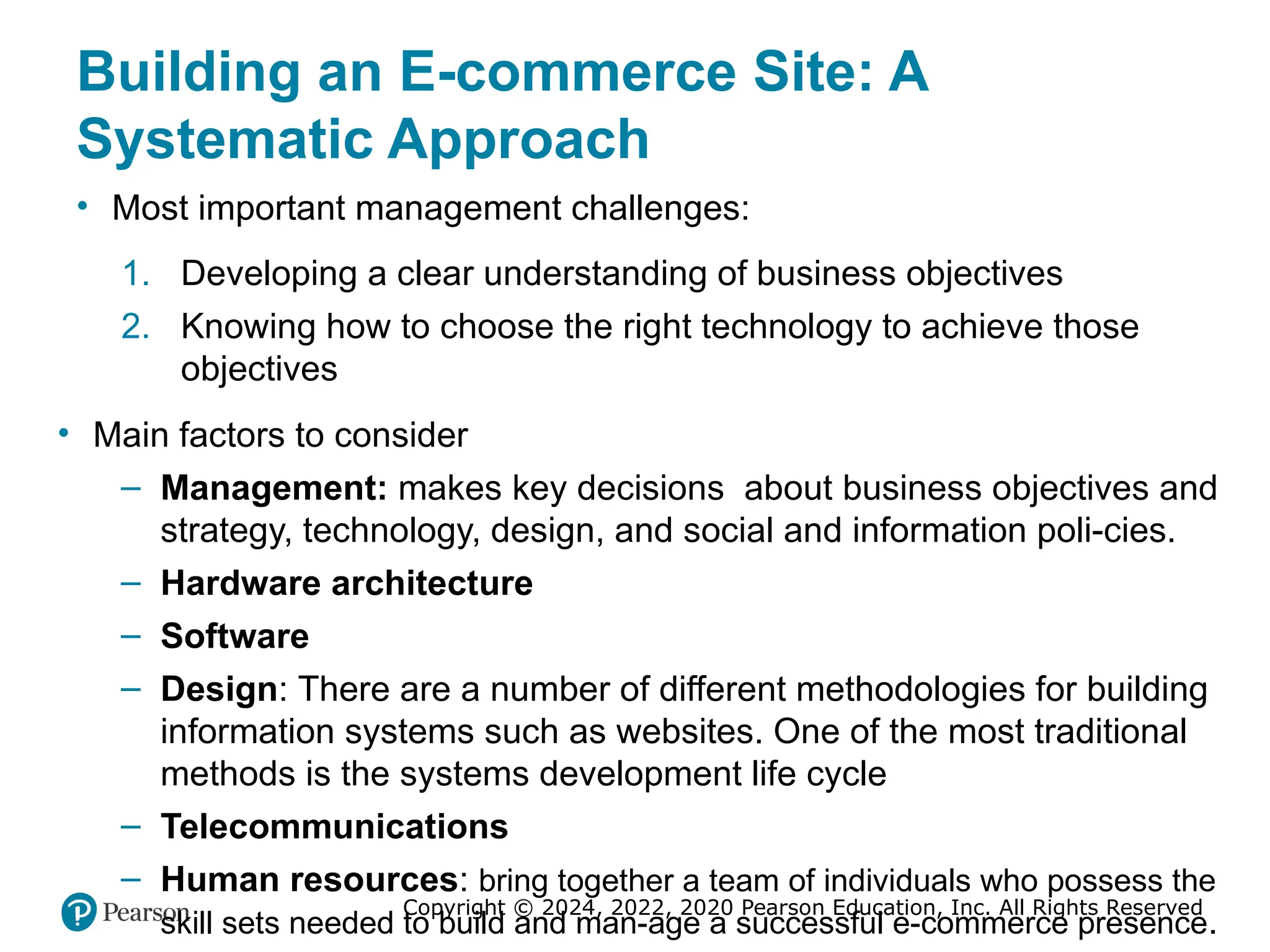
• Most important management challenges:
1. Developing a clear understanding of business objectives
2. Knowing how to choose the right technology to achieve those
objectives
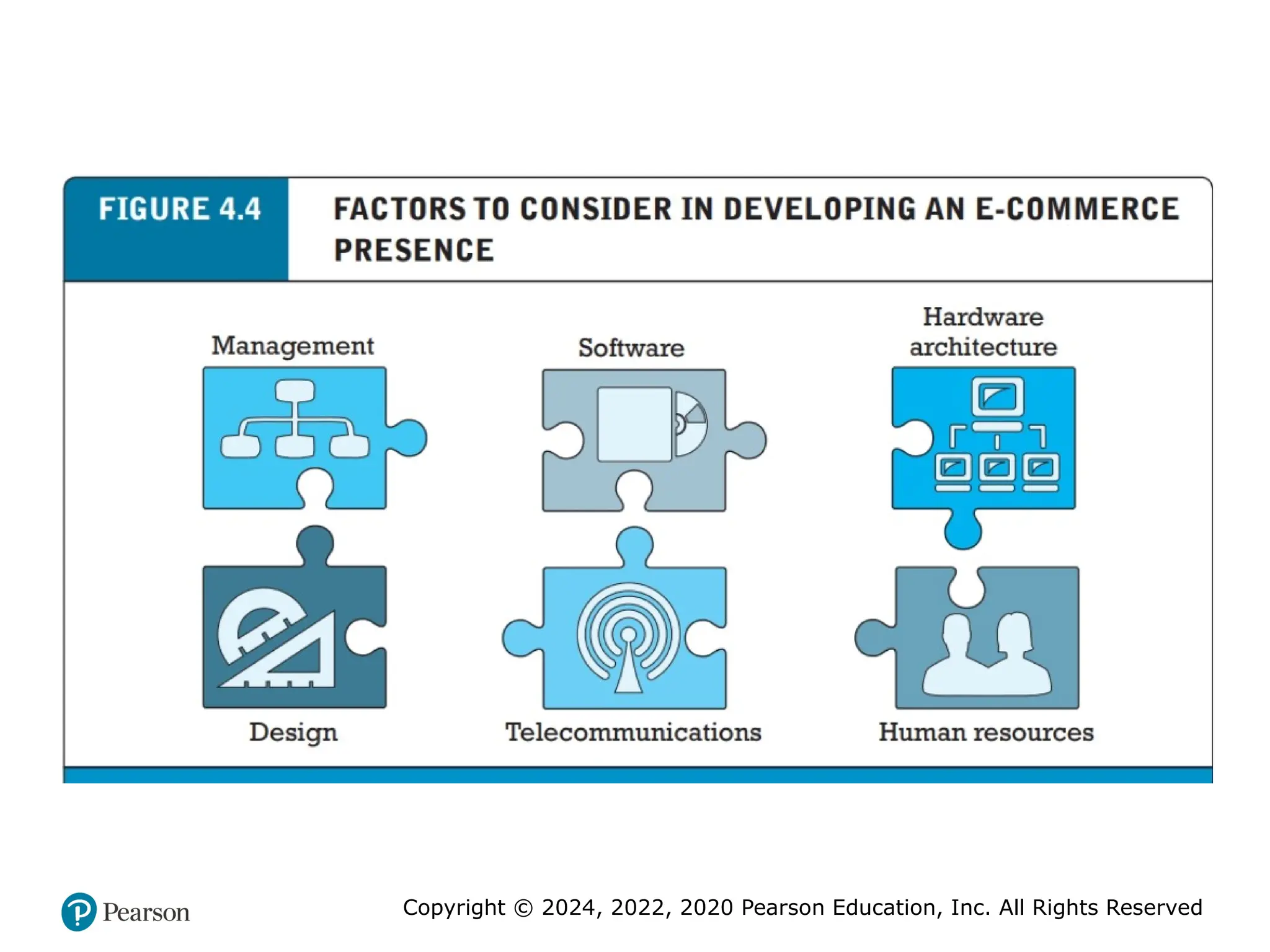
• Main factors to consider
– Management: makes key decisions about business objectives and
strategy, technology, design, and social and information poli-cies.
– Hardware architecture
– Software
– Design: There are a number of different methodologies for building
information systems such as websites. One of the most traditional
methods is the systems development life cycle
– Telecommunications
– Human resources: bring together a team of individuals who possess the
skill sets needed to build and man-age a successful e-commerce presence.
17. 18. Copyright © 2024, 2022, 2020 Pearson Education, Inc. All Rights Reserved
Planning: The Systems Development Life
Cycle
• Methodology for understanding business objectives of a
system and designing an appropriate solution
• Five major steps
– Systems analysis/planning
– Systems design
– Building the system
– Testing
– Implementation
19. Copyright © 2024, 2022, 2020 Pearson Education, Inc. All Rights Reserved
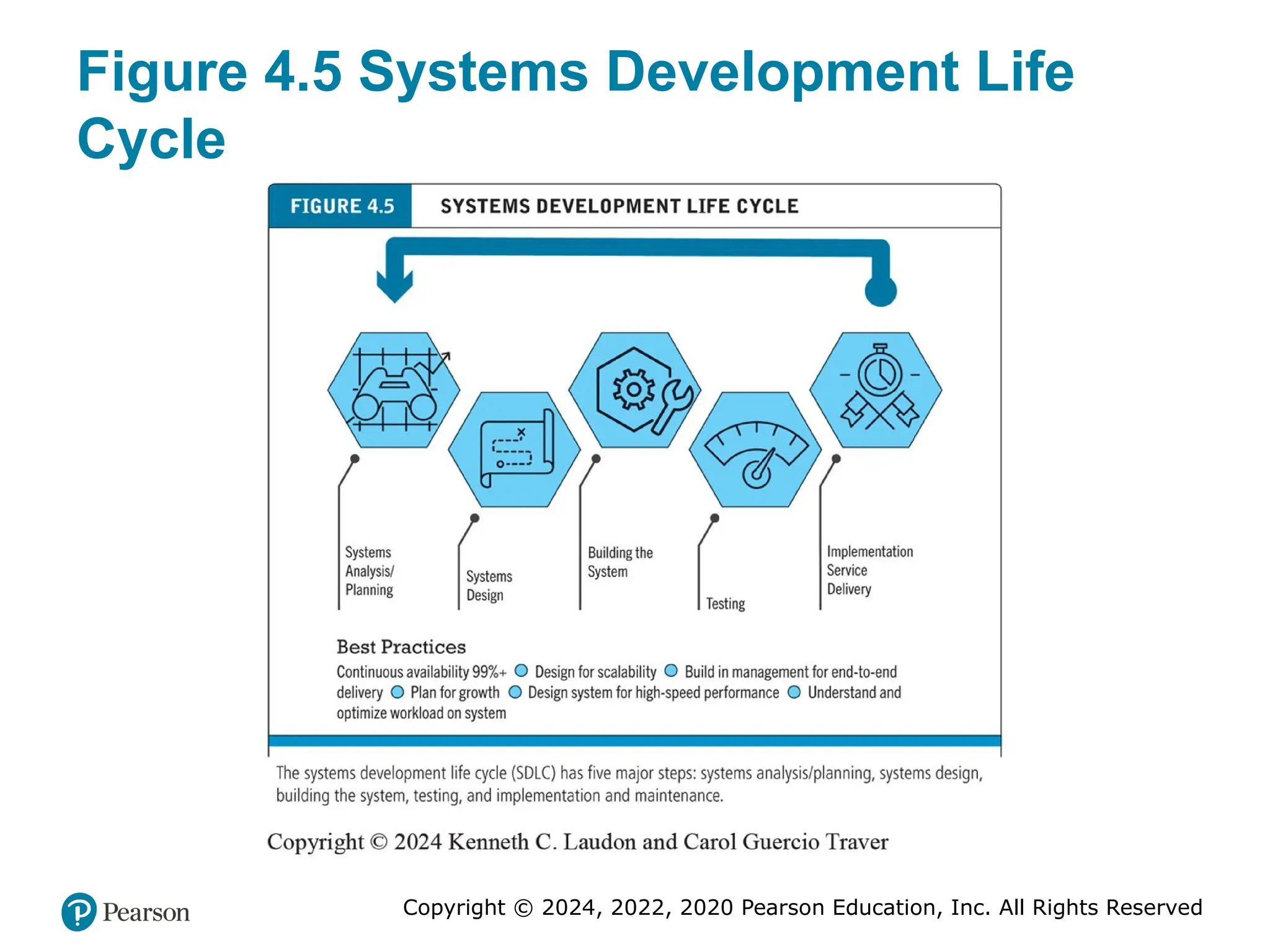
Figure 4.5 Systems Development Life
Cycle
20. Copyright © 2024, 2022, 2020 Pearson Education, Inc. All Rights Reserved
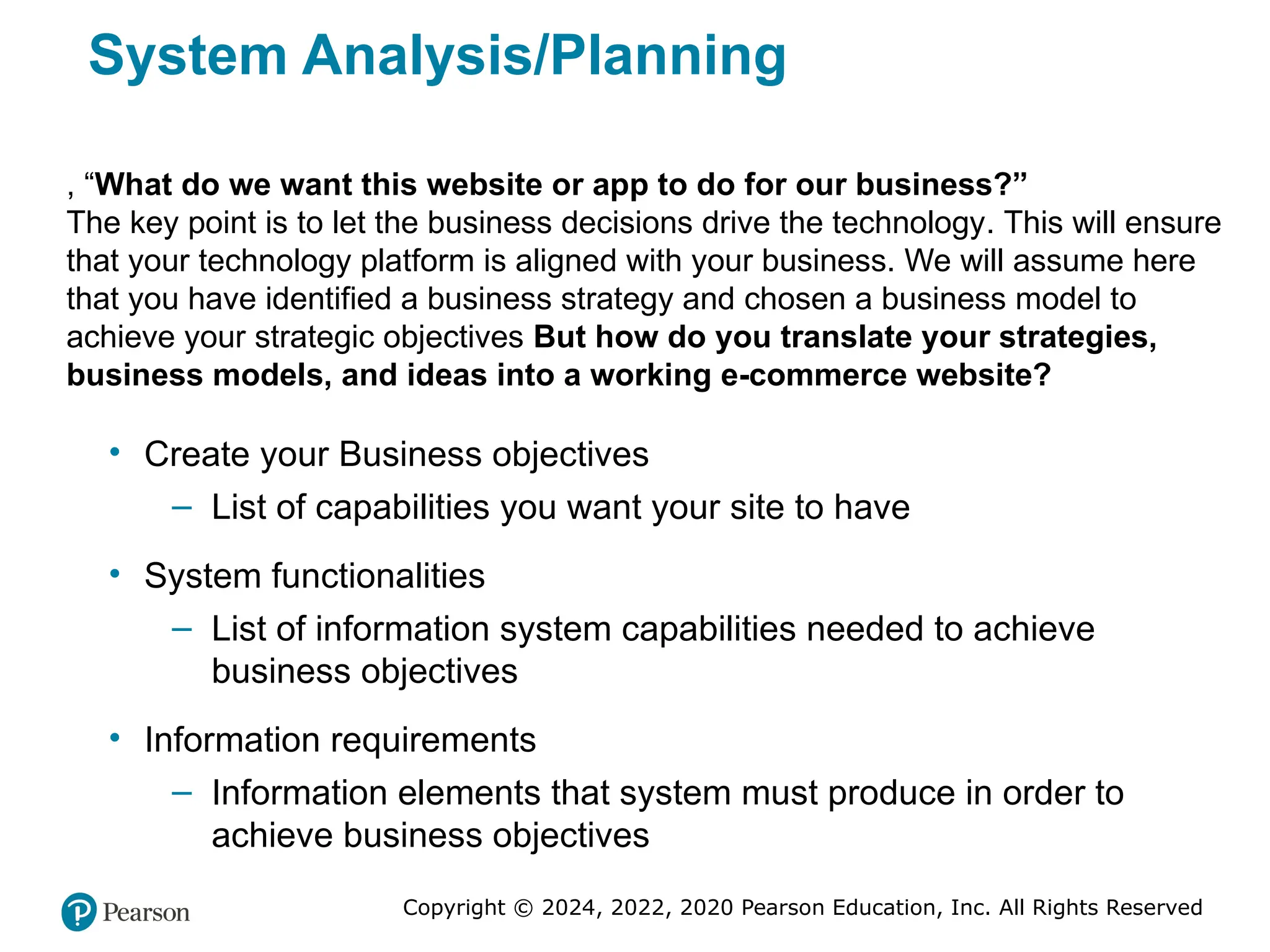
System Analysis/Planning
• Create your Business objectives
– List of capabilities you want your site to have
• System functionalities
– List of information system capabilities needed to achieve
business objectives
• Information requirements
– Information elements that system must produce in order to
achieve business objectives
, “What do we want this website or app to do for our business?”
The key point is to let the business decisions drive the technology. This will ensure
that your technology platform is aligned with your business. We will assume here
that you have identified a business strategy and chosen a business model to
achieve your strategic objectives But how do you translate your strategies,
business models, and ideas into a working e-commerce website?
21. Copyright © 2024, 2022, 2020 Pearson Education, Inc. All Rights Reserved
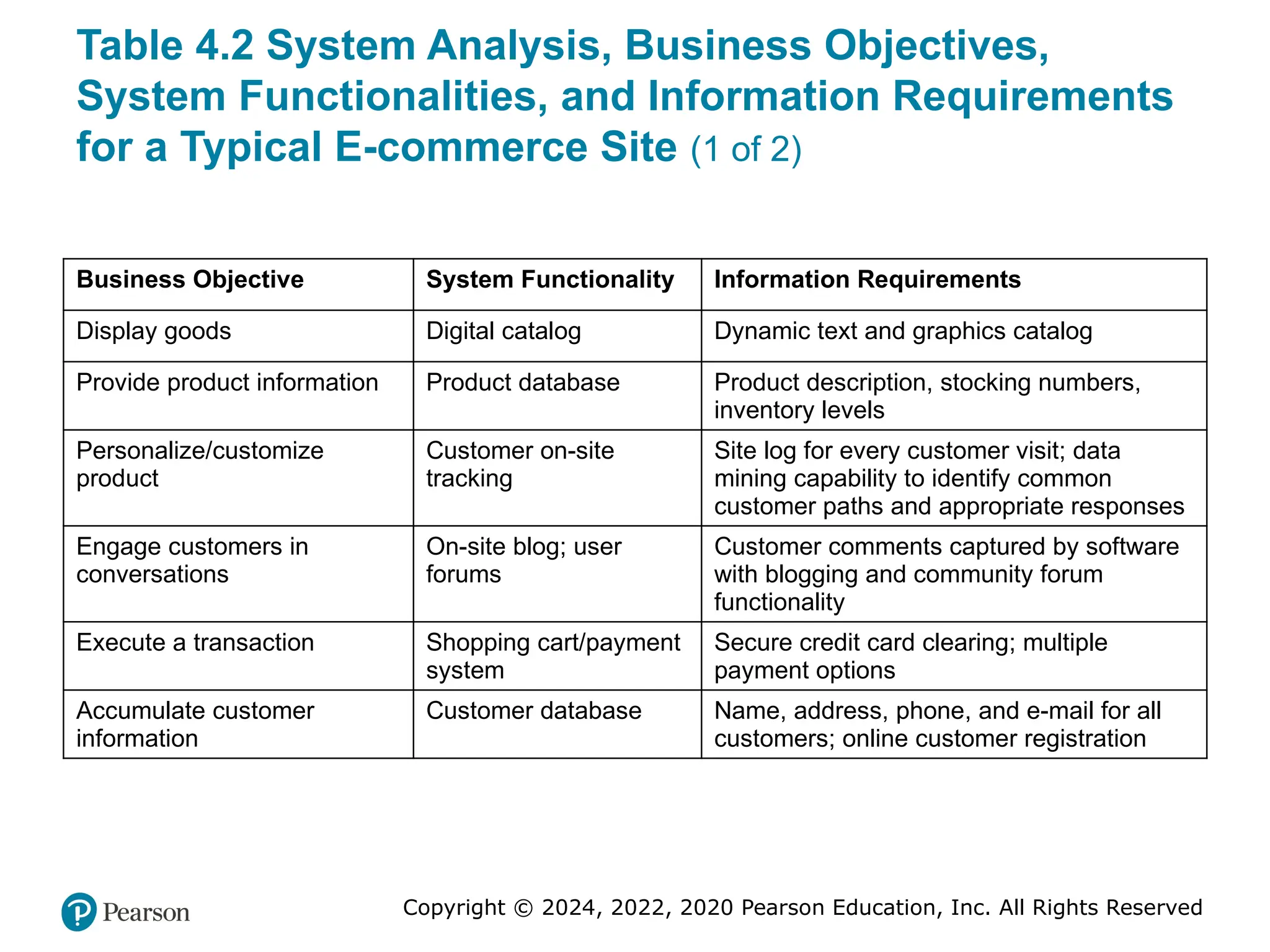
Table 4.2 System Analysis, Business Objectives,
System Functionalities, and Information Requirements
for a Typical E-commerce Site (1 of 2)
Business Objective System Functionality Information Requirements
Display goods Digital catalog Dynamic text and graphics catalog
Provide product information Product database Product description, stocking numbers,
inventory levels
Personalize/customize
product
Customer on-site
tracking
Site log for every customer visit; data
mining capability to identify common
customer paths and appropriate responses
Engage customers in
conversations
On-site blog; user
forums
Customer comments captured by software
with blogging and community forum
functionality
Execute a transaction Shopping cart/payment
system
Secure credit card clearing; multiple
payment options
Accumulate customer
information
Customer database Name, address, phone, and e-mail for all
customers; online customer registration
22. Copyright © 2024, 2022, 2020 Pearson Education, Inc. All Rights Reserved
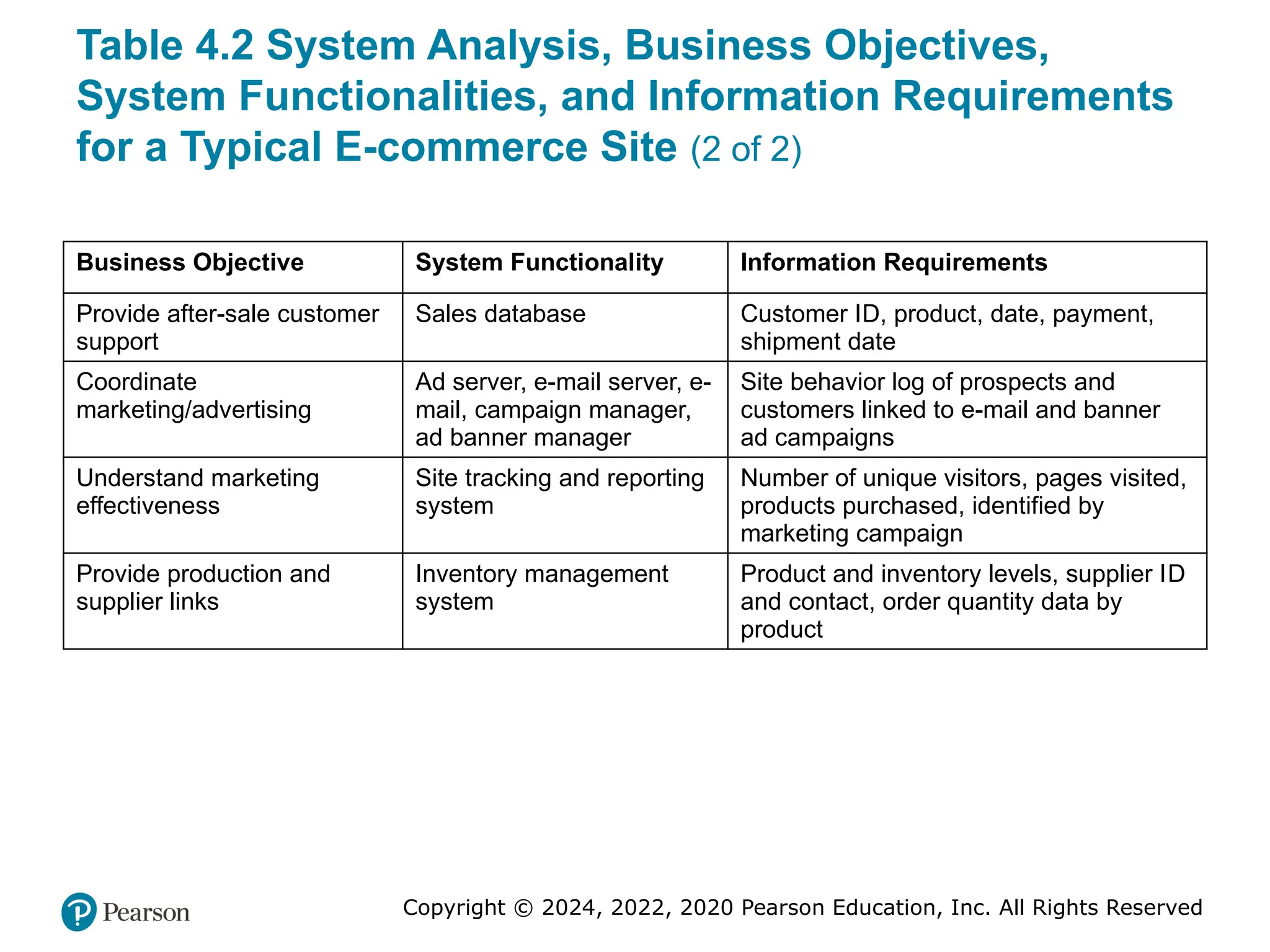
Table 4.2 System Analysis, Business Objectives,
System Functionalities, and Information Requirements
for a Typical E-commerce Site (2 of 2)
Business Objective System Functionality Information Requirements
Provide after-sale customer
support
Sales database Customer ID, product, date, payment,
shipment date
Coordinate
marketing/advertising
Ad server, e-mail server, e-
mail, campaign manager,
ad banner manager
Site behavior log of prospects and
customers linked to e-mail and banner
ad campaigns
Understand marketing
effectiveness
Site tracking and reporting
system
Number of unique visitors, pages visited,
products purchased, identified by
marketing campaign
Provide production and
supplier links
Inventory management
system
Product and inventory levels, supplier ID
and contact, order quantity data by
product
23. Copyright © 2024, 2022, 2020 Pearson Education, Inc. All Rights Reserved
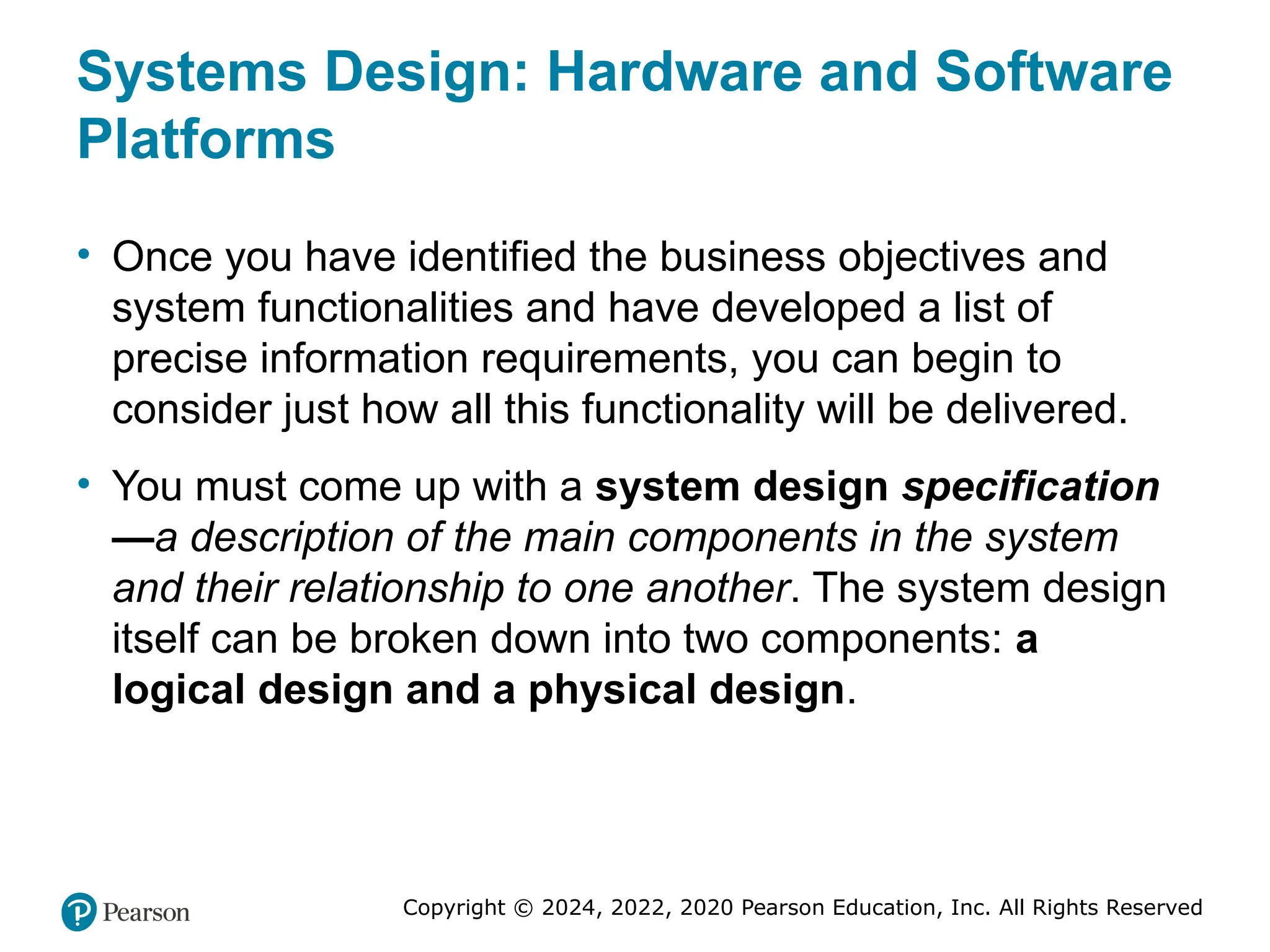
Systems Design: Hardware and Software
Platforms
• Once you have identified the business objectives and
system functionalities and have developed a list of
precise information requirements, you can begin to
consider just how all this functionality will be delivered.
• You must come up with a system design specification
—a description of the main components in the system
and their relationship to one another. The system design
itself can be broken down into two components: a
logical design and a physical design.
24. Copyright © 2024, 2022, 2020 Pearson Education, Inc. All Rights Reserved
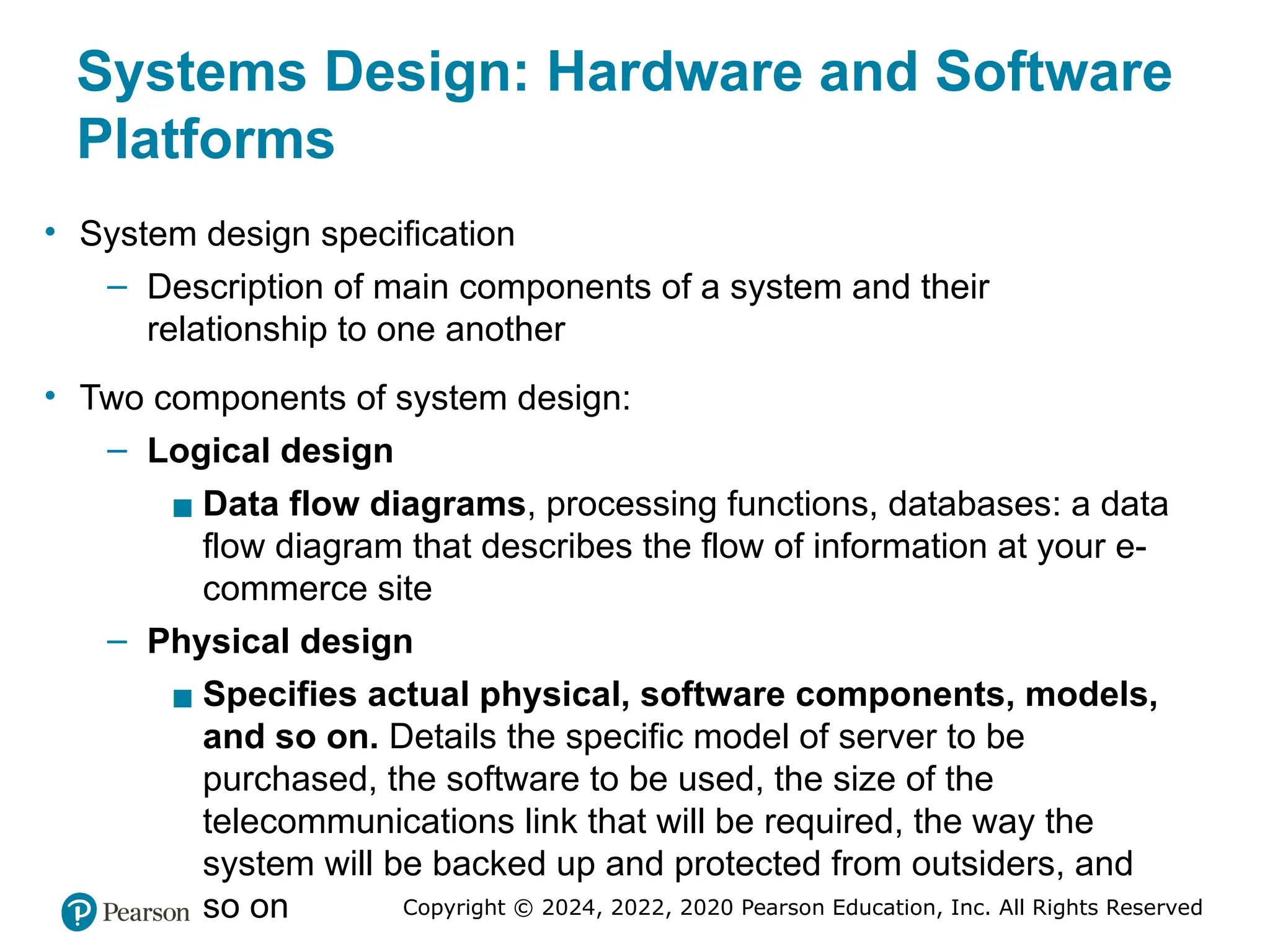
Systems Design: Hardware and Software
Platforms
• System design specification
– Description of main components of a system and their
relationship to one another
• Two components of system design:
– Logical design
▪ Data flow diagrams, processing functions, databases: a data
flow diagram that describes the flow of information at your e-
commerce site
– Physical design
▪ Specifies actual physical, software components, models,
and so on. Details the specific model of server to be
purchased, the software to be used, the size of the
telecommunications link that will be required, the way the
system will be backed up and protected from outsiders, and
so on
25. Copyright © 2024, 2022, 2020 Pearson Education, Inc. All Rights Reserved
Building the System: In-House Versus
Outsourcing
• Outsourcing: Hiring vendors to provide services involved in
building site
• Build own versus outsourcing
– Build your own web site requires team with diverse skill set;
choice of software tools; both risks and possible benefits
• Host own versus outsourcing
– Hosting: Hosting company responsible for ensuring site is
accessible 24/7, for monthly fee
– Co-location: Firm purchases or leases web server (with
control over its operation), but server is located at vendor’s
facility
26. Copyright © 2024, 2022, 2020 Pearson Education, Inc. All Rights Reserved
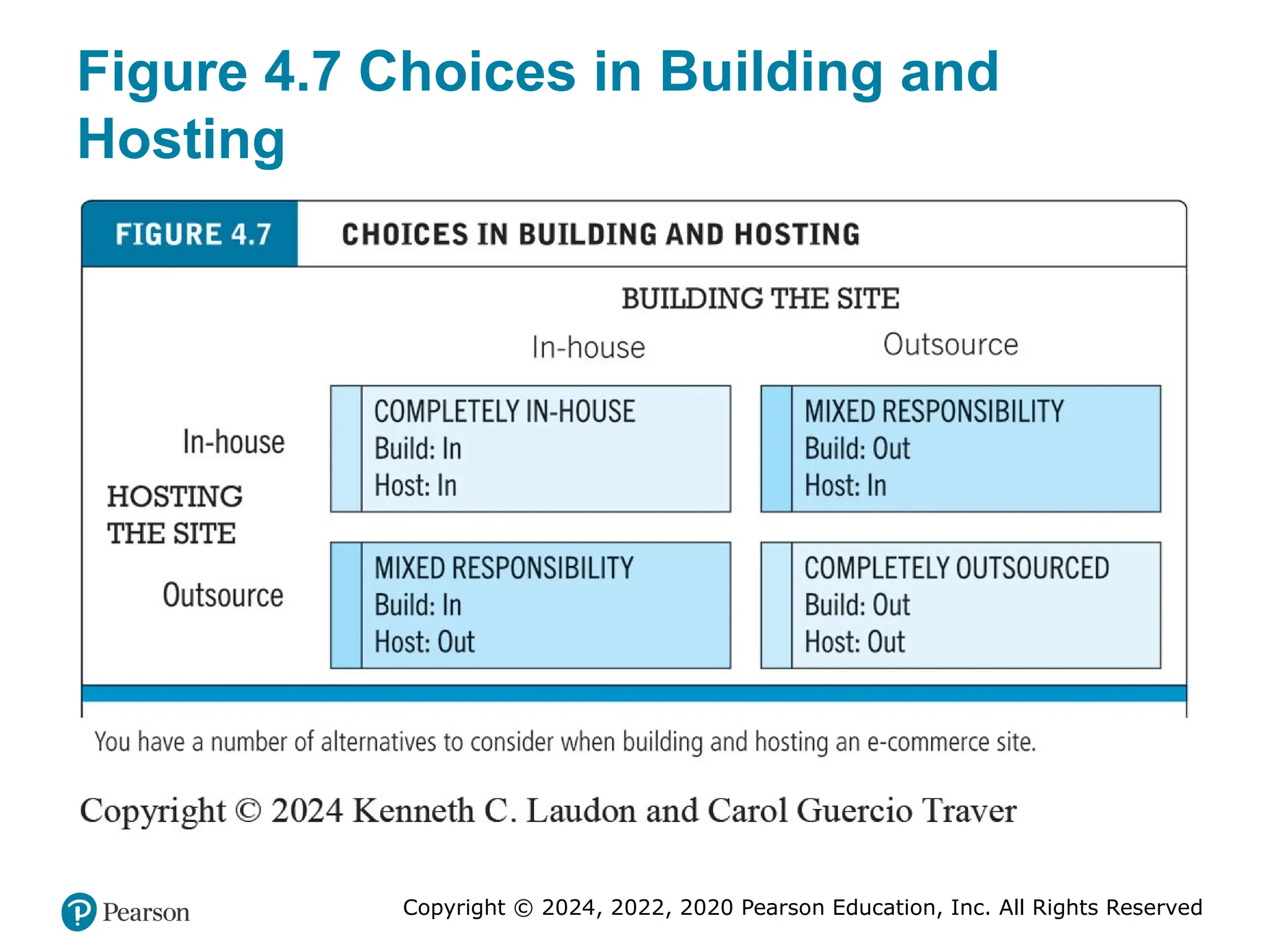
Figure 4.7 Choices in Building and
Hosting
27. Copyright © 2024, 2022, 2020 Pearson Education, Inc. All Rights Reserved
Insight on Business: Wix Makes Creating
Websites Easy
• Class Discussion
– What value does Wix offer to small businesses?
– Are there any drawbacks to using Wix to create an e-
commerce presence?
– How are service providers like Wix changing the
nature of e-commerce?
28. Copyright © 2024, 2022, 2020 Pearson Education, Inc. All Rights Reserved
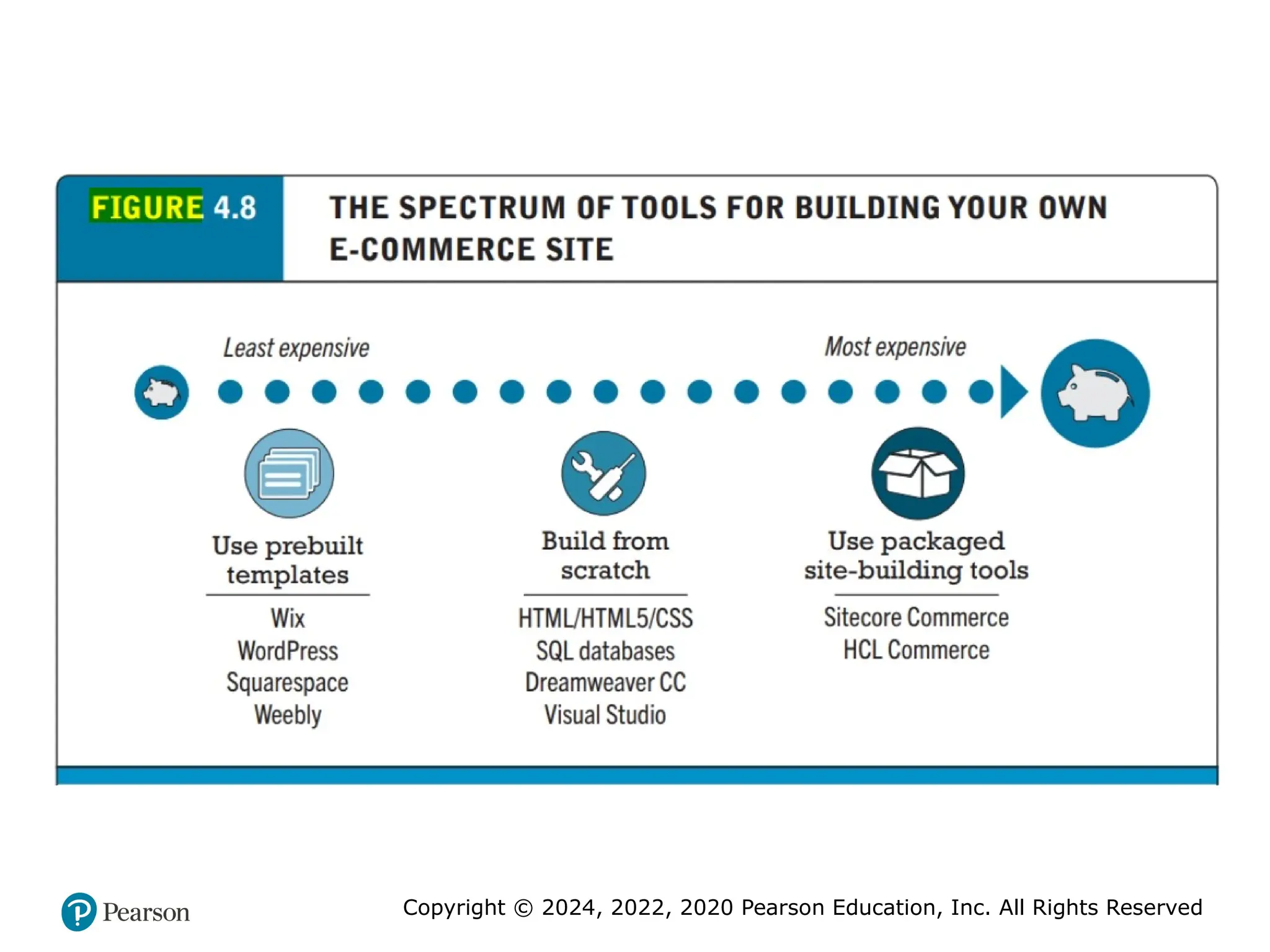
• Companies, such as WordPress, Wix, Squarespace, Shopify,
Square, and Weebly, provide inexpensive and easy-to-use
website-building tools. All of these companies also provide access
to built-in e-commerce functionality. However, if you do so, you
will be limited to the “look and feel” and functionality provided
by the templates and infrastructure supplied by these vendors.
If you want more customization than a pre-built template can provide
and have some programming experience, you can build the
website yourself. Here, too, there are a variety of options. You
can choose to build the site truly “from scratch,” using HTML/
HTML5 and CSS (see Chapter 3) and adding interactivity with
JavaScript and other pro-gramming tools (see Section 4.5).
You can also use web development tools such as Adobe
Dreamweaver CC and Microsoft Visual Studio, which enable
developers to quickly create websites.
29. 30. Copyright © 2024, 2022, 2020 Pearson Education, Inc. All Rights Reserved
Testing the System
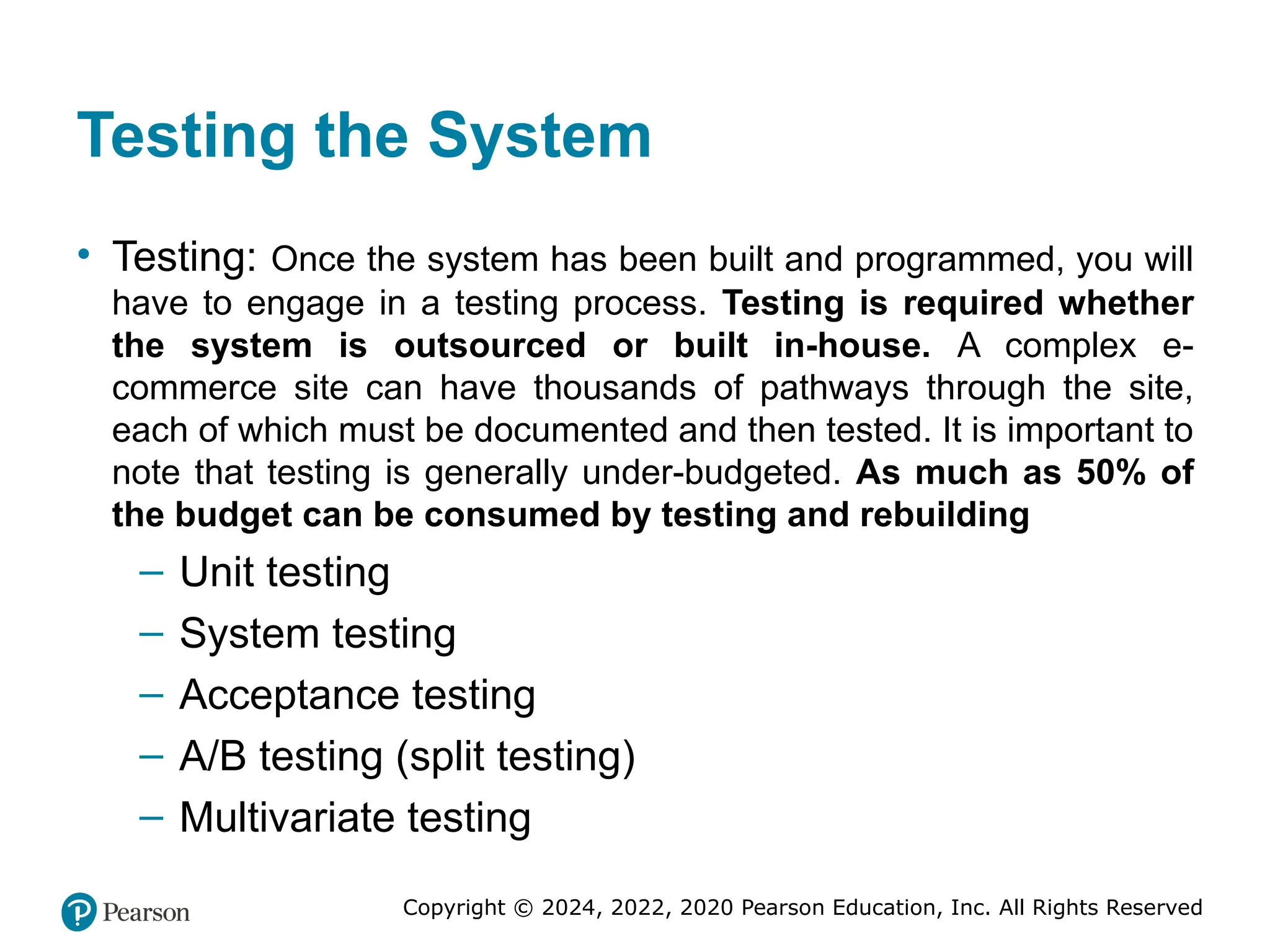
• Testing: Once the system has been built and programmed, you will
have to engage in a testing process. Testing is required whether
the system is outsourced or built in-house. A complex e-
commerce site can have thousands of pathways through the site,
each of which must be documented and then tested. It is important to
note that testing is generally under-budgeted. As much as 50% of
the budget can be consumed by testing and rebuilding
– Unit testing
– System testing
– Acceptance testing
– A/B testing (split testing)
– Multivariate testing
31. Copyright © 2024, 2022, 2020 Pearson Education, Inc. All Rights Reserved
Implementation, Maintenance, and
Optimization
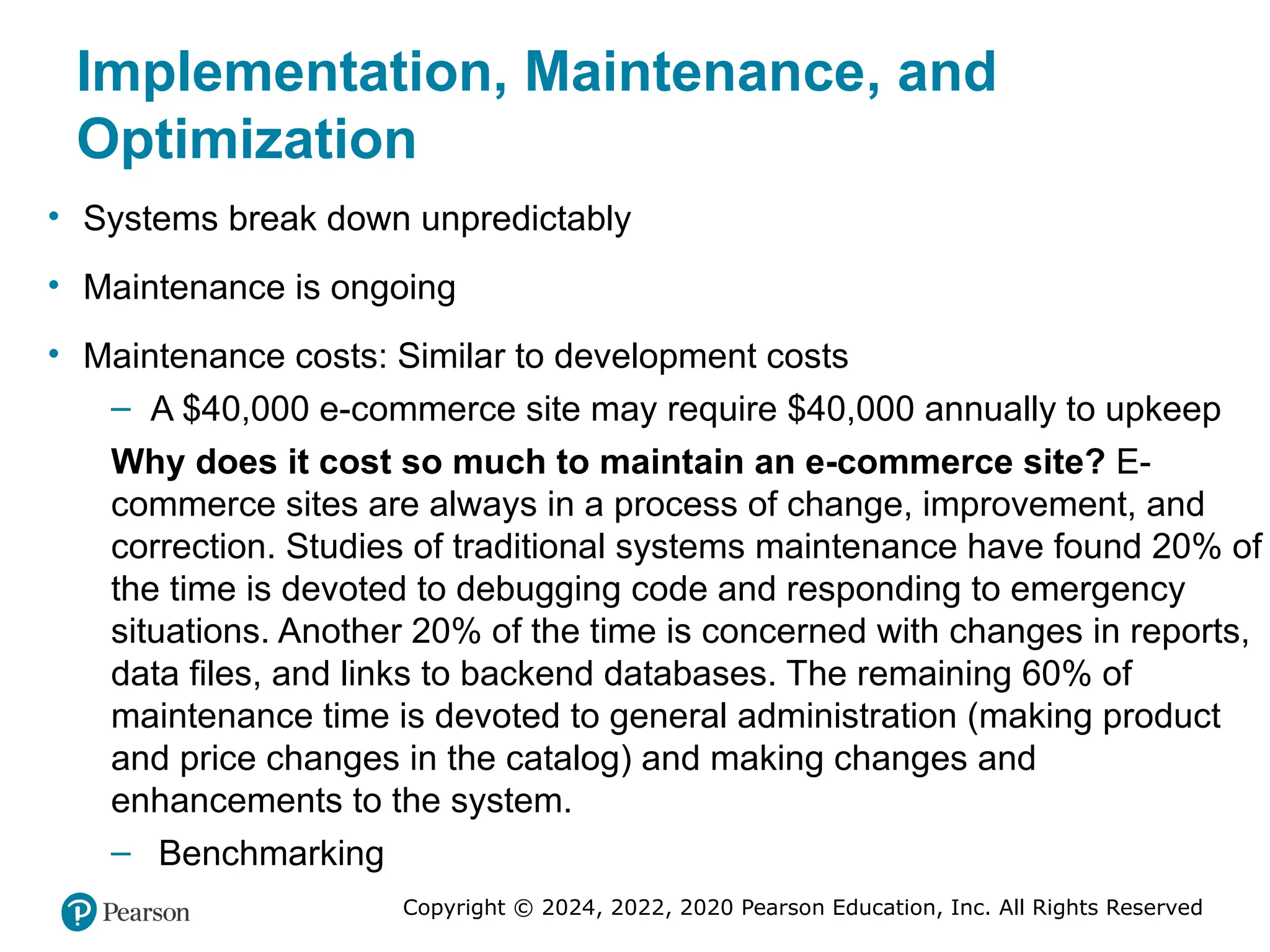
• Systems break down unpredictably
• Maintenance is ongoing
• Maintenance costs: Similar to development costs
– A $40,000 e-commerce site may require $40,000 annually to upkeep
Why does it cost so much to maintain an e-commerce site? E-
commerce sites are always in a process of change, improvement, and
correction. Studies of traditional systems maintenance have found 20% of
the time is devoted to debugging code and responding to emergency
situations. Another 20% of the time is concerned with changes in reports,
data files, and links to backend databases. The remaining 60% of
maintenance time is devoted to general administration (making product
and price changes in the catalog) and making changes and
enhancements to the system.
– Benchmarking
32. Copyright © 2024, 2022, 2020 Pearson Education, Inc. All Rights Reserved
• The long-term success of an e-commerce site for a medium-sized to
large business typically depends on a dedicated team of employees
(the web team) whose sole job is to monitor and adapt the site to
changing market conditions.
• The web team must be multi-skilled; it will typically include programmers,
designers, and business manag-ers drawn from marketing, production, and
sales support.
• One of the first tasks of the web team is to listen to customers’ feedback
on the site and respond to that feedback as necessary.
• A second task is to develop a systematic monitoring and testing plan to
be followed weekly to ensure all the links are operating, prices are correct,
and pages are updated.
• Other important tasks of the web team include benchmarking (a process in
which the site is compared with those of competitors in terms of response
speed, quality of layout, and design) and keeping the site current on
pricing and promotions. The Web is a competitive environment where you
can very rapidly frustrate and lose customers with a dysfunctional site.
33. Copyright © 2024, 2022, 2020 Pearson Education, Inc. All Rights Reserved
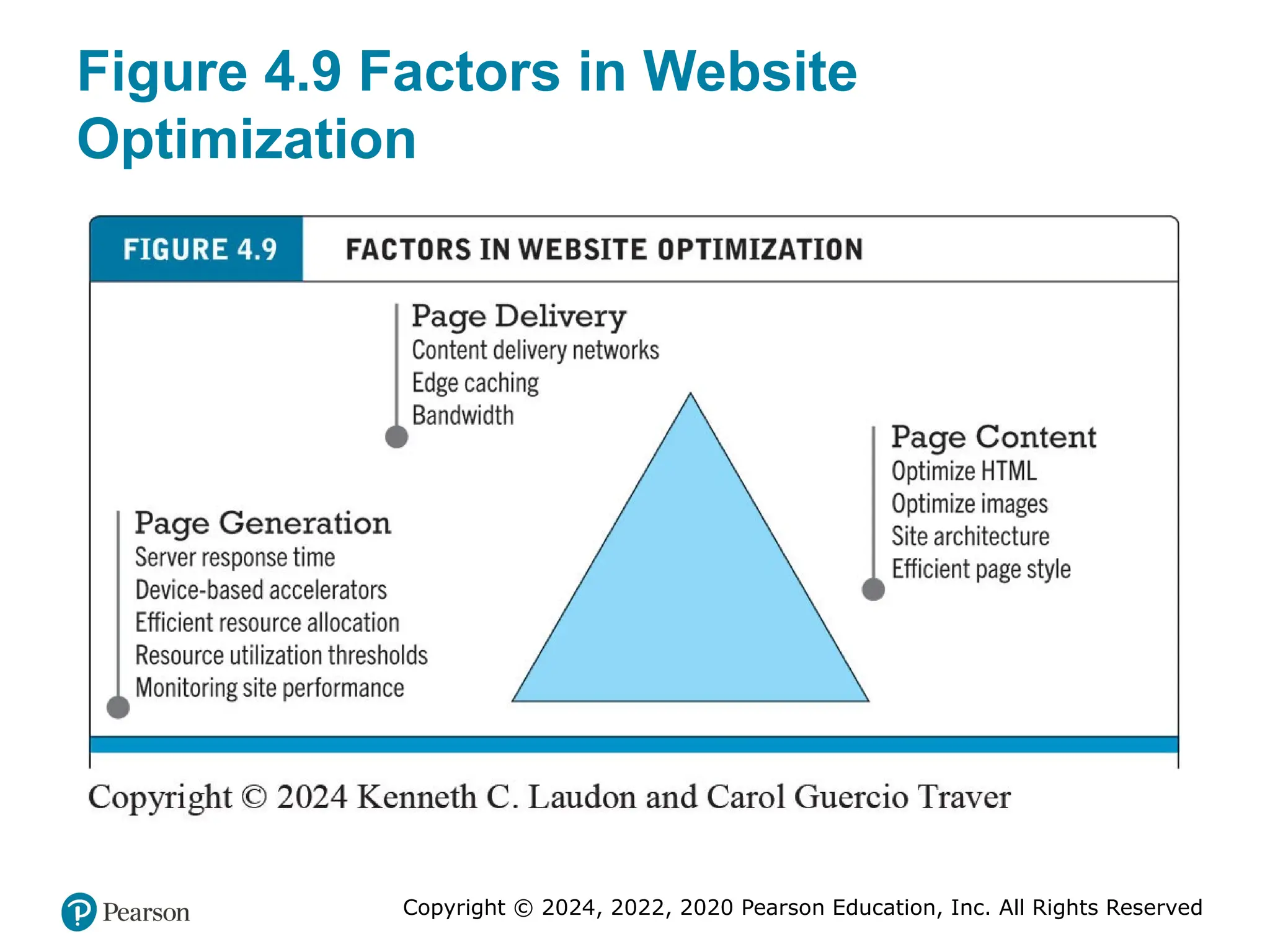
Figure 4.9 Factors in Website
Optimization
34. Copyright © 2024, 2022, 2020 Pearson Education, Inc. All Rights Reserved
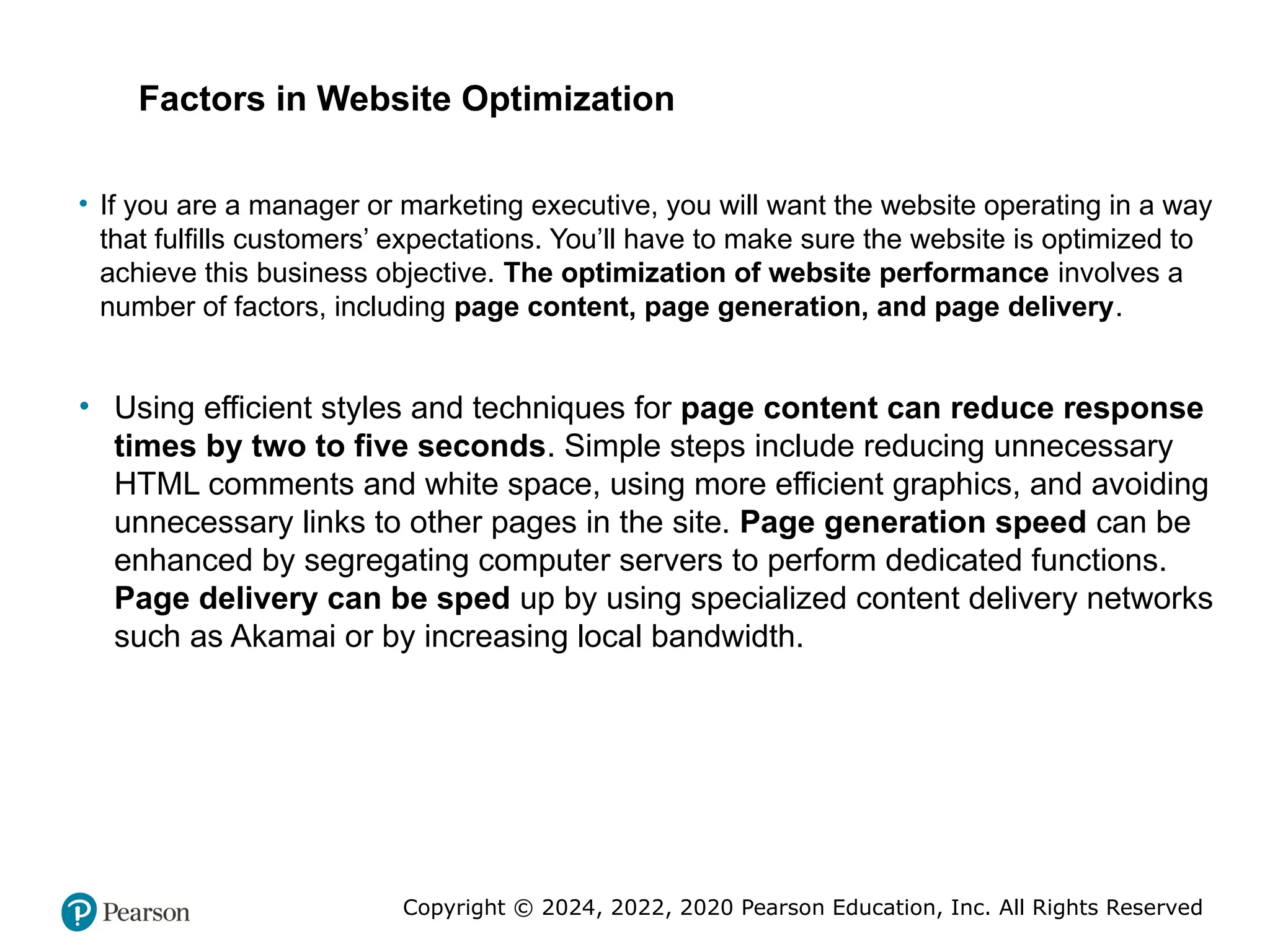
• If you are a manager or marketing executive, you will want the website operating in a way
that fulfills customers’ expectations. You’ll have to make sure the website is optimized to
achieve this business objective. The optimization of website performance involves a
number of factors, including page content, page generation, and page delivery.
• Using efficient styles and techniques for page content can reduce response
times by two to five seconds. Simple steps include reducing unnecessary
HTML comments and white space, using more efficient graphics, and avoiding
unnecessary links to other pages in the site. Page generation speed can be
enhanced by segregating computer servers to perform dedicated functions.
Page delivery can be sped up by using specialized content delivery networks
such as Akamai or by increasing local bandwidth.
Factors in Website Optimization
35. Copyright © 2024, 2022, 2020 Pearson Education, Inc. All Rights Reserved
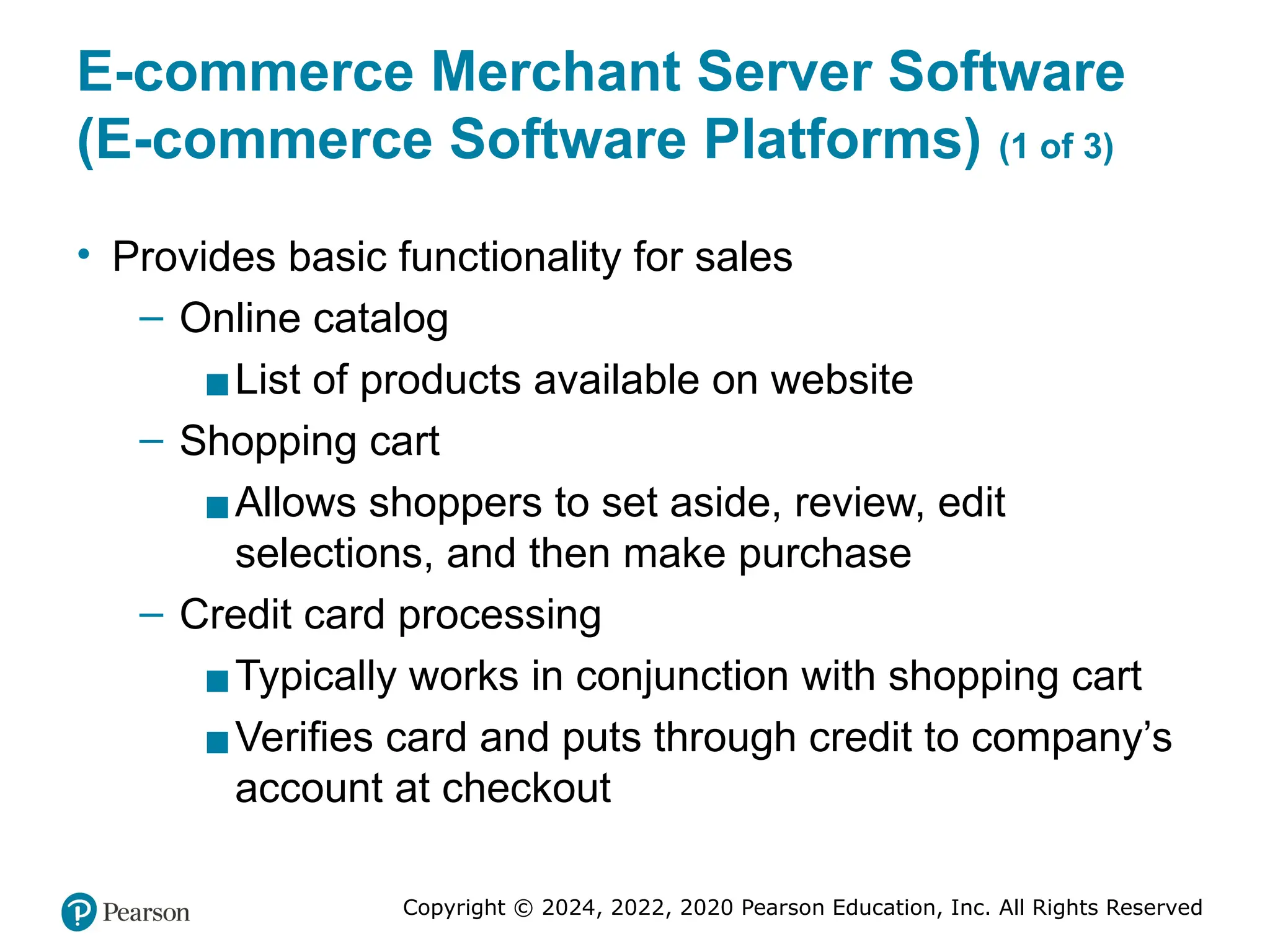
E-commerce Merchant Server Software
(E-commerce Software Platforms) (1 of 3)
• Provides basic functionality for sales
– Online catalog
▪List of products available on website
– Shopping cart
▪Allows shoppers to set aside, review, edit
selections, and then make purchase
– Credit card processing
▪Typically works in conjunction with shopping cart
▪Verifies card and puts through credit to company’s
account at checkout
36. Copyright © 2024, 2022, 2020 Pearson Education, Inc. All Rights Reserved
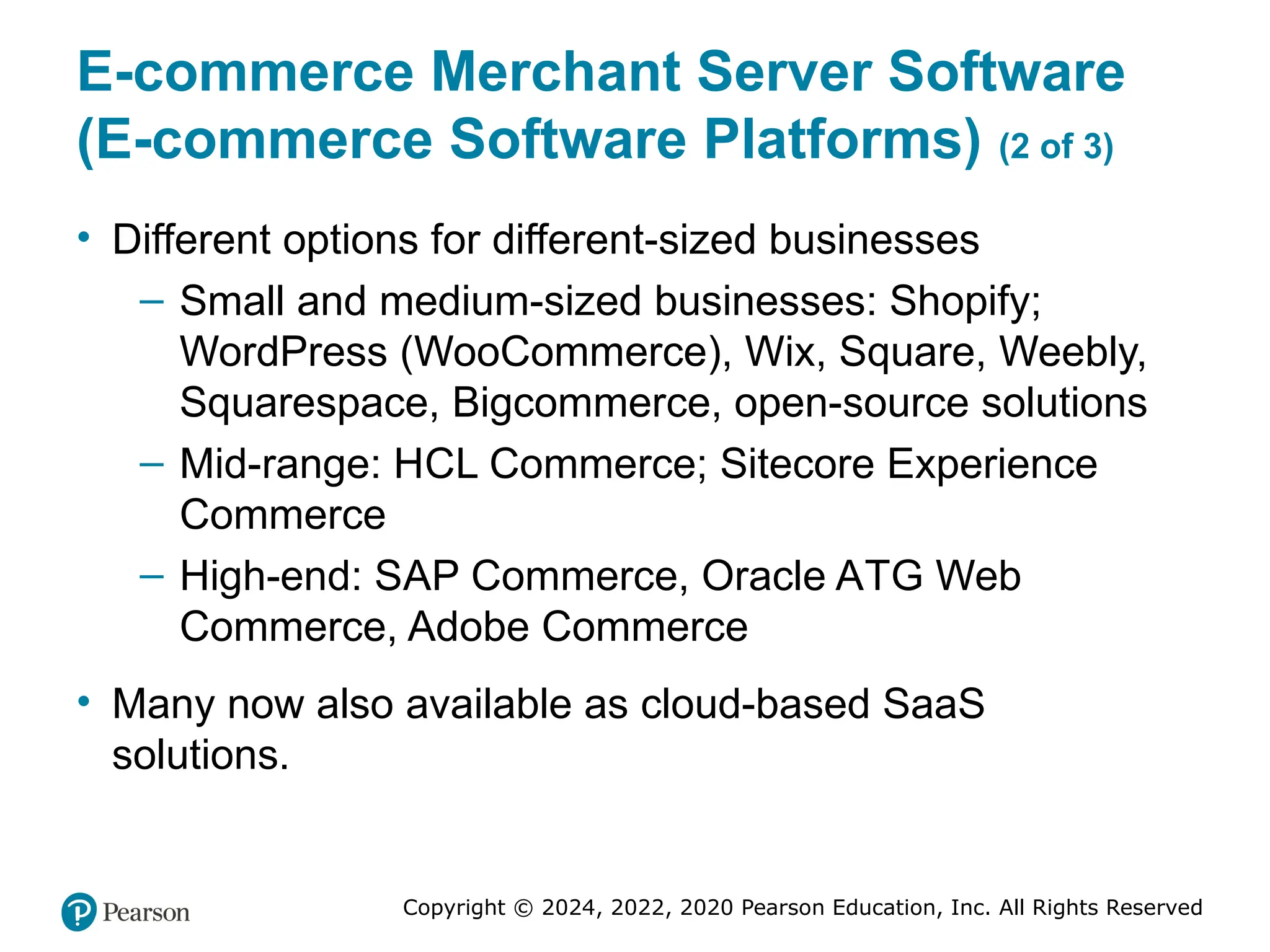
E-commerce Merchant Server Software
(E-commerce Software Platforms) (2 of 3)
• Different options for different-sized businesses
– Small and medium-sized businesses: Shopify;
WordPress (WooCommerce), Wix, Square, Weebly,
Squarespace, Bigcommerce, open-source solutions
– Mid-range: HCL Commerce; Sitecore Experience
Commerce
– High-end: SAP Commerce, Oracle ATG Web
Commerce, Adobe Commerce
• Many now also available as cloud-based SaaS
solutions.
37. Copyright © 2024, 2022, 2020 Pearson Education, Inc. All Rights Reserved
E-commerce Merchant Server Software
(E-commerce Software Platforms) (3 of 3)
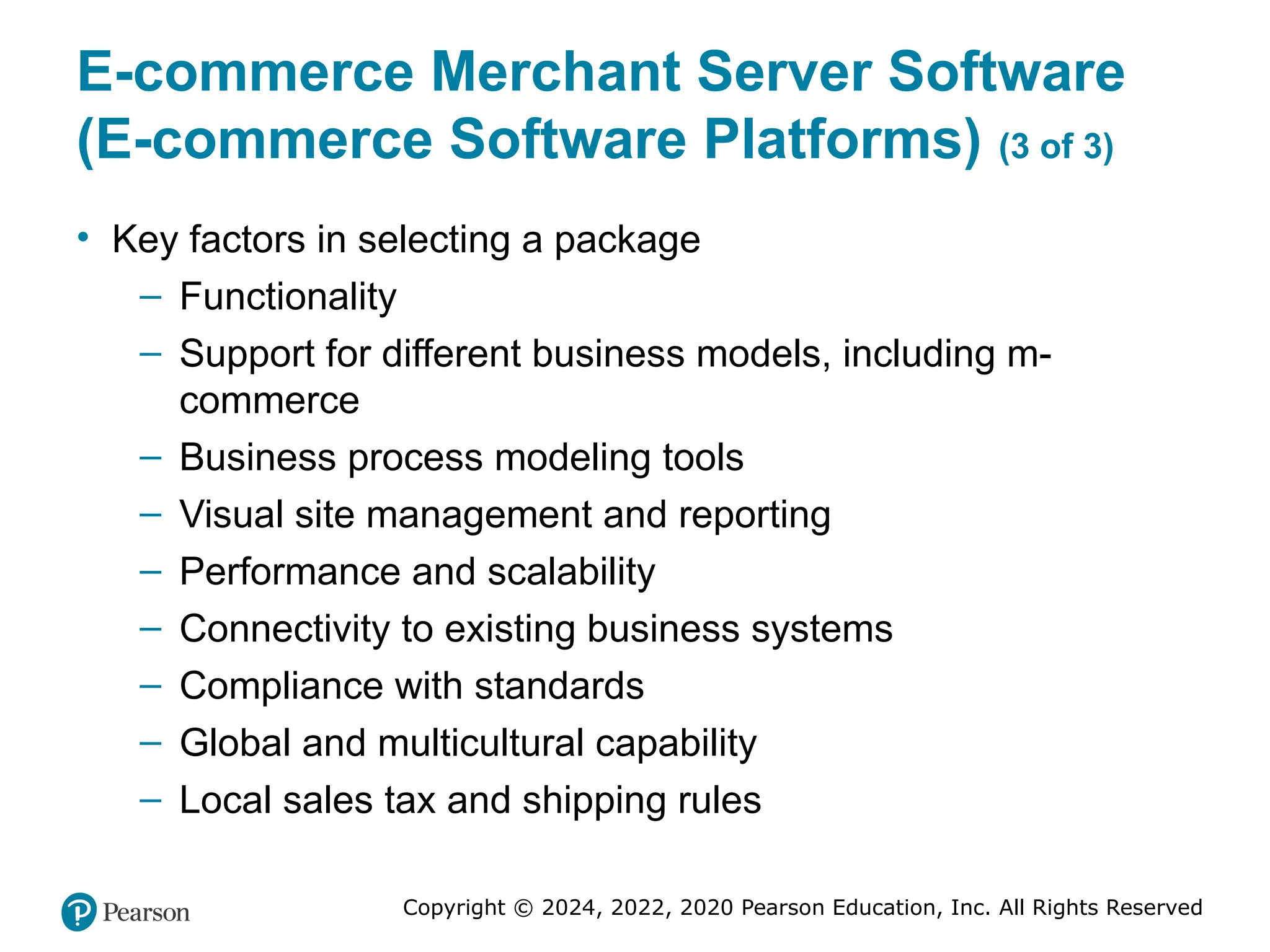
• Key factors in selecting a package
– Functionality
– Support for different business models, including m-
commerce
– Business process modeling tools
– Visual site management and reporting
– Performance and scalability
– Connectivity to existing business systems
– Compliance with standards
– Global and multicultural capability
– Local sales tax and shipping rules
38. Copyright © 2024, 2022, 2020 Pearson Education, Inc. All Rights Reserved
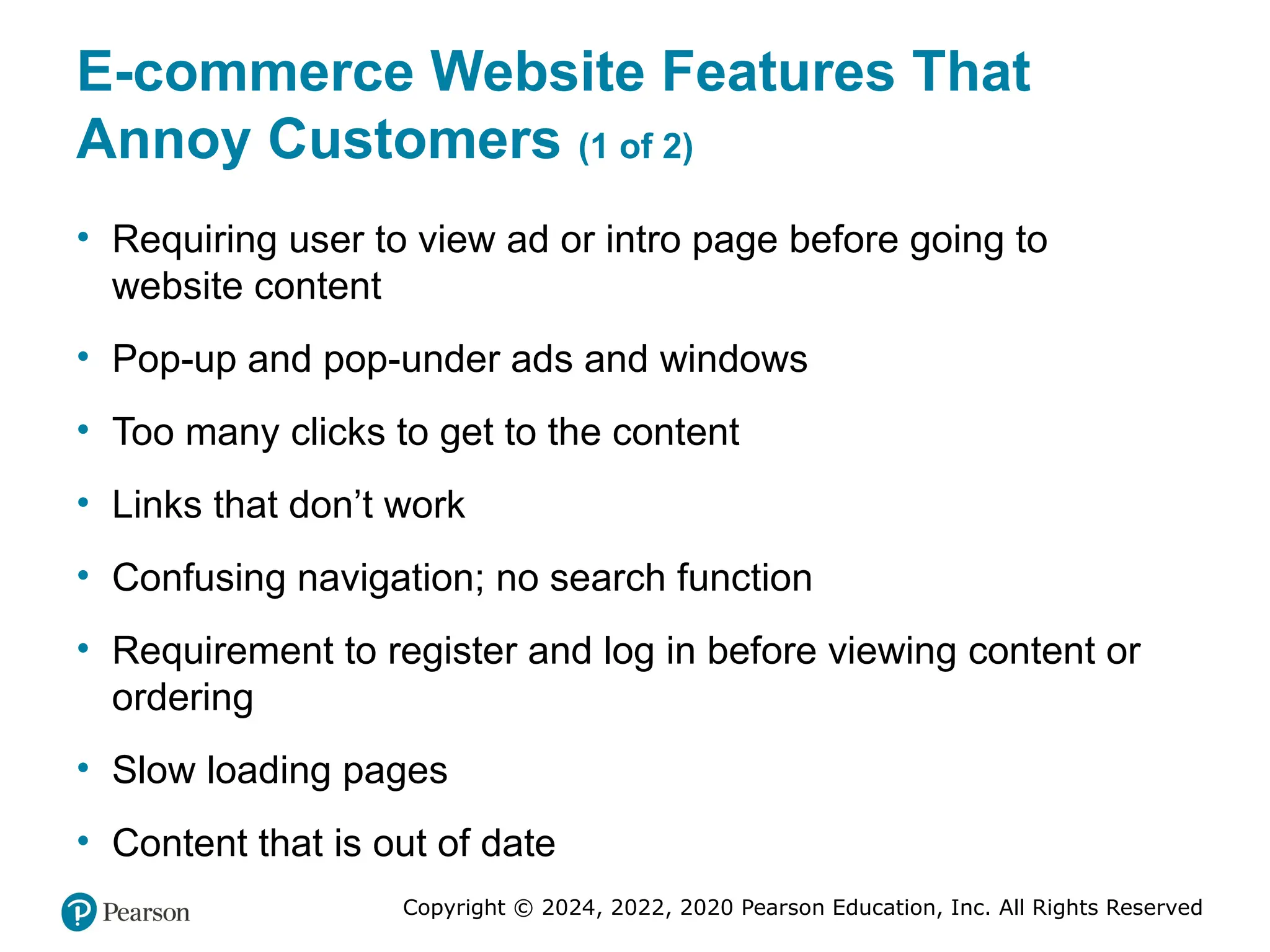
E-commerce Website Features That
Annoy Customers (1 of 2)
• Requiring user to view ad or intro page before going to
website content
• Pop-up and pop-under ads and windows
• Too many clicks to get to the content
• Links that don’t work
• Confusing navigation; no search function
• Requirement to register and log in before viewing content or
ordering
• Slow loading pages
• Content that is out of date
39. Copyright © 2024, 2022, 2020 Pearson Education, Inc. All Rights Reserved
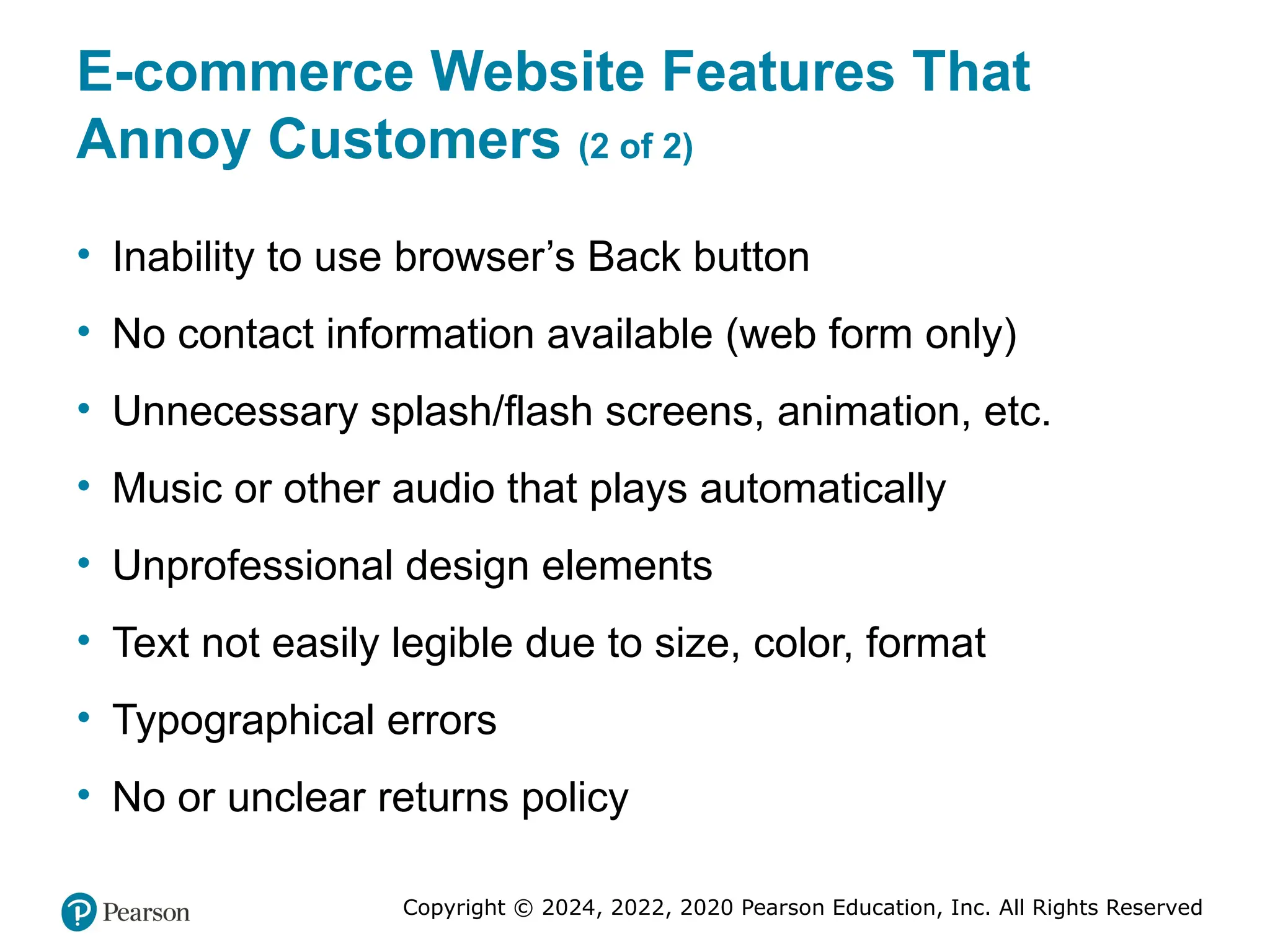
E-commerce Website Features That
Annoy Customers (2 of 2)
• Inability to use browser’s Back button
• No contact information available (web form only)
• Unnecessary splash/flash screens, animation, etc.
• Music or other audio that plays automatically
• Unprofessional design elements
• Text not easily legible due to size, color, format
• Typographical errors
• No or unclear returns policy
40. Copyright © 2024, 2022, 2020 Pearson Education, Inc. All Rights Reserved
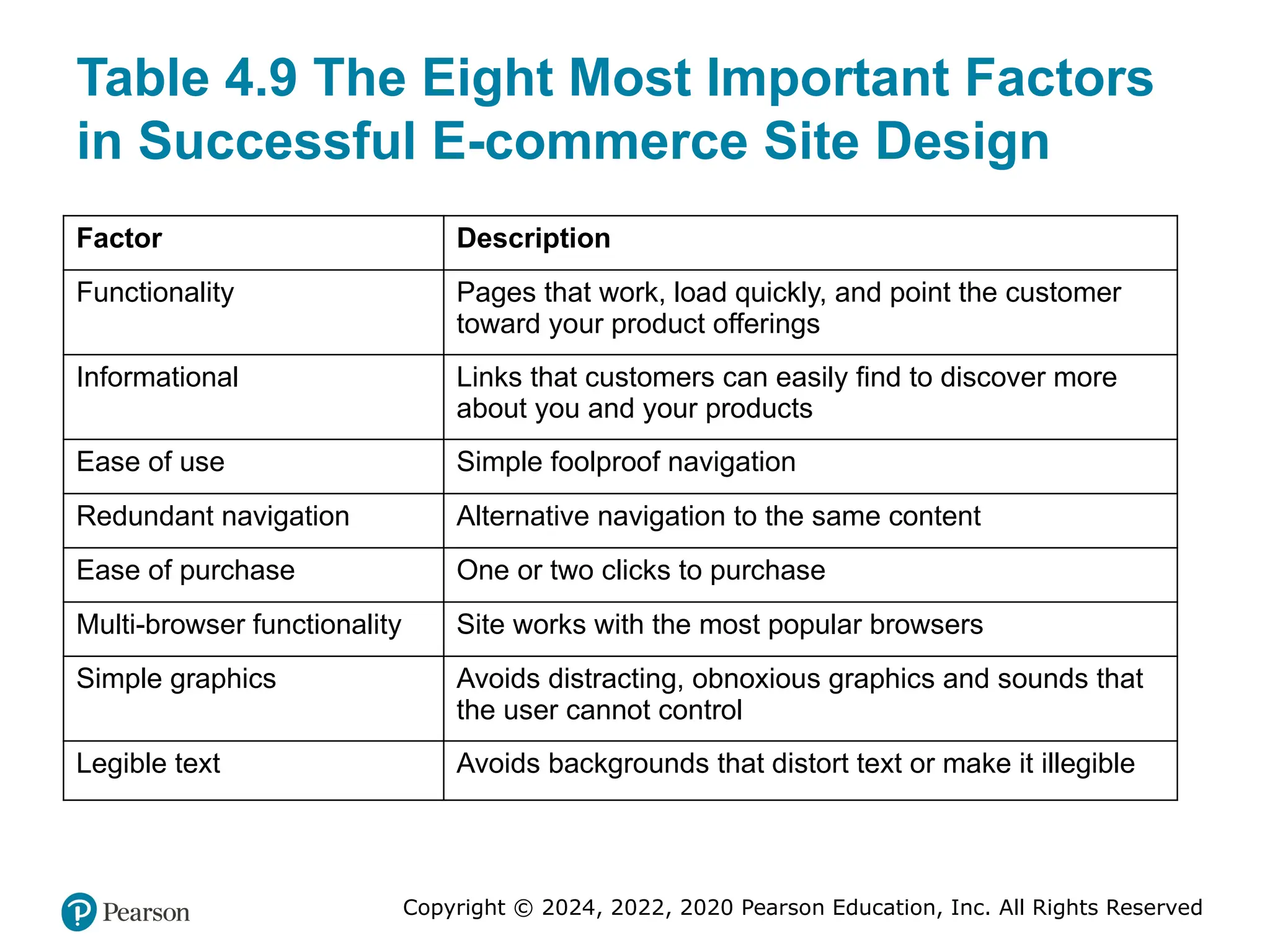
Table 4.9 The Eight Most Important Factors
in Successful E-commerce Site Design
Factor Description
Functionality Pages that work, load quickly, and point the customer
toward your product offerings
Informational Links that customers can easily find to discover more
about you and your products
Ease of use Simple foolproof navigation
Redundant navigation Alternative navigation to the same content
Ease of purchase One or two clicks to purchase
Multi-browser functionality Site works with the most popular browsers
Simple graphics Avoids distracting, obnoxious graphics and sounds that
the user cannot control
Legible text Avoids backgrounds that distort text or make it illegible
41. Copyright © 2024, 2022, 2020 Pearson Education, Inc. All Rights Reserved
Insight on Society: Designing for
Accessibility
• Class Discussion
– Why might some merchants be reluctant to make
their websites accessible to users with disabilities?
– How can websites be made more accessible?
– Should all websites be required by law to provide
“equivalent alternatives” for visual and sound
content?
– What additional accessibility problems do mobile
devices pose?
42. Copyright © 2024, 2022, 2020 Pearson Education, Inc. All Rights Reserved
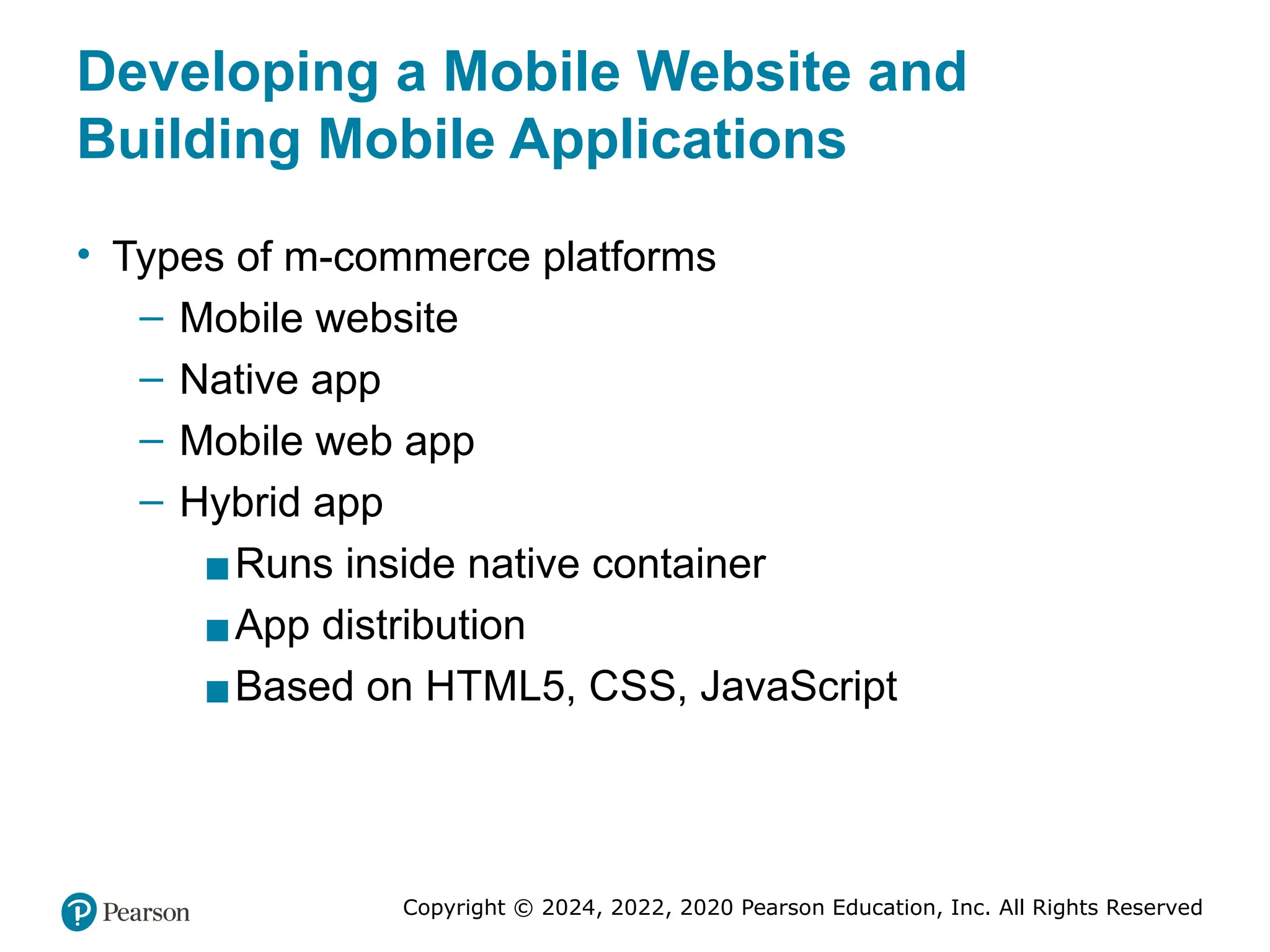
Developing a Mobile Website and
Building Mobile Applications
• Types of m-commerce platforms
– Mobile website
– Native app
– Mobile web app
– Hybrid app
▪Runs inside native container
▪App distribution
▪Based on HTML5, CSS, JavaScript
43. Copyright © 2024, 2022, 2020 Pearson Education, Inc. All Rights Reserved
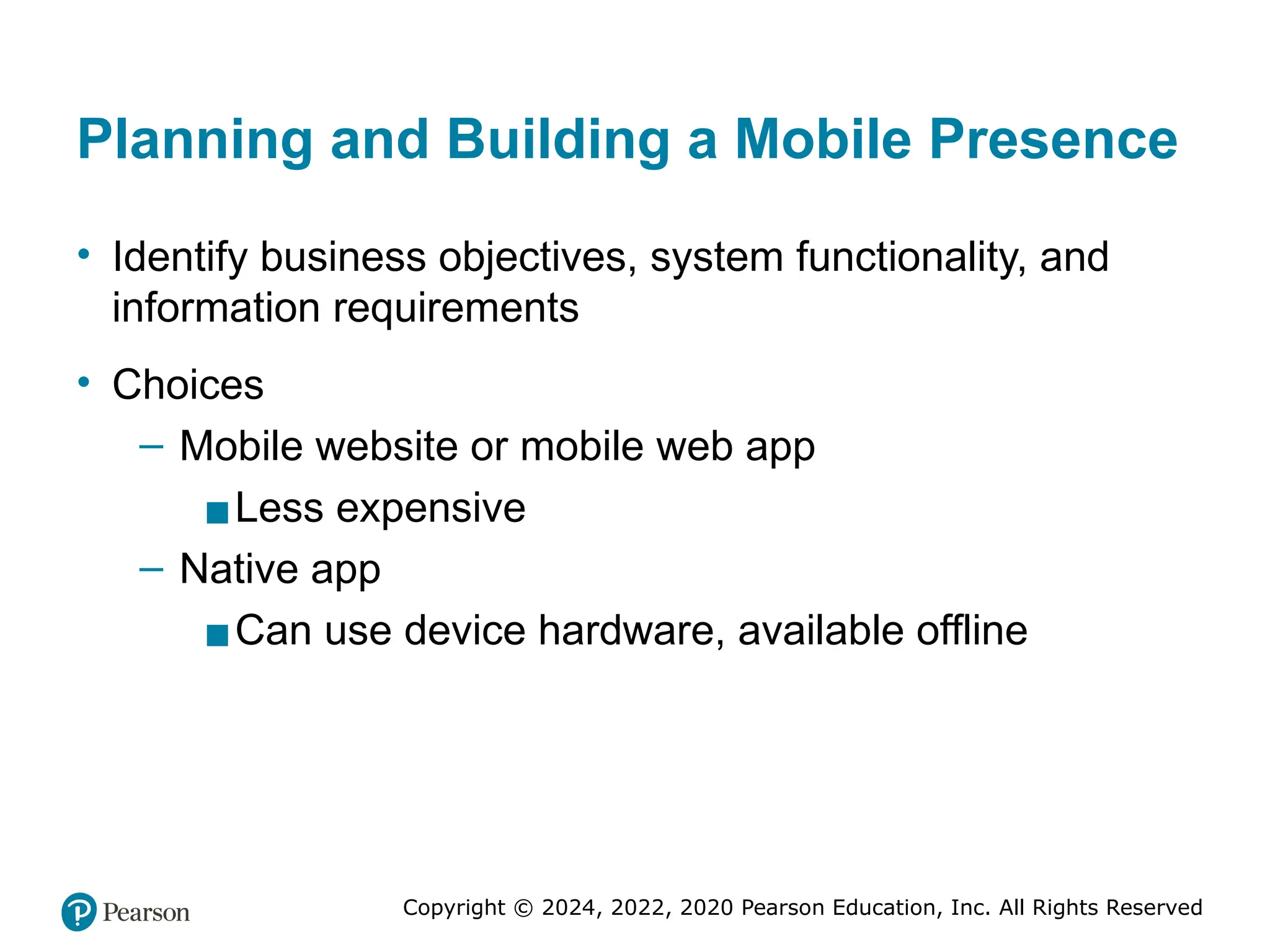
Planning and Building a Mobile Presence
• Identify business objectives, system functionality, and
information requirements
• Choices
– Mobile website or mobile web app
▪Less expensive
– Native app
▪Can use device hardware, available offline
44. Copyright © 2024, 2022, 2020 Pearson Education, Inc. All Rights Reserved
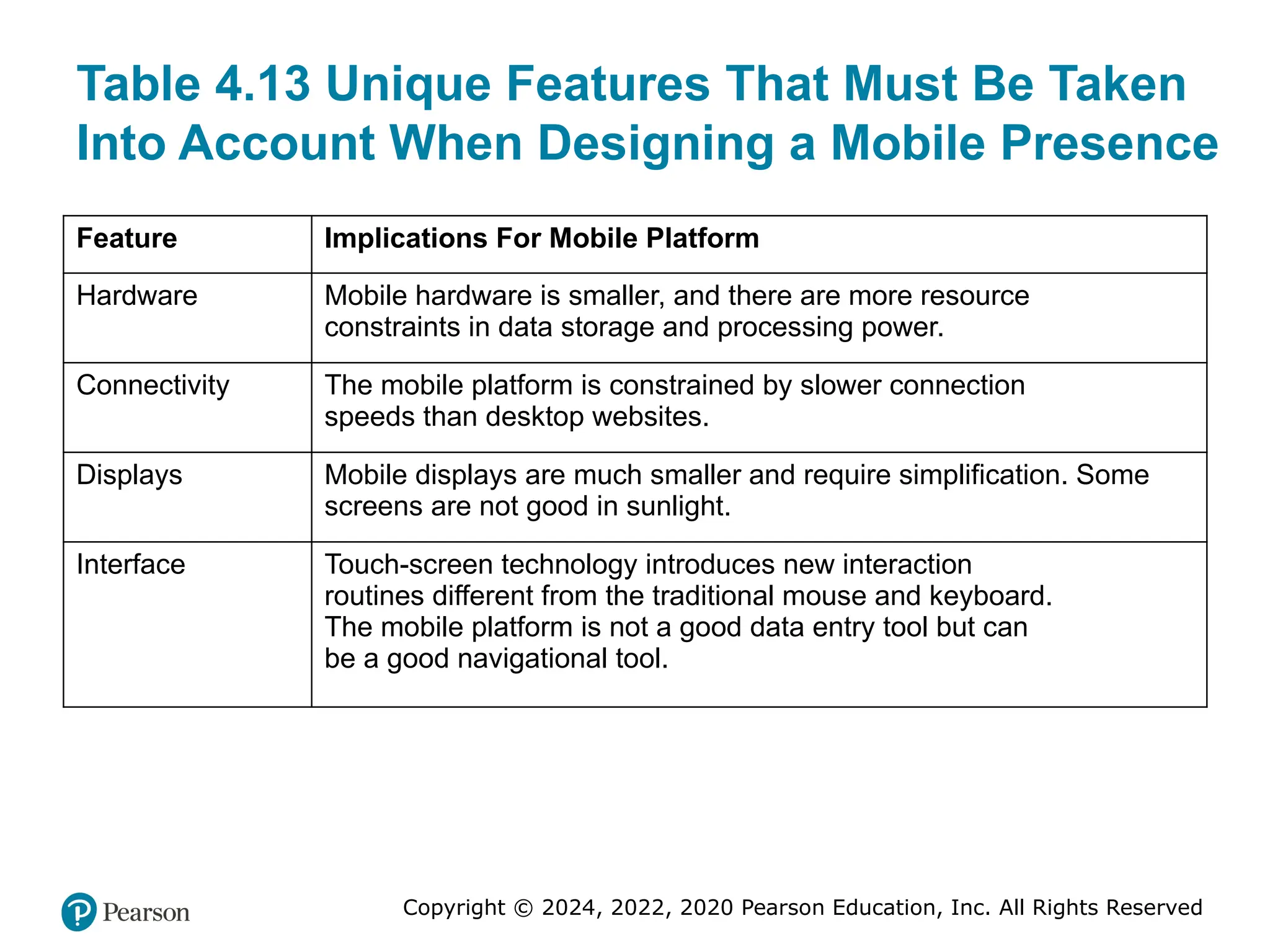
Table 4.13 Unique Features That Must Be Taken
Into Account When Designing a Mobile Presence
Feature Implications For Mobile Platform
Hardware Mobile hardware is smaller, and there are more resource
constraints in data storage and processing power.
Connectivity The mobile platform is constrained by slower connection
speeds than desktop websites.
Displays Mobile displays are much smaller and require simplification. Some
screens are not good in sunlight.
Interface Touch-screen technology introduces new interaction
routines different from the traditional mouse and keyboard.
The mobile platform is not a good data entry tool but can
be a good navigational tool.
45. Copyright © 2024, 2022, 2020 Pearson Education, Inc. All Rights Reserved
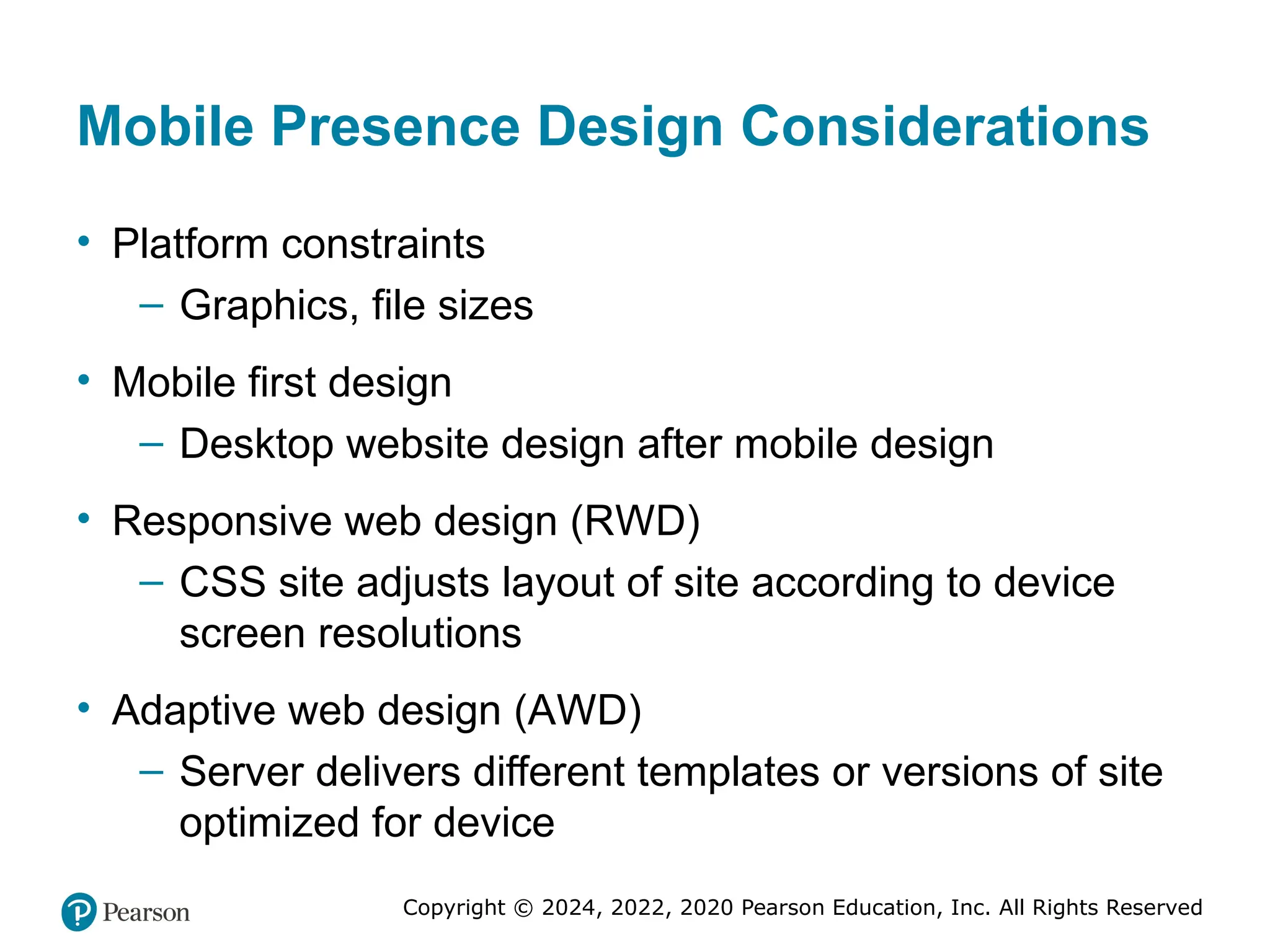
Mobile Presence Design Considerations
• Platform constraints
– Graphics, file sizes
• Mobile first design
– Desktop website design after mobile design
• Responsive web design (RWD)
– CSS site adjusts layout of site according to device
screen resolutions
• Adaptive web design (AWD)
– Server delivers different templates or versions of site
optimized for device
46. Copyright © 2024, 2022, 2020 Pearson Education, Inc. All Rights Reserved
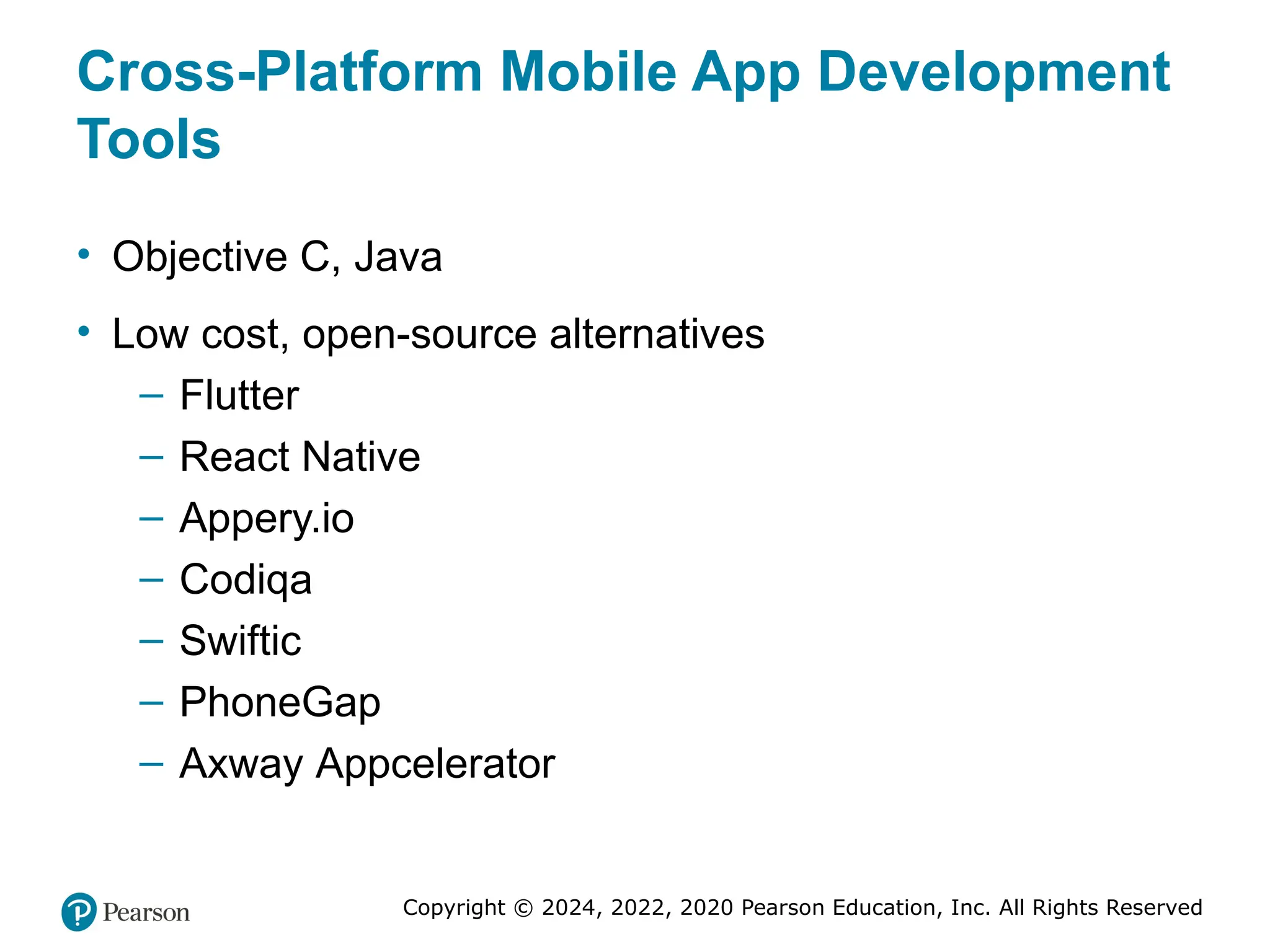
Cross-Platform Mobile App Development
Tools
• Objective C, Java
• Low cost, open-source alternatives
– Flutter
– React Native
– Appery.io
– Codiqa
– Swiftic
– PhoneGap
– Axway Appcelerator
47. Copyright © 2024, 2022, 2020 Pearson Education, Inc. All Rights Reserved
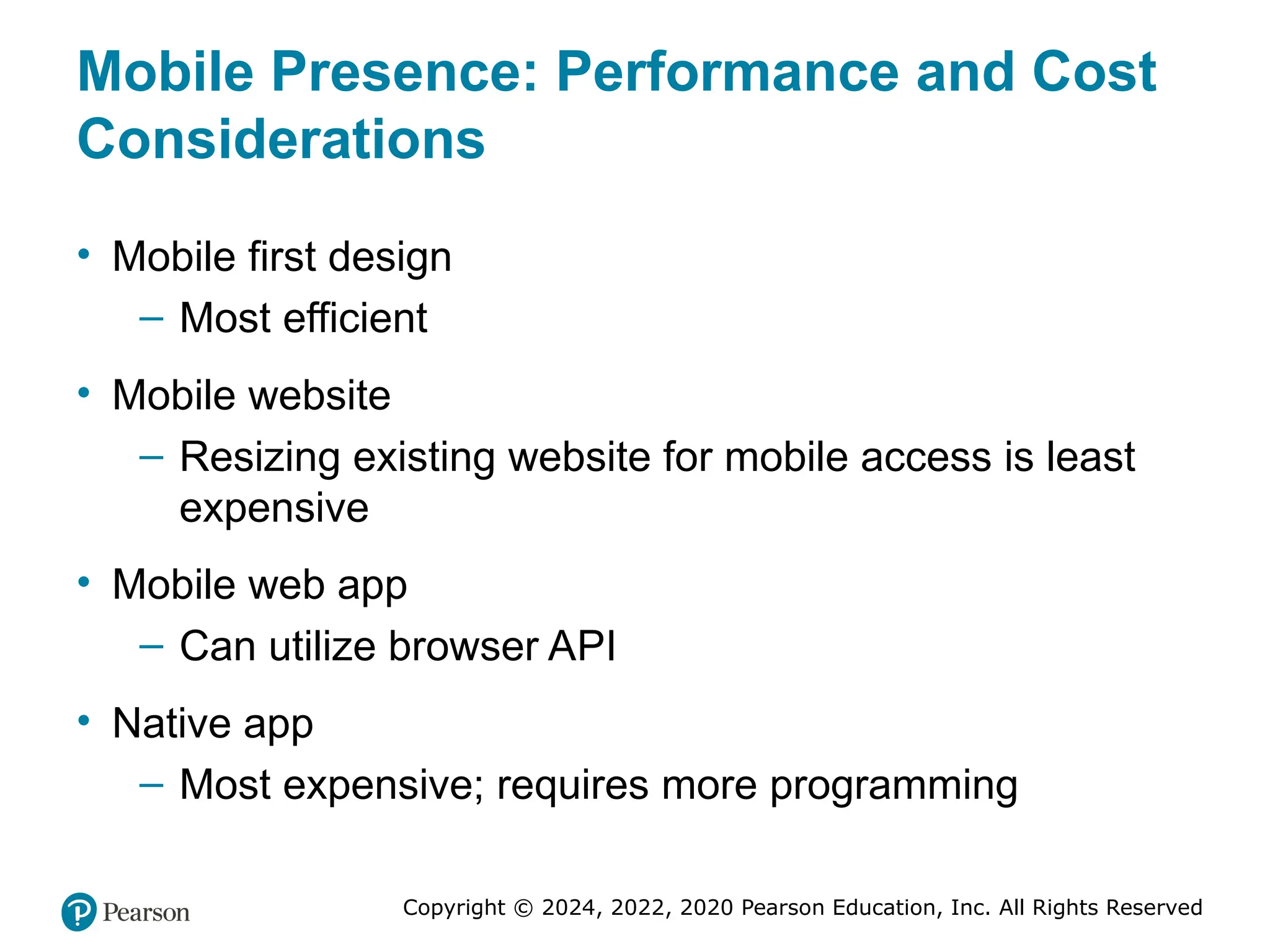
Mobile Presence: Performance and Cost
Considerations
• Mobile first design
– Most efficient
• Mobile website
– Resizing existing website for mobile access is least
expensive
• Mobile web app
– Can utilize browser API
• Native app
– Most expensive; requires more programming
48. Copyright © 2024, 2022, 2020 Pearson Education, Inc. All Rights Reserved
Copyright
This work is protected by United States copyright laws and is
provided solely for the use of instructors in teaching their
courses and assessing student learning. Dissemination or sale of
any part of this work (including on the World Wide Web) will
destroy the integrity of the work and is not permitted. The work
and materials from it should never be made available to students
except by instructors using the accompanying text in their
classes. All recipients of this work are expected to abide by these
restrictions and to honor the intended pedagogical purposes and
the needs of other instructors who rely on these materials.
Editor's Notes #1 If this PowerPoint presentation contains mathematical equations, you may need to check that your computer has the following installed:
1) MathType Plugin
2) Math Player (free versions available)
3) NVDA Reader (free versions available) #12 Figure 4.1, Page 183.
A SWOT analysis describes your firm’s strengths, weaknesses, opportunities, and threats.
Alt Text
Long description: SWOT stands for strengths, weaknesses, opportunities, and threats. Strengths: current sites do not address market needs, unique approach, easy navigation, better personalization, customer base growing, high value market segment, and superior social strategy. Weaknesses: limited financial resources, no prior online no existing user base, no media attention, no web design expertise, and no computer background. Opportunities: ability to address large market with unmet needs, potential to capture significant share of this market, potential to develop related sites. Threats: approach could be copied by competitors, advertisers may not want to try a new site, rapid pace of technological development, low market entry costs. #13 Figure 4.2, Page 184.
An e-commerce presence requires firms to consider the four different kinds of presence, and the platforms and activities associated with each type of presence.
Alt Text
Long description: The map depicts the different types of e-commerce presence, the platforms on which each is used and related activities for each. The row entries are as follows: Row 1: type of presence: website or app; platform: traditional, mobile, tablet; activity: search, display, affiliates, and sponsorships. Row 2: type of presence: social media; platform: Facebook, Twitter, Pinterest, Instagram, and blogs; activity: conversation, engagement, sharing, and advice. Row 3: type of presence: e-mail; platform: internal lists and purchased lists; activity: newsletters, updates, and sales. Row 4: type of presence: offline media; platform: print, T V, and radio; activity: education, exposure, and branding. #19 Figure 4.5, Page 188.
The systems development life cycle (SDLC) has five major steps: systems analysis/planning, systems design, building the system, testing, and implementation and maintenance.
Alt Text
Long description: The steps in the flowchart are as follows: The systems development life cycle begins with systems analysis and planning, then systems design, then building the system, then testing, and then implementation service delivery. Best practices include continuous availability of 99 percent or more, design for scalability, build in management for end to end delivery, plan for growth, design system for high speed performance, and understand and optimize workload on system. The caption below the flow chart is as follows: The systems development life cycle or S D L C has five major steps: systems analysis slash planning, systems design, building the system, testing, and implementation and maintenance. #26 Figure 4.7, Page 192.
You have a number of alternatives to consider when building and hosting an e-commerce site.
Alt Text
Long description: The matrix has four squares as follows: At the intersection of hosting the site in-house and building the site in-house, there is a square with the following label: completely in-house: build: in and host: in. At the intersection of hosting the site in house, building the site outsource, there is a square with the following label: mixed responsibility: build: out and host: in. At the intersection of hosting the site outsource, building the site in house, there is a square with the following label: mixed responsibility: build: in and host: out. At the intersection of hosting the site outsource and building the site outsource, there is a square with the following label: completely in-house: build: out and host: out. #33 Figure 4.9, Page 198.
Website optimization requires that you consider three factors: page content, page generation, and page delivery.
Alt Text
Long description: Page generation factors are server response time, device-based accelerators, efficient resource allocation, resource utilization thresholds, monitoring site performance. Page delivery factors are content delivery networks, edge caching, and bandwidth. Page content factors are optimize H T M L, optimize images, site architecture, and efficient page style.