2
The first computers
•Scales – computed relative weight of two items
• Computed if the first item’s weight was less than, equal to, or greater
than the second item’s weight
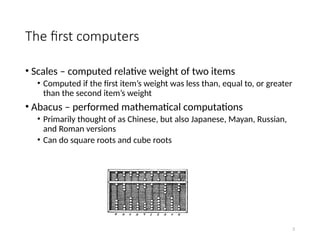
• Abacus – performed mathematical computations
• Primarily thought of as Chinese, but also Japanese, Mayan, Russian,
and Roman versions
• Can do square roots and cube roots
3.
3
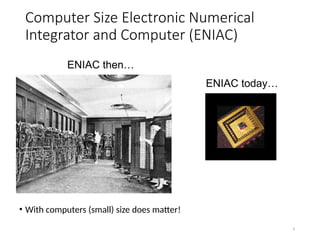
Computer Size ElectronicNumerical
Integrator and Computer (ENIAC)
• With computers (small) size does matter!
ENIAC then…
ENIAC today…
4.
4
Why study programminglanguages?
• Become a better software engineer
• Understand how to use language features
• Appreciate implementation issues
• Better background for language selection
• Familiar with range of languages
• Understand issues / advantages / disadvantages
• Better able to learn languages
• You might need to know a lot
5.
5
Why study programminglanguages?
• Better understanding of implementation issues
• How is “this feature” implemented?
• Why does “this part” run so slowly?
• Better able to design languages
• Those who ignore history are bound to repeat it…
6.
6
Why are thereso many programming
languages?
• There are thousands!
• Evolution
• Structured languages -> OO programming
• Special purposes
• Lisp for symbols; Snobol for strings; C for systems; Prolog for relationships
• Personal preference
• Programmers have their own personal tastes
• Expressive power
• Some features allow you to express your ideas better
7.
7
Why are thereso many programming
languages?
• Easy to use
• Especially for teaching / learning tasks
• Ease of implementation
• Easy to write a compiler / interpreter for
• Good compilers
• Fortran in the 50’s and 60’s
• Economics, patronage
• Cobol and Ada, for example
8.
8
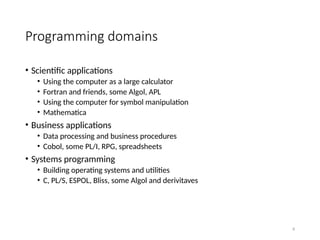
Programming domains
• Scientificapplications
• Using the computer as a large calculator
• Fortran and friends, some Algol, APL
• Using the computer for symbol manipulation
• Mathematica
• Business applications
• Data processing and business procedures
• Cobol, some PL/I, RPG, spreadsheets
• Systems programming
• Building operating systems and utilities
• C, PL/S, ESPOL, Bliss, some Algol and derivitaves
9.
9
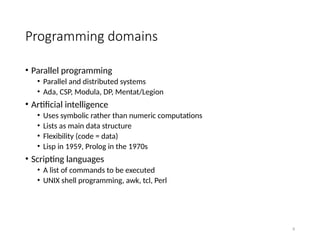
Programming domains
• Parallelprogramming
• Parallel and distributed systems
• Ada, CSP, Modula, DP, Mentat/Legion
• Artificial intelligence
• Uses symbolic rather than numeric computations
• Lists as main data structure
• Flexibility (code = data)
• Lisp in 1959, Prolog in the 1970s
• Scripting languages
• A list of commands to be executed
• UNIX shell programming, awk, tcl, Perl
10.
10
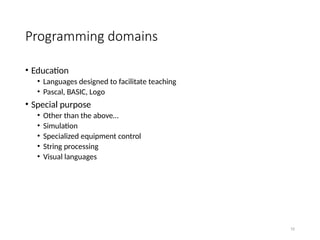
Programming domains
• Education
•Languages designed to facilitate teaching
• Pascal, BASIC, Logo
• Special purpose
• Other than the above…
• Simulation
• Specialized equipment control
• String processing
• Visual languages
12
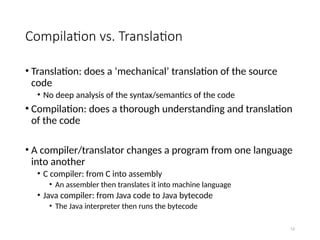
Compilation vs. Translation
•Translation: does a ‘mechanical’ translation of the source
code
• No deep analysis of the syntax/semantics of the code
• Compilation: does a thorough understanding and translation
of the code
• A compiler/translator changes a program from one language
into another
• C compiler: from C into assembly
• An assembler then translates it into machine language
• Java compiler: from Java code to Java bytecode
• The Java interpreter then runs the bytecode
13.
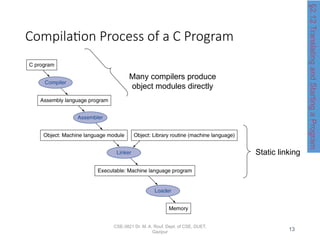
Compilation Process ofa C Program
CSE-3821 Dr. M. A. Rouf, Dept. of CSE, DUET,
Gazipur
Many compilers produce
object modules directly
Static linking
§2.12
Translating
and
Starting
a
Program
13
15
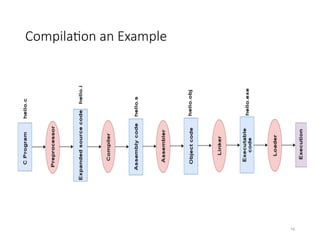
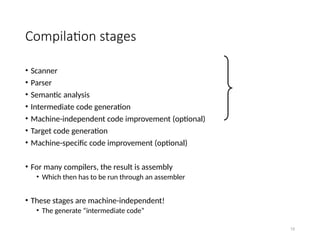
Compilation stages
• Scanner
•Parser
• Semantic analysis
• Intermediate code generation
• Machine-independent code improvement (optional)
• Target code generation
• Machine-specific code improvement (optional)
• For many compilers, the result is assembly
• Which then has to be run through an assembler
• These stages are machine-independent!
• The generate “intermediate code”
16.
16
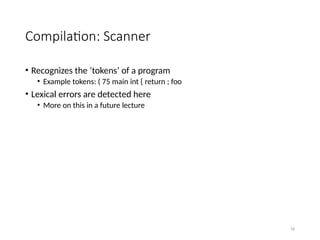
Compilation: Scanner
• Recognizesthe ‘tokens’ of a program
• Example tokens: ( 75 main int { return ; foo
• Lexical errors are detected here
• More on this in a future lecture
17.
17
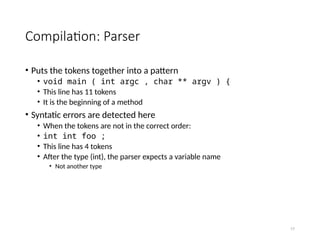
Compilation: Parser
• Putsthe tokens together into a pattern
• void main ( int argc , char ** argv ) {
• This line has 11 tokens
• It is the beginning of a method
• Syntatic errors are detected here
• When the tokens are not in the correct order:
• int int foo ;
• This line has 4 tokens
• After the type (int), the parser expects a variable name
• Not another type
18.
18
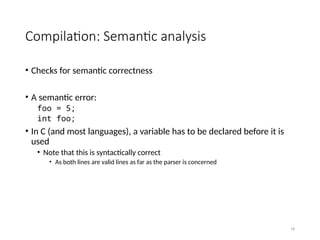
Compilation: Semantic analysis
•Checks for semantic correctness
• A semantic error:
foo = 5;
int foo;
• In C (and most languages), a variable has to be declared before it is
used
• Note that this is syntactically correct
• As both lines are valid lines as far as the parser is concerned
19.
19
Compilation: Intermediate code
generation(and improvement)
• Almost all compilers generate intermediate code
• This allows part of the compiler to be machine-independent
• That code can then be optimized
• Optimize for speed, memory usage, or program footprint
20.
20
Compilation: Target codegeneration
(and improvement)
• The intermediate code is then translated into the target code
• For most compilers, the target code is assembly
• For Java, the target code is Java bytecode
• That code can then be further optimized
• Optimize for speed, memory usage, or program footprint