Real Time Media Stream Processing with FI-WARE 
Ivan Gracia 
Kurento.org 
igracia@kurento.org, @kurentoms
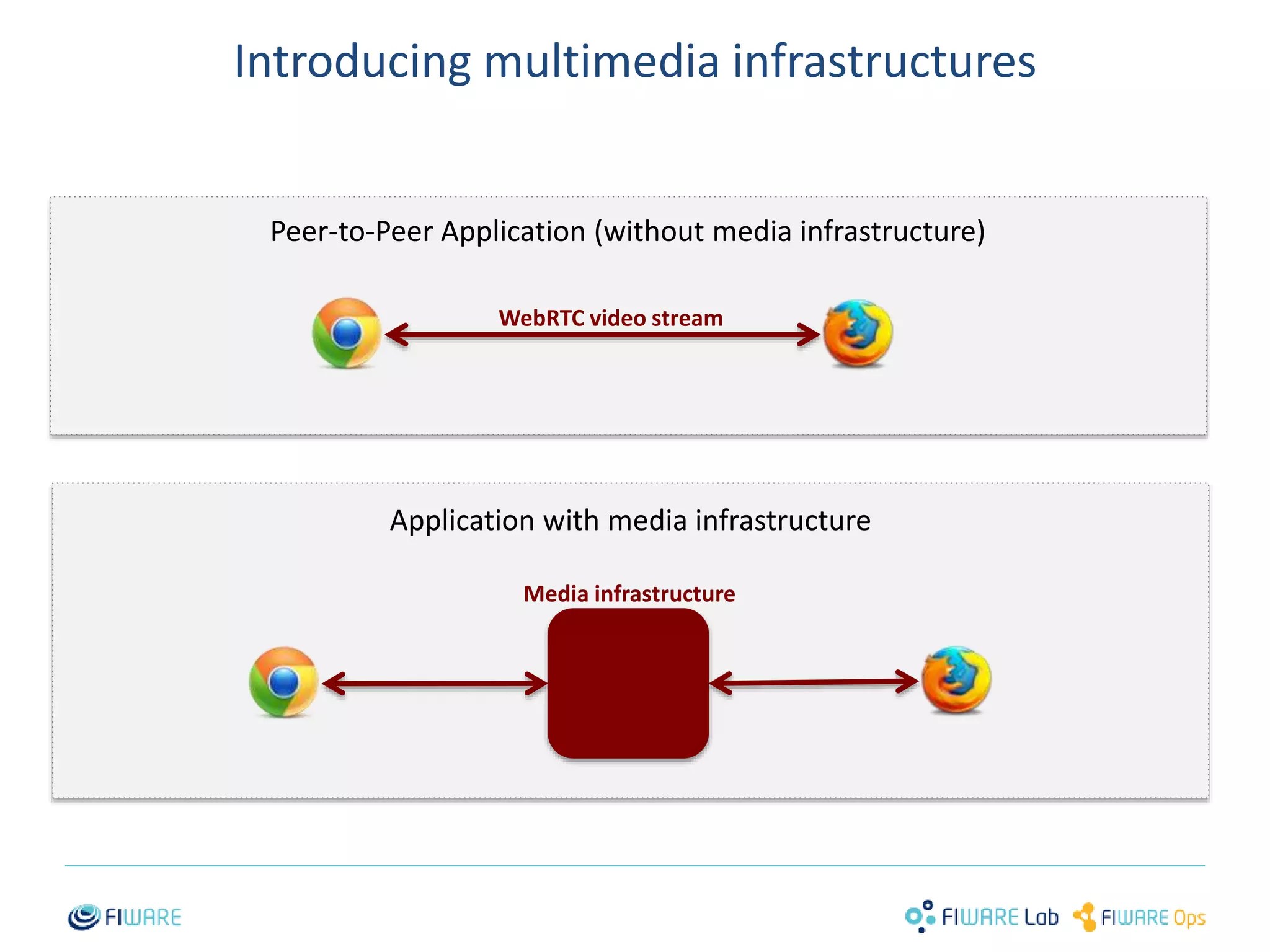
Introducing multimedia infrastructures 
Peer-to-Peer Application (without media infrastructure) 
WebRTC video stream 
Application with media infrastructure 
Media infrastructure 
1
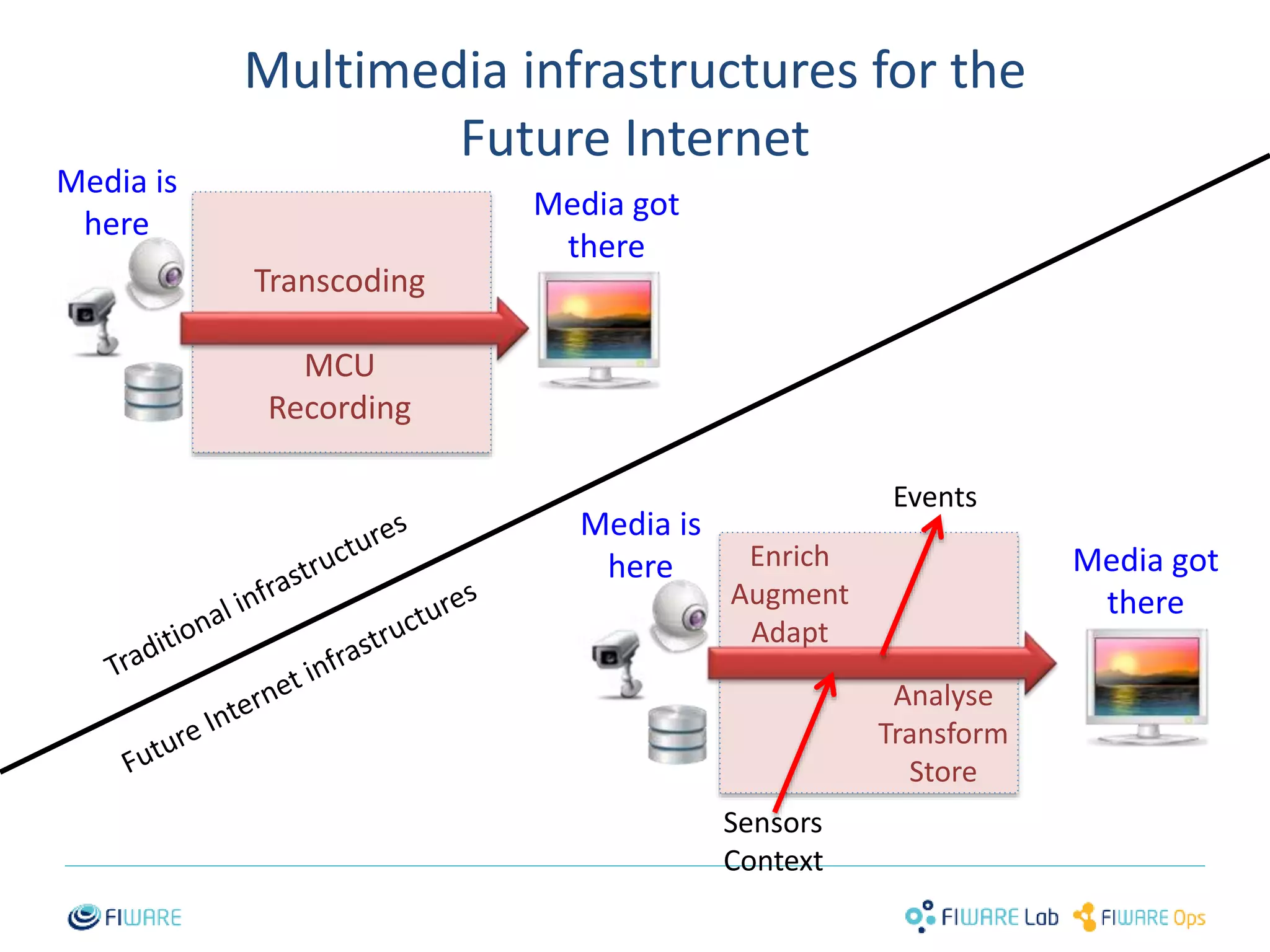
Multimedia infrastructures for the 
Future Internet 
2 
Media is 
here 
Media got 
there 
Media got 
there 
Analyse 
Transform 
Store 
Transcoding 
MCU 
Recording 
Enrich 
Augment 
Adapt 
Sensors 
Context 
Events 
Media is 
here
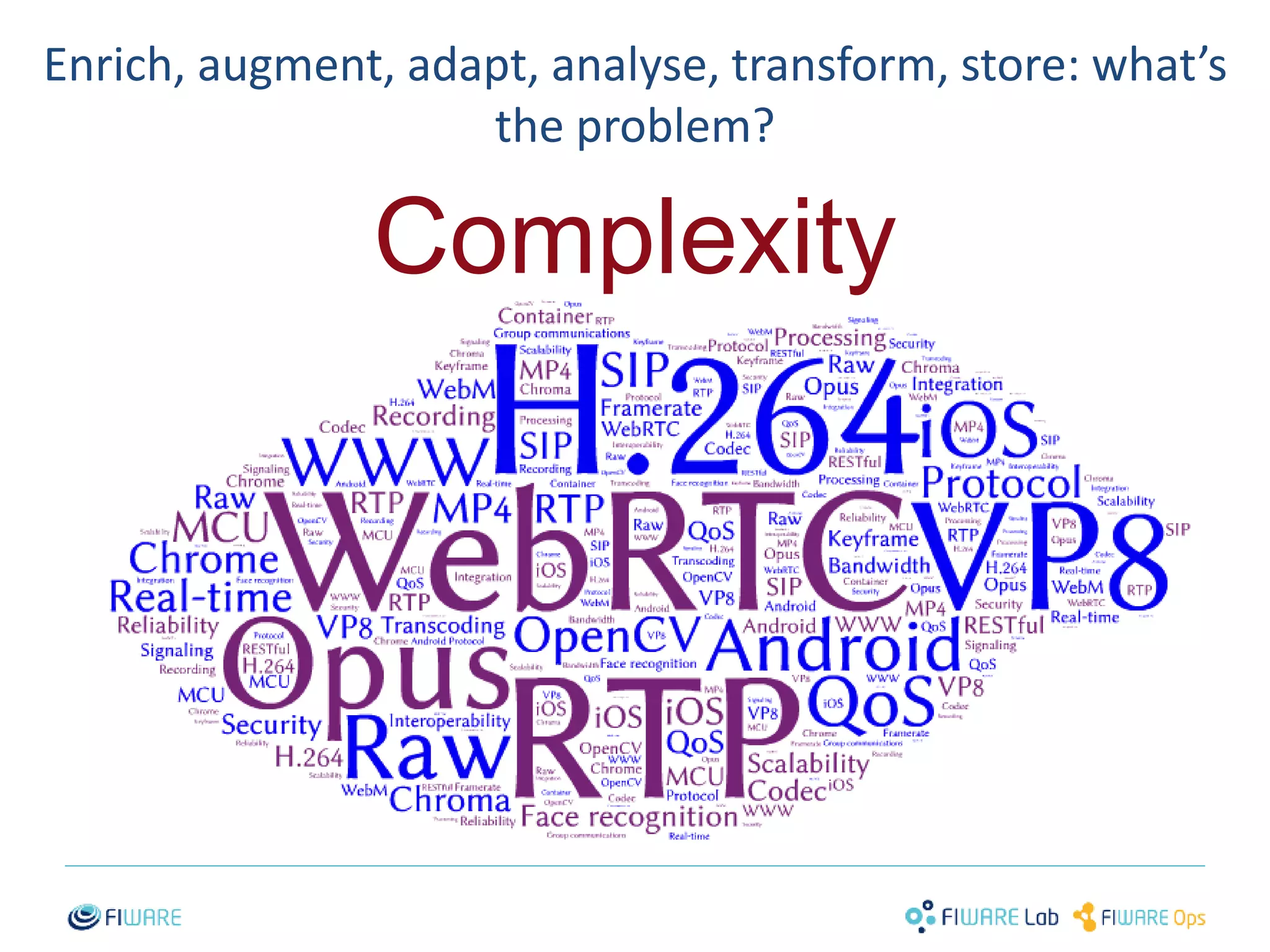
Enrich, augment, adapt, analyse, transform, store: what’s 
the problem? 
Complexity 
3
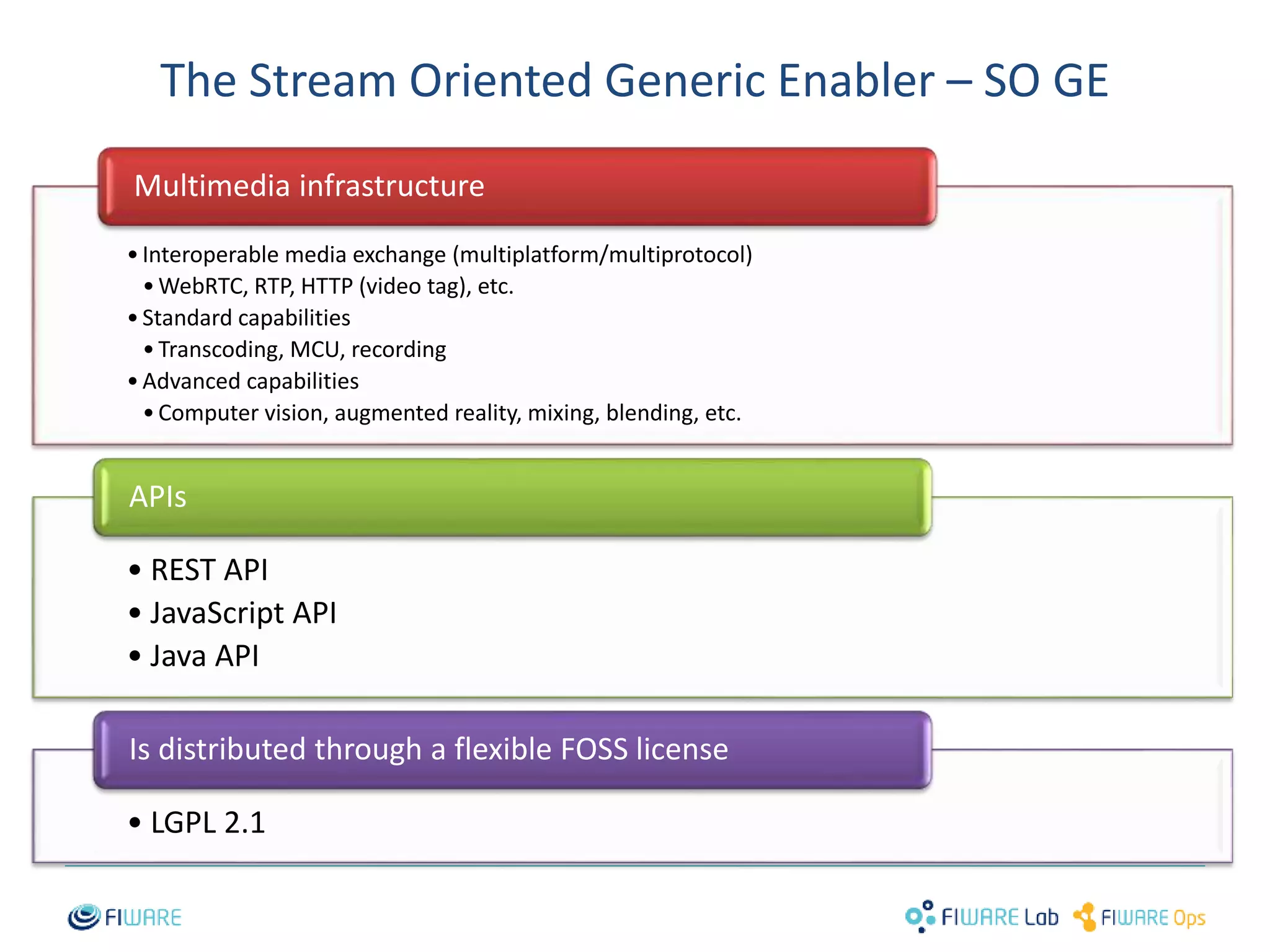
The Stream Oriented Generic Enabler – SO GE 
• Interoperable media exchange (multiplatform/multiprotocol) 
•WebRTC, RTP, HTTP (video tag), etc. 
• Standard capabilities 
• Transcoding, MCU, recording 
• Advanced capabilities 
• Computer vision, augmented reality, mixing, blending, etc. 
Is distributed through a flexible FOSS license 
4 
Multimedia infrastructure 
APIs 
• REST API 
• JavaScript API 
• Java API 
• LGPL 2.1
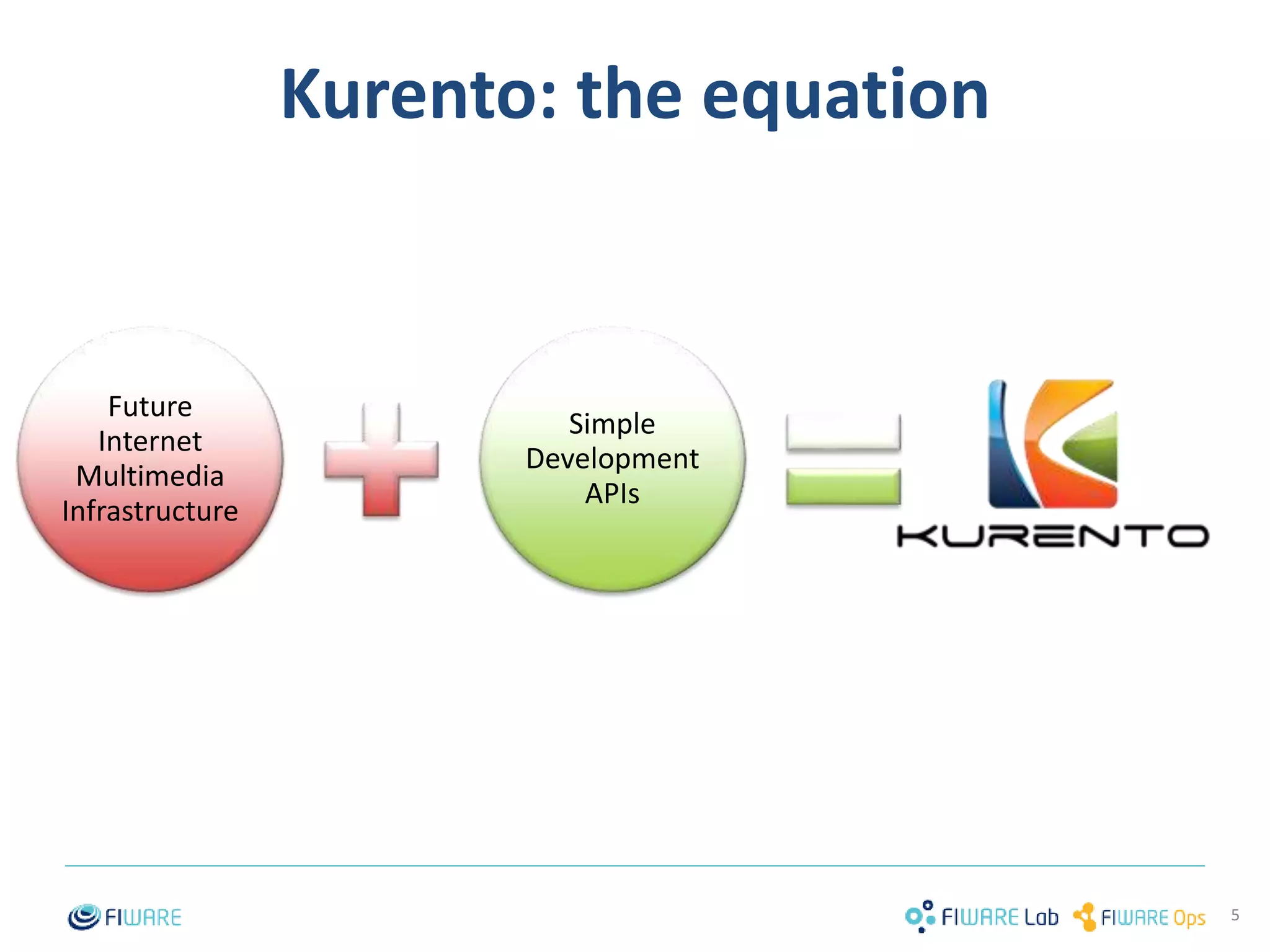
Kurento: the equation 
5 
Future 
Internet 
Multimedia 
Infrastructure 
Simple 
Development 
APIs 
5
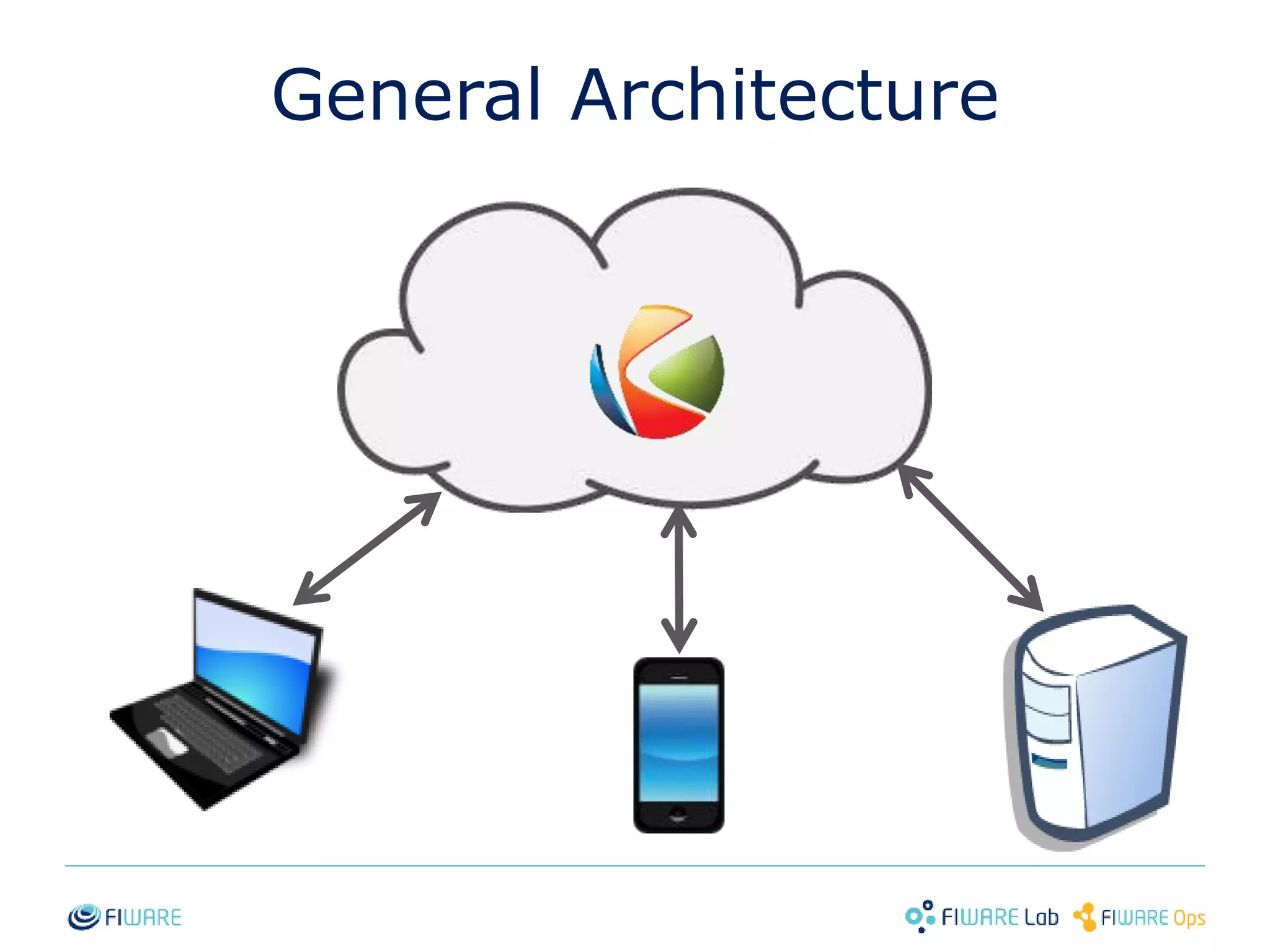
General Architecture 
6
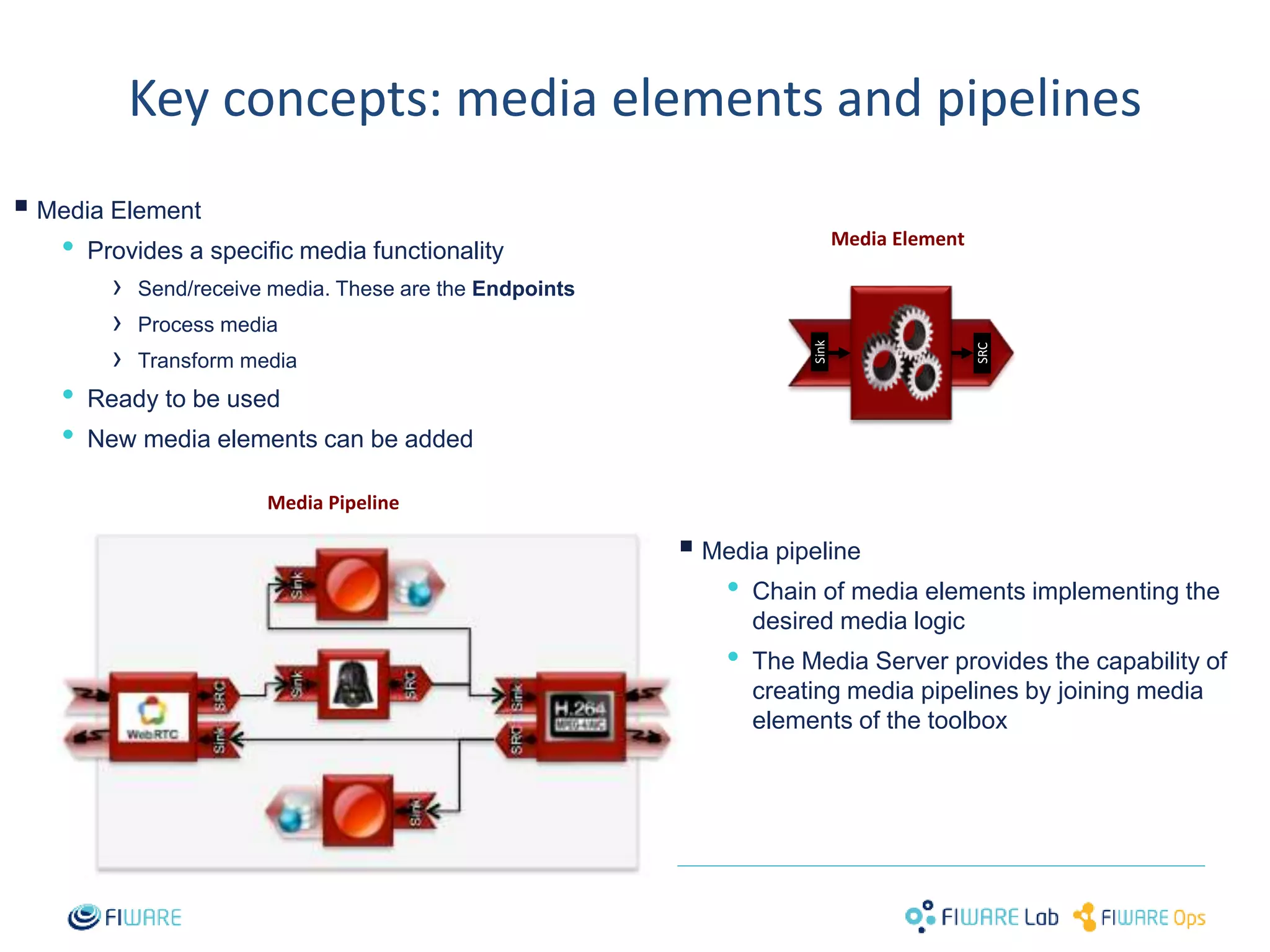
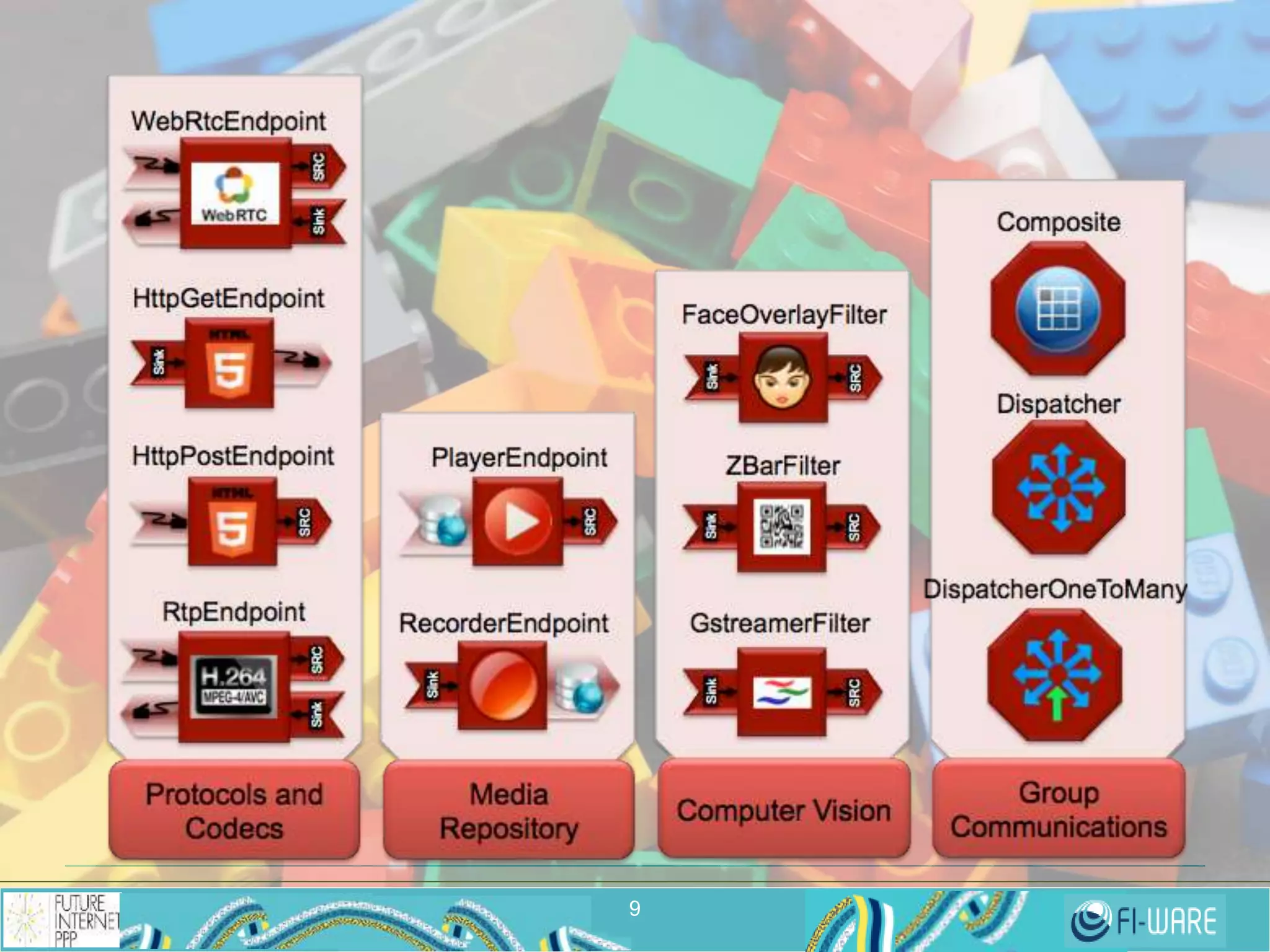
Key concepts: media elements and pipelines 
7 
 
Media Element 
• Provides a specific media functionality 
› Send/receive media. These are the Endpoints 
› Process media 
› Transform media 
• Ready to be used 
• New media elements can be added 
 
Media Element 
Sink 
SRC 
Media pipeline 
• Chain of media elements implementing the 
desired media logic 
• The Media Server provides the capability of 
creating media pipelines by joining media 
elements of the toolbox 
Media Pipeline
8
9
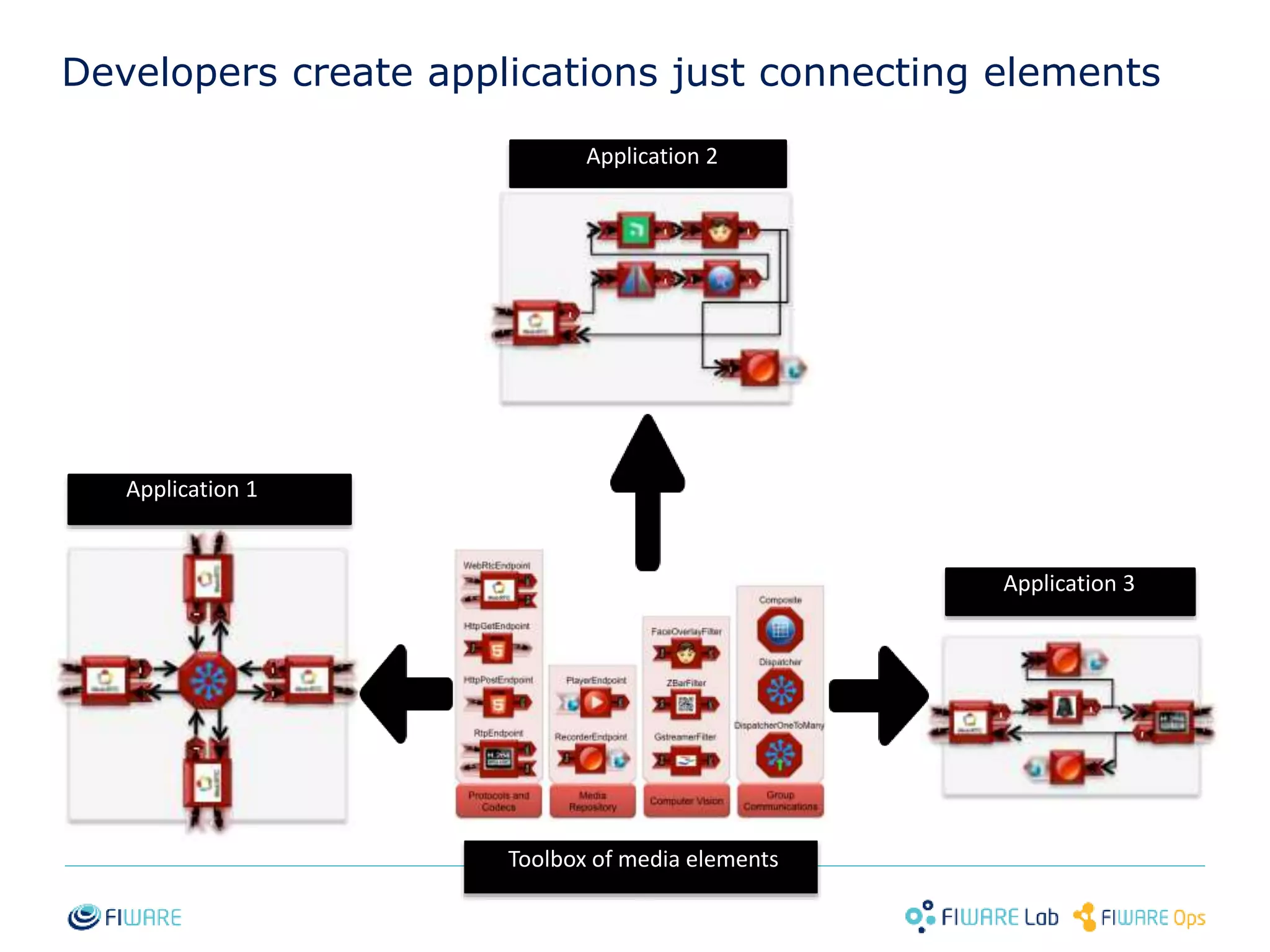
Developers create applications just connecting elements 
Application 2 
Application 3 
Application 1 
Toolbox of media elements 
10
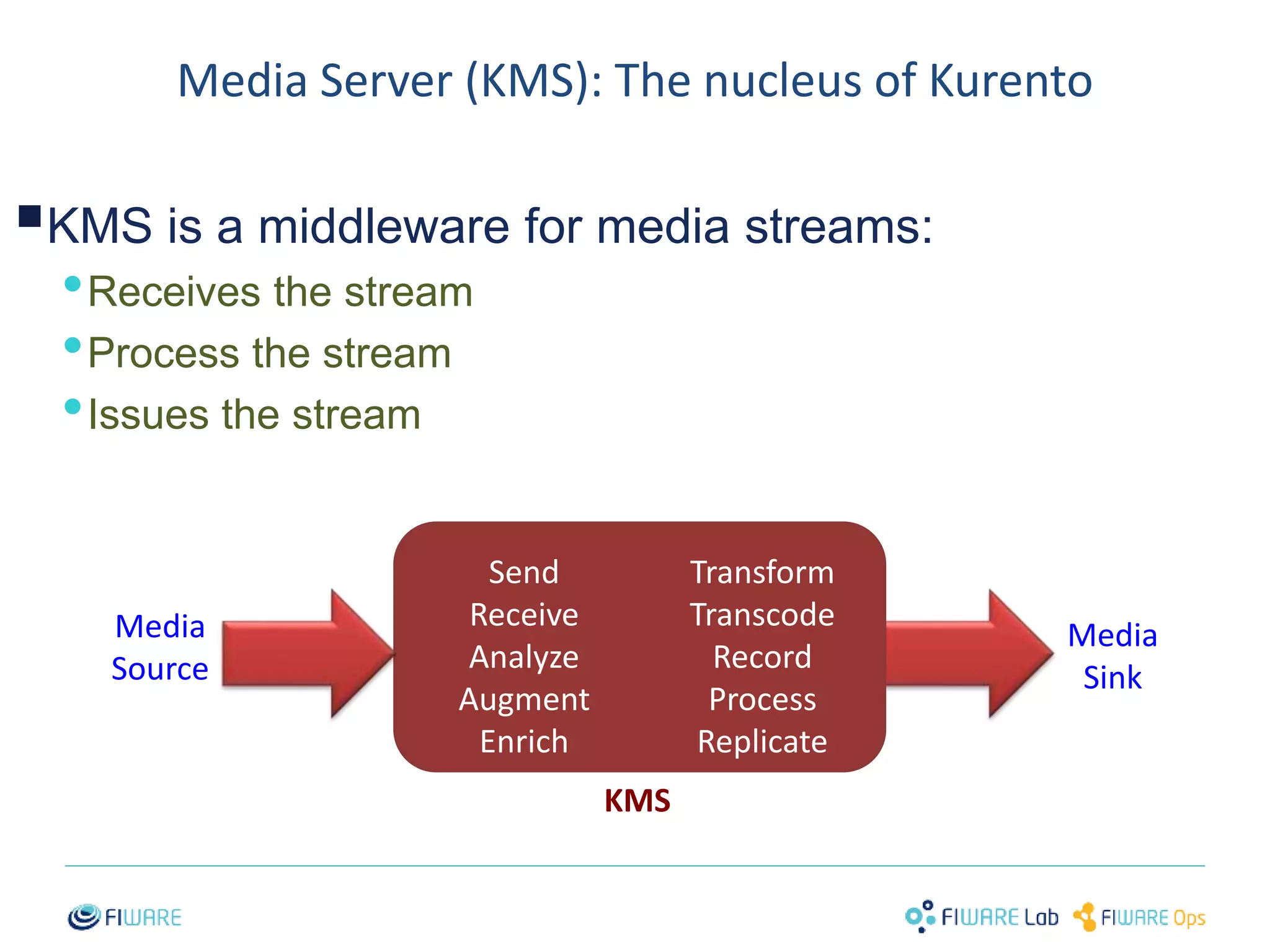
Media Server (KMS): The nucleus of Kurento 
 
KMS is a middleware for media streams: 
•Receives the stream 
•Process the stream 
•Issues the stream 
11 
Send 
Receive 
Analyze 
Augment 
Enrich 
Transform 
Transcode 
Record 
Process 
Replicate 
Media 
Source 
Media 
Sink 
KMS
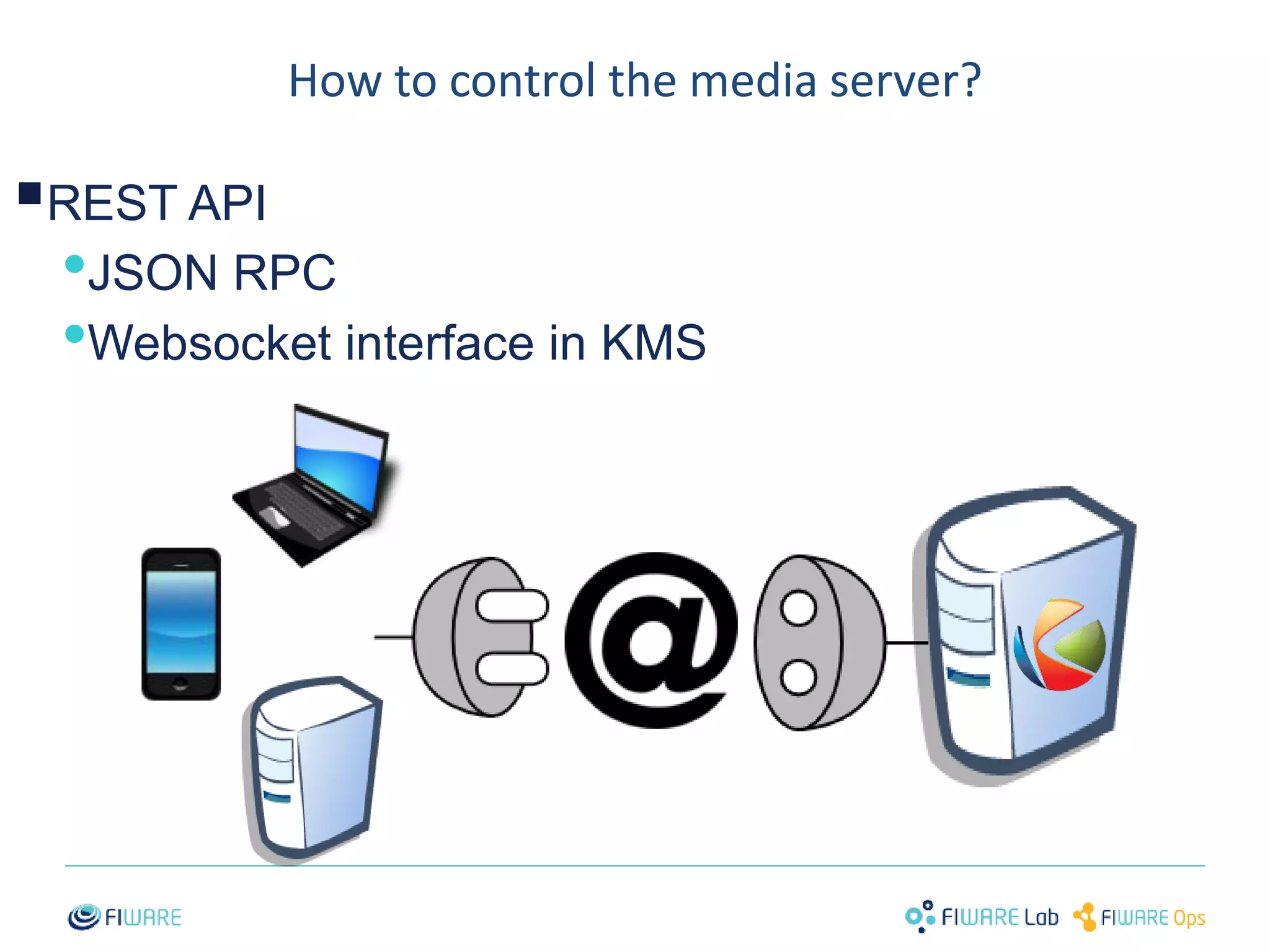
How to control the media server? 
 
REST API 
•JSON RPC 
•Websocket interface in KMS 
12
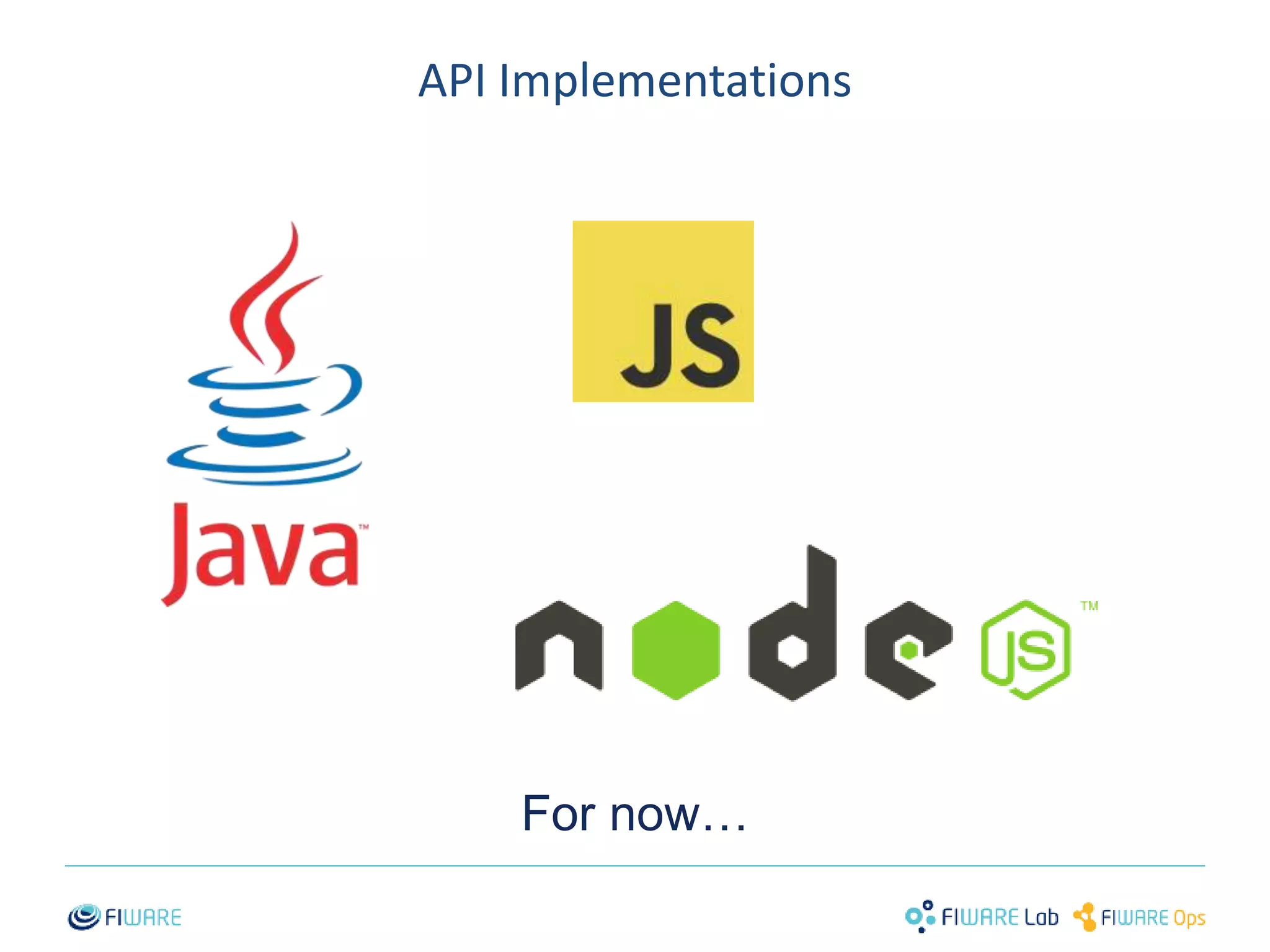
API Implementations 
For now… 
13
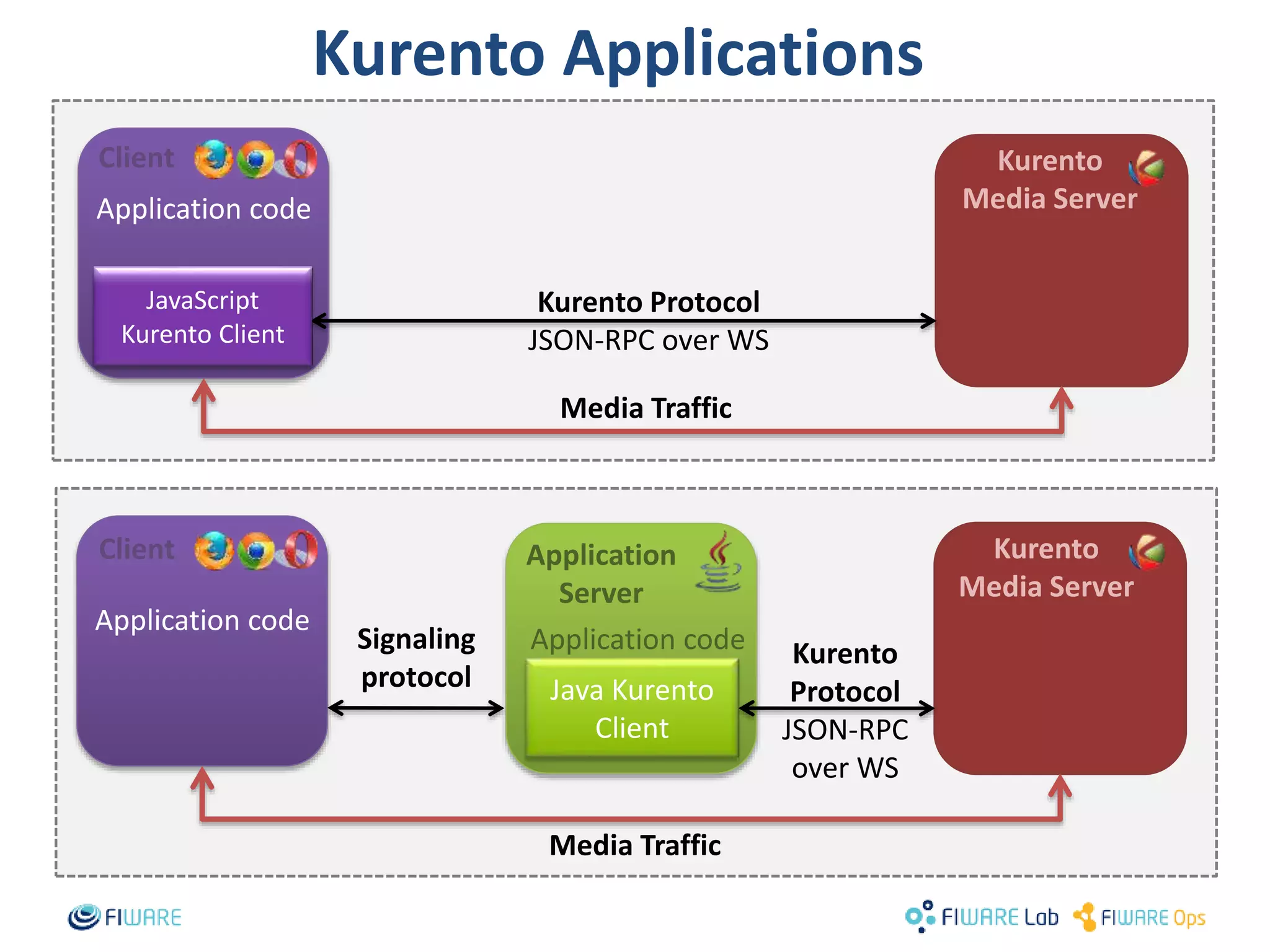
Kurento Protocol 
JSON-RPC over WS 
Media Traffic 
Client Kurento 
14 
Application code 
Media Traffic 
Media Server 
Application 
Server 
Java Kurento 
Client 
JavaScript 
Kurento Client 
Application code 
Application code Kurento 
Protocol 
JSON-RPC 
over WS 
Signaling 
protocol 
Kurento 
Media Server 
Client 
Kurento Applications
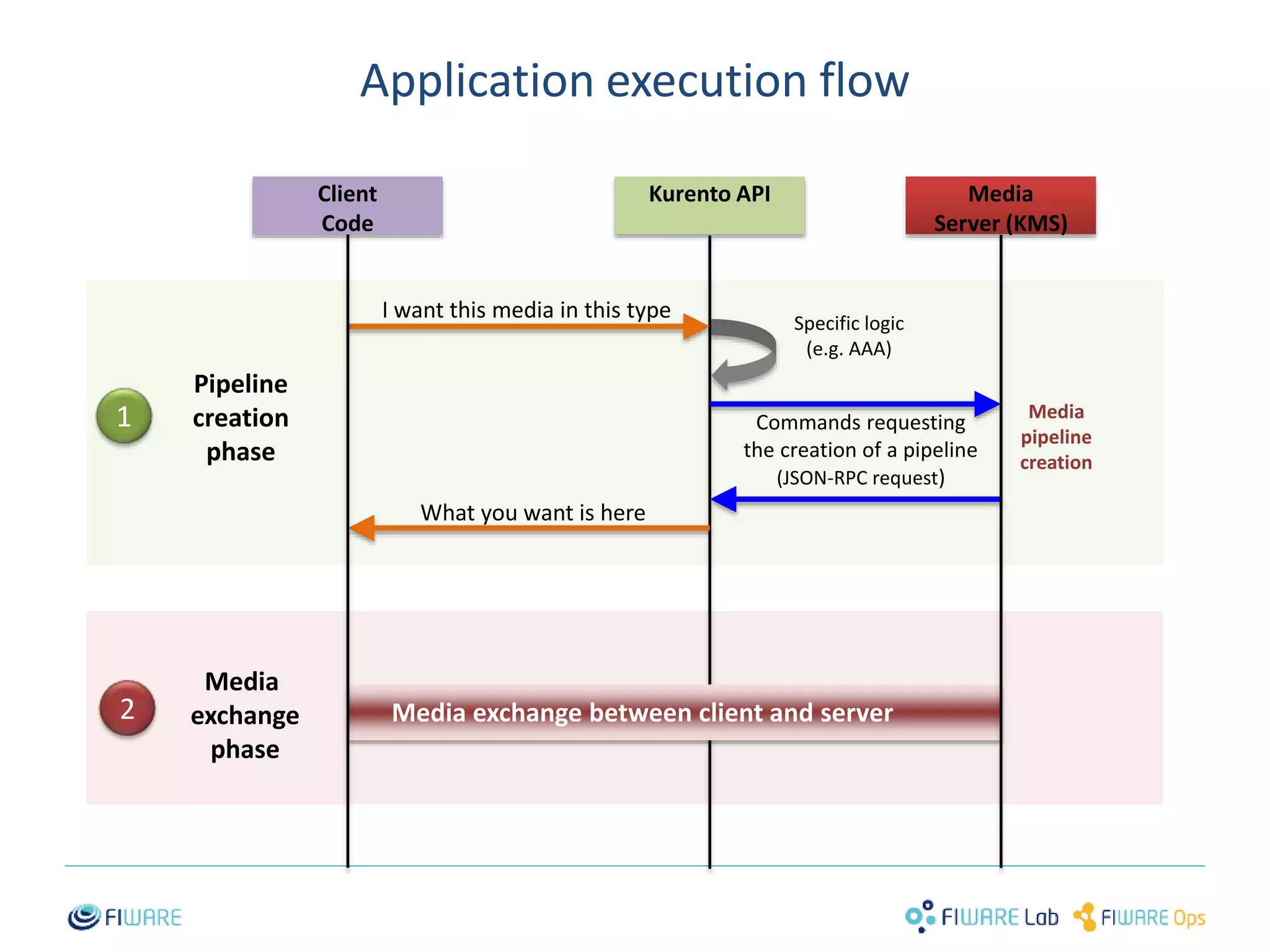
Application execution flow 
15 
Client 
Code 
Kurento API Media 
Server (KMS) 
I want this media in this type 
Commands requesting 
the creation of a pipeline 
(JSON-RPC request) 
What you want is here 
Pipeline 
creation 
phase 
Media 
exchange 
phase 
1 
2 
Specific logic 
(e.g. AAA) 
Media 
pipeline 
creation 
Media exchange between client and server
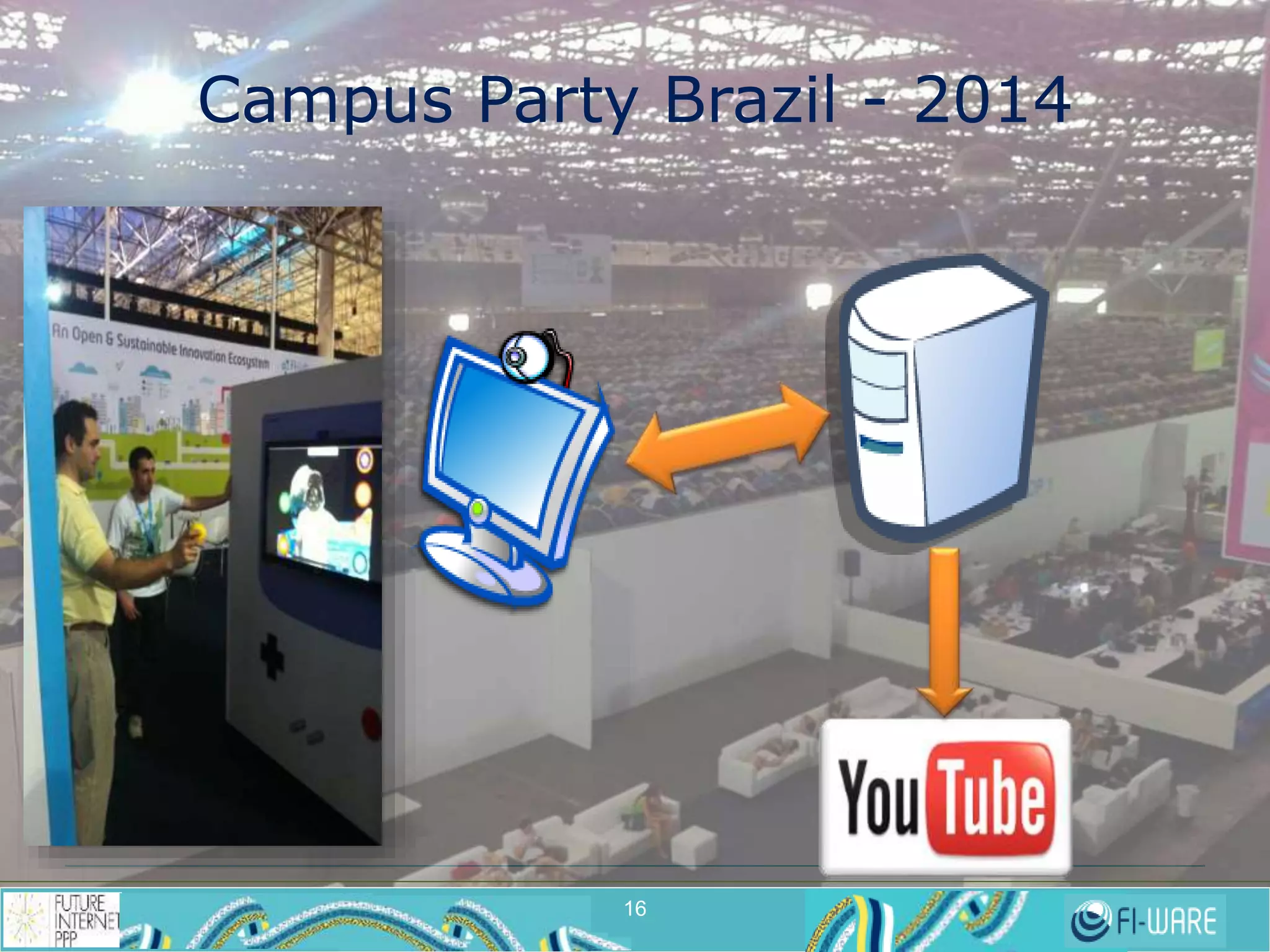
Campus Party Brazil - 2014 
16 
16
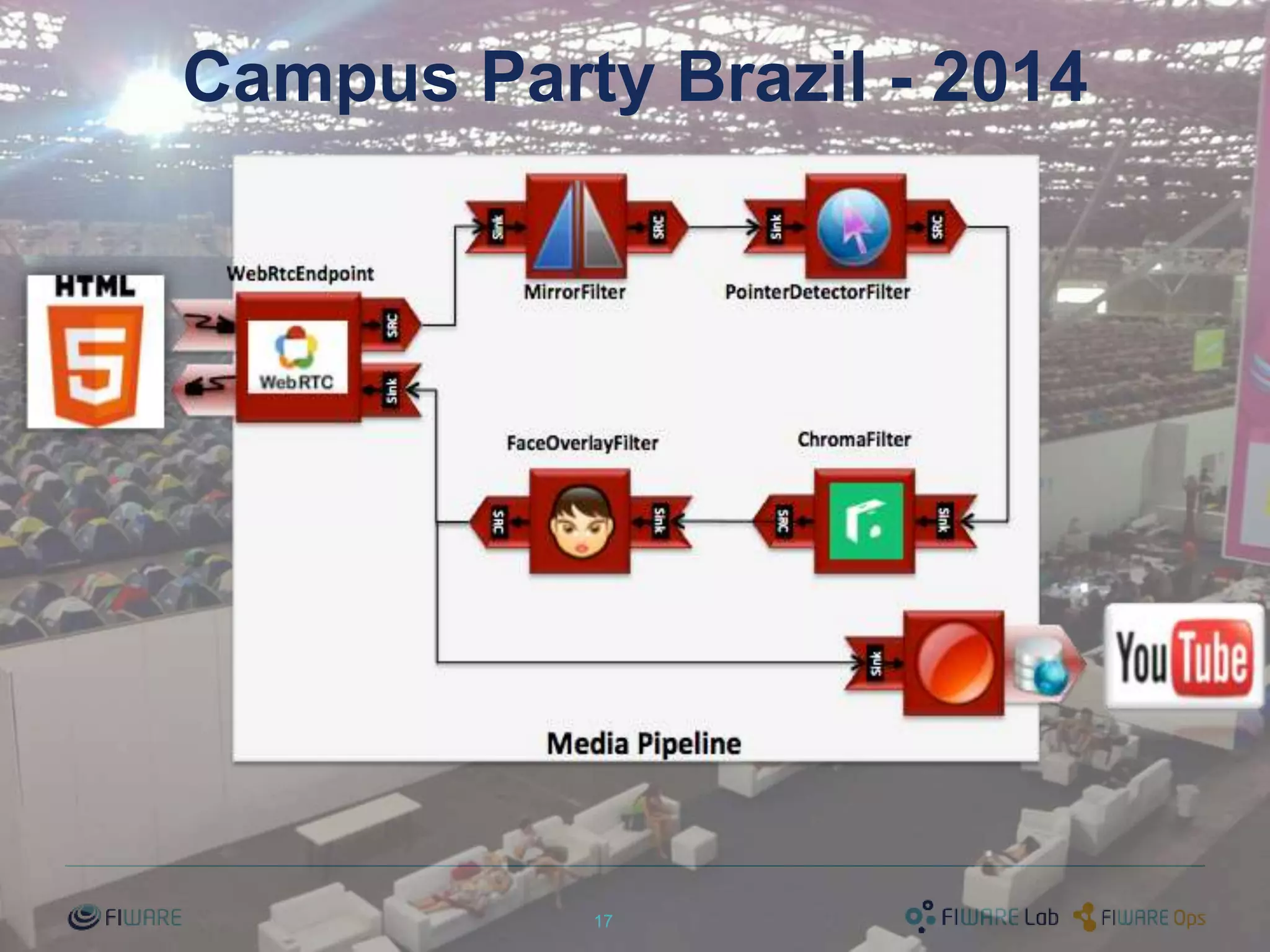
Campus Party Brazil - 2014 
17
Let’s get started! 
Tutorials 
http://www.kurento.org/docs/current/tutorials.html 
18
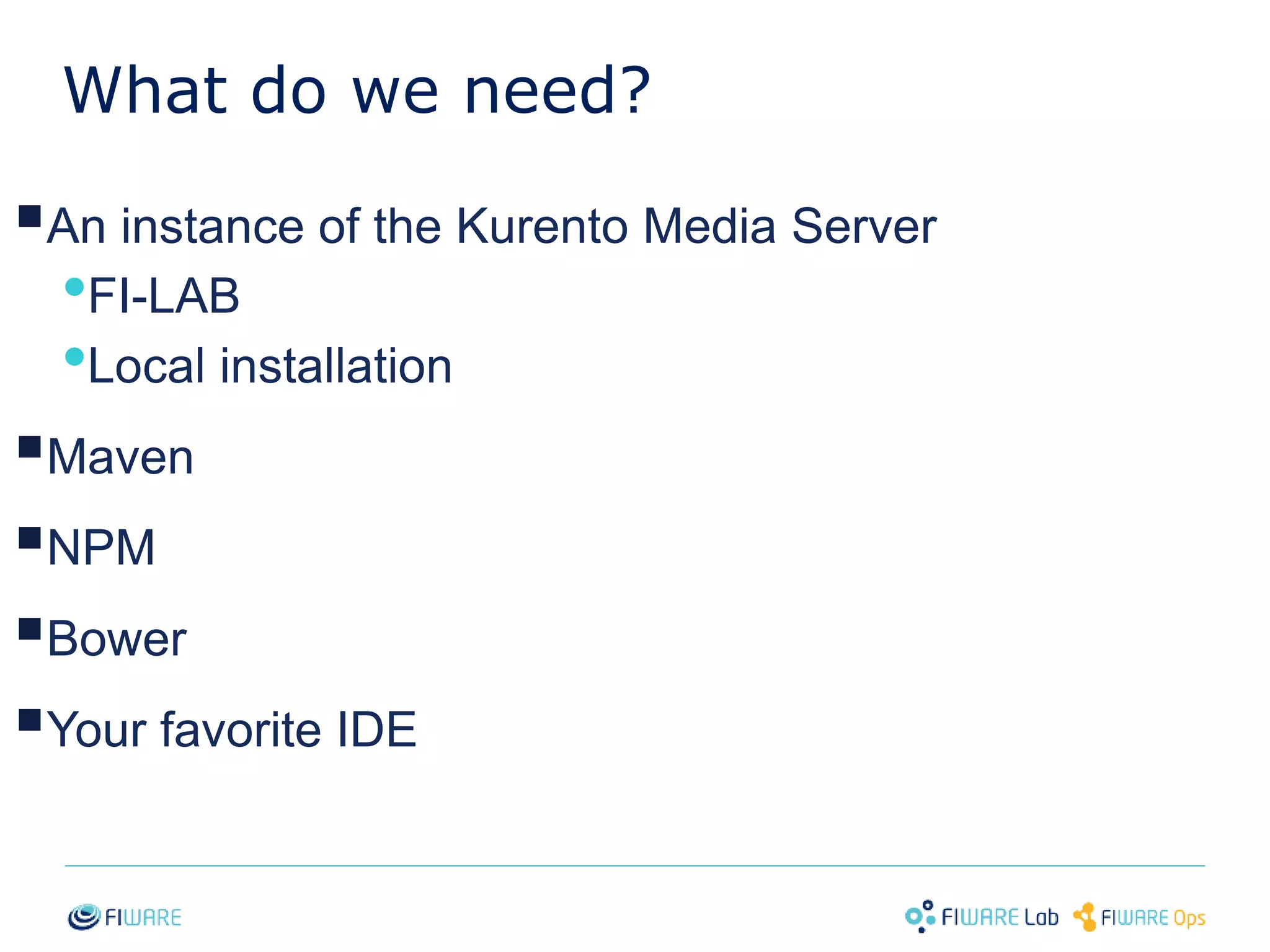
What do we need? 
 
An instance of the Kurento Media Server 
•FI-LAB 
•Local installation 
 
Maven 
 
NPM 
 
Bower 
 
Your favorite IDE 
19
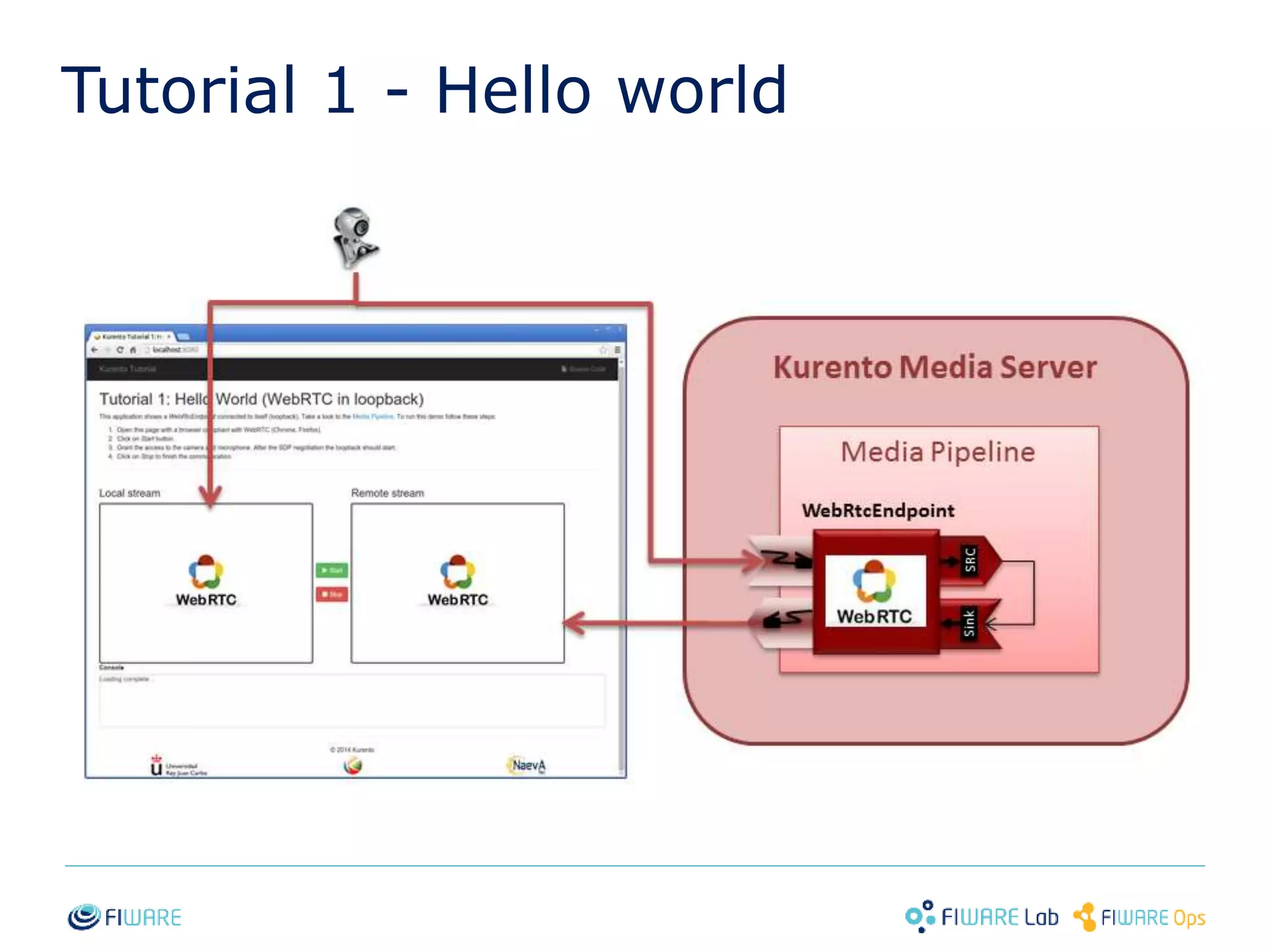
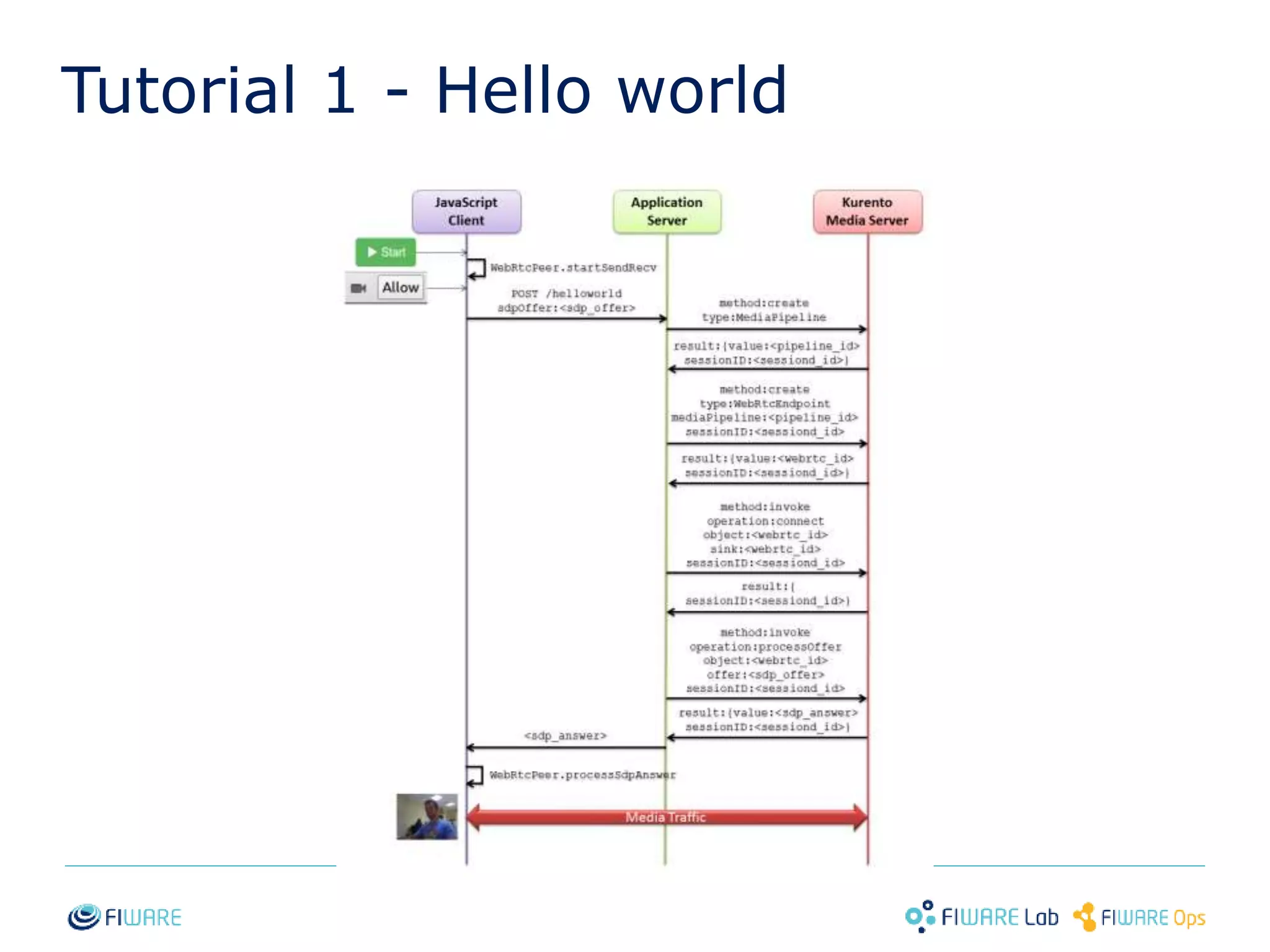
Tutorial 1 - Hello world 
20
Tutorial 1 - Hello world 
21
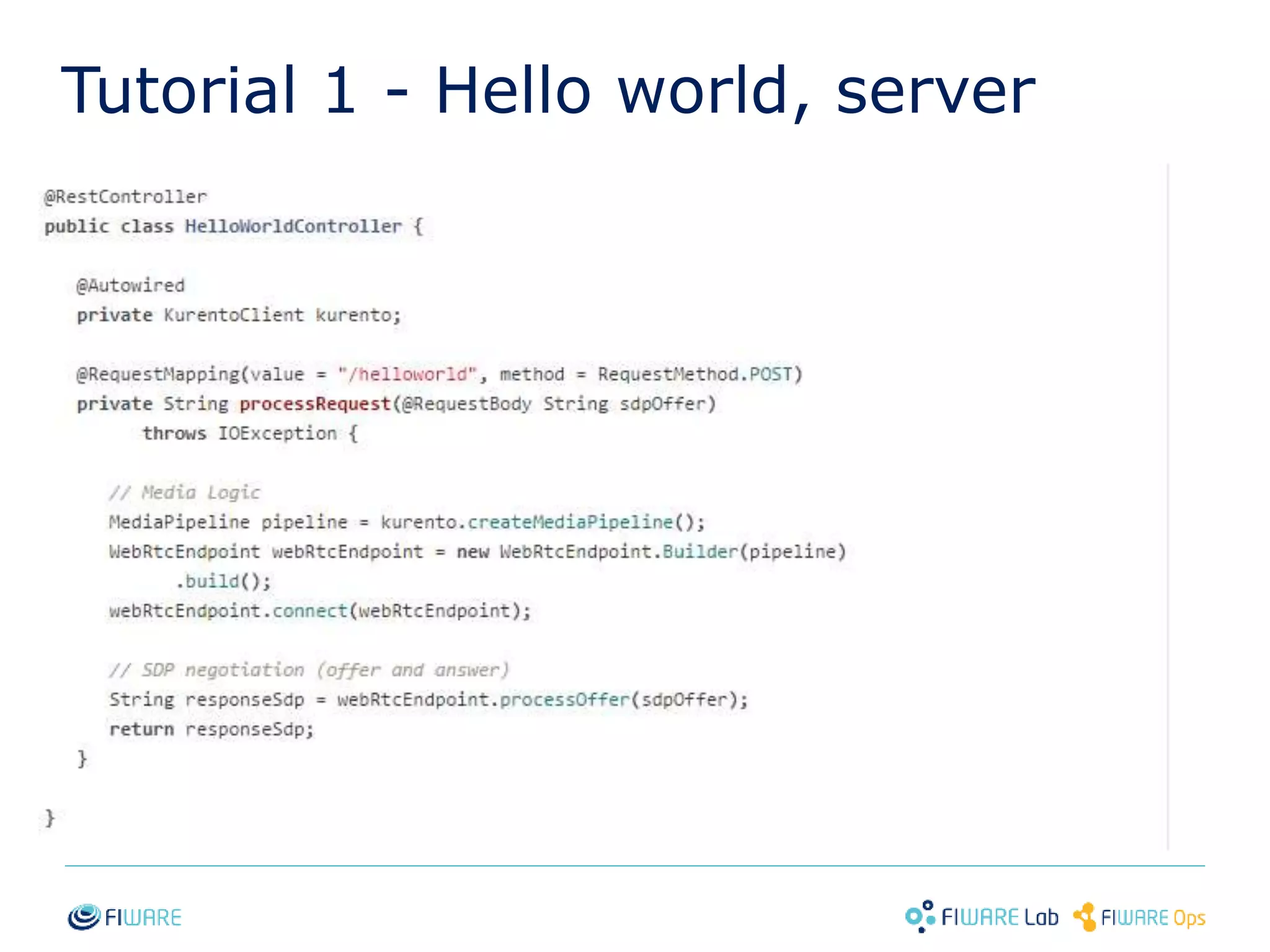
Tutorial 1 - Hello world, server 
22
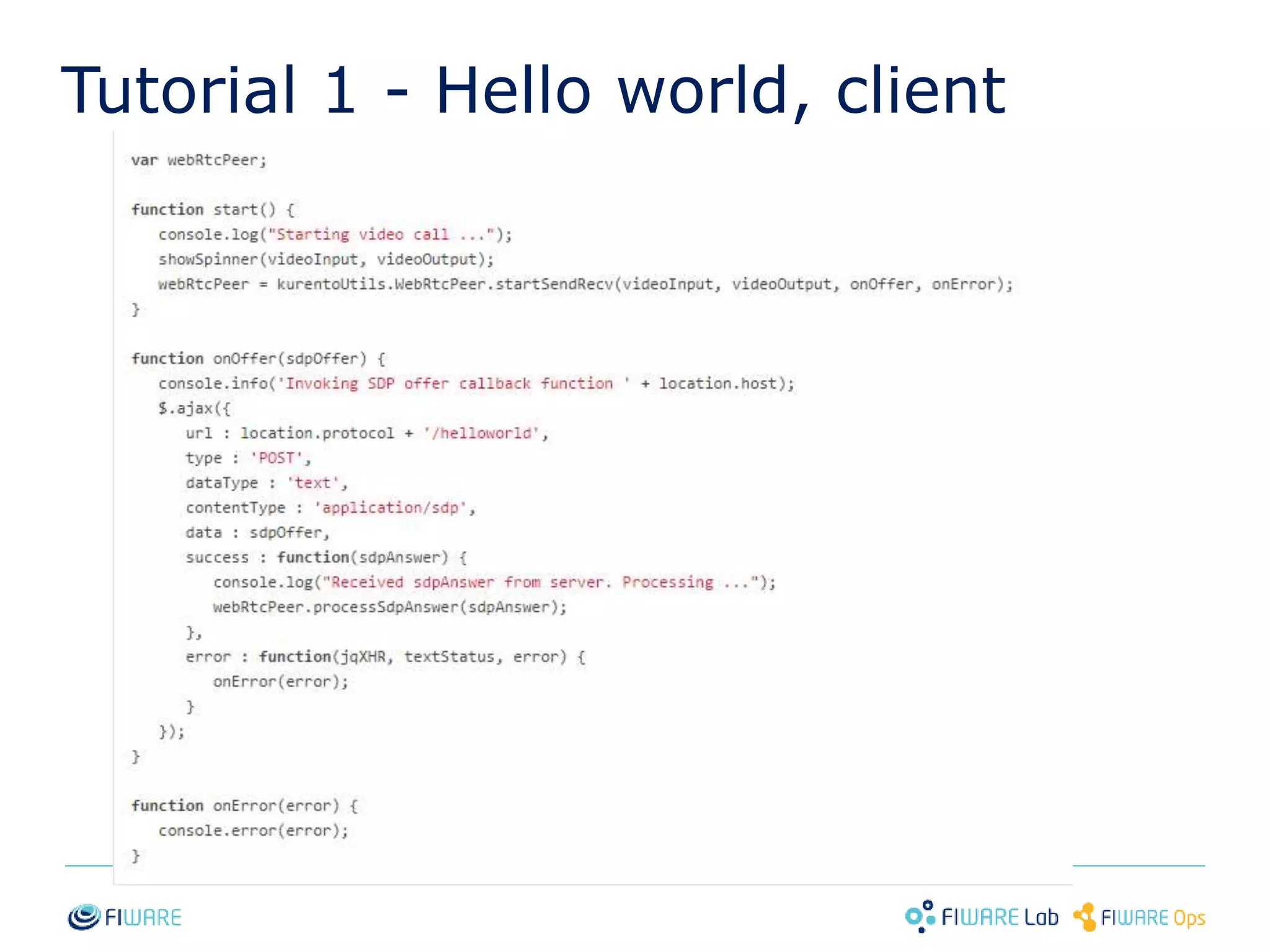
Tutorial 1 - Hello world, client 
23
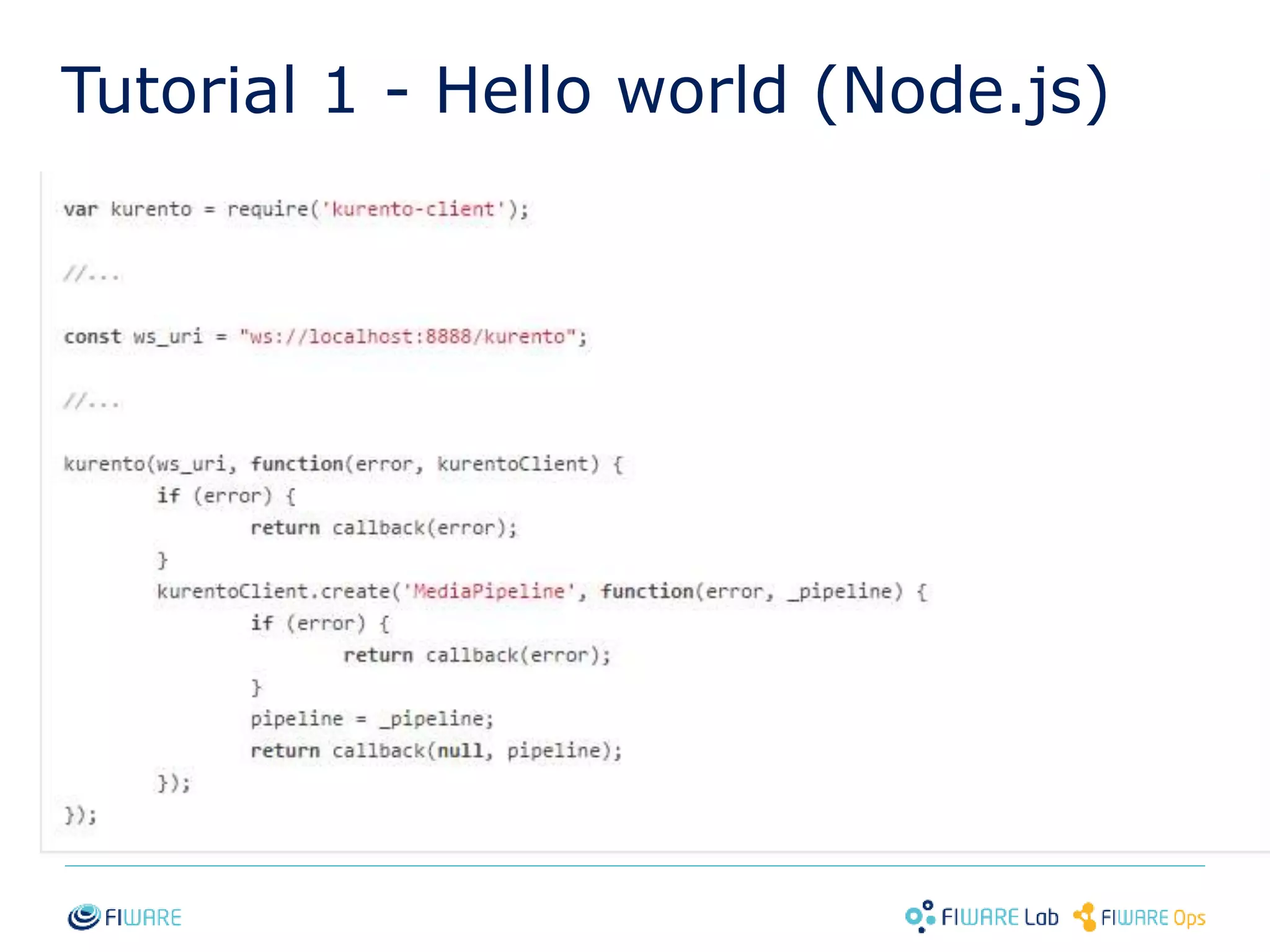
Tutorial 1 - Hello world (Node.js) 
24
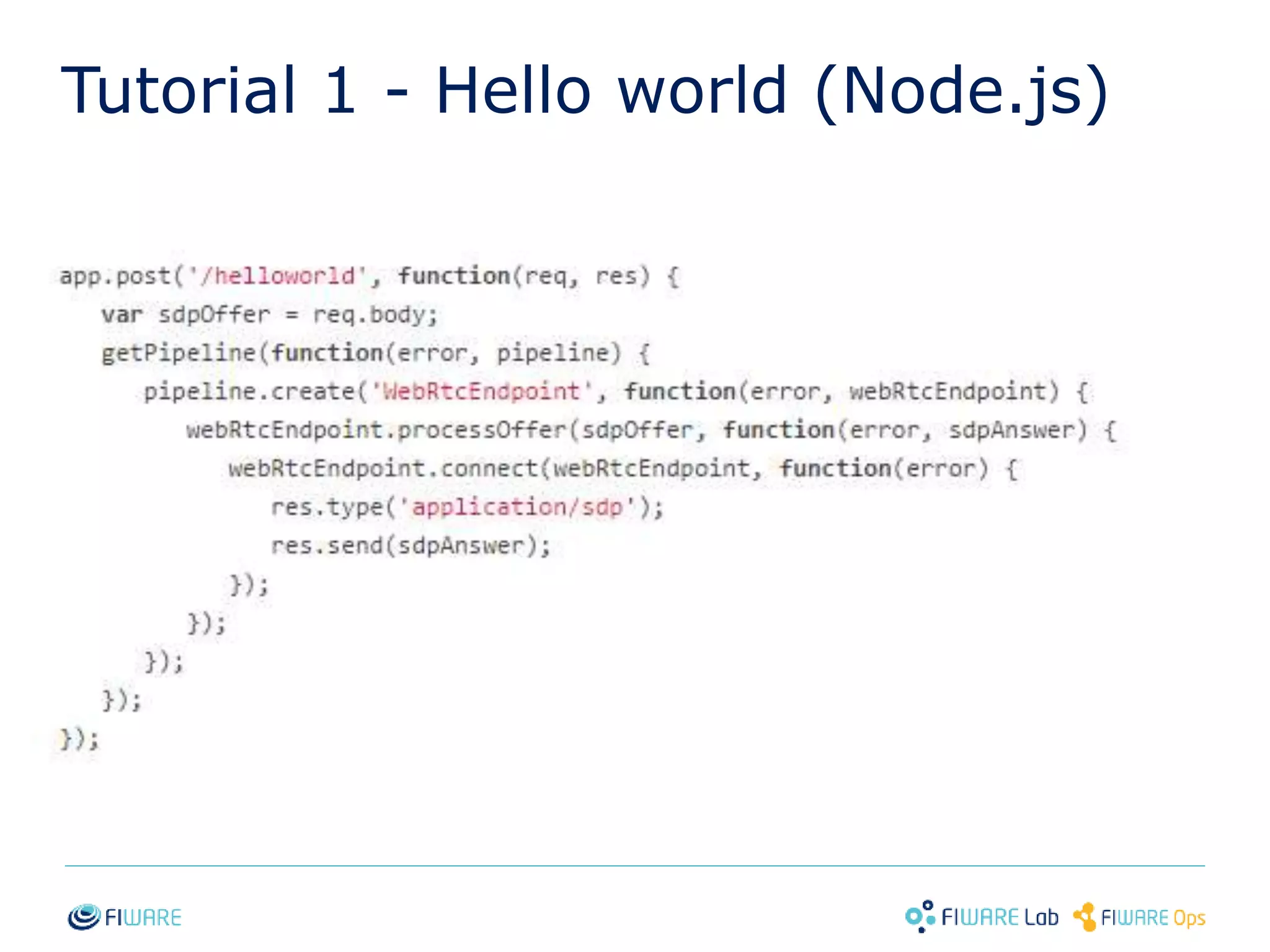
Tutorial 1 - Hello world (Node.js) 
25
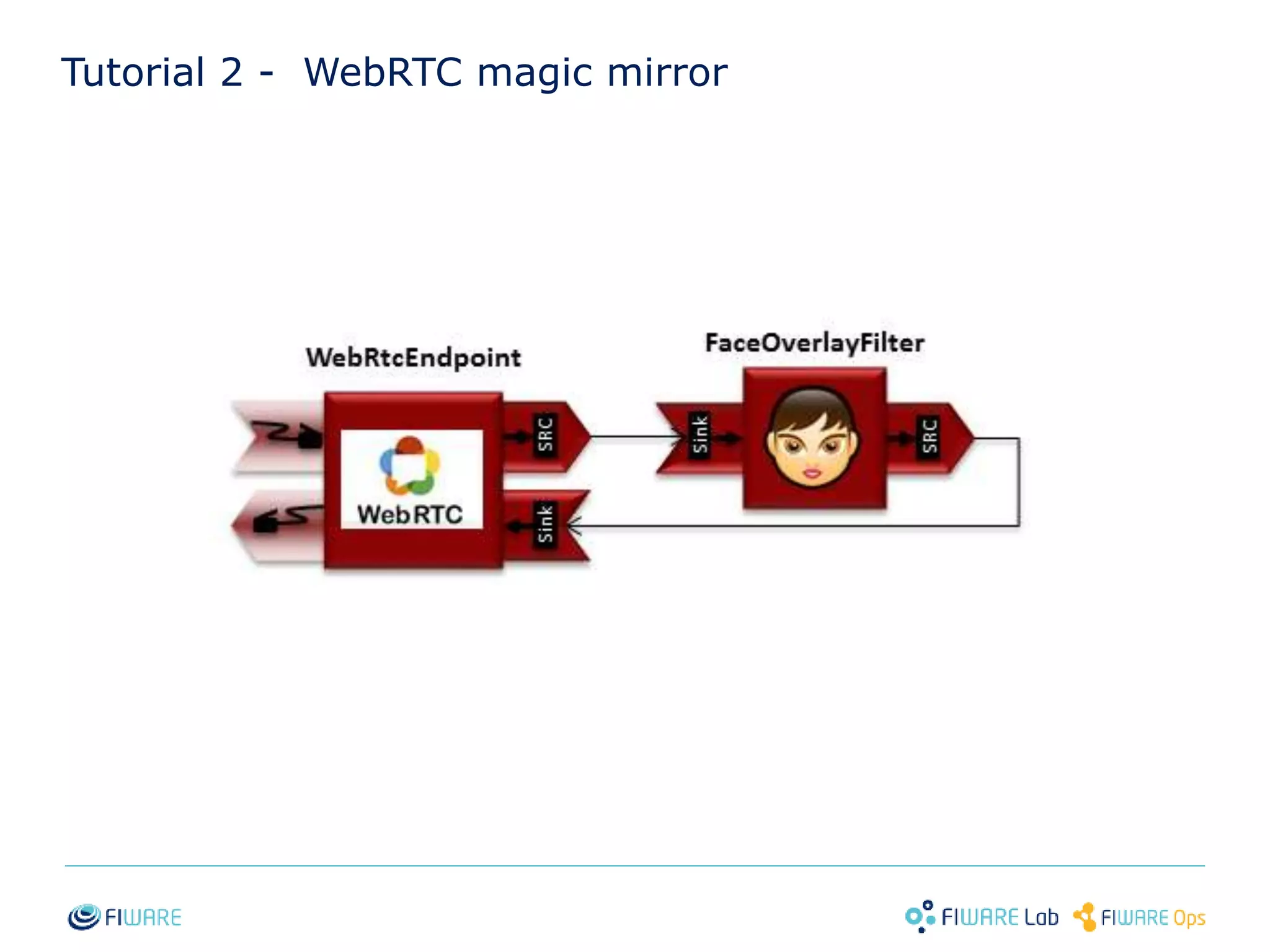
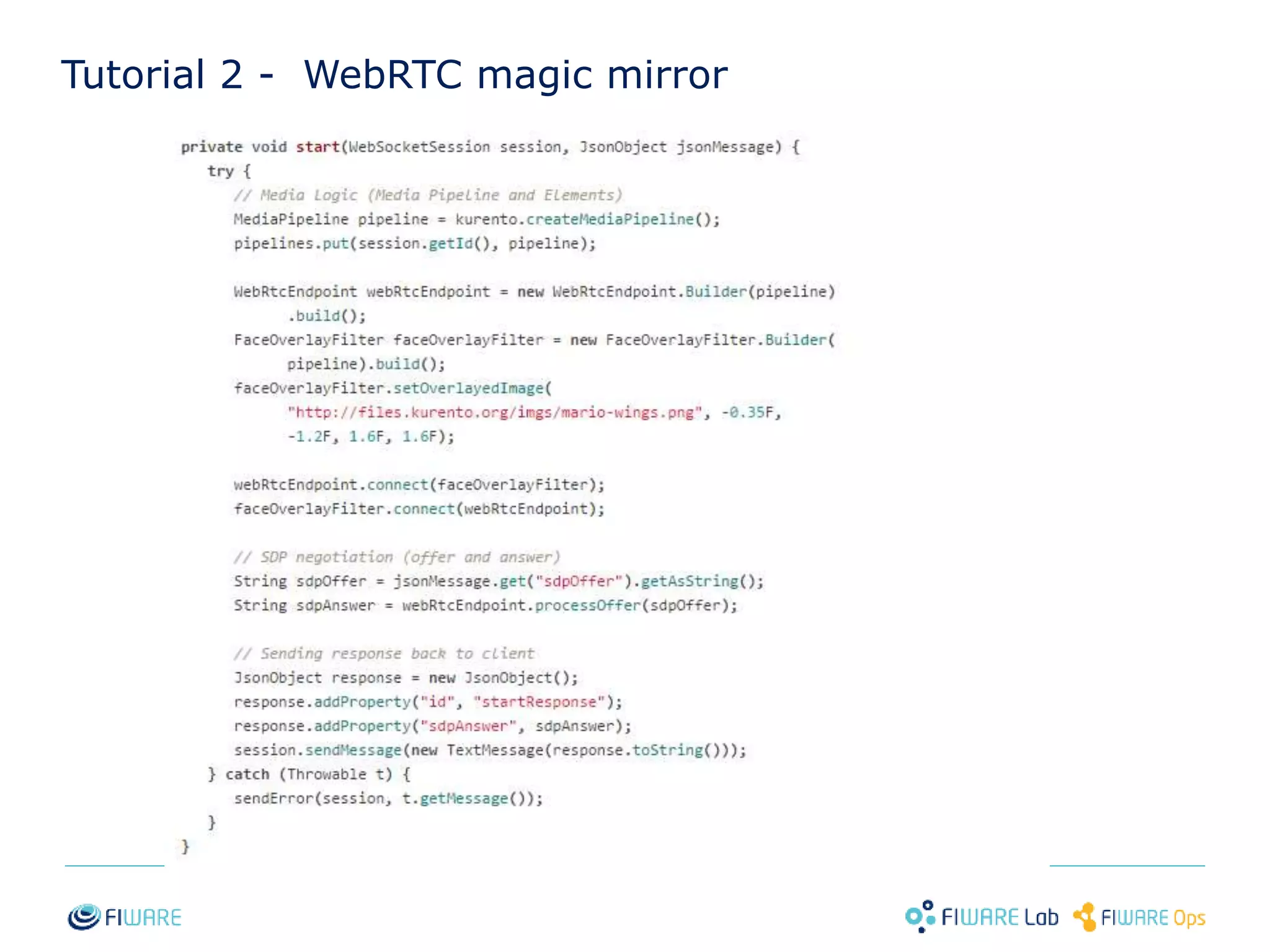
Tutorial 2 - WebRTC magic mirror 
26
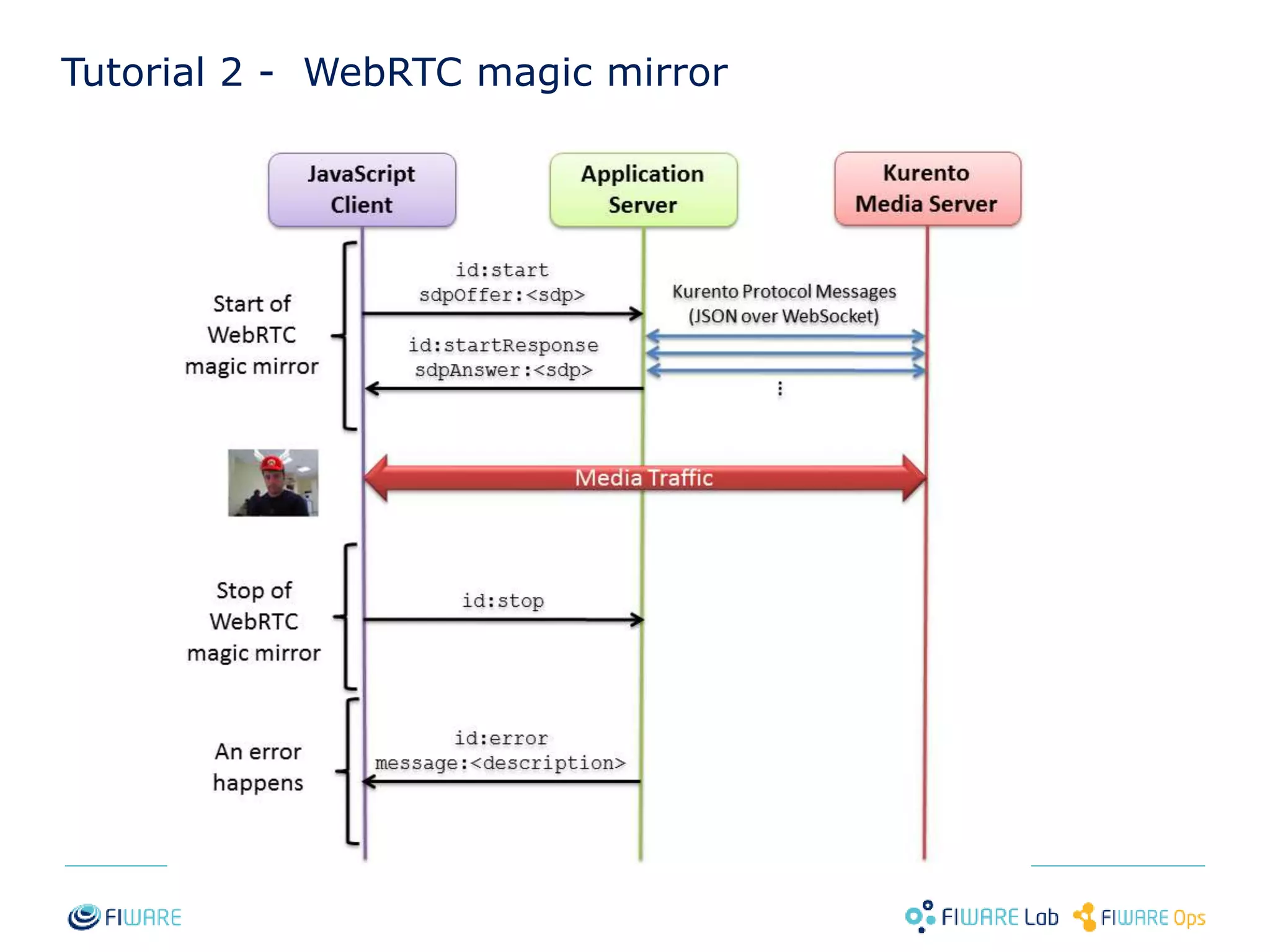
Tutorial 2 - WebRTC magic mirror 
27
Tutorial 2 - WebRTC magic mirror 
28
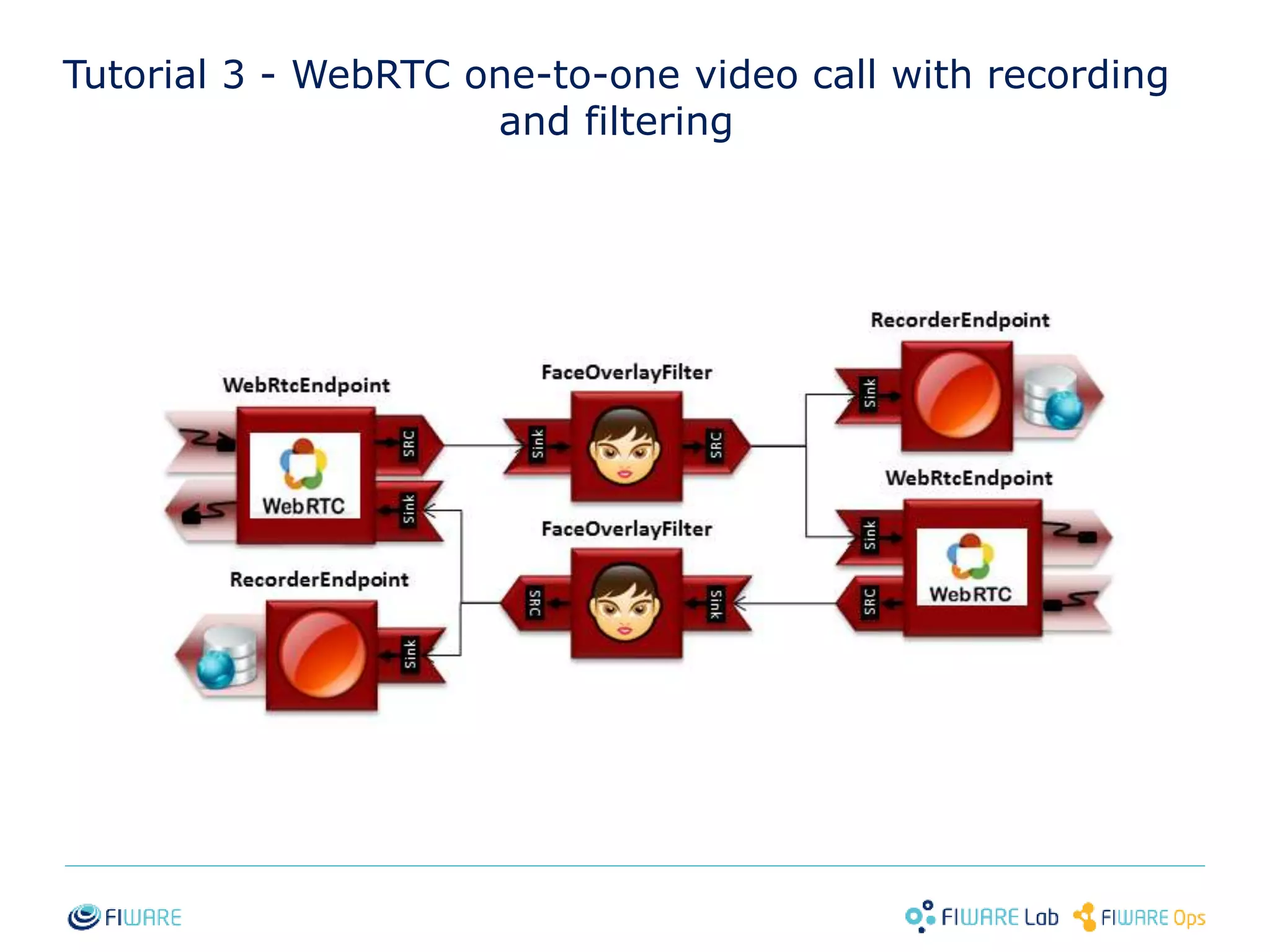
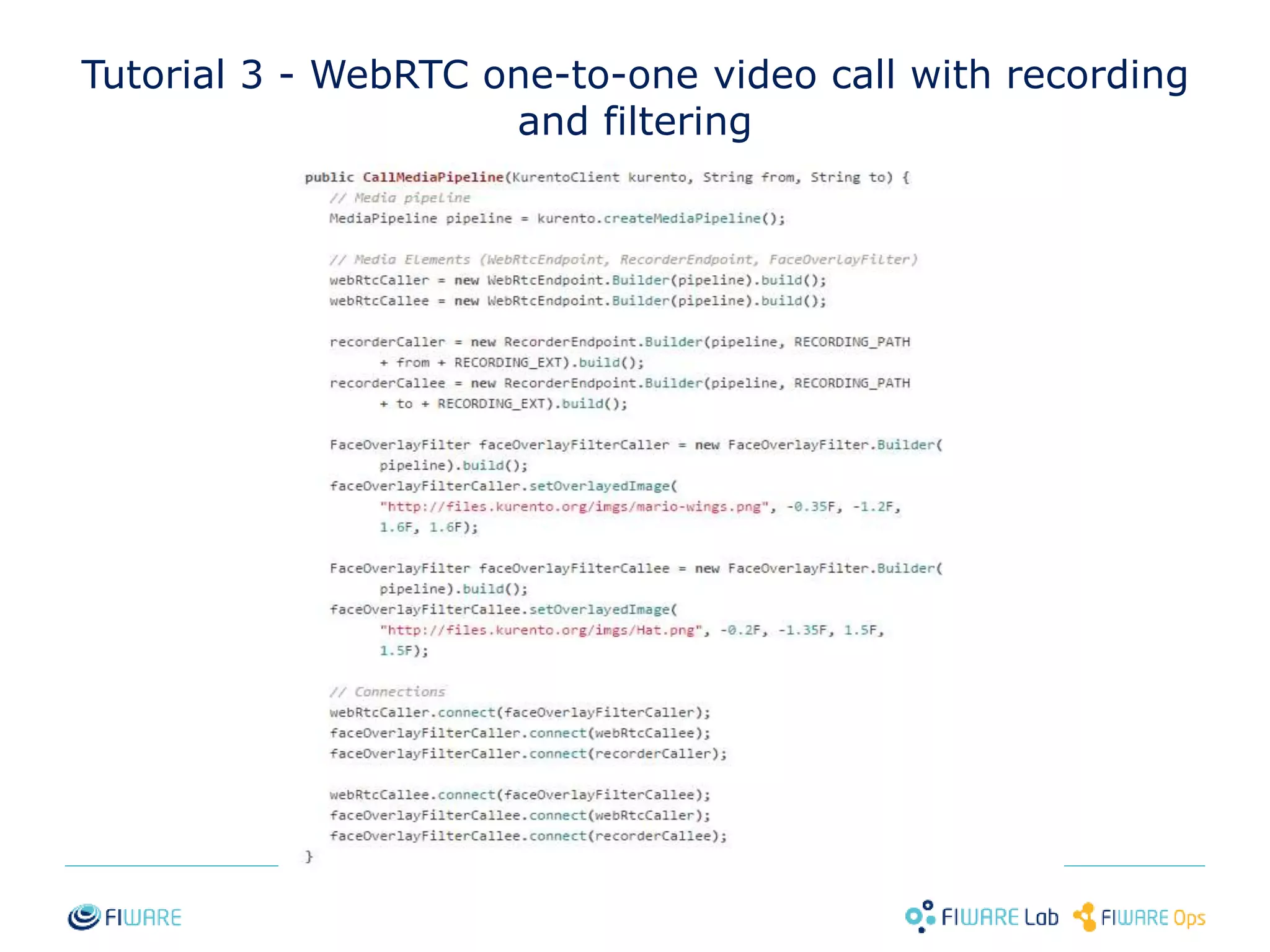
Tutorial 3 - WebRTC one-to-one video call with recording 
and filtering 
29
Tutorial 3 - WebRTC one-to-one video call with recording 
and filtering 
30
Expanding Kurento 
31
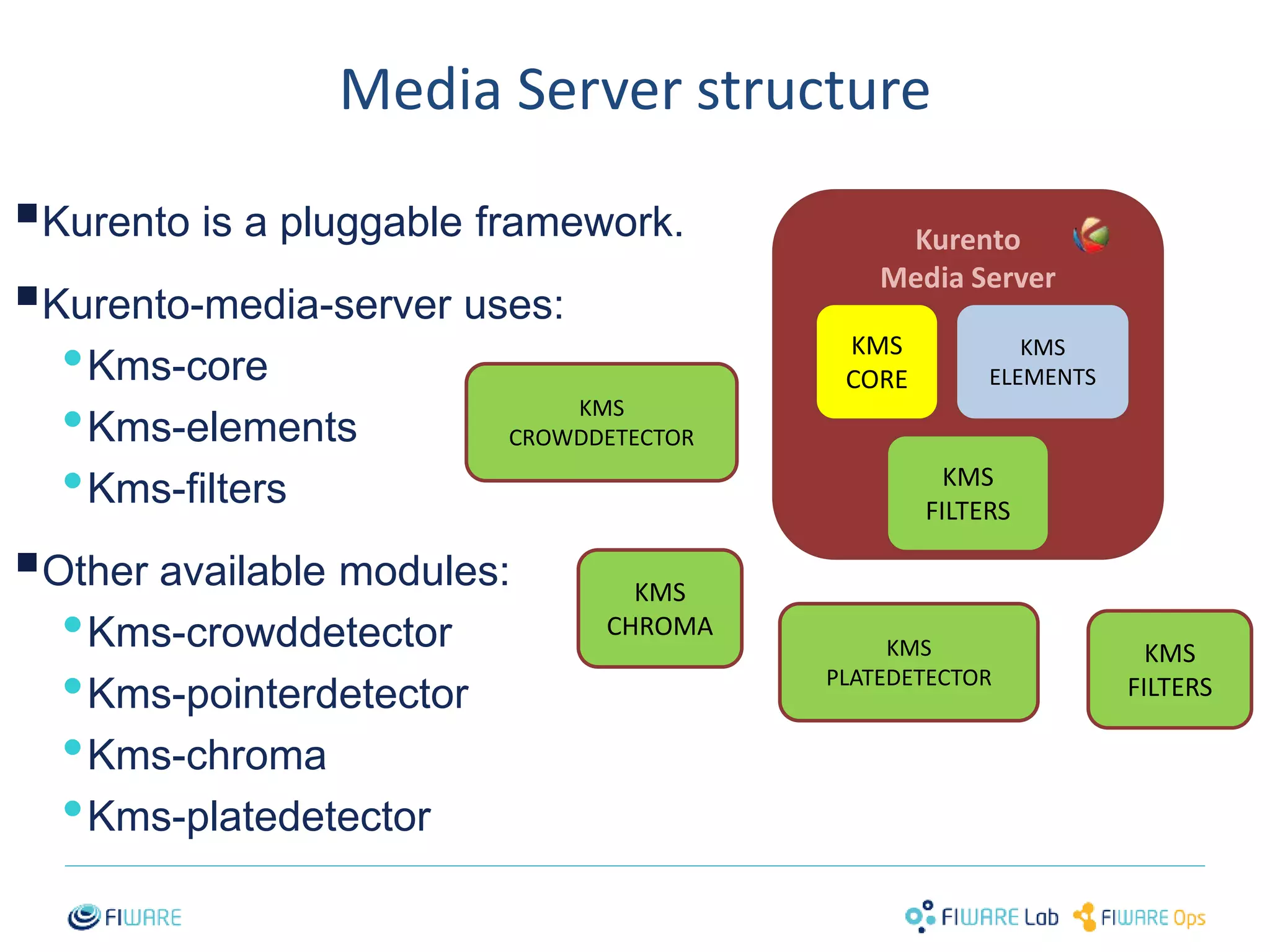
Media Server structure 
 
Kurento is a pluggable framework. 
 
Kurento-media-server uses: 
•Kms-core 
•Kms-elements 
•Kms-filters 
 
Other available modules: 
•Kms-crowddetector 
•Kms-pointerdetector 
•Kms-chroma 
•Kms-platedetector 
32 
Kurento 
Media Server 
KMS 
CORE 
KMS 
ELEMENTS 
KMS 
FILTERS 
KMS 
CROWDDETECTOR 
KMS 
CHROMA 
KMS 
PLATEDETECTOR 
KMS 
FILTERS
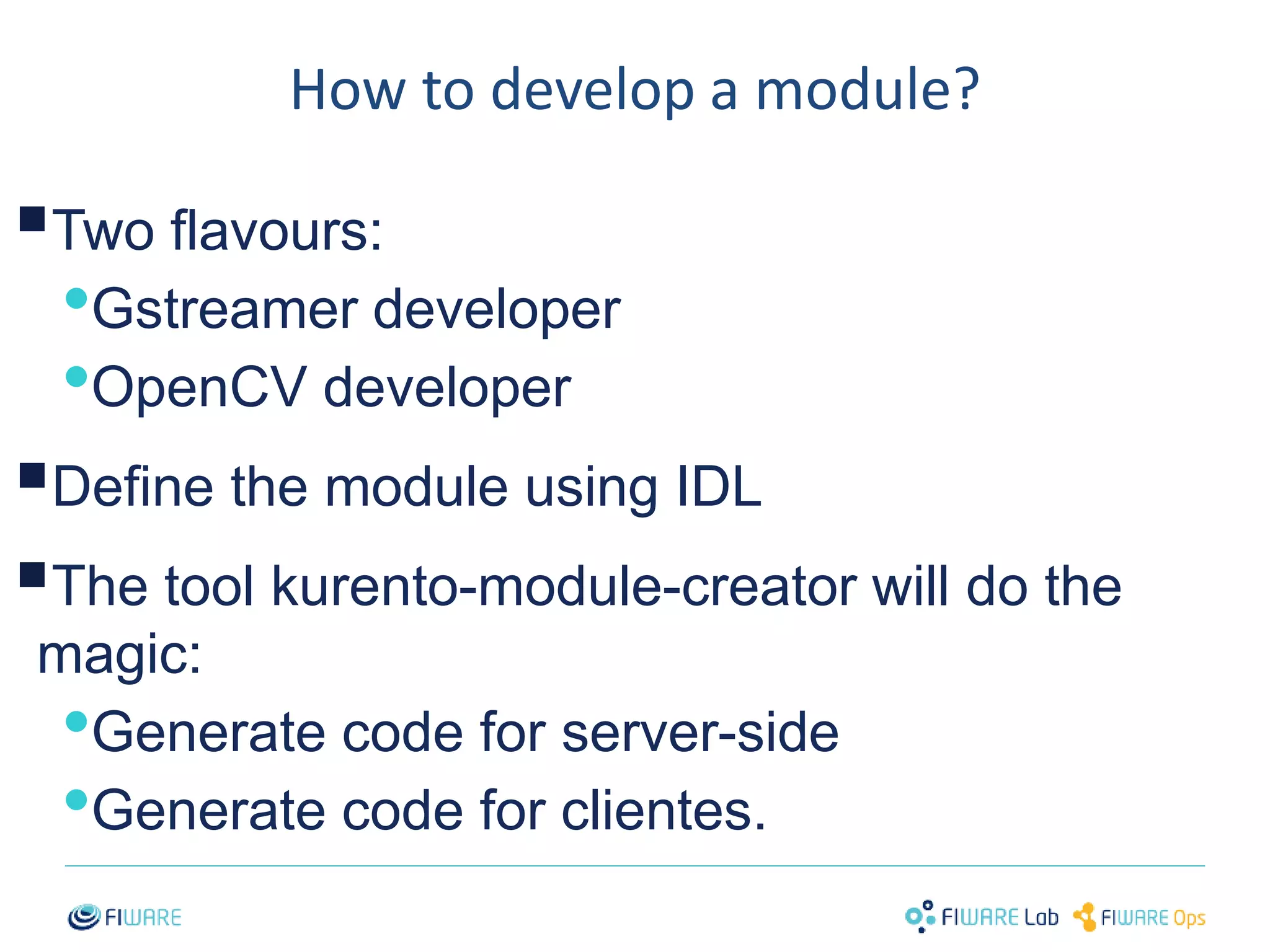
How to develop a module? 
 
Two flavours: 
•Gstreamer developer 
•OpenCV developer 
 
Define the module using IDL 
 
The tool kurento-module-creator will do the 
magic: 
•Generate code for server-side 
•Generate code for clientes. 
33
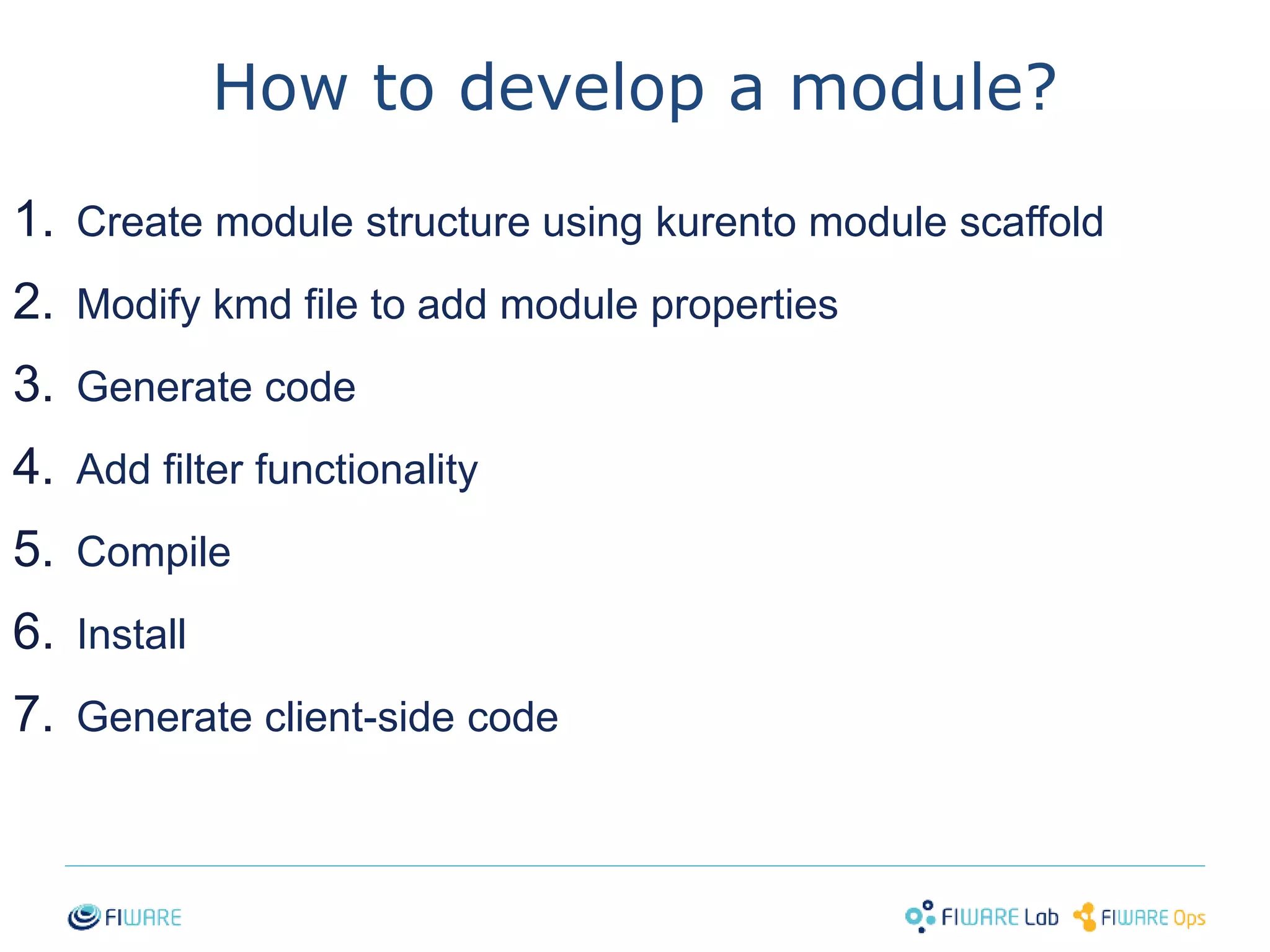
How to develop a module? 
1. Create module structure using kurento module scaffold 
2. Modify kmd file to add module properties 
3. Generate code 
4. Add filter functionality 
5. Compile 
6. Install 
7. Generate client-side code 
34
Example 1: For GStreamer developers 
https://github.com/Kurento/kms-plugin-sample 
35
Example 2: For OpenCV developers 
https://github.com/Kurento/kms-opencv-plugin-sample 
36
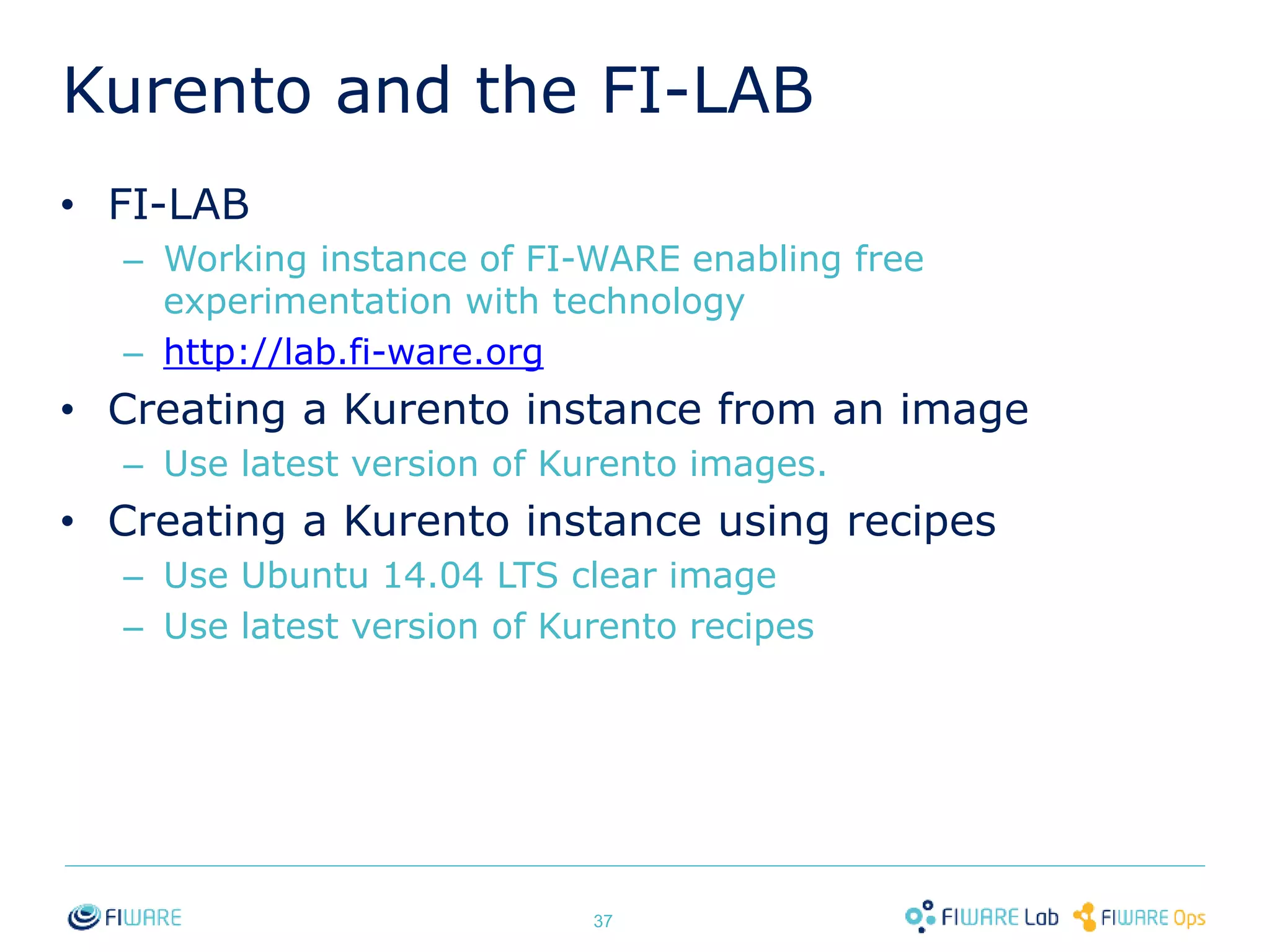
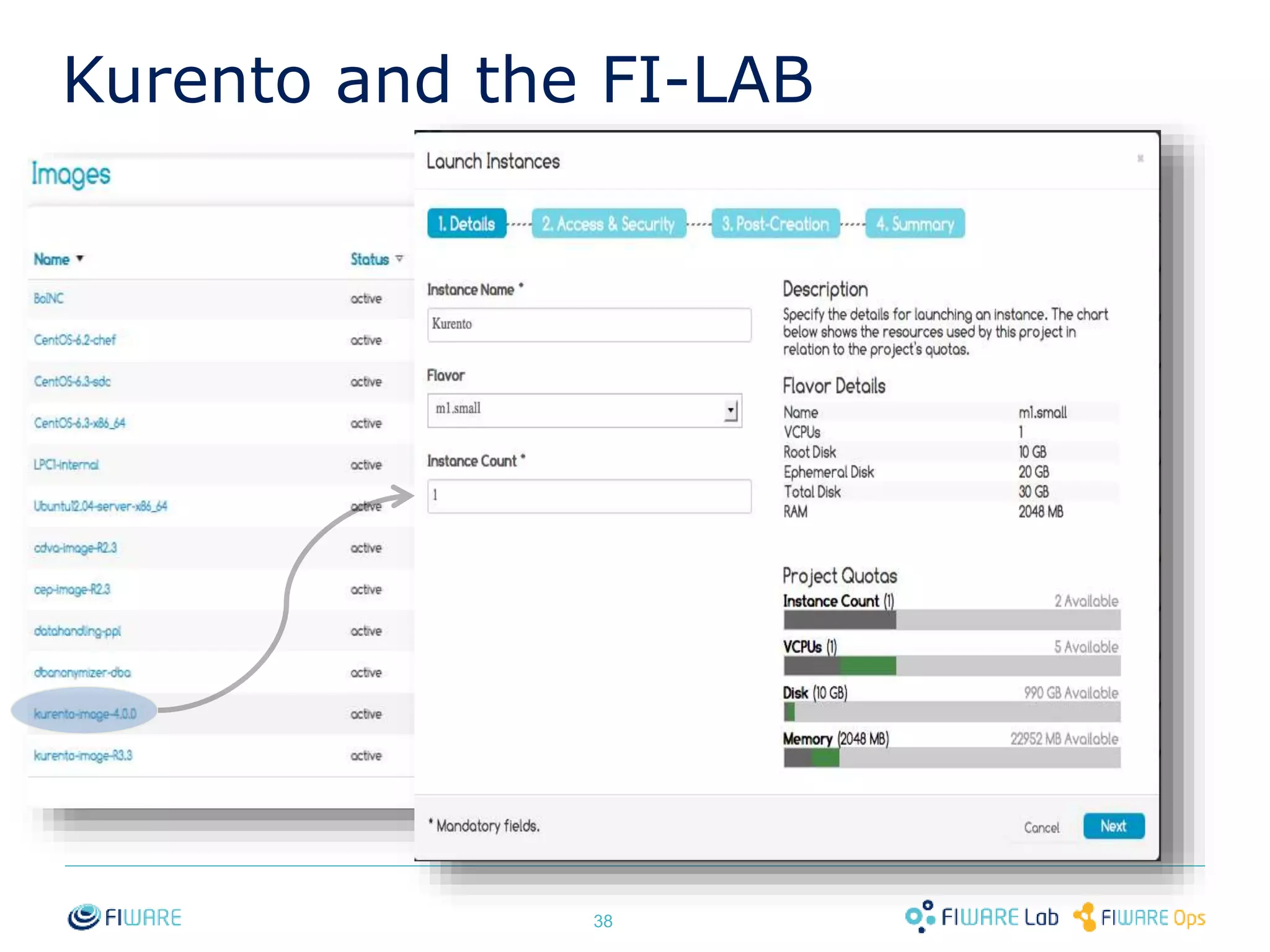
Kurento and the FI-LAB 
• FI-LAB 
– Working instance of FI-WARE enabling free 
experimentation with technology 
– http://lab.fi-ware.org 
• Creating a Kurento instance from an image 
– Use latest version of Kurento images. 
• Creating a Kurento instance using recipes 
– Use Ubuntu 14.04 LTS clear image 
– Use latest version of Kurento recipes 
37
Kurento and the FI-LAB 
38
To learn more… 
• FI-WARE web page 
– http://www.fi-ware.org 
• Kurento Web page 
– http://www.kurento.org 
• Kurento source code 
– https://github.com/kurento 
39
Thanks! 
40

Kurento - FI-WARE Bootcamp

  • 1.
    Real Time MediaStream Processing with FI-WARE Ivan Gracia Kurento.org igracia@kurento.org, @kurentoms
  • 2.
    Introducing multimedia infrastructures Peer-to-Peer Application (without media infrastructure) WebRTC video stream Application with media infrastructure Media infrastructure 1
  • 3.
    Multimedia infrastructures forthe Future Internet 2 Media is here Media got there Media got there Analyse Transform Store Transcoding MCU Recording Enrich Augment Adapt Sensors Context Events Media is here
  • 4.
    Enrich, augment, adapt,analyse, transform, store: what’s the problem? Complexity 3
  • 5.
    The Stream OrientedGeneric Enabler – SO GE • Interoperable media exchange (multiplatform/multiprotocol) •WebRTC, RTP, HTTP (video tag), etc. • Standard capabilities • Transcoding, MCU, recording • Advanced capabilities • Computer vision, augmented reality, mixing, blending, etc. Is distributed through a flexible FOSS license 4 Multimedia infrastructure APIs • REST API • JavaScript API • Java API • LGPL 2.1
  • 6.
    Kurento: the equation 5 Future Internet Multimedia Infrastructure Simple Development APIs 5
  • 7.
  • 8.
    Key concepts: mediaelements and pipelines 7  Media Element • Provides a specific media functionality › Send/receive media. These are the Endpoints › Process media › Transform media • Ready to be used • New media elements can be added  Media Element Sink SRC Media pipeline • Chain of media elements implementing the desired media logic • The Media Server provides the capability of creating media pipelines by joining media elements of the toolbox Media Pipeline
  • 9.
  • 10.
  • 11.
    Developers create applicationsjust connecting elements Application 2 Application 3 Application 1 Toolbox of media elements 10
  • 12.
    Media Server (KMS):The nucleus of Kurento  KMS is a middleware for media streams: •Receives the stream •Process the stream •Issues the stream 11 Send Receive Analyze Augment Enrich Transform Transcode Record Process Replicate Media Source Media Sink KMS
  • 13.
    How to controlthe media server?  REST API •JSON RPC •Websocket interface in KMS 12
  • 14.
  • 15.
    Kurento Protocol JSON-RPCover WS Media Traffic Client Kurento 14 Application code Media Traffic Media Server Application Server Java Kurento Client JavaScript Kurento Client Application code Application code Kurento Protocol JSON-RPC over WS Signaling protocol Kurento Media Server Client Kurento Applications
  • 16.
    Application execution flow 15 Client Code Kurento API Media Server (KMS) I want this media in this type Commands requesting the creation of a pipeline (JSON-RPC request) What you want is here Pipeline creation phase Media exchange phase 1 2 Specific logic (e.g. AAA) Media pipeline creation Media exchange between client and server
  • 17.
    Campus Party Brazil- 2014 16 16
  • 18.
  • 19.
    Let’s get started! Tutorials http://www.kurento.org/docs/current/tutorials.html 18
  • 20.
    What do weneed?  An instance of the Kurento Media Server •FI-LAB •Local installation  Maven  NPM  Bower  Your favorite IDE 19
  • 21.
    Tutorial 1 -Hello world 20
  • 22.
    Tutorial 1 -Hello world 21
  • 23.
    Tutorial 1 -Hello world, server 22
  • 24.
    Tutorial 1 -Hello world, client 23
  • 25.
    Tutorial 1 -Hello world (Node.js) 24
  • 26.
    Tutorial 1 -Hello world (Node.js) 25
  • 27.
    Tutorial 2 -WebRTC magic mirror 26
  • 28.
    Tutorial 2 -WebRTC magic mirror 27
  • 29.
    Tutorial 2 -WebRTC magic mirror 28
  • 30.
    Tutorial 3 -WebRTC one-to-one video call with recording and filtering 29
  • 31.
    Tutorial 3 -WebRTC one-to-one video call with recording and filtering 30
  • 32.
  • 33.
    Media Server structure  Kurento is a pluggable framework.  Kurento-media-server uses: •Kms-core •Kms-elements •Kms-filters  Other available modules: •Kms-crowddetector •Kms-pointerdetector •Kms-chroma •Kms-platedetector 32 Kurento Media Server KMS CORE KMS ELEMENTS KMS FILTERS KMS CROWDDETECTOR KMS CHROMA KMS PLATEDETECTOR KMS FILTERS
  • 34.
    How to developa module?  Two flavours: •Gstreamer developer •OpenCV developer  Define the module using IDL  The tool kurento-module-creator will do the magic: •Generate code for server-side •Generate code for clientes. 33
  • 35.
    How to developa module? 1. Create module structure using kurento module scaffold 2. Modify kmd file to add module properties 3. Generate code 4. Add filter functionality 5. Compile 6. Install 7. Generate client-side code 34
  • 36.
    Example 1: ForGStreamer developers https://github.com/Kurento/kms-plugin-sample 35
  • 37.
    Example 2: ForOpenCV developers https://github.com/Kurento/kms-opencv-plugin-sample 36
  • 38.
    Kurento and theFI-LAB • FI-LAB – Working instance of FI-WARE enabling free experimentation with technology – http://lab.fi-ware.org • Creating a Kurento instance from an image – Use latest version of Kurento images. • Creating a Kurento instance using recipes – Use Ubuntu 14.04 LTS clear image – Use latest version of Kurento recipes 37
  • 39.
    Kurento and theFI-LAB 38
  • 40.
    To learn more… • FI-WARE web page – http://www.fi-ware.org • Kurento Web page – http://www.kurento.org • Kurento source code – https://github.com/kurento 39
  • 41.