NEO 2™
KeyWords Wireless™

12.11.09 | R41586
Are You Ready?

 NEO 2
 USB Cable
 Renaissance Receiver™
KeyWords Wireless Agenda

• Keyboarding Best
Practices
• KeyWords™ Overview
• Set up for Success
• Working with KeyWords
• Monitor student progress
• Next Steps
Keyboarding Best Practices K – 2nd grade

K – 2nd grade
• Informal instruction
• Attention to correct hand and body position

a, ax, cat, act, fad, was, gear, facet, wettest
13 points!
Keyboarding Best Practices 3rd – 5th grades

3rd – 5th grades
• Formal instruction
• 10 - 15 minutes per day
• 12 - 16 weeks

• Weekly reinforcement
• 15 - 30 WPM
• Maintain Skills
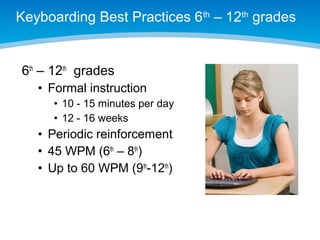
Keyboarding Best Practices 6th – 12th grades

6th – 12th grades
• Formal instruction
• 10 - 15 minutes per day
• 12 - 16 weeks

• Periodic reinforcement
• 45 WPM (6th – 8th)
• Up to 60 WPM (9th-12th)
KeyWords Overview

• 100+ Language-based
lessons
• 15 levels
• Pre and post tests
• Immediate feedback
• Reports
• Wireless transfer of data
Beginning Set Up

Teacher Tasks:
•Add Students to
NEO Manager
• Import from Ren Place
• Enter students
manually

•Connect Receiver
Getting Started on NEO 2

•
•
•
•

Power on NEO 2
Press the applets key
Select KeyWords
First time only
• Add a student
• 8 students per NEO 2

• All other times
• Select your name
• Enter username and
password
The Start Here! Lesson

• Whole group, teacher
led
• Focus on habits:
• Good posture
• Correct hand position
• Stretch frequently
Move through the lessons in order

• Teacher guides the 1st lesson – ASKL keys
• Lesson format is consistent
• Lessons are cumulative
• Sequential Lessons preference
The ASKL Lesson—Learn New Keys

• Learn new keys
• Self-paced
• Built-in help
• Students must correct errors
Use Accuracy and Speed Builders

• Six practice passages
per lesson
•
•
•
•

Errors monitored
Students can correct errors
“Race the bar”
Press esc after a passage
Take Accuracy and Speed Tests

• Errors monitored
• Students cannot
correct errors
• To pass, meet both:
• WPM goal
• Error goal

• Data is sent wirelessly
Monitor Student Progress
Customize KeyWords for Your School
Next Steps for Teachers

KeyWords Wireless QuickStart Guide, page 1






Configure KeyWords for your class
Assign NEO 2s
Add students to NEO Manager
Enroll students on NEO 2s
Explore KeyWords resources
Next Steps in the Classroom

1.
2.
3.
4.

Pre-Test
Start Here!
Teach the KeyWords format
Use KeyWords daily
• Allow 12-16 weeks
• 10-15 minutes per day

1. Sync with Renaissance Place
2. Monitor progress routinely
NEO 2 Support

For more information and help,
check out our Training Center
www.renlearn.com/training
Technical Support
http://www.renlearn.com
Service and Support

Key words wireless

  • 1.
  • 2.
    Are You Ready? NEO 2  USB Cable  Renaissance Receiver™
  • 3.
    KeyWords Wireless Agenda •Keyboarding Best Practices • KeyWords™ Overview • Set up for Success • Working with KeyWords • Monitor student progress • Next Steps
  • 4.
    Keyboarding Best PracticesK – 2nd grade K – 2nd grade • Informal instruction • Attention to correct hand and body position a, ax, cat, act, fad, was, gear, facet, wettest 13 points!
  • 5.
    Keyboarding Best Practices3rd – 5th grades 3rd – 5th grades • Formal instruction • 10 - 15 minutes per day • 12 - 16 weeks • Weekly reinforcement • 15 - 30 WPM • Maintain Skills
  • 6.
    Keyboarding Best Practices6th – 12th grades 6th – 12th grades • Formal instruction • 10 - 15 minutes per day • 12 - 16 weeks • Periodic reinforcement • 45 WPM (6th – 8th) • Up to 60 WPM (9th-12th)
  • 7.
    KeyWords Overview • 100+Language-based lessons • 15 levels • Pre and post tests • Immediate feedback • Reports • Wireless transfer of data
  • 8.
    Beginning Set Up TeacherTasks: •Add Students to NEO Manager • Import from Ren Place • Enter students manually •Connect Receiver
  • 9.
    Getting Started onNEO 2 • • • • Power on NEO 2 Press the applets key Select KeyWords First time only • Add a student • 8 students per NEO 2 • All other times • Select your name • Enter username and password
  • 10.
    The Start Here!Lesson • Whole group, teacher led • Focus on habits: • Good posture • Correct hand position • Stretch frequently
  • 11.
    Move through thelessons in order • Teacher guides the 1st lesson – ASKL keys • Lesson format is consistent • Lessons are cumulative • Sequential Lessons preference
  • 12.
    The ASKL Lesson—LearnNew Keys • Learn new keys • Self-paced • Built-in help • Students must correct errors
  • 13.
    Use Accuracy andSpeed Builders • Six practice passages per lesson • • • • Errors monitored Students can correct errors “Race the bar” Press esc after a passage
  • 14.
    Take Accuracy andSpeed Tests • Errors monitored • Students cannot correct errors • To pass, meet both: • WPM goal • Error goal • Data is sent wirelessly
  • 15.
  • 16.
  • 17.
  • 18.
    Next Steps forTeachers KeyWords Wireless QuickStart Guide, page 1      Configure KeyWords for your class Assign NEO 2s Add students to NEO Manager Enroll students on NEO 2s Explore KeyWords resources
  • 19.
    Next Steps inthe Classroom 1. 2. 3. 4. Pre-Test Start Here! Teach the KeyWords format Use KeyWords daily • Allow 12-16 weeks • 10-15 minutes per day 1. Sync with Renaissance Place 2. Monitor progress routinely
  • 20.
    NEO 2 Support Formore information and help, check out our Training Center www.renlearn.com/training Technical Support http://www.renlearn.com Service and Support

Editor's Notes

  • #2 Before final save, make sure to add date and R number in bottom left in gray. Archive old materials. Get new numbers.
  • #17 as you bring one it, make sure the other one disappears. Use Fade. Can start with NEO manager screen
  • #18 as you bring one it, make sure the other one disappears. Use Fade.