Mobile
Application
KPIs
Anshu Kumar Gupta
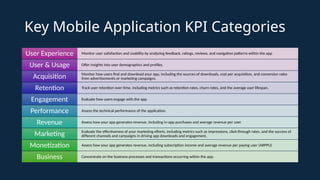
Key Mobile Application KPI Categories
Monitor user satisfaction and usability by analyzing feedback, ratings, reviews, and navigation patterns within the app
User Experience
Offer insights into user demographics and profiles.
User & Usage
Monitor how users find and download your app, including the sources of downloads, cost per acquisition, and conversion rates
from advertisements or marketing campaigns.
Acquisition
Track user retention over time, including metrics such as retention rates, churn rates, and the average user lifespan.
Retention
Evaluate how users engage with the app.
Engagement
Assess the technical performance of the application.
Performance
Assess how your app generates revenue, including in-app purchases and average revenue per user.
Revenue
Evaluate the effectiveness of your marketing efforts, including metrics such as impressions, click-through rates, and the success of
different channels and campaigns in driving app downloads and engagement.
Marketing
Assess how your app generates revenue, including subscription income and average revenue per paying user (ARPPU)
Monetization
Concentrate on the business processes and transactions occurring within the app.
Business
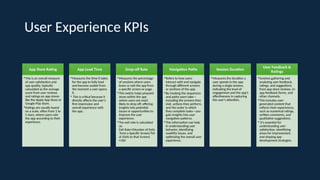
User Experience KPIs
App Store Rating
•This is an overall measure
of user satisfaction and
app quality, typically
calculated as the average
score from user reviews
and ratings on app stores
like the Apple App Store or
Google Play Store.
•Ratings are usually based
on a scale, often from 1 to
5 stars, where users rate
the app according to their
experience.
App Load Time
•Measures the time it takes
for the app to fully load
and become usable from
the moment a user opens
it.
• This is critical because it
directly affects the user's
first impression and
overall experience with
the app.
Drop-off Rate
•Measures the percentage
of sessions where users
leave or exit the app from
a specific screen or page.
•This metric helps pinpoint
areas within the app
where users are most
likely to drop off, offering
insights into potential
issues or opportunities to
improve the user
experience.
•The exit rate is calculated
as:
Exit Rate=(Number of Exits
from a Specific Screen/Tot
al Visits to that Screen)​
×100
Navigation Paths
•Refers to how users
interact with and navigate
through different screens
or sections of the app.
•By tracking the sequences
and paths users take—
including the screens they
visit, actions they perform,
and the order in which
they complete tasks—you
gain insights into user
navigation patterns.
•This information can help
in understanding user
behavior, identifying
usability issues, and
optimizing the overall user
experience.
Session Duration
•Measures the duration a
user spends in the app
during a single session,
indicating the level of
engagement and the app’s
effectiveness in capturing
the user’s attention.
User Feedback &
Ratings
•Involves gathering and
analyzing user feedback,
ratings, and suggestions
from app store reviews, in-
app feedback forms, and
other channels.
•This includes user-
generated content that
reflects their experiences,
such as numerical ratings,
written comments, and
qualitative suggestions.
• It's essential for
understanding user
satisfaction, identifying
areas for improvement,
and shaping app
development strategies.
User & Usage KPIs
Active User Count
•Highlights the app's user base by tracking
Monthly Active Users (MAUs) and
observing trends like growth, decline, or
stagnation.
•This metric is particularly important for
apps that depend on advertising revenue,
as having a large and engaged user base is
critical for success
App Downloads
•Tracks the total number of downloads of a
mobile app from app stores, reflecting the
app’s reach and initial user interest.
•This metric serves as a key indicator of the
effectiveness of marketing efforts, brand
visibility, and the app’s overall
attractiveness to potential users
Devices & OS metrics
•Apps are utilized on various devices. To
optimize your development efforts, it's
crucial to identify which devices
(smartphones, tablets, IoT devices) and
operating systems/versions are most
popular among your key users.
•This knowledge enables you to allocate
resources more effectively, focusing on
areas with the greatest impact
Geo Metrics
•Highlight the geographic aspects of app
usage, including which countries and
regions are engaging with the app.
•This can help quickly identify issues; for
example, if the app is intended for a global
audience but is only popular in certain
regions, you can explore the reasons for
this regional variation.
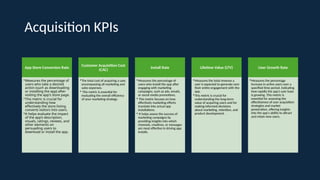
Acquisition KPIs
App Store Conversion Rate
•Measures the percentage of
users who take a desired
action (such as downloading
or installing the app) after
visiting the app's store page.
•This metric is crucial for
understanding how
effectively the store listing
converts visitors into users.
•It helps evaluate the impact
of the app’s description,
visuals, ratings, reviews, and
other elements on
persuading users to
download or install the app.
Customer Acquisition Cost
(CAC)
•The total cost of acquiring a user,
encompassing all marketing and
sales expenses.
• This metric is essential for
evaluating the overall efficiency
of your marketing strategy.
Install Rate
•Measures the percentage of
users who install the app after
engaging with marketing
campaigns, such as ads, emails,
or social media promotions.
• This metric focuses on how
effectively marketing efforts
translate into actual app
installations.
• It helps assess the success of
marketing campaigns by
providing insights into which
channels, creatives, or messages
are most effective in driving app
installs.
Lifetime Value (LTV)
•Measures the total revenue a
user is expected to generate over
their entire engagement with the
app.
•This metric is crucial for
understanding the long-term
value of acquiring users and for
making informed decisions
about marketing, retention, and
product development.
User Growth Rate
•Measures the percentage
increase in active users over a
specified time period, indicating
how rapidly the app's user base
is growing. This metric is
essential for assessing the
effectiveness of user acquisition
strategies and market
penetration, offering insights
into the app's ability to attract
and retain new users.
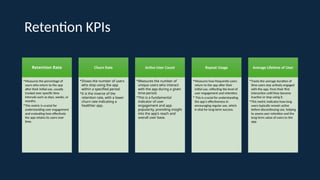
Retention KPIs
Retention Rate
•Measures the percentage of
users who return to the app
after their initial use, usually
tracked over specific time
intervals such as days, weeks, or
months.
•This metric is crucial for
understanding user engagement
and evaluating how effectively
the app retains its users over
time.
Churn Rate
•Shows the number of users
who stop using the app
within a specified period.
•It is the inverse of the
retention rate, with a lower
churn rate indicating a
healthier app.
Active User Count
•Measures the number of
unique users who interact
with the app during a given
time-period.
•This is a fundamental
indicator of user
engagement and app
popularity, providing insight
into the app's reach and
overall user base.
Repeat Usage
•Measures how frequently users
return to the app after their
initial use, reflecting the level of
user engagement and retention.
• This is crucial for understanding
the app's effectiveness in
encouraging regular use, which
is vital for long-term success.
Average Lifetime of User
•Tracks the average duration of
time users stay actively engaged
with the app, from their first
interaction until they become
inactive or stop using it.
•This metric indicates how long
users typically remain active
before discontinuing use, helping
to assess user retention and the
long-term value of users to the
app.
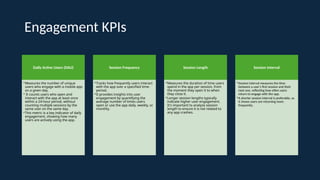
Engagement KPIs
Daily Active Users (DAU)
•Measures the number of unique
users who engage with a mobile app
on a given day.
• It counts users who open and
interact with the app at least once
within a 24-hour period, without
counting multiple sessions by the
same user on the same day.
•This metric is a key indicator of daily
engagement, showing how many
users are actively using the app.
Session Frequency
•Tracks how frequently users interact
with the app over a specified time-
period.
•It provides insights into user
engagement by quantifying the
average number of times users
open or use the app daily, weekly, or
monthly.
Session Length
•Measures the duration of time users
spend in the app per session, from
the moment they open it to when
they close it.
•Longer session lengths typically
indicate higher user engagement.
It's important to analyze session
length to ensure it is not related to
any app crashes.
Session Interval
•Session interval measures the time
between a user's first session and their
next one, reflecting how often users
return to engage with the app.
•A shorter session interval is preferable, as
it shows users are returning more
frequently..
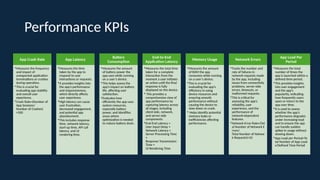
Performance KPIs
App Crash Rate
•Measures the frequency
and impact of
unexpected application
terminations or crashes
during operation.
•This is crucial for
evaluating app stability
and overall user
experience.
•Crash Rate=(Number of
App Sessions/
Number of Crashes)​
×100
App Latency
•Measures the time
taken by the app to
respond to user
interactions or requests.
•It provides insights into
the app’s performance
and responsiveness,
which directly affects
user experience.
•High latency can cause
user frustration,
decreased engagement,
and potential app
abandonment.
•This includes response
time, network latency,
start-up time, API call
latency, and UI
rendering time.
Battery
Consumption
•Measures the amount
of battery power the
app uses while running
on a user’s device.
•This helps assess the
app’s impact on battery
life, affecting user
satisfaction.
•Evaluates how
efficiently the app uses
system resources,
especially battery
power, and identifies
areas where
optimization is needed
to reduce battery drain.
End-to-End
Application Latency
•Measures the total time
taken for a complete
interaction from the
moment a user initiates
an action until the final
response is fully
displayed on the device.
• This provides a
comprehensive view of
app performance by
capturing latency across
all stages, including
client-side, network,
and server-side
components.
•End-End Latency =
User Input Delay +
Network Latency +
Server Processing Time
+
Response Transmission
Time +
UI Rendering Time
Memory Usage
•Measures the amount
of RAM the app
consumes while running
on a user’s device.
•This is crucial for
evaluating the app’s
efficiency in using
device resources and
ensuring smooth
performance without
causing the device to
slow down or crash.
• Helps identify potential
memory leaks or
inefficiencies affecting
performance.
Network Errors
•Tracks the number and
rate of failures in
network requests made
by the app, including
issues from connectivity
problems, server-side
errors, timeouts, or
malformed requests.
•This is critical for
assessing the app’s
reliability, user
experience, and the
performance of
network-dependent
features.
•Network Error Rate=(Tot
al Number of Network E
rrors​
/
Total Number of Networ
k Requests)×10
App Load Per
Period
•Measures the total
number of times the
app is launched within a
defined time-period.
•This provides insights
into user engagement
and the app’s
popularity, indicating
how frequently users
open or return to the
app over time.
•It is used to assess
whether the app's
performance degrades
under increasing load
and to ensure the app
can handle sudden
spikes in usage without
slowing down.
•App Load per Period=To
tal Number of App Load
s​
/Defined Time Period
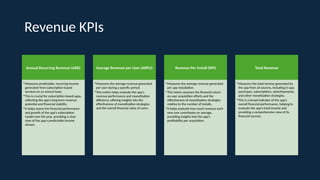
Revenue KPIs
Annual Recurring Revenue (ARR)
•Measures predictable, recurring income
generated from subscription-based
services on an annual basis.
•This is crucial for subscription-based apps,
reflecting the app’s long-term revenue
potential and financial stability.
•It helps assess the financial performance
and growth of the app’s subscription
model over the year, providing a clear
view of the app’s predictable income
stream.
Average Revenue per User (ARPU)
•Measures the average revenue generated
per user during a specific period.
•This metric helps evaluate the app's
revenue performance and monetization
efficiency, offering insights into the
effectiveness of monetization strategies
and the overall financial value of users.
Revenue Per Install (RPI)
•Measures the average revenue generated
per app installation.
•This metric assesses the financial return
on user acquisition efforts and the
effectiveness of monetization strategies
relative to the number of installs.
•It helps evaluate how much revenue each
new user contributes on average,
providing insights into the app’s
profitability per acquisition.
Total Revenue
•Measures the total income generated by
the app from all sources, including in-app
purchases, subscriptions, advertisements,
and other monetization strategies.
•This is a broad indicator of the app’s
overall financial performance, helping to
evaluate the app’s total income and
providing a comprehensive view of its
financial success.
Marketing KPIs
Click-Through
Rate (CTR)
•Percentage of users
who click on an ad
after seeing it.
•This is a crucial
indicator of how
compelling the ad
content is to
potential users.
Conversion Rate
•Percentage of users
who take a desired
action after clicking
on an ad, such as
downloading the app
or signing up.
•This measures the
effectiveness of the
marketing funnel.
Cost Per Install
(CPI)
•Average cost to
acquire a single app
install through paid
marketing efforts.
•This metric helps
assess the efficiency
of your ad spend..
Impressions
•Number of times the
app's ads or
promotional content
are displayed to
users.
•This indicates the
reach of your
marketing efforts.
Organic vs. Paid
Acquisition
•Comparison of users
acquired organically
(without paid
marketing) versus
through paid
campaigns.
•This helps in
balancing and
optimizing marketing
channels.
Virality Rate
•Measures how
effectively the app is
shared by existing
users, reflecting the
success of word-of-
mouth and viral
marketing strategies.
Brand Awareness
•Measures how
well the app is
recognized and
remembered by
its target
audience.
•This reflects the
level of familiarity
potential users
have with the app,
its features, and
its value
proposition.
App Store
Optimization
(ASO) Metrics:
•Metrics such as app
store ranking,
keyword ranking,
and the number of
reviews impact the
app’s visibility and
downloads directly
from app stores.
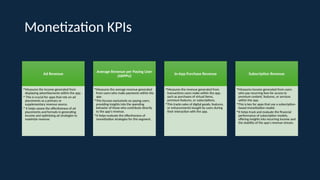
Monetization KPIs
Ad Revenue
•Measures the income generated from
displaying advertisements within the app.
• This is crucial for apps that rely on ad
placements as a primary or
supplementary revenue source.
• It helps assess the effectiveness of ad
placements and formats in generating
income and optimizing ad strategies to
maximize revenue.
Average Revenue per Paying User
(ARPPU)
•Measures the average revenue generated
from users who make payments within the
app.
•This focuses exclusively on paying users,
providing insights into the spending
behavior of those who contribute directly
to the app’s revenue.
•It helps evaluate the effectiveness of
monetization strategies for this segment.
In-App Purchase Revenue
•Measures the revenue generated from
transactions users make within the app,
such as purchases of virtual items,
premium features, or subscriptions.
•This tracks sales of digital goods, features,
or enhancements bought by users during
their interaction with the app.
Subscription Revenue
•Measures income generated from users
who pay recurring fees for access to
premium content, features, or services
within the app.
•This is key for apps that use a subscription-
based monetization model.
•It helps track and evaluate the financial
performance of subscription models,
offering insights into recurring income and
the stability of the app's revenue stream.
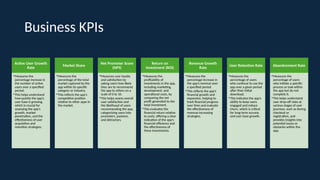
Business KPIs
Active User Growth
Rate
•Measures the
percentage increase in
the number of active
users over a specified
period.
•This helps understand
how quickly the app’s
user base is growing,
which is crucial for
assessing the app's
growth, market
penetration, and the
effectiveness of user
acquisition and
retention strategies.
Market Share
•Measures the
percentage of the total
market captured by the
app within its specific
category or industry.
•This reflects the app's
competitive position
relative to other apps in
the market.
Net Promoter Score
(NPS)
•Measures user loyalty
and satisfaction by
asking users how likely
they are to recommend
the app to others on a
scale of 0 to 10.
•This helps assess overall
user satisfaction and
the likelihood of users
recommending the app,
categorizing users into
promoters, passives,
and detractors.
Return on
Investment (ROI)
•Measures the
profitability of
investments in the app,
including marketing,
development, and
operational costs, by
comparing the net
profit generated to the
total investment.
•This evaluates the
financial return relative
to costs, offering a clear
indication of the app’s
financial efficiency and
the effectiveness of
these investments.
Revenue Growth
Rate
•Measures the
percentage increase in
the app’s revenue over
a specified period.
•This reflects the app’s
financial growth and
expansion, helping to
track financial progress
over time and evaluate
the effectiveness of
revenue-increasing
strategies.
User Retention Rate
•Measures the
percentage of users
who continue to use the
app over a given period
after their initial
download.
•This indicates the app’s
ability to keep users
engaged and reduce
churn, which is critical
for long-term success
and user base growth.
Abandonment Rate
•Measures the
percentage of users
who initiate a specific
process or task within
the app but do not
complete it.
•This helps understand
user drop-off rates at
various stages of user
journeys, such as during
checkout or
registration, and
provides insights into
potential issues or
obstacles within the
app.

Key Mobile Application KPI Categories.pptx

  • 1.
  • 2.
    Key Mobile ApplicationKPI Categories Monitor user satisfaction and usability by analyzing feedback, ratings, reviews, and navigation patterns within the app User Experience Offer insights into user demographics and profiles. User & Usage Monitor how users find and download your app, including the sources of downloads, cost per acquisition, and conversion rates from advertisements or marketing campaigns. Acquisition Track user retention over time, including metrics such as retention rates, churn rates, and the average user lifespan. Retention Evaluate how users engage with the app. Engagement Assess the technical performance of the application. Performance Assess how your app generates revenue, including in-app purchases and average revenue per user. Revenue Evaluate the effectiveness of your marketing efforts, including metrics such as impressions, click-through rates, and the success of different channels and campaigns in driving app downloads and engagement. Marketing Assess how your app generates revenue, including subscription income and average revenue per paying user (ARPPU) Monetization Concentrate on the business processes and transactions occurring within the app. Business
  • 3.
    User Experience KPIs AppStore Rating •This is an overall measure of user satisfaction and app quality, typically calculated as the average score from user reviews and ratings on app stores like the Apple App Store or Google Play Store. •Ratings are usually based on a scale, often from 1 to 5 stars, where users rate the app according to their experience. App Load Time •Measures the time it takes for the app to fully load and become usable from the moment a user opens it. • This is critical because it directly affects the user's first impression and overall experience with the app. Drop-off Rate •Measures the percentage of sessions where users leave or exit the app from a specific screen or page. •This metric helps pinpoint areas within the app where users are most likely to drop off, offering insights into potential issues or opportunities to improve the user experience. •The exit rate is calculated as: Exit Rate=(Number of Exits from a Specific Screen/Tot al Visits to that Screen)​ ×100 Navigation Paths •Refers to how users interact with and navigate through different screens or sections of the app. •By tracking the sequences and paths users take— including the screens they visit, actions they perform, and the order in which they complete tasks—you gain insights into user navigation patterns. •This information can help in understanding user behavior, identifying usability issues, and optimizing the overall user experience. Session Duration •Measures the duration a user spends in the app during a single session, indicating the level of engagement and the app’s effectiveness in capturing the user’s attention. User Feedback & Ratings •Involves gathering and analyzing user feedback, ratings, and suggestions from app store reviews, in- app feedback forms, and other channels. •This includes user- generated content that reflects their experiences, such as numerical ratings, written comments, and qualitative suggestions. • It's essential for understanding user satisfaction, identifying areas for improvement, and shaping app development strategies.
  • 4.
    User & UsageKPIs Active User Count •Highlights the app's user base by tracking Monthly Active Users (MAUs) and observing trends like growth, decline, or stagnation. •This metric is particularly important for apps that depend on advertising revenue, as having a large and engaged user base is critical for success App Downloads •Tracks the total number of downloads of a mobile app from app stores, reflecting the app’s reach and initial user interest. •This metric serves as a key indicator of the effectiveness of marketing efforts, brand visibility, and the app’s overall attractiveness to potential users Devices & OS metrics •Apps are utilized on various devices. To optimize your development efforts, it's crucial to identify which devices (smartphones, tablets, IoT devices) and operating systems/versions are most popular among your key users. •This knowledge enables you to allocate resources more effectively, focusing on areas with the greatest impact Geo Metrics •Highlight the geographic aspects of app usage, including which countries and regions are engaging with the app. •This can help quickly identify issues; for example, if the app is intended for a global audience but is only popular in certain regions, you can explore the reasons for this regional variation.
  • 5.
    Acquisition KPIs App StoreConversion Rate •Measures the percentage of users who take a desired action (such as downloading or installing the app) after visiting the app's store page. •This metric is crucial for understanding how effectively the store listing converts visitors into users. •It helps evaluate the impact of the app’s description, visuals, ratings, reviews, and other elements on persuading users to download or install the app. Customer Acquisition Cost (CAC) •The total cost of acquiring a user, encompassing all marketing and sales expenses. • This metric is essential for evaluating the overall efficiency of your marketing strategy. Install Rate •Measures the percentage of users who install the app after engaging with marketing campaigns, such as ads, emails, or social media promotions. • This metric focuses on how effectively marketing efforts translate into actual app installations. • It helps assess the success of marketing campaigns by providing insights into which channels, creatives, or messages are most effective in driving app installs. Lifetime Value (LTV) •Measures the total revenue a user is expected to generate over their entire engagement with the app. •This metric is crucial for understanding the long-term value of acquiring users and for making informed decisions about marketing, retention, and product development. User Growth Rate •Measures the percentage increase in active users over a specified time period, indicating how rapidly the app's user base is growing. This metric is essential for assessing the effectiveness of user acquisition strategies and market penetration, offering insights into the app's ability to attract and retain new users.
  • 6.
    Retention KPIs Retention Rate •Measuresthe percentage of users who return to the app after their initial use, usually tracked over specific time intervals such as days, weeks, or months. •This metric is crucial for understanding user engagement and evaluating how effectively the app retains its users over time. Churn Rate •Shows the number of users who stop using the app within a specified period. •It is the inverse of the retention rate, with a lower churn rate indicating a healthier app. Active User Count •Measures the number of unique users who interact with the app during a given time-period. •This is a fundamental indicator of user engagement and app popularity, providing insight into the app's reach and overall user base. Repeat Usage •Measures how frequently users return to the app after their initial use, reflecting the level of user engagement and retention. • This is crucial for understanding the app's effectiveness in encouraging regular use, which is vital for long-term success. Average Lifetime of User •Tracks the average duration of time users stay actively engaged with the app, from their first interaction until they become inactive or stop using it. •This metric indicates how long users typically remain active before discontinuing use, helping to assess user retention and the long-term value of users to the app.
  • 7.
    Engagement KPIs Daily ActiveUsers (DAU) •Measures the number of unique users who engage with a mobile app on a given day. • It counts users who open and interact with the app at least once within a 24-hour period, without counting multiple sessions by the same user on the same day. •This metric is a key indicator of daily engagement, showing how many users are actively using the app. Session Frequency •Tracks how frequently users interact with the app over a specified time- period. •It provides insights into user engagement by quantifying the average number of times users open or use the app daily, weekly, or monthly. Session Length •Measures the duration of time users spend in the app per session, from the moment they open it to when they close it. •Longer session lengths typically indicate higher user engagement. It's important to analyze session length to ensure it is not related to any app crashes. Session Interval •Session interval measures the time between a user's first session and their next one, reflecting how often users return to engage with the app. •A shorter session interval is preferable, as it shows users are returning more frequently..
  • 8.
    Performance KPIs App CrashRate •Measures the frequency and impact of unexpected application terminations or crashes during operation. •This is crucial for evaluating app stability and overall user experience. •Crash Rate=(Number of App Sessions/ Number of Crashes)​ ×100 App Latency •Measures the time taken by the app to respond to user interactions or requests. •It provides insights into the app’s performance and responsiveness, which directly affects user experience. •High latency can cause user frustration, decreased engagement, and potential app abandonment. •This includes response time, network latency, start-up time, API call latency, and UI rendering time. Battery Consumption •Measures the amount of battery power the app uses while running on a user’s device. •This helps assess the app’s impact on battery life, affecting user satisfaction. •Evaluates how efficiently the app uses system resources, especially battery power, and identifies areas where optimization is needed to reduce battery drain. End-to-End Application Latency •Measures the total time taken for a complete interaction from the moment a user initiates an action until the final response is fully displayed on the device. • This provides a comprehensive view of app performance by capturing latency across all stages, including client-side, network, and server-side components. •End-End Latency = User Input Delay + Network Latency + Server Processing Time + Response Transmission Time + UI Rendering Time Memory Usage •Measures the amount of RAM the app consumes while running on a user’s device. •This is crucial for evaluating the app’s efficiency in using device resources and ensuring smooth performance without causing the device to slow down or crash. • Helps identify potential memory leaks or inefficiencies affecting performance. Network Errors •Tracks the number and rate of failures in network requests made by the app, including issues from connectivity problems, server-side errors, timeouts, or malformed requests. •This is critical for assessing the app’s reliability, user experience, and the performance of network-dependent features. •Network Error Rate=(Tot al Number of Network E rrors​ / Total Number of Networ k Requests)×10 App Load Per Period •Measures the total number of times the app is launched within a defined time-period. •This provides insights into user engagement and the app’s popularity, indicating how frequently users open or return to the app over time. •It is used to assess whether the app's performance degrades under increasing load and to ensure the app can handle sudden spikes in usage without slowing down. •App Load per Period=To tal Number of App Load s​ /Defined Time Period
  • 9.
    Revenue KPIs Annual RecurringRevenue (ARR) •Measures predictable, recurring income generated from subscription-based services on an annual basis. •This is crucial for subscription-based apps, reflecting the app’s long-term revenue potential and financial stability. •It helps assess the financial performance and growth of the app’s subscription model over the year, providing a clear view of the app’s predictable income stream. Average Revenue per User (ARPU) •Measures the average revenue generated per user during a specific period. •This metric helps evaluate the app's revenue performance and monetization efficiency, offering insights into the effectiveness of monetization strategies and the overall financial value of users. Revenue Per Install (RPI) •Measures the average revenue generated per app installation. •This metric assesses the financial return on user acquisition efforts and the effectiveness of monetization strategies relative to the number of installs. •It helps evaluate how much revenue each new user contributes on average, providing insights into the app’s profitability per acquisition. Total Revenue •Measures the total income generated by the app from all sources, including in-app purchases, subscriptions, advertisements, and other monetization strategies. •This is a broad indicator of the app’s overall financial performance, helping to evaluate the app’s total income and providing a comprehensive view of its financial success.
  • 10.
    Marketing KPIs Click-Through Rate (CTR) •Percentageof users who click on an ad after seeing it. •This is a crucial indicator of how compelling the ad content is to potential users. Conversion Rate •Percentage of users who take a desired action after clicking on an ad, such as downloading the app or signing up. •This measures the effectiveness of the marketing funnel. Cost Per Install (CPI) •Average cost to acquire a single app install through paid marketing efforts. •This metric helps assess the efficiency of your ad spend.. Impressions •Number of times the app's ads or promotional content are displayed to users. •This indicates the reach of your marketing efforts. Organic vs. Paid Acquisition •Comparison of users acquired organically (without paid marketing) versus through paid campaigns. •This helps in balancing and optimizing marketing channels. Virality Rate •Measures how effectively the app is shared by existing users, reflecting the success of word-of- mouth and viral marketing strategies. Brand Awareness •Measures how well the app is recognized and remembered by its target audience. •This reflects the level of familiarity potential users have with the app, its features, and its value proposition. App Store Optimization (ASO) Metrics: •Metrics such as app store ranking, keyword ranking, and the number of reviews impact the app’s visibility and downloads directly from app stores.
  • 11.
    Monetization KPIs Ad Revenue •Measuresthe income generated from displaying advertisements within the app. • This is crucial for apps that rely on ad placements as a primary or supplementary revenue source. • It helps assess the effectiveness of ad placements and formats in generating income and optimizing ad strategies to maximize revenue. Average Revenue per Paying User (ARPPU) •Measures the average revenue generated from users who make payments within the app. •This focuses exclusively on paying users, providing insights into the spending behavior of those who contribute directly to the app’s revenue. •It helps evaluate the effectiveness of monetization strategies for this segment. In-App Purchase Revenue •Measures the revenue generated from transactions users make within the app, such as purchases of virtual items, premium features, or subscriptions. •This tracks sales of digital goods, features, or enhancements bought by users during their interaction with the app. Subscription Revenue •Measures income generated from users who pay recurring fees for access to premium content, features, or services within the app. •This is key for apps that use a subscription- based monetization model. •It helps track and evaluate the financial performance of subscription models, offering insights into recurring income and the stability of the app's revenue stream.
  • 12.
    Business KPIs Active UserGrowth Rate •Measures the percentage increase in the number of active users over a specified period. •This helps understand how quickly the app’s user base is growing, which is crucial for assessing the app's growth, market penetration, and the effectiveness of user acquisition and retention strategies. Market Share •Measures the percentage of the total market captured by the app within its specific category or industry. •This reflects the app's competitive position relative to other apps in the market. Net Promoter Score (NPS) •Measures user loyalty and satisfaction by asking users how likely they are to recommend the app to others on a scale of 0 to 10. •This helps assess overall user satisfaction and the likelihood of users recommending the app, categorizing users into promoters, passives, and detractors. Return on Investment (ROI) •Measures the profitability of investments in the app, including marketing, development, and operational costs, by comparing the net profit generated to the total investment. •This evaluates the financial return relative to costs, offering a clear indication of the app’s financial efficiency and the effectiveness of these investments. Revenue Growth Rate •Measures the percentage increase in the app’s revenue over a specified period. •This reflects the app’s financial growth and expansion, helping to track financial progress over time and evaluate the effectiveness of revenue-increasing strategies. User Retention Rate •Measures the percentage of users who continue to use the app over a given period after their initial download. •This indicates the app’s ability to keep users engaged and reduce churn, which is critical for long-term success and user base growth. Abandonment Rate •Measures the percentage of users who initiate a specific process or task within the app but do not complete it. •This helps understand user drop-off rates at various stages of user journeys, such as during checkout or registration, and provides insights into potential issues or obstacles within the app.