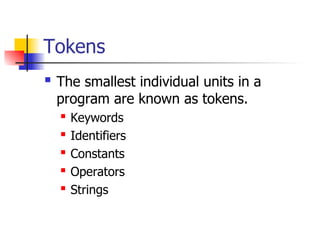
Tokens
The smallestindividual units in a
program are known as tokens.
Keywords
Identifiers
Constants
Operators
Strings
3.
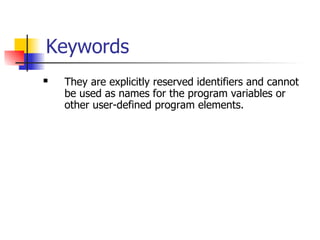
Keywords
They areexplicitly reserved identifiers and cannot
be used as names for the program variables or
other user-defined program elements.
4.
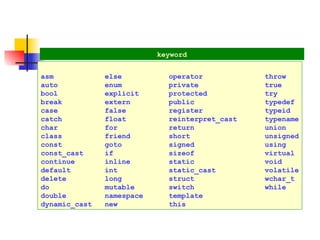
keyword
asm else operatorthrow
auto enum private true
bool explicit protected try
break extern public typedef
case false register typeid
catch float reinterpret_cast typename
char for return union
class friend short unsigned
const goto signed using
const_cast if sizeof virtual
continue inline static void
default int static_cast volatile
delete long struct wchar_t
do mutable switch while
double namespace template
dynamic_cast new this
5.
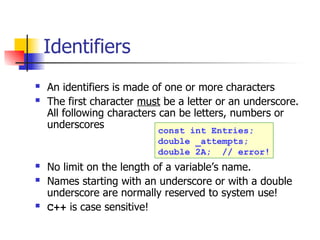
Identifiers
An identifiersis made of one or more characters
The first character must be a letter or an underscore.
All following characters can be letters, numbers or
underscores
No limit on the length of a variable’s name.
Names starting with an underscore or with a double
underscore are normally reserved to system use!
C++ is case sensitive!
const int Entries;
double _attempts;
double 2A; // error!
6.
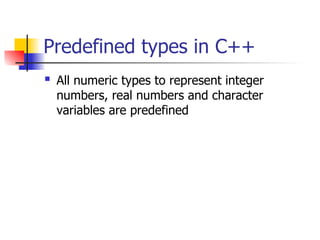
Predefined types inC++
All numeric types to represent integer
numbers, real numbers and character
variables are predefined
7.
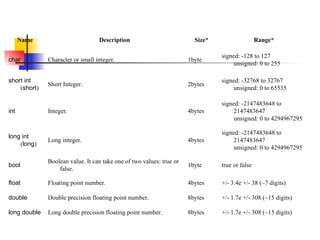
Name Description Size*Range*
char Character or small integer. 1byte
signed: -128 to 127
unsigned: 0 to 255
short int
(short)
Short Integer. 2bytes
signed: -32768 to 32767
unsigned: 0 to 65535
int Integer. 4bytes
signed: -2147483648 to
2147483647
unsigned: 0 to 4294967295
long int
(long)
Long integer. 4bytes
signed: -2147483648 to
2147483647
unsigned: 0 to 4294967295
bool
Boolean value. It can take one of two values: true or
false.
1byte true or false
float Floating point number. 4bytes +/- 3.4e +/- 38 (~7 digits)
double Double precision floating point number. 8bytes +/- 1.7e +/- 308 (~15 digits)
long double Long double precision floating point number. 8bytes +/- 1.7e +/- 308 (~15 digits)
8.
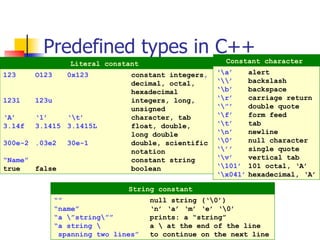
Predefined types inC++
123 O123 0x123 constant integers,
decimal, octal,
hexadecimal
123l 123u integers, long,
unsigned
‘A’ ‘1’ ‘t’ character, tab
3.14f 3.1415 3.1415L float, double,
long double
300e-2 .03e2 30e-1 double, scientific
notation
“Name” constant string
true false boolean
Literal constant
‘a’ alert
‘’ backslash
‘b’ backspace
‘r’ carriage return
‘”’ double quote
‘f’ form feed
‘t’ tab
‘n’ newline
‘0’ null character
‘’’ single quote
‘v’ vertical tab
‘101’ 101 octal, ‘A’
‘x041’ hexadecimal, ‘A’
Constant character
“” null string (‘0’)
“name” ‘n’ ‘a’ ‘m’ ‘e’ ‘0’
“a ”string”” prints: a “string”
“a string a at the end of the line
spanning two lines” to continue on the next line
String constant
9.
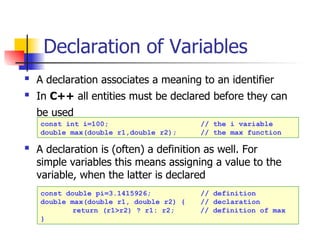
Declaration of Variables
A declaration associates a meaning to an identifier
In C++ all entities must be declared before they can
be used
A declaration is (often) a definition as well. For
simple variables this means assigning a value to the
variable, when the latter is declared
const int i=100; // the i variable
double max(double r1,double r2); // the max function
const double pi=3.1415926; // definition
double max(double r1, double r2) { // declaration
return (r1>r2) ? r1: r2; // definition of max
}
10.
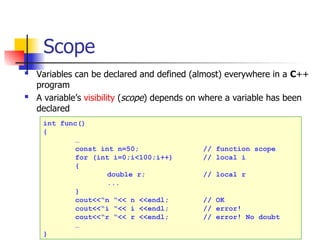
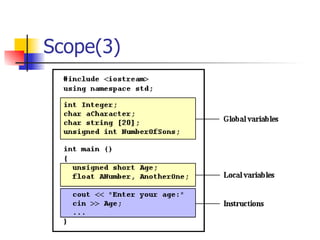
Scope
Variables canbe declared and defined (almost) everywhere in a C++
program
A variable’s visibility (scope) depends on where a variable has been
declared
int func()
{
…
const int n=50; // function scope
for (int i=0;i<100;i++) // local i
{
double r; // local r
...
}
cout<<“n “<< n <<endl; // OK
cout<<“i “<< i <<endl; // error!
cout<<“r “<< r <<endl; // error! No doubt
…
}
11.
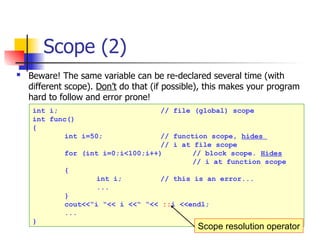
Scope (2)
Beware!The same variable can be re-declared several time (with
different scope). Don’t do that (if possible), this makes your program
hard to follow and error prone!
int i; // file (global) scope
int func()
{
int i=50; // function scope, hides
// i at file scope
for (int i=0;i<100;i++) // block scope. Hides
// i at function scope
{
int i; // this is an error...
...
}
cout<<“i “<< i <<“ “<< ::i <<endl;
...
}
Scope resolution operator
Symbolic Constants
Thekeyword const is used for declaring a constant variable
In C, people used the preprocessor to declare
the constants
in this case, N is a constant with no type, the preprocessor will just
substitute N with its value everywhere throughout the program,
without respecting the strong typing rules (avoid)
a const variable must be initialized on creation
const int N=100; N cannot be modified
double w[N]; N is used here to declare
a vector
const int vect[5]= vect’s components cannot be
{10,20,30,40,50}; modified
Example for const
#define N 100
14.
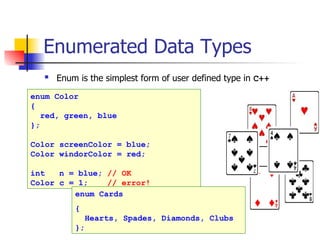
Enumerated Data Types
Enum is the simplest form of user defined type in C++
enum Color
{
red, green, blue
};
Color screenColor = blue;
Color windorColor = red;
int n = blue; // OK
Color c = 1; // error!
enum Cards
{
Hearts, Spades, Diamonds, Clubs
};
15.
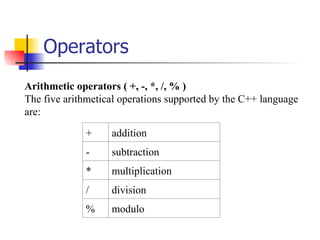
Operators
Arithmetic operators (+, -, *, /, % )
The five arithmetical operations supported by the C++ language
are:
+ addition
- subtraction
* multiplication
/ division
% modulo
16.
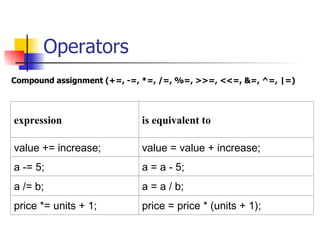
Operators
Compound assignment (+=,-=, *=, /=, %=, >>=, <<=, &=, ^=, |=)
expression is equivalent to
value += increase; value = value + increase;
a -= 5; a = a - 5;
a /= b; a = a / b;
price *= units + 1; price = price * (units + 1);
17.
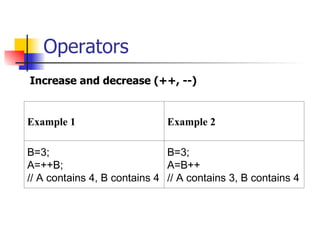
Operators
Increase and decrease(++, --)
Example 1 Example 2
B=3;
A=++B;
// A contains 4, B contains 4
B=3;
A=B++
// A contains 3, B contains 4
18.
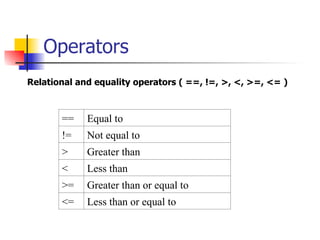
Operators
Relational and equalityoperators ( ==, !=, >, <, >=, <= )
== Equal to
!= Not equal to
> Greater than
< Less than
>= Greater than or equal to
<= Less than or equal to
19.
Operators
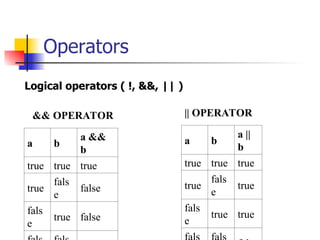
Logical operators (!, &&, || )
&& OPERATOR
a b
a &&
b
true true true
true
fals
e
false
fals
e
true false
|| OPERATOR
a b
a ||
b
true true true
true
fals
e
true
fals
e
true true
20.
Operators
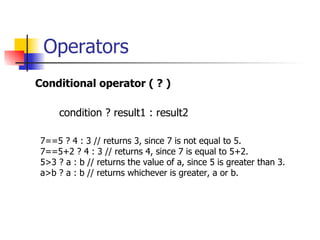
Conditional operator (? )
condition ? result1 : result2
7==5 ? 4 : 3 // returns 3, since 7 is not equal to 5.
7==5+2 ? 4 : 3 // returns 4, since 7 is equal to 5+2.
5>3 ? a : b // returns the value of a, since 5 is greater than 3.
a>b ? a : b // returns whichever is greater, a or b.
21.
Operators
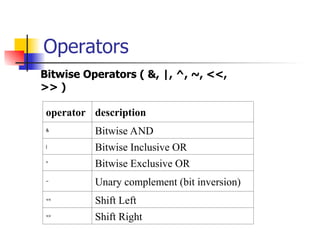
Bitwise Operators (&, |, ^, ~, <<,
>> )
operator description
&
Bitwise AND
|
Bitwise Inclusive OR
^
Bitwise Exclusive OR
~
Unary complement (bit inversion)
<<
Shift Left
>>
Shift Right
22.
Operators
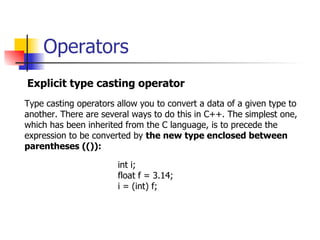
Explicit type castingoperator
Type casting operators allow you to convert a data of a given type to
another. There are several ways to do this in C++. The simplest one,
which has been inherited from the C language, is to precede the
expression to be converted by the new type enclosed between
parentheses (()):
int i;
float f = 3.14;
i = (int) f;
23.
Operators
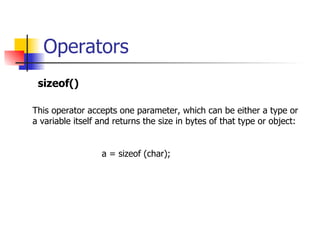
sizeof()
This operator acceptsone parameter, which can be either a type or
a variable itself and returns the size in bytes of that type or object:
a = sizeof (char);
24.
Statements
empty ;
expression j=j+k;
composite{ . . . . } used in functions,if..
Costitutes a block
goto goto label; don’t use it!
if if (p==0)
cerr<<“error”; single branch
if-else if (x==y)
cout<<“the same”;
else
cout<<“different”; two branches
for for (j=0;j<n;j++) declarations allowed
a[j]=0;
while while (i != j) 0 or more iterations
i++;
do-while do
y=y-1; 1 or more iterations
while (y>0);
break break; leaves the block
continue continue; next iteration
Statement C++ comments
25.
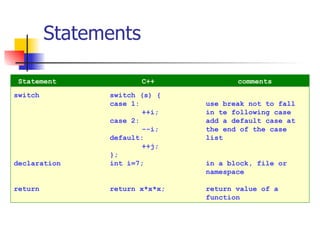
Statements
switch switch (s){
case 1: use break not to fall
++i; in te following case
case 2: add a default case at
--i; the end of the case
default: list
++j;
};
declaration int i=7; in a block, file or
namespace
return return x*x*x; return value of a
function
Statement C++ comments
26.
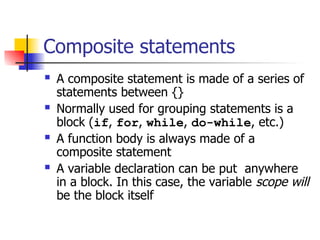
Composite statements
Acomposite statement is made of a series of
statements between {}
Normally used for grouping statements is a
block (if, for, while, do-while, etc.)
A function body is always made of a
composite statement
A variable declaration can be put anywhere
in a block. In this case, the variable scope will
be the block itself
27.
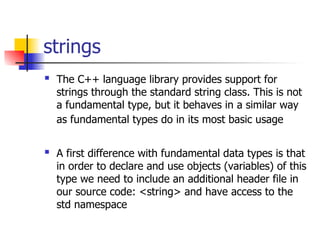
strings
The C++language library provides support for
strings through the standard string class. This is not
a fundamental type, but it behaves in a similar way
as fundamental types do in its most basic usage
A first difference with fundamental data types is that
in order to declare and use objects (variables) of this
type we need to include an additional header file in
our source code: <string> and have access to the
std namespace
28.
strings
// my firststring
#include <iostream>
#include <string>
using namespace std;
int main (){
string mystring = "This is a string";
cout << mystring;
return 0;
}

![Symbolic Constants
The keyword const is used for declaring a constant variable
In C, people used the preprocessor to declare
the constants
in this case, N is a constant with no type, the preprocessor will just
substitute N with its value everywhere throughout the program,
without respecting the strong typing rules (avoid)
a const variable must be initialized on creation
const int N=100; N cannot be modified
double w[N]; N is used here to declare
a vector
const int vect[5]= vect’s components cannot be
{10,20,30,40,50}; modified
Example for const
#define N 100](https://image.slidesharecdn.com/02keyconceptsc08102015-250406144456-99973580/85/Key-Concepts-of-C-computer-language-ppt-13-320.jpg)
![Statements
empty ;
expression j=j+k;
composite { . . . . } used in functions,if..
Costitutes a block
goto goto label; don’t use it!
if if (p==0)
cerr<<“error”; single branch
if-else if (x==y)
cout<<“the same”;
else
cout<<“different”; two branches
for for (j=0;j<n;j++) declarations allowed
a[j]=0;
while while (i != j) 0 or more iterations
i++;
do-while do
y=y-1; 1 or more iterations
while (y>0);
break break; leaves the block
continue continue; next iteration
Statement C++ comments](https://image.slidesharecdn.com/02keyconceptsc08102015-250406144456-99973580/85/Key-Concepts-of-C-computer-language-ppt-24-320.jpg)