Keep Your Staff Directory Updated Automatically in 2025 - Apps 365
Discover how to create a staff directory without manual updates using automated tools that keep employee details accurate, organized, and always up to date.
Keep Your StaffDirectory Updated Without Manual Work
The Hidden Cost of a Manual Staff Directory
Most organizations still treat their staff directory as a basic list —
often a spreadsheet or a static webpage updated by someone in
HR or IT. On the surface, it seems harmless. But behind the scenes,
a manually maintained staff directory is quietly draining your
team’s time, increasing the chances of miscommunication, and
creating a bottleneck for collaboration.
3.
✨ Quick Read
Summarygenerated by AI, reviewed for accuracy.
Manual staff directories waste time, create data errors, and
frustrate employees — automation fixes that. By syncing with tools
like Microsoft 365, setting smart permissions, and enabling real-
time updates, you reduce HR workload and improve internal
communication.
Within just 30 days, you will see fewer support queries, faster
onboarding, cleaner records, and happier teams — all with zero
manual effort.
4.
HR teams spendcountless hours tracking updates, chasing down
profile changes, and correcting errors — time that could be better
spent on employee engagement or strategic planning. IT
departments often get pulled into requests for minor edits, access
issues, or syncing problems that could be avoided entirely with
automation. What is even more concerning is how outdated
employee data impacts teamwork: incorrect job roles, missing
contact info, or an outdated org chart can delay projects and
frustrate team members.
A study by the International Journal of Human Resource Studies
(Vol. 13, No. 1, 2023) highlights that inaccurate internal records
reduce team productivity by nearly 17%, especially in hybrid or
distributed workplaces. This is not just an operational flaw — it is a
competitive disadvantage. As organizations scale, real-time and
reliable employee data is not optional anymore; it is essential.
5.
Why Automation Mattersin 2025
The workplace is no longer confined to cubicles and clock-in cards.
Today, teams are scattered across cities, time zones, and even
continents. Whether fully remote, hybrid, or on-site, one thing is
consistent — every employee needs access to up-to-date, accurate
staff information. This is where automation steps in.
Manual updates are simply not sustainable in 2025. The pace of
change in teams — promotions, new hires, role changes, exits —
happens faster than ever. If your people directory is not
automated, you are always playing catch-up. And in business,
playing catch-up means losing time, context, and credibility.
6.
Here is whyautomation is no longer optional:
• Remote and hybrid teams rely on real-time accuracy
Team members need to find the right person quickly — whether
it is for collaboration, approvals, or tech help. Outdated details
waste time and frustrate people.
• High employee turnover means constant change
With hiring cycles becoming more frequent, especially in growing
businesses, there is always someone joining or leaving.
Automating staff updates reduces dependency on HR or IT for
every change.
7.
• Automation integrateswith what you already use
Modern tools like Microsoft 365, Azure Active Directory,
and SharePoint allow seamless integration with staff directory
apps. This ensures every change in your system reflects across all
platforms — without any duplicate effort.
• You free up your teams to focus on what matters
HR teams stop chasing email trails for name corrections. IT stops
handling access requests for directory edits. Everyone wins.
In 2025, automation is not about convenience — it is about
continuity. If your staff directory is still manual, your organization
is already a step behind.
8.
5 Smart Waysto Automate Staff Directory Updates
Maintaining an accurate staff directory does not have to be a
manual, time-consuming process. In fact, doing it manually in 2025
is like using a typewriter in the age of cloud computing. The
smarter approach? Let automation handle the heavy lifting. Here
are five practical ways you can do it today:
Integrate with Your HRMS or Microsoft 365
Most of the data you need already lives inside your HRMS or
Microsoft 365 environment. By integrating your staff directory
directly with these systems, updates made during hiring,
promotions, or offboarding are automatically pushed to your
directory. No more duplicate entries or outdated job titles. It’s
clean, real-time syncing with zero manual effort.
9.
Enable Automatic Syncfrom Onboarding Workflows
The onboarding process is the first point of data entry for any new
employee. By connecting your onboarding workflow to your staff
directory, all key information—like department, designation,
location, and contact details—flows in automatically. No need for
HR to fill out separate forms or remember to update the directory
later. It just happens.
Use Role-Based Permissions for Controlled Self-Updates
Employees often know when their details change — a phone
number, a profile photo, or a job title. Let them update it
themselves, but with guardrails. Role-based permissions ensure
employees can only update specific fields, while HR or IT still
oversees sensitive data. It’s secure, flexible, and puts responsibility
where it belongs.
10.
Connect with InternalChat Platforms Like Teams or Slack
Your directory does not live in isolation. By connecting it with
Microsoft Teams or Slack, you make it easier for employees to
search for colleagues, check availability, and even message them—
right from the directory. Plus, updates made through these
platforms can also loop back into your central system.
Set Automated Update Reminders and Review Cycles
Even with the best tools, some things still slip through the cracks.
Automated reminders ensure that profile reviews happen quarterly
or bi-annually. Managers can be nudged to confirm team info, HR
can validate data, and your directory stays audit-ready year-round.
11.
Security and Compliance:Keeping It Tight While Staying
Current
In today’s digital workplace, having a modern staff directory is
about more than just convenience. It’s also about responsibility.
When you centralize employee data, you take on the duty of
protecting it — and doing it in line with global data regulations
like GDPR and CCPA. A secure, automated directory is not just
smart — it’s non-negotiable.
12.
Here’s how youcan keep your staff directory both secure and
compliant in 2025:
Role-Based Access Controls
Not everyone in your organization should have access to all employee
details. A well-designed directory uses role-based access, allowing
different levels of visibility based on job function. For example:
• A department head may see job roles and contact details of their
team.
• HR may access personal details like location, employee ID, or joining
date.
• Regular employees may only view name, photo, designation, and
work email.
This kind of structure ensures sensitive information stays protected —
and only reaches those who need it.
13.
Activity Logging andGDPR/CCPA Compliance
Audit trails matter. You need to know who changed what, and
when — especially when dealing with employee data. Most automated
directories now come with activity logging features that track every
change made. This is critical for maintaining accountability and
satisfying legal requirements under GDPR (General Data Protection
Regulation) and CCPA (California Consumer Privacy Act).
These regulations require organizations to:
• Keep data up to date.
• Allow employees to request visibility into their data.
• Delete or correct data upon request.
• Protect employee data from unauthorized access.
With proper logging and visibility controls in place, your directory can
support these mandates with confidence.
14.
Backups and RecoveryProtocols
Let’s face it — mistakes happen. Files get deleted. Systems crash.
That’s why automated backups and recovery protocols are
essential. Your staff directory system should back up data regularly
(daily or weekly at minimum) and allow for quick restoration in
case of errors or system failure.
A strong disaster recovery setup not only minimizes downtime but
also shows your team and regulators that you take data protection
seriously.
When your directory is automated, secure, and compliant — you’re
not just ticking boxes. You’re building trust, reducing risk, and
setting your workplace up for long-term success.
15.
Choosing the RightStaff Directory Tool: What to Look For
So, you’ve decided it is time to stop managing your staff directory
manually — smart move. But the next step is critical: choosing the right
tool. With dozens of options in the market, it is easy to get caught up in
flashy dashboards or unnecessary features. What truly matters is how
the tool fits into your workflow and solves real problems.
Here are four non-negotiables to look for in a staff directory tool in 2025:
Real-Time Sync Options
Time is not just money — it is accuracy. The moment someone joins,
exits, or changes roles, your directory should reflect that change without
delay. Look for a tool that syncs automatically with your source of
truth — whether it is Microsoft Entra ID (formerly Azure AD), Microsoft
365, or your HRMS.
Without real-time sync, you risk working with outdated information,
which leads to confusion and poor communication.
16.
Seamless Integration withMicrosoft Tools
If your organization already uses Microsoft Teams, SharePoint, or
Outlook, your staff directory should not exist in isolation. It
must integrate tightly with Microsoft 365 so that
employee profiles, contact cards, and org charts are available
where your team already works.
For example:
• A user’s Teams chat window should show up-to-date titles and
contact info.
• SharePoint intranet pages should auto-pull directory data.
• Outlook should sync profile photos and role details.
This kind of connected experience eliminates duplication and
boosts adoption.
17.
User-Friendly Interface forBoth Admins and Employees
Your directory should not require a training manual to operate. A
clean, intuitive interface means:
• Admins can manage roles, set permissions, and review updates
without tech support.
• Employees can search colleagues, update permitted fields, or
explore the org chart easily.
If it takes more than a few clicks to complete a task, people will
avoid using it.
18.
Mobile Support andAccessibility
Workforces are mobile — your staff directory must be too. Choose
a tool that offers:
• Mobile-responsive design
• Accessibility compliance (WCAG standards)
• Cloud access for remote users
When employees can find colleagues or update their profiles from
any device, productivity and engagement follow naturally.
Choosing the right tool is not about picking the most expensive —
it is about picking the most effective for your team’s reality. Focus
on functionality, not flash.
19.
How to Transitionfrom a Manual to an Automated Directory
Shifting from a manual staff directory to an automated one is not
just a technical upgrade — it is a mindset shift. Many organizations
delay this transition fearing data loss, adoption issues, or
complexity. But truth is, with the right plan and a bit of
coordination, the move can be smooth, secure, and incredibly
rewarding.
Here’s how to get it right:
20.
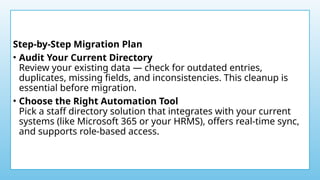
Step-by-Step Migration Plan
•Audit Your Current Directory
Review your existing data — check for outdated entries,
duplicates, missing fields, and inconsistencies. This cleanup is
essential before migration.
• Choose the Right Automation Tool
Pick a staff directory solution that integrates with your current
systems (like Microsoft 365 or your HRMS), offers real-time sync,
and supports role-based access.
21.
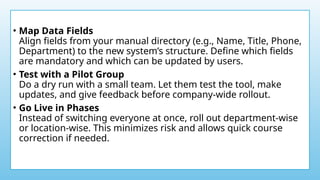
• Map DataFields
Align fields from your manual directory (e.g., Name, Title, Phone,
Department) to the new system’s structure. Define which fields
are mandatory and which can be updated by users.
• Test with a Pilot Group
Do a dry run with a small team. Let them test the tool, make
updates, and give feedback before company-wide rollout.
• Go Live in Phases
Instead of switching everyone at once, roll out department-wise
or location-wise. This minimizes risk and allows quick course
correction if needed.
22.
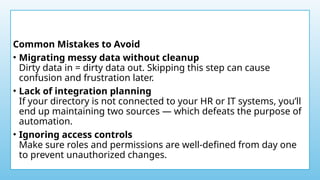
Common Mistakes toAvoid
• Migrating messy data without cleanup
Dirty data in = dirty data out. Skipping this step can cause
confusion and frustration later.
• Lack of integration planning
If your directory is not connected to your HR or IT systems, you’ll
end up maintaining two sources — which defeats the purpose of
automation.
• Ignoring access controls
Make sure roles and permissions are well-defined from day one
to prevent unauthorized changes.
23.
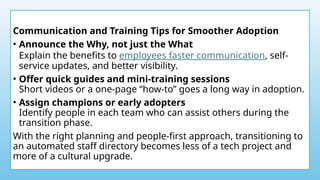
Communication and TrainingTips for Smoother Adoption
• Announce the Why, not just the What
Explain the benefits to employees faster communication, self-
service updates, and better visibility.
• Offer quick guides and mini-training sessions
Short videos or a one-page “how-to” goes a long way in adoption.
• Assign champions or early adopters
Identify people in each team who can assist others during the
transition phase.
With the right planning and people-first approach, transitioning to
an automated staff directory becomes less of a tech project and
more of a cultural upgrade.
24.
Benefits You’ll SeeWithin 30 Days of Automating
You do not need to wait months to see the value of an automated
staff directory. The impact shows up fast — often within the first 30
days. From fewer HR interruptions to better employee experience,
automation pays off in ways that are both immediate and
measurable.
Here’s what you can expect in the first month after switching from
manual to automated:
Fewer HR Queries and Interruptions
Before automation, HR teams constantly field messages like:
• “Can you update my phone number?”
• “Who do I contact in the IT department?”
• “This person left weeks ago — why are they still in the directory?”
25.
After automation, thesemessages drop significantly. Why?
Because updates sync automatically from your HRMS or Microsoft
365 environment. Employees can find what they need — without
pinging HR for every small change.
Happier, More Connected Teams
When employees can easily find who does what — and how to
contact them — it boosts internal communication. People feel
more connected. They know where to go for help, approvals, or
collaboration. This is especially powerful for hybrid and remote
teams, where visibility is often a challenge.
An accurate, well-organized staff directory also makes new
employees feel welcomed. They can quickly get to know the org,
names, faces, and structure without awkward guesswork.
26.
Cleaner, More ReliableData
Manual directories are prone to errors — duplicate entries,
outdated roles, and missing contact info. Within the first few weeks
of automation, your data quality improves dramatically. Automated
sync with primary sources ensures real-time accuracy and
consistency across platforms.
Plus, built-in validation rules (like format checks or required fields)
reduce junk data from the start.
27.
Faster, Smoother Onboarding
Newhires often waste time figuring out who to report to, who
handles IT issues, or who’s in their department. A live directory —
automatically populated during onboarding — gives them clarity
from day one.
Managers save time too, since they are not chasing HR or IT to add
new joiners manually.
In just 30 days, automation helps your people move faster, your
teams communicate better, and your data stay clean. It is a small
change with a big ripple effect.
28.
Ready to Upgrade?Try a 14-Day No-Obligation Trial
If your team is still spending hours updating employee lists manually
or chasing down contact details across departments, it is time to let go
of the old way. With Employee Directory 365, you can automate staff
updates, integrate directly with Microsoft 365, and give your team
instant access to accurate, real-time information — all in just a few
clicks.
Whether you are managing a remote team, onboarding new hires, or
simply trying to keep up with internal changes, Employee Directory
365 is designed to save time, reduce admin work, and keep your
data clean and compliant.
We offer a 14-day free, no-obligation trial so you can explore the
features, see how easily it fits into your workflow, and experience the
difference automation makes — without any risk.
29.
Conclusion
Your staff directoryis more than a list. It is the foundation of
internal communication, collaboration, and culture. Automating it
is not just a tech upgrade — it is a step toward a smarter, more
connected workplace. With Employee Directory 365, you are not
just keeping up — you are getting ahead.






![Best Contract Management Application for Business [2025]](https://cdn.slidesharecdn.com/ss_thumbnails/bestcontractmanagementapplicationforbusiness2025-251231112820-3689b481-thumbnail.jpg?width=640&height=640&fit=bounds)


