Saying Hello to JIM!
1
06 August 2015
Gaurav Mishra
Lead UIX Designer
“Prototype, Simulate and Collaborate”
JIM features
• Create high-fidelity prototype via Drag and Drop
• Prototyping for Smartphone, desktop and google glass
• Create events, control screen flow via expression builder
• Inbuilt screen Animations
• Sitemap, Scenarios, Record requirements, comment
• Give feedback (comment mode), annotate the prototype
• Team Collaborate via shared prototype
3
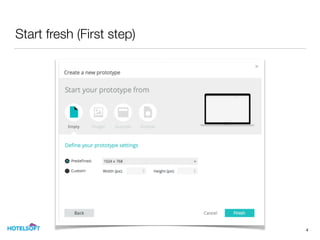
Start fresh (First step)
4
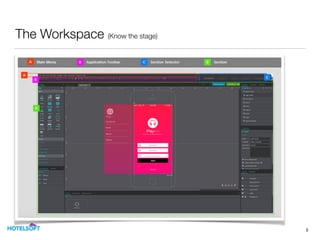
The Workspace (Know the stage)
5
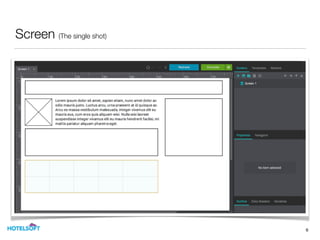
Screen (The single shot)
6
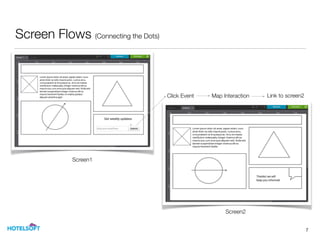
Screen Flows (Connecting the Dots)
7
Click Event Map Interaction
Screen1
Screen2
Link to screen2
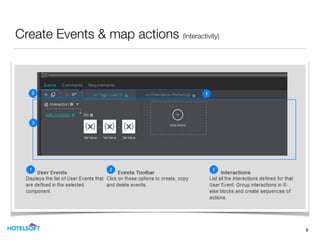
Create Events & map actions (Interactivity)
8
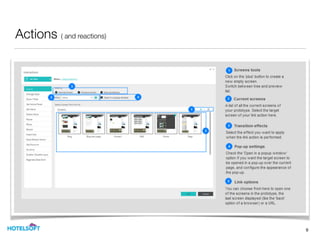
Actions ( and reactions)
9
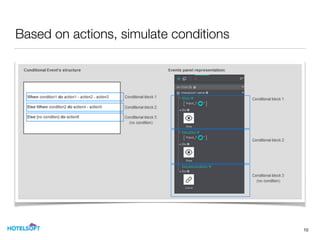
Based on actions, simulate conditions
10
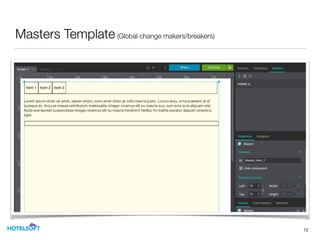
Master Template Templates designed to replicate and share content across a prototype's
screens in order to save time and facilitate any global changes.
11
Masters Template(Global change makers/breakers)
12
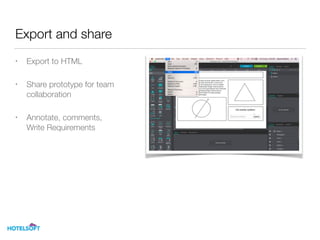
Export and share
• Export to HTML
• Share prototype for team 

collaboration
• Annotate, comments, 

Write Requirements
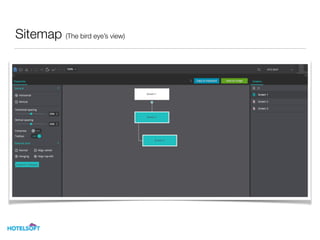
Sitemap (The bird eye’s view)
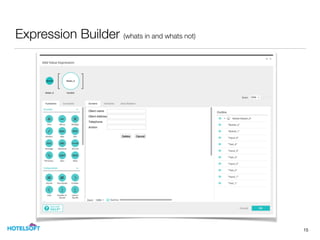
Expression Builder (whats in and whats not)
15
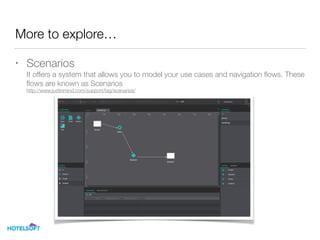
More to explore…
• Scenarios

It offers a system that allows you to model your use cases and navigation flows. These
flows are known as Scenarios

http://www.justinmind.com/support/tag/scenarios/
Thank you!

KEEP EXPLORING

Credits: INS Tarangini (A75)

Just in Mind Prototype - Walkover