JQuery
In javascript
var x = document.getElementsByTagName("p");
for (var i = 0; i < x.length; i++) {
x[i].onclick = function() {
this.style.display = "none";
}
}
In JQuery
$("p").click(function(){
$(this).hide();
});
Why
Query takes a lot of common tasks that require many
lines of JavaScript code to accomplish, and wraps them
into methods that you can call with a single line of code.
What
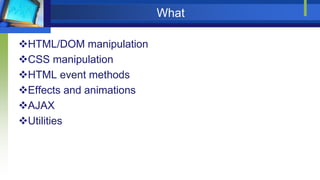
HTML/DOM manipulation
CSS manipulation
HTML event methods
Effects and animations
AJAX
Utilities
How; 2 options
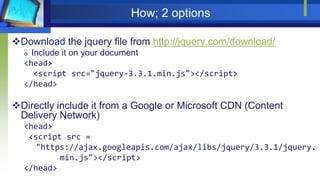
Download the jquery file from http://jquery.com/download/
 Include it on your document
<head>
<script src="jquery-3.3.1.min.js"></script>
</head>
Directly include it from a Google or Microsoft CDN (Content
Delivery Network)
<head>
<script src =
"https://ajax.googleapis.com/ajax/libs/jquery/3.3.1/jquery.
min.js"></script>
</head>
Syntax
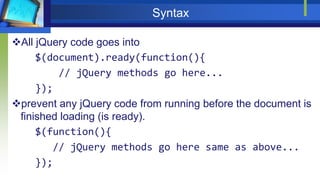
All jQuery code goes into
$(document).ready(function(){
// jQuery methods go here...
});
prevent any jQuery code from running before the document is
finished loading (is ready).
$(function(){
// jQuery methods go here same as above...
});
Syntax
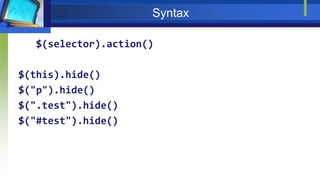
$(selector).action()
$(this).hide()
$("p").hide()
$(".test").hide()
$("#test").hide()
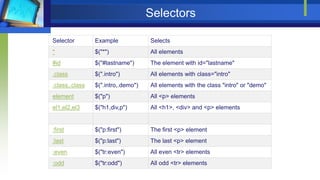
Selectors
Selector Example Selects
* $("*") All elements
#id $("#lastname") The element with id="lastname"
.class $(".intro") All elements with class="intro"
.class,.class $(".intro,.demo") All elements with the class "intro" or "demo"
element $("p") All <p> elements
el1,el2,el3 $("h1,div,p") All <h1>, <div> and <p> elements
:first $("p:first") The first <p> element
:last $("p:last") The last <p> element
:even $("tr:even") All even <tr> elements
:odd $("tr:odd") All odd <tr> elements
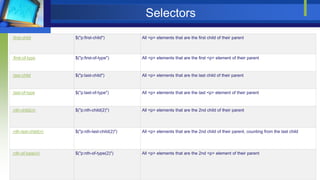
Selectors
:first-child $("p:first-child") All <p> elements that are the first child of their parent
:first-of-type $("p:first-of-type") All <p> elements that are the first <p> element of their parent
:last-child $("p:last-child") All <p> elements that are the last child of their parent
:last-of-type $("p:last-of-type") All <p> elements that are the last <p> element of their parent
:nth-child(n) $("p:nth-child(2)") All <p> elements that are the 2nd child of their parent
:nth-last-child(n) $("p:nth-last-child(2)") All <p> elements that are the 2nd child of their parent, counting from the last child
:nth-of-type(n) $("p:nth-of-type(2)") All <p> elements that are the 2nd <p> element of their parent
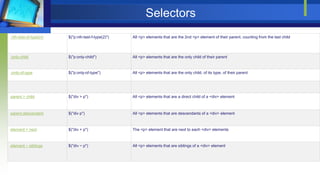
Selectors
:nth-last-of-type(n) $("p:nth-last-f-type(2)") All <p> elements that are the 2nd <p> element of their parent, counting from the last child
:only-child $("p:only-child") All <p> elements that are the only child of their parent
:only-of-type $("p:only-of-type") All <p> elements that are the only child, of its type, of their parent
parent > child $("div > p") All <p> elements that are a direct child of a <div> element
parent descendant $("div p") All <p> elements that are descendants of a <div> element
element + next $("div + p") The <p> element that are next to each <div> elements
element ~ siblings $("div ~ p") All <p> elements that are siblings of a <div> element
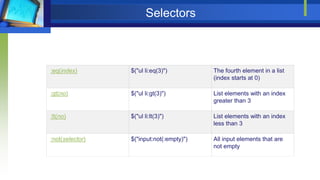
Selectors
:eq(index) $("ul li:eq(3)") The fourth element in a list
(index starts at 0)
:gt(no) $("ul li:gt(3)") List elements with an index
greater than 3
:lt(no) $("ul li:lt(3)") List elements with an index
less than 3
:not(selector) $("input:not(:empty)") All input elements that are
not empty
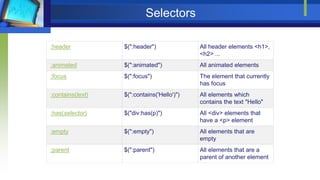
Selectors
:header $(":header") All header elements <h1>,
<h2> ...
:animated $(":animated") All animated elements
:focus $(":focus") The element that currently
has focus
:contains(text) $(":contains('Hello')") All elements which
contains the text "Hello"
:has(selector) $("div:has(p)") All <div> elements that
have a <p> element
:empty $(":empty") All elements that are
empty
:parent $(":parent") All elements that are a
parent of another element
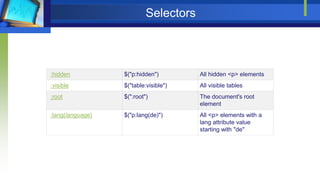
Selectors
:hidden $("p:hidden") All hidden <p> elements
:visible $("table:visible") All visible tables
:root $(":root") The document's root
element
:lang(language) $("p:lang(de)") All <p> elements with a
lang attribute value
starting with "de"
Selectors
[attribute] $("[href]") All elements with a href attribute
[attribute=value] $("[href='default.htm']") All elements with a href attribute value equal to "default.htm"
[attribute!=value] $("[href!='default.htm']") All elements with a href attribute value not equal to "default.htm"
[attribute$=value] $("[href$='.jpg']") All elements with a href attribute value ending with ".jpg"
[attribute|=value] $("[title|='Tomorrow']") All elements with a title attribute value equal to 'Tomorrow', or starting with 'Tomorrow' followed by a
hyphen
[attribute^=value] $("[title^='Tom']") All elements with a title attribute value starting with "Tom"
[attribute*=value] $("[title*='hello']") All elements with a title attribute value containing the word "hello"
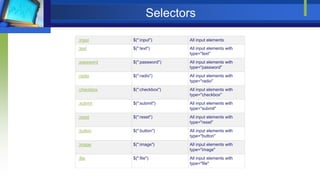
Selectors
:input $(":input") All input elements
:text $(":text") All input elements with
type="text"
:password $(":password") All input elements with
type="password"
:radio $(":radio") All input elements with
type="radio"
:checkbox $(":checkbox") All input elements with
type="checkbox"
:submit $(":submit") All input elements with
type="submit"
:reset $(":reset") All input elements with
type="reset"
:button $(":button") All input elements with
type="button"
:image $(":image") All input elements with
type="image"
:file $(":file") All input elements with
type="file"
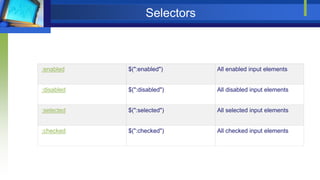
Selectors
:enabled $(":enabled") All enabled input elements
:disabled $(":disabled") All disabled input elements
:selected $(":selected") All selected input elements
:checked $(":checked") All checked input elements
Events
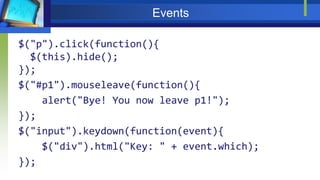
$("p").click(function(){
$(this).hide();
});
$("#p1").mouseleave(function(){
alert("Bye! You now leave p1!");
});
$("input").keydown(function(event){
$("div").html("Key: " + event.which);
});
Events
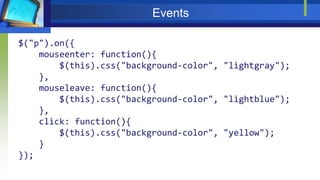
$("p").on({
mouseenter: function(){
$(this).css("background-color", "lightgray");
},
mouseleave: function(){
$(this).css("background-color", "lightblue");
},
click: function(){
$(this).css("background-color", "yellow");
}
});
Events
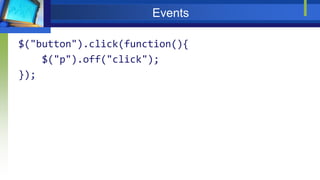
$("button").click(function(){
$("p").off("click");
});
Events
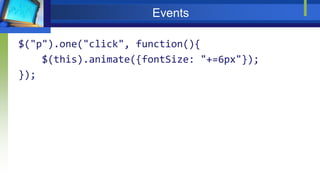
$("p").one("click", function(){
$(this).animate({fontSize: "+=6px"});
});
Events
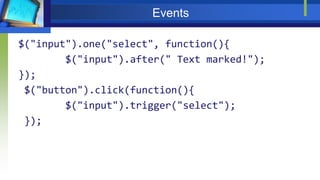
$("input").one("select", function(){
$("input").after(" Text marked!");
});
$("button").click(function(){
$("input").trigger("select");
});
Events
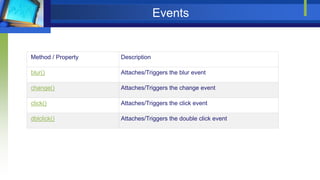
Method / Property Description
blur() Attaches/Triggers the blur event
change() Attaches/Triggers the change event
click() Attaches/Triggers the click event
dblclick() Attaches/Triggers the double click event
Events
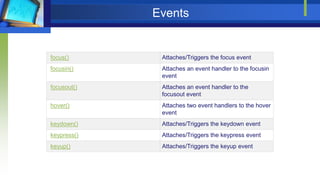
focus() Attaches/Triggers the focus event
focusin() Attaches an event handler to the focusin
event
focusout() Attaches an event handler to the
focusout event
hover() Attaches two event handlers to the hover
event
keydown() Attaches/Triggers the keydown event
keypress() Attaches/Triggers the keypress event
keyup() Attaches/Triggers the keyup event
Events
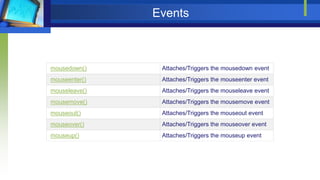
mousedown() Attaches/Triggers the mousedown event
mouseenter() Attaches/Triggers the mouseenter event
mouseleave() Attaches/Triggers the mouseleave event
mousemove() Attaches/Triggers the mousemove event
mouseout() Attaches/Triggers the mouseout event
mouseover() Attaches/Triggers the mouseover event
mouseup() Attaches/Triggers the mouseup event
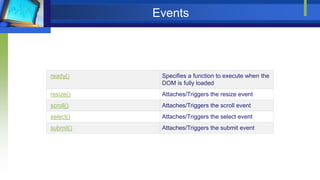
Events
ready() Specifies a function to execute when the
DOM is fully loaded
resize() Attaches/Triggers the resize event
scroll() Attaches/Triggers the scroll event
select() Attaches/Triggers the select event
submit() Attaches/Triggers the submit event
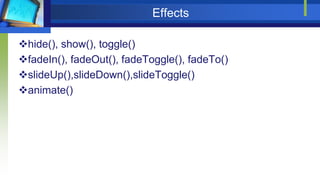
Effects
hide(), show(), toggle()
fadeIn(), fadeOut(), fadeToggle(), fadeTo()
slideUp(),slideDown(),slideToggle()
animate()
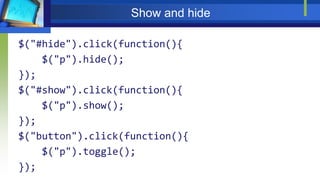
Show and hide
$("#hide").click(function(){
$("p").hide();
});
$("#show").click(function(){
$("p").show();
});
$("button").click(function(){
$("p").toggle();
});
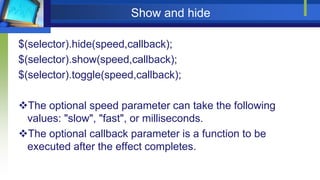
Show and hide
$(selector).hide(speed,callback);
$(selector).show(speed,callback);
$(selector).toggle(speed,callback);
The optional speed parameter can take the following
values: "slow", "fast", or milliseconds.
The optional callback parameter is a function to be
executed after the effect completes.
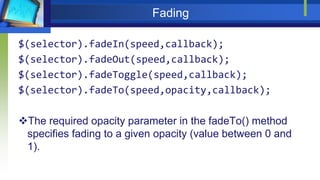
Fading
$(selector).fadeIn(speed,callback);
$(selector).fadeOut(speed,callback);
$(selector).fadeToggle(speed,callback);
$(selector).fadeTo(speed,opacity,callback);
The required opacity parameter in the fadeTo() method
specifies fading to a given opacity (value between 0 and
1).
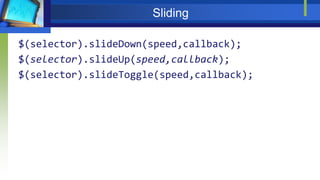
Sliding
$(selector).slideDown(speed,callback);
$(selector).slideUp(speed,callback);
$(selector).slideToggle(speed,callback);
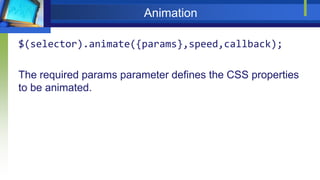
Animation
$(selector).animate({params},speed,callback);
The required params parameter defines the CSS properties
to be animated.
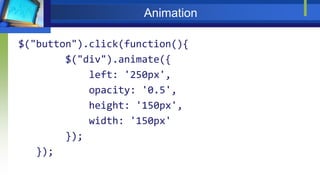
Animation
$("button").click(function(){
$("div").animate({
left: '250px',
opacity: '0.5',
height: '150px',
width: '150px'
});
});
stop()
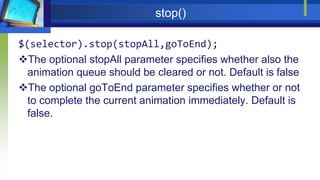
$(selector).stop(stopAll,goToEnd);
The optional stopAll parameter specifies whether also the
animation queue should be cleared or not. Default is false
The optional goToEnd parameter specifies whether or not
to complete the current animation immediately. Default is
false.
chaining
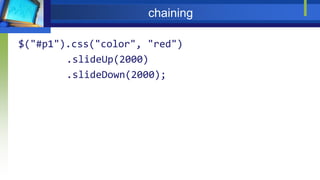
$("#p1").css("color", "red")
.slideUp(2000)
.slideDown(2000);
DOM
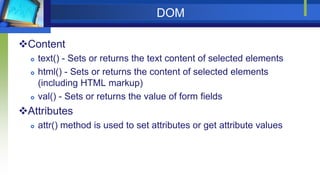
Content
 text() - Sets or returns the text content of selected elements
 html() - Sets or returns the content of selected elements
(including HTML markup)
 val() - Sets or returns the value of form fields
Attributes
 attr() method is used to set attributes or get attribute values
Getting
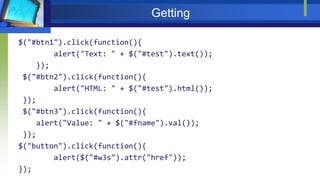
$("#btn1").click(function(){
alert("Text: " + $("#test").text());
});
$("#btn2").click(function(){
alert("HTML: " + $("#test").html());
});
$("#btn3").click(function(){
alert("Value: " + $("#fname").val());
});
$("button").click(function(){
alert($("#w3s").attr("href"));
});
setting
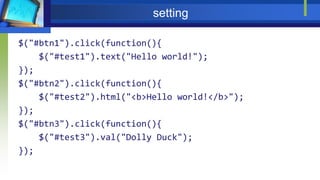
$("#btn1").click(function(){
$("#test1").text("Hello world!");
});
$("#btn2").click(function(){
$("#test2").html("<b>Hello world!</b>");
});
$("#btn3").click(function(){
$("#test3").val("Dolly Duck");
});
setting
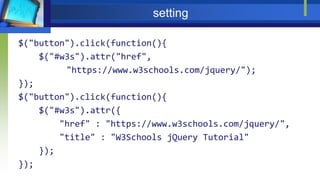
$("button").click(function(){
$("#w3s").attr("href",
"https://www.w3schools.com/jquery/");
});
$("button").click(function(){
$("#w3s").attr({
"href" : "https://www.w3schools.com/jquery/",
"title" : "W3Schools jQuery Tutorial"
});
});
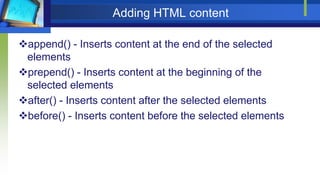
Adding HTML content
append() - Inserts content at the end of the selected
elements
prepend() - Inserts content at the beginning of the
selected elements
after() - Inserts content after the selected elements
before() - Inserts content before the selected elements
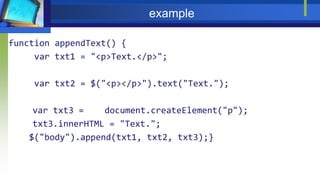
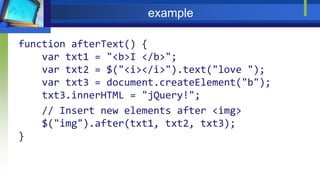
example
function appendText() {
var txt1 = "<p>Text.</p>";
var txt2 = $("<p></p>").text("Text.");
var txt3 = document.createElement("p");
txt3.innerHTML = "Text.";
$("body").append(txt1, txt2, txt3);}
example
function afterText() {
var txt1 = "<b>I </b>";
var txt2 = $("<i></i>").text("love ");
var txt3 = document.createElement("b");
txt3.innerHTML = "jQuery!";
// Insert new elements after <img>
$("img").after(txt1, txt2, txt3);
}
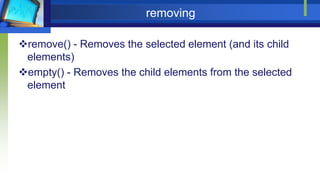
removing
remove() - Removes the selected element (and its child
elements)
empty() - Removes the child elements from the selected
element
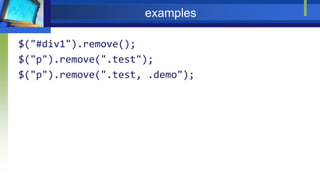
examples
$("#div1").remove();
$("p").remove(".test");
$("p").remove(".test, .demo");
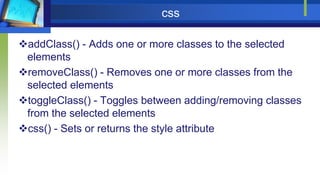
css
addClass() - Adds one or more classes to the selected
elements
removeClass() - Removes one or more classes from the
selected elements
toggleClass() - Toggles between adding/removing classes
from the selected elements
css() - Sets or returns the style attribute
example
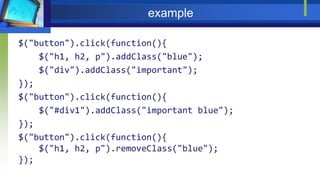
$("button").click(function(){
$("h1, h2, p").addClass("blue");
$("div").addClass("important");
});
$("button").click(function(){
$("#div1").addClass("important blue");
});
$("button").click(function(){
$("h1, h2, p").removeClass("blue");
});
css
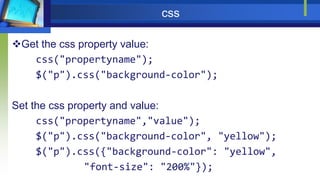
Get the css property value:
css("propertyname");
$("p").css("background-color");
Set the css property and value:
css("propertyname","value");
$("p").css("background-color", "yellow");
$("p").css({"background-color": "yellow",
"font-size": "200%"});
Traversing ancestors
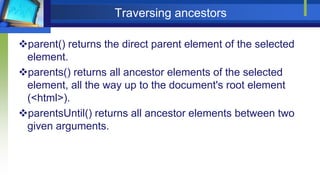
parent() returns the direct parent element of the selected
element.
parents() returns all ancestor elements of the selected
element, all the way up to the document's root element
(<html>).
parentsUntil() returns all ancestor elements between two
given arguments.
example
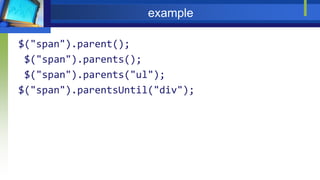
$("span").parent();
$("span").parents();
$("span").parents("ul");
$("span").parentsUntil("div");
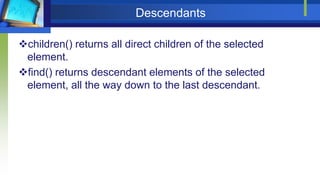
Descendants
children() returns all direct children of the selected
element.
find() returns descendant elements of the selected
element, all the way down to the last descendant.
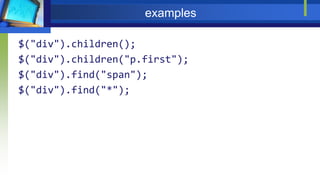
examples
$("div").children();
$("div").children("p.first");
$("div").find("span");
$("div").find("*");
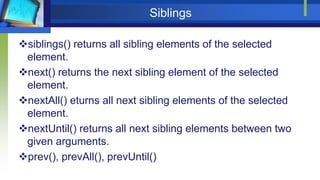
Siblings
siblings() returns all sibling elements of the selected
element.
next() returns the next sibling element of the selected
element.
nextAll() eturns all next sibling elements of the selected
element.
nextUntil() returns all next sibling elements between two
given arguments.
prev(), prevAll(), prevUntil()
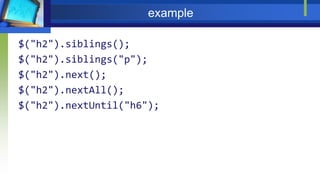
example
$("h2").siblings();
$("h2").siblings("p");
$("h2").next();
$("h2").nextAll();
$("h2").nextUntil("h6");
Filtering
first() returns the first element of the specified elements.
last() returns the last element of the specified elements.
eq() returns an element with a specific index number of
the selected elements.
filter() lets you specify a criteria. Elements that do not
match the criteria are removed from the selection, and
those that match will be returned.
not() returns all elements that do not match the criteria
(opposite of filter()).
example
$("div").first();
$("div").last();
$("p").eq(1);
$("p").filter(".intro");
$("p").not(".intro");
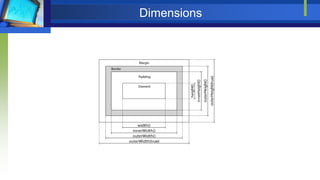
Dimensions
Links
Jquery documentation
http://jquery.com/
Selector Tester:
https://www.w3schools.com/jquery/trysel.asp
Jquery UI
https://jqueryui.com/

JQuery