Java for
Beginners
Chris
Coetzee
University
Greenwich
Computing At
School
DASCO
What do you learn last time?
Wordle.org
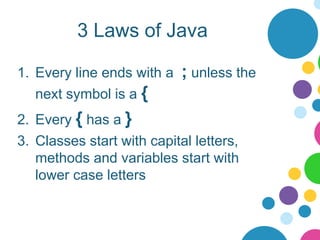
3 Laws of Java
1. Every line ends with a ; unless the
next symbol is a {
2. Every { has a }
3. Classes start with capital letters,
methods and variables start with
lower case letters
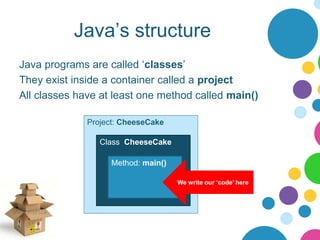
Java’s structure
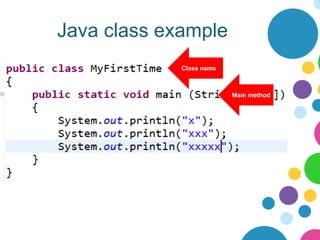
Java programs are called ‘classes’
They exist inside a container called a project
All classes have at least one method called main()
Project: CheeseCake
Class: CheeseCake
Method: main()
We write our ‘code’ here
Java class example
Class name
Main method
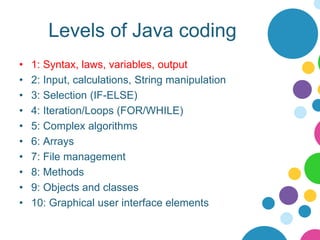
Levels of Java coding
• 1: Syntax, laws, variables, output
• 2: Input, calculations, String manipulation
• 3: Selection (IF-ELSE)
• 4: Iteration/Loops (FOR/WHILE)
• 5: Complex algorithms
• 6: Arrays
• 7: File management
• 8: Methods
• 9: Objects and classes
• 10: Graphical user interface elements
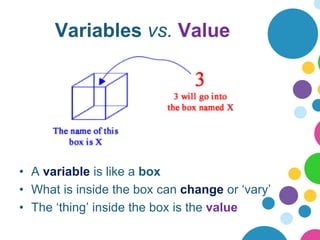
Variables vs. Value
• A variable is like a box
• What is inside the box can change or ‘vary’
• The ‘thing’ inside the box is the value
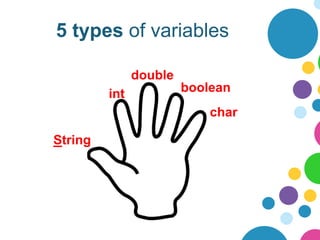
5 types of variables
String
char
boolean
double
int
Why not have just 1 type?
• Only type big enough to cope with
sentences is Strings
• Strings are BIG compared with
booleans/ints
• To save space, we only use the box
type that is “just big enough” to contain
the value we want.
• Less waste = faster programs!
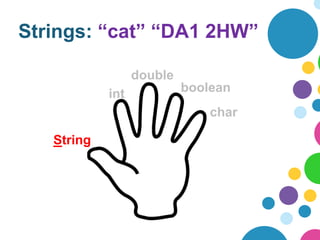
Strings: “cat” “DA1 2HW”
String
char
boolean
double
int
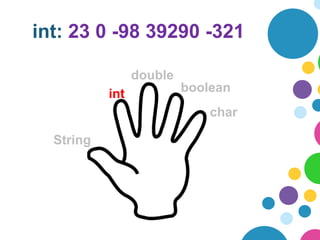
int: 23 0 -98 39290 -321
String
char
boolean
double
int
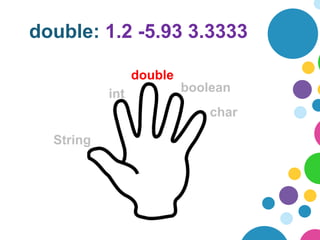
double: 1.2 -5.93 3.3333
String
char
boolean
double
int
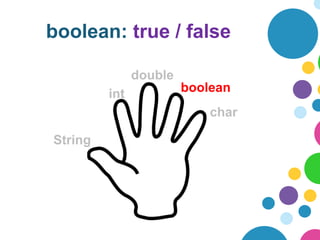
boolean: true / false
String
char
boolean
double
int
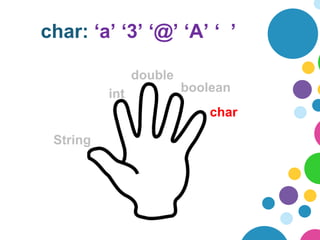
char: ‘a’ ‘3’ ‘@’ ‘A’ ‘ ’
String
char
boolean
double
int
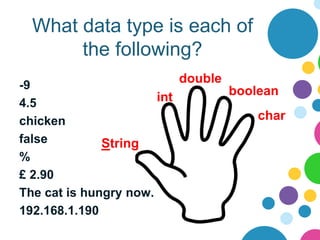
What data type is each of
the following?
-9
4.5
chicken
false
%
£ 2.90
The cat is hungry now.
192.168.1.190
String
char
boolean
double
int
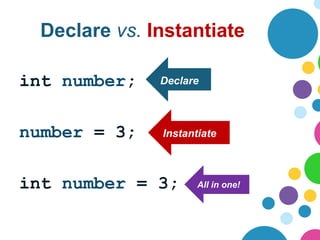
Declare vs. Instantiate
int number;
number = 3;
int number = 3;
Declare
Instantiate
All in one!
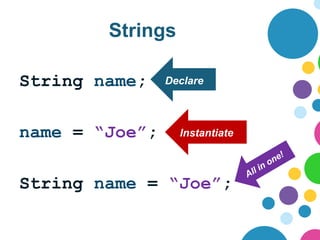
Strings
String name;
name = “Joe”;
String name = “Joe”;
Declare
Instantiate
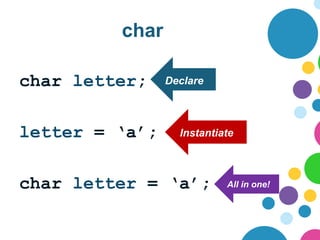
char
char letter;
letter = ‘a’;
char letter = ‘a’;
Declare
Instantiate
All in one!
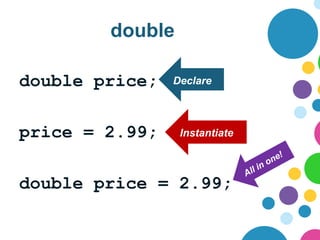
double
double price;
price = 2.99;
double price = 2.99;
Declare
Instantiate
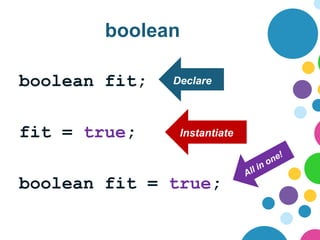
boolean
boolean fit;
fit = true;
boolean fit = true;
Declare
Instantiate
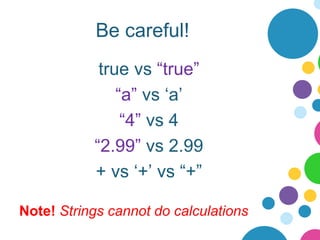
Be careful!
true vs “true”
“a” vs ‘a’
“4” vs 4
“2.99” vs 2.99
+ vs ‘+’ vs “+”
Note! Strings cannot do calculations
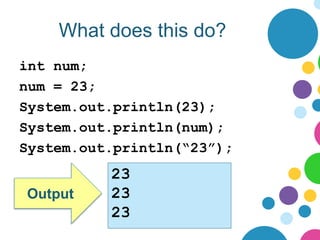
What does this do?
int num;
num = 23;
System.out.println(23);
System.out.println(num);
System.out.println(“23”);
Output
23
23
23
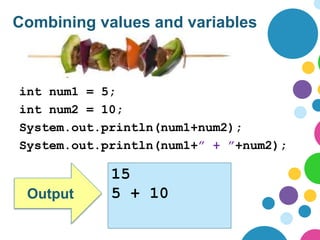
Combining values and variables
int num1 = 5;
int num2 = 10;
System.out.println(num1+num2);
System.out.println(num1+” + ”+num2);
Output
15
5 + 10
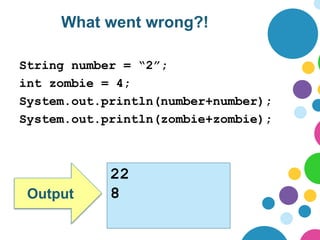
What went wrong?!
String number = “2”;
int zombie = 4;
System.out.println(number+number);
System.out.println(zombie+zombie);
Output
22
8

Java-for-Beginners-Level-1.pptx Computer science

  • 1.
  • 2.
    What do youlearn last time? Wordle.org
  • 3.
    3 Laws ofJava 1. Every line ends with a ; unless the next symbol is a { 2. Every { has a } 3. Classes start with capital letters, methods and variables start with lower case letters
  • 4.
    Java’s structure Java programsare called ‘classes’ They exist inside a container called a project All classes have at least one method called main() Project: CheeseCake Class: CheeseCake Method: main() We write our ‘code’ here
  • 5.
    Java class example Classname Main method
  • 6.
    Levels of Javacoding • 1: Syntax, laws, variables, output • 2: Input, calculations, String manipulation • 3: Selection (IF-ELSE) • 4: Iteration/Loops (FOR/WHILE) • 5: Complex algorithms • 6: Arrays • 7: File management • 8: Methods • 9: Objects and classes • 10: Graphical user interface elements
  • 7.
    Variables vs. Value •A variable is like a box • What is inside the box can change or ‘vary’ • The ‘thing’ inside the box is the value
  • 8.
    5 types ofvariables String char boolean double int
  • 9.
    Why not havejust 1 type? • Only type big enough to cope with sentences is Strings • Strings are BIG compared with booleans/ints • To save space, we only use the box type that is “just big enough” to contain the value we want. • Less waste = faster programs!
  • 10.
    Strings: “cat” “DA12HW” String char boolean double int
  • 11.
    int: 23 0-98 39290 -321 String char boolean double int
  • 12.
    double: 1.2 -5.933.3333 String char boolean double int
  • 13.
    boolean: true /false String char boolean double int
  • 14.
    char: ‘a’ ‘3’‘@’ ‘A’ ‘ ’ String char boolean double int
  • 15.
    What data typeis each of the following? -9 4.5 chicken false % £ 2.90 The cat is hungry now. 192.168.1.190 String char boolean double int
  • 16.
    Declare vs. Instantiate intnumber; number = 3; int number = 3; Declare Instantiate All in one!
  • 17.
    Strings String name; name =“Joe”; String name = “Joe”; Declare Instantiate
  • 18.
    char char letter; letter =‘a’; char letter = ‘a’; Declare Instantiate All in one!
  • 19.
    double double price; price =2.99; double price = 2.99; Declare Instantiate
  • 20.
    boolean boolean fit; fit =true; boolean fit = true; Declare Instantiate
  • 21.
    Be careful! true vs“true” “a” vs ‘a’ “4” vs 4 “2.99” vs 2.99 + vs ‘+’ vs “+” Note! Strings cannot do calculations
  • 22.
    What does thisdo? int num; num = 23; System.out.println(23); System.out.println(num); System.out.println(“23”); Output 23 23 23
  • 23.
    Combining values andvariables int num1 = 5; int num2 = 10; System.out.println(num1+num2); System.out.println(num1+” + ”+num2); Output 15 5 + 10
  • 24.
    What went wrong?! Stringnumber = “2”; int zombie = 4; System.out.println(number+number); System.out.println(zombie+zombie); Output 22 8