CSE – Web Technologies
P.Sukanya
JavaScript:
• Client-side Scripting using JavaScript
• JavaScript Language basis:
– variable, operator
– conditions, loops
– string, array
– object, event
– functions
• DOM Manipulation
• Client-side form validations
19 November 2023
WT
2
Introduction to JavaScript (JS):
• JavaScript is the world's most popular programming language
• JavaScript is the programming language of the Web
• JavaScript is easy to learn
• JavaScript accepts both double and single quotes
• JavaScript Can
– Change HTML Content
– Change HTML Attribute Values
– Change HTML Styles (CSS)
– Can Hide HTML Elements
– Can Show HTML Elements
19 November 2023
WT
3
Where to write JavaScript:
• In HTML, JS code is inserted between <script> and </script> tags
• You can place any number of scripts in an HTML document
• A JS function is a block of code, that can be executed when "called"
for
• A function can be called when an event occurs like button click
• Scripts can be placed in the <body>, or in the <head> section of an
HTML page, or in both
• Scripts can also be placed in external files (with .js extension)
• Placing scripts in external files has some advantages:
– It separates HTML and JS code
– It makes HTML and JS easier to read and maintain
– Cached JS files can speed up page loads
19 November 2023
WT
4
JavaScript Output:
• JavaScript can "display" data in different ways:
– Writing into an HTML element, using innerHTML
– Writing into the HTML output using document.write()
– Writing into an alert box, using window.alert()
– Writing into the browser console, using console.log()
• The document.write() method should only be used for testing
• In JS, the window object is the global scope object
• Variables, properties, and methods by default belong to the window
object
• Specifying the window keyword is optional
19 November 2023
WT
5
JavaScript Variables:
• There are 3 ways to declare a JavaScript variable:
– Using var, let, const
• Variables are containers for storing data (values)
JavaScript Identifiers:
• All JavaScript variables must be identified with unique names
• These unique names are called identifiers
• The general rules for constructing names for variables are:
– Names can contain letters, digits, underscores, and dollar signs
– Names must begin with a letter
– Names can also begin with $ and _
– Names are case sensitive (y and Y are different variables)
– Reserved words cannot be used as names
19 November 2023
WT
6
JavaScript Variables (let):
• Variables defined with let cannot be redeclared
• Variables declared inside a { } block cannot be accessed from
outside the block
• Variables declared with the var keyword can NOT have block scope
• Variables declared inside a { } block can be accessed from outside
the block
JavaScript Variables (const):
• Variables defined with const cannot be Redeclared
• Variables defined with const cannot be Reassigned
• Variables defined with const have Block Scope
• Always use const when you declare:
– A new Array, A new Object, A new Function, A new RegExp
19 November 2023
WT
7
JavaScript Operators:
• JavaScript Arithmetic Operators
• JavaScript Assignment Operators
• JavaScript String Operators
• JavaScript Comparison Operators
• JavaScript Logical Operators
• JavaScript Type Operators
– Typeof- Returns the type of a variable
– Instanceof- Returns true if an object is an instance of an object
type
• JavaScript Bitwise Operators
19 November 2023
WT
8
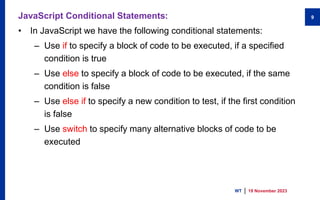
JavaScript Conditional Statements:
• In JavaScript we have the following conditional statements:
– Use if to specify a block of code to be executed, if a specified
condition is true
– Use else to specify a block of code to be executed, if the same
condition is false
– Use else if to specify a new condition to test, if the first condition
is false
– Use switch to specify many alternative blocks of code to be
executed
19 November 2023
WT
9
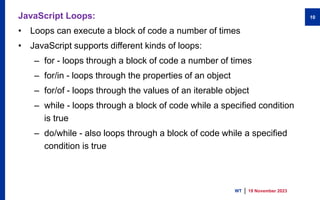
JavaScript Loops:
• Loops can execute a block of code a number of times
• JavaScript supports different kinds of loops:
– for - loops through a block of code a number of times
– for/in - loops through the properties of an object
– for/of - loops through the values of an iterable object
– while - loops through a block of code while a specified condition
is true
– do/while - also loops through a block of code while a specified
condition is true
19 November 2023
WT
10
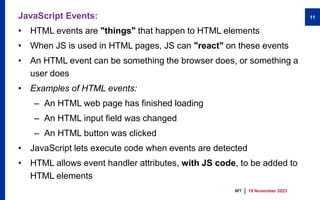
JavaScript Events:
• HTML events are "things" that happen to HTML elements
• When JS is used in HTML pages, JS can "react" on these events
• An HTML event can be something the browser does, or something a
user does
• Examples of HTML events:
– An HTML web page has finished loading
– An HTML input field was changed
– An HTML button was clicked
• JavaScript lets execute code when events are detected
• HTML allows event handler attributes, with JS code, to be added to
HTML elements
19 November 2023
WT
11
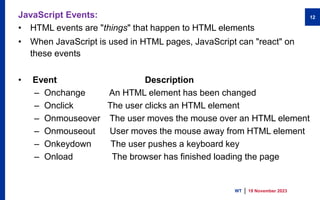
JavaScript Events:
• HTML events are "things" that happen to HTML elements
• When JavaScript is used in HTML pages, JavaScript can "react" on
these events
• Event Description
– Onchange An HTML element has been changed
– Onclick The user clicks an HTML element
– Onmouseover The user moves the mouse over an HTML element
– Onmouseout User moves the mouse away from HTML element
– Onkeydown The user pushes a keyboard key
– Onload The browser has finished loading the page
19 November 2023
WT
12
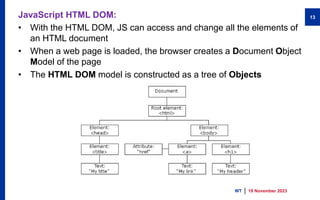
JavaScript HTML DOM:
• With the HTML DOM, JS can access and change all the elements of
an HTML document
• When a web page is loaded, the browser creates a Document Object
Model of the page
• The HTML DOM model is constructed as a tree of Objects
19 November 2023
WT
13
What is the HTML DOM:
• The HTML DOM is a standard object model and programming
interface for HTML. It defines:
– The HTML elements as objects
– The properties of all HTML elements
– The methods to access all HTML elements
– The events for all HTML elements
HTML DOM Methods:
• HTML DOM methods are actions you can perform (on HTML
Elements).
• HTML DOM properties are values (of HTML Elements) that you can
set or change.
19 November 2023
WT
14
The DOM Programming Interface:
• The HTML DOM can be accessed with JavaScript (and with other
programming languages)
• In the DOM, all HTML elements are defined as objects
• The programming interface is the properties and methods of each object
• A property is a value that you can get or set (like changing the content
of an HTML element)
• A method is an action you can do (like add or deleting an HTML
element)
• getElementById is a method, while innerHTML is a property
• The most common way to access an HTML element is to use the id of
the element
• The easiest way to get the content of an element is by using
the innerHTML property
19 November 2023
WT
15
JavaScript HTML DOM Document:
• The HTML DOM document object is the owner of all other objects in your
web page
• The document object represents your web page
• If you want to access any element in an HTML page, you always start
with accessing the document object
• The document object can access and manipulate HTML
Finding HTML Elements
• Method Description
• document.getElementById(id) Find an element by element id
• document.getElementsByTagName Find elements by tag name
• document.getElementsByClassName Find elements by class name
19 November 2023
WT
16
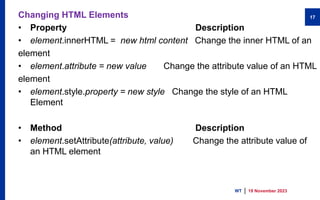
Changing HTML Elements
• Property Description
• element.innerHTML = new html content Change the inner HTML of an
element
• element.attribute = new value Change the attribute value of an HTML
element
• element.style.property = new style Change the style of an HTML
Element
• Method Description
• element.setAttribute(attribute, value) Change the attribute value of
an HTML element
19 November 2023
WT
17
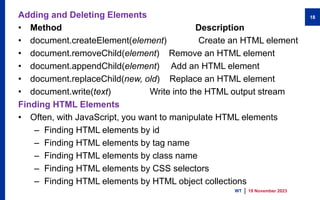
Adding and Deleting Elements
• Method Description
• document.createElement(element) Create an HTML element
• document.removeChild(element) Remove an HTML element
• document.appendChild(element) Add an HTML element
• document.replaceChild(new, old) Replace an HTML element
• document.write(text) Write into the HTML output stream
Finding HTML Elements
• Often, with JavaScript, you want to manipulate HTML elements
– Finding HTML elements by id
– Finding HTML elements by tag name
– Finding HTML elements by class name
– Finding HTML elements by CSS selectors
– Finding HTML elements by HTML object collections
19 November 2023
WT
18
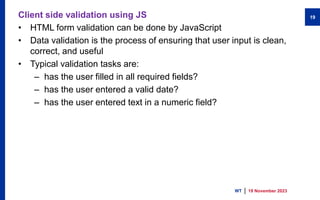
Client side validation using JS
• HTML form validation can be done by JavaScript
• Data validation is the process of ensuring that user input is clean,
correct, and useful
• Typical validation tasks are:
– has the user filled in all required fields?
– has the user entered a valid date?
– has the user entered text in a numeric field?
19 November 2023
WT
19

javascript.pptx

  • 1.
    CSE – WebTechnologies P.Sukanya
  • 2.
    JavaScript: • Client-side Scriptingusing JavaScript • JavaScript Language basis: – variable, operator – conditions, loops – string, array – object, event – functions • DOM Manipulation • Client-side form validations 19 November 2023 WT 2
  • 3.
    Introduction to JavaScript(JS): • JavaScript is the world's most popular programming language • JavaScript is the programming language of the Web • JavaScript is easy to learn • JavaScript accepts both double and single quotes • JavaScript Can – Change HTML Content – Change HTML Attribute Values – Change HTML Styles (CSS) – Can Hide HTML Elements – Can Show HTML Elements 19 November 2023 WT 3
  • 4.
    Where to writeJavaScript: • In HTML, JS code is inserted between <script> and </script> tags • You can place any number of scripts in an HTML document • A JS function is a block of code, that can be executed when "called" for • A function can be called when an event occurs like button click • Scripts can be placed in the <body>, or in the <head> section of an HTML page, or in both • Scripts can also be placed in external files (with .js extension) • Placing scripts in external files has some advantages: – It separates HTML and JS code – It makes HTML and JS easier to read and maintain – Cached JS files can speed up page loads 19 November 2023 WT 4
  • 5.
    JavaScript Output: • JavaScriptcan "display" data in different ways: – Writing into an HTML element, using innerHTML – Writing into the HTML output using document.write() – Writing into an alert box, using window.alert() – Writing into the browser console, using console.log() • The document.write() method should only be used for testing • In JS, the window object is the global scope object • Variables, properties, and methods by default belong to the window object • Specifying the window keyword is optional 19 November 2023 WT 5
  • 6.
    JavaScript Variables: • Thereare 3 ways to declare a JavaScript variable: – Using var, let, const • Variables are containers for storing data (values) JavaScript Identifiers: • All JavaScript variables must be identified with unique names • These unique names are called identifiers • The general rules for constructing names for variables are: – Names can contain letters, digits, underscores, and dollar signs – Names must begin with a letter – Names can also begin with $ and _ – Names are case sensitive (y and Y are different variables) – Reserved words cannot be used as names 19 November 2023 WT 6
  • 7.
    JavaScript Variables (let): •Variables defined with let cannot be redeclared • Variables declared inside a { } block cannot be accessed from outside the block • Variables declared with the var keyword can NOT have block scope • Variables declared inside a { } block can be accessed from outside the block JavaScript Variables (const): • Variables defined with const cannot be Redeclared • Variables defined with const cannot be Reassigned • Variables defined with const have Block Scope • Always use const when you declare: – A new Array, A new Object, A new Function, A new RegExp 19 November 2023 WT 7
  • 8.
    JavaScript Operators: • JavaScriptArithmetic Operators • JavaScript Assignment Operators • JavaScript String Operators • JavaScript Comparison Operators • JavaScript Logical Operators • JavaScript Type Operators – Typeof- Returns the type of a variable – Instanceof- Returns true if an object is an instance of an object type • JavaScript Bitwise Operators 19 November 2023 WT 8
  • 9.
    JavaScript Conditional Statements: •In JavaScript we have the following conditional statements: – Use if to specify a block of code to be executed, if a specified condition is true – Use else to specify a block of code to be executed, if the same condition is false – Use else if to specify a new condition to test, if the first condition is false – Use switch to specify many alternative blocks of code to be executed 19 November 2023 WT 9
  • 10.
    JavaScript Loops: • Loopscan execute a block of code a number of times • JavaScript supports different kinds of loops: – for - loops through a block of code a number of times – for/in - loops through the properties of an object – for/of - loops through the values of an iterable object – while - loops through a block of code while a specified condition is true – do/while - also loops through a block of code while a specified condition is true 19 November 2023 WT 10
  • 11.
    JavaScript Events: • HTMLevents are "things" that happen to HTML elements • When JS is used in HTML pages, JS can "react" on these events • An HTML event can be something the browser does, or something a user does • Examples of HTML events: – An HTML web page has finished loading – An HTML input field was changed – An HTML button was clicked • JavaScript lets execute code when events are detected • HTML allows event handler attributes, with JS code, to be added to HTML elements 19 November 2023 WT 11
  • 12.
    JavaScript Events: • HTMLevents are "things" that happen to HTML elements • When JavaScript is used in HTML pages, JavaScript can "react" on these events • Event Description – Onchange An HTML element has been changed – Onclick The user clicks an HTML element – Onmouseover The user moves the mouse over an HTML element – Onmouseout User moves the mouse away from HTML element – Onkeydown The user pushes a keyboard key – Onload The browser has finished loading the page 19 November 2023 WT 12
  • 13.
    JavaScript HTML DOM: •With the HTML DOM, JS can access and change all the elements of an HTML document • When a web page is loaded, the browser creates a Document Object Model of the page • The HTML DOM model is constructed as a tree of Objects 19 November 2023 WT 13
  • 14.
    What is theHTML DOM: • The HTML DOM is a standard object model and programming interface for HTML. It defines: – The HTML elements as objects – The properties of all HTML elements – The methods to access all HTML elements – The events for all HTML elements HTML DOM Methods: • HTML DOM methods are actions you can perform (on HTML Elements). • HTML DOM properties are values (of HTML Elements) that you can set or change. 19 November 2023 WT 14
  • 15.
    The DOM ProgrammingInterface: • The HTML DOM can be accessed with JavaScript (and with other programming languages) • In the DOM, all HTML elements are defined as objects • The programming interface is the properties and methods of each object • A property is a value that you can get or set (like changing the content of an HTML element) • A method is an action you can do (like add or deleting an HTML element) • getElementById is a method, while innerHTML is a property • The most common way to access an HTML element is to use the id of the element • The easiest way to get the content of an element is by using the innerHTML property 19 November 2023 WT 15
  • 16.
    JavaScript HTML DOMDocument: • The HTML DOM document object is the owner of all other objects in your web page • The document object represents your web page • If you want to access any element in an HTML page, you always start with accessing the document object • The document object can access and manipulate HTML Finding HTML Elements • Method Description • document.getElementById(id) Find an element by element id • document.getElementsByTagName Find elements by tag name • document.getElementsByClassName Find elements by class name 19 November 2023 WT 16
  • 17.
    Changing HTML Elements •Property Description • element.innerHTML = new html content Change the inner HTML of an element • element.attribute = new value Change the attribute value of an HTML element • element.style.property = new style Change the style of an HTML Element • Method Description • element.setAttribute(attribute, value) Change the attribute value of an HTML element 19 November 2023 WT 17
  • 18.
    Adding and DeletingElements • Method Description • document.createElement(element) Create an HTML element • document.removeChild(element) Remove an HTML element • document.appendChild(element) Add an HTML element • document.replaceChild(new, old) Replace an HTML element • document.write(text) Write into the HTML output stream Finding HTML Elements • Often, with JavaScript, you want to manipulate HTML elements – Finding HTML elements by id – Finding HTML elements by tag name – Finding HTML elements by class name – Finding HTML elements by CSS selectors – Finding HTML elements by HTML object collections 19 November 2023 WT 18
  • 19.
    Client side validationusing JS • HTML form validation can be done by JavaScript • Data validation is the process of ensuring that user input is clean, correct, and useful • Typical validation tasks are: – has the user filled in all required fields? – has the user entered a valid date? – has the user entered text in a numeric field? 19 November 2023 WT 19