JavaScript Promises
Haim Michael
October 1th, 2024
All logos, trade marks and brand names used in this presentation belong
to the respective owners.
life
michae
l
Simplified
© 2008 Haim Michael
Introduction
v ECMAScript 2015 provides us with the possibility to use
promises in our code.
v Promises allow us to to write code that executes
asynchronously. Promises allow us to write code that will be
executed at a later stage, and if succeeded or failed, a
notification will be generated accordingly.
v We can chain promises together based on success or failure
in a simpler easy to understand way.
© 2008 Haim Michael
Single Thread
v JavaScript has a single thread that handles a queue of jobs.
Whenever a new piece of code is ready to be executed it will
be added to the queue.
v When the JavaScript engine completes the execution of
specific job the event loop picks the next job in the queue and
executes it.
© 2008 Haim Michael
The Event Loop
v The event loop monitors the code execution and manages the
jobs queue. The jobs on that queue are executed according to
their order.
© 2008 Haim Michael
The Event Loop
v When a user clicks a button or presses a key on the keyboard
an event is triggered.
v The triggered event can be hooked with the code we want to
be executed whenever that event is triggered. The code we
hooked with the event will be added as a new job to the
queue.
© 2008 Haim Michael
The Callback Pattern
v The callback function is passed over as an argument. The
callback pattern makes it simple to chain multiple calls
together.
© 2008 Haim Michael
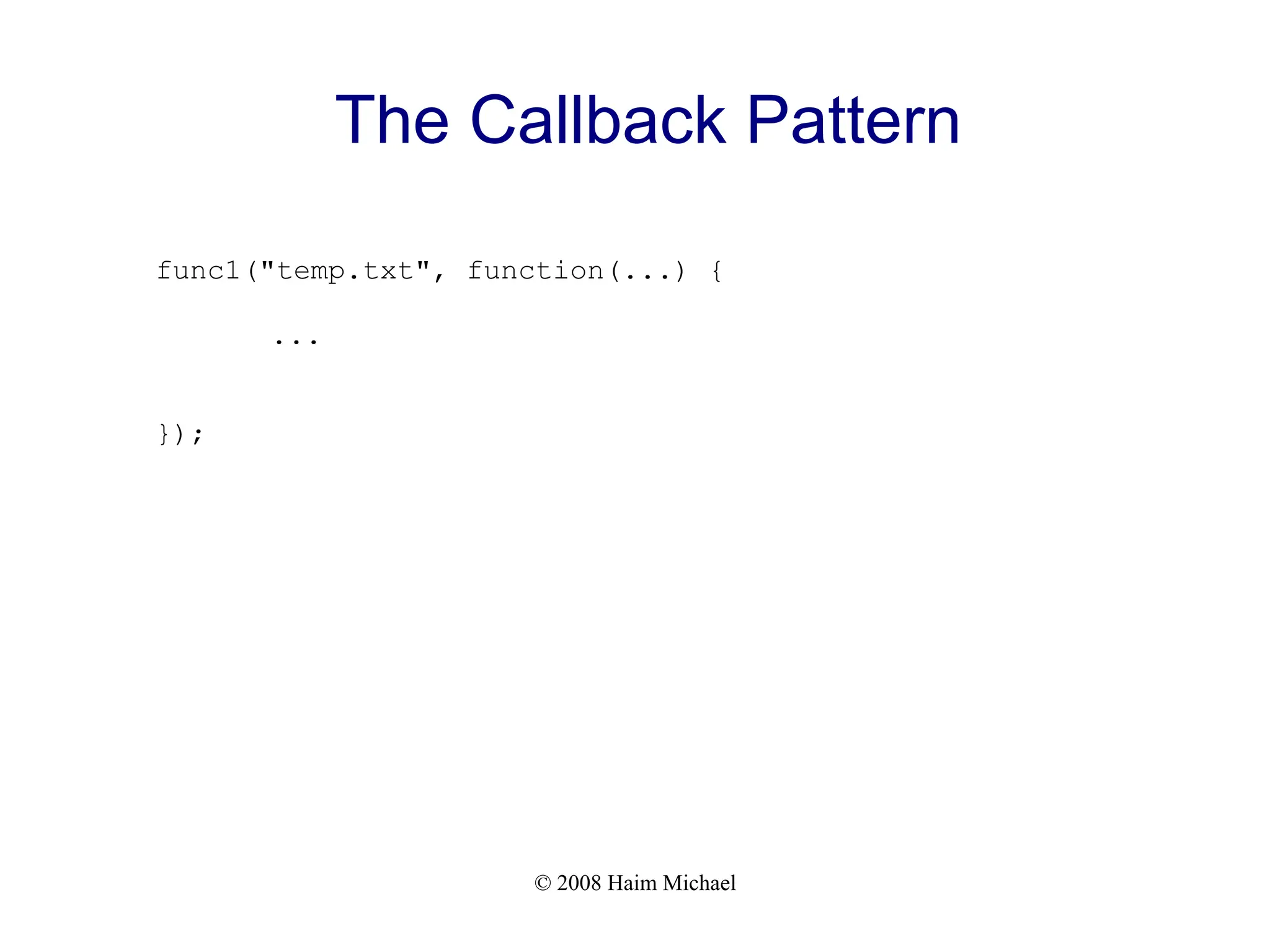
The Callback Pattern
func1("temp.txt", function(...) {
...
});
© 2008 Haim Michael
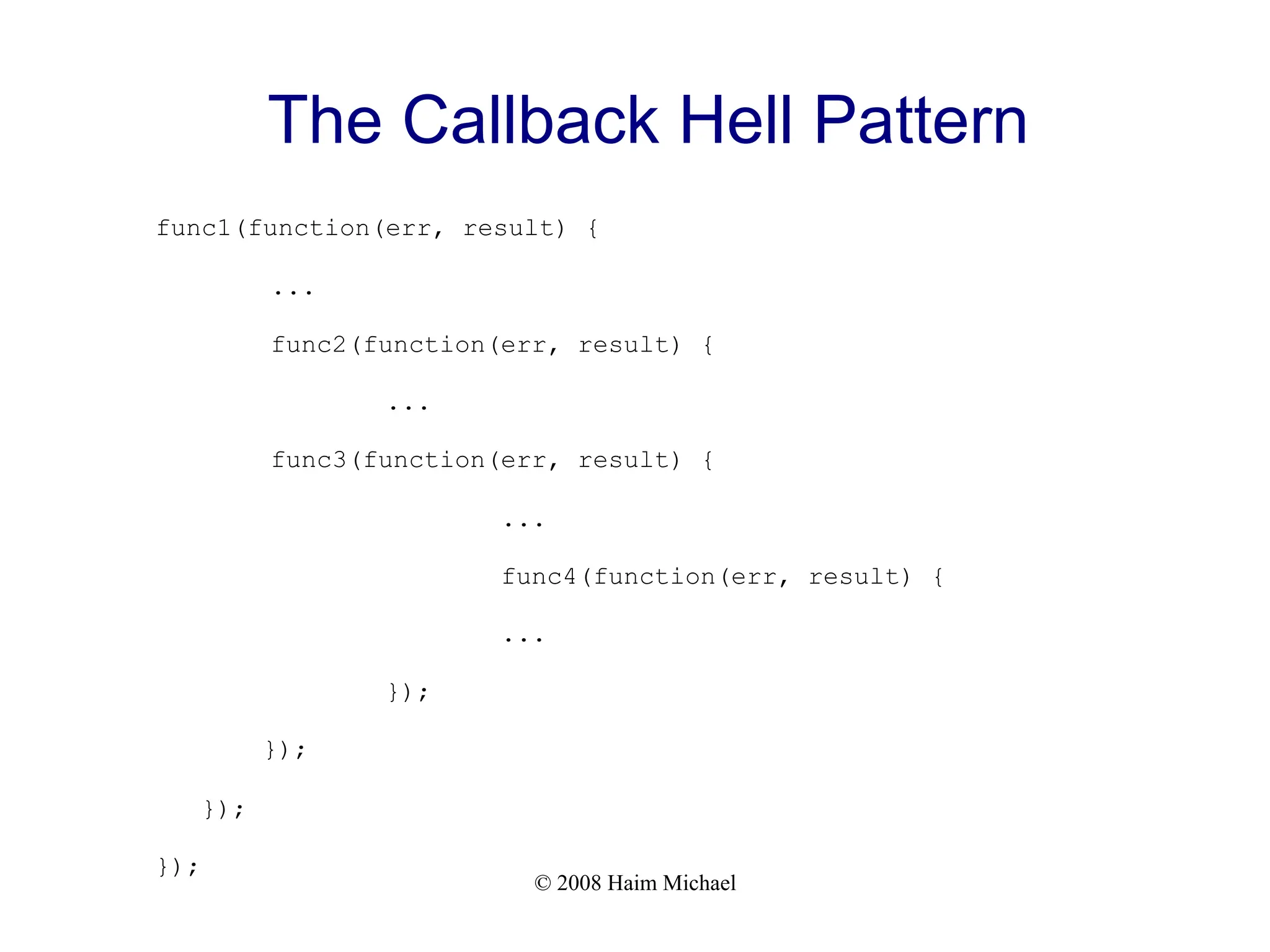
The Callback Hell Pattern
v When using the callback pattern and nesting too many
callbacks it can easily result in code that is hard to understand
and difficult to debug.
© 2008 Haim Michael
The Callback Hell Pattern
func1(function(err, result) {
...
func2(function(err, result) {
...
func3(function(err, result) {
...
func4(function(err, result) {
...
});
});
});
});
© 2008 Haim Michael
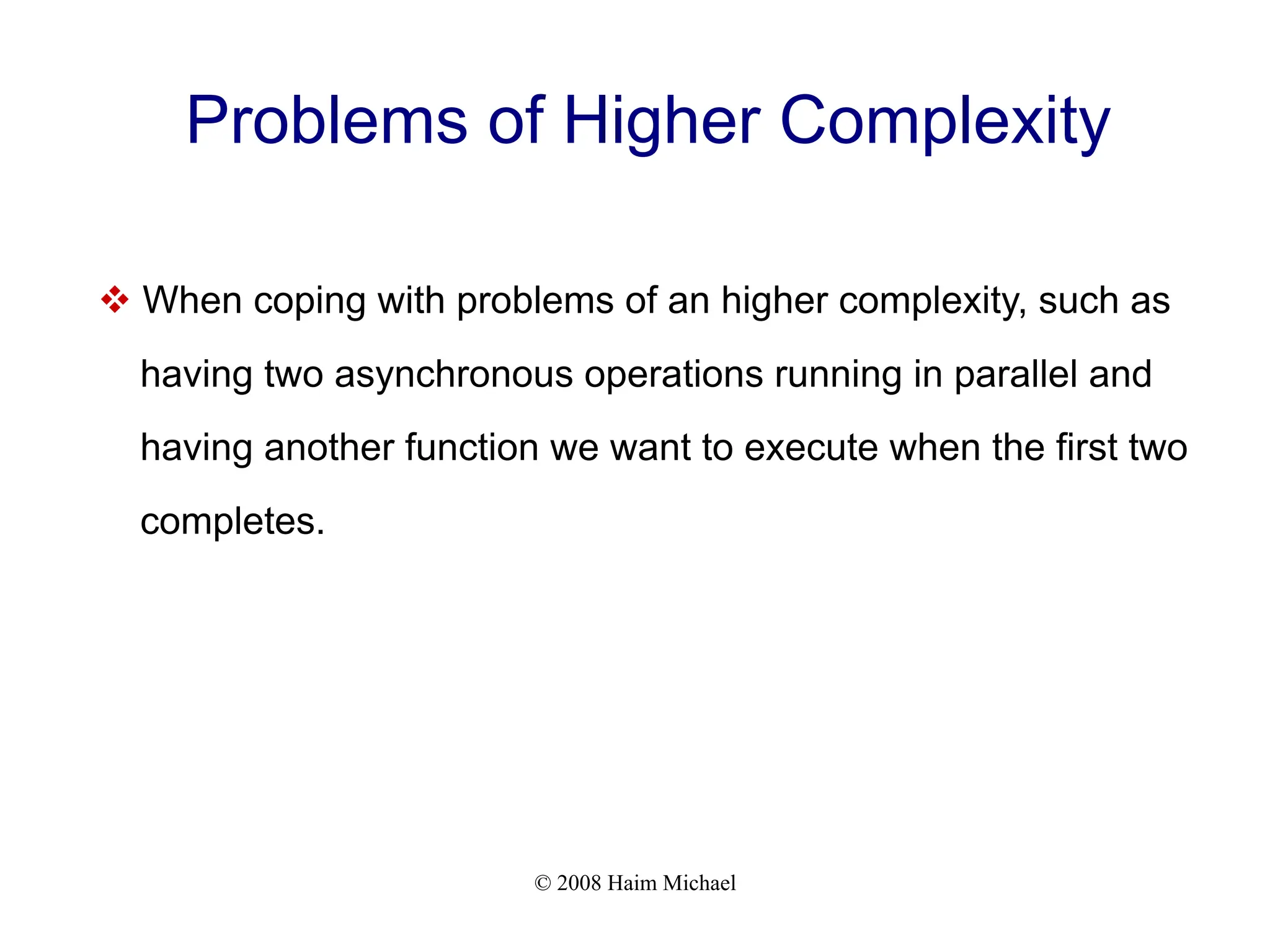
Problems of Higher Complexity
v When coping with problems of an higher complexity, such as
having two asynchronous operations running in parallel and
having another function we want to execute when the first two
completes.
© 2008 Haim Michael
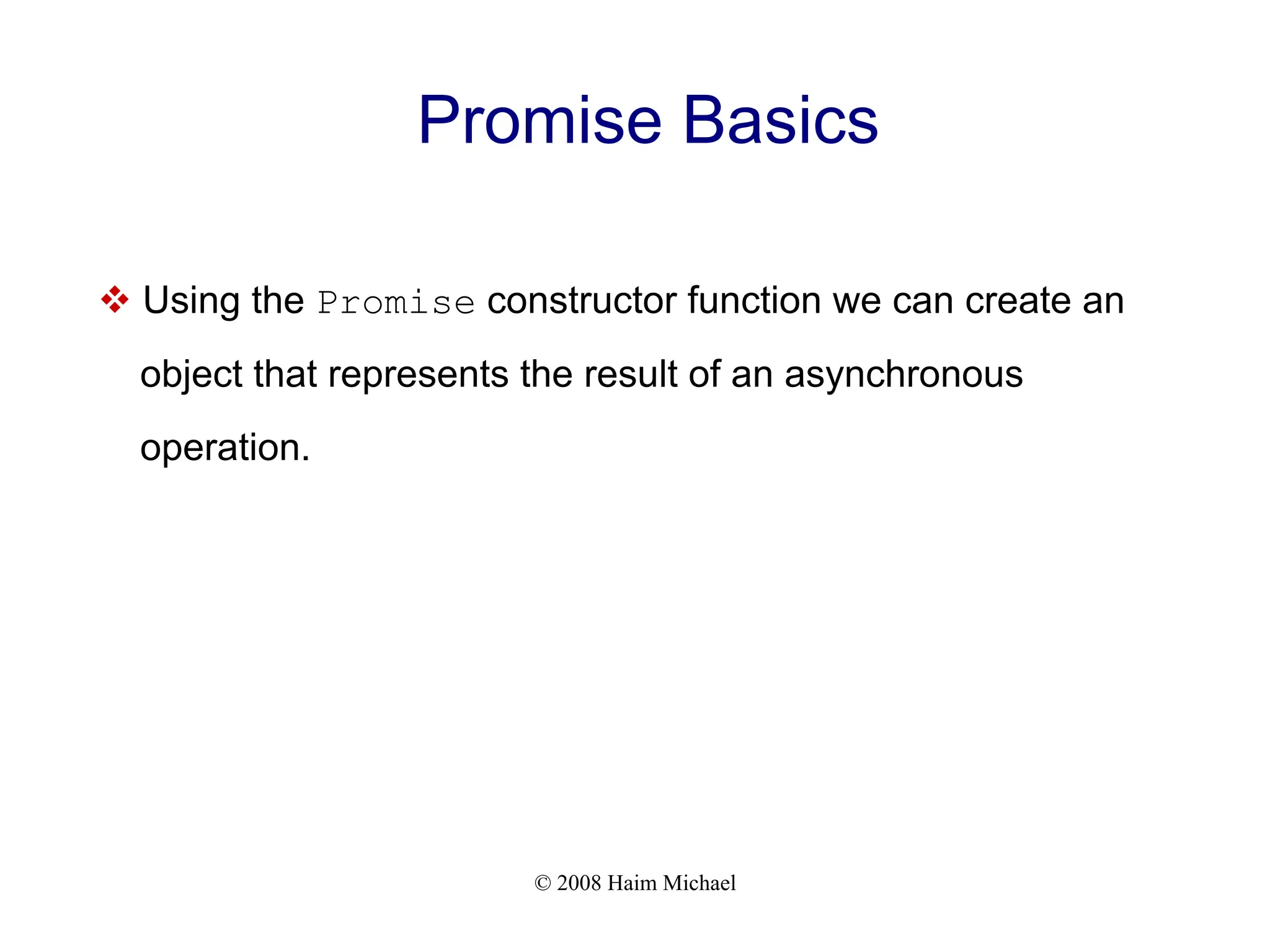
Promise Basics
v Using the Promise constructor function we can create an
object that represents the result of an asynchronous
operation.
© 2008 Haim Michael
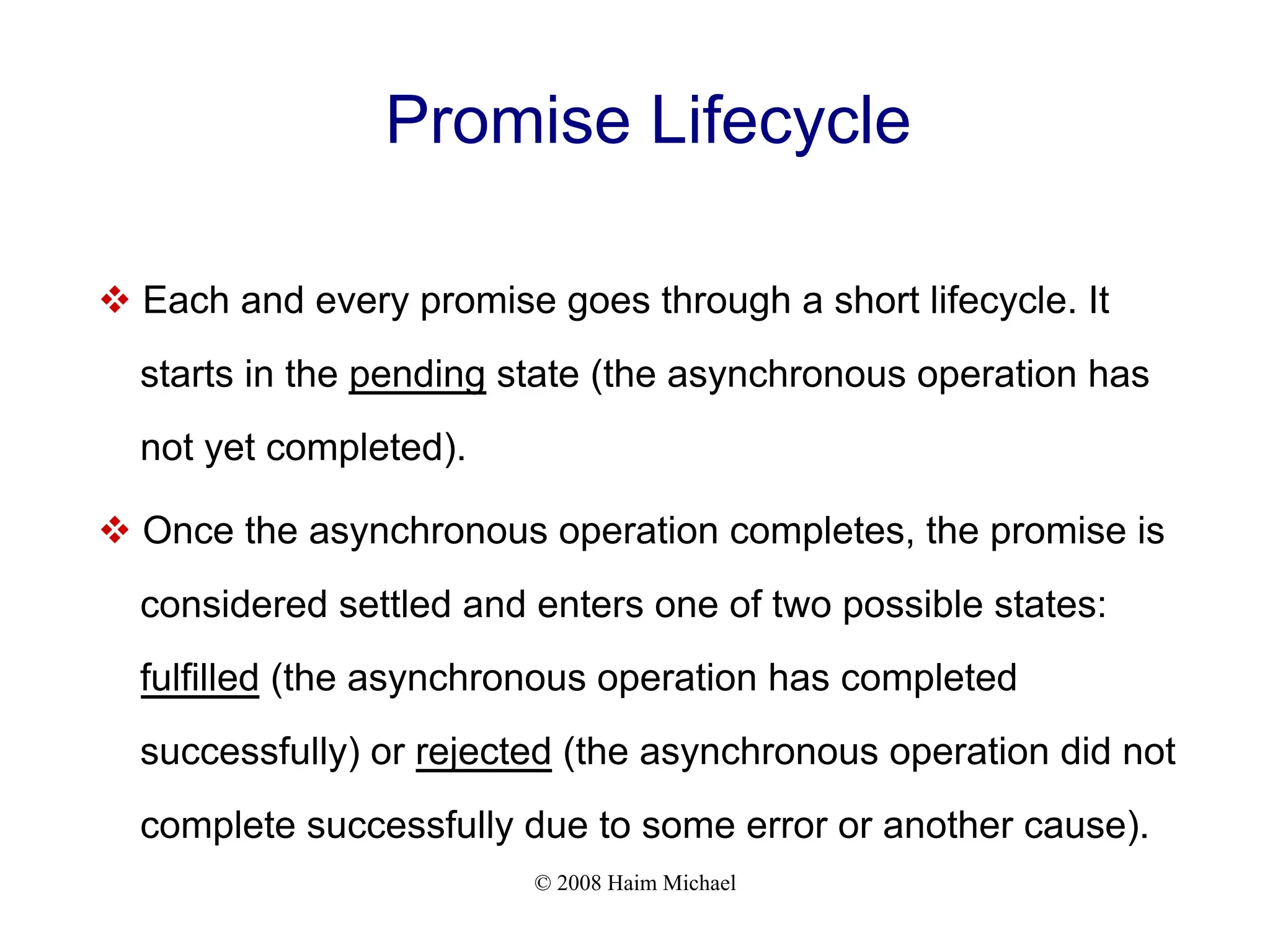
Promise Lifecycle
v Each and every promise goes through a short lifecycle. It
starts in the pending state (the asynchronous operation has
not yet completed).
v Once the asynchronous operation completes, the promise is
considered settled and enters one of two possible states:
fulfilled (the asynchronous operation has completed
successfully) or rejected (the asynchronous operation did not
complete successfully due to some error or another cause).
© 2008 Haim Michael
Promise Lifecycle
v We can take a specific action when a promise changes state
by using the then() method.
© 2008 Haim Michael
The then Method
vWe invoke the then() method on a Promise object. It can
take two functions.
© 2008 Haim Michael
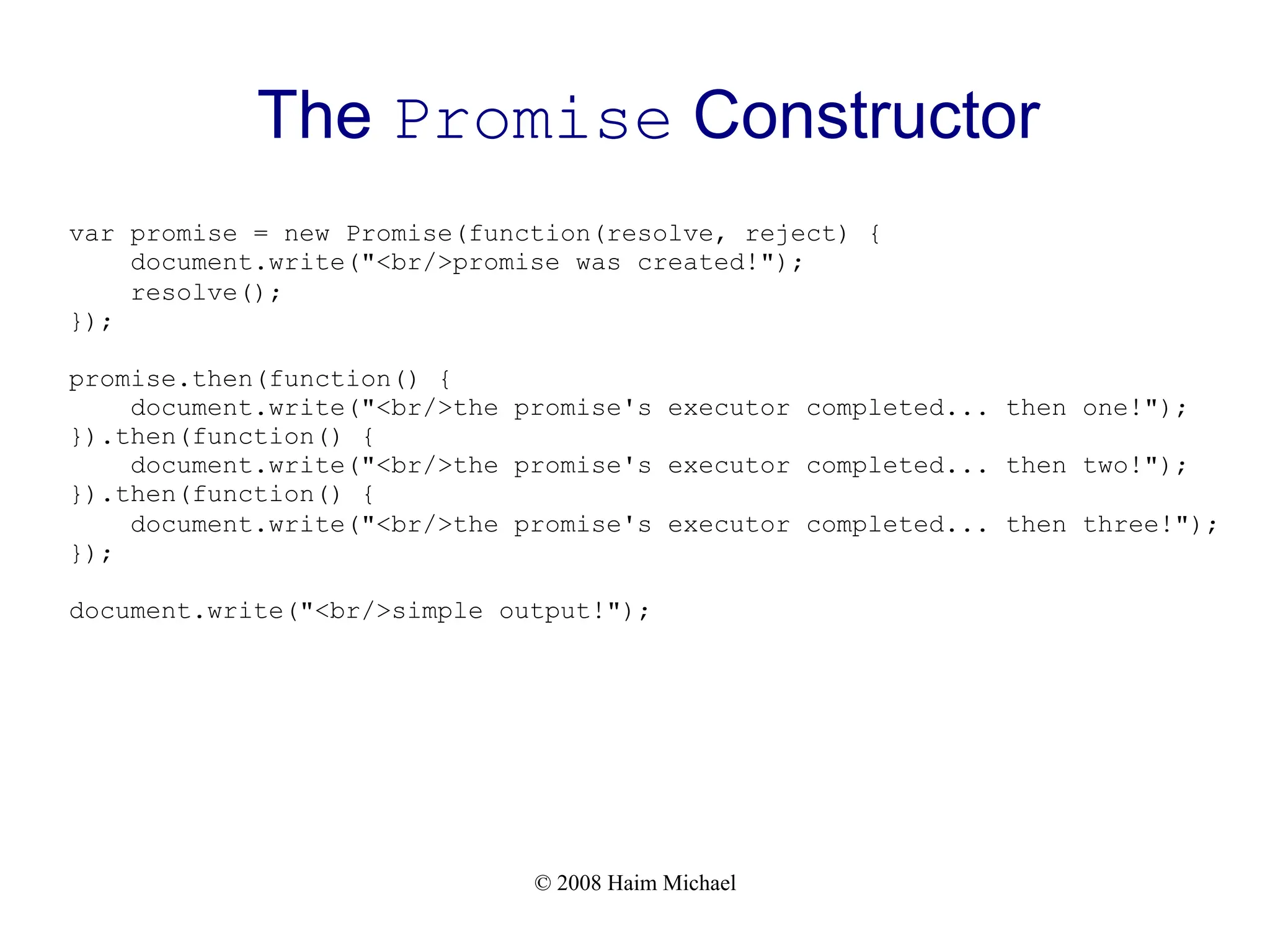
The Promise Constructor
v We can create new promises by calling the Promise function
constructor. The Promise function receives a single
argument, which is the function that contains the code to be
executed when the promise is added to the queue.
v The function we pass over to Promise should be with two
parameters that receive two functions as arguments. The
resolve() and the reject().
© 2008 Haim Michael
The Promise Constructor
v The resolve() function should be called when the executor
has finished successfully in order to signal that the promise is
ready to be resolved.
v The reject() function should be called when the executor
function fails and we want to indicate about it.
© 2008 Haim Michael
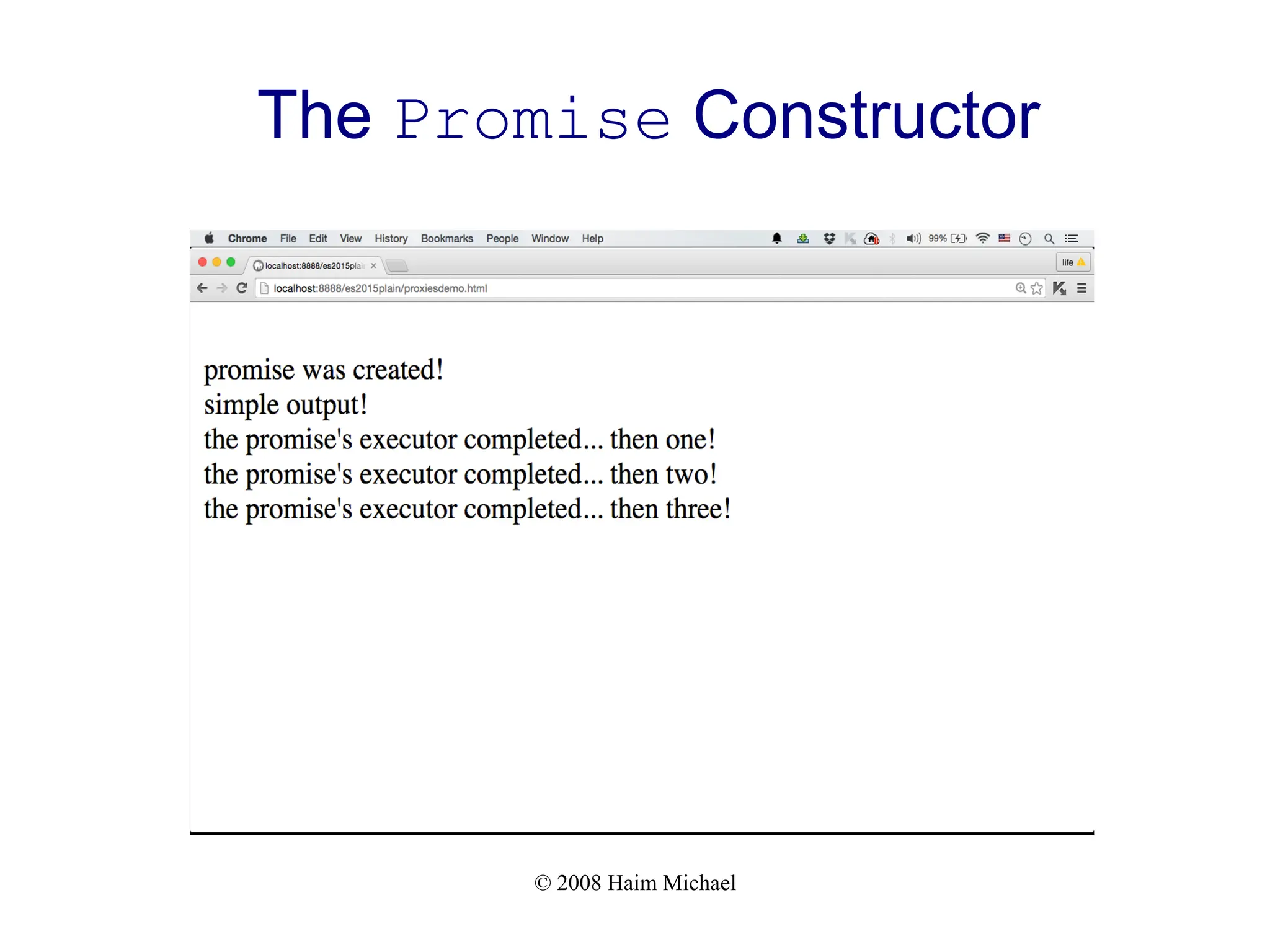
The Promise Constructor
var promise = new Promise(function(resolve, reject) {
document.write("<br/>promise was created!");
resolve();
});
promise.then(function() {
document.write("<br/>the promise's executor completed... then one!");
}).then(function() {
document.write("<br/>the promise's executor completed... then two!");
}).then(function() {
document.write("<br/>the promise's executor completed... then three!");
});
document.write("<br/>simple output!");
© 2008 Haim Michael
The Promise Constructor
© 2008 Haim Michael
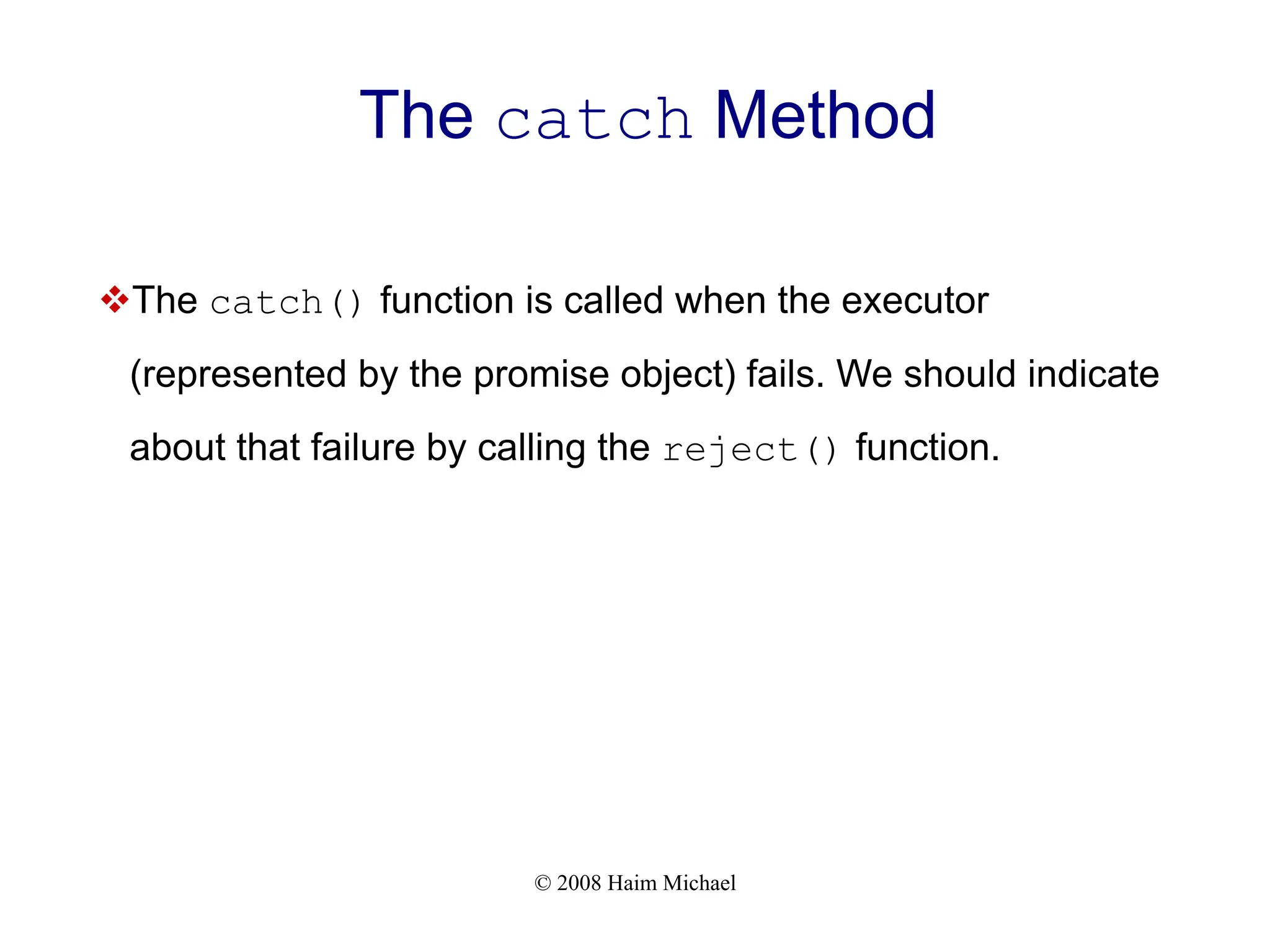
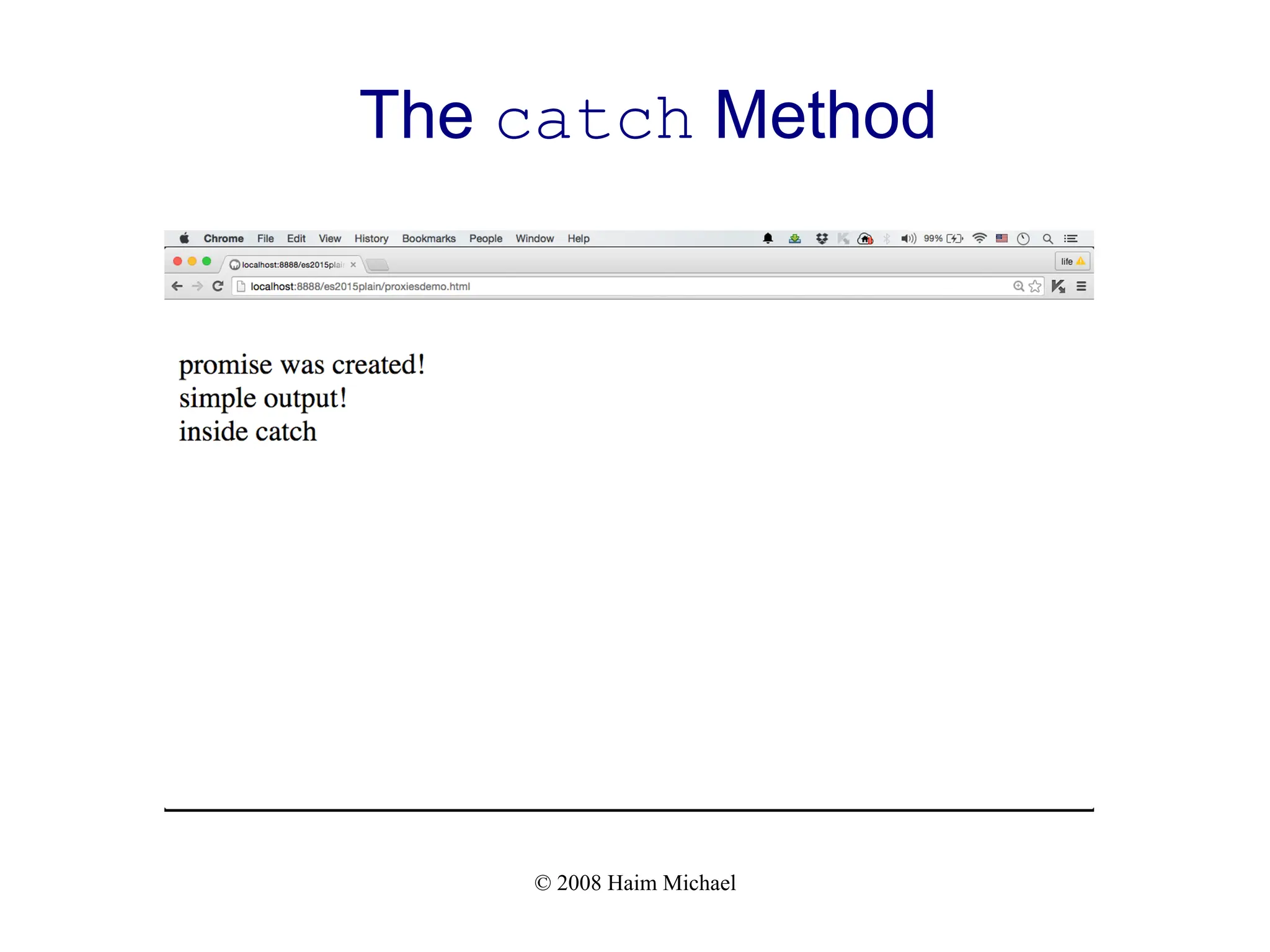
The catch Method
vThe catch() function is called when the executor
(represented by the promise object) fails. We should indicate
about that failure by calling the reject() function.
© 2008 Haim Michael
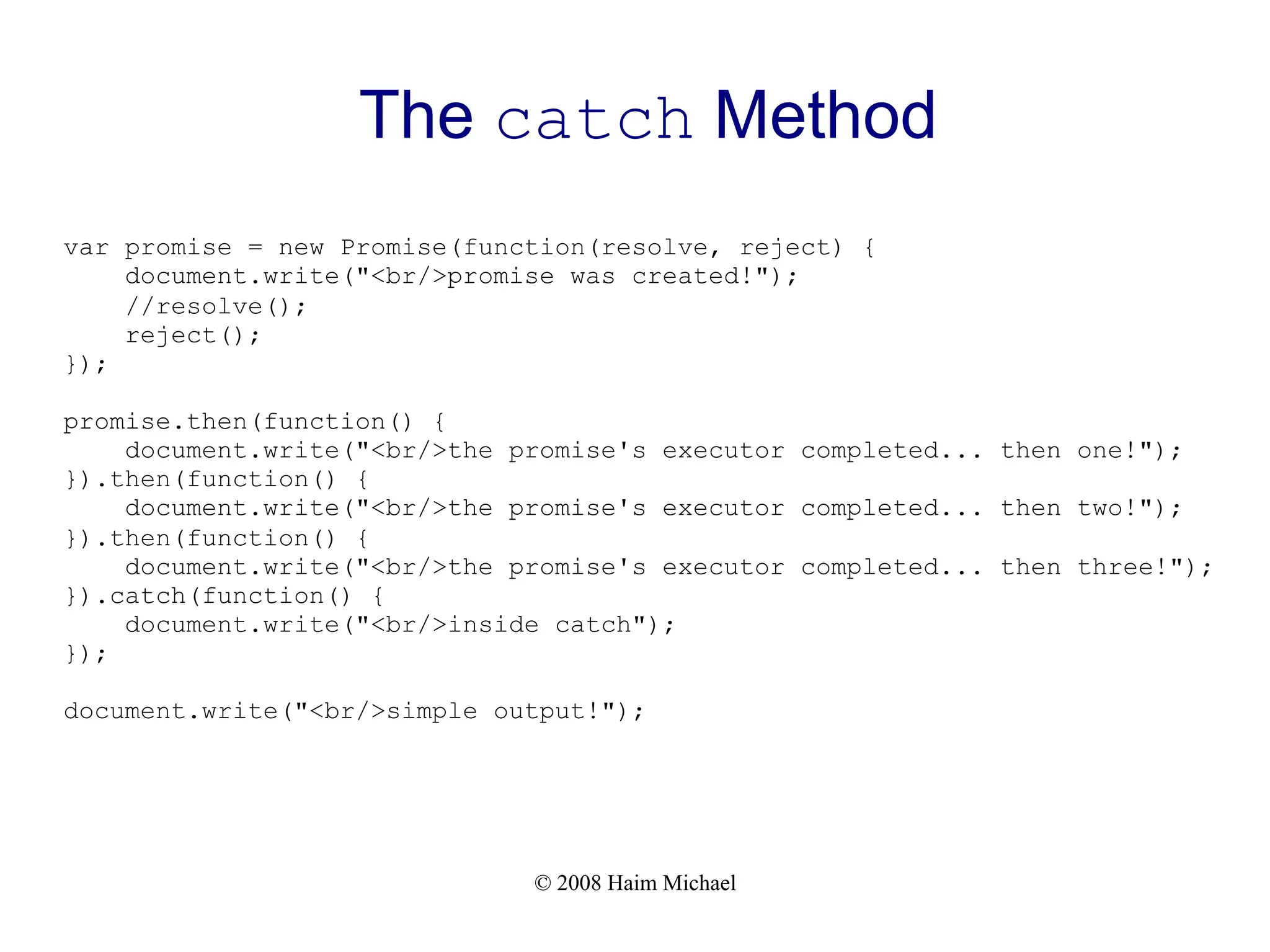
The catch Method
var promise = new Promise(function(resolve, reject) {
document.write("<br/>promise was created!");
//resolve();
reject();
});
promise.then(function() {
document.write("<br/>the promise's executor completed... then one!");
}).then(function() {
document.write("<br/>the promise's executor completed... then two!");
}).then(function() {
document.write("<br/>the promise's executor completed... then three!");
}).catch(function() {
document.write("<br/>inside catch");
});
document.write("<br/>simple output!");
© 2008 Haim Michael
The catch Method
© 2008 Haim Michael
Async Functions
v An async function is a function declared with the async
keyword, and the await keyword is permitted within it.
v The async and await keywords enable asynchronous,
promise-based behavior to be written in a cleaner style,
avoiding the need to explicitly configure promise chains.
© 2008 Haim Michael
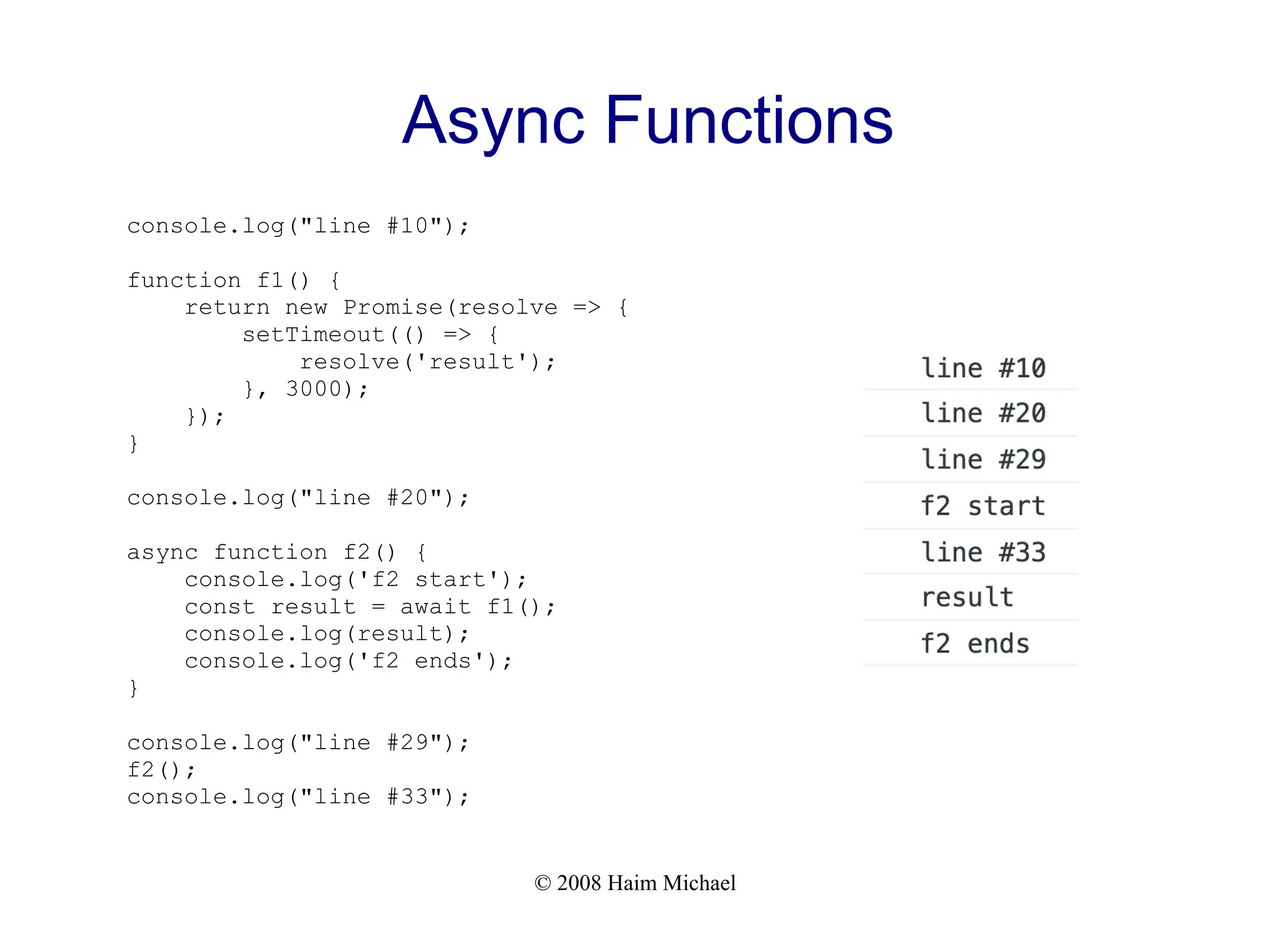
Async Functions
console.log("line #10");
function f1() {
return new Promise(resolve => {
setTimeout(() => {
resolve('result');
}, 3000);
});
}
console.log("line #20");
async function f2() {
console.log('f2 start');
const result = await f1();
console.log(result);
console.log('f2 ends');
}
console.log("line #29");
f2();
console.log("line #33");
© 2008 Haim Michael
Async Functions
v We can specify the code we want to take place when the
promise fails by calling the catch method on the Promise
object the async function returns.
© 2008 Haim Michael
Async Functions
console.log("line #10");
function f1() {
return new Promise((resolve,reject) => {
setTimeout(() => {
//resolve('[{"code":"USD,"rate":3.1}, {"code":"GBP","rate":4.2}]');
reject("problem...");
}, 3000);
});
}
console.log("line #21");
async function f2() {
console.log('f2 start');
const result = await f1();
console.log(result);
console.log('f2 ends');
}
console.log("line #30");
f2().catch((data)=>{console.log("error took place data="+data);})
console.log("line #34");
© 2008 Haim Michael 20230307
Questions & Answers
Thanks for Your Time!
Haim Michael
haim.michael@lifemichael.com
+972+3+3726013 ext:700
life
michae
l

JavaScript Promises Simplified [Free Meetup]

  • 1.
    JavaScript Promises Haim Michael October1th, 2024 All logos, trade marks and brand names used in this presentation belong to the respective owners. life michae l Simplified
  • 2.
    © 2008 HaimMichael Introduction v ECMAScript 2015 provides us with the possibility to use promises in our code. v Promises allow us to to write code that executes asynchronously. Promises allow us to write code that will be executed at a later stage, and if succeeded or failed, a notification will be generated accordingly. v We can chain promises together based on success or failure in a simpler easy to understand way.
  • 3.
    © 2008 HaimMichael Single Thread v JavaScript has a single thread that handles a queue of jobs. Whenever a new piece of code is ready to be executed it will be added to the queue. v When the JavaScript engine completes the execution of specific job the event loop picks the next job in the queue and executes it.
  • 4.
    © 2008 HaimMichael The Event Loop v The event loop monitors the code execution and manages the jobs queue. The jobs on that queue are executed according to their order.
  • 5.
    © 2008 HaimMichael The Event Loop v When a user clicks a button or presses a key on the keyboard an event is triggered. v The triggered event can be hooked with the code we want to be executed whenever that event is triggered. The code we hooked with the event will be added as a new job to the queue.
  • 6.
    © 2008 HaimMichael The Callback Pattern v The callback function is passed over as an argument. The callback pattern makes it simple to chain multiple calls together.
  • 7.
    © 2008 HaimMichael The Callback Pattern func1("temp.txt", function(...) { ... });
  • 8.
    © 2008 HaimMichael The Callback Hell Pattern v When using the callback pattern and nesting too many callbacks it can easily result in code that is hard to understand and difficult to debug.
  • 9.
    © 2008 HaimMichael The Callback Hell Pattern func1(function(err, result) { ... func2(function(err, result) { ... func3(function(err, result) { ... func4(function(err, result) { ... }); }); }); });
  • 10.
    © 2008 HaimMichael Problems of Higher Complexity v When coping with problems of an higher complexity, such as having two asynchronous operations running in parallel and having another function we want to execute when the first two completes.
  • 11.
    © 2008 HaimMichael Promise Basics v Using the Promise constructor function we can create an object that represents the result of an asynchronous operation.
  • 12.
    © 2008 HaimMichael Promise Lifecycle v Each and every promise goes through a short lifecycle. It starts in the pending state (the asynchronous operation has not yet completed). v Once the asynchronous operation completes, the promise is considered settled and enters one of two possible states: fulfilled (the asynchronous operation has completed successfully) or rejected (the asynchronous operation did not complete successfully due to some error or another cause).
  • 13.
    © 2008 HaimMichael Promise Lifecycle v We can take a specific action when a promise changes state by using the then() method.
  • 14.
    © 2008 HaimMichael The then Method vWe invoke the then() method on a Promise object. It can take two functions.
  • 15.
    © 2008 HaimMichael The Promise Constructor v We can create new promises by calling the Promise function constructor. The Promise function receives a single argument, which is the function that contains the code to be executed when the promise is added to the queue. v The function we pass over to Promise should be with two parameters that receive two functions as arguments. The resolve() and the reject().
  • 16.
    © 2008 HaimMichael The Promise Constructor v The resolve() function should be called when the executor has finished successfully in order to signal that the promise is ready to be resolved. v The reject() function should be called when the executor function fails and we want to indicate about it.
  • 17.
    © 2008 HaimMichael The Promise Constructor var promise = new Promise(function(resolve, reject) { document.write("<br/>promise was created!"); resolve(); }); promise.then(function() { document.write("<br/>the promise's executor completed... then one!"); }).then(function() { document.write("<br/>the promise's executor completed... then two!"); }).then(function() { document.write("<br/>the promise's executor completed... then three!"); }); document.write("<br/>simple output!");
  • 18.
    © 2008 HaimMichael The Promise Constructor
  • 19.
    © 2008 HaimMichael The catch Method vThe catch() function is called when the executor (represented by the promise object) fails. We should indicate about that failure by calling the reject() function.
  • 20.
    © 2008 HaimMichael The catch Method var promise = new Promise(function(resolve, reject) { document.write("<br/>promise was created!"); //resolve(); reject(); }); promise.then(function() { document.write("<br/>the promise's executor completed... then one!"); }).then(function() { document.write("<br/>the promise's executor completed... then two!"); }).then(function() { document.write("<br/>the promise's executor completed... then three!"); }).catch(function() { document.write("<br/>inside catch"); }); document.write("<br/>simple output!");
  • 21.
    © 2008 HaimMichael The catch Method
  • 22.
    © 2008 HaimMichael Async Functions v An async function is a function declared with the async keyword, and the await keyword is permitted within it. v The async and await keywords enable asynchronous, promise-based behavior to be written in a cleaner style, avoiding the need to explicitly configure promise chains.
  • 23.
    © 2008 HaimMichael Async Functions console.log("line #10"); function f1() { return new Promise(resolve => { setTimeout(() => { resolve('result'); }, 3000); }); } console.log("line #20"); async function f2() { console.log('f2 start'); const result = await f1(); console.log(result); console.log('f2 ends'); } console.log("line #29"); f2(); console.log("line #33");
  • 24.
    © 2008 HaimMichael Async Functions v We can specify the code we want to take place when the promise fails by calling the catch method on the Promise object the async function returns.
  • 25.
    © 2008 HaimMichael Async Functions console.log("line #10"); function f1() { return new Promise((resolve,reject) => { setTimeout(() => { //resolve('[{"code":"USD,"rate":3.1}, {"code":"GBP","rate":4.2}]'); reject("problem..."); }, 3000); }); } console.log("line #21"); async function f2() { console.log('f2 start'); const result = await f1(); console.log(result); console.log('f2 ends'); } console.log("line #30"); f2().catch((data)=>{console.log("error took place data="+data);}) console.log("line #34");
  • 26.
    © 2008 HaimMichael 20230307 Questions & Answers Thanks for Your Time! Haim Michael haim.michael@lifemichael.com +972+3+3726013 ext:700 life michae l