• Unit 3: Fundamentals of LARAVEL
Installation, router - basic routing, route parameters, named routes,
route groups, controllers - basic controllers, controller middleware,
resource controllers, views - creating views, passing data to views, view
composers.
Vishnu Priya P M 1
Security is important feature while designing web applications. It assures the users of the
website that their data is secured. Laravel provides various mechanisms to secure website.
Some of the features are listed below −
Storing Passwords − Laravel provides a class called “Hash” class which provides secure Bcrypt
hashing. The password can be hashed in the following way.
$password = Hash::make('secret');
make() function will take a value as argument and will return the hashed value. The hashed
value can be checked using the check() function in the following way.
Hash::check('secret', $hashedPassword)
The above function will return Boolean value. It will return true if password matched or false
otherwise.
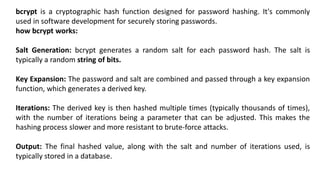
bcrypt is a cryptographic hash function designed for password hashing. It's commonly
used in software development for securely storing passwords.
how bcrypt works:
Salt Generation: bcrypt generates a random salt for each password hash. The salt is
typically a random string of bits.
Key Expansion: The password and salt are combined and passed through a key expansion
function, which generates a derived key.
Iterations: The derived key is then hashed multiple times (typically thousands of times),
with the number of iterations being a parameter that can be adjusted. This makes the
hashing process slower and more resistant to brute-force attacks.
Output: The final hashed value, along with the salt and number of iterations used, is
typically stored in a database.
Authenticating Users − The other main security features in Laravel is
authenticating user and perform some action. Laravel has made this task easier
and to do this we can use Auth::attempt method in the following way.
if (Auth::attempt(array('email' => $email, 'password' => $password))) {
return Redirect::intended('home');
}
The Auth::attempt method will take credentials as argument and will verify those
credentials against the credentials stored in database and will return true if it is
matched or false otherwise.
CSRF Protection/Cross-site request forgery (XSS) − Cross-site scripting (XSS) attacks happen when
attackers are able to place client-side JavaScript code in a page viewed by other users. To avoid this kind of
attack, you should never trust any user-submitted data or escape any dangerous characters. You should
favor the double-brace syntax ({{ $value }}) in your Blade templates, and only use the {!! $value !!} syntax,
where you're certain the data is safe to display in its raw format.
Avoiding SQL injection − SQL injection vulnerability exists when an application inserts arbitrary and
unfiltered user input in an SQL query. By default, Laravel will protect you against this type of attack since
both the query builder and Eloquent use PHP Data Objects (PDO) class behind the scenes. PDO uses
prepared statements, which allows you to safely pass any parameters without having to escape and
sanitize them.
Cookies – Secure by default − Laravel makes it very easy to create, read, and expire cookies with its Cookie
class. In Laravel all cookies are automatically signed and encrypted. This means that if they are tampered
with, Laravel will automatically discard them. This also means that you will not be able to read them from
the client side using JavaScript.
Forcing HTTPS when exchanging sensitive data − HTTPS prevents attackers on the same network to
intercept private information such as session variables, and log in as the victim.
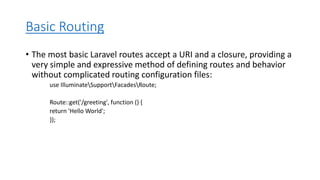
Basic Routing
• The most basic Laravel routes accept a URI and a closure, providing a
very simple and expressive method of defining routes and behavior
without complicated routing configuration files:
use IlluminateSupportFacadesRoute;
Route::get('/greeting', function () {
return 'Hello World';
});
b. View Routes
• With the Route::view method, one can simply return views with the
first argument as a URL and the second argument as the name of the
view.
• An optional third argument is available that can be used to specify an
array of data that is to be passed to the view.
• Basic Routing
• All the application routes are registered within the app/routes.php
file. This file tells Laravel for the URIs it should respond to and the
associated controller will give it a particular call. The sample route for
the welcome page can be seen as shown in the screenshot given
below −
Route::get ('/', function () {
return view('welcome');});
• Example
• Observe the following example to understand more about Routing −
app/Http/routes.php
<?php
Route::get('/', function ()) {
return view('welcome');
});
• The routing mechanism is shown in the image given below −
Route Parameters
Sometimes, developers might need to catch some fragments of the
URL within the Laravel routes. This can be done by setting route
parameters that you must set, keeping a few things in mind:-
• Route parameters must only contain alphabets and must be enclosed in {}
• Parameter names can also include underscores
• Based on the order set, route parameters are injected into the route
callbacks/controllers, i.e. the names do not matter
• Route parameters must only be included after the dependencies
Required Parameters
• These parameters are those which should be mandatorily captured
for routing the web application.
• For example, it is important to capture the user’s identification
number from the URL. This can be possible by defining route
parameters as shown below −
Route::get('ID/{id}',function($id) {
echo 'ID: '.$id;
});
Optional Parameters
Sometimes developers can produce parameters as optional and it is
possible with the inclusion of ? after the parameter name in URL. It is
important to keep the default value mentioned as a parameter name.
Look at the following example that shows how to define an optional
parameter −
The example above checks if the value matches to TutorialsPoint and
accordingly routes to the defined URL.
Route::get('user/{name?}', function ($name = 'TutorialsPoint')
{ return $name;});
Regular Expression Constraints
• With a route instance’s where method, it is possible to restrict the
format of the route arguments. This method accepts both the
parameter name and a regular expression that specifies the
constraints of the parameter.
Named Routes
• Named routes allow a convenient way of creating routes. The
chaining of routes can be specified using name method onto the
route definition. The following code shows an example for creating
named routes with controller −
• Route::get('user/profile', 'UserController@showProfile')->name('profile');
• The user controller will call for the function showProfile with
parameter as profile. The parameters use name method onto the
route definition.
Route Groups
• With Route groups, one can easily share route attributes like middleware
across several routes without describing the qualities of each Route.
• Route groups gives you way to group a set of routes (Routes sharing
common route attributes such as namespaces or middleware) in single
route definition instead of defining those attributes individually.
• Nested route groups are a great way to merge the parent group traits with
the features of the group.
• In cases where conditions and middleware are combined, names and
prefixes are added while slashes and namespace delimiters are
automatically added where needed. This is one of the huge advantage of
laravel application development that have contributed to its overall
popularity.
Route::group(['middleware' => 'auth'], function () {
Route::get('student/profile', function () {
// Uses Auth Middleware
});
});
• a. Middleware
• To apply middleware to all routes present in a grouped section, one must
utilize the middleware function before outlining the group. The middleware is
executed in the sequence that is outlined within the array.
• b. Controllers
• For a set of routes collectively using a shared controller, developers can
employ the controller approach to establish the shared controller being used.
• c. Route Prefixes
• Laravel routing developers have the option to employ the prefix technique to
add a specified URL as a prefix. Once done, the prefix is added to all the
routes present in the grouped section.
• d. Route Name Prefixes
• With the name approach, users can attach a designated string as a prefix to
all the route names present in the grouped section.
Route Model Binding
An important functionality in Laravel, route model binding helps streamline the process of
injecting model instances into Laravel’s route closures or controller methods. This helps make
the process of handling model instances a lot simpler than the hectic and time-consuming
process of manually fetching them from the database rooted in route parameters.
• a. Implicit Binding
• With implicit binding, the model object can be automatically resolved using the name and value of the
route parameter. Laravel examines the route parameter name before retrieving the relevant database
record for the retrieval of a model instance.
• b. Explicit Binding
• In explicit binding, users have the task of outlining the connection that helps bridge route parameters
and model instances. It shows us a heightened influence level over the convergence of models with
route parameters.
Fallback Routes
• The Route::fallback function helps users establish routes that are activated in instances
where no other routes correspond to the incoming request. Generally, these requests are
channeled towards a “404” page that signals that the page does not exist or that the
request is not handled.
Route Caching
• When deploying the Laravel application to the production environment, experts advise
using the route caching functionality. With the route cache functionality, the total time
required to enlist all the routes with the application is significantly reduced. Use the Route:
cache artisan command to generate the route cache and simplify application deployment.
controllers
In Laravel, controllers are an essential part of handling HTTP requests and
organizing application logic. They serve as an intermediary between the routes
defined in your application and the logic that needs to be executed to fulfill those
requests. Laravel provides various types of controllers to help you manage your
application's functionality efficiently. Let's explore some of the common types:
1. Basic Controllers
2. Controller Middleware:
3. Resource Controllers
Basic Controllers: These are the simplest type of controllers where you
define methods to handle specific HTTP requests. You can create a basic
controller using the Artisan command-line tool provided by Laravel:
php artisan make:controller YourControllerName
This command will generate a new controller class in the
app/Http/Controllers directory.
namespace AppHttpControllers;
use IlluminateHttpRequest;
class YourControllerName extends Controller
{
public function index()
{
// Logic for handling index request
}
public function store(Request $request)
{
// Logic for handling store request
}
// Other methods...
}
Controller Middleware: Middleware in Laravel provides a convenient mechanism
for filtering HTTP requests entering your application. You can attach middleware
to controllers to run before or after the controller's action. This allows you to
perform tasks like authentication, authorization, logging, etc., before executing
the controller logic.
namespace AppHttpControllers;
use IlluminateHttpRequest;
class YourControllerName extends Controller
{
public function __construct()
{
$this->middleware('auth'); // Example middleware
}
// Controller methods...
}
In this example, the auth middleware will be applied to all methods within the controller.
Resource Controllers: Resource controllers provide a way to group all the typical
"CRUD" operations related to a resource into a single controller. Laravel's resource
controllers come with built-in methods for handling the common HTTP verbs (GET,
POST, PUT/PATCH, DELETE) associated with CRUD operations.
You can create a resource controller using the Artisan command:
php artisan make:controller YourResourceControllerName --resource
namespace AppHttpControllers;
use IlluminateHttpRequest;
class YourResourceControllerName extends Controller
{
public function index()
{
// Logic for displaying a list of resources
}
public function create()
{
// Logic for displaying the form to create a new resource
}
public function store(Request $request)
{
// Logic for storing a newly created resource
}
// Other resource methods: show(), edit(), update(), destroy()...
}
CRUD stands for Create, Read, Update, and Delete, which are the four basic
functions of persistent storage in most database systems. These operations are
fundamental in database management and are used to interact with data stored
in databases. Here's a brief overview of each operation:
Create (C): This operation involves creating new records or entries in the
database. It typically involves inserting new data into a database table. For
example, in a user database, a create operation might involve adding a new user
with their information such as username, email, and password.
Read (R): This operation involves retrieving or reading data from the database. It's
used to fetch existing records or entries from the database. For example, in a user
database, a read operation might involve fetching the details of a specific user or
retrieving a list of all users.
Update (U): This operation involves modifying existing records or entries in the
database. It's used to update the values of one or more fields of an existing
record. For example, in a user database, an update operation might involve
changing a user's email address or updating their password.
Delete (D): This operation involves removing records or entries from the database.
It's used to delete unwanted or obsolete data. For example, in a user database, a
delete operation might involve removing a user account from the system
permanently.
Views are responsible for presenting data to users in a formatted manner.
Creating Views:
Views are typically stored in a directory within your application, often named
something like resources/views. Here's an example of how you might create a
view file in Laravel:
<!-- resources/views/welcome.blade.php -->
<html>
<head>
<title>Welcome</title>
</head>
<body>
<h1>Welcome to My Website!</h1>
</body>
</html>
Passing Data to Views:
You can pass data from your controllers to your views in Laravel easily. Here's an
example:
// In your controller
public function welcome()
{
$name = 'John Doe';
return view('welcome', ['name' => $name]);
}
Now, in your welcome.blade.php view, you can access the $name variable like so:
<h1>Welcome, {{ $name }}!</h1>
This will output "Welcome, John Doe!" in the rendered HTML.
View Composers:
View composers allow you to bind data to a view whenever that view is rendered.
This is useful for providing data to multiple views without needing to duplicate
code in each controller. Here's an example:
// In a service provider or ComposerServiceProvider
public function boot()
{
// Using closure-based composers
View::composer('profile', function ($view) {
$view->with('user', User::findOrFail(1));
});
// Using class-based composers
View::composer(
'dashboard',
'AppHttpViewComposersDashboardComposer'
);
}
In the example above, whenever the profile view is rendered, it will have
access to the $user variable, which is an instance of the User model.
Similarly, whenever the dashboard view is rendered, it will use the
DashboardComposer class to provide data.

introduction to Laravel and its Basic and origin

  • 1.
    • Unit 3:Fundamentals of LARAVEL Installation, router - basic routing, route parameters, named routes, route groups, controllers - basic controllers, controller middleware, resource controllers, views - creating views, passing data to views, view composers. Vishnu Priya P M 1
  • 20.
    Security is importantfeature while designing web applications. It assures the users of the website that their data is secured. Laravel provides various mechanisms to secure website. Some of the features are listed below − Storing Passwords − Laravel provides a class called “Hash” class which provides secure Bcrypt hashing. The password can be hashed in the following way. $password = Hash::make('secret'); make() function will take a value as argument and will return the hashed value. The hashed value can be checked using the check() function in the following way. Hash::check('secret', $hashedPassword) The above function will return Boolean value. It will return true if password matched or false otherwise.
  • 21.
    bcrypt is acryptographic hash function designed for password hashing. It's commonly used in software development for securely storing passwords. how bcrypt works: Salt Generation: bcrypt generates a random salt for each password hash. The salt is typically a random string of bits. Key Expansion: The password and salt are combined and passed through a key expansion function, which generates a derived key. Iterations: The derived key is then hashed multiple times (typically thousands of times), with the number of iterations being a parameter that can be adjusted. This makes the hashing process slower and more resistant to brute-force attacks. Output: The final hashed value, along with the salt and number of iterations used, is typically stored in a database.
  • 22.
    Authenticating Users −The other main security features in Laravel is authenticating user and perform some action. Laravel has made this task easier and to do this we can use Auth::attempt method in the following way. if (Auth::attempt(array('email' => $email, 'password' => $password))) { return Redirect::intended('home'); } The Auth::attempt method will take credentials as argument and will verify those credentials against the credentials stored in database and will return true if it is matched or false otherwise.
  • 23.
    CSRF Protection/Cross-site requestforgery (XSS) − Cross-site scripting (XSS) attacks happen when attackers are able to place client-side JavaScript code in a page viewed by other users. To avoid this kind of attack, you should never trust any user-submitted data or escape any dangerous characters. You should favor the double-brace syntax ({{ $value }}) in your Blade templates, and only use the {!! $value !!} syntax, where you're certain the data is safe to display in its raw format. Avoiding SQL injection − SQL injection vulnerability exists when an application inserts arbitrary and unfiltered user input in an SQL query. By default, Laravel will protect you against this type of attack since both the query builder and Eloquent use PHP Data Objects (PDO) class behind the scenes. PDO uses prepared statements, which allows you to safely pass any parameters without having to escape and sanitize them. Cookies – Secure by default − Laravel makes it very easy to create, read, and expire cookies with its Cookie class. In Laravel all cookies are automatically signed and encrypted. This means that if they are tampered with, Laravel will automatically discard them. This also means that you will not be able to read them from the client side using JavaScript. Forcing HTTPS when exchanging sensitive data − HTTPS prevents attackers on the same network to intercept private information such as session variables, and log in as the victim.
  • 24.
    Basic Routing • Themost basic Laravel routes accept a URI and a closure, providing a very simple and expressive method of defining routes and behavior without complicated routing configuration files: use IlluminateSupportFacadesRoute; Route::get('/greeting', function () { return 'Hello World'; });
  • 25.
    b. View Routes •With the Route::view method, one can simply return views with the first argument as a URL and the second argument as the name of the view. • An optional third argument is available that can be used to specify an array of data that is to be passed to the view.
  • 26.
    • Basic Routing •All the application routes are registered within the app/routes.php file. This file tells Laravel for the URIs it should respond to and the associated controller will give it a particular call. The sample route for the welcome page can be seen as shown in the screenshot given below − Route::get ('/', function () { return view('welcome');});
  • 27.
    • Example • Observethe following example to understand more about Routing − app/Http/routes.php <?php Route::get('/', function ()) { return view('welcome'); });
  • 28.
    • The routingmechanism is shown in the image given below −
  • 29.
    Route Parameters Sometimes, developersmight need to catch some fragments of the URL within the Laravel routes. This can be done by setting route parameters that you must set, keeping a few things in mind:- • Route parameters must only contain alphabets and must be enclosed in {} • Parameter names can also include underscores • Based on the order set, route parameters are injected into the route callbacks/controllers, i.e. the names do not matter • Route parameters must only be included after the dependencies
  • 30.
    Required Parameters • Theseparameters are those which should be mandatorily captured for routing the web application. • For example, it is important to capture the user’s identification number from the URL. This can be possible by defining route parameters as shown below − Route::get('ID/{id}',function($id) { echo 'ID: '.$id; });
  • 31.
    Optional Parameters Sometimes developerscan produce parameters as optional and it is possible with the inclusion of ? after the parameter name in URL. It is important to keep the default value mentioned as a parameter name. Look at the following example that shows how to define an optional parameter − The example above checks if the value matches to TutorialsPoint and accordingly routes to the defined URL. Route::get('user/{name?}', function ($name = 'TutorialsPoint') { return $name;});
  • 32.
    Regular Expression Constraints •With a route instance’s where method, it is possible to restrict the format of the route arguments. This method accepts both the parameter name and a regular expression that specifies the constraints of the parameter.
  • 33.
    Named Routes • Namedroutes allow a convenient way of creating routes. The chaining of routes can be specified using name method onto the route definition. The following code shows an example for creating named routes with controller − • Route::get('user/profile', 'UserController@showProfile')->name('profile'); • The user controller will call for the function showProfile with parameter as profile. The parameters use name method onto the route definition.
  • 34.
    Route Groups • WithRoute groups, one can easily share route attributes like middleware across several routes without describing the qualities of each Route. • Route groups gives you way to group a set of routes (Routes sharing common route attributes such as namespaces or middleware) in single route definition instead of defining those attributes individually. • Nested route groups are a great way to merge the parent group traits with the features of the group. • In cases where conditions and middleware are combined, names and prefixes are added while slashes and namespace delimiters are automatically added where needed. This is one of the huge advantage of laravel application development that have contributed to its overall popularity. Route::group(['middleware' => 'auth'], function () { Route::get('student/profile', function () { // Uses Auth Middleware }); });
  • 35.
    • a. Middleware •To apply middleware to all routes present in a grouped section, one must utilize the middleware function before outlining the group. The middleware is executed in the sequence that is outlined within the array. • b. Controllers • For a set of routes collectively using a shared controller, developers can employ the controller approach to establish the shared controller being used. • c. Route Prefixes • Laravel routing developers have the option to employ the prefix technique to add a specified URL as a prefix. Once done, the prefix is added to all the routes present in the grouped section. • d. Route Name Prefixes • With the name approach, users can attach a designated string as a prefix to all the route names present in the grouped section.
  • 36.
    Route Model Binding Animportant functionality in Laravel, route model binding helps streamline the process of injecting model instances into Laravel’s route closures or controller methods. This helps make the process of handling model instances a lot simpler than the hectic and time-consuming process of manually fetching them from the database rooted in route parameters. • a. Implicit Binding • With implicit binding, the model object can be automatically resolved using the name and value of the route parameter. Laravel examines the route parameter name before retrieving the relevant database record for the retrieval of a model instance. • b. Explicit Binding • In explicit binding, users have the task of outlining the connection that helps bridge route parameters and model instances. It shows us a heightened influence level over the convergence of models with route parameters. Fallback Routes • The Route::fallback function helps users establish routes that are activated in instances where no other routes correspond to the incoming request. Generally, these requests are channeled towards a “404” page that signals that the page does not exist or that the request is not handled. Route Caching • When deploying the Laravel application to the production environment, experts advise using the route caching functionality. With the route cache functionality, the total time required to enlist all the routes with the application is significantly reduced. Use the Route: cache artisan command to generate the route cache and simplify application deployment.
  • 37.
  • 38.
    In Laravel, controllersare an essential part of handling HTTP requests and organizing application logic. They serve as an intermediary between the routes defined in your application and the logic that needs to be executed to fulfill those requests. Laravel provides various types of controllers to help you manage your application's functionality efficiently. Let's explore some of the common types: 1. Basic Controllers 2. Controller Middleware: 3. Resource Controllers
  • 39.
    Basic Controllers: Theseare the simplest type of controllers where you define methods to handle specific HTTP requests. You can create a basic controller using the Artisan command-line tool provided by Laravel: php artisan make:controller YourControllerName This command will generate a new controller class in the app/Http/Controllers directory.
  • 40.
    namespace AppHttpControllers; use IlluminateHttpRequest; classYourControllerName extends Controller { public function index() { // Logic for handling index request } public function store(Request $request) { // Logic for handling store request } // Other methods... }
  • 41.
    Controller Middleware: Middlewarein Laravel provides a convenient mechanism for filtering HTTP requests entering your application. You can attach middleware to controllers to run before or after the controller's action. This allows you to perform tasks like authentication, authorization, logging, etc., before executing the controller logic. namespace AppHttpControllers; use IlluminateHttpRequest; class YourControllerName extends Controller { public function __construct() { $this->middleware('auth'); // Example middleware } // Controller methods... } In this example, the auth middleware will be applied to all methods within the controller.
  • 42.
    Resource Controllers: Resourcecontrollers provide a way to group all the typical "CRUD" operations related to a resource into a single controller. Laravel's resource controllers come with built-in methods for handling the common HTTP verbs (GET, POST, PUT/PATCH, DELETE) associated with CRUD operations. You can create a resource controller using the Artisan command: php artisan make:controller YourResourceControllerName --resource
  • 43.
    namespace AppHttpControllers; use IlluminateHttpRequest; classYourResourceControllerName extends Controller { public function index() { // Logic for displaying a list of resources } public function create() { // Logic for displaying the form to create a new resource } public function store(Request $request) { // Logic for storing a newly created resource } // Other resource methods: show(), edit(), update(), destroy()... }
  • 44.
    CRUD stands forCreate, Read, Update, and Delete, which are the four basic functions of persistent storage in most database systems. These operations are fundamental in database management and are used to interact with data stored in databases. Here's a brief overview of each operation: Create (C): This operation involves creating new records or entries in the database. It typically involves inserting new data into a database table. For example, in a user database, a create operation might involve adding a new user with their information such as username, email, and password. Read (R): This operation involves retrieving or reading data from the database. It's used to fetch existing records or entries from the database. For example, in a user database, a read operation might involve fetching the details of a specific user or retrieving a list of all users.
  • 45.
    Update (U): Thisoperation involves modifying existing records or entries in the database. It's used to update the values of one or more fields of an existing record. For example, in a user database, an update operation might involve changing a user's email address or updating their password. Delete (D): This operation involves removing records or entries from the database. It's used to delete unwanted or obsolete data. For example, in a user database, a delete operation might involve removing a user account from the system permanently.
  • 46.
    Views are responsiblefor presenting data to users in a formatted manner. Creating Views: Views are typically stored in a directory within your application, often named something like resources/views. Here's an example of how you might create a view file in Laravel: <!-- resources/views/welcome.blade.php --> <html> <head> <title>Welcome</title> </head> <body> <h1>Welcome to My Website!</h1> </body> </html>
  • 47.
    Passing Data toViews: You can pass data from your controllers to your views in Laravel easily. Here's an example: // In your controller public function welcome() { $name = 'John Doe'; return view('welcome', ['name' => $name]); } Now, in your welcome.blade.php view, you can access the $name variable like so: <h1>Welcome, {{ $name }}!</h1> This will output "Welcome, John Doe!" in the rendered HTML.
  • 48.
    View Composers: View composersallow you to bind data to a view whenever that view is rendered. This is useful for providing data to multiple views without needing to duplicate code in each controller. Here's an example: // In a service provider or ComposerServiceProvider public function boot() { // Using closure-based composers View::composer('profile', function ($view) { $view->with('user', User::findOrFail(1)); }); // Using class-based composers View::composer( 'dashboard', 'AppHttpViewComposersDashboardComposer' ); }
  • 49.
    In the exampleabove, whenever the profile view is rendered, it will have access to the $user variable, which is an instance of the User model. Similarly, whenever the dashboard view is rendered, it will use the DashboardComposer class to provide data.