1
CS101 Introduction to Computing
Lecture 26
Arrays
(Web Development Lecture 9)
2
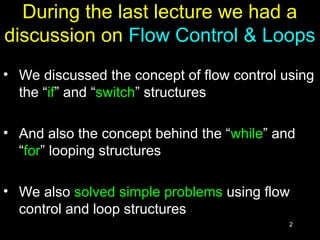
During the last lecture we had a
discussion on Flow Control & Loops
• We discussed the concept of flow control using
the “if” and “switch” structures
• And also the concept behind the “while” and
“for” looping structures
• We also solved simple problems using flow
control and loop structures
3
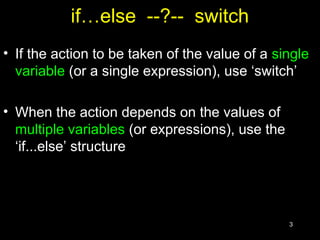
if…else --?-- switch
• If the action to be taken of the value of a single
variable (or a single expression), use ‘switch’
• When the action depends on the values of
multiple variables (or expressions), use the
‘if...else’ structure
4
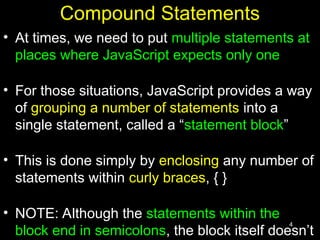
Compound Statements
• At times, we need to put multiple statements at
places where JavaScript expects only one
• For those situations, JavaScript provides a way
of grouping a number of statements into a
single statement, called a “statement block”
• This is done simply by enclosing any number of
statements within curly braces, { }
• NOTE: Although the statements within the
block end in semicolons, the block itself doesn’t
5
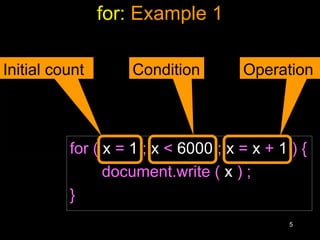
for: Example 1
x = 1 ;
while ( x < 6000 ) {
document.write ( x ) ;
x = x + 1 ;
} for ( x = 1 ; x < 6000 ; x = x + 1 ) {
document.write ( x ) ;
}
Initial count Condition Operation
6
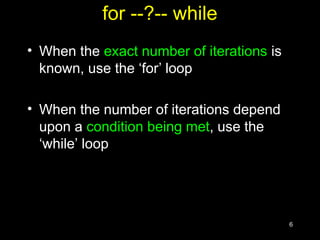
for --?-- while
• When the exact number of iterations is
known, use the ‘for’ loop
• When the number of iterations depend
upon a condition being met, use the
‘while’ loop
7
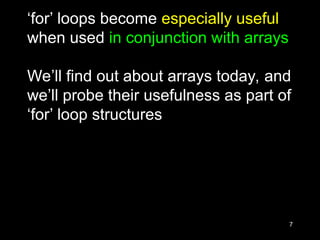
‘for’ loops become especially useful
when used in conjunction with arrays
We’ll find out about arrays today, and
we’ll probe their usefulness as part of
‘for’ loop structures
8
Today’s Topic:
Arrays
• We will find out why we need arrays
• We will become able to use arrays for solving
simple problems
9
Array?
10
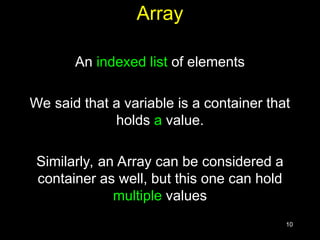
Array
An indexed list of elements
We said that a variable is a container that
holds a value.
Similarly, an Array can be considered a
container as well, but this one can hold
multiple values
11
Array
An indexed list of elements
Example: There are many ways of
assigning identifiers to the following fruit
strawberry
fruit1
fruit[ 0 ]
orange
fruit2
fruit[ 1 ]
apple
fruit3
fruit[ 2 ]
watermelon
fruit4
fruit[ 3 ]
12
Array
An indexed list of elements
• fruit[ 0 ], fruit[ 1 ], fruit[ 2 ], and fruit[ 3 ] are the
elements of an array
• ‘fruit’ is the identifier for that array
• The length of the ‘fruit’ array is 4, i.e. ‘fruit’ has
four elements
13
Array
fruit[ 0 ]
Identifier
Square
bracket
Index
14
Let’s now take look at one of the
advantages of using arrays
15
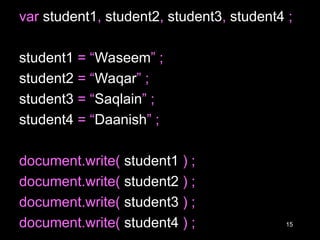
var student1, student2, student3, student4 ;
student1 = “Waseem” ;
student2 = “Waqar” ;
student3 = “Saqlain” ;
student4 = “Daanish” ;
document.write( student1 ) ;
document.write( student2 ) ;
document.write( student3 ) ;
document.write( student4 ) ;
16
student = new Array( 4 ) ; //array declaration
student[ 0 ] = “Waseem” ;
student[ 1 ] = “Waqar” ;
student[ 2 ] = “Saqlain” ;
student[ 3 ] = “Daanish” ;
for ( x = 0 ; x < 4 ; x = x + 1 ) {
document.write( student[ x ] ) ;
}
Can you see
the advantage
of using arrays
along with the
‘for’ loop?
17
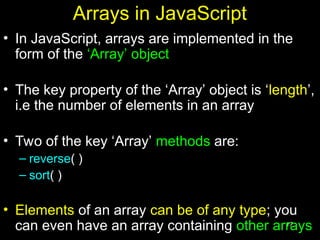
Arrays in JavaScript
• In JavaScript, arrays are implemented in the
form of the ‘Array’ object
• The key property of the ‘Array’ object is ‘length’,
i.e the number of elements in an array
• Two of the key ‘Array’ methods are:
– reverse( )
– sort( )
• Elements of an array can be of any type; you
can even have an array containing other arrays
18
Declaring a New Instance of the Array Object
• ‘student’ is an instance of the ‘Array’ object
• ‘student’ was declared such that it is of length ‘4’
• That is, student is an array having 4 elements
• The four elements of the array are: ‘student[ 0 ]’,
‘student[ 1 ]’, ‘student[ 2 ]’, and ‘student[ 3 ]’
19
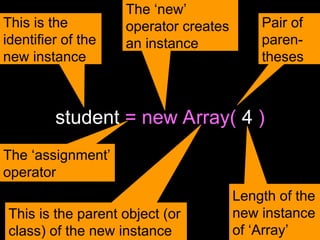
student = new Array( 4 )
This is the
identifier of the
new instance
The ‘new’
operator creates
an instance
This is the parent object (or
class) of the new instance
Length of the
new instance
of ‘Array’
Pair of
paren-
theses
The ‘assignment’
operator
20
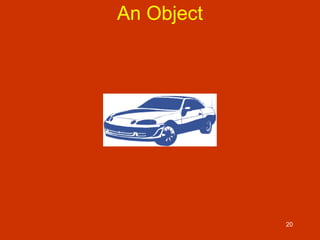
An Object
21
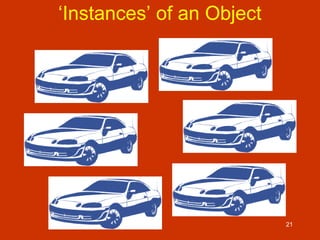
‘Instances’ of an Object
22
All instances
of an object are
objects themselves!
23
‘Property’ Values of the Instances May Differ
24
student = new Array( 4 )
25
Array Identifiers
The naming rules for Array identifiers are
the same as were discussed for variable
identifiers
26
Assigning Values to Array Elements
a[ 1 ] = 5 ; //the second element
name[ 5 ] = “bhola” ;
number = 5 ;
name[ number ] = name[ 5 ] ;
for ( x = 0 ; x < 10 ; x = x + 1 ) {
y[ x ] = x * x ;
}
27
Remember: just like C, C++ and Java,
the first element of an array has an
index number equal to zero
28
JavaScript Arrays are Heterogeneous
Unlike many other popular languages,
a JavaScript Array can hold elements
of multiple data types, simultaneously
a = new Array( 9 ) ;
b = new Array( 13 ) ;
b[ 0 ] = 23.7 ;
b[ 1 ] = “Bhola Continental Hotel” ;
b[ 2 ] = a ;
29
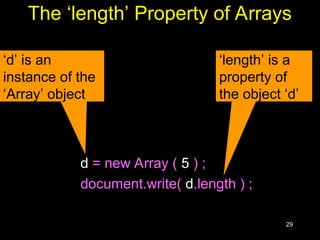
The ‘length’ Property of Arrays
d = new Array ( 5 ) ;
document.write( d.length ) ;
‘d’ is an
instance of the
‘Array’ object
‘length’ is a
property of
the object ‘d’
30
The ‘length’ Property of Arrays
x = new Array ( 10 ) ;
for ( x = 0 ; x < 10 ; x = x + 1 ) {
y[ x ] = x * x ;
}
x = new Array ( 10 ) ;
for ( x = 0 ; x < x.length ; x = x + 1 ) {
y[ x ] = x * x ;
}
What is
advantage
of using
‘x.length’
here
instead of
using the
literal ‘10’?
31
Array Methods: sort( )
Sorts the elements in alphabetical order
x = new Array ( 4 ) ;
x[ 0 ] = “Waseem” ;
x[ 1 ] = “Waqar” ;
x[ 2 ] = “Saqlain” ;
x[ 3 ] = “Shoaib” ;
x.sort( ) ;
for ( k = 0 ; k < x.length; k = k + 1 ) {
document.write( x[ k ] + “<BR>” ) ;
}
Saqlain
Shoaib
Waqar
Waseem
32
Were the elements sorted in
ascending or descending order?
What if you wanted to arrange them
in the reverse order?
33
Array Methods: reverse( )
Reverses the order of the elements
x = new Array ( 4 ) ;
x[ 0 ] = “Waseem” ;
x[ 1 ] = “Waqar” ;
x[ 2 ] = “Saqlain” ;
x[ 3 ] = “Shoaib” ;
x.reverse( ) ;
x.sort( ) ;
for ( k = 0 ; k < x.length; k = k + 1 ) {
document.write( x[ k ] + “<BR>”) ;
}
Saqlain
Shoaib
Waqar
Waseem
Is this the
required
result?
34
Array Methods: reverse( )
Reverses the order of the elements
x = new Array ( 4 ) ;
x[ 0 ] = “Waseem” ;
x[ 1 ] = “Waqar” ;
x[ 2 ] = “Saqlain” ;
x[ 3 ] = “Shoaib” ;
x.sort( ) ;
x.reverse( ) ;
for ( k = 0 ; k < x.length; k = k + 1 ) {
document.write( x[ k ] + “<BR>”) ;
}
Waseem
Waqar
Shoaib
Saqlain
35
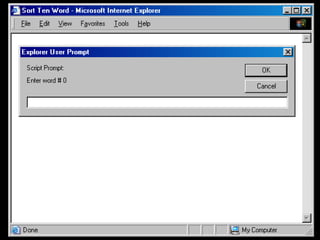
Let’s Now Do a More Substantial Example
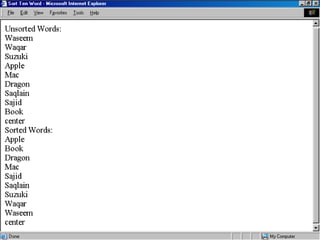
Develop a Web page that prompts the
user for 10 words, and then displays them
in form of a list in two different ways:
1. In the order in which the words were
entered
2. In a sorted order
We will try to show you the complete code - the
JavaScript part as well as the HTML part - for this
example
36
Before looking at code, let’s first
understand what is that code
supposed to do
37
38
39
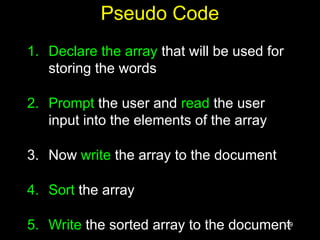
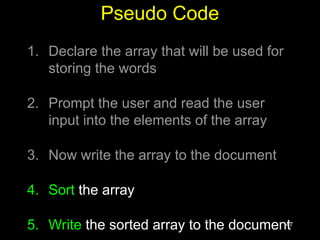
Pseudo Code
1. Declare the array that will be used for
storing the words
2. Prompt the user and read the user
input into the elements of the array
3. Now write the array to the document
4. Sort the array
5. Write the sorted array to the document
40
<HTML>
<HEAD>
<TITLE>Sort Ten Words</TITLE>
<SCRIPT>
words = new Array ( 10 ) ;
for ( k = 0 ; k < words.length ; k = k + 1 ) {
words[ k ] = window.prompt( "Enter word # " + k, "" ) ;
}
document.write( "UNSORTED WORDS:" + "<BR>" ) ;
for ( k = 0 ; k < words.length ; k = k + 1 ) {
document.write( words[ k ] + "<BR>" ) ;
}
words.sort( ) ;
document.write( "SORTED WORDS:" + "<BR>" ) ;
for ( k = 0 ; k < words.length ; k = k + 1 ) {
document.write( words[ k ] + "<BR>" ) ;
}
</SCRIPT>
</HEAD>
<BODY>
</BODY>
</HTML>
41
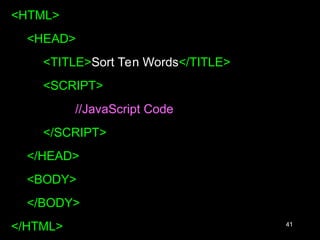
<HTML>
<HEAD>
<TITLE>Sort Ten Words</TITLE>
<SCRIPT>
//JavaScript Code
</SCRIPT>
</HEAD>
<BODY>
</BODY>
</HTML>
42
The next three slides show the
JavaScript code that goes between
the <SCRIPT>, </SCRIPT> tags
43
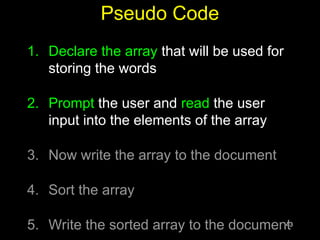
Pseudo Code
1. Declare the array that will be used for
storing the words
2. Prompt the user and read the user
input into the elements of the array
3. Now write the array to the document
4. Sort the array
5. Write the sorted array to the document
44
words = new Array ( 10 ) ;
for ( k = 0 ; k < words.length ; k = k + 1 ) {
words[ k ] = window.prompt(
"Enter word # " + k, "" ) ;
}
This method is used
for collecting data
from the user. It can
display a message
and provides a field
in which the user can
enter data
45
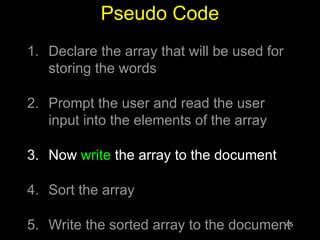
Pseudo Code
1. Declare the array that will be used for
storing the words
2. Prompt the user and read the user
input into the elements of the array
3. Now write the array to the document
4. Sort the array
5. Write the sorted array to the document
46
document.write( "Unsorted Words:" + "<BR>" ) ;
for ( k = 0 ; k < words.length ; k = k + 1 ) {
document.write( words[ k ] + "<BR>" ) ;
}
47
Pseudo Code
1. Declare the array that will be used for
storing the words
2. Prompt the user and read the user
input into the elements of the array
3. Now write the array to the document
4. Sort the array
5. Write the sorted array to the document
48
words.sort( ) ;
document.write( "Sorted Words:" + "<BR>" ) ;
for ( k = 0 ; k < words.length ; k = k + 1 ) {
document.write( words[ k ] + "<BR>" ) ;
}
49
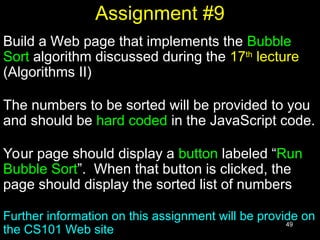
Assignment #9
Build a Web page that implements the Bubble
Sort algorithm discussed during the 17th
lecture
(Algorithms II)
The numbers to be sorted will be provided to you
and should be hard coded in the JavaScript code.
Your page should display a button labeled “Run
Bubble Sort”. When that button is clicked, the
page should display the sorted list of numbers
Further information on this assignment will be provide on
the CS101 Web site
50
During Today’s Lecture …
• We found out why we need arrays
• We became able to use arrays for solving
simple problems
51
Next (the 10th
) Web Dev Lecture:
Functions & Variable Scope
• To become familiar with some of JavaScript’s
built-in functions
• To be able to understand the concept of user-
defined functions and their use for solving
simple problems
• To become familiar with the concept of local
and global variables

javascript arrays in details for udergaduate studenets .ppt

  • 1.
    1 CS101 Introduction toComputing Lecture 26 Arrays (Web Development Lecture 9)
  • 2.
    2 During the lastlecture we had a discussion on Flow Control & Loops • We discussed the concept of flow control using the “if” and “switch” structures • And also the concept behind the “while” and “for” looping structures • We also solved simple problems using flow control and loop structures
  • 3.
    3 if…else --?-- switch •If the action to be taken of the value of a single variable (or a single expression), use ‘switch’ • When the action depends on the values of multiple variables (or expressions), use the ‘if...else’ structure
  • 4.
    4 Compound Statements • Attimes, we need to put multiple statements at places where JavaScript expects only one • For those situations, JavaScript provides a way of grouping a number of statements into a single statement, called a “statement block” • This is done simply by enclosing any number of statements within curly braces, { } • NOTE: Although the statements within the block end in semicolons, the block itself doesn’t
  • 5.
    5 for: Example 1 x= 1 ; while ( x < 6000 ) { document.write ( x ) ; x = x + 1 ; } for ( x = 1 ; x < 6000 ; x = x + 1 ) { document.write ( x ) ; } Initial count Condition Operation
  • 6.
    6 for --?-- while •When the exact number of iterations is known, use the ‘for’ loop • When the number of iterations depend upon a condition being met, use the ‘while’ loop
  • 7.
    7 ‘for’ loops becomeespecially useful when used in conjunction with arrays We’ll find out about arrays today, and we’ll probe their usefulness as part of ‘for’ loop structures
  • 8.
    8 Today’s Topic: Arrays • Wewill find out why we need arrays • We will become able to use arrays for solving simple problems
  • 9.
  • 10.
    10 Array An indexed listof elements We said that a variable is a container that holds a value. Similarly, an Array can be considered a container as well, but this one can hold multiple values
  • 11.
    11 Array An indexed listof elements Example: There are many ways of assigning identifiers to the following fruit strawberry fruit1 fruit[ 0 ] orange fruit2 fruit[ 1 ] apple fruit3 fruit[ 2 ] watermelon fruit4 fruit[ 3 ]
  • 12.
    12 Array An indexed listof elements • fruit[ 0 ], fruit[ 1 ], fruit[ 2 ], and fruit[ 3 ] are the elements of an array • ‘fruit’ is the identifier for that array • The length of the ‘fruit’ array is 4, i.e. ‘fruit’ has four elements
  • 13.
  • 14.
    14 Let’s now takelook at one of the advantages of using arrays
  • 15.
    15 var student1, student2,student3, student4 ; student1 = “Waseem” ; student2 = “Waqar” ; student3 = “Saqlain” ; student4 = “Daanish” ; document.write( student1 ) ; document.write( student2 ) ; document.write( student3 ) ; document.write( student4 ) ;
  • 16.
    16 student = newArray( 4 ) ; //array declaration student[ 0 ] = “Waseem” ; student[ 1 ] = “Waqar” ; student[ 2 ] = “Saqlain” ; student[ 3 ] = “Daanish” ; for ( x = 0 ; x < 4 ; x = x + 1 ) { document.write( student[ x ] ) ; } Can you see the advantage of using arrays along with the ‘for’ loop?
  • 17.
    17 Arrays in JavaScript •In JavaScript, arrays are implemented in the form of the ‘Array’ object • The key property of the ‘Array’ object is ‘length’, i.e the number of elements in an array • Two of the key ‘Array’ methods are: – reverse( ) – sort( ) • Elements of an array can be of any type; you can even have an array containing other arrays
  • 18.
    18 Declaring a NewInstance of the Array Object • ‘student’ is an instance of the ‘Array’ object • ‘student’ was declared such that it is of length ‘4’ • That is, student is an array having 4 elements • The four elements of the array are: ‘student[ 0 ]’, ‘student[ 1 ]’, ‘student[ 2 ]’, and ‘student[ 3 ]’
  • 19.
    19 student = newArray( 4 ) This is the identifier of the new instance The ‘new’ operator creates an instance This is the parent object (or class) of the new instance Length of the new instance of ‘Array’ Pair of paren- theses The ‘assignment’ operator
  • 20.
  • 21.
  • 22.
    22 All instances of anobject are objects themselves!
  • 23.
    23 ‘Property’ Values ofthe Instances May Differ
  • 24.
    24 student = newArray( 4 )
  • 25.
    25 Array Identifiers The namingrules for Array identifiers are the same as were discussed for variable identifiers
  • 26.
    26 Assigning Values toArray Elements a[ 1 ] = 5 ; //the second element name[ 5 ] = “bhola” ; number = 5 ; name[ number ] = name[ 5 ] ; for ( x = 0 ; x < 10 ; x = x + 1 ) { y[ x ] = x * x ; }
  • 27.
    27 Remember: just likeC, C++ and Java, the first element of an array has an index number equal to zero
  • 28.
    28 JavaScript Arrays areHeterogeneous Unlike many other popular languages, a JavaScript Array can hold elements of multiple data types, simultaneously a = new Array( 9 ) ; b = new Array( 13 ) ; b[ 0 ] = 23.7 ; b[ 1 ] = “Bhola Continental Hotel” ; b[ 2 ] = a ;
  • 29.
    29 The ‘length’ Propertyof Arrays d = new Array ( 5 ) ; document.write( d.length ) ; ‘d’ is an instance of the ‘Array’ object ‘length’ is a property of the object ‘d’
  • 30.
    30 The ‘length’ Propertyof Arrays x = new Array ( 10 ) ; for ( x = 0 ; x < 10 ; x = x + 1 ) { y[ x ] = x * x ; } x = new Array ( 10 ) ; for ( x = 0 ; x < x.length ; x = x + 1 ) { y[ x ] = x * x ; } What is advantage of using ‘x.length’ here instead of using the literal ‘10’?
  • 31.
    31 Array Methods: sort() Sorts the elements in alphabetical order x = new Array ( 4 ) ; x[ 0 ] = “Waseem” ; x[ 1 ] = “Waqar” ; x[ 2 ] = “Saqlain” ; x[ 3 ] = “Shoaib” ; x.sort( ) ; for ( k = 0 ; k < x.length; k = k + 1 ) { document.write( x[ k ] + “<BR>” ) ; } Saqlain Shoaib Waqar Waseem
  • 32.
    32 Were the elementssorted in ascending or descending order? What if you wanted to arrange them in the reverse order?
  • 33.
    33 Array Methods: reverse() Reverses the order of the elements x = new Array ( 4 ) ; x[ 0 ] = “Waseem” ; x[ 1 ] = “Waqar” ; x[ 2 ] = “Saqlain” ; x[ 3 ] = “Shoaib” ; x.reverse( ) ; x.sort( ) ; for ( k = 0 ; k < x.length; k = k + 1 ) { document.write( x[ k ] + “<BR>”) ; } Saqlain Shoaib Waqar Waseem Is this the required result?
  • 34.
    34 Array Methods: reverse() Reverses the order of the elements x = new Array ( 4 ) ; x[ 0 ] = “Waseem” ; x[ 1 ] = “Waqar” ; x[ 2 ] = “Saqlain” ; x[ 3 ] = “Shoaib” ; x.sort( ) ; x.reverse( ) ; for ( k = 0 ; k < x.length; k = k + 1 ) { document.write( x[ k ] + “<BR>”) ; } Waseem Waqar Shoaib Saqlain
  • 35.
    35 Let’s Now Doa More Substantial Example Develop a Web page that prompts the user for 10 words, and then displays them in form of a list in two different ways: 1. In the order in which the words were entered 2. In a sorted order We will try to show you the complete code - the JavaScript part as well as the HTML part - for this example
  • 36.
    36 Before looking atcode, let’s first understand what is that code supposed to do
  • 37.
  • 38.
  • 39.
    39 Pseudo Code 1. Declarethe array that will be used for storing the words 2. Prompt the user and read the user input into the elements of the array 3. Now write the array to the document 4. Sort the array 5. Write the sorted array to the document
  • 40.
    40 <HTML> <HEAD> <TITLE>Sort Ten Words</TITLE> <SCRIPT> words= new Array ( 10 ) ; for ( k = 0 ; k < words.length ; k = k + 1 ) { words[ k ] = window.prompt( "Enter word # " + k, "" ) ; } document.write( "UNSORTED WORDS:" + "<BR>" ) ; for ( k = 0 ; k < words.length ; k = k + 1 ) { document.write( words[ k ] + "<BR>" ) ; } words.sort( ) ; document.write( "SORTED WORDS:" + "<BR>" ) ; for ( k = 0 ; k < words.length ; k = k + 1 ) { document.write( words[ k ] + "<BR>" ) ; } </SCRIPT> </HEAD> <BODY> </BODY> </HTML>
  • 41.
    41 <HTML> <HEAD> <TITLE>Sort Ten Words</TITLE> <SCRIPT> //JavaScriptCode </SCRIPT> </HEAD> <BODY> </BODY> </HTML>
  • 42.
    42 The next threeslides show the JavaScript code that goes between the <SCRIPT>, </SCRIPT> tags
  • 43.
    43 Pseudo Code 1. Declarethe array that will be used for storing the words 2. Prompt the user and read the user input into the elements of the array 3. Now write the array to the document 4. Sort the array 5. Write the sorted array to the document
  • 44.
    44 words = newArray ( 10 ) ; for ( k = 0 ; k < words.length ; k = k + 1 ) { words[ k ] = window.prompt( "Enter word # " + k, "" ) ; } This method is used for collecting data from the user. It can display a message and provides a field in which the user can enter data
  • 45.
    45 Pseudo Code 1. Declarethe array that will be used for storing the words 2. Prompt the user and read the user input into the elements of the array 3. Now write the array to the document 4. Sort the array 5. Write the sorted array to the document
  • 46.
    46 document.write( "Unsorted Words:"+ "<BR>" ) ; for ( k = 0 ; k < words.length ; k = k + 1 ) { document.write( words[ k ] + "<BR>" ) ; }
  • 47.
    47 Pseudo Code 1. Declarethe array that will be used for storing the words 2. Prompt the user and read the user input into the elements of the array 3. Now write the array to the document 4. Sort the array 5. Write the sorted array to the document
  • 48.
    48 words.sort( ) ; document.write("Sorted Words:" + "<BR>" ) ; for ( k = 0 ; k < words.length ; k = k + 1 ) { document.write( words[ k ] + "<BR>" ) ; }
  • 49.
    49 Assignment #9 Build aWeb page that implements the Bubble Sort algorithm discussed during the 17th lecture (Algorithms II) The numbers to be sorted will be provided to you and should be hard coded in the JavaScript code. Your page should display a button labeled “Run Bubble Sort”. When that button is clicked, the page should display the sorted list of numbers Further information on this assignment will be provide on the CS101 Web site
  • 50.
    50 During Today’s Lecture… • We found out why we need arrays • We became able to use arrays for solving simple problems
  • 51.
    51 Next (the 10th )Web Dev Lecture: Functions & Variable Scope • To become familiar with some of JavaScript’s built-in functions • To be able to understand the concept of user- defined functions and their use for solving simple problems • To become familiar with the concept of local and global variables