3D House Explorer using WebGL
By: Abby Carey and Tina Pi
Project Goals
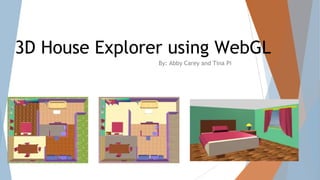
● Create a 3D representation of a simple house
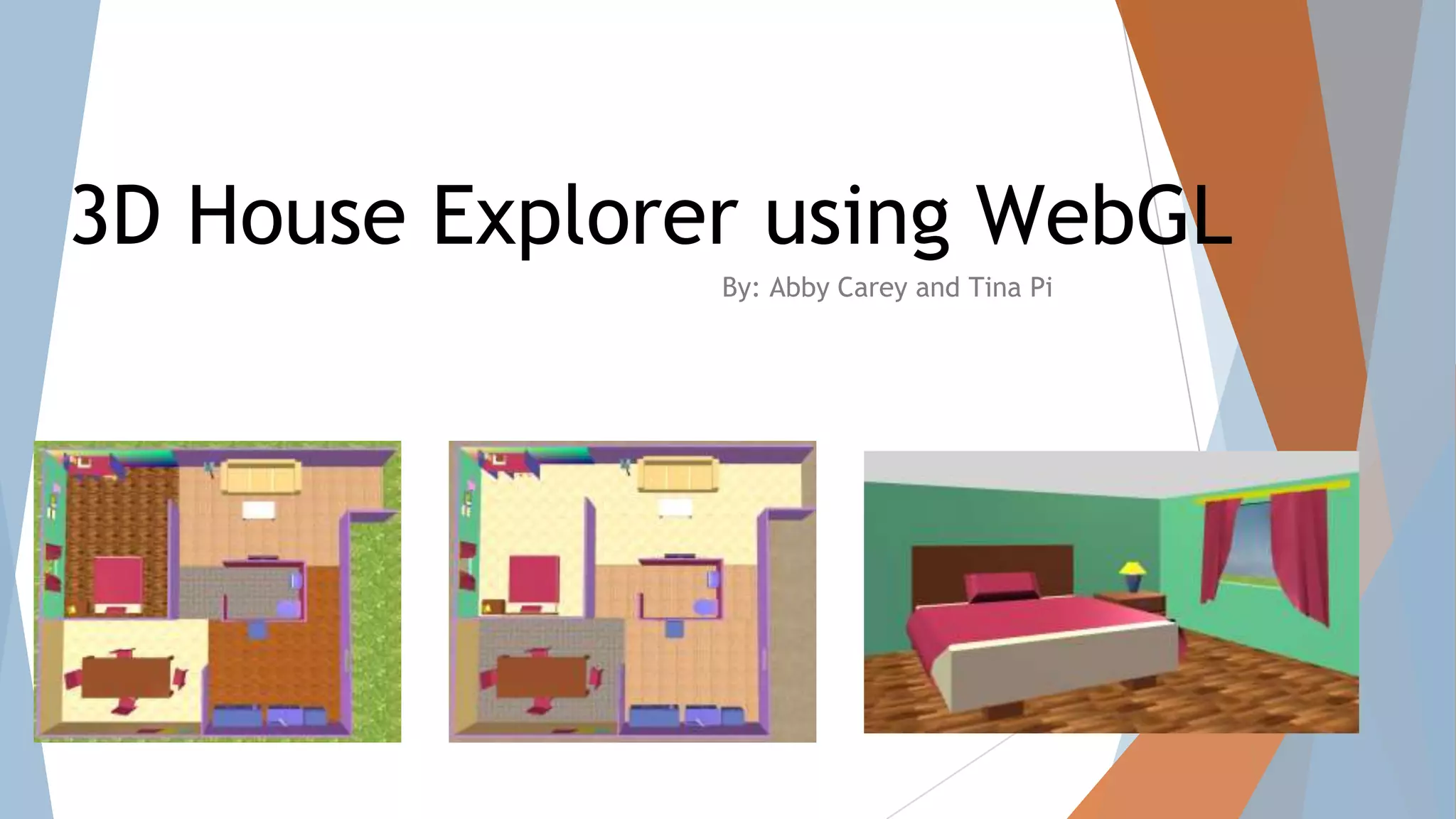
● User is able to select rooms to explore via a top-down view
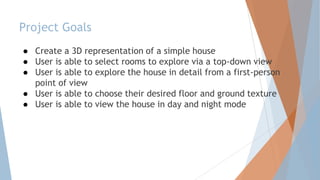
● User is able to explore the house in detail from a first-person
point of view
● User is able to choose their desired floor and ground texture
● User is able to view the house in day and night mode
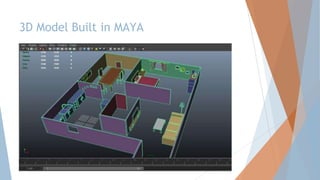
3D Model Built in MAYA
Key Features and Implementation
● Reflection for mirrors
● Custom shader for walls
● Floor highlighting
● Collision detection
● Texture swapping
● Different lighting
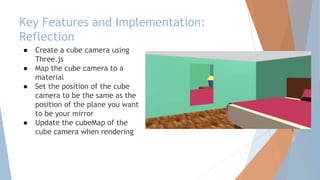
Key Features and Implementation:
Reflection
● Create a cube camera using
Three.js
● Map the cube camera to a
material
● Set the position of the cube
camera to be the same as the
position of the plane you want
to be your mirror
● Update the cubeMap of the
cube camera when rendering
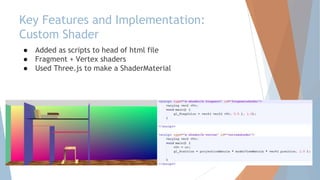
Key Features and Implementation:
Custom Shader
● Added as scripts to head of html file
● Fragment + Vertex shaders
● Used Three.js to make a ShaderMaterial
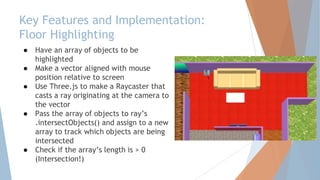
Key Features and Implementation:
Floor Highlighting
● Have an array of objects to be
highlighted
● Make a vector aligned with mouse
position relative to screen
● Use Three.js to make a Raycaster that
casts a ray originating at the camera to
the vector
● Pass the array of objects to ray’s
.intersectObjects() and assign to a new
array to track which objects are being
intersected
● Check if the array’s length is > 0
(Intersection!)
Key Features and Implementation:
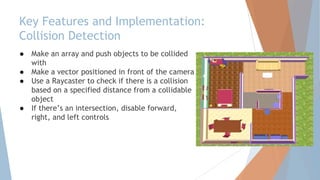
Collision Detection
● Make an array and push objects to be collided
with
● Make a vector positioned in front of the camera
● Use a Raycaster to check if there is a collision
based on a specified distance from a collidable
object
● If there’s an intersection, disable forward,
right, and left controls
Key Features and Implementation:
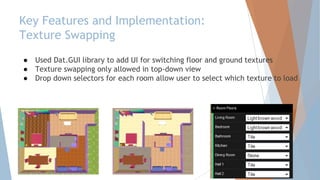
Texture Swapping
● Used Dat.GUI library to add UI for switching floor and ground textures
● Texture swapping only allowed in top-down view
● Drop down selectors for each room allow user to select which texture to load
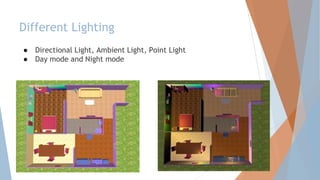
Different Lighting
● Directional Light, Ambient Light, Point Light
● Day mode and Night mode

JavaScript 3D House

  • 1.
    3D House Explorerusing WebGL By: Abby Carey and Tina Pi
  • 2.
    Project Goals ● Createa 3D representation of a simple house ● User is able to select rooms to explore via a top-down view ● User is able to explore the house in detail from a first-person point of view ● User is able to choose their desired floor and ground texture ● User is able to view the house in day and night mode
  • 3.
  • 4.
    Key Features andImplementation ● Reflection for mirrors ● Custom shader for walls ● Floor highlighting ● Collision detection ● Texture swapping ● Different lighting
  • 5.
    Key Features andImplementation: Reflection ● Create a cube camera using Three.js ● Map the cube camera to a material ● Set the position of the cube camera to be the same as the position of the plane you want to be your mirror ● Update the cubeMap of the cube camera when rendering
  • 6.
    Key Features andImplementation: Custom Shader ● Added as scripts to head of html file ● Fragment + Vertex shaders ● Used Three.js to make a ShaderMaterial
  • 7.
    Key Features andImplementation: Floor Highlighting ● Have an array of objects to be highlighted ● Make a vector aligned with mouse position relative to screen ● Use Three.js to make a Raycaster that casts a ray originating at the camera to the vector ● Pass the array of objects to ray’s .intersectObjects() and assign to a new array to track which objects are being intersected ● Check if the array’s length is > 0 (Intersection!)
  • 8.
    Key Features andImplementation: Collision Detection ● Make an array and push objects to be collided with ● Make a vector positioned in front of the camera ● Use a Raycaster to check if there is a collision based on a specified distance from a collidable object ● If there’s an intersection, disable forward, right, and left controls
  • 9.
    Key Features andImplementation: Texture Swapping ● Used Dat.GUI library to add UI for switching floor and ground textures ● Texture swapping only allowed in top-down view ● Drop down selectors for each room allow user to select which texture to load
  • 10.
    Different Lighting ● DirectionalLight, Ambient Light, Point Light ● Day mode and Night mode