JAVA UNIT-3 ONE SHOT NOTES_64415856_2025_07_12_10__250712_103718.pdf
2.
Object Oriented Programmingwith Java
Unit – III
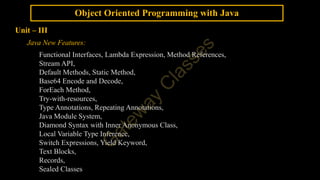
Java New Features:
Functional Interfaces, Lambda Expression, Method References,
Stream API,
Default Methods, Static Method,
Base64 Encode and Decode,
ForEach Method,
Try-with-resources,
Type Annotations, Repeating Annotations,
Java Module System,
Diamond Syntax with Inner Anonymous Class,
Local Variable Type Inference,
Switch Expressions, Yield Keyword,
Text Blocks,
Records,
Sealed Classes
3.
Object Oriented Programmingwith Java
Java New Features
Functional Interfaces
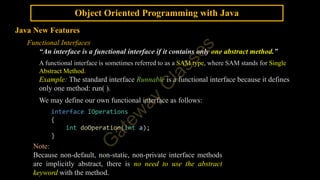
“An interface is a functional interface if it contains only one abstract method.”
A functional interface is sometimes referred to as a SAM type, where SAM stands for Single
Abstract Method.
Example: The standard interface Runnable is a functional interface because it defines
only one method: run( ).
We may define our own functional interface as follows:
interface IOperations
{
int doOperation(int a);
}
Note:
Because non-default, non-static, non-private interface methods
are implicitly abstract, there is no need to use the abstract
keyword with the method.
4.
Object Oriented Programmingwith Java
Java New Features
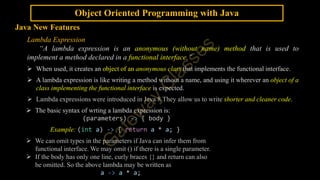
Lambda Expression
“A lambda expression is an anonymous (without name) method that is used to
implement a method declared in a functional interface.”
When used, it creates an object of an anonymous class that implements the functional interface.
A lambda expression is like writing a method without a name, and using it wherever an object of a
class implementing the functional interface is expected.
Lambda expressions were introduced in Java 8.They allow us to write shorter and cleaner code.
The basic syntax of wrting a lambda expression is:
(parameters) -> { body }
Example: (int a) -> { return a * a; }
We can omit types in the parameters if Java can infer them from
functional interface. We may omit () if there is a single parameter.
If the body has only one line, curly braces {} and return can also
be omitted. So the above lambda may be written as
a -> a * a;
5.
Object Oriented Programmingwith Java
Java New Features - Lambda Expression
interface IOperations {
int doOperation(int a);
}
class Cls1 implements IOperations {
public int doOperation(int a) {
return a * a;
}
}
class Cls2 implements IOperations {
public int doOperation(int a) {
return a * 2;
}
}
public class NonLambdaDemo {
public static void main(String[] args) {
IOperations intfRef;
Cls1 obj1 = new Cls1();
Cls2 obj2 = new Cls2();
intfRef = obj1;
System.out.println(intfRef.doOperation(3));
intfRef = obj2;
System.out.println(intfRef.doOperation(3));
} }
interface IOperations {
int doOperation(int a);
}
public class LambdaDemo {
public static void main(String[] args) {
IOperations intfRef;
intfRef = (int a) -> {
return a * a;
};
System.out.println(intfRef.doOperation(3));
intfRef = (int a) -> {
return a * 2;
};
System.out.println(intfRef.doOperation(3));
}
}
Program with Lambda Expression
Program without Lambda Expression
6.
Object Oriented Programmingwith Java
Java New Features - Lambda Expression
interface IOperations {
int doOperation(int a);
}
class Cls1 implements IOperations {
public int doOperation(int a) {
return a * a;
}
}
class Cls2 implements IOperations {
public int doOperation(int a) {
return a * 2;
}
}
public class NonLambdaDemo {
public static void main(String[] args) {
IOperations intfRef;
Cls1 obj1 = new Cls1();
Cls2 obj2 = new Cls2();
intfRef = obj1;
System.out.println(intfRef.doOperation(3));
intfRef = obj2;
System.out.println(intfRef.doOperation(3));
} }
interface IOperations {
int doOperation(int a);
}
public class LambdaDemo {
public static void main(String[] args) {
IOperations intfRef;
intfRef = a -> a * a;
System.out.println(intfRef.doOperation(3));
intfRef = a -> a * 2;
System.out.println(intfRef.doOperation(3));
}
}
Program with Lambda Expression
Program without Lambda Expression
7.
Object Oriented Programmingwith Java
Java New Features
Lambda Expression
Example:
interface IOperations {
int doOperation(int a);
}
public class LambdaDemo1 {
public static void main(String[] args) {
IOperations ref = (int a) -> { return a * a; };
int square = ref.doOperation(3); // 9
System.out.println(square);
ref = a -> a * 2;
int doubl = ref.doOperation(3); // 6
System.out.println(doubl);
}
}
8.
Object Oriented Programmingwith Java
Java New Features
Lambda Expression
Example:
interface ICompare {
String compare(int a, int b);
}
public class LambdaDemo2 {
public static void main(String[] args) {
ICompare compareNumbers = (a, b) -> {
if (a > b) {
return a + " is greater than " + b;
} else if (a < b) {
return a + " is less than " + b;
} else {
return a + " is equal to " + b;
}
};
System.out.println(compareNumbers.compare(34, 56));
}
}
9.
Object Oriented Programmingwith Java
Java New Features
Method References
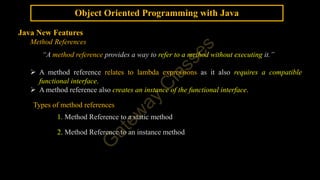
“A method reference provides a way to refer to a method without executing it.”
A method reference relates to lambda expressions as it also requires a compatible
functional interface.
A method reference also creates an instance of the functional interface.
Types of method references
1. Method Reference to a static method
2. Method Reference to an instance method
10.
Object Oriented Programmingwith Java
Java New Features
Method References
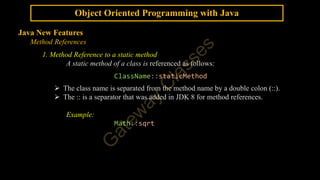
1. Method Reference to a static method
A static method of a class is referenced as follows:
ClassName::staticMethod
The class name is separated from the method name by a double colon (::).
The :: is a separator that was added in JDK 8 for method references.
Example:
Math::sqrt
11.
Object Oriented Programmingwith Java
Java New Features
Method References
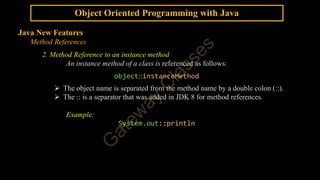
2. Method Reference to an instance method
An instance method of a class is referenced as follows:
object::instanceMethod
The object name is separated from the method name by a double colon (::).
The :: is a separator that was added in JDK 8 for method references.
Example:
System.out::println
12.
Object Oriented Programmingwith Java
Java New Features
Method References
Example: Method Reference to a static method
interface IMathOps {
double doOp(double num);
}
public class MethodReferenceExample {
static double square(double num) {
return num*num;
}
static double performOperation(IMathOps ref, double n) {
return ref.doOp(n);
}
public static void main(String[] args) {
double resultSqrt, resultCbrt, resultSquare;
resultSqrt = performOperation(Math::sqrt, 16);
resultCbrt = performOperation(Math::cbrt, 27);
resultSquare = performOperation(MethodReferenceExample::square, 5);
System.out.println("Square Root of 16: "+resultSqrt);
System.out.println("Cube Root of 27: "+resultCbrt);
System.out.println("Square of 5: "+resultSquare);
} }
Output
13.
Object Oriented Programmingwith Java
Java New Features
Method References
Example: Method Reference to an instance method
interface IPrint {
void doPrint(String str);
}
public class InstanceMethodReferenceExample {
void doubleStringPrint(String str) {
System.out.println(str+ " "+str);
}
static void printOperation(IPrint ref, String str) {
ref.doPrint(str);
}
public static void main(String[] args) {
InstanceMethodReferenceExample obj = new InstanceMethodReferenceExample();
printOperation(System.out::print,"Meerut");
printOperation(System.out::println,"New Delhi");
printOperation(obj::doubleStringPrint,"Dehradun");
}
}
Output
14.
Object Oriented Programmingwith Java
Java New Features
Stream API
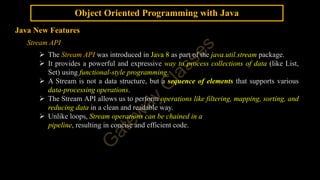
The Stream API was introduced in Java 8 as part of the java.util.stream package.
It provides a powerful and expressive way to process collections of data (like List,
Set) using functional-style programming.
A Stream is not a data structure, but a sequence of elements that supports various
data-processing operations.
The Stream API allows us to perform operations like filtering, mapping, sorting, and
reducing data in a clean and readable way.
Unlike loops, Stream operations can be chained in a
pipeline, resulting in concise and efficient code.
15.
Object Oriented Programmingwith Java
Java New Features
Stream API
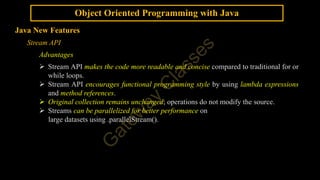
Advantages
Stream API makes the code more readable and concise compared to traditional for or
while loops.
Stream API encourages functional programming style by using lambda expressions
and method references.
Original collection remains unchanged; operations do not modify the source.
Streams can be parallelized for better performance on
large datasets using .parallelStream().
16.
Object Oriented Programmingwith Java
Java New Features
Stream API
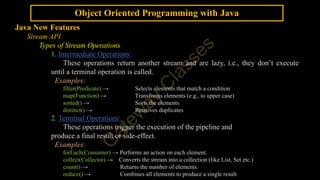
Types of Stream Operations
1. Intermediate Operations:
These operations return another stream and are lazy, i.e., they don’t execute
until a terminal operation is called.
Examples:
filter(Predicate) → Selects elements that match a condition
map(Function) → Transforms elements (e.g., to upper case)
sorted() → Sorts the elements
distinct() → Removes duplicates
2. Terminal Operations:
These operations trigger the execution of the pipeline and
produce a final result or side-effect.
Examples:
forEach(Consumer) → Performs an action on each element.
collect(Collector) → Converts the stream into a collection (like List, Set etc.)
count() → Returns the number of elements.
reduce() → Combines all elements to produce a single result
17.
Object Oriented Programmingwith Java
Java New Features
Stream API
Example:
import java.util.List;
import java.util.stream.Collector;
import java.util.stream.Collectors;
import java.util.stream.Stream;
public class StreamsAPIDemo {
public static void main(String[] args) {
List<String> names = List.of("Akshar", "Sumedha", "Ankit", "Priyanshi");
Stream<String> namesStream = names.stream();
List<String> result =
namesStream.filter(name -> name.startsWith("A"))
.map(String::toUpperCase)
.collect(Collectors.toList());
System.out.println("Result: " + result);
}
}
Output
18.
Object Oriented Programmingwith Java
Java New Features
Default Methods
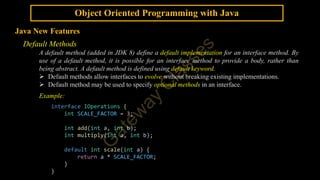
A default method (added in JDK 8) define a default implementation for an interface method. By
use of a default method, it is possible for an interface method to provide a body, rather than
being abstract. A default method is defined using default keyword.
Default methods allow interfaces to evolve without breaking existing implementations.
Default method may be used to specify optional methods in an interface.
Example:
interface IOperations {
int SCALE_FACTOR = 3;
int add(int a, int b);
int multiply(int a, int b);
default int scale(int a) {
return a * SCALE_FACTOR;
}
}
19.
Object Oriented Programmingwith Java
Java New Features
Static Methods
Like static methods in a class, a static method defined by an interface (added in JDK 8) can be
called independently of any object.
No implementation of the interface is necessary, and no instance of the interface is required,
in order to call a static method.
Instead, a static method is called by the interface name, followed by a period, followed by the
method name.
Example:
interface Utility {
static void greet() {
System.out.println("Hello!");
}
}
public class InterfaceDemo {
public static void main(String[] args) {
Utility.greet();
}
}
20.
Object Oriented Programmingwith Java
Java New Features
Private Methods
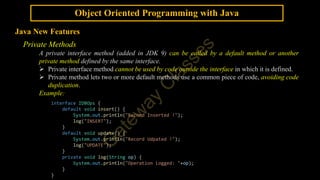
A private interface method (added in JDK 9) can be called by a default method or another
private method defined by the same interface.
Private interface method cannot be used by code outside the interface in which it is defined.
Private method lets two or more default methods use a common piece of code, avoiding code
duplication.
Example:
interface IDBOps {
default void insert() {
System.out.println("Record Inserted !");
log("INSERT");
}
default void update() {
System.out.println("Record Udpated !");
log("UPDATE");
}
private void log(String op) {
System.out.println("Operation Logged: "+op);
}
}
21.
Object Oriented Programmingwith Java
Java New Features
Base64 Encode and Decode
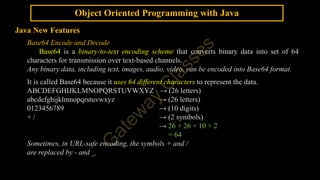
Base64 is a binary-to-text encoding scheme that converts binary data into set of 64
characters for transmission over text-based channels.
Any binary data, including text, images, audio, video, can be encoded into Base64 format.
It is called Base64 because it uses 64 different characters to represent the data.
ABCDEFGHIJKLMNOPQRSTUVWXYZ → (26 letters)
abcdefghijklmnopqrstuvwxyz → (26 letters)
0123456789 → (10 digits)
+ / → (2 symbols)
→ 26 + 26 + 10 + 2
= 64
Sometimes, in URL-safe encoding, the symbols + and /
are replaced by - and _.
22.
Object Oriented Programmingwith Java
Java New Features
Base64 Encoding Procedure
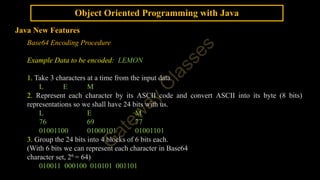
Example Data to be encoded: LEMON
1. Take 3 characters at a time from the input data.
L E M
2. Represent each character by its ASCII code and convert ASCII into its byte (8 bits)
representations so we shall have 24 bits with us.
L E M
76 69 77
01001100 01000101 01001101
3. Group the 24 bits into 4 blocks of 6 bits each.
(With 6 bits we can represent each character in Base64
character set, 26 = 64)
010011 000100 010101 001101
23.
Object Oriented Programmingwith Java
Java New Features
Base64 Encoding Procedure
Example Data to be encoded: LEMON
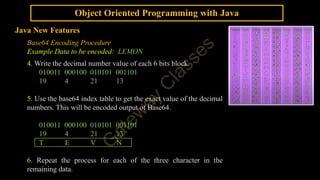
4. Write the decimal number value of each 6 bits block.
010011 000100 010101 001101
19 4 21 13
5. Use the base64 index table to get the exact value of the decimal
numbers. This will be encoded output of Base64.
010011 000100 010101 001101
19 4 21 13
T E V N
6. Repeat the process for each of the three character in the
remaining data.
24.
Object Oriented Programmingwith Java
Java New Features
Base64 Encoding Procedure
Example Data to be encoded: LEMON
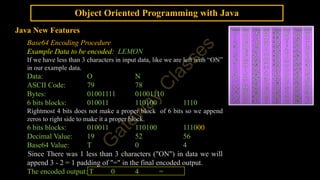
If we have less than 3 characters in input data, like we are left with “ON”
in our example data.
Data: O N
ASCII Code: 79 78
Bytes: 01001111 01001110
6 bits blocks: 010011 110100 1110
Rightmost 4 bits does not make a proper block of 6 bits so we append
zeros to right side to make it a proper block.
6 bits blocks: 010011 110100 111000
Decimal Value: 19 52 56
Base64 Value: T 0 4
Since There was 1 less than 3 characters ("ON") in data we will
append 3 - 2 = 1 padding of "=" in the final encoded output.
The encoded output: T 0 4 =
25.
Object Oriented Programmingwith Java
Java New Features
Base64 Encoding Procedure
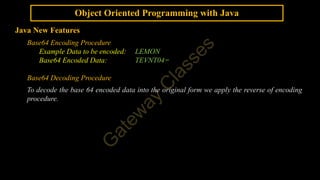
Example Data to be encoded: LEMON
Base64 Encoded Data: TEVNT04=
Base64 Decoding Procedure
To decode the base 64 encoded data into the original form we apply the reverse of encoding
procedure.
26.
Object Oriented Programmingwith Java
Java New Features
Base64 Encode and Decode
In Java, the java.util.Base64 class provides static methods to encode and decode
between binary and base64 formats. The Base64 class was introduced in Java 8.
Creating Base64 encoder and decoder instances
Base64.Encoder encoder = Base64.getEncoder();
Base64.Decoder decoder = Base64.getDecoder();
Encoding the input string
String encodedString = encoder.encodeToString
(inputString.getBytes());
Decoding the Base64 encoded string
byte[] decodedBytes = decoder.decode(encodedString);
String decodedString = new String(decodedBytes);
27.
Object Oriented Programmingwith Java
Java New Features
Base64 Encode and Decode
import java.util.Base64;
public class Base64EncodeDecode {
public static void main(String[] args) {
String sample = "LEMON";
System.out.println("Sample String:n" + sample);
// Encode into Base64 format
String BasicBase64format =
Base64.getEncoder().encodeToString(sample.getBytes());
System.out.println("Encoded String:n" + BasicBase64format);
// Decode into Original byte format
byte[] actualByte =
Base64.getDecoder().decode(BasicBase64format);
String actualString = new String(actualByte);
// print actual String
System.out.println("actual String:n" + actualString);
}
}
Output:
28.
Object Oriented Programmingwith Java
Java New Features
ForEach Method
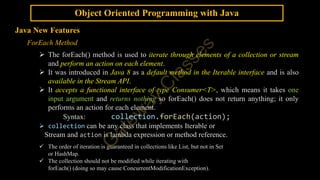
The forEach() method is used to iterate through elements of a collection or stream
and perform an action on each element.
It was introduced in Java 8 as a default method in the Iterable interface and is also
available in the Stream API.
It accepts a functional interface of type Consumer<T>, which means it takes one
input argument and returns nothing so forEach() does not return anything; it only
performs an action for each element.
Syntax: collection.forEach(action);
collection can be any class that implements Iterable or
Stream and action is lambda expression or method reference.
The order of iteration is guaranteed in collections like List, but not in Set
or HashMap.
The collection should not be modified while iterating with
forEach() (doing so may cause ConcurrentModificationException).
29.
Object Oriented Programmingwith Java
Java New Features
ForEach Method
Example:
import java.util.List;
public class ForEachDemo {
public static void main(String[] args) {
List<String> names = List.of("Amit", "Sneha", "Rahul");
// With Collection and Lambda Expression
System.out.println("");
names.forEach(name -> System.out.println(name));
// With Collection and Method Reference
System.out.println("");
names.forEach(System.out::println);
// With Streams and Lambda Expression & Method Reference
System.out.println("");
names.stream()
.filter(n -> n.startsWith("A"))
.forEach(System.out::println);
}
}
Output
30.
Object Oriented Programmingwith Java
Java New Features
try-with-resources
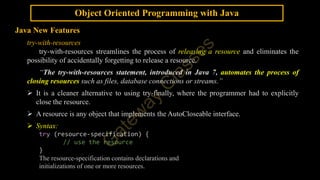
try-with-resources streamlines the process of releasing a resource and eliminates the
possibility of accidentally forgetting to release a resource.
“The try-with-resources statement, introduced in Java 7, automates the process of
closing resources such as files, database connections or streams.”
It is a cleaner alternative to using try-finally, where the programmer had to explicitly
close the resource.
A resource is any object that implements the AutoCloseable interface.
Syntax:
try (resource-specification) {
// use the resource
}
The resource-specification contains declarations and
initializations of one or more resources.
31.
Object Oriented Programmingwith Java
Java New Features
try-with-resources
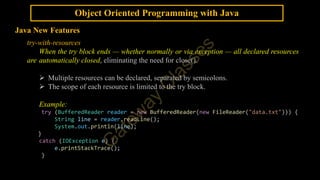
When the try block ends — whether normally or via exception — all declared resources
are automatically closed, eliminating the need for close().
Multiple resources can be declared, separated by semicolons.
The scope of each resource is limited to the try block.
Example:
try (BufferedReader reader = new BufferedReader(new FileReader("data.txt"))) {
String line = reader.readLine();
System.out.println(line);
}
catch (IOException e) {
e.printStackTrace();
}
32.
Object Oriented Programmingwith Java
Java New Features
try-with-resources
Example:
import java.io.FileInputStream;
import java.io.FileOutputStream;
import java.io.IOException;
public class trywithresourcesDemo {
public static void main(String[] args) {
try (FileInputStream fis = new FileInputStream("Sample.txt");
FileOutputStream fos = new FileOutputStream("SampleCopy.txt")) {
int read = fis.read();
while (read != -1) {
fos.write(read);
read = fis.read();
}
} catch (Exception e) {
System.out.println(e);
}
}
}
33.
Object Oriented Programmingwith Java
Java New Features
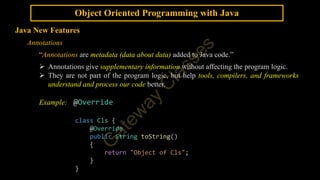
Annotations
“Annotations are metadata (data about data) added to Java code.”
Annotations give supplementary information without affecting the program logic.
They are not part of the program logic, but help tools, compilers, and frameworks
understand and process our code better.
Example: @Override
class Cls {
@Override
public String toString()
{
return "Object of Cls";
}
}
34.
Object Oriented Programmingwith Java
Java New Features
Annotations
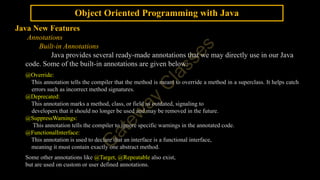
Built-in Annotations
Java provides several ready-made annotations that we may directly use in our Java
code. Some of the built-in annotations are given below:
@Override:
This annotation tells the compiler that the method is meant to override a method in a superclass. It helps catch
errors such as incorrect method signatures.
@Deprecated:
This annotation marks a method, class, or field as outdated, signaling to
developers that it should no longer be used and may be removed in the future.
@SuppressWarnings:
This annotation tells the compiler to ignore specific warnings in the annotated code.
@FunctionalInterface:
This annotation is used to declare that an interface is a functional interface,
meaning it must contain exactly one abstract method.
Some other annotations like @Target, @Repeatable also exist,
but are used on custom or user defined annotations.
35.
Object Oriented Programmingwith Java
Java New Features
Annotations
Custom (User-Defined) Annotations
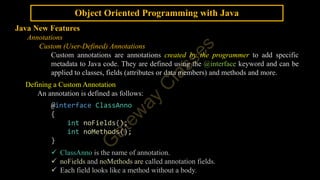
Custom annotations are annotations created by the programmer to add specific
metadata to Java code. They are defined using the @interface keyword and can be
applied to classes, fields (attributes or data members) and methods and more.
Defining a Custom Annotation
An annotation is defined as follows:
@interface ClassAnno
{
int noFields();
int noMethods();
}
ClassAnno is the name of annotation.
noFields and noMethods are called annotation fields.
Each field looks like a method without a body.
36.
Object Oriented Programmingwith Java
Java New Features
Annotations
Custom (User-Defined) Annotations
Defining a Custom Annotation
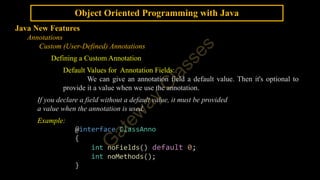
Default Values for Annotation Fields:
We can give an annotation field a default value. Then it's optional to
provide it a value when we use the annotation.
If you declare a field without a default value, it must be provided
a value when the annotation is used.
Example:
@interface ClassAnno
{
int noFields() default 0;
int noMethods();
}
37.
Object Oriented Programmingwith Java
Java New Features
Annotations
Custom (User-Defined) Annotations
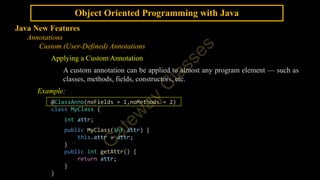
Applying a Custom Annotation
A custom annotation can be applied to almost any program element — such as
classes, methods, fields, constructors, etc.
Example:
@ClassAnno(noFields = 1,noMethods = 2)
class MyClass {
int attr;
public MyClass(int attr) {
this.attr = attr;
}
public int getAttr() {
return attr;
}
}
38.
Object Oriented Programmingwith Java
Java New Features
Annotations
Custom (User-Defined) Annotations
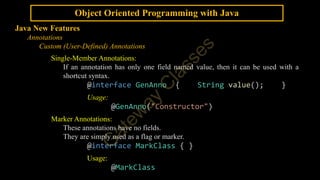
Single-Member Annotations:
If an annotation has only one field named value, then it can be used with a
shortcut syntax.
@interface GenAnno { String value(); }
Usage:
@GenAnno("Constructor")
Marker Annotations:
These annotations have no fields.
They are simply used as a flag or marker.
@interface MarkClass { }
Usage:
@MarkClass
39.
Object Oriented Programmingwith Java
Java New Features
Annotations
Custom (User-Defined) Annotations
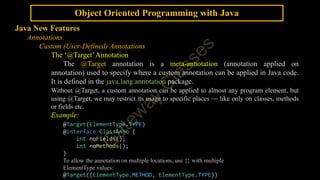
The ‘@Target’Annotation
The @Target annotation is a meta-annotation (annotation applied on
annotation) used to specify where a custom annotation can be applied in Java code.
It is defined in the java.lang.annotation package.
Without @Target, a custom annotation can be applied to almost any program element, but
using @Target, we may restrict its usage to specific places — like only on classes, methods
or fields etc.
Example:
@Target(ElementType.TYPE)
@interface ClassAnno {
int noFields();
int noMethods();
}
To allow the annotation on multiple locations, use {} with multiple
ElementType values:
@Target({ElementType.METHOD, ElementType.TYPE})
40.
Object Oriented Programmingwith Java
Java New Features
Annotations
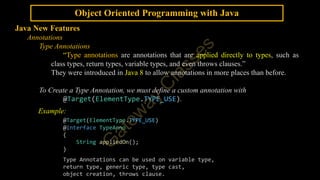
Type Annotations
“Type annotations are annotations that are applied directly to types, such as
class types, return types, variable types, and even throws clauses.”
They were introduced in Java 8 to allow annotations in more places than before.
To Create a Type Annotation, we must define a custom annotation with
@Target(ElementType.TYPE_USE).
Example:
@Target(ElementType.TYPE_USE)
@interface TypeAnno
{
String appliedOn();
}
Type Annotations can be used on variable type,
return type, generic type, type cast,
object creation, throws clause.
41.
Object Oriented Programmingwith Java
Java New Features
Annotations
Type Annotations
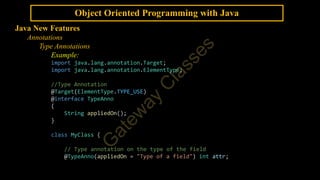
Example:
import java.lang.annotation.Target;
import java.lang.annotation.ElementType;
//Type Annotation
@Target(ElementType.TYPE_USE)
@interface TypeAnno
{
String appliedOn();
}
class MyClass {
// Type annotation on the type of the field
@TypeAnno(appliedOn = "Type of a field") int attr;
42.
Object Oriented Programmingwith Java
Java New Features
Annotations
Type Annotations
Example:
// TypeAnno on the parameter's type
public MyClass(@TypeAnno(appliedOn = "Type of a parameter") int attr) {
this.attr = attr;
}
// TypeAnno on the return type
@GenAnno("Method")
public @TypeAnno(appliedOn = "Return Type") int getAttr() {
return attr;
}
}
public class TypeAnnoDemo {
public static void main(String[] args) throws
@TypeAnno(appliedOn = "throws")IllegalAccessException {
MyClass obj = new @TypeAnno(appliedOn = "Object Creation")
MyClass(45);
System.out.println(obj.getAttr());
throw new IllegalAccessException(); } }
43.
Object Oriented Programmingwith Java
Java New Features
Annotations
Repeatable Annotations
“Repeatable annotations allow the same annotation to be applied multiple times
to the same element (like a method or class).”
Repeatable annotations were introduced in Java 8.
@Repeatable meta-annotation is used to define a repeatable annotation.
A container annotation is also defined to hold an array of the repeatable annotation.
Repeatable annotation is annotated with @Repeatable(ContainerAnnotation.class).
Example:
@Repeatable(Roles.class)
@interface Role {
String value();
}
// Container annotation
@interface Roles {
Role[] value();
}
44.
Object Oriented Programmingwith Java
Java New Features
Annotations
Repeatable Annotations
Example:
import java.lang.annotation.*;
@Repeatable(Roles.class)
@interface Role {
String value();
}
@interface Roles {
Role[] value();
}
@Role("Teacher")
@Role("Student")
class User {
String name;
public String getName() { return name; }
public void setName(String name) { this.name = name; }
}
45.
Object Oriented Programmingwith Java
Java New Features
Annotations
Repeatable Annotations
Example:
public class RepeatableAnnoDemo {
public static void main(String[] args) {
User user = new User();
user.setName("Aviral");
System.out.println(user.getName());
}
}
46.
Object Oriented Programmingwith Java
Java New Features
Java Module System
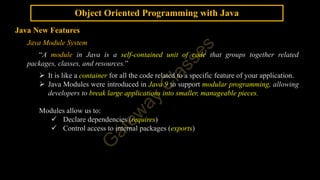
“A module in Java is a self-contained unit of code that groups together related
packages, classes, and resources.”
It is like a container for all the code related to a specific feature of your application.
Java Modules were introduced in Java 9 to support modular programming, allowing
developers to break large applications into smaller, manageable pieces.
Modules allow us to:
Declare dependencies (requires)
Control access to internal packages (exports)
47.
Object Oriented Programmingwith Java
Java New Features
Java Module System
Basic Terms in Java Modules
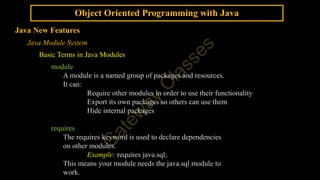
module
A module is a named group of packages and resources.
It can:
Require other modules in order to use their functionality
Export its own packages so others can use them
Hide internal packages
requires
The requires keyword is used to declare dependencies
on other modules.
Example: requires java.sql;
This means your module needs the java.sql module to
work.
48.
Object Oriented Programmingwith Java
Java New Features
Java Module System
Basic Terms in Java Modules
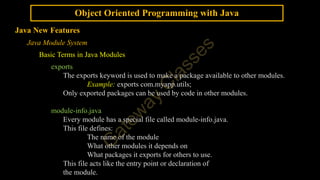
exports
The exports keyword is used to make a package available to other modules.
Example: exports com.myapp.utils;
Only exported packages can be used by code in other modules.
module-info.java
Every module has a special file called module-info.java.
This file defines:
The name of the module
What other modules it depends on
What packages it exports for others to use.
This file acts like the entry point or declaration of
the module.
49.
Object Oriented Programmingwith Java
Java New Features
Java Module System
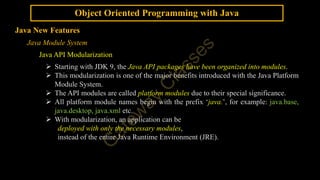
Java API Modularization
Starting with JDK 9, the Java API packages have been organized into modules.
This modularization is one of the major benefits introduced with the Java Platform
Module System.
The API modules are called platform modules due to their special significance.
All platform module names begin with the prefix ‘java.’, for example: java.base,
java.desktop, java.xml etc.
With modularization, an application can be
deployed with only the necessary modules,
instead of the entire Java Runtime Environment (JRE).
50.
Object Oriented Programmingwith Java
Java New Features
Java Module System
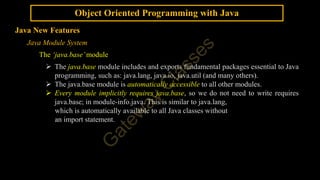
The ‘java.base’module
The java.base module includes and exports fundamental packages essential to Java
programming, such as: java.lang, java.io, java.util (and many others).
The java.base module is automatically accessible to all other modules.
Every module implicitly requires java.base, so we do not need to write requires
java.base; in module-info.java. This is similar to java.lang,
which is automatically available to all Java classes without
an import statement.
51.
Object Oriented Programmingwith Java
Java New Features
Java Module System
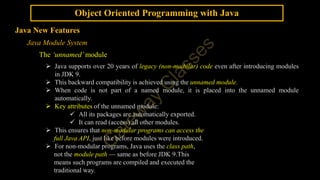
The ‘unnamed’module
Java supports over 20 years of legacy (non-modular) code even after introducing modules
in JDK 9.
This backward compatibility is achieved using the unnamed module.
When code is not part of a named module, it is placed into the unnamed module
automatically.
Key attributes of the unnamed module:
All its packages are automatically exported.
It can read (access) all other modules.
This ensures that non-modular programs can access the
full Java API, just like before modules were introduced.
For non-modular programs, Java uses the class path,
not the module path — same as before JDK 9.This
means such programs are compiled and executed the
traditional way.
52.
Object Oriented Programmingwith Java
Java New Features
Java Module System
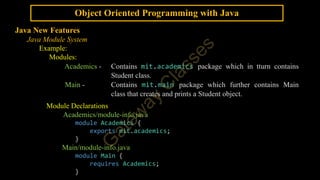
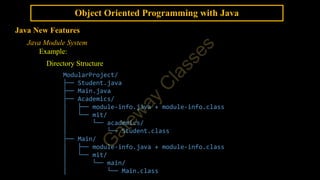
Example:
Modules:
Academics - Contains mit.academics package which in tturn contains
Student class.
Main - Contains mit.main package which further contains Main
class that creates and prints a Student object.
Module Declarations
Academics/module-info.java
module Academics {
exports mit.academics;
}
Main/module-info.java
module Main {
requires Academics;
}
53.
Object Oriented Programmingwith Java
Java New Features
Java Module System
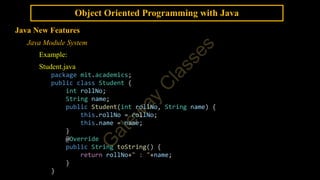
Example:
Student.java
package mit.academics;
public class Student {
int rollNo;
String name;
public Student(int rollNo, String name) {
this.rollNo = rollNo;
this.name = name;
}
@Override
public String toString() {
return rollNo+" : "+name;
}
}
54.
Object Oriented Programmingwith Java
Java New Features
Java Module System
Example:
Main.java
package mit.main;
import mit.academics.Student;
public class Main {
public static void main(String[] args) {
Student stu = new Student(12,"Akshar");
System.out.println(stu);
}
}
Object Oriented Programmingwith Java
Java New Features
Java Module System
Example:
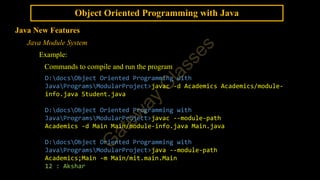
Commands to compile and run the program
D:docsObject Oriented Programming with
JavaProgramsModularProject>javac -d Academics Academics/module-
info.java Student.java
D:docsObject Oriented Programming with
JavaProgramsModularProject>javac --module-path
Academics -d Main Main/module-info.java Main.java
D:docsObject Oriented Programming with
JavaProgramsModularProject>java --module-path
Academics;Main -m Main/mit.main.Main
12 : Akshar
57.
Object Oriented Programmingwith Java
Java New Features
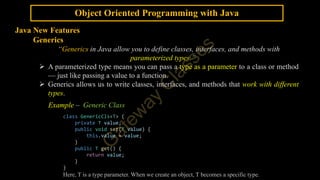
Generics
“Generics in Java allow you to define classes, interfaces, and methods with
parameterized types.”
A parameterized type means you can pass a type as a parameter to a class or method
— just like passing a value to a function.
Generics allows us to write classes, interfaces, and methods that work with different
types.
Example – Generic Class
class GenericCls<T> {
private T value;
public void set(T value) {
this.value = value;
}
public T get() {
return value;
}
}
Here, T is a type parameter. When we create an object, T becomes a specific type.
58.
Object Oriented Programmingwith Java
Java New Features
Generics
Example – Generic Class
public class GenericsDemo {
public static void main(String[] args) {
GenericCls<Integer> objInt = new GenericCls<Integer>();
GenericCls<String> objStr = new GenericCls<>();
/*This uses the diamond operator (<>), introduced in Java 7. The
compiler infers the type from the left-hand side (String in this case).*/
objInt.set(23);
System.out.println(objInt.get());
objStr.set("Meerut");
System.out.println(objStr.get());
}
}
Generics work only with reference types, not primitive types
like int or double but we may use wrapper classes (Integer, Double,
Character, Double etc.) in place of primitive types.
59.
Object Oriented Programmingwith Java
Java New Features
Diamond Syntax with Inner Anonymous Class
Inner Class
An inner class is a class that is defined inside another class.
Example:
class Outer {
class Inner {
void display() {
System.out.println("Hello from Inner");
}
}
}
Anonymous Inner Class
An anonymous inner class is a class that has no name and is defined at the point of use.
It is often used to quickly provide an implementation of an interface or abstract class.
Example:
Runnable r = new Runnable() {
public void run() {
System.out.println("Running...");
}
};
60.
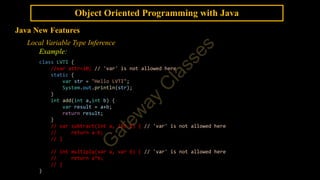
Object Oriented Programmingwith Java
Java New Features
Diamond Syntax with Inner Anonymous Class
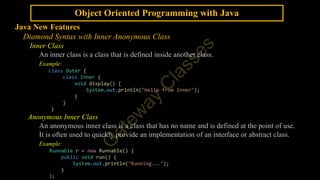
Starting from Java 9, We can use diamond syntax (<>) when creating an
anonymous inner class, if the type can be inferred.
Example:
interface GenericAnonInner<T> {
T myMethod(T param);
}
public class GenericAnonInnerClsDemo {
public static void main(String[] args) {
GenericAnonInner<String> obj = new GenericAnonInner<>() {
@Override
public String myMethod(String str) {
return str;
}
};
System.out.println(obj.myMethod("Anonymous Inner Class."));
}
}
61.
Object Oriented Programmingwith Java
Java New Features
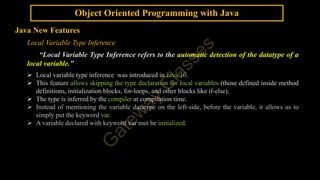
Local Variable Type Inference
“Local Variable Type Inference refers to the automatic detection of the datatype of a
local variable.”
Local variable type inference was introduced in Java 10.
This feature allows skipping the type declaration for local variables (those defined inside method
definitions, initialization blocks, for-loops, and other blocks like if-else),
The type is inferred by the compiler at compilation time.
Instead of mentioning the variable datatype on the left-side, before the variable, it allows us to
simply put the keyword var.
A variable declared with keyword var mut be initialized.
62.
Object Oriented Programmingwith Java
Java New Features
Local Variable Type Inference
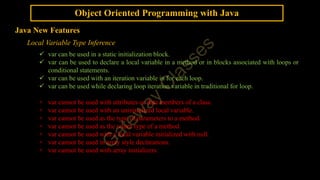
var can be used in a static initialization block.
var can be used to declare a local variable in a method or in blocks associated with loops or
conditional statements.
var can be used with an iteration variable in for each loop.
var can be used while declaring loop iteration variable in traditional for loop.
× var cannot be used with attributes or data members of a class.
× var cannot be used with an uninitialized local variable.
× var cannot be used as the type of parameters to a method.
× var cannot be used as the return type of a method.
× var cannot be used with a local variable initialized with null.
× var cannot be used in array style declarations.
× var cannot be used with array initializers.
63.
Object Oriented Programmingwith Java
Java New Features
Local Variable Type Inference
Example:
class LVTI {
//var attr=10; // 'var' is not allowed here
static {
var str = "Hello LVTI";
System.out.println(str);
}
int add(int a,int b) {
var result = a+b;
return result;
}
// var subtract(int a, int b) { // 'var' is not allowed here
// return a-b;
// }
// int multiply(var a, var b) { // 'var' is not allowed here
// return a*b;
// }
}
64.
Object Oriented Programmingwith Java
Java New Features
Local Variable Type Inference
Example:
public class LVTI_Demo {
public static void main(String args[]) {
var obj = new LVTI();
//var[] varStrs = {"IIT,Delhi","IIT, Roorkee","IIT Madras","IIT (BHU),
Varanasi"};
// 'var' is not allowed as an element type of an array
//var[] varStrs = new String[4];
// 'var' is not allowed as an element type of an array
//var varStrs[] = new String[4];
// 'var' is not allowed as an element type of an array
var varStrs = new String[4];
varStrs[0] = "Delhi";
varStrs[1] = "Roorkee";
varStrs[2] = "Madras";
varStrs[3] = "Varanasi";
65.
Object Oriented Programmingwith Java
Java New Features
Local Variable Type Inference
Example:
//var strs = {"IIT,Delhi","IIT, Roorkee","IIT Madras","IIT (BHU), Varanasi"};
//cannot infer type for local variable strs (array initializer needs an explicit target-
type)
String[] strs = {"IIT, Delhi","IIT, Roorkee","IIT, Madras","IIT (BHU), Varanasi"};
for(var str:varStrs) {
System.out.println(str);
}
for(var i=0;i<4;i++) {
System.out.println(strs[i]);
}
var result = obj.add(34,56);
System.out.println("Result = "+result);
//var myVar; //cannot use 'var' on variable without initializer
//var myVar = null; // cannot infer type for local variable myVar (variable initializer
is 'null')
}
}
66.
Object Oriented Programmingwith Java
Java New Features
Swtich Expressions
In earlier versions of Java, the switch statement was only used for control flow as a
conditional statement, where each case required a break to prevent fall-through, and
returning a value was not easy.
In Java 12 (as a preview feature and finalized in Java 14), switch expressions were
introduced.
“A switch expression allows us to use switch as an expression that returns a value.”
Switch expression eliminates the need for break statements and
enables multiple labels in a cleaner way using the arrow (->) syntax.
Example:
String type = switch (ch) {
case 'a', 'e', 'i', 'o', 'u' -> "Vowel";
default -> "Consonant";
};
67.
Object Oriented Programmingwith Java
Java New Features
Swtich Expressions
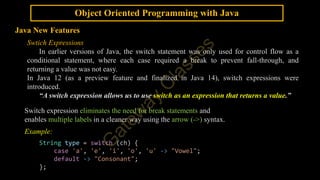
Example:
public class SwitchExpDemo {
public static void main(String[] args) {
int day = Integer.parseInt(args[0]);
String dayOfWeek = switch (day) {
case 1 -> "Monday";
case 2 -> "Tuesday";
case 3 -> "Wednesday";
case 4 -> "Thursday";
case 5 -> "Friday";
case 6 -> "Saturday";
case 7 -> "Sunday";
default -> "Invalid Day";
};
System.out.println(day + ": " + dayOfWeek);
}
}
Output:
68.
Object Oriented Programmingwith Java
Java New Features
Swtich Expressions
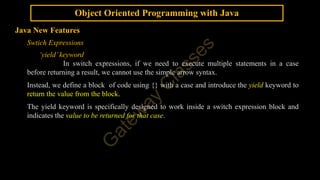
‘yield’keyword
In switch expressions, if we need to execute multiple statements in a case
before returning a result, we cannot use the simple arrow syntax.
Instead, we define a block of code using {} with a case and introduce the yield keyword to
return the value from the block.
The yield keyword is specifically designed to work inside a switch expression block and
indicates the value to be returned for that case.
69.
Object Oriented Programmingwith Java
Java New Features
Swtich Expressions - ‘yield’keyword
Example:
public class SwitchExpYieldDemo {
public static void main(String[] args) {
int day = Integer.parseInt(args[0]);
String dayOfWeek = switch (day) {
case 1, 2, 3, 4, 5 -> {
System.out.println("We have five days working!");
yield "Working day.";
}
case 6, 7 -> {
System.out.println("We have off on two days in a week!");
yield "Off day.";
}
default -> "Invalid Day";
};
System.out.println(day + ": " + dayOfWeek);
}
}
Output:
70.
Object Oriented Programmingwith Java
Java New Features
Text Blocks
“Text Blocks in Java simplifies the creation of multi-line strings.”
Text blocks were introduced in Java 15.
They are denoted by triple double quotes (""") and allow you to write strings that
span multiple lines without the need for explicit line terminators, string
concatenations, or escape sequences (n) for newlines and double quotes.
Text blocks preserve formatting of the text.
Line breaks within the text block are preserved in the
resulting string.
71.
Object Oriented Programmingwith Java
Java New Features
Text Blocks
Syntax:
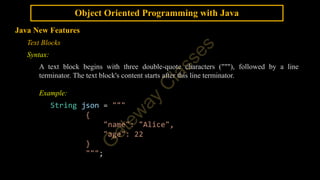
A text block begins with three double-quote characters ("""), followed by a line
terminator. The text block's content starts after this line terminator.
Example:
String json = """
{
"name": "Alice",
"age": 22
}
""";
72.
Object Oriented Programmingwith Java
Java New Features
Records
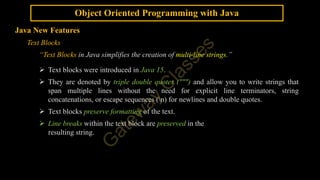
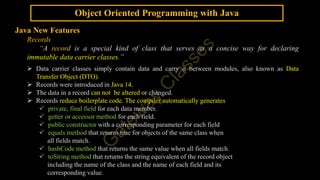
“A record is a special kind of class that serves as a concise way for declaring
immutable data carrier classes.”
Data carrier classes simply contain data and carry it between modules, also known as Data
Transfer Object (DTO).
Records were introduced in Java 14.
The data in a record can not be altered or changed.
Records reduce boilerplate code. The compiler automatically generates
private, final field for each data member.
getter or accessor method for each field.
public constructor with a corresponding parameter for each field
equals method that returns true for objects of the same class when
all fields match.
hashCode method that returns the same value when all fields match.
toString method that returns the string equivalent of the record object
including the name of the class and the name of each field and its
corresponding value.
73.
Object Oriented Programmingwith Java
Java New Features
Records
Example:
record Student(int rollNo, String name) { }
public class RecordDemo {
public static void main(String[] args) {
Student student1 = new Student(1,"Anubhav");
Student student2 = new Student(1,"Anubhav");
System.out.println(student1.rollNo());
System.out.println(student1.name());
System.out.println(student1.equals(student2));
System.out.println(student1.hashCode());
System.out.println(student2.hashCode());
System.out.println(student1);
System.out.println(student2);
} }
Output
74.
Object Oriented Programmingwith Java
Java New Features
Records
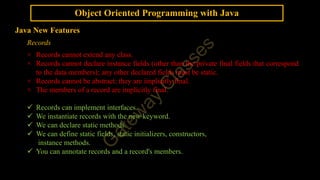
× Records cannot extend any class.
× Records cannot declare instance fields (other than the private final fields that correspond
to the data members); any other declared fields must be static.
× Records cannot be abstract; they are implicitly final.
× The members of a record are implicitly final.
Records can implement interfaces.
We instantiate records with the new keyword.
We can declare static methods.
We can define static fields, static initializers, constructors,
instance methods.
You can annotate records and a record's members.
75.
Object Oriented Programmingwith Java
Java New Features
Sealed Classes
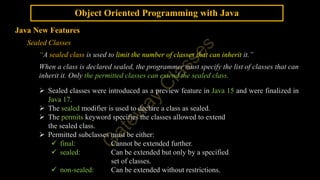
“A sealed class is used to limit the number of classes that can inherit it.”
When a class is declared sealed, the programmer must specify the list of classes that can
inherit it. Only the permitted classes can extend the sealed class.
Sealed classes were introduced as a preview feature in Java 15 and were finalized in
Java 17.
The sealed modifier is used to declare a class as sealed.
The permits keyword specifies the classes allowed to extend
the sealed class.
Permitted subclasses must be either:
final: Cannot be extended further.
sealed: Can be extended but only by a specified
set of classes.
non-sealed: Can be extended without restrictions.
76.
Object Oriented Programmingwith Java
Java New Features
Sealed Classes
Example:
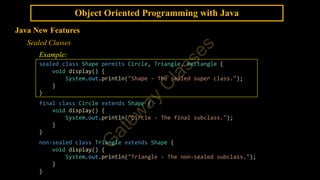
sealed class Shape permits Circle, Triangle, Rectangle {
void display() {
System.out.println("Shape - The sealed super class.");
}
}
final class Circle extends Shape {
void display() {
System.out.println("Circle - The final subclass.");
}
}
non-sealed class Triangle extends Shape {
void display() {
System.out.println("Triangle - The non-sealed subclass.");
}
}
77.
Object Oriented Programmingwith Java
Java New Features
Sealed Classes
Example:
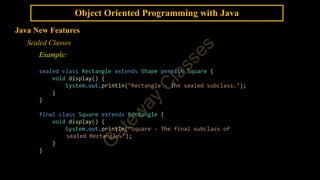
sealed class Rectangle extends Shape permits Square {
void display() {
System.out.println("Rectangle - The sealed subclass.");
}
}
final class Square extends Rectangle {
void display() {
System.out.println("Square - The final subclass of
sealed Rectangle.");
}
}
78.
Object Oriented Programmingwith Java
Java New Features
Sealed Classes
Example:
public class SealedClassDemo {
public static void main(String[] args) {
Shape shape = new Shape();
Circle circle = new Circle();
Triangle triangle = new Triangle();
Rectangle rectangle = new Rectangle();
Square square = new Square();
shape.display();
circle.display();
triangle.display();
rectangle.display();
square.display();
}
}
79.
Object Oriented Programmingwith Java
Java New Features
AKTU PYQs
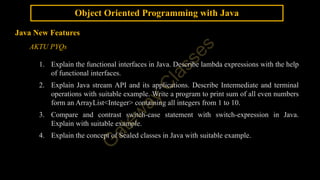
1. Explain the functional interfaces in Java. Describe lambda expressions with the help
of functional interfaces.
2. Explain Java stream API and its applications. Describe Intermediate and terminal
operations with suitable example. Write a program to print sum of all even numbers
form an ArrayList<Integer> containing all integers from 1 to 10.
3. Compare and contrast switch-case statement with switch-expression in Java.
Explain with suitable example.
4. Explain the concept of Sealed classes in Java with suitable example.
80.
Object Oriented Programmingwith Java
Java New Features
AKTU PYQs
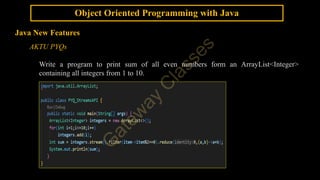
Write a program to print sum of all even numbers form an ArrayList<Integer>
containing all integers from 1 to 10.


![Object Oriented Programming with Java
Java New Features - Lambda Expression
interface IOperations {
int doOperation(int a);
}
class Cls1 implements IOperations {
public int doOperation(int a) {
return a * a;
}
}
class Cls2 implements IOperations {
public int doOperation(int a) {
return a * 2;
}
}
public class NonLambdaDemo {
public static void main(String[] args) {
IOperations intfRef;
Cls1 obj1 = new Cls1();
Cls2 obj2 = new Cls2();
intfRef = obj1;
System.out.println(intfRef.doOperation(3));
intfRef = obj2;
System.out.println(intfRef.doOperation(3));
} }
interface IOperations {
int doOperation(int a);
}
public class LambdaDemo {
public static void main(String[] args) {
IOperations intfRef;
intfRef = (int a) -> {
return a * a;
};
System.out.println(intfRef.doOperation(3));
intfRef = (int a) -> {
return a * 2;
};
System.out.println(intfRef.doOperation(3));
}
}
Program with Lambda Expression
Program without Lambda Expression](https://image.slidesharecdn.com/javaunit-3oneshotnotes644158562025071210250712103718-250713060413-ad62894d/85/JAVA-UNIT-3-ONE-SHOT-NOTES_64415856_2025_07_12_10__250712_103718-pdf-5-320.jpg)
![Object Oriented Programming with Java
Java New Features - Lambda Expression
interface IOperations {
int doOperation(int a);
}
class Cls1 implements IOperations {
public int doOperation(int a) {
return a * a;
}
}
class Cls2 implements IOperations {
public int doOperation(int a) {
return a * 2;
}
}
public class NonLambdaDemo {
public static void main(String[] args) {
IOperations intfRef;
Cls1 obj1 = new Cls1();
Cls2 obj2 = new Cls2();
intfRef = obj1;
System.out.println(intfRef.doOperation(3));
intfRef = obj2;
System.out.println(intfRef.doOperation(3));
} }
interface IOperations {
int doOperation(int a);
}
public class LambdaDemo {
public static void main(String[] args) {
IOperations intfRef;
intfRef = a -> a * a;
System.out.println(intfRef.doOperation(3));
intfRef = a -> a * 2;
System.out.println(intfRef.doOperation(3));
}
}
Program with Lambda Expression
Program without Lambda Expression](https://image.slidesharecdn.com/javaunit-3oneshotnotes644158562025071210250712103718-250713060413-ad62894d/85/JAVA-UNIT-3-ONE-SHOT-NOTES_64415856_2025_07_12_10__250712_103718-pdf-6-320.jpg)
![Object Oriented Programming with Java
Java New Features
Lambda Expression
Example:
interface IOperations {
int doOperation(int a);
}
public class LambdaDemo1 {
public static void main(String[] args) {
IOperations ref = (int a) -> { return a * a; };
int square = ref.doOperation(3); // 9
System.out.println(square);
ref = a -> a * 2;
int doubl = ref.doOperation(3); // 6
System.out.println(doubl);
}
}](https://image.slidesharecdn.com/javaunit-3oneshotnotes644158562025071210250712103718-250713060413-ad62894d/85/JAVA-UNIT-3-ONE-SHOT-NOTES_64415856_2025_07_12_10__250712_103718-pdf-7-320.jpg)
![Object Oriented Programming with Java
Java New Features
Lambda Expression
Example:
interface ICompare {
String compare(int a, int b);
}
public class LambdaDemo2 {
public static void main(String[] args) {
ICompare compareNumbers = (a, b) -> {
if (a > b) {
return a + " is greater than " + b;
} else if (a < b) {
return a + " is less than " + b;
} else {
return a + " is equal to " + b;
}
};
System.out.println(compareNumbers.compare(34, 56));
}
}](https://image.slidesharecdn.com/javaunit-3oneshotnotes644158562025071210250712103718-250713060413-ad62894d/85/JAVA-UNIT-3-ONE-SHOT-NOTES_64415856_2025_07_12_10__250712_103718-pdf-8-320.jpg)
![Object Oriented Programming with Java
Java New Features
Method References
Example: Method Reference to a static method
interface IMathOps {
double doOp(double num);
}
public class MethodReferenceExample {
static double square(double num) {
return num*num;
}
static double performOperation(IMathOps ref, double n) {
return ref.doOp(n);
}
public static void main(String[] args) {
double resultSqrt, resultCbrt, resultSquare;
resultSqrt = performOperation(Math::sqrt, 16);
resultCbrt = performOperation(Math::cbrt, 27);
resultSquare = performOperation(MethodReferenceExample::square, 5);
System.out.println("Square Root of 16: "+resultSqrt);
System.out.println("Cube Root of 27: "+resultCbrt);
System.out.println("Square of 5: "+resultSquare);
} }
Output](https://image.slidesharecdn.com/javaunit-3oneshotnotes644158562025071210250712103718-250713060413-ad62894d/85/JAVA-UNIT-3-ONE-SHOT-NOTES_64415856_2025_07_12_10__250712_103718-pdf-12-320.jpg)
![Object Oriented Programming with Java
Java New Features
Method References
Example: Method Reference to an instance method
interface IPrint {
void doPrint(String str);
}
public class InstanceMethodReferenceExample {
void doubleStringPrint(String str) {
System.out.println(str+ " "+str);
}
static void printOperation(IPrint ref, String str) {
ref.doPrint(str);
}
public static void main(String[] args) {
InstanceMethodReferenceExample obj = new InstanceMethodReferenceExample();
printOperation(System.out::print,"Meerut");
printOperation(System.out::println,"New Delhi");
printOperation(obj::doubleStringPrint,"Dehradun");
}
}
Output](https://image.slidesharecdn.com/javaunit-3oneshotnotes644158562025071210250712103718-250713060413-ad62894d/85/JAVA-UNIT-3-ONE-SHOT-NOTES_64415856_2025_07_12_10__250712_103718-pdf-13-320.jpg)
![Object Oriented Programming with Java
Java New Features
Stream API
Example:
import java.util.List;
import java.util.stream.Collector;
import java.util.stream.Collectors;
import java.util.stream.Stream;
public class StreamsAPIDemo {
public static void main(String[] args) {
List<String> names = List.of("Akshar", "Sumedha", "Ankit", "Priyanshi");
Stream<String> namesStream = names.stream();
List<String> result =
namesStream.filter(name -> name.startsWith("A"))
.map(String::toUpperCase)
.collect(Collectors.toList());
System.out.println("Result: " + result);
}
}
Output](https://image.slidesharecdn.com/javaunit-3oneshotnotes644158562025071210250712103718-250713060413-ad62894d/85/JAVA-UNIT-3-ONE-SHOT-NOTES_64415856_2025_07_12_10__250712_103718-pdf-17-320.jpg)
![Object Oriented Programming with Java
Java New Features
Static Methods
Like static methods in a class, a static method defined by an interface (added in JDK 8) can be
called independently of any object.
No implementation of the interface is necessary, and no instance of the interface is required,
in order to call a static method.
Instead, a static method is called by the interface name, followed by a period, followed by the
method name.
Example:
interface Utility {
static void greet() {
System.out.println("Hello!");
}
}
public class InterfaceDemo {
public static void main(String[] args) {
Utility.greet();
}
}](https://image.slidesharecdn.com/javaunit-3oneshotnotes644158562025071210250712103718-250713060413-ad62894d/85/JAVA-UNIT-3-ONE-SHOT-NOTES_64415856_2025_07_12_10__250712_103718-pdf-19-320.jpg)
![Object Oriented Programming with Java
Java New Features
Base64 Encode and Decode
In Java, the java.util.Base64 class provides static methods to encode and decode
between binary and base64 formats. The Base64 class was introduced in Java 8.
Creating Base64 encoder and decoder instances
Base64.Encoder encoder = Base64.getEncoder();
Base64.Decoder decoder = Base64.getDecoder();
Encoding the input string
String encodedString = encoder.encodeToString
(inputString.getBytes());
Decoding the Base64 encoded string
byte[] decodedBytes = decoder.decode(encodedString);
String decodedString = new String(decodedBytes);](https://image.slidesharecdn.com/javaunit-3oneshotnotes644158562025071210250712103718-250713060413-ad62894d/85/JAVA-UNIT-3-ONE-SHOT-NOTES_64415856_2025_07_12_10__250712_103718-pdf-26-320.jpg)
![Object Oriented Programming with Java
Java New Features
Base64 Encode and Decode
import java.util.Base64;
public class Base64EncodeDecode {
public static void main(String[] args) {
String sample = "LEMON";
System.out.println("Sample String:n" + sample);
// Encode into Base64 format
String BasicBase64format =
Base64.getEncoder().encodeToString(sample.getBytes());
System.out.println("Encoded String:n" + BasicBase64format);
// Decode into Original byte format
byte[] actualByte =
Base64.getDecoder().decode(BasicBase64format);
String actualString = new String(actualByte);
// print actual String
System.out.println("actual String:n" + actualString);
}
}
Output:](https://image.slidesharecdn.com/javaunit-3oneshotnotes644158562025071210250712103718-250713060413-ad62894d/85/JAVA-UNIT-3-ONE-SHOT-NOTES_64415856_2025_07_12_10__250712_103718-pdf-27-320.jpg)
![Object Oriented Programming with Java
Java New Features
ForEach Method
Example:
import java.util.List;
public class ForEachDemo {
public static void main(String[] args) {
List<String> names = List.of("Amit", "Sneha", "Rahul");
// With Collection and Lambda Expression
System.out.println("");
names.forEach(name -> System.out.println(name));
// With Collection and Method Reference
System.out.println("");
names.forEach(System.out::println);
// With Streams and Lambda Expression & Method Reference
System.out.println("");
names.stream()
.filter(n -> n.startsWith("A"))
.forEach(System.out::println);
}
}
Output](https://image.slidesharecdn.com/javaunit-3oneshotnotes644158562025071210250712103718-250713060413-ad62894d/85/JAVA-UNIT-3-ONE-SHOT-NOTES_64415856_2025_07_12_10__250712_103718-pdf-29-320.jpg)
![Object Oriented Programming with Java
Java New Features
try-with-resources
Example:
import java.io.FileInputStream;
import java.io.FileOutputStream;
import java.io.IOException;
public class trywithresourcesDemo {
public static void main(String[] args) {
try (FileInputStream fis = new FileInputStream("Sample.txt");
FileOutputStream fos = new FileOutputStream("SampleCopy.txt")) {
int read = fis.read();
while (read != -1) {
fos.write(read);
read = fis.read();
}
} catch (Exception e) {
System.out.println(e);
}
}
}](https://image.slidesharecdn.com/javaunit-3oneshotnotes644158562025071210250712103718-250713060413-ad62894d/85/JAVA-UNIT-3-ONE-SHOT-NOTES_64415856_2025_07_12_10__250712_103718-pdf-32-320.jpg)
![Object Oriented Programming with Java
Java New Features
Annotations
Type Annotations
Example:
// TypeAnno on the parameter's type
public MyClass(@TypeAnno(appliedOn = "Type of a parameter") int attr) {
this.attr = attr;
}
// TypeAnno on the return type
@GenAnno("Method")
public @TypeAnno(appliedOn = "Return Type") int getAttr() {
return attr;
}
}
public class TypeAnnoDemo {
public static void main(String[] args) throws
@TypeAnno(appliedOn = "throws")IllegalAccessException {
MyClass obj = new @TypeAnno(appliedOn = "Object Creation")
MyClass(45);
System.out.println(obj.getAttr());
throw new IllegalAccessException(); } }](https://image.slidesharecdn.com/javaunit-3oneshotnotes644158562025071210250712103718-250713060413-ad62894d/85/JAVA-UNIT-3-ONE-SHOT-NOTES_64415856_2025_07_12_10__250712_103718-pdf-42-320.jpg)
![Object Oriented Programming with Java
Java New Features
Annotations
Repeatable Annotations
“Repeatable annotations allow the same annotation to be applied multiple times
to the same element (like a method or class).”
Repeatable annotations were introduced in Java 8.
@Repeatable meta-annotation is used to define a repeatable annotation.
A container annotation is also defined to hold an array of the repeatable annotation.
Repeatable annotation is annotated with @Repeatable(ContainerAnnotation.class).
Example:
@Repeatable(Roles.class)
@interface Role {
String value();
}
// Container annotation
@interface Roles {
Role[] value();
}](https://image.slidesharecdn.com/javaunit-3oneshotnotes644158562025071210250712103718-250713060413-ad62894d/85/JAVA-UNIT-3-ONE-SHOT-NOTES_64415856_2025_07_12_10__250712_103718-pdf-43-320.jpg)
![Object Oriented Programming with Java
Java New Features
Annotations
Repeatable Annotations
Example:
import java.lang.annotation.*;
@Repeatable(Roles.class)
@interface Role {
String value();
}
@interface Roles {
Role[] value();
}
@Role("Teacher")
@Role("Student")
class User {
String name;
public String getName() { return name; }
public void setName(String name) { this.name = name; }
}](https://image.slidesharecdn.com/javaunit-3oneshotnotes644158562025071210250712103718-250713060413-ad62894d/85/JAVA-UNIT-3-ONE-SHOT-NOTES_64415856_2025_07_12_10__250712_103718-pdf-44-320.jpg)
![Object Oriented Programming with Java
Java New Features
Annotations
Repeatable Annotations
Example:
public class RepeatableAnnoDemo {
public static void main(String[] args) {
User user = new User();
user.setName("Aviral");
System.out.println(user.getName());
}
}](https://image.slidesharecdn.com/javaunit-3oneshotnotes644158562025071210250712103718-250713060413-ad62894d/85/JAVA-UNIT-3-ONE-SHOT-NOTES_64415856_2025_07_12_10__250712_103718-pdf-45-320.jpg)
![Object Oriented Programming with Java
Java New Features
Java Module System
Example:
Main.java
package mit.main;
import mit.academics.Student;
public class Main {
public static void main(String[] args) {
Student stu = new Student(12,"Akshar");
System.out.println(stu);
}
}](https://image.slidesharecdn.com/javaunit-3oneshotnotes644158562025071210250712103718-250713060413-ad62894d/85/JAVA-UNIT-3-ONE-SHOT-NOTES_64415856_2025_07_12_10__250712_103718-pdf-54-320.jpg)
![Object Oriented Programming with Java
Java New Features
Generics
Example – Generic Class
public class GenericsDemo {
public static void main(String[] args) {
GenericCls<Integer> objInt = new GenericCls<Integer>();
GenericCls<String> objStr = new GenericCls<>();
/*This uses the diamond operator (<>), introduced in Java 7. The
compiler infers the type from the left-hand side (String in this case).*/
objInt.set(23);
System.out.println(objInt.get());
objStr.set("Meerut");
System.out.println(objStr.get());
}
}
Generics work only with reference types, not primitive types
like int or double but we may use wrapper classes (Integer, Double,
Character, Double etc.) in place of primitive types.](https://image.slidesharecdn.com/javaunit-3oneshotnotes644158562025071210250712103718-250713060413-ad62894d/85/JAVA-UNIT-3-ONE-SHOT-NOTES_64415856_2025_07_12_10__250712_103718-pdf-58-320.jpg)
![Object Oriented Programming with Java
Java New Features
Diamond Syntax with Inner Anonymous Class
Starting from Java 9, We can use diamond syntax (<>) when creating an
anonymous inner class, if the type can be inferred.
Example:
interface GenericAnonInner<T> {
T myMethod(T param);
}
public class GenericAnonInnerClsDemo {
public static void main(String[] args) {
GenericAnonInner<String> obj = new GenericAnonInner<>() {
@Override
public String myMethod(String str) {
return str;
}
};
System.out.println(obj.myMethod("Anonymous Inner Class."));
}
}](https://image.slidesharecdn.com/javaunit-3oneshotnotes644158562025071210250712103718-250713060413-ad62894d/85/JAVA-UNIT-3-ONE-SHOT-NOTES_64415856_2025_07_12_10__250712_103718-pdf-60-320.jpg)
![Object Oriented Programming with Java
Java New Features
Local Variable Type Inference
Example:
public class LVTI_Demo {
public static void main(String args[]) {
var obj = new LVTI();
//var[] varStrs = {"IIT,Delhi","IIT, Roorkee","IIT Madras","IIT (BHU),
Varanasi"};
// 'var' is not allowed as an element type of an array
//var[] varStrs = new String[4];
// 'var' is not allowed as an element type of an array
//var varStrs[] = new String[4];
// 'var' is not allowed as an element type of an array
var varStrs = new String[4];
varStrs[0] = "Delhi";
varStrs[1] = "Roorkee";
varStrs[2] = "Madras";
varStrs[3] = "Varanasi";](https://image.slidesharecdn.com/javaunit-3oneshotnotes644158562025071210250712103718-250713060413-ad62894d/85/JAVA-UNIT-3-ONE-SHOT-NOTES_64415856_2025_07_12_10__250712_103718-pdf-64-320.jpg)
![Object Oriented Programming with Java
Java New Features
Local Variable Type Inference
Example:
//var strs = {"IIT,Delhi","IIT, Roorkee","IIT Madras","IIT (BHU), Varanasi"};
//cannot infer type for local variable strs (array initializer needs an explicit target-
type)
String[] strs = {"IIT, Delhi","IIT, Roorkee","IIT, Madras","IIT (BHU), Varanasi"};
for(var str:varStrs) {
System.out.println(str);
}
for(var i=0;i<4;i++) {
System.out.println(strs[i]);
}
var result = obj.add(34,56);
System.out.println("Result = "+result);
//var myVar; //cannot use 'var' on variable without initializer
//var myVar = null; // cannot infer type for local variable myVar (variable initializer
is 'null')
}
}](https://image.slidesharecdn.com/javaunit-3oneshotnotes644158562025071210250712103718-250713060413-ad62894d/85/JAVA-UNIT-3-ONE-SHOT-NOTES_64415856_2025_07_12_10__250712_103718-pdf-65-320.jpg)
![Object Oriented Programming with Java
Java New Features
Swtich Expressions
Example:
public class SwitchExpDemo {
public static void main(String[] args) {
int day = Integer.parseInt(args[0]);
String dayOfWeek = switch (day) {
case 1 -> "Monday";
case 2 -> "Tuesday";
case 3 -> "Wednesday";
case 4 -> "Thursday";
case 5 -> "Friday";
case 6 -> "Saturday";
case 7 -> "Sunday";
default -> "Invalid Day";
};
System.out.println(day + ": " + dayOfWeek);
}
}
Output:](https://image.slidesharecdn.com/javaunit-3oneshotnotes644158562025071210250712103718-250713060413-ad62894d/85/JAVA-UNIT-3-ONE-SHOT-NOTES_64415856_2025_07_12_10__250712_103718-pdf-67-320.jpg)
![Object Oriented Programming with Java
Java New Features
Swtich Expressions - ‘yield’keyword
Example:
public class SwitchExpYieldDemo {
public static void main(String[] args) {
int day = Integer.parseInt(args[0]);
String dayOfWeek = switch (day) {
case 1, 2, 3, 4, 5 -> {
System.out.println("We have five days working!");
yield "Working day.";
}
case 6, 7 -> {
System.out.println("We have off on two days in a week!");
yield "Off day.";
}
default -> "Invalid Day";
};
System.out.println(day + ": " + dayOfWeek);
}
}
Output:](https://image.slidesharecdn.com/javaunit-3oneshotnotes644158562025071210250712103718-250713060413-ad62894d/85/JAVA-UNIT-3-ONE-SHOT-NOTES_64415856_2025_07_12_10__250712_103718-pdf-69-320.jpg)
![Object Oriented Programming with Java
Java New Features
Records
Example:
record Student(int rollNo, String name) { }
public class RecordDemo {
public static void main(String[] args) {
Student student1 = new Student(1,"Anubhav");
Student student2 = new Student(1,"Anubhav");
System.out.println(student1.rollNo());
System.out.println(student1.name());
System.out.println(student1.equals(student2));
System.out.println(student1.hashCode());
System.out.println(student2.hashCode());
System.out.println(student1);
System.out.println(student2);
} }
Output](https://image.slidesharecdn.com/javaunit-3oneshotnotes644158562025071210250712103718-250713060413-ad62894d/85/JAVA-UNIT-3-ONE-SHOT-NOTES_64415856_2025_07_12_10__250712_103718-pdf-73-320.jpg)
![Object Oriented Programming with Java
Java New Features
Sealed Classes
Example:
public class SealedClassDemo {
public static void main(String[] args) {
Shape shape = new Shape();
Circle circle = new Circle();
Triangle triangle = new Triangle();
Rectangle rectangle = new Rectangle();
Square square = new Square();
shape.display();
circle.display();
triangle.display();
rectangle.display();
square.display();
}
}](https://image.slidesharecdn.com/javaunit-3oneshotnotes644158562025071210250712103718-250713060413-ad62894d/85/JAVA-UNIT-3-ONE-SHOT-NOTES_64415856_2025_07_12_10__250712_103718-pdf-78-320.jpg)