Integrated Development Environment(IDE
It is a software application that provides comprehensive facilities to computer
programmers for software development.
An IDE normally consists of:
— a source code editor
— a compiler and/or an interpreter
— build automation tools
— a debugger
Popular Java IDEs are:
¢ Net Beans Open Source by Sun
¢ Eclipse Open Source by IBM
3.
Byte code
Bytecode is the code produced by java compiler after compiling the Java
source code.
The byte code is stored in a file with .class extension.
These byte code instructions are cannot be understand by processor.
They are understandable only by JVM.
4.
Java Virtual Machine
It is a program written to understand the byte code instructions and convert
them into machine code.
The role of JVM is to identify the processor and operating system used in
the computer system and converts the byte code instructions in an
understandable format for the particular processor and operating
system.
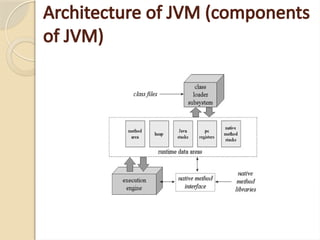
Architecture of JVM(components of JVM)
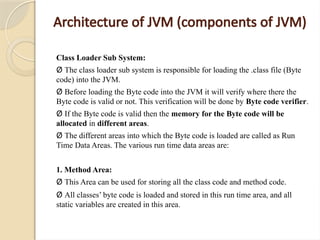
Class Loader Sub System:
Ø The class loader sub system is responsible for loading the .class file (Byte
code) into the JVM.
Ø Before loading the Byte code into the JVM it will verify where there the
Byte code is valid or not. This verification will be done by Byte code verifier.
Ø If the Byte code is valid then the memory for the Byte code will be
allocated in different areas.
Ø The different areas into which the Byte code is loaded are called as Run
Time Data Areas. The various run time data areas are:
1. Method Area:
Ø This Area can be used for storing all the class code and method code.
Ø All classes’ byte code is loaded and stored in this run time area, and all
static variables are created in this area.
7.
Architecture of JVM(components of JVM)
2. Heap Memory:
Ø This Area can be used for storing all the objects that are created.
Ø The JVM allocates memory in heap for and object which is created using ‘new’
operator.
3. Java Stack area:
Ø This Area can be used for storing the information of the methods. That is under
execution.
Ø In this runtime area all Java methods are executed.
4. PC Register (program counter) area:
Ø This Register will contain address of the next instruction that have to be executed.
5. Java Native Stack:
Ø This area is used for storing non-java coding available in the application. The non-java
code is called as native code.
8.
Execution Engine
Ø TheExecution Engine is Responsible for executing the program and it
contains two parts.
ü Interpreter.
ü JIT Compiler (just in time compiler).
Ø The java code will be executed by both interpreter and JIT compiler
simultaneously which will reduce the execution time and them by providing
high performance. The code that is executed by JIT compiler is called as
HOTSPOTS (company).
9.
Just-in-time (JIT) compilation
Thecurrent version of Sun Hotspot JVM uses a technique called Just-in-time
(JIT) compilation to compile the byte code to the native instructions
understood by the CPU on the fly at run time.
10.
Structure of JavaProgram
Documentation section
Package Statement
Import Statement
Interface Statement
Class Statement
main method class
{
main method definition
}
11.
Structure of JavaProgram
a. Documentation section: A set of comment lines like: name of the program,
author name, date of creation, etc.
b. Package statement: This is the first statement allowed in Java file, this
statement declares a package names.
c. Import statement: This statement imports the packages that the classes and
methods of particular package can be used in the current program.
d. Interface statement: An interface is like a class but includes group of
methods declaration. Inter face is used to implement the multiple inheritance
in the program.
e. Class definition/statements: A Java program may contains one more class
definitions.
f. Main method class: Every Java standalone program requires a main
method, as it begins the execution, this is essential part of Java program
12.
Structure of JavaProgram
import java.io.*;
public class Welcome
{
public static void main (String args[])
{
System.out.println (“welcome to Java Program”);
}
}
13.
public: It isaccess specifier and this method can be called from outside also.
static: This main method must always declared as static because the whole program has
only one main method and without using object the main method can be executed by
using the class name.
void: The main method does not return anything.
main: - The main method similar to main function in c and c++. This main method call
first (execute first) by the interpreter to run the java program.
String: It is built-in class under language package.
args []: This is an array of type string. a command line arguments holds the argument in
this array.
System.out.println:
System: It is a class which contains several useful methods.
out: It is an object for a system class to execute the method.
println: This is a method to print string which can be given within the double coats.
After printed the contents the cursor should be positioned at beginning of next line
print: after printed the content the cursor should be positioned next to the printed content
14.
JavaTokens
Java tokensare the basic building-blocks of the java
language.
Various Java tokens are
i. Keywords
ii. Identifier
iii. Literals
iv. Separators
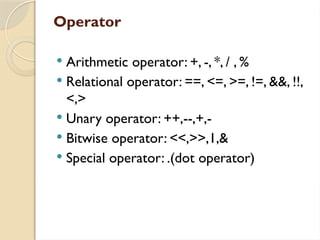
v. Operator
vi. Comment
15.
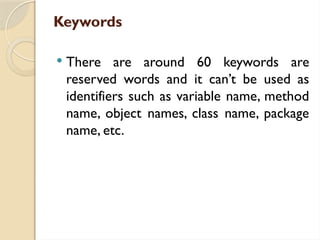
Keywords
There arearound 60 keywords are
reserved words and it can’t be used as
identifiers such as variable name, method
name, object names, class name, package
name, etc.
16.
Keywords
abstract final Super
booleanint New
Break finally Package
Byte while Private
Case try Public
Catch Void Protected
Char float Return
Class interface Short
continue for Static
Default if Strictfp
Do import Switch
Double implement This
Else instanceof Throw
Extend long Throws
17.
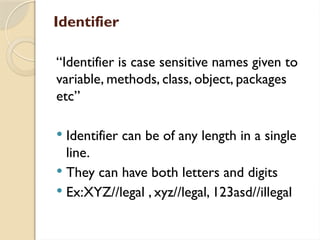
Identifier
“Identifier is casesensitive names given to
variable, methods, class, object, packages
etc”
Identifier can be of any length in a single
line.
They can have both letters and digits
Ex:XYZ//legal , xyz//legal, 123asd//illegal
18.
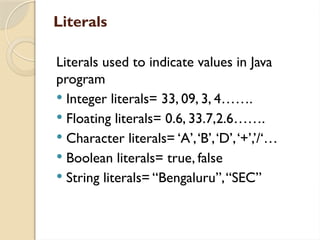
Literals
Literals used toindicate values in Java
program
Integer literals= 33, 09, 3, 4…….
Floating literals= 0.6, 33.7,2.6…….
Character literals= ‘A’,‘B’,‘D’,‘+’,’/‘…
Boolean literals= true, false
String literals= “Bengaluru”,“SEC”
19.
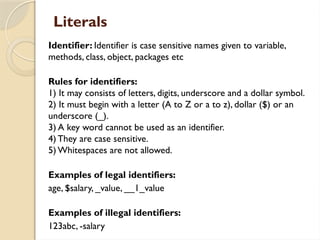
Literals
Identifier: Identifier iscase sensitive names given to variable,
methods, class, object, packages etc
Rules for identifiers:
1) It may consists of letters, digits, underscore and a dollar symbol.
2) It must begin with a letter (A to Z or a to z), dollar ($) or an
underscore (_).
3) A key word cannot be used as an identifier.
4) They are case sensitive.
5) Whitespaces are not allowed.
Examples of legal identifiers:
age, $salary, _value, __1_value
Examples of illegal identifiers:
123abc, -salary
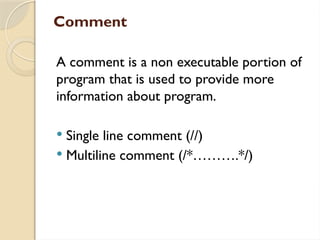
Comment
A comment isa non executable portion of
program that is used to provide more
information about program.
Single line comment (//)
Multiline comment (/*……….*/)
Data types
Type SizeRange
Byte 8 bits -128 to +127
Short 2 bytes -32768 to +32767
Int 4 bytes -2147483648 to +2147483647
Float 4 bytes -3.4+38(-3.4*1038)
to 3.4+38(-3.4*1038)
Char 2 bytes 0 to 65,535
Double 8 bytes -1.7*10308
to 1.7*10308
Long 8 byte -9223372036854775808 to
9223372036854775807
Boolean 1 byte True/false[default false]
24.
Variables in Java
Differenttypes of variables in Java or scope
and lifetime of variable:
Scope determined when the variable is
created and destroyed
Java has 3 types of variables:
1) LocalVariables
II) InstanceVariables[Member variables]
III) Static variables [class variables]
25.
1) LocalVariables
• Thevariables declared in a method,
constructor or block.
• They are created when the method starts
execution and destroyed when the
method terminates execution.
• Local variables are not initialized
automatically.
26.
II) InstanceVariables
Thevariables declared in a class but
outside a method.
Instance variable is created when the
object is created and destroyed when the
object is destroyed.
Initialized to default values based on the
data type used.
27.
III) Static variables
The variables declared in a class with the static
keyword but outside a method.
There is only one copy per class regardless of how many
objects are created from it.
The scope begins when the program execution starts
and scope ends when the program
execution stops.
Initialized to default values based on the data type used.


![Structure of Java Program
import java.io.*;
public class Welcome
{
public static void main (String args[])
{
System.out.println (“welcome to Java Program”);
}
}](https://image.slidesharecdn.com/p1oopjava-250318030949-ea27855c/85/Java-subject-for-the-degree-BCA-students-12-320.jpg)
![public: It is access specifier and this method can be called from outside also.
static: This main method must always declared as static because the whole program has
only one main method and without using object the main method can be executed by
using the class name.
void: The main method does not return anything.
main: - The main method similar to main function in c and c++. This main method call
first (execute first) by the interpreter to run the java program.
String: It is built-in class under language package.
args []: This is an array of type string. a command line arguments holds the argument in
this array.
System.out.println:
System: It is a class which contains several useful methods.
out: It is an object for a system class to execute the method.
println: This is a method to print string which can be given within the double coats.
After printed the contents the cursor should be positioned at beginning of next line
print: after printed the content the cursor should be positioned next to the printed content](https://image.slidesharecdn.com/p1oopjava-250318030949-ea27855c/85/Java-subject-for-the-degree-BCA-students-13-320.jpg)

![Separators
These are the characters used to group and
arrange Java source code.
Ex: , [,], (,),;](https://image.slidesharecdn.com/p1oopjava-250318030949-ea27855c/85/Java-subject-for-the-degree-BCA-students-20-320.jpg)
![Data types
Type Size Range
Byte 8 bits -128 to +127
Short 2 bytes -32768 to +32767
Int 4 bytes -2147483648 to +2147483647
Float 4 bytes -3.4+38(-3.4*1038)
to 3.4+38(-3.4*1038)
Char 2 bytes 0 to 65,535
Double 8 bytes -1.7*10308
to 1.7*10308
Long 8 byte -9223372036854775808 to
9223372036854775807
Boolean 1 byte True/false[default false]](https://image.slidesharecdn.com/p1oopjava-250318030949-ea27855c/85/Java-subject-for-the-degree-BCA-students-23-320.jpg)
![Variables in Java
Different types of variables in Java or scope
and lifetime of variable:
Scope determined when the variable is
created and destroyed
Java has 3 types of variables:
1) LocalVariables
II) InstanceVariables[Member variables]
III) Static variables [class variables]](https://image.slidesharecdn.com/p1oopjava-250318030949-ea27855c/85/Java-subject-for-the-degree-BCA-students-24-320.jpg)