Chapter One
overview of Java programming
By: Melaku Y:
Appendix A: Introduction to Java 2
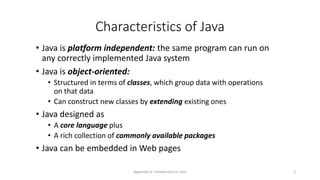
Characteristics of Java
• Java is platform independent: the same program can run on
any correctly implemented Java system
• Java is object-oriented:
• Structured in terms of classes, which group data with operations
on that data
• Can construct new classes by extending existing ones
• Java designed as
• A core language plus
• A rich collection of commonly available packages
• Java can be embedded in Web pages
Appendix A: Introduction to Java 3
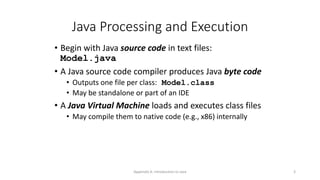
Java Processing and Execution
• Begin with Java source code in text files:
Model.java
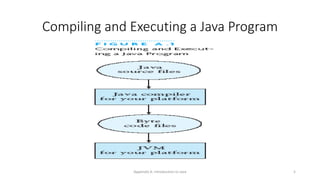
• A Java source code compiler produces Java byte code
• Outputs one file per class: Model.class
• May be standalone or part of an IDE
• A Java Virtual Machine loads and executes class files
• May compile them to native code (e.g., x86) internally
Java Virtual Machine
• The .class files generated by the compiler are not
executable binaries
• so Java combines compilation and interpretation
• Instead, they contain “byte-codes” to be executed by
the Java Virtual Machine
• This approach provides platform independence, and
greater security
Appendix A: Introduction to Java 5
Compiling and Executing a Java Program
Appendix A: Introduction to Java 6
Classes and Objects
• The class is the unit of programming
• A Java program is a collection of classes
• Each class definition (usually) in its own .java file
• The file name must match the class name
• A class describes objects (instances)
• Describes their common characteristics: is a blueprint
• Thus all the instances have these same characteristics
• These characteristics are:
• Data fields for each object
• Methods (operations) that do work on the objects
Appendix A: Introduction to Java 7
Grouping Classes: The Java API
• API = Application Programming Interface
• Java = small core + extensive collection of packages
• A package consists of some related Java classes:
• Swing: a GUI (graphical user interface) package
• AWT: Application Window Toolkit (more GUI)
• util: utility data structures (important to CS 187!)
• The import statement tells the compiler to make available classes and
methods of another package
• A main method indicates where to begin executing a class (if it is
designed to be run as a program)
Appendix A: Introduction to Java 8
A Little Example of import and main
import javax.swing.*;
// all classes from javax.swing
public class HelloWorld { // starts a class
public static void main (String[] args) {
// starts a main method
// in: array of String; out: none (void)
}
}
• public = can be seen from any package
• static = not “part of” an object
Appendix A: Introduction to Java 9
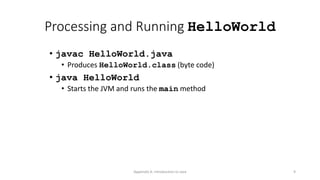
Processing and Running HelloWorld
• javac HelloWorld.java
• Produces HelloWorld.class (byte code)
• java HelloWorld
• Starts the JVM and runs the main method
HelloWorld (standalone)
public class HelloWorld {
public static void main(String[] args) {
System.out.println("Hello World!");
}
}
• Note that String is built in
• println is a member function for the System.out
class
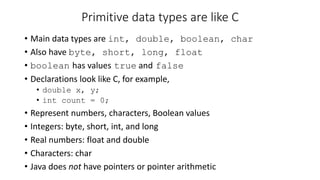
Primitive data types are like C
• Main data types are int, double, boolean, char
• Also have byte, short, long, float
• boolean has values true and false
• Declarations look like C, for example,
• double x, y;
• int count = 0;
• Represent numbers, characters, Boolean values
• Integers: byte, short, int, and long
• Real numbers: float and double
• Characters: char
• Java does not have pointers or pointer arithmetic
Appendix A: Introduction to Java 12
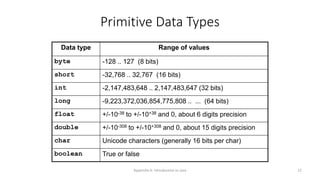
Primitive Data Types
Data type Range of values
byte -128 .. 127 (8 bits)
short -32,768 .. 32,767 (16 bits)
int -2,147,483,648 .. 2,147,483,647 (32 bits)
long -9,223,372,036,854,775,808 .. ... (64 bits)
float +/-10-38 to +/-10+38 and 0, about 6 digits precision
double +/-10-308 to +/-10+308 and 0, about 15 digits precision
char Unicode characters (generally 16 bits per char)
boolean True or false
Appendix A: Introduction to Java 13
Operators
1. subscript [ ], call ( ), member access .
2. pre/post-increment ++ --, boolean complement !, bitwise
complement ~, unary + -, type cast (type), object creation new
3. * / %
4. binary + - (+ also concatenates strings)
5. signed shift << >>, unsigned shift >>>
6. comparison < <= > >=, class test instanceof
7. equality comparison == !=
8. bitwise and &
9. bitwise or |
Appendix A: Introduction to Java 14
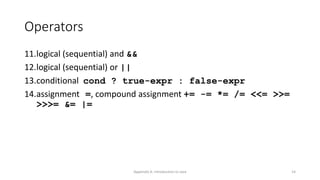
Operators
11.logical (sequential) and &&
12.logical (sequential) or ||
13.conditional cond ? true-expr : false-expr
14.assignment =, compound assignment += -= *= /= <<= >>=
>>>= &= |=
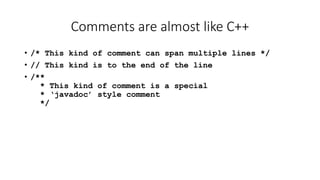
Comments are almost like C++
• /* This kind of comment can span multiple lines */
• // This kind is to the end of the line
• /**
* This kind of comment is a special
* ‘javadoc’ style comment
*/
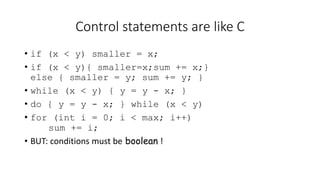
Control statements are like C
• if (x < y) smaller = x;
• if (x < y){ smaller=x;sum += x;}
else { smaller = y; sum += y; }
• while (x < y) { y = y - x; }
• do { y = y - x; } while (x < y)
• for (int i = 0; i < max; i++)
sum += i;
• BUT: conditions must be boolean !
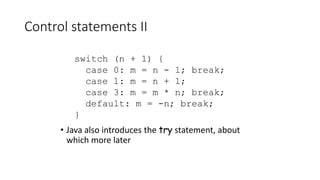
Control statements II
• Java also introduces the try statement, about
which more later
switch (n + 1) {
case 0: m = n - 1; break;
case 1: m = n + 1;
case 3: m = m * n; break;
default: m = -n; break;
}
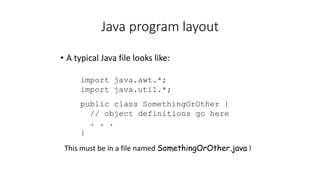
Java program layout
• A typical Java file looks like:
import java.awt.*;
import java.util.*;
public class SomethingOrOther {
// object definitions go here
. . .
}
This must be in a file named SomethingOrOther.java !
Appendix A: Introduction to Java 19
Type Compatibility and Conversion
• Widening conversion:
• In operations on mixed-type operands, the numeric type of the
smaller range is converted to the numeric type of the larger range
• In an assignment, a numeric type of smaller range can be assigned
to a numeric type of larger range
• byte to short to int to long
• int kind to float to double
Appendix A: Introduction to Java 20
Declaring and Setting Variables
• int square;
square = n * n;
• double cube = n * (double)square;
• Can generally declare local variables where they are initialized
• All variables get a safe initial value anyway (zero/null)
Appendix A: Introduction to Java 21
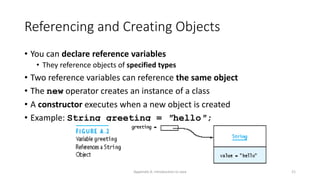
Referencing and Creating Objects
• You can declare reference variables
• They reference objects of specified types
• Two reference variables can reference the same object
• The new operator creates an instance of a class
• A constructor executes when a new object is created
• Example: String greeting = ″hello″;
Appendix A: Introduction to Java 22
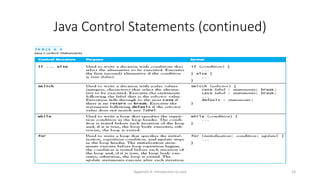
Java Control Statements
• A group of statements executed in order is written
• { stmt1; stmt2; ...; stmtN; }
• The statements execute in the order 1, 2, ..., N
• Control statements alter this sequential flow of execution
Appendix A: Introduction to Java 23
Java Control Statements (continued)
Name conventions
• Java is case-sensitive; maxval, maxVal, and MaxVal
are three different names
• Class names begin with a capital letter
• All other names begin with a lowercase letter
• Subsequent words are capitalized: theBigOne
• Underscores are not used in names
• These are very strong conventions!
The class hierarchy
• Classes are arranged in a hierarchy
• The root, or topmost, class is Object
• Every class but Object has at least one superclass
• A class may have subclasses
• Each class inherits all the fields and methods of its
(possibly numerous) superclasses
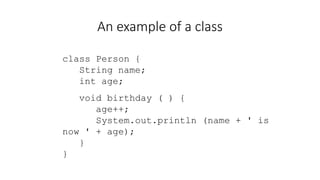
An example of a class
class Person {
String name;
int age;
void birthday ( ) {
age++;
System.out.println (name + ' is
now ' + age);
}
}
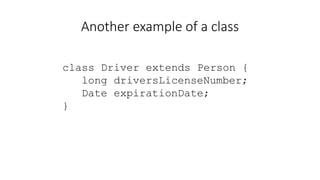
Another example of a class
class Driver extends Person {
long driversLicenseNumber;
Date expirationDate;
}
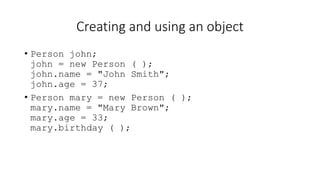
Creating and using an object
• Person john;
john = new Person ( );
john.name = "John Smith";
john.age = 37;
• Person mary = new Person ( );
mary.name = "Mary Brown";
mary.age = 33;
mary.birthday ( );
An array is an object
• Person mary = new Person ( );
• int myArray[ ] = new int[5];
• or:
• int myArray[ ] = {1, 4, 9, 16, 25};
• String languages [ ] = {"Prolog",
"Java"};
Appendix A: Introduction to Java 30
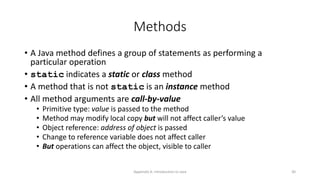
Methods
• A Java method defines a group of statements as performing a
particular operation
• static indicates a static or class method
• A method that is not static is an instance method
• All method arguments are call-by-value
• Primitive type: value is passed to the method
• Method may modify local copy but will not affect caller’s value
• Object reference: address of object is passed
• Change to reference variable does not affect caller
• But operations can affect the object, visible to caller
Appendix A: Introduction to Java 31
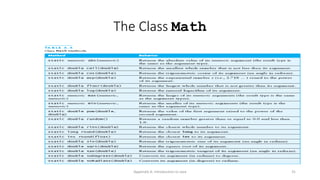
The Class Math
Appendix A: Introduction to Java 32
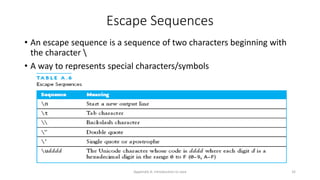
Escape Sequences
• An escape sequence is a sequence of two characters beginning with
the character 
• A way to represents special characters/symbols
Appendix A: Introduction to Java 33
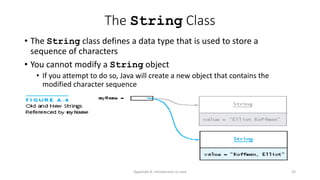
The String Class
• The String class defines a data type that is used to store a
sequence of characters
• You cannot modify a String object
• If you attempt to do so, Java will create a new object that contains the
modified character sequence
Appendix A: Introduction to Java 34
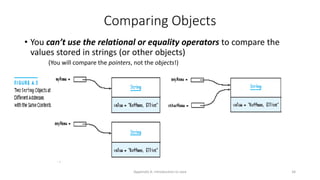
Comparing Objects
• You can’t use the relational or equality operators to compare the
values stored in strings (or other objects)
(You will compare the pointers, not the objects!)
Appendix A: Introduction to Java 35
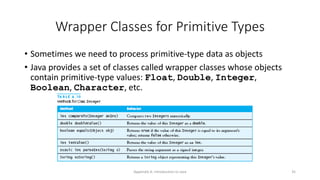
Wrapper Classes for Primitive Types
• Sometimes we need to process primitive-type data as objects
• Java provides a set of classes called wrapper classes whose objects
contain primitive-type values: Float, Double, Integer,
Boolean, Character, etc.
Appendix A: Introduction to Java 36
Defining Your Own Classes
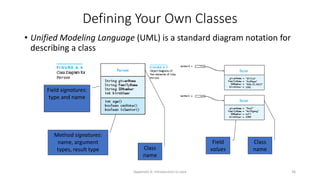
• Unified Modeling Language (UML) is a standard diagram notation for
describing a class
Class
name
Field
values
Class
name
Field signatures:
type and name
Method signatures:
name, argument
types, result type
Appendix A: Introduction to Java 37
Defining Your Own Classes (continued)
• The modifier private limits access to just this class
• Only class members with public visibility can be accessed outside
of the class* (* but see protected)
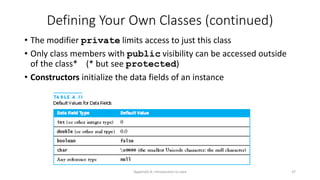
• Constructors initialize the data fields of an instance
Appendix A: Introduction to Java 38
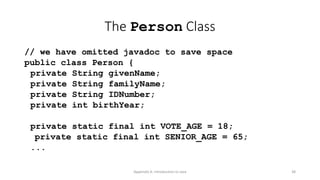
The Person Class
// we have omitted javadoc to save space
public class Person {
private String givenName;
private String familyName;
private String IDNumber;
private int birthYear;
private static final int VOTE_AGE = 18;
private static final int SENIOR_AGE = 65;
...
Appendix A: Introduction to Java 39
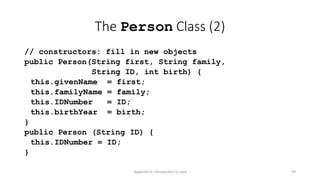
The Person Class (2)
// constructors: fill in new objects
public Person(String first, String family,
String ID, int birth) {
this.givenName = first;
this.familyName = family;
this.IDNumber = ID;
this.birthYear = birth;
}
public Person (String ID) {
this.IDNumber = ID;
}
Appendix A: Introduction to Java 40
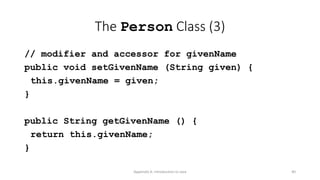
The Person Class (3)
// modifier and accessor for givenName
public void setGivenName (String given) {
this.givenName = given;
}
public String getGivenName () {
return this.givenName;
}
Appendix A: Introduction to Java 41
Arrays
• In Java, an array is also an object
• The elements are indexes and are referenced using the form
arrayvar[subscript]
Appendix A: Introduction to Java 42
Array Example
float grades[] = new float[numStudents];
... grades[student] = something; ...
float total = 0.0;
for (int i = 0; i < grades.length; ++i) {
total += grades[i];
}
System.out.printf(“Average = %6.2f%n”,
total / numStudents);
Appendix A: Introduction to Java 43
Array Example Variations
// possibly more efficient
for (int i = grades.length; --i >= 0; ) {
total += grades[i];
}
// uses Java 5.0 “for each” looping
for (float grade : grades) {
total += grade;
}
Appendix A: Introduction to Java 44
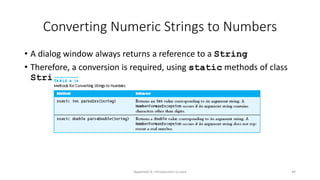
Converting Numeric Strings to Numbers
• A dialog window always returns a reference to a String
• Therefore, a conversion is required, using static methods of class
String:
Appendix A: Introduction to Java 45
Input/Output using Streams
• An InputStream is a sequence of characters representing program
input data
• An OutputStream is a sequence of characters representing
program output
• The console keyboard stream is System.in
• The console window is associated with System.out
Appendix A: Introduction to Java 46
Alternate Ways to Split a String
• Use the split method of String:
String[] = s.split(“s”);
// see class Pattern in java.util.regex
• Use a StreamTokenizer (in java.io)

chapter 1-overview of java programming.pptx

  • 1.
    Chapter One overview ofJava programming By: Melaku Y:
  • 2.
    Appendix A: Introductionto Java 2 Characteristics of Java • Java is platform independent: the same program can run on any correctly implemented Java system • Java is object-oriented: • Structured in terms of classes, which group data with operations on that data • Can construct new classes by extending existing ones • Java designed as • A core language plus • A rich collection of commonly available packages • Java can be embedded in Web pages
  • 3.
    Appendix A: Introductionto Java 3 Java Processing and Execution • Begin with Java source code in text files: Model.java • A Java source code compiler produces Java byte code • Outputs one file per class: Model.class • May be standalone or part of an IDE • A Java Virtual Machine loads and executes class files • May compile them to native code (e.g., x86) internally
  • 4.
    Java Virtual Machine •The .class files generated by the compiler are not executable binaries • so Java combines compilation and interpretation • Instead, they contain “byte-codes” to be executed by the Java Virtual Machine • This approach provides platform independence, and greater security
  • 5.
    Appendix A: Introductionto Java 5 Compiling and Executing a Java Program
  • 6.
    Appendix A: Introductionto Java 6 Classes and Objects • The class is the unit of programming • A Java program is a collection of classes • Each class definition (usually) in its own .java file • The file name must match the class name • A class describes objects (instances) • Describes their common characteristics: is a blueprint • Thus all the instances have these same characteristics • These characteristics are: • Data fields for each object • Methods (operations) that do work on the objects
  • 7.
    Appendix A: Introductionto Java 7 Grouping Classes: The Java API • API = Application Programming Interface • Java = small core + extensive collection of packages • A package consists of some related Java classes: • Swing: a GUI (graphical user interface) package • AWT: Application Window Toolkit (more GUI) • util: utility data structures (important to CS 187!) • The import statement tells the compiler to make available classes and methods of another package • A main method indicates where to begin executing a class (if it is designed to be run as a program)
  • 8.
    Appendix A: Introductionto Java 8 A Little Example of import and main import javax.swing.*; // all classes from javax.swing public class HelloWorld { // starts a class public static void main (String[] args) { // starts a main method // in: array of String; out: none (void) } } • public = can be seen from any package • static = not “part of” an object
  • 9.
    Appendix A: Introductionto Java 9 Processing and Running HelloWorld • javac HelloWorld.java • Produces HelloWorld.class (byte code) • java HelloWorld • Starts the JVM and runs the main method
  • 10.
    HelloWorld (standalone) public classHelloWorld { public static void main(String[] args) { System.out.println("Hello World!"); } } • Note that String is built in • println is a member function for the System.out class
  • 11.
    Primitive data typesare like C • Main data types are int, double, boolean, char • Also have byte, short, long, float • boolean has values true and false • Declarations look like C, for example, • double x, y; • int count = 0; • Represent numbers, characters, Boolean values • Integers: byte, short, int, and long • Real numbers: float and double • Characters: char • Java does not have pointers or pointer arithmetic
  • 12.
    Appendix A: Introductionto Java 12 Primitive Data Types Data type Range of values byte -128 .. 127 (8 bits) short -32,768 .. 32,767 (16 bits) int -2,147,483,648 .. 2,147,483,647 (32 bits) long -9,223,372,036,854,775,808 .. ... (64 bits) float +/-10-38 to +/-10+38 and 0, about 6 digits precision double +/-10-308 to +/-10+308 and 0, about 15 digits precision char Unicode characters (generally 16 bits per char) boolean True or false
  • 13.
    Appendix A: Introductionto Java 13 Operators 1. subscript [ ], call ( ), member access . 2. pre/post-increment ++ --, boolean complement !, bitwise complement ~, unary + -, type cast (type), object creation new 3. * / % 4. binary + - (+ also concatenates strings) 5. signed shift << >>, unsigned shift >>> 6. comparison < <= > >=, class test instanceof 7. equality comparison == != 8. bitwise and & 9. bitwise or |
  • 14.
    Appendix A: Introductionto Java 14 Operators 11.logical (sequential) and && 12.logical (sequential) or || 13.conditional cond ? true-expr : false-expr 14.assignment =, compound assignment += -= *= /= <<= >>= >>>= &= |=
  • 15.
    Comments are almostlike C++ • /* This kind of comment can span multiple lines */ • // This kind is to the end of the line • /** * This kind of comment is a special * ‘javadoc’ style comment */
  • 16.
    Control statements arelike C • if (x < y) smaller = x; • if (x < y){ smaller=x;sum += x;} else { smaller = y; sum += y; } • while (x < y) { y = y - x; } • do { y = y - x; } while (x < y) • for (int i = 0; i < max; i++) sum += i; • BUT: conditions must be boolean !
  • 17.
    Control statements II •Java also introduces the try statement, about which more later switch (n + 1) { case 0: m = n - 1; break; case 1: m = n + 1; case 3: m = m * n; break; default: m = -n; break; }
  • 18.
    Java program layout •A typical Java file looks like: import java.awt.*; import java.util.*; public class SomethingOrOther { // object definitions go here . . . } This must be in a file named SomethingOrOther.java !
  • 19.
    Appendix A: Introductionto Java 19 Type Compatibility and Conversion • Widening conversion: • In operations on mixed-type operands, the numeric type of the smaller range is converted to the numeric type of the larger range • In an assignment, a numeric type of smaller range can be assigned to a numeric type of larger range • byte to short to int to long • int kind to float to double
  • 20.
    Appendix A: Introductionto Java 20 Declaring and Setting Variables • int square; square = n * n; • double cube = n * (double)square; • Can generally declare local variables where they are initialized • All variables get a safe initial value anyway (zero/null)
  • 21.
    Appendix A: Introductionto Java 21 Referencing and Creating Objects • You can declare reference variables • They reference objects of specified types • Two reference variables can reference the same object • The new operator creates an instance of a class • A constructor executes when a new object is created • Example: String greeting = ″hello″;
  • 22.
    Appendix A: Introductionto Java 22 Java Control Statements • A group of statements executed in order is written • { stmt1; stmt2; ...; stmtN; } • The statements execute in the order 1, 2, ..., N • Control statements alter this sequential flow of execution
  • 23.
    Appendix A: Introductionto Java 23 Java Control Statements (continued)
  • 24.
    Name conventions • Javais case-sensitive; maxval, maxVal, and MaxVal are three different names • Class names begin with a capital letter • All other names begin with a lowercase letter • Subsequent words are capitalized: theBigOne • Underscores are not used in names • These are very strong conventions!
  • 25.
    The class hierarchy •Classes are arranged in a hierarchy • The root, or topmost, class is Object • Every class but Object has at least one superclass • A class may have subclasses • Each class inherits all the fields and methods of its (possibly numerous) superclasses
  • 26.
    An example ofa class class Person { String name; int age; void birthday ( ) { age++; System.out.println (name + ' is now ' + age); } }
  • 27.
    Another example ofa class class Driver extends Person { long driversLicenseNumber; Date expirationDate; }
  • 28.
    Creating and usingan object • Person john; john = new Person ( ); john.name = "John Smith"; john.age = 37; • Person mary = new Person ( ); mary.name = "Mary Brown"; mary.age = 33; mary.birthday ( );
  • 29.
    An array isan object • Person mary = new Person ( ); • int myArray[ ] = new int[5]; • or: • int myArray[ ] = {1, 4, 9, 16, 25}; • String languages [ ] = {"Prolog", "Java"};
  • 30.
    Appendix A: Introductionto Java 30 Methods • A Java method defines a group of statements as performing a particular operation • static indicates a static or class method • A method that is not static is an instance method • All method arguments are call-by-value • Primitive type: value is passed to the method • Method may modify local copy but will not affect caller’s value • Object reference: address of object is passed • Change to reference variable does not affect caller • But operations can affect the object, visible to caller
  • 31.
    Appendix A: Introductionto Java 31 The Class Math
  • 32.
    Appendix A: Introductionto Java 32 Escape Sequences • An escape sequence is a sequence of two characters beginning with the character • A way to represents special characters/symbols
  • 33.
    Appendix A: Introductionto Java 33 The String Class • The String class defines a data type that is used to store a sequence of characters • You cannot modify a String object • If you attempt to do so, Java will create a new object that contains the modified character sequence
  • 34.
    Appendix A: Introductionto Java 34 Comparing Objects • You can’t use the relational or equality operators to compare the values stored in strings (or other objects) (You will compare the pointers, not the objects!)
  • 35.
    Appendix A: Introductionto Java 35 Wrapper Classes for Primitive Types • Sometimes we need to process primitive-type data as objects • Java provides a set of classes called wrapper classes whose objects contain primitive-type values: Float, Double, Integer, Boolean, Character, etc.
  • 36.
    Appendix A: Introductionto Java 36 Defining Your Own Classes • Unified Modeling Language (UML) is a standard diagram notation for describing a class Class name Field values Class name Field signatures: type and name Method signatures: name, argument types, result type
  • 37.
    Appendix A: Introductionto Java 37 Defining Your Own Classes (continued) • The modifier private limits access to just this class • Only class members with public visibility can be accessed outside of the class* (* but see protected) • Constructors initialize the data fields of an instance
  • 38.
    Appendix A: Introductionto Java 38 The Person Class // we have omitted javadoc to save space public class Person { private String givenName; private String familyName; private String IDNumber; private int birthYear; private static final int VOTE_AGE = 18; private static final int SENIOR_AGE = 65; ...
  • 39.
    Appendix A: Introductionto Java 39 The Person Class (2) // constructors: fill in new objects public Person(String first, String family, String ID, int birth) { this.givenName = first; this.familyName = family; this.IDNumber = ID; this.birthYear = birth; } public Person (String ID) { this.IDNumber = ID; }
  • 40.
    Appendix A: Introductionto Java 40 The Person Class (3) // modifier and accessor for givenName public void setGivenName (String given) { this.givenName = given; } public String getGivenName () { return this.givenName; }
  • 41.
    Appendix A: Introductionto Java 41 Arrays • In Java, an array is also an object • The elements are indexes and are referenced using the form arrayvar[subscript]
  • 42.
    Appendix A: Introductionto Java 42 Array Example float grades[] = new float[numStudents]; ... grades[student] = something; ... float total = 0.0; for (int i = 0; i < grades.length; ++i) { total += grades[i]; } System.out.printf(“Average = %6.2f%n”, total / numStudents);
  • 43.
    Appendix A: Introductionto Java 43 Array Example Variations // possibly more efficient for (int i = grades.length; --i >= 0; ) { total += grades[i]; } // uses Java 5.0 “for each” looping for (float grade : grades) { total += grade; }
  • 44.
    Appendix A: Introductionto Java 44 Converting Numeric Strings to Numbers • A dialog window always returns a reference to a String • Therefore, a conversion is required, using static methods of class String:
  • 45.
    Appendix A: Introductionto Java 45 Input/Output using Streams • An InputStream is a sequence of characters representing program input data • An OutputStream is a sequence of characters representing program output • The console keyboard stream is System.in • The console window is associated with System.out
  • 46.
    Appendix A: Introductionto Java 46 Alternate Ways to Split a String • Use the split method of String: String[] = s.split(“s”); // see class Pattern in java.util.regex • Use a StreamTokenizer (in java.io)