Introduction
While iOS 10is one of the biggest
Apple releases ever, it is important to
note that most of the features are
consumer facing.
For designers too, however, there are
a number of things to remember while
designing apps for the Apple’s latest
operating system.
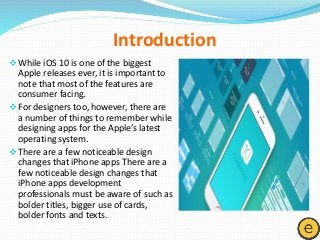
There are a few noticeable design
changes that iPhone apps There are a
few noticeable design changes that
iPhone apps development
professionals must be aware of such as
bolder titles, bigger use of cards,
bolder fonts and texts.
3.
Platform maturity
Over theyears, iOS has matured into a very stable operating
system. Apple has made it clear that it encourages adaptive layouts so
that so that they can display well across multiple devices.
Adaptive layout and multitasking
The number of devices with various screen sizes has lead Apple
to ensure that designers have the right tools to develop adaptive
designs for all their devices.
How the layouts adapt from iPhones to iPads. Rather than
scaling up, the user interface expands. For larger screen sizes, a left
navigation bar will appear instead of a tab.
iOS 10 Design Changes
4.
The San Franciscofont
The default font for Apple devices is now the San Francisco font
– which was designed in-house at Apple. iOS automatically adjusts the
tracking value based on the font size and this ensures that the typefaces
are always easy to read.
3D touch
This is the key new feature of iOS10. It allows people to quickly
access the options inside and outside the app. If you force press the app
icon, you get a pop up menu with a number of tasks that you can
perform without actually opening the app.
Significant differences in points and pixels
Initially, 1pt. was always equal to 1px. When the retina screens
were introduced, 1 pt. became 2px. So, points are basically the values in
the original iPhone and pixels are real values depending on the density.
5.
iPhone Resolutions
Here arethe four main resolutions for the iPhone:
20 x 480 pt (iPhone 4), 320 x 568 pt (iPhone 5), 375 x 667 pt (iPhone 7)
and 414 x 736 pt (iPhone 7 Plus).
The navigation bar could be designed to adjust only the width
and the height remains the same. The elements inside could remain
exactly the same.
iPad Resolutions are as follows
The iPad has 2 main resolutions: 768 x 1024 pt (iPad), 1024 x
1366 pt (iPad Pro) and it has only two features Slide Over and Split View.
Other than these, the icons, colors used and the font sizes and
alignments all were significantly perfected in this new version of Apple’s
Operating System.
6.
For more information,visit at www.elitemobapp.com
Facebook: https://www.facebook.com/EliteMobileApplication/
Twitter: @elitemobapp