Introduction to Software engineeringPSE-Chp 05.ppt
1.
1 / 26
CS425/625 Software Engineering
Software Requirements
Based on Chapter 5 of the textbook [Somm00]
Based on Chapter 5 of the textbook [Somm00]
Ian Sommerville, Software Engineering, 6th
Ed., Addison-Wesley, 2000
and on Ch5 PowerPoint presentation from the book’s web-site:
www.comp.lancs.ac.uk/computing/resources/IanS/SE6/Slides/index.html
September 17, 2003
September 17, 2003
2.
2 / 26
Outline
Requirements:
Functional
Non-functional
Domain
User Requirements
Systems Requirements
The Software Requirements Document
3.
3 / 26
Requirements:Introduction…
Requirements = services the system is expected to
provide + constraints placed on the system
Requirements engineering = gathering, negotiating,
analyzing, and documenting requirements
The requirements could be expressed at various
levels of abstraction
The way requirements are defined has a major
impact on the development of the software product
4.
4 / 26
Requirements:.Introduction..
A classification of requirements:
User requirements: higher level description of
services requested and constraints imposed
System requirements: a more detailed, structured
description of services and constraints. Usually
included in the contract between the developer and
the client
An even more detailed description of
requirements can be provided in a software
design specification (closer to implementation)
5.
5 / 26
Requirements:..Introduction.
Examples of
Examples of user requirements
user requirements definition
definition and
and system
system
requirements
requirements specification
specification [Fig. 5.1, Somm00]
[Fig. 5.1, Somm00]
1. The software must provide a means of representing and
1. accessing external files created by other tools.
1.1 The user should be provided with facilities to define the type of
1.2 external files.
1.2 Each external file type may have an associated tool which may be
1.2 applied to the file.
1.3 Each external file type may be represented as a specific icon on
1.2 the user’s display.
1.4 Facilities should be provided for the icon representing an
1.2 external file type to be defined by theuser.
1.5 When a user selects an icon representing an external file, the
1.2 effect of that selection is to apply the tool associated with the type of
1.2 the external file to the file representedby the selected icon.
Requirements definition
Requirements specification
6.
6 / 26
Requirements:…Introduction
Types of software system requirements:
Functional requirements, describe the requested
functionality/behaviour of the system: services
(functions), reactions to inputs, exceptions, modes
of operations
Non-functional requirements, represent constraints
on the system and its functionality: performance
constraints, compliance with standards, constraints
on the development process
Domain requirements, can be either functional or
non-functional and reflect the particularities of the
application domain
7.
7 / 26
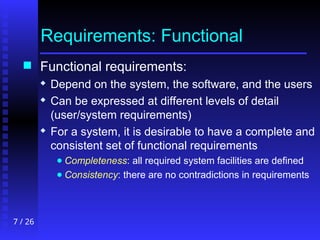
Requirements:Functional
Functional requirements:
Depend on the system, the software, and the users
Can be expressed at different levels of detail
(user/system requirements)
For a system, it is desirable to have a complete and
consistent set of functional requirements
● Completeness: all required system facilities are defined
● Consistency: there are no contradictions in requirements
8.
8 / 26
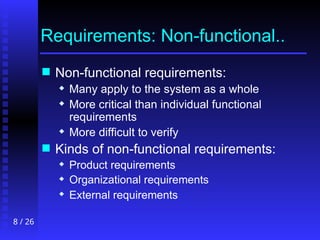
Requirements:Non-functional..
Non-functional requirements:
Many apply to the system as a whole
More critical than individual functional
requirements
More difficult to verify
Kinds of non-functional requirements:
Product requirements
Organizational requirements
External requirements
10 / 26
Requirements:..Non-functional
Metrics that can be used to quantitatively specify and verify
non-functional requirements [Fig. 5.6, Somm-6]
Property Measure
Speed Processed transactions/second
User/Event response time
Screen refresh time
Size K Bytes
Number of RAM chips
Ease of use Training time
Number of help frames
Reliability Mean time to failure
Probability of unavailability
Rate of failure occurrence
Availability
Robustness Time to restart after failure
Percentage of events causing failure
Probability of data corruption on failure
Portability Percentage of target dependent statements
Number of target systems
11.
11 / 26
Requirements:Domain
Domain requirements indicate specific
computations, additional functionality, or
constraints on other requirements
Example [Fig.5.7, Somm00]:
The deceleration of the train shall be computed as:
Dtrain = Dcontrol + Dgradient
where Dgradient = 9.81ms2
* compensated gradient/alpha
and where the values of 9.81ms2
/alpha are known for
different types of train.
12.
12 / 26
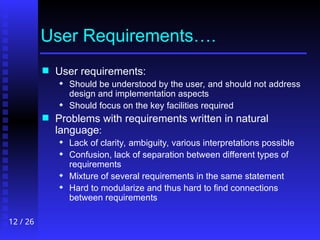
UserRequirements….
User requirements:
Should be understood by the user, and should not address
design and implementation aspects
Should focus on the key facilities required
Problems with requirements written in natural
language:
Lack of clarity, ambiguity, various interpretations possible
Confusion, lack of separation between different types of
requirements
Mixture of several requirements in the same statement
Hard to modularize and thus hard to find connections
between requirements
13.
13 / 26
.UserRequirements...
Example of improperly stated requirement [Fig. 5.9, Somm00]
2.6
2.6 Grid facilities
Grid facilities
To assist in the positioning of entities on a diagram, the user may
To assist in the positioning of entities on a diagram, the user may
turn on a grid in either centimetres or inches, via an option on the
turn on a grid in either centimetres or inches, via an option on the
control panel. Initially, the grid is off. The grid may be turned on
control panel. Initially, the grid is off. The grid may be turned on
and off at any time during an editing session and can be toggled
and off at any time during an editing session and can be toggled
between inches and centimetres at any time. A grid option will be
between inches and centimetres at any time. A grid option will be
provided on the reduce-to-fit view but the number of grid lines
provided on the reduce-to-fit view but the number of grid lines
shown will be reduced to avoid filling the smaller diagram with
shown will be reduced to avoid filling the smaller diagram with
grid lines.
grid lines.
15 / 26
…UserRequirements.
Another example of requirements statement, well structured, more
detailed and more precise [Fig. 5.11, Somm00]
3.5.1 Adding nodes to a design
3.5.1.1 The editor shall provide a facility for users to add nodes of a specified type to their
design.
3.5.1.2 The sequence of actions to add a node should be as follows:
1. The user should select the type of node to be added.
2. The user should move the cursor to the approximate node position in the diagram and
indicate that the node symbol should be added at that point.
3. The user should then drag the node symbol to its final position.
Rationale: The user is the best person to decide where to position a node on the diagram.
This approach gives the user direct control over node type selection and positioning.
Specification: ECLIPSE/WS/Tools/DE/FS. Section 3.5.1
16.
16 / 26
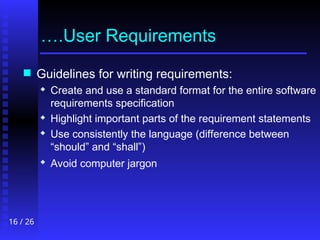
….UserRequirements
Guidelines for writing requirements:
Create and use a standard format for the entire software
requirements specification
Highlight important parts of the requirement statements
Use consistently the language (difference between
“should” and “shall”)
Avoid computer jargon
17.
17 / 26
SystemRequirements……
System requirements:
More detailed specifications of user requirements
Included in the contract with the client
Used by developers as basis for design
May be specified using various models (object-oriented
models, data-flow diagrams, formal specs, etc.)
Should indicate WHAT the system is required to do (not
HOW) and under what conditions and constraints
18.
18 / 26
.SystemRequirements.….
There is nevertheless a blurred line
between specification and design because:
A system architecture may be needed to
structure the requirements specification
Design constraints may be part of the system
requirements
Factors such as interoperability may also
impose design constraints
19.
19 / 26
..SystemRequirements….
Modalities for specifying requirements [Fig. 5.12, SE-6]:
Notation Description
Structured
natural
language
This approach depends on defining standard forms or
templates to express the requirements specification.
Design
description
languages
This approach uses a language like a programming language
but with more abstract features to specify the requirements
by defining an operational model of the system.
Graphical
notations
A graphical language, supplemented by text annotations is
used to define the functional requirements for the system.
An early example of such a graphical language was SADT
(Ross, 1977; Schoman and Ross, 1977). More recently, use-
case descriptions (Jacobsen, Christerson et al., 1993) have
been used. I discuss these in the following chapter.
Mathematical
specifications
These are notations based on mathematical concepts such
as finite-state machines or sets. These unambiguous
specifications reduce the arguments between customer and
contractor about system functionality. However, most
customers don’t understand formal specifications and are
reluctant to accept it as a system contract. I discuss formal
specification in Chapter 9.
20.
20 / 26
…SystemRequirements…
Standard templates for structured natural
language specification should include, as
applicable:
Description of the function/service
Inputs and their sources
Outputs and their destinations
Dependencies (other elements required)
Pre-conditions
Post-conditions
Side-effects
21.
21 / 26
….SystemRequirements..
Example of a system requirement specified using structured
natural language [Fig. 5.13, Somm00]
ECLIPSE/Workstation/Tools/DE/FS/3.5.1
Function Add node
Description Addsa node to an existing design. The user selects the type of node, and its position.
When added to the design, the node becomesthe current selection. The user chooses the node position by
moving the cursor to the area where the node is added.
Inputs Node type, Node position, Design identifier.
Source Node type and Node position are input by the user, Design identifier from the database.
Outputs Design identifier.
Destination The design database. The design is committed to the database on completion of the
operation.
Requires Design graph rooted at input design identifier.
Pre-condition The design is open and displayed on the user's screen.
Post-condition The design is unchanged apart from theaddition of a node of the specified type
at the given position.
Side-effects None
Definition: ECLIPSE/Workstation/Tools/DE/RD/3.5.1
22.
22 / 26
…..SystemRequirements.
Another alternative to natural language (NL) for
software specification is Program Description
Languages (PDL)
Derived from programming languages
May contain more abstract constructs
Their syntax and semantics could be checked
Recommended for describing sequences of actions
whose order is important & for specifying software
interfaces
However, PDL specification require advised readers,
can be taken as design specs, and may not be
expressive enough
23.
23 / 26
……SystemRequirements
Example of PDL requirements specification [Fig. 5.14, Somm00]
24.
24 / 26
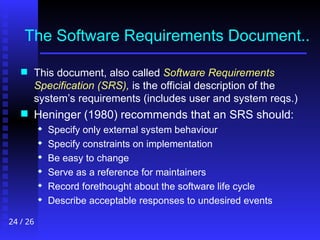
TheSoftware Requirements Document..
This document, also called Software Requirements
Specification (SRS), is the official description of the
system’s requirements (includes user and system reqs.)
Heninger (1980) recommends that an SRS should:
Specify only external system behaviour
Specify constraints on implementation
Be easy to change
Serve as a reference for maintainers
Record forethought about the software life cycle
Describe acceptable responses to undesired events
25.
25 / 26
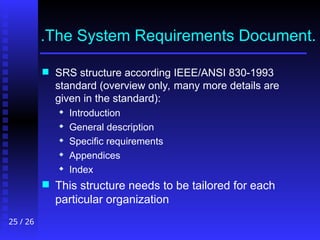
.TheSystem Requirements Document.
SRS structure according IEEE/ANSI 830-1993
standard (overview only, many more details are
given in the standard):
Introduction
General description
Specific requirements
Appendices
Index
This structure needs to be tailored for each
particular organization
26.
26 / 26
..TheSystem Requirements Document
..The System Requirements Document
A more detailed structure suggested in [Fig. 5.17, Somm00]:
Table of contents
Preface
Introduction
Glossary
User requirements definition
System architecture
System requirements specification
System models
System evolution
Appendices
Index
![1 / 26
CS 425/625 Software Engineering
Software Requirements
Based on Chapter 5 of the textbook [Somm00]
Based on Chapter 5 of the textbook [Somm00]
Ian Sommerville, Software Engineering, 6th
Ed., Addison-Wesley, 2000
and on Ch5 PowerPoint presentation from the book’s web-site:
www.comp.lancs.ac.uk/computing/resources/IanS/SE6/Slides/index.html
September 17, 2003
September 17, 2003](https://image.slidesharecdn.com/pse-chp05-250411145020-7449b263/85/Introduction-to-Software-engineeringPSE-Chp-05-ppt-1-320.jpg)
![1 / 26
CS 425/625 Software Engineering
Software Requirements
Based on Chapter 5 of the textbook [Somm00]
Based on Chapter 5 of the textbook [Somm00]
Ian Sommerville, Software Engineering, 6th
Ed., Addison-Wesley, 2000
and on Ch5 PowerPoint presentation from the book’s web-site:
www.comp.lancs.ac.uk/computing/resources/IanS/SE6/Slides/index.html
September 17, 2003
September 17, 2003](https://image.slidesharecdn.com/pse-chp05-250411145020-7449b263/75/Introduction-to-Software-engineeringPSE-Chp-05-ppt-1-2048.jpg)
![5 / 26
Requirements: ..Introduction.
Examples of
Examples of user requirements
user requirements definition
definition and
and system
system
requirements
requirements specification
specification [Fig. 5.1, Somm00]
[Fig. 5.1, Somm00]
1. The software must provide a means of representing and
1. accessing external files created by other tools.
1.1 The user should be provided with facilities to define the type of
1.2 external files.
1.2 Each external file type may have an associated tool which may be
1.2 applied to the file.
1.3 Each external file type may be represented as a specific icon on
1.2 the user’s display.
1.4 Facilities should be provided for the icon representing an
1.2 external file type to be defined by theuser.
1.5 When a user selects an icon representing an external file, the
1.2 effect of that selection is to apply the tool associated with the type of
1.2 the external file to the file representedby the selected icon.
Requirements definition
Requirements specification](https://image.slidesharecdn.com/pse-chp05-250411145020-7449b263/85/Introduction-to-Software-engineeringPSE-Chp-05-ppt-5-320.jpg)
![9 / 26
Requirements: .Non-functional.
A classification of non-functional requirements [Fig. 5.3, Somm00]:
Performance
requirements
Space
requirements
Usability
requirements
Efficiency
requirements
Reliability
requirements
Portability
requirements
Interoperability
requirements
Ethical
requirements
Legislative
requirements
Implementation
requirements
Standards
requirements
Delivery
requirements
Safety
requirements
Privacy
requirements
Product
requirements
Organizational
requirements
External
requirements
Non-functional
requirements](https://image.slidesharecdn.com/pse-chp05-250411145020-7449b263/85/Introduction-to-Software-engineeringPSE-Chp-05-ppt-9-320.jpg)
![10 / 26
Requirements: ..Non-functional
Metrics that can be used to quantitatively specify and verify
non-functional requirements [Fig. 5.6, Somm-6]
Property Measure
Speed Processed transactions/second
User/Event response time
Screen refresh time
Size K Bytes
Number of RAM chips
Ease of use Training time
Number of help frames
Reliability Mean time to failure
Probability of unavailability
Rate of failure occurrence
Availability
Robustness Time to restart after failure
Percentage of events causing failure
Probability of data corruption on failure
Portability Percentage of target dependent statements
Number of target systems](https://image.slidesharecdn.com/pse-chp05-250411145020-7449b263/85/Introduction-to-Software-engineeringPSE-Chp-05-ppt-10-320.jpg)
![11 / 26
Requirements: Domain
Domain requirements indicate specific
computations, additional functionality, or
constraints on other requirements
Example [Fig.5.7, Somm00]:
The deceleration of the train shall be computed as:
Dtrain = Dcontrol + Dgradient
where Dgradient = 9.81ms2
* compensated gradient/alpha
and where the values of 9.81ms2
/alpha are known for
different types of train.](https://image.slidesharecdn.com/pse-chp05-250411145020-7449b263/85/Introduction-to-Software-engineeringPSE-Chp-05-ppt-11-320.jpg)
![13 / 26
.User Requirements...
Example of improperly stated requirement [Fig. 5.9, Somm00]
2.6
2.6 Grid facilities
Grid facilities
To assist in the positioning of entities on a diagram, the user may
To assist in the positioning of entities on a diagram, the user may
turn on a grid in either centimetres or inches, via an option on the
turn on a grid in either centimetres or inches, via an option on the
control panel. Initially, the grid is off. The grid may be turned on
control panel. Initially, the grid is off. The grid may be turned on
and off at any time during an editing session and can be toggled
and off at any time during an editing session and can be toggled
between inches and centimetres at any time. A grid option will be
between inches and centimetres at any time. A grid option will be
provided on the reduce-to-fit view but the number of grid lines
provided on the reduce-to-fit view but the number of grid lines
shown will be reduced to avoid filling the smaller diagram with
shown will be reduced to avoid filling the smaller diagram with
grid lines.
grid lines.](https://image.slidesharecdn.com/pse-chp05-250411145020-7449b263/85/Introduction-to-Software-engineeringPSE-Chp-05-ppt-13-320.jpg)
![14 / 26
..User Requirements..
Re-stated requirement [Fig. 5.10, Somm00]](https://image.slidesharecdn.com/pse-chp05-250411145020-7449b263/85/Introduction-to-Software-engineeringPSE-Chp-05-ppt-14-320.jpg)
![15 / 26
…User Requirements.
Another example of requirements statement, well structured, more
detailed and more precise [Fig. 5.11, Somm00]
3.5.1 Adding nodes to a design
3.5.1.1 The editor shall provide a facility for users to add nodes of a specified type to their
design.
3.5.1.2 The sequence of actions to add a node should be as follows:
1. The user should select the type of node to be added.
2. The user should move the cursor to the approximate node position in the diagram and
indicate that the node symbol should be added at that point.
3. The user should then drag the node symbol to its final position.
Rationale: The user is the best person to decide where to position a node on the diagram.
This approach gives the user direct control over node type selection and positioning.
Specification: ECLIPSE/WS/Tools/DE/FS. Section 3.5.1](https://image.slidesharecdn.com/pse-chp05-250411145020-7449b263/85/Introduction-to-Software-engineeringPSE-Chp-05-ppt-15-320.jpg)
![19 / 26
..System Requirements….
Modalities for specifying requirements [Fig. 5.12, SE-6]:
Notation Description
Structured
natural
language
This approach depends on defining standard forms or
templates to express the requirements specification.
Design
description
languages
This approach uses a language like a programming language
but with more abstract features to specify the requirements
by defining an operational model of the system.
Graphical
notations
A graphical language, supplemented by text annotations is
used to define the functional requirements for the system.
An early example of such a graphical language was SADT
(Ross, 1977; Schoman and Ross, 1977). More recently, use-
case descriptions (Jacobsen, Christerson et al., 1993) have
been used. I discuss these in the following chapter.
Mathematical
specifications
These are notations based on mathematical concepts such
as finite-state machines or sets. These unambiguous
specifications reduce the arguments between customer and
contractor about system functionality. However, most
customers don’t understand formal specifications and are
reluctant to accept it as a system contract. I discuss formal
specification in Chapter 9.](https://image.slidesharecdn.com/pse-chp05-250411145020-7449b263/85/Introduction-to-Software-engineeringPSE-Chp-05-ppt-19-320.jpg)
![21 / 26
….System Requirements..
Example of a system requirement specified using structured
natural language [Fig. 5.13, Somm00]
ECLIPSE/Workstation/Tools/DE/FS/3.5.1
Function Add node
Description Addsa node to an existing design. The user selects the type of node, and its position.
When added to the design, the node becomesthe current selection. The user chooses the node position by
moving the cursor to the area where the node is added.
Inputs Node type, Node position, Design identifier.
Source Node type and Node position are input by the user, Design identifier from the database.
Outputs Design identifier.
Destination The design database. The design is committed to the database on completion of the
operation.
Requires Design graph rooted at input design identifier.
Pre-condition The design is open and displayed on the user's screen.
Post-condition The design is unchanged apart from theaddition of a node of the specified type
at the given position.
Side-effects None
Definition: ECLIPSE/Workstation/Tools/DE/RD/3.5.1](https://image.slidesharecdn.com/pse-chp05-250411145020-7449b263/85/Introduction-to-Software-engineeringPSE-Chp-05-ppt-21-320.jpg)
![23 / 26
……System Requirements
Example of PDL requirements specification [Fig. 5.14, Somm00]](https://image.slidesharecdn.com/pse-chp05-250411145020-7449b263/85/Introduction-to-Software-engineeringPSE-Chp-05-ppt-23-320.jpg)
![26 / 26
..The System Requirements Document
..The System Requirements Document
A more detailed structure suggested in [Fig. 5.17, Somm00]:
Table of contents
Preface
Introduction
Glossary
User requirements definition
System architecture
System requirements specification
System models
System evolution
Appendices
Index](https://image.slidesharecdn.com/pse-chp05-250411145020-7449b263/85/Introduction-to-Software-engineeringPSE-Chp-05-ppt-26-320.jpg)


