What is SEO?
SEO stands for Search Engine Optimization, the process
of making your website more visible and higher-ranking
in search engine results. It helps people find your site
easily and enhances the overall user experience.
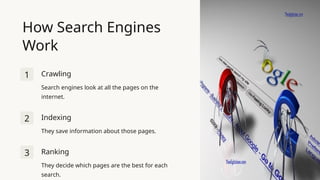
How Search Engines
Work
1 Crawling
Search engines look at all the pages on the
internet.
2 Indexing
They save information about those pages.
3 Ranking
They decide which pages are the best for each
search.
On-Page SEO
Optimizing your website's
content and structure.
Off-Page SEO
Building your online
reputation and authority.
Technical SEO
Ensuring your website is
fast and mobile-friendly.
Local SEO
Optimizing your Google My
Business profile for local searches
and Google Maps.
Types of SEO
Key SEO Concepts
Content
Helpful and interesting information that
matches what people are looking for.
Backlinks
Other websites linking to your site,
showing it's trustworthy.
User Experience (UX)
Making your site easy to use and navigate.
Keywords
Words people use to search for things.
SEO Best Practices
On-Page Optimization
Using keywords naturally in content,
writing clear titles and headings.
Content Strategy
Creating useful and engaging content,
updating regularly.
Link Building
Making connections with other websites,
creating shareable content.
Measuring SEO Success
• Visitors from search
engines.
Search
Traffic
• How your site ranks for
important terms.
Keyword
Rankings
• Visitors' actions and
behavior.
User
Engagemen
t
Set Up Your Google My
Business Account
Enter Your Business information
Add a Physical
Location
If you have a
physical store or
office, add your
business address.
Service Area
If you serve
customers at
their locations,
add the areas you
serve.
Phone Number
Add your
business phone
number.
Website
Add your
business website
URL.
Verify Your Business
1 Verify Your Business
Google will send a postcard with a verification
code to your business address.
2 Enter Verification Code
Enter the code on your Google My Business
account when you receive it.
Complete Your Profile
Business Hours
Add your regular and
holiday business hours.
Photos
Upload high-quality photos
of your business, products,
and services.
Description
Write a brief description with
keywords about your
business.
Regularly Update
Your Profile
Posts
Share updates, offers, events, and news
about your business.
Reviews
Respond to all customer reviews, both
positive and negative.

Introduction to Search Engine Optimization

  • 1.
    What is SEO? SEOstands for Search Engine Optimization, the process of making your website more visible and higher-ranking in search engine results. It helps people find your site easily and enhances the overall user experience.
  • 2.
    How Search Engines Work 1Crawling Search engines look at all the pages on the internet. 2 Indexing They save information about those pages. 3 Ranking They decide which pages are the best for each search.
  • 3.
    On-Page SEO Optimizing yourwebsite's content and structure. Off-Page SEO Building your online reputation and authority. Technical SEO Ensuring your website is fast and mobile-friendly. Local SEO Optimizing your Google My Business profile for local searches and Google Maps. Types of SEO
  • 4.
    Key SEO Concepts Content Helpfuland interesting information that matches what people are looking for. Backlinks Other websites linking to your site, showing it's trustworthy. User Experience (UX) Making your site easy to use and navigate. Keywords Words people use to search for things.
  • 5.
    SEO Best Practices On-PageOptimization Using keywords naturally in content, writing clear titles and headings. Content Strategy Creating useful and engaging content, updating regularly. Link Building Making connections with other websites, creating shareable content.
  • 6.
    Measuring SEO Success •Visitors from search engines. Search Traffic • How your site ranks for important terms. Keyword Rankings • Visitors' actions and behavior. User Engagemen t
  • 7.
    Set Up YourGoogle My Business Account
  • 8.
    Enter Your Businessinformation Add a Physical Location If you have a physical store or office, add your business address. Service Area If you serve customers at their locations, add the areas you serve. Phone Number Add your business phone number. Website Add your business website URL.
  • 9.
    Verify Your Business 1Verify Your Business Google will send a postcard with a verification code to your business address. 2 Enter Verification Code Enter the code on your Google My Business account when you receive it.
  • 10.
    Complete Your Profile BusinessHours Add your regular and holiday business hours. Photos Upload high-quality photos of your business, products, and services. Description Write a brief description with keywords about your business.
  • 11.
    Regularly Update Your Profile Posts Shareupdates, offers, events, and news about your business. Reviews Respond to all customer reviews, both positive and negative.