INTRODUCTION ABOUT
INTRODUCTION ABOUT
PYTHON PROGRAMMING
PYTHON PROGRAMMING
DR.T.KAVIPRIYA
Assistant Professor
Department of Computer Science with Cyber Security
Sri Ramakrishna College of Arts & Science
Coimbatore
1
What is Python?
• Python is a high-level, interpreted programming language.
• Created by Guido van Rossum in 1991.
• Known for its readability and simplicity.
• Used for web development, data analysis, machine learning,
automation, and more.
2
repared by Dr.T.Kavipriya,Asst.Prof,Dept.of Cs with Cys,SRCAS
Why Choose Python?
• Easy to Learn and Use: Simple syntax compared to other
languages.
• Extensive Libraries: Libraries for data science, web
development, and more.
• Versatile: Used in various domains (e.g., web development,
AI, automation).
• Open Source: Free to use and modify.
3
repared by Dr.T.Kavipriya,Asst.Prof,Dept.of Cs with Cys,SRCAS
Python's Key Features
• Simple Syntax: Python’s syntax resembles plain English, making
it easy to read and write.
• Cross-Platform: Works on Windows, Mac, and Linux.
• Interpreted: Python code is executed line-by-line.
• Object-Oriented: Supports object-oriented programming (OOP).
• Dynamic Typing: You don't need to declare the type of variables.
• Extensive Standard Library: A wide range of built-in modules for
various tasks.
4
repared by Dr.T.Kavipriya,Asst.Prof,Dept.of Cs with Cys,SRCAS
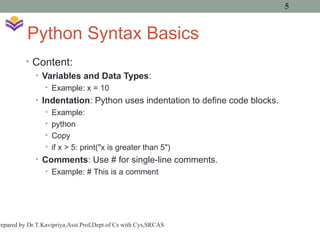
Python Syntax Basics
• Content:
• Variables and Data Types:
• Example: x = 10
• Indentation: Python uses indentation to define code blocks.
• Example:
• python
• Copy
• if x > 5: print("x is greater than 5")
• Comments: Use # for single-line comments.
• Example: # This is a comment
5
repared by Dr.T.Kavipriya,Asst.Prof,Dept.of Cs with Cys,SRCAS
Python Data Types
• Integers: x = 5
• Floats: y = 3.14
• Strings: name = "Python"
• Lists: numbers = [1, 2, 3, 4]
• Dictionaries: student = {"name": "John",
"age": 21}
6
repared by Dr.T.Kavipriya,Asst.Prof,Dept.of Cs with Cys,SRCAS
Python Operators
• Arithmetic Operators: +, -, *, /
• Comparison Operators: ==, !=, <, >
• Logical Operators: and, or, not
• Assignment Operators: =, +=, -=
7
repared by Dr.T.Kavipriya,Asst.Prof,Dept.of Cs with Cys,SRCAS
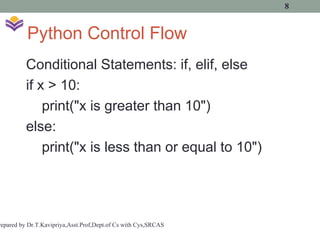
Python Control Flow
Conditional Statements: if, elif, else
if x > 10:
print("x is greater than 10")
else:
print("x is less than or equal to 10")
8
repared by Dr.T.Kavipriya,Asst.Prof,Dept.of Cs with Cys,SRCAS
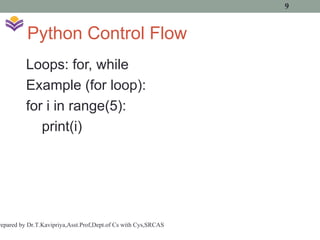
Python Control Flow
Loops: for, while
Example (for loop):
for i in range(5):
print(i)
9
repared by Dr.T.Kavipriya,Asst.Prof,Dept.of Cs with Cys,SRCAS
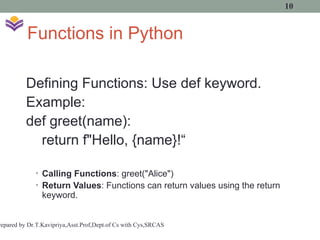
Functions in Python
Defining Functions: Use def keyword.
Example:
def greet(name):
return f"Hello, {name}!“
• Calling Functions: greet("Alice")
• Return Values: Functions can return values using the return
keyword.
10
repared by Dr.T.Kavipriya,Asst.Prof,Dept.of Cs with Cys,SRCAS
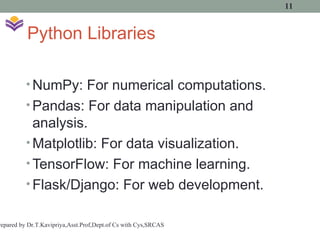
Python Libraries
• NumPy: For numerical computations.
• Pandas: For data manipulation and
analysis.
• Matplotlib: For data visualization.
• TensorFlow: For machine learning.
• Flask/Django: For web development.
11
repared by Dr.T.Kavipriya,Asst.Prof,Dept.of Cs with Cys,SRCAS
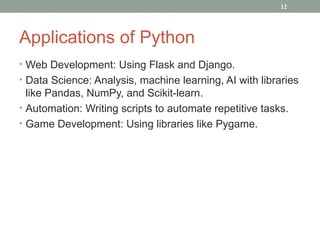
Applications of Python
• Web Development: Using Flask and Django.
• Data Science: Analysis, machine learning, AI with libraries
like Pandas, NumPy, and Scikit-learn.
• Automation: Writing scripts to automate repetitive tasks.
• Game Development: Using libraries like Pygame.
12
How to Get Started with Python
• Install Python: Visit python.org and download the latest
version.
• IDE: Use IDLE, PyCharm, or VS Code for coding.
• Write Your First Program: A simple "Hello, World!"
program.
• Example:
• print("Hello, World!")
13
Conclusion
• Python is a beginner-friendly, versatile language.
• Its simplicity, readability, and wide usage in various fields
make it an excellent choice for learning and development
14

Introduction about python programming.ppt

  • 1.
    INTRODUCTION ABOUT INTRODUCTION ABOUT PYTHONPROGRAMMING PYTHON PROGRAMMING DR.T.KAVIPRIYA Assistant Professor Department of Computer Science with Cyber Security Sri Ramakrishna College of Arts & Science Coimbatore 1
  • 2.
    What is Python? •Python is a high-level, interpreted programming language. • Created by Guido van Rossum in 1991. • Known for its readability and simplicity. • Used for web development, data analysis, machine learning, automation, and more. 2 repared by Dr.T.Kavipriya,Asst.Prof,Dept.of Cs with Cys,SRCAS
  • 3.
    Why Choose Python? •Easy to Learn and Use: Simple syntax compared to other languages. • Extensive Libraries: Libraries for data science, web development, and more. • Versatile: Used in various domains (e.g., web development, AI, automation). • Open Source: Free to use and modify. 3 repared by Dr.T.Kavipriya,Asst.Prof,Dept.of Cs with Cys,SRCAS
  • 4.
    Python's Key Features •Simple Syntax: Python’s syntax resembles plain English, making it easy to read and write. • Cross-Platform: Works on Windows, Mac, and Linux. • Interpreted: Python code is executed line-by-line. • Object-Oriented: Supports object-oriented programming (OOP). • Dynamic Typing: You don't need to declare the type of variables. • Extensive Standard Library: A wide range of built-in modules for various tasks. 4 repared by Dr.T.Kavipriya,Asst.Prof,Dept.of Cs with Cys,SRCAS
  • 5.
    Python Syntax Basics •Content: • Variables and Data Types: • Example: x = 10 • Indentation: Python uses indentation to define code blocks. • Example: • python • Copy • if x > 5: print("x is greater than 5") • Comments: Use # for single-line comments. • Example: # This is a comment 5 repared by Dr.T.Kavipriya,Asst.Prof,Dept.of Cs with Cys,SRCAS
  • 6.
    Python Data Types •Integers: x = 5 • Floats: y = 3.14 • Strings: name = "Python" • Lists: numbers = [1, 2, 3, 4] • Dictionaries: student = {"name": "John", "age": 21} 6 repared by Dr.T.Kavipriya,Asst.Prof,Dept.of Cs with Cys,SRCAS
  • 7.
    Python Operators • ArithmeticOperators: +, -, *, / • Comparison Operators: ==, !=, <, > • Logical Operators: and, or, not • Assignment Operators: =, +=, -= 7 repared by Dr.T.Kavipriya,Asst.Prof,Dept.of Cs with Cys,SRCAS
  • 8.
    Python Control Flow ConditionalStatements: if, elif, else if x > 10: print("x is greater than 10") else: print("x is less than or equal to 10") 8 repared by Dr.T.Kavipriya,Asst.Prof,Dept.of Cs with Cys,SRCAS
  • 9.
    Python Control Flow Loops:for, while Example (for loop): for i in range(5): print(i) 9 repared by Dr.T.Kavipriya,Asst.Prof,Dept.of Cs with Cys,SRCAS
  • 10.
    Functions in Python DefiningFunctions: Use def keyword. Example: def greet(name): return f"Hello, {name}!“ • Calling Functions: greet("Alice") • Return Values: Functions can return values using the return keyword. 10 repared by Dr.T.Kavipriya,Asst.Prof,Dept.of Cs with Cys,SRCAS
  • 11.
    Python Libraries • NumPy:For numerical computations. • Pandas: For data manipulation and analysis. • Matplotlib: For data visualization. • TensorFlow: For machine learning. • Flask/Django: For web development. 11 repared by Dr.T.Kavipriya,Asst.Prof,Dept.of Cs with Cys,SRCAS
  • 12.
    Applications of Python •Web Development: Using Flask and Django. • Data Science: Analysis, machine learning, AI with libraries like Pandas, NumPy, and Scikit-learn. • Automation: Writing scripts to automate repetitive tasks. • Game Development: Using libraries like Pygame. 12
  • 13.
    How to GetStarted with Python • Install Python: Visit python.org and download the latest version. • IDE: Use IDLE, PyCharm, or VS Code for coding. • Write Your First Program: A simple "Hello, World!" program. • Example: • print("Hello, World!") 13
  • 14.
    Conclusion • Python isa beginner-friendly, versatile language. • Its simplicity, readability, and wide usage in various fields make it an excellent choice for learning and development 14