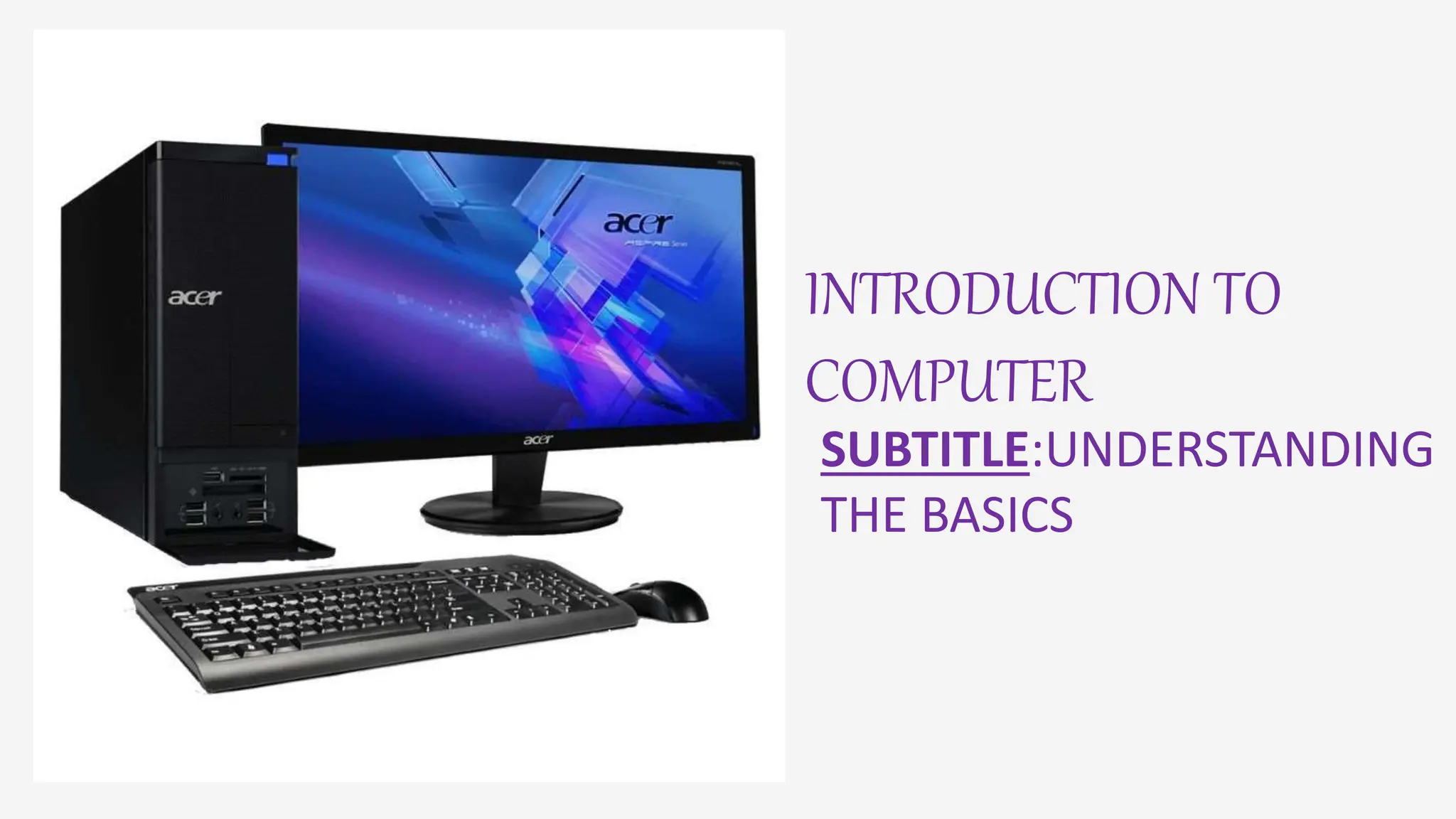
INTRODUCTION TO
COMPUTER
SUBTITLE:UNDERSTANDING
THE BASICS
DEFINITIONOF COMPUTER
A computer is an electronic device that manipulates
information, or data. It has the ability to store, retrieve, and
process data. You may already know that you can use a
computer to type documents, send email, play games, and
browse the Web.
Example: desktop, laptops, tablets, smartphones, etc.
HARDWARECOMPONENTS
• Central processing unit(CPU)
• Memory(RAM)
• Storage Drive(HDD/SDD)
• Input/output Devices(Keyboard, Mouse,
Monitor)
• Power supply
SOFTWARE
DEFINTION:A Set of instructions that a computer can execute.
Example: operating system(windows)
• Productivity software(Microsoft office)
• Web browsers(google chrome, Mozilla Firefox)
• games
Typesof computer
• Super Computer.
• Mainframe computer.
• Mini Computer.
• Workstation Computer.
• Personal Computer (PC)
• Server Computer.
• Analog Computer
Usesof computer
Computers are playing a vital role in almost every field
and making our day-to-day tasks more manageable.
Computers were only used to perform complex
numerical calculations in a previous time, but they have
reached too far and now perform many different roles.
They are now performing diverse set functions from
complicated calculations to generating business reports,
bill generation to education, programming or
development to entertainment, etc.
Because of their characteristics and powerful
functionalities, computers are used in various fields,
such as homes, businesses, government offices, research
organizations, educational institutions, medical,
entertainment, etc.
Conclusion
SUMMARY: Computers are an integral part of modern
life, and understanding their basics essential for
effective use.

intoduction on computer - Copy - Copy.pptx

  • 1.
  • 2.
    DEFINITIONOF COMPUTER A computeris an electronic device that manipulates information, or data. It has the ability to store, retrieve, and process data. You may already know that you can use a computer to type documents, send email, play games, and browse the Web. Example: desktop, laptops, tablets, smartphones, etc.
  • 3.
    HARDWARECOMPONENTS • Central processingunit(CPU) • Memory(RAM) • Storage Drive(HDD/SDD) • Input/output Devices(Keyboard, Mouse, Monitor) • Power supply
  • 4.
    SOFTWARE DEFINTION:A Set ofinstructions that a computer can execute. Example: operating system(windows) • Productivity software(Microsoft office) • Web browsers(google chrome, Mozilla Firefox) • games
  • 5.
    Typesof computer • SuperComputer. • Mainframe computer. • Mini Computer. • Workstation Computer. • Personal Computer (PC) • Server Computer. • Analog Computer
  • 6.
    Usesof computer Computers areplaying a vital role in almost every field and making our day-to-day tasks more manageable. Computers were only used to perform complex numerical calculations in a previous time, but they have reached too far and now perform many different roles. They are now performing diverse set functions from complicated calculations to generating business reports, bill generation to education, programming or development to entertainment, etc. Because of their characteristics and powerful functionalities, computers are used in various fields, such as homes, businesses, government offices, research organizations, educational institutions, medical, entertainment, etc.
  • 7.
    Conclusion SUMMARY: Computers arean integral part of modern life, and understanding their basics essential for effective use.