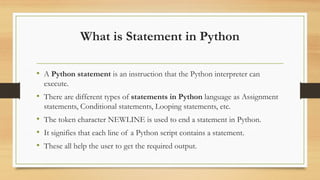
What is Statementin Python
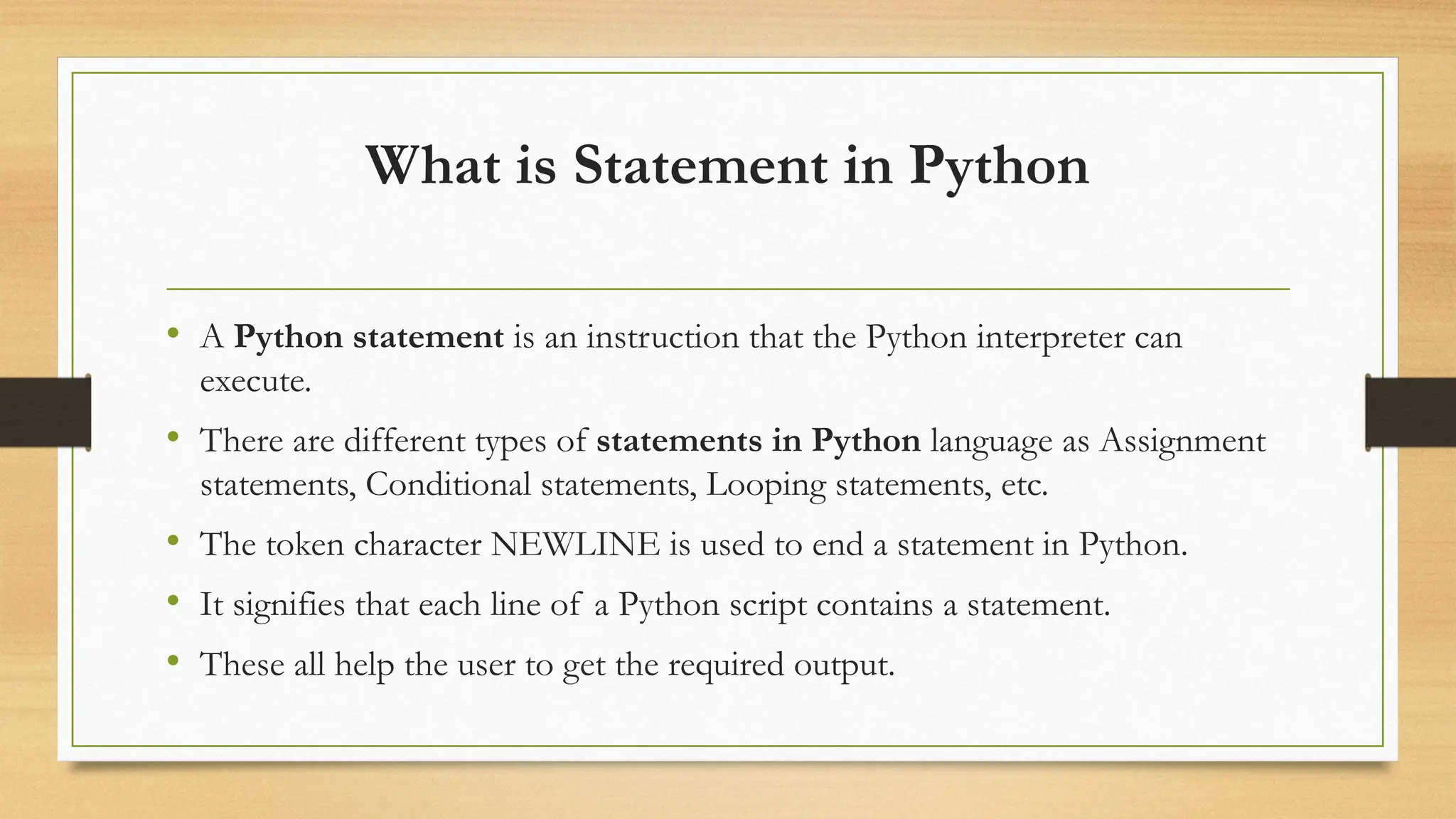
• A Python statement is an instruction that the Python interpreter can
execute.
• There are different types of statements in Python language as Assignment
statements, Conditional statements, Looping statements, etc.
• The token character NEWLINE is used to end a statement in Python.
• It signifies that each line of a Python script contains a statement.
• These all help the user to get the required output.
2.
Indentation in Python
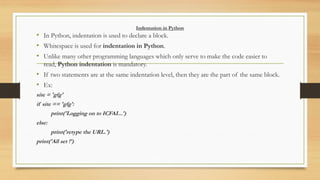
•In Python, indentation is used to declare a block.
• Whitespace is used for indentation in Python.
• Unlike many other programming languages which only serve to make the code easier to
read, Python indentation is mandatory.
• If two statements are at the same indentation level, then they are the part of the same block.
• Ex:
site = 'gfg'
if site == 'gfg':
print('Logging on to ICFAI...')
else:
print('retype the URL.')
print('All set !')
3.
Conditional Statements
/Decision MakingStatements
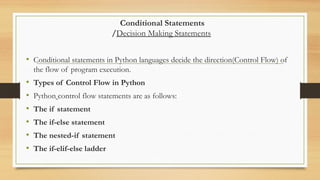
• Conditional statements in Python languages decide the direction(Control Flow) of
the flow of program execution.
• Types of Control Flow in Python
• Python control flow statements are as follows:
• The if statement
• The if-else statement
• The nested-if statement
• The if-elif-else ladder
4.
Python if statement
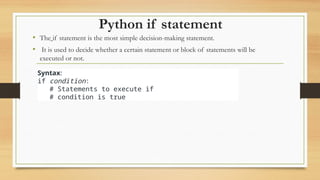
•The if statement is the most simple decision-making statement.
• It is used to decide whether a certain statement or block of statements will be
executed or not.
Syntax:
if condition:
# Statements to execute if
# condition is true
5.
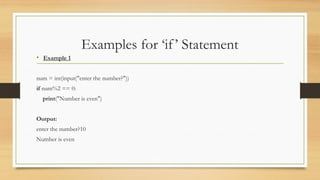
Examples for ‘if’Statement
• Example 1
num = int(input("enter the number?"))
if num%2 == 0:
print("Number is even")
Output:
enter the number?10
Number is even
6.
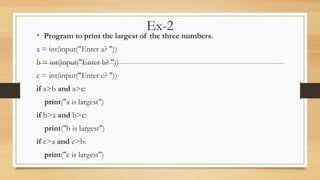
Ex-2
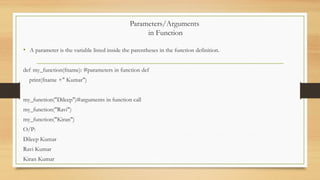
• Program toprint the largest of the three numbers.
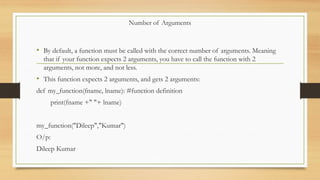
a = int(input("Enter a? "))
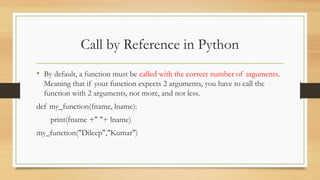
b = int(input("Enter b? "))
c = int(input("Enter c? "))
if a>b and a>c:
print("a is largest")
if b>a and b>c:
print("b is largest")
if c>a and c>b:
print("c is largest")
7.
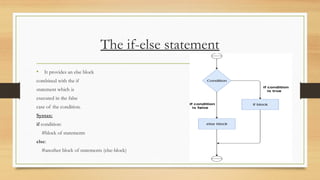
The if-else statement
•It provides an else block
combined with the if
statement which is
executed in the false
case of the condition.
Syntax:
if condition:
#block of statements
else:
#another block of statements (else-block)
8.
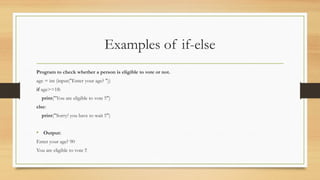
Examples of if-else
Programto check whether a person is eligible to vote or not.
age = int (input("Enter your age? "))
if age>=18:
print("You are eligible to vote !!")
else:
print("Sorry! you have to wait !!")
• Output:
Enter your age? 90
You are eligible to vote !!
9.
Example 2:
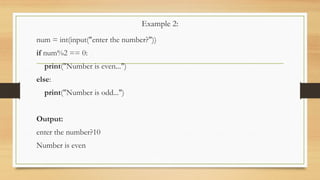
num =int(input("enter the number?"))
if num%2 == 0:
print("Number is even...")
else:
print("Number is odd...")
Output:
enter the number?10
Number is even
10.
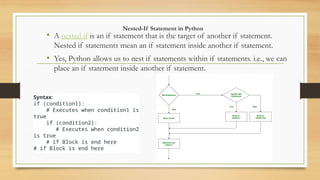
Nested-If Statement inPython
• A nested if is an if statement that is the target of another if statement.
Nested if statements mean an if statement inside another if statement.
• Yes, Python allows us to nest if statements within if statements. i.e., we can
place an if statement inside another if statement.
Syntax:
if (condition1):
# Executes when condition1 is
true
if (condition2):
# Executes when condition2
is true
# if Block is end here
# if Block is end here
11.
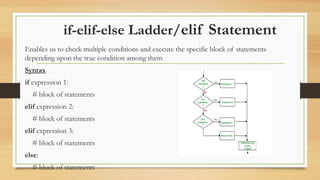
if-elif-else Ladder/elif Statement
Enablesus to check multiple conditions and execute the specific block of statements
depending upon the true condition among them
Syntax
if expression 1:
# block of statements
elif expression 2:
# block of statements
elif expression 3:
# block of statements
else:
# block of statements
12.
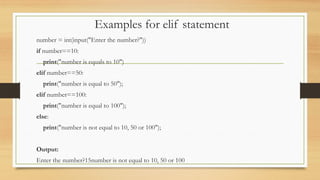
Examples for elifstatement
number = int(input("Enter the number?"))
if number==10:
print("number is equals to 10")
elif number==50:
print("number is equal to 50");
elif number==100:
print("number is equal to 100");
else:
print("number is not equal to 10, 50 or 100");
Output:
Enter the number?15number is not equal to 10, 50 or 100
13.
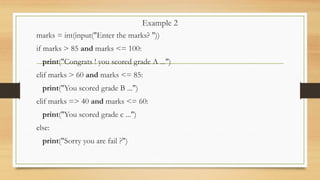
Example 2
marks =int(input("Enter the marks? "))
if marks > 85 and marks <= 100:
print("Congrats ! you scored grade A ...")
elif marks > 60 and marks <= 85:
print("You scored grade B ...")
elif marks => 40 and marks <= 60:
print("You scored grade c ...")
else:
print("Sorry you are fail ?")
14.
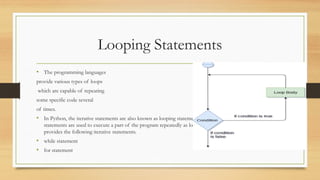
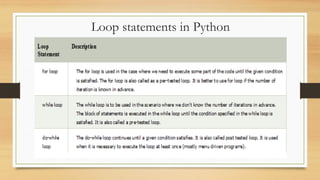
Looping Statements
• Theprogramming languages
provide various types of loops
which are capable of repeating
some specific code several
of times.
• In Python, the iterative statements are also known as looping statements or repetitive statements. The iterative
statements are used to execute a part of the program repeatedly as long as a given condition is True. Python
provides the following iterative statements.
• while statement
• for statement
15.
Why we useloops in python?
• simplifies the complex problems into the easy ones
• It enables us to alter the flow of the program so that instead of writing the
same code again and again
• we can repeat the same code for a finite number of times
• For example, if we need to print the first 10 natural numbers then, instead of
using the print statement 10 times, we can print inside a loop which runs up
to 10 iterations.
16.
Advantages of loops
•It provides code re-usability.
• Using loops, we do not need to write the same code again and
again.
• Using loops, we can traverse over the elements of data structures
(array or linked lists).
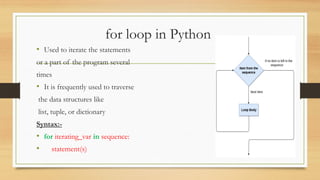
for loop inPython
• Used to iterate the statements
or a part of the program several
times
• It is frequently used to traverse
the data structures like
list, tuple, or dictionary
Syntax:-
• for iterating_var in sequence:
• statement(s)
19.
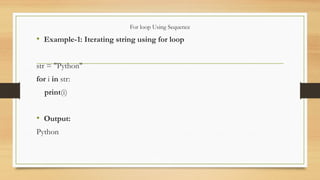
For loop UsingSequence
• Example-1: Iterating string using for loop
str = "Python"
for i in str:
print(i)
• Output:
Python
20.
Example
• Example- 2:Program to print the multiplication table of the given
number .
list =[1,2,3,4,5,6,7,8,9,10]
n=int(input("enter n value:"))
for i in list:
c=n*i
print("%d X %d = %d n"%(n,i,c))
print("end")
21.
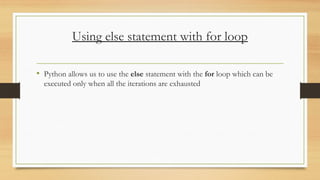
Using else statementwith for loop
• Python allows us to use the else statement with the for loop which can be
executed only when all the iterations are exhausted
22.
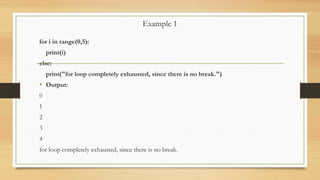
Example 1
for iin range(0,5):
print(i)
else:
print("for loop completely exhausted, since there is no break.")
• Output:
0
1
2
3
4
for loop completely exhausted, since there is no break.
23.
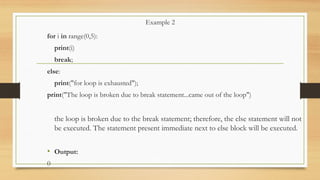
Example 2
for iin range(0,5):
print(i)
break;
else:
print("for loop is exhausted");
print("The loop is broken due to break statement...came out of the loop")
the loop is broken due to the break statement; therefore, the else statement will not
be executed. The statement present immediate next to else block will be executed.
• Output:
0
24.
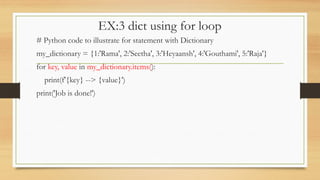
EX:3 dict usingfor loop
# Python code to illustrate for statement with Dictionary
my_dictionary = {1:'Rama', 2:'Seetha', 3:'Heyaansh', 4:'Gouthami', 5:'Raja'}
for key, value in my_dictionary.items():
print(f'{key} --> {value}')
print('Job is done!')
25.
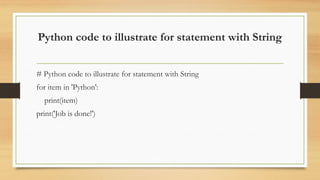
Python code toillustrate for statement with String
# Python code to illustrate for statement with String
for item in 'Python':
print(item)
print('Job is done!')
26.
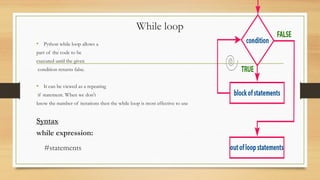
While loop
• Pythonwhile loop allows a
part of the code to be
executed until the given
condition returns false.
• It can be viewed as a repeating
if statement. When we don't
know the number of iterations then the while loop is most effective to use
Syntax
while expression:
#statements
27.
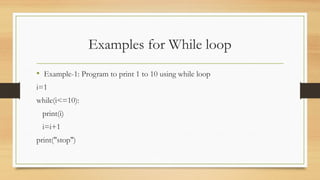
Examples for Whileloop
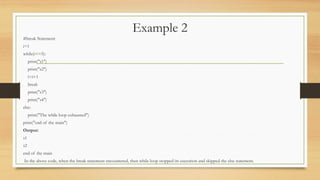
• Example-1: Program to print 1 to 10 using while loop
i=1
while(i<=10):
print(i)
i=i+1
print("stop")
28.
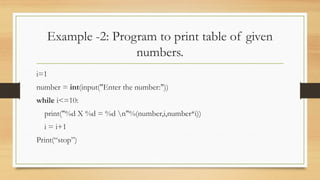
Example -2: Programto print table of given
numbers.
i=1
number = int(input("Enter the number:"))
while i<=10:
print("%d X %d = %d n"%(number,i,number*i))
i = i+1
Print(“stop”)
29.
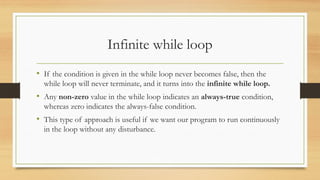
Infinite while loop
•If the condition is given in the while loop never becomes false, then the
while loop will never terminate, and it turns into the infinite while loop.
• Any non-zero value in the while loop indicates an always-true condition,
whereas zero indicates the always-false condition.
• This type of approach is useful if we want our program to run continuously
in the loop without any disturbance.
30.
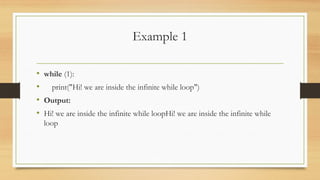
Example 1
• while(1):
• print("Hi! we are inside the infinite while loop")
• Output:
• Hi! we are inside the infinite while loopHi! we are inside the infinite while
loop
31.
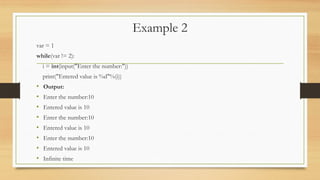
Example 2
var =1
while(var != 2):
i = int(input("Enter the number:"))
print("Entered value is %d"%(i))
• Output:
• Enter the number:10
• Entered value is 10
• Enter the number:10
• Entered value is 10
• Enter the number:10
• Entered value is 10
• Infinite time
32.
Using else withwhile loop
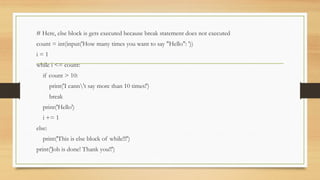
• The else block is executed when the condition given in the while statement
becomes false.
• Like for loop, if the while loop is broken using break statement, then the else
block will not be executed, and the statement present after else block will be
executed.
# Here, elseblock is gets executed because break statement does not executed
count = int(input('How many times you want to say "Hello": '))
i = 1
while i <= count:
if count > 10:
print('I cann't say more than 10 times!')
break
print('Hello')
i += 1
else:
print('This is else block of while!!!')
print('Job is done! Thank you!!')
36.
Conditional Statements
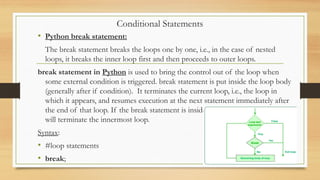
• Pythonbreak statement:
The break statement breaks the loops one by one, i.e., in the case of nested
loops, it breaks the inner loop first and then proceeds to outer loops.
break statement in Python is used to bring the control out of the loop when
some external condition is triggered. break statement is put inside the loop body
(generally after if condition). It terminates the current loop, i.e., the loop in
which it appears, and resumes execution at the next statement immediately after
the end of that loop. If the break statement is inside a nested loop, the break
will terminate the innermost loop.
Syntax:
• #loop statements
• break;
37.
Example 1
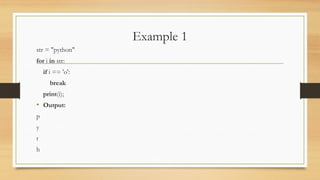
str ="python"
for i in str:
if i == 'o':
break
print(i);
• Output:
p
y
t
h
38.
Example 2
list =[1,2,3,4]
count= 1;
for i in list:
if i == 4:
print("item matched")
count = count + 1;
break
print("found at",count,"location");
• Output:
item matched
found at 2 location
39.
Python continue Statement
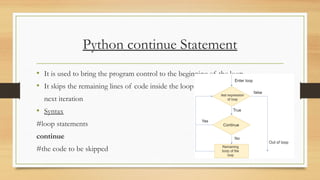
•It is used to bring the program control to the beginning of the loop
• It skips the remaining lines of code inside the loop and start with the
next iteration
• Syntax
#loop statements
continue
#the code to be skipped
40.
Example 1
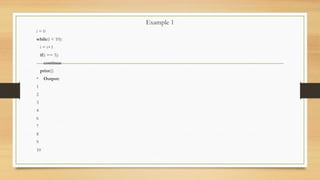
i =0
while(i < 10):
i = i+1
if(i == 5):
continue
print(i)
• Output:
1
2
3
4
6
7
8
9
10
41.
Pass Statement
• Thepass statement is a null operation
• It is used in the cases where a statement is syntactically needed but we don't
want to use any executable statement at its place.
• Pass is also used where the code will be written somewhere but not yet
written in the program file.
42.
Example
list = [1,2,3,4,5]
flag= 0
for i in list:
print("Current element:",i,end=" ");
if i==3:
pass
print("nWe are inside pass blockn");
flag = 1
if flag==1:
print("nCame out of passn");
flag=0
Output:
• Current element: 1 Current element: 2 Current element: 3
• We are inside pass block
• Came out of pass
• Current element: 4 Current element: 5
43.
Example - Passstatement
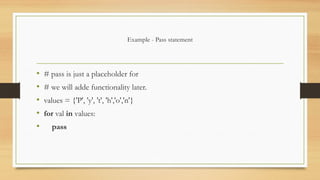
• # pass is just a placeholder for
• # we will adde functionality later.
• values = {'P', 'y', 't', 'h','o','n'}
• for val in values:
• pass
44.
Example - 2:
•for i in [1,2,3,4,5]:
• if(i==4):
• pass
• print("This is pass block",i)
• print(i)
Output:
• 1
• 2
• 3
• This is pass block 4
• 4
• 5
We can create empty class or function using the pass statement.
• # Empty Function
• def function_name(args):
• pass
• #Empty Class
• class Python:
• pass
45.
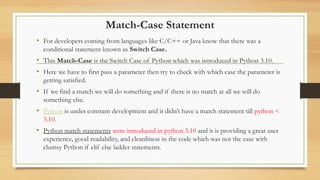
Match-Case Statement
• Fordevelopers coming from languages like C/C++ or Java know that there was a
conditional statement known as Switch Case.
• This Match-Case is the Switch Case of Python which was introduced in Python 3.10.
• Here we have to first pass a parameter then try to check with which case the parameter is
getting satisfied.
• If we find a match we will do something and if there is no match at all we will do
something else.
• Python is under constant development and it didn’t have a match statement till python <
3.10.
• Python match statements were introduced in python 3.10 and it is providing a great user
experience, good readability, and cleanliness in the code which was not the case with
clumsy Python if elif else ladder statements.
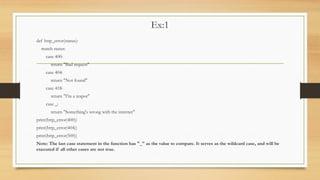
Ex:1
def http_error(status):
match status:
case400:
return "Bad request"
case 404:
return "Not found"
case 418:
return "I'm a teapot"
case _:
return "Something's wrong with the internet"
print(http_error(400))
print(http_error(404))
print(http_error(500))
Note: The last case statement in the function has "_" as the value to compare. It serves as the wildcard case, and will be
executed if all other cases are not true.
48.
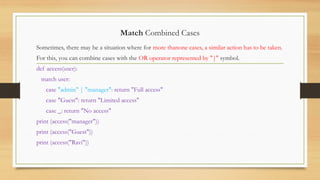
Match Combined Cases
Sometimes,there may be a situation where for more thanone cases, a similar action has to be taken.
For this, you can combine cases with the OR operator represented by "|" symbol.
def access(user):
match user:
case "admin" | "manager": return "Full access"
case "Guest": return "Limited access"
case _: return "No access"
print (access("manager"))
print (access("Guest"))
print (access("Ravi"))
49.
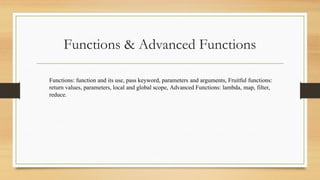
Functions & AdvancedFunctions
Functions: function and its use, pass keyword, parameters and arguments, Fruitful functions:
return values, parameters, local and global scope, Advanced Functions: lambda, map, filter,
reduce.
50.
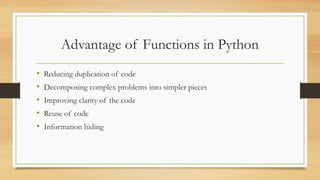
• Reducing duplicationof code
• Decomposing complex problems into simpler pieces
• Improving clarity of the code
• Reuse of code
• Information hiding
Advantage of Functions in Python
51.
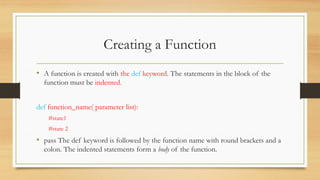
• A functionis created with the def keyword. The statements in the block of the
function must be indented.
def function_name( parameter list):
#state1
#state 2
• pass The def keyword is followed by the function name with round brackets and a
colon. The indented statements form a body of the function.
Creating a Function
52.
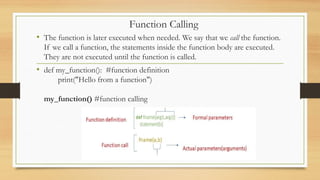
• The functionis later executed when needed. We say that we call the function.
If we call a function, the statements inside the function body are executed.
They are not executed until the function is called.
• def my_function(): #function definition
print("Hello from a function")
my_function() #function calling
Function Calling
53.
• A parameteris the variable listed inside the parentheses in the function definition.
def my_function(fname): #parameters in function def
print(fname +" Kumar")
my_function("Dileep")#arguments in function call
my_function("Ravi")
my_function("Kiran")
O/P:
Dileep Kumar
Ravi Kumar
Kiran Kumar
Parameters/Arguments
in Function
54.
Number of Arguments
•By default, a function must be called with the correct number of arguments. Meaning
that if your function expects 2 arguments, you have to call the function with 2
arguments, not more, and not less.
• This function expects 2 arguments, and gets 2 arguments:
def my_function(fname, lname): #function definition
print(fname +" "+ lname)
my_function("Dileep","Kumar")
O/p:
Dileep Kumar
55.
• By default,a function must be called with the correct number of arguments.
Meaning that if your function expects 2 arguments, you have to call the
function with 2 arguments, not more, and not less.
def my_function(fname, lname):
print(fname +" "+ lname)
my_function("Dileep","Kumar")
Call by Reference in Python
56.
Passing collections asParameters to a function in Python
• In Python, we can also pass a collection as a list, tuple, set, or dictionary as a parameter to a function.
• Here the changes made to the collection also affect the collection outside the function.
• But if it is redefined then the collection outside the function does not gets affected.
• Because the redefined collection becomes local for the function. For example, consider the following code.
def sample_function(list_1, list_2):
list_1.append([6, 7, 8])
print(f'Inside function list 1 is {list_1}')
list_2 = [40, 50, 60]
print(f'Inside function list 2 is {list_2}')
my_list_1 = [1, 2, 3, 4, 5]
my_list_2 = [10, 20, 30]
sample_function(my_list_1, my_list_2)
print(f'Outside function list 1 is {my_list_1}')
print(f'Outside function list 2 is {my_list_2}')
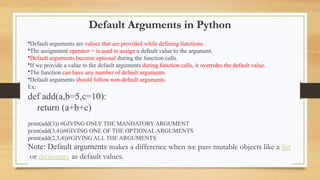
Default Arguments inPython
•Default arguments are values that are provided while defining functions.
•The assignment operator = is used to assign a default value to the argument.
•Default arguments become optional during the function calls.
•If we provide a value to the default arguments during function calls, it overrides the default value.
•The function can have any number of default arguments.
•Default arguments should follow non-default arguments.
Ex:
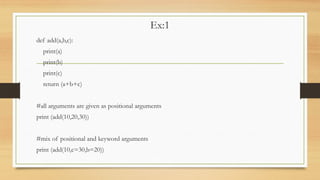
def add(a,b=5,c=10):
return (a+b+c)
print(add(3)) #GIVING ONLY THE MANDATORY ARGUMENT
print(add(3,4))#GIVING ONE OF THE OPTIONAL ARGUMENTS
print(add(2,3,4))#GIVING ALL THE ARGUMENTS
Note: Default arguments makes a difference when we pass mutable objects like a list
or dictionary as default values.
59.
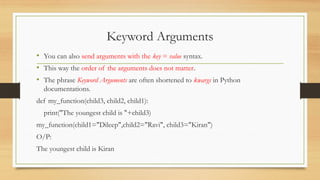
Keyword Arguments
• Youcan also send arguments with the key = value syntax.
• This way the order of the arguments does not matter.
• The phrase Keyword Arguments are often shortened to kwargs in Python
documentations.
def my_function(child3, child2, child1):
print("The youngest child is "+child3)
my_function(child1="Dileep",child2="Ravi", child3="Kiran")
O/P:
The youngest child is Kiran
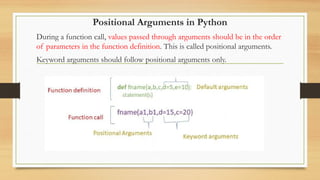
Positional Arguments inPython
During a function call, values passed through arguments should be in the order
of parameters in the function definition. This is called positional arguments.
Keyword arguments should follow positional arguments only.
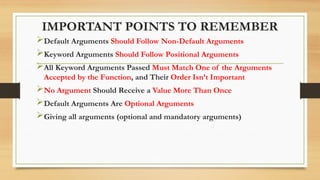
IMPORTANT POINTS TOREMEMBER
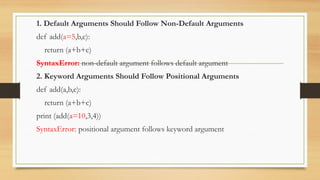
Default Arguments Should Follow Non-Default Arguments
Keyword Arguments Should Follow Positional Arguments
All Keyword Arguments Passed Must Match One of the Arguments
Accepted by the Function, and Their Order Isn’t Important
No Argument Should Receive a Value More Than Once
Default Arguments Are Optional Arguments
Giving all arguments (optional and mandatory arguments)
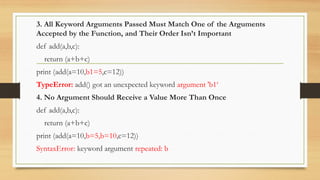
3. All KeywordArguments Passed Must Match One of the Arguments
Accepted by the Function, and Their Order Isn’t Important
def add(a,b,c):
return (a+b+c)
print (add(a=10,b1=5,c=12))
TypeError: add() got an unexpected keyword argument 'b1‘
4. No Argument Should Receive a Value More Than Once
def add(a,b,c):
return (a+b+c)
print (add(a=10,b=5,b=10,c=12))
SyntaxError: keyword argument repeated: b
66.
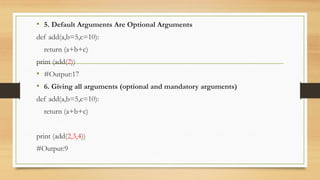
• 5. DefaultArguments Are Optional Arguments
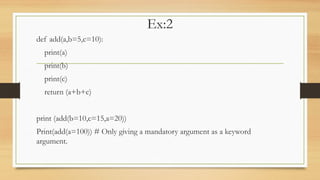
def add(a,b=5,c=10):
return (a+b+c)
print (add(2))
• #Output:17
• 6. Giving all arguments (optional and mandatory arguments)
def add(a,b=5,c=10):
return (a+b+c)
print (add(2,3,4))
#Output:9
67.
Arbitrary Arguments, *args
Variable-lengtharguments are also known as arbitrary arguments.
If we don’t know the number of arguments needed for the function in advance, we can use arbitrary arguments
If you do not know how many arguments that will be passed into your function, add a * before the parameter
name in the function definition.
This way the function will receive a tuple of arguments, and can access the items accordingly:
Arbitrary Arguments are often shortened to *args in Python documentations.
def my_function(*kids):
print("The youngest child is " + kids[1])
my_function("Dileep", "Ravi", "Kiran")
O/p:
The youngest child is Ravi
68.
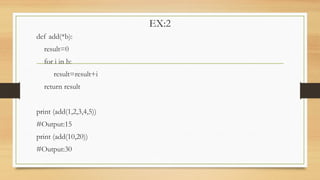
EX:2
def add(*b):
result=0
for iin b:
result=result+i
return result
print (add(1,2,3,4,5))
#Output:15
print (add(10,20))
#Output:30
69.
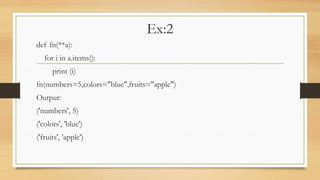
Arbitrary Keyword Arguments,**kwargs
• If you do not know how many keyword arguments that will be passed into your function,
add two asterisk: ** before the parameter name in the function definition.
• This way the function will receive a dictionary of arguments, and can access the items
accordingly:
def my_function(**kid):
print("His last name is " + kid["lname"])
my_function(fname = “Dileep", lname = “Kumar")
O/P:
His last name is Kumar
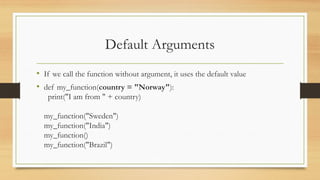
• If wecall the function without argument, it uses the default value
• def my_function(country = "Norway"):
print("I am from " + country)
my_function("Sweden")
my_function("India")
my_function()
my_function("Brazil")
Default Arguments
72.
• If youdo not know how many arguments that will be passed into your
function, add a * before the parameter name in the function definition.
• This way the function will receive a tuple of arguments, and can access the
items accordingly
• def my_function(*kids):
print("The youngest child is " + kids[2])
my_function("Emil", "Tobias", "Linus")
Variable-Length Arguments
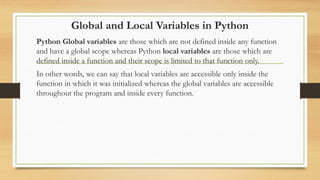
73.
Global and LocalVariables in Python
Python Global variables are those which are not defined inside any function
and have a global scope whereas Python local variables are those which are
defined inside a function and their scope is limited to that function only.
In other words, we can say that local variables are accessible only inside the
function in which it was initialized whereas the global variables are accessible
throughout the program and inside every function.
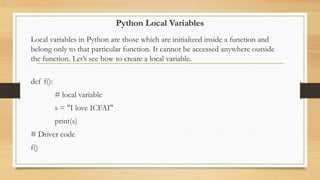
74.
Python Local Variables
Localvariables in Python are those which are initialized inside a function and
belong only to that particular function. It cannot be accessed anywhere outside
the function. Let’s see how to create a local variable.
def f():
# local variable
s = "I love ICFAI"
print(s)
# Driver code
f()
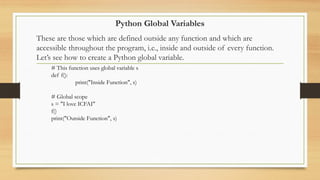
75.
Python Global Variables
Theseare those which are defined outside any function and which are
accessible throughout the program, i.e., inside and outside of every function.
Let’s see how to create a Python global variable.
# This function uses global variable s
def f():
print("Inside Function", s)
# Global scope
s = "I love ICFAI"
f()
print("Outside Function", s)
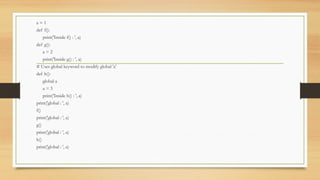
76.
a = 1
deff():
print('Inside f() : ', a)
def g():
a = 2
print('Inside g() : ', a)
# Uses global keyword to modify global 'a'
def h():
global a
a = 3
print('Inside h() : ', a)
print('global : ', a)
f()
print('global : ', a)
g()
print('global : ', a)
h()
print('global : ', a)
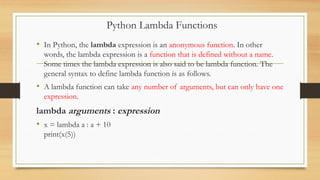
77.
• In Python,the lambda expression is an anonymous function. In other
words, the lambda expression is a function that is defined without a name.
Some times the lambda expression is also said to be lambda function. The
general syntax to define lambda function is as follows.
• A lambda function can take any number of arguments, but can only have one
expression.
lambda arguments : expression
• x = lambda a : a + 10
print(x(5))
Python Lambda Functions
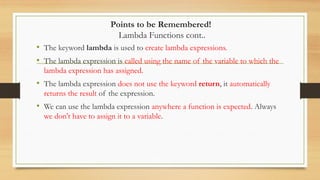
78.
Points to beRemembered!
Lambda Functions cont..
• The keyword lambda is used to create lambda expressions.
• The lambda expression is called using the name of the variable to which the
lambda expression has assigned.
• The lambda expression does not use the keyword return, it automatically
returns the result of the expression.
• We can use the lambda expression anywhere a function is expected. Always
we don't have to assign it to a variable.
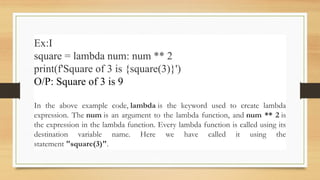
79.
Ex:I
square = lambdanum: num ** 2
print(f'Square of 3 is {square(3)}')
O/P: Square of 3 is 9
In the above example code, lambda is the keyword used to create lambda
expression. The num is an argument to the lambda function, and num ** 2 is
the expression in the lambda function. Every lambda function is called using its
destination variable name. Here we have called it using the
statement "square(3)".
Ex-2
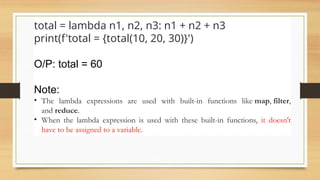
total = lambdan1, n2, n3: n1 + n2 + n3
print(f'total = {total(10, 20, 30)}')
O/P: total = 60
Note:
• The lambda expressions are used with built-in functions like map, filter,
and reduce.
• When the lambda expression is used with these built-in functions, it doesn't
have to be assigned to a variable.
82.
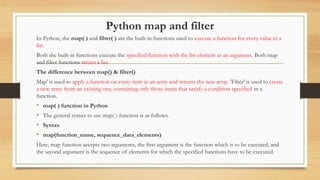
Python map andfilter
In Python, the map( ) and filter( ) are the built-in functions used to execute a function for every value in a
list.
Both the built-in functions execute the specified function with the list element as an argument. Both map
and filter functions return a list.
The difference between map() & filter()
Map' is used to apply a function on every item in an array and returns the new array. 'Filter' is used to create
a new array from an existing one, containing only those items that satisfy a condition specified in a
function.
• map( ) function in Python
• The general syntax to use map( ) function is as follows.
• Syntax
• map(function_name, sequence_data_elements)
Here, map function accepts two arguments, the first argument is the function which is to be executed, and
the second argument is the sequence of elements for which the specified functions have to be executed.
83.
map( ) functionin Python
• In map()first argument must be only function name without any parenthesis.
def square(num):
return num ** 2
numbers = [1, 2, 3, 4, 5, 6, 7, 8, 9]
squares = list(map(square, numbers))
print(squares)
O/P: [1, 4, 9, 16, 25, 36, 49, 64, 81]
In the above example code, the function square( ) is executed repeatedly passing every
element from the numbers list. Finally, it returns the list of all return values.
84.
filter( ) functionin Python
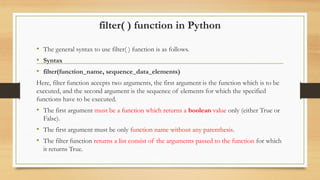
• The general syntax to use filter( ) function is as follows.
• Syntax
• filter(function_name, sequence_data_elements)
Here, filter function accepts two arguments, the first argument is the function which is to be
executed, and the second argument is the sequence of elements for which the specified
functions have to be executed.
• The first argument must be a function which returns a boolean value only (either True or
False).
• The first argument must be only function name without any parenthesis.
• The filter function returns a list consist of the arguments passed to the function for which
it returns True.
85.
Python code toillustrate filter function
def find_even(num):
return num % 2 == 0
numbers = [1, 2, 3, 4, 5, 6, 7, 8, 9]
even_list = list(filter(find_even, numbers))
print(even_list)
O/P: [2, 4, 6, 8]
In the above example code, the function find_even( ) is executed repeatedly passing
every element from the numbers list. Finally, it returns the list which contains all the
arguments for which the function returns True.
86.
lambda with map() and filter( ) functions
• Most of the times the lambda expression is used with built-in functions map( ) and filter( ).
• Let us look at an example of lambda expresion used with built-in functions map( ) and filter( ).
numbers = [1, 2, 3, 4, 5, 6, 7, 8, 9]
squares_list = list(map(lambda num: num ** 2, numbers))
print(squares_list)
even_list = list(filter(lambda num: num % 2 == 0, numbers))
print(even_list)
O/P: [1, 4, 9, 16, 25, 36, 49, 64, 81]
[2, 4, 6, 8]
87.
reduce() in Python
InPython, reduce() is a built-in function that applies a given function to the elements of an iterable,
reducing them to a single value.
The reduce() function belongs to the functools module.
• The syntax for reduce() is as follows:
functools.reduce(function, iterable[, initializer])
Or
reduce(function, iterable)
• The function argument is a function that takes two arguments and returns a single value. The first
argument is the accumulated value, and the second argument is the current value from the iterable.
• The iterable argument is the sequence of values to be reduced.
• The optional initializer argument is used to provide an initial value for the accumulated result.
• If no initializer is specified, the first element of the iterable is used as the initial value.
88.
Using lambda() Functionwith reduce()
from functools import reduce
li = [5, 8, 10, 20, 50, 100]
sum = reduce((lambda x, y: x + y), li)
print(sum)
O/P: 193
Here the results of the previous two elements are added to the next element and this goes
on till the end of the list like (((((5+8)+10)+20)+50)+100).
89.
from functools importreduce
def addNumbers(x, y):
return x+y
inputList = [12, 4, 10, 15, 6, 5]
print("The sum of all list items:")
print(reduce(addNumbers, inputList))
O/P:
The sum of all list items:
52
When we pass the addNumbers() function and the input list as arguments to the reduce() function, it will
take two elements of the list and sum them to make one element, then take another list element and sum it
again to make one element, and so on until it sums all of the list's elements and returns a single value.
The sum of all list items
90.
EX: Find themaximum element in a list using lambda and
reduce() function
import functools
lis = [1, 3, 5, 6, 2, ]
print("The maximum element of the list is : ", end="")
print(functools.reduce(lambda a, b: a if a > b else b, lis))
O/P: The maximum element of the list is : 6
91.
Python Strings
Strings
Strings inpython are surrounded by either single quotation marks, or double quotation marks.
'hello' is the same as "hello".
You can display a string literal with the print() function:
Example
print("Hello")
print('Hello')
• Assign String to a Variable
Assigning a string to a variable is done with the variable name followed by an equal sign and the string:
Example
a = "Hello"
print(a)
• Strings are Arrays
• Like many other popular programming languages, strings in Python are arrays of bytes representing unicode characters.
• However, Python does not have a character data type, a single character is simply a string with a length of 1.
• Square brackets can be used to access elements of the string.
a = "Hello, World!"
print(a[1])
Looping Through a String
Since strings are arrays, we can loop through the characters in a string, with a for loop
for x in "banana":
.
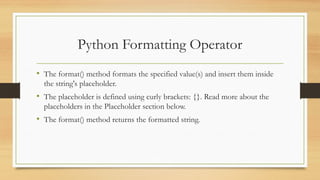
• The format()method formats the specified value(s) and insert them inside
the string's placeholder.
• The placeholder is defined using curly brackets: {}. Read more about the
placeholders in the Placeholder section below.
• The format() method returns the formatted string.
Python Formatting Operator
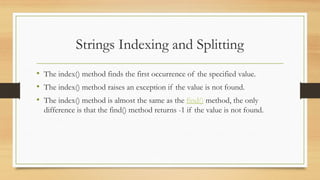
94.
• The index()method finds the first occurrence of the specified value.
• The index() method raises an exception if the value is not found.
• The index() method is almost the same as the find() method, the only
difference is that the find() method returns -1 if the value is not found.
Strings Indexing and Splitting
![Example
• Example- 2: Program to print the multiplication table of the given
number .
list =[1,2,3,4,5,6,7,8,9,10]
n=int(input("enter n value:"))
for i in list:
c=n*i
print("%d X %d = %d n"%(n,i,c))
print("end")](https://image.slidesharecdn.com/industrycodingpracticeunit-2ppt-250324042537-5071c103/85/industry-coding-practice-unit-2-ppt-pptx-20-320.jpg)
![Example 2
list =[1,2,3,4]
count = 1;
for i in list:
if i == 4:
print("item matched")
count = count + 1;
break
print("found at",count,"location");
• Output:
item matched
found at 2 location](https://image.slidesharecdn.com/industrycodingpracticeunit-2ppt-250324042537-5071c103/85/industry-coding-practice-unit-2-ppt-pptx-38-320.jpg)
![Example
list = [1,2,3,4,5]
flag = 0
for i in list:
print("Current element:",i,end=" ");
if i==3:
pass
print("nWe are inside pass blockn");
flag = 1
if flag==1:
print("nCame out of passn");
flag=0
Output:
• Current element: 1 Current element: 2 Current element: 3
• We are inside pass block
• Came out of pass
• Current element: 4 Current element: 5](https://image.slidesharecdn.com/industrycodingpracticeunit-2ppt-250324042537-5071c103/85/industry-coding-practice-unit-2-ppt-pptx-42-320.jpg)
![Example - 2:
• for i in [1,2,3,4,5]:
• if(i==4):
• pass
• print("This is pass block",i)
• print(i)
Output:
• 1
• 2
• 3
• This is pass block 4
• 4
• 5
We can create empty class or function using the pass statement.
• # Empty Function
• def function_name(args):
• pass
• #Empty Class
• class Python:
• pass](https://image.slidesharecdn.com/industrycodingpracticeunit-2ppt-250324042537-5071c103/85/industry-coding-practice-unit-2-ppt-pptx-44-320.jpg)
![Passing collections as Parameters to a function in Python
• In Python, we can also pass a collection as a list, tuple, set, or dictionary as a parameter to a function.
• Here the changes made to the collection also affect the collection outside the function.
• But if it is redefined then the collection outside the function does not gets affected.
• Because the redefined collection becomes local for the function. For example, consider the following code.
def sample_function(list_1, list_2):
list_1.append([6, 7, 8])
print(f'Inside function list 1 is {list_1}')
list_2 = [40, 50, 60]
print(f'Inside function list 2 is {list_2}')
my_list_1 = [1, 2, 3, 4, 5]
my_list_2 = [10, 20, 30]
sample_function(my_list_1, my_list_2)
print(f'Outside function list 1 is {my_list_1}')
print(f'Outside function list 2 is {my_list_2}')](https://image.slidesharecdn.com/industrycodingpracticeunit-2ppt-250324042537-5071c103/85/industry-coding-practice-unit-2-ppt-pptx-56-320.jpg)
![Arbitrary Arguments, *args
Variable-length arguments are also known as arbitrary arguments.
If we don’t know the number of arguments needed for the function in advance, we can use arbitrary arguments
If you do not know how many arguments that will be passed into your function, add a * before the parameter
name in the function definition.
This way the function will receive a tuple of arguments, and can access the items accordingly:
Arbitrary Arguments are often shortened to *args in Python documentations.
def my_function(*kids):
print("The youngest child is " + kids[1])
my_function("Dileep", "Ravi", "Kiran")
O/p:
The youngest child is Ravi](https://image.slidesharecdn.com/industrycodingpracticeunit-2ppt-250324042537-5071c103/85/industry-coding-practice-unit-2-ppt-pptx-67-320.jpg)
![Arbitrary Keyword Arguments, **kwargs
• If you do not know how many keyword arguments that will be passed into your function,
add two asterisk: ** before the parameter name in the function definition.
• This way the function will receive a dictionary of arguments, and can access the items
accordingly:
def my_function(**kid):
print("His last name is " + kid["lname"])
my_function(fname = “Dileep", lname = “Kumar")
O/P:
His last name is Kumar](https://image.slidesharecdn.com/industrycodingpracticeunit-2ppt-250324042537-5071c103/85/industry-coding-practice-unit-2-ppt-pptx-69-320.jpg)
![• If you do not know how many arguments that will be passed into your
function, add a * before the parameter name in the function definition.
• This way the function will receive a tuple of arguments, and can access the
items accordingly
• def my_function(*kids):
print("The youngest child is " + kids[2])
my_function("Emil", "Tobias", "Linus")
Variable-Length Arguments](https://image.slidesharecdn.com/industrycodingpracticeunit-2ppt-250324042537-5071c103/85/industry-coding-practice-unit-2-ppt-pptx-72-320.jpg)
![map( ) function in Python
• In map()first argument must be only function name without any parenthesis.
def square(num):
return num ** 2
numbers = [1, 2, 3, 4, 5, 6, 7, 8, 9]
squares = list(map(square, numbers))
print(squares)
O/P: [1, 4, 9, 16, 25, 36, 49, 64, 81]
In the above example code, the function square( ) is executed repeatedly passing every
element from the numbers list. Finally, it returns the list of all return values.](https://image.slidesharecdn.com/industrycodingpracticeunit-2ppt-250324042537-5071c103/85/industry-coding-practice-unit-2-ppt-pptx-83-320.jpg)
![Python code to illustrate filter function
def find_even(num):
return num % 2 == 0
numbers = [1, 2, 3, 4, 5, 6, 7, 8, 9]
even_list = list(filter(find_even, numbers))
print(even_list)
O/P: [2, 4, 6, 8]
In the above example code, the function find_even( ) is executed repeatedly passing
every element from the numbers list. Finally, it returns the list which contains all the
arguments for which the function returns True.](https://image.slidesharecdn.com/industrycodingpracticeunit-2ppt-250324042537-5071c103/85/industry-coding-practice-unit-2-ppt-pptx-85-320.jpg)
![lambda with map( ) and filter( ) functions
• Most of the times the lambda expression is used with built-in functions map( ) and filter( ).
• Let us look at an example of lambda expresion used with built-in functions map( ) and filter( ).
numbers = [1, 2, 3, 4, 5, 6, 7, 8, 9]
squares_list = list(map(lambda num: num ** 2, numbers))
print(squares_list)
even_list = list(filter(lambda num: num % 2 == 0, numbers))
print(even_list)
O/P: [1, 4, 9, 16, 25, 36, 49, 64, 81]
[2, 4, 6, 8]](https://image.slidesharecdn.com/industrycodingpracticeunit-2ppt-250324042537-5071c103/85/industry-coding-practice-unit-2-ppt-pptx-86-320.jpg)
![reduce() in Python
In Python, reduce() is a built-in function that applies a given function to the elements of an iterable,
reducing them to a single value.
The reduce() function belongs to the functools module.
• The syntax for reduce() is as follows:
functools.reduce(function, iterable[, initializer])
Or
reduce(function, iterable)
• The function argument is a function that takes two arguments and returns a single value. The first
argument is the accumulated value, and the second argument is the current value from the iterable.
• The iterable argument is the sequence of values to be reduced.
• The optional initializer argument is used to provide an initial value for the accumulated result.
• If no initializer is specified, the first element of the iterable is used as the initial value.](https://image.slidesharecdn.com/industrycodingpracticeunit-2ppt-250324042537-5071c103/85/industry-coding-practice-unit-2-ppt-pptx-87-320.jpg)
![Using lambda() Function with reduce()
from functools import reduce
li = [5, 8, 10, 20, 50, 100]
sum = reduce((lambda x, y: x + y), li)
print(sum)
O/P: 193
Here the results of the previous two elements are added to the next element and this goes
on till the end of the list like (((((5+8)+10)+20)+50)+100).](https://image.slidesharecdn.com/industrycodingpracticeunit-2ppt-250324042537-5071c103/85/industry-coding-practice-unit-2-ppt-pptx-88-320.jpg)
![from functools import reduce
def addNumbers(x, y):
return x+y
inputList = [12, 4, 10, 15, 6, 5]
print("The sum of all list items:")
print(reduce(addNumbers, inputList))
O/P:
The sum of all list items:
52
When we pass the addNumbers() function and the input list as arguments to the reduce() function, it will
take two elements of the list and sum them to make one element, then take another list element and sum it
again to make one element, and so on until it sums all of the list's elements and returns a single value.
The sum of all list items](https://image.slidesharecdn.com/industrycodingpracticeunit-2ppt-250324042537-5071c103/85/industry-coding-practice-unit-2-ppt-pptx-89-320.jpg)
![EX: Find the maximum element in a list using lambda and
reduce() function
import functools
lis = [1, 3, 5, 6, 2, ]
print("The maximum element of the list is : ", end="")
print(functools.reduce(lambda a, b: a if a > b else b, lis))
O/P: The maximum element of the list is : 6](https://image.slidesharecdn.com/industrycodingpracticeunit-2ppt-250324042537-5071c103/85/industry-coding-practice-unit-2-ppt-pptx-90-320.jpg)
![Python Strings
Strings
Strings in python are surrounded by either single quotation marks, or double quotation marks.
'hello' is the same as "hello".
You can display a string literal with the print() function:
Example
print("Hello")
print('Hello')
• Assign String to a Variable
Assigning a string to a variable is done with the variable name followed by an equal sign and the string:
Example
a = "Hello"
print(a)
• Strings are Arrays
• Like many other popular programming languages, strings in Python are arrays of bytes representing unicode characters.
• However, Python does not have a character data type, a single character is simply a string with a length of 1.
• Square brackets can be used to access elements of the string.
a = "Hello, World!"
print(a[1])
Looping Through a String
Since strings are arrays, we can loop through the characters in a string, with a for loop
for x in "banana":
.](https://image.slidesharecdn.com/industrycodingpracticeunit-2ppt-250324042537-5071c103/85/industry-coding-practice-unit-2-ppt-pptx-91-320.jpg)