For more information please
                                       contact us :


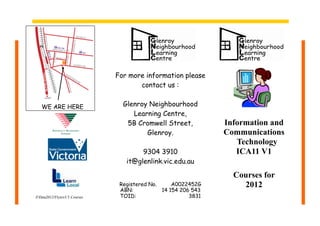
   WE ARE HERE                    Glenroy Neighbourhood
                                     Learning Centre,
                                   5B Cromwell Street,           Information and
                                         Glenroy.                Communications
                                                                    Technology
                                        9304 3910                   ICA11 V1
                                   it@glenlink.vic.edu.au

                                                                   Courses for
                                 Registered No.     A0022452G        2012
                                 ABN:           14 154 206 543
ZData2012/Flyers/I.T.Courses    TOID:                    3831
ICA10111 – Certificate I in Information,
                                                                                        ICA20111 – Certificate II in Information,
                                             Digital Media and Technology
                                                                                        Digital Media and Technology

                                        Operate a Personal Computer -
                                                                                        Apply OH&S procedures -
                                        Unit Code: ICAU1128B
                                        1.     Start the computer                       Unit Code ICAU3004 B
Pre-Accredited Courses                  2.     Access basic system information          1 Working with Microsoft Office PowerPoint
                                        3.     Navigate the desktop environment         2. Document OH&S requirements
Computers for Absolute Beginners
                                        4.     Organize folder structure and files      3. Provide basic ergonomic advice
                                        5.     Print information
1. Parts of the Computer                6.     Shut down the computer                   Design organisational documents
2. Keyboard skills
3. The difference between Hardware &                                                    using computing packages
    Software                            Operate a Word Processing Package -             Unit Code: ICAD2012B
4. Start and exit from “MS Word”        Unit Code: ICAU1129B                            1. Design Documents using Microsoft Office
                                        1.   Create a Document                          PowrPoint and Microsoft Office Publisher
5. Basic Word Processing                2.   Format Documents
6. The Ribbon and The Desktop           3.   Create Tables                              2. Access, retrieve, manipulate & save data
7. Saving documents                     4    Add Objects and Images
                                        5.   Print word processing documents            Communicate in the Workplace -
8. Opening files and various programs
9. Checking spelling and grammar        Operate a Spreadsheet Application -             Unit Code: ICAW2002B
10. Printing documents                                                                  1. Establish contact with clients
                                        Unit Code: ICAU1130B                            2. Process information
11. Formatting Documents                1. Create a Spreadsheet
12. Basics of file management           2. Format Spreadsheet
13. Internet                            3. Incorporate objects and charts               Capture a Digital Image -
                                        5. Print word processing documents              Unit Code - ICPMM321B
Photography                                                                             1. Assess digital camera qualities
1.   Terminology - jpg, png, gif        Operate a Presentation Package -                2. Set up for image capture
2.   Colour and Light                   Unit Code ICAU1132B                             3. Preview image
3.   Composition                        1.     Create Presentations                     4 Photograph and upload a digital image
4.   Aperture                           2.     Format Presentations
5.   White Balance                      3.     Add Slide show effects
                                        4.     Print presentation and notes             Access the Internet -
6.   Perspective
7.   Uploading photos to computer                                                       Unit code - ICPMM263B
                                        Send & Retrieve Information Using Web           1. Clarify and use local resources
Email                                   Browsers and Email -                            2.     Identify and use remote
1. Create an email address              Unit Code: ICAU1133B                                    resources
2. Send and Organise Messages           1.     Access the Internet
3. Create an Address Book               2.     Search the Internet
                                        3.     Research “Netiquette” principles
                                        4.     Send and Organise Messages
                                        5.     Create an Address Book

I T Courses 2012

  • 1.
    For more informationplease contact us : WE ARE HERE Glenroy Neighbourhood Learning Centre, 5B Cromwell Street, Information and Glenroy. Communications Technology 9304 3910 ICA11 V1 it@glenlink.vic.edu.au Courses for Registered No. A0022452G 2012 ABN: 14 154 206 543 ZData2012/Flyers/I.T.Courses TOID: 3831
  • 2.
    ICA10111 – CertificateI in Information, ICA20111 – Certificate II in Information, Digital Media and Technology Digital Media and Technology Operate a Personal Computer - Apply OH&S procedures - Unit Code: ICAU1128B 1. Start the computer Unit Code ICAU3004 B Pre-Accredited Courses 2. Access basic system information 1 Working with Microsoft Office PowerPoint 3. Navigate the desktop environment 2. Document OH&S requirements Computers for Absolute Beginners 4. Organize folder structure and files 3. Provide basic ergonomic advice 5. Print information 1. Parts of the Computer 6. Shut down the computer Design organisational documents 2. Keyboard skills 3. The difference between Hardware & using computing packages Software Operate a Word Processing Package - Unit Code: ICAD2012B 4. Start and exit from “MS Word” Unit Code: ICAU1129B 1. Design Documents using Microsoft Office 1. Create a Document PowrPoint and Microsoft Office Publisher 5. Basic Word Processing 2. Format Documents 6. The Ribbon and The Desktop 3. Create Tables 2. Access, retrieve, manipulate & save data 7. Saving documents 4 Add Objects and Images 5. Print word processing documents Communicate in the Workplace - 8. Opening files and various programs 9. Checking spelling and grammar Operate a Spreadsheet Application - Unit Code: ICAW2002B 10. Printing documents 1. Establish contact with clients Unit Code: ICAU1130B 2. Process information 11. Formatting Documents 1. Create a Spreadsheet 12. Basics of file management 2. Format Spreadsheet 13. Internet 3. Incorporate objects and charts Capture a Digital Image - 5. Print word processing documents Unit Code - ICPMM321B Photography 1. Assess digital camera qualities 1. Terminology - jpg, png, gif Operate a Presentation Package - 2. Set up for image capture 2. Colour and Light Unit Code ICAU1132B 3. Preview image 3. Composition 1. Create Presentations 4 Photograph and upload a digital image 4. Aperture 2. Format Presentations 5. White Balance 3. Add Slide show effects 4. Print presentation and notes Access the Internet - 6. Perspective 7. Uploading photos to computer Unit code - ICPMM263B Send & Retrieve Information Using Web 1. Clarify and use local resources Email Browsers and Email - 2. Identify and use remote 1. Create an email address Unit Code: ICAU1133B resources 2. Send and Organise Messages 1. Access the Internet 3. Create an Address Book 2. Search the Internet 3. Research “Netiquette” principles 4. Send and Organise Messages 5. Create an Address Book