
Hybrid Automation Framework with java
DOAI TRAN
Contents
- Selenium – Hybrid Framework
- Advantages of Hybrid Framework
- Architecture of hybrid framework.
- Flow Diagram
- Object Repository
- Test Cases – Test Suite
- Keyword Supports
- Execution
- Reports
- Exception Handling
- Log.
- Demo
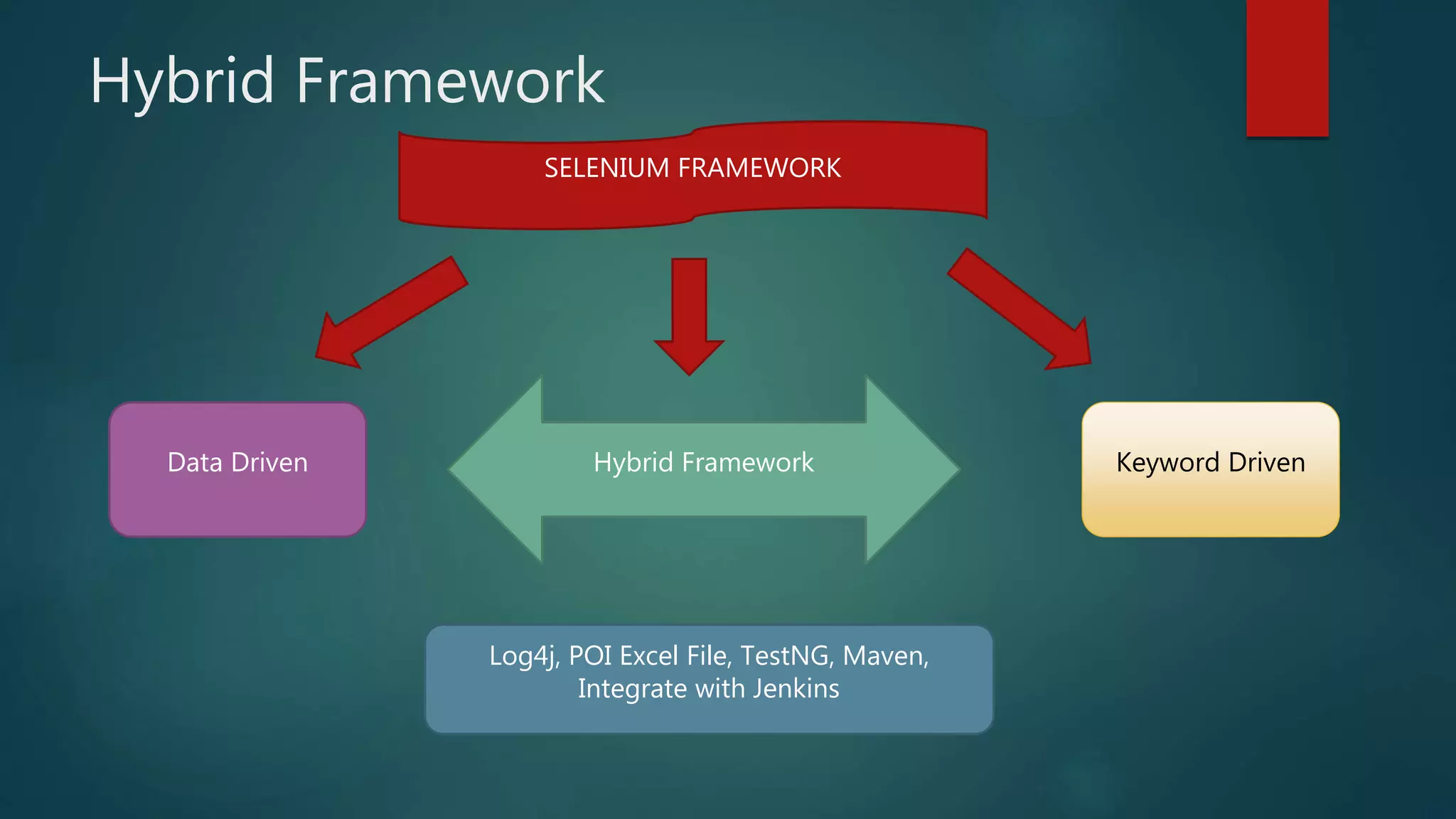
Hybrid Framework
SELENIUM FRAMEWORK
Data Driven Hybrid Framework Keyword Driven
Log4j, POI Excel File, TestNG, Maven,
Integrate with Jenkins
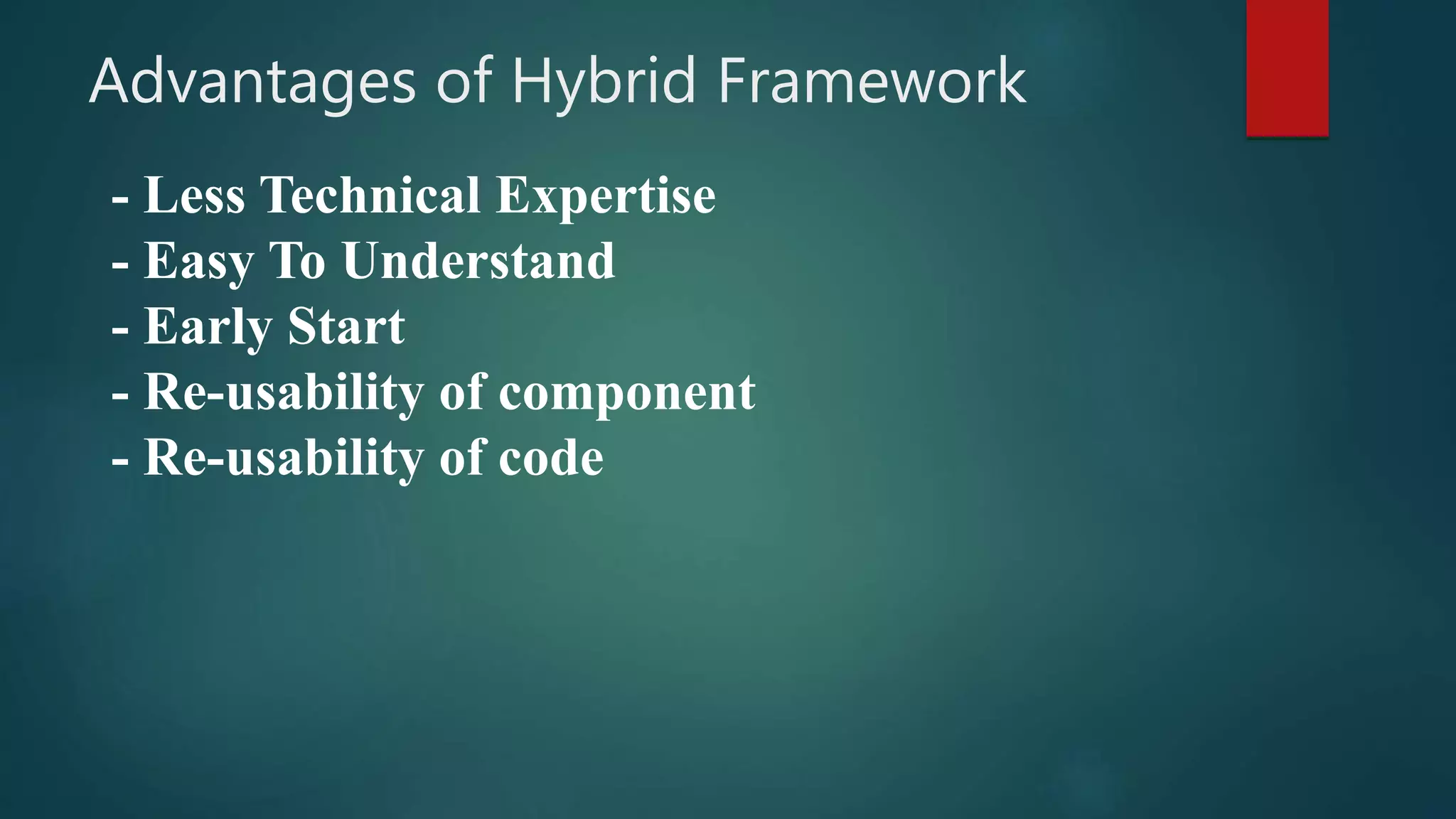
Advantages of Hybrid Framework
- Less Technical Expertise
- Easy To Understand
- Early Start
- Re-usability of component
- Re-usability of code
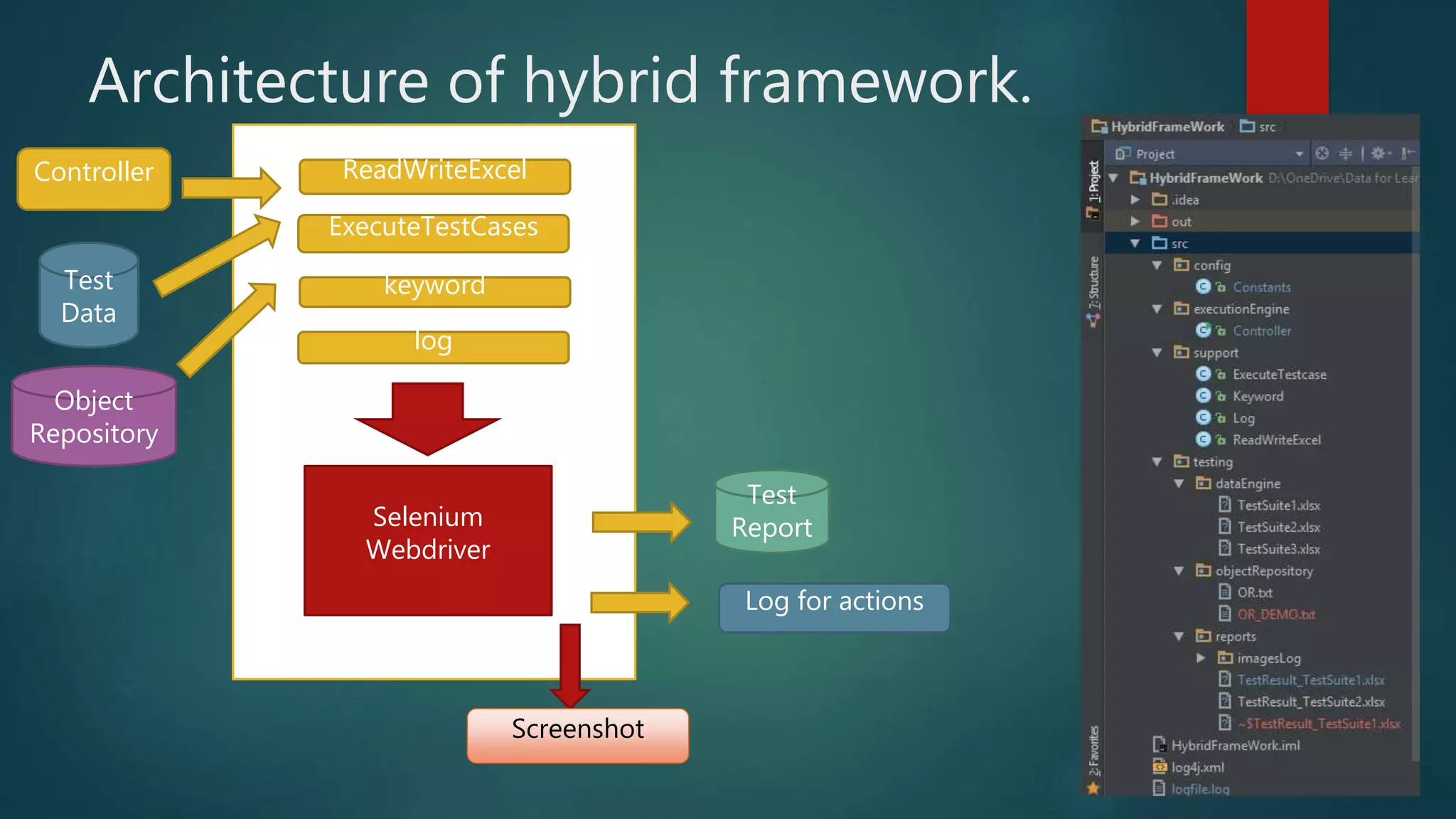
Architecture of hybrid framework.
Controller
Test
Data
ExecuteTestCases
ReadWriteExcel
log
keyword
Core Framework
Object
Repository
Test
Report
Log for actions
Screenshot
Selenium
Webdriver
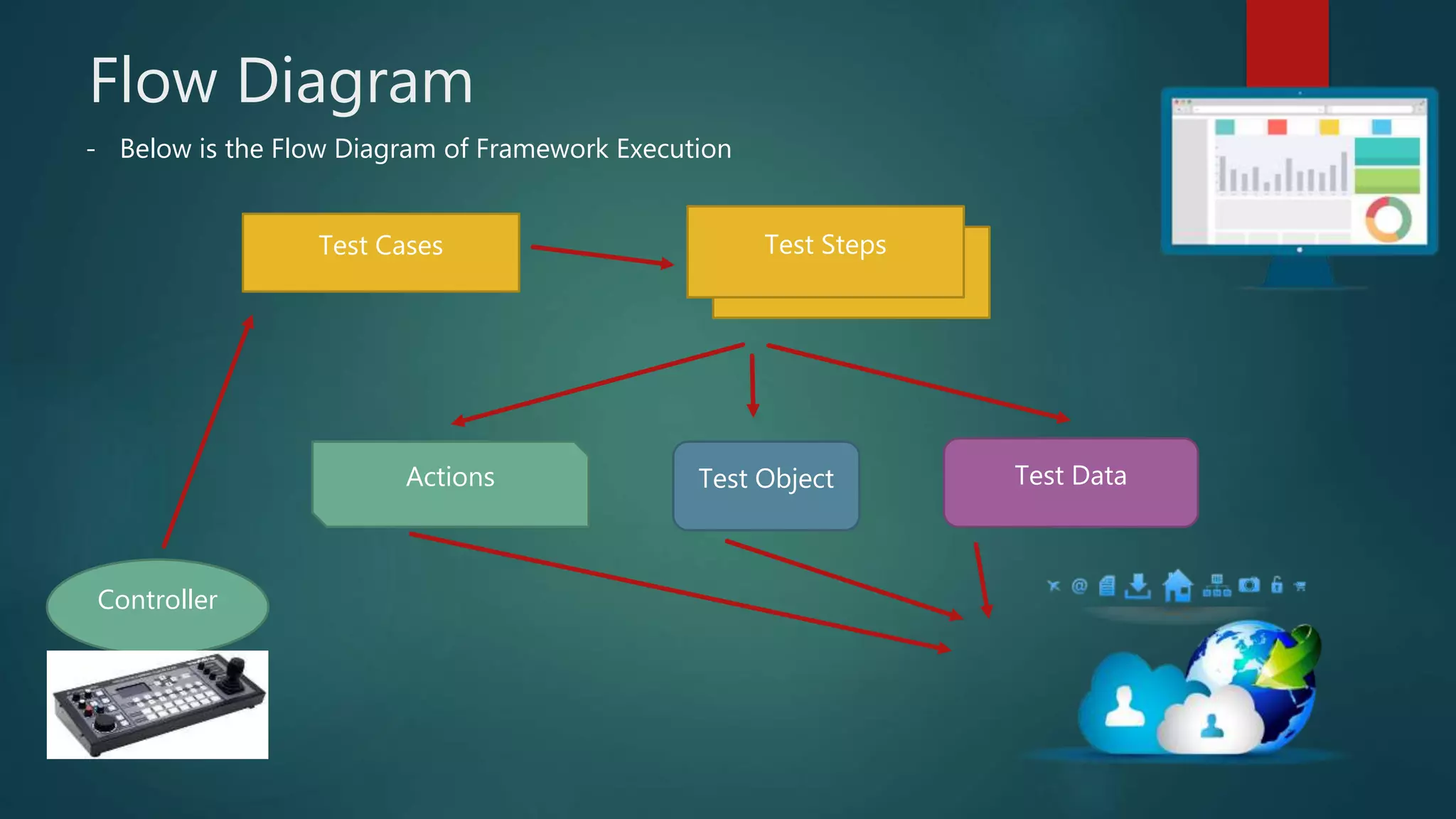
Flow Diagram
- Below is the Flow Diagram of Framework Execution
Controller
Test Cases
TestCases
Test Steps
Test ObjectActions Test Data
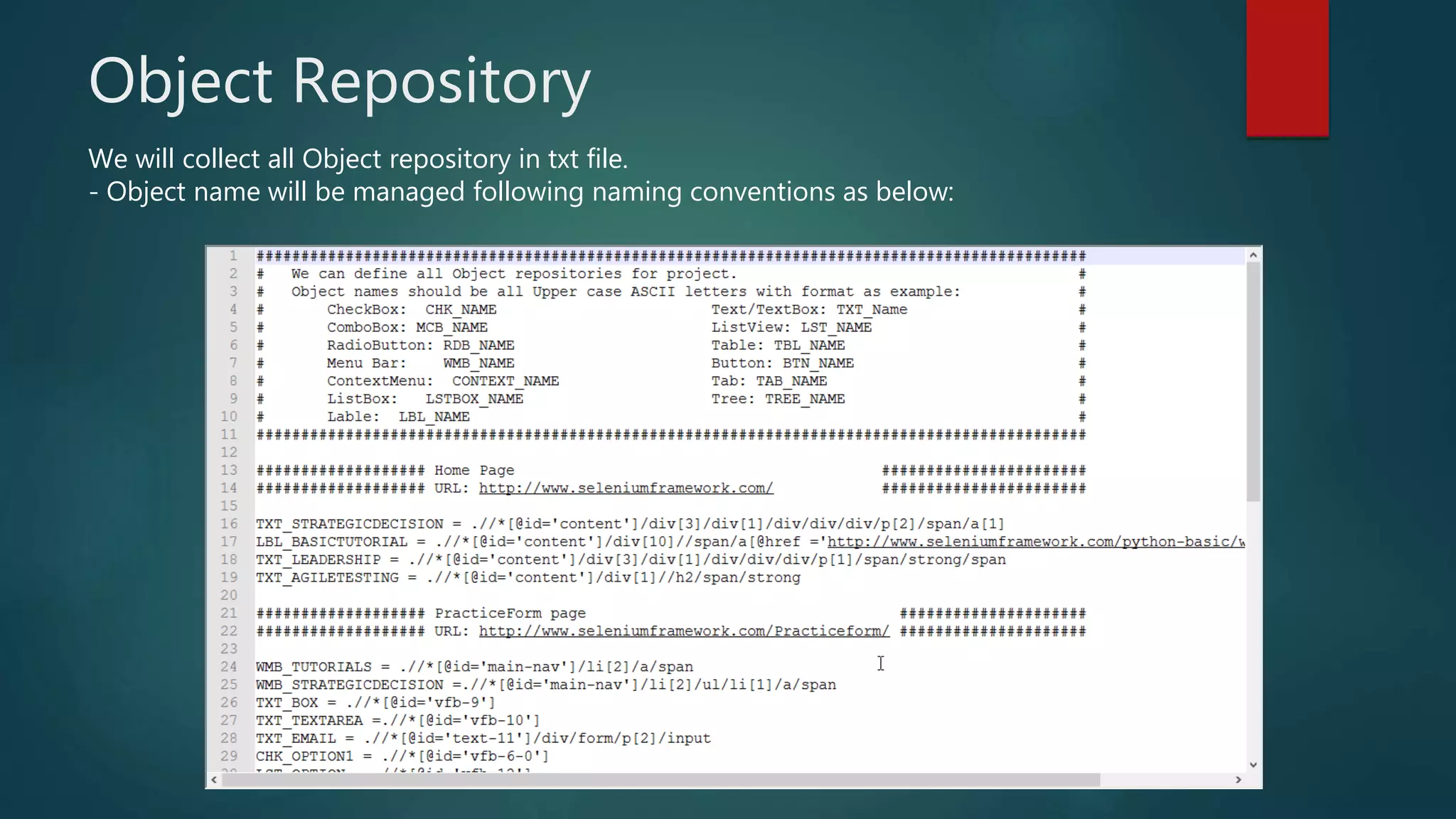
Object Repository
We will collect all Object repository in txt file.
- Object name will be managed following naming conventions as below:
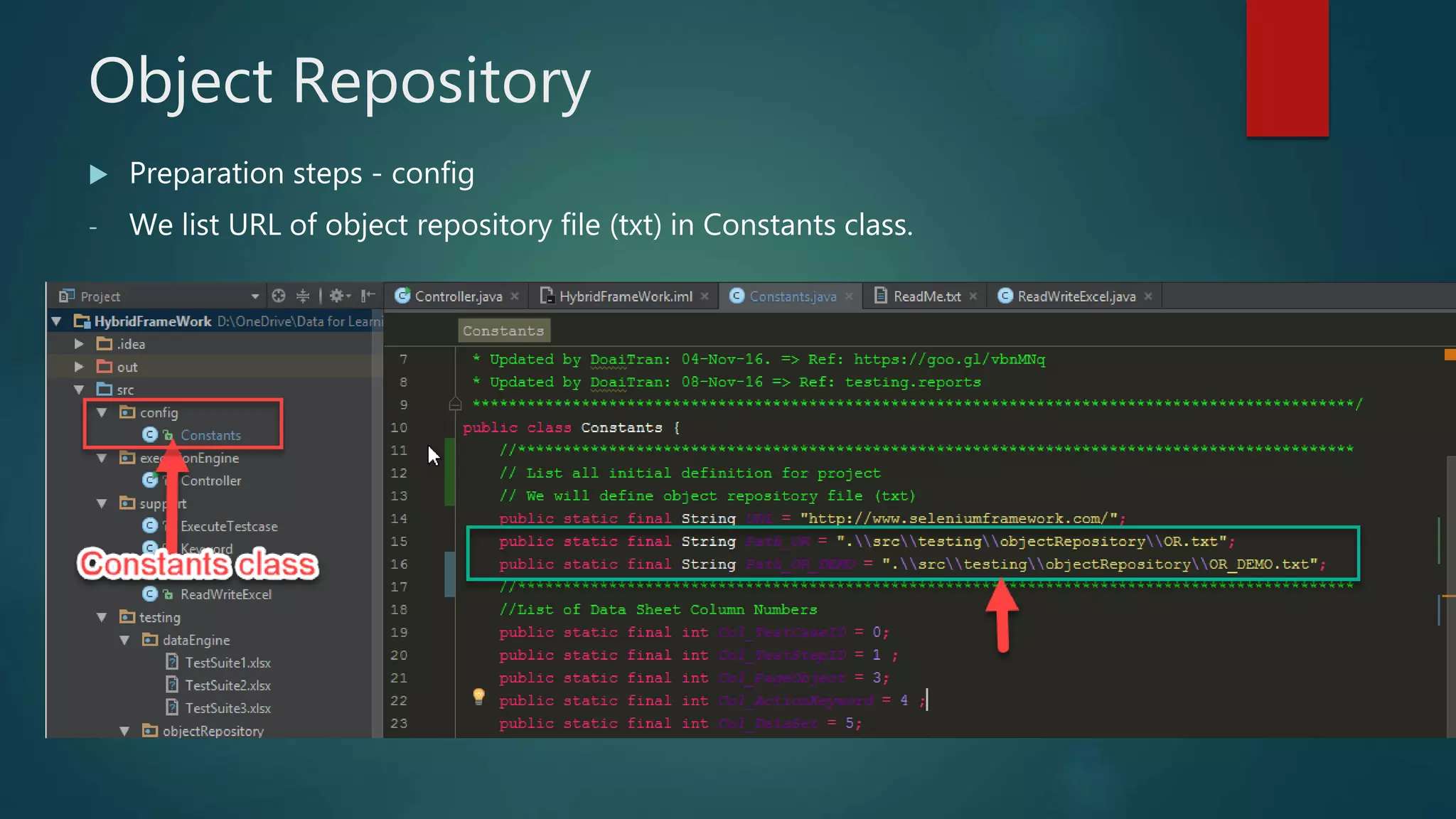
Object Repository
 Preparation steps - config
- We list URL of object repository file (txt) in Constants class.
Object Repository (Cont)
 Preparation steps – config
- Then, we can call object repository on Controller to execute
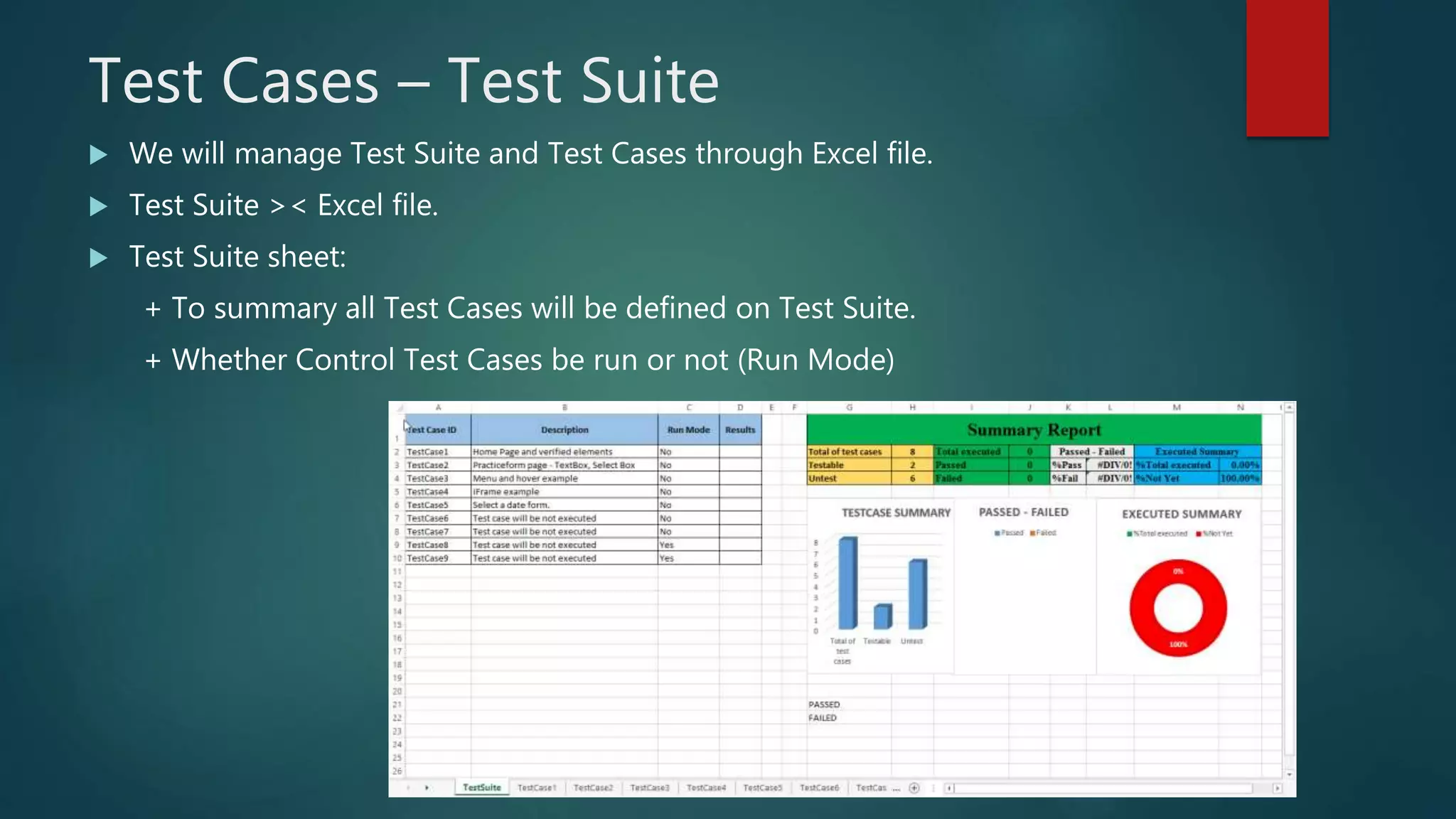
Test Cases – Test Suite
 We will manage Test Suite and Test Cases through Excel file.
 Test Suite >< Excel file.
 Test Suite sheet:
+ To summary all Test Cases will be defined on Test Suite.
+ Whether Control Test Cases be run or not (Run Mode)
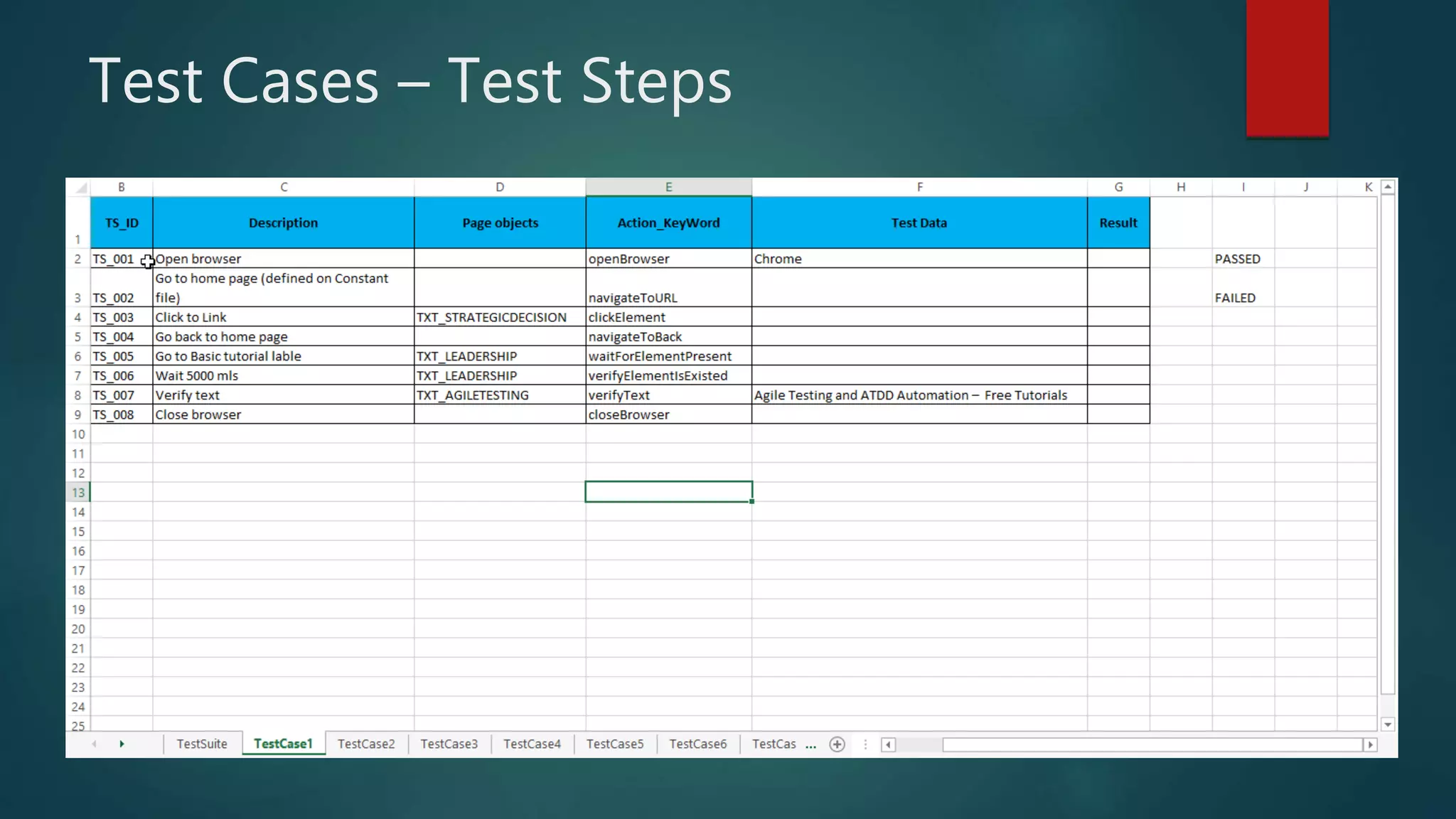
Test Cases – Test Steps
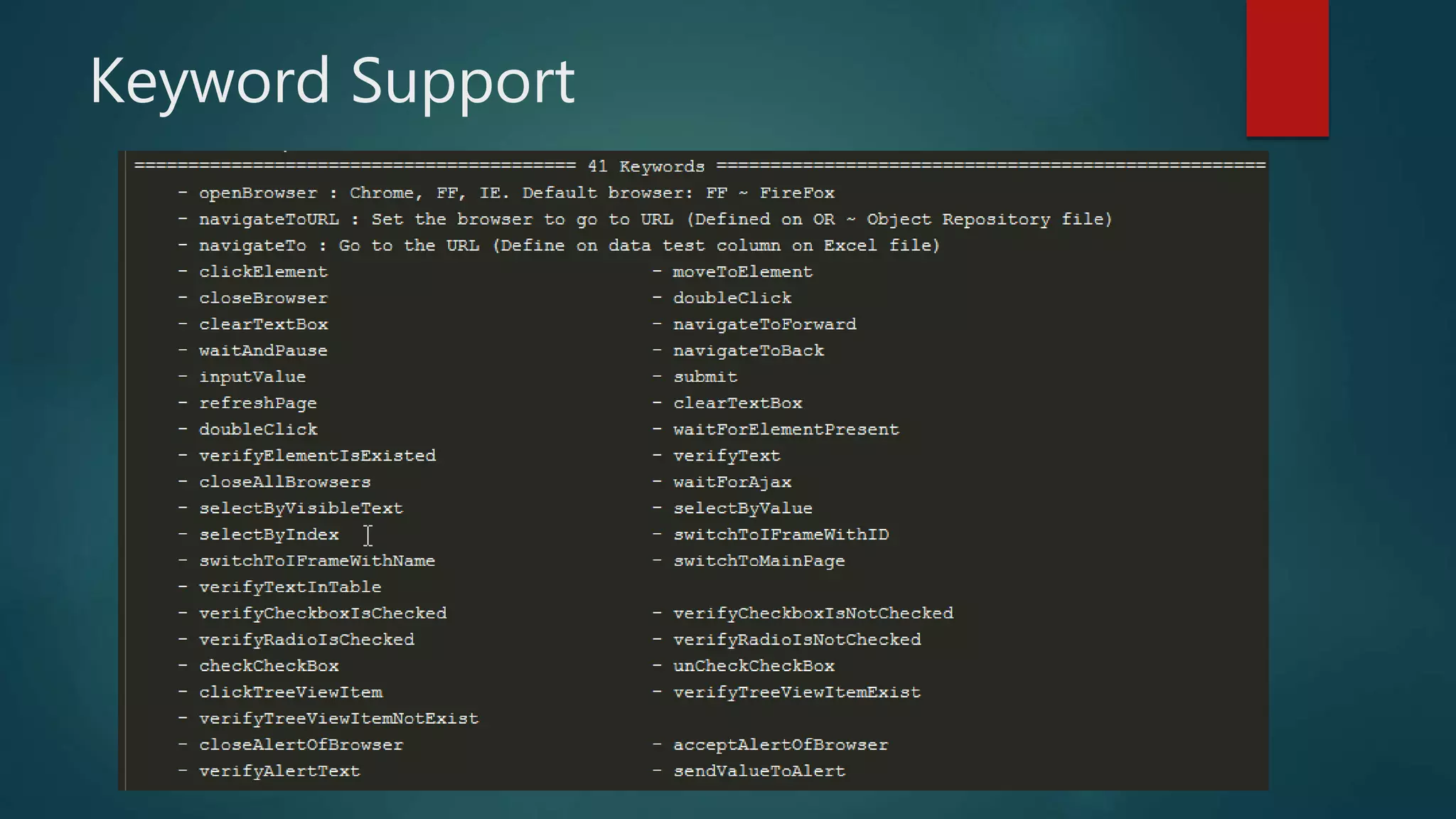
Keyword Support
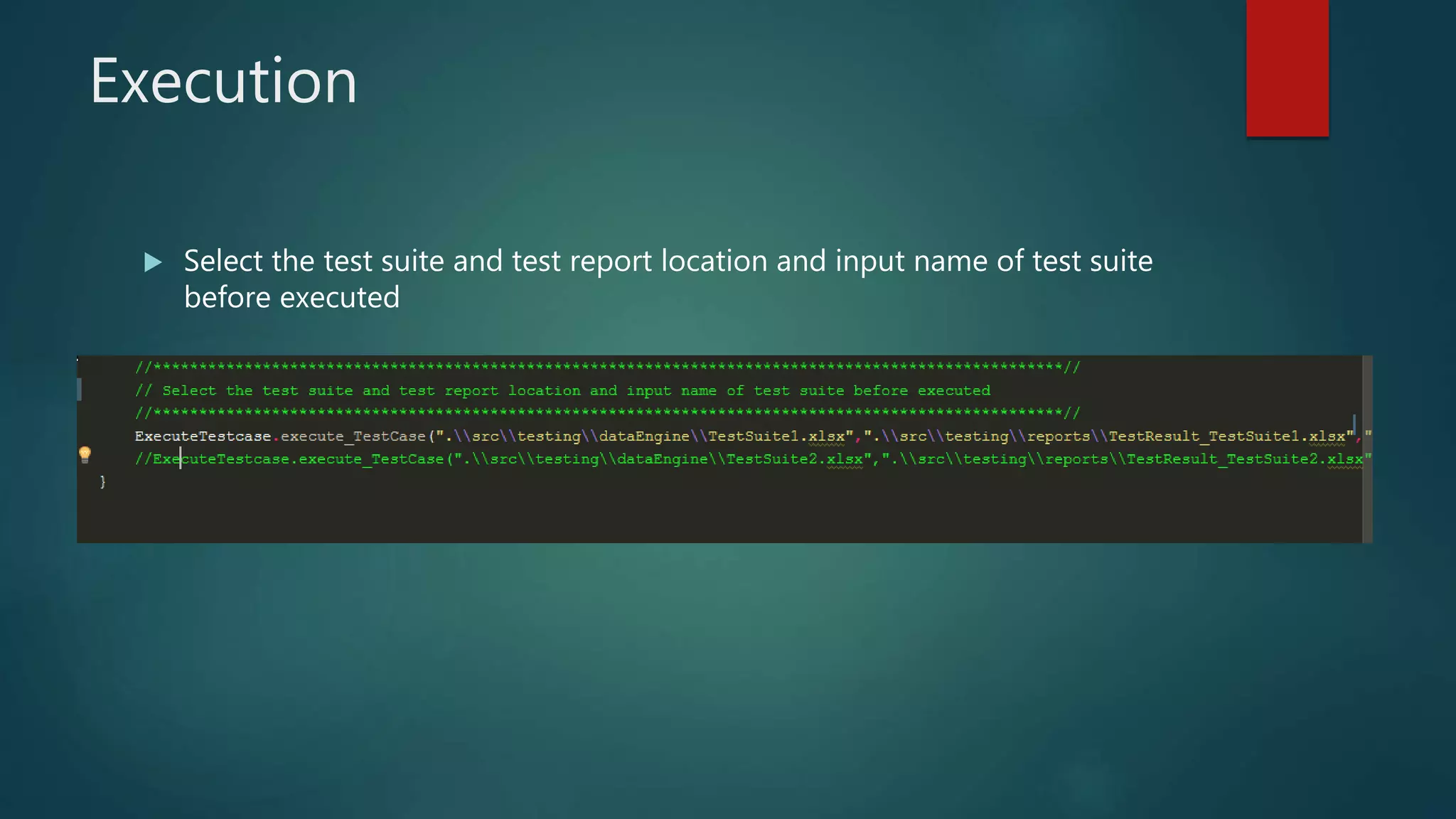
Execution
 Select the test suite and test report location and input name of test suite
before executed
Reports
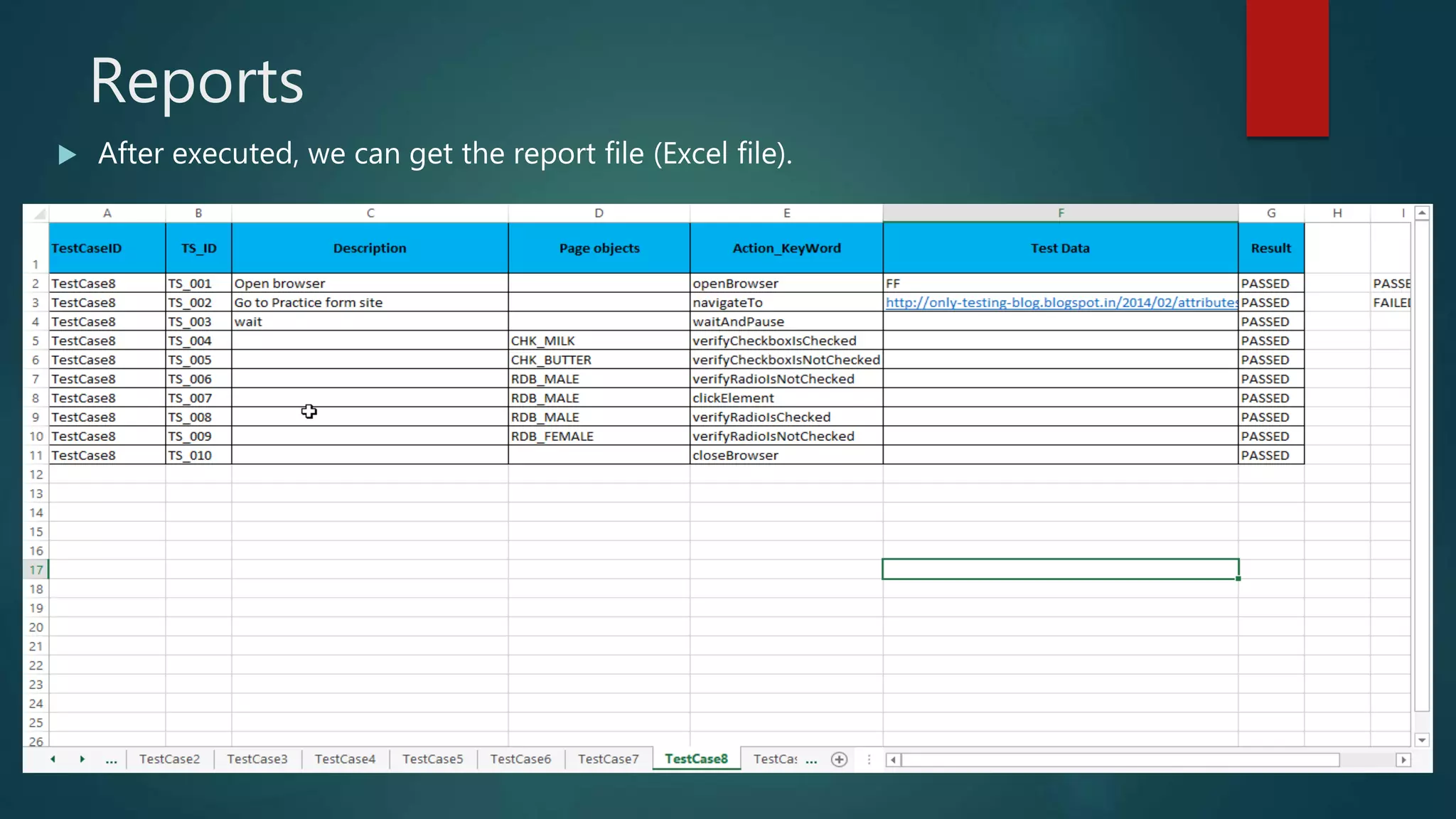
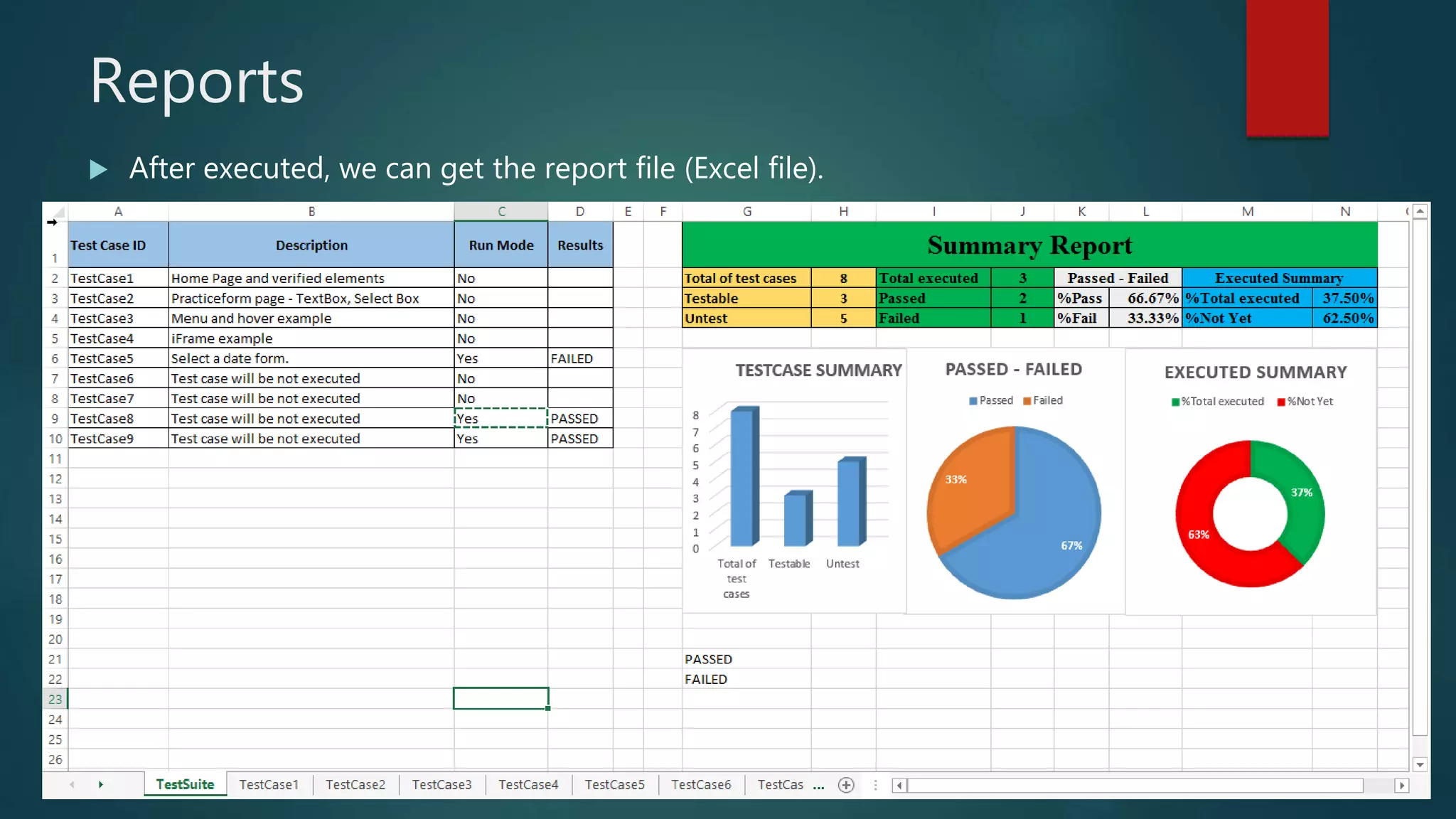
 After executed, we can get the report file (Excel file).
Reports
 After executed, we can get the report file (Excel file).
Exception Handling
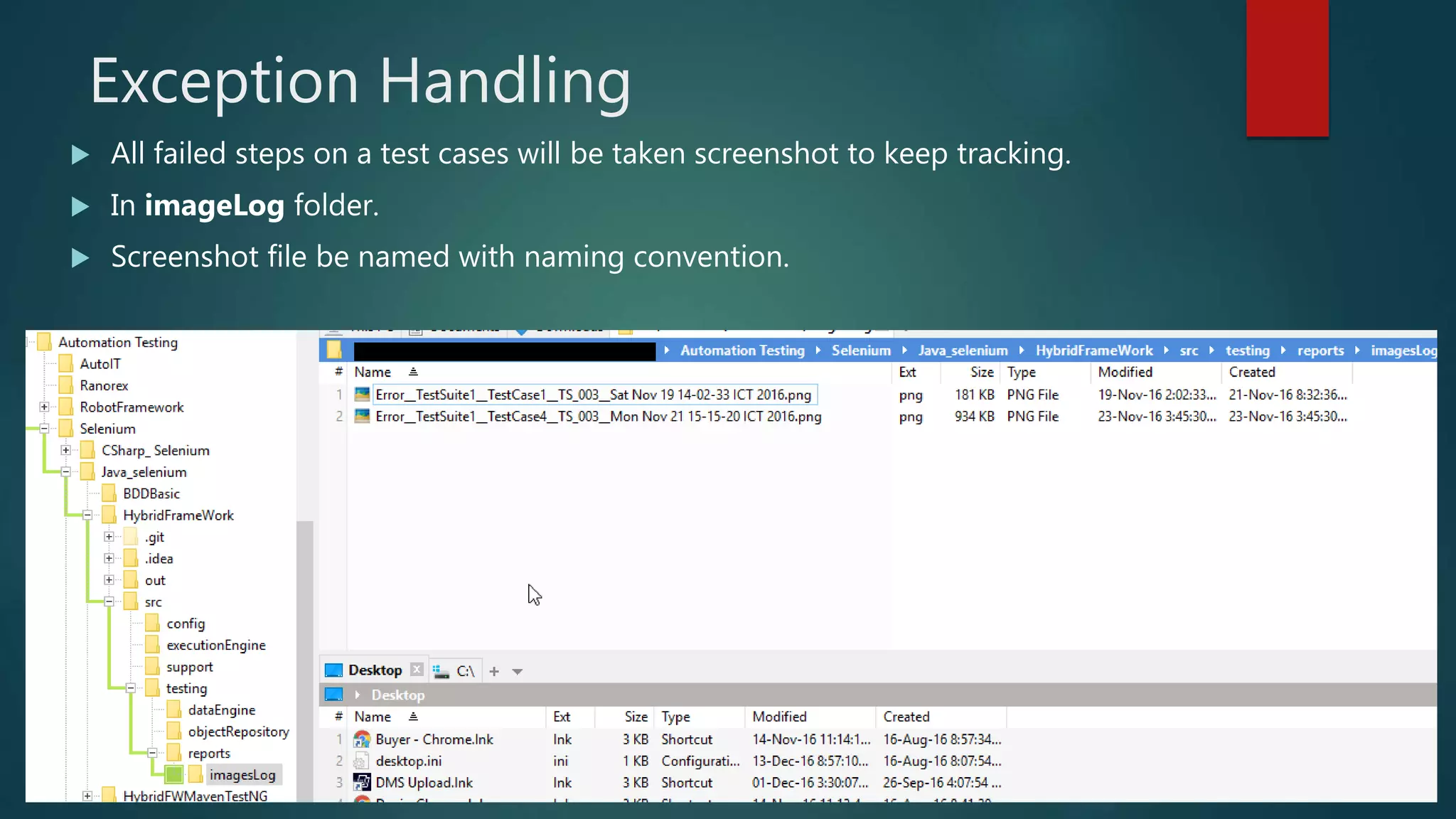
 All failed steps on a test cases will be taken screenshot to keep tracking.
 In imageLog folder.
 Screenshot file be named with naming convention.
Log for all steps
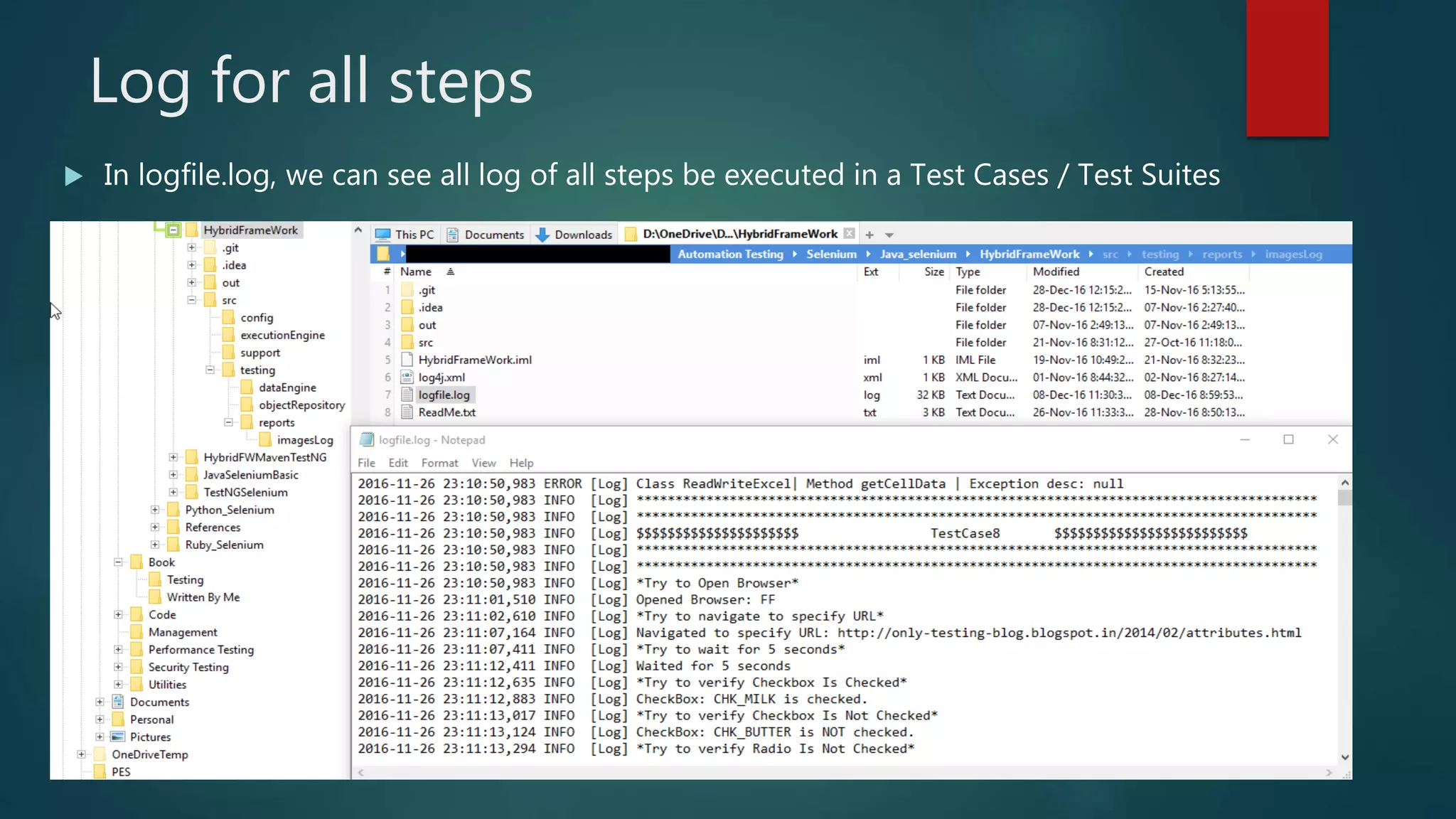
 In logfile.log, we can see all log of all steps be executed in a Test Cases / Test Suites
References
 ToolsQA. Hybrid Framework
 Guru99 – Automation Framework
 Apache POI 3.5
 Apache Log4j 1.2
 Data Driven and Keyword Driven Selenium ToolsQA
 Exception handling in Selenium – ToolsQA

Hybrid automation framework

  • 1.
    Hybrid Automation Frameworkwith java DOAI TRAN
  • 2.
    Contents - Selenium –Hybrid Framework - Advantages of Hybrid Framework - Architecture of hybrid framework. - Flow Diagram - Object Repository - Test Cases – Test Suite - Keyword Supports - Execution - Reports - Exception Handling - Log. - Demo
  • 3.
    Hybrid Framework SELENIUM FRAMEWORK DataDriven Hybrid Framework Keyword Driven Log4j, POI Excel File, TestNG, Maven, Integrate with Jenkins
  • 4.
    Advantages of HybridFramework - Less Technical Expertise - Easy To Understand - Early Start - Re-usability of component - Re-usability of code
  • 5.
    Architecture of hybridframework. Controller Test Data ExecuteTestCases ReadWriteExcel log keyword Core Framework Object Repository Test Report Log for actions Screenshot Selenium Webdriver
  • 6.
    Flow Diagram - Belowis the Flow Diagram of Framework Execution Controller Test Cases TestCases Test Steps Test ObjectActions Test Data
  • 7.
    Object Repository We willcollect all Object repository in txt file. - Object name will be managed following naming conventions as below:
  • 8.
    Object Repository  Preparationsteps - config - We list URL of object repository file (txt) in Constants class.
  • 9.
    Object Repository (Cont) Preparation steps – config - Then, we can call object repository on Controller to execute
  • 10.
    Test Cases –Test Suite  We will manage Test Suite and Test Cases through Excel file.  Test Suite >< Excel file.  Test Suite sheet: + To summary all Test Cases will be defined on Test Suite. + Whether Control Test Cases be run or not (Run Mode)
  • 11.
    Test Cases –Test Steps
  • 12.
  • 13.
    Execution  Select thetest suite and test report location and input name of test suite before executed
  • 14.
    Reports  After executed,we can get the report file (Excel file).
  • 15.
    Reports  After executed,we can get the report file (Excel file).
  • 16.
    Exception Handling  Allfailed steps on a test cases will be taken screenshot to keep tracking.  In imageLog folder.  Screenshot file be named with naming convention.
  • 17.
    Log for allsteps  In logfile.log, we can see all log of all steps be executed in a Test Cases / Test Suites
  • 19.
    References  ToolsQA. HybridFramework  Guru99 – Automation Framework  Apache POI 3.5  Apache Log4j 1.2  Data Driven and Keyword Driven Selenium ToolsQA  Exception handling in Selenium – ToolsQA