© 2015 Maveryx srl.
All rights reserved.
Keyword-Driven Testing
What is Keyword-Driven Testing
How to Create Keyword-Driven Tests
Keyword-Driven Testing by examples
Overview
Definitions of Keyword-Driven Testing
Keyword-driven testing: A scripting technique that uses data files to
contain not only test data and expected results, but also keywords
related to the application being tested. The keywords are
interpreted by special supporting scripts that are called by the
control script for the test.
[ISTQB – Glossary Standard Glossary of Terms used in Software Testing Version 2.4]
Keyword-Driven Testing is a way of describing test cases by using a
predefined set of Keywords. These Keywords are names which are
associated with a set of actions that are required to perform a
specific step in a test case. By using keywords to describe test steps
instead of natural language, test cases can be easier to understand,
to maintain and to automate.
[ISO/IEC/IEEE 29119-5: Keyword-Driven Testing]
What is Keyword-Driven Testing
Keyword-driven testing, also known as table-driven testing or
action word based testing, is a software testing methodology
suitable for both manual and automated testing
The basic idea in Keyword-Driven Testing is to provide a set of
reusable “building blocks”, referred to as Keywords, which can be
used to create manual or automated test cases without requiring
detailed knowledge of programming or test tool expertise
Goals of Keyword-Driven Testing
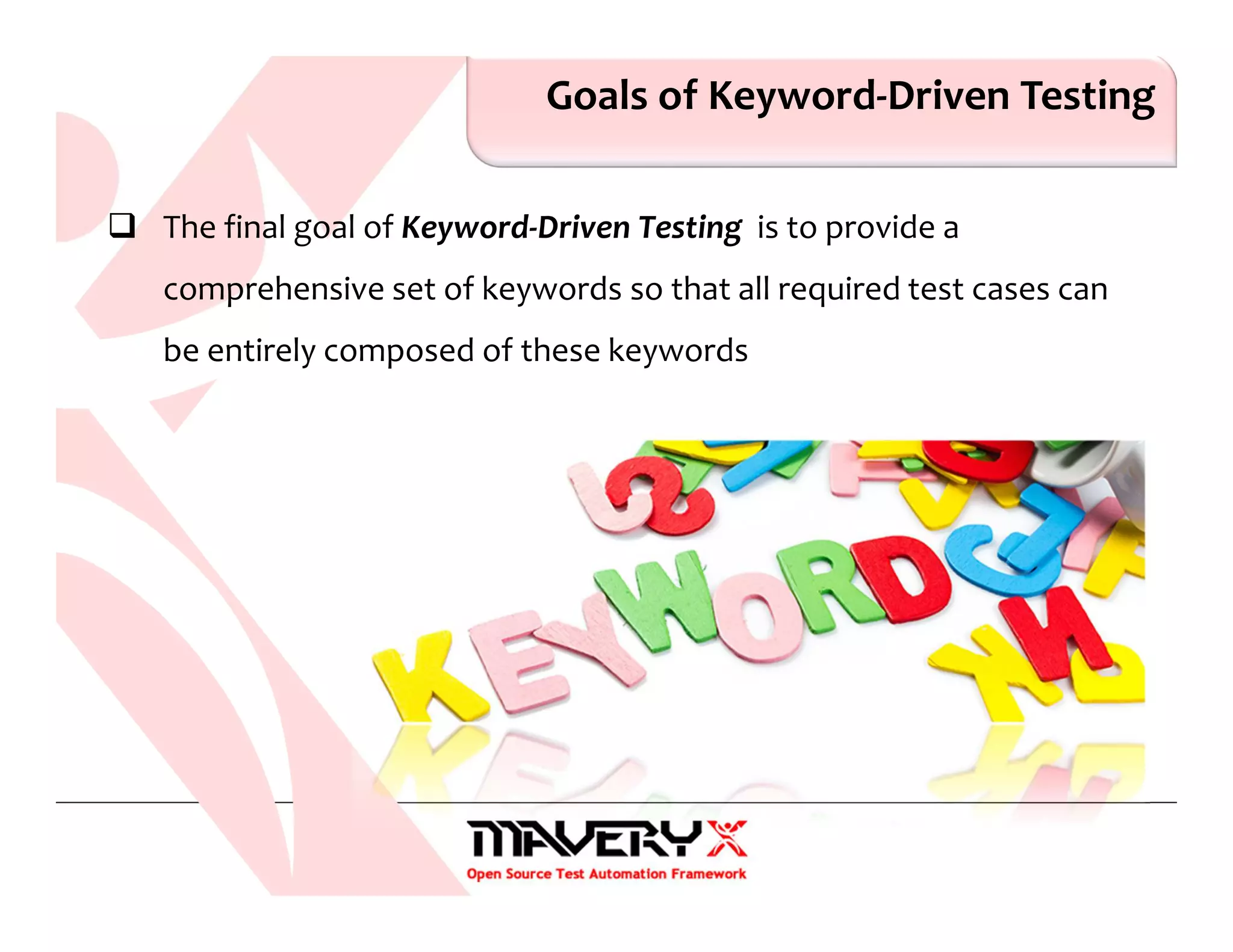
The final goal of Keyword-Driven Testing is to provide a
comprehensive set of keywords so that all required test cases can
be entirely composed of these keywords
Keyword-Driven Testing
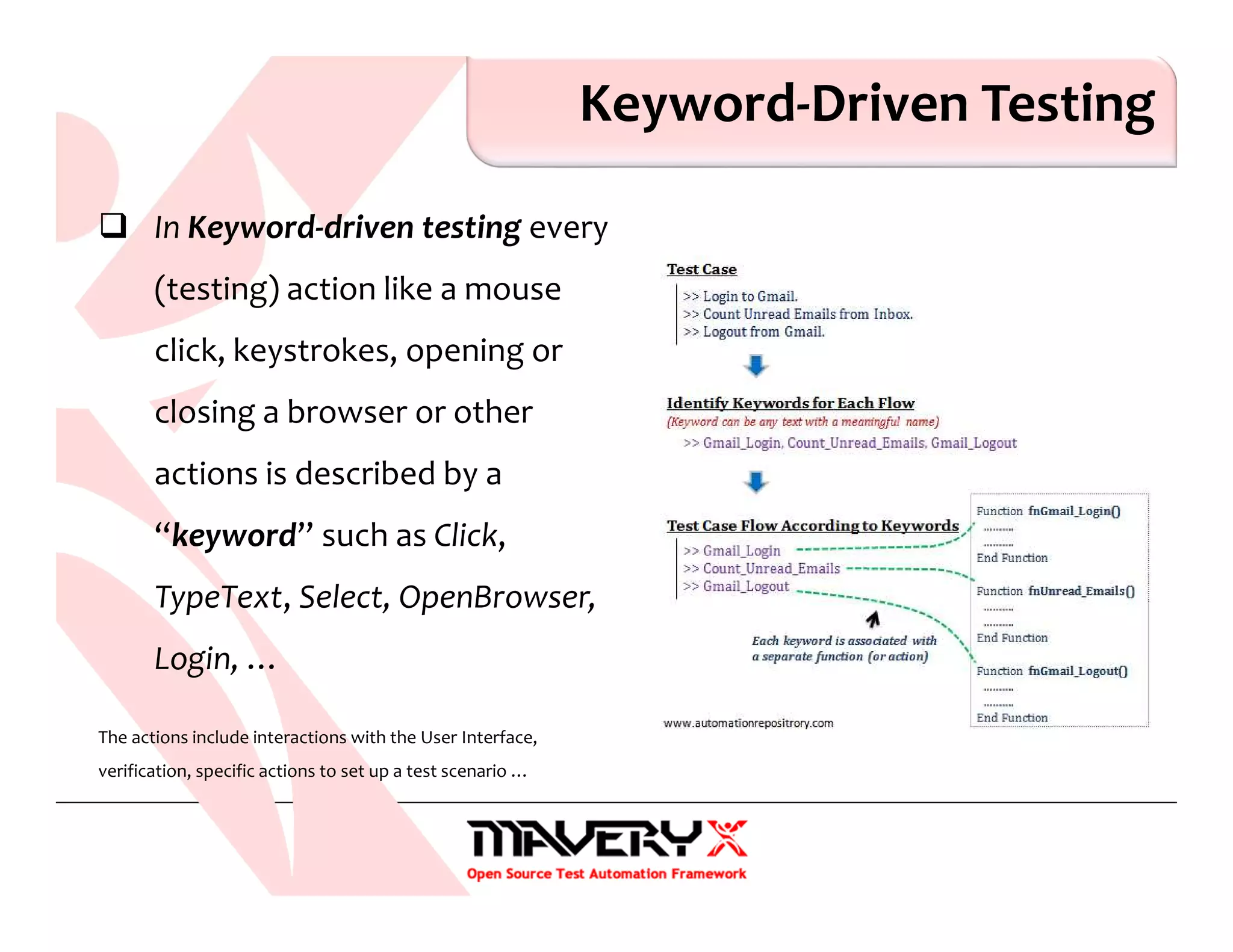
In Keyword-driven testing every
(testing) action like a mouse
click, keystrokes, opening or
closing a browser or other
actions is described by a
“keyword” such as Click,
TypeText, Select, OpenBrowser,
Login, …
The actions include interactions with the User Interface,
verification, specific actions to set up a test scenario …
What are Keywords
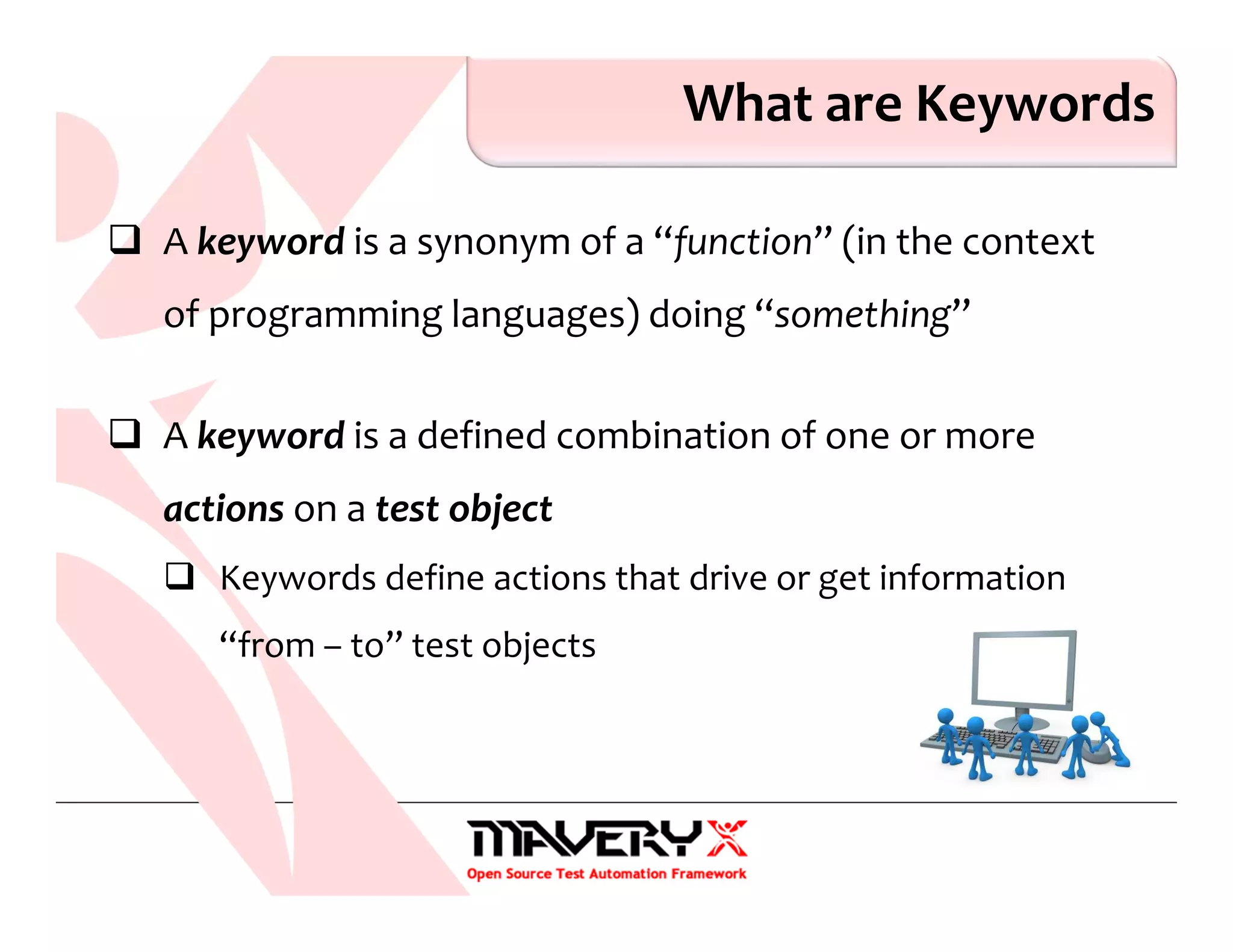
A keyword is a synonym of a “function” (in the context
of programming languages) doing “something”
A keyword is a defined combination of one or more
actions on a test object
Keywords define actions that drive or get information
“from – to” test objects
Keyword and Arguments
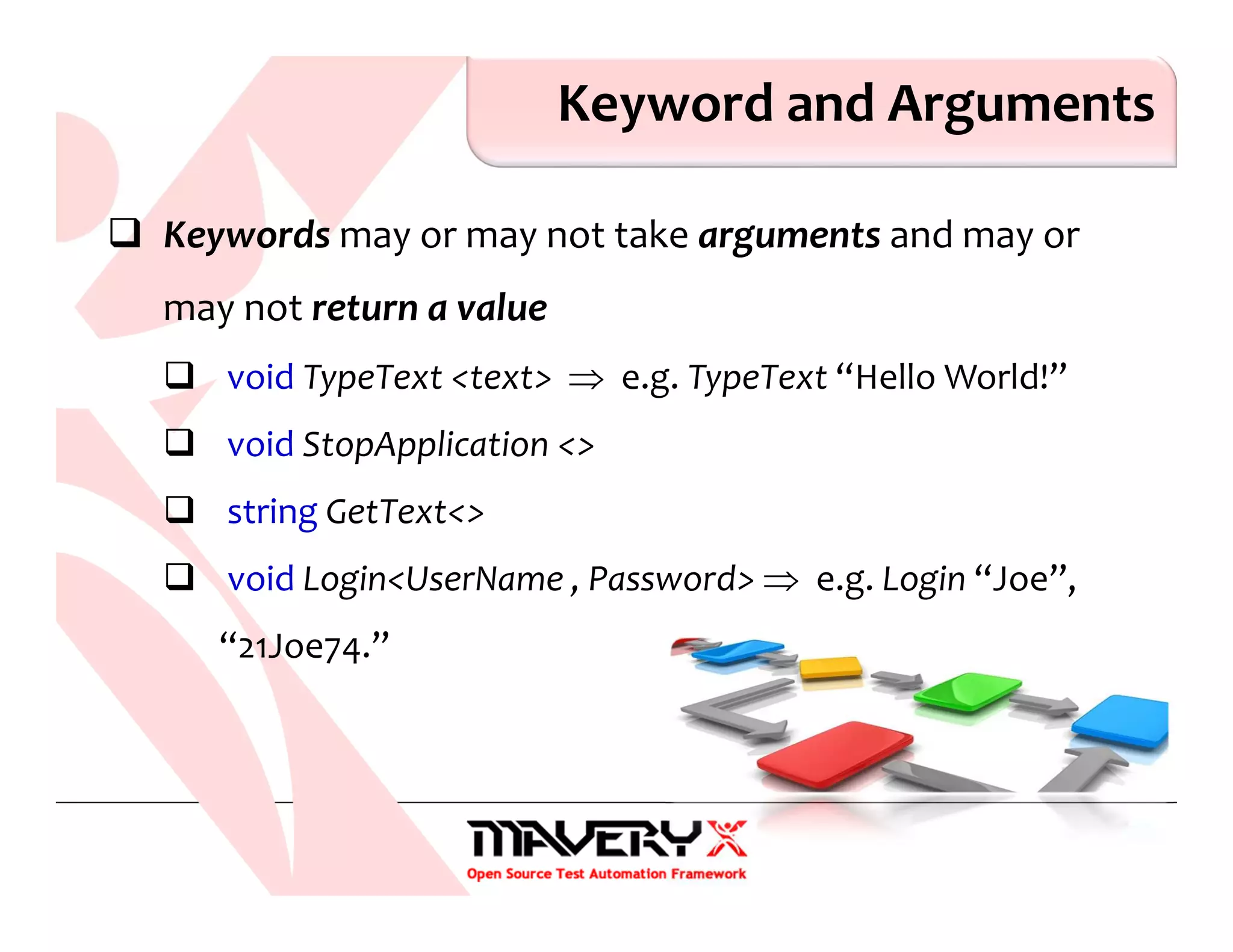
Keywords may or may not take arguments and may or
may not return a value
void TypeText <text> ⇒ e.g. TypeText “Hello World!”
void StopApplication <>
string GetText<>
void Login<UserName , Password> ⇒ e.g. Login “Joe”,
“21Joe74.”
Keywords
Keywords are usually characterized by:
an action-descriptive keyword name (using at least one verb)
none, one, or more arguments
a return value
at a lower level, each keyword is associated with a detailed set
of actions that describes the exact steps to be performed
for GUI applications, each keyword is associated with one (or
more) GUI objects
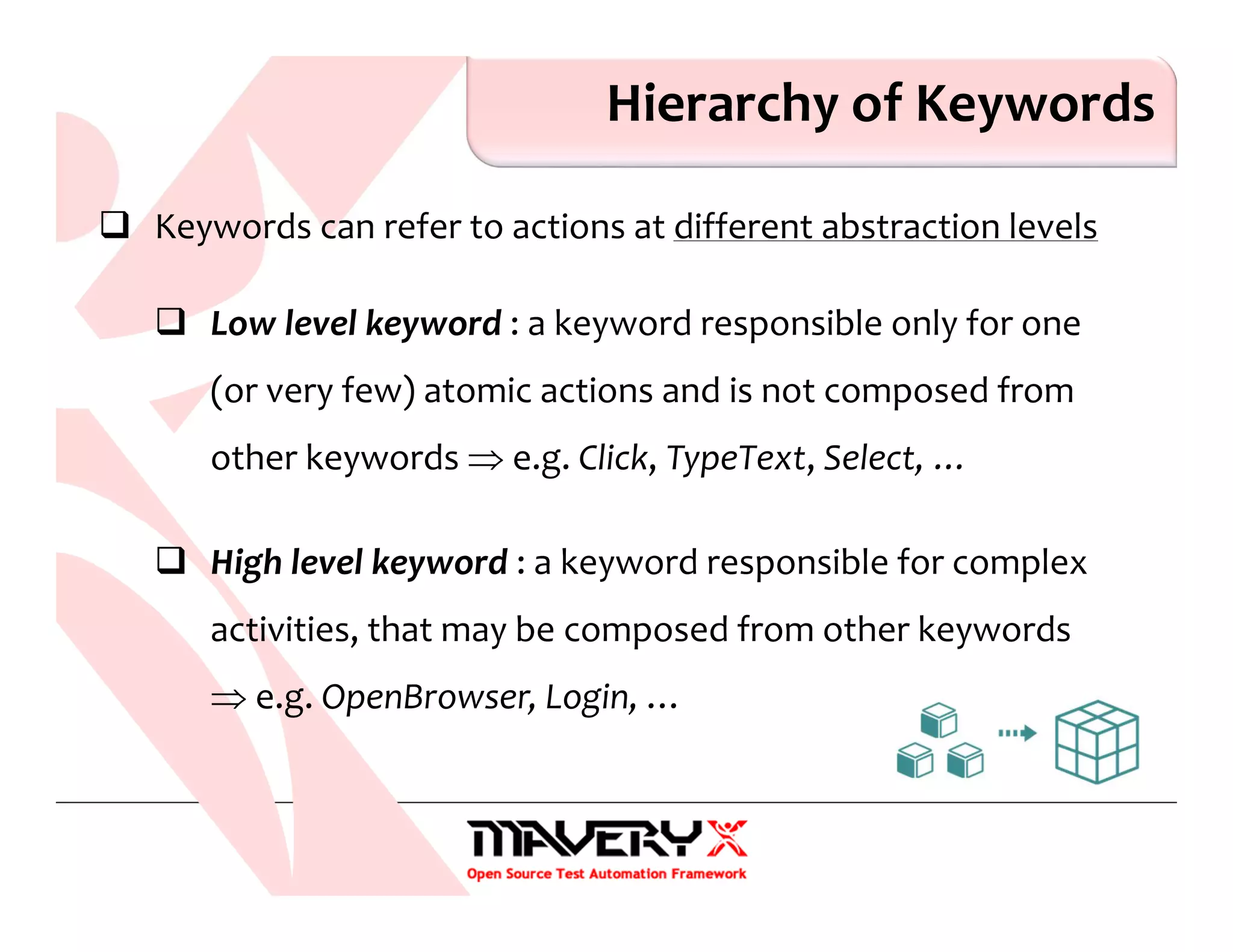
Hierarchy of Keywords
Keywords can refer to actions at different abstraction levels
Low level keyword : a keyword responsible only for one
(or very few) atomic actions and is not composed from
other keywords ⇒ e.g. Click, TypeText, Select, …
High level keyword : a keyword responsible for complex
activities, that may be composed from other keywords
⇒ e.g. OpenBrowser, Login, …
Keyword-Driven Test Cases
A keyword-driven test is a sequence of high level and low
level keywords, including the keyword arguments, as
applicable, which are composed to describe the actions
of a test case
Roles in Keyword-Driven Testing
Keyword-driven testing is a testing methodology that separates
the test creation process into design and implementation stages
It allows the involvement of additional professionals, e.g.
business analysts, in the test (automation) process
Business analysts / testers will only work with keywords and test data
Specialized test automation programmers will implement each of the
keywords
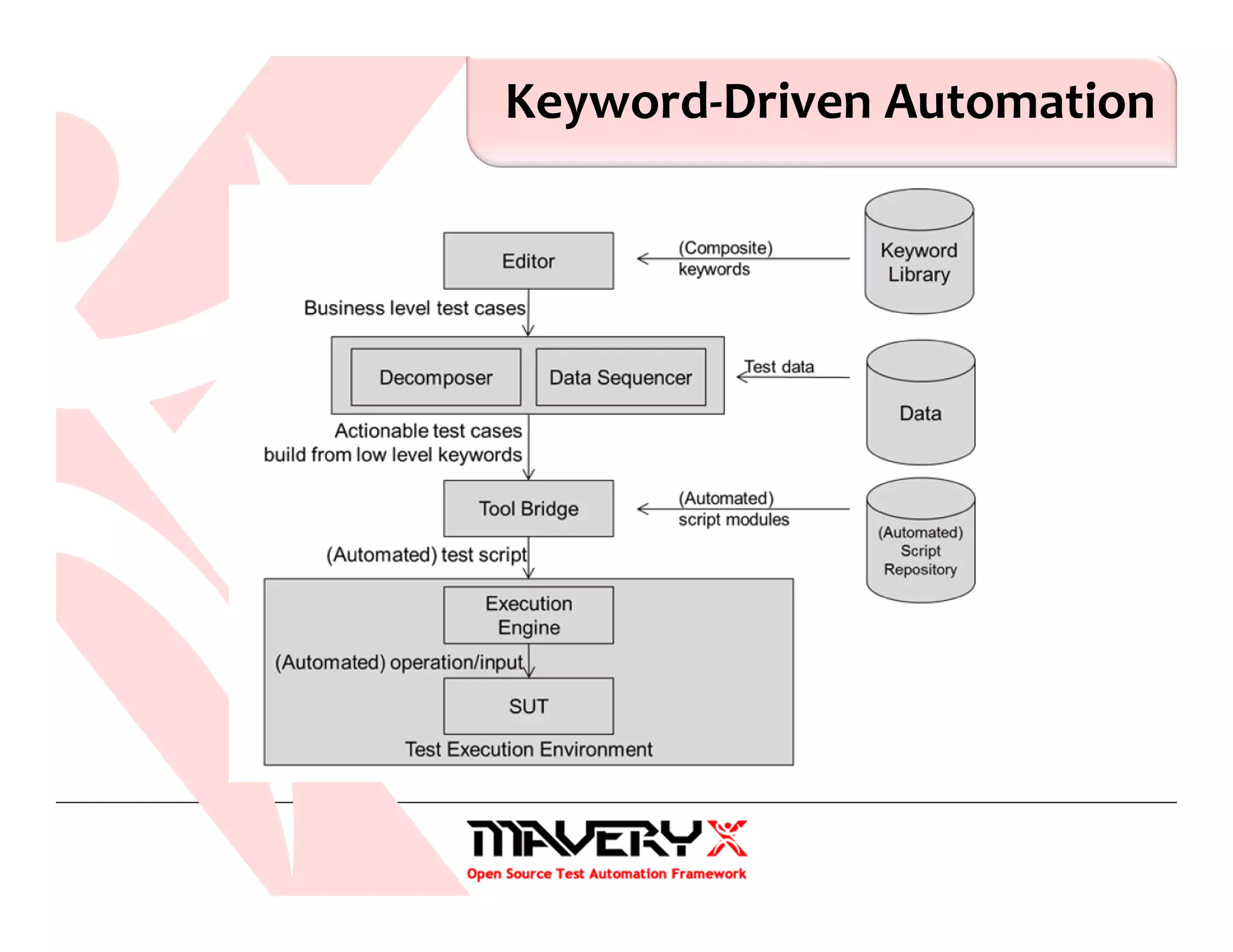
Keyword-Driven Automation
A test automation approach where test data and also keywords
instructing how to use the data are read from an external data
source
Each keyword needs to be associated with at least one command,
test script or function, which implement the actions associated
with that keyword
When test cases are executed keywords are interpreted by a test
library which is called by a test automation framework
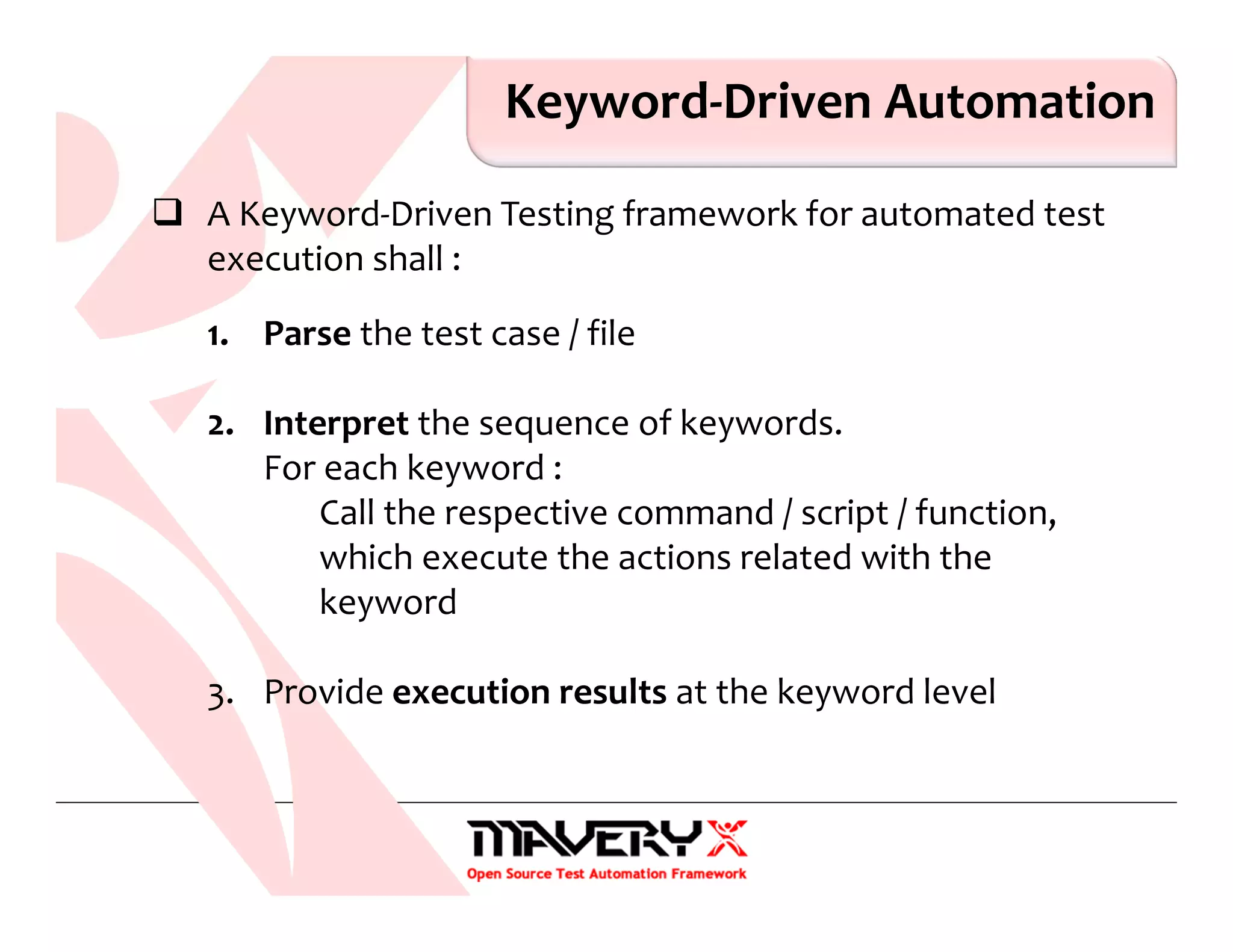
Keyword-Driven Automation
A Keyword-Driven Testing framework for automated test
execution shall :
1. Parse the test case / file
2. Interpret the sequence of keywords.
For each keyword :
Call the respective command / script / function,
which execute the actions related with the
keyword
3. Provide execution results at the keyword level
Pros & Cons
Advantages of Keyword-driven testing /1
Test cases become clear and understandable
Concise, readable, maintainable (easy to modify) …
Tests can be developed without programming knowledge
Not dependent on a specific tool or programming language
Pros & Cons
Advantages of Keyword-driven testing /2
Tests can be developed earlier in the software development
life cycle even before the application is delivered for testing
by using existing keyword libraries
by defining new keywords
High degree of reusability
New test cases can reuse existing keywords
Pros & Cons
Disadvantages of Keyword-driven testing
High initial investment : developing the keywords and its related
functionalities might take longer
Personnel has to be trained to use keywords for test case
specification
Moderately high learning curve initially
Require knowledge of meta-languages
Pros & Cons
Disadvantages of Keyword-driven testing
Difficult to implement the framework
Significant upfront investment for the design and
implementation of the framework
High automation expertise required
Keyword limitations restrict the complexity of test cases
…
How to Create Keyword-Driven Tests
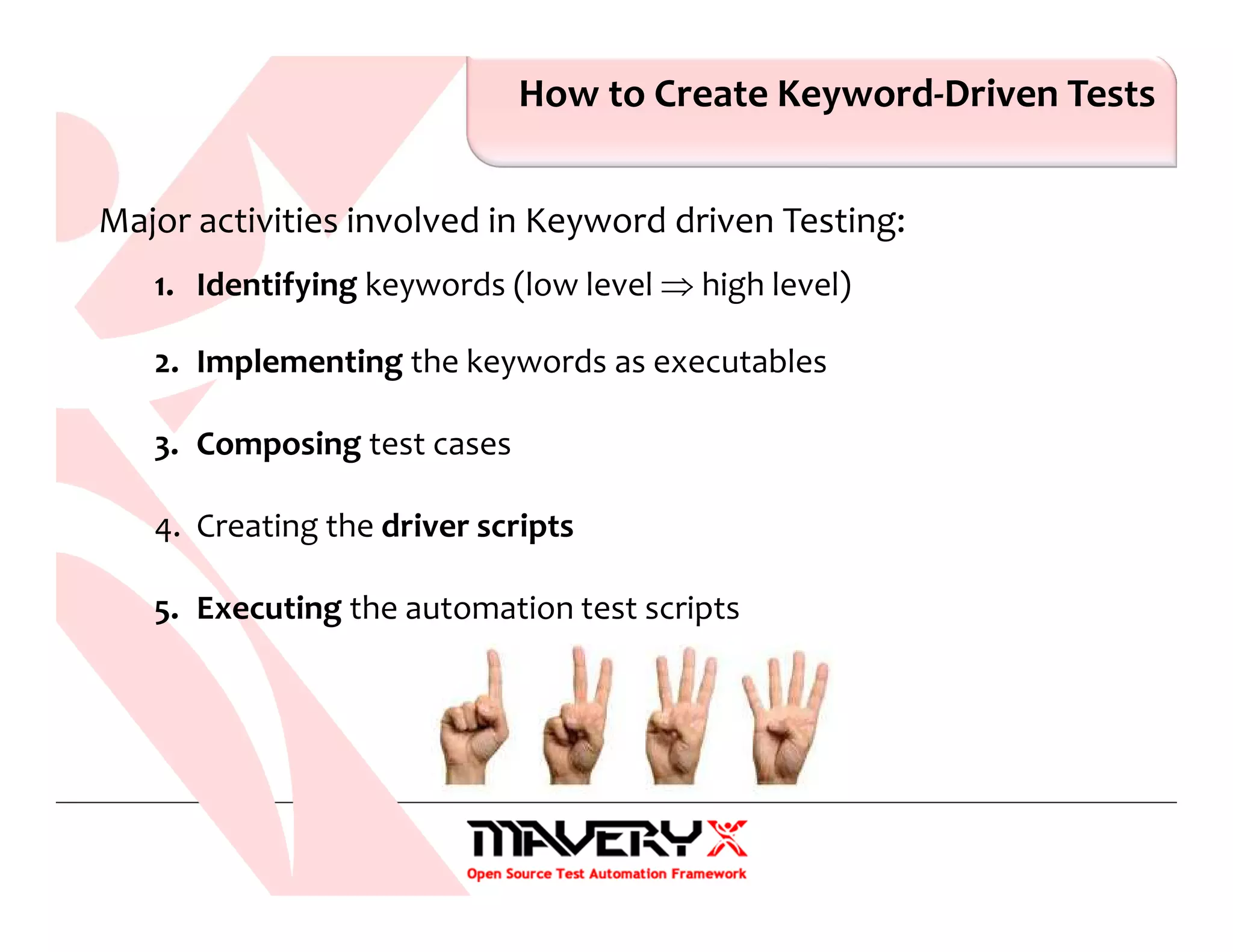
Major activities involved in Keyword driven Testing:
1. Identifying keywords (low level ⇒ high level)
2. Implementing the keywords as executables
3. Composing test cases
4. Creating the driver scripts
5. Executing the automation test scripts
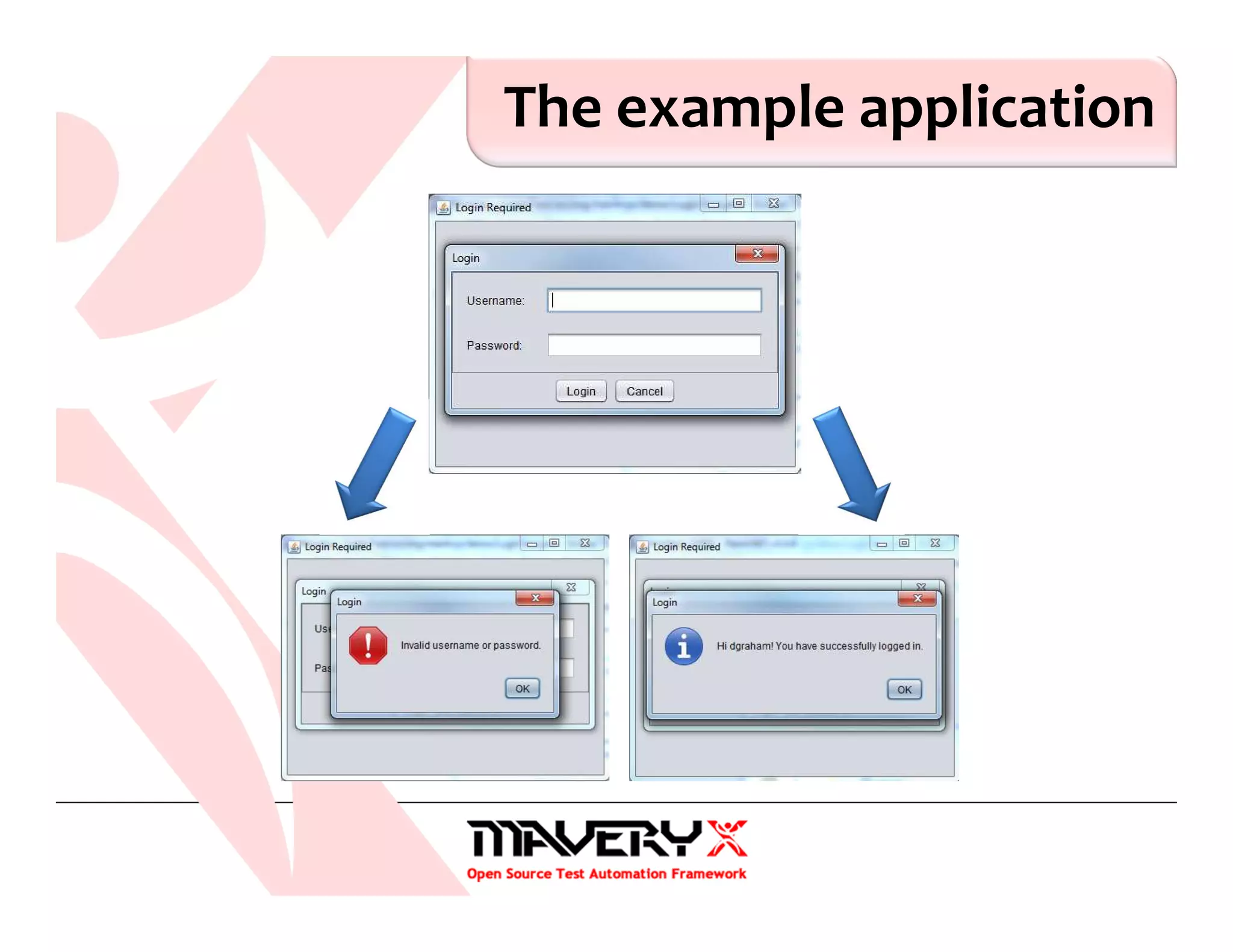
The example application
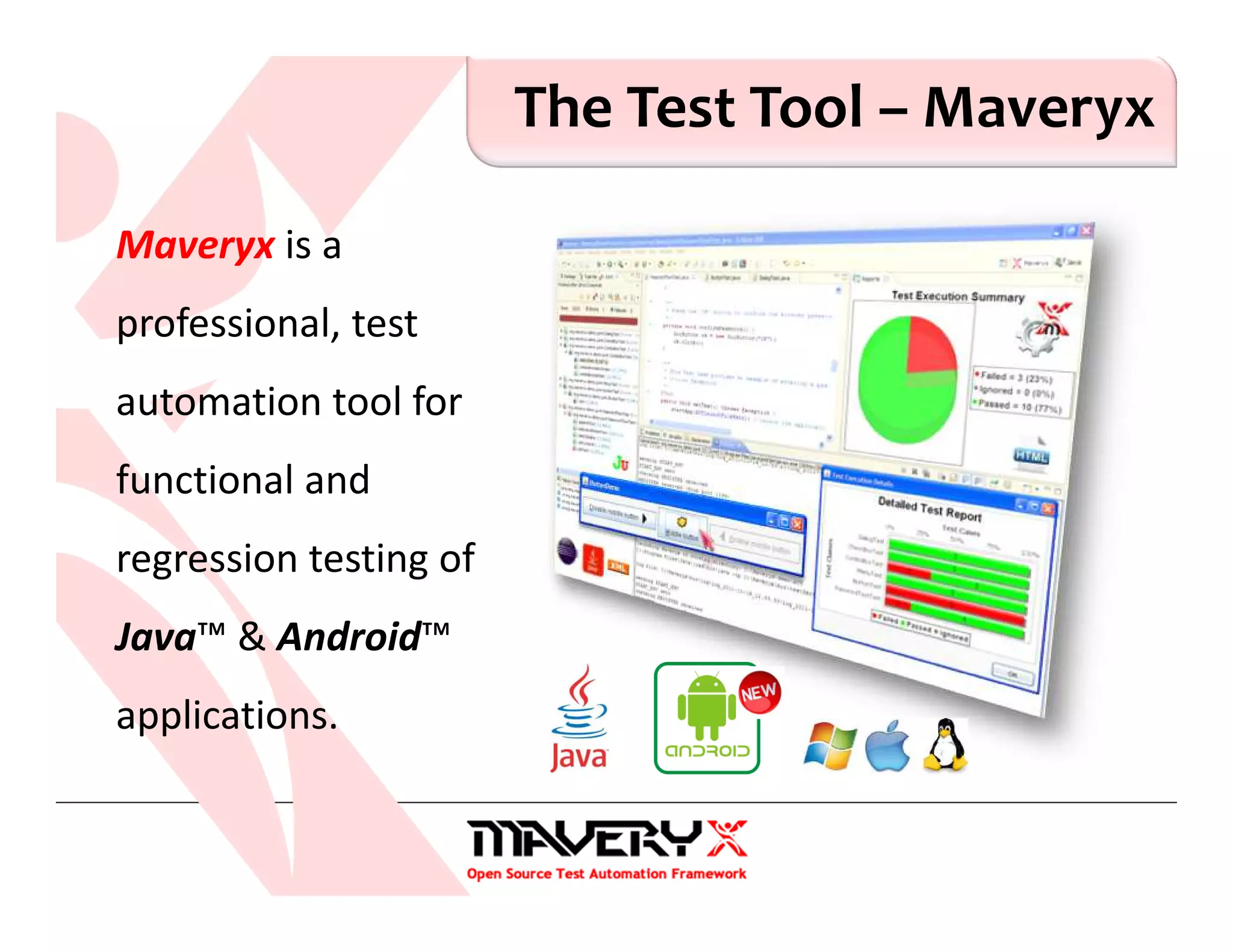
The Test Tool – Maveryx
Maveryx is a
professional, test
automation tool for
functional and
regression testing of
Java™ & Android™
applications.
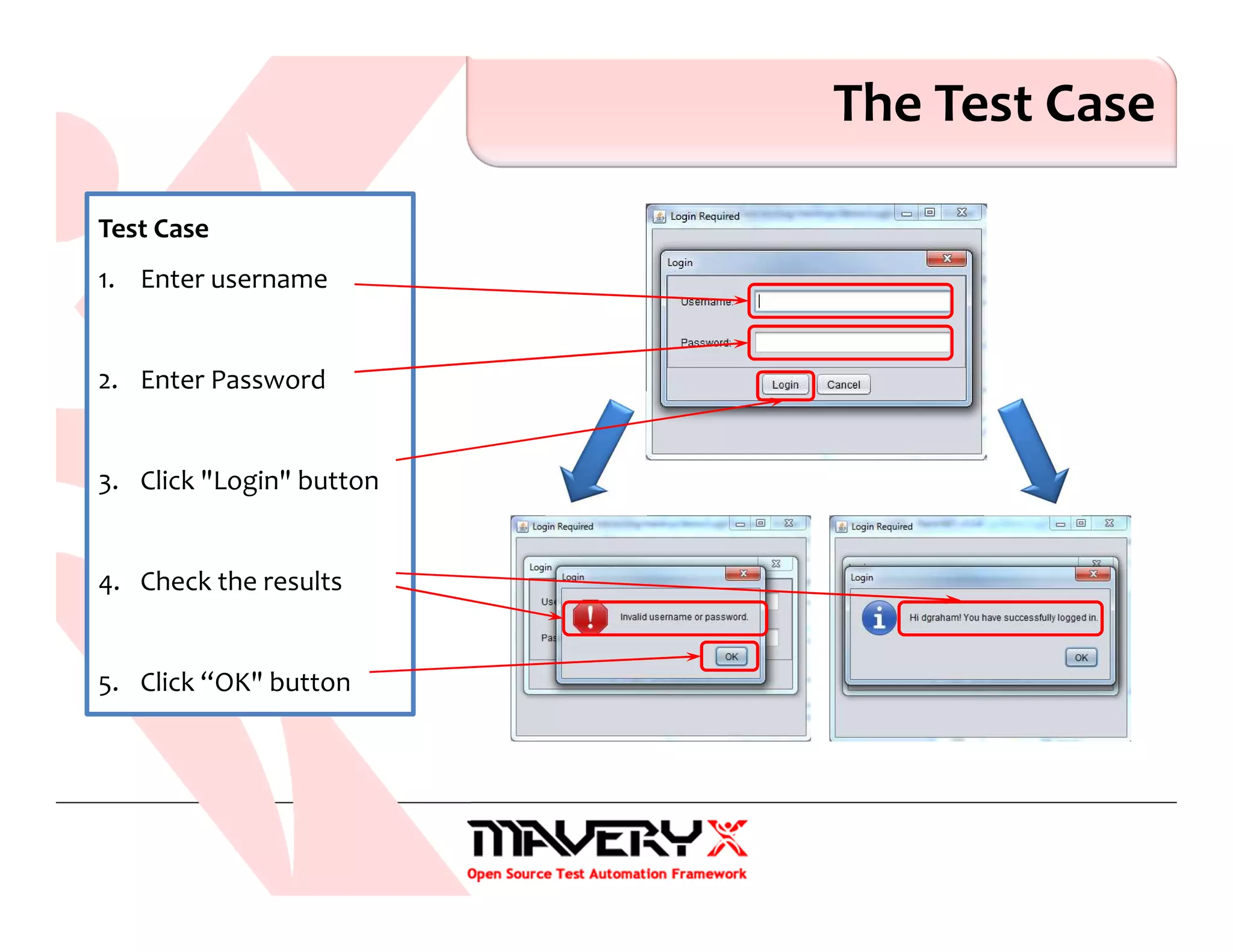
The Test Case
Test Case
1. Enter username
2. Enter Password
3. Click "Login" button
4. Check the results
5. Click “OK" button
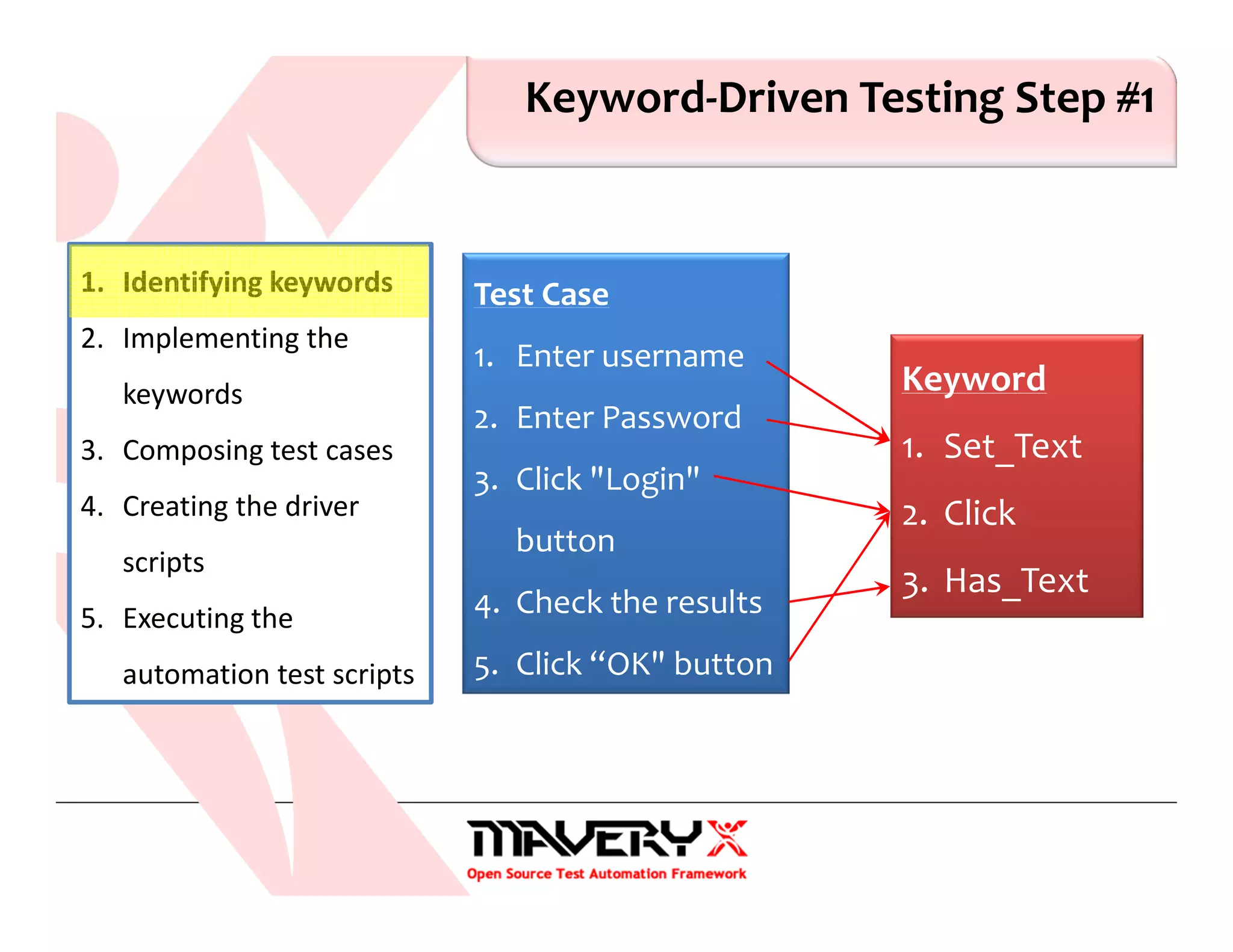
Keyword-Driven Testing Step #1
1. Identifying keywords
2. Implementing the
keywords
3. Composing test cases
4. Creating the driver
scripts
5. Executing the
automation test scripts
Test Case
1. Enter username
2. Enter Password
3. Click "Login"
button
4. Check the results
5. Click “OK" button
Keyword
1. Set_Text
2. Click
3. Has_Text
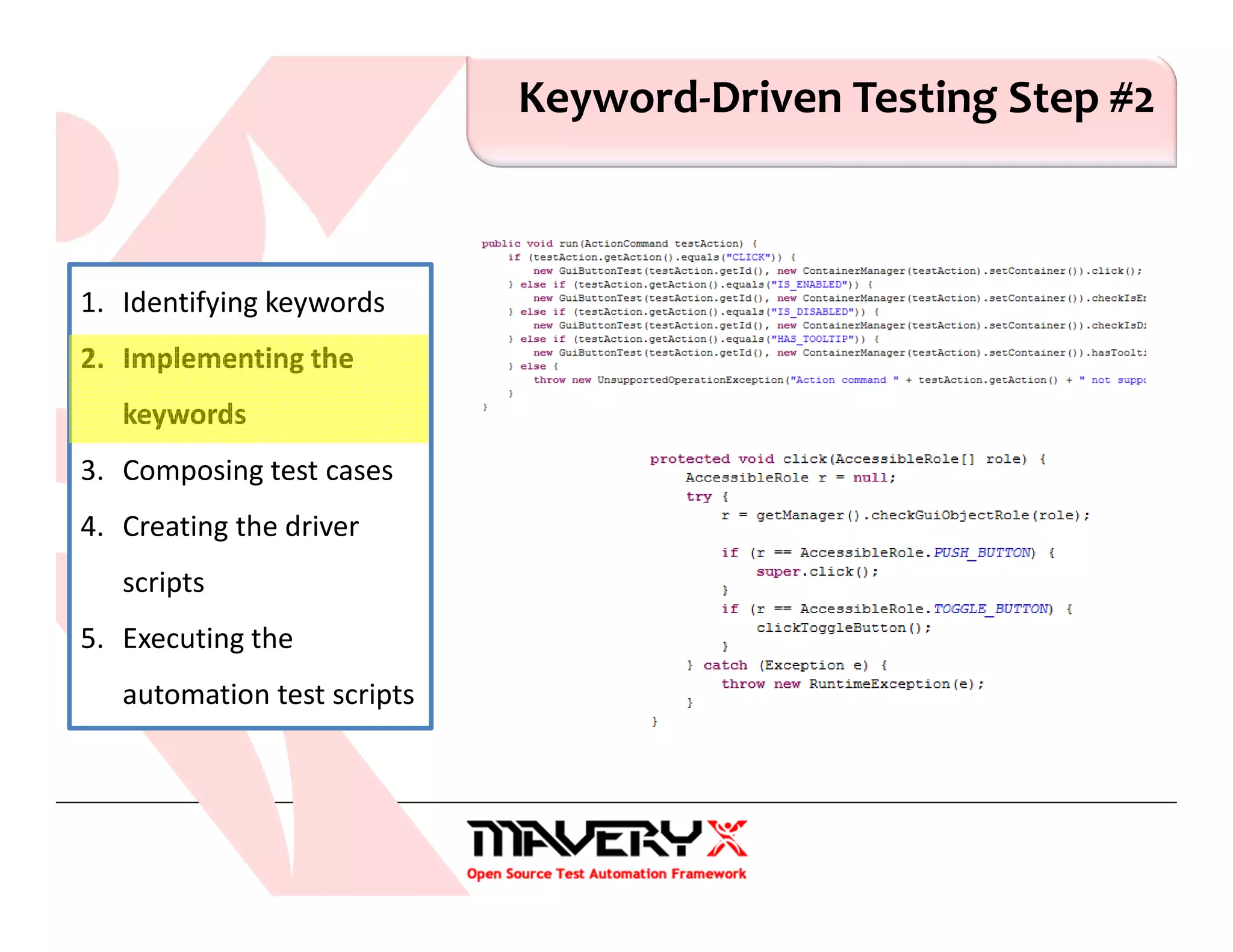
Keyword-Driven Testing Step #2
1. Identifying keywords
2. Implementing the
keywords
3. Composing test cases
4. Creating the driver
scripts
5. Executing the
automation test scripts
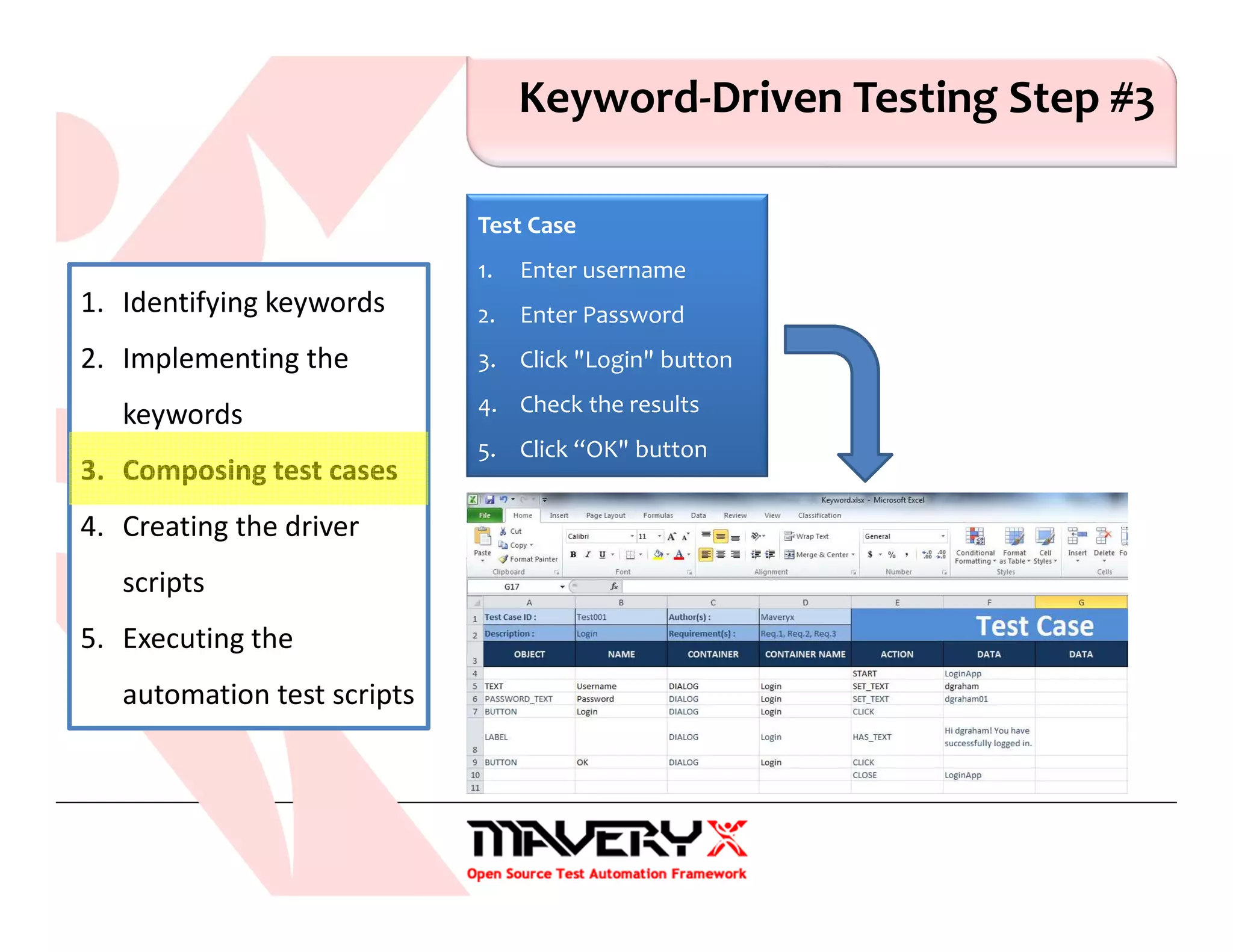
Keyword-Driven Testing Step #3
1. Identifying keywords
2. Implementing the
keywords
3. Composing test cases
4. Creating the driver
scripts
5. Executing the
automation test scripts
Test Case
1. Enter username
2. Enter Password
3. Click "Login" button
4. Check the results
5. Click “OK" button
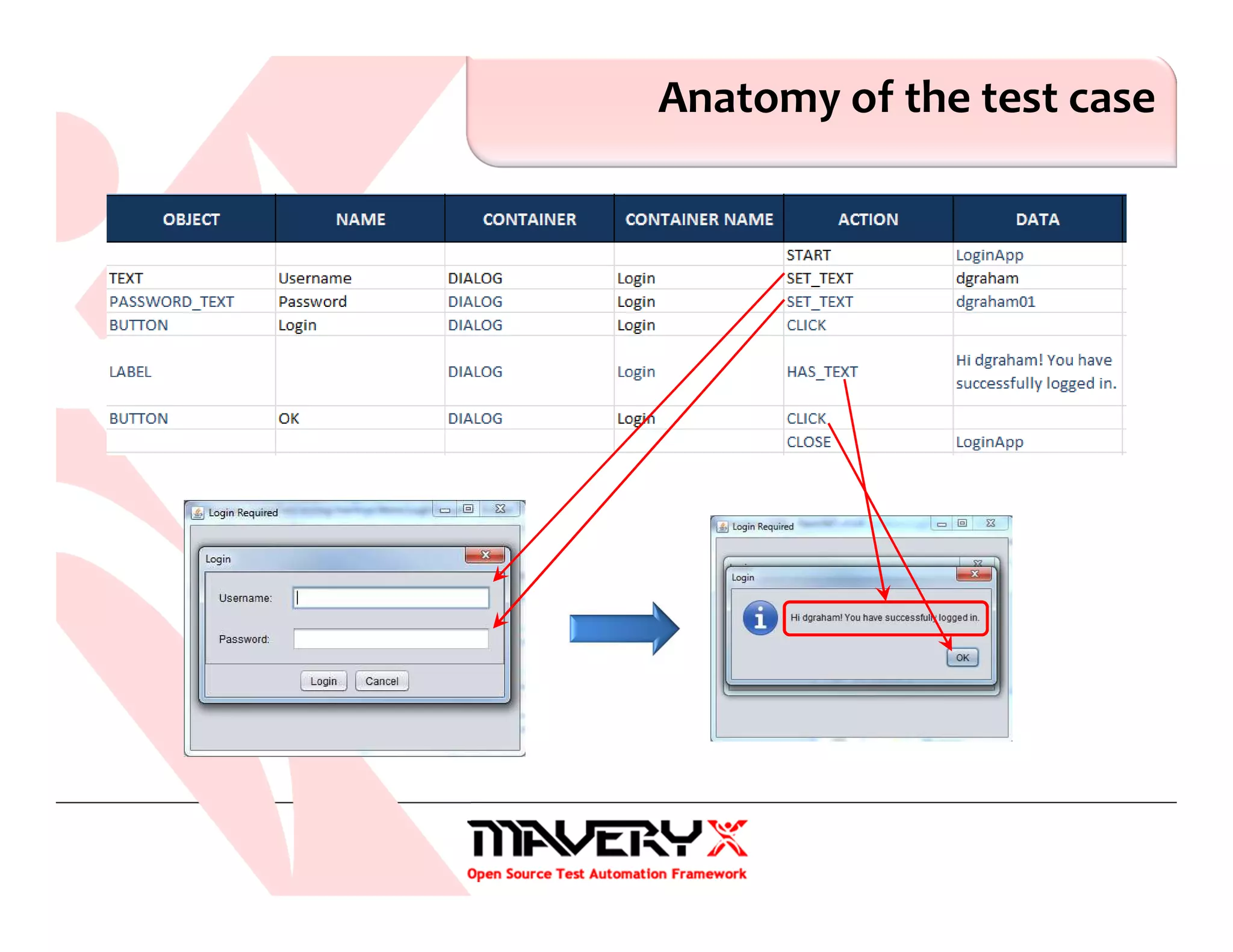
Anatomy of the test case
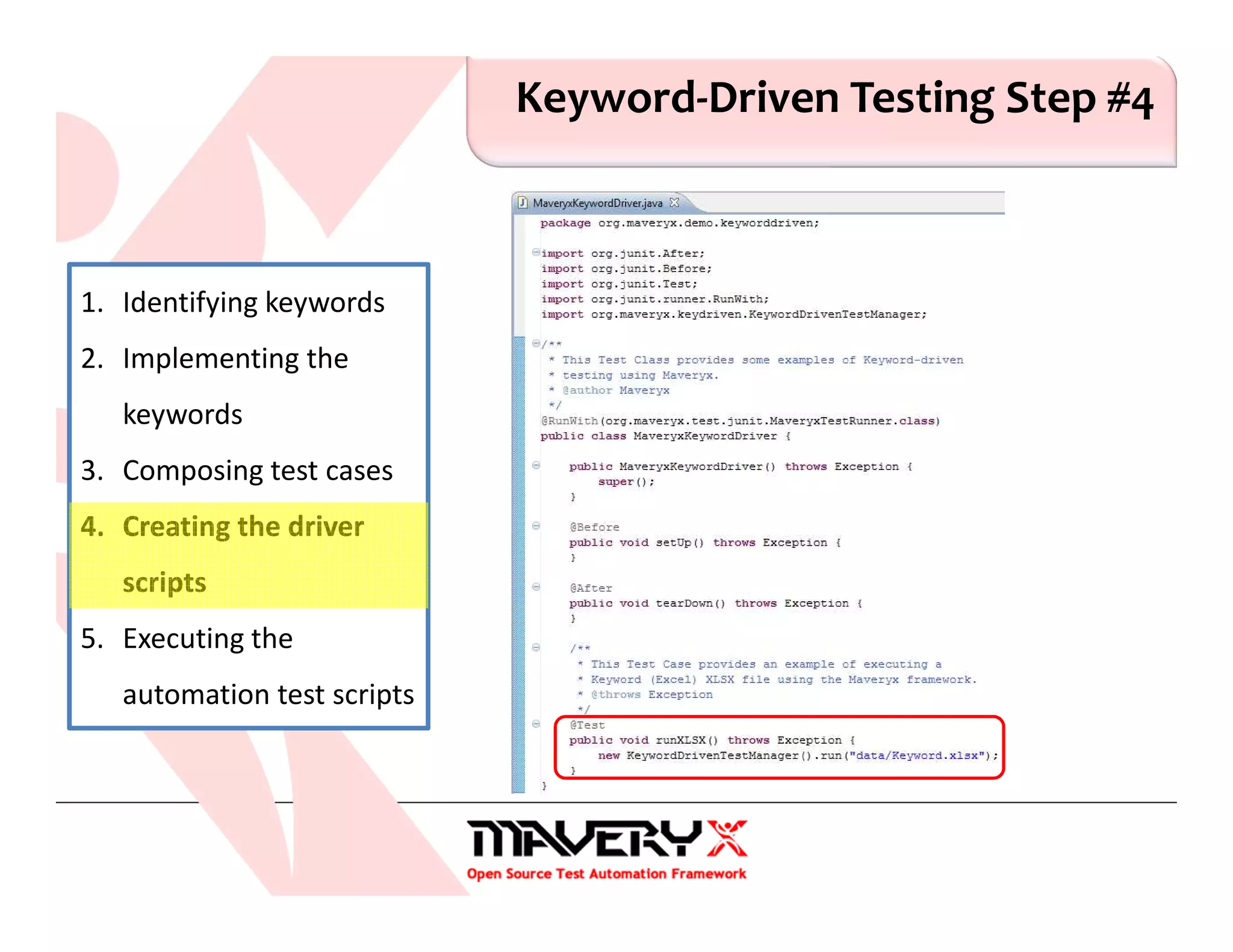
Keyword-Driven Testing Step #4
1. Identifying keywords
2. Implementing the
keywords
3. Composing test cases
4. Creating the driver
scripts
5. Executing the
automation test scripts
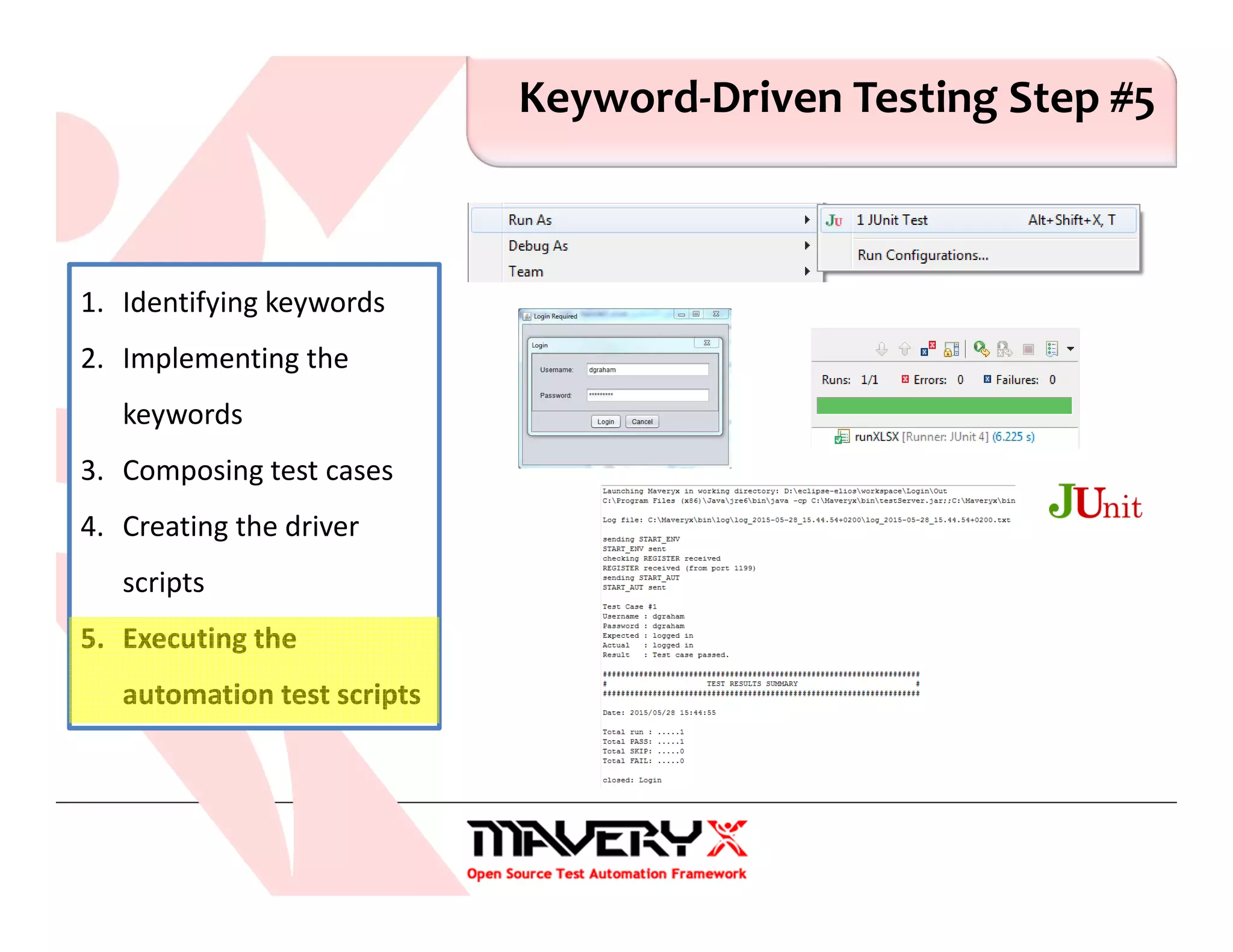
Keyword-Driven Testing Step #5
1. Identifying keywords
2. Implementing the
keywords
3. Composing test cases
4. Creating the driver
scripts
5. Executing the
automation test scripts
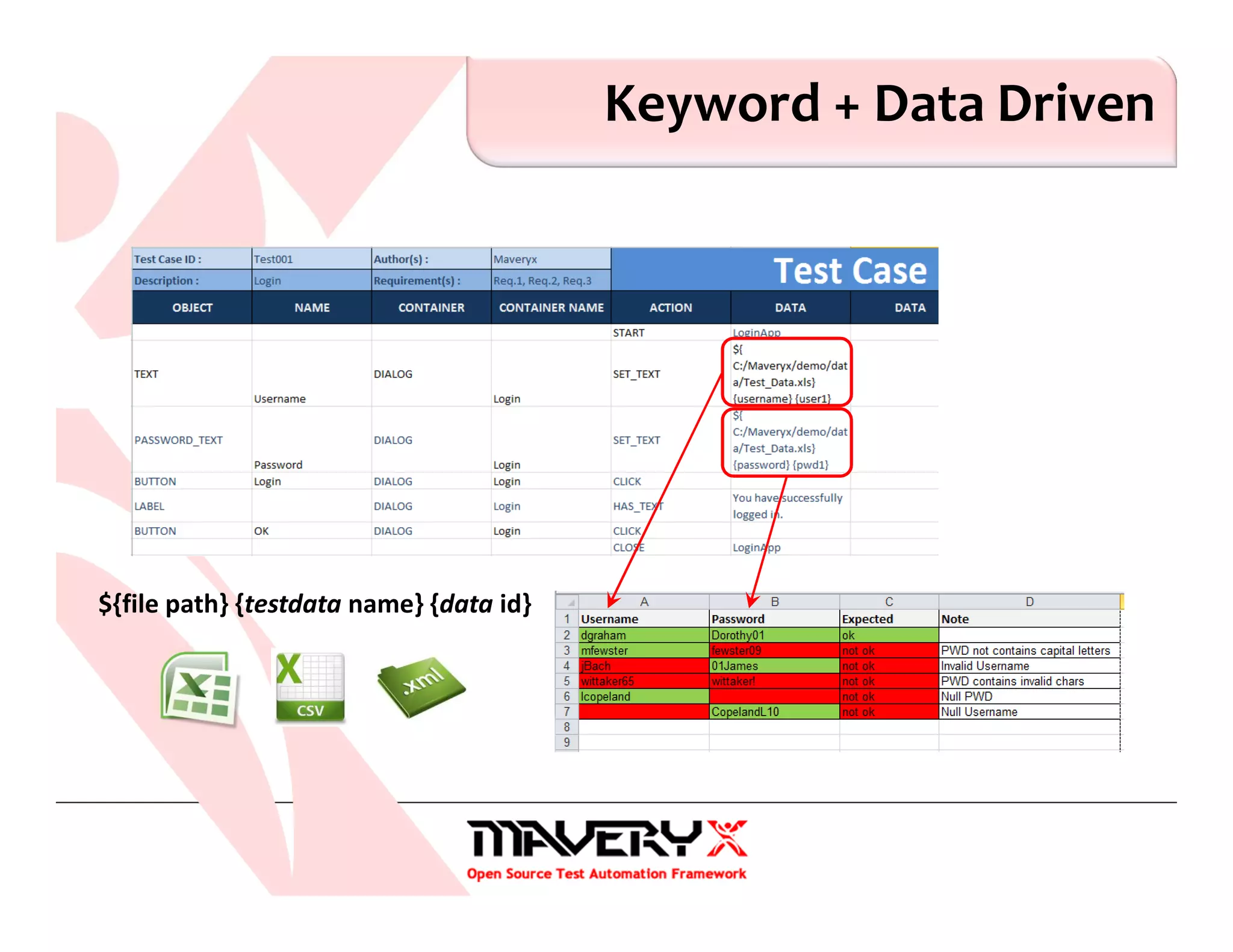
Keyword + Data Driven
${file path} {testdata name} {data id}
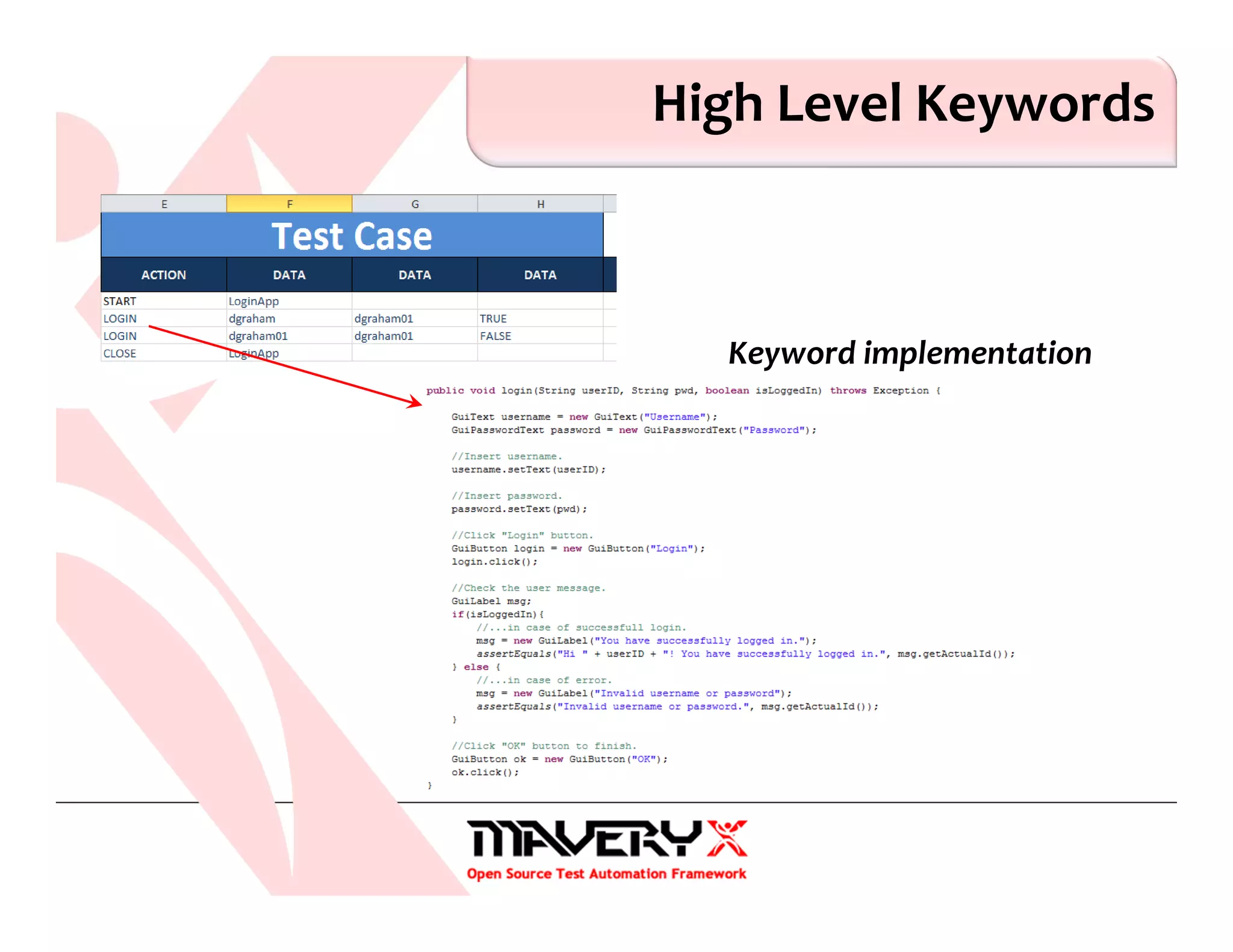
High Level Keywords
Keyword implementation
Lessons Learned
1. Keyword-Driven Testing is a software testing methodology
that uses keywords (or action words) to symbolize a
functionality to be tested
2. A keyword is defined as the set of actions that must be
performed during the execution of one or more test cases
Lessons Learned
3. Keywords can refer to actions at different abstraction levels
Low level keyword → High level keyword
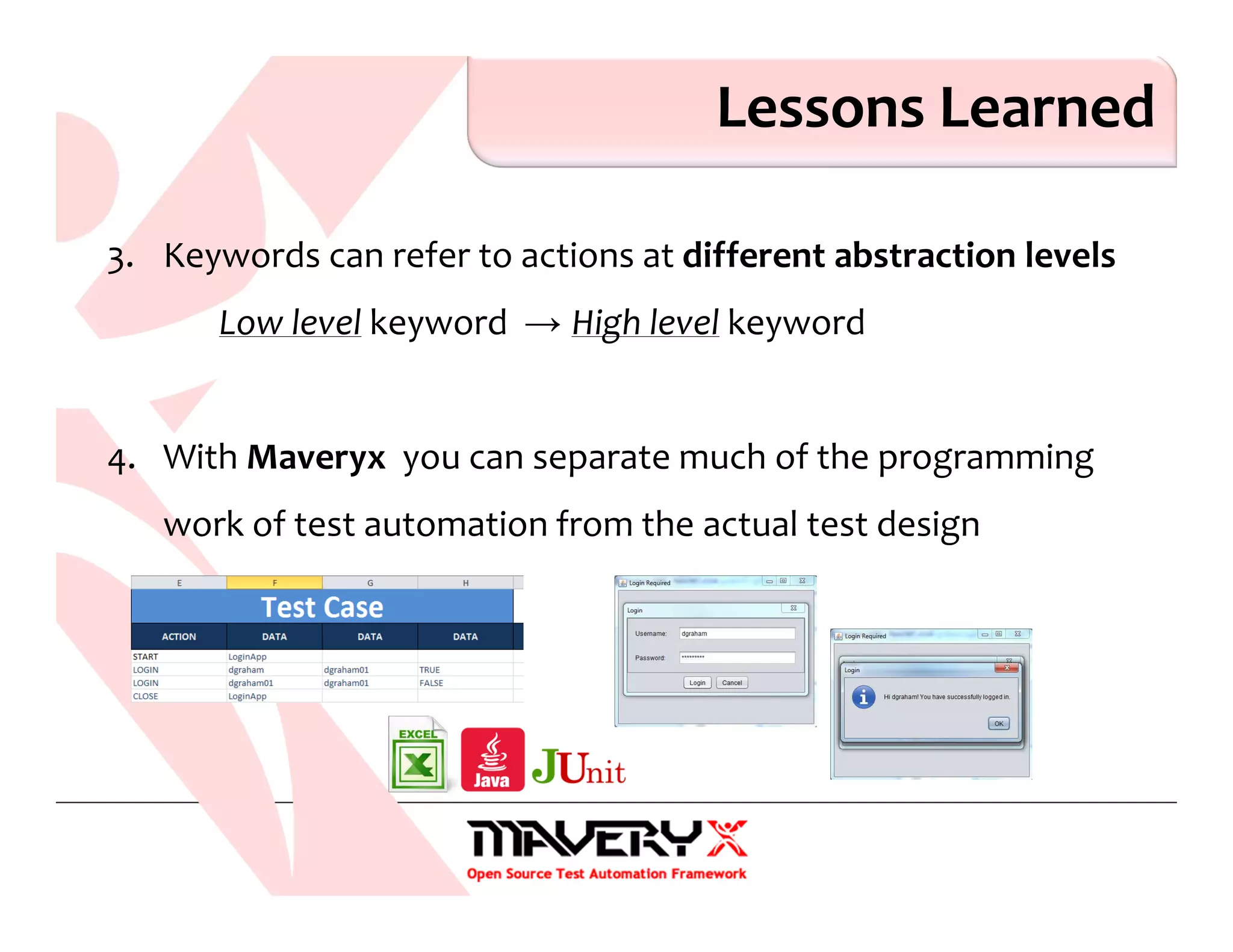
4. With Maveryx you can separate much of the programming
work of test automation from the actual test design
© 2015 Maveryx srl.
All rights reserved.
About Maveryx…
Maveryx is a professional, award-winning test automation tool for
functional and regression testing of Java™ & Android™ applications.
Maveryx provides testers with automated testing capabilities for
functional, regression, GUI, Keyword-driven and keyword-driven
testing.
Maveryx
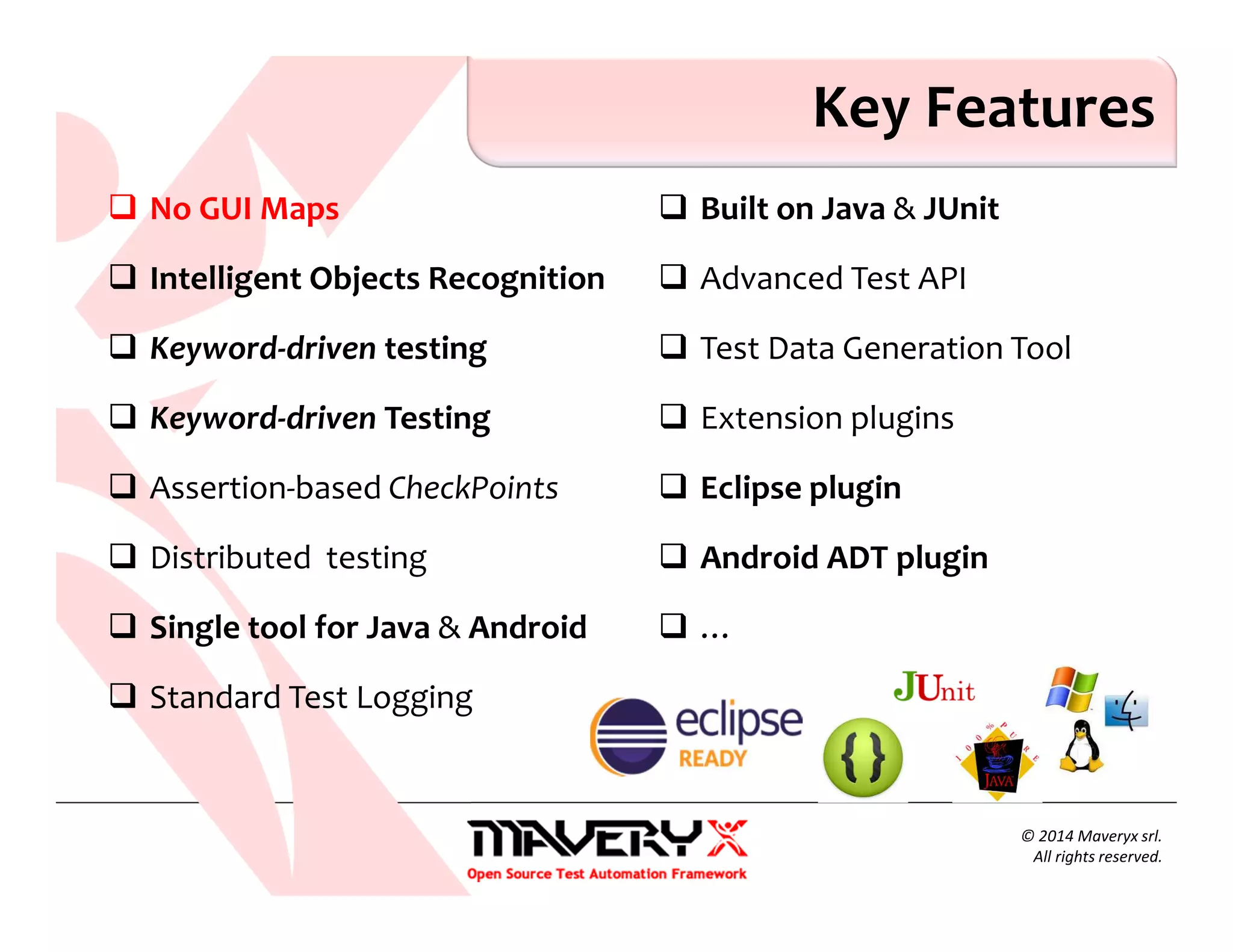
No GUI Maps
Intelligent Objects Recognition
Keyword-driven testing
Keyword-driven Testing
Assertion-based CheckPoints
Distributed testing
Single tool for Java & Android
Standard Test Logging
Built on Java & JUnit
Advanced Test API
Test Data Generation Tool
Extension plugins
Eclipse plugin
Android ADT plugin
…
Key Features
© 2014 Maveryx srl.
All rights reserved.
No GUI Maps
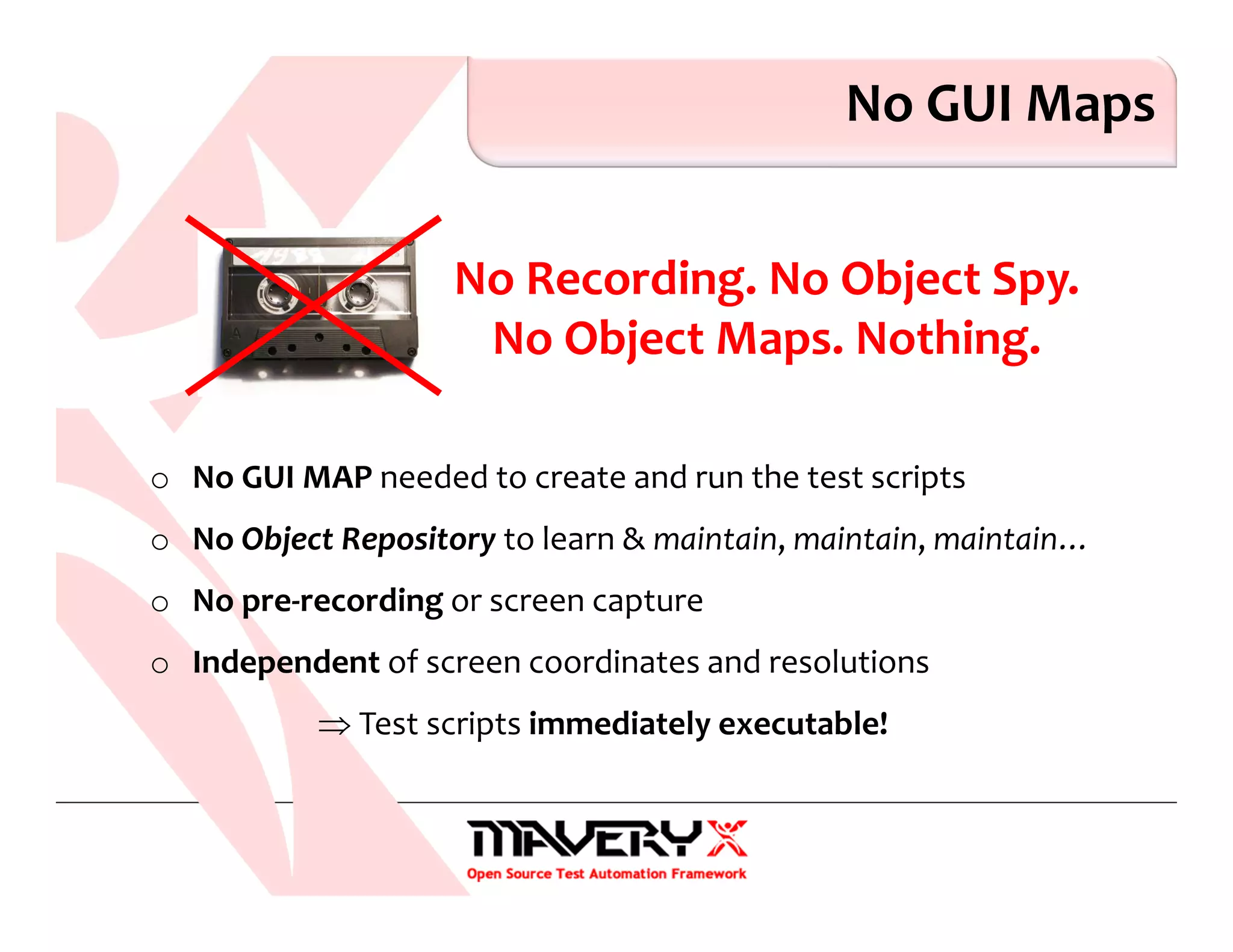
No Recording. No Object Spy.
No Object Maps. Nothing.
o No GUI MAP needed to create and run the test scripts
o No Object Repository to learn & maintain, maintain, maintain…
o No pre-recording or screen capture
o Independent of screen coordinates and resolutions
⇒ Test scripts immediately executable!
o A.I. Artificial Intelligence. Advanced Searching Algorithms to identify
UI objects directly at runtime during test execution, like humans do..
o Automatically accommodate UI changes without changing the scripts
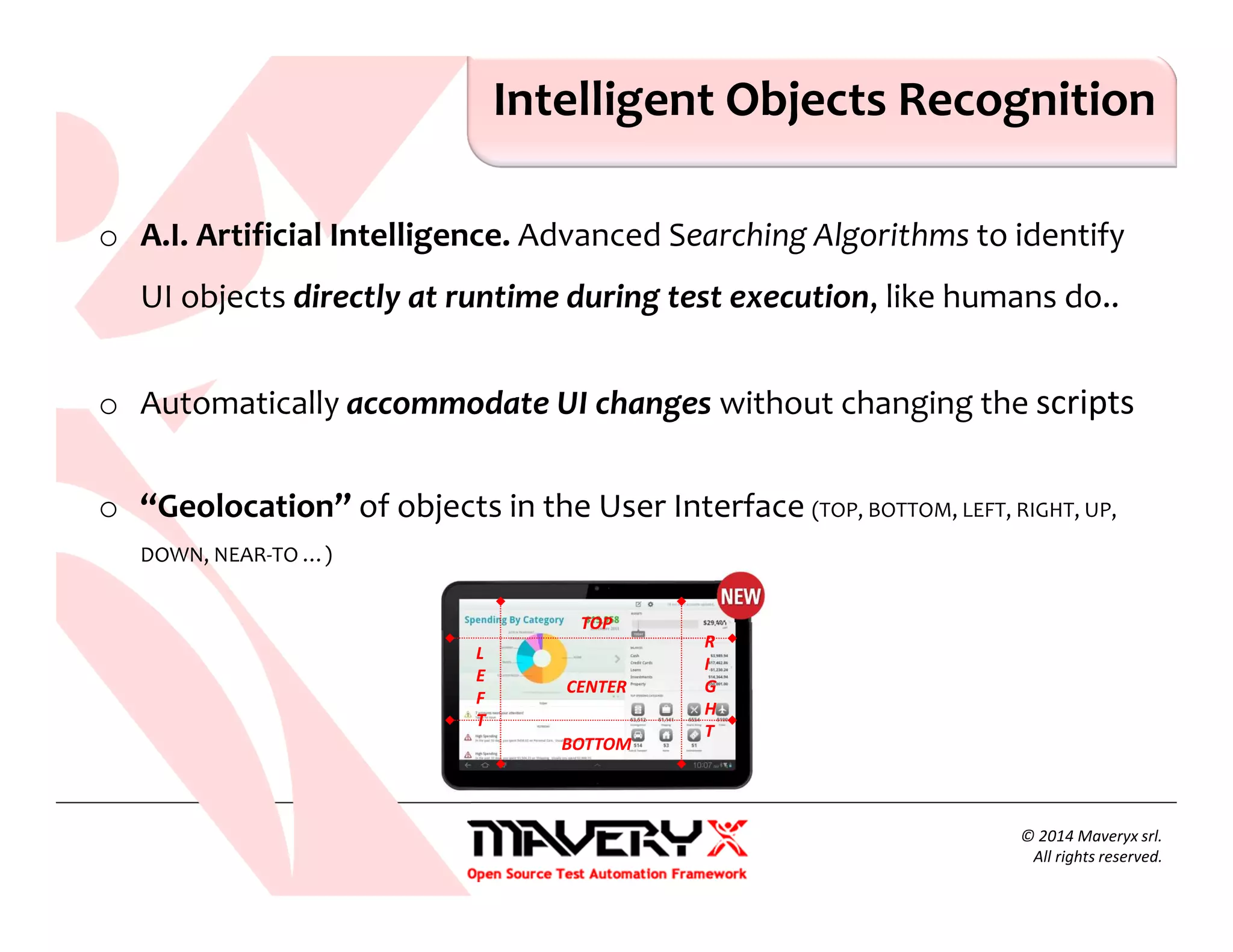
o “Geolocation” of objects in the User Interface (TOP, BOTTOM, LEFT, RIGHT, UP,
DOWN, NEAR-TO …)
Intelligent Objects Recognition
© 2014 Maveryx srl.
All rights reserved.
TOP
BOTTOM
L
E
F
T
R
I
G
H
T
CENTER
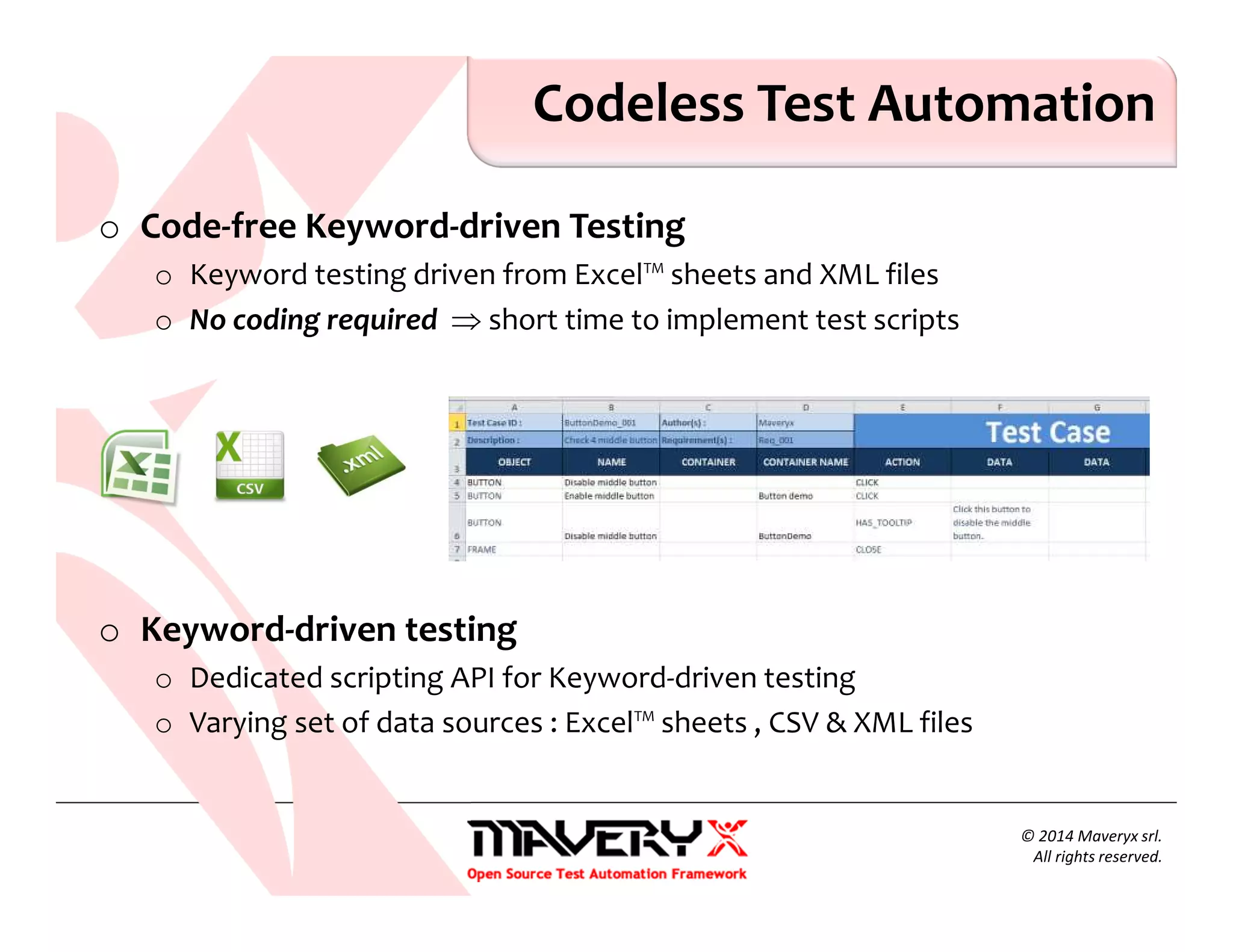
o Code-free Keyword-driven Testing
o Keyword testing driven from Excel™ sheets and XML files
o No coding required ⇒ short time to implement test scripts
o Keyword-driven testing
o Dedicated scripting API for Keyword-driven testing
o Varying set of data sources : Excel™ sheets , CSV & XML files
Codeless Test Automation
© 2014 Maveryx srl.
All rights reserved.
© 2014 Maveryx srl.
All rights reserved.
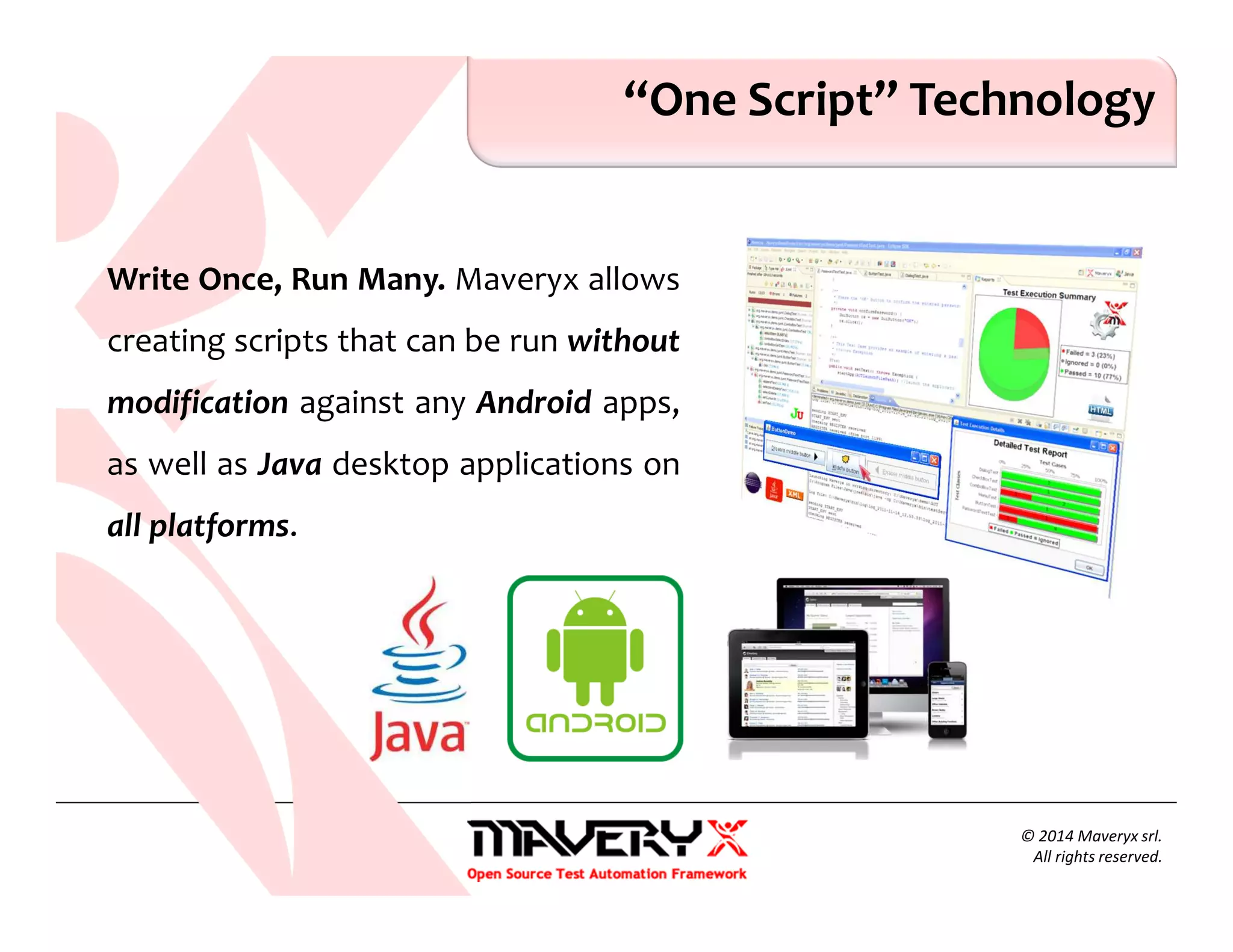
“One Script” Technology
Write Once, Run Many. Maveryx allows
creating scripts that can be run without
modification against any Android apps,
as well as Java desktop applications on
all platforms.
o Tests can be executed on Android Virtual Devices (AVDs) or Real
Devices ⇒ No Rooting!
o devices connected to the local PC [via USB cable or Wi-Fi]
o devices connected remotely to a mobile device lab
o Support for all versions of Android
o Support for almost all UI Elements
o …
© 2014 Maveryx srl.
All rights reserved.
Mobile Testing
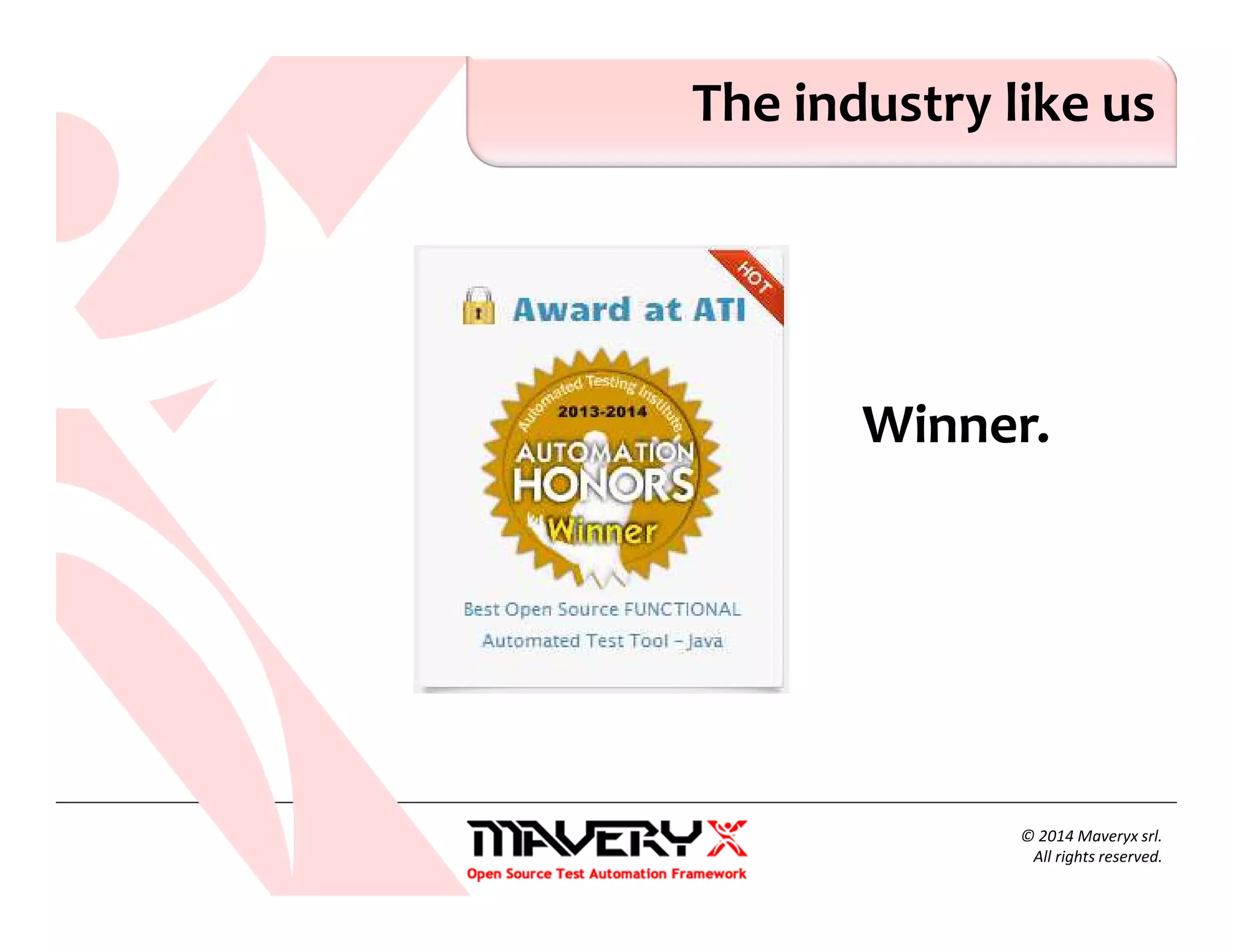
The industry like us
Winner.
© 2014 Maveryx srl.
All rights reserved.
Useful Links
o Maveryx – http://www.maveryx.com
o User guide – http://www.maveryx.com/en/support/learn-
more/user-documentation.html
o Forum – http://www.maveryx.com/en/forum/index.html
o Training – http://www.maveryx.com/en/services/training.html
Thank You!
• www.maveryx.com
• sales@maveryx.com
• info@maveryx.com

Keyword Driven Testing

  • 1.
    © 2015 Maveryxsrl. All rights reserved. Keyword-Driven Testing
  • 2.
    What is Keyword-DrivenTesting How to Create Keyword-Driven Tests Keyword-Driven Testing by examples Overview
  • 3.
    Definitions of Keyword-DrivenTesting Keyword-driven testing: A scripting technique that uses data files to contain not only test data and expected results, but also keywords related to the application being tested. The keywords are interpreted by special supporting scripts that are called by the control script for the test. [ISTQB – Glossary Standard Glossary of Terms used in Software Testing Version 2.4] Keyword-Driven Testing is a way of describing test cases by using a predefined set of Keywords. These Keywords are names which are associated with a set of actions that are required to perform a specific step in a test case. By using keywords to describe test steps instead of natural language, test cases can be easier to understand, to maintain and to automate. [ISO/IEC/IEEE 29119-5: Keyword-Driven Testing]
  • 4.
    What is Keyword-DrivenTesting Keyword-driven testing, also known as table-driven testing or action word based testing, is a software testing methodology suitable for both manual and automated testing The basic idea in Keyword-Driven Testing is to provide a set of reusable “building blocks”, referred to as Keywords, which can be used to create manual or automated test cases without requiring detailed knowledge of programming or test tool expertise
  • 5.
    Goals of Keyword-DrivenTesting The final goal of Keyword-Driven Testing is to provide a comprehensive set of keywords so that all required test cases can be entirely composed of these keywords
  • 6.
    Keyword-Driven Testing In Keyword-driventesting every (testing) action like a mouse click, keystrokes, opening or closing a browser or other actions is described by a “keyword” such as Click, TypeText, Select, OpenBrowser, Login, … The actions include interactions with the User Interface, verification, specific actions to set up a test scenario …
  • 7.
    What are Keywords Akeyword is a synonym of a “function” (in the context of programming languages) doing “something” A keyword is a defined combination of one or more actions on a test object Keywords define actions that drive or get information “from – to” test objects
  • 8.
    Keyword and Arguments Keywordsmay or may not take arguments and may or may not return a value void TypeText <text> ⇒ e.g. TypeText “Hello World!” void StopApplication <> string GetText<> void Login<UserName , Password> ⇒ e.g. Login “Joe”, “21Joe74.”
  • 9.
    Keywords Keywords are usuallycharacterized by: an action-descriptive keyword name (using at least one verb) none, one, or more arguments a return value at a lower level, each keyword is associated with a detailed set of actions that describes the exact steps to be performed for GUI applications, each keyword is associated with one (or more) GUI objects
  • 10.
    Hierarchy of Keywords Keywordscan refer to actions at different abstraction levels Low level keyword : a keyword responsible only for one (or very few) atomic actions and is not composed from other keywords ⇒ e.g. Click, TypeText, Select, … High level keyword : a keyword responsible for complex activities, that may be composed from other keywords ⇒ e.g. OpenBrowser, Login, …
  • 11.
    Keyword-Driven Test Cases Akeyword-driven test is a sequence of high level and low level keywords, including the keyword arguments, as applicable, which are composed to describe the actions of a test case
  • 12.
    Roles in Keyword-DrivenTesting Keyword-driven testing is a testing methodology that separates the test creation process into design and implementation stages It allows the involvement of additional professionals, e.g. business analysts, in the test (automation) process Business analysts / testers will only work with keywords and test data Specialized test automation programmers will implement each of the keywords
  • 13.
    Keyword-Driven Automation A testautomation approach where test data and also keywords instructing how to use the data are read from an external data source Each keyword needs to be associated with at least one command, test script or function, which implement the actions associated with that keyword When test cases are executed keywords are interpreted by a test library which is called by a test automation framework
  • 14.
  • 15.
    Keyword-Driven Automation A Keyword-DrivenTesting framework for automated test execution shall : 1. Parse the test case / file 2. Interpret the sequence of keywords. For each keyword : Call the respective command / script / function, which execute the actions related with the keyword 3. Provide execution results at the keyword level
  • 16.
    Pros & Cons Advantagesof Keyword-driven testing /1 Test cases become clear and understandable Concise, readable, maintainable (easy to modify) … Tests can be developed without programming knowledge Not dependent on a specific tool or programming language
  • 17.
    Pros & Cons Advantagesof Keyword-driven testing /2 Tests can be developed earlier in the software development life cycle even before the application is delivered for testing by using existing keyword libraries by defining new keywords High degree of reusability New test cases can reuse existing keywords
  • 18.
    Pros & Cons Disadvantagesof Keyword-driven testing High initial investment : developing the keywords and its related functionalities might take longer Personnel has to be trained to use keywords for test case specification Moderately high learning curve initially Require knowledge of meta-languages
  • 19.
    Pros & Cons Disadvantagesof Keyword-driven testing Difficult to implement the framework Significant upfront investment for the design and implementation of the framework High automation expertise required Keyword limitations restrict the complexity of test cases …
  • 20.
    How to CreateKeyword-Driven Tests Major activities involved in Keyword driven Testing: 1. Identifying keywords (low level ⇒ high level) 2. Implementing the keywords as executables 3. Composing test cases 4. Creating the driver scripts 5. Executing the automation test scripts
  • 21.
  • 22.
    The Test Tool– Maveryx Maveryx is a professional, test automation tool for functional and regression testing of Java™ & Android™ applications.
  • 23.
    The Test Case TestCase 1. Enter username 2. Enter Password 3. Click "Login" button 4. Check the results 5. Click “OK" button
  • 24.
    Keyword-Driven Testing Step#1 1. Identifying keywords 2. Implementing the keywords 3. Composing test cases 4. Creating the driver scripts 5. Executing the automation test scripts Test Case 1. Enter username 2. Enter Password 3. Click "Login" button 4. Check the results 5. Click “OK" button Keyword 1. Set_Text 2. Click 3. Has_Text
  • 25.
    Keyword-Driven Testing Step#2 1. Identifying keywords 2. Implementing the keywords 3. Composing test cases 4. Creating the driver scripts 5. Executing the automation test scripts
  • 26.
    Keyword-Driven Testing Step#3 1. Identifying keywords 2. Implementing the keywords 3. Composing test cases 4. Creating the driver scripts 5. Executing the automation test scripts Test Case 1. Enter username 2. Enter Password 3. Click "Login" button 4. Check the results 5. Click “OK" button
  • 27.
    Anatomy of thetest case
  • 28.
    Keyword-Driven Testing Step#4 1. Identifying keywords 2. Implementing the keywords 3. Composing test cases 4. Creating the driver scripts 5. Executing the automation test scripts
  • 29.
    Keyword-Driven Testing Step#5 1. Identifying keywords 2. Implementing the keywords 3. Composing test cases 4. Creating the driver scripts 5. Executing the automation test scripts
  • 30.
    Keyword + DataDriven ${file path} {testdata name} {data id}
  • 31.
  • 32.
    Lessons Learned 1. Keyword-DrivenTesting is a software testing methodology that uses keywords (or action words) to symbolize a functionality to be tested 2. A keyword is defined as the set of actions that must be performed during the execution of one or more test cases
  • 33.
    Lessons Learned 3. Keywordscan refer to actions at different abstraction levels Low level keyword → High level keyword 4. With Maveryx you can separate much of the programming work of test automation from the actual test design
  • 34.
    © 2015 Maveryxsrl. All rights reserved. About Maveryx…
  • 35.
    Maveryx is aprofessional, award-winning test automation tool for functional and regression testing of Java™ & Android™ applications. Maveryx provides testers with automated testing capabilities for functional, regression, GUI, Keyword-driven and keyword-driven testing. Maveryx
  • 36.
    No GUI Maps IntelligentObjects Recognition Keyword-driven testing Keyword-driven Testing Assertion-based CheckPoints Distributed testing Single tool for Java & Android Standard Test Logging Built on Java & JUnit Advanced Test API Test Data Generation Tool Extension plugins Eclipse plugin Android ADT plugin … Key Features © 2014 Maveryx srl. All rights reserved.
  • 37.
    No GUI Maps NoRecording. No Object Spy. No Object Maps. Nothing. o No GUI MAP needed to create and run the test scripts o No Object Repository to learn & maintain, maintain, maintain… o No pre-recording or screen capture o Independent of screen coordinates and resolutions ⇒ Test scripts immediately executable!
  • 38.
    o A.I. ArtificialIntelligence. Advanced Searching Algorithms to identify UI objects directly at runtime during test execution, like humans do.. o Automatically accommodate UI changes without changing the scripts o “Geolocation” of objects in the User Interface (TOP, BOTTOM, LEFT, RIGHT, UP, DOWN, NEAR-TO …) Intelligent Objects Recognition © 2014 Maveryx srl. All rights reserved. TOP BOTTOM L E F T R I G H T CENTER
  • 39.
    o Code-free Keyword-drivenTesting o Keyword testing driven from Excel™ sheets and XML files o No coding required ⇒ short time to implement test scripts o Keyword-driven testing o Dedicated scripting API for Keyword-driven testing o Varying set of data sources : Excel™ sheets , CSV & XML files Codeless Test Automation © 2014 Maveryx srl. All rights reserved.
  • 40.
    © 2014 Maveryxsrl. All rights reserved. “One Script” Technology Write Once, Run Many. Maveryx allows creating scripts that can be run without modification against any Android apps, as well as Java desktop applications on all platforms.
  • 41.
    o Tests canbe executed on Android Virtual Devices (AVDs) or Real Devices ⇒ No Rooting! o devices connected to the local PC [via USB cable or Wi-Fi] o devices connected remotely to a mobile device lab o Support for all versions of Android o Support for almost all UI Elements o … © 2014 Maveryx srl. All rights reserved. Mobile Testing
  • 42.
    The industry likeus Winner. © 2014 Maveryx srl. All rights reserved.
  • 43.
    Useful Links o Maveryx– http://www.maveryx.com o User guide – http://www.maveryx.com/en/support/learn- more/user-documentation.html o Forum – http://www.maveryx.com/en/forum/index.html o Training – http://www.maveryx.com/en/services/training.html
  • 44.
    Thank You! • www.maveryx.com •sales@maveryx.com • info@maveryx.com