INTERNET KILLED
 THE VIDEO STAR
 An in-depth look at HTML5’s <video> tag
WHO I AM

• Ben Wilkins
• Director of Interactive Media atagency)
  Talstone Group (an advertising
• A husband and a father
• A die-hard fan of the Kentucky Wildcats
WHAT IS HTML5 VIDEO?
HTML5 video is an element introduced in the
HTML5 draft specification for the purpose of
playing videos or movies, partially replacing the
object element.*


                                              *Wikipedia
WHAT IS HTML5 VIDEO?

•   A DOM object played directly by
    the browser’s built-in player
•   Does not require 3rd party plugins
• Still evolving
FLASH vs. HTML5
FLASH vs. HTML5

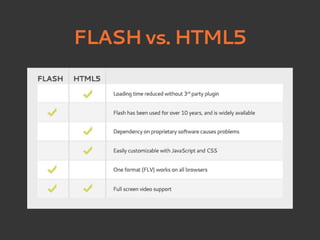
• Flash growth depends on Adobe support
• HTML5 video reduces load time
• Interaction and skins for HTML5 video
  can be customized using JavaScript
  and stylesheets
• HTML5companies by all of the major
  internet
           is supported
DOWNSIDES

• Limited full screen support
• Not supported by older browsers
  (*cough* Internet Explorer *cough*)

• It’s technically in beta
• Everyone wants a different codec
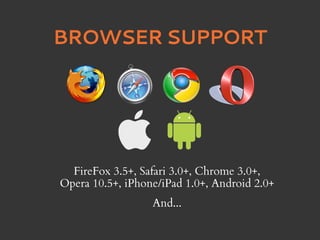
BROWSER SUPPORT


  FireFox 3.5+, Safari 3.0+, Chrome 3.0+,
Opera 10.5+, iPhone/iPad 1.0+, Android 2.0+
                  And...
BROWSER SUPPORT
CODECS & CONTAINERS
          H.264 and AAC (.mp4)
• H.264 developed by MPEG group (2003)
• MP4 developed by Apple
• Uses AAC audio codec
• H.24 is patent-encumbered
CODECS & CONTAINERS
       Theora and Vorbis (“Ogg”, .ogv)
• Developed by Xiph.org Foundation
• source-friendly
  Royalty-free, open standard and open


• Unencumbered by any known patents
CODECS & CONTAINERS
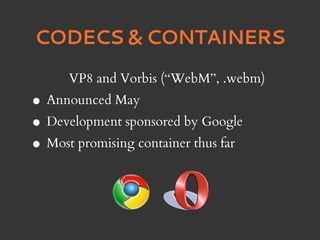
      VP8 and Vorbis (“WebM”, .webm)
• Announced May
• Development sponsored by Google
• Most promising container thus far
CODECS & CONTAINERS
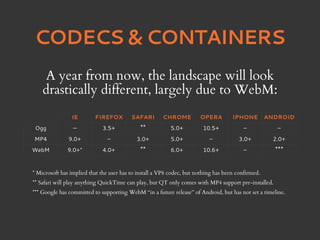
    A year from now, the landscape will look
    drastically different, largely due to WebM:
                IE        FIREFOX         SAFARI       CHROME          OPERA         IPHONE         ANDROID
 Ogg             —           3.5+            **           5.0+          10.5+             –            –
MP4            9.0+            –            3.0+          5.0+             –            3.0+          2.0+
WebM          9.0+*          4.0+            **           6.0+          10.6+             –           ***

* Microsoft has implied that the user has to install a VP8 codec, but nothing has been confirmed.
** Safari will play anything QuickTime can play, but QT only comes with MP4 support pre-installed.
*** Google has committed to supporting WebM “in a future release” of Android, but has not set a timeline.
CODECS & CONTAINERS
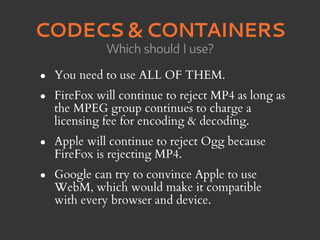
              Which should I use?

•   You need to use ALL OF THEM.
•   FireFox will continue to reject MP4 as long as
    the MPEG group continues to charge a
    licensing fee for encoding & decoding.
•   Apple will continue to reject Ogg because
    FireFox is rejecting MP4.
•   Google can try to convince Apple to use
    WebM, which would make it compatible
    with every browser and device.
ENCODING: MP4

• QuickTime Pro ($30)
• HandBrake (Free)
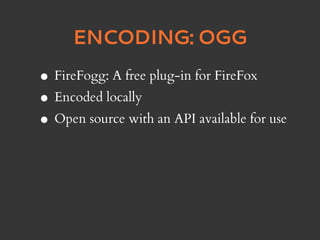
ENCODING: OGG

• FireFogg: A free plug-in for FireFox
• Encoded locally
• Open source with an API available for use
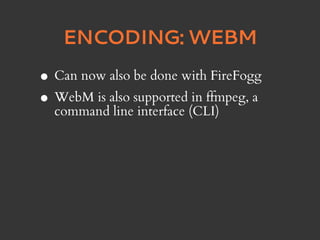
ENCODING: WEBM

• Can now also be done with FireFogg
• WebM is also supported(CLI) a
  command line interface
                         in ffmpeg,
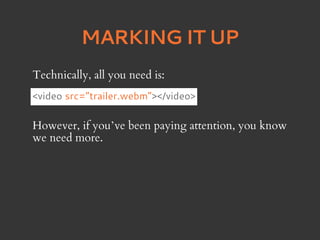
MARKING IT UP
Technically, all you need is:
<video src=”trailer.webm”></video>

However, if you’ve been paying attention, you know
we need more.
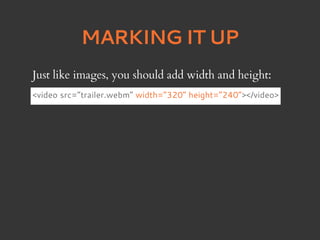
MARKING IT UP
Just like images, you should add width and height:
<video src=”trailer.webm” width=”320” height=”240”></video>
MARKING IT UP
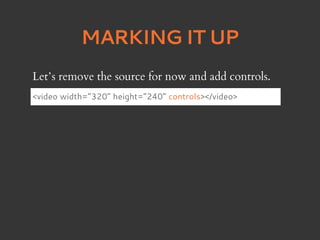
Let’s remove the source for now and add controls.
<video width=”320” height=”240” controls></video>
MARKING IT UP
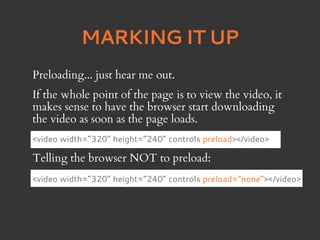
Preloading... just hear me out.
If the whole point of the page is to view the video, it
makes sense to have the browser start downloading
the video as soon as the page loads.
<video width=”320” height=”240” controls preload></video>

Telling the browser NOT to preload:
<video width=”320” height=”240” controls preload=”none”></video>
MARKING IT UP
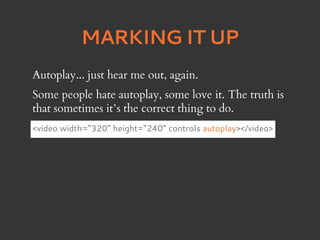
Autoplay... just hear me out, again.
Some people hate autoplay, some love it. The truth is
that sometimes it’s the correct thing to do.
<video width=”320” height=”240” controls autoplay></video>
MARKING IT UP
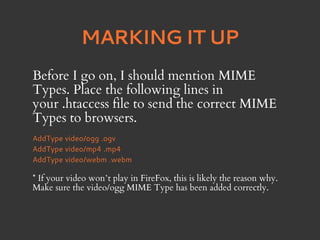
Before I go on, I should mention MIME
Types. Place the following lines in
your .htaccess file to send the correct MIME
Types to browsers.
AddType video/ogg .ogv
AddType video/mp4 .mp4
AddType video/webm .webm

* If your video won’t play in FireFox, this is likely the reason why.
Make sure the video/ogg MIME Type has been added correctly.
MARKING IT UP
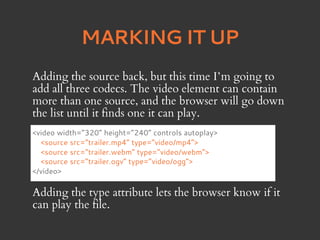
Adding the source back, but this time I’m going to
add all three codecs. The video element can contain
more than one source, and the browser will go down
the list until it finds one it can play.
<video width=”320” height=”240” controls autoplay>
  <source src=”trailer.mp4” type=”video/mp4”>
  <source src=”trailer.webm” type=”video/webm”>
  <source src=”trailer.ogv” type=”video/ogg”>
</video>

Adding the type attribute lets the browser know if it
can play the file.
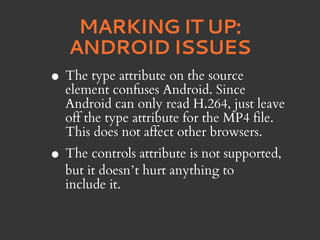
MARKING IT UP:
       A FALLBACK PLAN
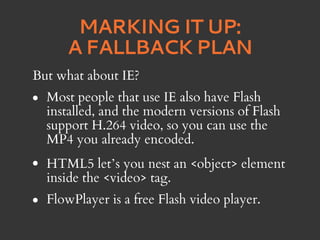
But what about IE?
•   Most people that use IE also have Flash
    installed, and the modern versions of Flash
    support H.264 video, so you can use the
    MP4 you already encoded.
•   HTML5 let’s you nest an <object> element
    inside the <video> tag.
•   FlowPlayer is a free Flash video player.
MARKING IT UP:
      A FALLBACK PLAN
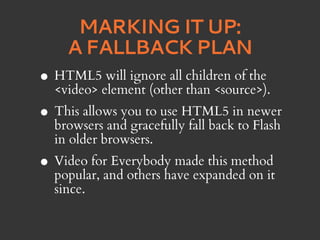
•   HTML5 will ignore all children of the
    <video> element (other than <source>).
• This allows you to use HTML5 in newer
  browsers and gracefully fall back to Flash
    in older browsers.
• Video forand others have expanded on it
  popular,
            Everybody made this method

    since.
MARKING IT UP:
         iOS ISSUES
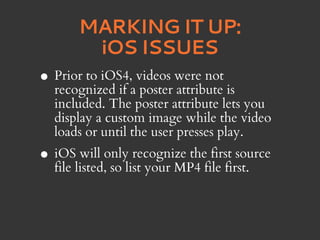
•   Prior to iOS4, videos were not
    recognized if a poster attribute is
    included. The poster attribute lets you
    display a custom image while the video
    loads or until the user presses play.
• iOSlisted,onlylist your MP4 file first.
  file
       will
             so
                  recognize the first source
MARKING IT UP:
    ANDROID ISSUES
•   The type attribute on the source
    element confuses Android. Since
    Android can only read H.264, just leave
    off the type attribute for the MP4 file.
    This does not affect other browsers.
• The controls attribute is not supported,
    but it doesn’t hurt anything to
    include it.
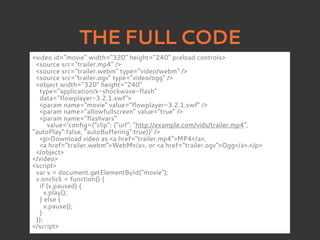
THE FULL CODE
<video id="movie" width="320" height="240" preload controls>
 <source src="trailer.mp4" />
 <source src="trailer.webm" type="video/webm" />
 <source src="trailer.ogv" type="video/ogg" />
 <object width="320" height="240"
  type="application/x-shockwave-flash"
  data="flowplayer-3.2.1.swf">
  <param name="movie" value="flowplayer-3.2.1.swf" />
  <param name="allowfullscreen" value="true" />
  <param name="flashvars"
      value='config={"clip": {"url": "http://example.com/vids/trailer.mp4",
"autoPlay":false, "autoBuffering":true}}' />
  <p>Download video as <a href="trailer.mp4">MP4</a>,
  <a href="trailer.webm">WebM</a>, or <a href="trailer.ogv">Ogg</a>.</p>
 </object>
</video>
<script>
 var v = document.getElementById("movie");
 v.onclick = function() {
  if (v.paused) {
     v.play();
  } else {
     v.pause();
  }
 });
</script>
GOING FORWARD

• More useful analytics
• Easier social sharing
• Easy branding
• Calls to action and tracking
• Email capabilities
• Who knows... Maybe TV?

Html5video

  • 1.
    INTERNET KILLED THEVIDEO STAR An in-depth look at HTML5’s <video> tag
  • 2.
    WHO I AM •Ben Wilkins • Director of Interactive Media atagency) Talstone Group (an advertising • A husband and a father • A die-hard fan of the Kentucky Wildcats
  • 3.
    WHAT IS HTML5VIDEO? HTML5 video is an element introduced in the HTML5 draft specification for the purpose of playing videos or movies, partially replacing the object element.* *Wikipedia
  • 4.
    WHAT IS HTML5VIDEO? • A DOM object played directly by the browser’s built-in player • Does not require 3rd party plugins • Still evolving
  • 5.
  • 6.
    FLASH vs. HTML5 •Flash growth depends on Adobe support • HTML5 video reduces load time • Interaction and skins for HTML5 video can be customized using JavaScript and stylesheets • HTML5companies by all of the major internet is supported
  • 7.
    DOWNSIDES • Limited fullscreen support • Not supported by older browsers (*cough* Internet Explorer *cough*) • It’s technically in beta • Everyone wants a different codec
  • 8.
    BROWSER SUPPORT FireFox 3.5+, Safari 3.0+, Chrome 3.0+, Opera 10.5+, iPhone/iPad 1.0+, Android 2.0+ And...
  • 9.
  • 10.
    CODECS & CONTAINERS H.264 and AAC (.mp4) • H.264 developed by MPEG group (2003) • MP4 developed by Apple • Uses AAC audio codec • H.24 is patent-encumbered
  • 11.
    CODECS & CONTAINERS Theora and Vorbis (“Ogg”, .ogv) • Developed by Xiph.org Foundation • source-friendly Royalty-free, open standard and open • Unencumbered by any known patents
  • 12.
    CODECS & CONTAINERS VP8 and Vorbis (“WebM”, .webm) • Announced May • Development sponsored by Google • Most promising container thus far
  • 13.
    CODECS & CONTAINERS A year from now, the landscape will look drastically different, largely due to WebM: IE FIREFOX SAFARI CHROME OPERA IPHONE ANDROID Ogg — 3.5+ ** 5.0+ 10.5+ – – MP4 9.0+ – 3.0+ 5.0+ – 3.0+ 2.0+ WebM 9.0+* 4.0+ ** 6.0+ 10.6+ – *** * Microsoft has implied that the user has to install a VP8 codec, but nothing has been confirmed. ** Safari will play anything QuickTime can play, but QT only comes with MP4 support pre-installed. *** Google has committed to supporting WebM “in a future release” of Android, but has not set a timeline.
  • 14.
    CODECS & CONTAINERS Which should I use? • You need to use ALL OF THEM. • FireFox will continue to reject MP4 as long as the MPEG group continues to charge a licensing fee for encoding & decoding. • Apple will continue to reject Ogg because FireFox is rejecting MP4. • Google can try to convince Apple to use WebM, which would make it compatible with every browser and device.
  • 15.
    ENCODING: MP4 • QuickTimePro ($30) • HandBrake (Free)
  • 16.
    ENCODING: OGG • FireFogg:A free plug-in for FireFox • Encoded locally • Open source with an API available for use
  • 17.
    ENCODING: WEBM • Cannow also be done with FireFogg • WebM is also supported(CLI) a command line interface in ffmpeg,
  • 18.
    MARKING IT UP Technically,all you need is: <video src=”trailer.webm”></video> However, if you’ve been paying attention, you know we need more.
  • 19.
    MARKING IT UP Justlike images, you should add width and height: <video src=”trailer.webm” width=”320” height=”240”></video>
  • 20.
    MARKING IT UP Let’sremove the source for now and add controls. <video width=”320” height=”240” controls></video>
  • 21.
    MARKING IT UP Preloading...just hear me out. If the whole point of the page is to view the video, it makes sense to have the browser start downloading the video as soon as the page loads. <video width=”320” height=”240” controls preload></video> Telling the browser NOT to preload: <video width=”320” height=”240” controls preload=”none”></video>
  • 22.
    MARKING IT UP Autoplay...just hear me out, again. Some people hate autoplay, some love it. The truth is that sometimes it’s the correct thing to do. <video width=”320” height=”240” controls autoplay></video>
  • 23.
    MARKING IT UP BeforeI go on, I should mention MIME Types. Place the following lines in your .htaccess file to send the correct MIME Types to browsers. AddType video/ogg .ogv AddType video/mp4 .mp4 AddType video/webm .webm * If your video won’t play in FireFox, this is likely the reason why. Make sure the video/ogg MIME Type has been added correctly.
  • 24.
    MARKING IT UP Addingthe source back, but this time I’m going to add all three codecs. The video element can contain more than one source, and the browser will go down the list until it finds one it can play. <video width=”320” height=”240” controls autoplay> <source src=”trailer.mp4” type=”video/mp4”> <source src=”trailer.webm” type=”video/webm”> <source src=”trailer.ogv” type=”video/ogg”> </video> Adding the type attribute lets the browser know if it can play the file.
  • 25.
    MARKING IT UP: A FALLBACK PLAN But what about IE? • Most people that use IE also have Flash installed, and the modern versions of Flash support H.264 video, so you can use the MP4 you already encoded. • HTML5 let’s you nest an <object> element inside the <video> tag. • FlowPlayer is a free Flash video player.
  • 26.
    MARKING IT UP: A FALLBACK PLAN • HTML5 will ignore all children of the <video> element (other than <source>). • This allows you to use HTML5 in newer browsers and gracefully fall back to Flash in older browsers. • Video forand others have expanded on it popular, Everybody made this method since.
  • 27.
    MARKING IT UP: iOS ISSUES • Prior to iOS4, videos were not recognized if a poster attribute is included. The poster attribute lets you display a custom image while the video loads or until the user presses play. • iOSlisted,onlylist your MP4 file first. file will so recognize the first source
  • 28.
    MARKING IT UP: ANDROID ISSUES • The type attribute on the source element confuses Android. Since Android can only read H.264, just leave off the type attribute for the MP4 file. This does not affect other browsers. • The controls attribute is not supported, but it doesn’t hurt anything to include it.
  • 29.
    THE FULL CODE <videoid="movie" width="320" height="240" preload controls> <source src="trailer.mp4" /> <source src="trailer.webm" type="video/webm" /> <source src="trailer.ogv" type="video/ogg" /> <object width="320" height="240" type="application/x-shockwave-flash" data="flowplayer-3.2.1.swf"> <param name="movie" value="flowplayer-3.2.1.swf" /> <param name="allowfullscreen" value="true" /> <param name="flashvars" value='config={"clip": {"url": "http://example.com/vids/trailer.mp4", "autoPlay":false, "autoBuffering":true}}' /> <p>Download video as <a href="trailer.mp4">MP4</a>, <a href="trailer.webm">WebM</a>, or <a href="trailer.ogv">Ogg</a>.</p> </object> </video> <script> var v = document.getElementById("movie"); v.onclick = function() { if (v.paused) { v.play(); } else { v.pause(); } }); </script>
  • 30.
    GOING FORWARD • Moreuseful analytics • Easier social sharing • Easy branding • Calls to action and tracking • Email capabilities • Who knows... Maybe TV?