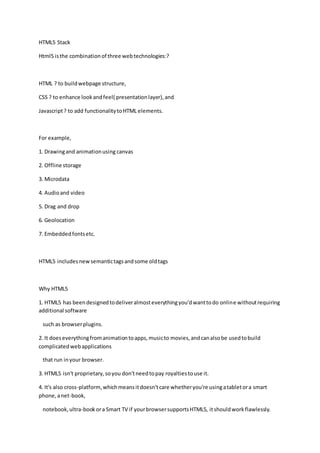
HTML5 Stack
Html5 isthe combinationof three webtechnologies:?
HTML ? to buildwebpage structure,
CSS ? to enhance lookandfeel( presentationlayer),and
Javascript? to add functionalitytoHTML elements.
For example,
1. Drawingand animationusing canvas
2. Offline storage
3. Microdata
4. Audioand video
5. Drag and drop
6. Geolocation
7. Embeddedfontsetc.
HTML5 includesnewsemantictagsandsome oldtags
Why HTML5
1. HTML5 has beendesignedtodeliveralmosteverythingyou'dwanttodo online withoutrequiring
additional software
such as browserplugins.
2. It doeseverythingfromanimationtoapps,musicto movies,andcanalsobe usedtobuild
complicatedwebapplications
that run inyour browser.
3. HTML5 isn't proprietary,soyou don'tneedtopay royaltiestouse it.
4. It's also cross-platform, whichmeansitdoesn'tcare whetheryou're usingatabletora smart
phone,anet-book,
notebook,ultra-bookora Smart TV if yourbrowsersupportsHTML5, itshouldworkflawlessly.
Year Achievement
1991 HTML Formed
1995 HTML 2
1995 CSS
1995 JAVASCRIPT
1997 HTML 4
1998 CSS 2
2000 XHTML 1
2001 XHTML 1.1
2009 HTML5
HTML5 Features
NewFeaturesinHTML5 includessemantictags,mediatags(Audio&Video),Canvas,SVG,
Geolocation,WebStorages,etc.
Here is a complete listof HTML5 Features.
HTML5 Template
-------------------------------------------------------
<!doctype html>
<html lang="en"> //langembeddedinhtml
<head>
<title>HTML5 Page</title>
<meta charset="utf-8"> //Shortcharsetmetatag
<linkhref="style.css"rel="stylesheet">//NoType attribute
<script src="file.js"></script> //NoType attribute required
</head>
<body>
<h1>My FirstHTML5 page.</h1>
</body>
</html>
1. Article
-------------
Article definesanSelf Containedcompositioninawebpage.
An Article couldbe aBlog post,forum,newspaperarticle,anindependentcontent,usercomment.
Eg:
<article>
<h2> HeadingforArticle </h2>
</article>
2. Section
-----------------
A Sectionrepresentsangenericsectionof adocument.
Sectioncouldbe varioussectionsof anarticle withheading.
Eg:
<section>
<h2>Heading forSection</h2>
</section>
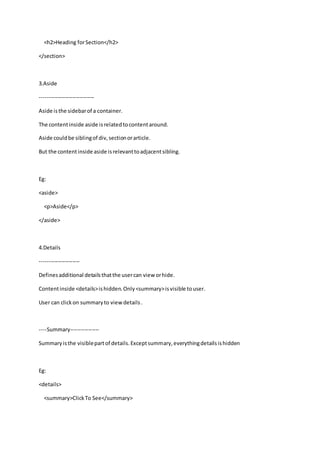
3.Aside
------------------------------
Aside isthe sidebarof a container.
The contentinside aside isrelatedtocontentaround.
Aside couldbe siblingof div,sectionorarticle.
But the contentinside aside isrelevanttoadjacentsibling.
Eg:
<aside>
<p>Aside</p>
</aside>
4.Details
----------------------
Definesadditional detailsthatthe usercan view orhide.
Contentinside <details>ishidden.Only<summary>isvisible touser.
User can clickon summaryto viewdetails.
----Summary----------------
Summaryisthe visiblepartof details.Exceptsummary,everythingdetailsishidden
Eg:
<details>
<summary>ClickTo See</summary>
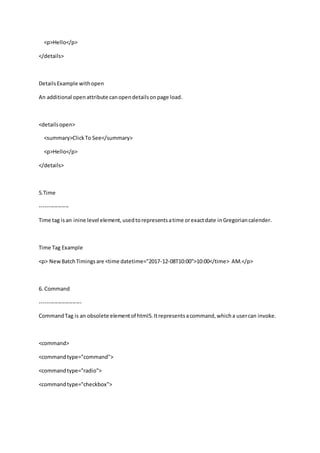
<p>Hello</p>
</details>
DetailsExample withopen
An additional openattribute canopendetailsonpage load.
<detailsopen>
<summary>ClickTo See</summary>
<p>Hello</p>
</details>
5.Time
----------------
Time tag isan inine level element,usedtorepresentsatime orexactdate inGregoriancalender.
Time Tag Example
<p> NewBatchTimingsare <time datetime="2017-12-08T10:00">10:00</time> AM.</p>
6. Command
-----------------------
CommandTag is an obsolete elementof html5.Itrepresentsacommand,whicha usercan invoke.
<command>
<commandtype="command">
<commandtype="radio">
<commandtype="checkbox">
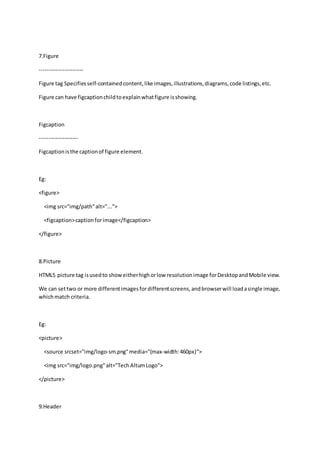
7.Figure
------------------------
Figure tag Specifiesself-containedcontent,like images,illustrations,diagrams,code listings,etc.
Figure can have figcaptionchildtoexplainwhatfigure isshowing.
Figcaption
---------------------
Figcaptionisthe captionof figure element.
Eg:
<figure>
<img src="img/path"alt="...">
<figcaption>captionforimage</figcaption>
</figure>
8.Picture
HTML5 picture tag isusedto showeitherhighorlow resolutionimage forDesktopandMobile view.
We can settwo or more differentimagesfordifferentscreens,andbrowserwill loadasingle image,
whichmatch criteria.
Eg:
<picture>
<source srcset="img/logo-sm.png"media="(max-width:460px)">
<img src="img/logo.png"alt="TechAltumLogo">
</picture>
9.Header
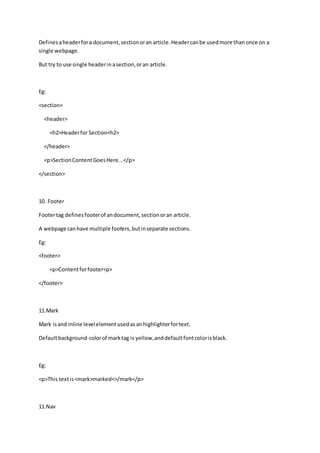
Definesaheaderfora document,sectionoran article.Headercanbe usedmore than once on a
single webpage.
But try to use single headerinasection,oran article.
Eg:
<section>
<header>
<h2>Headerfor Section<h2>
</header>
<p>SectionContentGoesHere...</p>
</section>
10. Footer
Footertag definesfooterof andocument,sectionoran article.
A webpage canhave multiple footers,butinseparate sections.
Eg:
<footer>
<p>Contentforfooter<p>
</footer>
11.Mark
Mark isand inline levelelementusedasanhighlighterfortext.
Defaultbackground-colorof marktag is yellow,anddefaultfontcolorisblack.
Eg:
<p>This textis<mark>marked<>/mark</p>
11.Nav
NavTag isusedto group navigational links.Navcanbe usedtwice ormore in a single webpage.
Eg:
<nav>
<ul>
<li><a href="index.html">Home</a></li>
<li><a href="about.html">About</a></li>
</ul>
</nav>
12.Wbr
wbr isa possible linebreak.Thiswillworksonlyif needed.
Eg:
document.getElementById("para").innerHTML="Thisisapara."
HTML5 RemovedTags
WithHTML5, some presentational tagsare removed.
These tagsstill getbrowsersupport,butW3C validatorshowserrors.
Here is a listof some removedelementsinhtml5.
<acronym>
<applet>
<basefont>
<big>
<center>
<dir>
<font>
<frame>
<frameset>
<marquee>
<noframes>
<strike>
<tt>
------------------------------------------------------------------------------------------
<!DOCTYPE html>
<html>
<head>
<style>
#svgelem{
position:relative;
left:50%;
-webkit-transform:translateX(-20%);
-ms-transform:translateX(-20%);
transform:translateX(-20%);
}
</style>
<title>SVG</title>
<metacharset = "utf-8" />
</head>
<body>
<h2 align= "center">HTML5 SVG Circle</h2>
<svg id= "svgelem"height="200" xmlns= "http://www.w3.org/2000/svg">
<circle id= "redcircle"cx = "50" cy = "50" r = "50" fill = "red"/>
</svg>
</body>
</html>

Html5 examples

  • 1.
    HTML5 Stack Html5 isthecombinationof three webtechnologies:? HTML ? to buildwebpage structure, CSS ? to enhance lookandfeel( presentationlayer),and Javascript? to add functionalitytoHTML elements. For example, 1. Drawingand animationusing canvas 2. Offline storage 3. Microdata 4. Audioand video 5. Drag and drop 6. Geolocation 7. Embeddedfontsetc. HTML5 includesnewsemantictagsandsome oldtags Why HTML5 1. HTML5 has beendesignedtodeliveralmosteverythingyou'dwanttodo online withoutrequiring additional software such as browserplugins. 2. It doeseverythingfromanimationtoapps,musicto movies,andcanalsobe usedtobuild complicatedwebapplications that run inyour browser. 3. HTML5 isn't proprietary,soyou don'tneedtopay royaltiestouse it. 4. It's also cross-platform, whichmeansitdoesn'tcare whetheryou're usingatabletora smart phone,anet-book, notebook,ultra-bookora Smart TV if yourbrowsersupportsHTML5, itshouldworkflawlessly.
  • 2.
    Year Achievement 1991 HTMLFormed 1995 HTML 2 1995 CSS 1995 JAVASCRIPT 1997 HTML 4 1998 CSS 2 2000 XHTML 1 2001 XHTML 1.1 2009 HTML5 HTML5 Features NewFeaturesinHTML5 includessemantictags,mediatags(Audio&Video),Canvas,SVG, Geolocation,WebStorages,etc. Here is a complete listof HTML5 Features. HTML5 Template ------------------------------------------------------- <!doctype html> <html lang="en"> //langembeddedinhtml <head> <title>HTML5 Page</title> <meta charset="utf-8"> //Shortcharsetmetatag <linkhref="style.css"rel="stylesheet">//NoType attribute <script src="file.js"></script> //NoType attribute required
  • 3.
    </head> <body> <h1>My FirstHTML5 page.</h1> </body> </html> 1.Article ------------- Article definesanSelf Containedcompositioninawebpage. An Article couldbe aBlog post,forum,newspaperarticle,anindependentcontent,usercomment. Eg: <article> <h2> HeadingforArticle </h2> </article> 2. Section ----------------- A Sectionrepresentsangenericsectionof adocument. Sectioncouldbe varioussectionsof anarticle withheading. Eg: <section>
  • 4.
    <h2>Heading forSection</h2> </section> 3.Aside ------------------------------ Aside isthesidebarof a container. The contentinside aside isrelatedtocontentaround. Aside couldbe siblingof div,sectionorarticle. But the contentinside aside isrelevanttoadjacentsibling. Eg: <aside> <p>Aside</p> </aside> 4.Details ---------------------- Definesadditional detailsthatthe usercan view orhide. Contentinside <details>ishidden.Only<summary>isvisible touser. User can clickon summaryto viewdetails. ----Summary---------------- Summaryisthe visiblepartof details.Exceptsummary,everythingdetailsishidden Eg: <details> <summary>ClickTo See</summary>
  • 5.
    <p>Hello</p> </details> DetailsExample withopen An additionalopenattribute canopendetailsonpage load. <detailsopen> <summary>ClickTo See</summary> <p>Hello</p> </details> 5.Time ---------------- Time tag isan inine level element,usedtorepresentsatime orexactdate inGregoriancalender. Time Tag Example <p> NewBatchTimingsare <time datetime="2017-12-08T10:00">10:00</time> AM.</p> 6. Command ----------------------- CommandTag is an obsolete elementof html5.Itrepresentsacommand,whicha usercan invoke. <command> <commandtype="command"> <commandtype="radio"> <commandtype="checkbox">
  • 6.
    7.Figure ------------------------ Figure tag Specifiesself-containedcontent,likeimages,illustrations,diagrams,code listings,etc. Figure can have figcaptionchildtoexplainwhatfigure isshowing. Figcaption --------------------- Figcaptionisthe captionof figure element. Eg: <figure> <img src="img/path"alt="..."> <figcaption>captionforimage</figcaption> </figure> 8.Picture HTML5 picture tag isusedto showeitherhighorlow resolutionimage forDesktopandMobile view. We can settwo or more differentimagesfordifferentscreens,andbrowserwill loadasingle image, whichmatch criteria. Eg: <picture> <source srcset="img/logo-sm.png"media="(max-width:460px)"> <img src="img/logo.png"alt="TechAltumLogo"> </picture> 9.Header
  • 7.
    Definesaheaderfora document,sectionoran article.Headercanbeusedmore than once on a single webpage. But try to use single headerinasection,oran article. Eg: <section> <header> <h2>Headerfor Section<h2> </header> <p>SectionContentGoesHere...</p> </section> 10. Footer Footertag definesfooterof andocument,sectionoran article. A webpage canhave multiple footers,butinseparate sections. Eg: <footer> <p>Contentforfooter<p> </footer> 11.Mark Mark isand inline levelelementusedasanhighlighterfortext. Defaultbackground-colorof marktag is yellow,anddefaultfontcolorisblack. Eg: <p>This textis<mark>marked<>/mark</p> 11.Nav
  • 8.
    NavTag isusedto groupnavigational links.Navcanbe usedtwice ormore in a single webpage. Eg: <nav> <ul> <li><a href="index.html">Home</a></li> <li><a href="about.html">About</a></li> </ul> </nav> 12.Wbr wbr isa possible linebreak.Thiswillworksonlyif needed. Eg: document.getElementById("para").innerHTML="Thisisapara." HTML5 RemovedTags WithHTML5, some presentational tagsare removed. These tagsstill getbrowsersupport,butW3C validatorshowserrors. Here is a listof some removedelementsinhtml5. <acronym> <applet> <basefont> <big> <center> <dir> <font> <frame> <frameset>
  • 9.
  • 10.
    <circle id= "redcircle"cx= "50" cy = "50" r = "50" fill = "red"/> </svg> </body> </html>