Basic HTML 
Tutorial 10
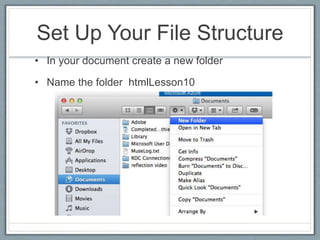
Set Up Your File Structure 
• In your document create a new folder 
• Name the folder htmlLesson10
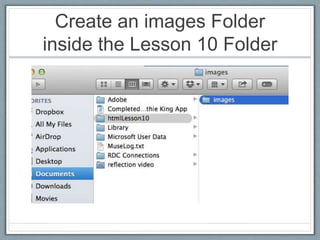
Create an images Folder 
inside the Lesson 10 Folder
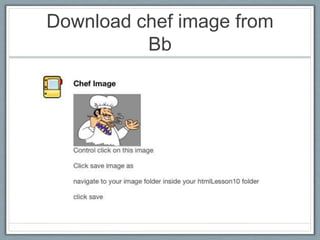
Download chef image from 
Bb
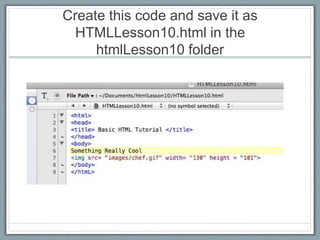
Create this code and save it as 
HTMLLesson10.html in the 
htmlLesson10 folder
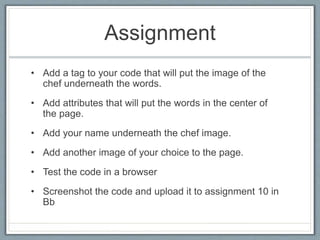
Assignment 
• Add a tag to your code that will put the image of the 
chef underneath the words. 
• Add attributes that will put the words in the center of 
the page. 
• Add your name underneath the chef image. 
• Add another image of your choice to the page. 
• Test the code in a browser 
• Screenshot the code and upload it to assignment 10 in 
Bb

Html tutorial.lesson10

  • 1.
  • 2.
    Set Up YourFile Structure • In your document create a new folder • Name the folder htmlLesson10
  • 3.
    Create an imagesFolder inside the Lesson 10 Folder
  • 4.
  • 5.
    Create this codeand save it as HTMLLesson10.html in the htmlLesson10 folder
  • 6.
    Assignment • Adda tag to your code that will put the image of the chef underneath the words. • Add attributes that will put the words in the center of the page. • Add your name underneath the chef image. • Add another image of your choice to the page. • Test the code in a browser • Screenshot the code and upload it to assignment 10 in Bb