PREPARED By :-
Aditya Varun
Deepak Panwar
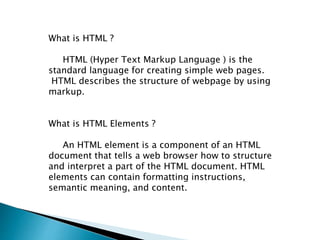
What is HTML ?
HTML (Hyper Text Markup Language ) is the
standard language for creating simple web pages.
HTML describes the structure of webpage by using
markup.
What is HTML Elements ?
An HTML element is a component of an HTML
document that tells a web browser how to structure
and interpret a part of the HTML document. HTML
elements can contain formatting instructions,
semantic meaning, and content.
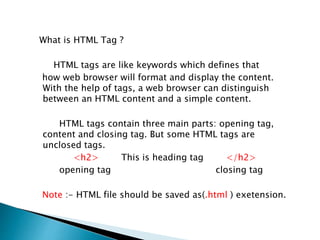
What is HTML Tag ?
HTML tags are like keywords which defines that
how web browser will format and display the content.
With the help of tags, a web browser can distinguish
between an HTML content and a simple content.
HTML tags contain three main parts: opening tag,
content and closing tag. But some HTML tags are
unclosed tags.
<h2> This is heading tag </h2>
opening tag closing tag
Note :- HTML file should be saved as(.html ) exetension.
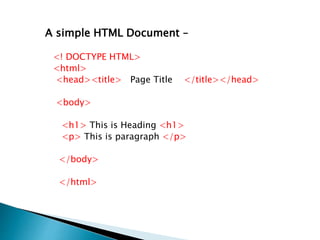
A simple HTML Document –
<! DOCTYPE HTML>
<html>
<head><title> Page Title </title></head>
<body>
<h1> This is Heading <h1>
<p> This is paragraph </p>
</body>
</html>
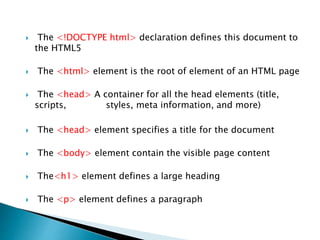
 The <!DOCTYPE html> declaration defines this document to
the HTML5
 The <html> element is the root of element of an HTML page
 The <head> A container for all the head elements (title,
scripts, styles, meta information, and more)
 The <head> element specifies a title for the document
 The <body> element contain the visible page content
 The<h1> element defines a large heading
 The <p> element defines a paragraph
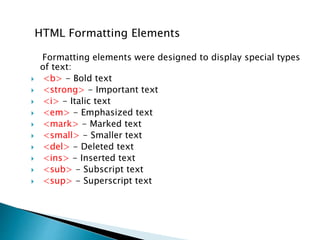
HTML Formatting Elements
Formatting elements were designed to display special types
of text:
 <b> - Bold text
 <strong> - Important text
 <i> - Italic text
 <em> - Emphasized text
 <mark> - Marked text
 <small> - Smaller text
 <del> - Deleted text
 <ins> - Inserted text
 <sub> - Subscript text
 <sup> - Superscript text
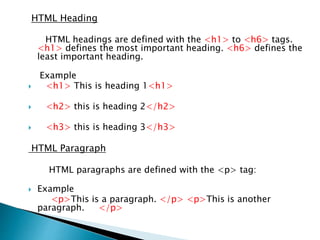
HTML Heading
HTML headings are defined with the <h1> to <h6> tags.
<h1> defines the most important heading. <h6> defines the
least important heading.
Example
 <h1> This is heading 1<h1>
 <h2> this is heading 2</h2>
 <h3> this is heading 3</h3>
HTML Paragraph
HTML paragraphs are defined with the <p> tag:
 Example
<p>This is a paragraph. </p> <p>This is another
paragraph. </p>
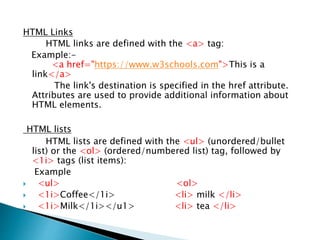
HTML Links
HTML links are defined with the <a> tag:
Example:-
<a href="https://www.w3schools.com">This is a
link</a>
The link's destination is specified in the href attribute.
Attributes are used to provide additional information about
HTML elements.
HTML lists
HTML lists are defined with the <ul> (unordered/bullet
list) or the <ol> (ordered/numbered list) tag, followed by
<1i> tags (list items):
Example
 <ul> <ol>
 <1i>Coffee</1i> <li> milk </li>
 <1i>Milk</1i></u1> <li> tea </li>
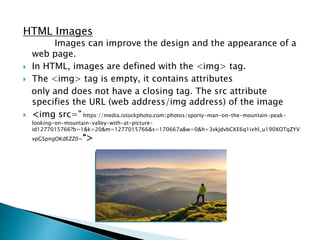
HTML Images
Images can improve the design and the appearance of a
web page.
 In HTML, images are defined with the <img> tag.
 The <img> tag is empty, it contains attributes
only and does not have a closing tag. The src attribute
specifies the URL (web address/img address) of the image
 <img src=" https://media.istockphoto.com/photos/sporty-man-on-the-mountain-peak-
looking-on-mountain-valley-with-at-picture-
id1277015766?b=1&k=20&m=1277015766&s=170667a&w=0&h=3vkjdvbCKE6q1ixhl_u190XOTqZYV
vpGSpngOKdEZZ0=“>
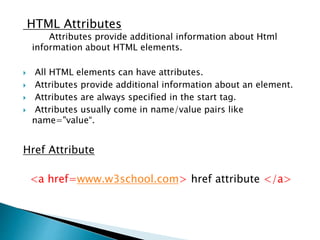
HTML Attributes
Attributes provide additional information about Html
information about HTML elements.
 All HTML elements can have attributes.
 Attributes provide additional information about an element.
 Attributes are always specified in the start tag.
 Attributes usually come in name/value pairs like
name="value“.
Href Attribute
<a href=www.w3school.com> href attribute </a>
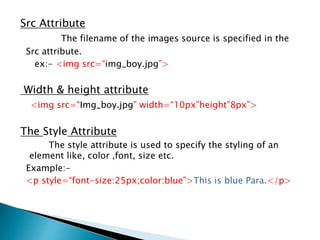
Src Attribute
The filename of the images source is specified in the
Src attribute.
ex:- <img src=“img_boy.jpg”>
Width & height attribute
<img src=“Img_boy.jpg” width=“10px”height”8px”>
The Style Attribute
The style attribute is used to specify the styling of an
element like, color ,font, size etc.
Example:-
<p style=“font-size:25px;color:blue”>This is blue Para.</p>
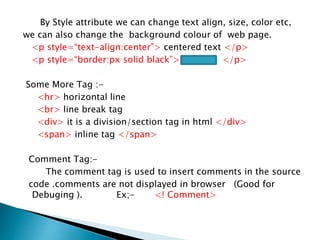
By Style attribute we can change text align, size, color etc,
we can also change the background colour of web page.
<p style=“text-align:center”> centered text </p>
<p style=“border:px solid black”> </p>
Some More Tag :-
<hr> horizontal line
<br> line break tag
<div> it is a division/section tag in html </div>
<span> inline tag </span>
Comment Tag:-
The comment tag is used to insert comments in the source
code .comments are not displayed in browser (Good for
Debuging ). Ex;- <! Comment>
HTML Presentation

HTML Presentation

  • 1.
    PREPARED By :- AdityaVarun Deepak Panwar
  • 2.
    What is HTML? HTML (Hyper Text Markup Language ) is the standard language for creating simple web pages. HTML describes the structure of webpage by using markup. What is HTML Elements ? An HTML element is a component of an HTML document that tells a web browser how to structure and interpret a part of the HTML document. HTML elements can contain formatting instructions, semantic meaning, and content.
  • 3.
    What is HTMLTag ? HTML tags are like keywords which defines that how web browser will format and display the content. With the help of tags, a web browser can distinguish between an HTML content and a simple content. HTML tags contain three main parts: opening tag, content and closing tag. But some HTML tags are unclosed tags. <h2> This is heading tag </h2> opening tag closing tag Note :- HTML file should be saved as(.html ) exetension.
  • 4.
    A simple HTMLDocument – <! DOCTYPE HTML> <html> <head><title> Page Title </title></head> <body> <h1> This is Heading <h1> <p> This is paragraph </p> </body> </html>
  • 5.
     The <!DOCTYPEhtml> declaration defines this document to the HTML5  The <html> element is the root of element of an HTML page  The <head> A container for all the head elements (title, scripts, styles, meta information, and more)  The <head> element specifies a title for the document  The <body> element contain the visible page content  The<h1> element defines a large heading  The <p> element defines a paragraph
  • 6.
    HTML Formatting Elements Formattingelements were designed to display special types of text:  <b> - Bold text  <strong> - Important text  <i> - Italic text  <em> - Emphasized text  <mark> - Marked text  <small> - Smaller text  <del> - Deleted text  <ins> - Inserted text  <sub> - Subscript text  <sup> - Superscript text
  • 7.
    HTML Heading HTML headingsare defined with the <h1> to <h6> tags. <h1> defines the most important heading. <h6> defines the least important heading. Example  <h1> This is heading 1<h1>  <h2> this is heading 2</h2>  <h3> this is heading 3</h3> HTML Paragraph HTML paragraphs are defined with the <p> tag:  Example <p>This is a paragraph. </p> <p>This is another paragraph. </p>
  • 8.
    HTML Links HTML linksare defined with the <a> tag: Example:- <a href="https://www.w3schools.com">This is a link</a> The link's destination is specified in the href attribute. Attributes are used to provide additional information about HTML elements. HTML lists HTML lists are defined with the <ul> (unordered/bullet list) or the <ol> (ordered/numbered list) tag, followed by <1i> tags (list items): Example  <ul> <ol>  <1i>Coffee</1i> <li> milk </li>  <1i>Milk</1i></u1> <li> tea </li>
  • 9.
    HTML Images Images canimprove the design and the appearance of a web page.  In HTML, images are defined with the <img> tag.  The <img> tag is empty, it contains attributes only and does not have a closing tag. The src attribute specifies the URL (web address/img address) of the image  <img src=" https://media.istockphoto.com/photos/sporty-man-on-the-mountain-peak- looking-on-mountain-valley-with-at-picture- id1277015766?b=1&k=20&m=1277015766&s=170667a&w=0&h=3vkjdvbCKE6q1ixhl_u190XOTqZYV vpGSpngOKdEZZ0=“>
  • 10.
    HTML Attributes Attributes provideadditional information about Html information about HTML elements.  All HTML elements can have attributes.  Attributes provide additional information about an element.  Attributes are always specified in the start tag.  Attributes usually come in name/value pairs like name="value“. Href Attribute <a href=www.w3school.com> href attribute </a>
  • 11.
    Src Attribute The filenameof the images source is specified in the Src attribute. ex:- <img src=“img_boy.jpg”> Width & height attribute <img src=“Img_boy.jpg” width=“10px”height”8px”> The Style Attribute The style attribute is used to specify the styling of an element like, color ,font, size etc. Example:- <p style=“font-size:25px;color:blue”>This is blue Para.</p>
  • 12.
    By Style attributewe can change text align, size, color etc, we can also change the background colour of web page. <p style=“text-align:center”> centered text </p> <p style=“border:px solid black”> </p> Some More Tag :- <hr> horizontal line <br> line break tag <div> it is a division/section tag in html </div> <span> inline tag </span> Comment Tag:- The comment tag is used to insert comments in the source code .comments are not displayed in browser (Good for Debuging ). Ex;- <! Comment>