HTML Tags, Image, list, Table & Form
Prepared by Janakoff, Sudiplun
Tags
• Tags are the basic building blocks of any web page.
• Html tags are element name surrounded by angle brackets.
Types of Tags in HTML
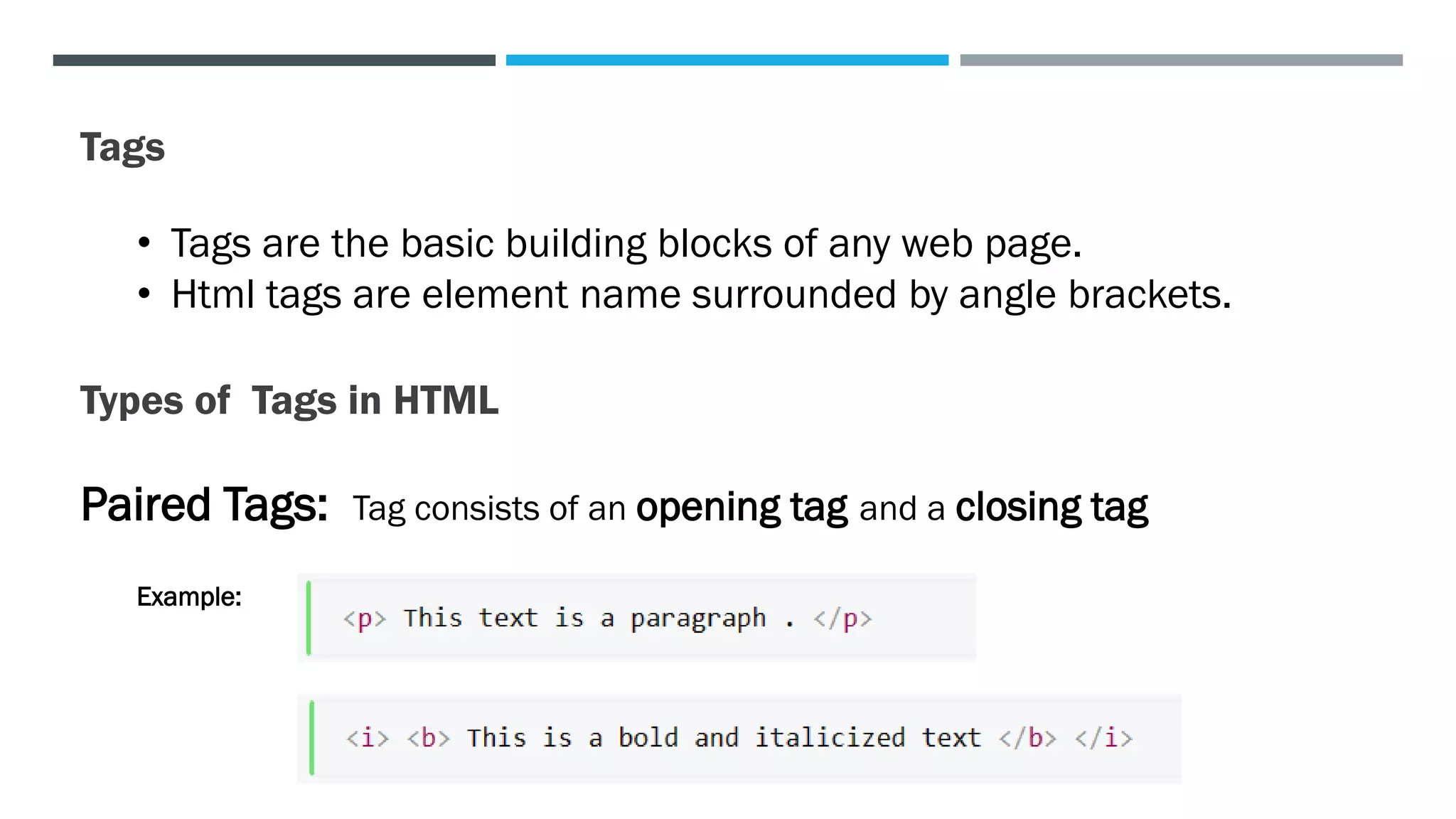
Paired Tags: Tag consists of an opening tag and a closing tag
Example:
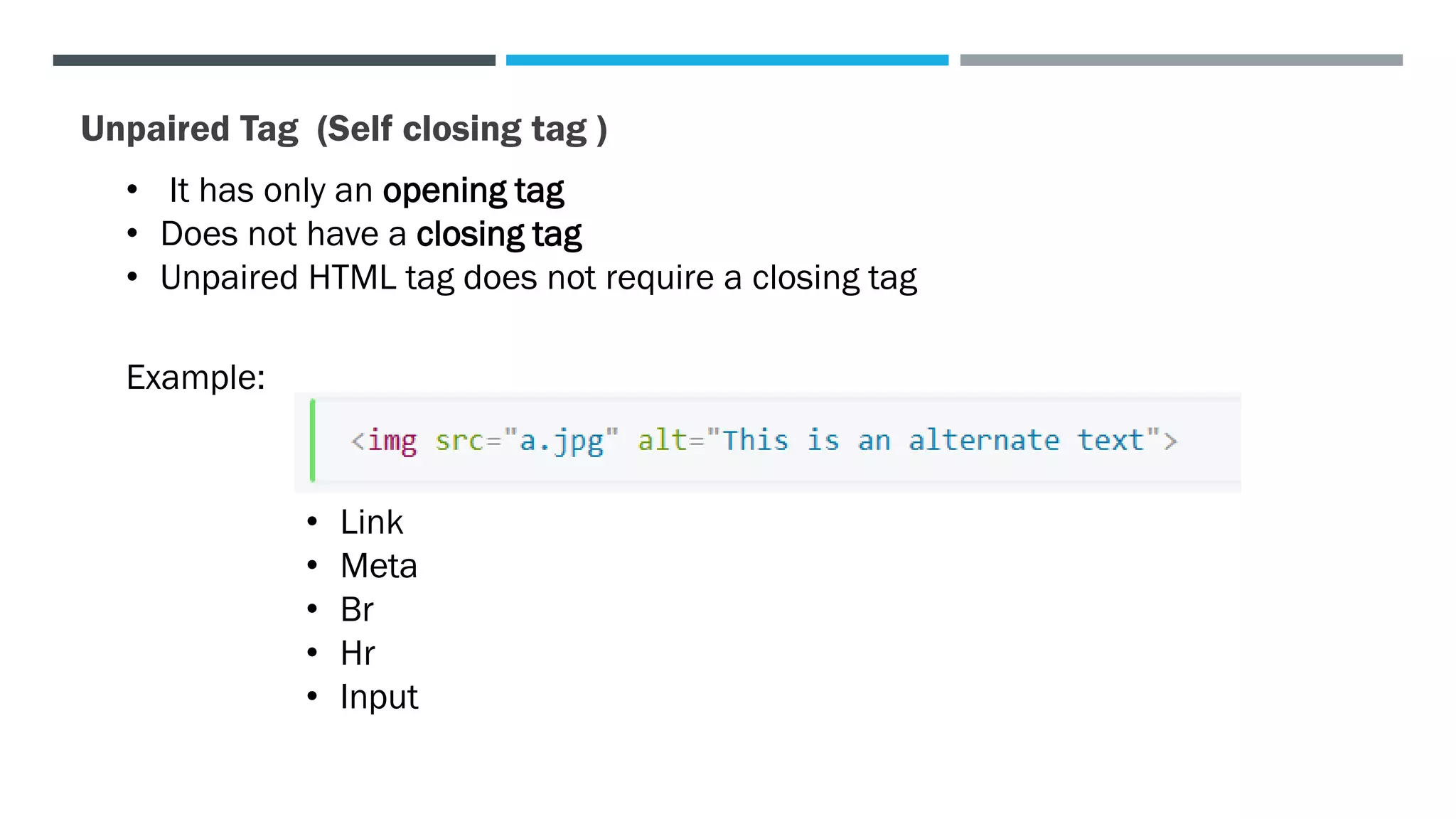
Unpaired Tag (Self closing tag )
• It has only an opening tag
• Does not have a closing tag
• Unpaired HTML tag does not require a closing tag
Example:
• Link
• Meta
• Br
• Hr
• Input
Html Image <img>
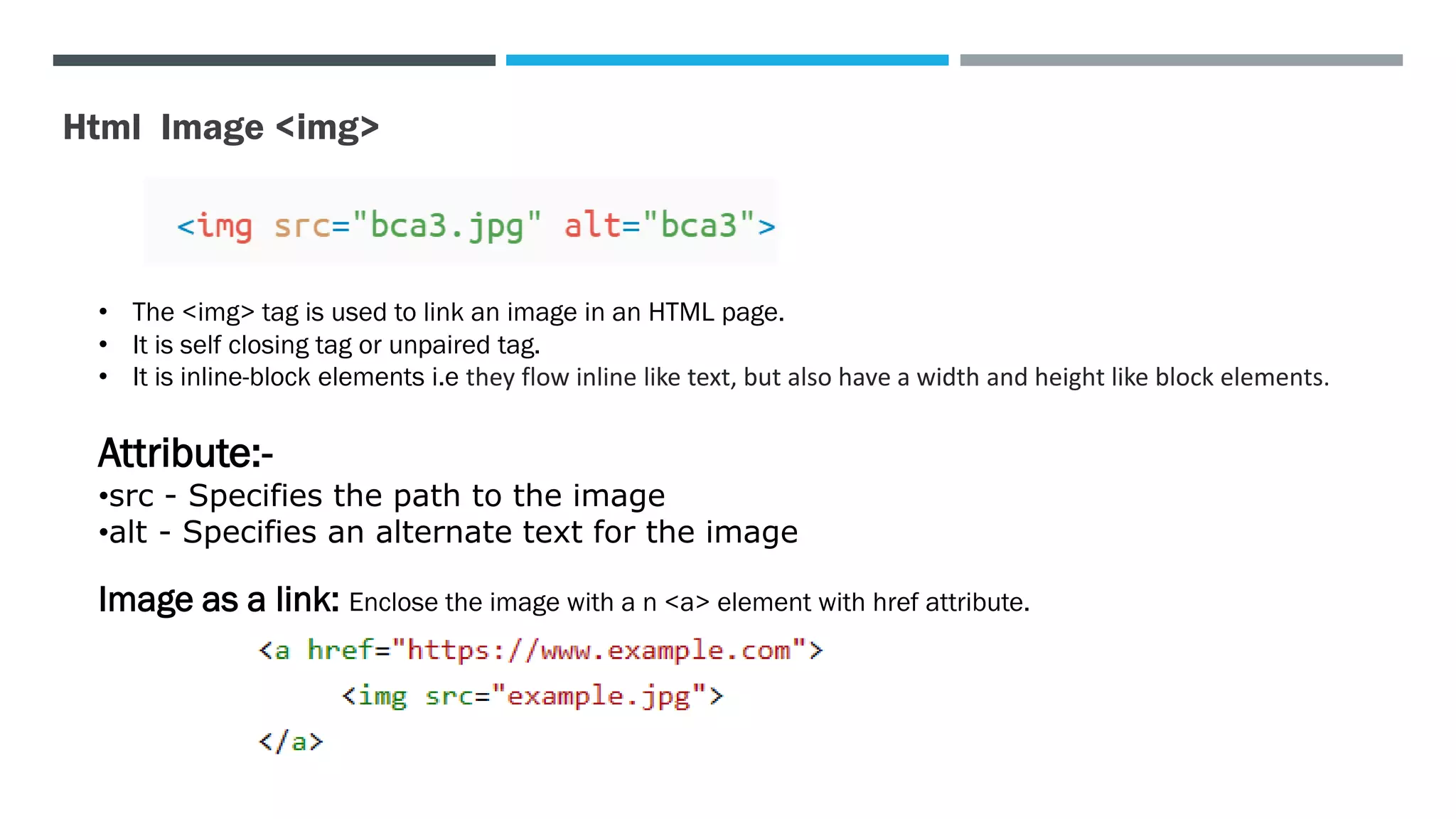
• The <img> tag is used to link an image in an HTML page.
• It is self closing tag or unpaired tag.
• It is inline-block elements i.e they flow inline like text, but also have a width and height like block elements.
Attribute:-
•src - Specifies the path to the image
•alt - Specifies an alternate text for the image
Image as a link: Enclose the image with a n <a> element with href attribute.
HTML List
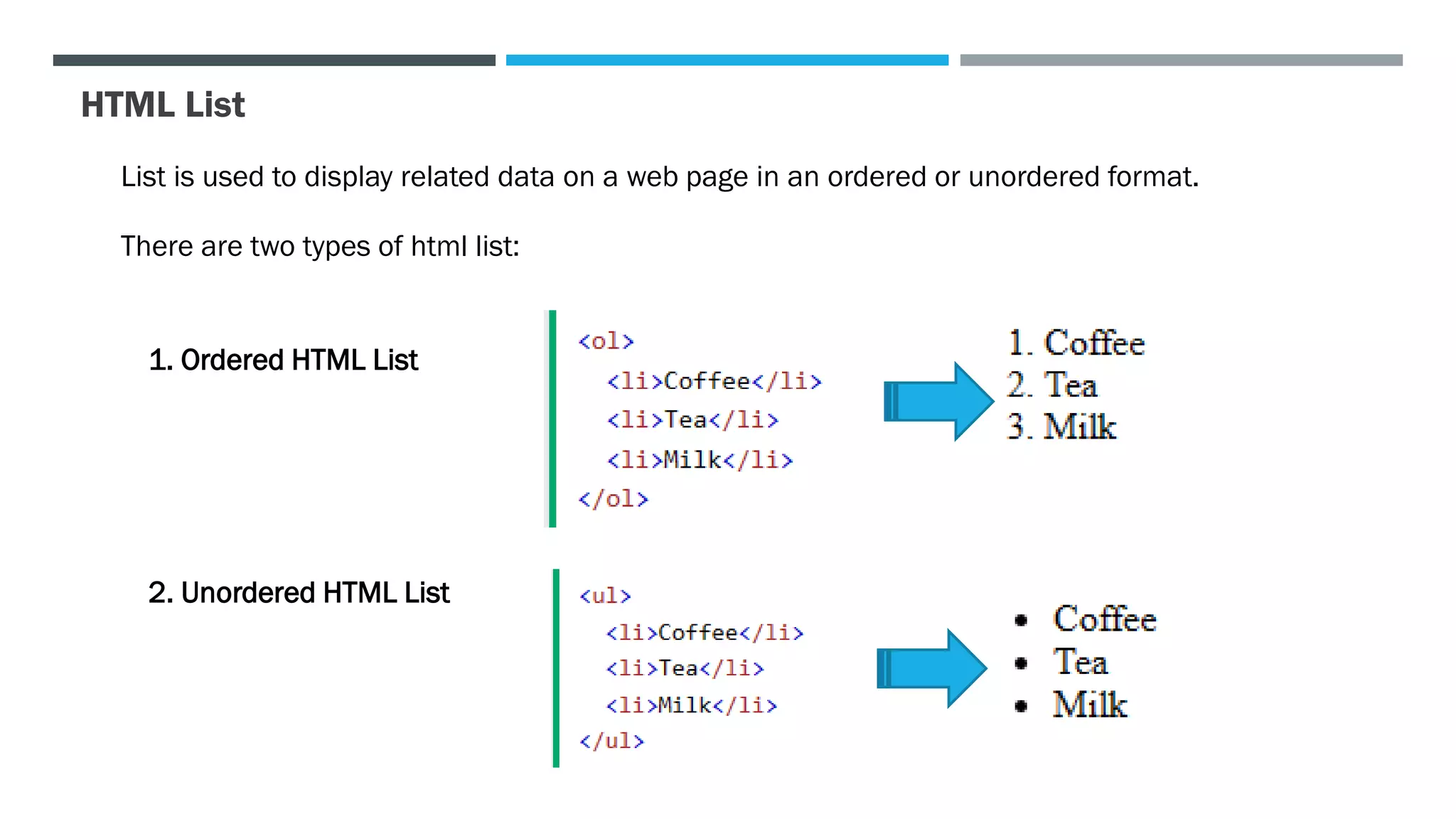
List is used to display related data on a web page in an ordered or unordered format.
There are two types of html list:
1. Ordered HTML List
2. Unordered HTML List
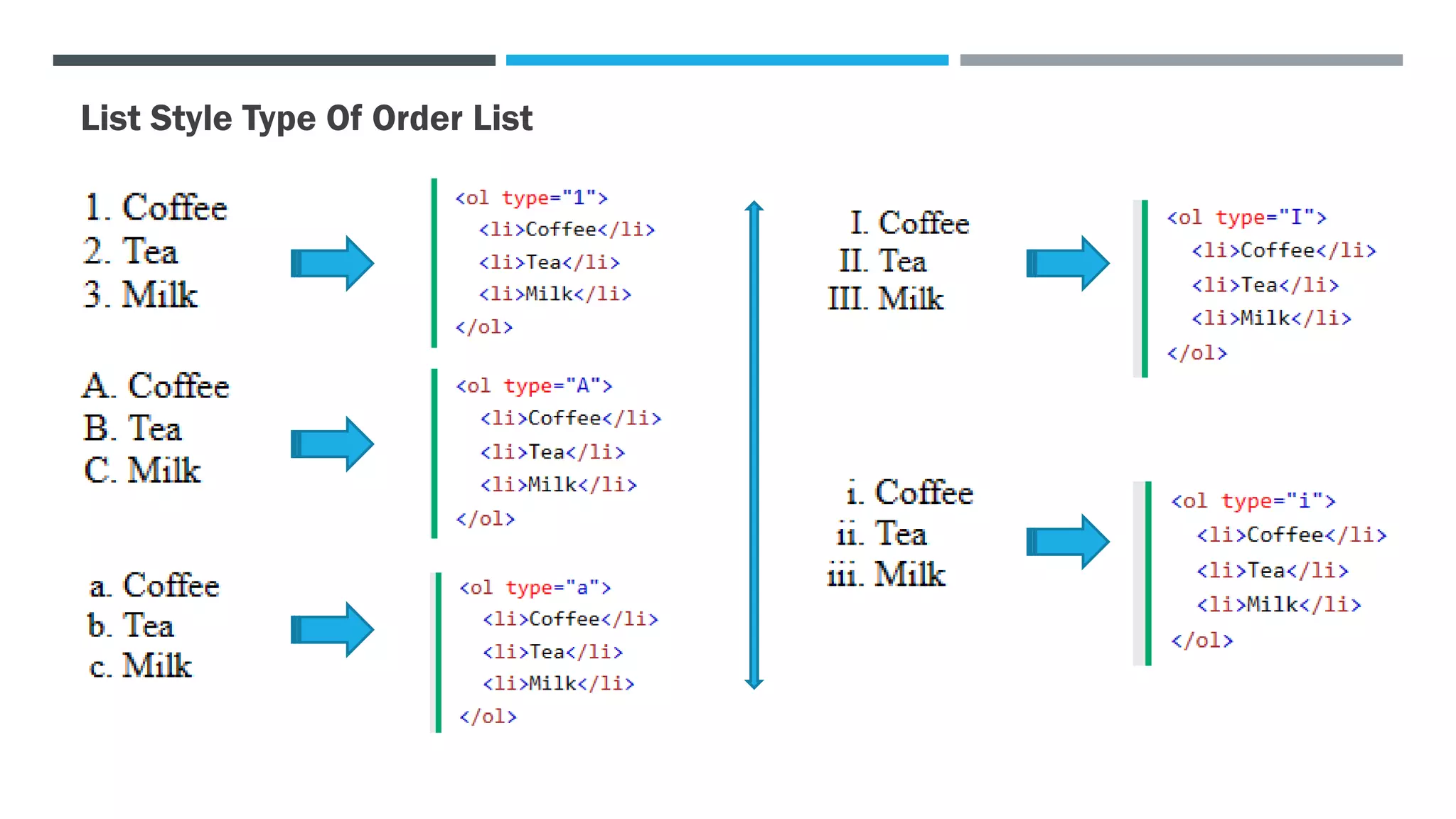
List Style Type Of Order List
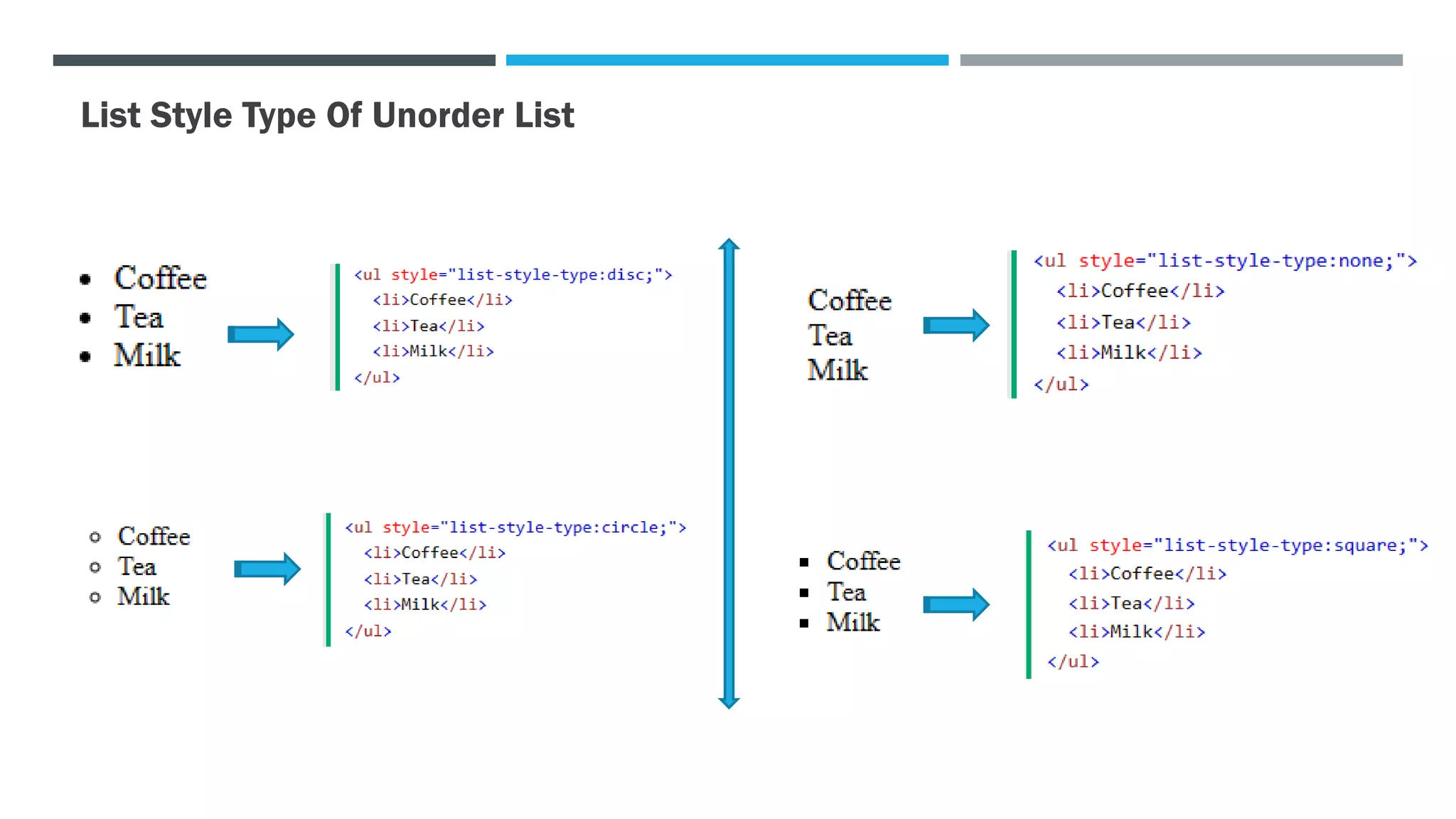
List Style Type Of Unorder List
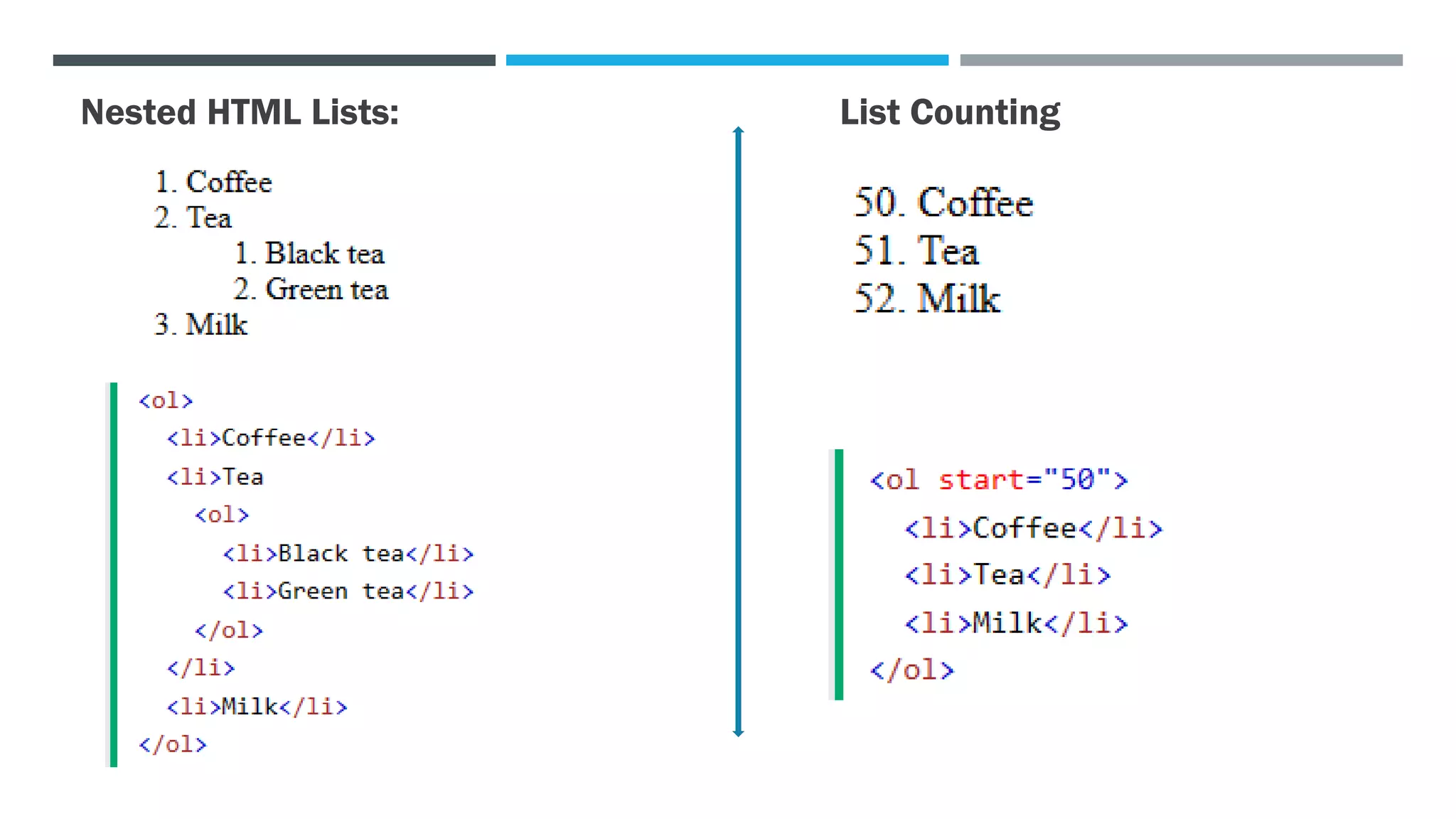
Nested HTML Lists: List Counting
TABLES
The <table> element represents tabular data — that is, information presented in a two-dimensional
table comprised of rows and columns of cells containing data.
HTML Table Tags
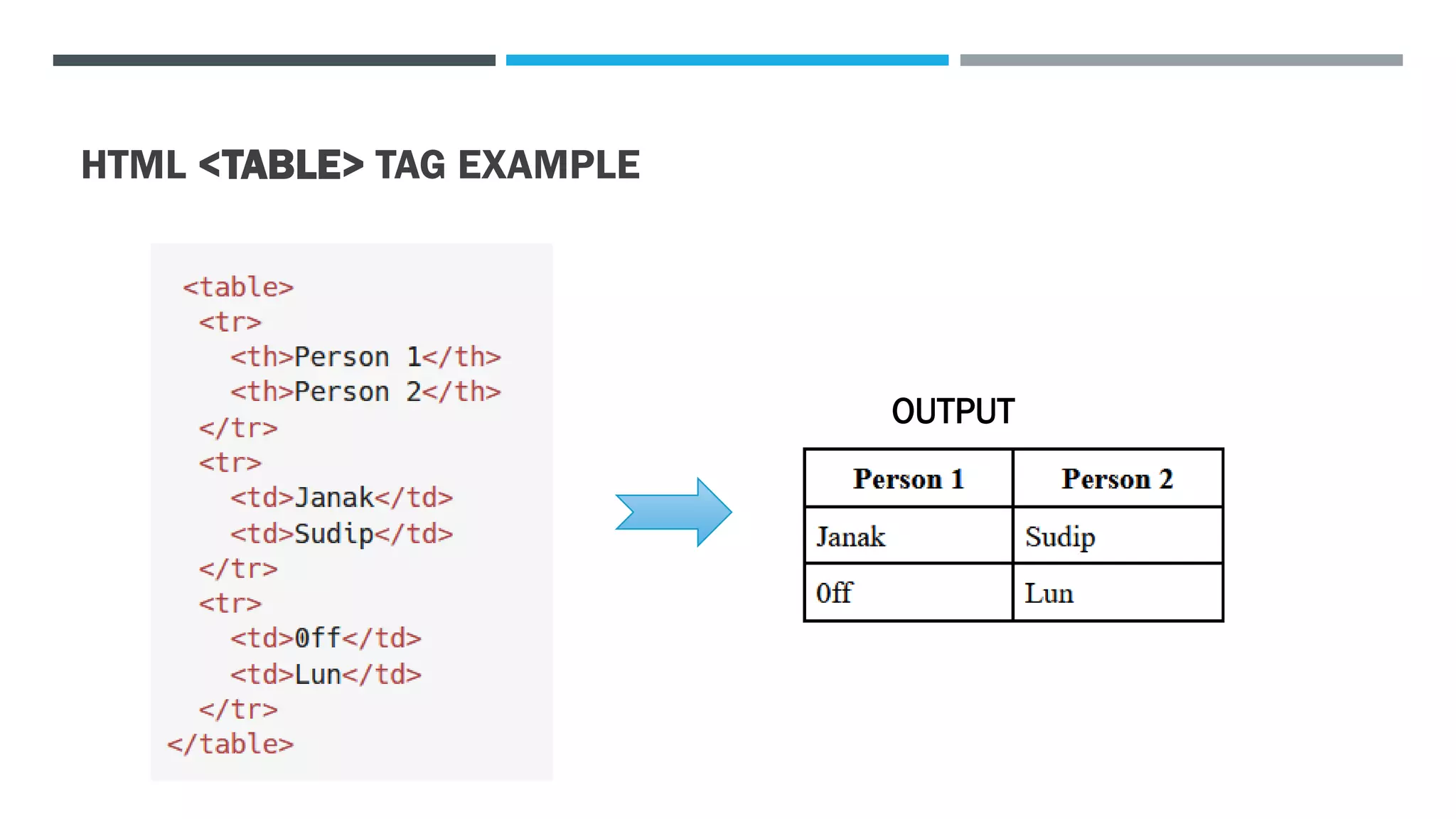
HTML <TABLE> TAG EXAMPLE
OUTPUT
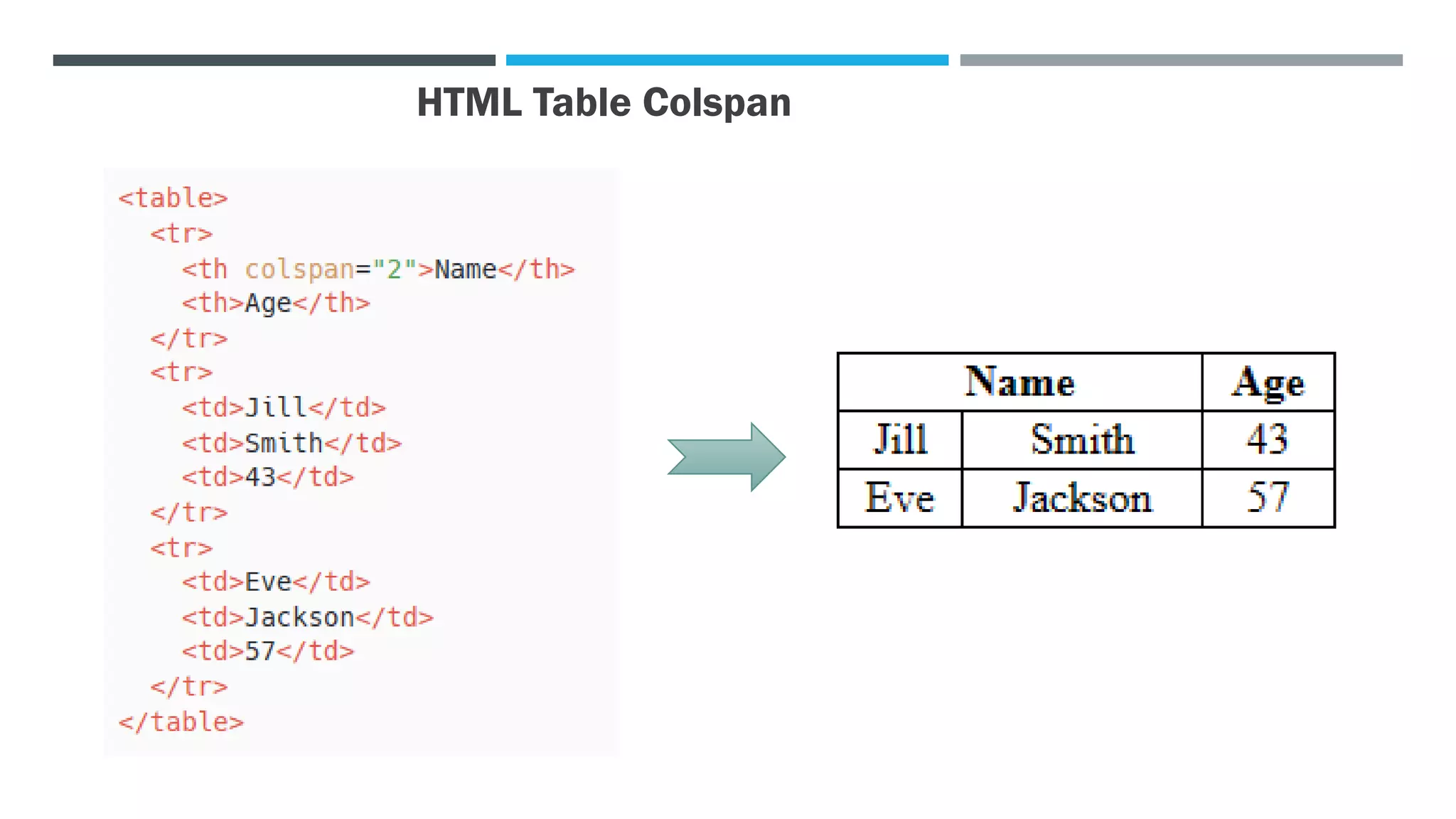
HTML Table Colspan
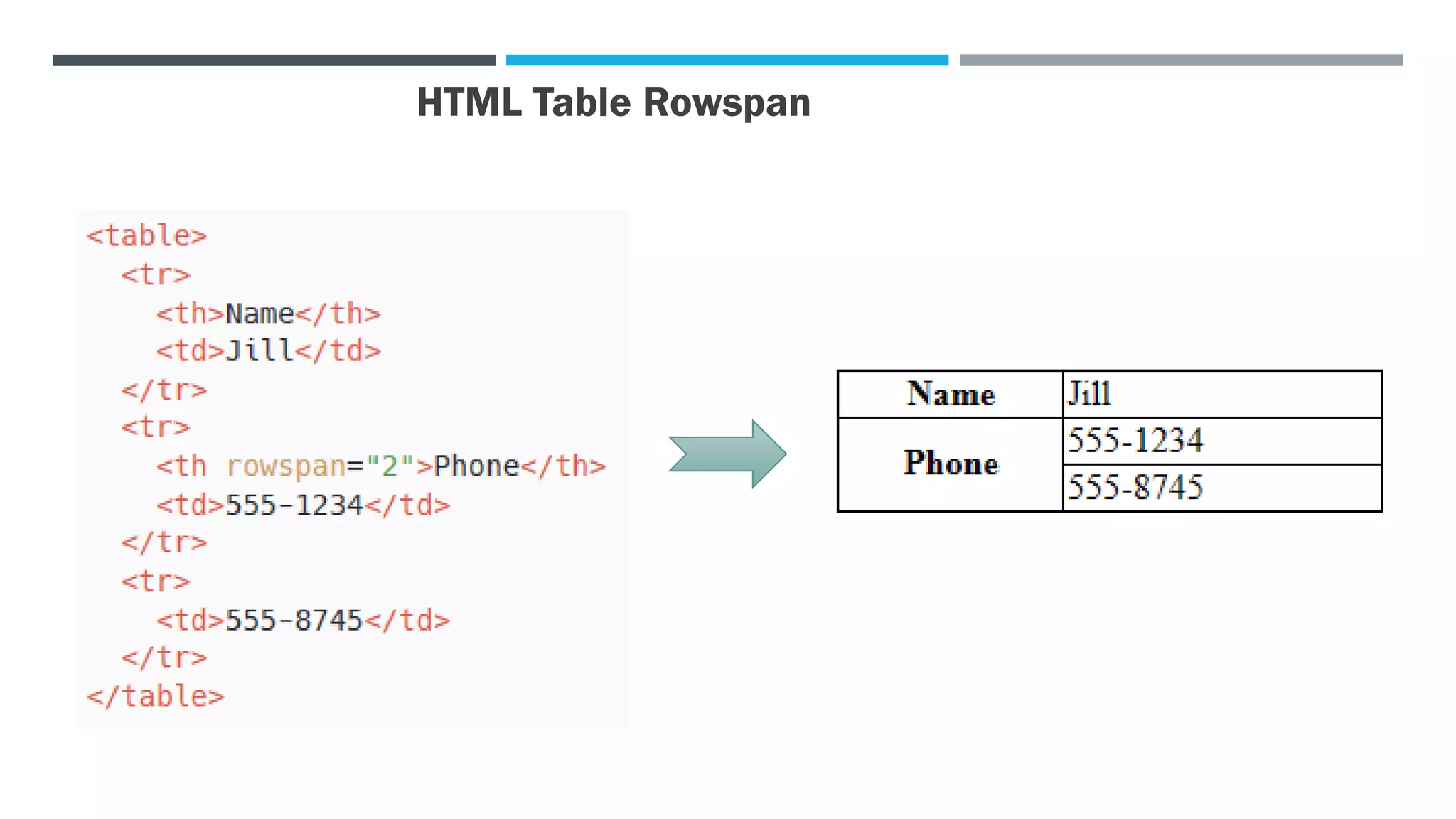
HTML Table Rowspan
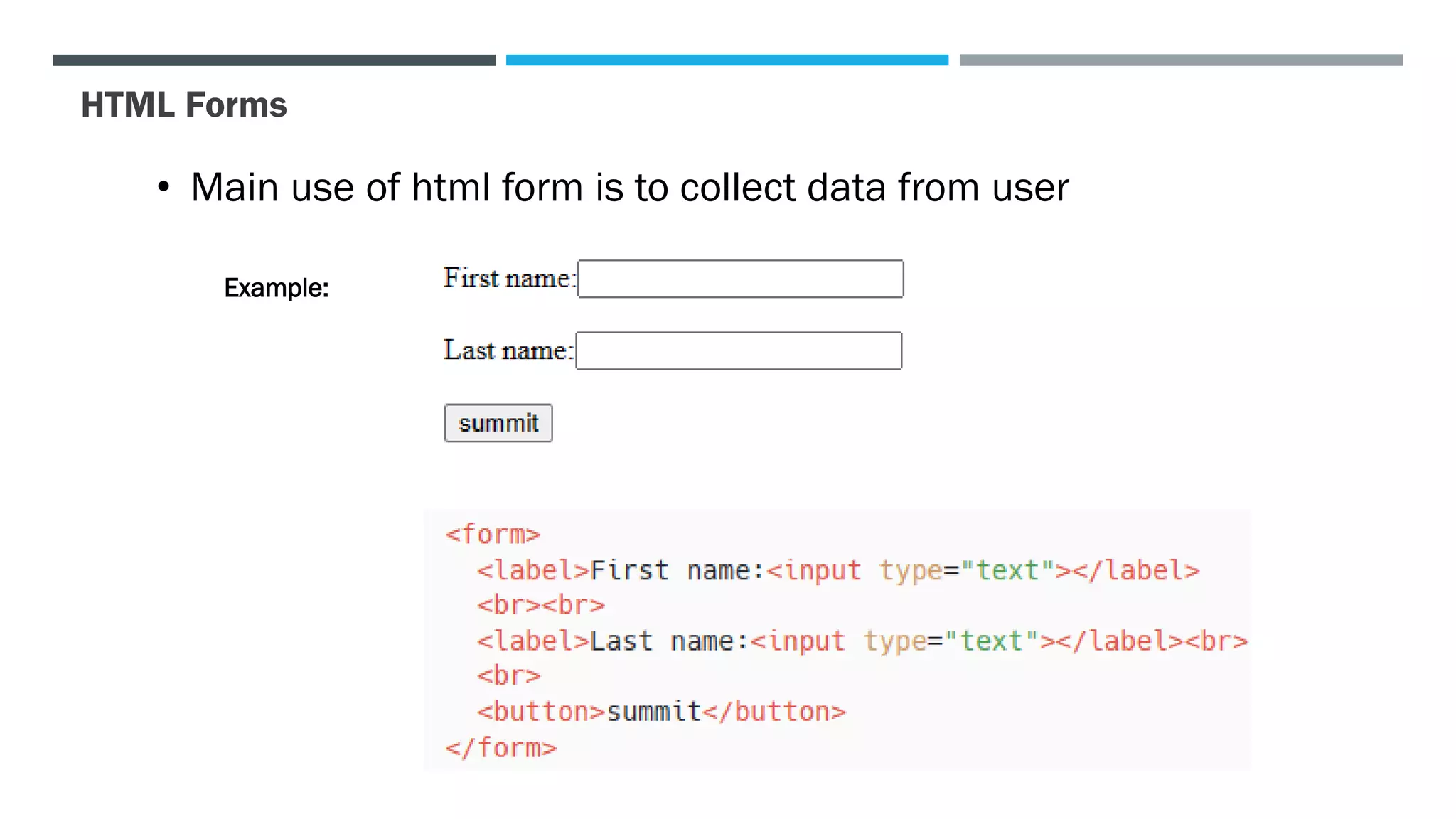
HTML Forms
• Main use of html form is to collect data from user
Example:
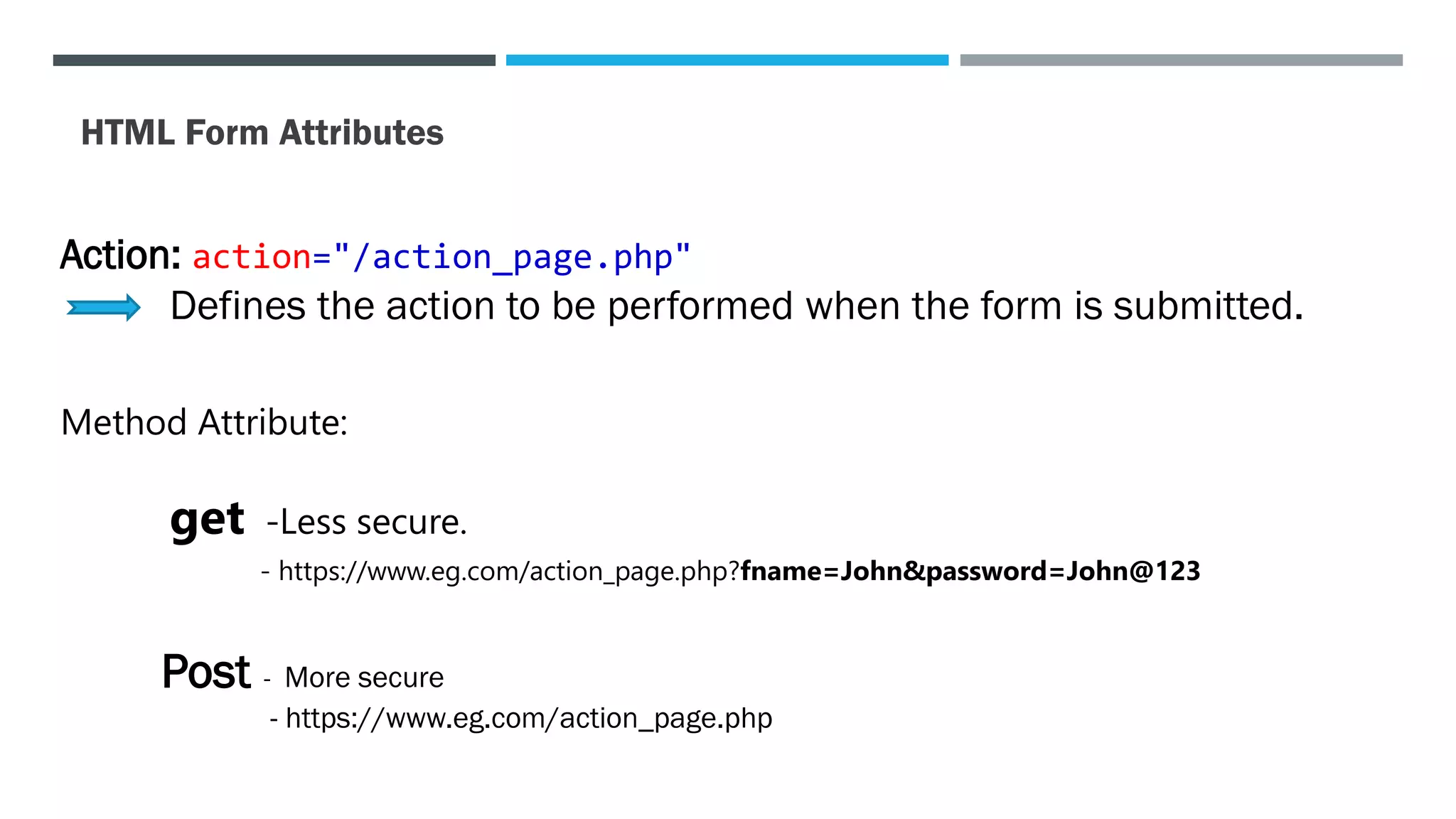
HTML Form Attributes
Action: action="/action_page.php"
Defines the action to be performed when the form is submitted.
Method Attribute:
get -Less secure.
- https://www.eg.com/action_page.php?fname=John&password=John@123
Post - More secure
- https://www.eg.com/action_page.php
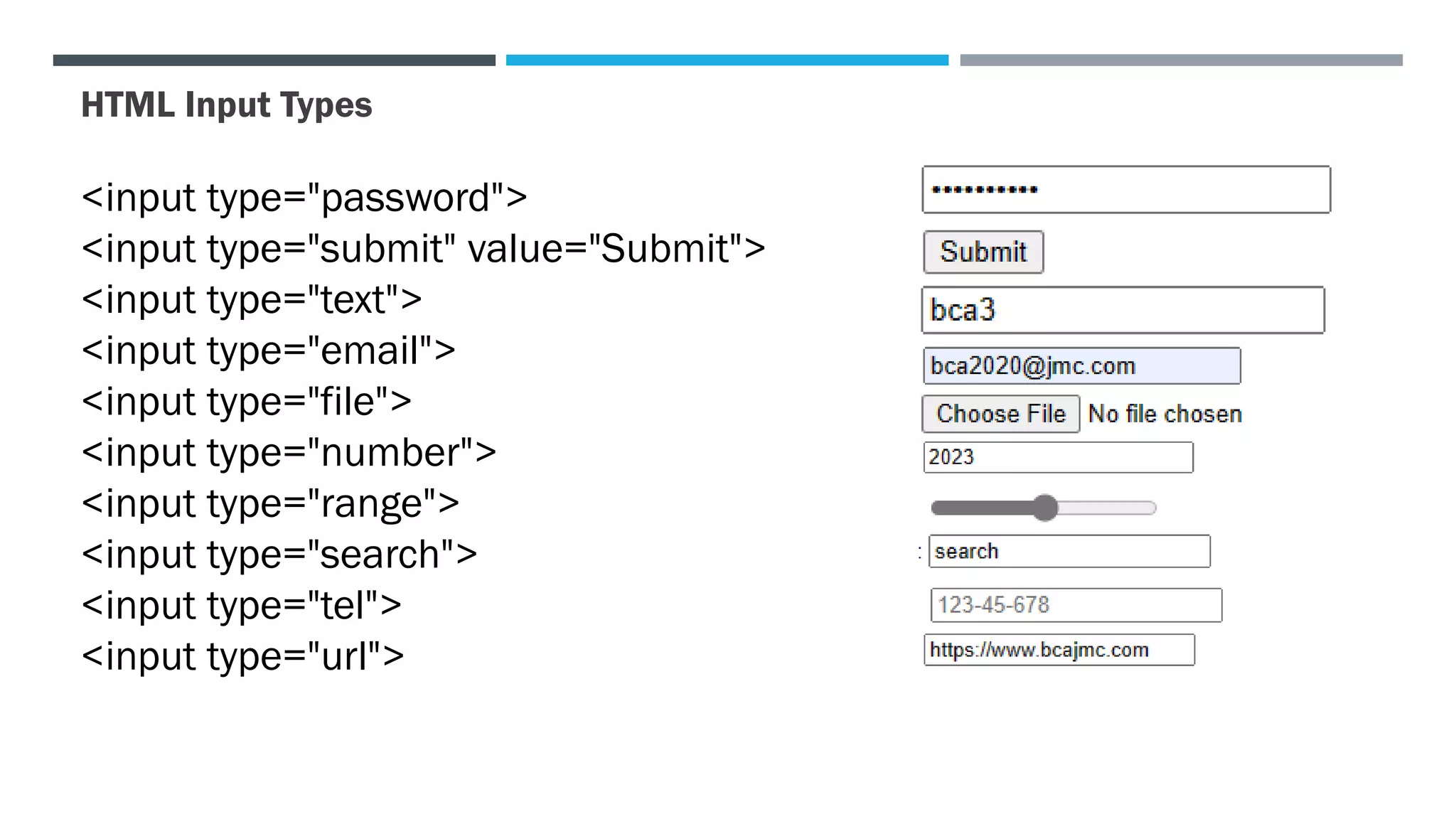
HTML Input Types
<input type="password">
<input type="submit" value="Submit">
<input type="text">
<input type="email">
<input type="file">
<input type="number">
<input type="range">
<input type="search">
<input type="tel">
<input type="url">
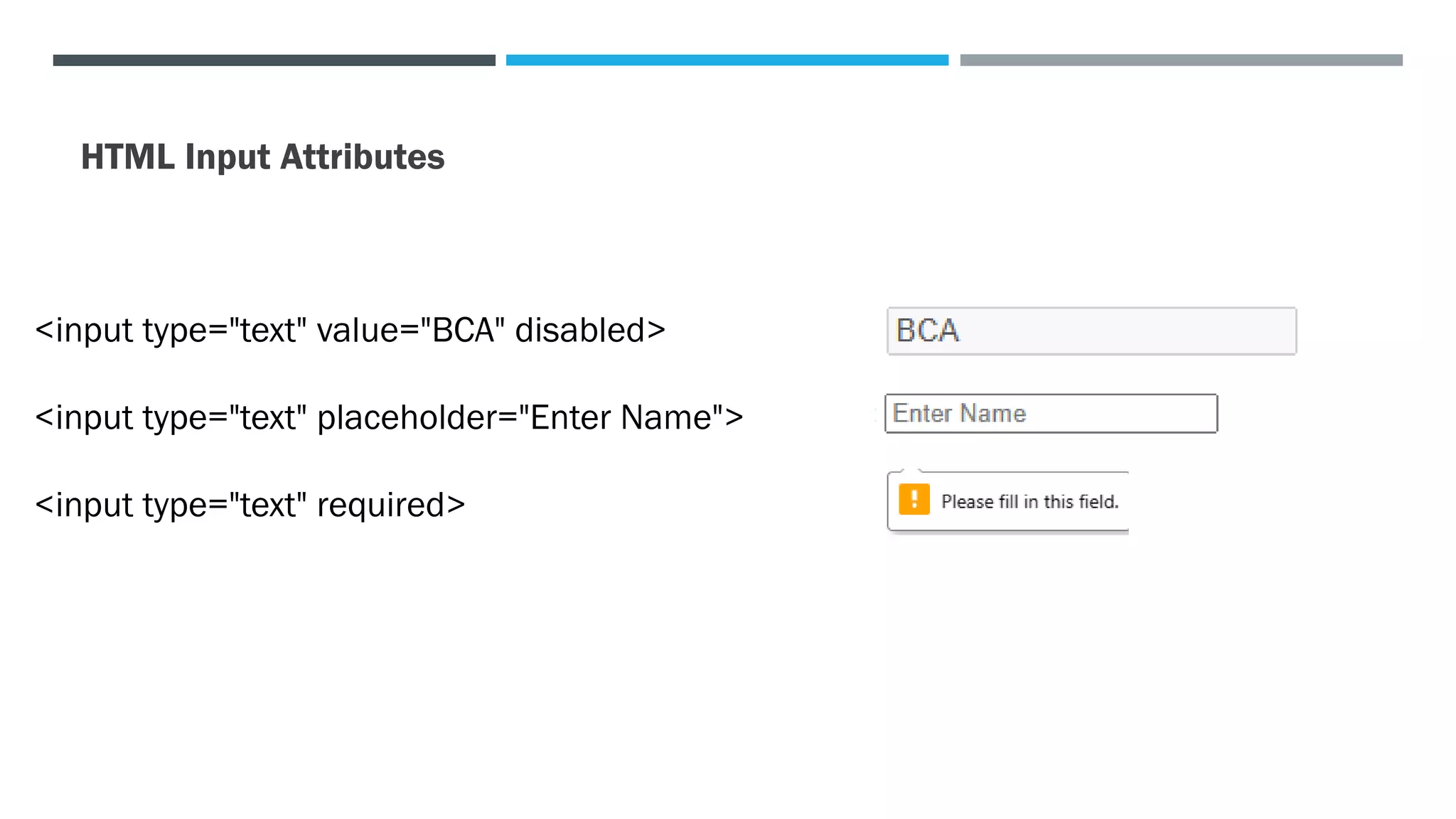
HTML Input Attributes
<input type="text" value="BCA" disabled>
<input type="text" placeholder="Enter Name">
<input type="text" required>
Html Image^J Table ^0 Form.pdf

Html Image^J Table ^0 Form.pdf

  • 1.
    HTML Tags, Image,list, Table & Form Prepared by Janakoff, Sudiplun
  • 2.
    Tags • Tags arethe basic building blocks of any web page. • Html tags are element name surrounded by angle brackets. Types of Tags in HTML Paired Tags: Tag consists of an opening tag and a closing tag Example:
  • 3.
    Unpaired Tag (Selfclosing tag ) • It has only an opening tag • Does not have a closing tag • Unpaired HTML tag does not require a closing tag Example: • Link • Meta • Br • Hr • Input
  • 4.
    Html Image <img> •The <img> tag is used to link an image in an HTML page. • It is self closing tag or unpaired tag. • It is inline-block elements i.e they flow inline like text, but also have a width and height like block elements. Attribute:- •src - Specifies the path to the image •alt - Specifies an alternate text for the image Image as a link: Enclose the image with a n <a> element with href attribute.
  • 5.
    HTML List List isused to display related data on a web page in an ordered or unordered format. There are two types of html list: 1. Ordered HTML List 2. Unordered HTML List
  • 6.
    List Style TypeOf Order List
  • 7.
    List Style TypeOf Unorder List
  • 8.
    Nested HTML Lists:List Counting
  • 9.
    TABLES The <table> elementrepresents tabular data — that is, information presented in a two-dimensional table comprised of rows and columns of cells containing data. HTML Table Tags
  • 10.
    HTML <TABLE> TAGEXAMPLE OUTPUT
  • 11.
  • 12.
  • 13.
    HTML Forms • Mainuse of html form is to collect data from user Example:
  • 14.
    HTML Form Attributes Action:action="/action_page.php" Defines the action to be performed when the form is submitted. Method Attribute: get -Less secure. - https://www.eg.com/action_page.php?fname=John&password=John@123 Post - More secure - https://www.eg.com/action_page.php
  • 15.
    HTML Input Types <inputtype="password"> <input type="submit" value="Submit"> <input type="text"> <input type="email"> <input type="file"> <input type="number"> <input type="range"> <input type="search"> <input type="tel"> <input type="url">
  • 16.
    HTML Input Attributes <inputtype="text" value="BCA" disabled> <input type="text" placeholder="Enter Name"> <input type="text" required>