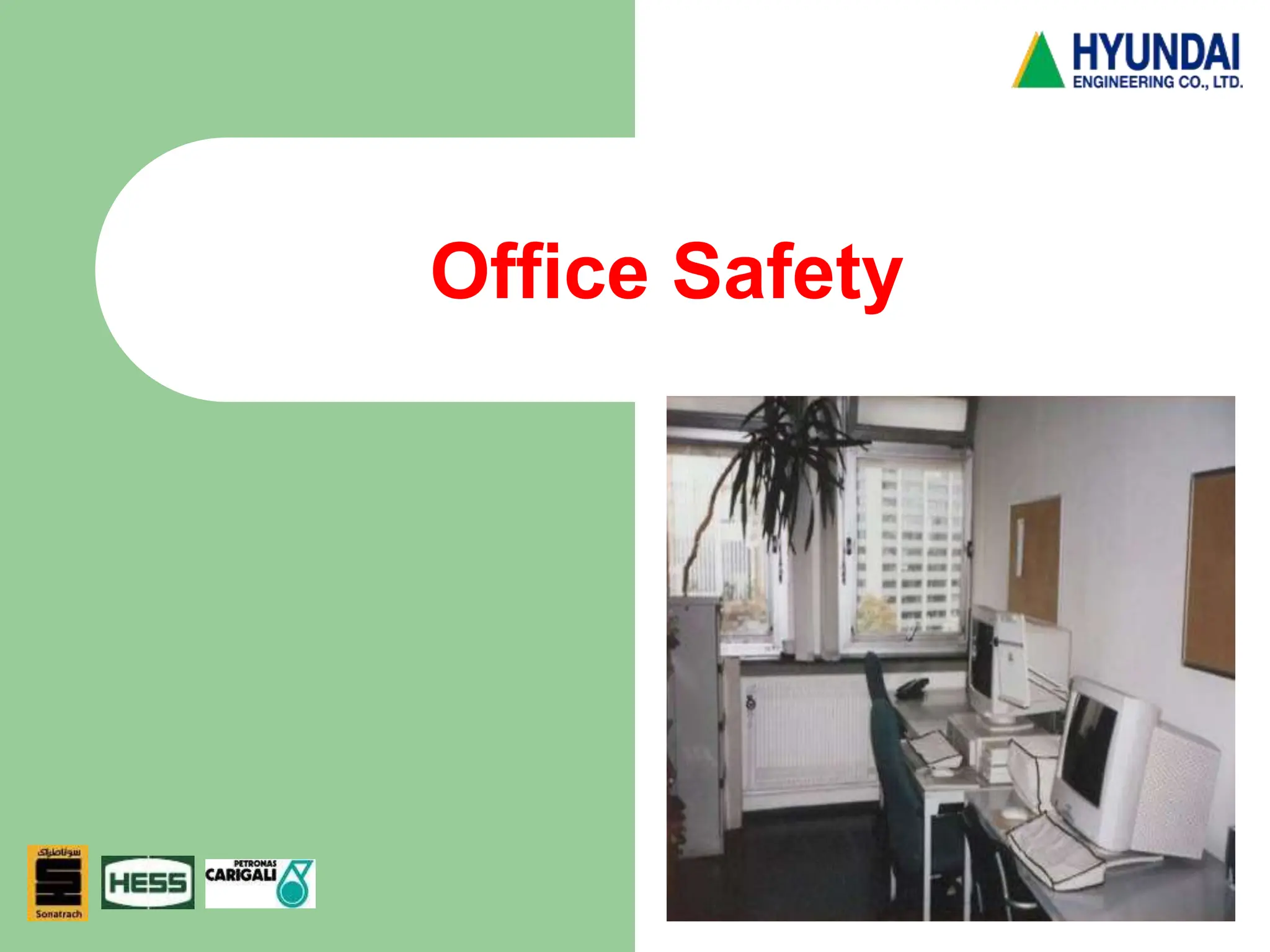
Office Safety
DW-HSE-TM048
2
3
Office Safety
 EVERYONE'S RESPONSIBILITY
 We may not typically consider the office environment
hazardous, a surprising number of accidents and
injuries occur there. Some of the common types of
hazards and concerns include falling objects; slips,
trips and falls; fires; cumulative trauma disorders;
electrical shock; exposure to hazardous chemicals;
and back injuries.
 The office has many more potential hazards than we
often realize. Good housekeeping, common sense
and paying attention to details are often all we need
to do to adequately control these hazards.
4
Introduction
 In addition to obvious hazards such as a slippery floor
or an open file drawer, a modern office may also
contain hazards such as poor lighting, noise, poorly
designed furniture and equipment, and machines which
emit noxious gases and fumes. Even the nature of
office work itself has produced a whole host of stress-
related symptoms and musculoskeletal strains. For
example, long hours at the video display terminal (VDT)
can cause pains in the neck and back, eyestrain, and a
general feeling of tension and irritability.
This module includes the following sections:
 Leading Types of Disabling Accidents
 Common Office Safety and Health Hazards.
5
Leading Types of Disabling Accidents
 It is estimated that office workers sustain 76,000 fractures,
dislocations, sprains, strains, and contusions each year. The
leading types of disabling accidents that occur within the office are:
 Falls
 Strains and over-exertion
 Struck by or striking objects
 Caught in or between objects.
 In addition, office workers are also injured as a result of foreign
substances in the eye, spilled hot liquids, burns from fire, and
electric shock.
In recent years, illness has increased among the office worker
population. This may be attributed, in part, to the increased
presence of environmental toxins within the office and to stress-
producing factors associated with the automated office. Resulting
illnesses may include respiratory problems, skin diseases, and
stress-related conditions.
6
Common Office Safety and Health
Hazards
 Ventilation
 Illumination
 Noise
 Physical
Layout/Housekeeping
 Fire hazards
 Handling and Storage
Hazards
 Electrical Equipment
 Office Furniture
 Office Machinery
 Ladders, Stands and
Stools
 Office Tools
 Photocopying Machines
 Video Display
Terminals
7
Ventilation
 Sources of air pollution in the office that can cause health
problems include:
 Natural agents (e.g., carbon monoxide, microorganisms, radon)
 Synthetic chemicals (e.g., formaldehyde, cleaning fluids, cigarette
smoke, asbestos).
 An adequate office ventilation system which delivers quality indoor
air and provides for comfortable humidity and temperature is a
necessity.
Where printing or copying machines are present, an exhaust
ventilation system which draws particulates and gases away from
the employees' breathing zone should be present.
Office machines and ventilation system components should be
checked and maintained on a regular basis.
8
Illumination
 Lighting problems in the office cause:
 Glare
 Shadows
 Visual problems (i.e., eyestrain, fatigue,
double-vision, etc.).
 Poor lighting also can be a contributing
factor in accidents.
Controls to prevent poor lighting conditions
include:
 Regular maintenance of the lighting system
 Light-colored dull finish on walls, ceilings,
and floors to reduce glare
 Adjustable shades on windows
 Indirect lighting.
9
Noise
 In an office, workers can be subjected to many noise sources,
such as:
 Video display terminals
 High-speed printers
 Telephones
 Human voices.
 Noise can produce tension and stress, as well as damage to
hearing. Some of the numerous measures available to control
unwanted noise include:
 Place noisy machines in an enclosed space
 Use carpeting, draperies, and acoustical ceiling tiles to muffle
noise
 Adjust telephone volume to its lowest level
 Rearrange traffic routes within the office to reduce traffic within and
between work areas.
10
Physical Layout/Housekeeping
 Poor design and/or poor housekeeping can lead to crowding,
lack of privacy, slips, trips, and falls. The following are important
factors related to office layout and orderliness:
 At least 3 feet distance between desks and at least 50 square
feet per employee
 Keep telephone and electrical cords out of aisles
 Group employees who use the same machines
 Office machines should be kept away from edges of desks and
tables
 Regular inspection, repair, and replacement of faulty carpets
 Place mats inside building entrances
 Proper placement of electrical, telephone, and computer wires.
11
Exits/Egress
 Blocked or improperly planned means of egress can lead to
injuries as a result of slips, trips, and falls. If, during an
emergency, employees become trapped due to improper
egress, more serious injuries or fatalities may result.
Controls to ensure proper means of egress include:
 All exit access must be at least 28 inches wide
 Generally two exits should be provided
 Exits and access to exits must be marked
 Means of egress, including stairways used for emergency exit,
should be free of obstructions and adequately lit
 Employees must be aware of exits and trained in procedures
for evacuation.
12
Fire Hazards
 A serious problem associated with office design is the potential
for creating fire hazards. Another danger found in modern
offices is combustible materials (e.g., furniture, rugs, fibers)
which can easily ignite and often emit toxic fumes.
A number of steps can be taken to reduce office fire hazards:
 Store unused records/papers in fire resistant files or vaults
 Use flame-retardant materials
 Smoke only in designated areas and use proper ashtrays
 Fire extinguishers and alarms should be conspicuously placed
and accessible
13
Handling and Storage Hazards
 Improper lifting can cause musculoskeletal disorders such as sprains,
strains, and inflamed joints. Office materials that are improperly stored
can lead to hazards such as objects falling on workers, poor visibility,
and fires. There are several controls which can reduce handling and
storage hazards.
 Materials should not be stored on top of cabinets.
 Heavy objects should be stored on lower shelves and materials
stacked neatly.
 Materials should be stored inside cabinets, files, or lockers whenever
possible.
 Materials must not be stored in aisles, corners, or passageways.
 Fire equipment should remain unobstructed.
 Flammable and combustible materials must be identified and properly
stored.
 Material Safety Data Sheets must be provided for each hazardous
chemical identified.
 An effective control program incorporating employee awareness and
training and ergonomic design of work tasks can reduce back injuries.
14
Electrical Equipment
 Electrical accidents in an office usually occur as a result
of faulty or defective equipment, unsafe installation, or
misuse of equipment. The following guidelines should
be adhered to when installing or using electrical
equipment:
 Equipment must be properly grounded to prevent shock
injuries
 A sufficient number of outlets will prevent circuit
overloading
 Avoid the use of poorly maintained or non-approved
equipment
 Cords should not be dragged over nails, hooks, or other
sharp objects
 Receptacles should be installed and electric equipment
maintained so that no live parts are exposed
 Machines should be disconnected before cleaning or
adjusting. Generally, machines and equipment should
be locked or tagged out during maintenance.
15
Office Furniture
 Defective furniture or misuse of chairs or file cabinets by office
workers can lead to serious injuries. Listed here are controls
related to chairs and cabinets:
 Chairs should be properly designed and regularly inspected for
missing casters, shaky legs, and loose parts
 Do not lean back in a chair with your feet on a desk
 Do not scoot across the floor while sitting on a chair
 Never stand on a chair to reach an overhead object
 Open only one file drawer at a time
 Do not locate file cabinets close to doorways or in aisles
 Use drawer handles to close file drawers.
16
Office Machinery
 Machines with ingoing nip points or rotating
parts can cause lacerations, abrasions,
fractures, and amputations if not
adequately guarded.
 Machines such as conveyors, electric hole
punches, and paper shredders with
hazardous moving parts must be guarded
so that office workers cannot contact the
moving parts.
 Fans must have substantial bases and fan
blades must be properly guarded.
17
Ladders, Stands, and Stools
 Improper use of ladders, ladder stands,
and stools can lead to falls. The following
controls will help reduce ladder related
injuries:
 Workers should always face the ladder
when climbing up or down
 Ladders should be inspected regularly to
ensure they are in good condition
 The top of a ladder should not be used as
a step
 Ladders must only be used when they are
fully open and the spreaders are locked.
18
Office Tools
 Misuse of office tools, such as pens, pencils,
paper, letter openers, scissors, and staplers,
can cause cuts, punctures, and related
infections. Injuries can be prevented by
following precautions when using these
materials:
 Paper cutters - Keep blade closed when not
in use. A guard should be provided and
fingers should be kept clear
 Staplers - Always use a staple remover.
Never test a jammed stapler with your
thumb
 Pencils, pens, scissors, etc. - Store sharp
objects in a drawer or with the point down.
Never hand someone a sharp object point
first.
19
Photocopying Machines
 Potential health hazards associated with photocopying machines
include:
 Toxic chemicals
 Excessive noise
 Intense light.
 Photocopying machines can also be a source of indoor air
pollution when used in offices that are not well ventilated.
Use the controls listed below to reduce hazards:
 Keep the document cover closed
 Reduce noise exposure by isolating the machine
 Place machines in well-ventilated rooms away from workers'
desks
 Have machines serviced routinely to prevent chemical emissions
 Avoid skin contact with photocopying chemicals
 Clean all spills and dispose of waste properly.
20
Video Display Terminals
 Health hazards related to video display terminal (VDT) use involve:
 Radiation
 Noise
 Eye irritation
 Low-back, neck, and shoulder pain
 Stress.
 Studies have shown that the radiation levels emitted from VDTs
are well below those allowed by current standards. However, to
minimize any potential exposure, only equipment for which the
manufacturer will supply data on emissions should be used.
To minimize noise, VDTs should not be clustered and sound
absorbent screens can be used if needed.
21
Video Display Terminals
 Proper ergonomic design includes the
relation of the operator to the screen,
background, lighting, and operator's posture.
All of these design elements should be
carefully tailored to prevent discomfort. The
keyboard position, document holder, screen
design, characters, and color are all factors
to consider.
 Vision testing should be conducted before
office workers operate VDTs and annually
thereafter. Work breaks and variation of
tasks enable VDT operators to rest their
eyes. Postural strain related to VDT use
can be relieved by performing simple
exercises. Finally, a training program
should be conducted to inform workers of
the capabilities of the equipment they are
using.
22
 Putting too much
on a shelf causing
to collapse
Office Safety
23
Office Safety
 People leave the
bottom drawers of
filing cabinets open
which become
tripping hazards
24
Office Safety
 Overloading the top
drawers of filing
cabinets which can
make them unstable
and cause them to
topple
25
Office Safety
 Using an ordinary
chair instead of
proper steps, to
reach up to a height
26
Office Safety
 Spilling tea, coffee or
other soft drinks on a
tiled floor which
creates a slippery
surface. This is
particularly hazardous
if it happens to be at
the top of a stairway.
27
Office Safety
 Cables scattered on
the floor
 Rushing all the
works / shortcuts
can cause major
accident
 Proper handling of
materials is
essential in office
works
28
Summary
Safety in the office is critical. Some people
have difficulty implementing safety and
health in their daily work activities. For this
reason, it may be easier to learn from some
examples and get guidance by following
specific procedures. These techniques help
demonstrate and identify safe and unsafe
work practices, and therefore reduce the
number of hazards.

HSE-BMS-048 Office Safety.ppt presentation

  • 1.
  • 2.
  • 3.
    3 Office Safety  EVERYONE'SRESPONSIBILITY  We may not typically consider the office environment hazardous, a surprising number of accidents and injuries occur there. Some of the common types of hazards and concerns include falling objects; slips, trips and falls; fires; cumulative trauma disorders; electrical shock; exposure to hazardous chemicals; and back injuries.  The office has many more potential hazards than we often realize. Good housekeeping, common sense and paying attention to details are often all we need to do to adequately control these hazards.
  • 4.
    4 Introduction  In additionto obvious hazards such as a slippery floor or an open file drawer, a modern office may also contain hazards such as poor lighting, noise, poorly designed furniture and equipment, and machines which emit noxious gases and fumes. Even the nature of office work itself has produced a whole host of stress- related symptoms and musculoskeletal strains. For example, long hours at the video display terminal (VDT) can cause pains in the neck and back, eyestrain, and a general feeling of tension and irritability. This module includes the following sections:  Leading Types of Disabling Accidents  Common Office Safety and Health Hazards.
  • 5.
    5 Leading Types ofDisabling Accidents  It is estimated that office workers sustain 76,000 fractures, dislocations, sprains, strains, and contusions each year. The leading types of disabling accidents that occur within the office are:  Falls  Strains and over-exertion  Struck by or striking objects  Caught in or between objects.  In addition, office workers are also injured as a result of foreign substances in the eye, spilled hot liquids, burns from fire, and electric shock. In recent years, illness has increased among the office worker population. This may be attributed, in part, to the increased presence of environmental toxins within the office and to stress- producing factors associated with the automated office. Resulting illnesses may include respiratory problems, skin diseases, and stress-related conditions.
  • 6.
    6 Common Office Safetyand Health Hazards  Ventilation  Illumination  Noise  Physical Layout/Housekeeping  Fire hazards  Handling and Storage Hazards  Electrical Equipment  Office Furniture  Office Machinery  Ladders, Stands and Stools  Office Tools  Photocopying Machines  Video Display Terminals
  • 7.
    7 Ventilation  Sources ofair pollution in the office that can cause health problems include:  Natural agents (e.g., carbon monoxide, microorganisms, radon)  Synthetic chemicals (e.g., formaldehyde, cleaning fluids, cigarette smoke, asbestos).  An adequate office ventilation system which delivers quality indoor air and provides for comfortable humidity and temperature is a necessity. Where printing or copying machines are present, an exhaust ventilation system which draws particulates and gases away from the employees' breathing zone should be present. Office machines and ventilation system components should be checked and maintained on a regular basis.
  • 8.
    8 Illumination  Lighting problemsin the office cause:  Glare  Shadows  Visual problems (i.e., eyestrain, fatigue, double-vision, etc.).  Poor lighting also can be a contributing factor in accidents. Controls to prevent poor lighting conditions include:  Regular maintenance of the lighting system  Light-colored dull finish on walls, ceilings, and floors to reduce glare  Adjustable shades on windows  Indirect lighting.
  • 9.
    9 Noise  In anoffice, workers can be subjected to many noise sources, such as:  Video display terminals  High-speed printers  Telephones  Human voices.  Noise can produce tension and stress, as well as damage to hearing. Some of the numerous measures available to control unwanted noise include:  Place noisy machines in an enclosed space  Use carpeting, draperies, and acoustical ceiling tiles to muffle noise  Adjust telephone volume to its lowest level  Rearrange traffic routes within the office to reduce traffic within and between work areas.
  • 10.
    10 Physical Layout/Housekeeping  Poordesign and/or poor housekeeping can lead to crowding, lack of privacy, slips, trips, and falls. The following are important factors related to office layout and orderliness:  At least 3 feet distance between desks and at least 50 square feet per employee  Keep telephone and electrical cords out of aisles  Group employees who use the same machines  Office machines should be kept away from edges of desks and tables  Regular inspection, repair, and replacement of faulty carpets  Place mats inside building entrances  Proper placement of electrical, telephone, and computer wires.
  • 11.
    11 Exits/Egress  Blocked orimproperly planned means of egress can lead to injuries as a result of slips, trips, and falls. If, during an emergency, employees become trapped due to improper egress, more serious injuries or fatalities may result. Controls to ensure proper means of egress include:  All exit access must be at least 28 inches wide  Generally two exits should be provided  Exits and access to exits must be marked  Means of egress, including stairways used for emergency exit, should be free of obstructions and adequately lit  Employees must be aware of exits and trained in procedures for evacuation.
  • 12.
    12 Fire Hazards  Aserious problem associated with office design is the potential for creating fire hazards. Another danger found in modern offices is combustible materials (e.g., furniture, rugs, fibers) which can easily ignite and often emit toxic fumes. A number of steps can be taken to reduce office fire hazards:  Store unused records/papers in fire resistant files or vaults  Use flame-retardant materials  Smoke only in designated areas and use proper ashtrays  Fire extinguishers and alarms should be conspicuously placed and accessible
  • 13.
    13 Handling and StorageHazards  Improper lifting can cause musculoskeletal disorders such as sprains, strains, and inflamed joints. Office materials that are improperly stored can lead to hazards such as objects falling on workers, poor visibility, and fires. There are several controls which can reduce handling and storage hazards.  Materials should not be stored on top of cabinets.  Heavy objects should be stored on lower shelves and materials stacked neatly.  Materials should be stored inside cabinets, files, or lockers whenever possible.  Materials must not be stored in aisles, corners, or passageways.  Fire equipment should remain unobstructed.  Flammable and combustible materials must be identified and properly stored.  Material Safety Data Sheets must be provided for each hazardous chemical identified.  An effective control program incorporating employee awareness and training and ergonomic design of work tasks can reduce back injuries.
  • 14.
    14 Electrical Equipment  Electricalaccidents in an office usually occur as a result of faulty or defective equipment, unsafe installation, or misuse of equipment. The following guidelines should be adhered to when installing or using electrical equipment:  Equipment must be properly grounded to prevent shock injuries  A sufficient number of outlets will prevent circuit overloading  Avoid the use of poorly maintained or non-approved equipment  Cords should not be dragged over nails, hooks, or other sharp objects  Receptacles should be installed and electric equipment maintained so that no live parts are exposed  Machines should be disconnected before cleaning or adjusting. Generally, machines and equipment should be locked or tagged out during maintenance.
  • 15.
    15 Office Furniture  Defectivefurniture or misuse of chairs or file cabinets by office workers can lead to serious injuries. Listed here are controls related to chairs and cabinets:  Chairs should be properly designed and regularly inspected for missing casters, shaky legs, and loose parts  Do not lean back in a chair with your feet on a desk  Do not scoot across the floor while sitting on a chair  Never stand on a chair to reach an overhead object  Open only one file drawer at a time  Do not locate file cabinets close to doorways or in aisles  Use drawer handles to close file drawers.
  • 16.
    16 Office Machinery  Machineswith ingoing nip points or rotating parts can cause lacerations, abrasions, fractures, and amputations if not adequately guarded.  Machines such as conveyors, electric hole punches, and paper shredders with hazardous moving parts must be guarded so that office workers cannot contact the moving parts.  Fans must have substantial bases and fan blades must be properly guarded.
  • 17.
    17 Ladders, Stands, andStools  Improper use of ladders, ladder stands, and stools can lead to falls. The following controls will help reduce ladder related injuries:  Workers should always face the ladder when climbing up or down  Ladders should be inspected regularly to ensure they are in good condition  The top of a ladder should not be used as a step  Ladders must only be used when they are fully open and the spreaders are locked.
  • 18.
    18 Office Tools  Misuseof office tools, such as pens, pencils, paper, letter openers, scissors, and staplers, can cause cuts, punctures, and related infections. Injuries can be prevented by following precautions when using these materials:  Paper cutters - Keep blade closed when not in use. A guard should be provided and fingers should be kept clear  Staplers - Always use a staple remover. Never test a jammed stapler with your thumb  Pencils, pens, scissors, etc. - Store sharp objects in a drawer or with the point down. Never hand someone a sharp object point first.
  • 19.
    19 Photocopying Machines  Potentialhealth hazards associated with photocopying machines include:  Toxic chemicals  Excessive noise  Intense light.  Photocopying machines can also be a source of indoor air pollution when used in offices that are not well ventilated. Use the controls listed below to reduce hazards:  Keep the document cover closed  Reduce noise exposure by isolating the machine  Place machines in well-ventilated rooms away from workers' desks  Have machines serviced routinely to prevent chemical emissions  Avoid skin contact with photocopying chemicals  Clean all spills and dispose of waste properly.
  • 20.
    20 Video Display Terminals Health hazards related to video display terminal (VDT) use involve:  Radiation  Noise  Eye irritation  Low-back, neck, and shoulder pain  Stress.  Studies have shown that the radiation levels emitted from VDTs are well below those allowed by current standards. However, to minimize any potential exposure, only equipment for which the manufacturer will supply data on emissions should be used. To minimize noise, VDTs should not be clustered and sound absorbent screens can be used if needed.
  • 21.
    21 Video Display Terminals Proper ergonomic design includes the relation of the operator to the screen, background, lighting, and operator's posture. All of these design elements should be carefully tailored to prevent discomfort. The keyboard position, document holder, screen design, characters, and color are all factors to consider.  Vision testing should be conducted before office workers operate VDTs and annually thereafter. Work breaks and variation of tasks enable VDT operators to rest their eyes. Postural strain related to VDT use can be relieved by performing simple exercises. Finally, a training program should be conducted to inform workers of the capabilities of the equipment they are using.
  • 22.
    22  Putting toomuch on a shelf causing to collapse Office Safety
  • 23.
    23 Office Safety  Peopleleave the bottom drawers of filing cabinets open which become tripping hazards
  • 24.
    24 Office Safety  Overloadingthe top drawers of filing cabinets which can make them unstable and cause them to topple
  • 25.
    25 Office Safety  Usingan ordinary chair instead of proper steps, to reach up to a height
  • 26.
    26 Office Safety  Spillingtea, coffee or other soft drinks on a tiled floor which creates a slippery surface. This is particularly hazardous if it happens to be at the top of a stairway.
  • 27.
    27 Office Safety  Cablesscattered on the floor  Rushing all the works / shortcuts can cause major accident  Proper handling of materials is essential in office works
  • 28.
    28 Summary Safety in theoffice is critical. Some people have difficulty implementing safety and health in their daily work activities. For this reason, it may be easier to learn from some examples and get guidance by following specific procedures. These techniques help demonstrate and identify safe and unsafe work practices, and therefore reduce the number of hazards.