How to View Your
Website Statistics
Log-on to
yourwebsite.com/stats.php
(ex. valiantads.com/stats.php)
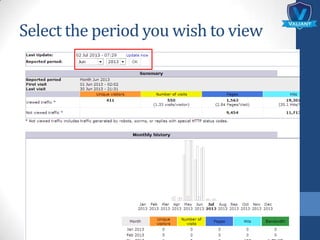
Select the period you wish to view
How to Interpret
Your Website
Statistics
The statistics are categorized
into 4 main parts:
1. Monthly history
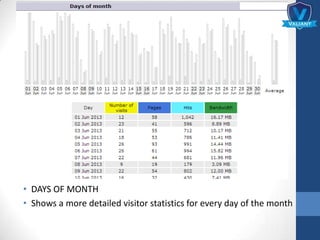
2. Days of month
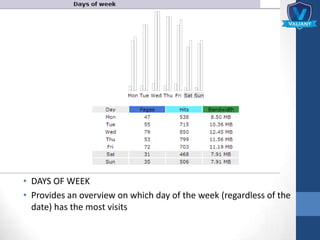
3. Days of week
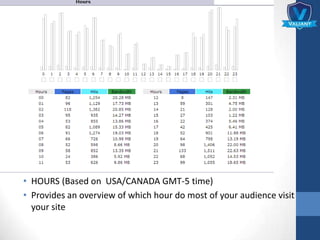
4. Hours
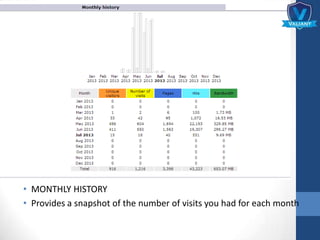
• MONTHLY HISTORY
• Provides a snapshot of the number of visits you had for each month
• DAYS OF MONTH
• Shows a more detailed visitor statistics for every day of the month
• DAYS OF WEEK
• Provides an overview on which day of the week (regardless of the
date) has the most visits
• HOURS (Based on USA/CANADA GMT-5 time)
• Provides an overview of which hour do most of your audience visit
your site
GLOSSARY OF
TERMS
• Unique Visitors - the number of different
individuals who have viewed your website
• Number of Visits - the total number of visits
made on your website, either by unique visitors
or returning visitors
• Pages - the total number of pages viewed
VISIT US AT:
WWW.VALIANTADS.COM
Brought to you by:

How to View Your Website Statistics | Valiant Advertising Solutions