How	to	use	BookRoll
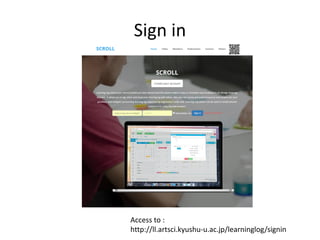
Sign	in
Access	to	:
http://ll.artsci.kyushu-u.ac.jp/learninglog/signin
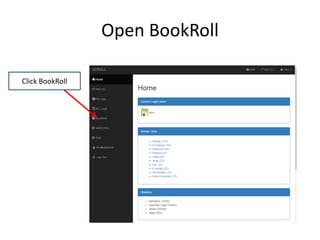
Open	BookRoll
Click	BookRoll
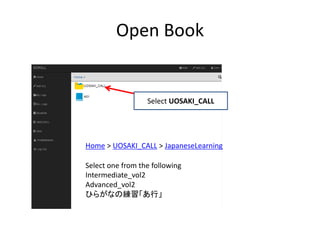
Open	Book
Select	UOSAKI_CALL
Home >	UOSAKI_CALL >	JapaneseLearning
Select one	from	the	following
Intermediate_vol2
Advanced_vol2
ひらがなの練習「あ行」
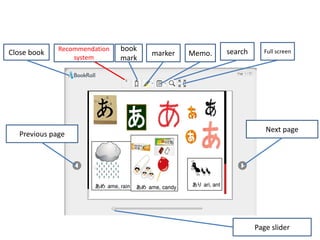
Next	page
Page	slider
Previous	page
Close	book Recommendation	
system
book
mark
marker search Full	screenMemo.
Recommendation	system
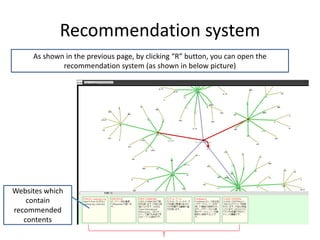
As	shown	in	the	previous	page,	by	clicking	“R”	button,	you	can	open	the	
recommendation	system	(as	shown	in	below	picture)
Websites	which	
contain	
recommended	
contents
Window	of	Recommendation	System
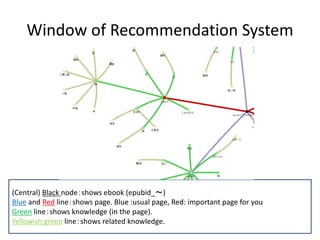
(Central)	Black	node:shows	ebook (epubid_~)
Blue and	Red line:shows	page.	Blue	:usual	page,	Red:	important	page	for	you
Green line:shows	knowledge	(in	the	page).
Yellowish	green line:shows	related	knowledge.
How	to	use	recommend	system	1
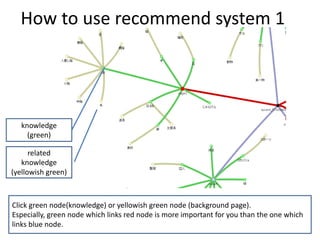
Click	green	node(knowledge)	or	yellowish	green	node	(background	page).
Especially,	green	node	which	links	red	node	is	more	important	for	you	than	the	one	which	
links	blue	node.
knowledge
(green)
related	
knowledge
(yellowish	green)
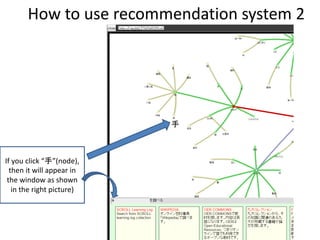
How	to	use	recommendation	system	2
If	you	click	“手”(node),	
then	it	will	appear	in	
the	window	as	shown	
in	the	right	picture)
手
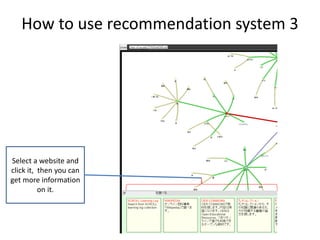
How	to	use	recommendation	system	3
Select	a	website	and	
click	it,		then	you	can	
get	more	information	
on	it.