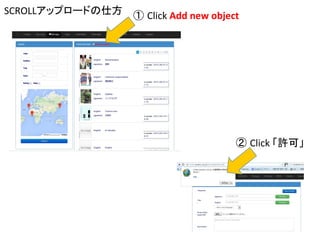
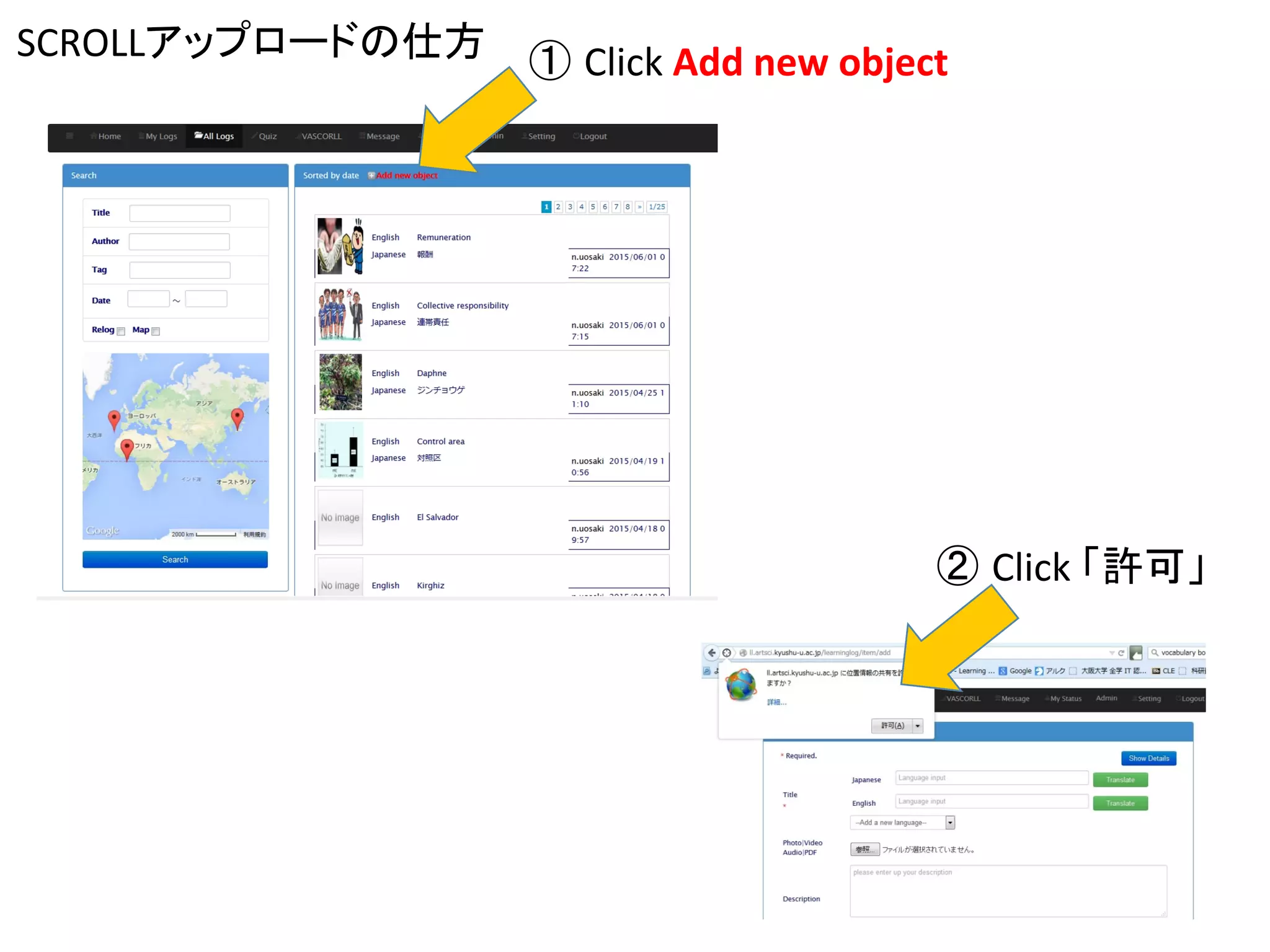
SCROLLアップロードの仕方	
② Click	
  「許可」	
① Click	
  Add	
  new	
  object
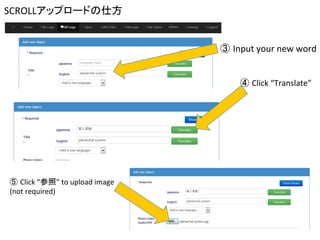
SCROLLアップロードの仕方	
④ Click	
  “Translate”	
③ Input	
  your	
  new	
  word	
⑤ Click	
  “参照”	
  to	
  upload	
  image	
  
(not	
  required)
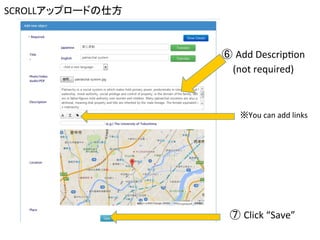
SCROLLアップロードの仕方	
⑦ Click	
  “Save”	
⑥ Add	
  DescripCon	
  
(not	
  required)	
	
※You	
  can	
  add	
  links
How	
  to	
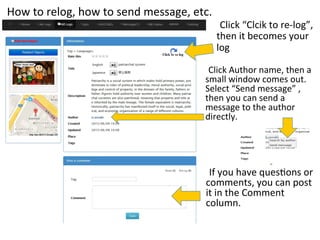
  relog,	
  how	
  to	
  send	
  message,	
  etc.	
If	
  you	
  have	
  quesCons	
  or	
  
comments,	
  you	
  can	
  post	
  
it	
  in	
  the	
  Comment	
  	
  
column.	


Click	
  Author	
  name,	
  then	
  a	
  
small	
  window	
  comes	
  out.	
  
Select	
  “Send	
  message”	
  ,	
  
then	
  you	
  can	
  send	
  a	
  
message	
  to	
  the	
  author	
  
directly.	


Click	
  “Clcik	
  to	
  re-­‐log”,	
  
then	
  it	
  becomes	
  your	
  
log	


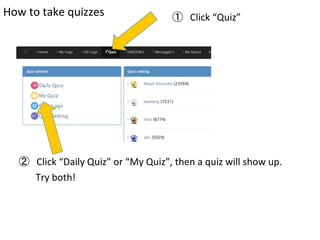
How	
  to	
  take	
  quizzes	
 ① Click	
  “Quiz”	
② Click	
  “Daily	
  Quiz”	
  or	
  “My	
  Quiz”,	
  then	
  a	
  quiz	
  will	
  show	
  up.	


  Try	
  both!

Scroll登録方法