DropShipGoldMine.com
1.

Go to:

http://lawrensmith.com/ebay

DropShipGoldMine.com
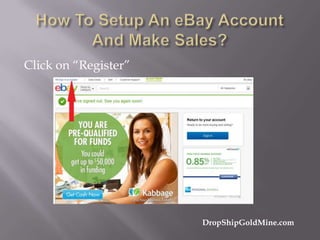
Click on “Register”

DropShipGoldMine.com
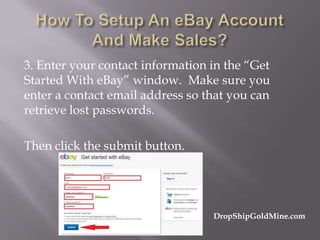
3. Enter your contact information in the “Get
Started With eBay” window. Make sure you
enter a contact email address so that you can
retrieve lost passwords.
Then click the submit button.

DropShipGoldMine.com
4. Your account is now activated and you can
start using eBay. You will receive an email from
eBay with a “Welcome” message.
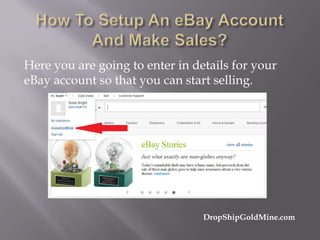
5. Next, go to the upper left corner where you see
your name. Click on the dropdown and select
“Account Settings”.

DropShipGoldMine.com
Here you are going to enter in details for your
eBay account so that you can start selling.

DropShipGoldMine.com
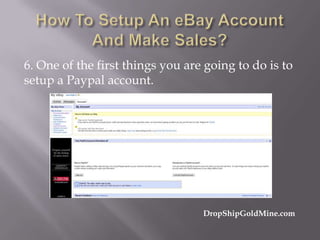
6. One of the first things you are going to do is to
setup a Paypal account.

DropShipGoldMine.com
If you already have a Paypal account, I do suggest
you setup a new one. This one account will be
used specifically for your eBay business.
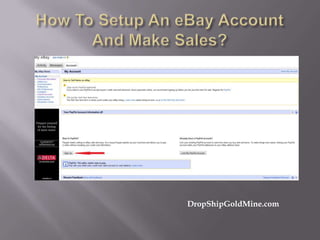
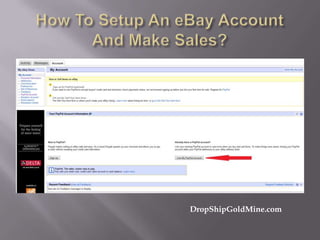
7. To signup for a PayPal account, you have two
choices, you can click on the Sign Up button
located at the bottom of this screen.
DropShipGoldMine.com
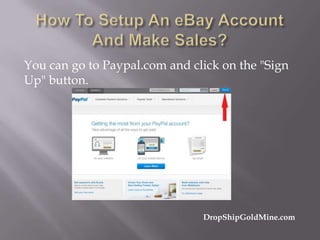
You can go to Paypal.com and click on the "Sign
Up" button.

DropShipGoldMine.com
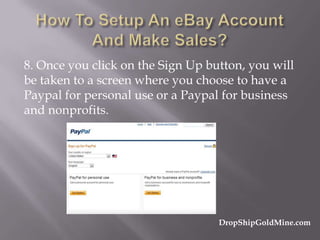
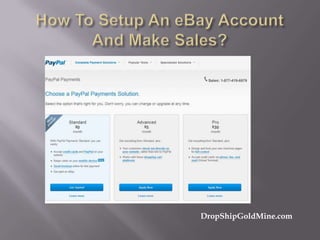
8. Once you click on the Sign Up button, you will
be taken to a screen where you choose to have a
Paypal for personal use or a Paypal for business
and nonprofits.

DropShipGoldMine.com
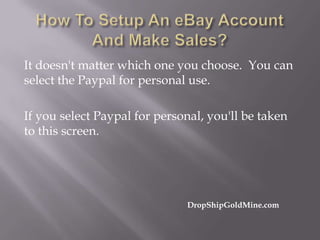
It doesn't matter which one you choose. You can
select the Paypal for personal use.
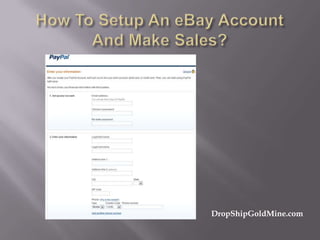
If you select Paypal for personal, you'll be taken
to this screen.

DropShipGoldMine.com
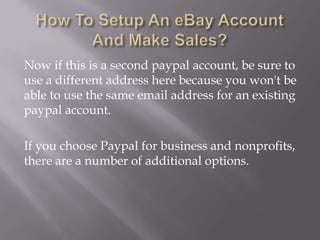
Now if this is a second paypal account, be sure to
use a different address here because you won't be
able to use the same email address for an existing
paypal account.
If you choose Paypal for business and nonprofits,
there are a number of additional options.
DropShipGoldMine.com
I don't have a business paypal account. I just
created a personal account that I use specifically
for my eBay account.
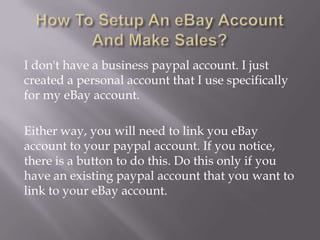
Either way, you will need to link you eBay
account to your paypal account. If you notice,
there is a button to do this. Do this only if you
have an existing paypal account that you want to
link to your eBay account.
DropShipGoldMine.com
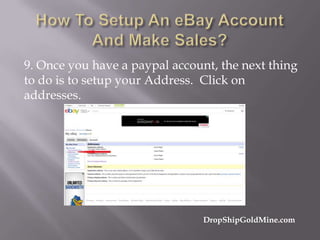
9. Once you have a paypal account, the next thing
to do is to setup your Address. Click on
addresses.

DropShipGoldMine.com
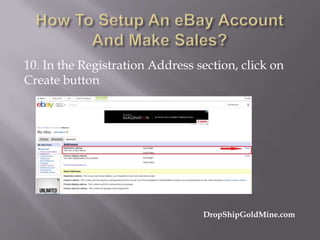
10. In the Registration Address section, click on
Create button

DropShipGoldMine.com
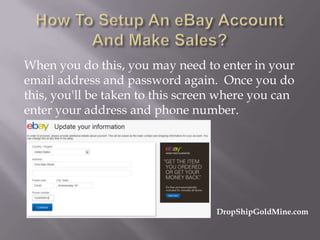
When you do this, you may need to enter in your
email address and password again. Once you do
this, you'll be taken to this screen where you can
enter your address and phone number.

DropShipGoldMine.com
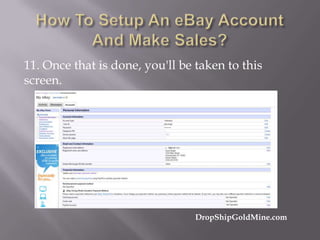
11. Once that is done, you'll be taken to this
screen.

DropShipGoldMine.com
On this page, you can include a Secret question
and you can also edit the About Me Page.
It's not necessary. I didn't

DropShipGoldMine.com
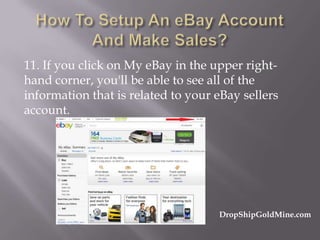
11. If you click on My eBay in the upper righthand corner, you'll be able to see all of the
information that is related to your eBay sellers
account.

DropShipGoldMine.com
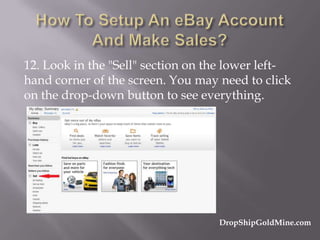
12. Look in the "Sell" section on the lower lefthand corner of the screen. You may need to click
on the drop-down button to see everything.

DropShipGoldMine.com
Your eBay account is now ready to use. You can
begin selling online.

DropShipGoldMine.com
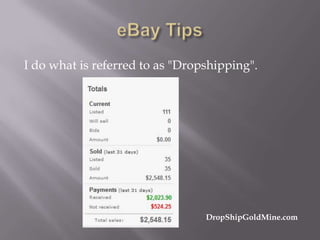
I do what is referred to as "Dropshipping".

DropShipGoldMine.com
The more listings you have, the more money you
can earn.
Ebay does allow you to have multiple accounts.
You can have 9 eBay accounts, but there is a
requirement.
DropShipGoldMine.com
That requirement is that you must sell products in
different categories in each of your eBay accounts.
In one account you would sell items listed in the
"Home and Garden" category. In another eBay
account you sell items in the "Sporting Goods"
category, in another eBay account you sell items
in the "Exercise Equipment
DropShipGoldMine.com
Here is the formula for determining how much
money you can make from your listings per
month.
What you do is take the number of listings you
have in your eBay account and multiply by five
(5).
DropShipGoldMine.com
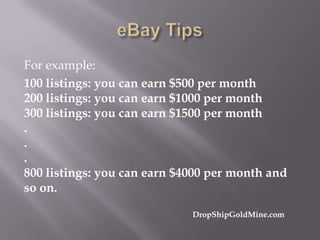
For example:
100 listings: you can earn $500 per month
200 listings: you can earn $1000 per month
300 listings: you can earn $1500 per month
.
.
.
800 listings: you can earn $4000 per month and
so on.
DropShipGoldMine.com
You won't earn money from all your listings, but
many of your listings will sell multiple times,
which is what I am seeing in my eBay account.
The key to selling on eBay is going to be
determined by your titles. The titles are how
people are able find you in eBay.

DropShipGoldMine.com
There is a way to export all of your listings from
eBay and move them to another website where
the products get listed in Google.

DropShipGoldMine.com
You can contact Lawren at:
Phone: 440-399-3153
Skype: lawren.smith
Email: lawren@lawrensmith.com

DropShipGoldMine.com

How To Sell On Ebay

  • 1.
  • 2.
  • 3.
  • 4.
    3. Enter yourcontact information in the “Get Started With eBay” window. Make sure you enter a contact email address so that you can retrieve lost passwords. Then click the submit button. DropShipGoldMine.com
  • 5.
    4. Your accountis now activated and you can start using eBay. You will receive an email from eBay with a “Welcome” message. 5. Next, go to the upper left corner where you see your name. Click on the dropdown and select “Account Settings”. DropShipGoldMine.com
  • 6.
    Here you aregoing to enter in details for your eBay account so that you can start selling. DropShipGoldMine.com
  • 7.
    6. One ofthe first things you are going to do is to setup a Paypal account. DropShipGoldMine.com
  • 8.
    If you alreadyhave a Paypal account, I do suggest you setup a new one. This one account will be used specifically for your eBay business. 7. To signup for a PayPal account, you have two choices, you can click on the Sign Up button located at the bottom of this screen. DropShipGoldMine.com
  • 9.
  • 10.
    You can goto Paypal.com and click on the "Sign Up" button. DropShipGoldMine.com
  • 11.
    8. Once youclick on the Sign Up button, you will be taken to a screen where you choose to have a Paypal for personal use or a Paypal for business and nonprofits. DropShipGoldMine.com
  • 12.
    It doesn't matterwhich one you choose. You can select the Paypal for personal use. If you select Paypal for personal, you'll be taken to this screen. DropShipGoldMine.com
  • 13.
  • 14.
    Now if thisis a second paypal account, be sure to use a different address here because you won't be able to use the same email address for an existing paypal account. If you choose Paypal for business and nonprofits, there are a number of additional options.
  • 15.
  • 16.
    I don't havea business paypal account. I just created a personal account that I use specifically for my eBay account. Either way, you will need to link you eBay account to your paypal account. If you notice, there is a button to do this. Do this only if you have an existing paypal account that you want to link to your eBay account.
  • 17.
  • 18.
    9. Once youhave a paypal account, the next thing to do is to setup your Address. Click on addresses. DropShipGoldMine.com
  • 19.
    10. In theRegistration Address section, click on Create button DropShipGoldMine.com
  • 20.
    When you dothis, you may need to enter in your email address and password again. Once you do this, you'll be taken to this screen where you can enter your address and phone number. DropShipGoldMine.com
  • 21.
    11. Once thatis done, you'll be taken to this screen. DropShipGoldMine.com
  • 22.
    On this page,you can include a Secret question and you can also edit the About Me Page. It's not necessary. I didn't DropShipGoldMine.com
  • 23.
    11. If youclick on My eBay in the upper righthand corner, you'll be able to see all of the information that is related to your eBay sellers account. DropShipGoldMine.com
  • 24.
    12. Look inthe "Sell" section on the lower lefthand corner of the screen. You may need to click on the drop-down button to see everything. DropShipGoldMine.com
  • 25.
    Your eBay accountis now ready to use. You can begin selling online. DropShipGoldMine.com
  • 26.
    I do whatis referred to as "Dropshipping". DropShipGoldMine.com
  • 27.
    The more listingsyou have, the more money you can earn. Ebay does allow you to have multiple accounts. You can have 9 eBay accounts, but there is a requirement. DropShipGoldMine.com
  • 28.
    That requirement isthat you must sell products in different categories in each of your eBay accounts. In one account you would sell items listed in the "Home and Garden" category. In another eBay account you sell items in the "Sporting Goods" category, in another eBay account you sell items in the "Exercise Equipment DropShipGoldMine.com
  • 29.
    Here is theformula for determining how much money you can make from your listings per month. What you do is take the number of listings you have in your eBay account and multiply by five (5). DropShipGoldMine.com
  • 30.
    For example: 100 listings:you can earn $500 per month 200 listings: you can earn $1000 per month 300 listings: you can earn $1500 per month . . . 800 listings: you can earn $4000 per month and so on. DropShipGoldMine.com
  • 31.
    You won't earnmoney from all your listings, but many of your listings will sell multiple times, which is what I am seeing in my eBay account. The key to selling on eBay is going to be determined by your titles. The titles are how people are able find you in eBay. DropShipGoldMine.com
  • 32.
    There is away to export all of your listings from eBay and move them to another website where the products get listed in Google. DropShipGoldMine.com
  • 33.
    You can contactLawren at: Phone: 440-399-3153 Skype: lawren.smith Email: lawren@lawrensmith.com DropShipGoldMine.com