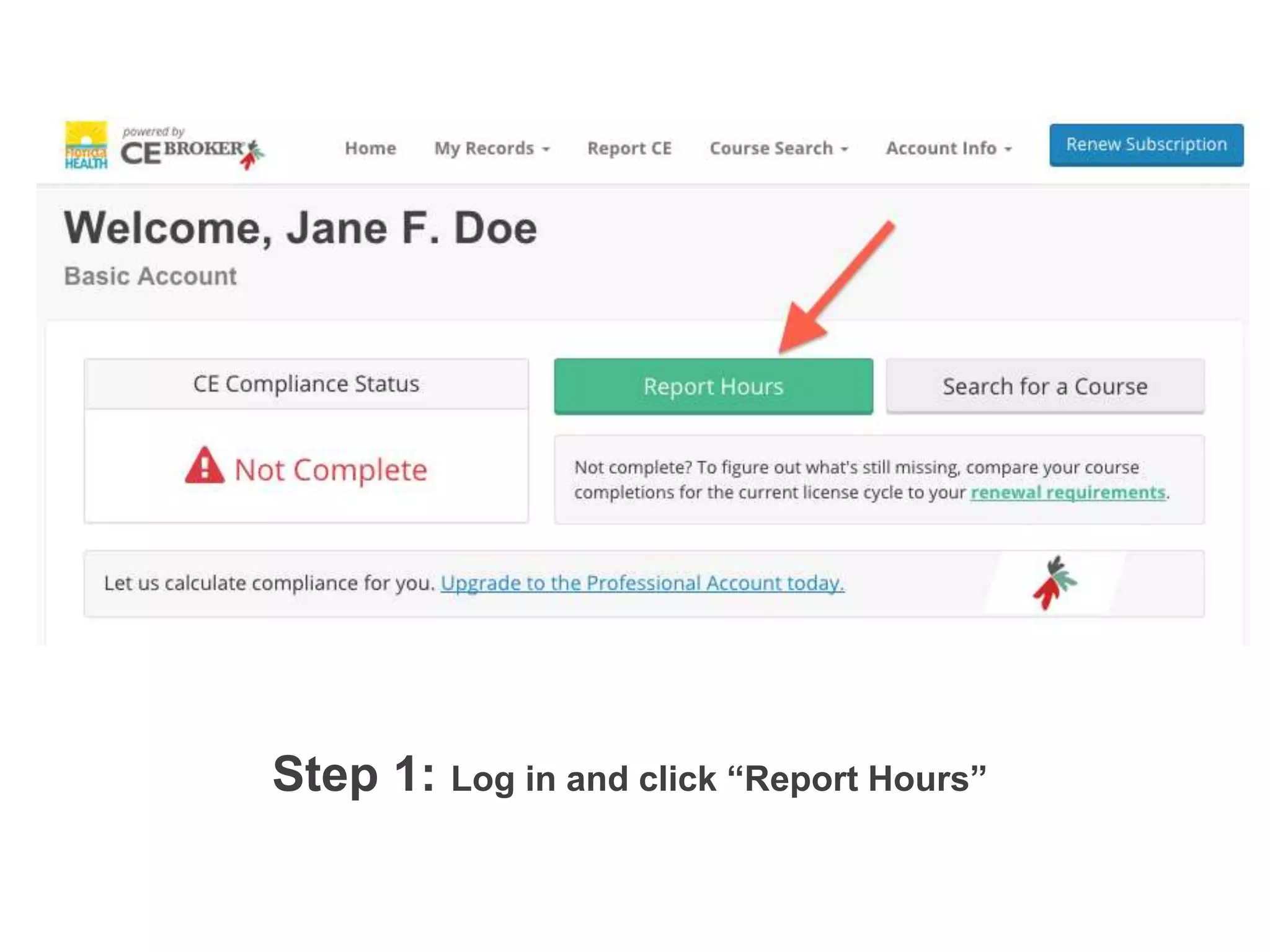
Step 1: Log in and click “Report Hours”!!
Step 1: Log in to your account and click “Report Hours” from the dashboard.!
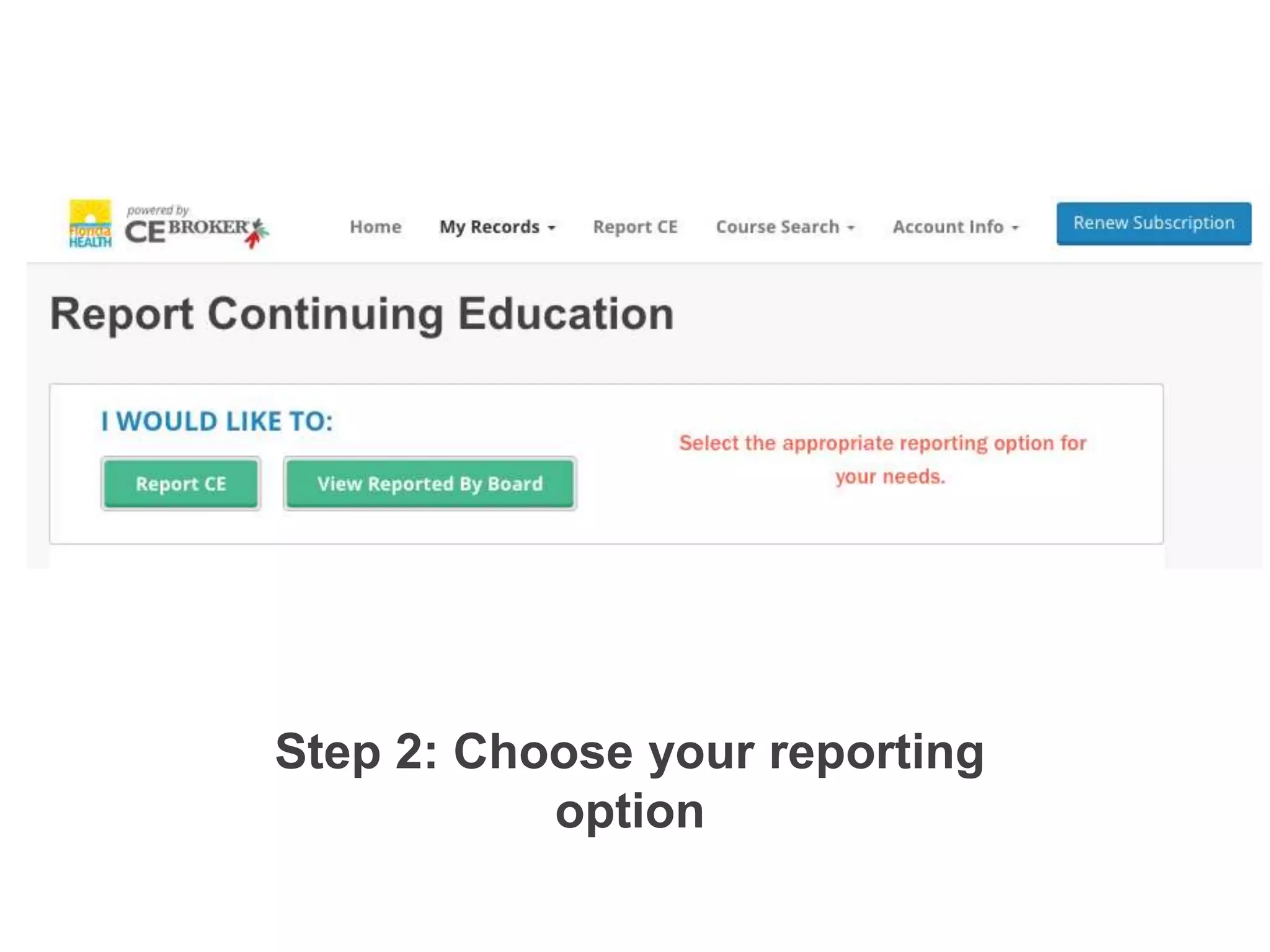
Step 2: Choose your reporting
option!Step 2: Select “Report CE” to begin!
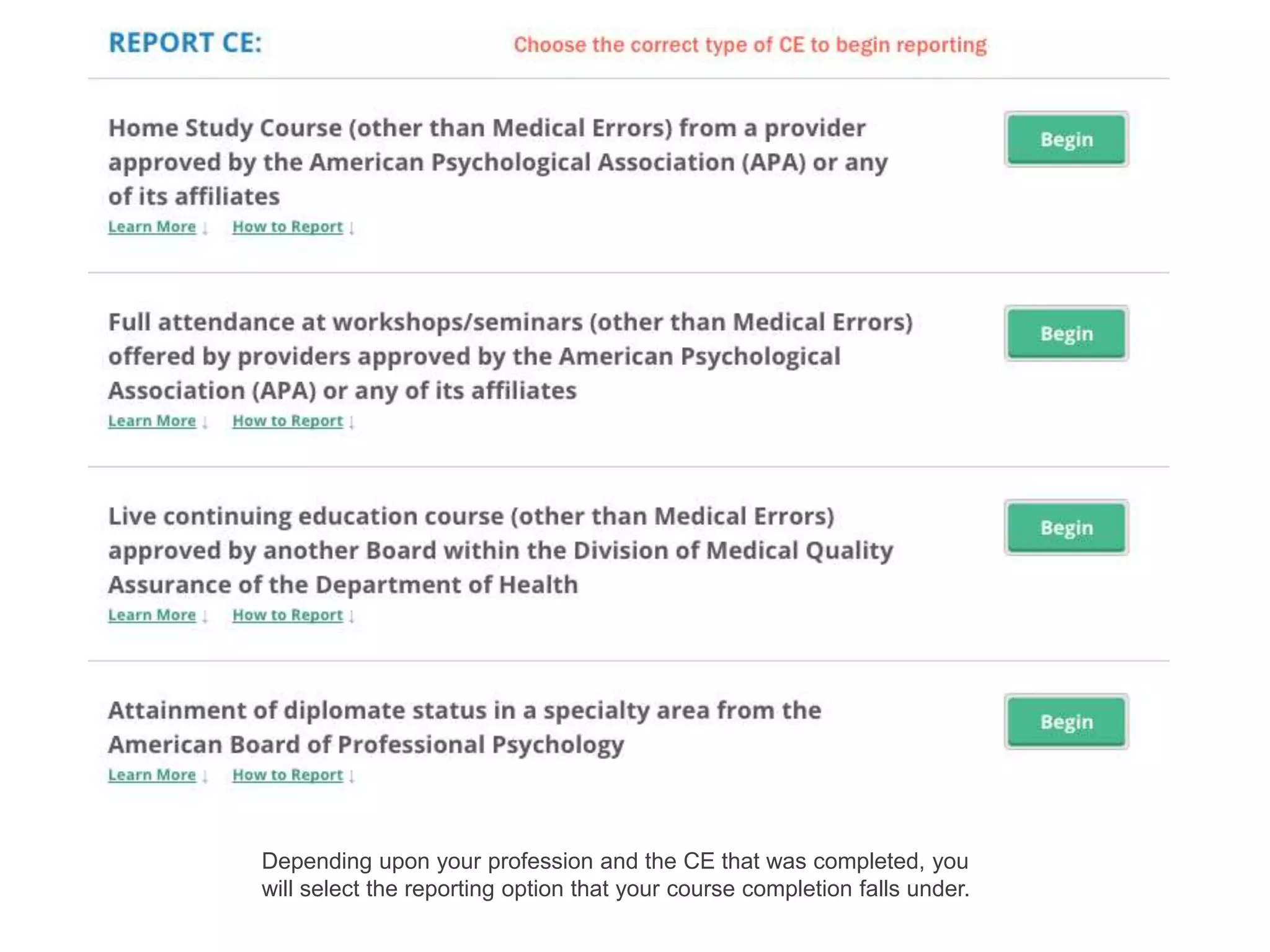
Step 3: Select the type of CE you
need to report!
Depending upon your profession and the CE that was completed, you
will select the reporting option that your course completion falls under.!
!
Step 3: Select the type of CE you need to report. !
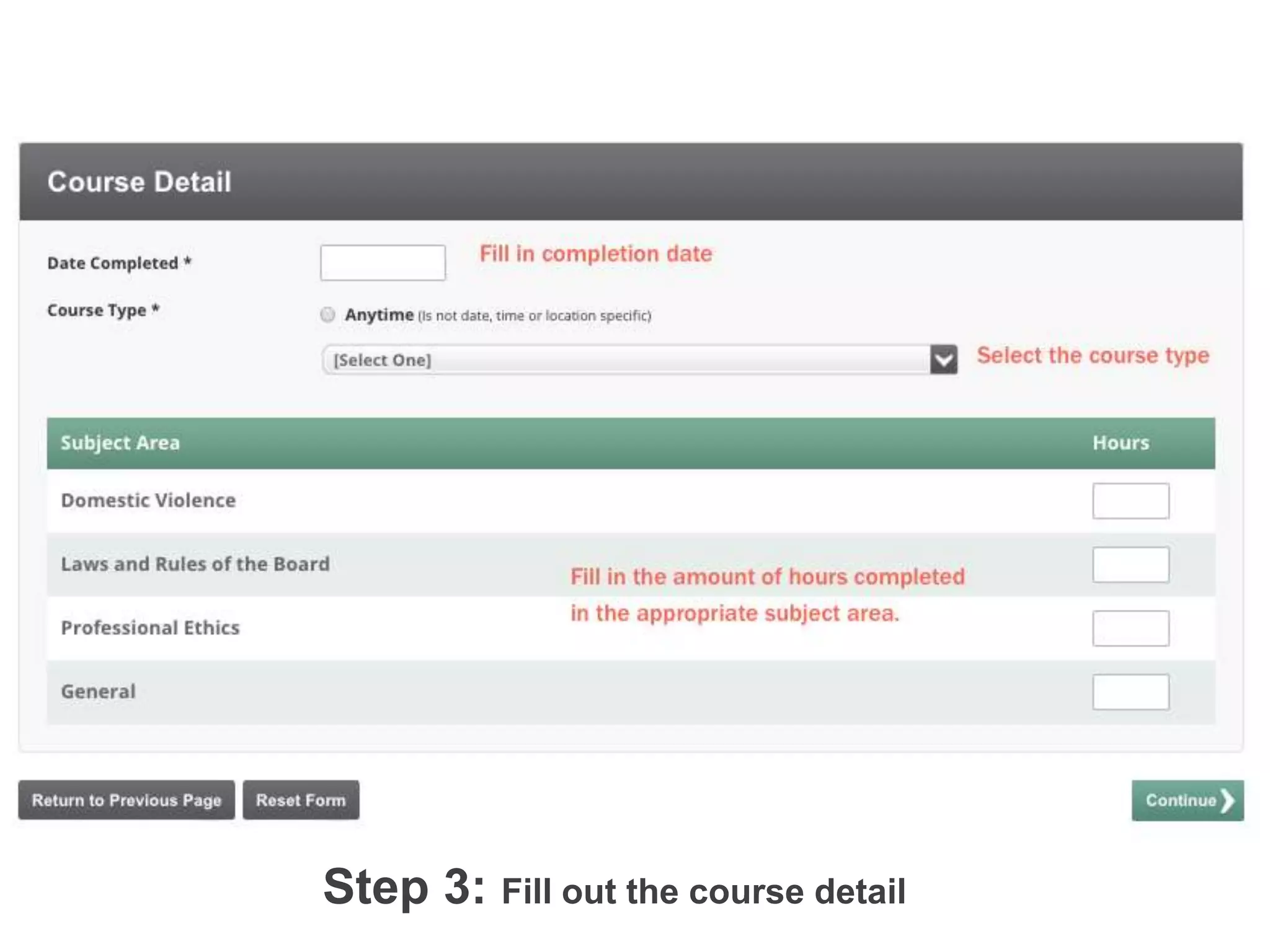
Step 3: Fill out the course detail!
	
  
Step 4: Enter in the course detail information. !
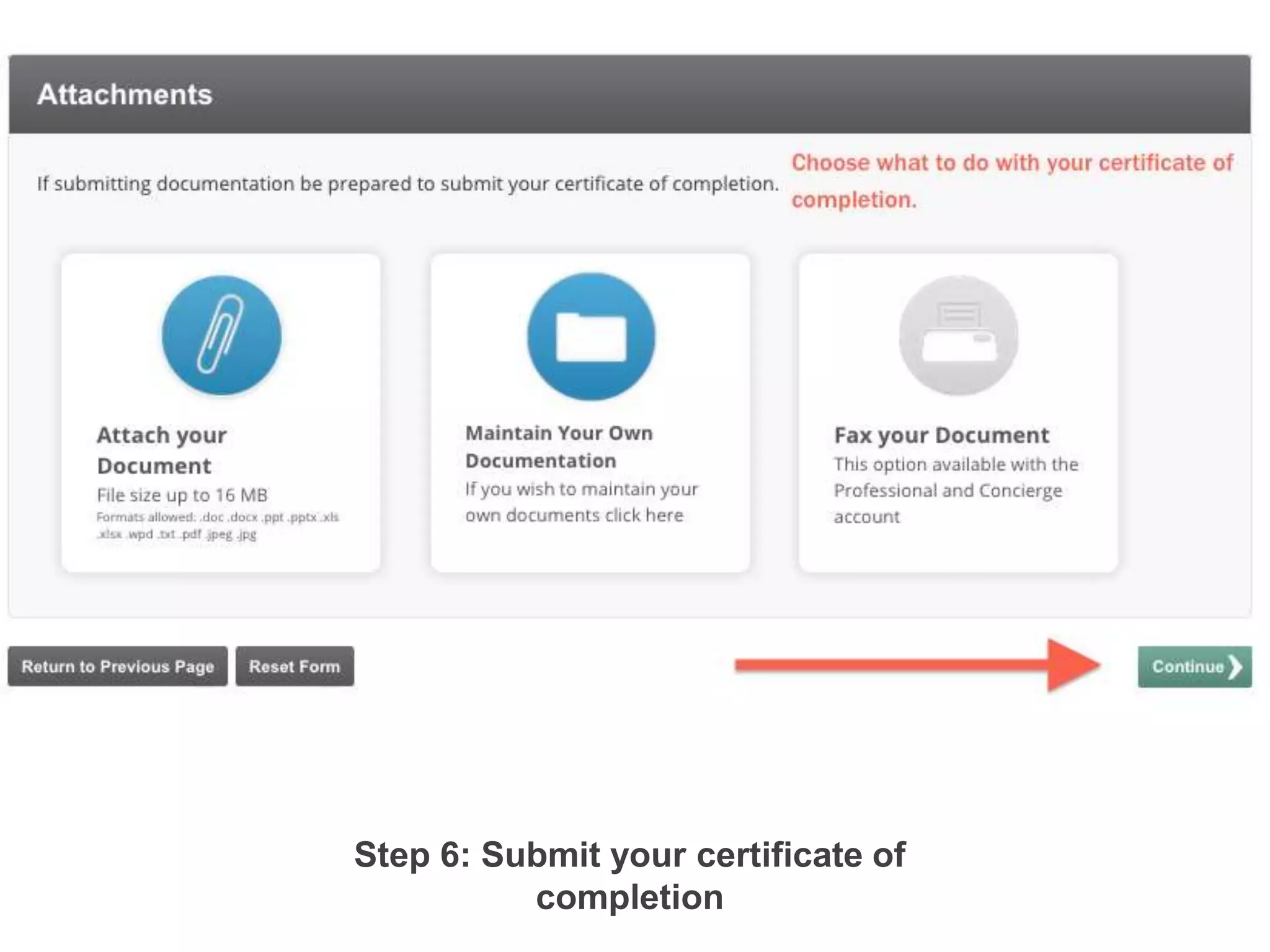
Step 6: Submit your certificate of
completion!
Step 5: Choose what to do with your certificate of completion. You can either
“attach your document” to retrieve at any time from within your account,
“maintain your own documentation” and hold on to it yourself or you can “fax
your document to the CE Experts.”!
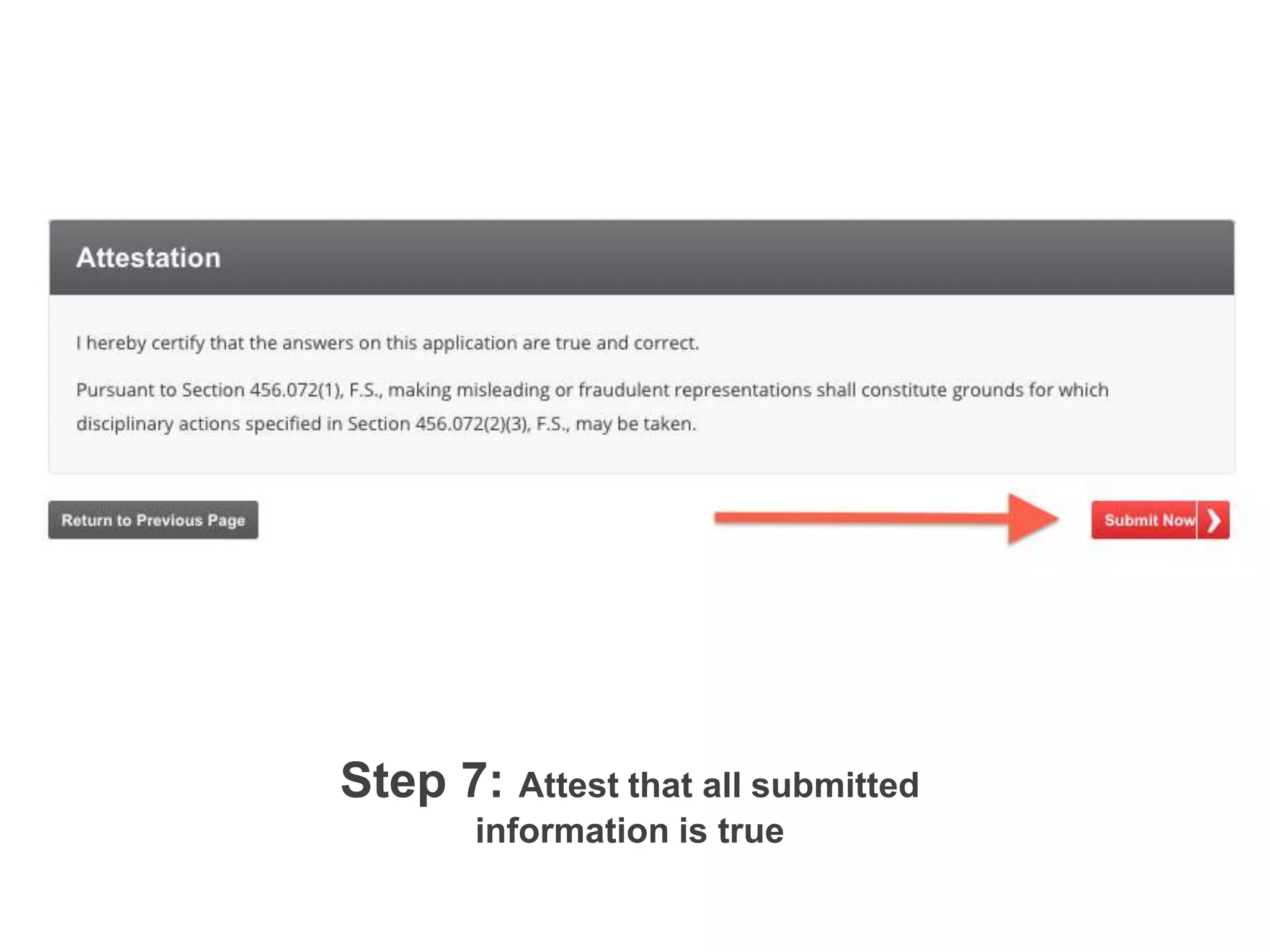
Step 7: Attest that all submitted
information is true!
	
  
Step 6: Click “Submit Now” to attest that all the information
you entered is true. !
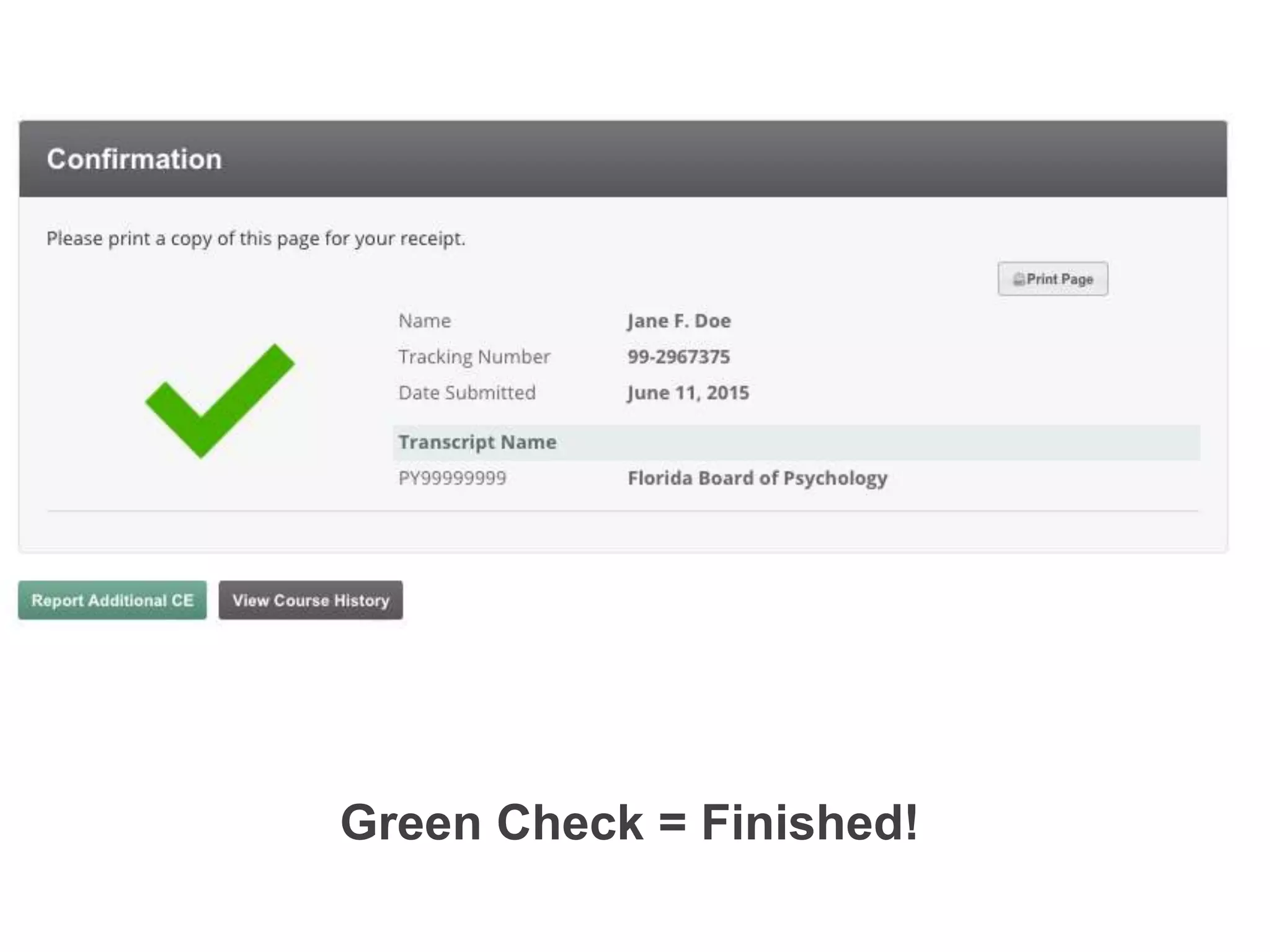
Green Check = Finished!!
Once you see the green check mark, you’re finished!!
If you haven’t already, create your account today. There are many options
to choose from, so pick what best meets your needs!!

How to: Report CE

  • 2.
    Step 1: Login and click “Report Hours”!! Step 1: Log in to your account and click “Report Hours” from the dashboard.!
  • 3.
    Step 2: Chooseyour reporting option!Step 2: Select “Report CE” to begin!
  • 4.
    Step 3: Selectthe type of CE you need to report! Depending upon your profession and the CE that was completed, you will select the reporting option that your course completion falls under.! ! Step 3: Select the type of CE you need to report. !
  • 5.
    Step 3: Fillout the course detail!   Step 4: Enter in the course detail information. !
  • 7.
    Step 6: Submityour certificate of completion! Step 5: Choose what to do with your certificate of completion. You can either “attach your document” to retrieve at any time from within your account, “maintain your own documentation” and hold on to it yourself or you can “fax your document to the CE Experts.”!
  • 8.
    Step 7: Attestthat all submitted information is true!   Step 6: Click “Submit Now” to attest that all the information you entered is true. !
  • 9.
    Green Check =Finished!! Once you see the green check mark, you’re finished!!
  • 10.
    If you haven’talready, create your account today. There are many options to choose from, so pick what best meets your needs!!