How to Select Views in Customer and Entity Calendar in
Calendar 365
The upgraded Calendar365 empowers users to effortlessly view all activities related to a specific
user within a particular view. The new feature in the Customer and Entity Calendar is designed
for easy use, allowing you to select a desired entity view and seamlessly access the
corresponding records for the chosen view.
With Calendar365’s new Entity View feature, you can efficiently access and manage activities for
specific users within a particular view, saving you valuable time and effort.
View Feature in Customer Calendar
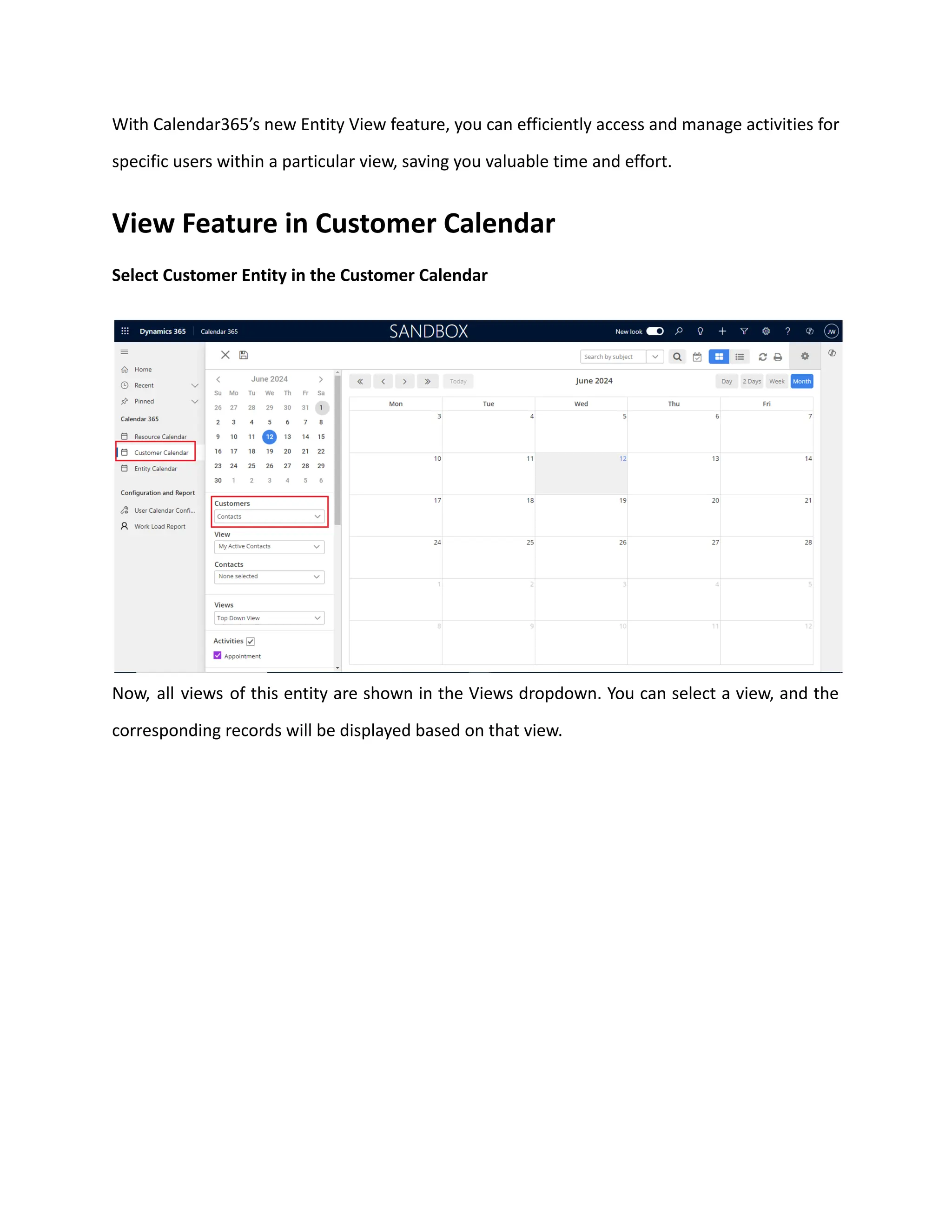
Select Customer Entity in the Customer Calendar
Now, all views of this entity are shown in the Views dropdown. You can select a view, and the
corresponding records will be displayed based on that view.
View Feature in Entity Calendar
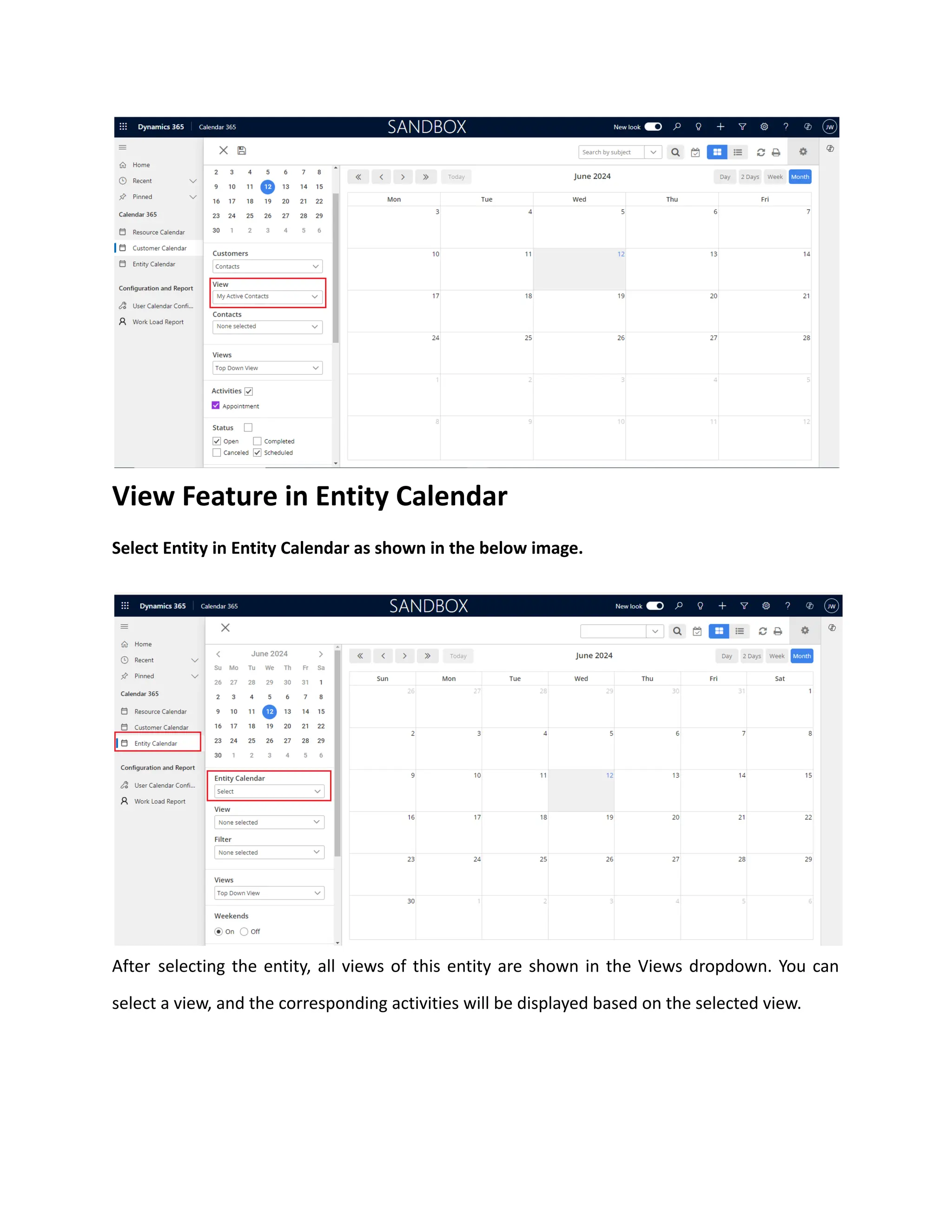
Select Entity in Entity Calendar as shown in the below image.
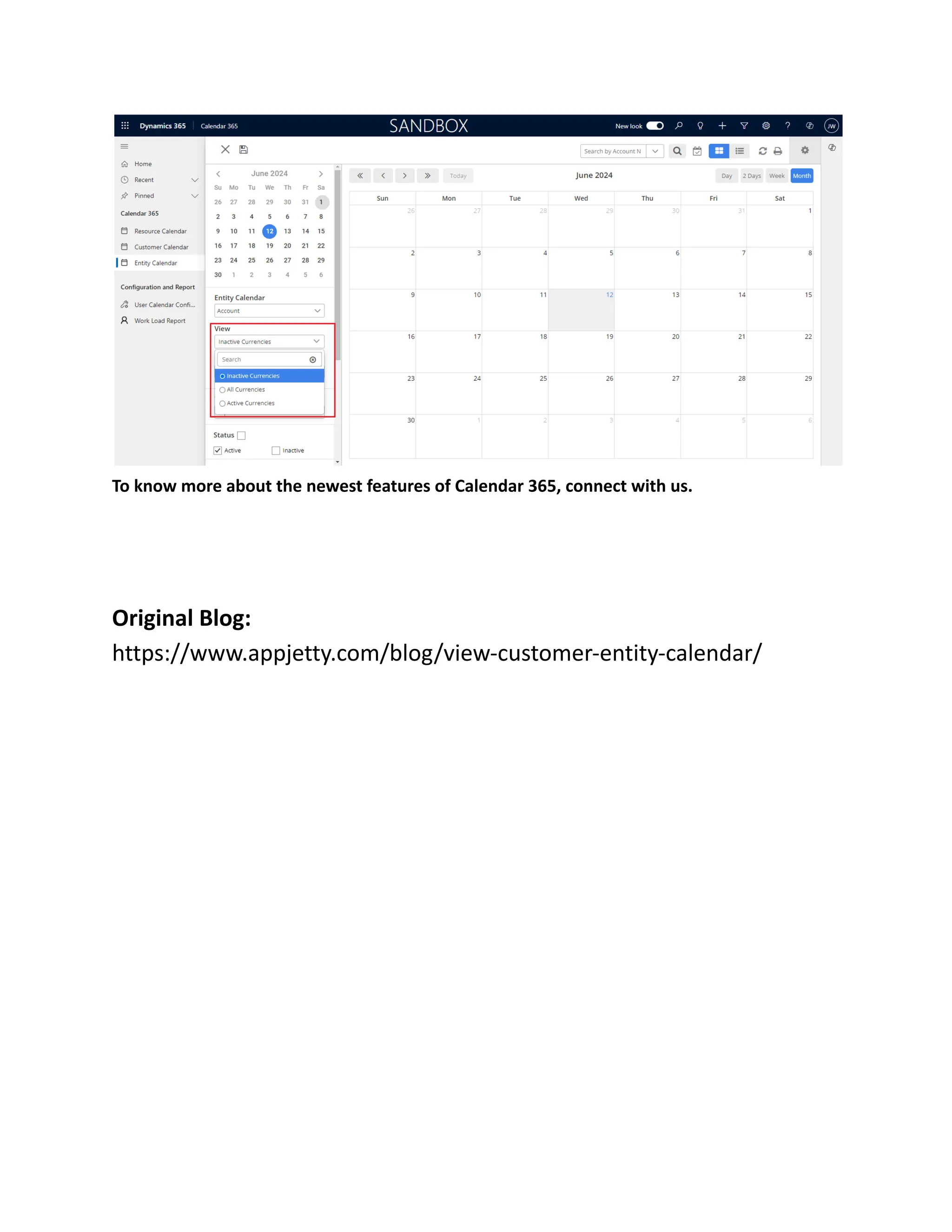
After selecting the entity, all views of this entity are shown in the Views dropdown. You can
select a view, and the corresponding activities will be displayed based on the selected view.
To know more about the newest features of Calendar 365, connect with us.
Original Blog:
https://www.appjetty.com/blog/view-customer-entity-calendar/

How to Select Views in Customer and Entity Calendar in Calendar 365.pdf

  • 1.
    How to SelectViews in Customer and Entity Calendar in Calendar 365 The upgraded Calendar365 empowers users to effortlessly view all activities related to a specific user within a particular view. The new feature in the Customer and Entity Calendar is designed for easy use, allowing you to select a desired entity view and seamlessly access the corresponding records for the chosen view.
  • 2.
    With Calendar365’s newEntity View feature, you can efficiently access and manage activities for specific users within a particular view, saving you valuable time and effort. View Feature in Customer Calendar Select Customer Entity in the Customer Calendar Now, all views of this entity are shown in the Views dropdown. You can select a view, and the corresponding records will be displayed based on that view.
  • 3.
    View Feature inEntity Calendar Select Entity in Entity Calendar as shown in the below image. After selecting the entity, all views of this entity are shown in the Views dropdown. You can select a view, and the corresponding activities will be displayed based on the selected view.
  • 4.
    To know moreabout the newest features of Calendar 365, connect with us. Original Blog: https://www.appjetty.com/blog/view-customer-entity-calendar/