Managing expiry dates in Odoo 18 ensures efficient tracking of perishable products. By configuring lots, serial numbers, and expiration rules, you can minimize waste, maintain product quality, and streamline inventory operations
How to ManageExpiry Date in Odoo 18
Inventory
Enterprise
2.
Enterprise
Managing expiry datesin Odoo 18 ensures efficient tracking of
perishable products. By configuring lots, serial numbers, and expiration
rules, you can minimize waste, maintain product quality, and
streamline inventory operations
Introduction
3.
Enterprise
Odoo expiry datestrack the shelf life of products, ensuring timely
management of perishable items through features like best-before,
expiration, and removal dates.
Expiry Dates
4.
Enterprise
● Enable Lots/SerialNumbers
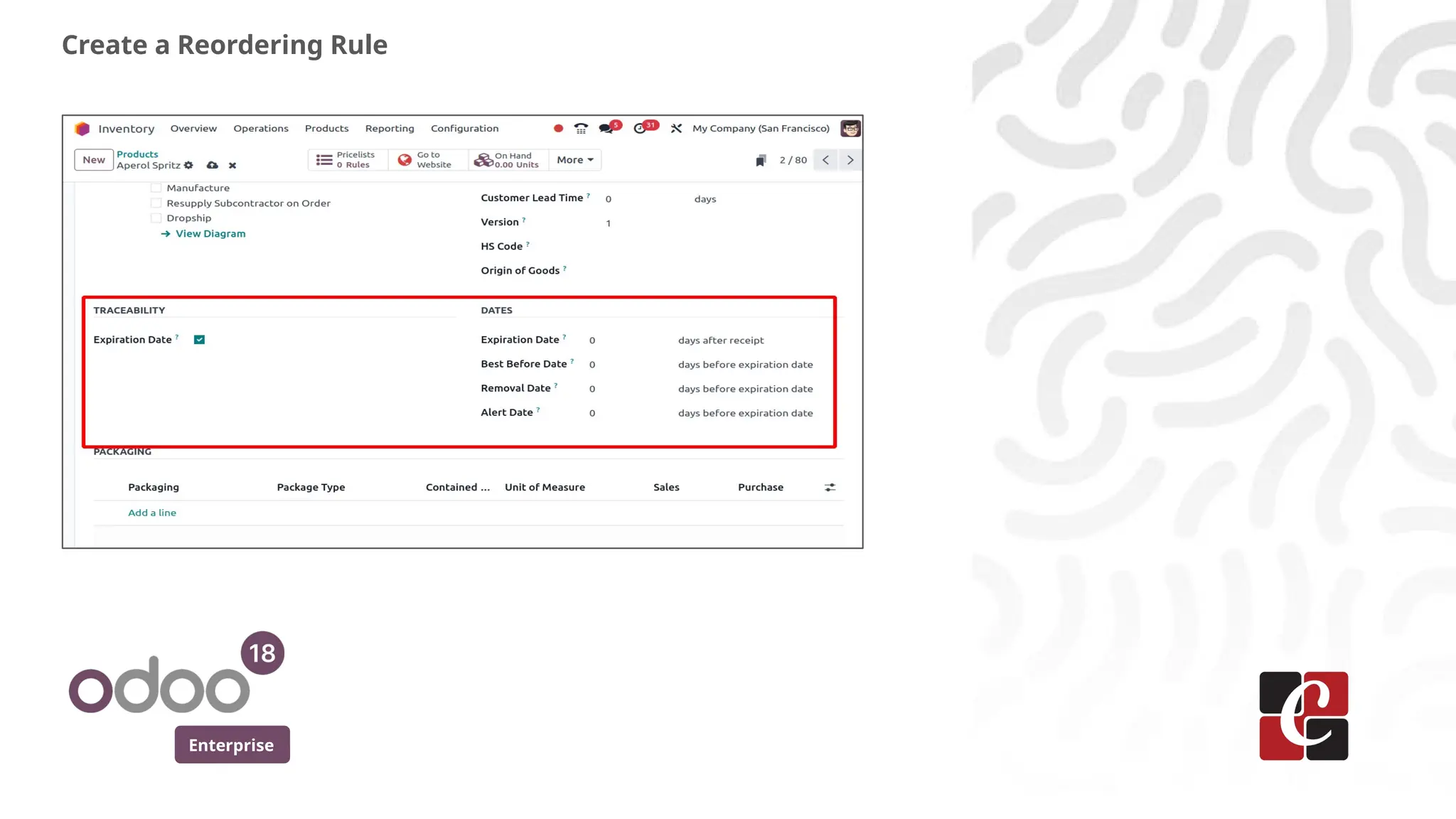
● Set Up Expiration Dates
● Assign Expiry Dates to Lots/Serial Numbers
● Manage Expired Products
Steps
5.
Enterprise
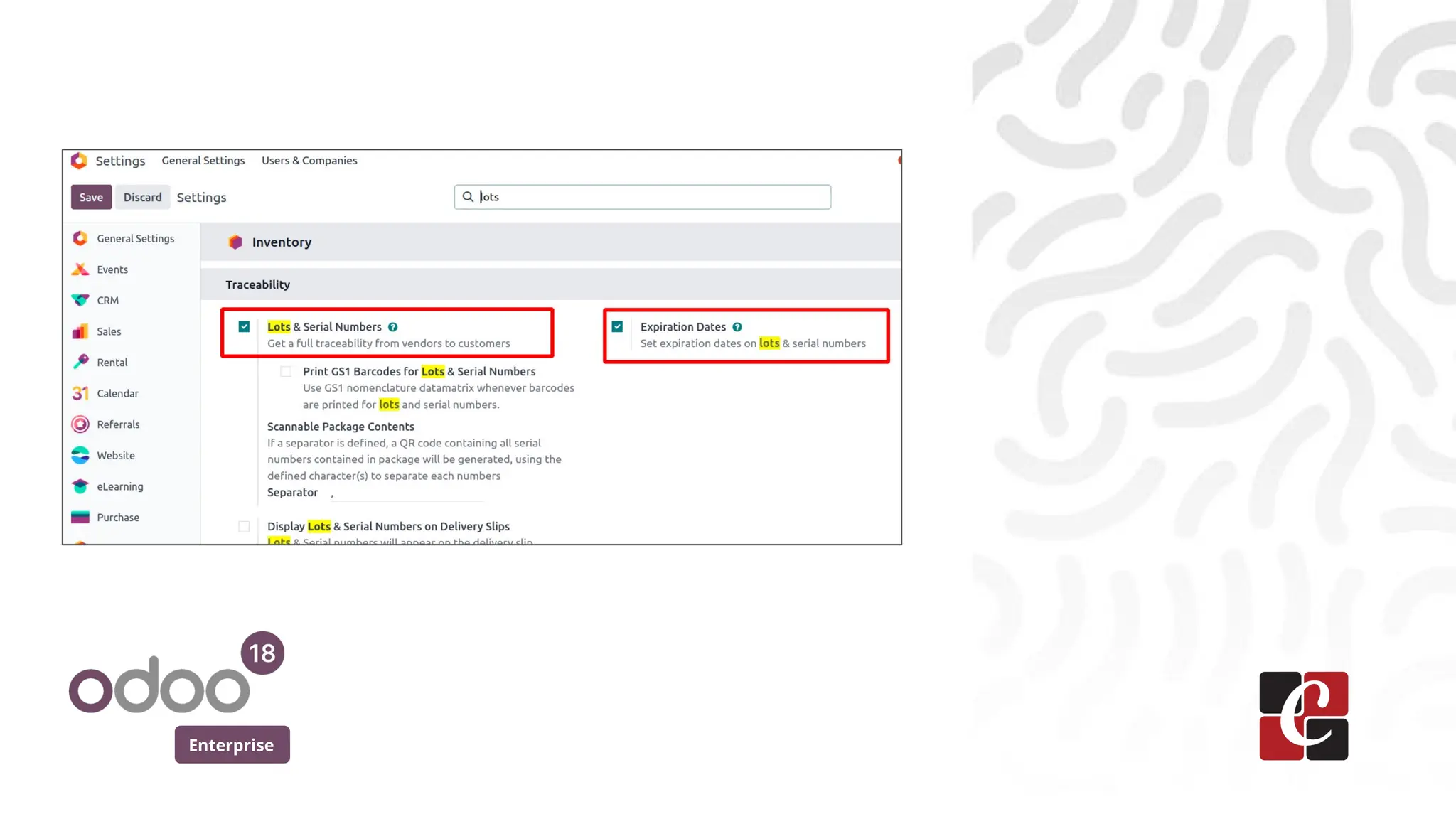
● Go toInventory > Configuration > Settings.
● Enable Lots & Serial Numbers and Expiration Dates, then save the
settings.
Enable Lots/Serial Numbers
Enterprise
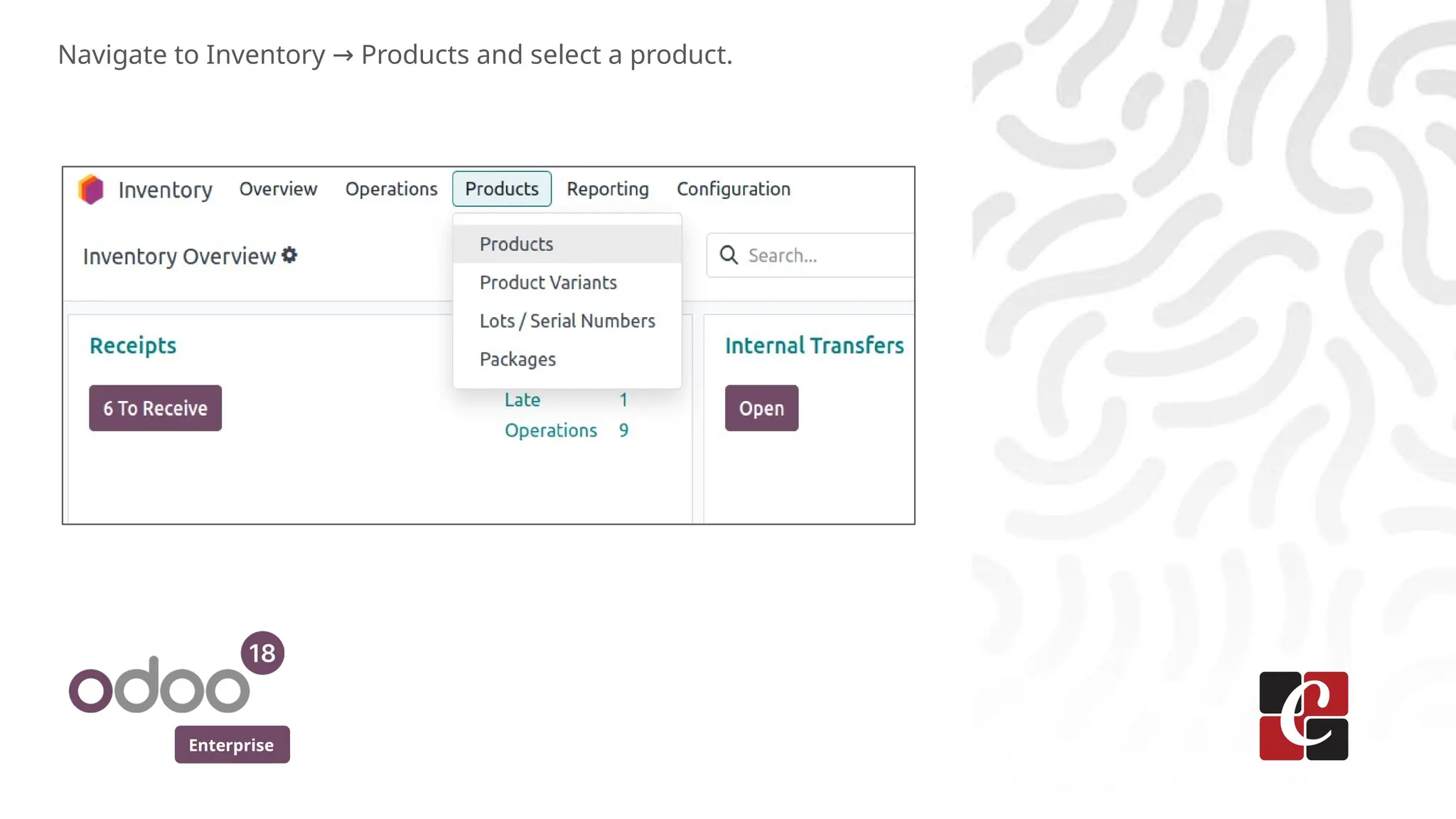
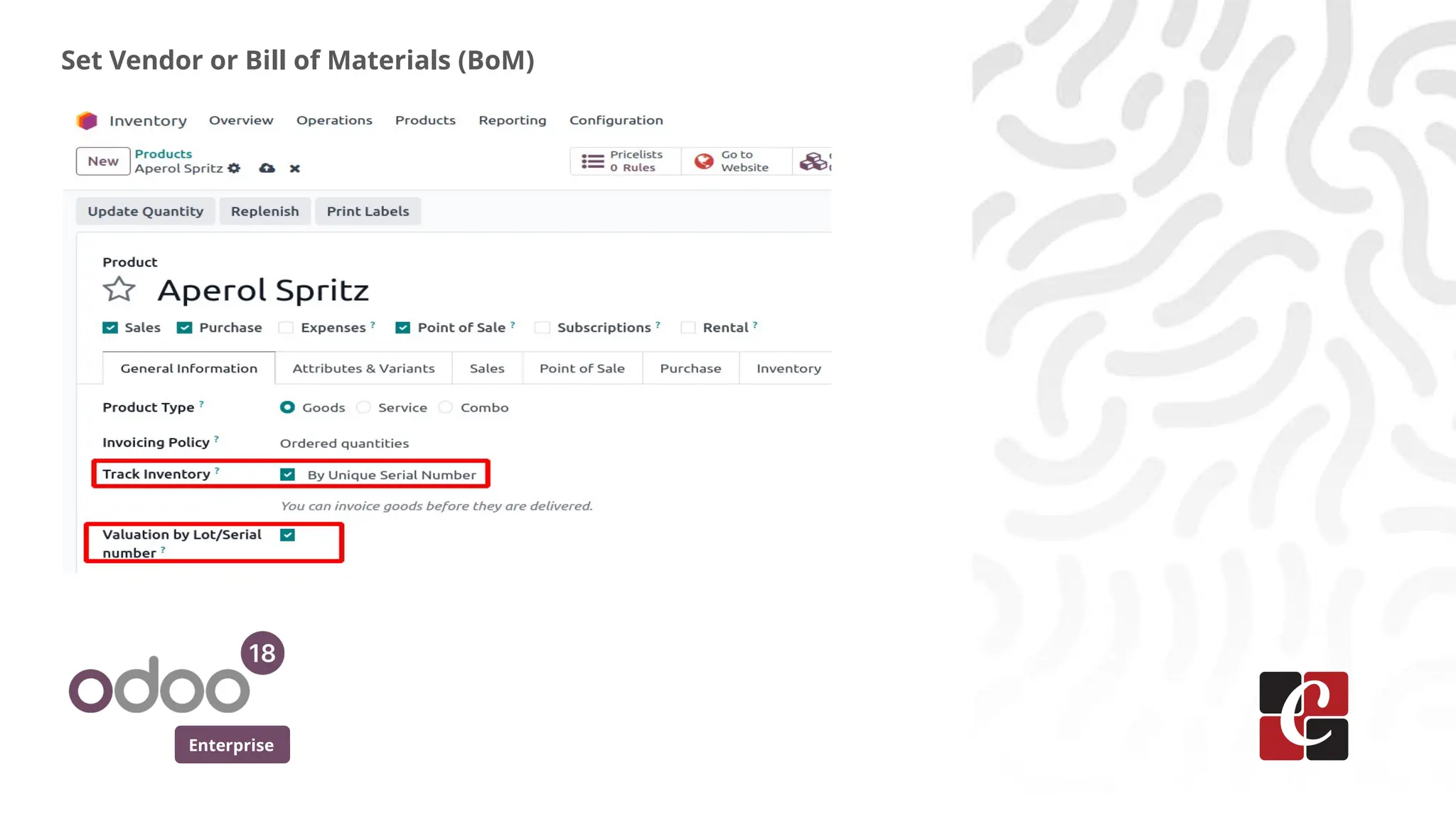
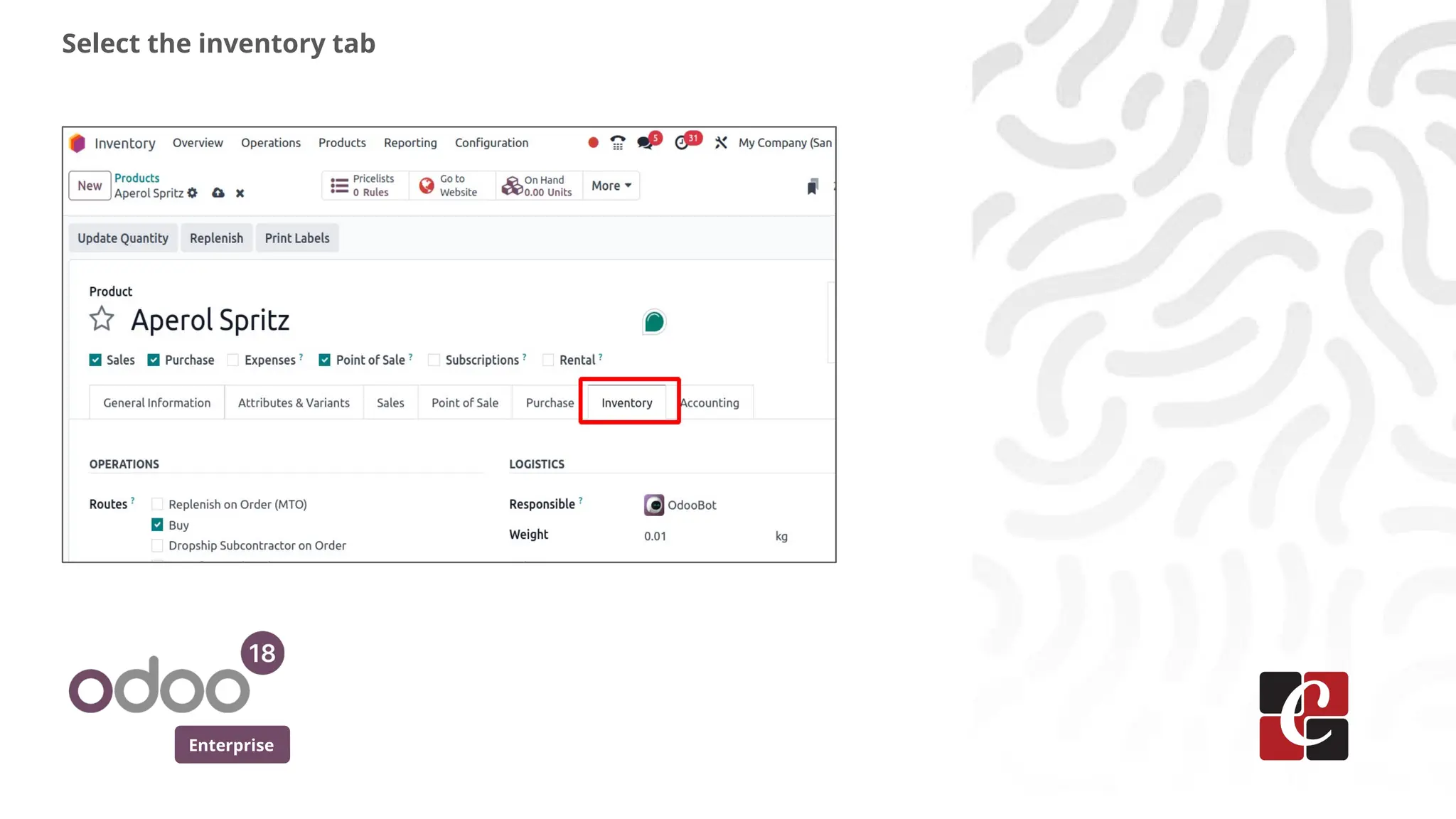
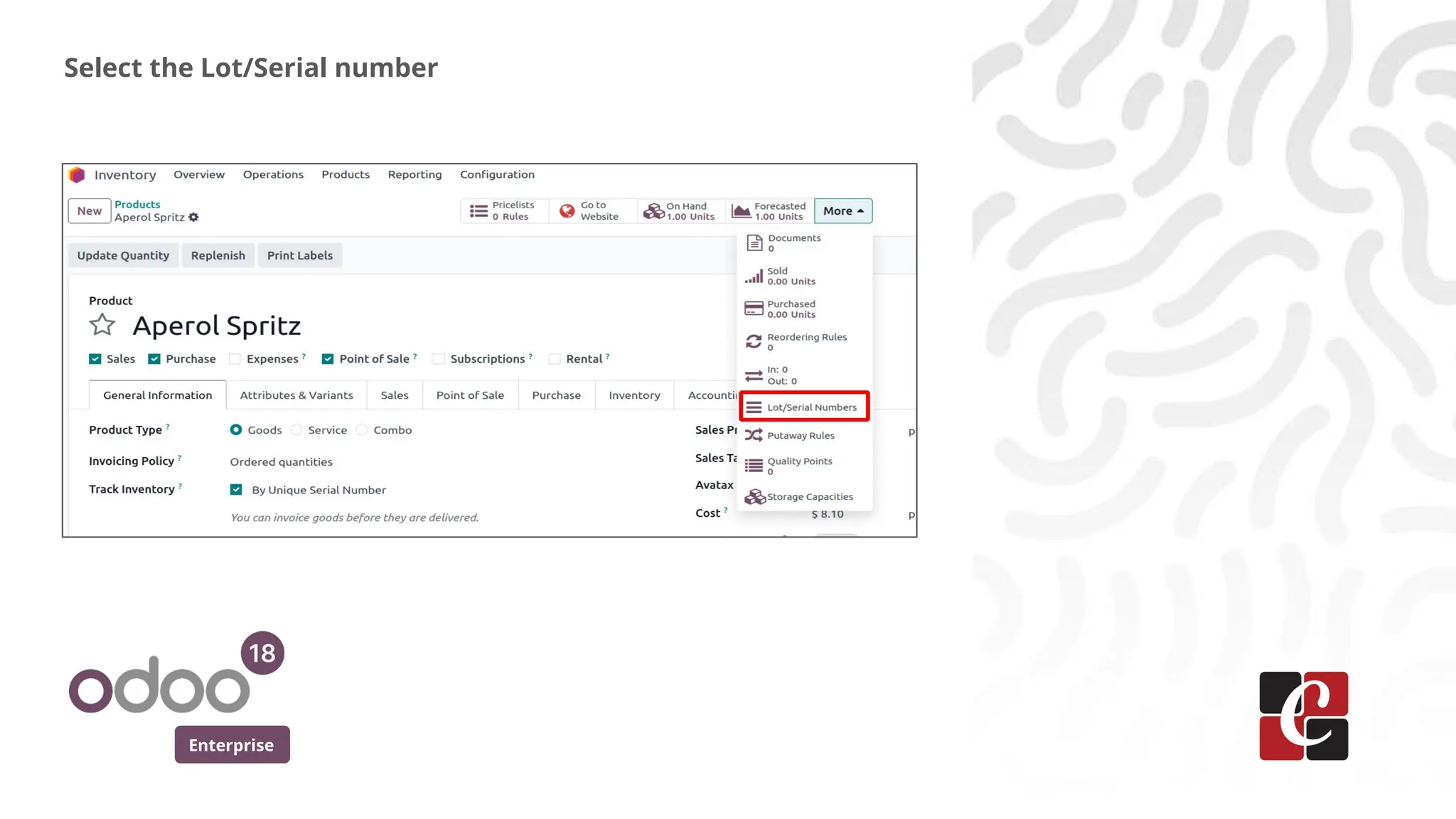
❖ Go toProducts and select any product,
for example: Aperol Spritz.
❖ Under the General Information tab:
❏ Set Track Inventory to "By Unique Serial Number."
❏ Ensure Valuation by Lot/Serial Number is enabled.
Explanation
Enterprise
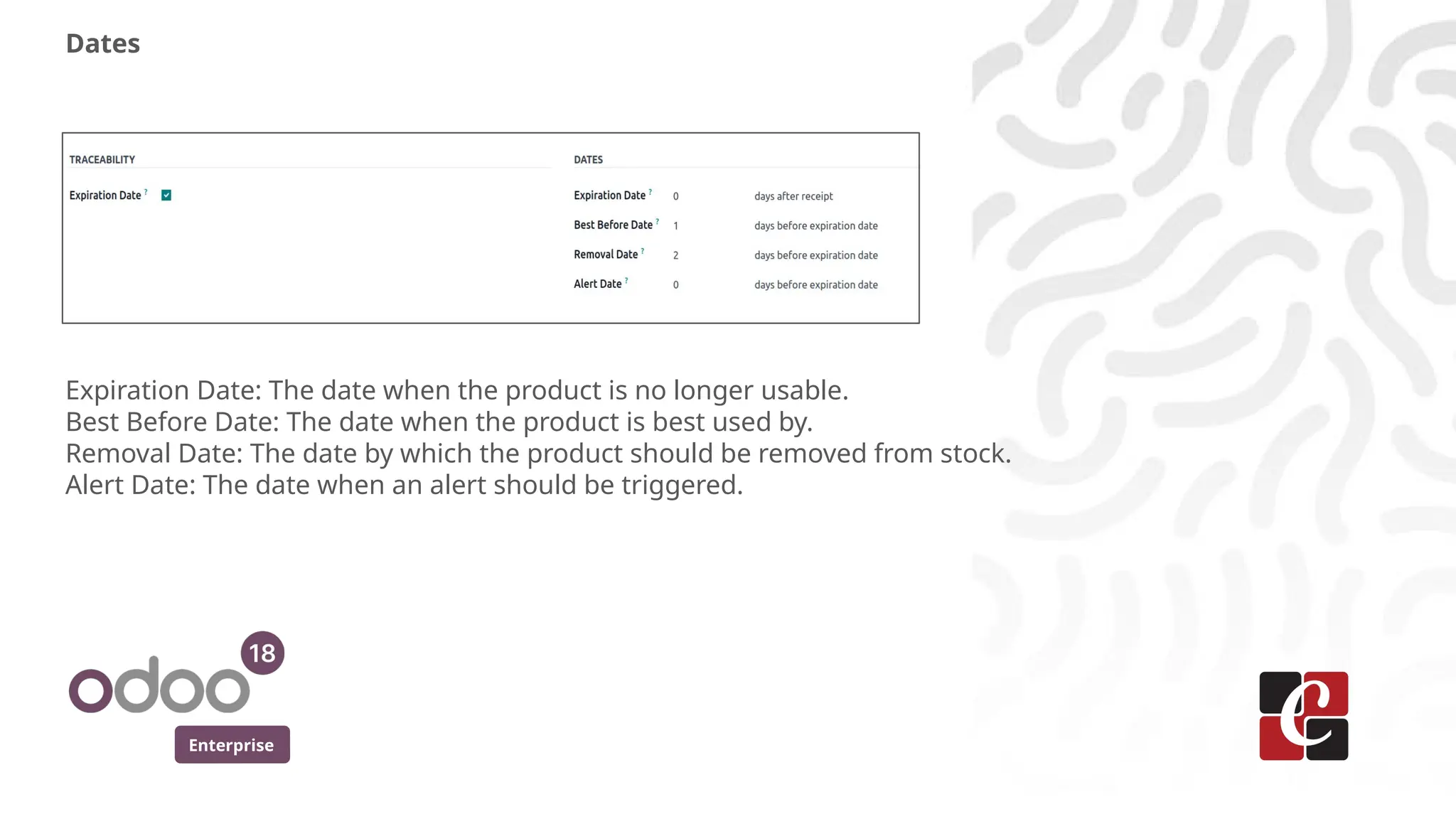
Dates
Expiration Date: Thedate when the product is no longer usable.
Best Before Date: The date when the product is best used by.
Removal Date: The date by which the product should be removed from stock.
Alert Date: The date when an alert should be triggered.
13.
Enterprise
● Expiration Date:0
This indicates the product expires on the same day as the
assigned lot/serial number's expiration date.
● Best Before Date: 1
After this date, the product may still be safe but might not
meet quality standards.
● Removal Date: 2
The product should be removed from inventory two days
before the expiration date.
● Alert Date
This is the date when Odoo triggers a notification or alert.
Explanation
Enterprise
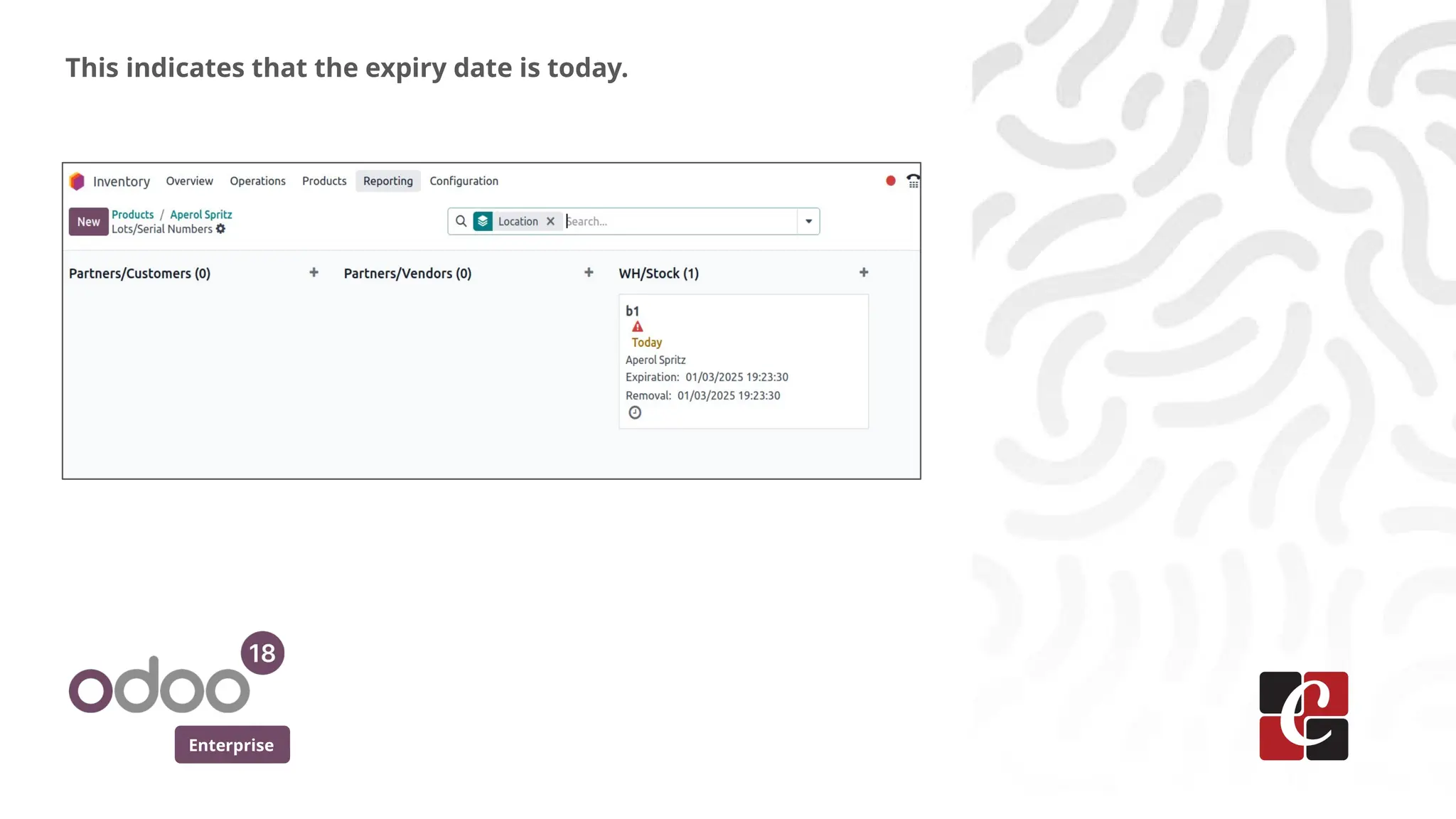
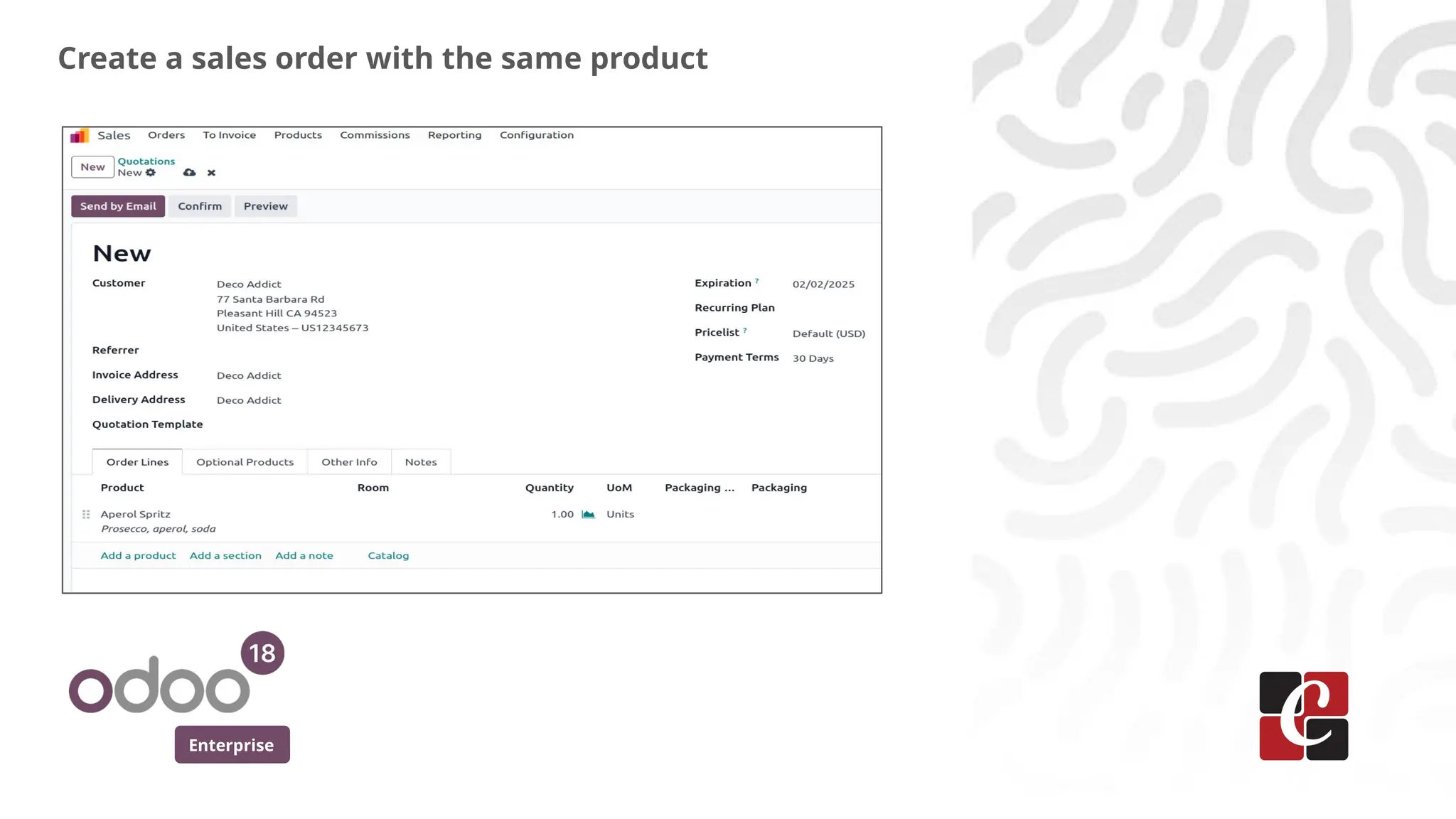
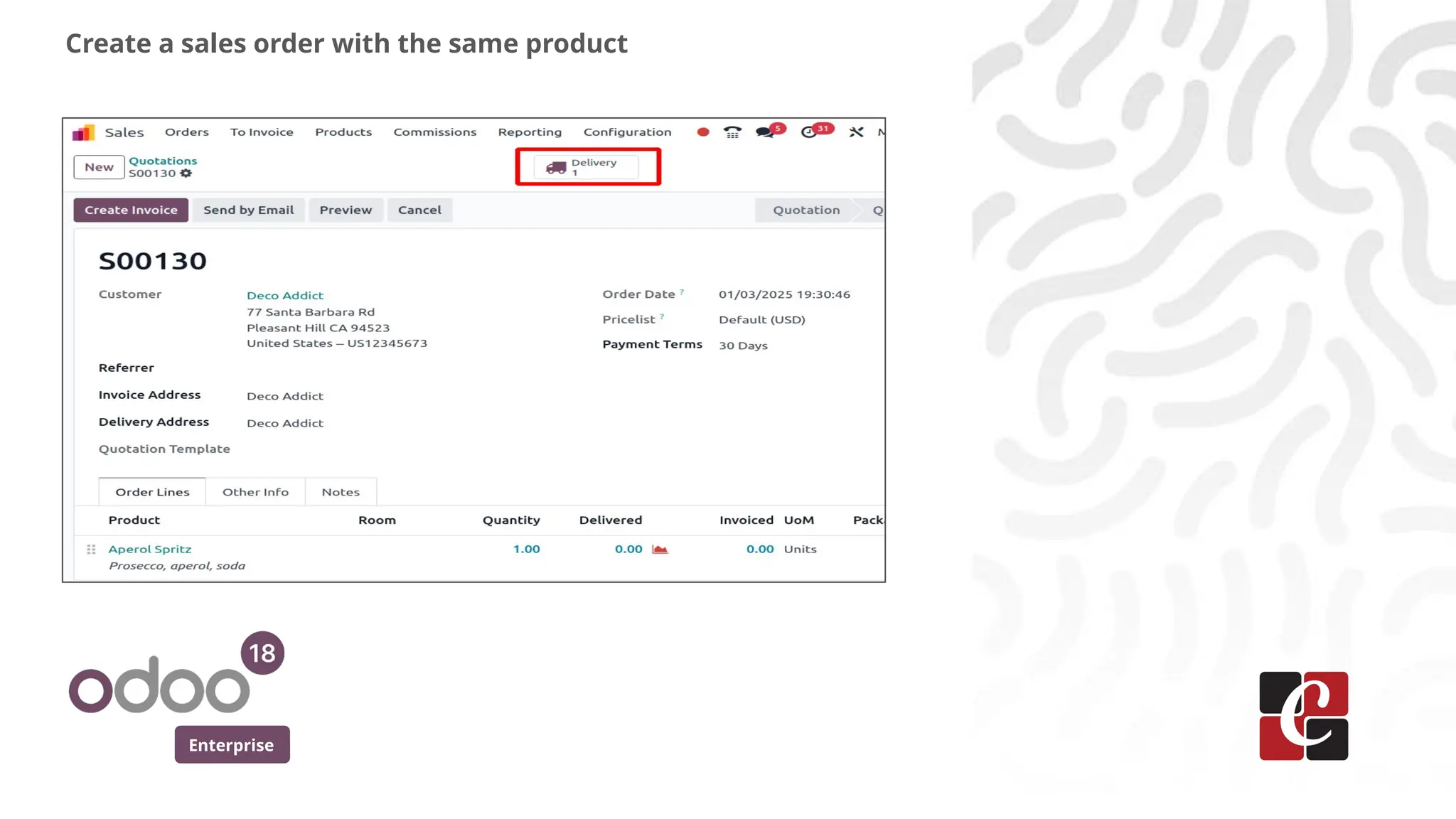
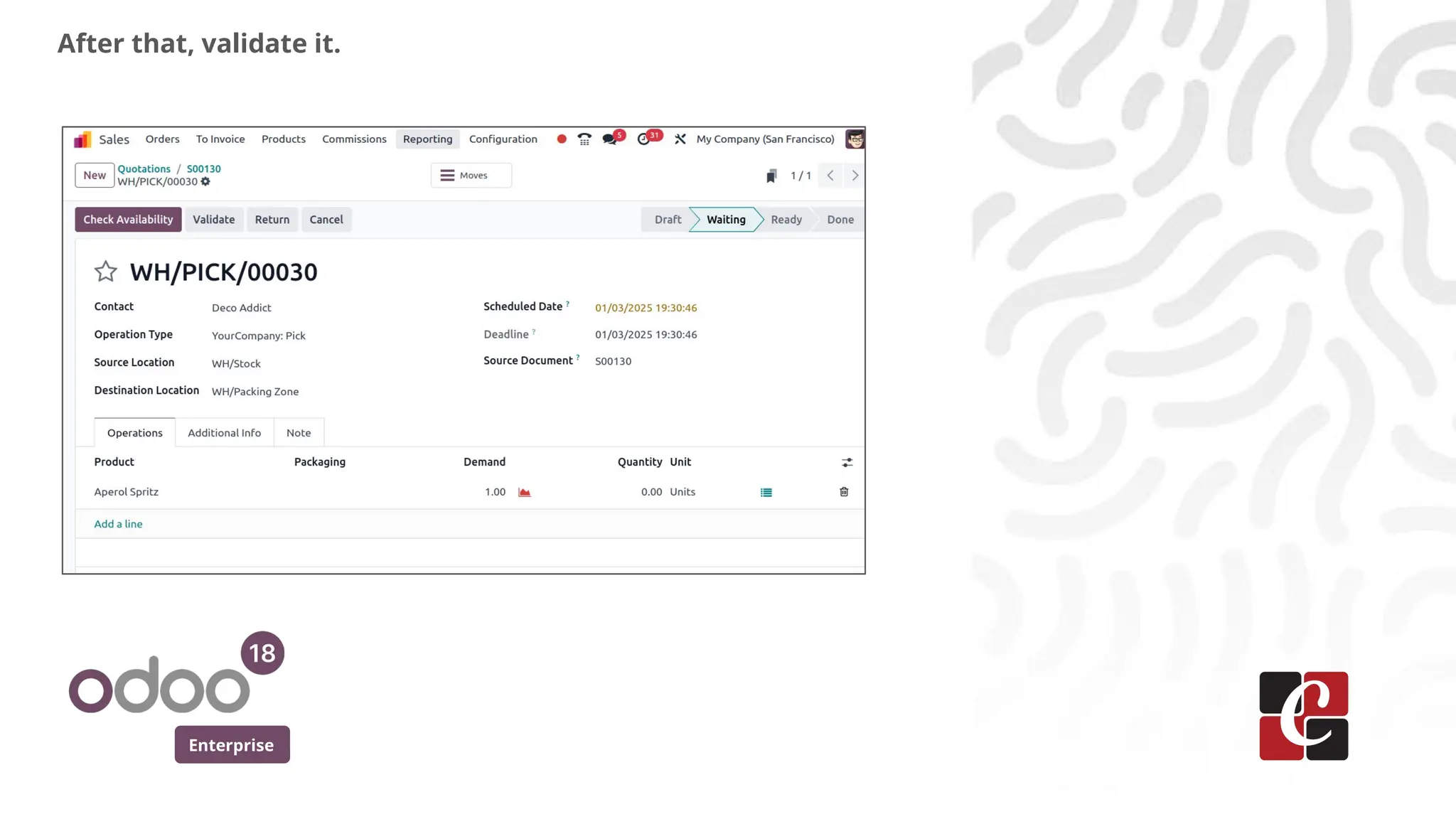
Try validating, andan alert will appear indicating that the
product will expire today. This helps notify the user about the
expiration
In conclusion, managing expiration dates in Odoo helps ensure
timely notifications for perishable products. This process
improves inventory control and reduces the risk of selling
expired items.
Conclusion
20.
For More Info.
Checkour company website for related blogs
and Odoo book.
Check our YouTube channel for
functional and technical videos in Odoo.
Enterprise
www.cybrosys.com