How to Lip Sync
These are the steps on how to lip sync using a camera to
record your miming and using the song of choice on
premiere to edit the footage and make it look like you
are saying the words that are being sung. Many music
videos today use this technique.
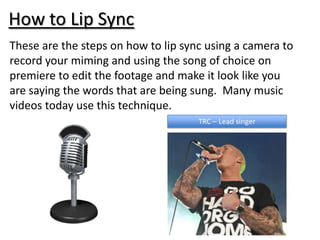
                                     TRC – Lead singer
Step One: Record the Lip sync footage
• Firstly, learn the lyrics to a song of your choice
• Secondly, set up camera to record so your face
  is in full view.
• Finally, record the lip sync in time with the
  correct timing.
Step Two: Download the song
• Download the song you are going to lip sync
  too.
• You can also buy the single track you are
  using.


                  Song Choice: TRC – London’s greatest Love story
Step Three: Importing the Song
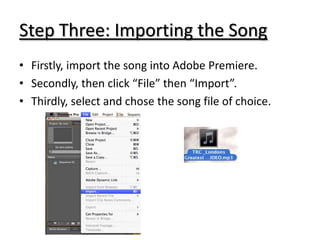
• Firstly, import the song into Adobe Premiere.
• Secondly, then click “File” then “Import”.
• Thirdly, select and chose the song file of choice.
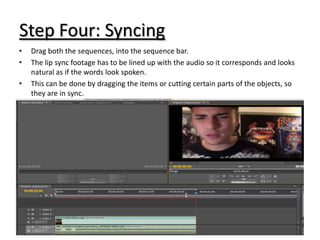
Step Four: Syncing
•   Drag both the sequences, into the sequence bar.
•   The lip sync footage has to be lined up with the audio so it corresponds and looks
    natural as if the words look spoken.
•   This can be done by dragging the items or cutting certain parts of the objects, so
    they are in sync.

How to lip sync

  • 1.
    How to LipSync These are the steps on how to lip sync using a camera to record your miming and using the song of choice on premiere to edit the footage and make it look like you are saying the words that are being sung. Many music videos today use this technique. TRC – Lead singer
  • 2.
    Step One: Recordthe Lip sync footage • Firstly, learn the lyrics to a song of your choice • Secondly, set up camera to record so your face is in full view. • Finally, record the lip sync in time with the correct timing.
  • 3.
    Step Two: Downloadthe song • Download the song you are going to lip sync too. • You can also buy the single track you are using. Song Choice: TRC – London’s greatest Love story
  • 4.
    Step Three: Importingthe Song • Firstly, import the song into Adobe Premiere. • Secondly, then click “File” then “Import”. • Thirdly, select and chose the song file of choice.
  • 5.
    Step Four: Syncing • Drag both the sequences, into the sequence bar. • The lip sync footage has to be lined up with the audio so it corresponds and looks natural as if the words look spoken. • This can be done by dragging the items or cutting certain parts of the objects, so they are in sync.