This document provides instructions for importing a SER verified list into GSA Search Engine Ranker and configuring projects to only submit links from the imported list. The key steps are:
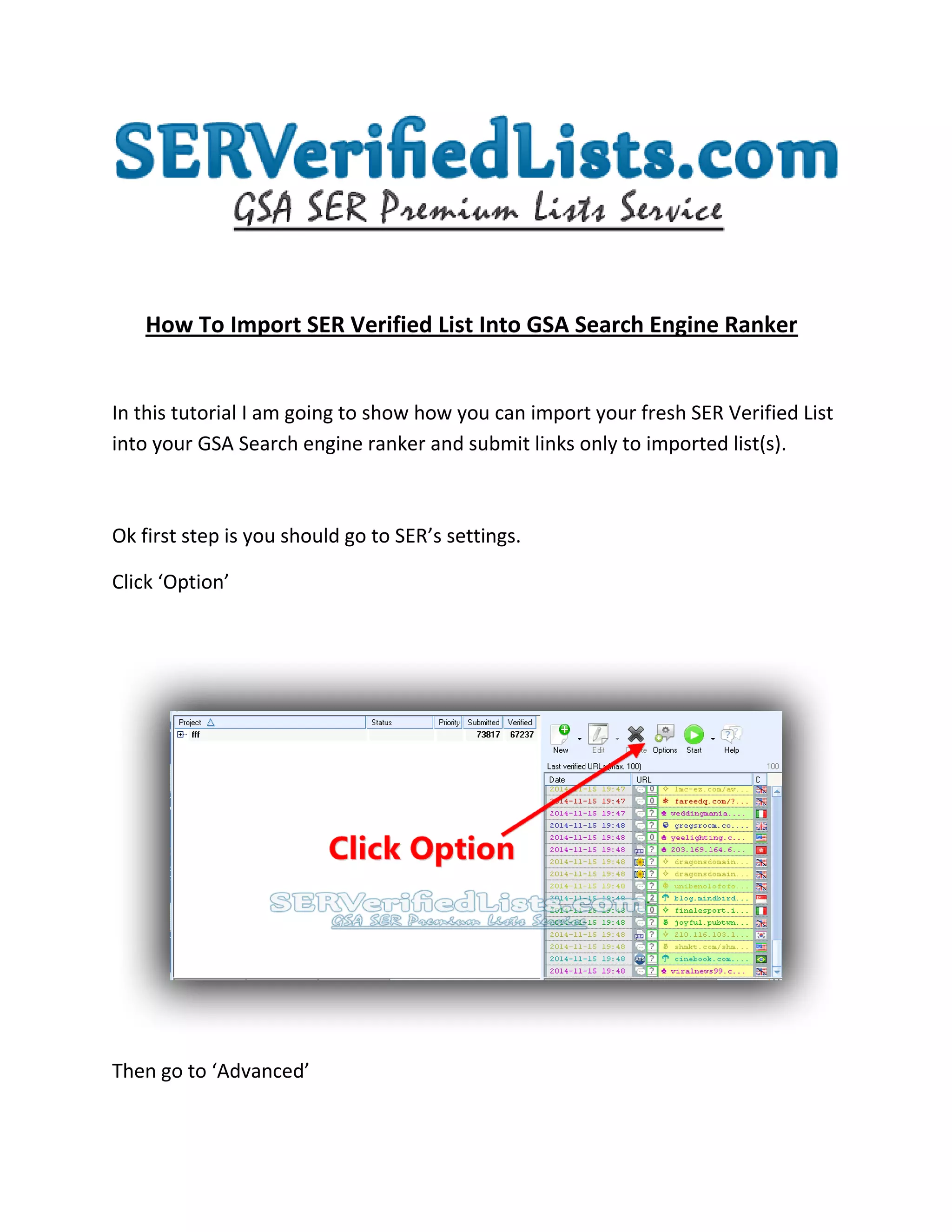
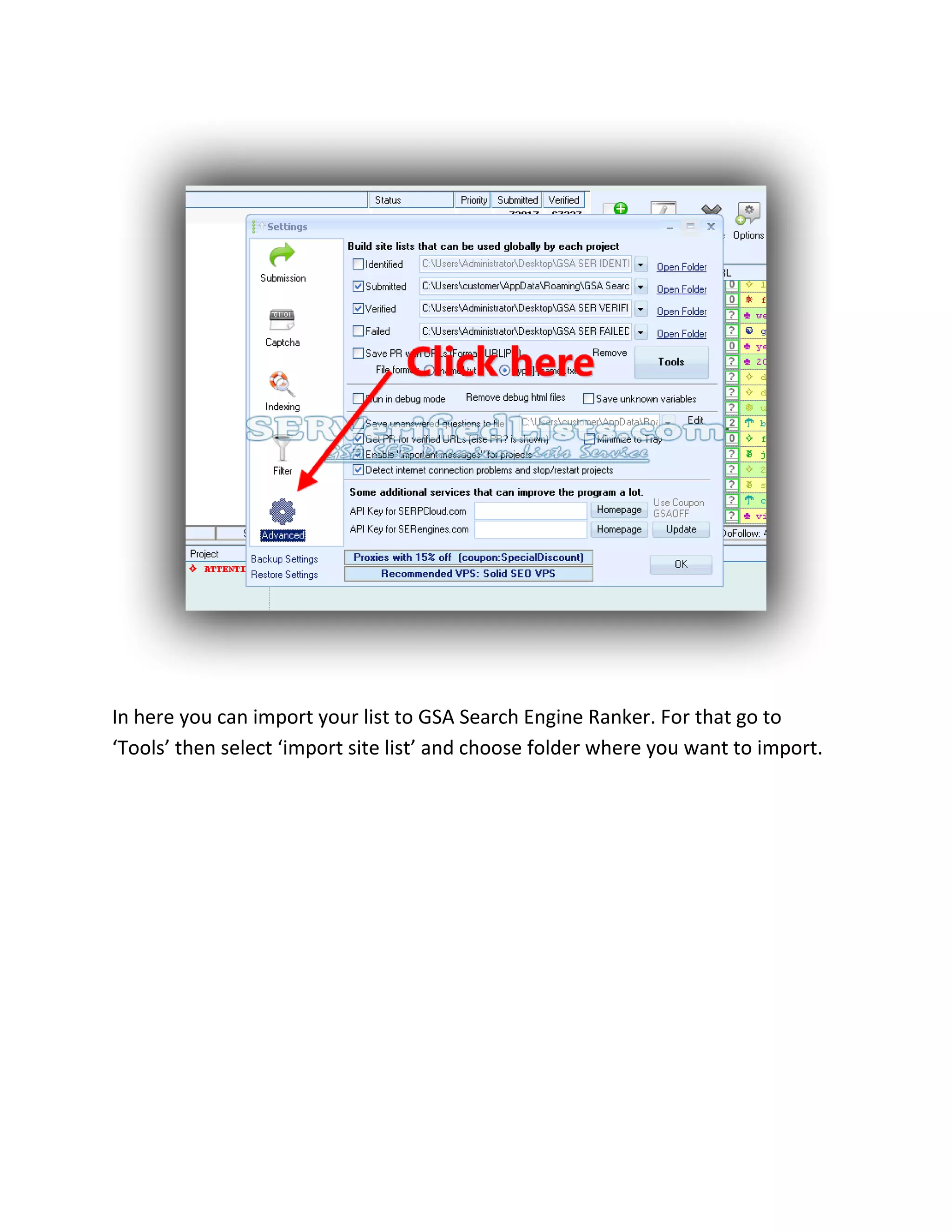
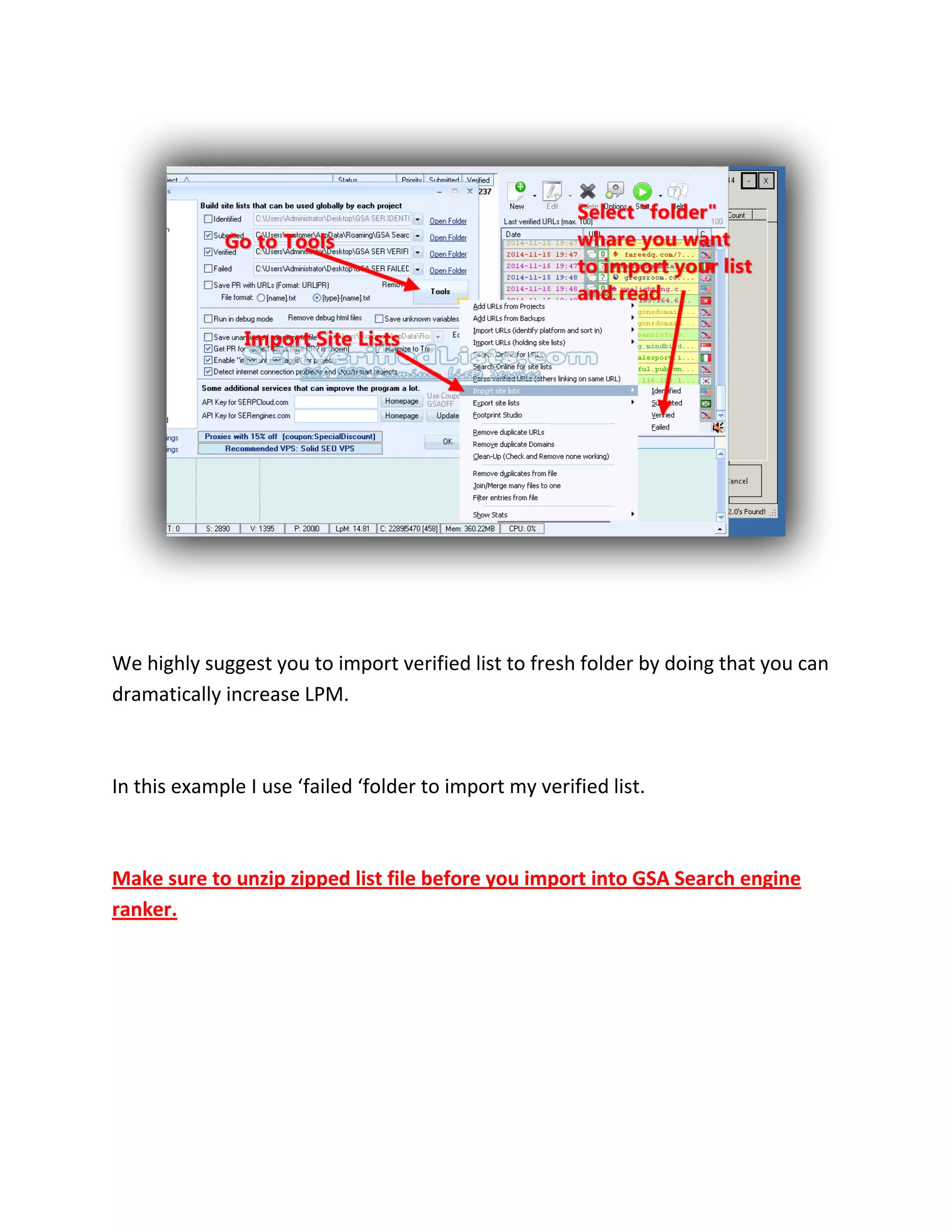
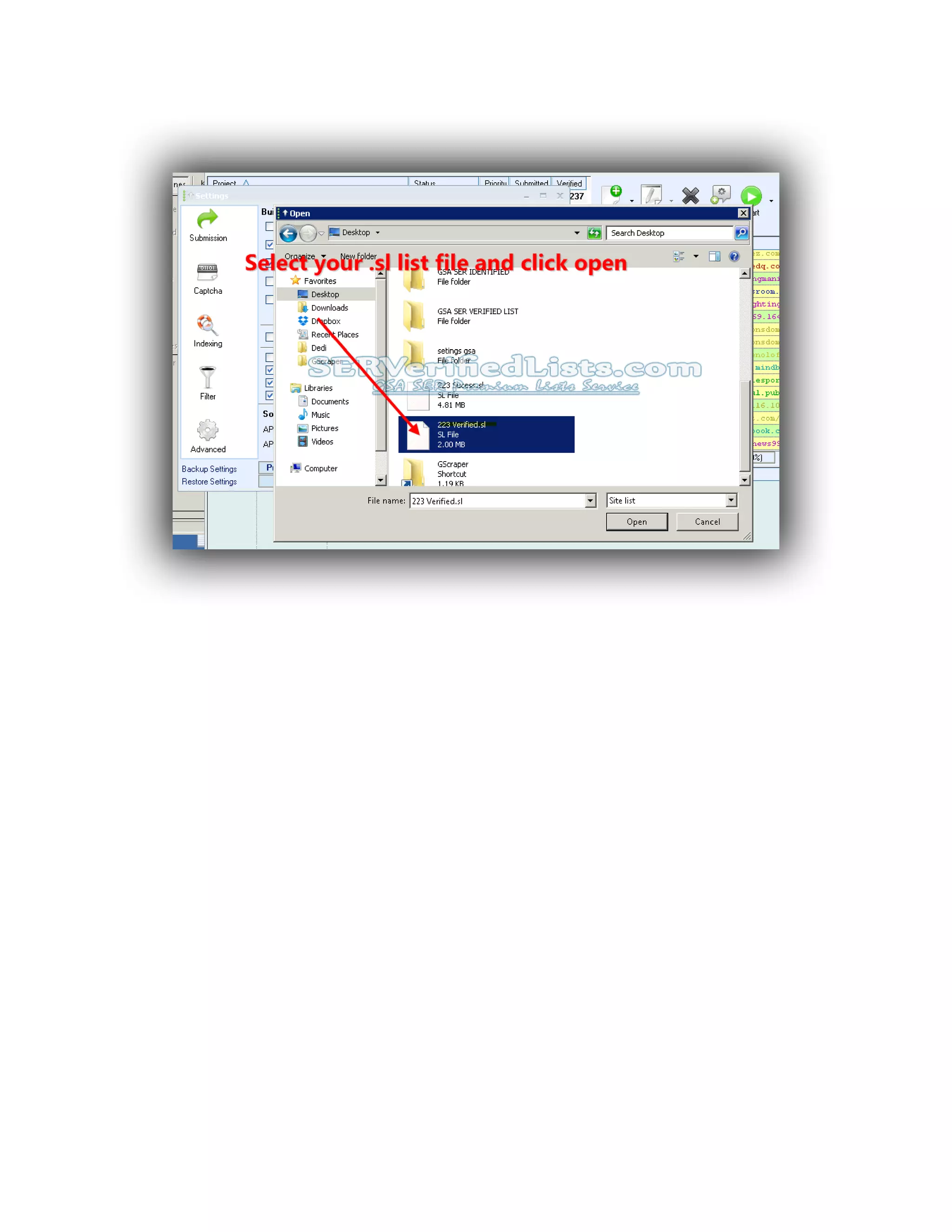
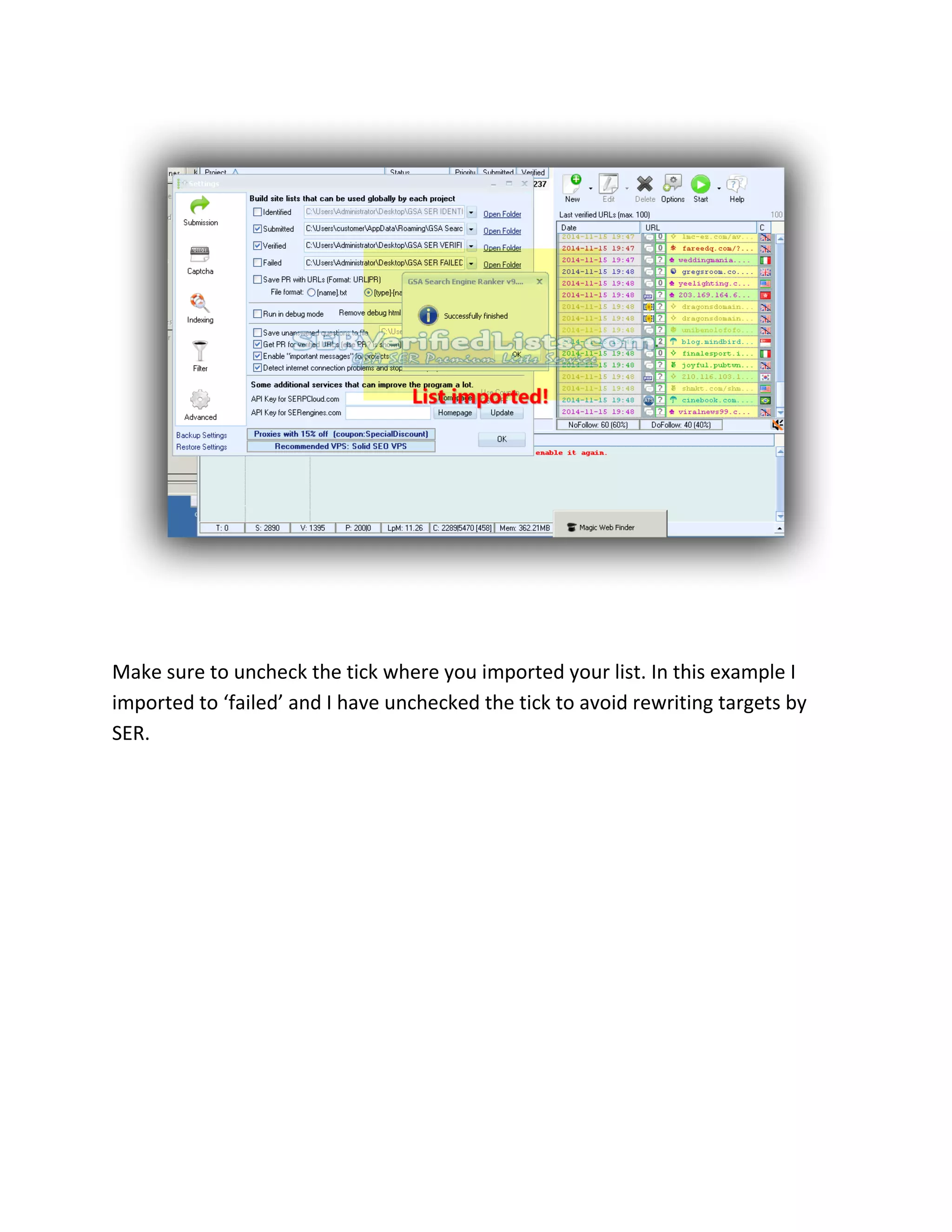
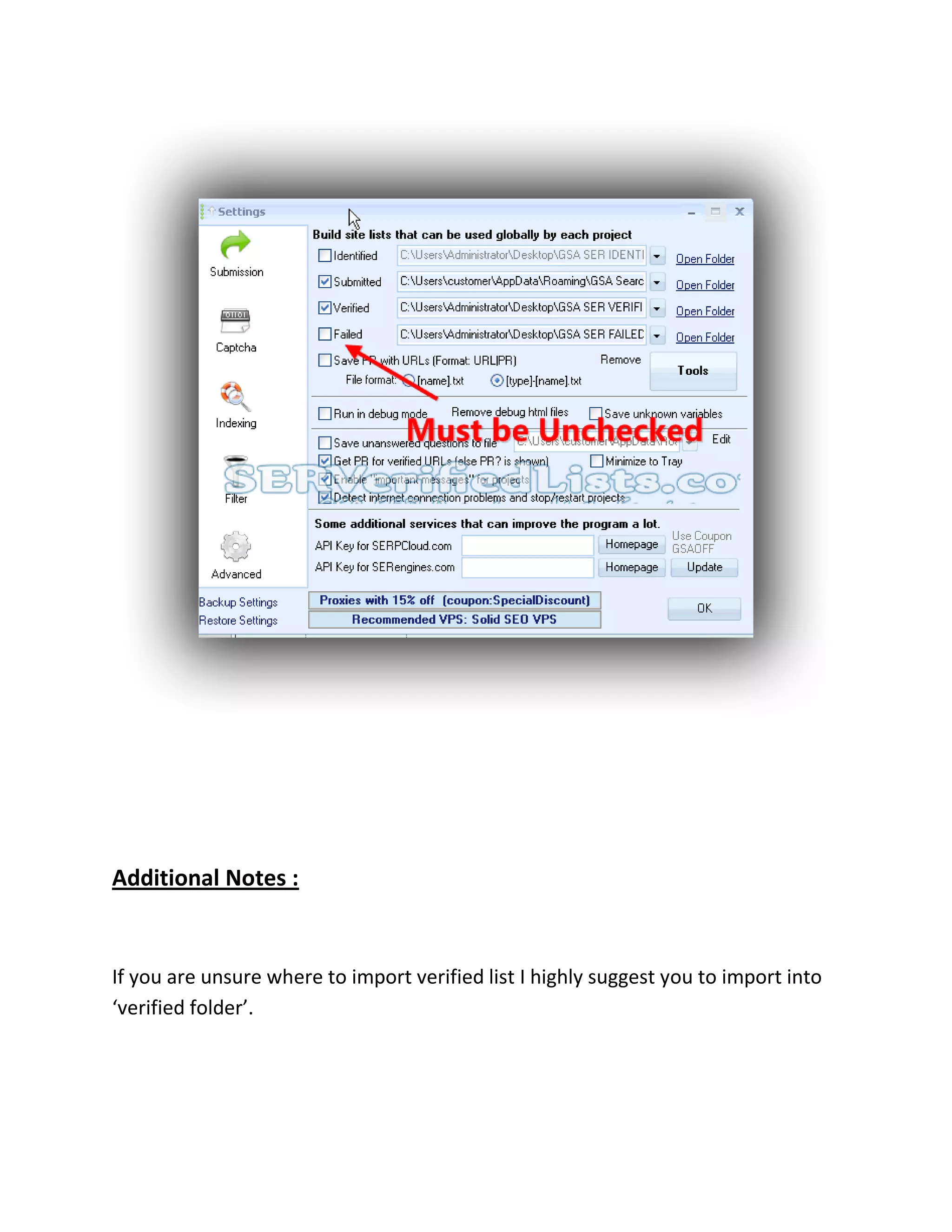
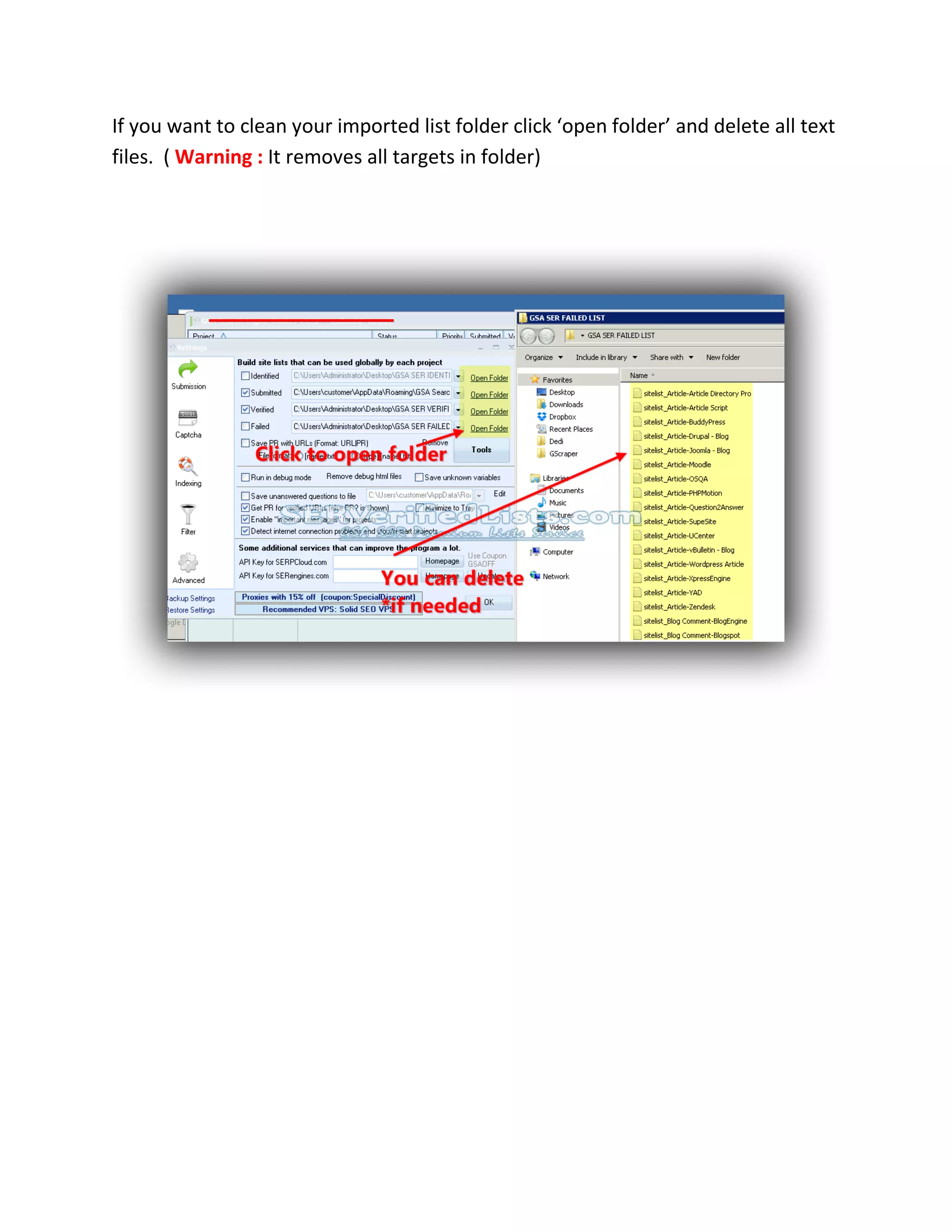
1) In SER, go to Settings > Advanced and select "import site list" to import the verified list zip file into a folder.
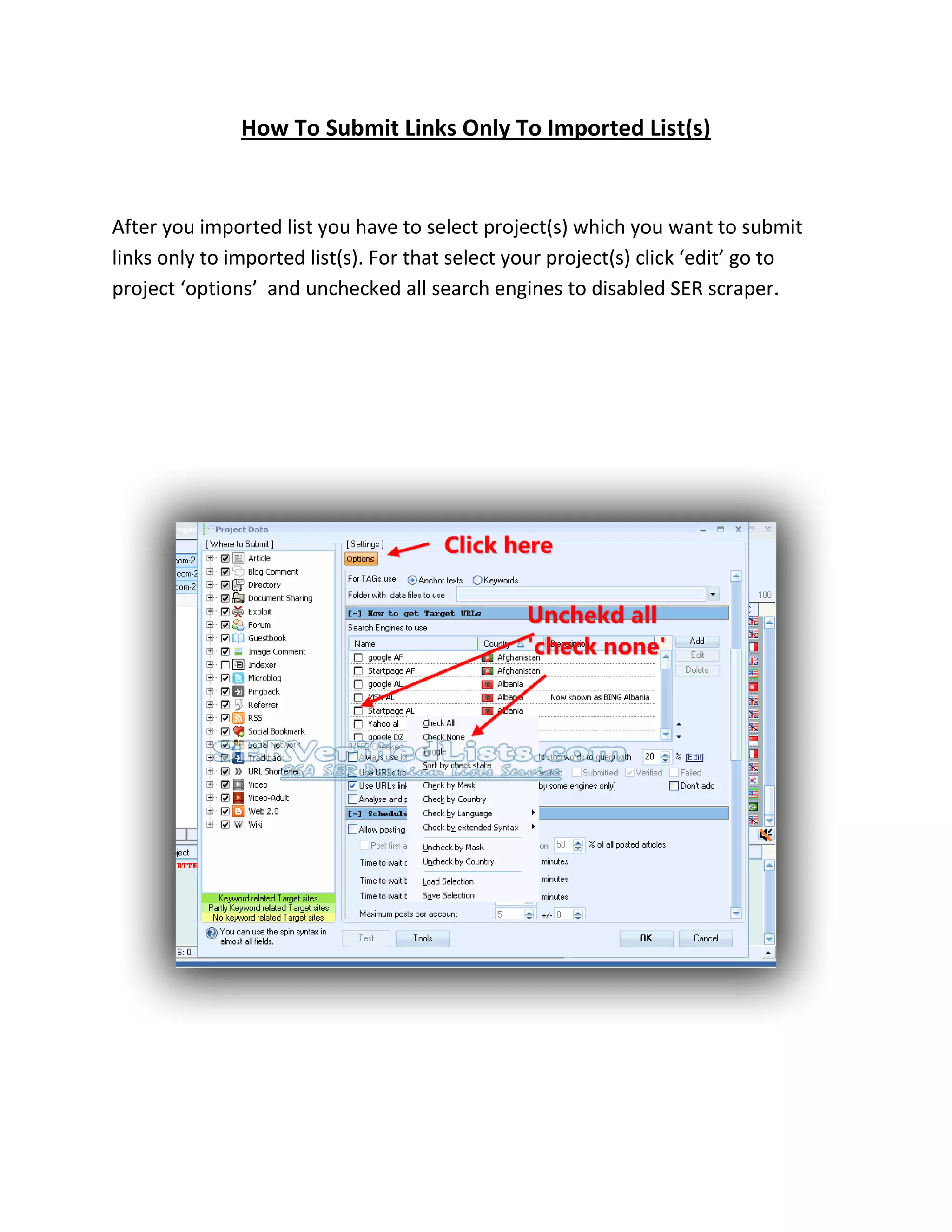
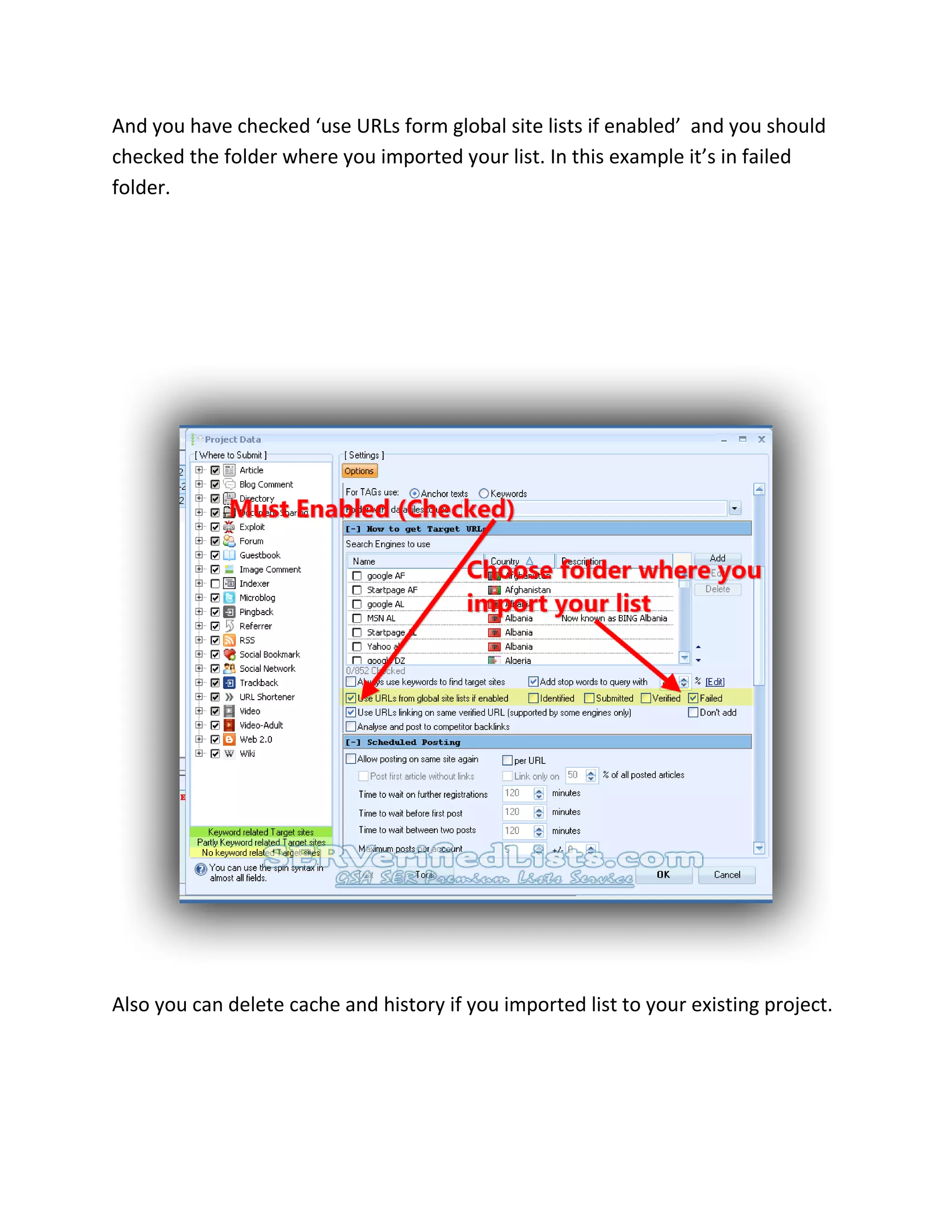
2) In GSA Search Engine Ranker, edit the desired projects, uncheck search engines to disable scraping, and check the "use URLs from global site lists" option and the folder where the list was imported.
3) Projects can now be run to only submit links from the imported verified list.



![Computer Networks 01[1 using all terms].pptx](https://cdn.slidesharecdn.com/ss_thumbnails/computernetworks011-251214040533-327dd9f8-thumbnail.jpg?width=640&height=640&fit=bounds)


