How to Eliminate
Duplicate .RAR Files
1
RAR Files
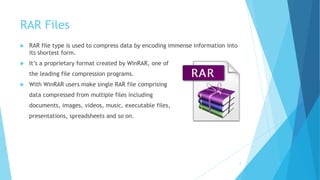
 RAR file type is used to compress data by encoding immense information into
its shortest form.
 It’s a proprietary format created by WinRAR, one of
the leading file compression programs.
 With WinRAR users make single RAR file comprising
data compressed from multiple files including
documents, images, videos, music, executable files,
presentations, spreadsheets and so on.
2
Duplicate RAR files are scattered all over
Hard Disk
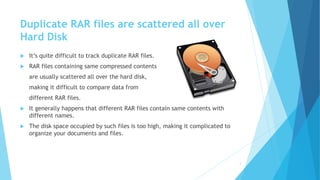
 It’s quite difficult to track duplicate RAR files.
 RAR files containing same compressed contents
are usually scattered all over the hard disk,
making it difficult to compare data from
different RAR files.
 It generally happens that different RAR files contain same contents with
different names.
 The disk space occupied by such files is too high, making it complicated to
organize your documents and files.
3
Ways to Eliminate Duplicate RAR Files
Don’t you know various ways to delete duplicate
RAR files yet? Here you’ll learn how to find and
delete duplicate files from your PC:
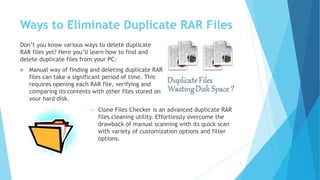
 Manual way of finding and deleting duplicate RAR
files can take a significant period of time. This
requires opening each RAR file, verifying and
comparing its contents with other files stored on
your hard disk.
4
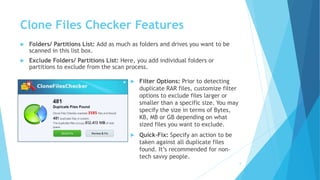
 Clone Files Checker is an advanced duplicate RAR
files cleaning utility. Effortlessly overcome the
drawback of manual scanning with its quick scan
with variety of customization options and filter
options.
Clone Files Checker Features
 Folders/ Partitions List: Add as much as folders and drives you want to be
scanned in this list box.
 Exclude Folders/ Partitions List: Here, you add individual folders or
partitions to exclude from the scan process.
5
 Filter Options: Prior to detecting
duplicate RAR files, customize filter
options to exclude files larger or
smaller than a specific size. You may
specify the size in terms of Bytes,
KB, MB or GB depending on what
sized files you want to exclude.
 Quick-Fix: Specify an action to be
taken against all duplicate files
found. It’s recommended for non-
tech savvy people.
Clone Files Checker Features
 Review & Fix: Choose duplicate RAR file individually and take action
accordingly.
 Delete Duplicates Permanently: Delete the duplicate RAR files permanently
to recover large are of your hard disk.
 Move Duplicates to Recycle Bin: Send duplicate files to Recycle Bin so that
you can restore them later, if required to do so.
 Move Duplicates to New Folder: More often, in order to avoid deleting
important files, just move your duplicate RAR files to new folder so that you
can review them at a later time.
 Delete with Backups: The Backup & Restore feature allows recovering files
anytime.
6

HOW TO ELIMINATE DUPLICATE RAR FILES

  • 1.
  • 2.
    RAR Files  RARfile type is used to compress data by encoding immense information into its shortest form.  It’s a proprietary format created by WinRAR, one of the leading file compression programs.  With WinRAR users make single RAR file comprising data compressed from multiple files including documents, images, videos, music, executable files, presentations, spreadsheets and so on. 2
  • 3.
    Duplicate RAR filesare scattered all over Hard Disk  It’s quite difficult to track duplicate RAR files.  RAR files containing same compressed contents are usually scattered all over the hard disk, making it difficult to compare data from different RAR files.  It generally happens that different RAR files contain same contents with different names.  The disk space occupied by such files is too high, making it complicated to organize your documents and files. 3
  • 4.
    Ways to EliminateDuplicate RAR Files Don’t you know various ways to delete duplicate RAR files yet? Here you’ll learn how to find and delete duplicate files from your PC:  Manual way of finding and deleting duplicate RAR files can take a significant period of time. This requires opening each RAR file, verifying and comparing its contents with other files stored on your hard disk. 4  Clone Files Checker is an advanced duplicate RAR files cleaning utility. Effortlessly overcome the drawback of manual scanning with its quick scan with variety of customization options and filter options.
  • 5.
    Clone Files CheckerFeatures  Folders/ Partitions List: Add as much as folders and drives you want to be scanned in this list box.  Exclude Folders/ Partitions List: Here, you add individual folders or partitions to exclude from the scan process. 5  Filter Options: Prior to detecting duplicate RAR files, customize filter options to exclude files larger or smaller than a specific size. You may specify the size in terms of Bytes, KB, MB or GB depending on what sized files you want to exclude.  Quick-Fix: Specify an action to be taken against all duplicate files found. It’s recommended for non- tech savvy people.
  • 6.
    Clone Files CheckerFeatures  Review & Fix: Choose duplicate RAR file individually and take action accordingly.  Delete Duplicates Permanently: Delete the duplicate RAR files permanently to recover large are of your hard disk.  Move Duplicates to Recycle Bin: Send duplicate files to Recycle Bin so that you can restore them later, if required to do so.  Move Duplicates to New Folder: More often, in order to avoid deleting important files, just move your duplicate RAR files to new folder so that you can review them at a later time.  Delete with Backups: The Backup & Restore feature allows recovering files anytime. 6