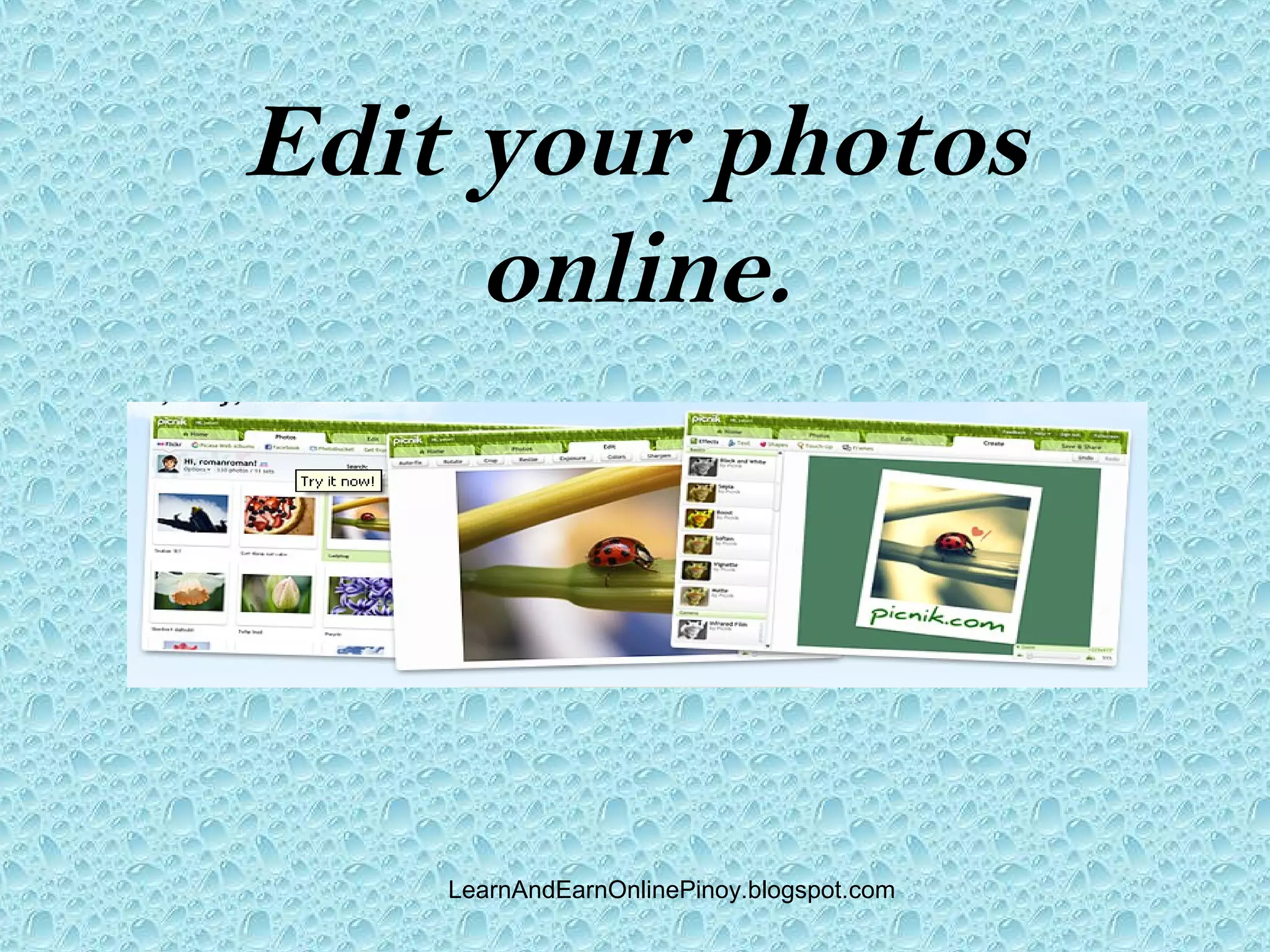
Edit your photos
     online.


    LearnAndEarnOnlinePinoy.blogspot.com
Go to picnik.com


    LearnAndEarnOnlinePinoy.blogspot.com
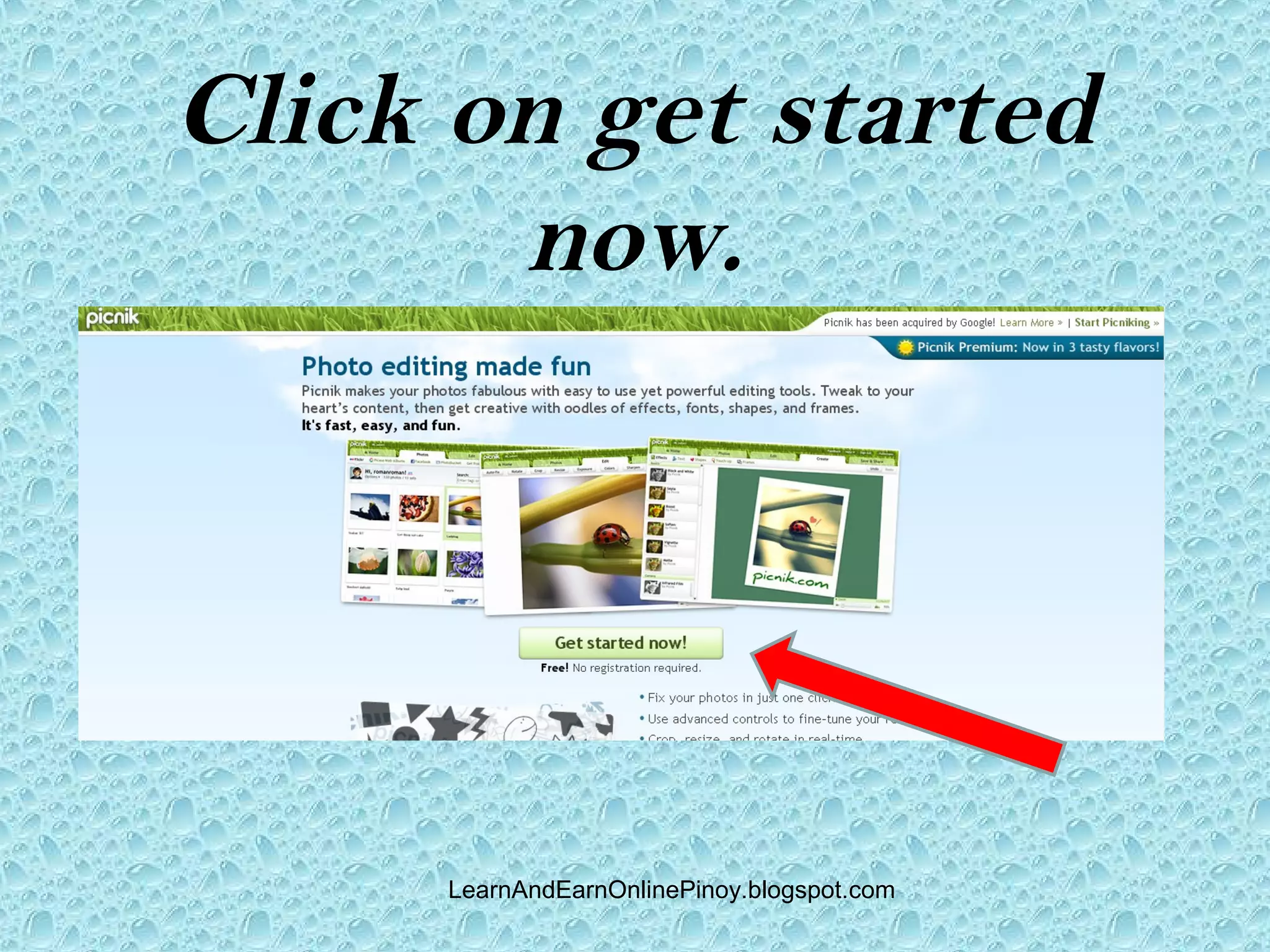
Click on get started
       now.


     LearnAndEarnOnlinePinoy.blogspot.com
Click to register for
        free.


      LearnAndEarnOnlinePinoy.blogspot.com
Fill in to create an
      account.


     LearnAndEarnOnlinePinoy.blogspot.com
Click create my
    account.


   LearnAndEarnOnlinePinoy.blogspot.com
Supply the data if you
        want.


       LearnAndEarnOnlinePinoy.blogspot.com
Click on Onwards.


    LearnAndEarnOnlinePinoy.blogspot.com
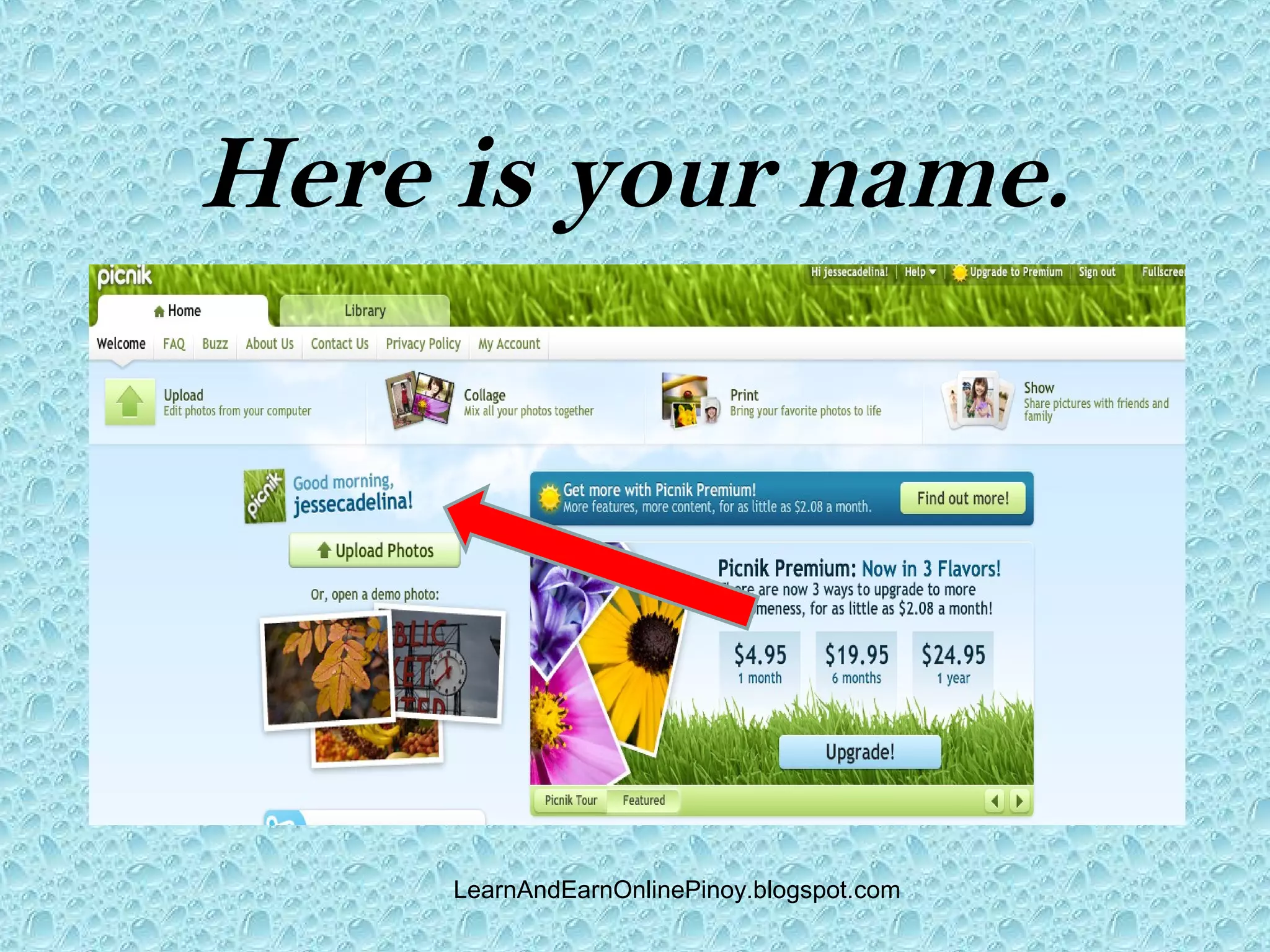
Here is your name.


     LearnAndEarnOnlinePinoy.blogspot.com
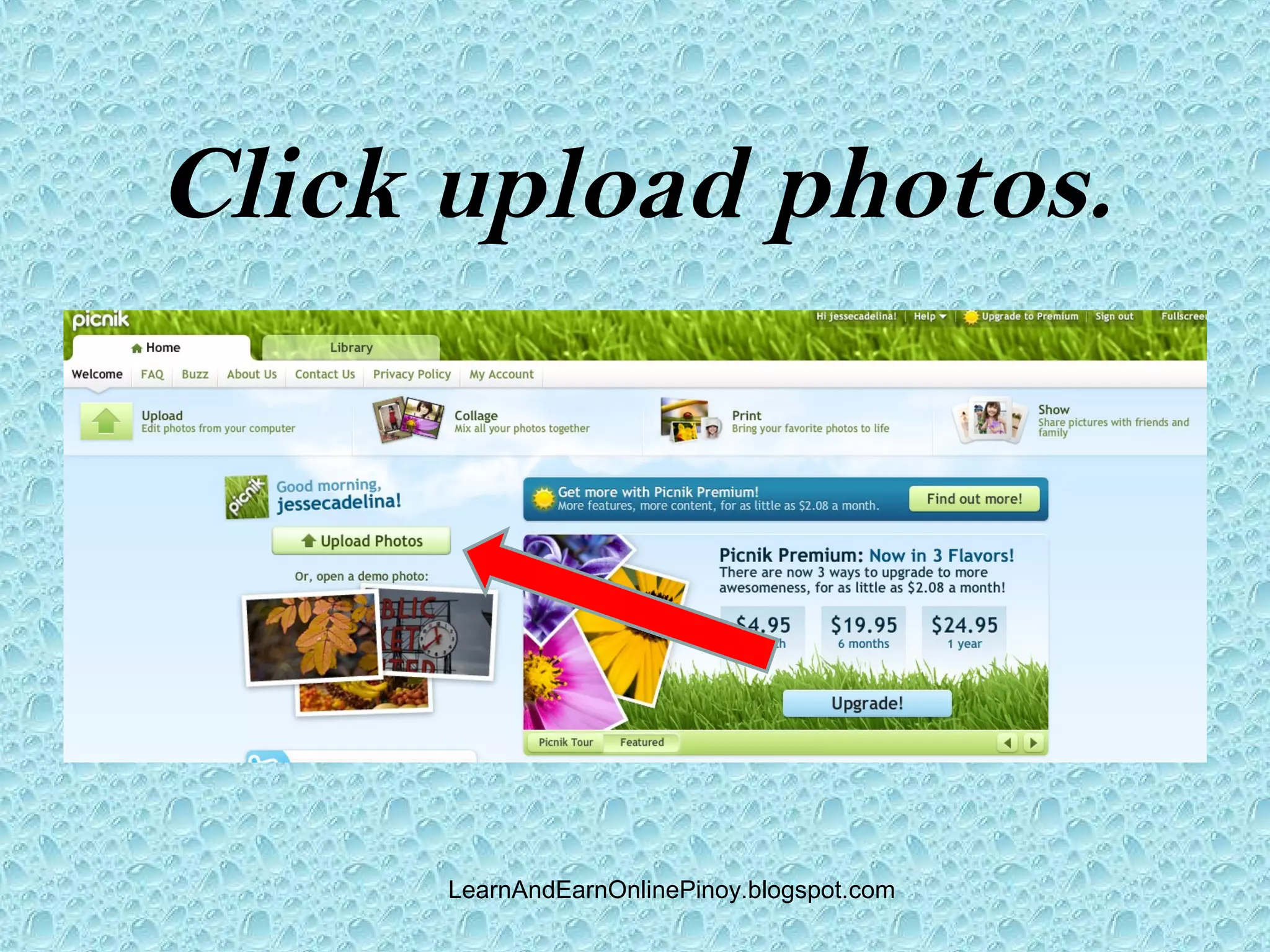
Click upload photos.


      LearnAndEarnOnlinePinoy.blogspot.com
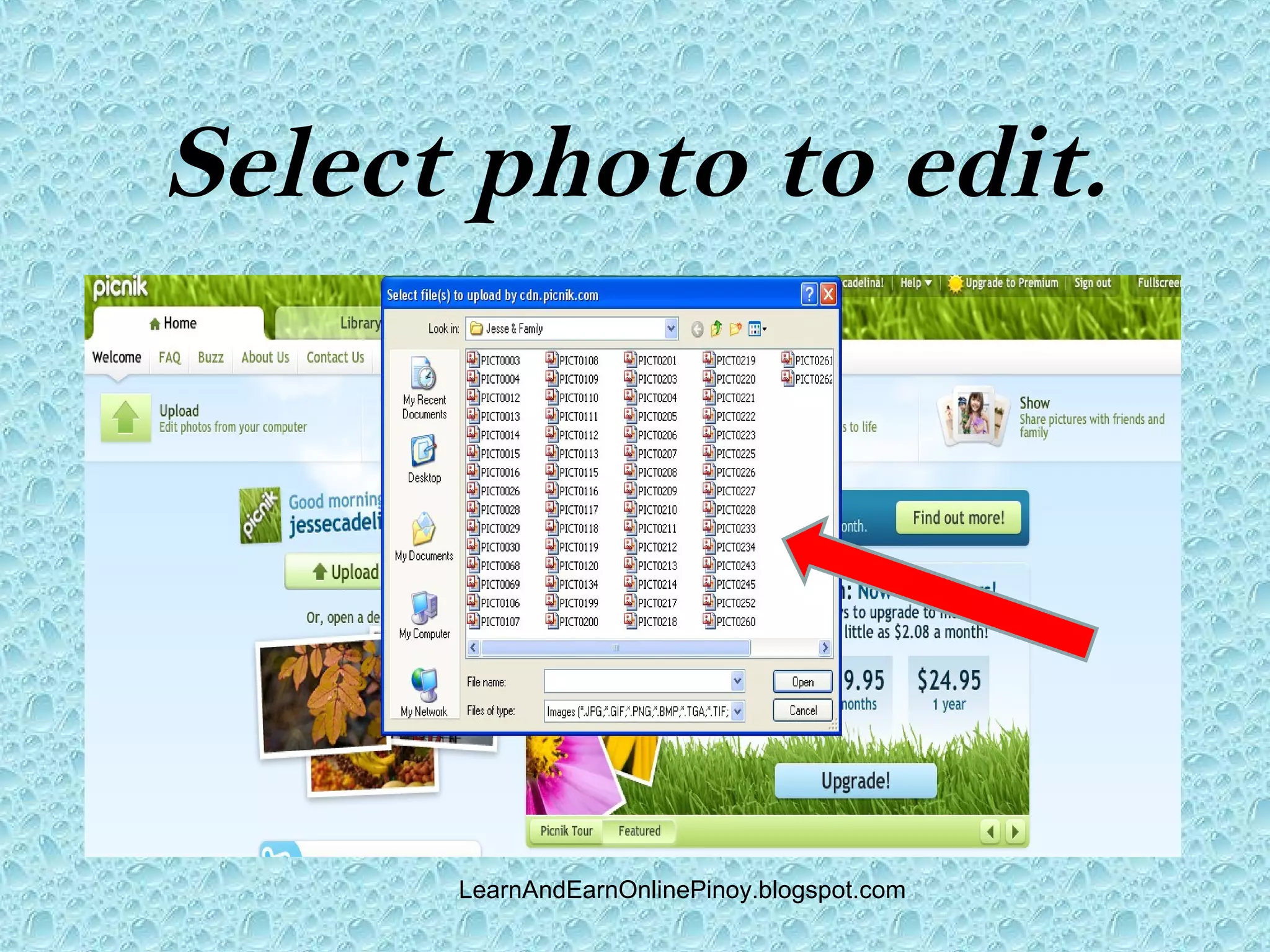
Select photo to edit.


      LearnAndEarnOnlinePinoy.blogspot.com
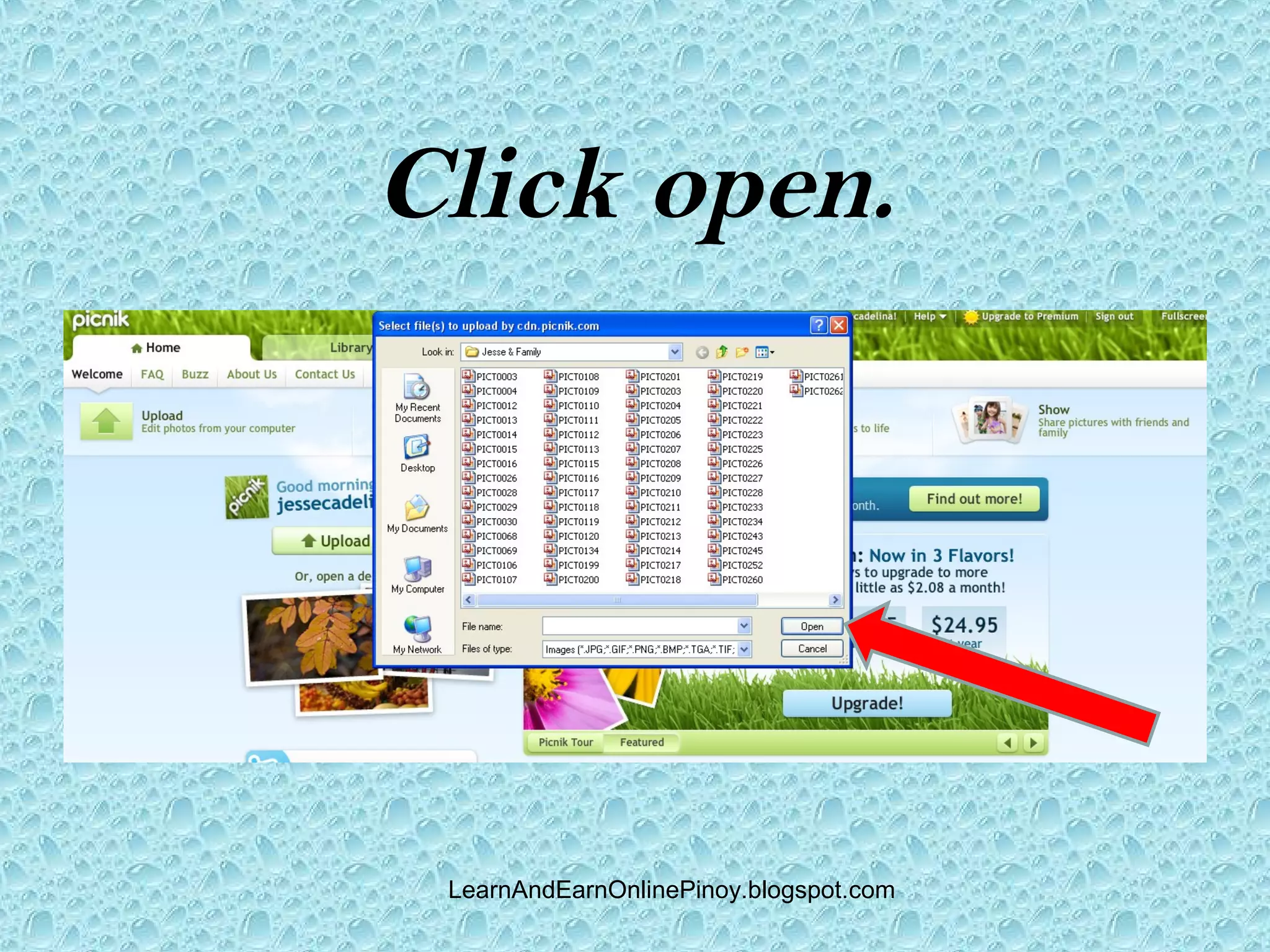
Click open.


 LearnAndEarnOnlinePinoy.blogspot.com
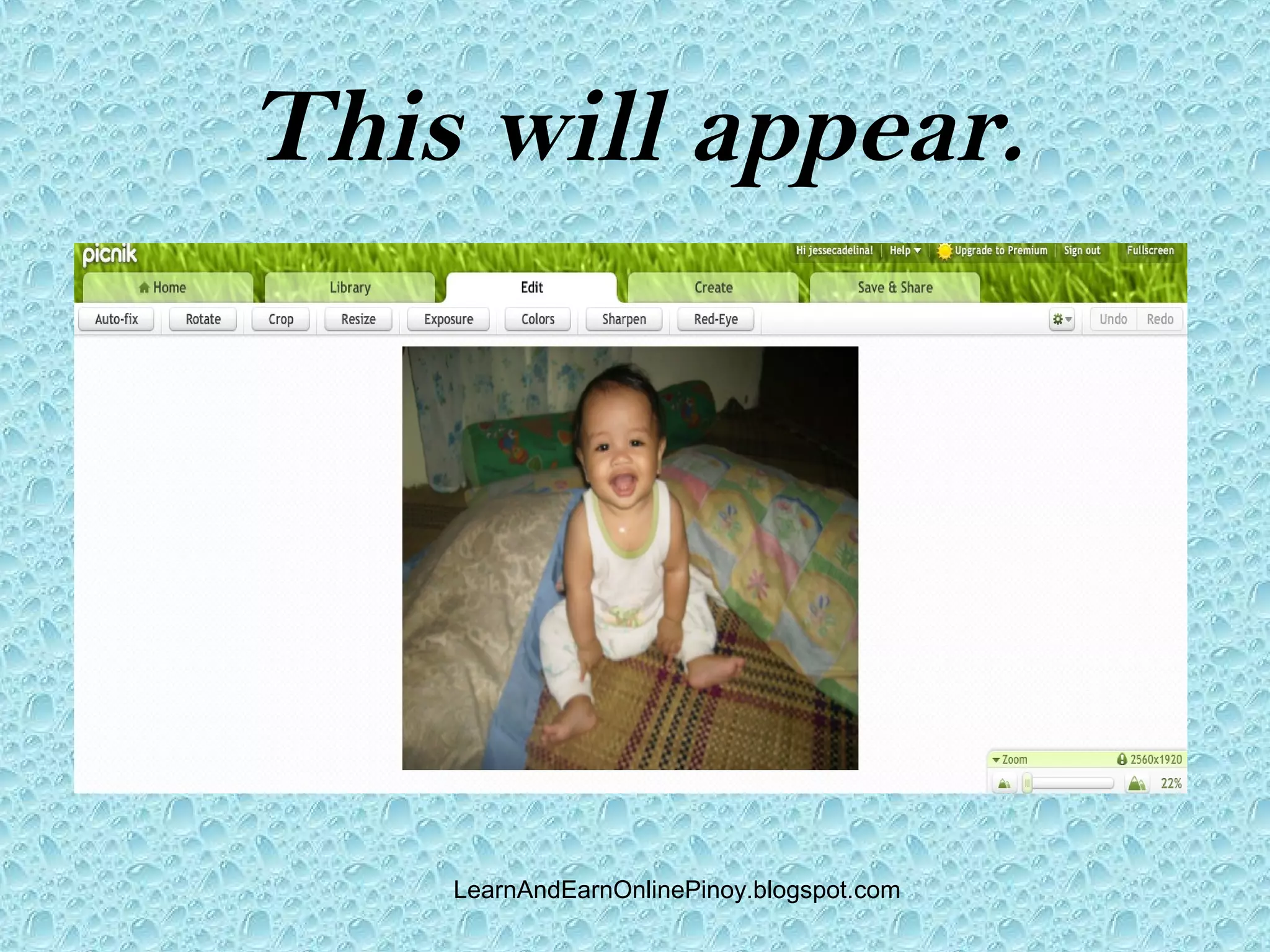
This will appear.


    LearnAndEarnOnlinePinoy.blogspot.com
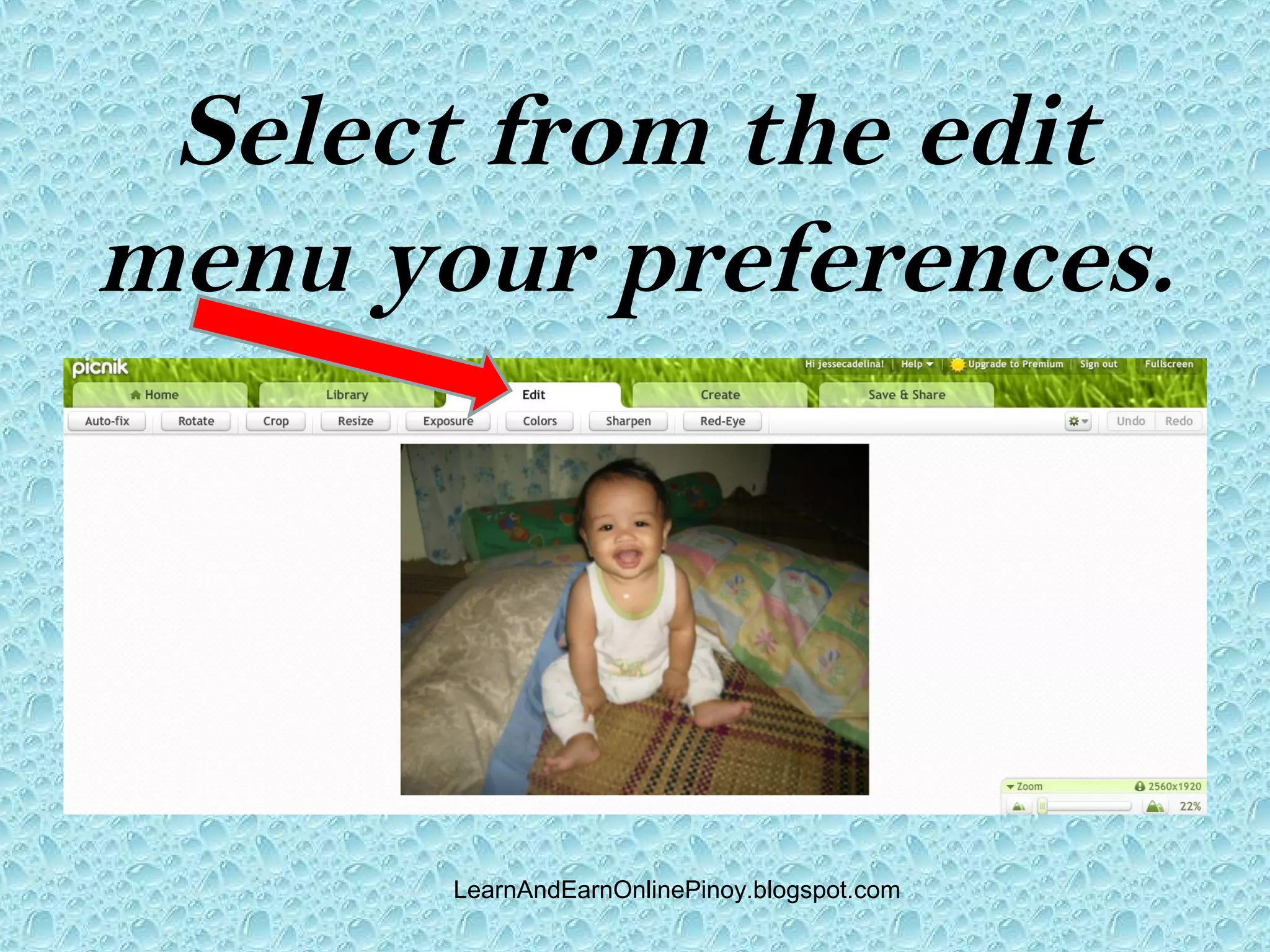
Select from the edit
menu your preferences.


       LearnAndEarnOnlinePinoy.blogspot.com
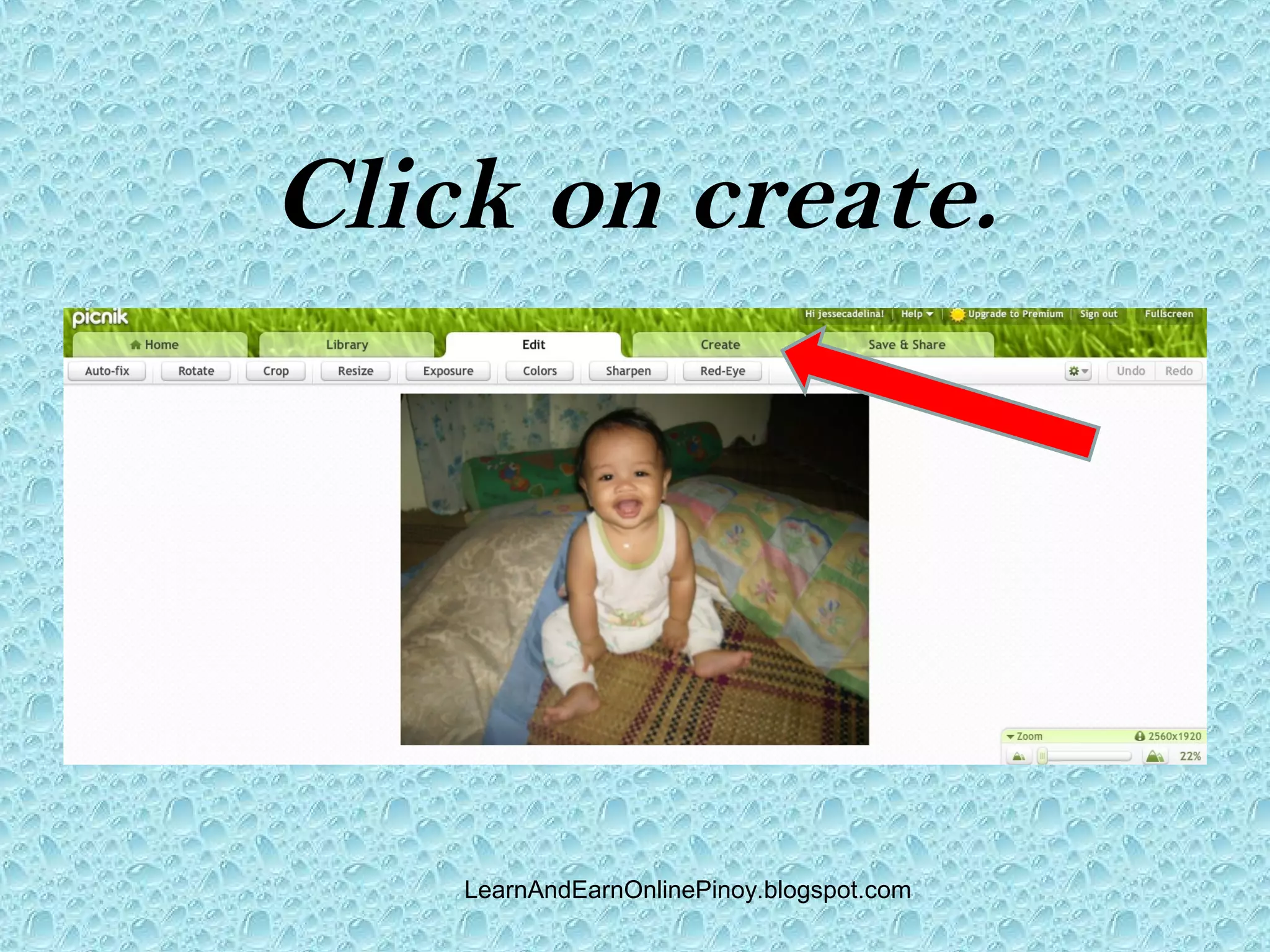
Click on create.


    LearnAndEarnOnlinePinoy.blogspot.com
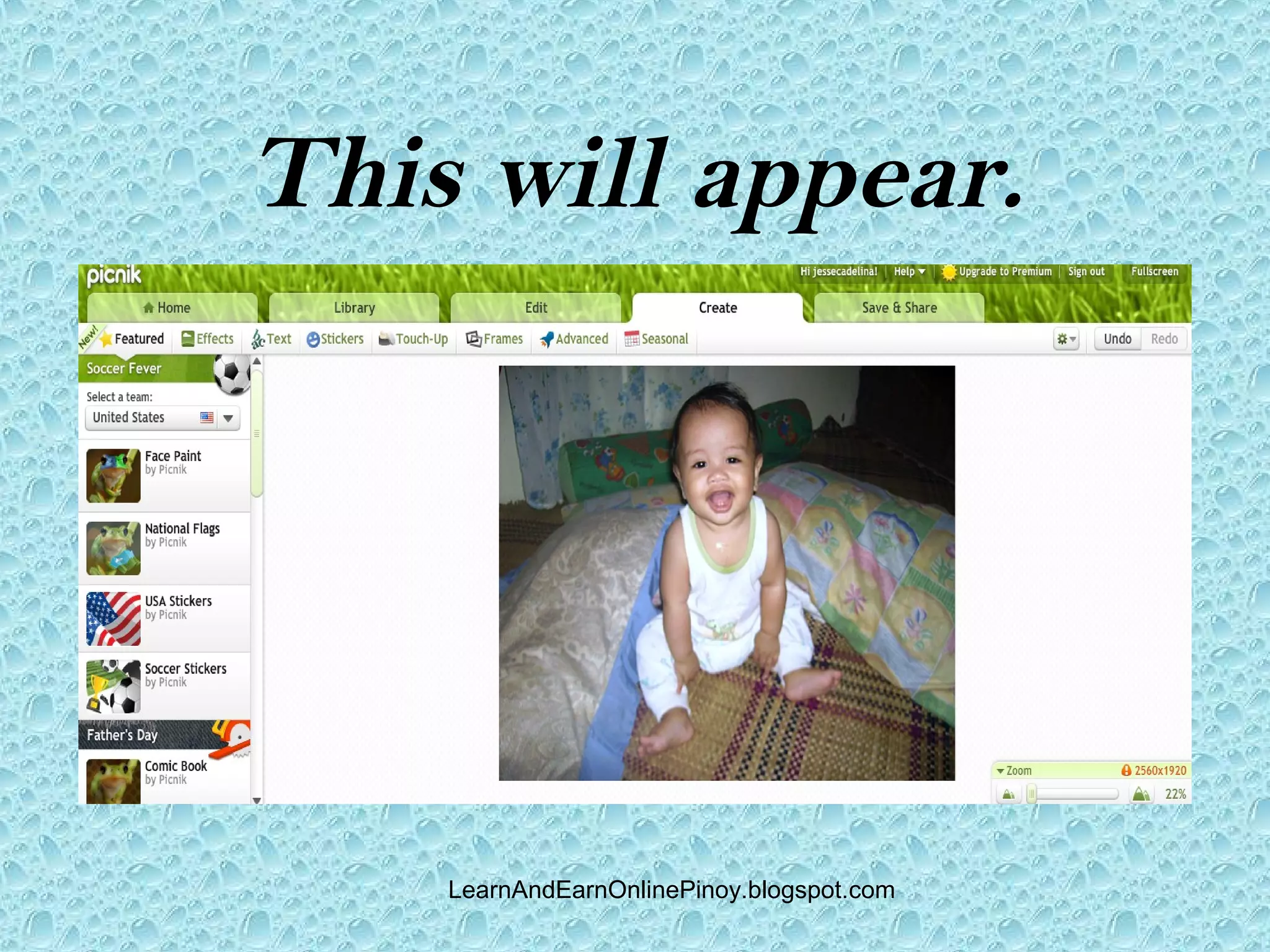
This will appear.


    LearnAndEarnOnlinePinoy.blogspot.com
Select from create
menu your preferences.


       LearnAndEarnOnlinePinoy.blogspot.com
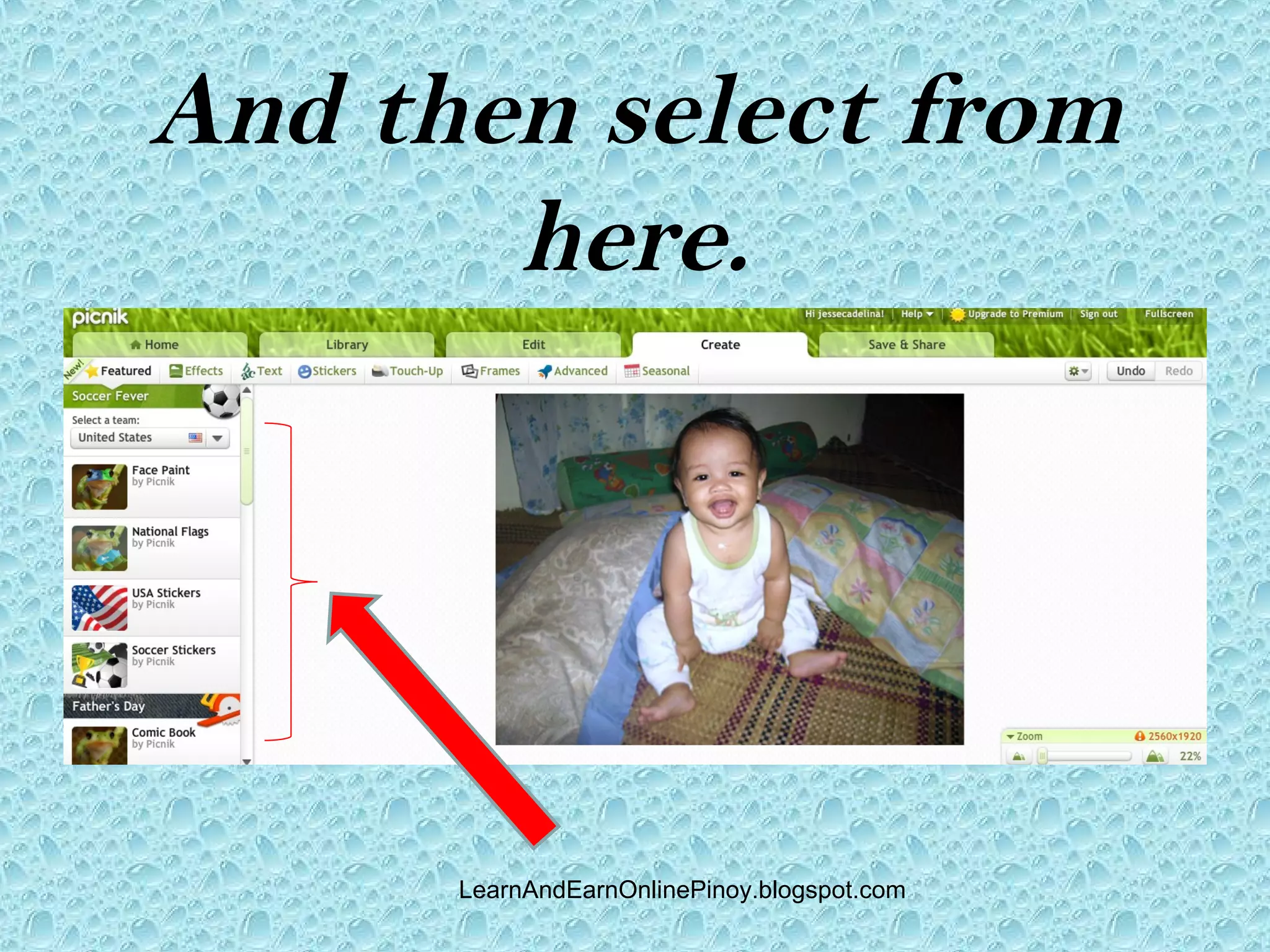
And then select from
       here.


      LearnAndEarnOnlinePinoy.blogspot.com
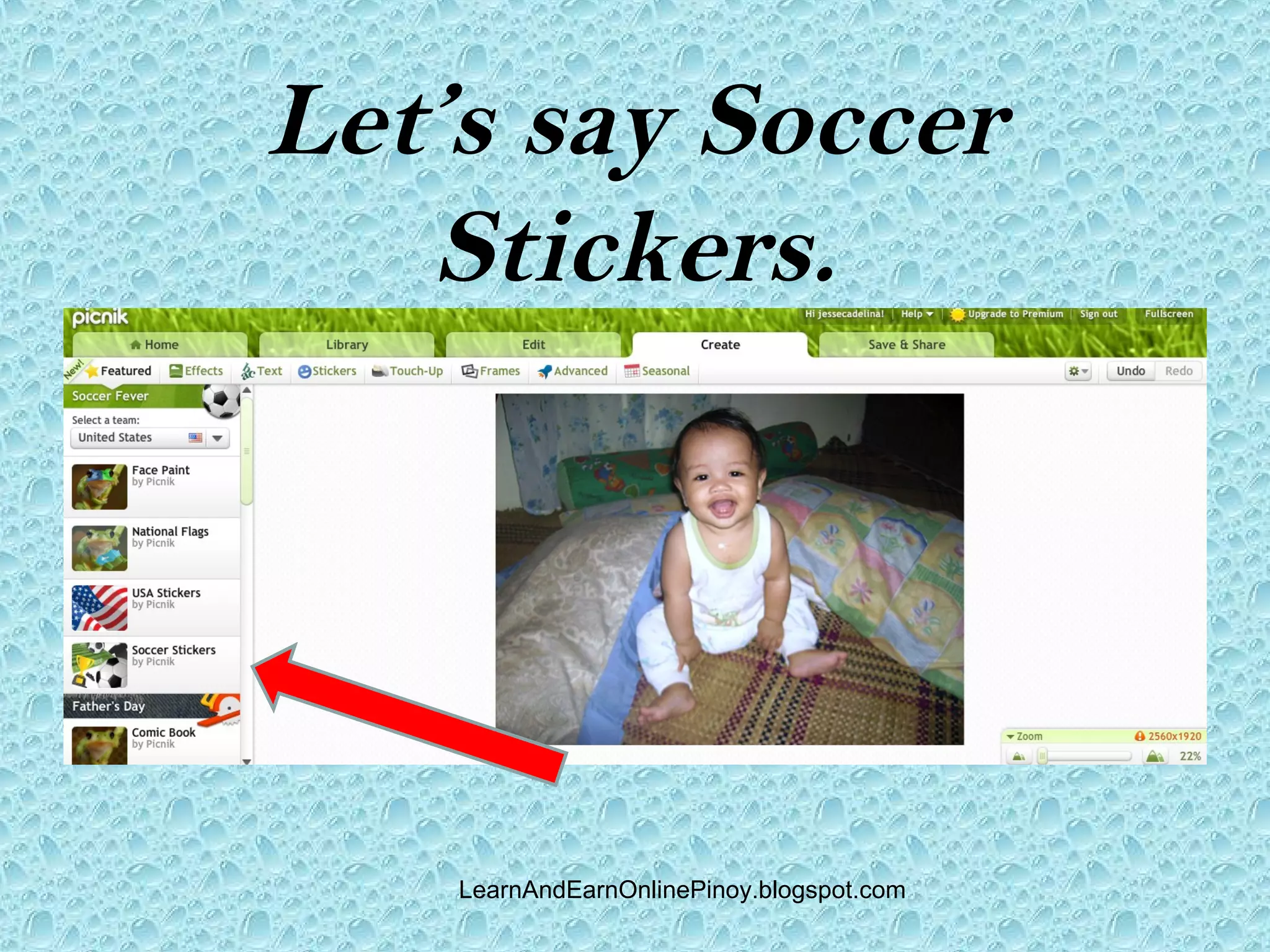
Let’s say Soccer
   Stickers.


    LearnAndEarnOnlinePinoy.blogspot.com
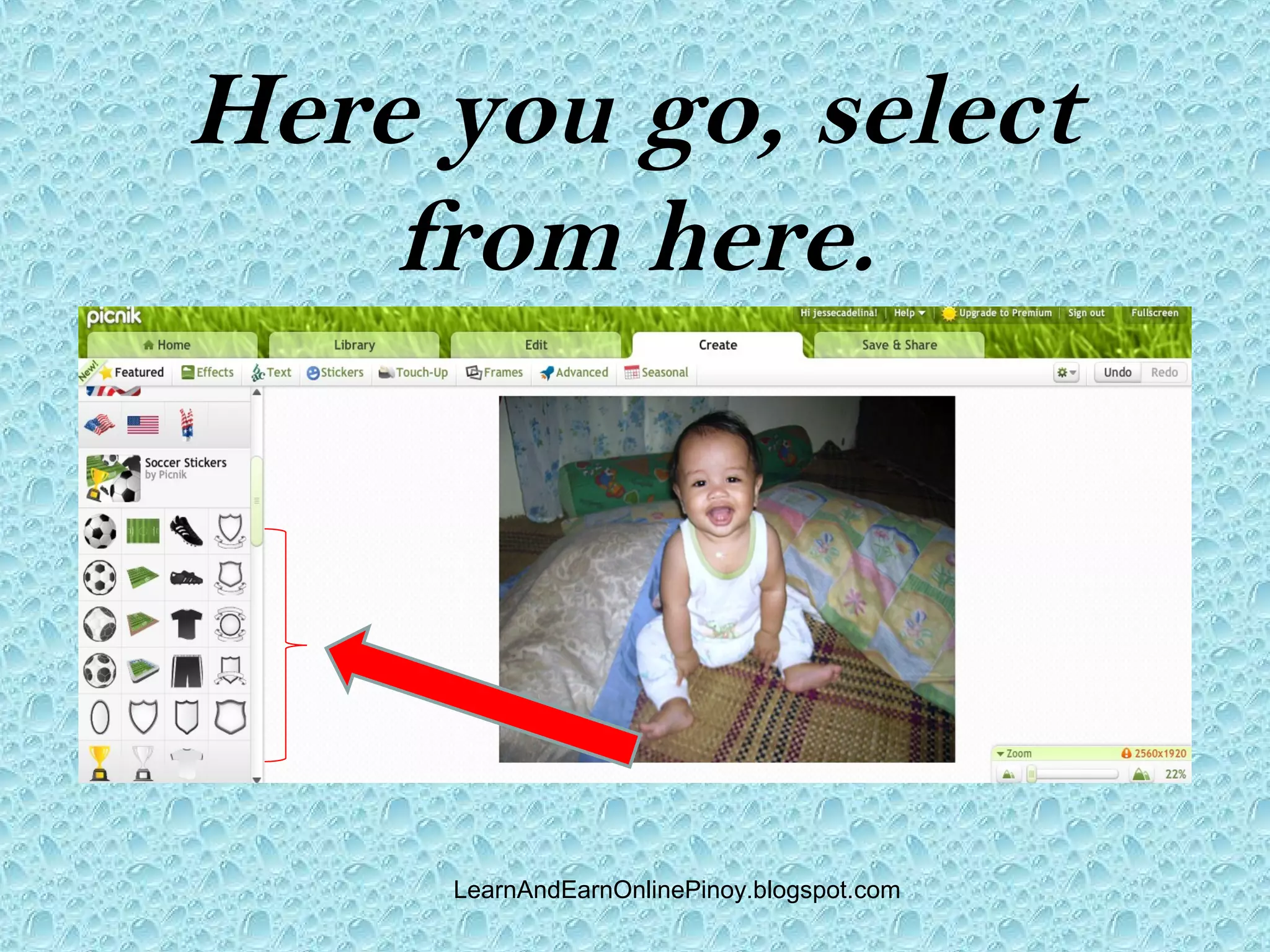
Here you go, select
    from here.


     LearnAndEarnOnlinePinoy.blogspot.com
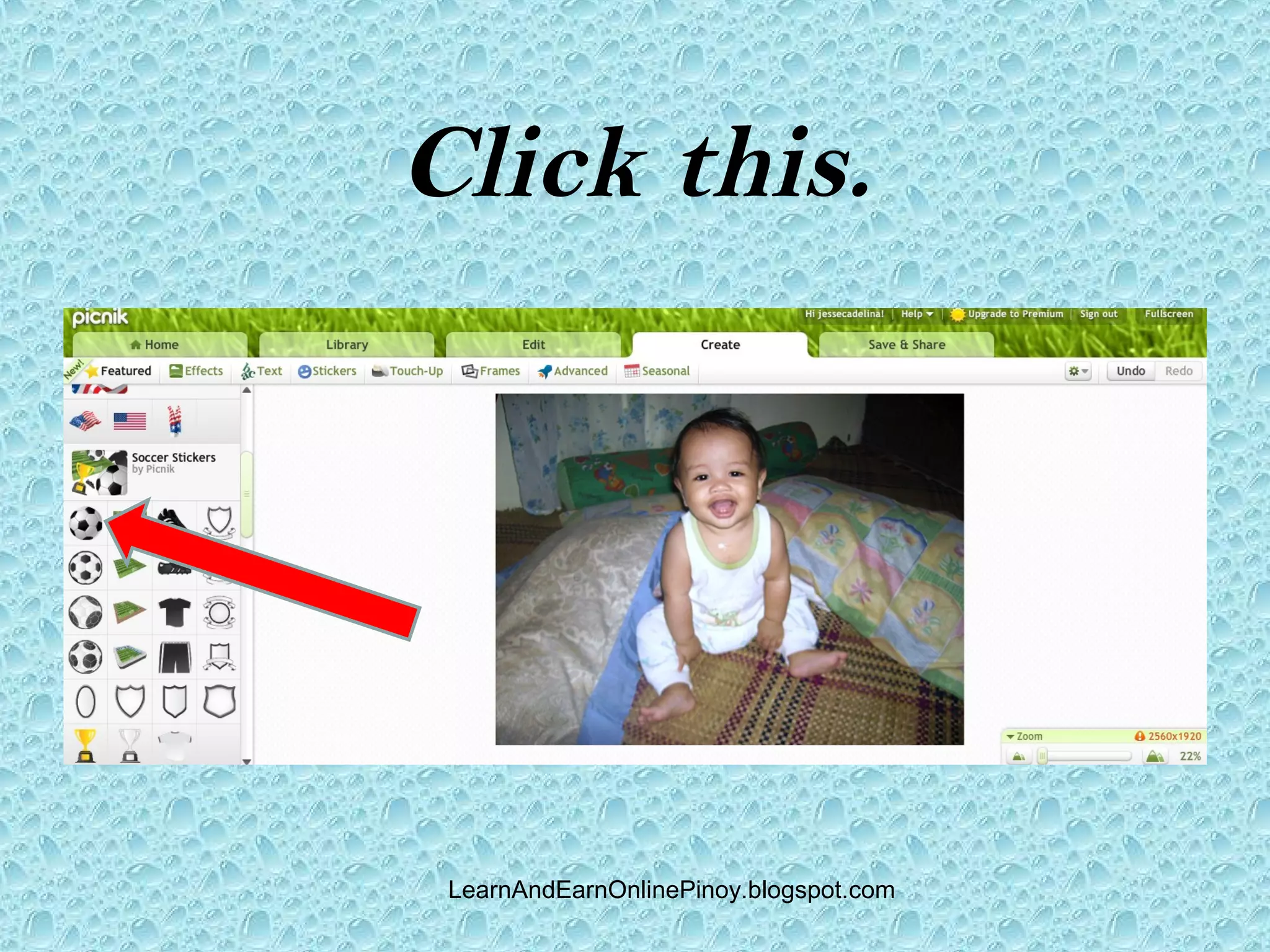
Click this.


 LearnAndEarnOnlinePinoy.blogspot.com
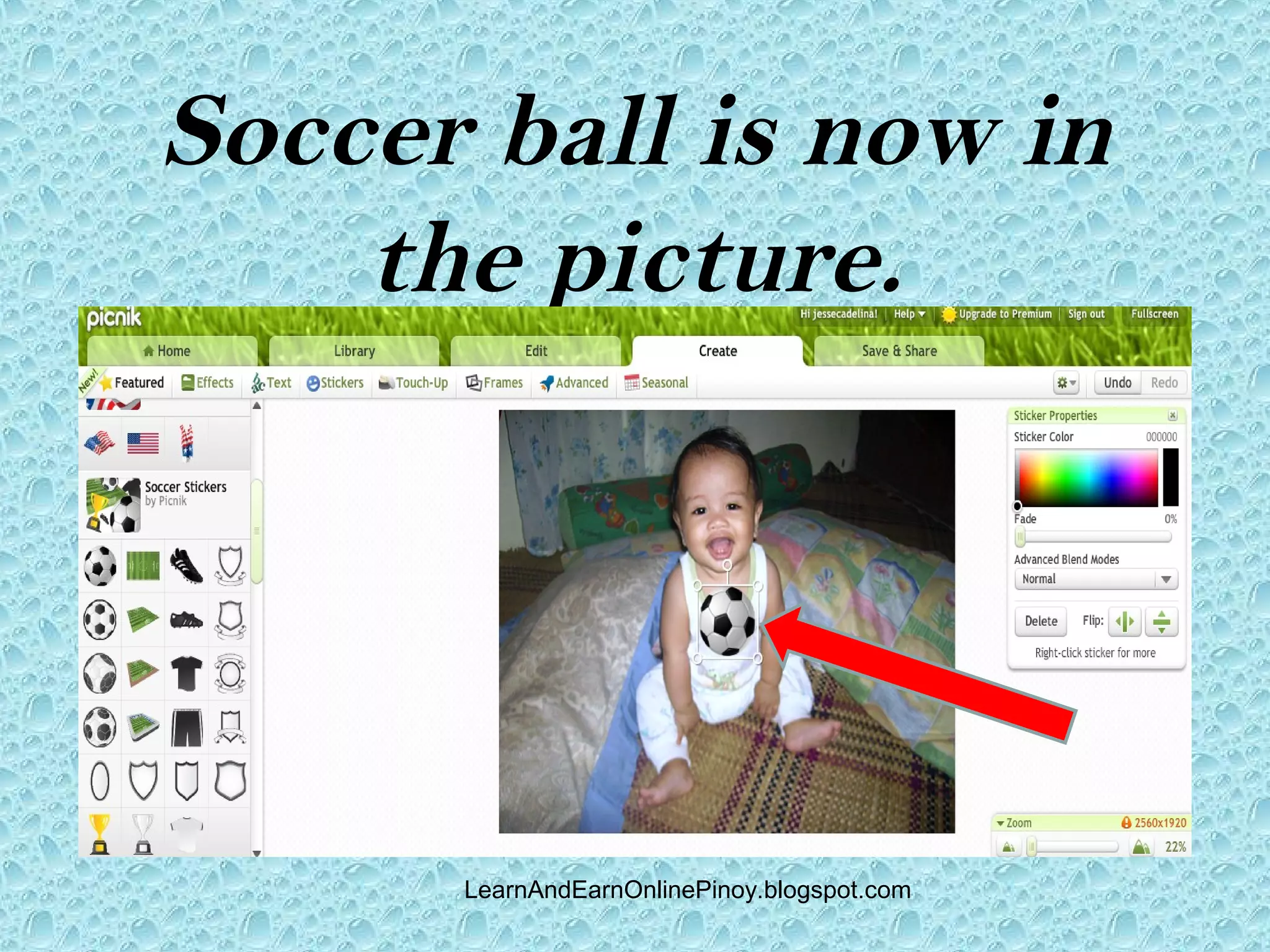
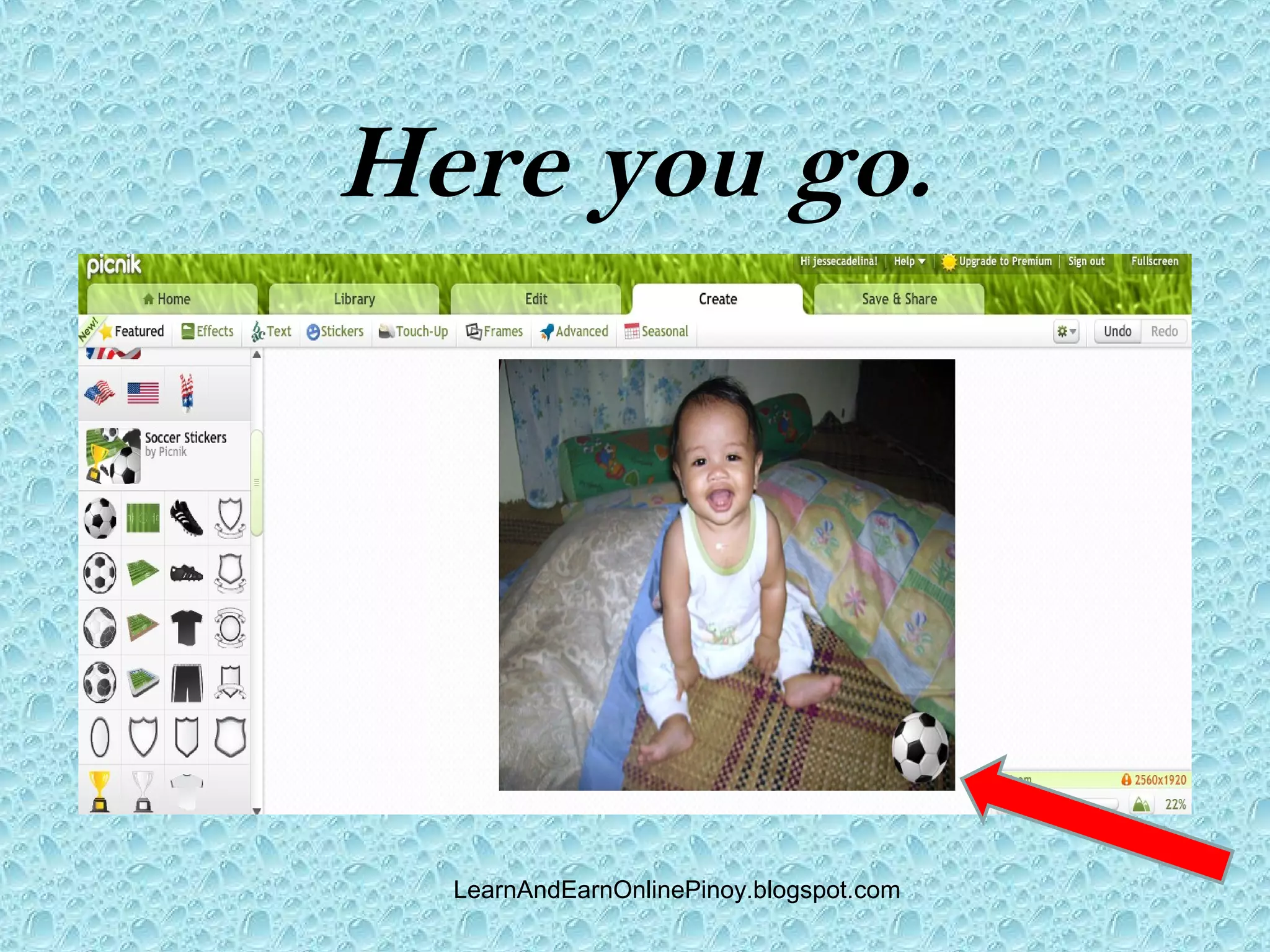
Soccer ball is now in
    the picture.


      LearnAndEarnOnlinePinoy.blogspot.com
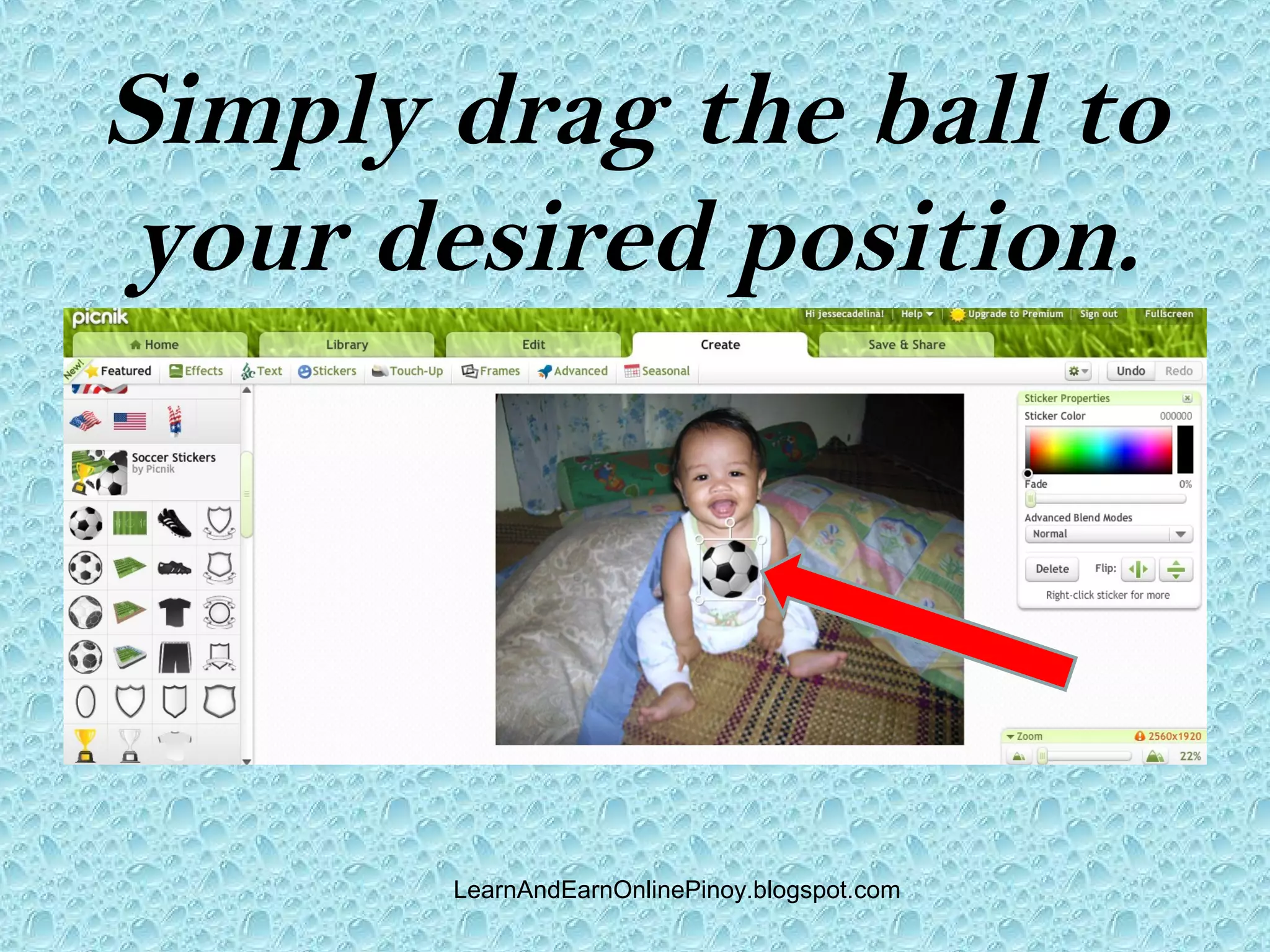
Simply drag the ball to
your desired position.


       LearnAndEarnOnlinePinoy.blogspot.com
Here you go.


  LearnAndEarnOnlinePinoy.blogspot.com
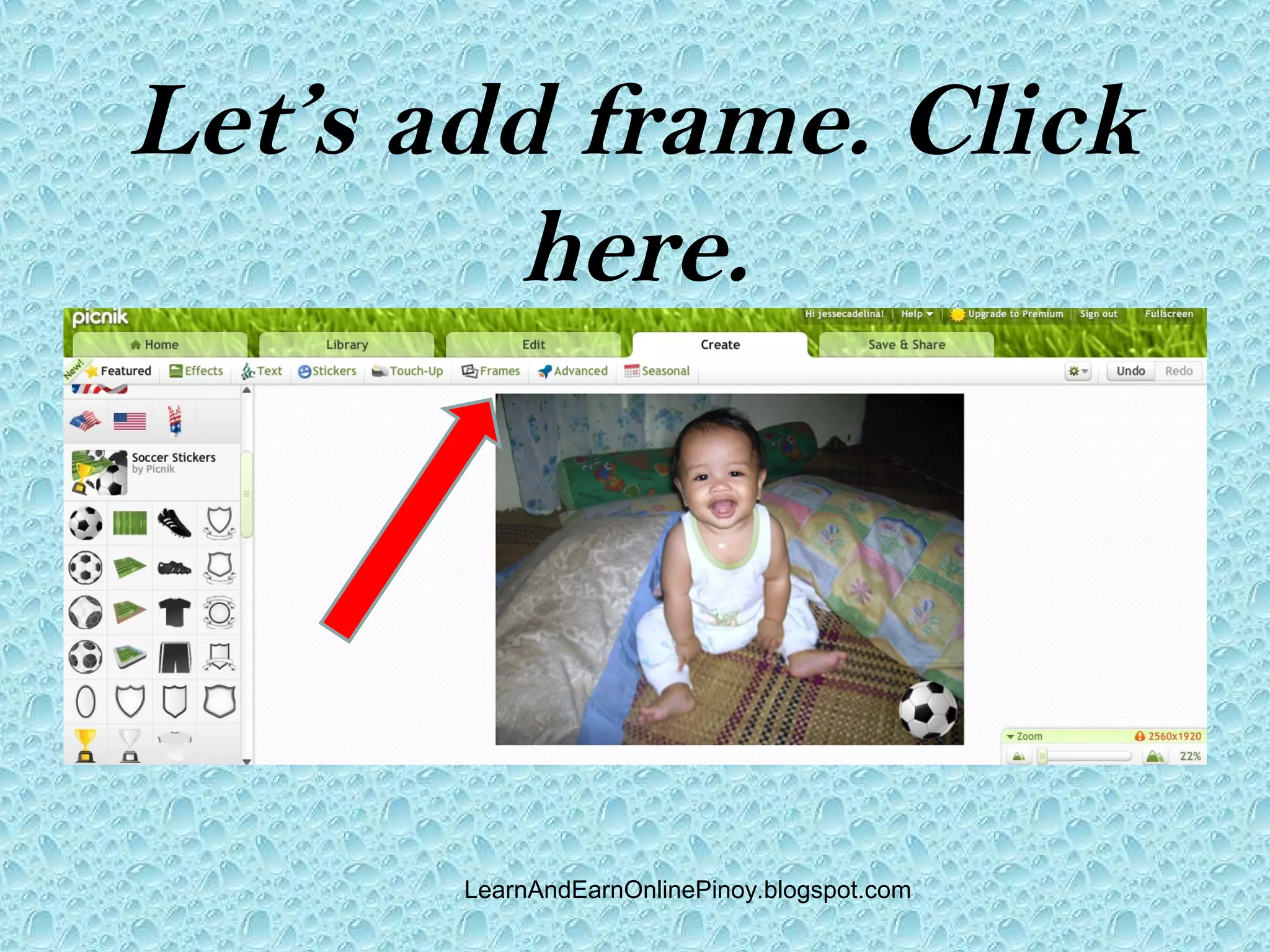
Let’s add frame. Click
         here.


       LearnAndEarnOnlinePinoy.blogspot.com
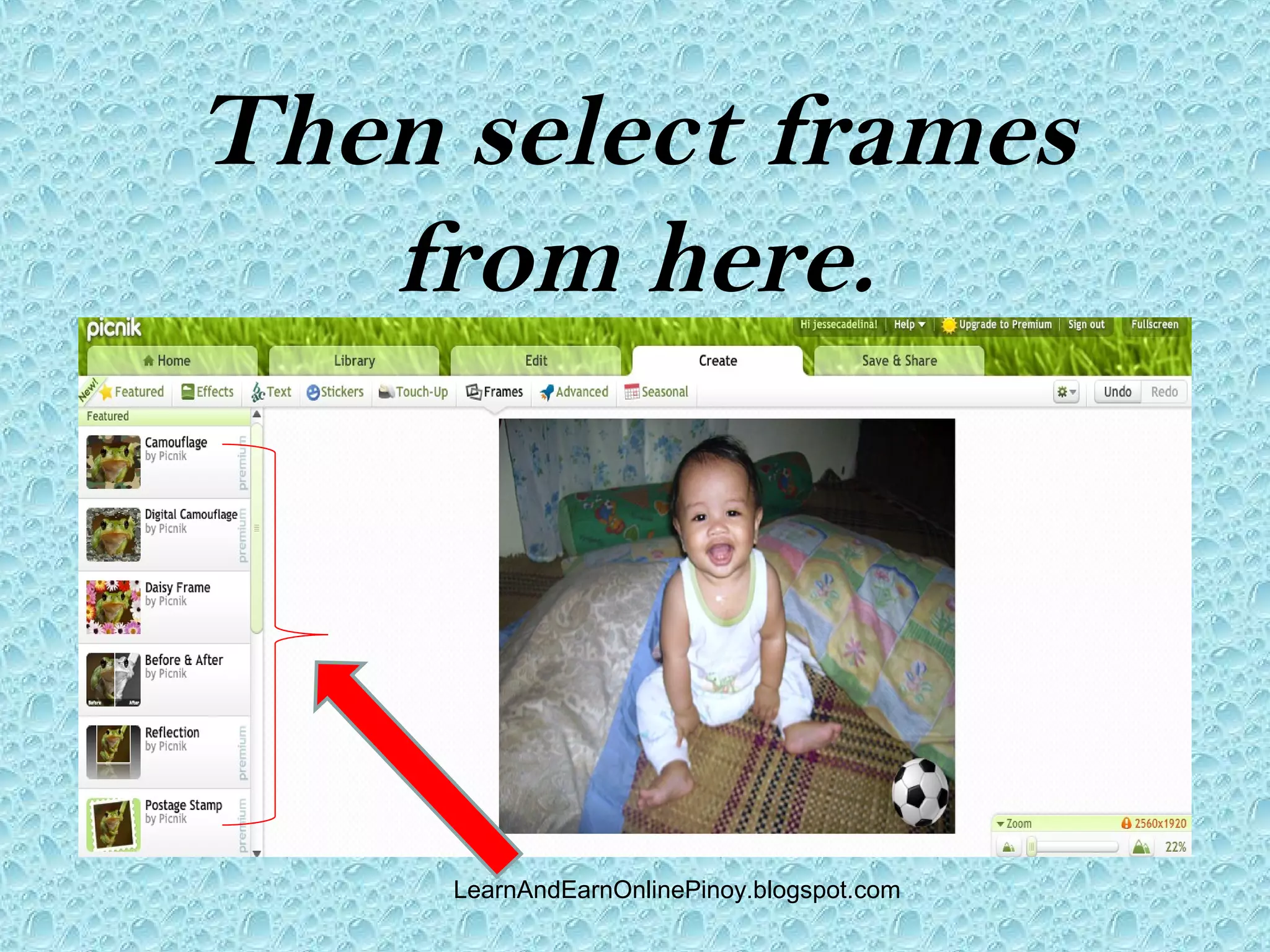
Then select frames
   from here.


     LearnAndEarnOnlinePinoy.blogspot.com
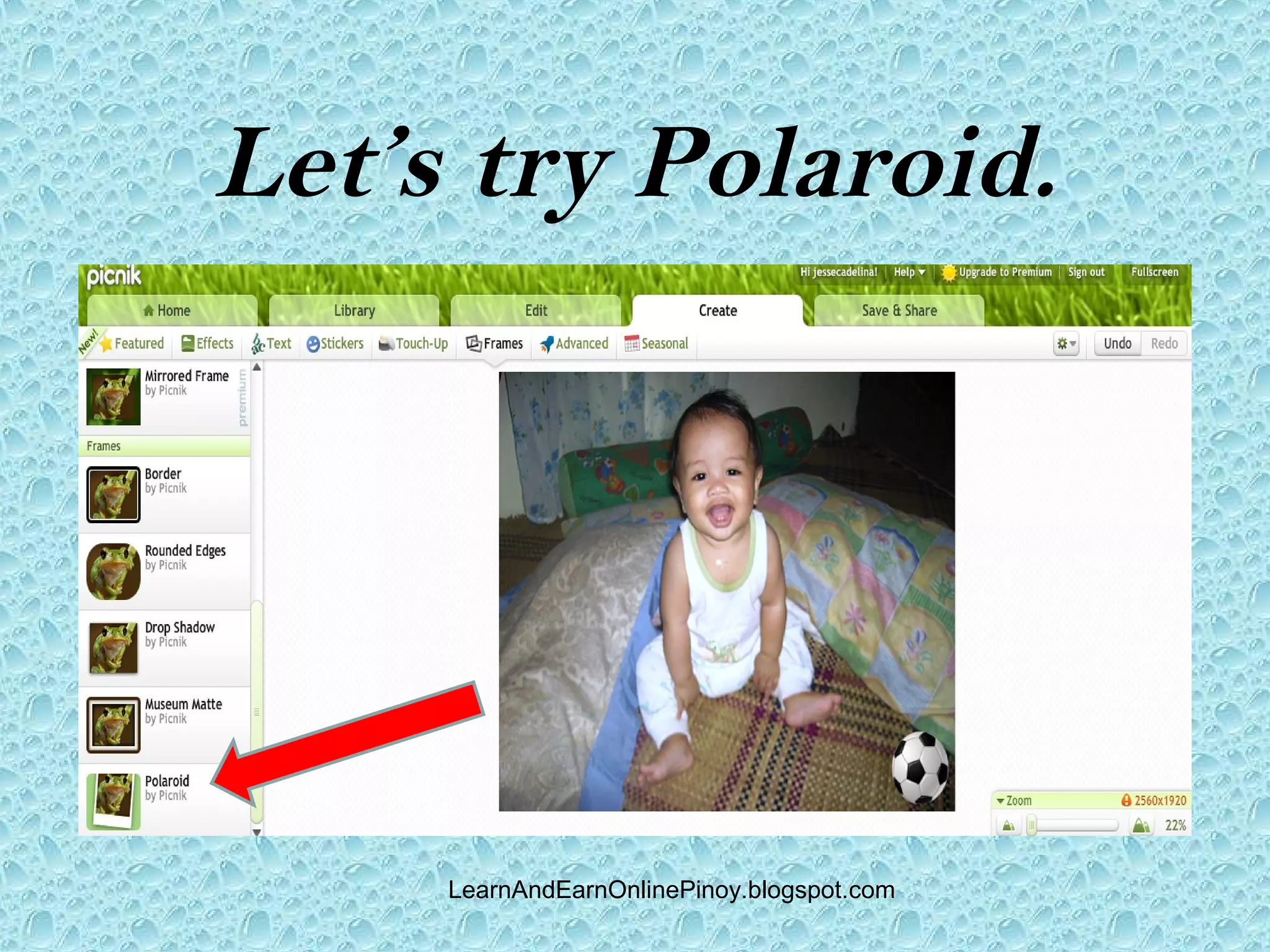
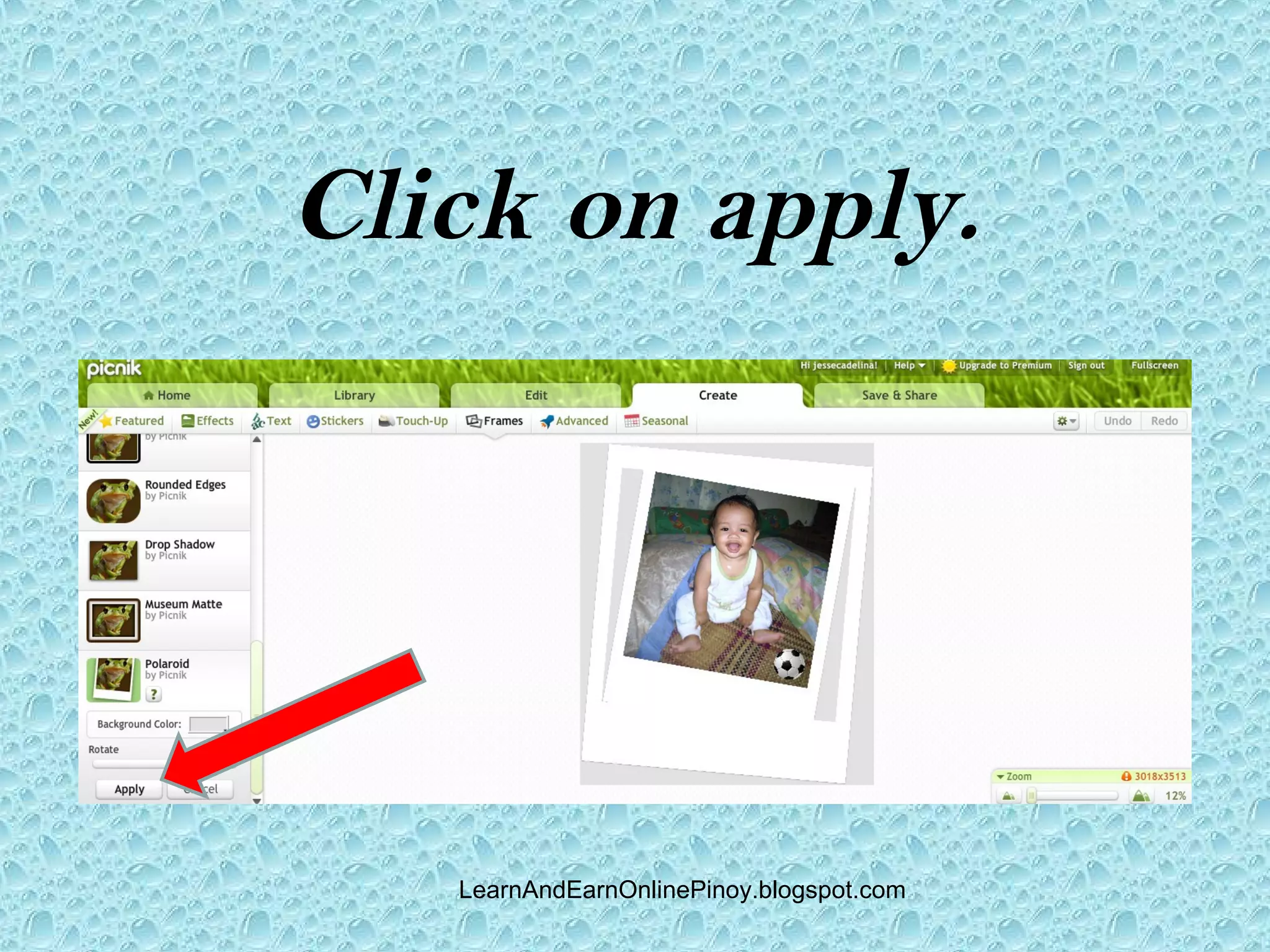
Let’s try Polaroid.


     LearnAndEarnOnlinePinoy.blogspot.com
Click on apply.


   LearnAndEarnOnlinePinoy.blogspot.com
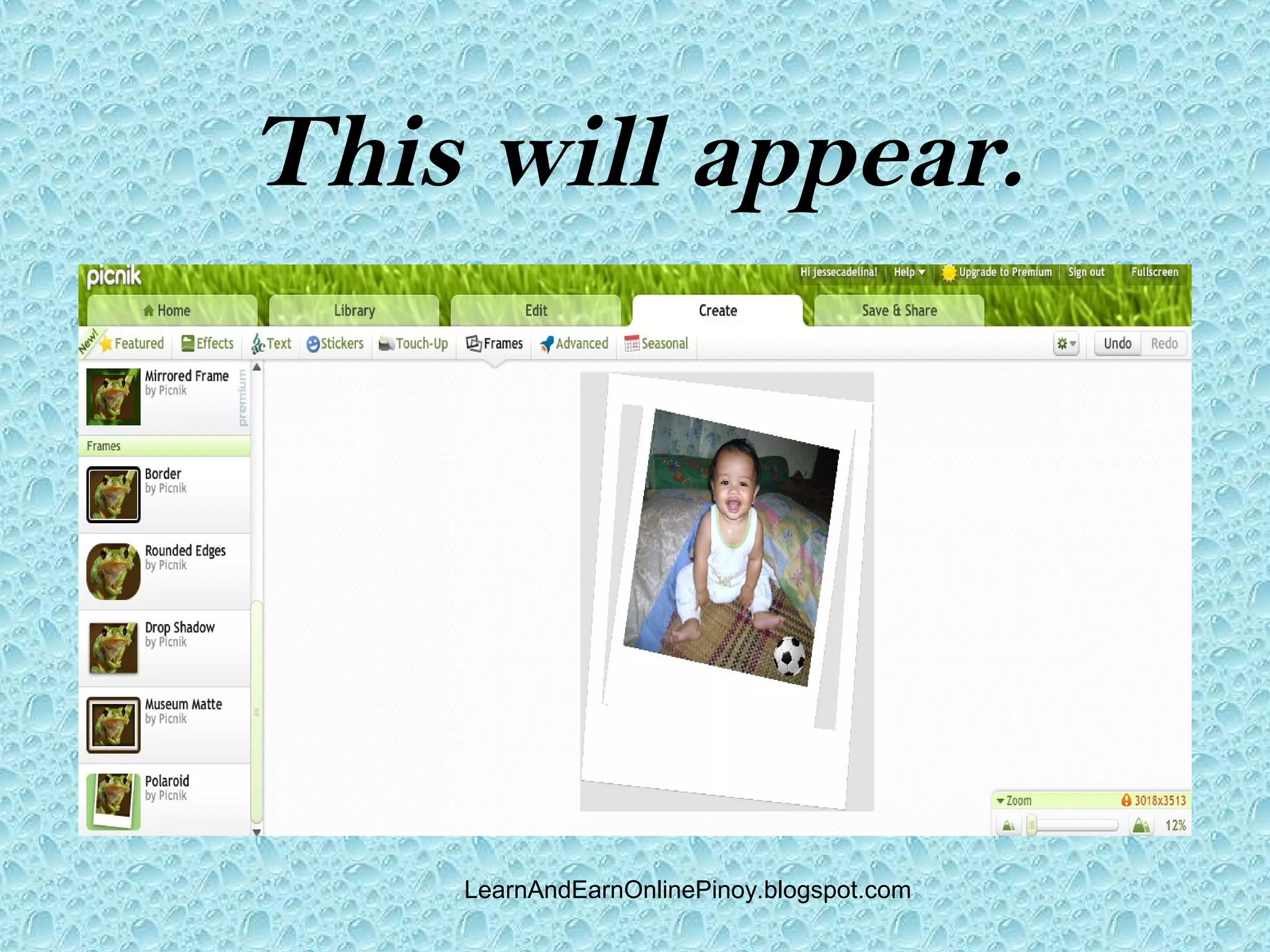
This will appear.


    LearnAndEarnOnlinePinoy.blogspot.com
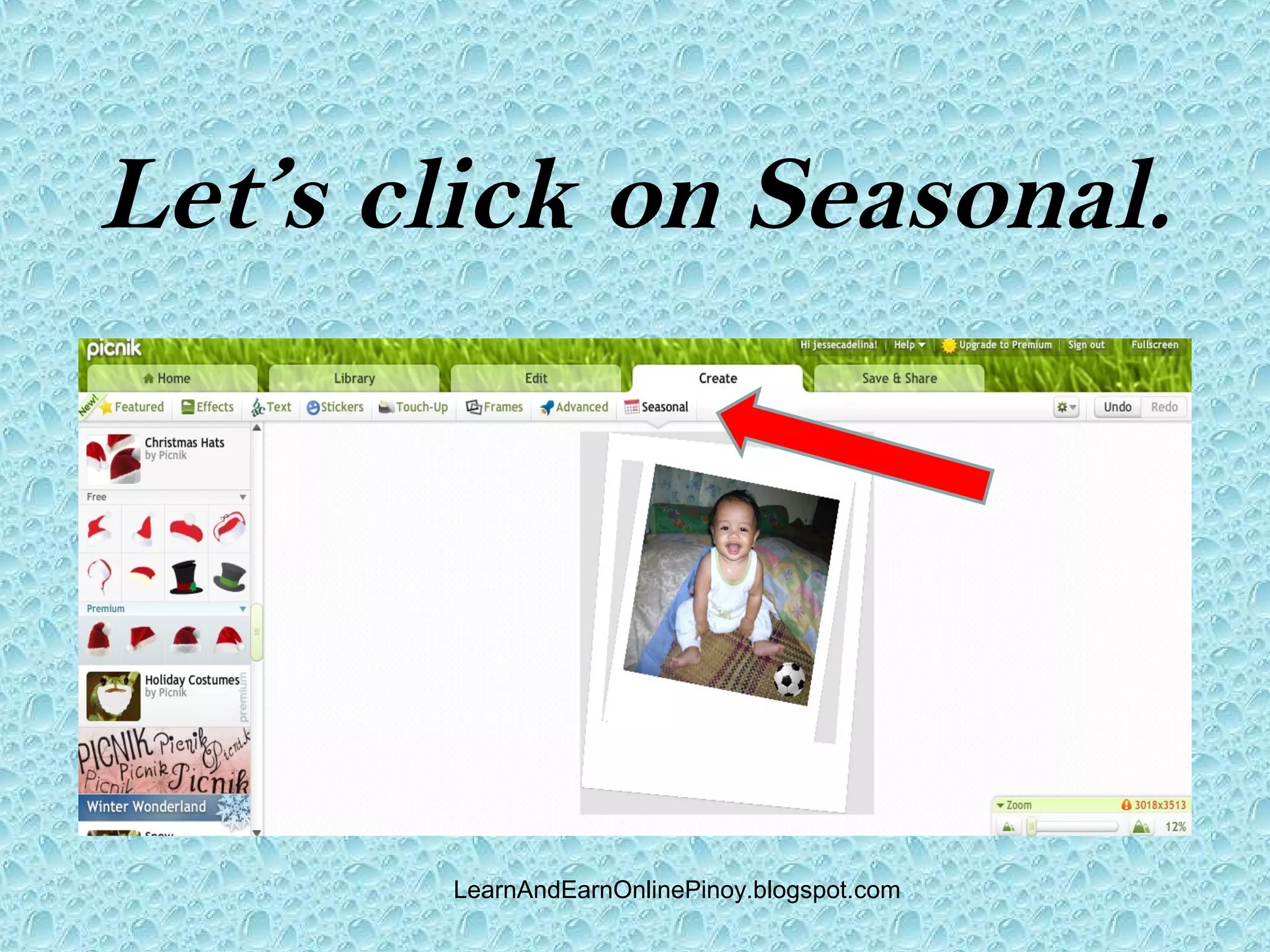
Let’s click on Seasonal.


       LearnAndEarnOnlinePinoy.blogspot.com
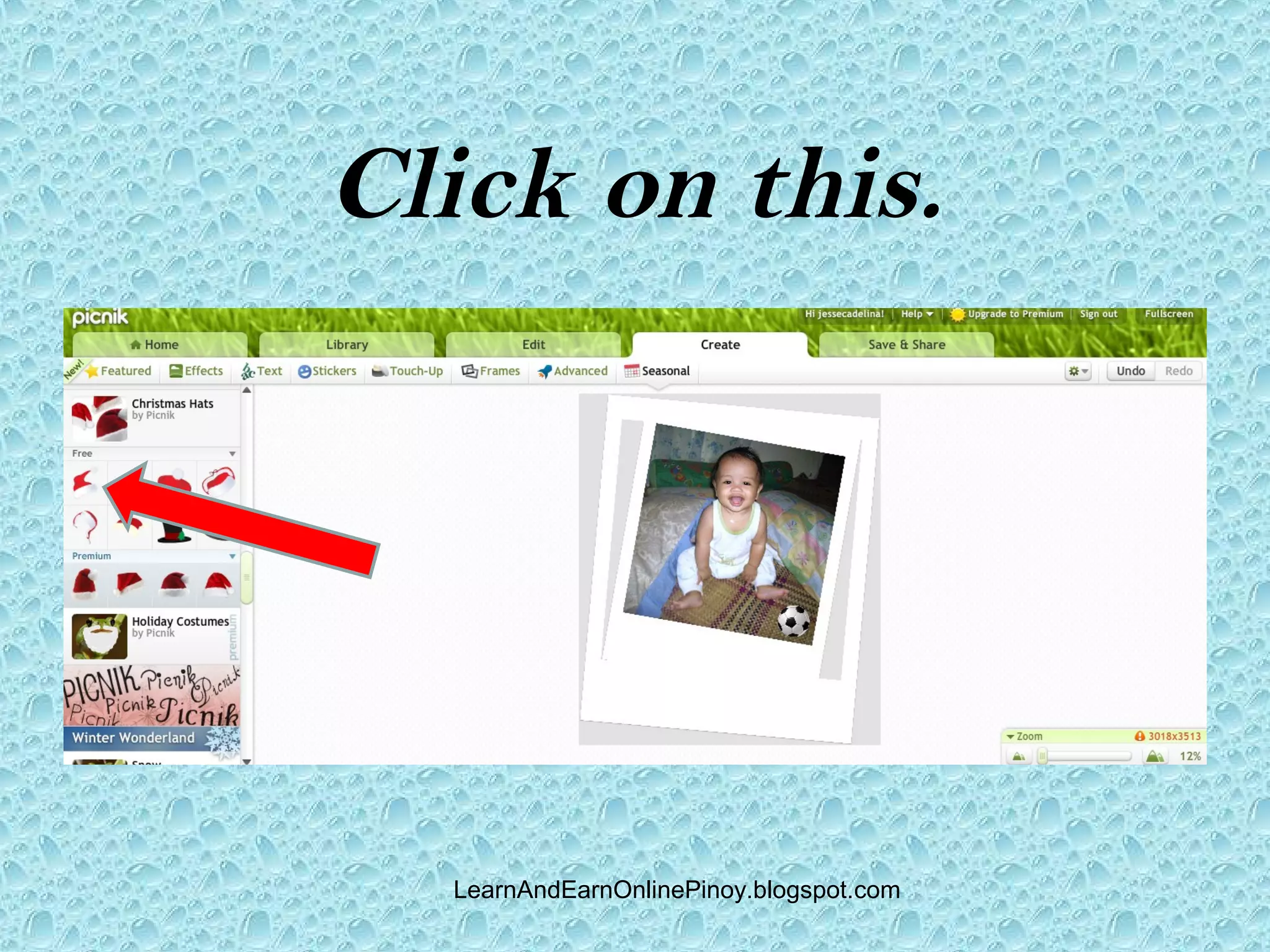
Click on this.


  LearnAndEarnOnlinePinoy.blogspot.com
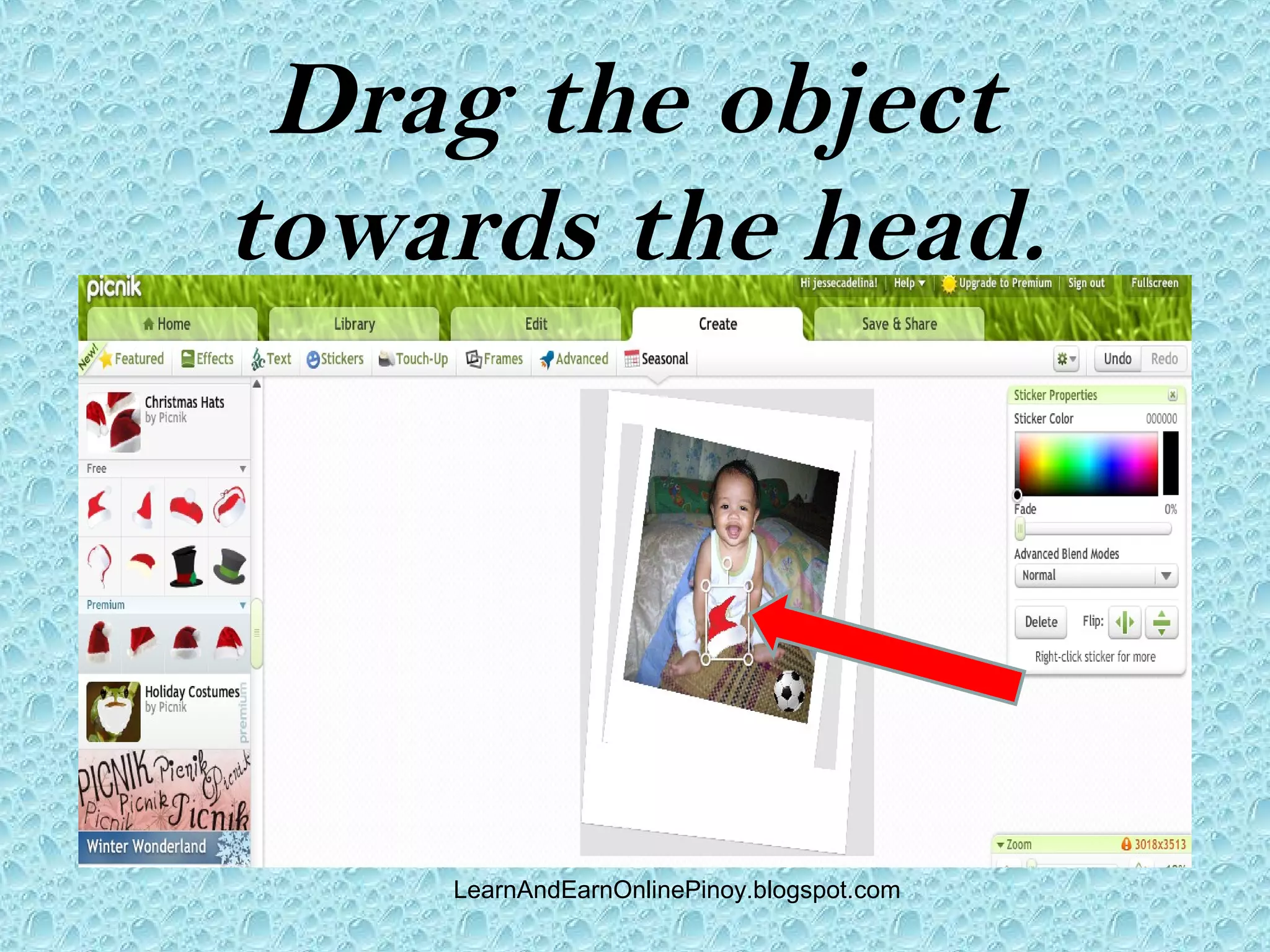
Drag the object
towards the head.


    LearnAndEarnOnlinePinoy.blogspot.com
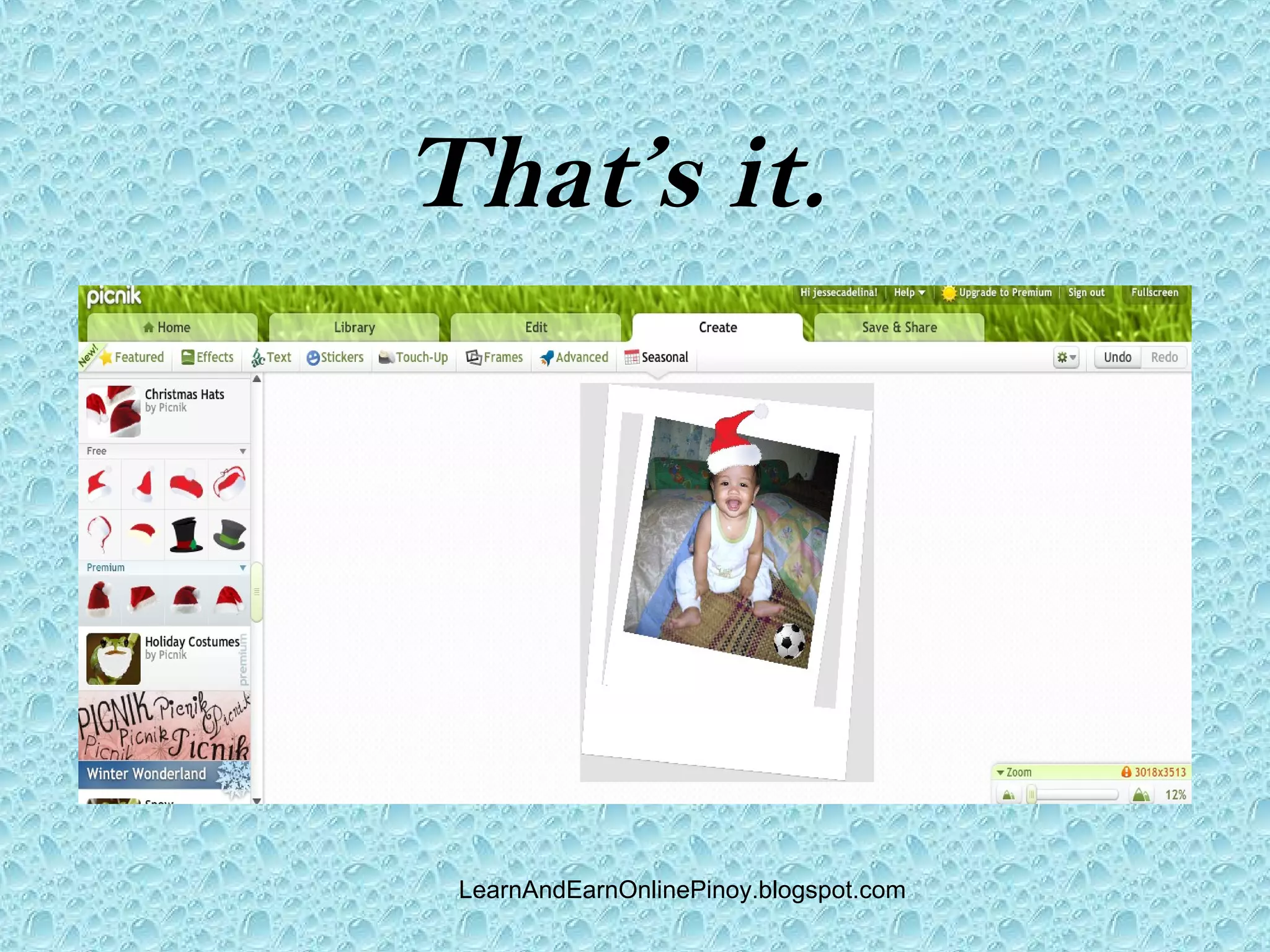
That’s it.


 LearnAndEarnOnlinePinoy.blogspot.com
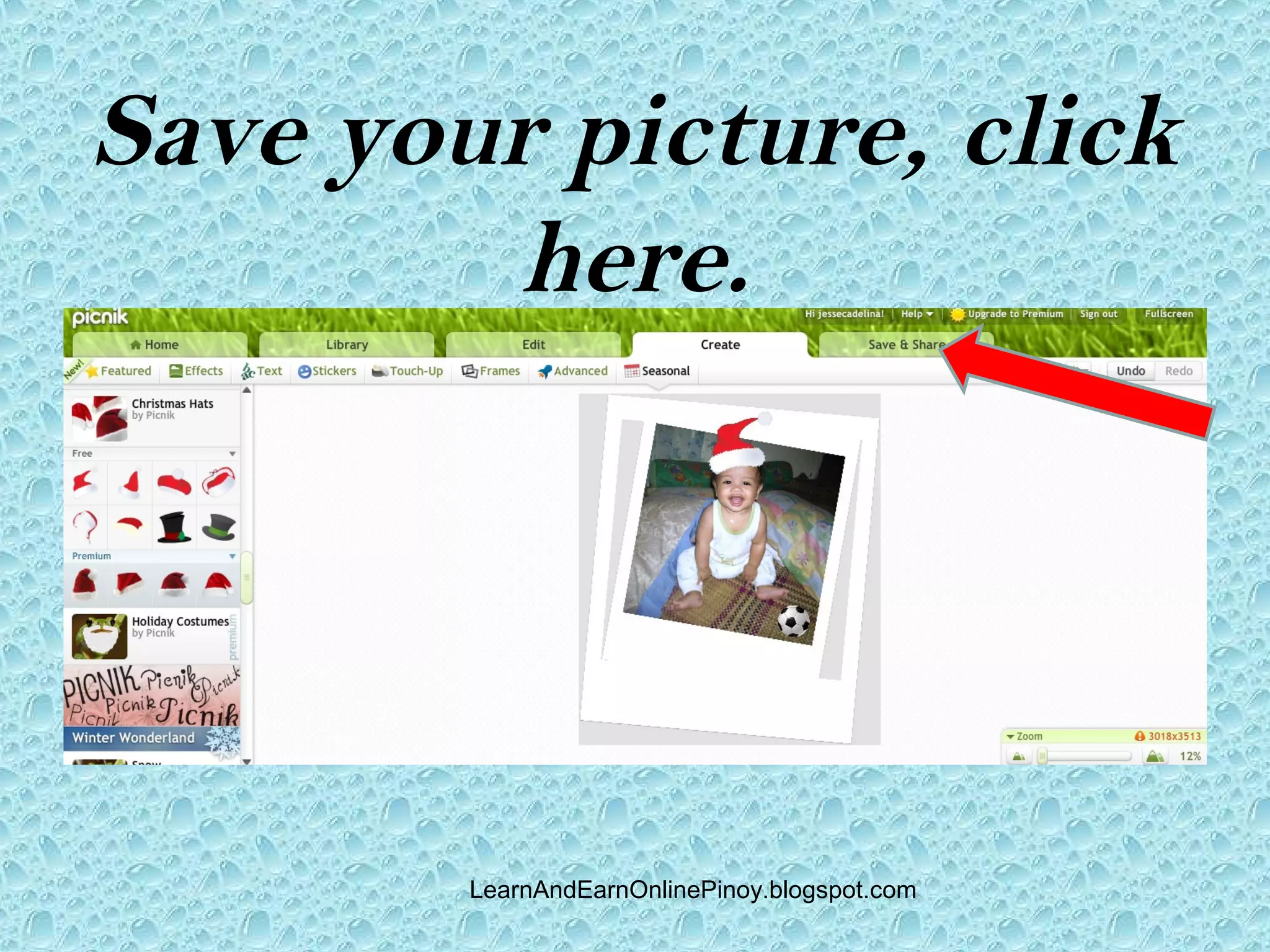
Save your picture, click
         here.


        LearnAndEarnOnlinePinoy.blogspot.com
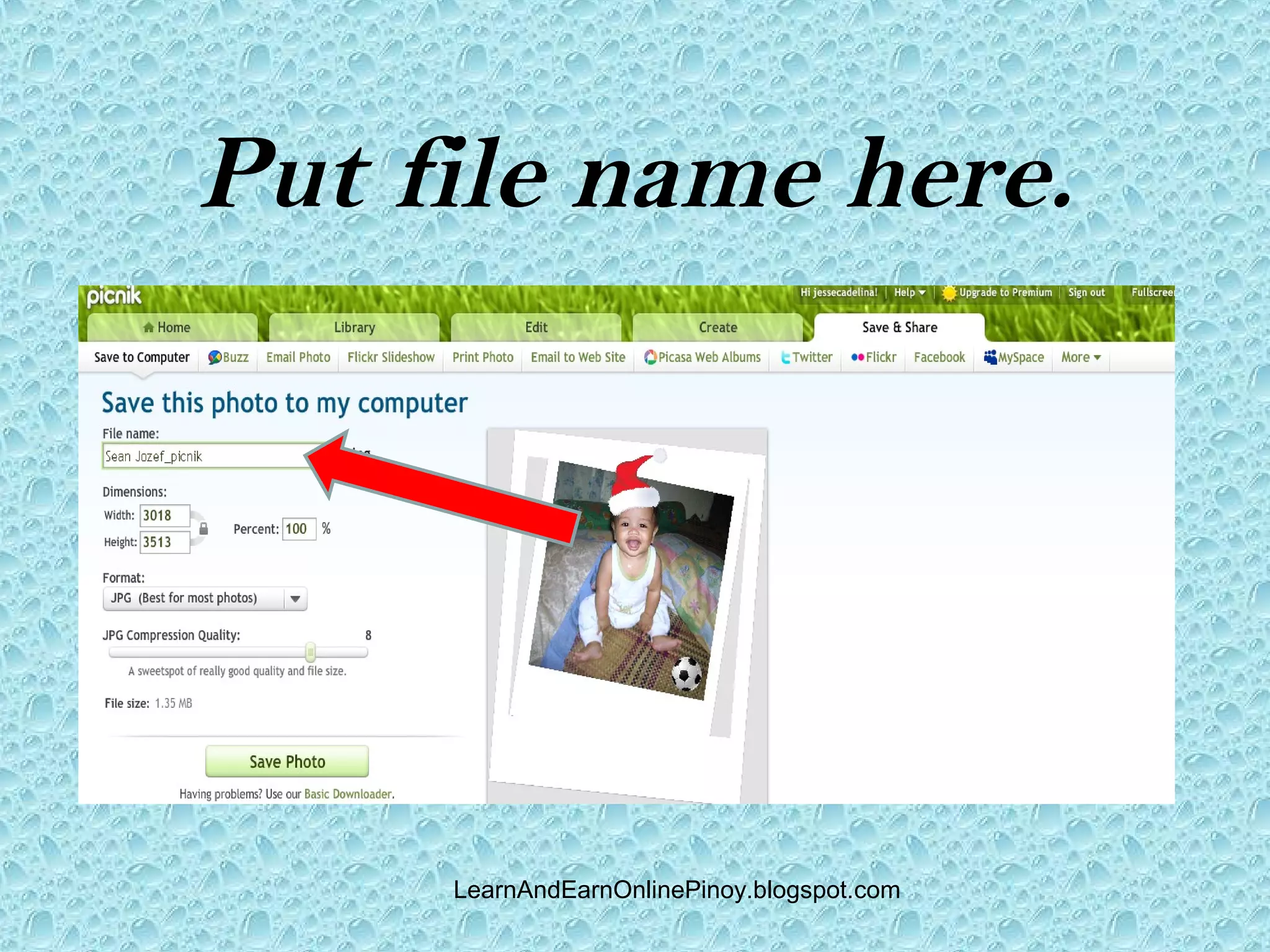
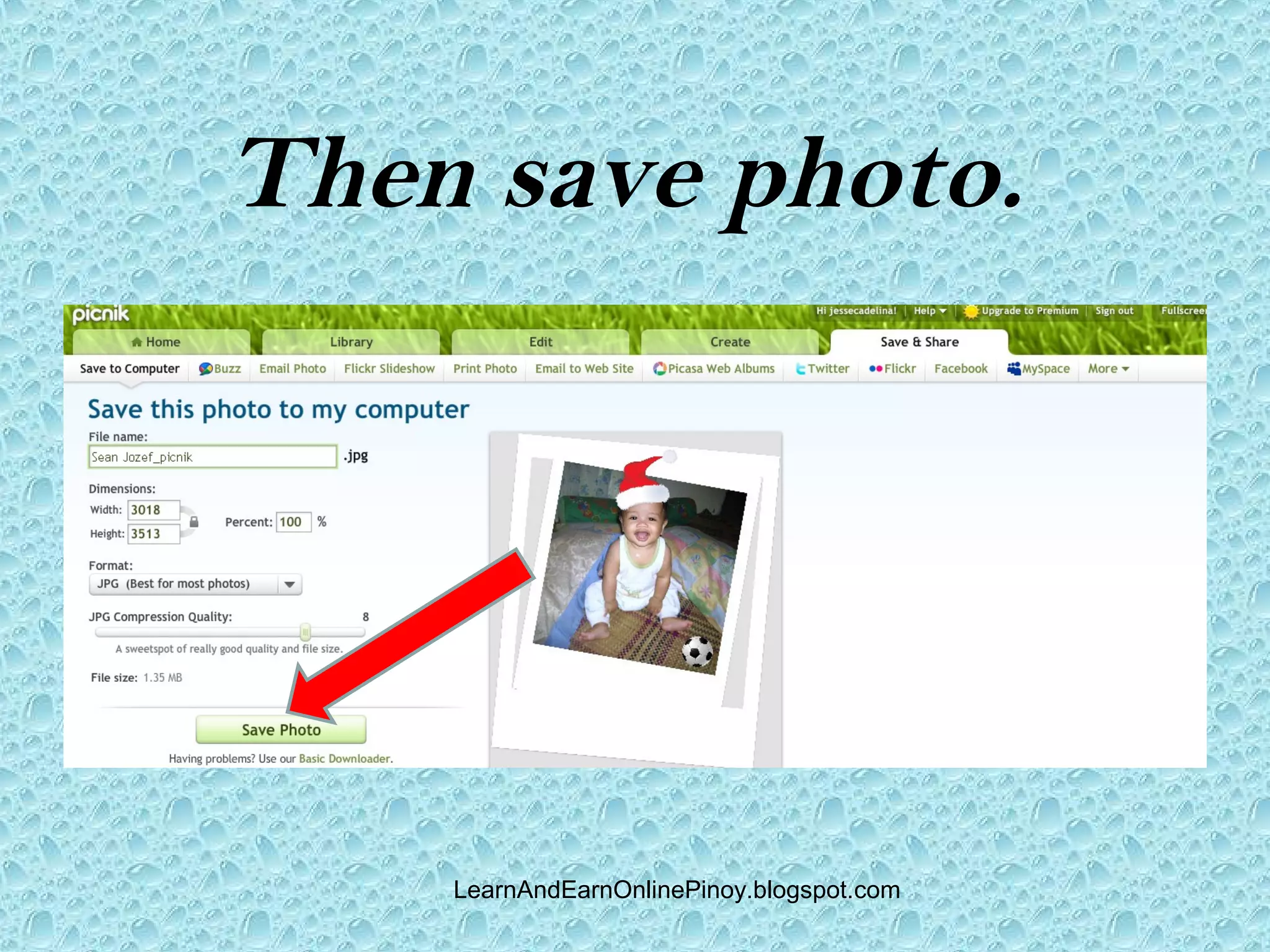
Put file name here.


     LearnAndEarnOnlinePinoy.blogspot.com
Then save photo.


    LearnAndEarnOnlinePinoy.blogspot.com
That’s all to it.


    LearnAndEarnOnlinePinoy.blogspot.com

How to do online photo editing?