Download to read offline
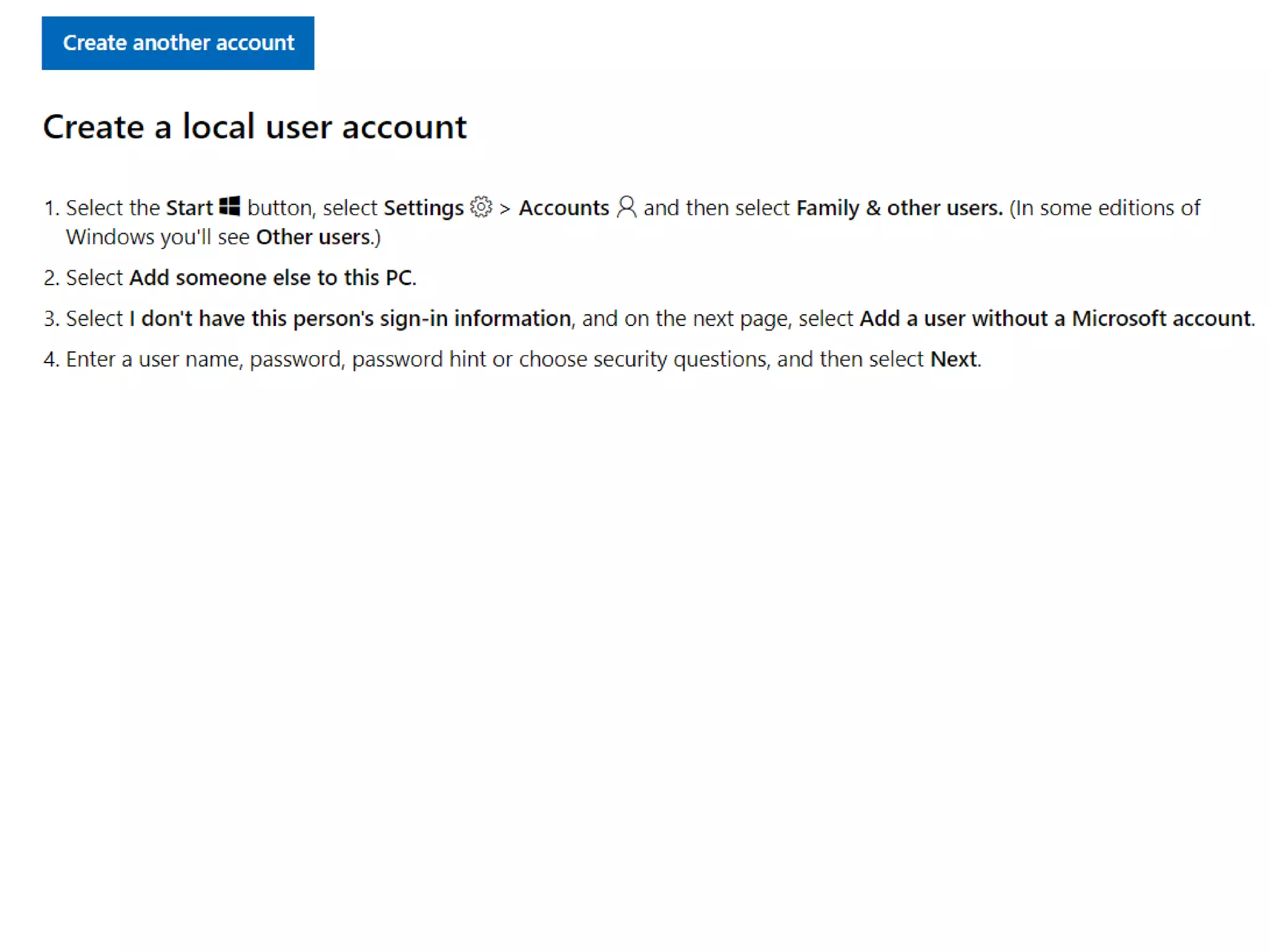
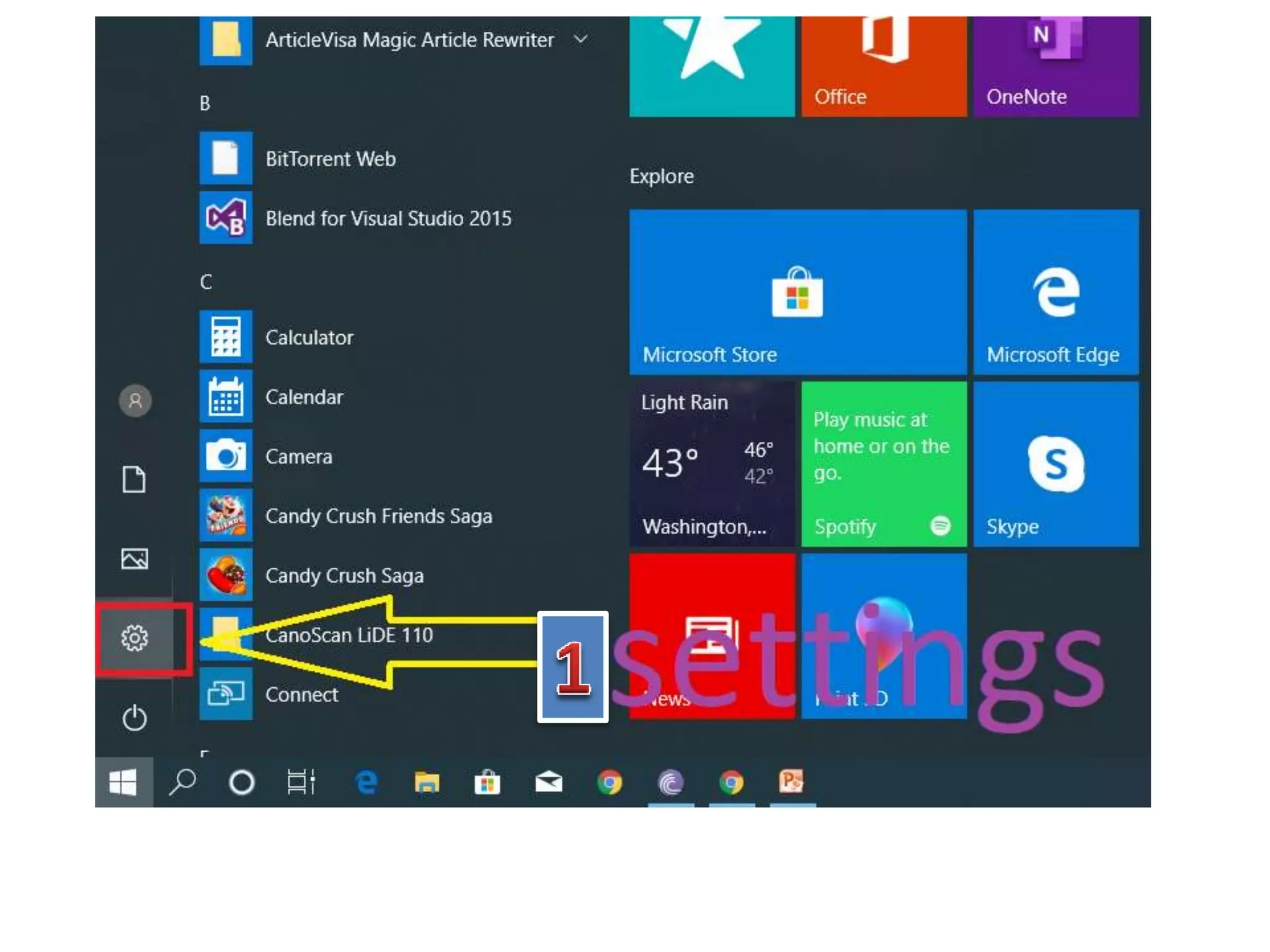
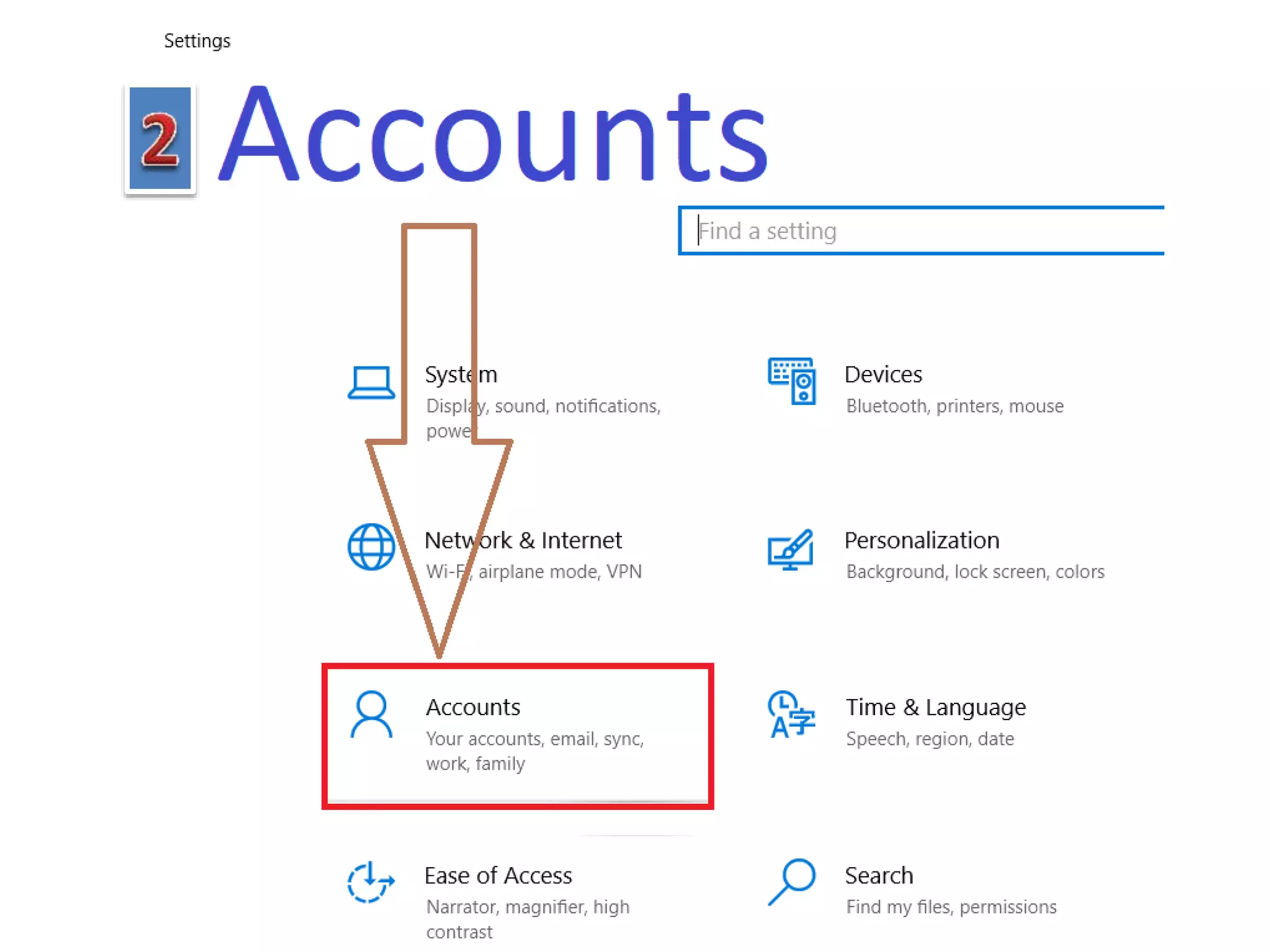
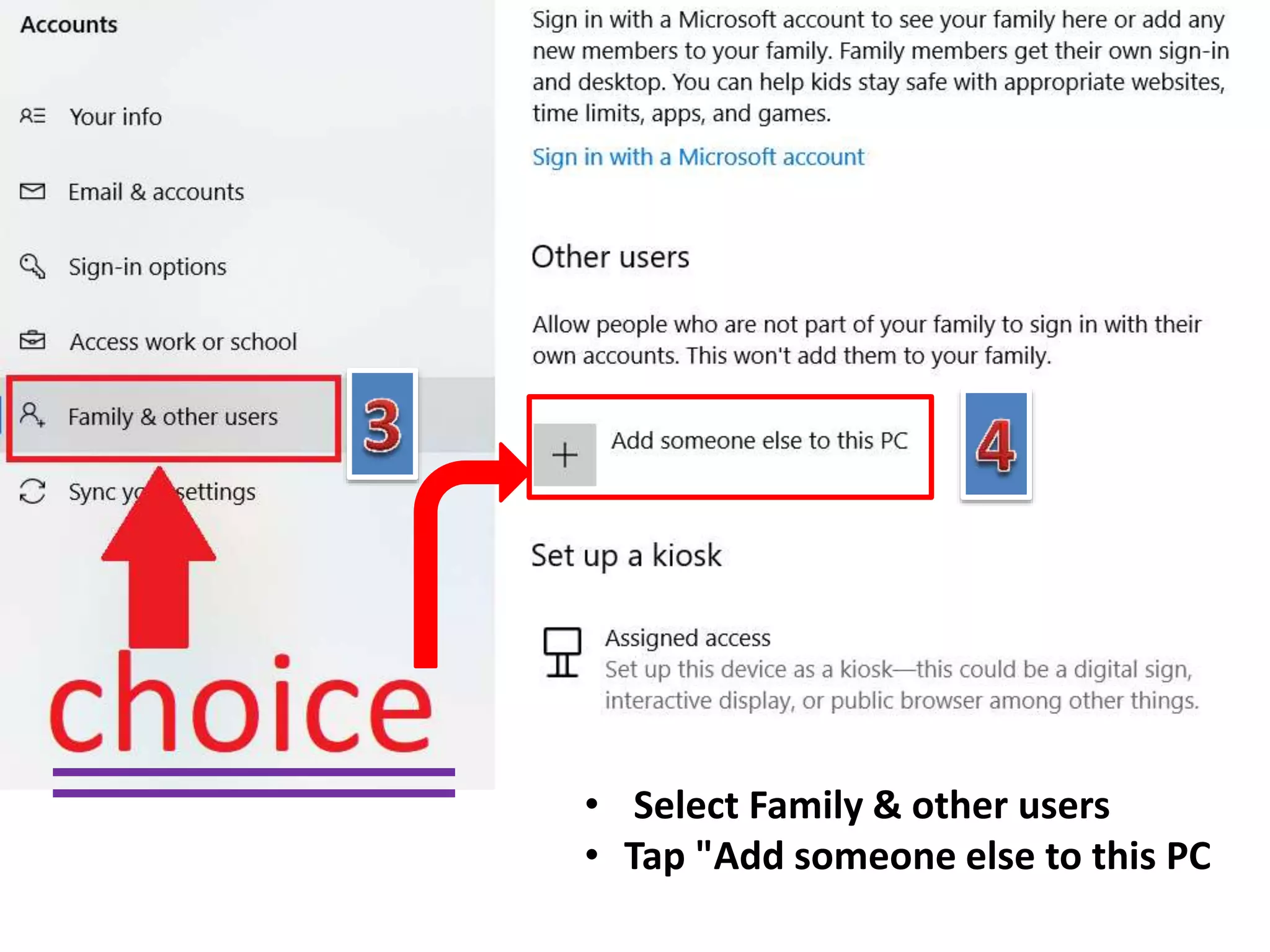
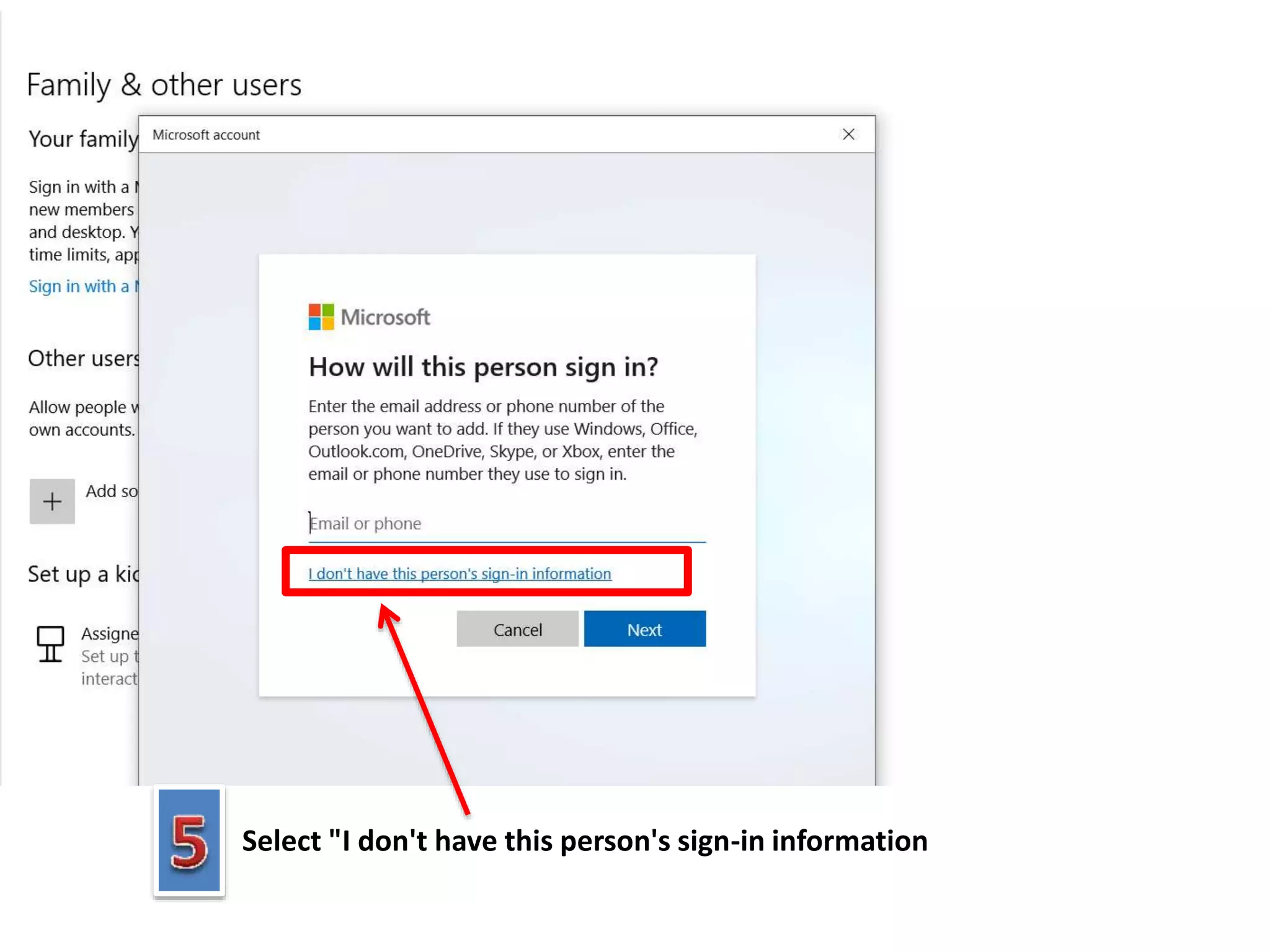
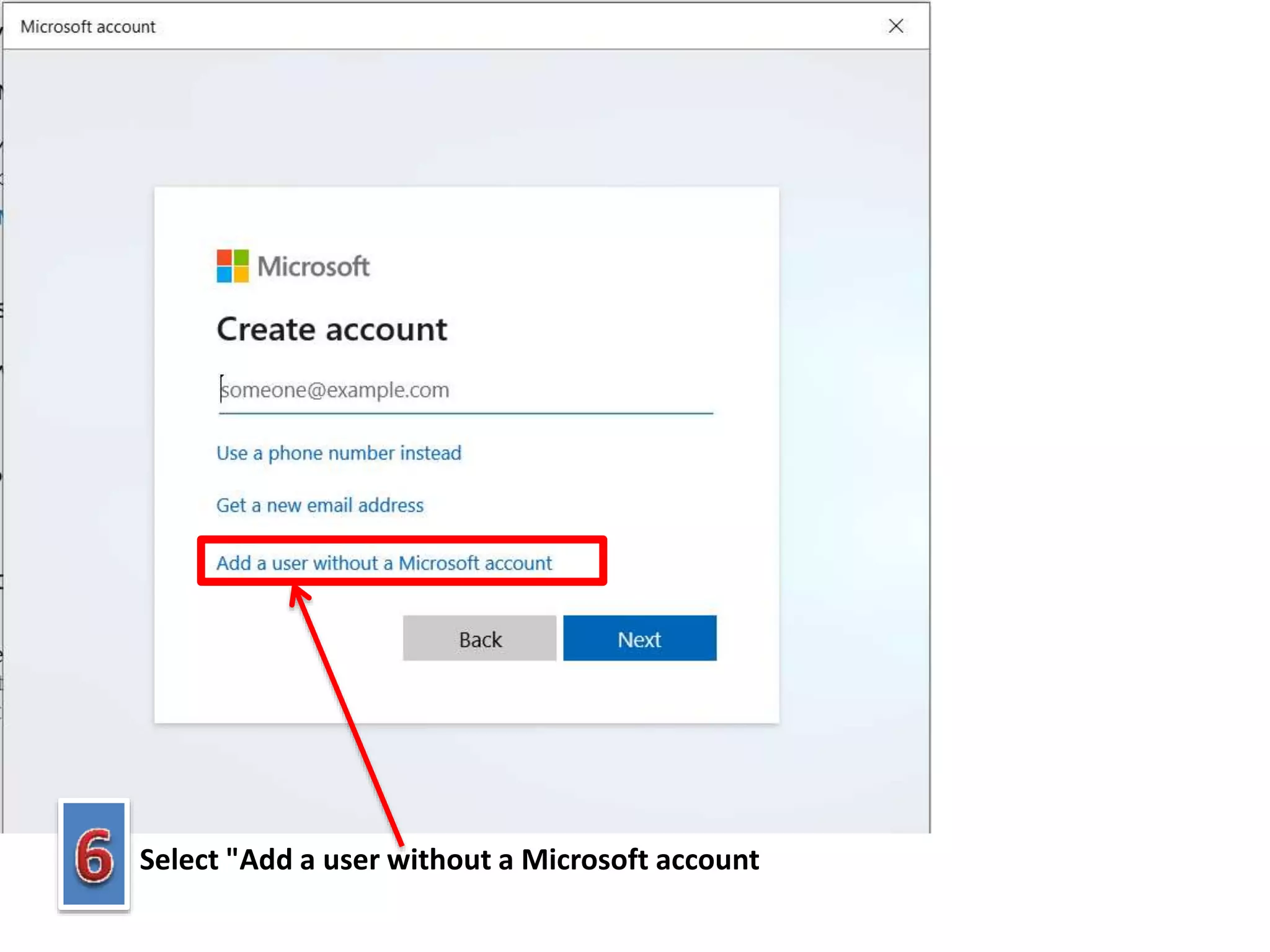
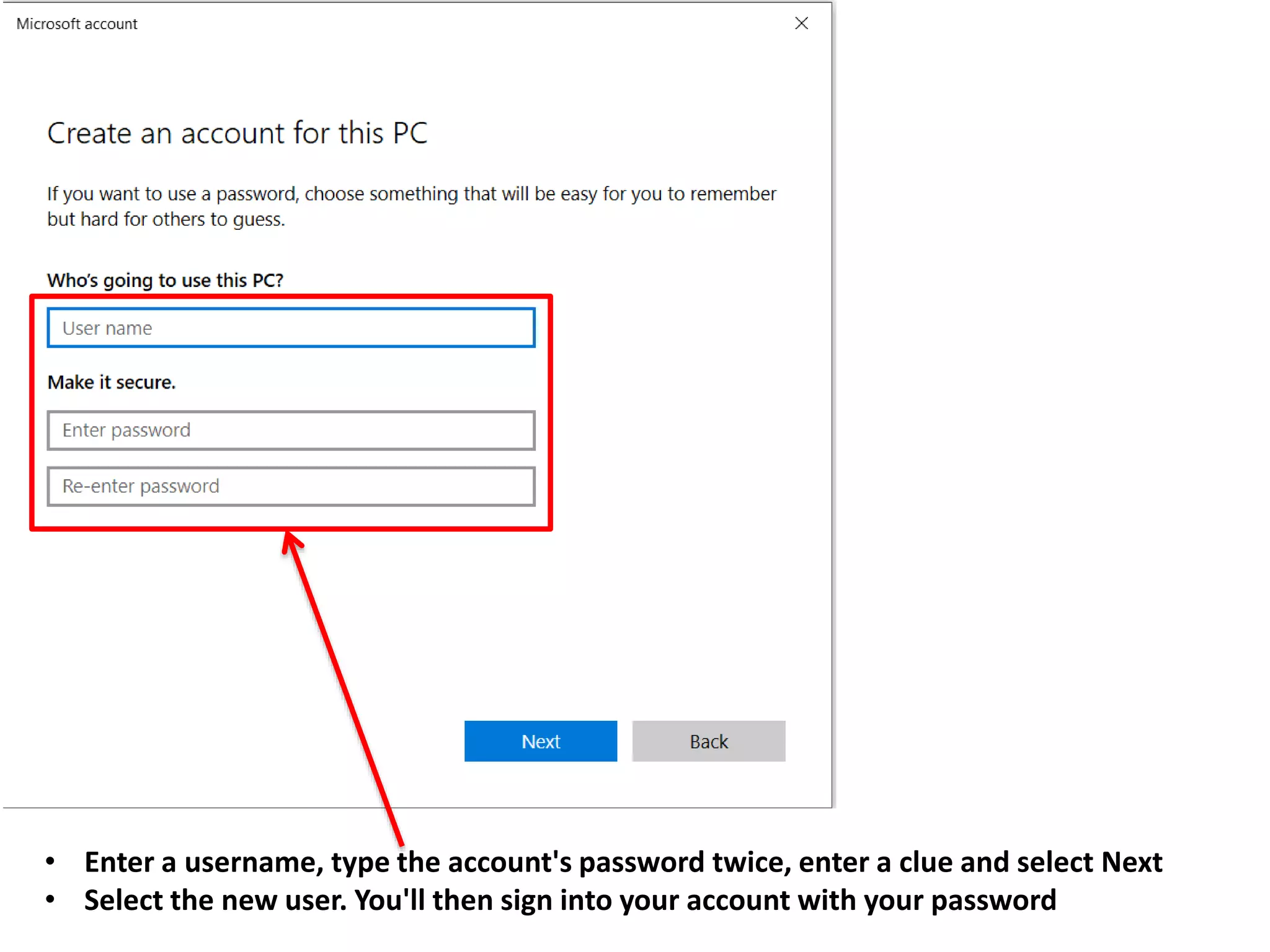
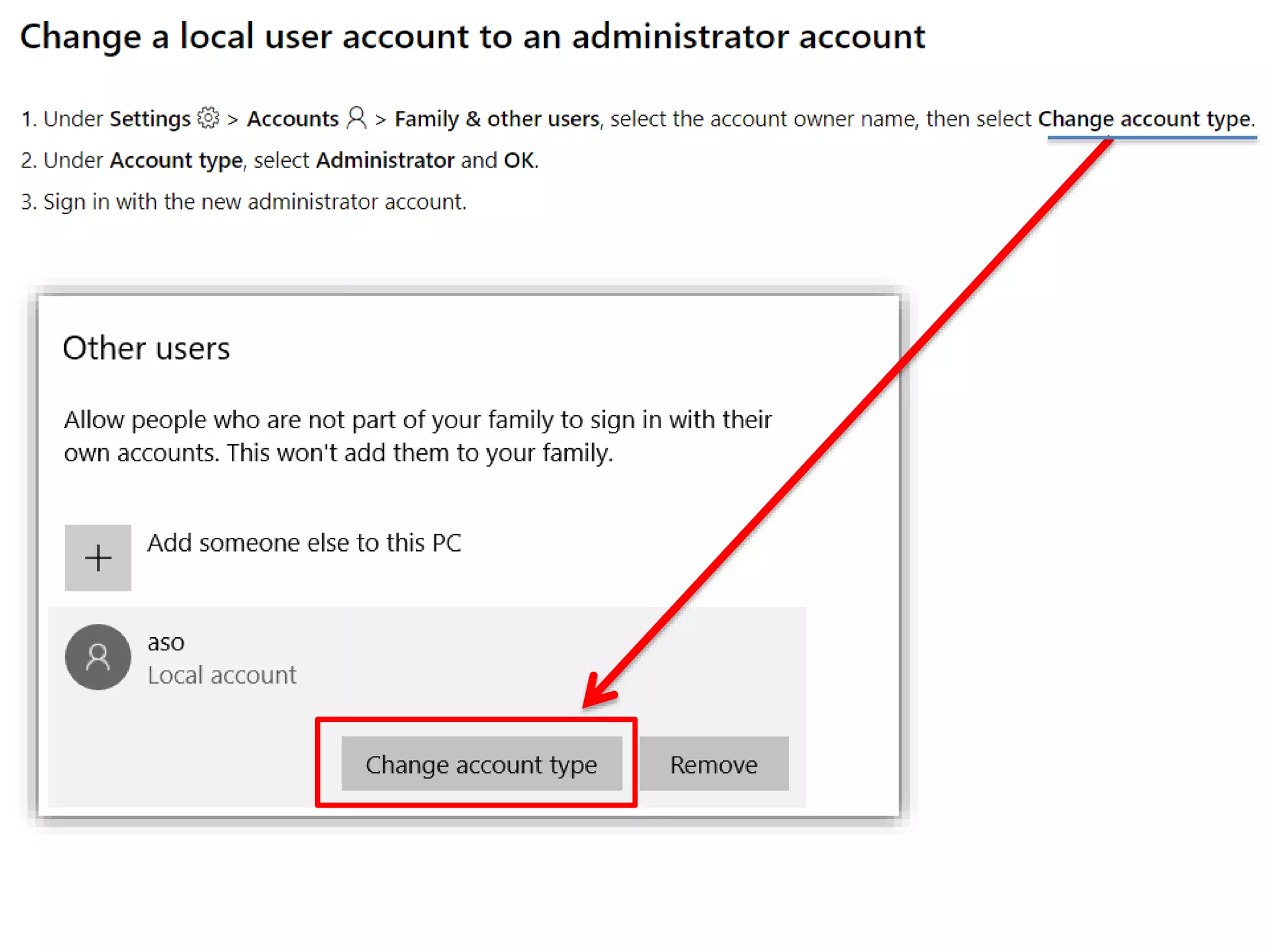
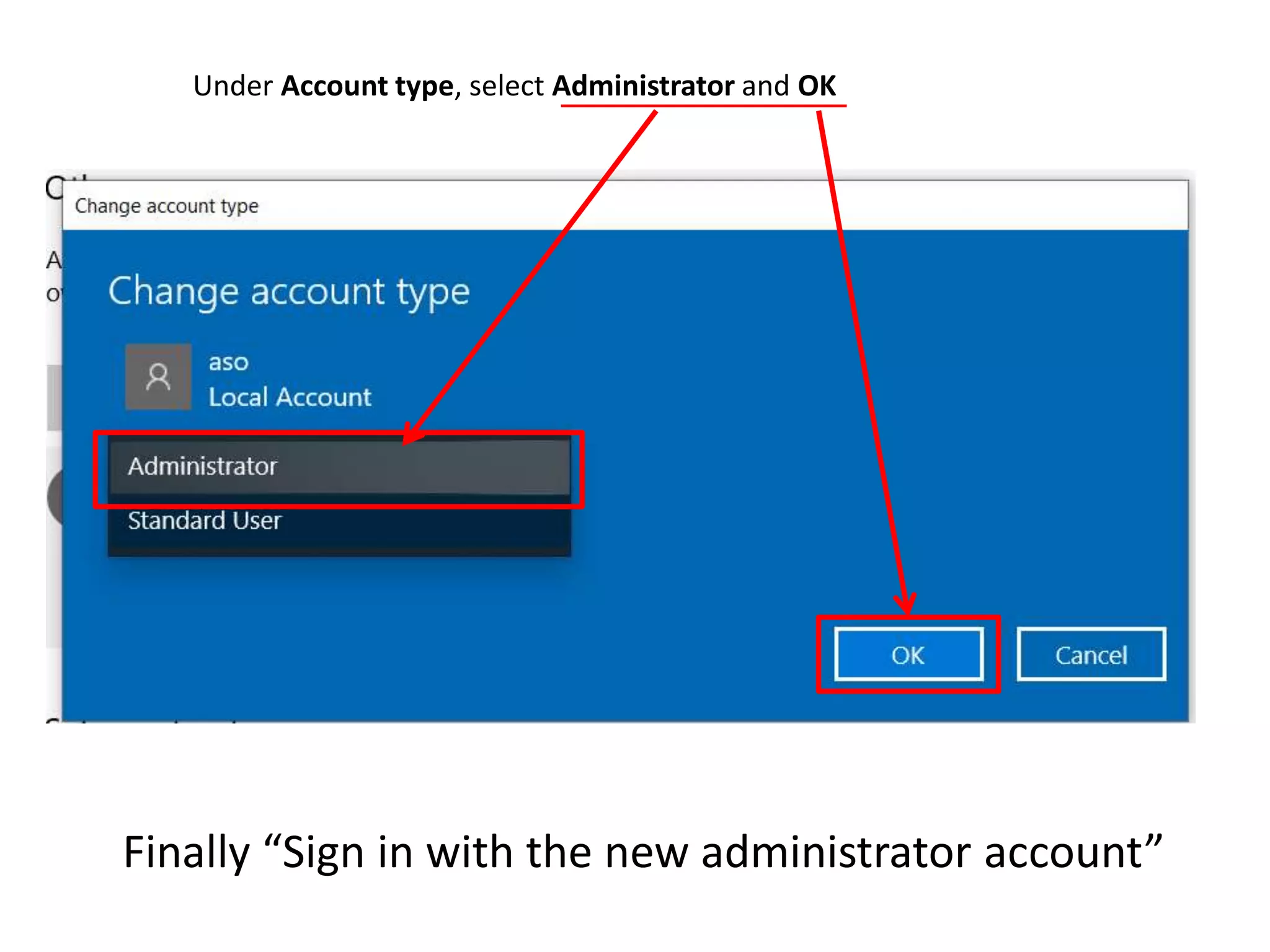

This document provides instructions for creating limited user accounts in Windows 10 without a Microsoft account. It outlines selecting "Family & other users", then "Add someone else to this PC", choosing "I don't have this person's sign-in information", selecting "Add a user without a Microsoft account", entering a username and password twice with a clue, selecting the new user account, making it an administrator under "Account type", and signing in with the new administrator account.


