
1


                                     How to Create a
                                           Fantastic
                                     Facebook Page
                                                        Sid Macatol


Sid Macatol - How to Create a Fantastic Facebook Page     18-Nov 2010
2

    What is a Facebook Page?


Sid Macatol - How to Create a Fantastic Facebook Page   18-Nov 2010
3

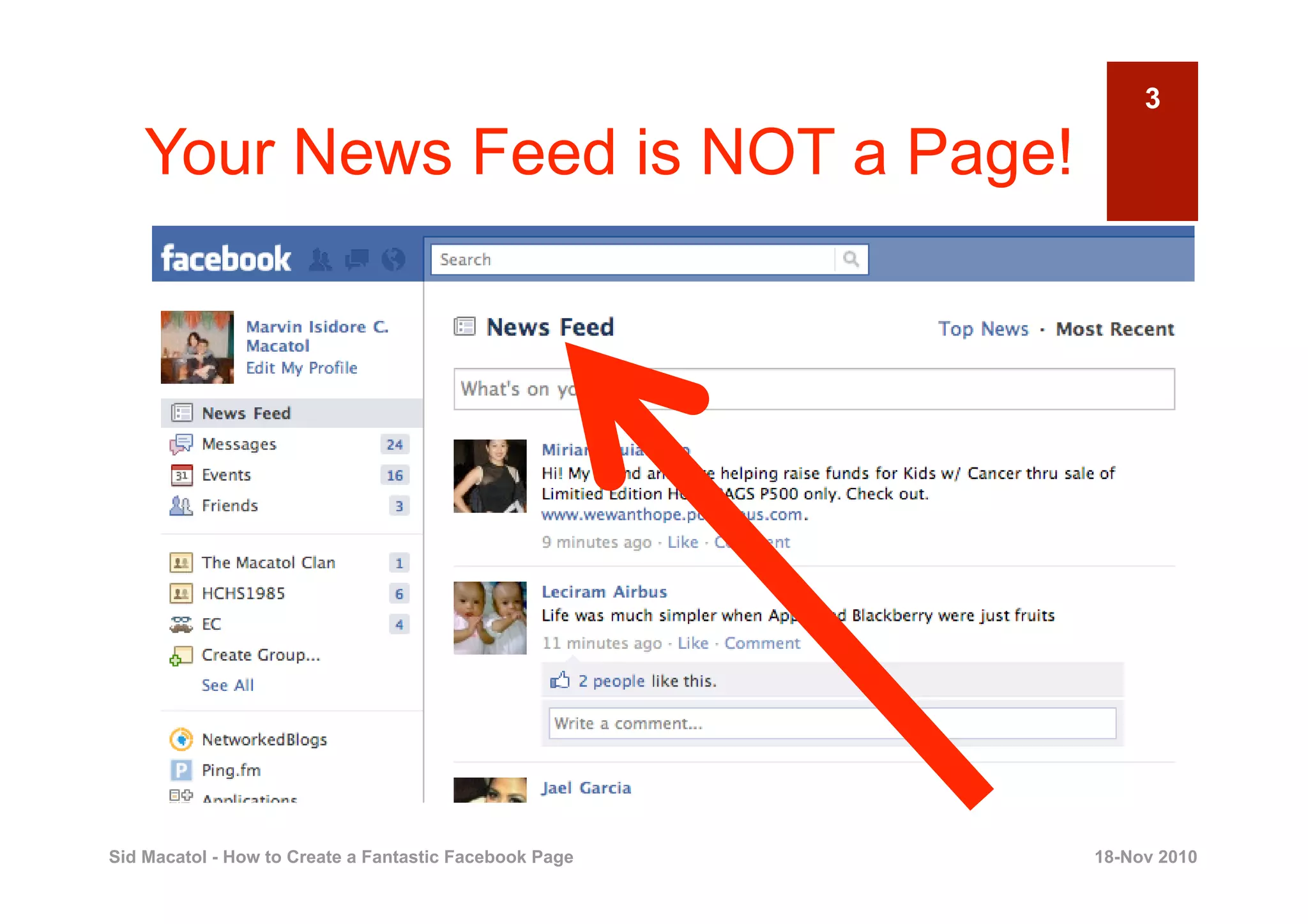
    Your News Feed is NOT a Page!


Sid Macatol - How to Create a Fantastic Facebook Page   18-Nov 2010
4

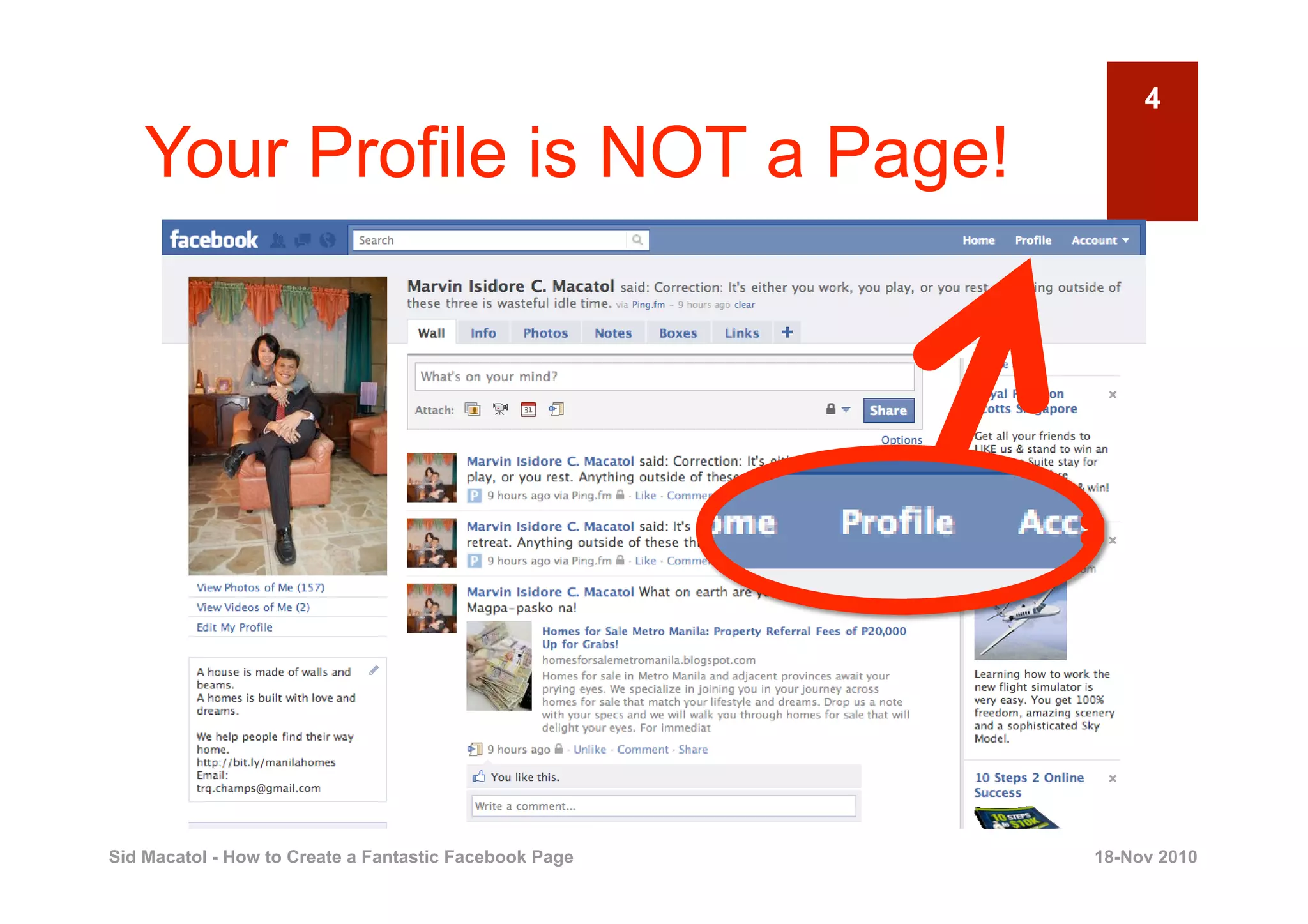
    Your Profile is NOT a Page!


Sid Macatol - How to Create a Fantastic Facebook Page   18-Nov 2010
5

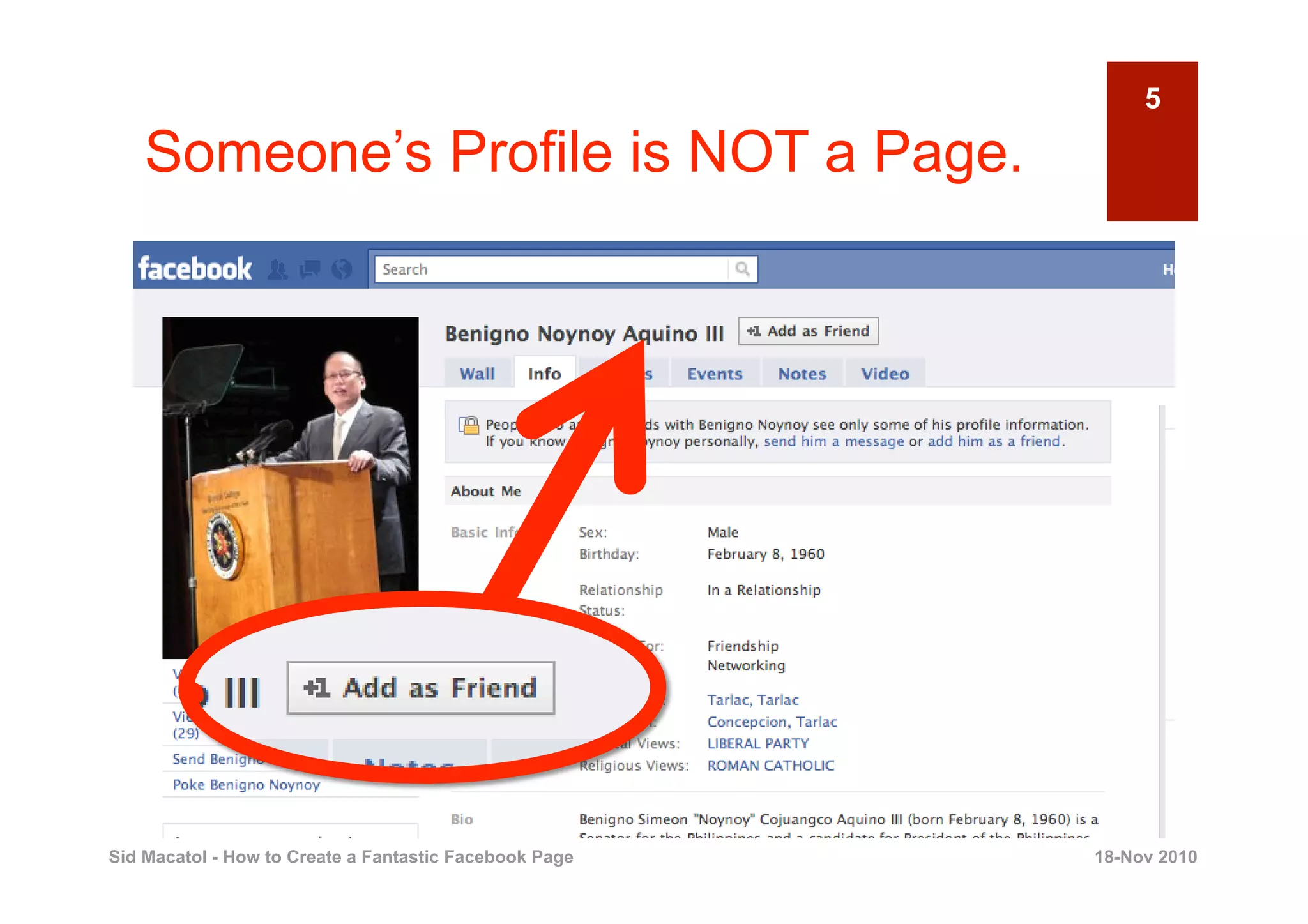
    Someone’s Profile is NOT a Page.


Sid Macatol - How to Create a Fantastic Facebook Page   18-Nov 2010
6

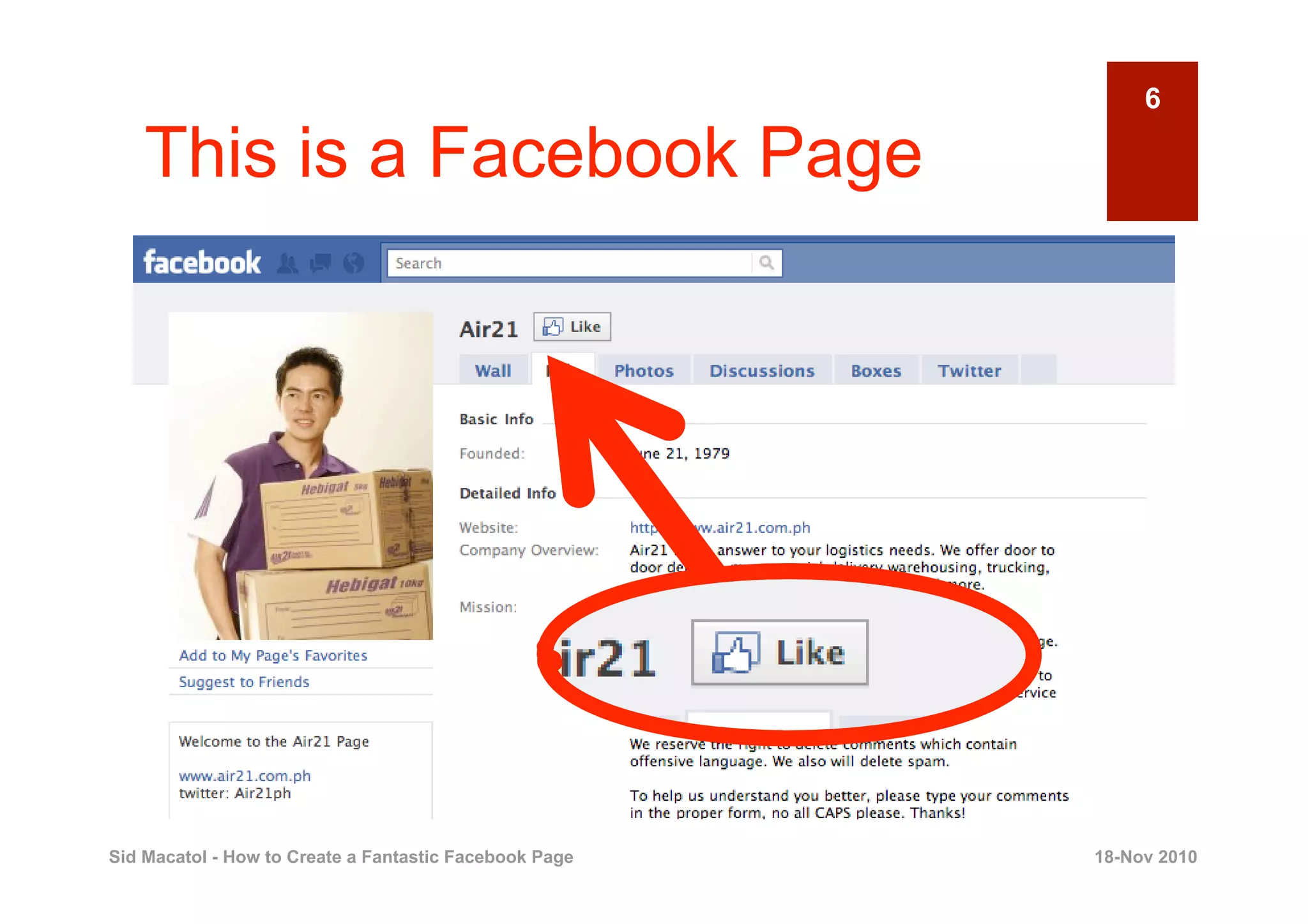
    This is a Facebook Page


Sid Macatol - How to Create a Fantastic Facebook Page   18-Nov 2010
7

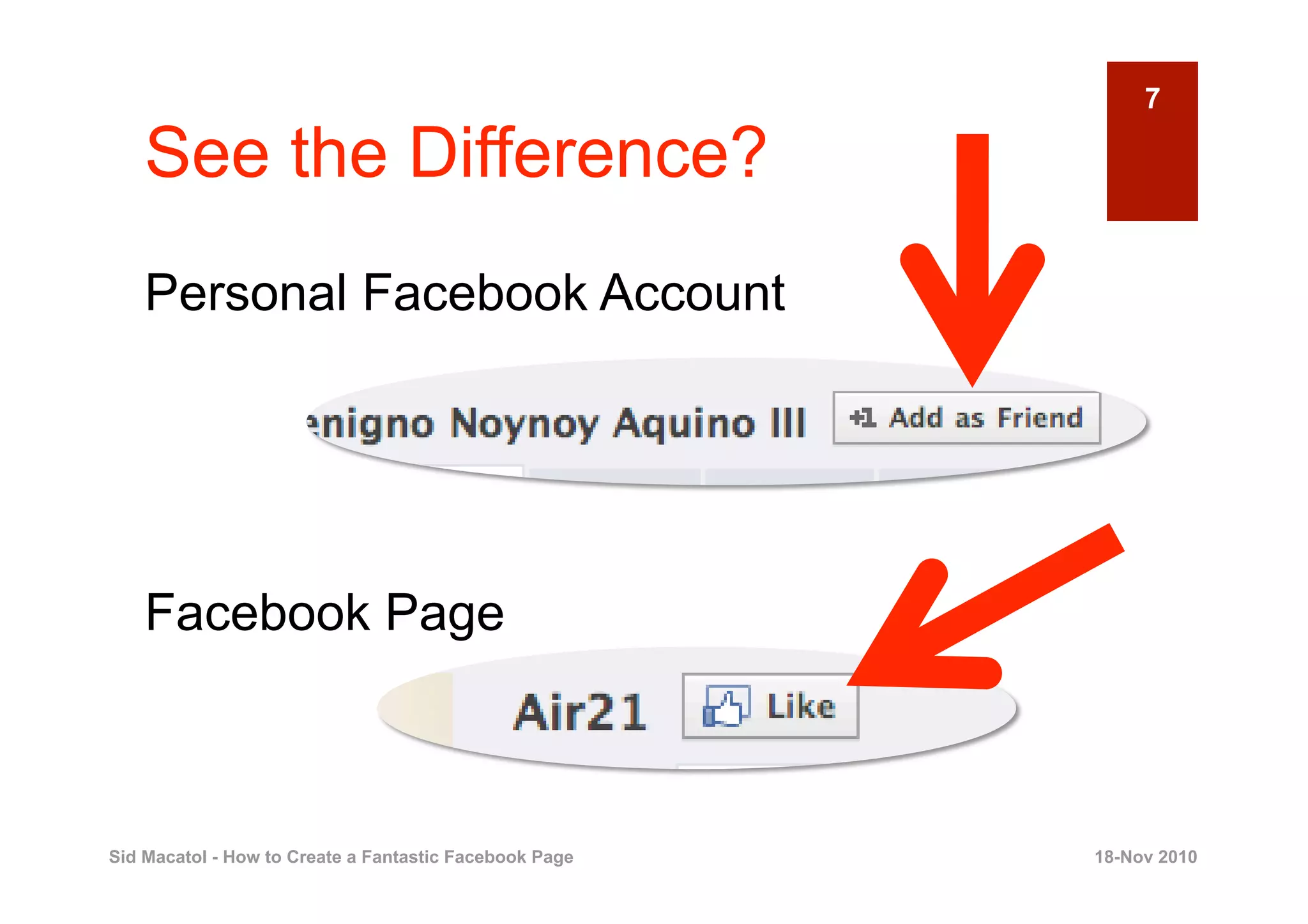
    See the Difference?
    Personal Facebook Account


    Facebook Page


Sid Macatol - How to Create a Fantastic Facebook Page   18-Nov 2010
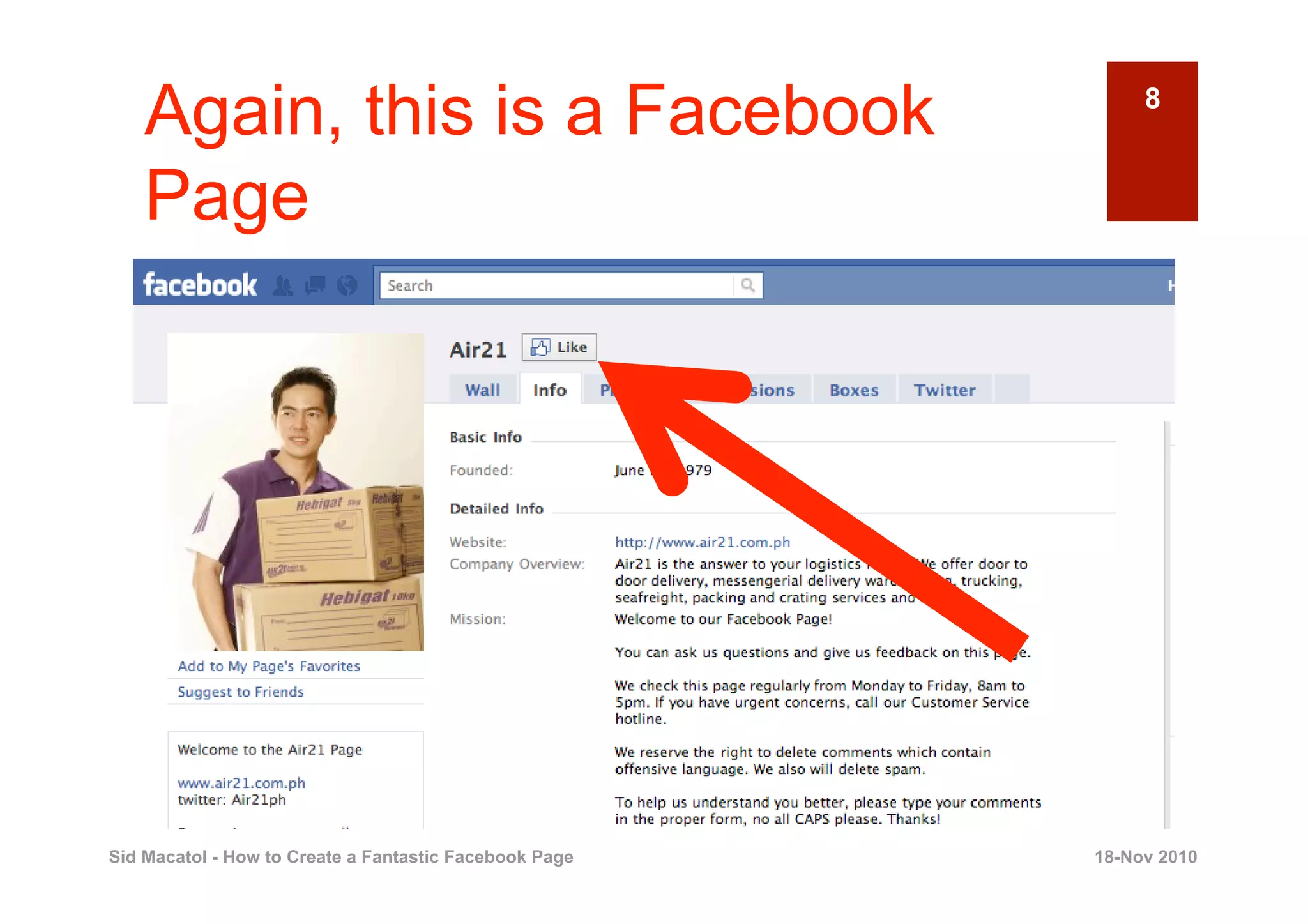
Again, this is a Facebook                                8


    Page


Sid Macatol - How to Create a Fantastic Facebook Page   18-Nov 2010
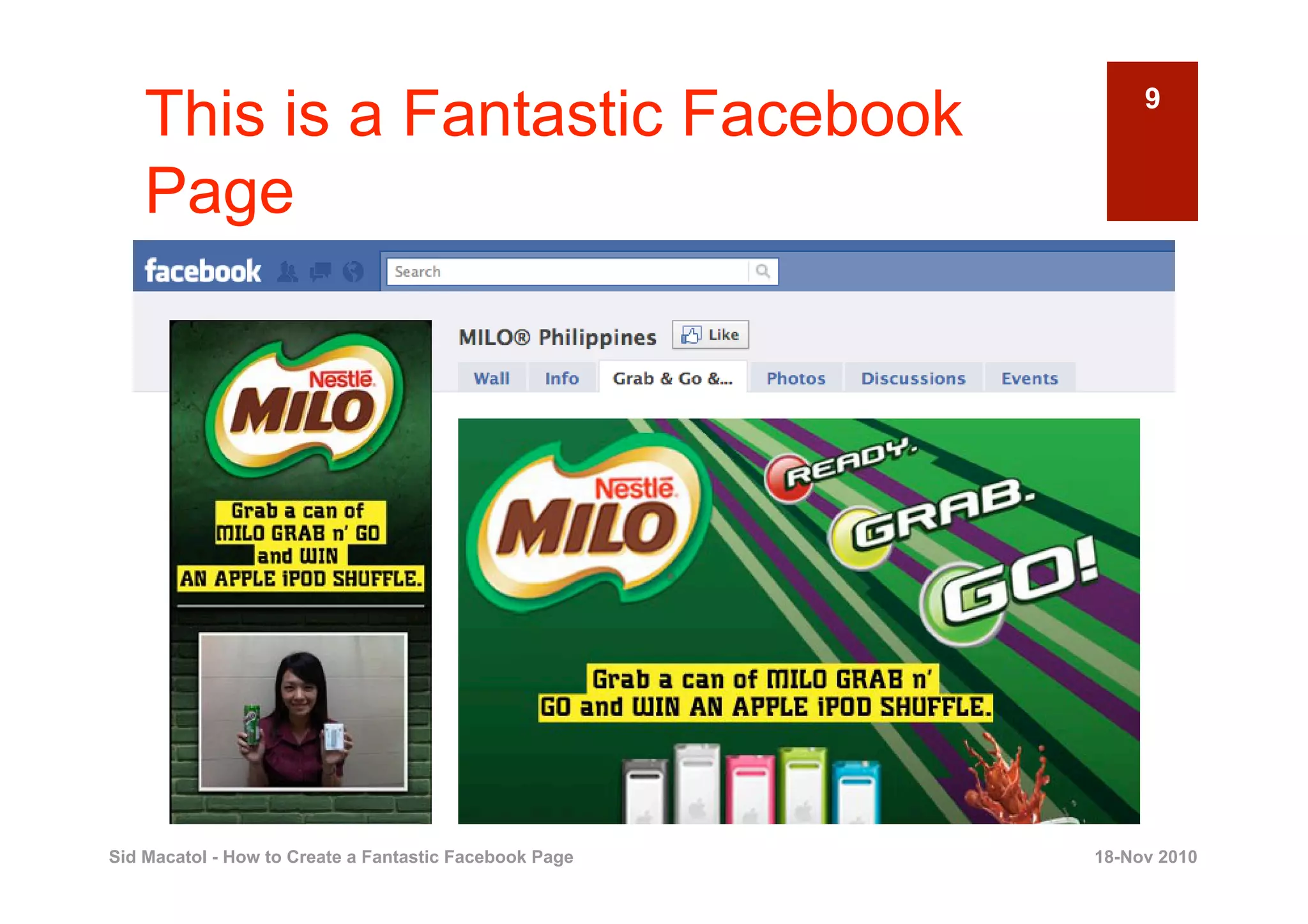
This is a Fantastic Facebook                             9


    Page


Sid Macatol - How to Create a Fantastic Facebook Page   18-Nov 2010
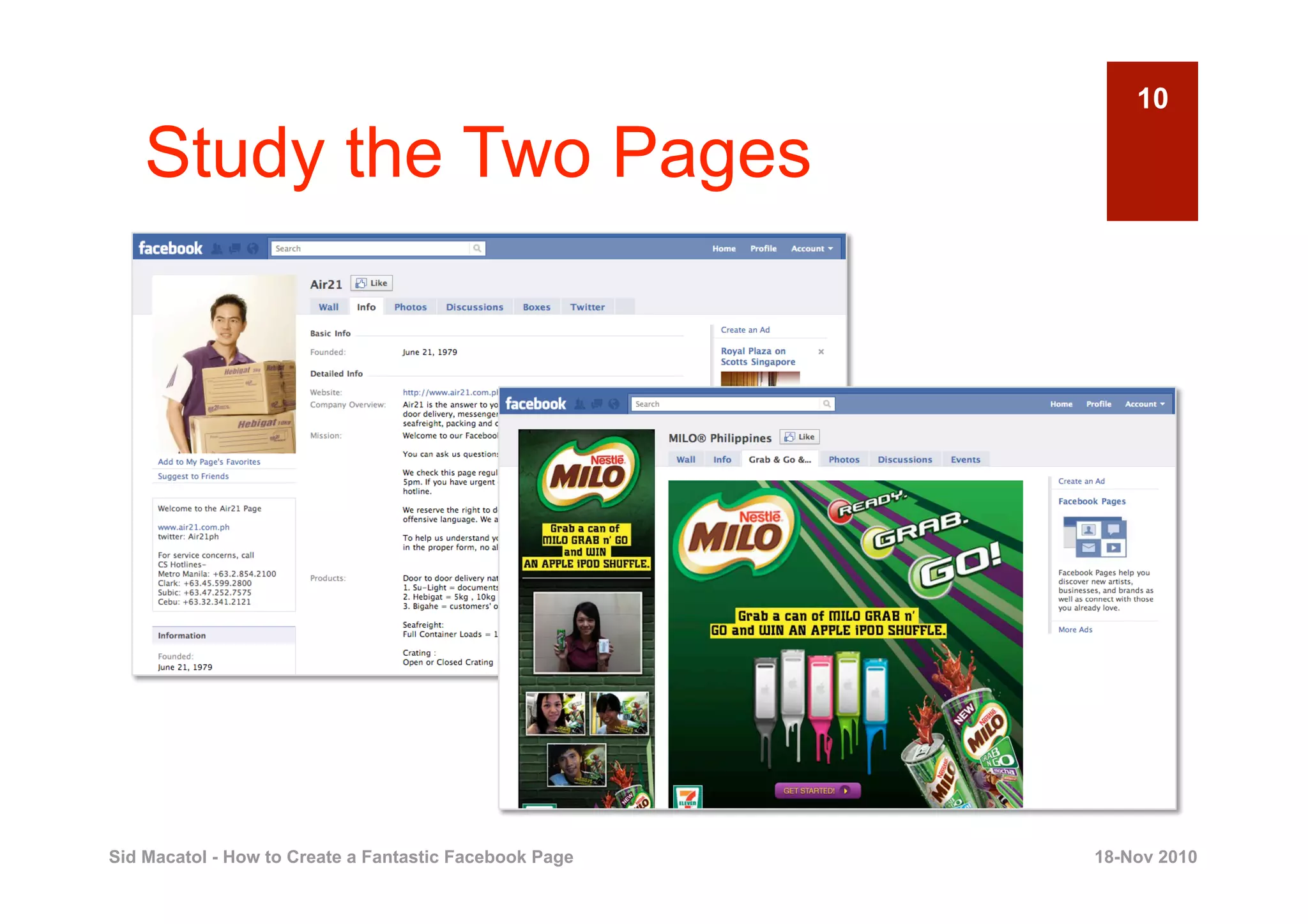
10

    Study the Two Pages


Sid Macatol - How to Create a Fantastic Facebook Page   18-Nov 2010
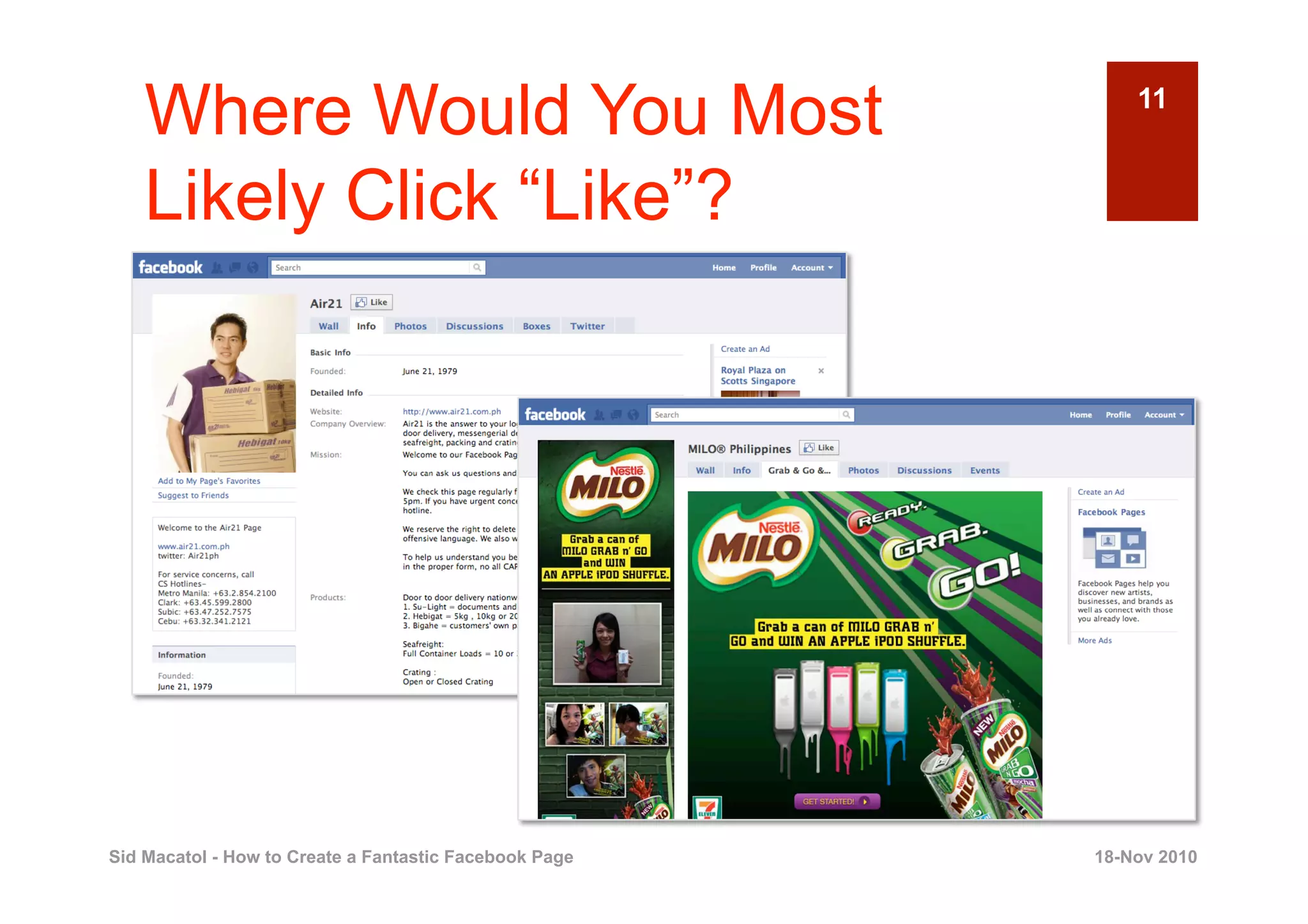
Where Would You Most                                    11


    Likely Click “Like”?


Sid Macatol - How to Create a Fantastic Facebook Page   18-Nov 2010
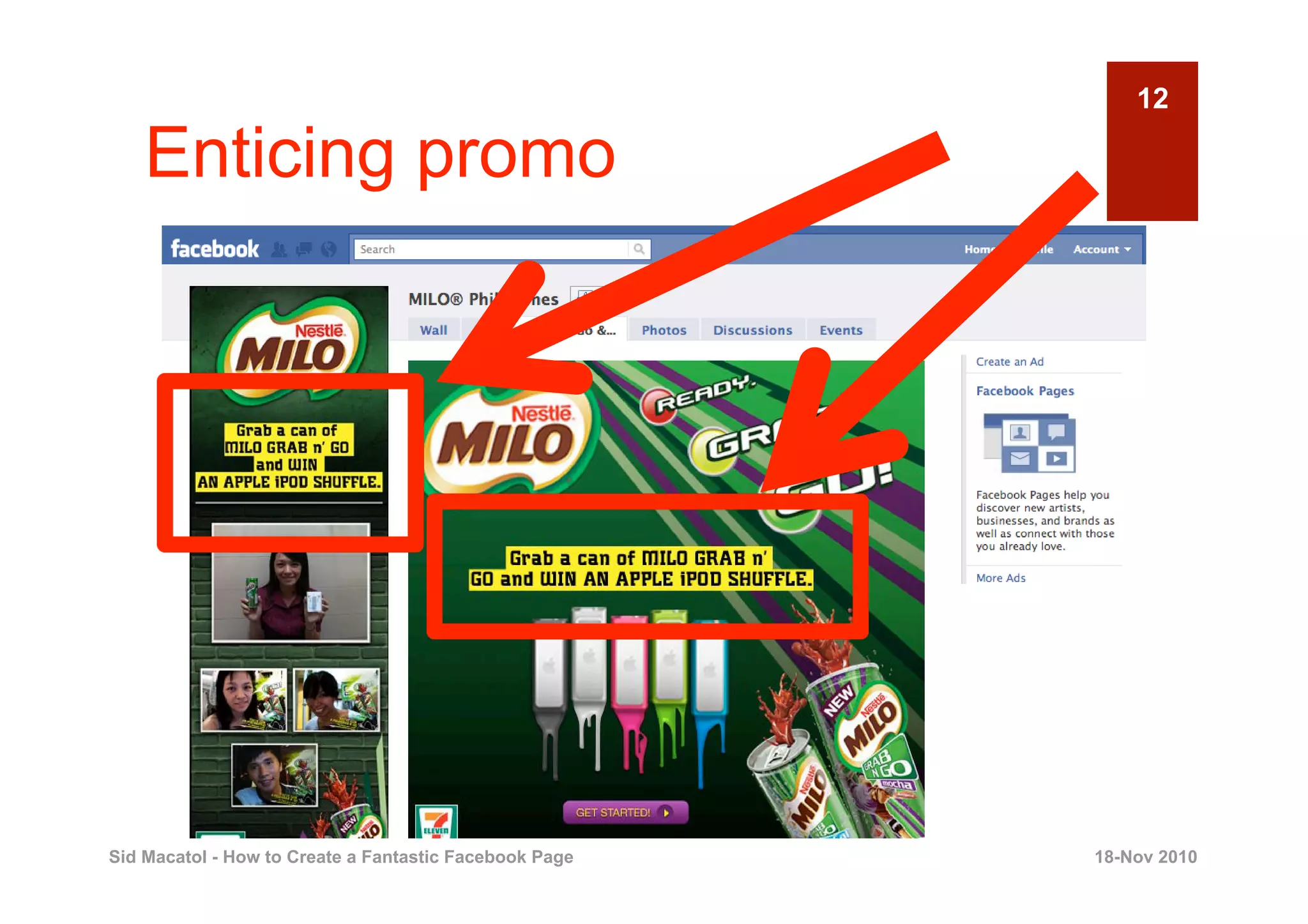
12

    Enticing promo


Sid Macatol - How to Create a Fantastic Facebook Page   18-Nov 2010
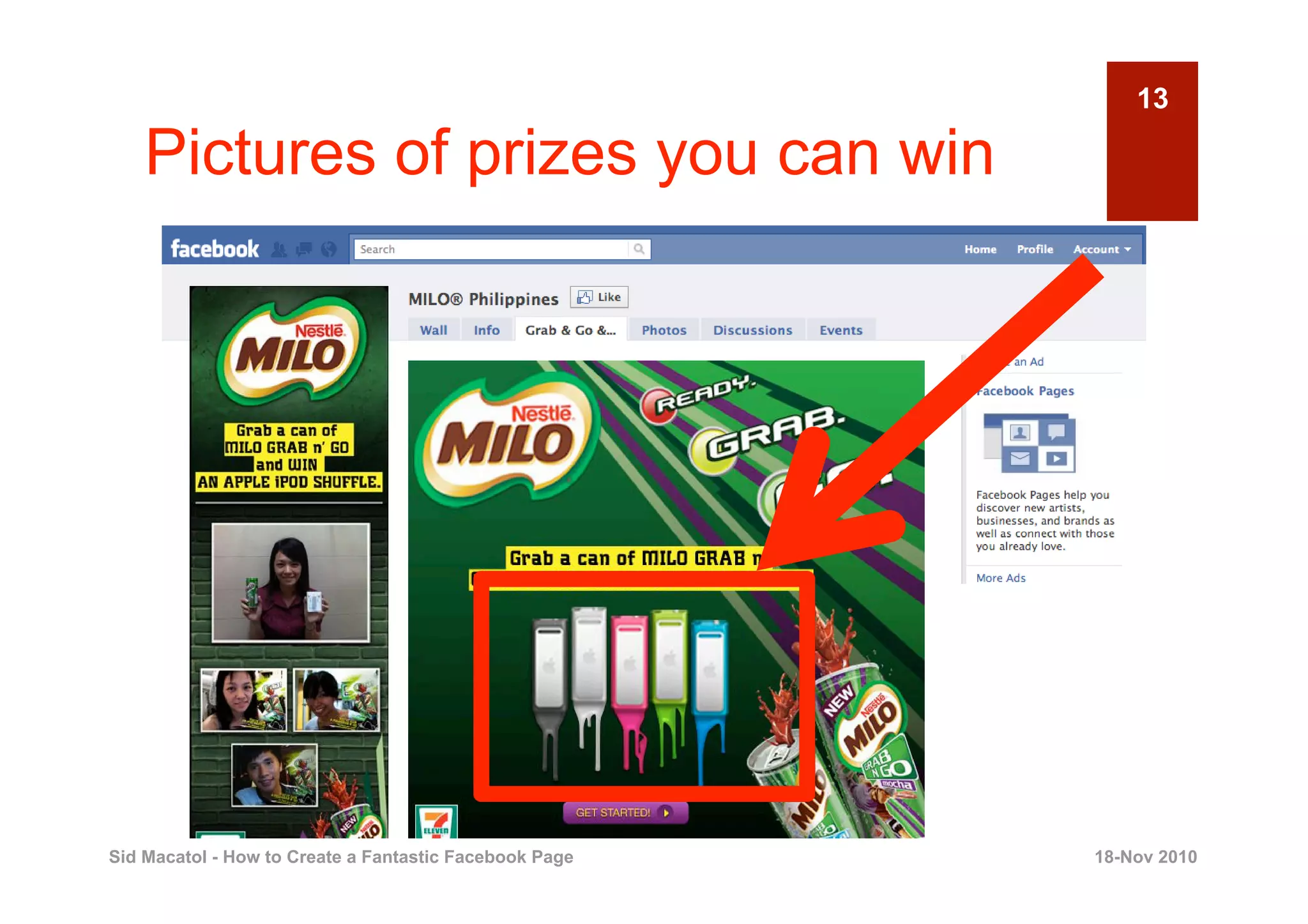
13

    Pictures of prizes you can win


Sid Macatol - How to Create a Fantastic Facebook Page   18-Nov 2010
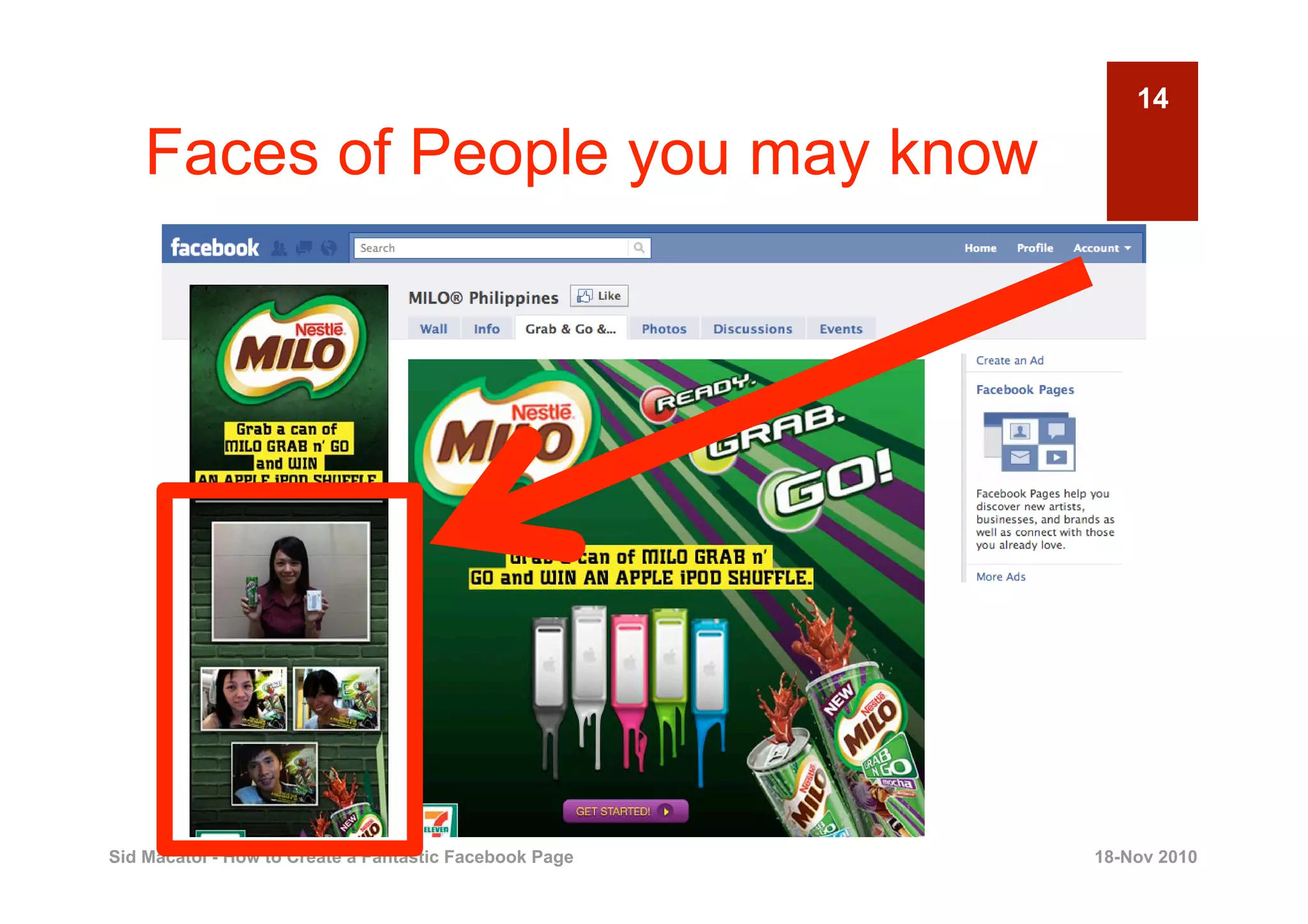
14

    Faces of People you may know


Sid Macatol - How to Create a Fantastic Facebook Page   18-Nov 2010
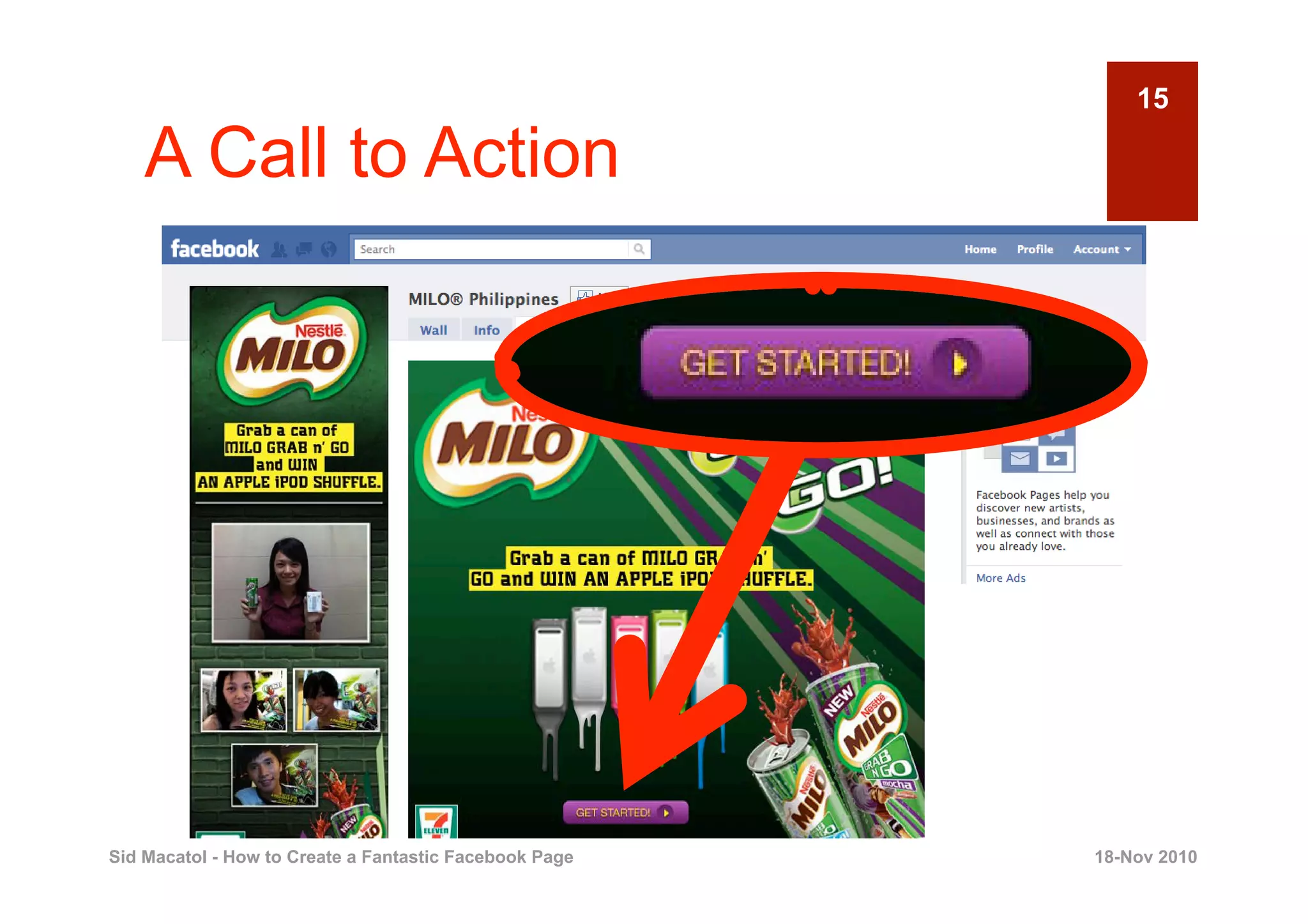
15

    A Call to Action


Sid Macatol - How to Create a Fantastic Facebook Page   18-Nov 2010
16


                                    Disclaimer:
                      It is YOUR job to
                      develop your own
                             promo

Sid Macatol - How to Create a Fantastic Facebook Page   18-Nov 2010
17


                         All I’m saying is,
                         image is power


Sid Macatol - How to Create a Fantastic Facebook Page   18-Nov 2010
18


                   With these slides,
                  learn how to do the
                      following …

Sid Macatol - How to Create a Fantastic Facebook Page   18-Nov 2010
19

    [1] Your promo name here


Sid Macatol - How to Create a Fantastic Facebook Page   18-Nov 2010
20

    [2] Your fantastic profile here


Sid Macatol - How to Create a Fantastic Facebook Page   18-Nov 2010
[3] Your Welcome Message                                21


    here


Sid Macatol - How to Create a Fantastic Facebook Page   18-Nov 2010
22


                       Are the
                  expectations clear?


Sid Macatol - How to Create a Fantastic Facebook Page   18-Nov 2010
23


                                                        OK
                               Let’s proceed


Sid Macatol - How to Create a Fantastic Facebook Page        18-Nov 2010
24


       1
                                PREPARE YOUR
                                     PROFILE
                                     PICTURE
                                                  Creating a Fantastic Facebook Page


Sid Macatol - How to Create a Fantastic Facebook Page                      18-Nov 2010
25

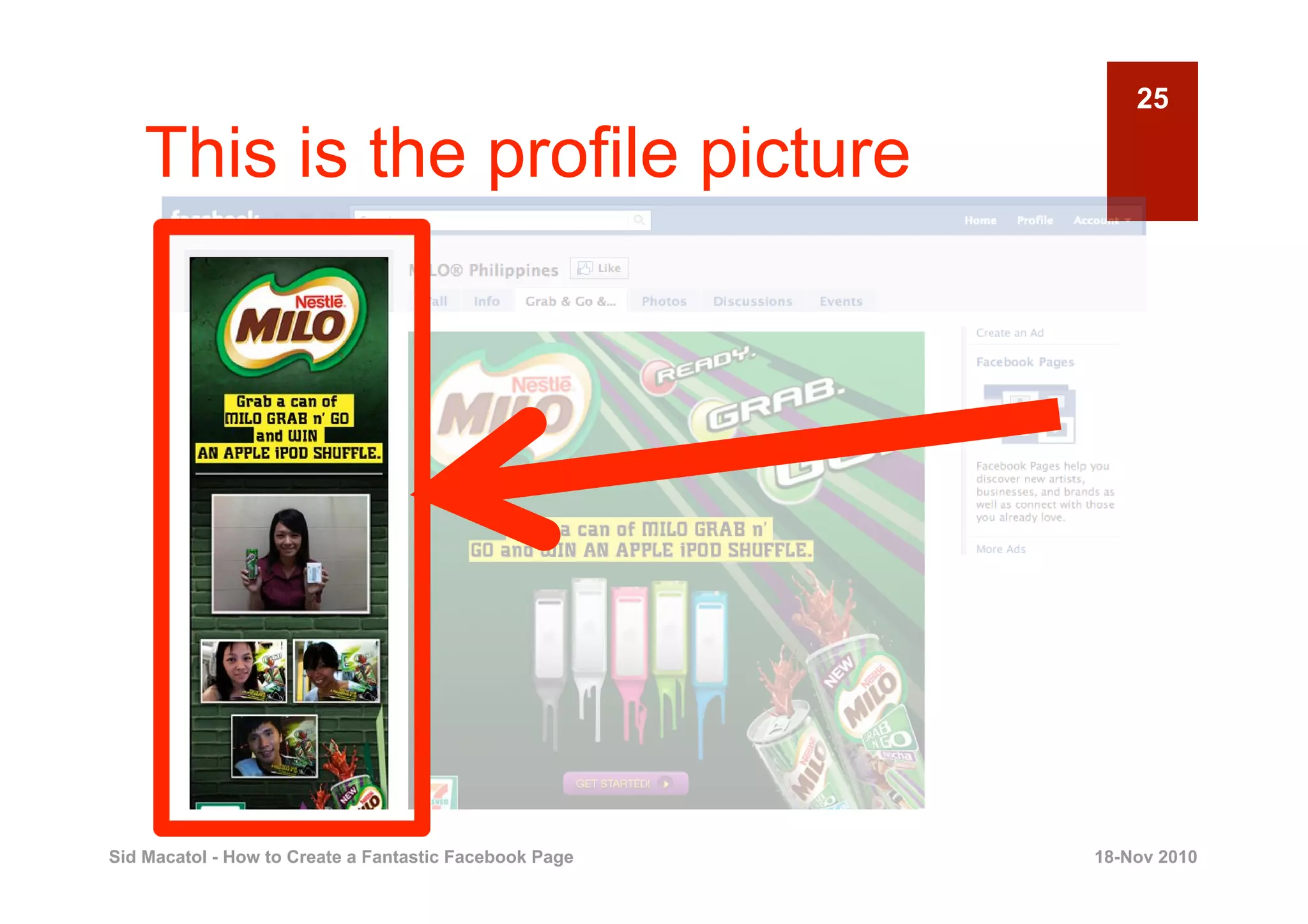
    This is the profile picture


Sid Macatol - How to Create a Fantastic Facebook Page   18-Nov 2010
WIDTH                                              26


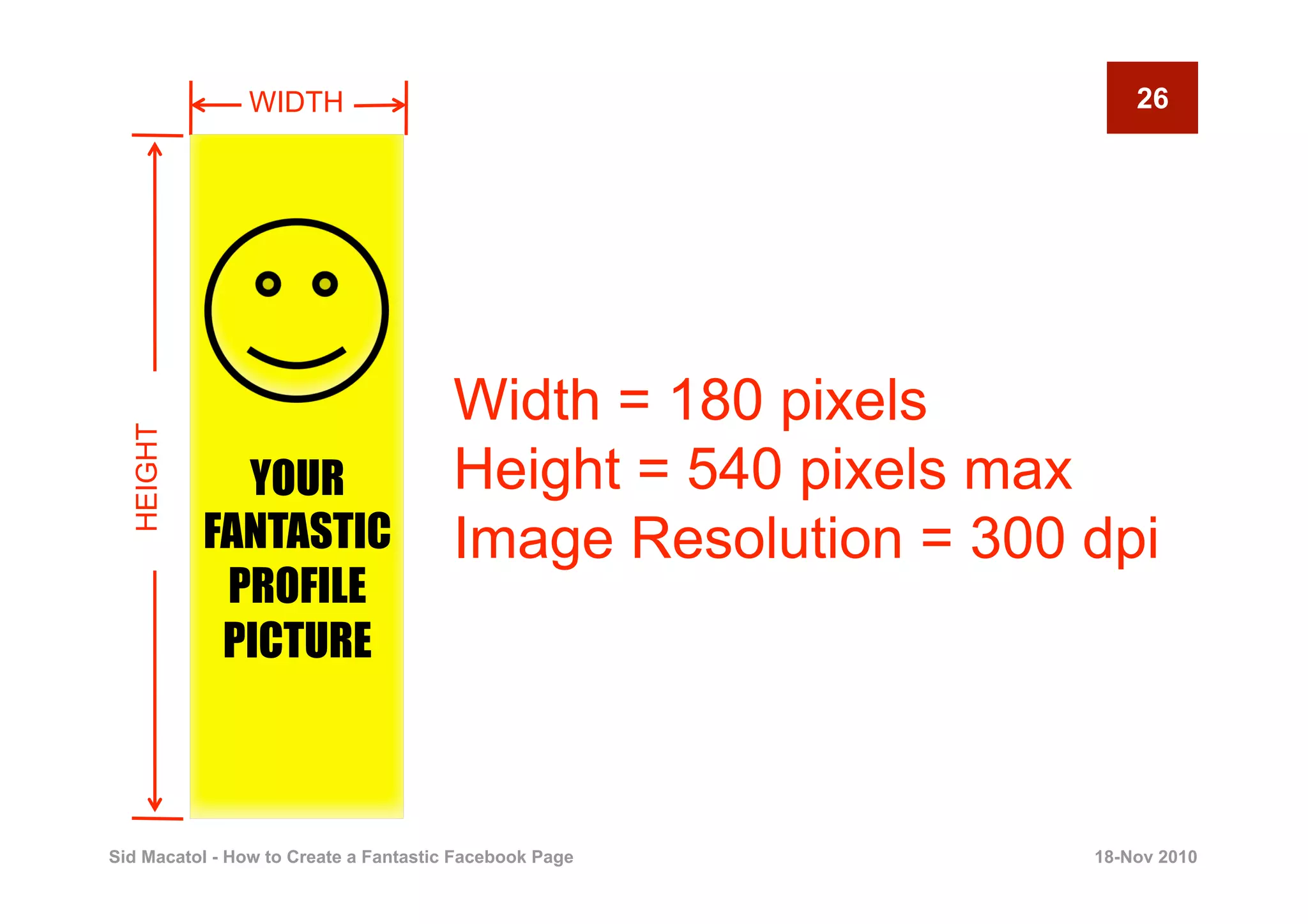
                                       Width = 180 pixels
  HEIGHT


             YOUR                      Height = 540 pixels max
           FANTASTIC                   Image Resolution = 300 dpi
            PROFILE
            PICTURE


Sid Macatol - How to Create a Fantastic Facebook Page         18-Nov 2010
27

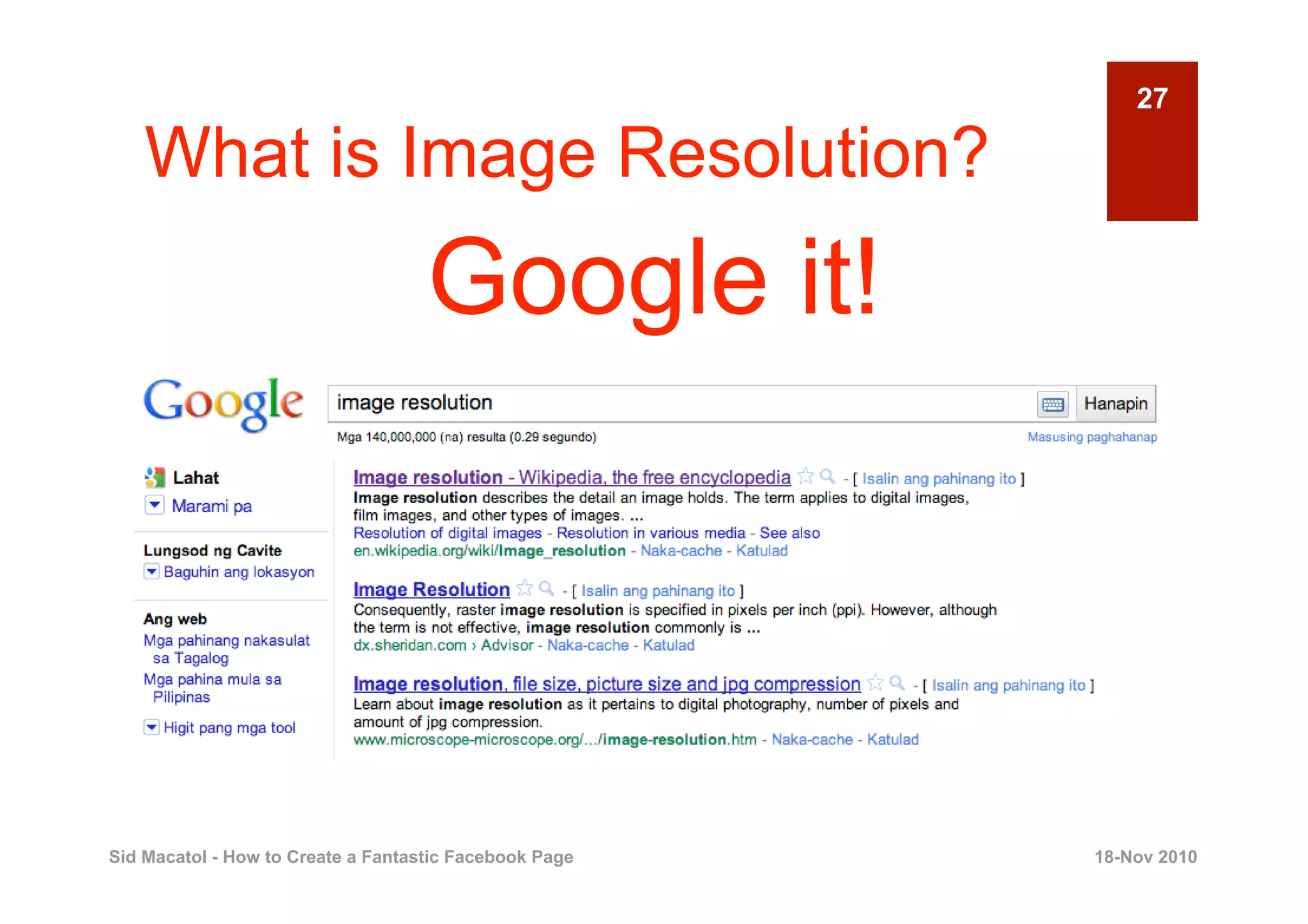
    What is Image Resolution?
                                    Google it!


Sid Macatol - How to Create a Fantastic Facebook Page   18-Nov 2010
28


                                    DPI means
                         DOT PER INCH


Sid Macatol - How to Create a Fantastic Facebook Page   18-Nov 2010
29


                    300 dpi is good for
                       your image


Sid Macatol - How to Create a Fantastic Facebook Page   18-Nov 2010
30


                      Less than 300 dpi
                       is bad for your
                            image

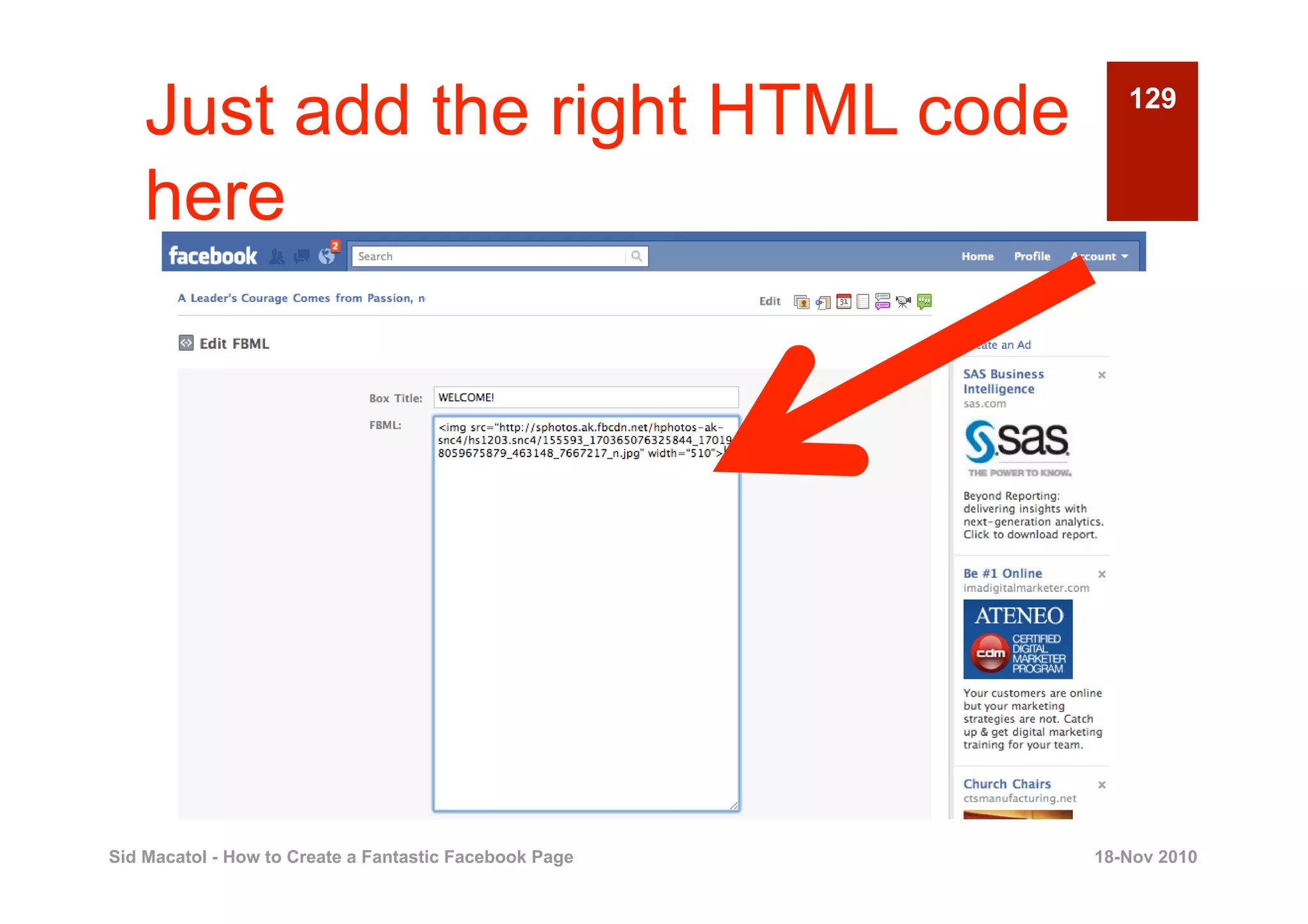
Sid Macatol - How to Create a Fantastic Facebook Page   18-Nov 2010
31


                                 So, don’t kid
                                   around.
                                 Use 300 dpi.

Sid Macatol - How to Create a Fantastic Facebook Page   18-Nov 2010
32


                     ‘


            YOUR
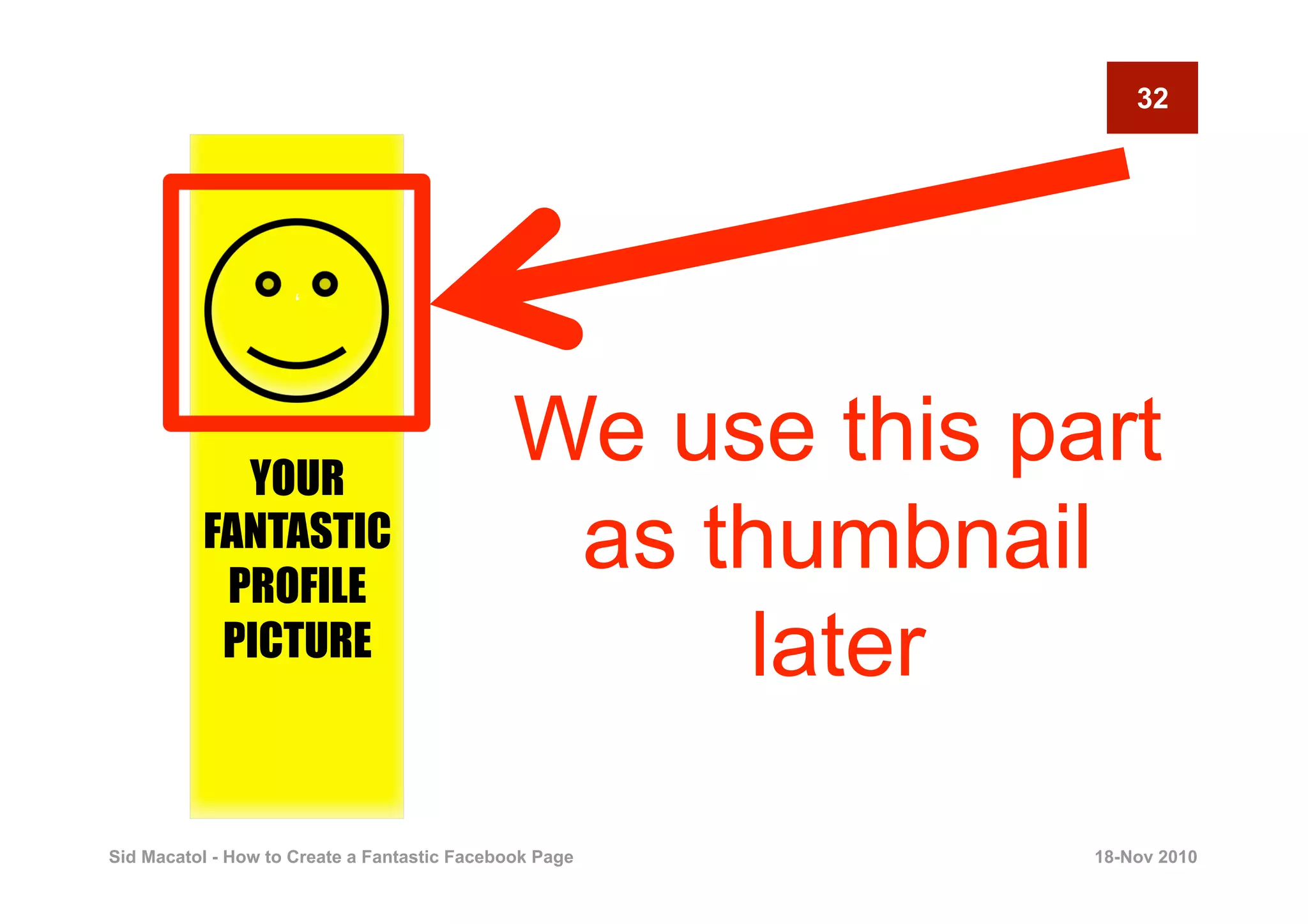
                                              We use this part
          FANTASTIC
           PROFILE
                                               as thumbnail
           PICTURE                                 later

Sid Macatol - How to Create a Fantastic Facebook Page       18-Nov 2010
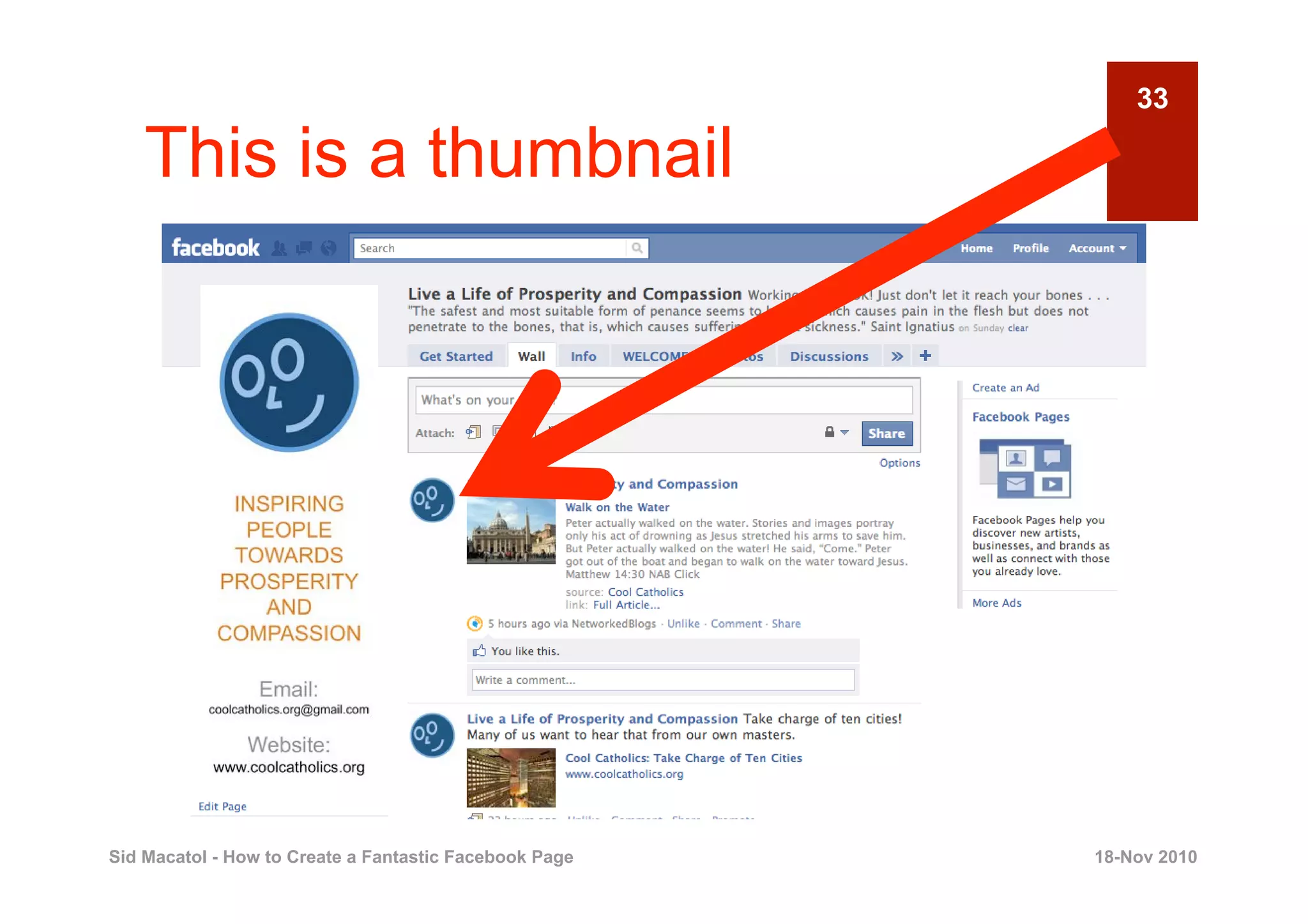
33

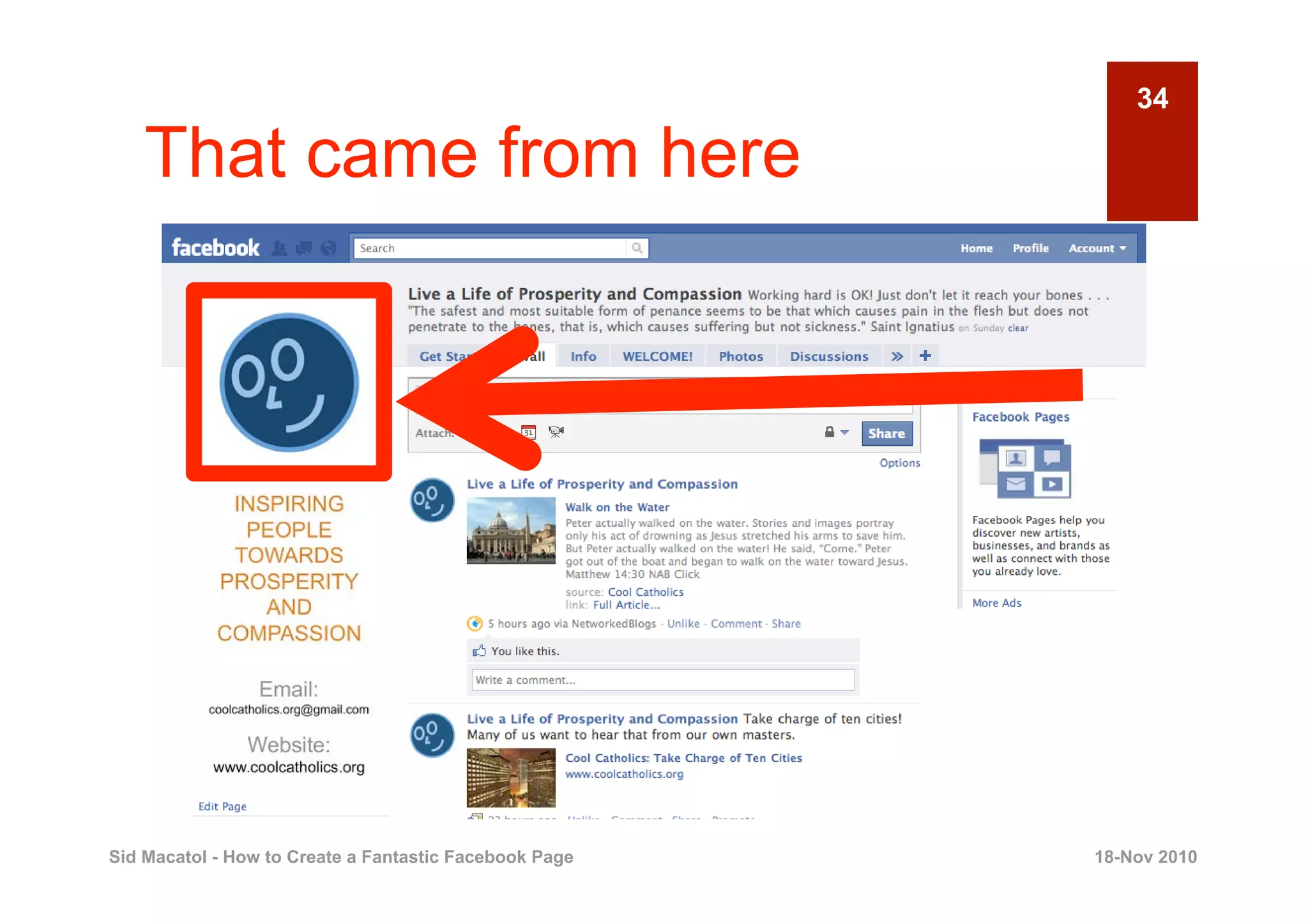
    This is a thumbnail


Sid Macatol - How to Create a Fantastic Facebook Page   18-Nov 2010
34

    That came from here


Sid Macatol - How to Create a Fantastic Facebook Page   18-Nov 2010
35


                     ‘


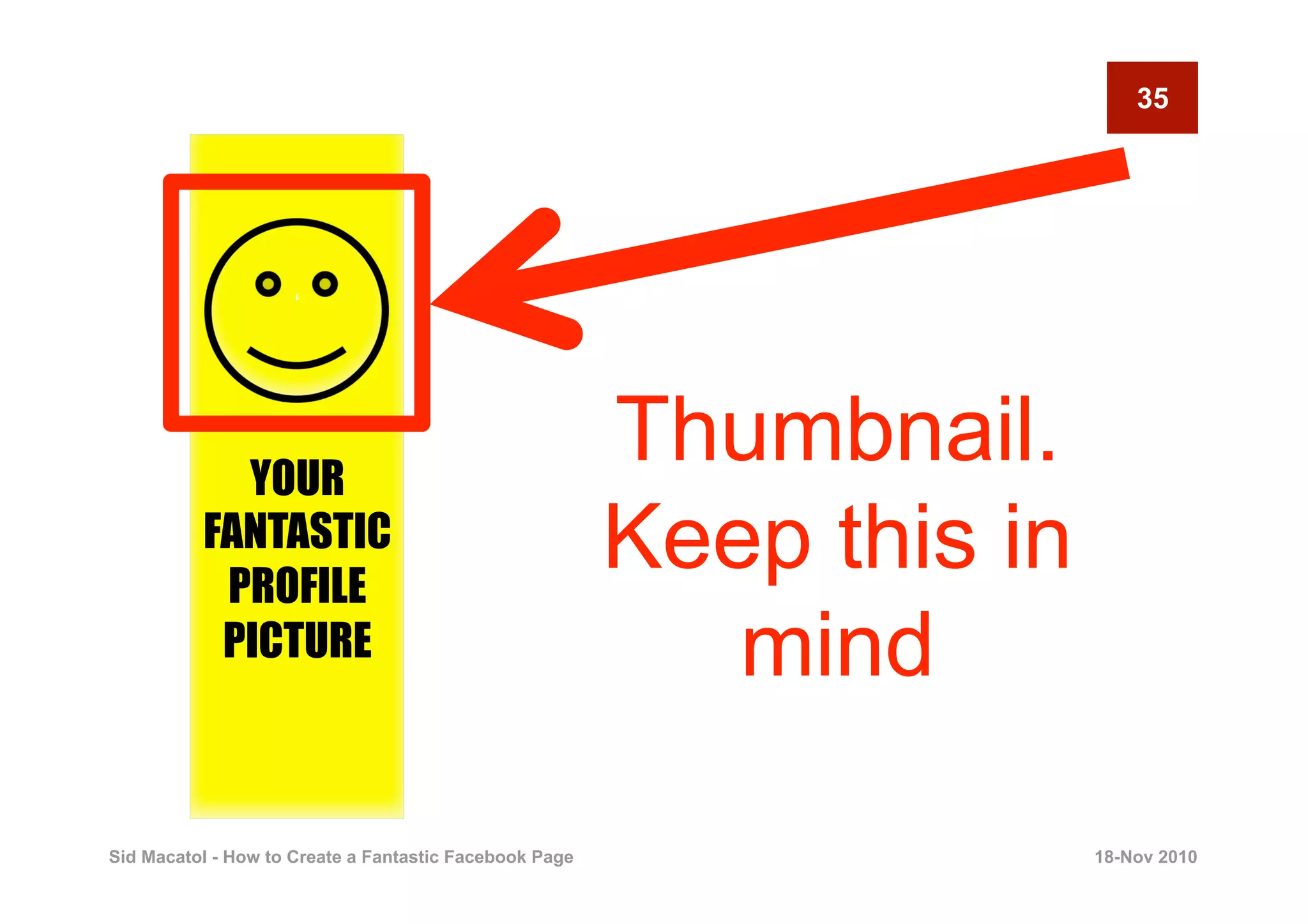
            YOUR
                                                        Thumbnail.
          FANTASTIC
           PROFILE
                                                        Keep this in
           PICTURE                                         mind

Sid Macatol - How to Create a Fantastic Facebook Page                  18-Nov 2010
36


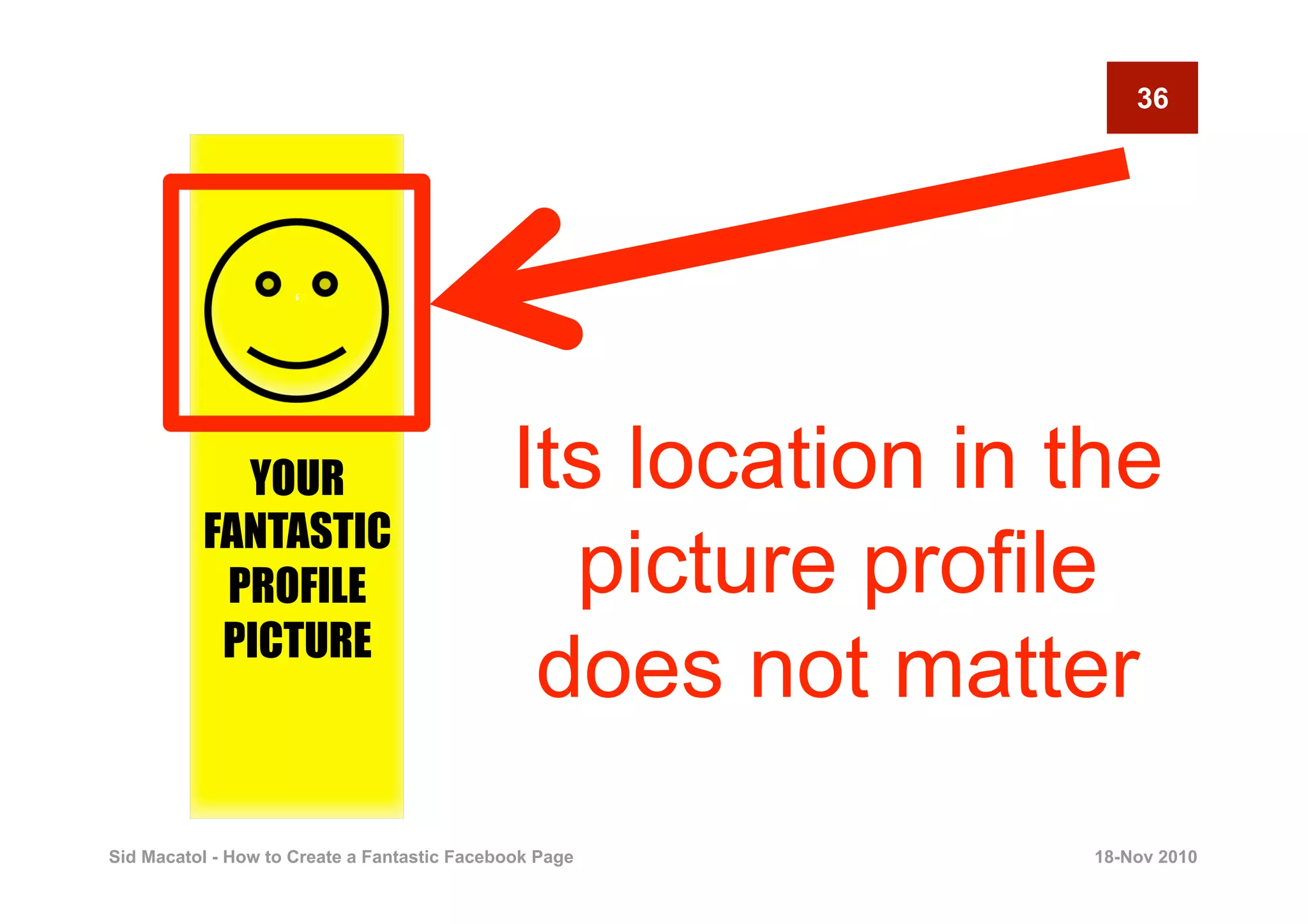
                     ‘


            YOUR                             Its location in the
          FANTASTIC
           PROFILE                             picture profile
           PICTURE
                                              does not matter
Sid Macatol - How to Create a Fantastic Facebook Page        18-Nov 2010
37


       2
                                PREPARE YOUR
                                    WELCOME
                                       IMAGE
                                                  Creating a Fantastic Facebook Page


Sid Macatol - How to Create a Fantastic Facebook Page                      18-Nov 2010
38

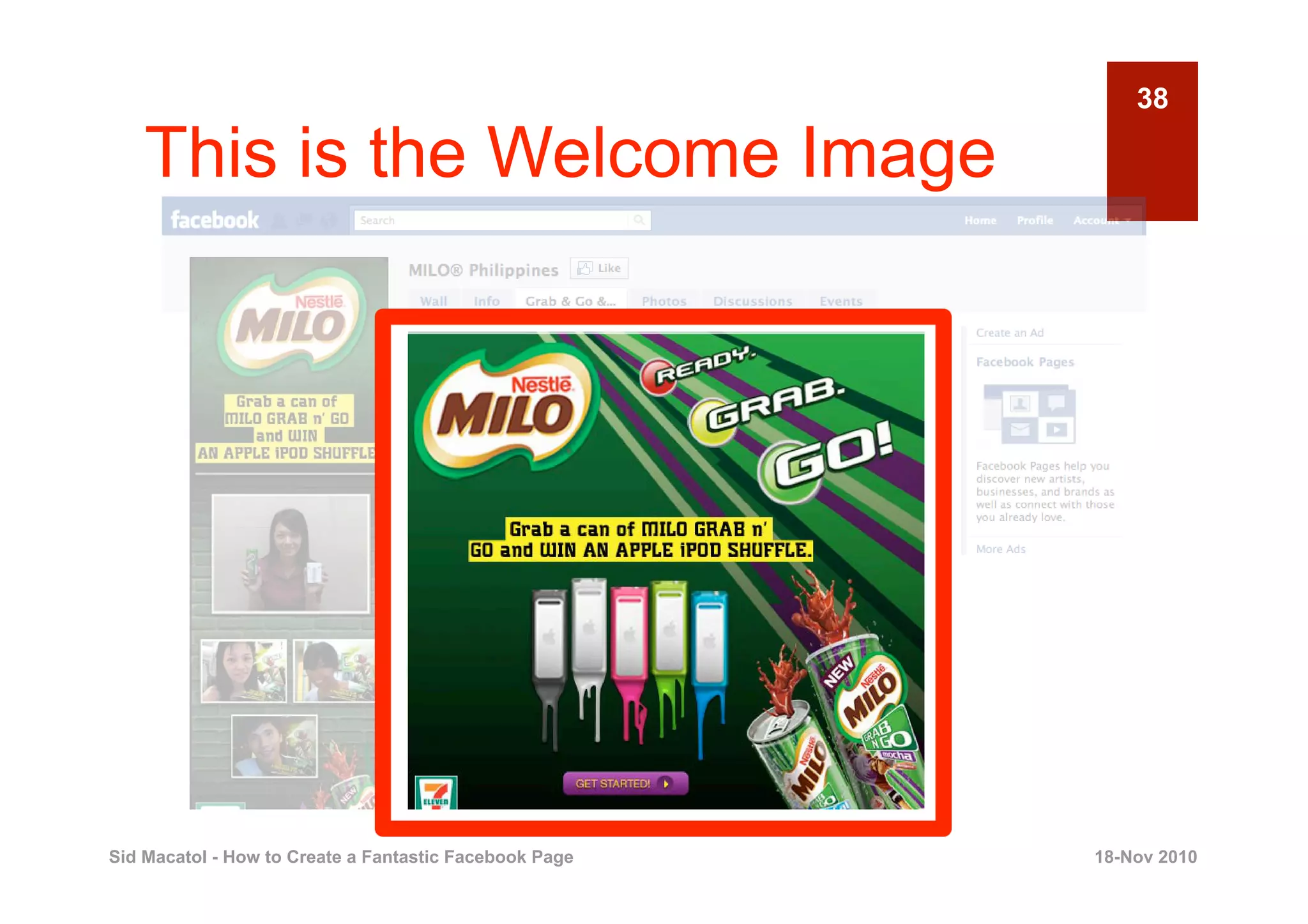
    This is the Welcome Image


Sid Macatol - How to Create a Fantastic Facebook Page   18-Nov 2010
39

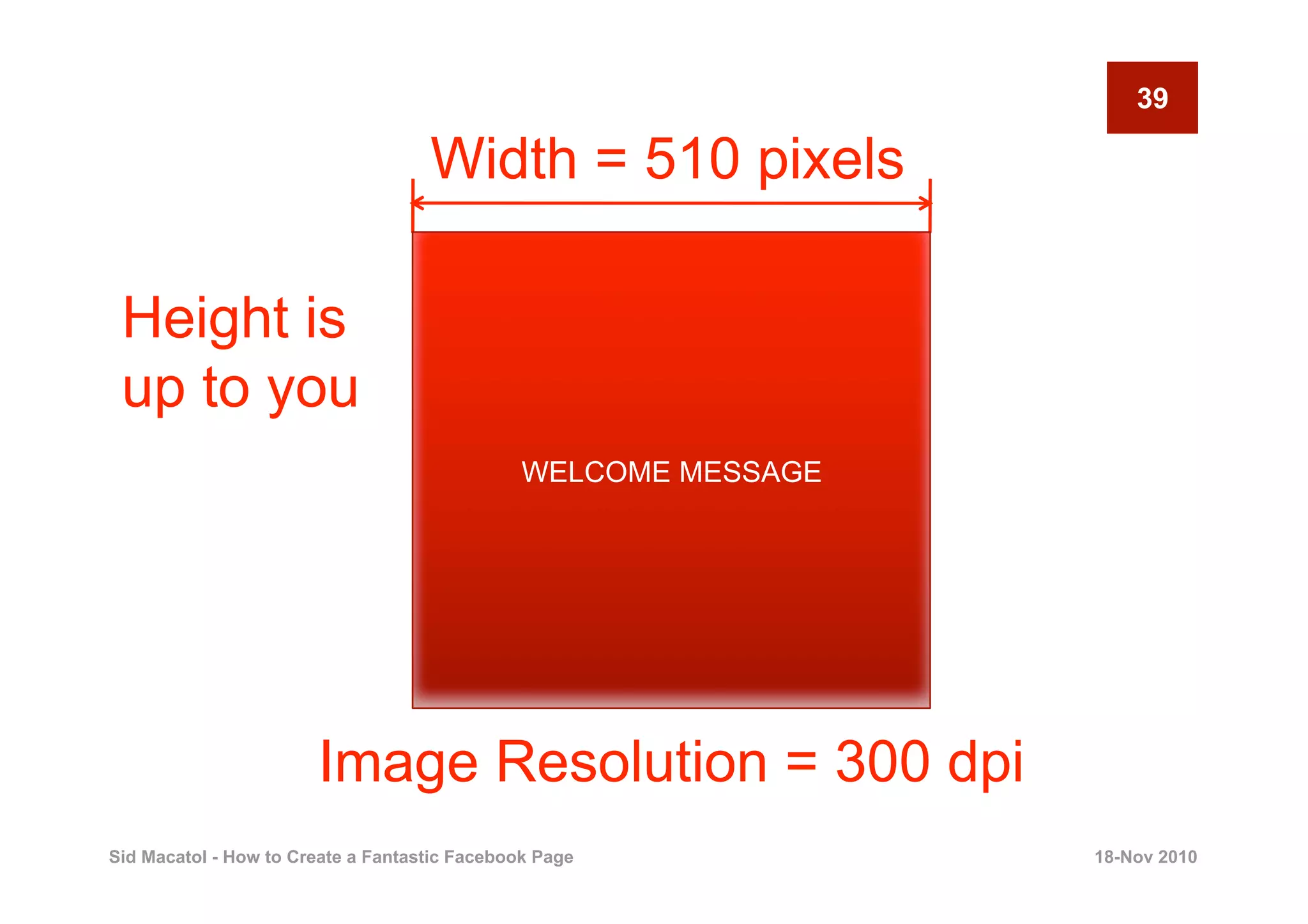
                                    Width = 510 pixels

 Height is
 up to you
                                               WELCOME MESSAGE


                       Image Resolution = 300 dpi
Sid Macatol - How to Create a Fantastic Facebook Page            18-Nov 2010
40

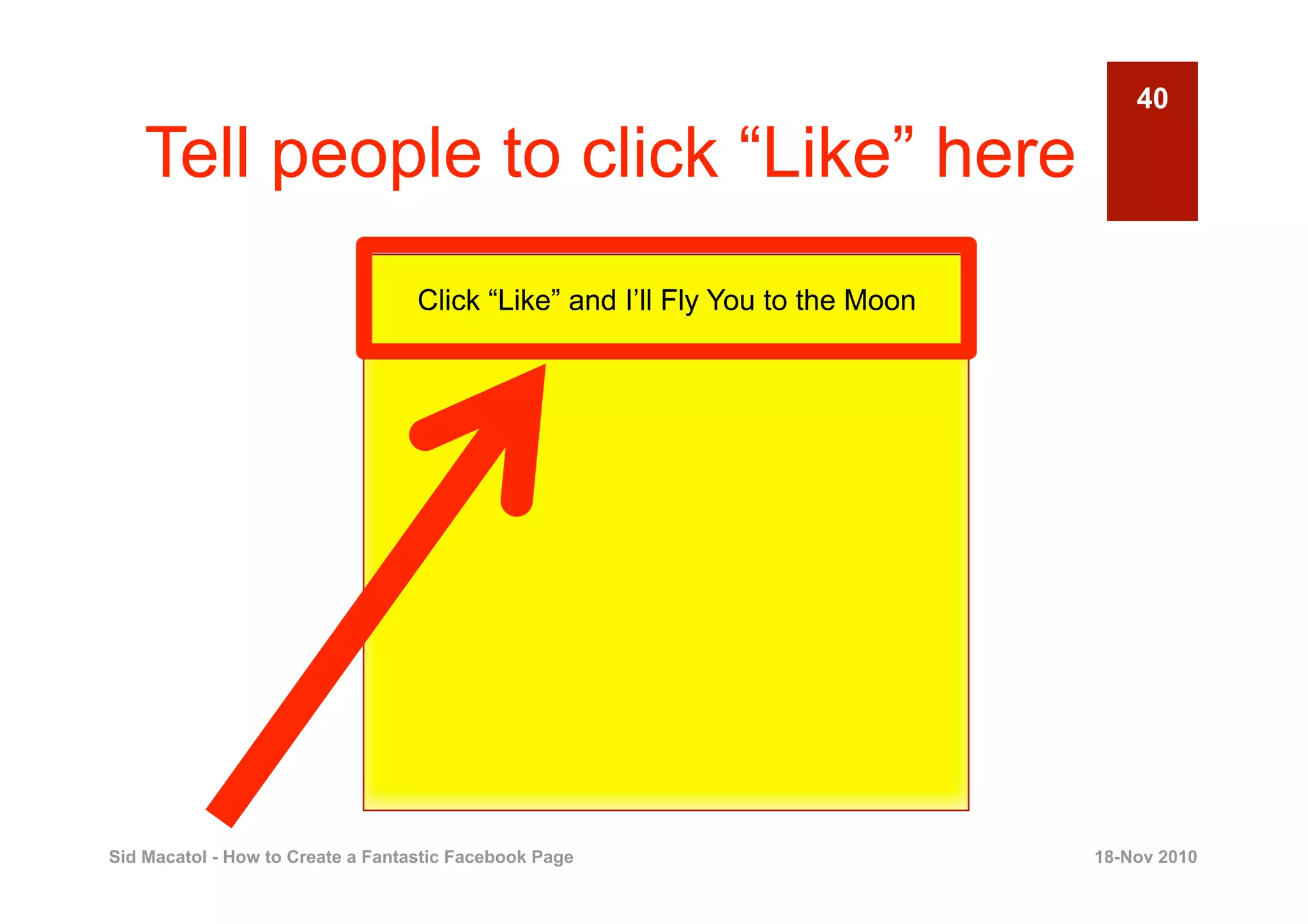
    Tell people to click “Like” here
                                   Click “Like” and I’ll Fly You to the Moon


Sid Macatol - How to Create a Fantastic Facebook Page                          18-Nov 2010
41

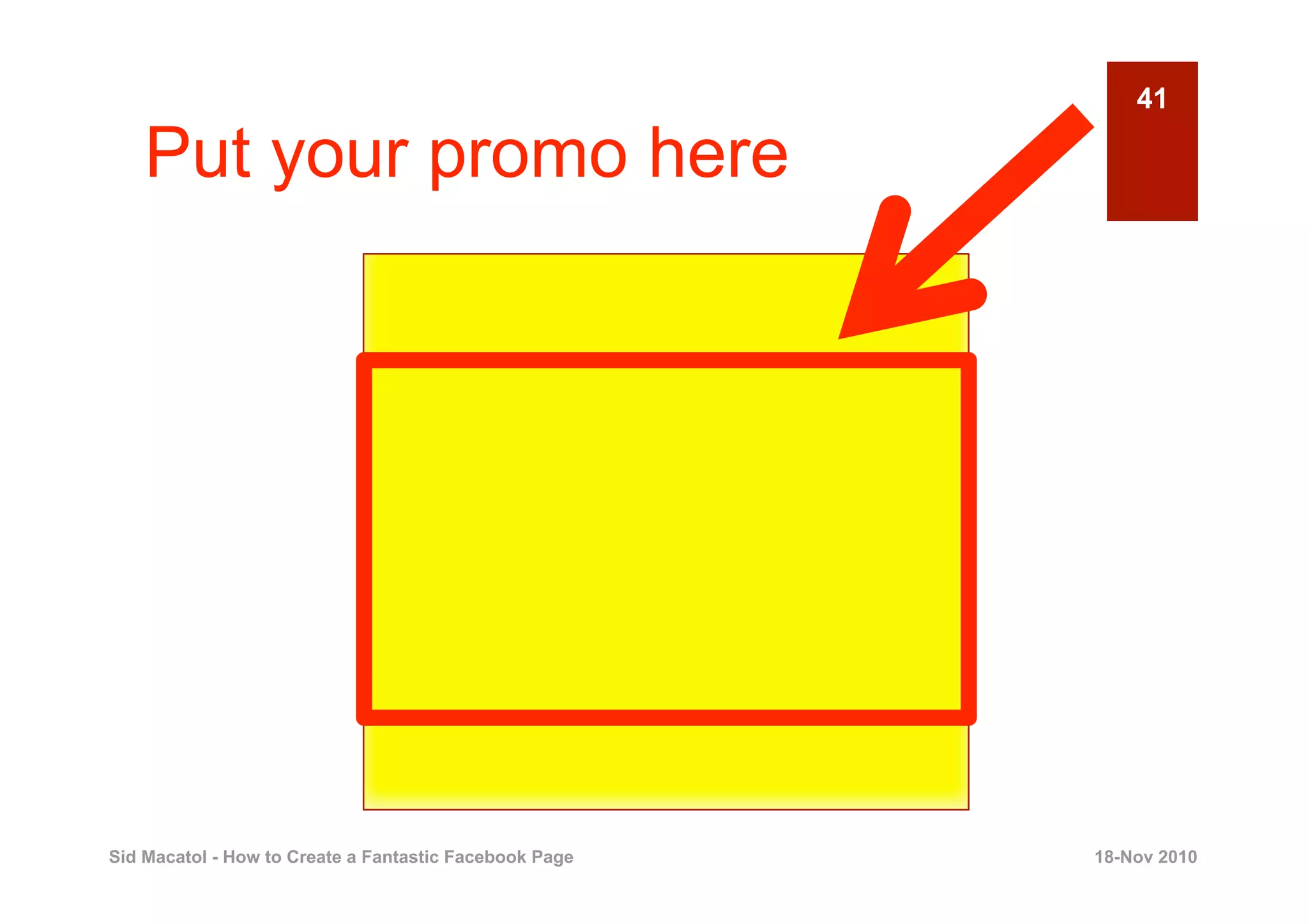
    Put your promo here


Sid Macatol - How to Create a Fantastic Facebook Page   18-Nov 2010
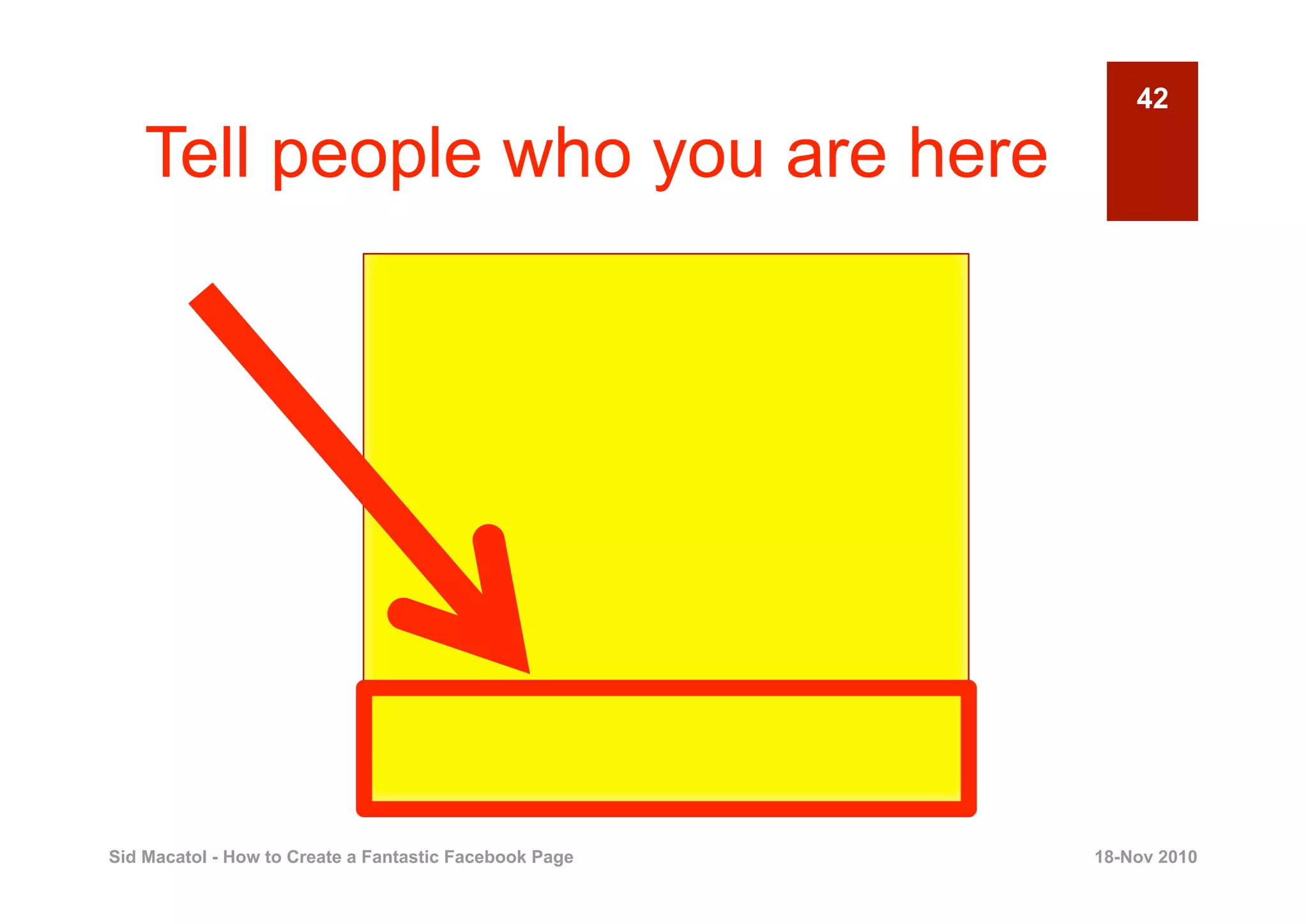
42

    Tell people who you are here


Sid Macatol - How to Create a Fantastic Facebook Page   18-Nov 2010
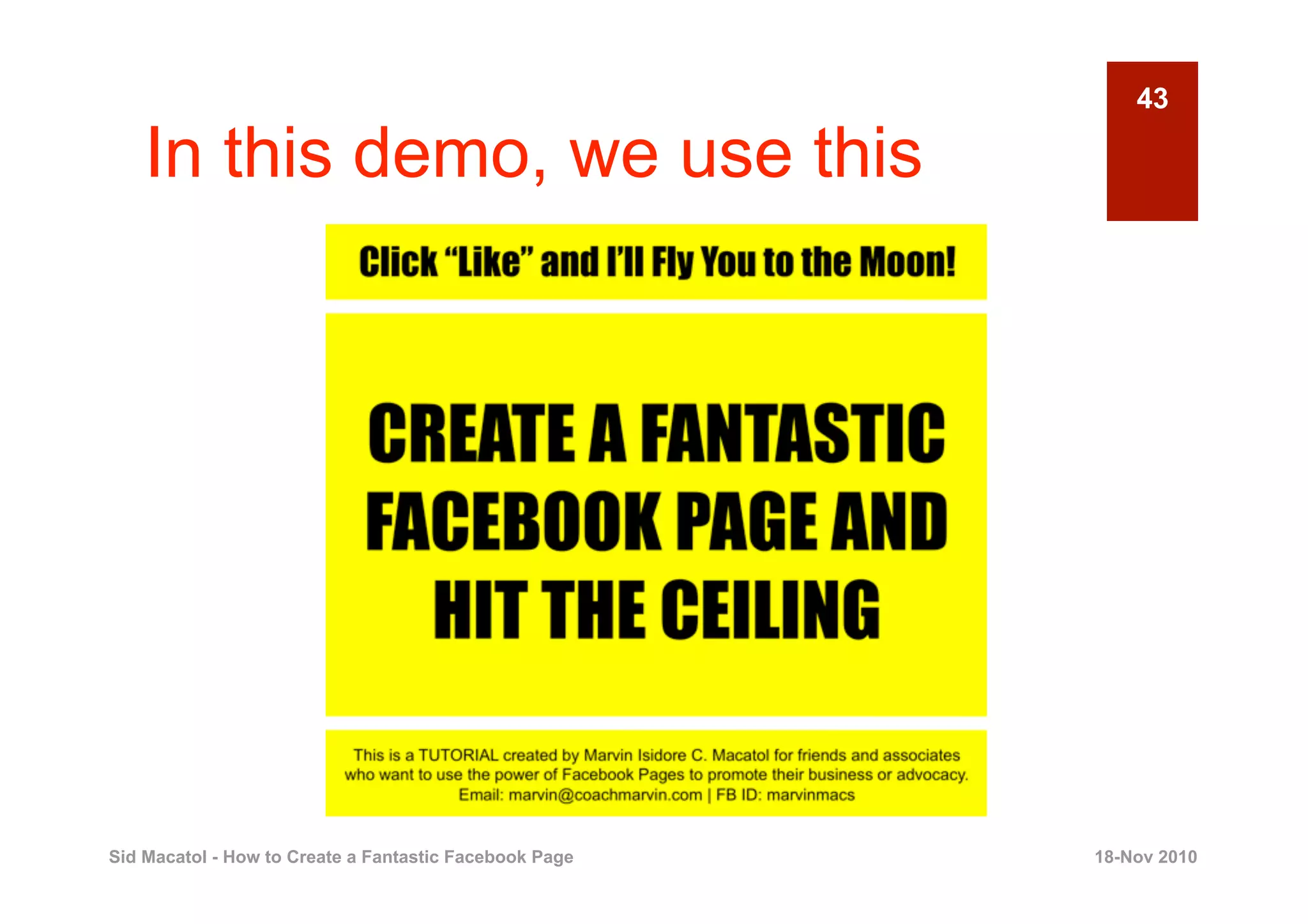
43

    In this demo, we use this


Sid Macatol - How to Create a Fantastic Facebook Page   18-Nov 2010
44


                  Save the images in
                       a folder


Sid Macatol - How to Create a Fantastic Facebook Page   18-Nov 2010
45


       3
                                      CREATE YOUR
                                        FACEBOOK
                                             PAGE
                                                  Creating a Fantastic Facebook Page


Sid Macatol - How to Create a Fantastic Facebook Page                      18-Nov 2010
46

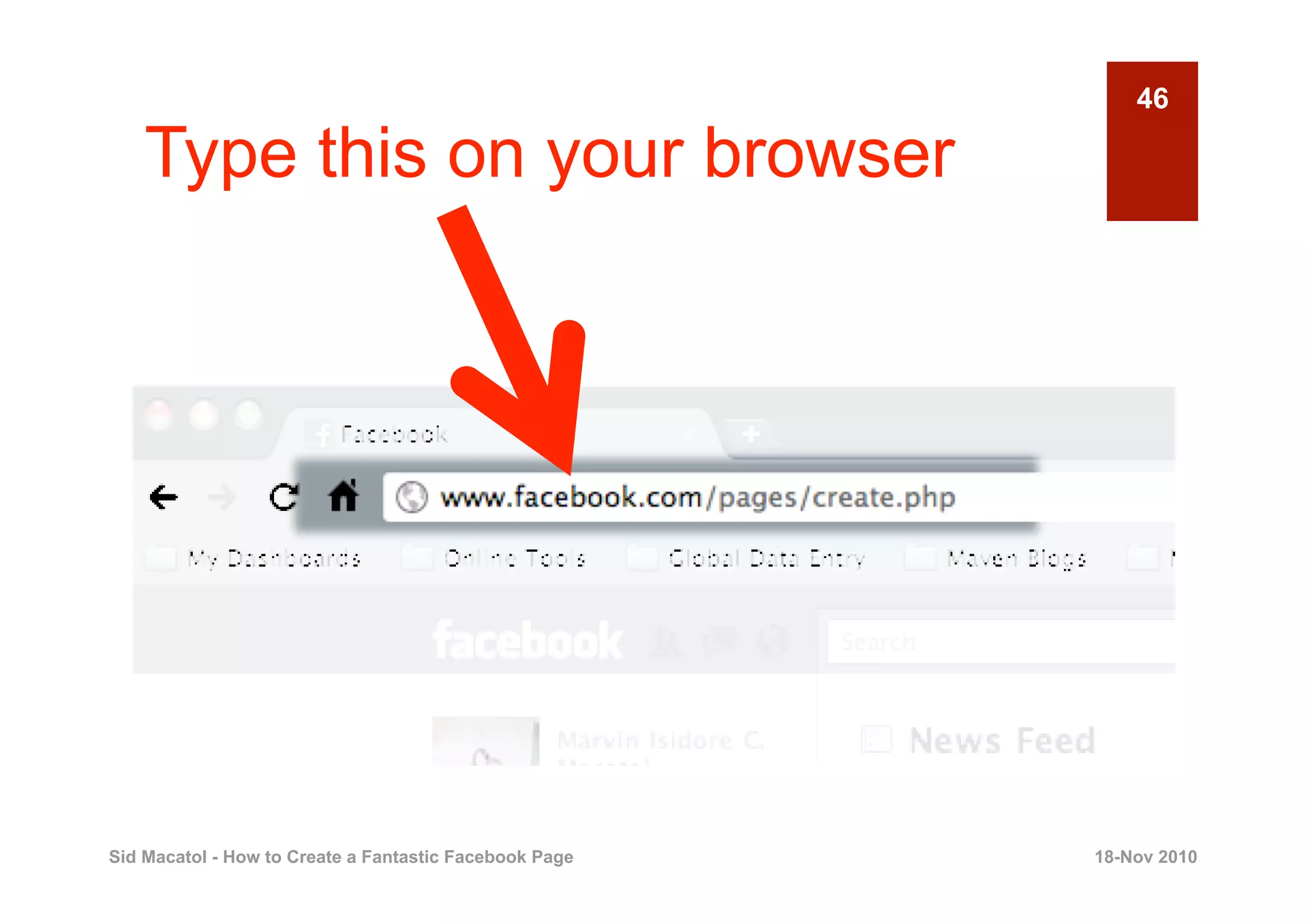
    Type this on your browser


Sid Macatol - How to Create a Fantastic Facebook Page   18-Nov 2010
47

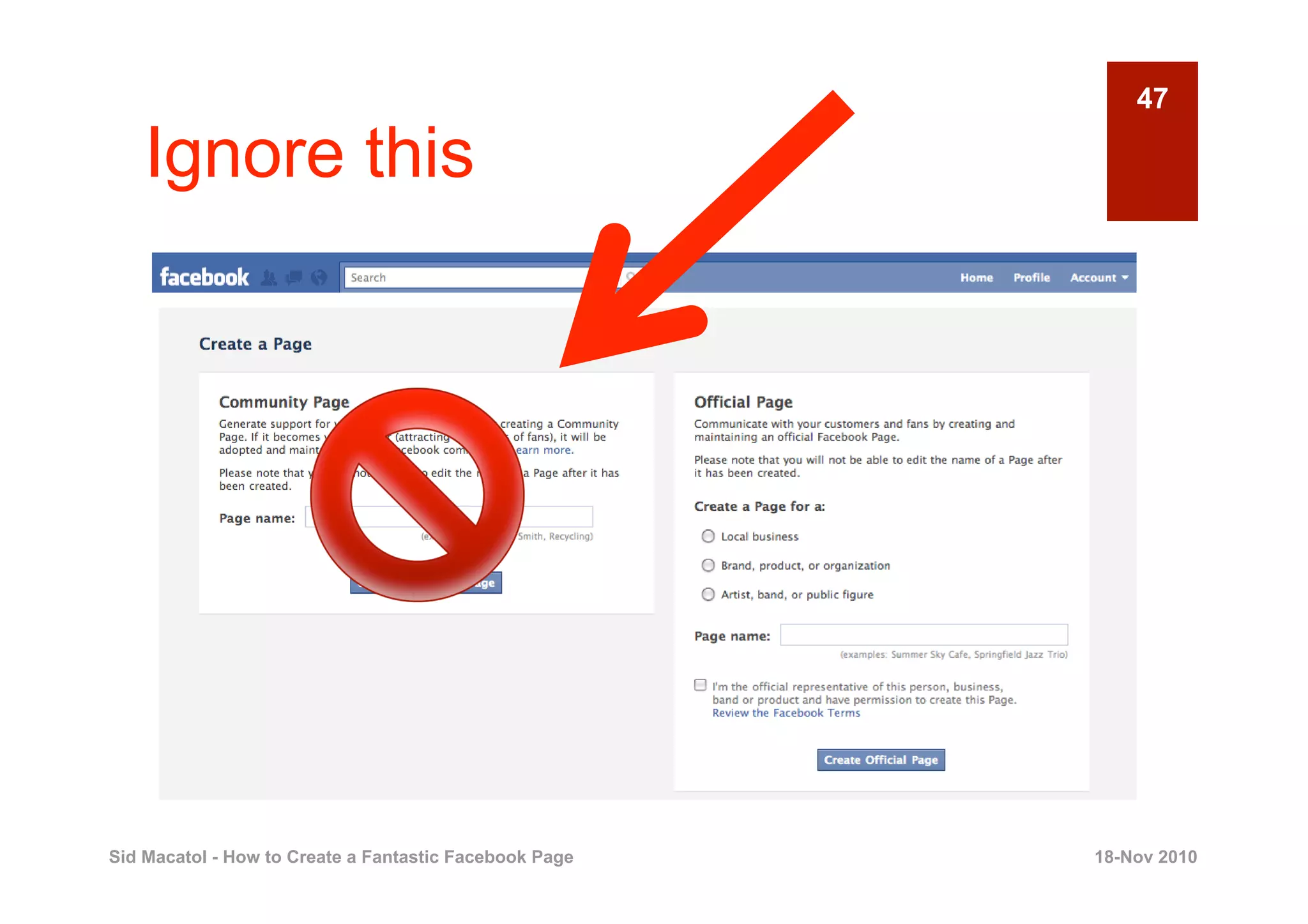
    Ignore this


Sid Macatol - How to Create a Fantastic Facebook Page   18-Nov 2010
48

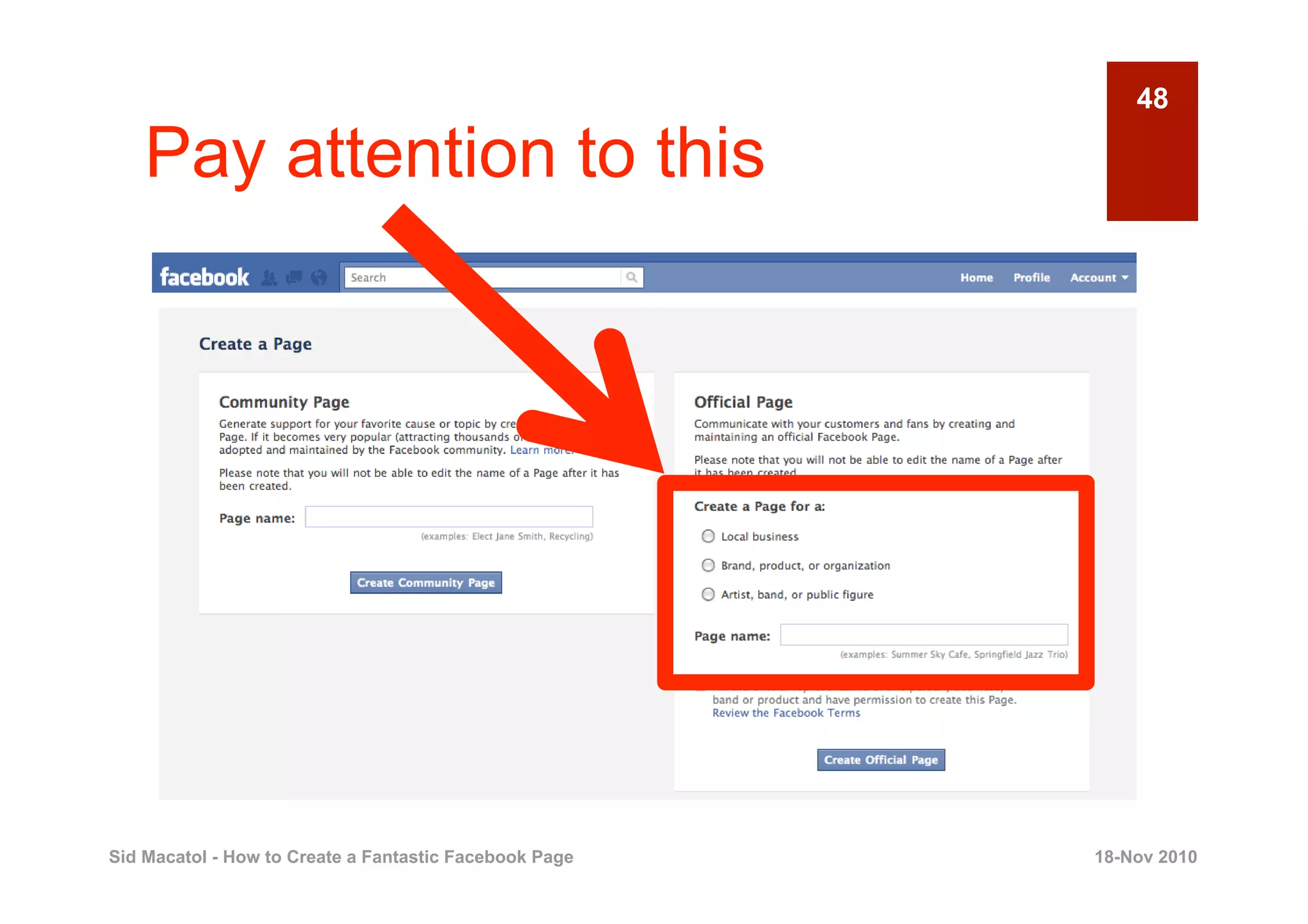
    Pay attention to this


Sid Macatol - How to Create a Fantastic Facebook Page   18-Nov 2010
49

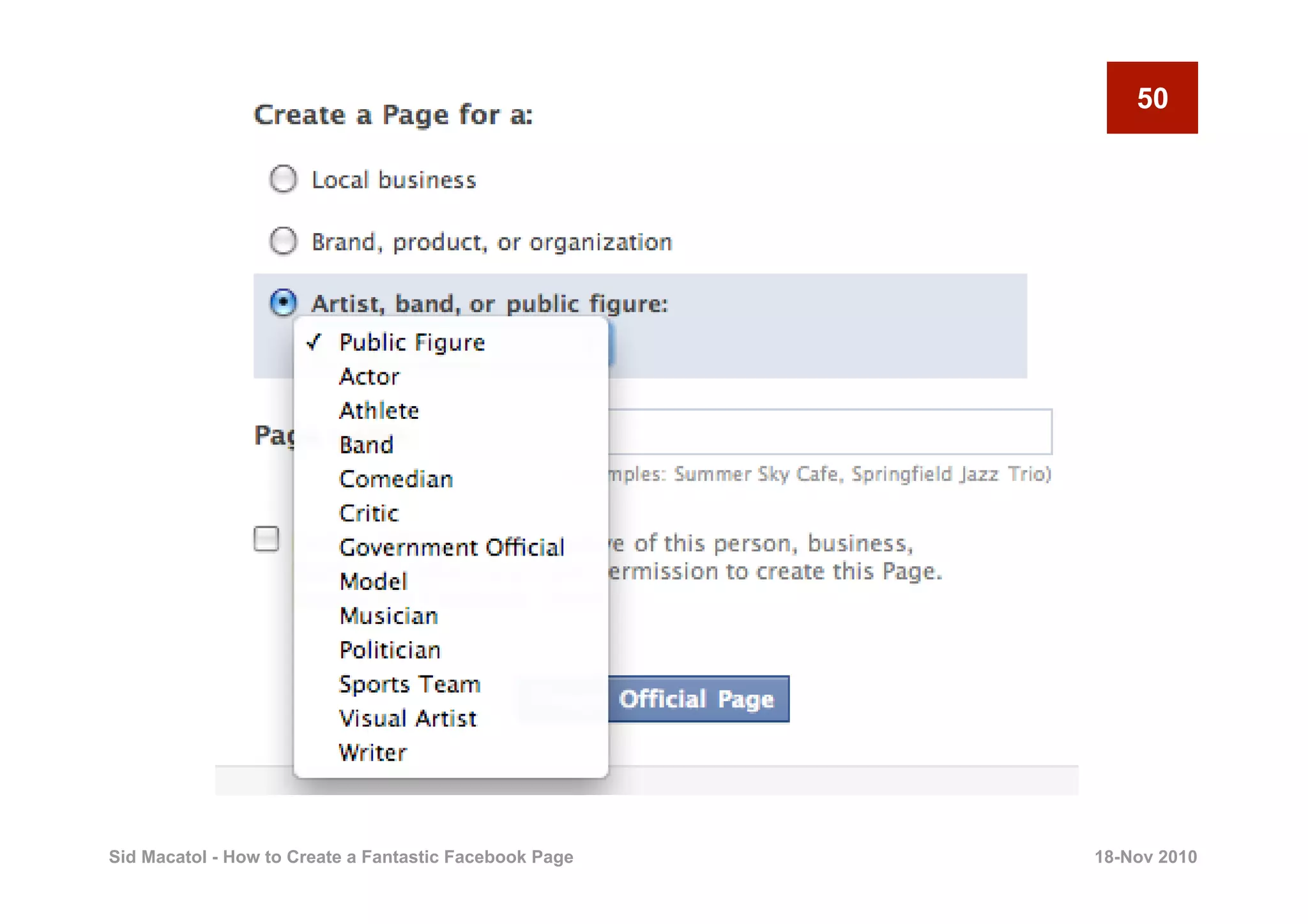
    Choose what applies to you


Sid Macatol - How to Create a Fantastic Facebook Page   18-Nov 2010
50


Sid Macatol - How to Create a Fantastic Facebook Page   18-Nov 2010
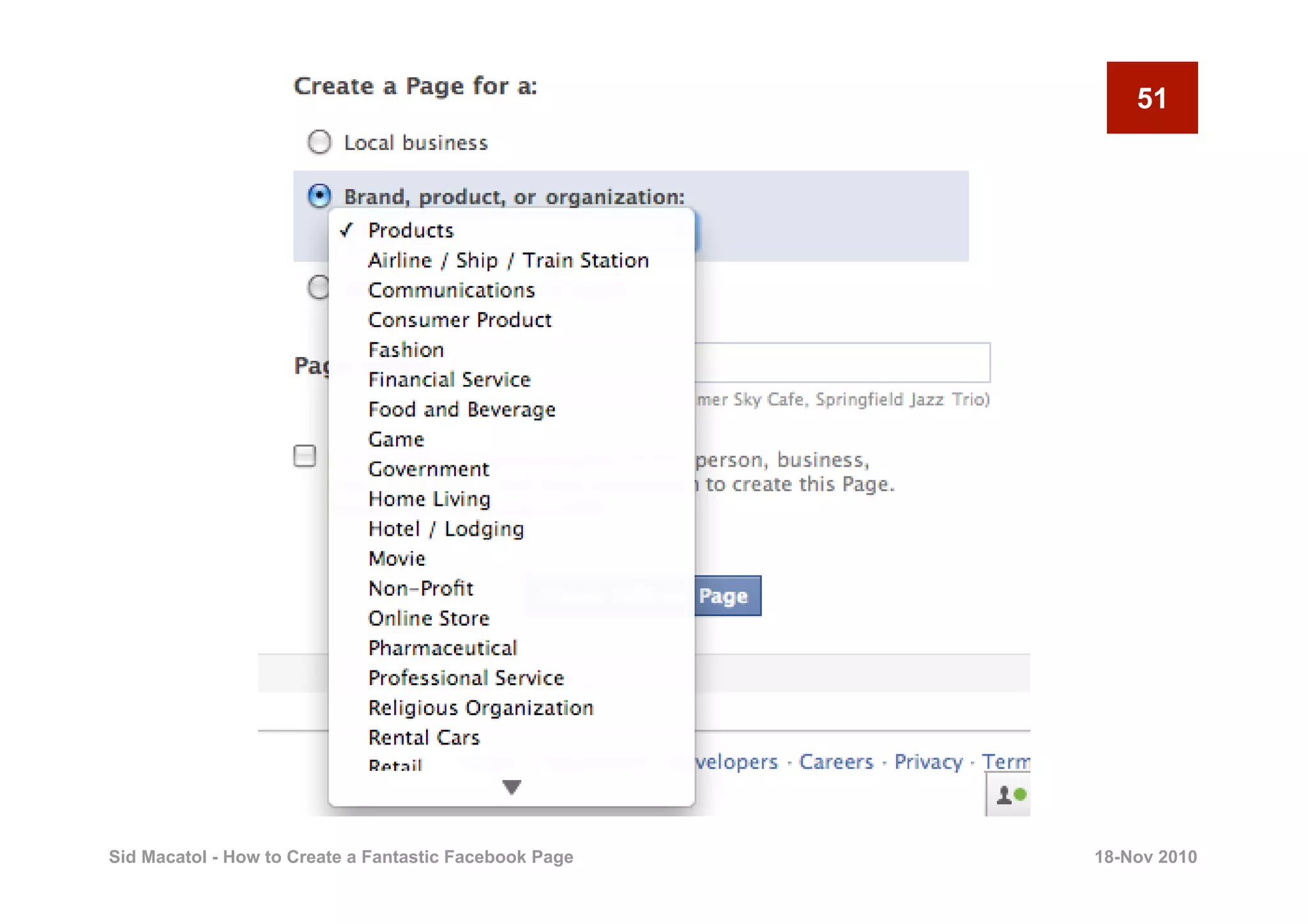
51


Sid Macatol - How to Create a Fantastic Facebook Page   18-Nov 2010
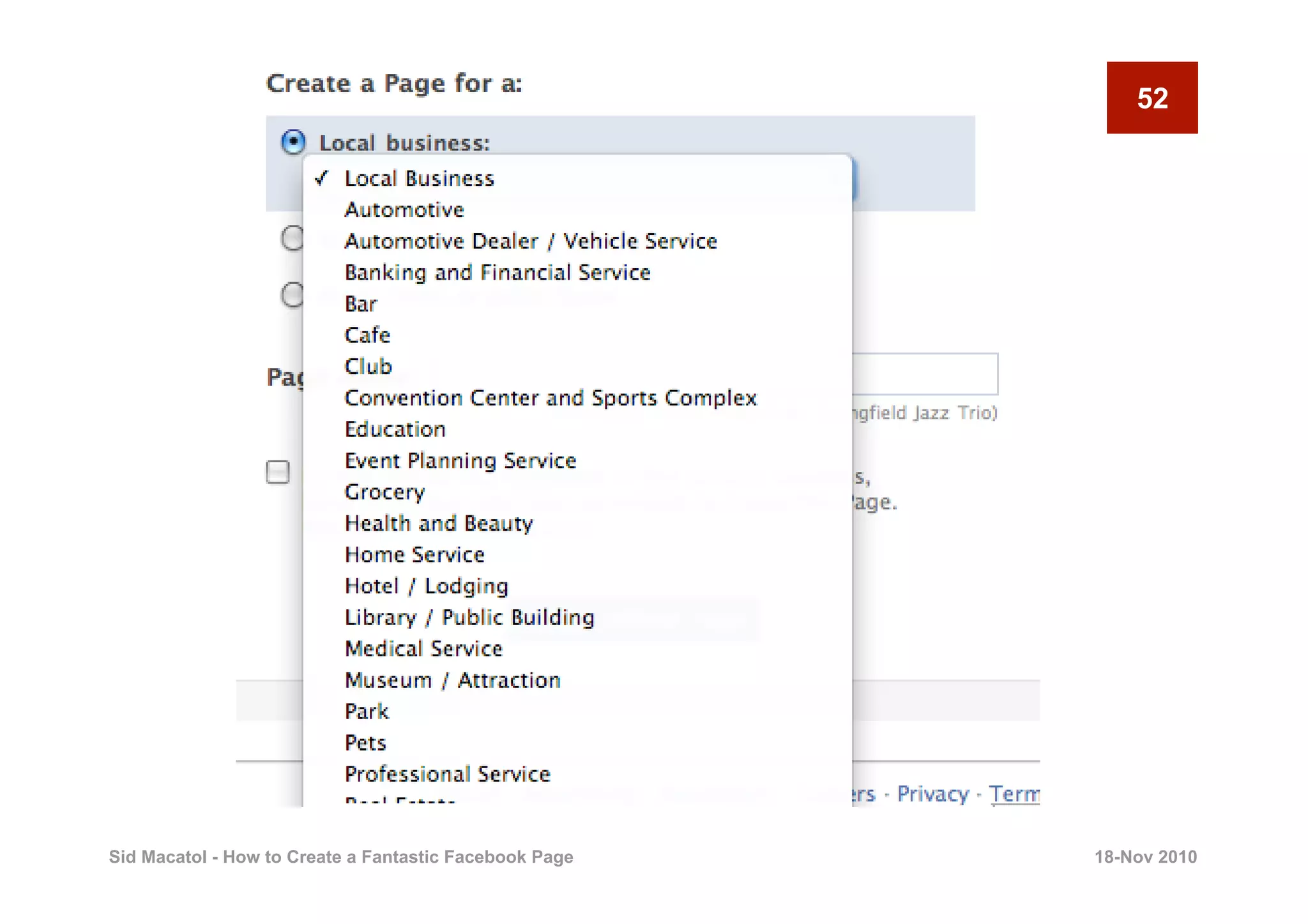
52


Sid Macatol - How to Create a Fantastic Facebook Page   18-Nov 2010
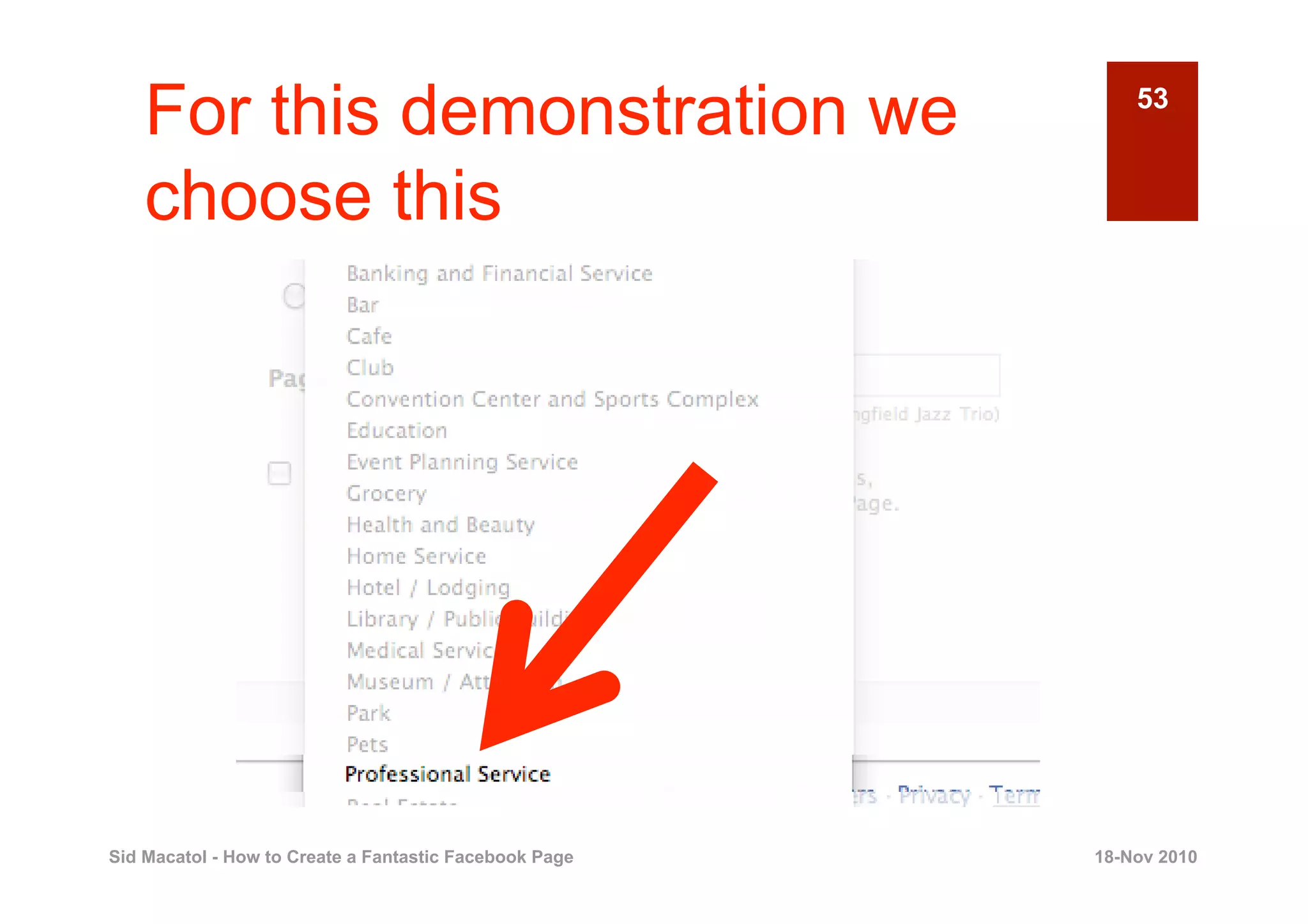
For this demonstration we                               53


    choose this


Sid Macatol - How to Create a Fantastic Facebook Page   18-Nov 2010
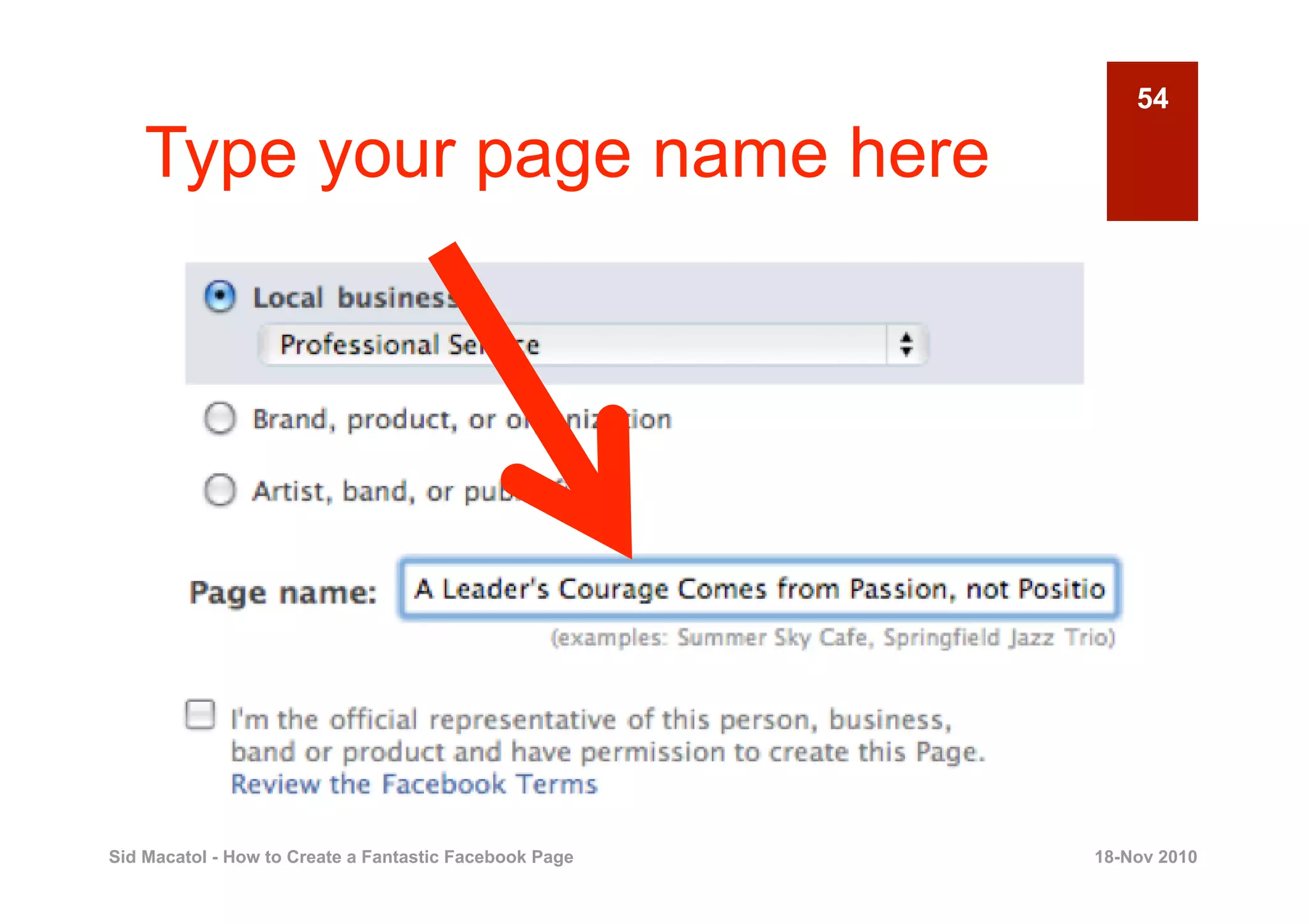
54

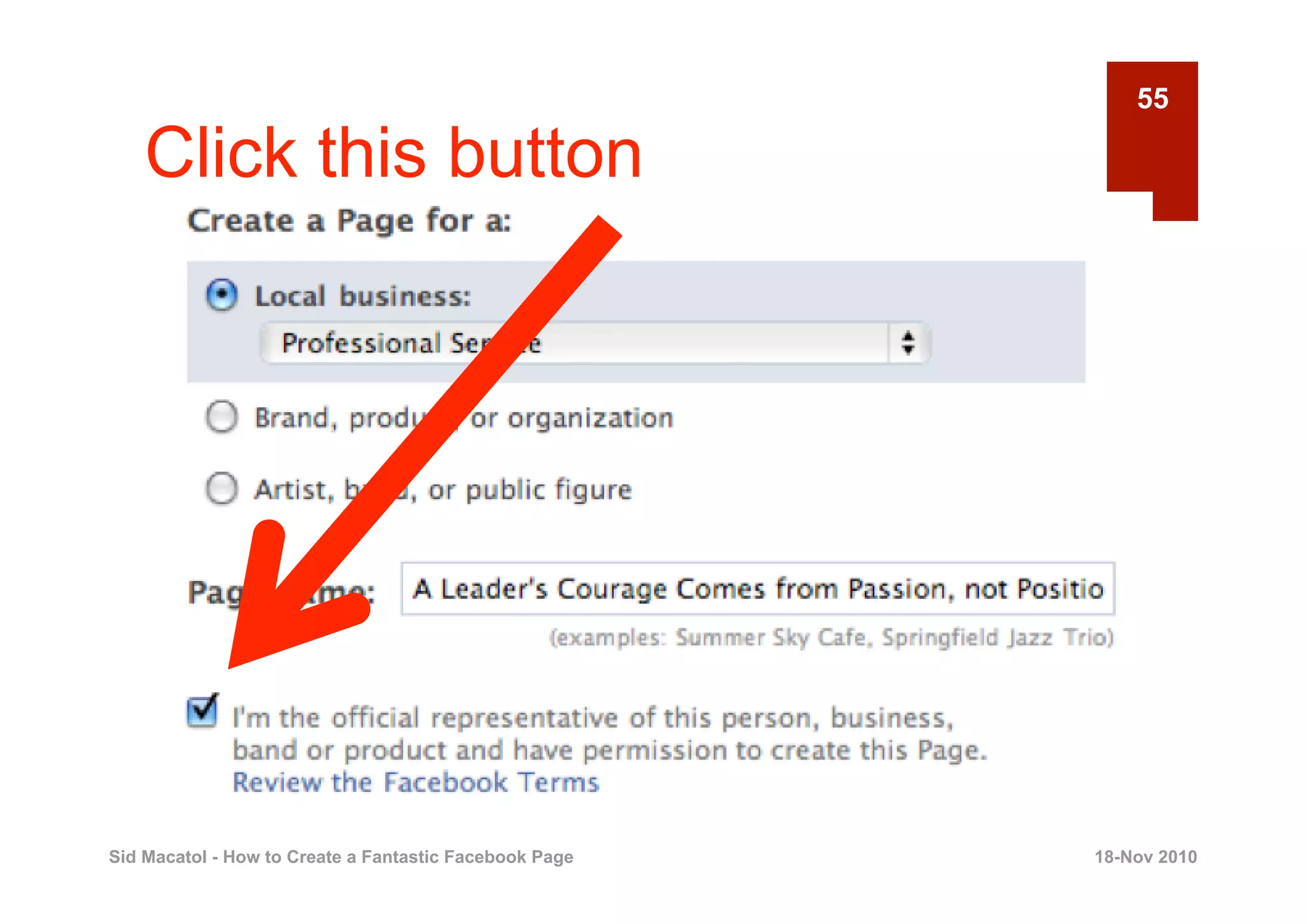
    Type your page name here


Sid Macatol - How to Create a Fantastic Facebook Page   18-Nov 2010
55

    Click this button


Sid Macatol - How to Create a Fantastic Facebook Page   18-Nov 2010
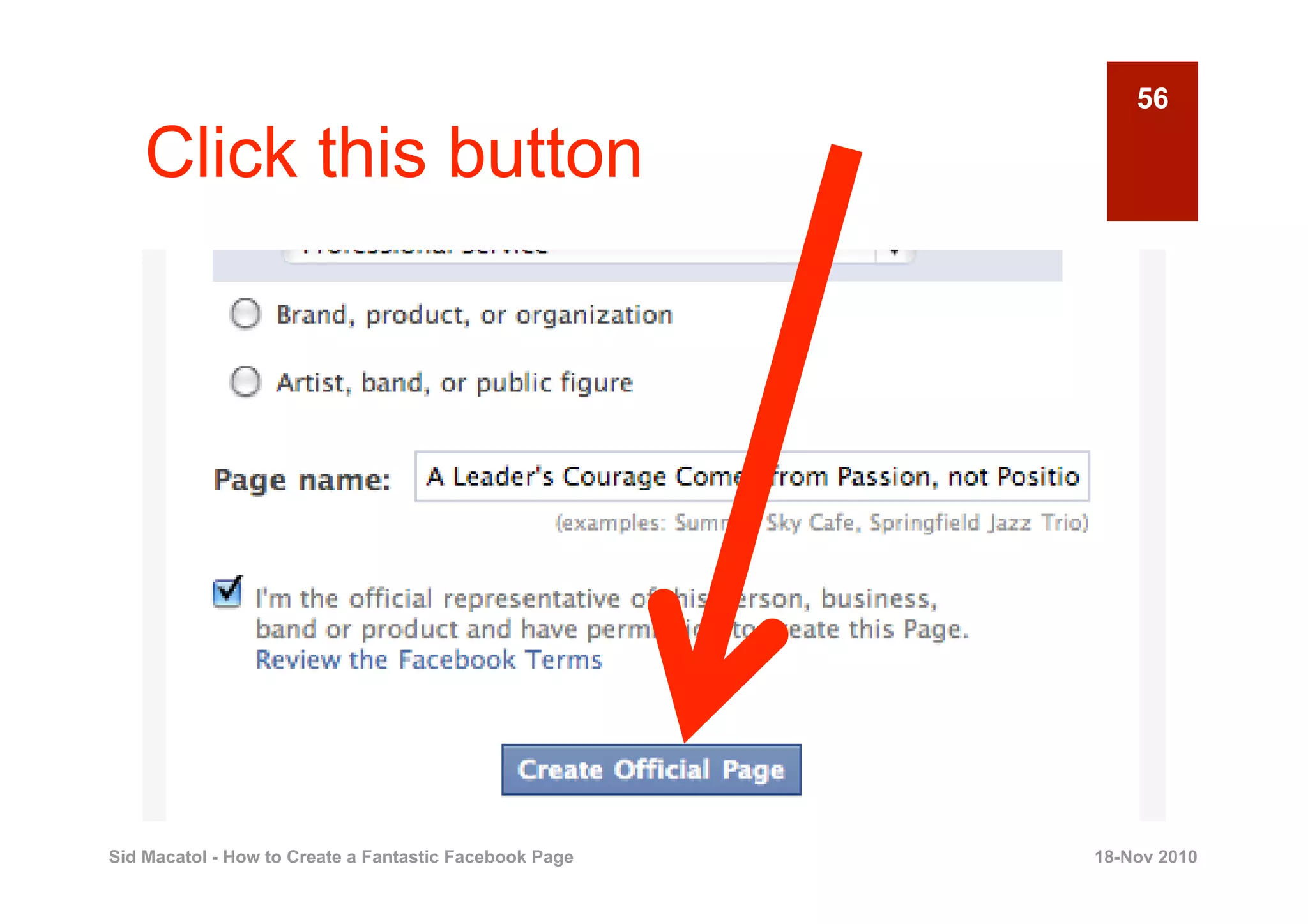
56

    Click this button


Sid Macatol - How to Create a Fantastic Facebook Page   18-Nov 2010
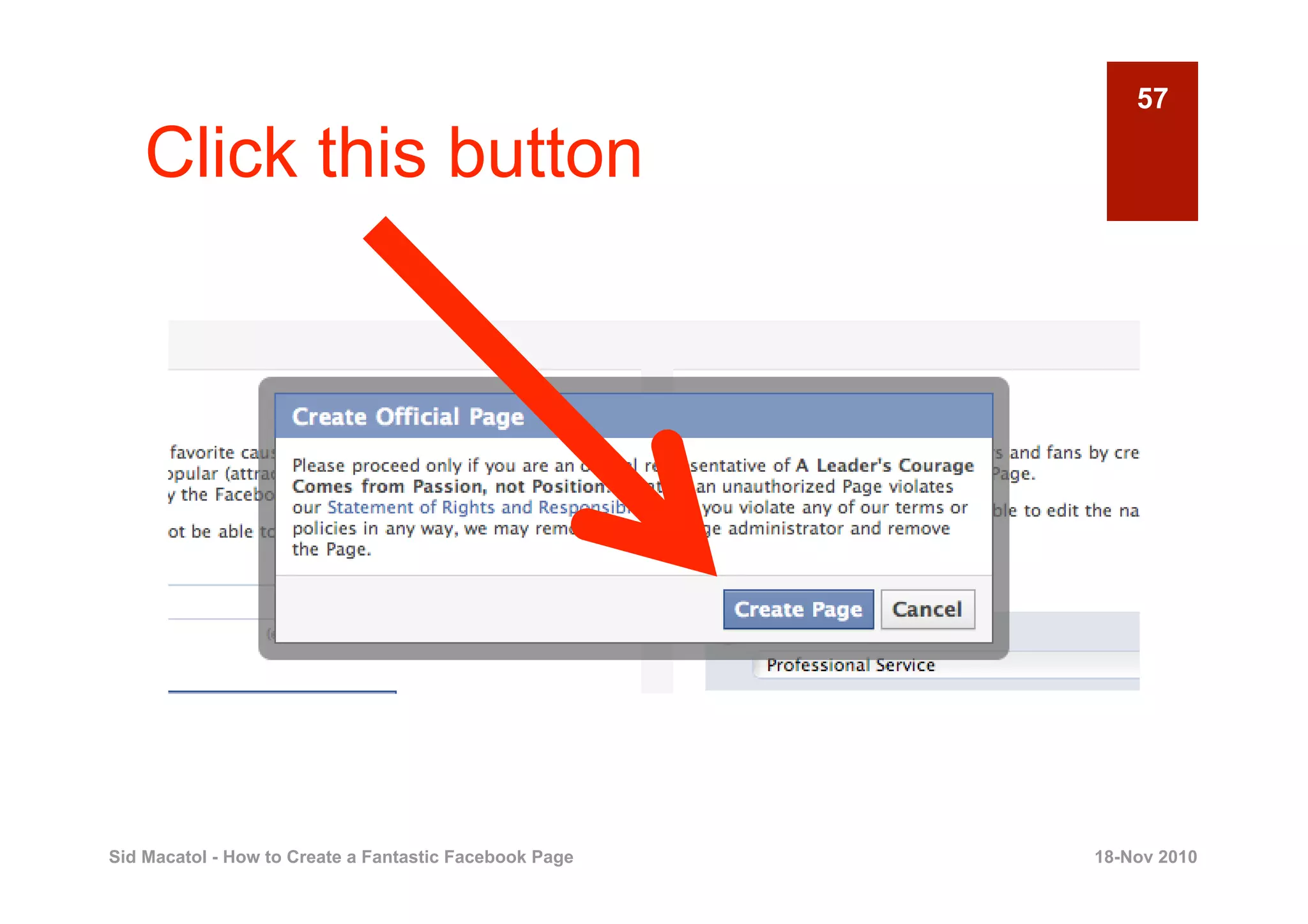
57

    Click this button


Sid Macatol - How to Create a Fantastic Facebook Page   18-Nov 2010
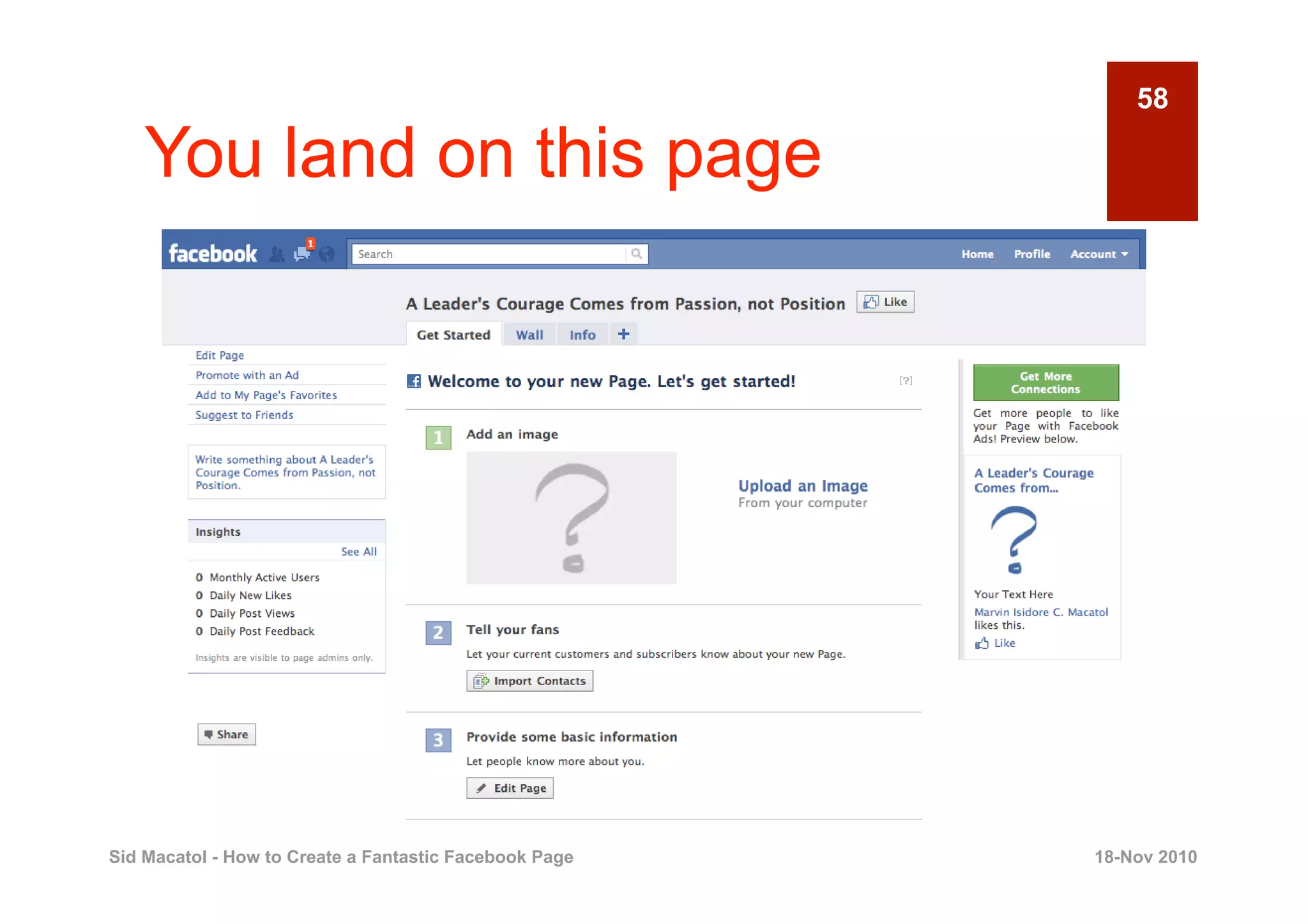
58

    You land on this page


Sid Macatol - How to Create a Fantastic Facebook Page   18-Nov 2010
59

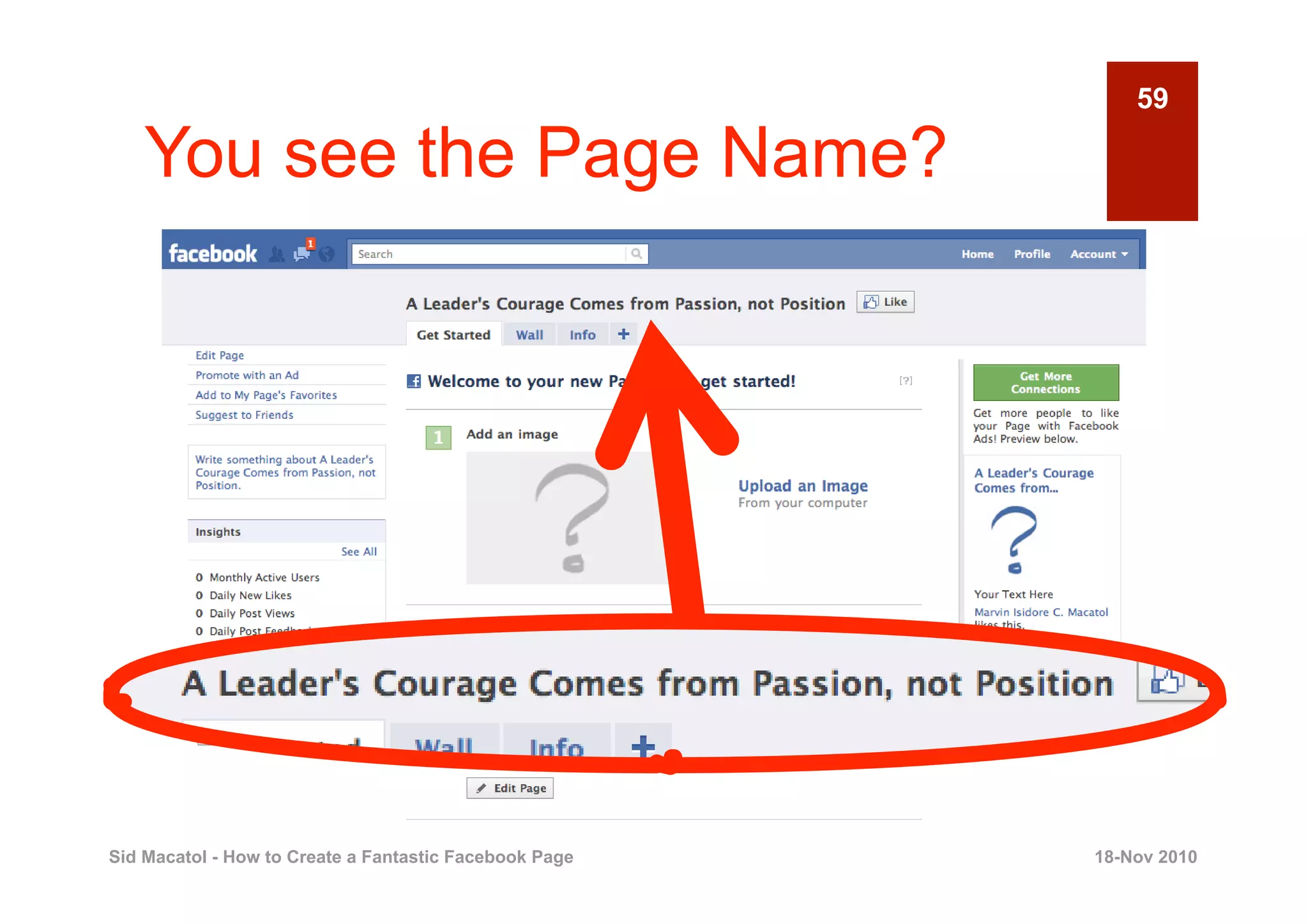
    You see the Page Name?


Sid Macatol - How to Create a Fantastic Facebook Page   18-Nov 2010
60

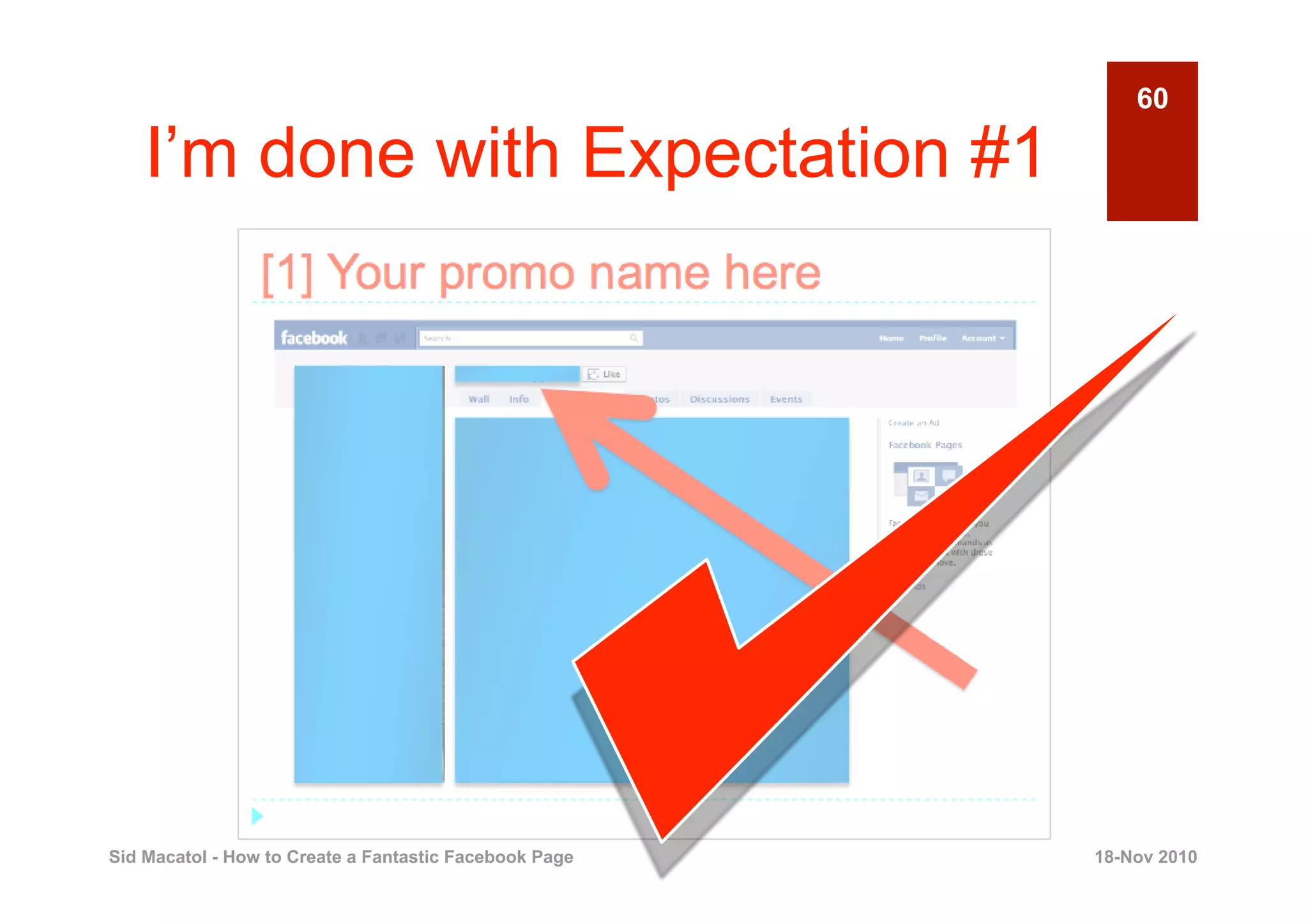
    I’m done with Expectation #1


Sid Macatol - How to Create a Fantastic Facebook Page   18-Nov 2010
61

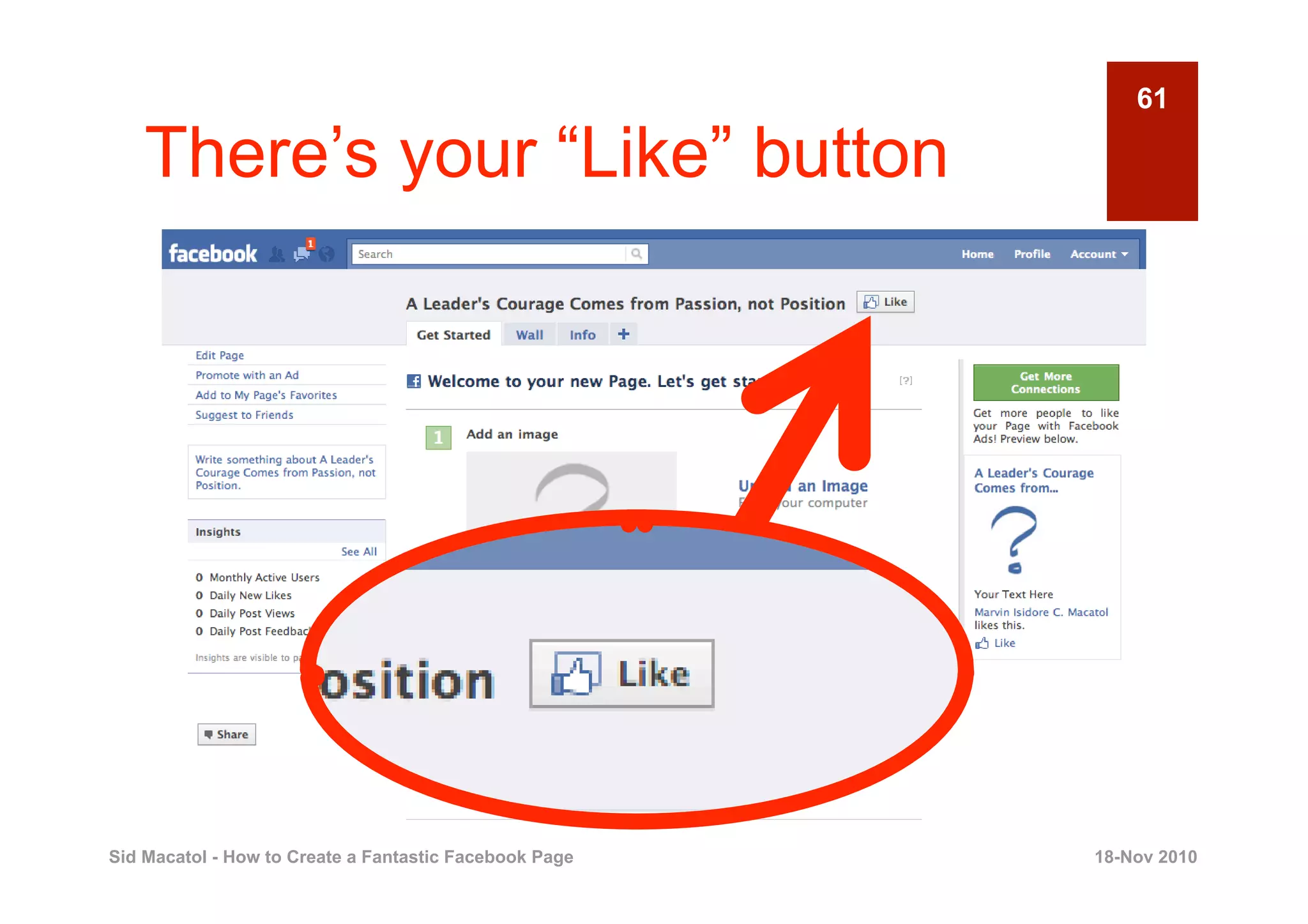
    There’s your “Like” button


Sid Macatol - How to Create a Fantastic Facebook Page   18-Nov 2010
62

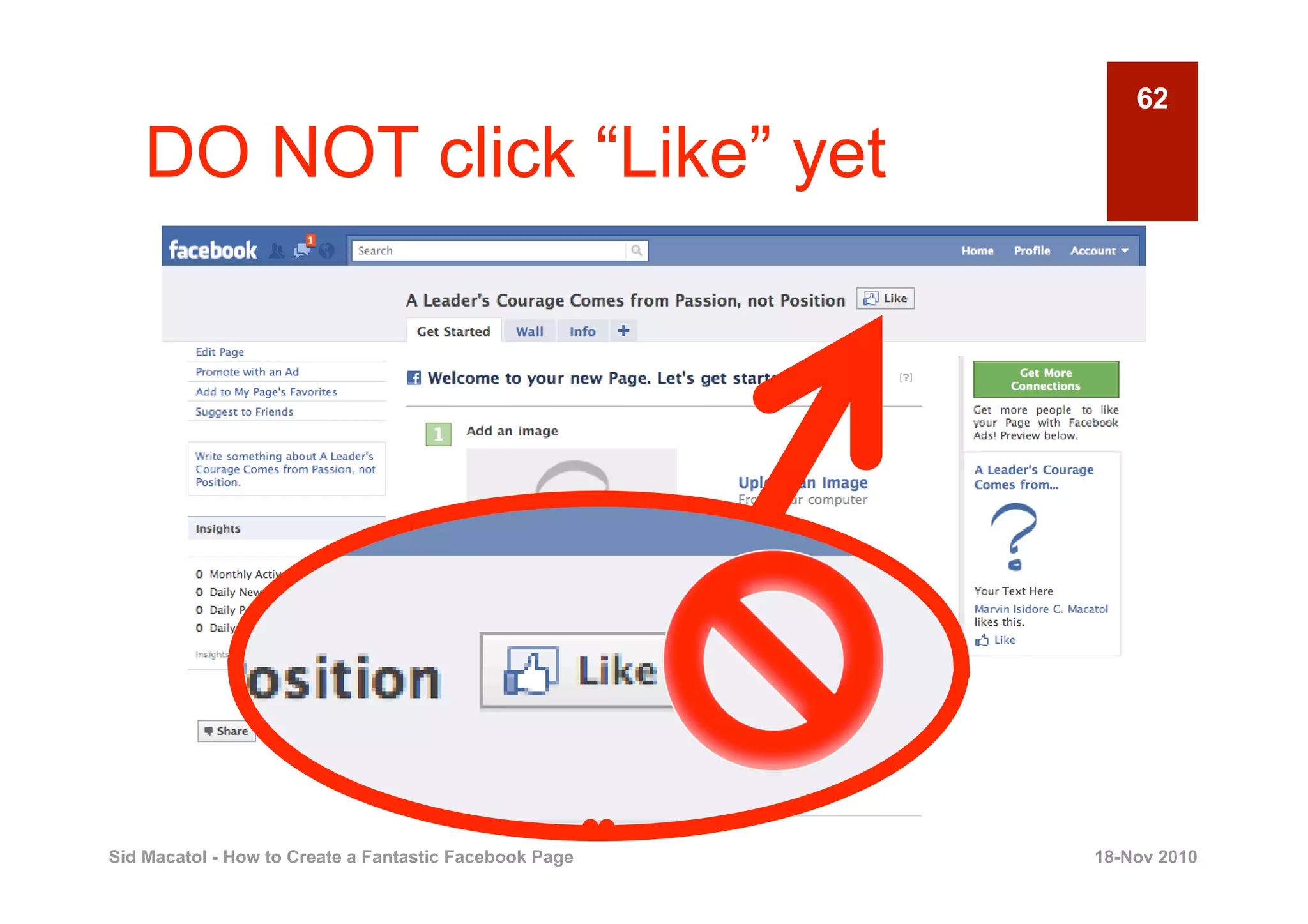
    DO NOT click “Like” yet


Sid Macatol - How to Create a Fantastic Facebook Page   18-Nov 2010
63


                       Click “Like” Once
                        Page is Done


Sid Macatol - How to Create a Fantastic Facebook Page   18-Nov 2010
64

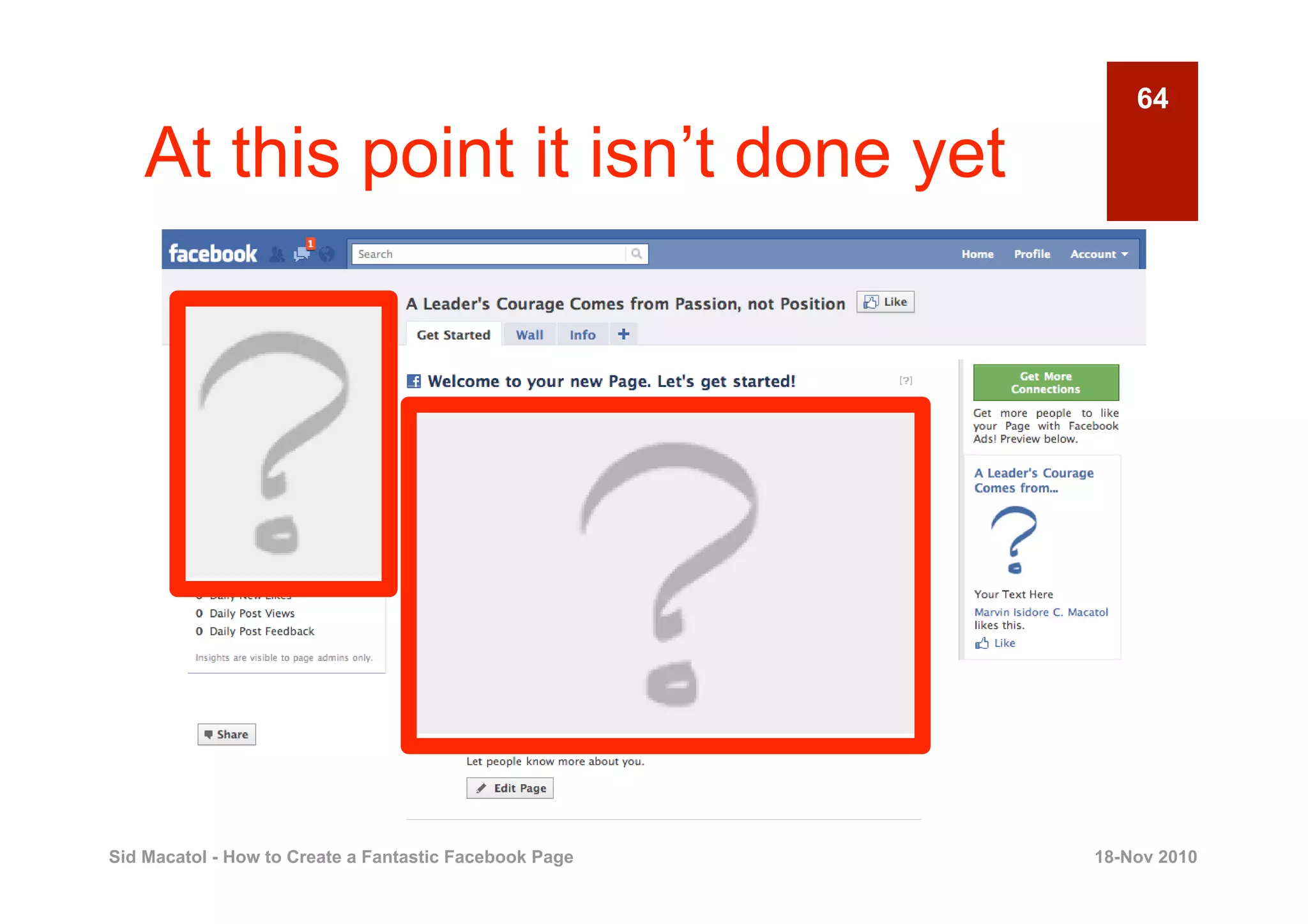
    At this point it isn’t done yet


Sid Macatol - How to Create a Fantastic Facebook Page   18-Nov 2010
65


       4
                                     UPLOAD YOUR
                                         PROFILE
                                         PICTURE
                                                  Creating a Fantastic Facebook Page


Sid Macatol - How to Create a Fantastic Facebook Page                      18-Nov 2010
66

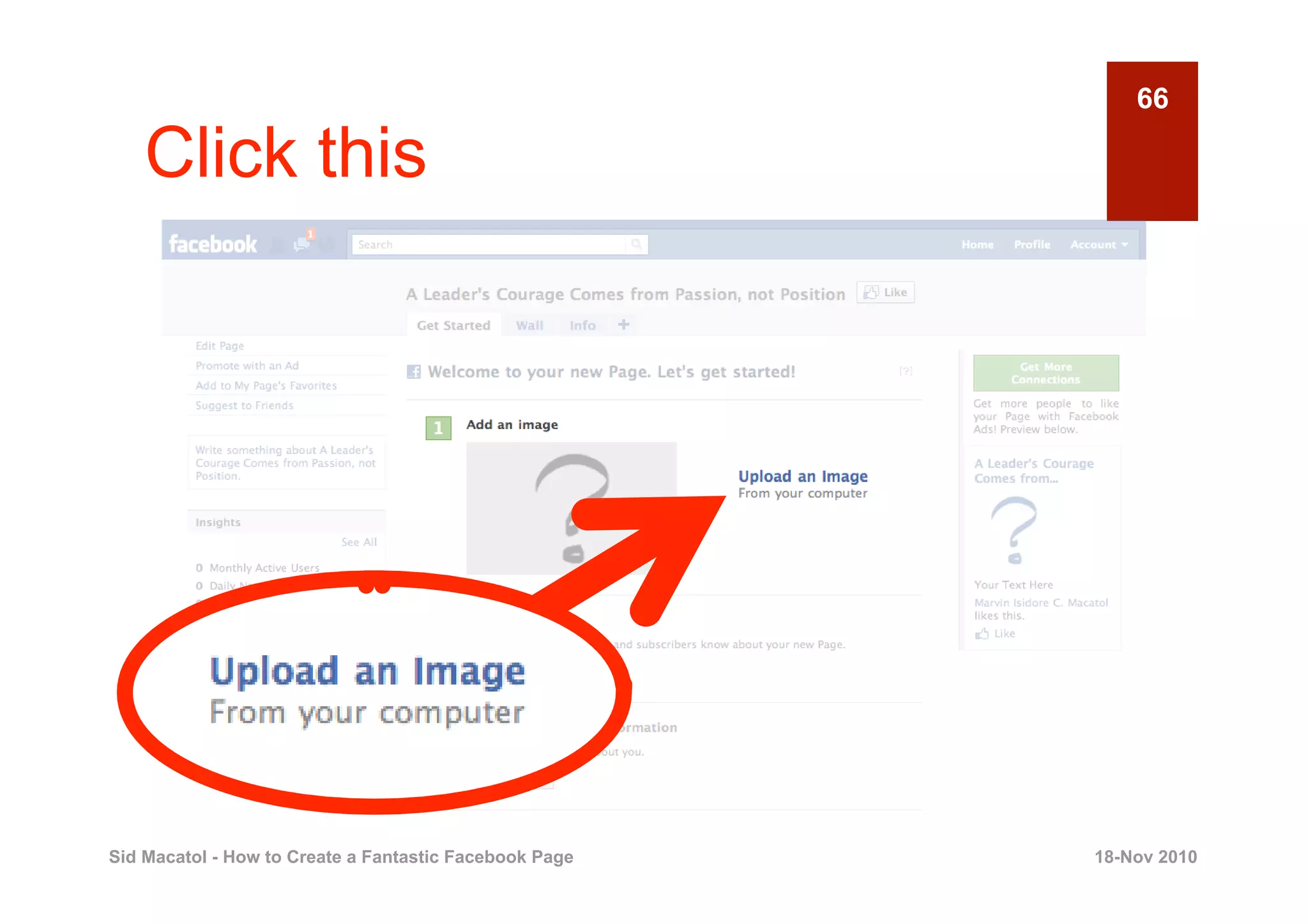
    Click this


Sid Macatol - How to Create a Fantastic Facebook Page   18-Nov 2010
67

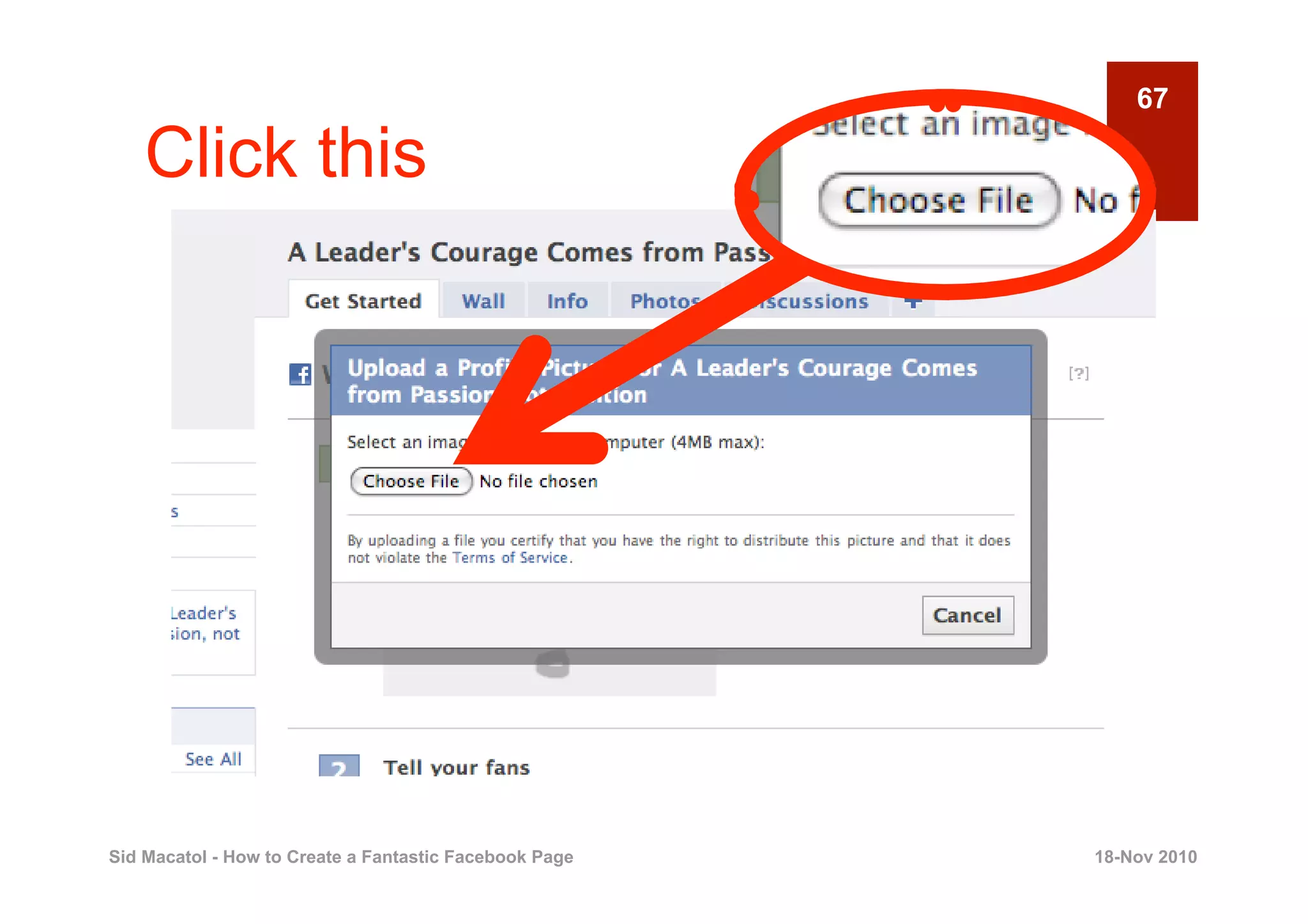
    Click this


Sid Macatol - How to Create a Fantastic Facebook Page   18-Nov 2010
68
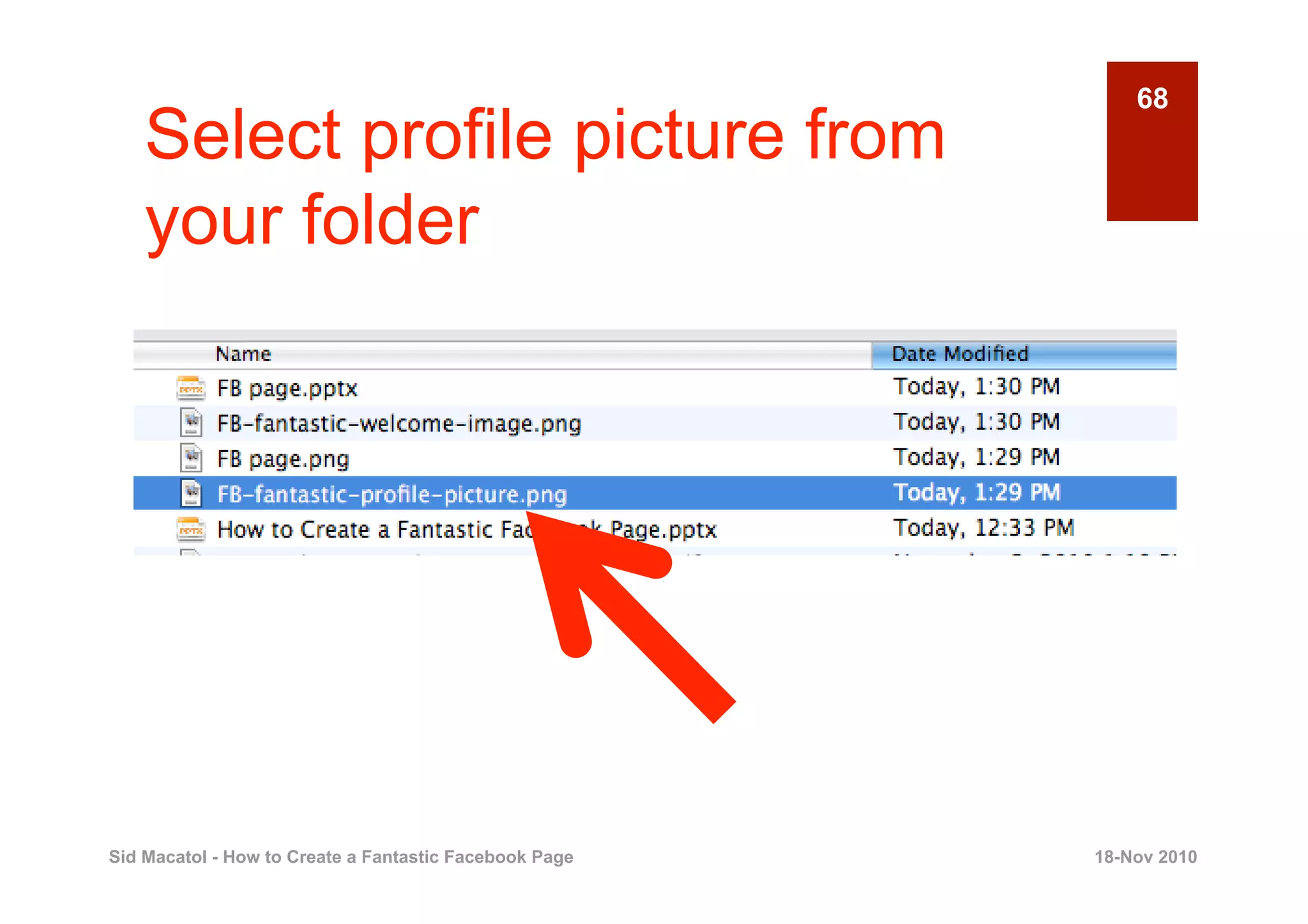
    Select profile picture from
    your folder


Sid Macatol - How to Create a Fantastic Facebook Page   18-Nov 2010
69

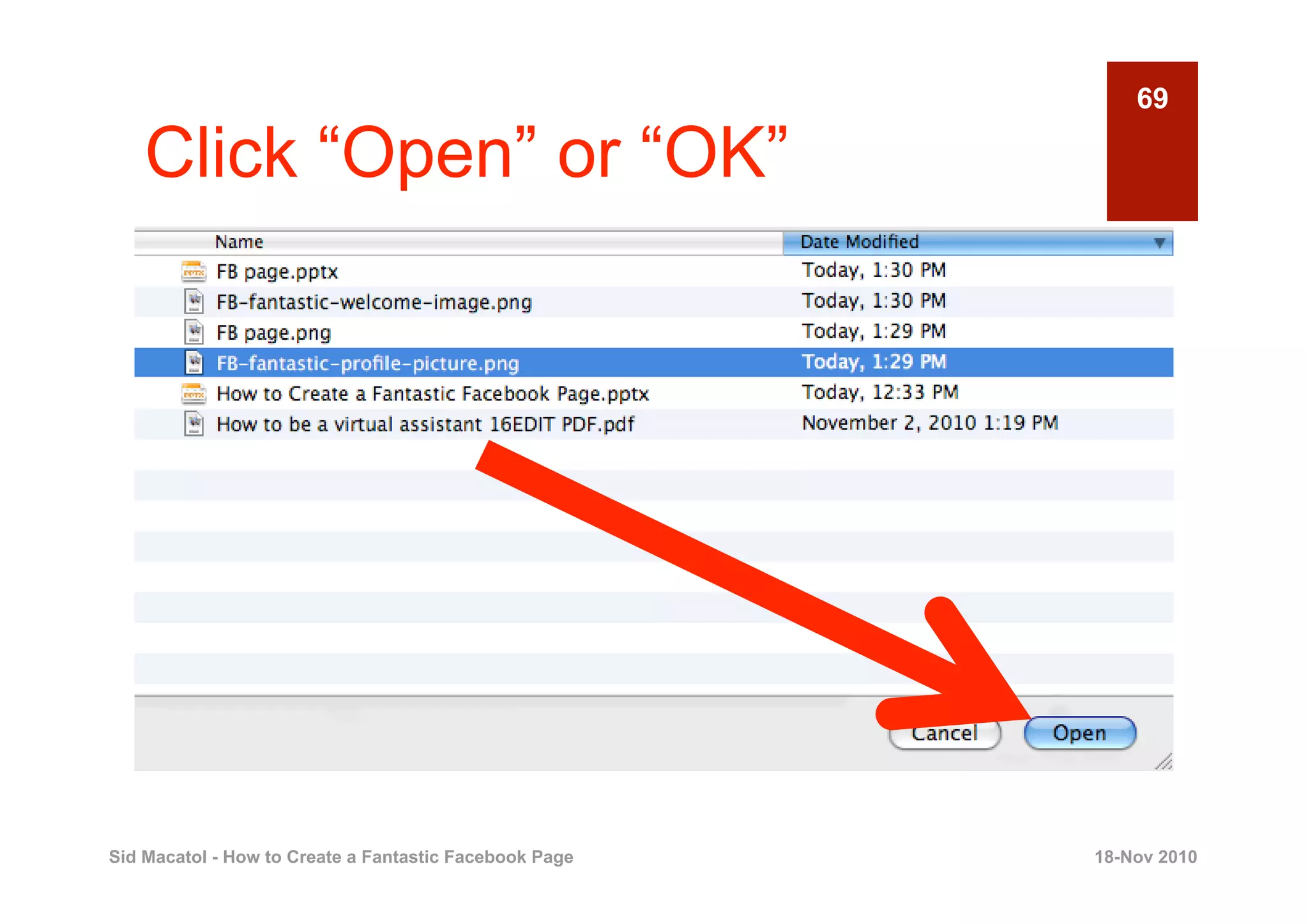
    Click “Open” or “OK”


Sid Macatol - How to Create a Fantastic Facebook Page   18-Nov 2010
70

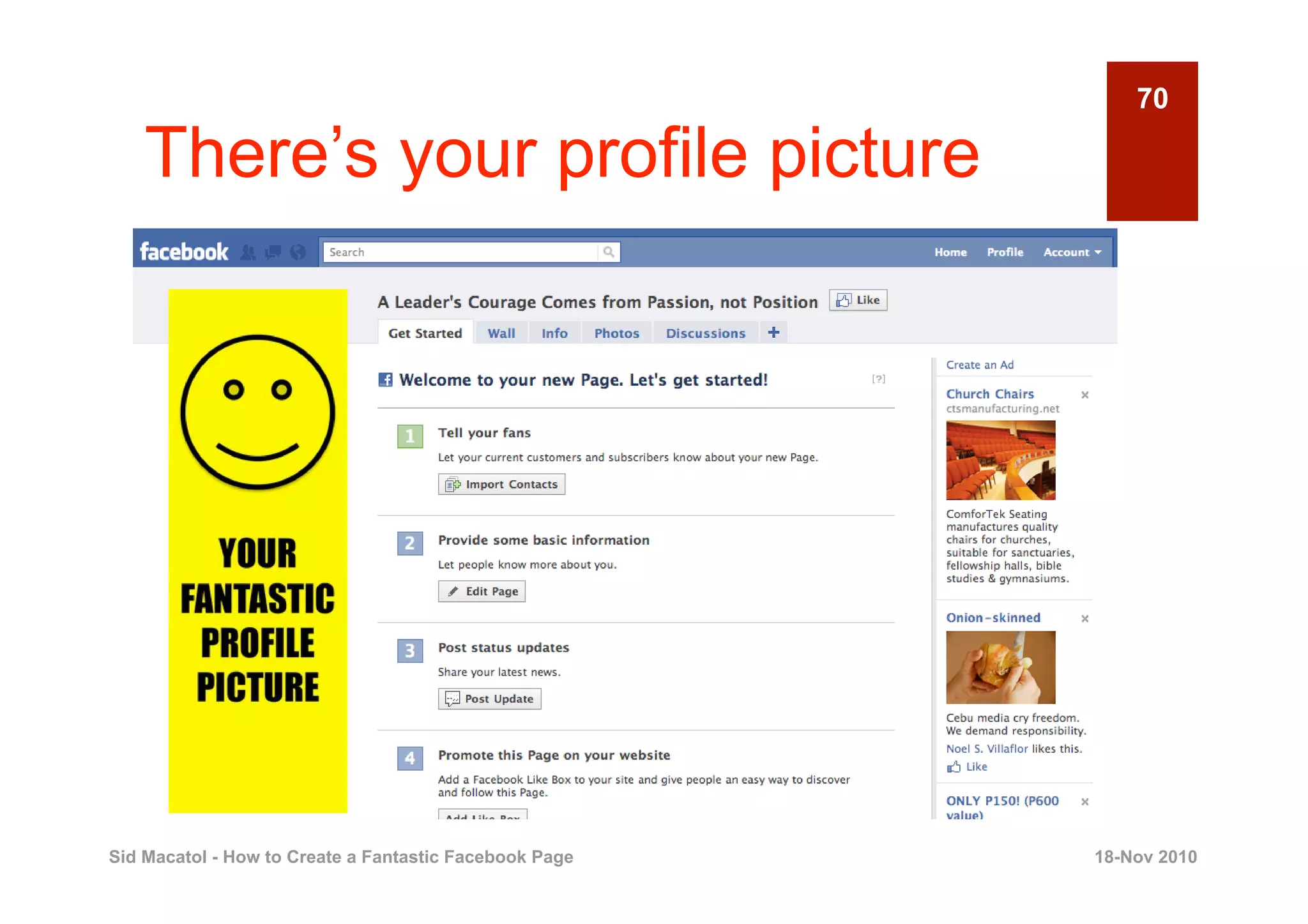
    There’s your profile picture


Sid Macatol - How to Create a Fantastic Facebook Page   18-Nov 2010
71

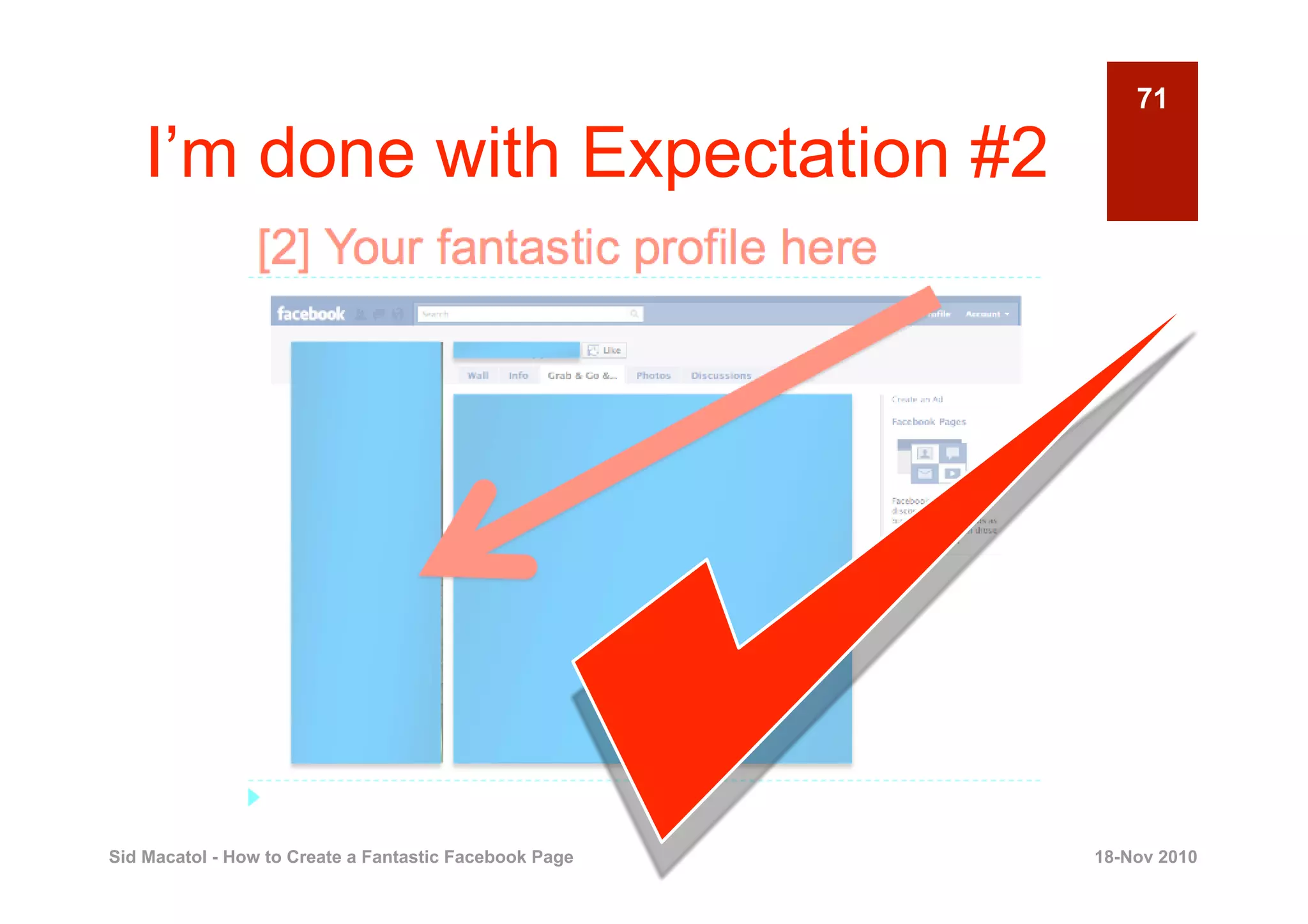
    I’m done with Expectation #2


Sid Macatol - How to Create a Fantastic Facebook Page   18-Nov 2010
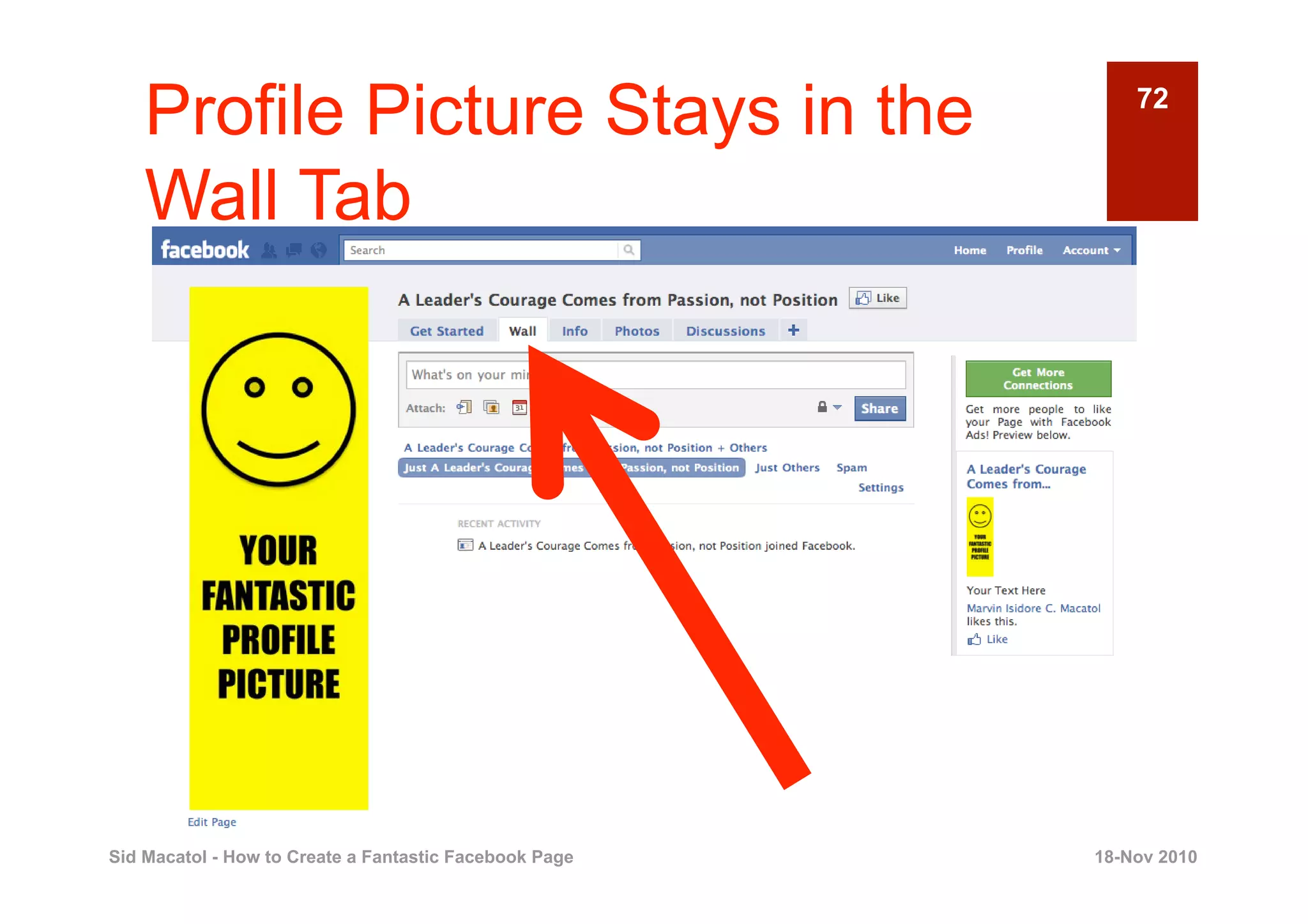
Profile Picture Stays in the                            72


    Wall Tab


Sid Macatol - How to Create a Fantastic Facebook Page   18-Nov 2010
73

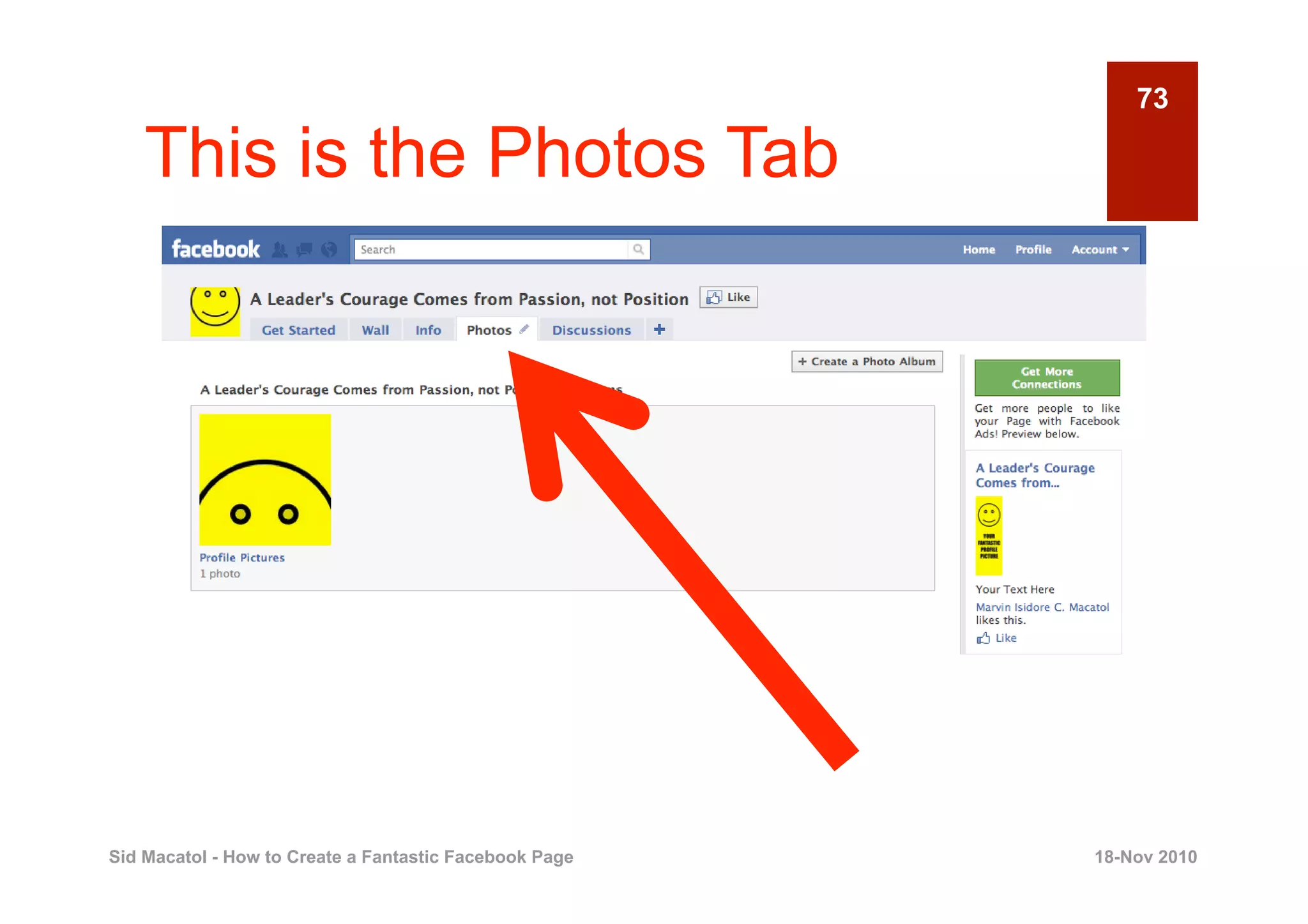
    This is the Photos Tab


Sid Macatol - How to Create a Fantastic Facebook Page   18-Nov 2010
74

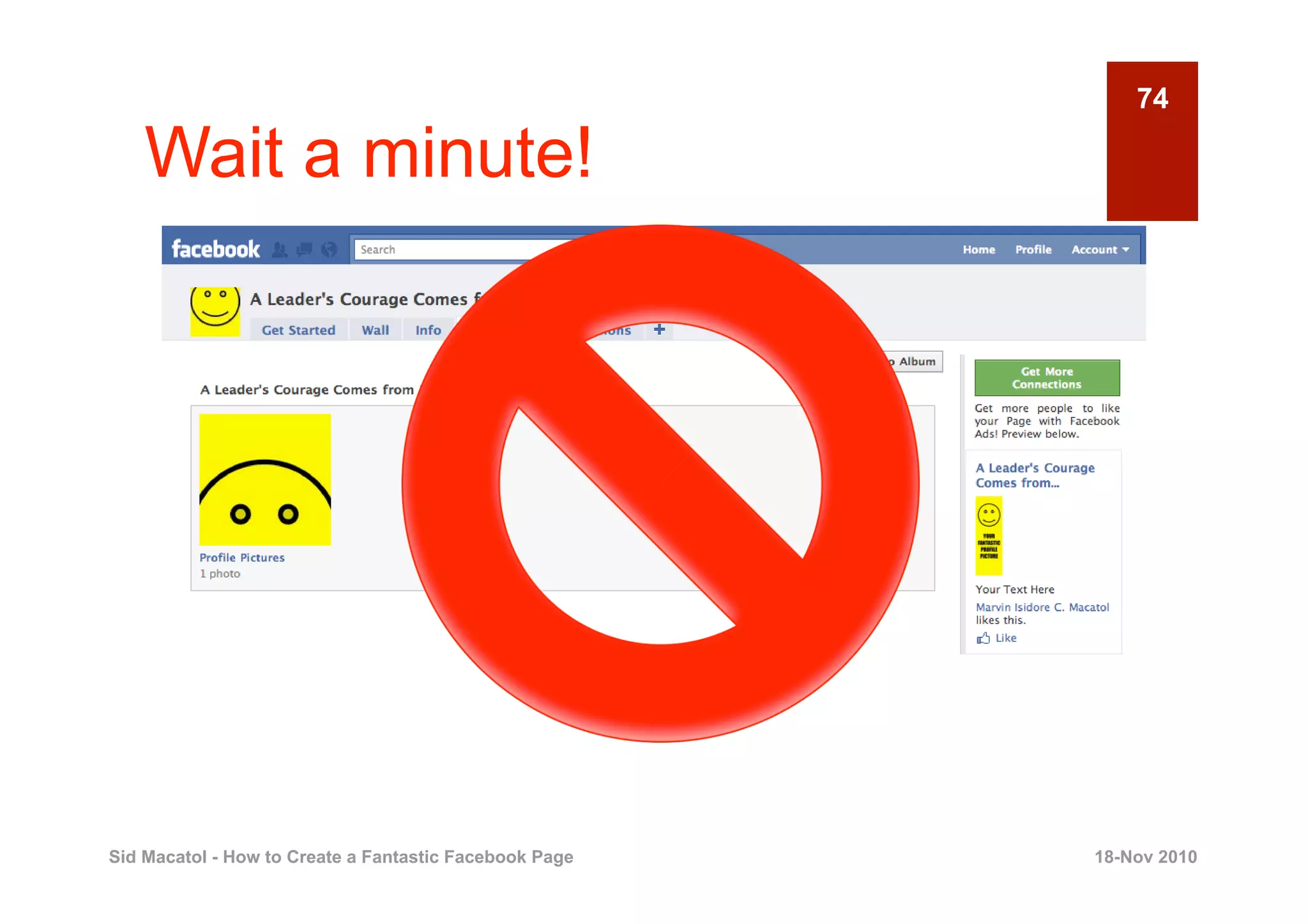
    Wait a minute!


Sid Macatol - How to Create a Fantastic Facebook Page   18-Nov 2010
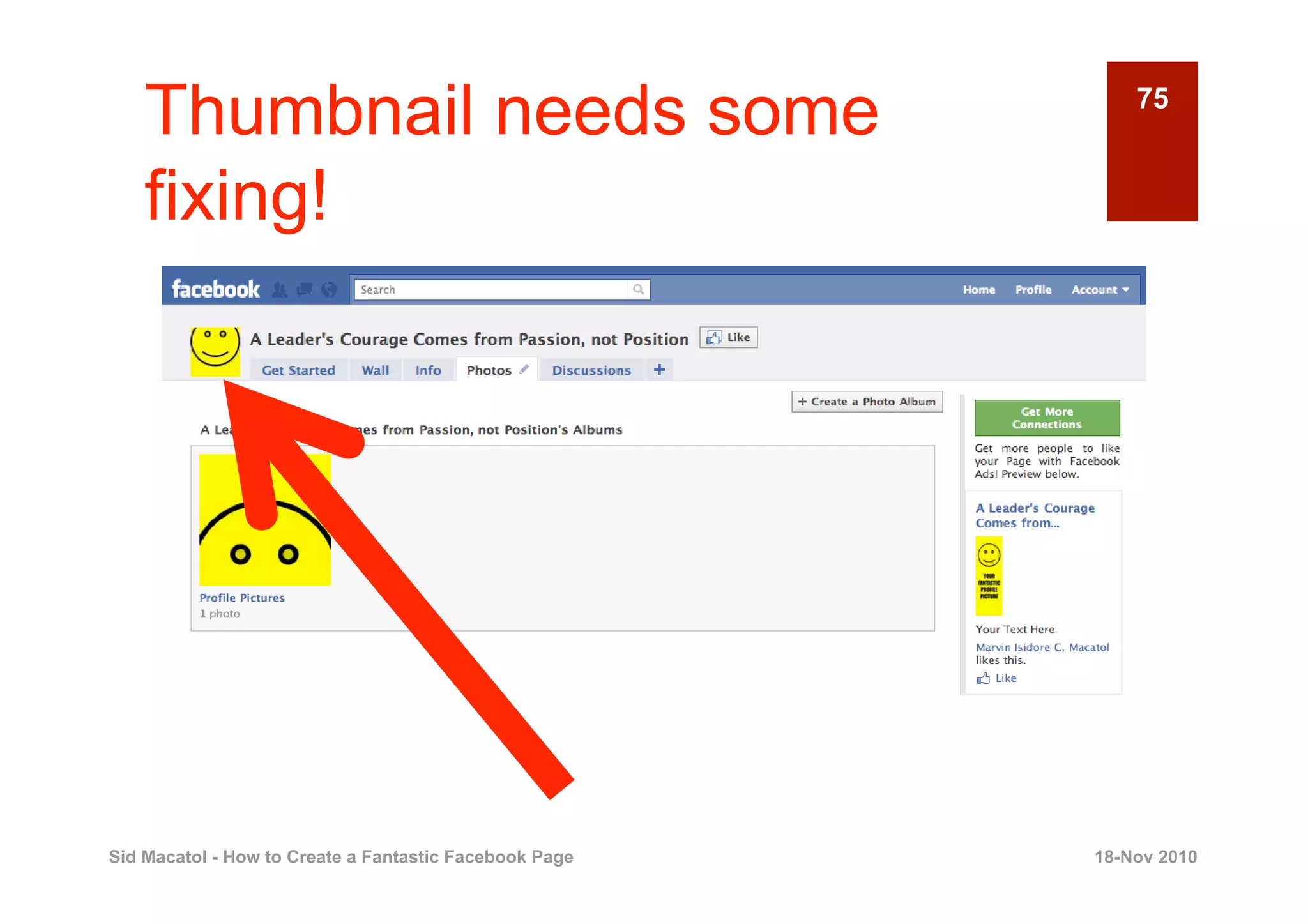
Thumbnail needs some                                    75


    fixing!


Sid Macatol - How to Create a Fantastic Facebook Page   18-Nov 2010
76

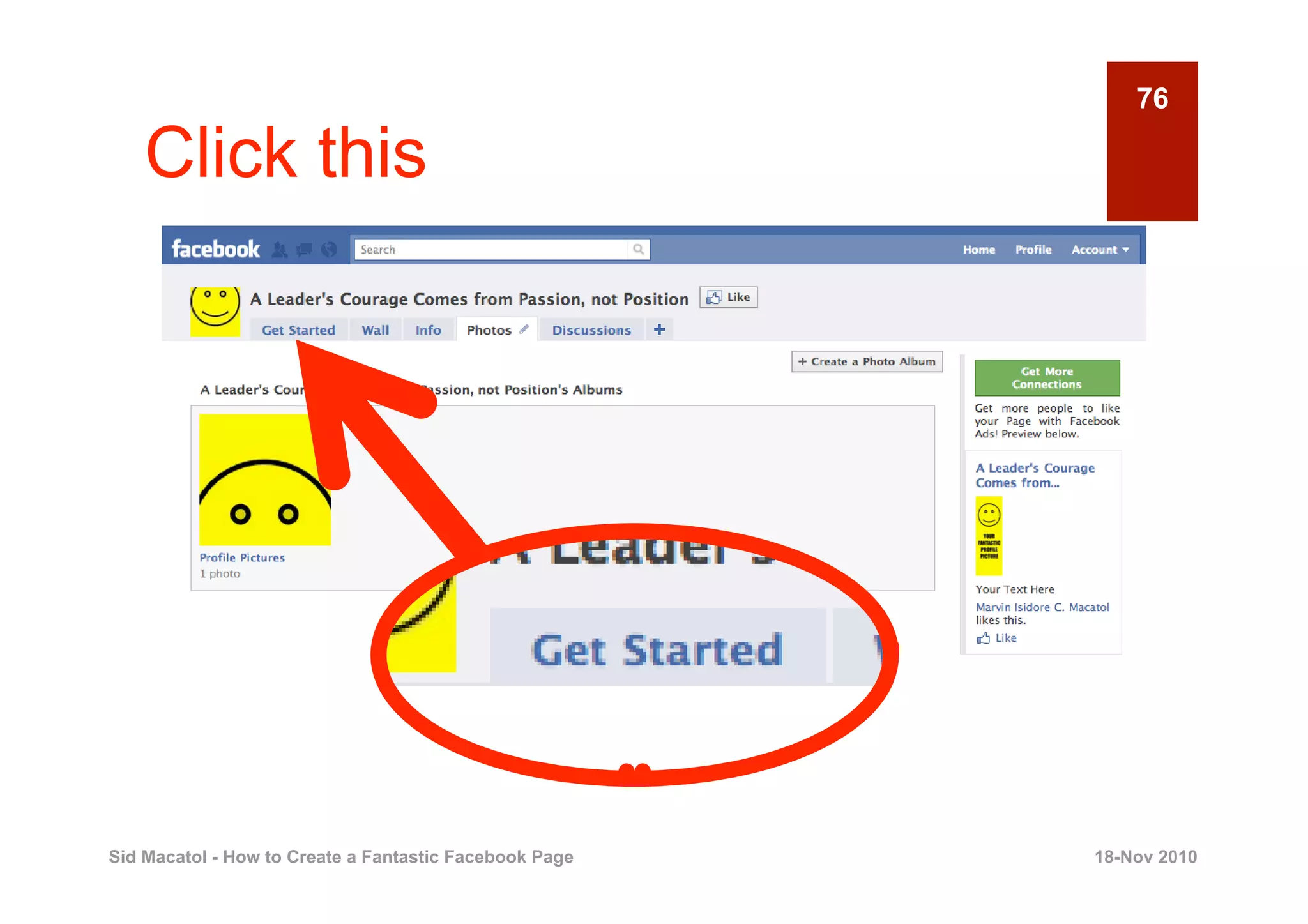
    Click this


Sid Macatol - How to Create a Fantastic Facebook Page   18-Nov 2010
77

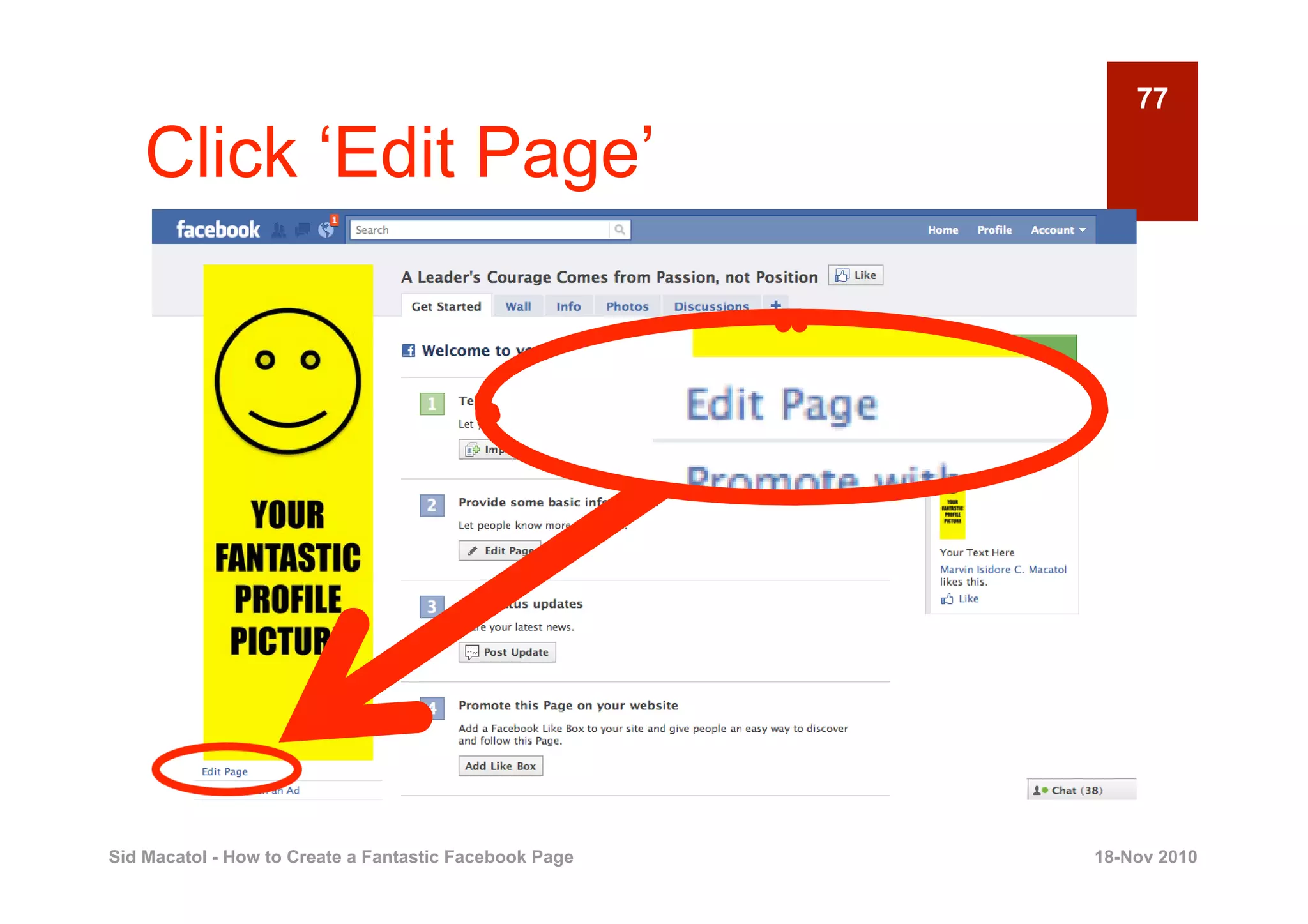
    Click ‘Edit Page’


Sid Macatol - How to Create a Fantastic Facebook Page   18-Nov 2010
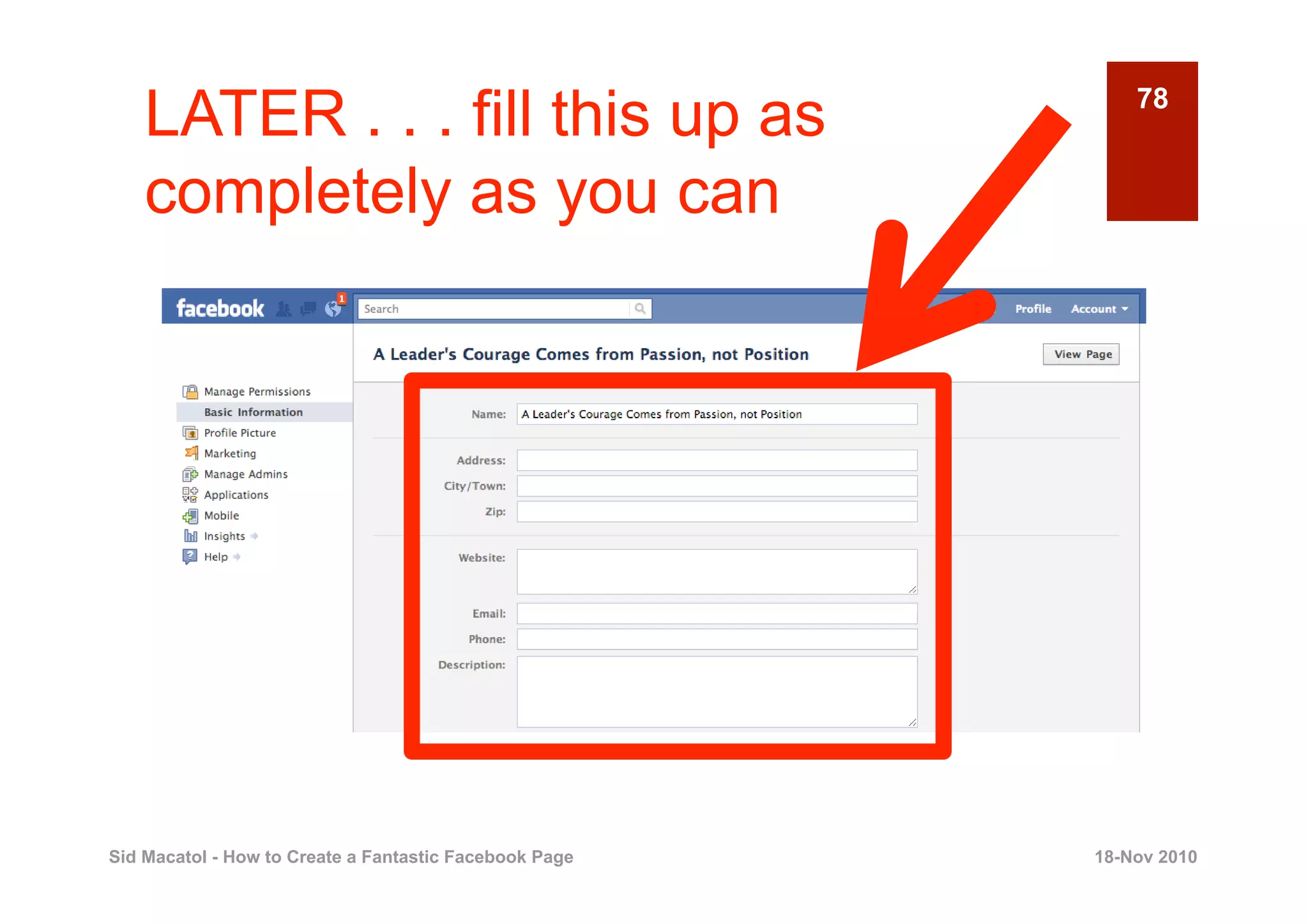
LATER . . . fill this up as                             78


    completely as you can


Sid Macatol - How to Create a Fantastic Facebook Page   18-Nov 2010
79

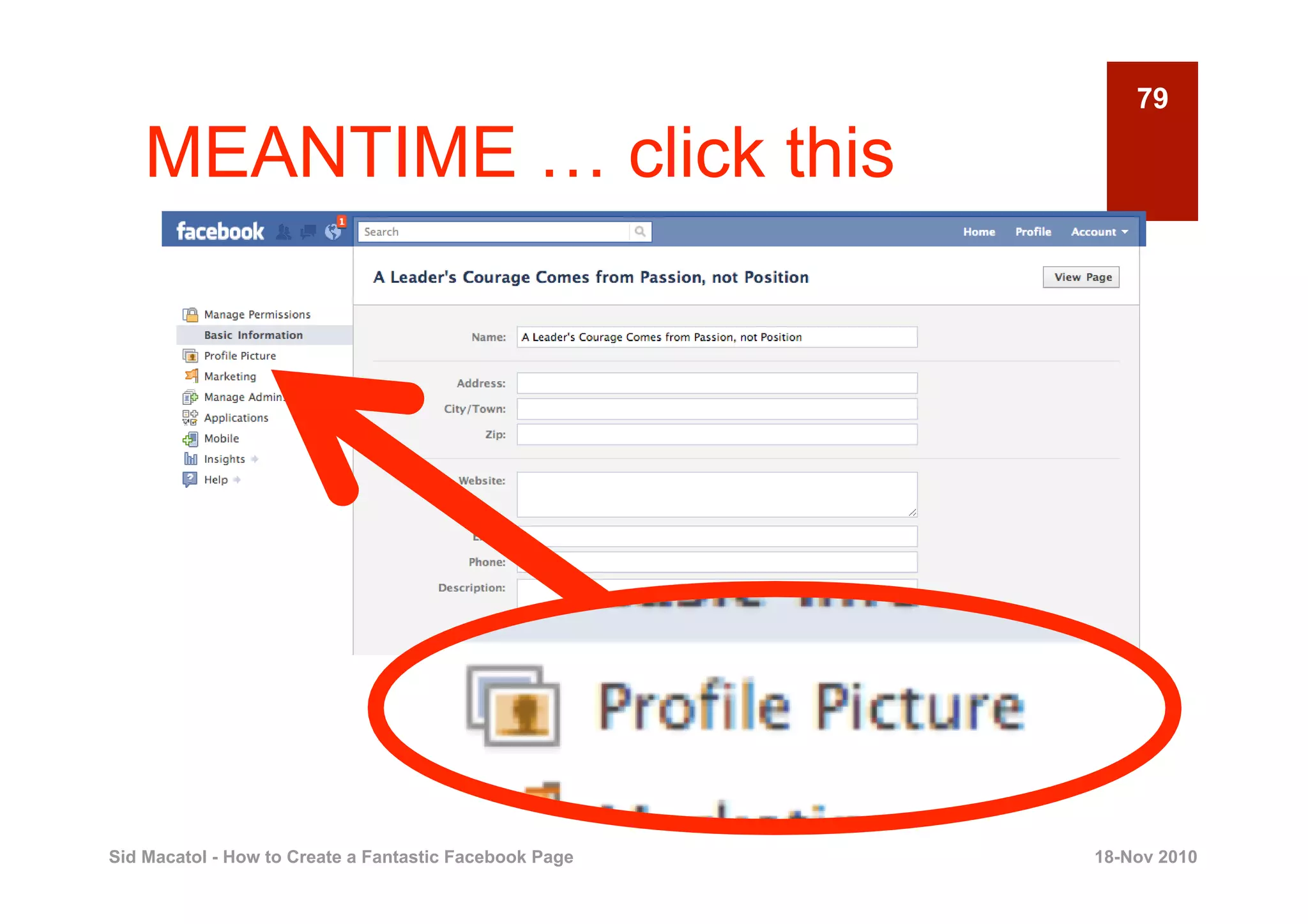
    MEANTIME … click this


Sid Macatol - How to Create a Fantastic Facebook Page   18-Nov 2010
80

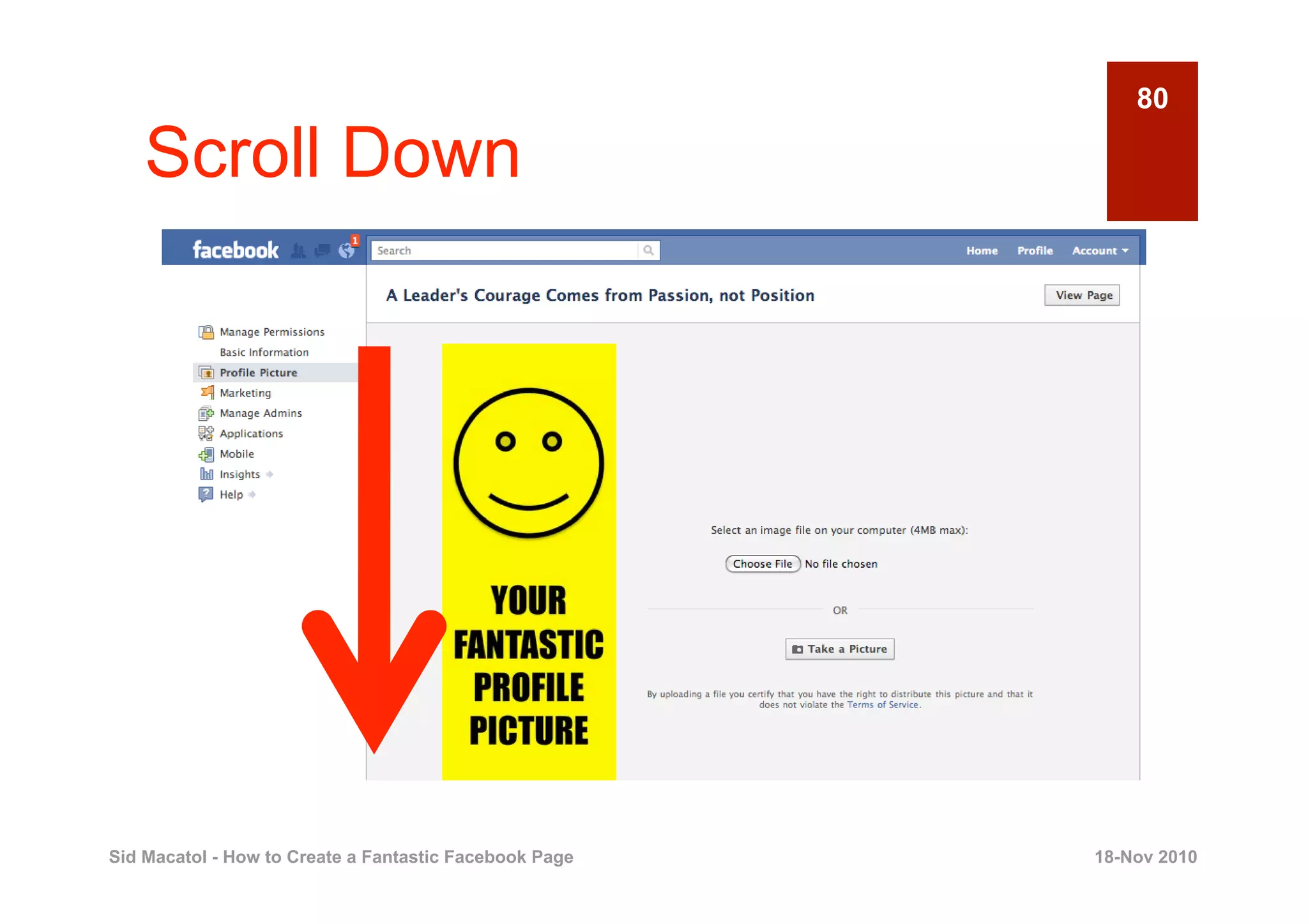
    Scroll Down


Sid Macatol - How to Create a Fantastic Facebook Page   18-Nov 2010
81

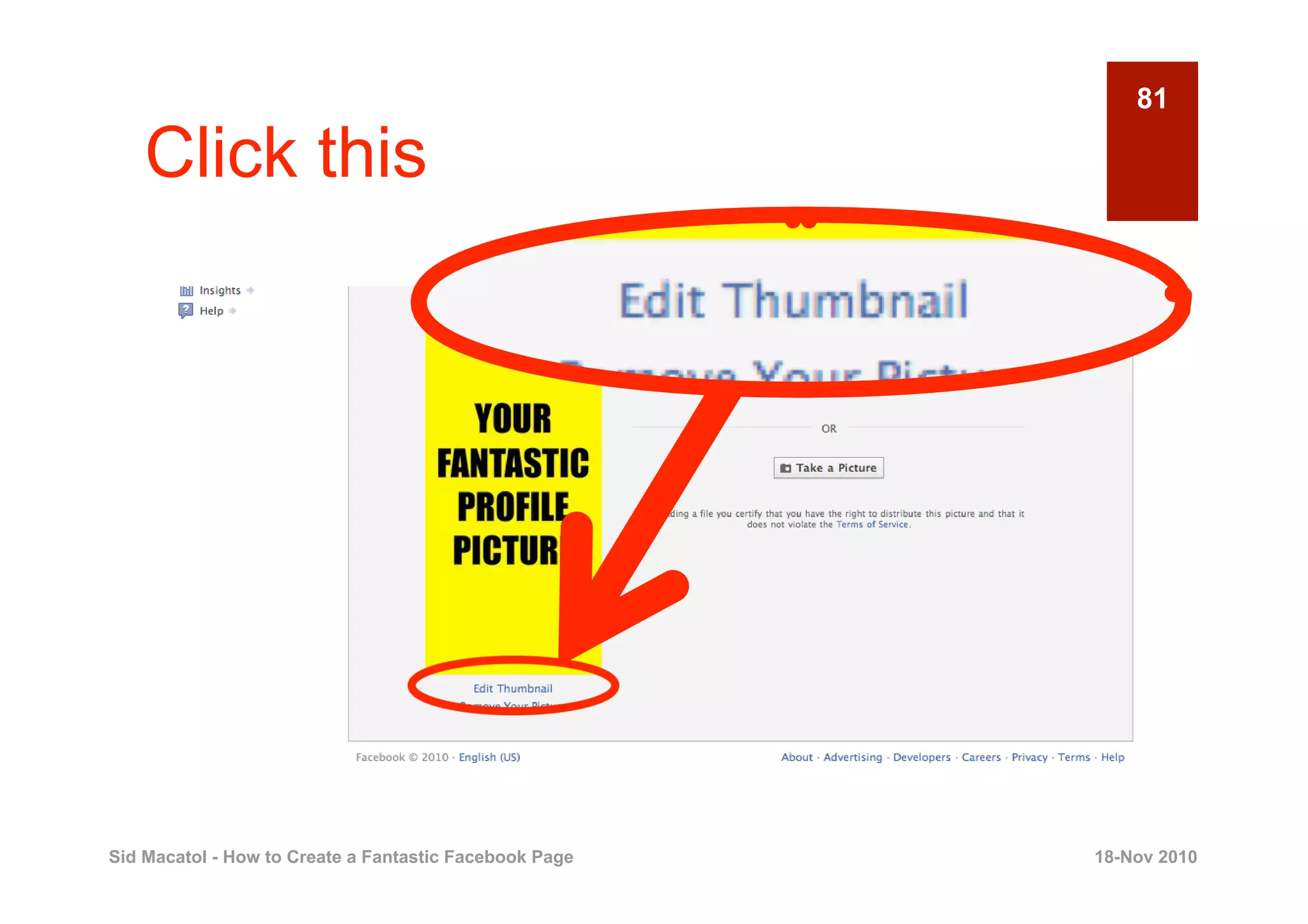
    Click this


Sid Macatol - How to Create a Fantastic Facebook Page   18-Nov 2010
82

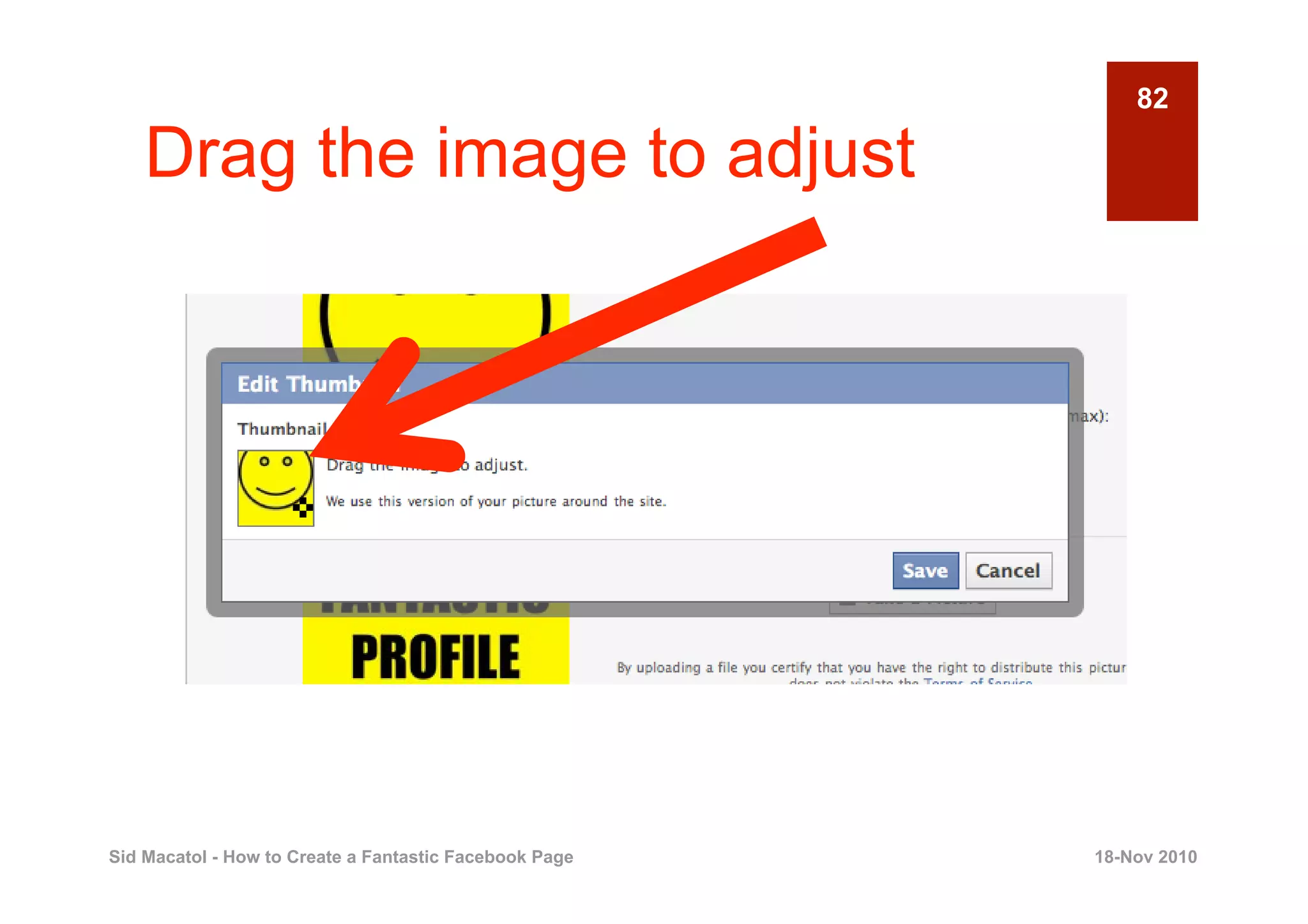
    Drag the image to adjust


                    ✜


Sid Macatol - How to Create a Fantastic Facebook Page   18-Nov 2010
83

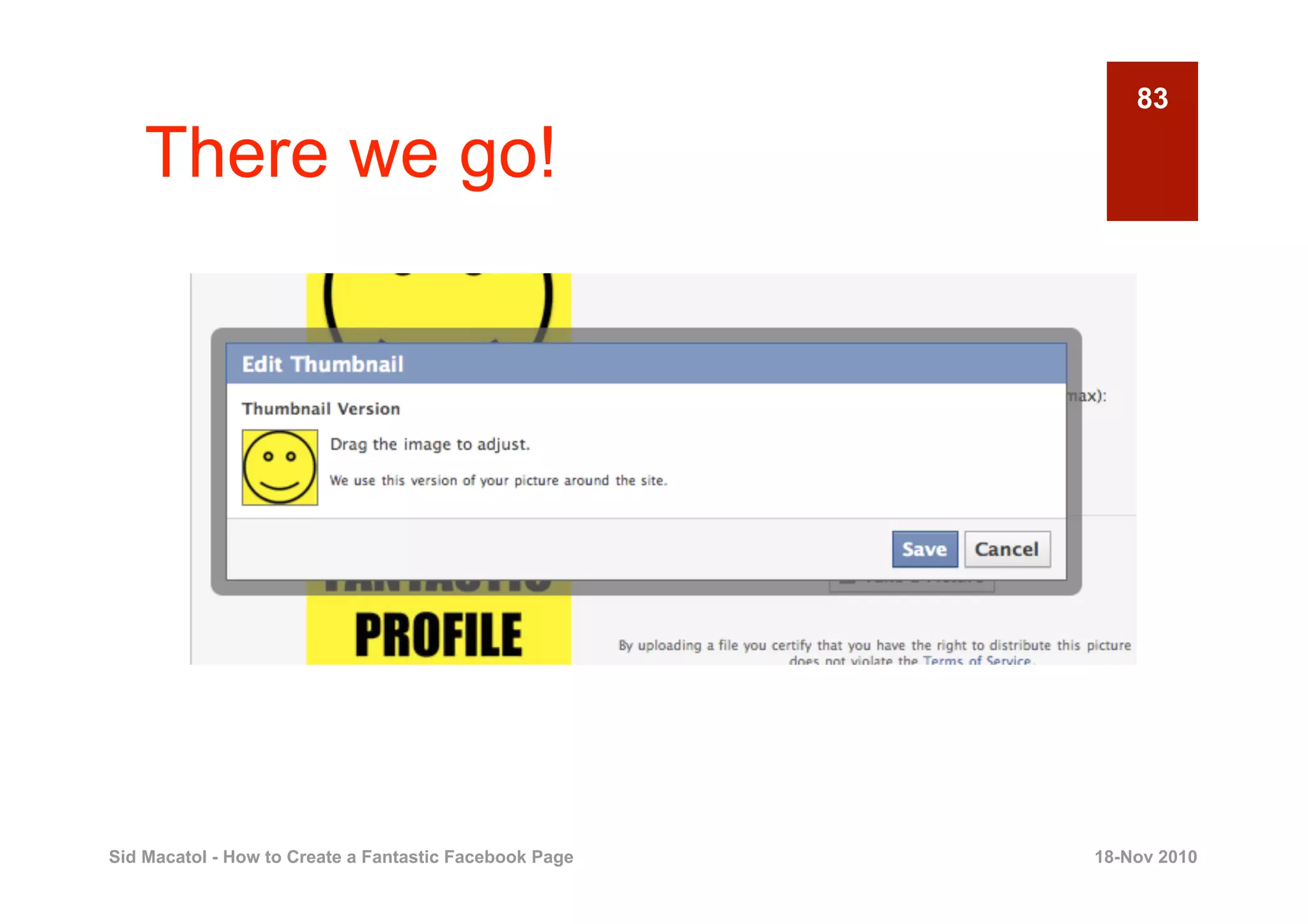
    There we go!


Sid Macatol - How to Create a Fantastic Facebook Page   18-Nov 2010
84

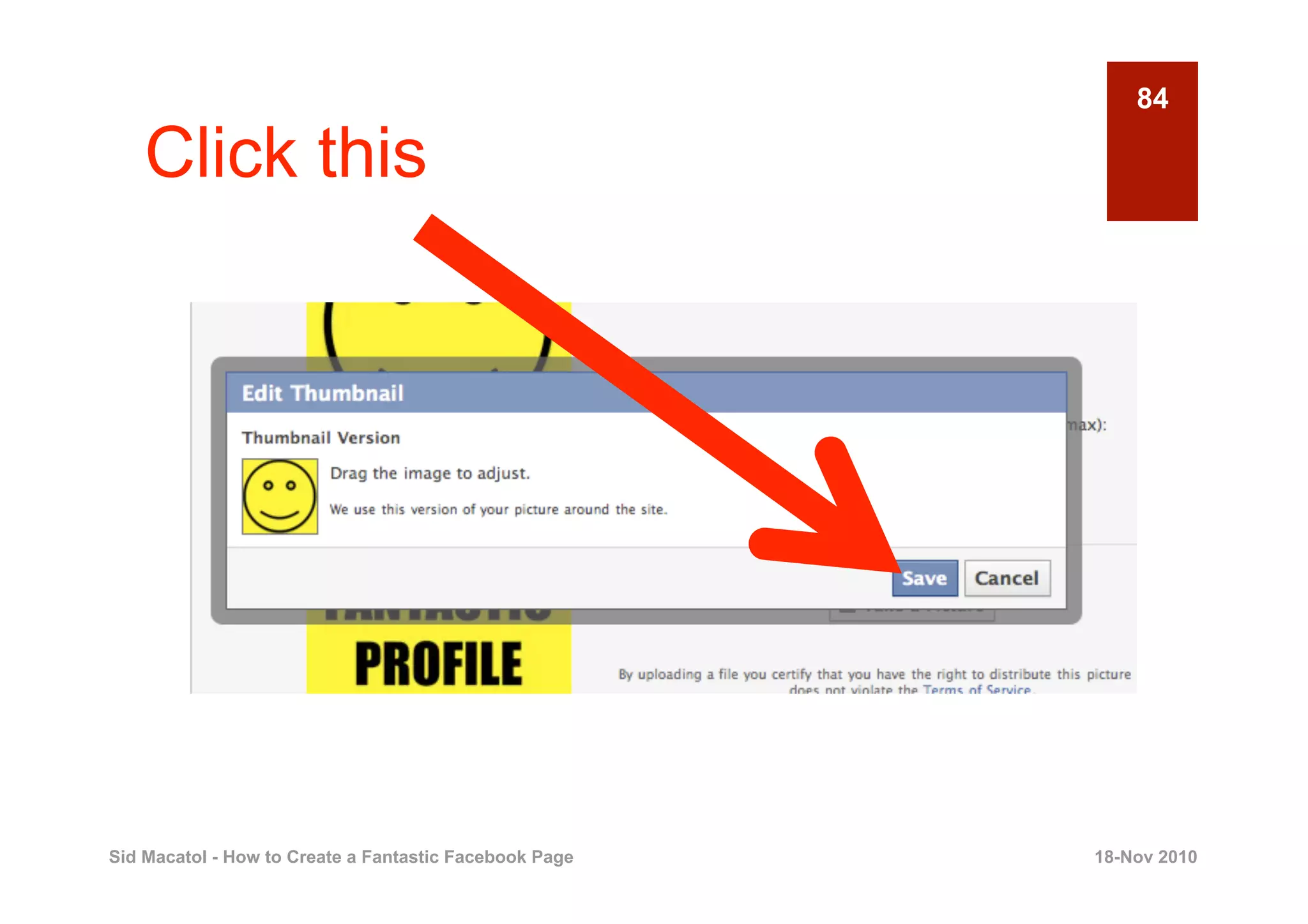
    Click this


Sid Macatol - How to Create a Fantastic Facebook Page   18-Nov 2010
85

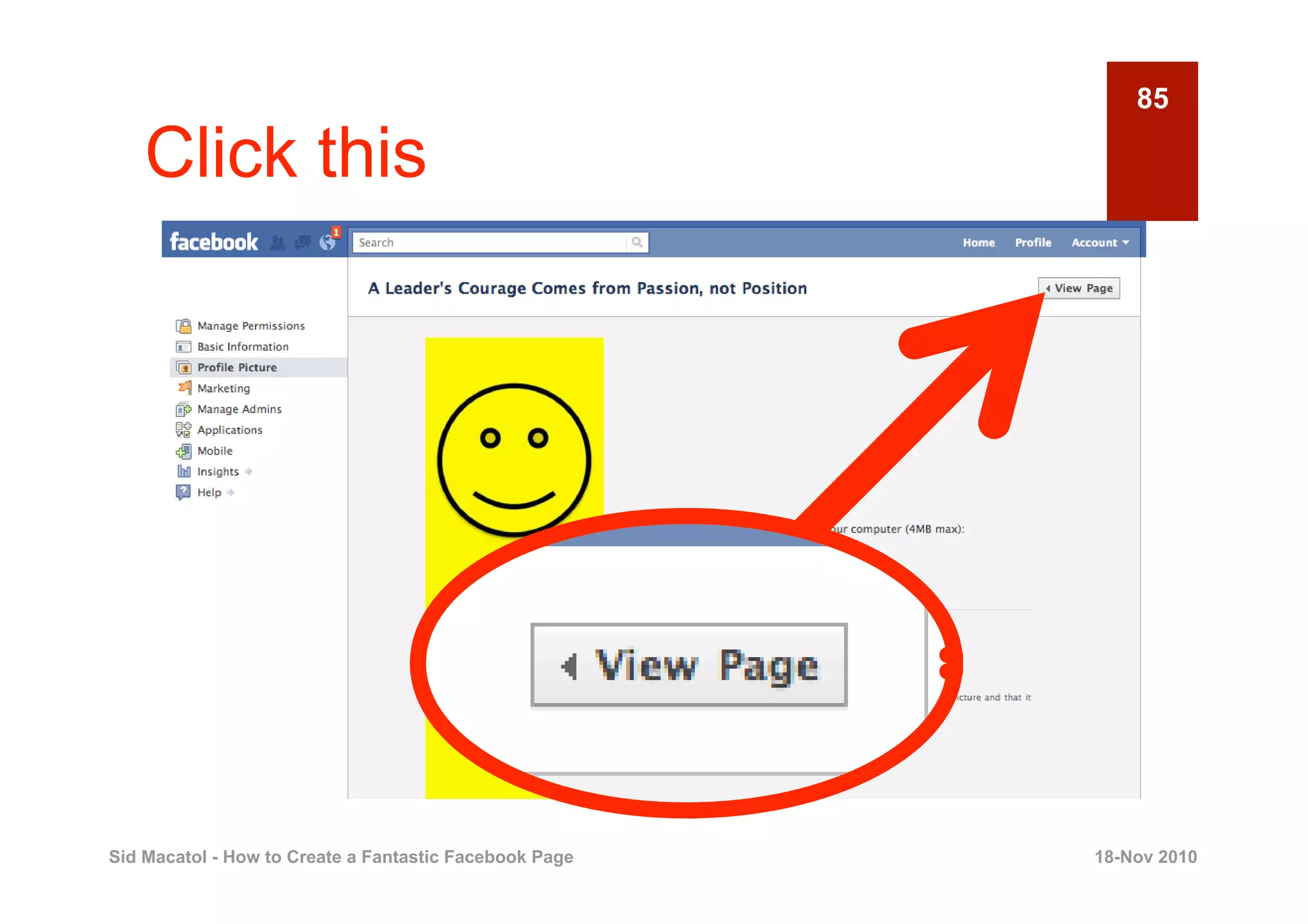
    Click this


Sid Macatol - How to Create a Fantastic Facebook Page   18-Nov 2010
86

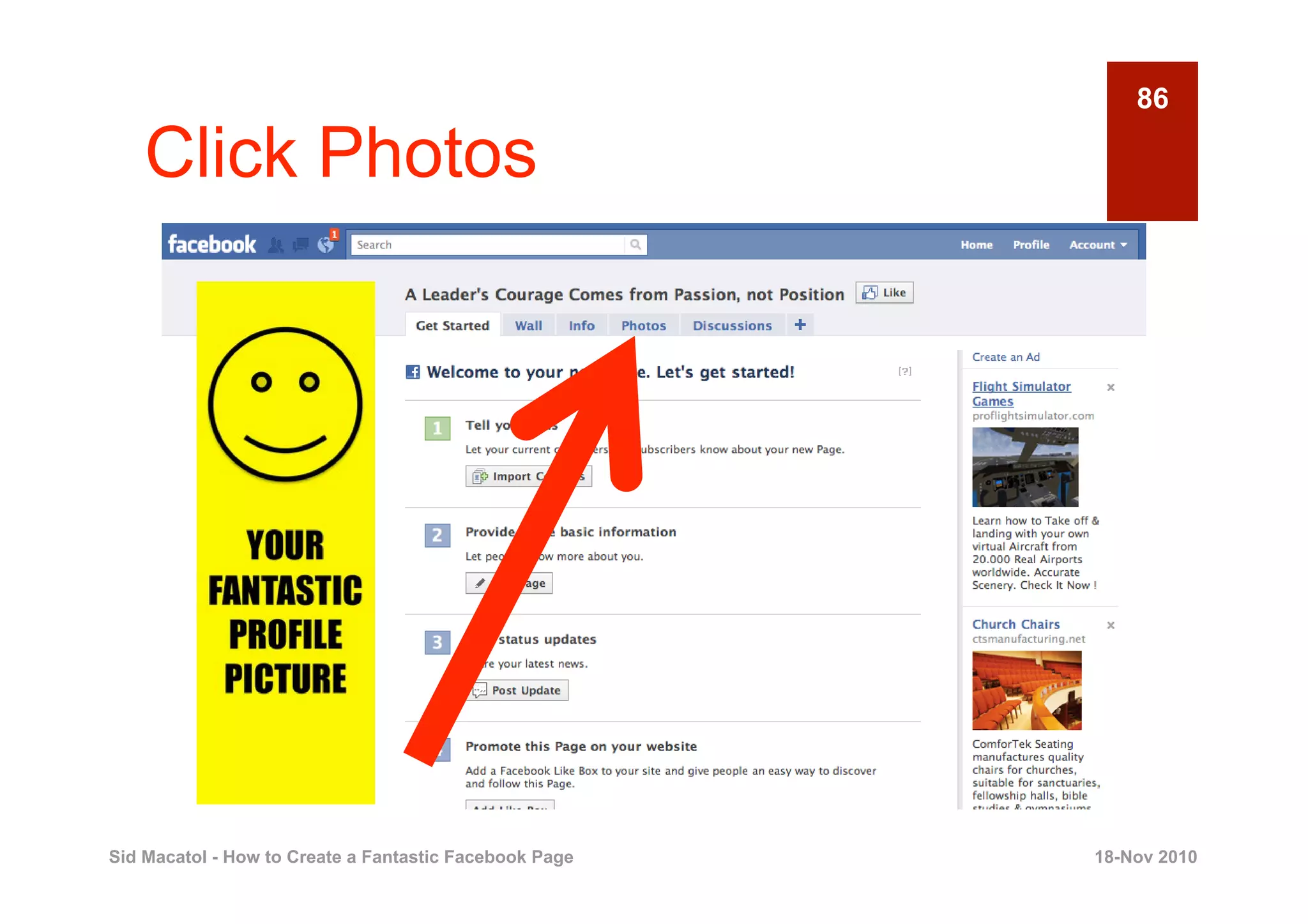
    Click Photos


Sid Macatol - How to Create a Fantastic Facebook Page   18-Nov 2010
87

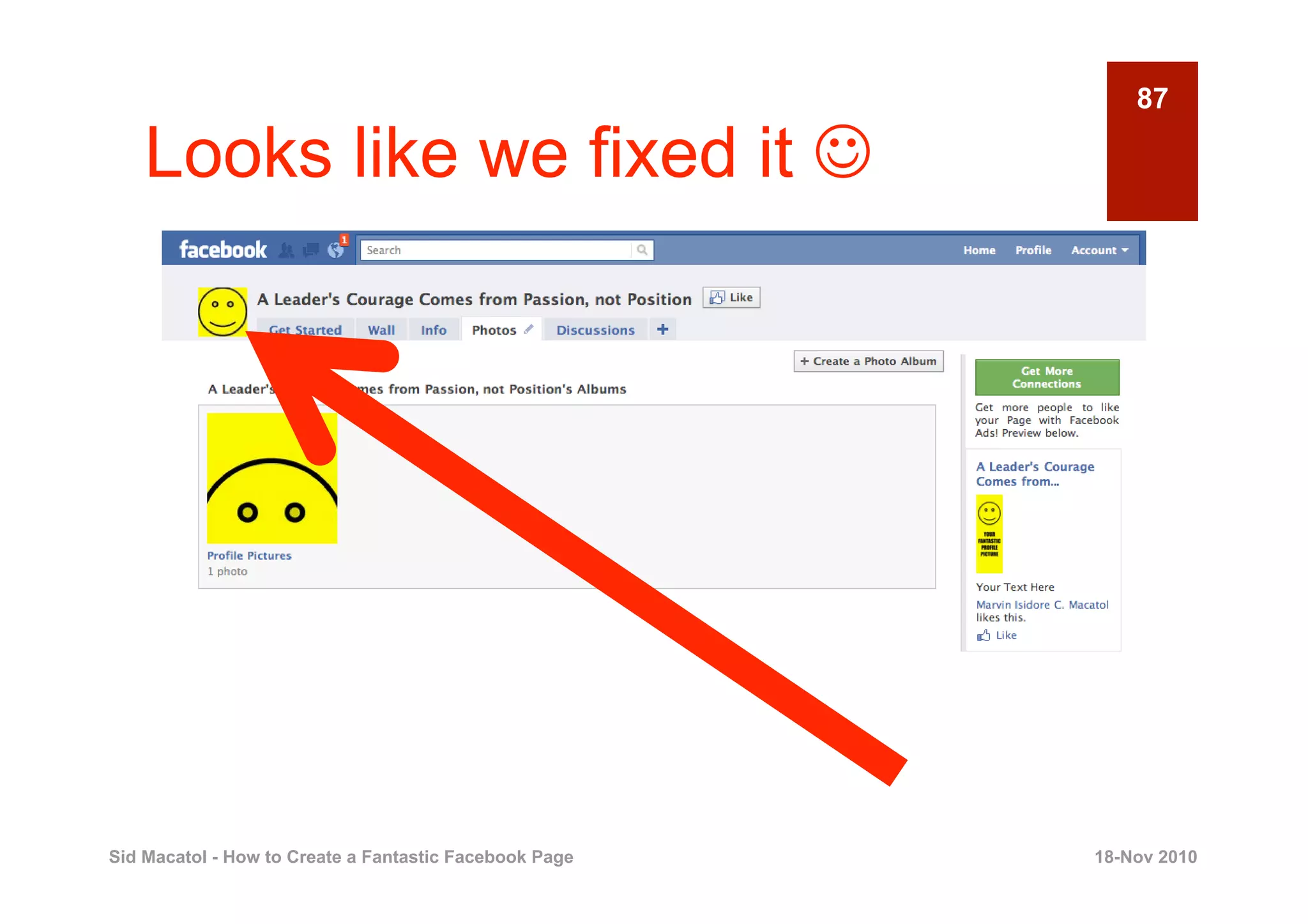
    Looks like we fixed it 


Sid Macatol - How to Create a Fantastic Facebook Page   18-Nov 2010
88


       5

                                    UPLOAD YOUR
                                    WELCOME TAB
                                                  Creating a Fantastic Facebook Page


Sid Macatol - How to Create a Fantastic Facebook Page                      18-Nov 2010
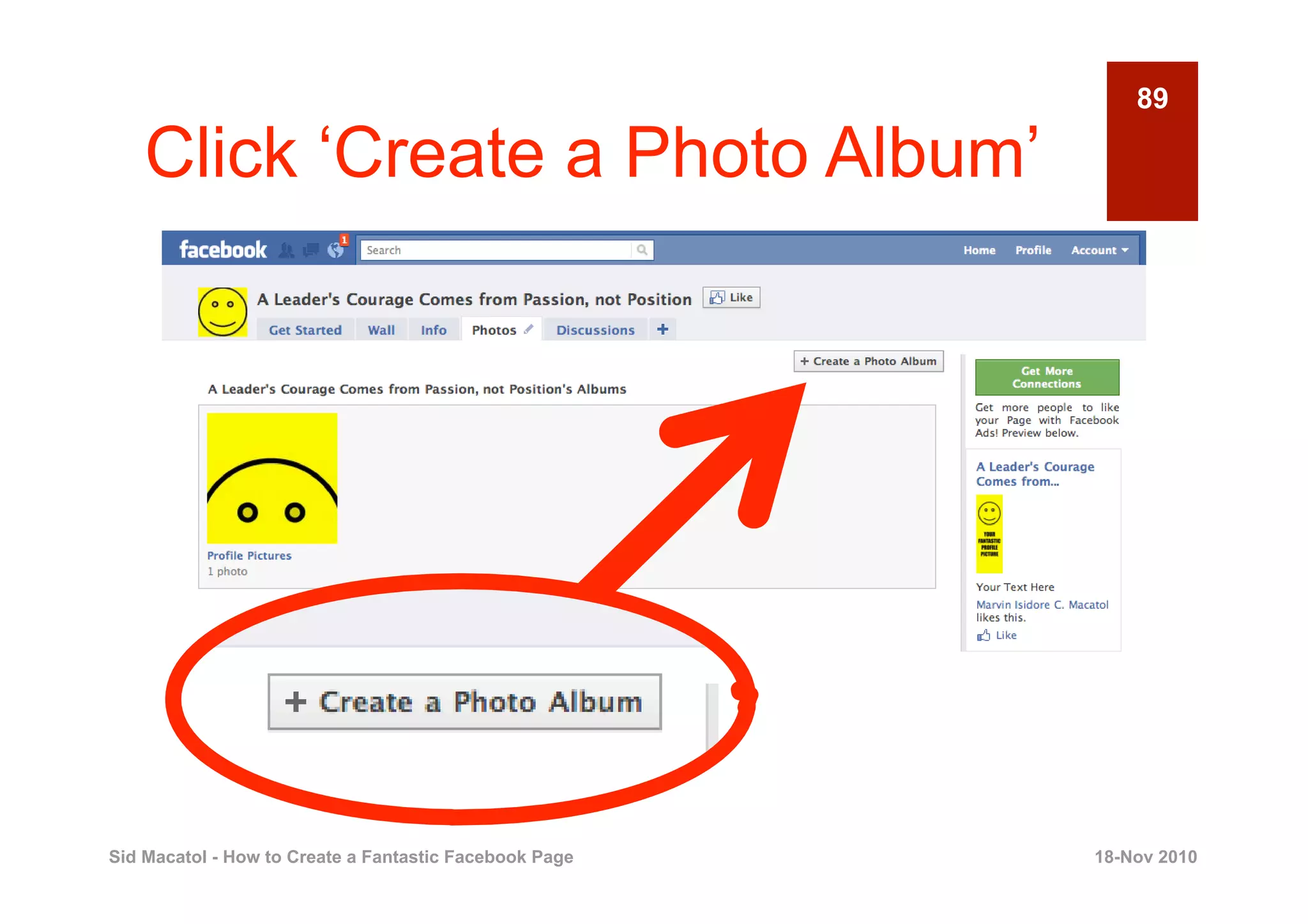
89

    Click ‘Create a Photo Album’


Sid Macatol - How to Create a Fantastic Facebook Page   18-Nov 2010
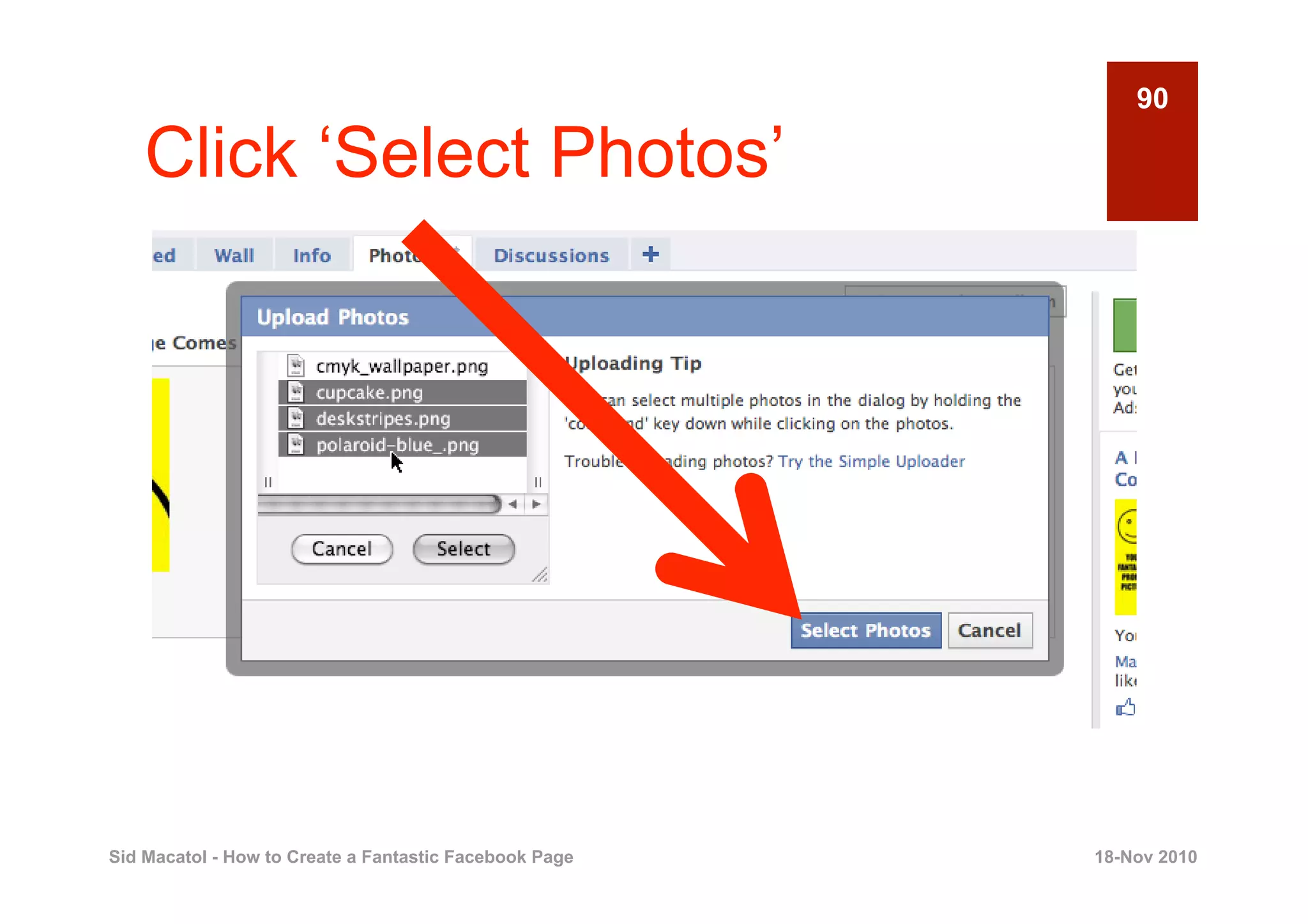
90

    Click ‘Select Photos’


Sid Macatol - How to Create a Fantastic Facebook Page   18-Nov 2010
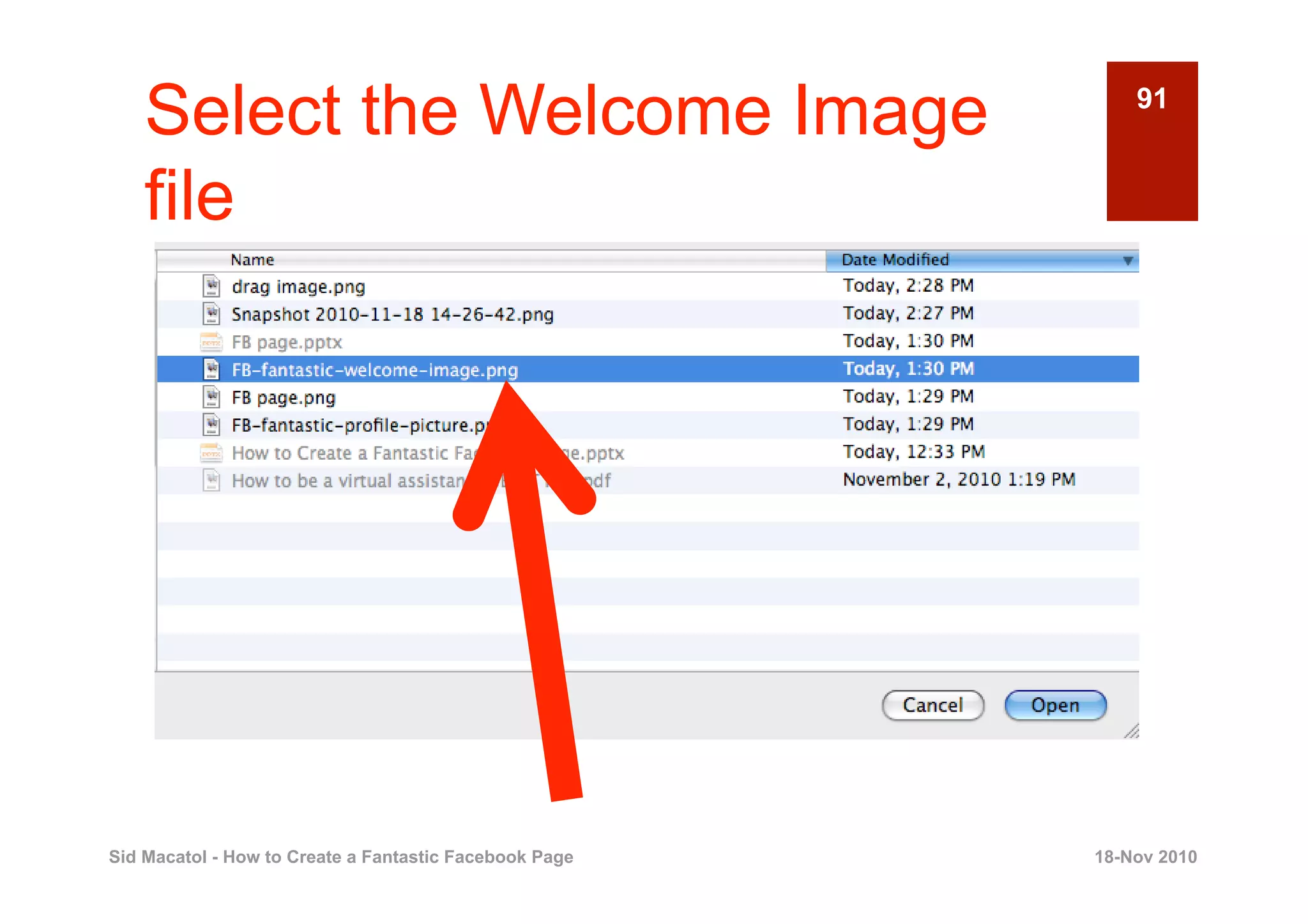
Select the Welcome Image                                91


    file


Sid Macatol - How to Create a Fantastic Facebook Page   18-Nov 2010
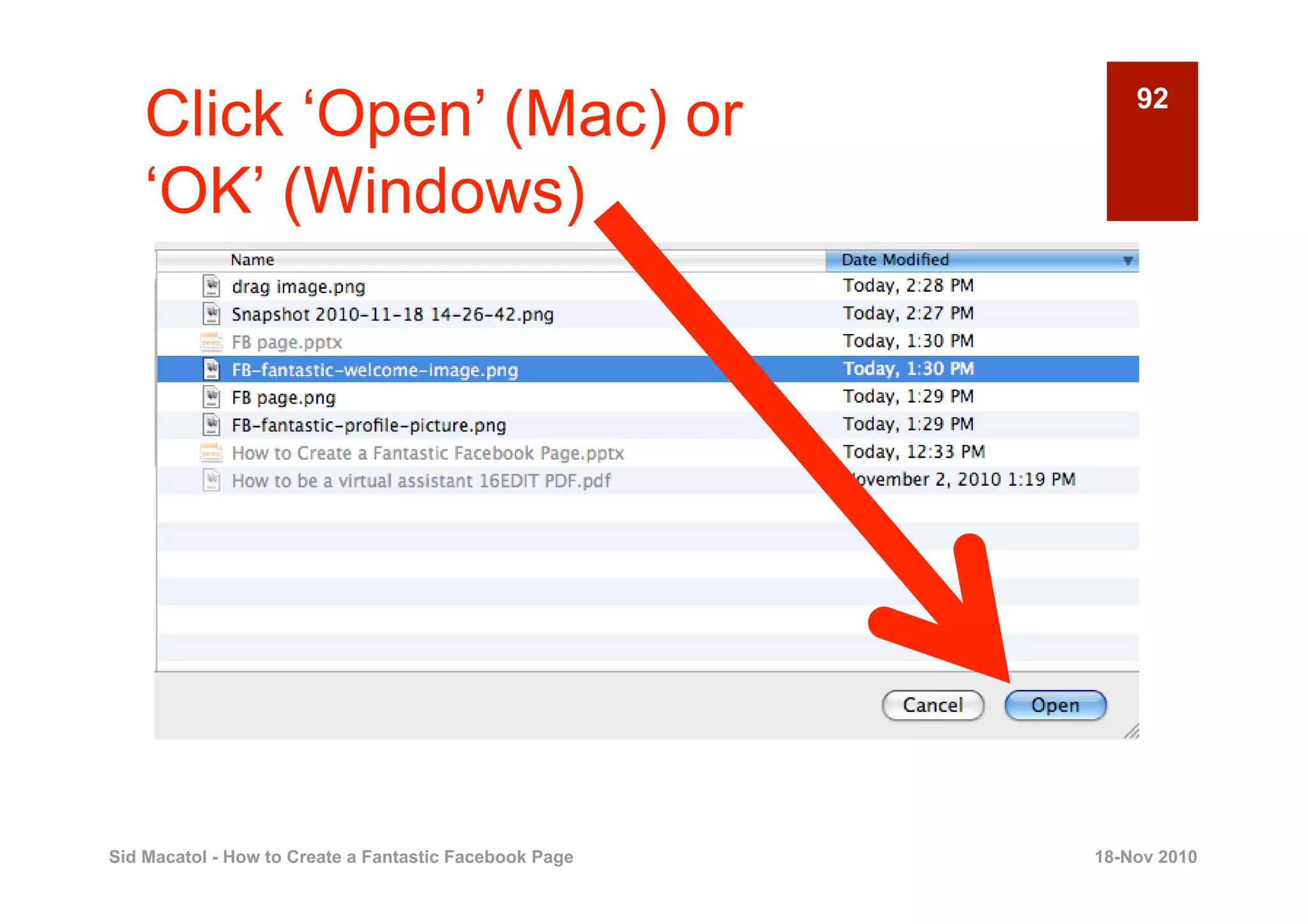
Click ‘Open’ (Mac) or                                   92

    ‘OK’ (Windows)


Sid Macatol - How to Create a Fantastic Facebook Page   18-Nov 2010
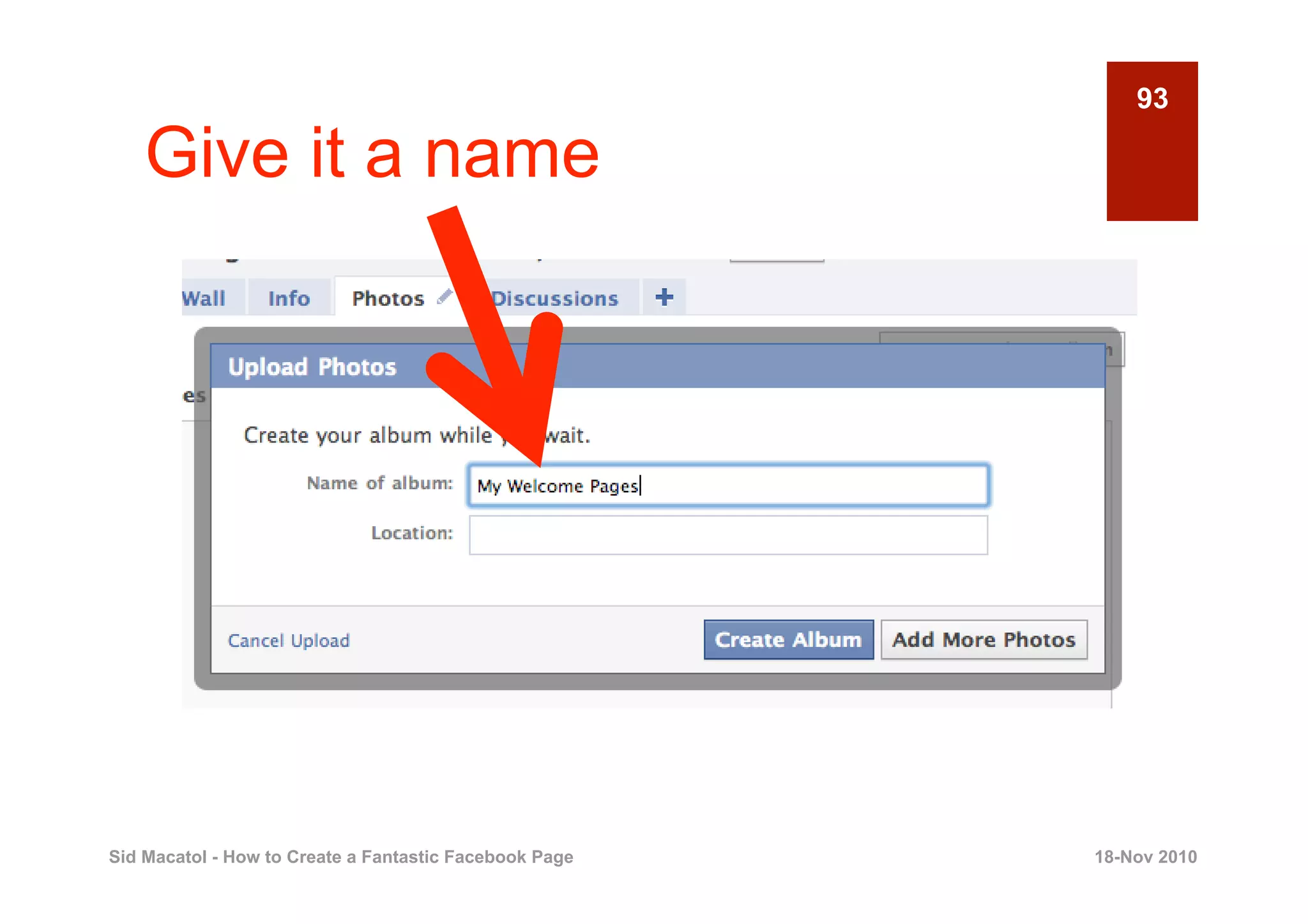
93

    Give it a name


Sid Macatol - How to Create a Fantastic Facebook Page   18-Nov 2010
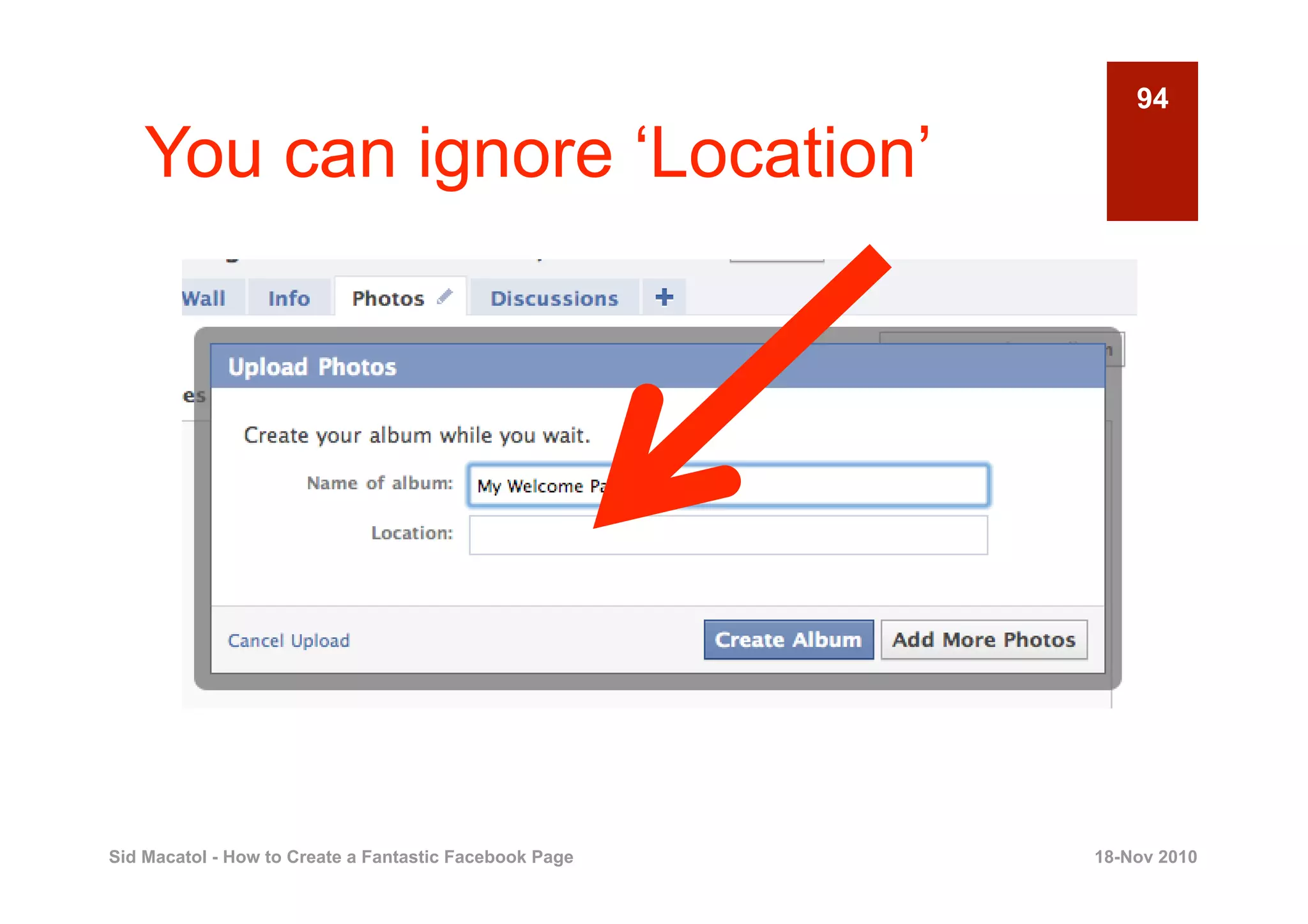
94

    You can ignore ‘Location’


Sid Macatol - How to Create a Fantastic Facebook Page   18-Nov 2010
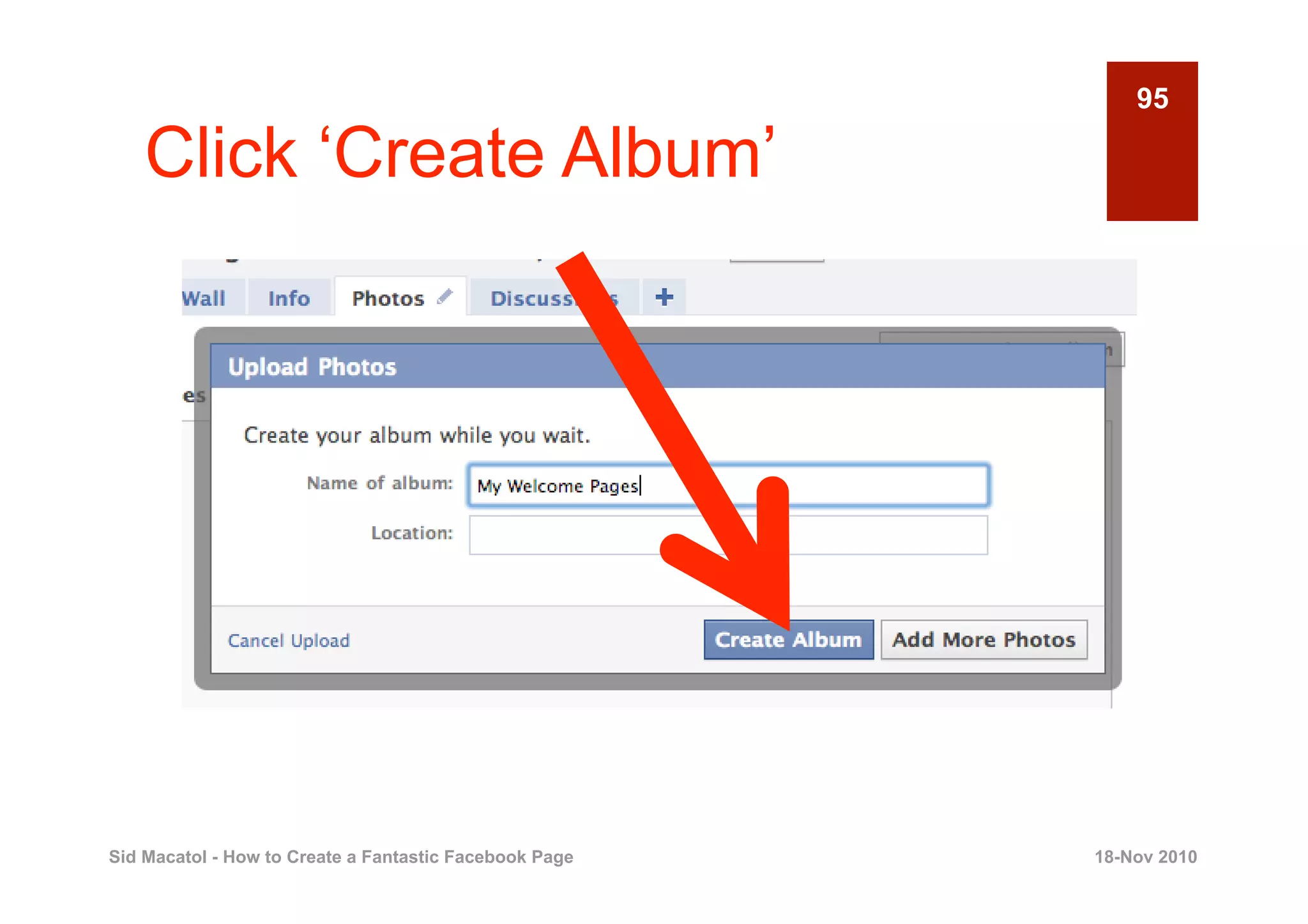
95

    Click ‘Create Album’


Sid Macatol - How to Create a Fantastic Facebook Page   18-Nov 2010
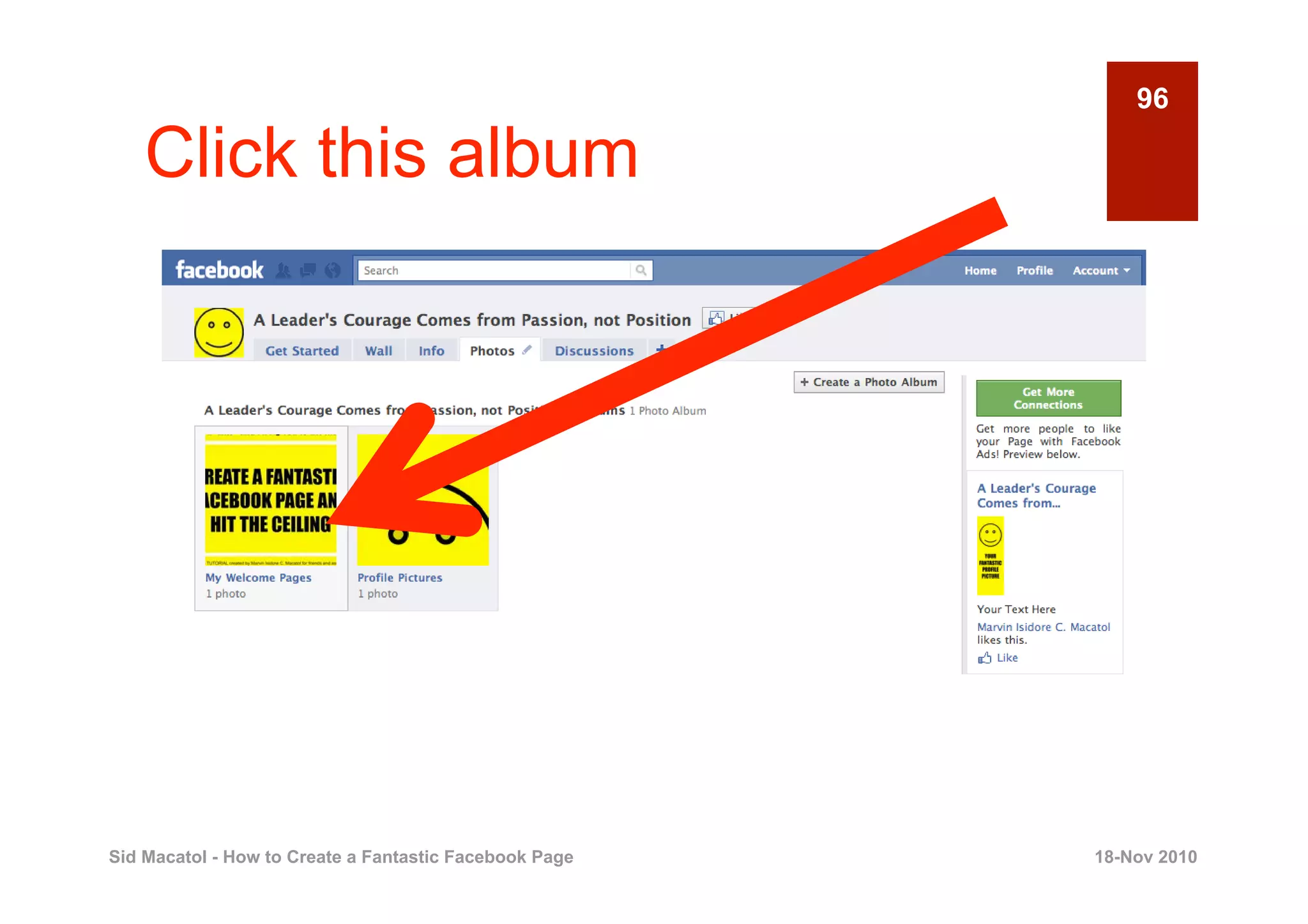
96

    Click this album


Sid Macatol - How to Create a Fantastic Facebook Page   18-Nov 2010
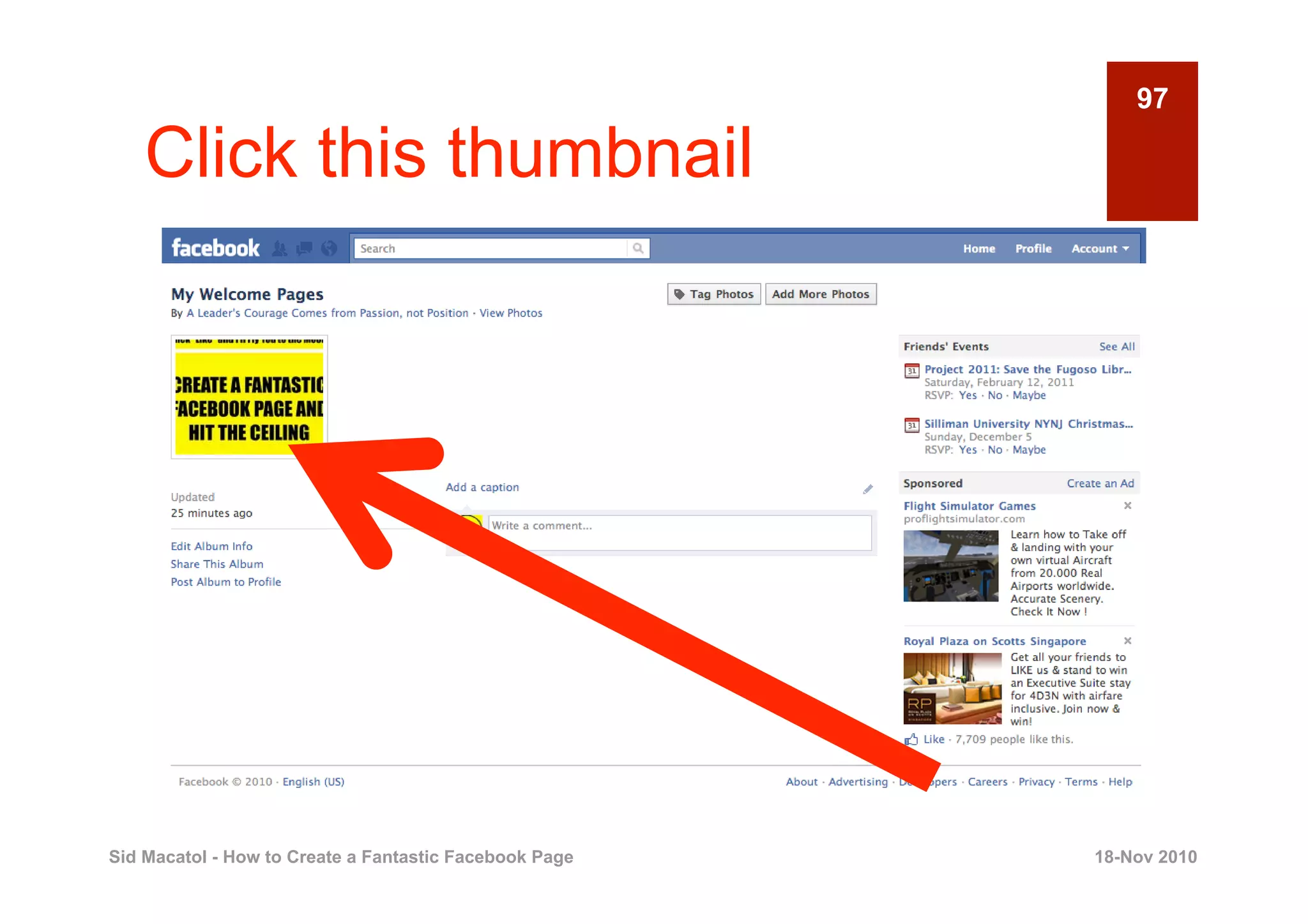
97

    Click this thumbnail


Sid Macatol - How to Create a Fantastic Facebook Page   18-Nov 2010
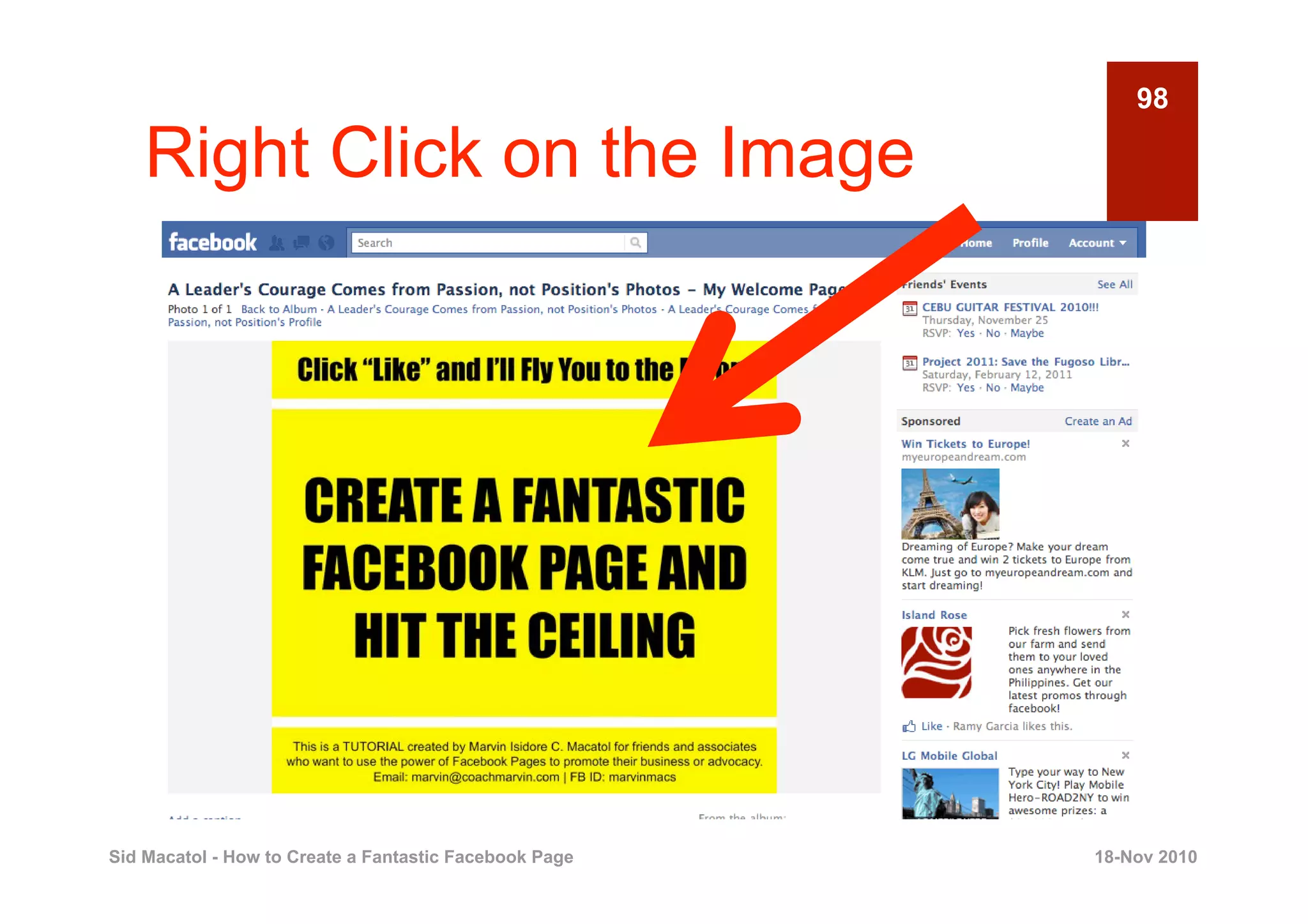
98

    Right Click on the Image


Sid Macatol - How to Create a Fantastic Facebook Page   18-Nov 2010
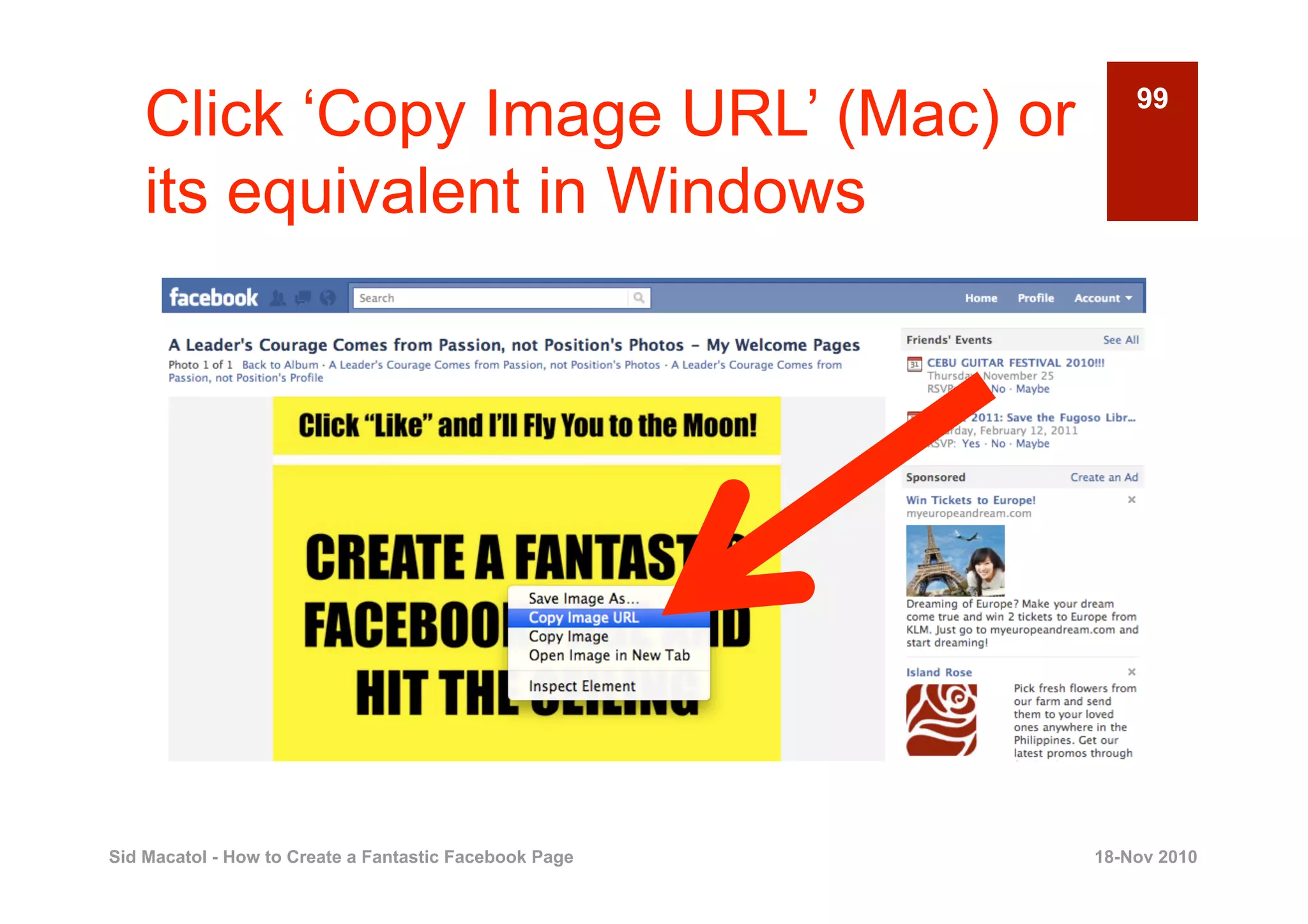
Click ‘Copy Image URL’ (Mac) or                         99


    its equivalent in Windows


Sid Macatol - How to Create a Fantastic Facebook Page   18-Nov 2010
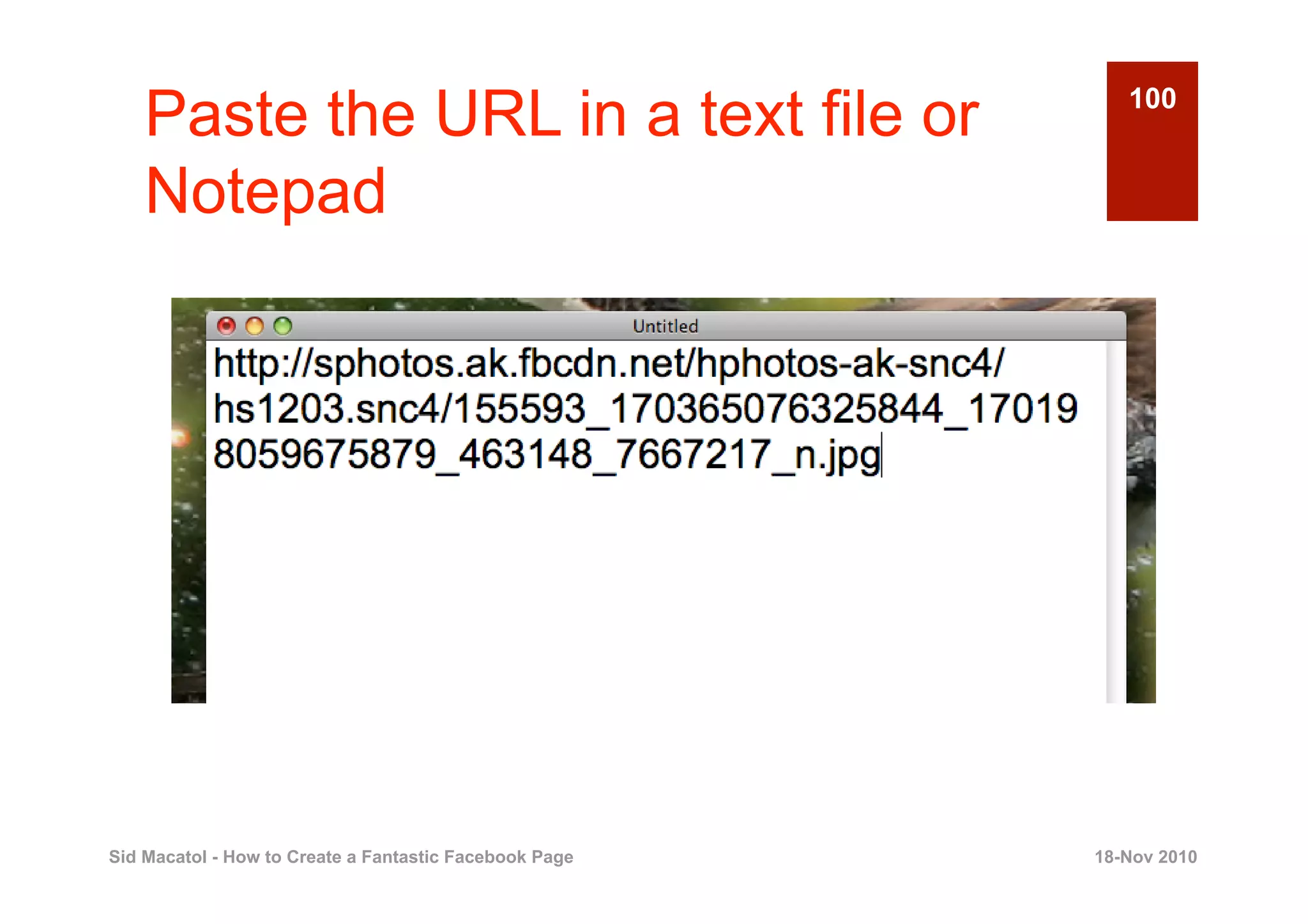
Paste the URL in a text file or                        100


    Notepad


Sid Macatol - How to Create a Fantastic Facebook Page   18-Nov 2010
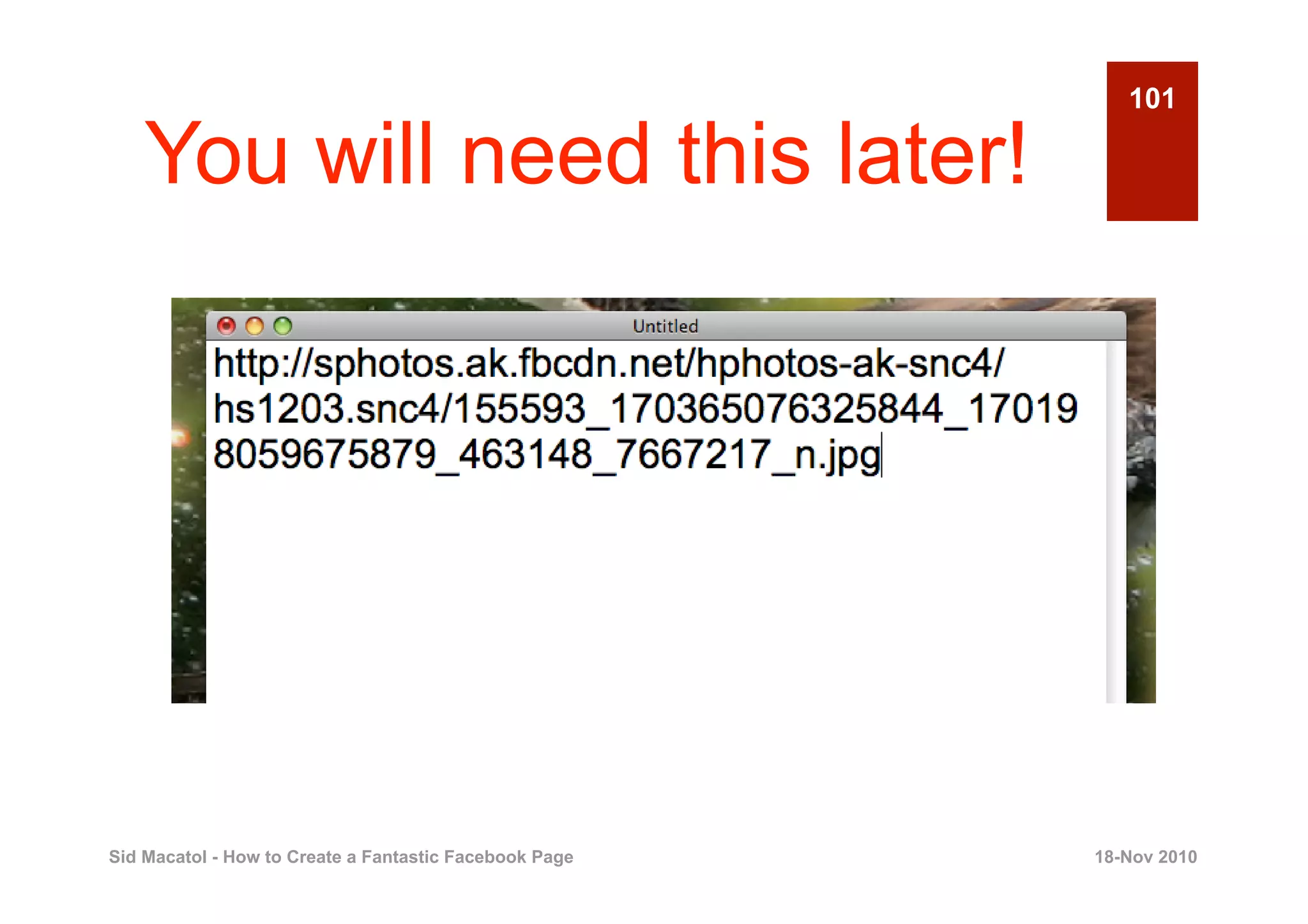
101

    You will need this later!


Sid Macatol - How to Create a Fantastic Facebook Page   18-Nov 2010
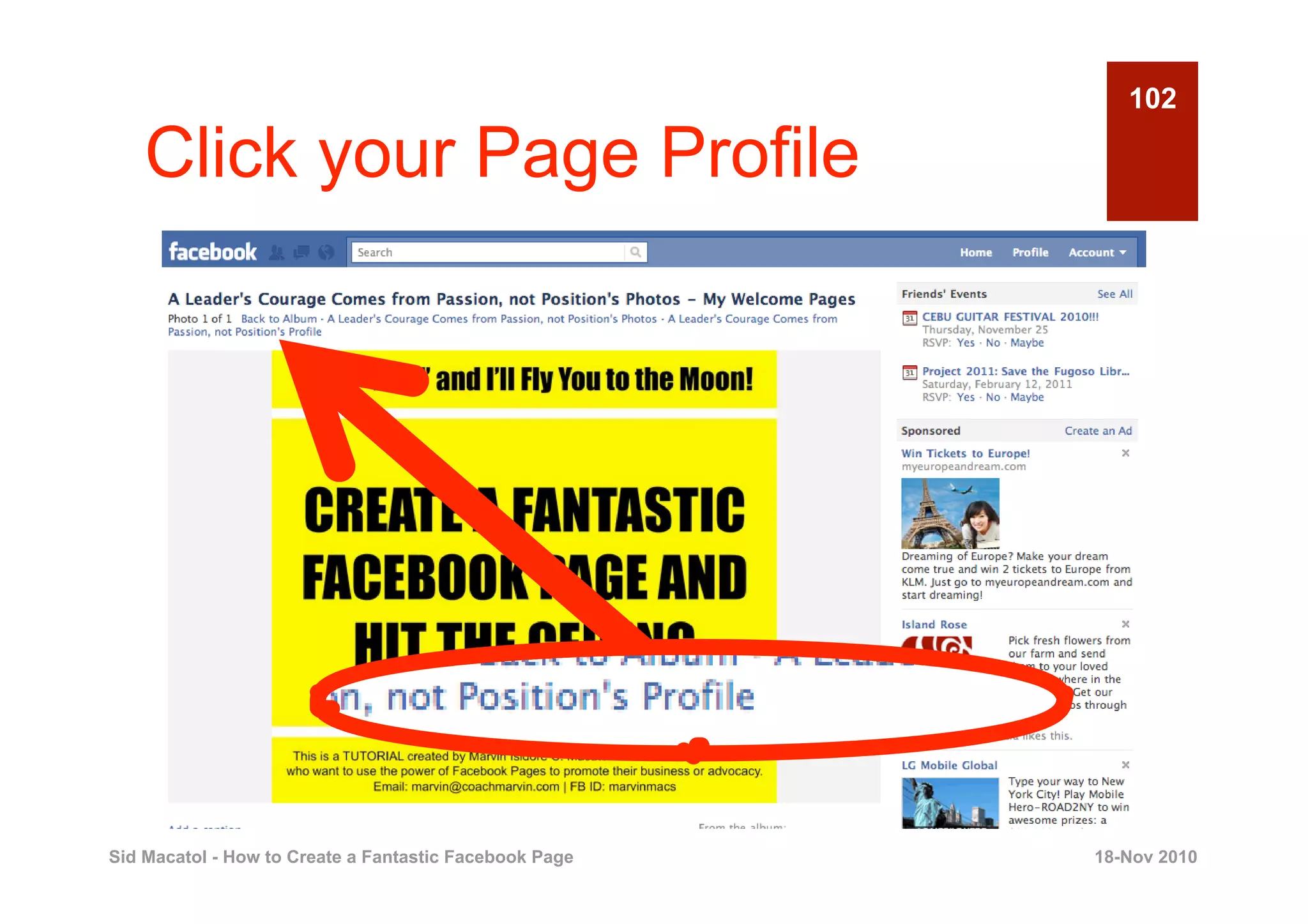
102

    Click your Page Profile


Sid Macatol - How to Create a Fantastic Facebook Page   18-Nov 2010
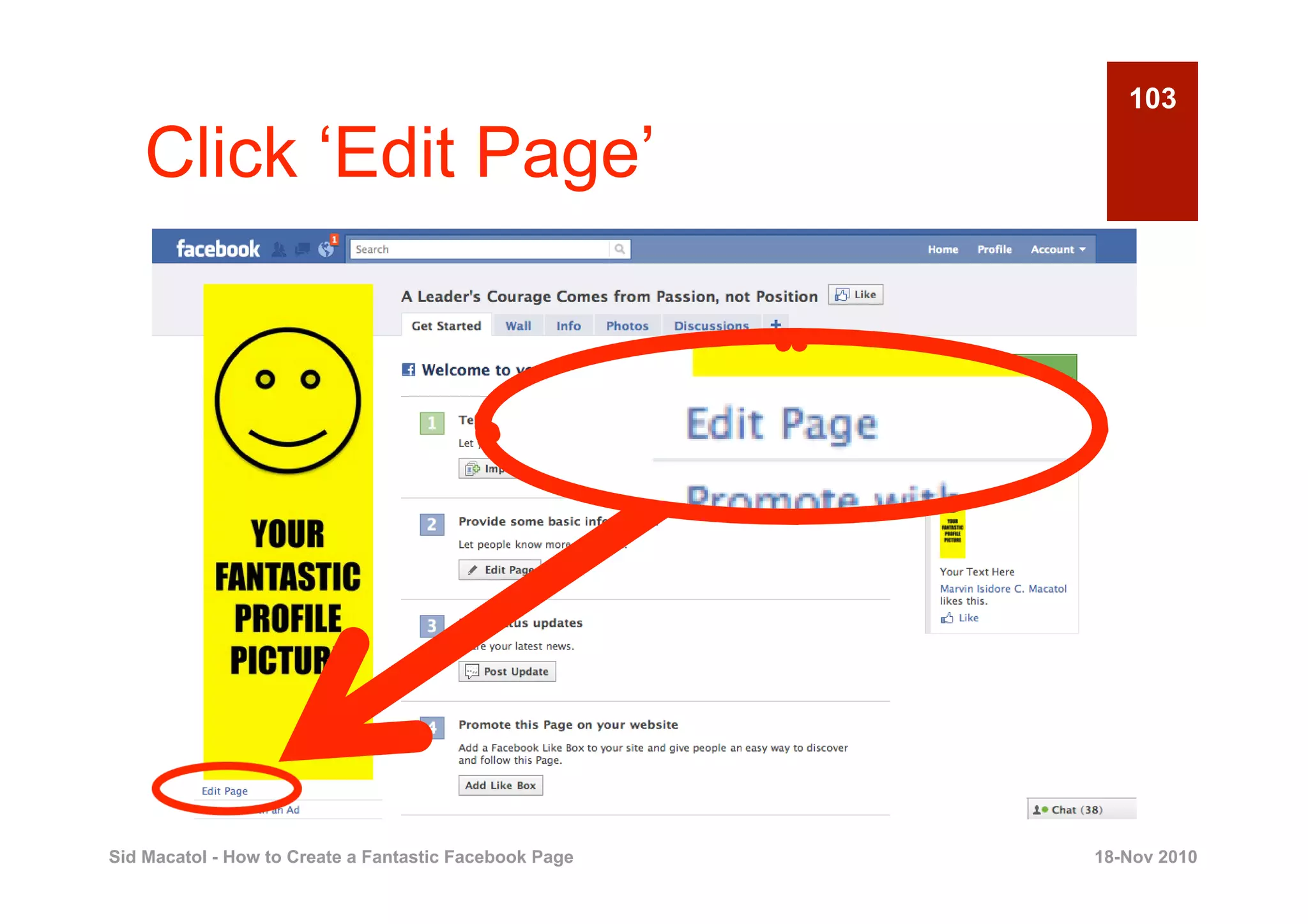
103

    Click ‘Edit Page’


Sid Macatol - How to Create a Fantastic Facebook Page   18-Nov 2010
104

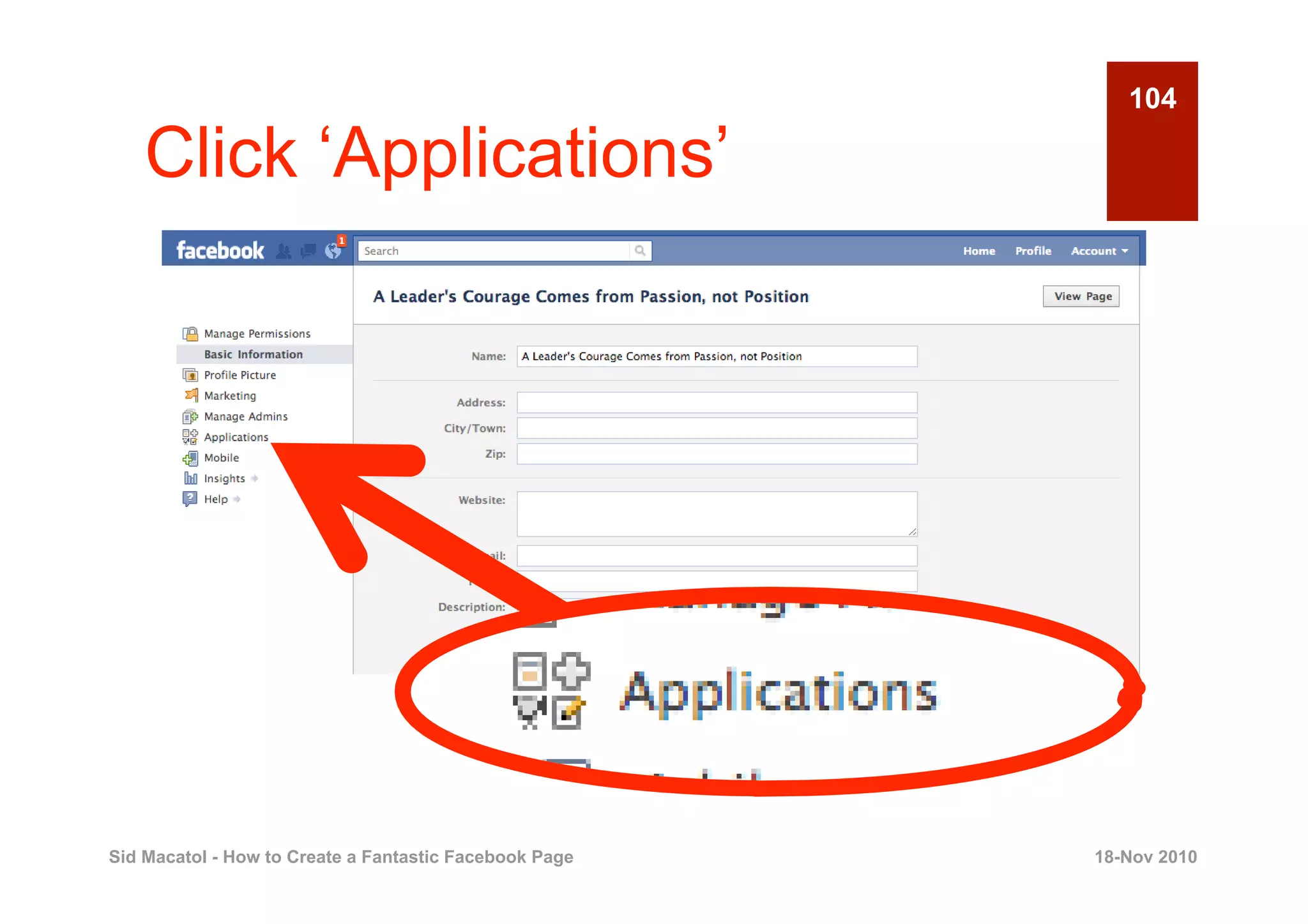
    Click ‘Applications’


Sid Macatol - How to Create a Fantastic Facebook Page   18-Nov 2010
105

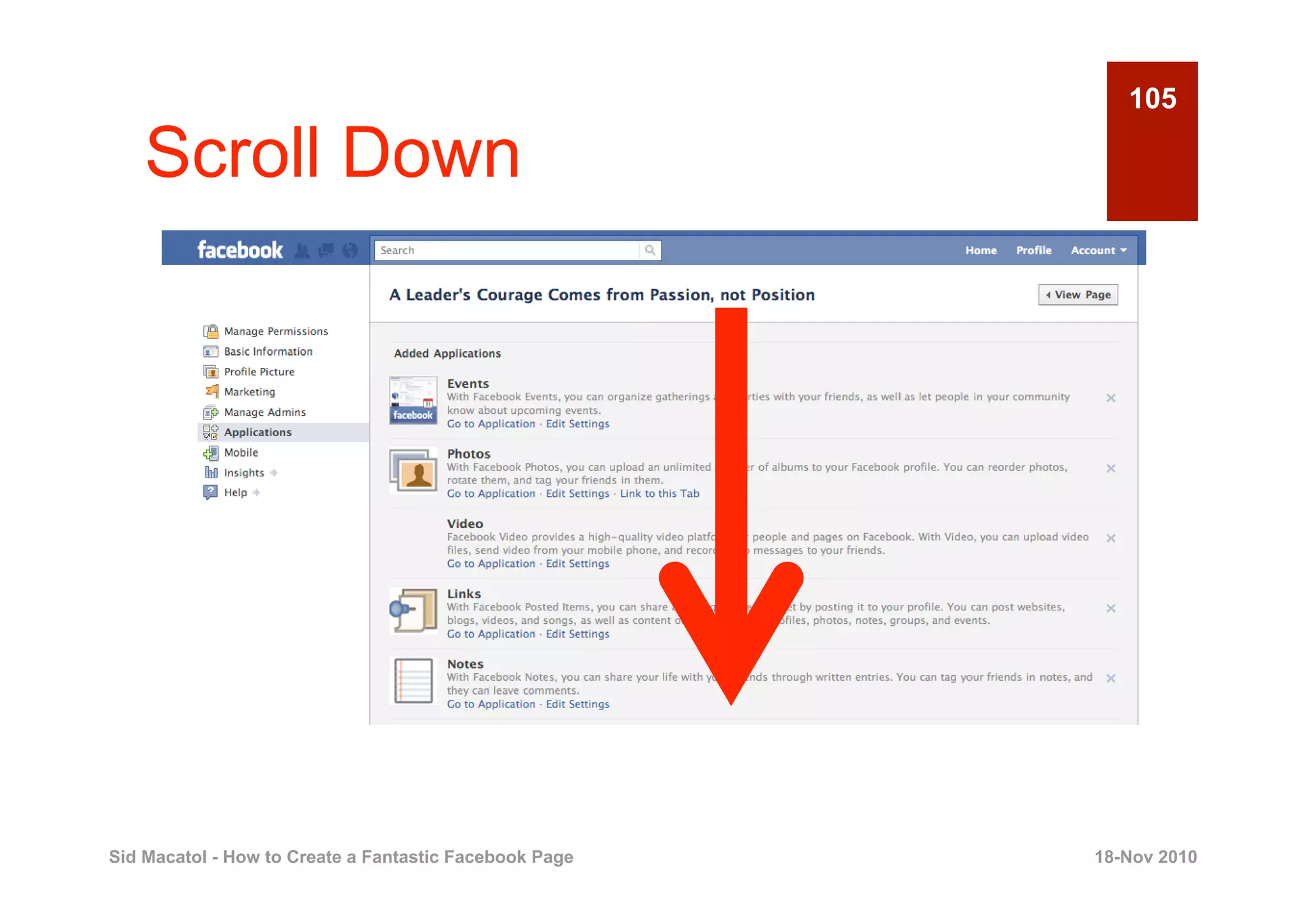
    Scroll Down


Sid Macatol - How to Create a Fantastic Facebook Page   18-Nov 2010
106

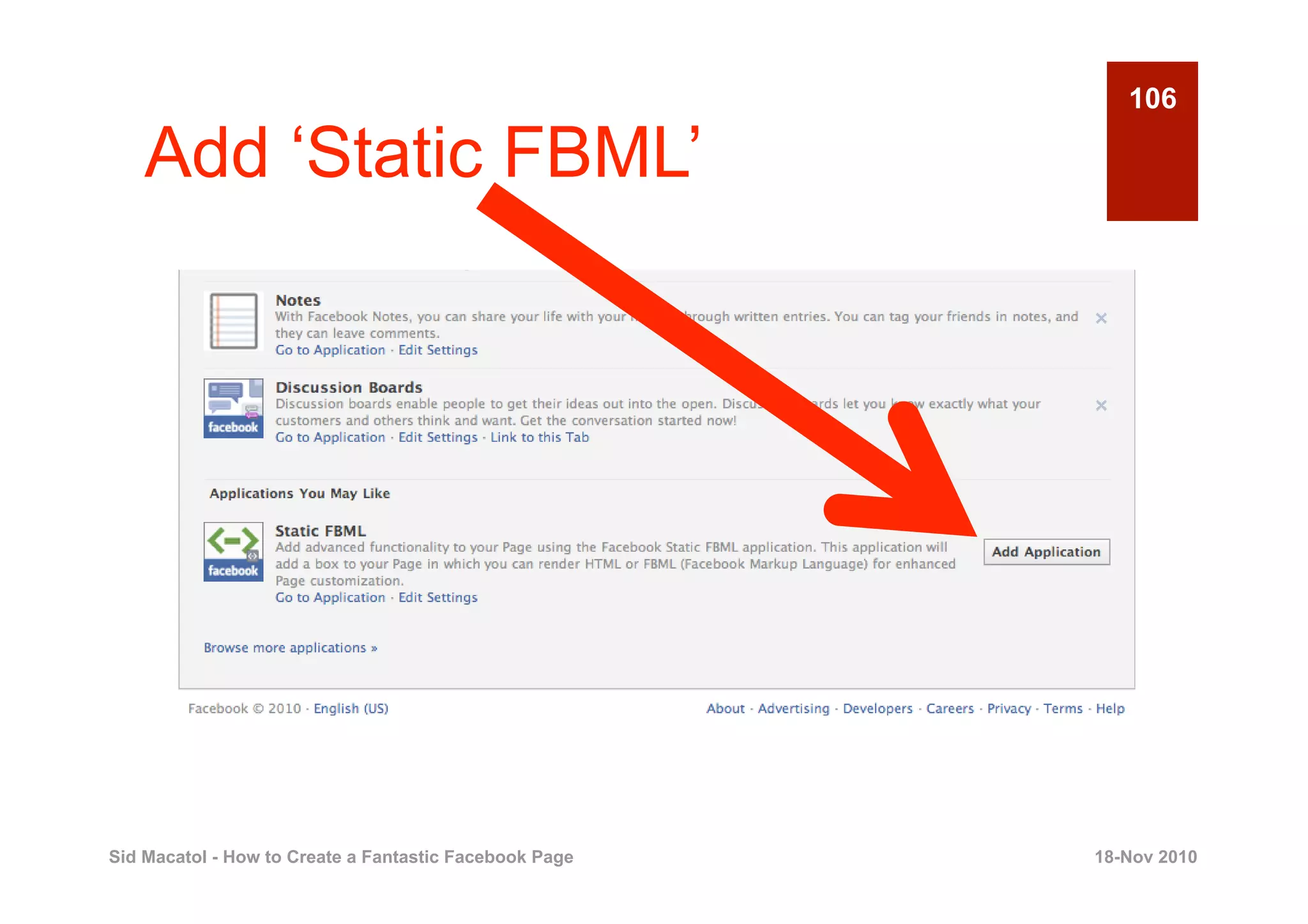
    Add ‘Static FBML’


Sid Macatol - How to Create a Fantastic Facebook Page   18-Nov 2010
107

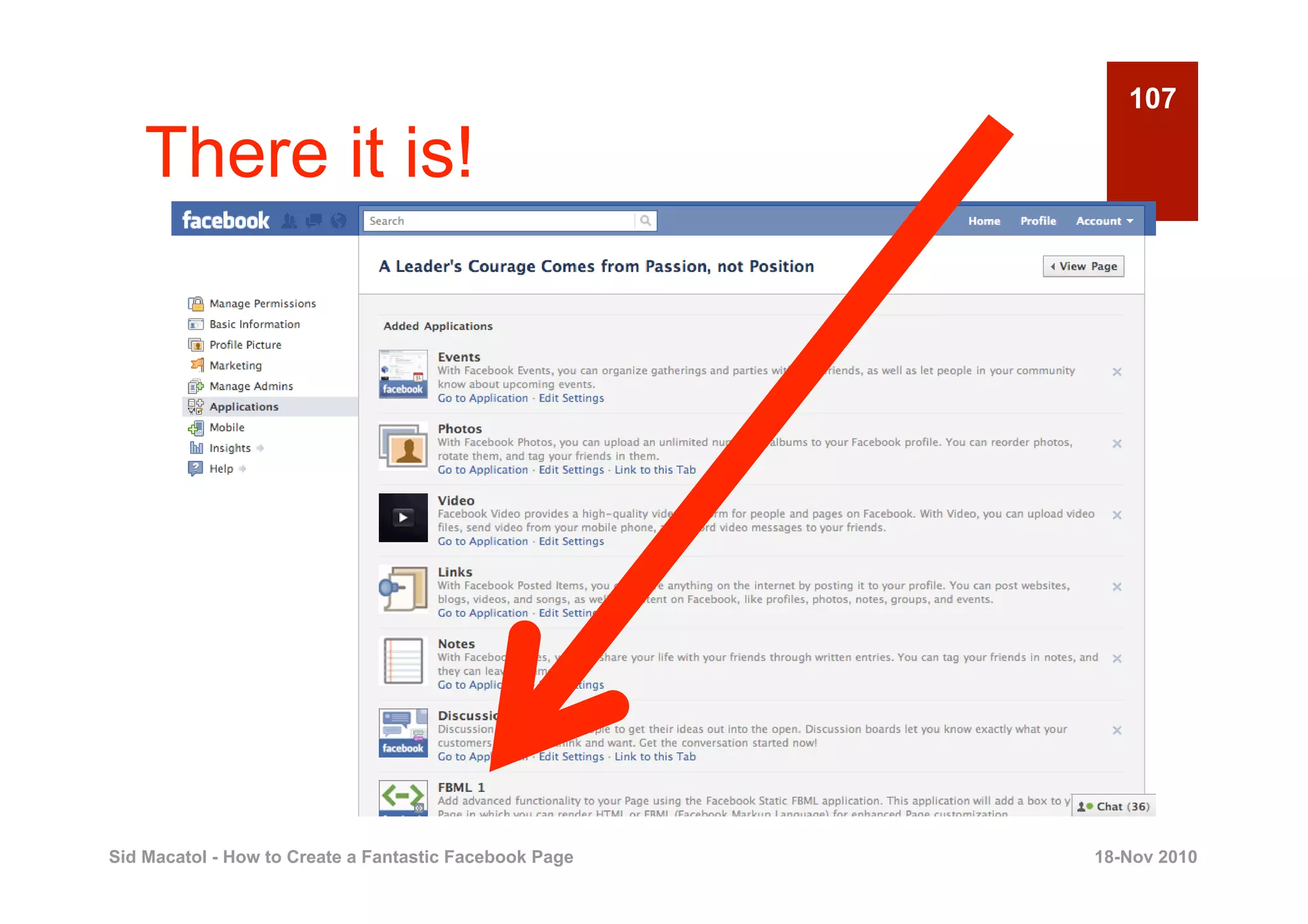
    There it is!


Sid Macatol - How to Create a Fantastic Facebook Page   18-Nov 2010
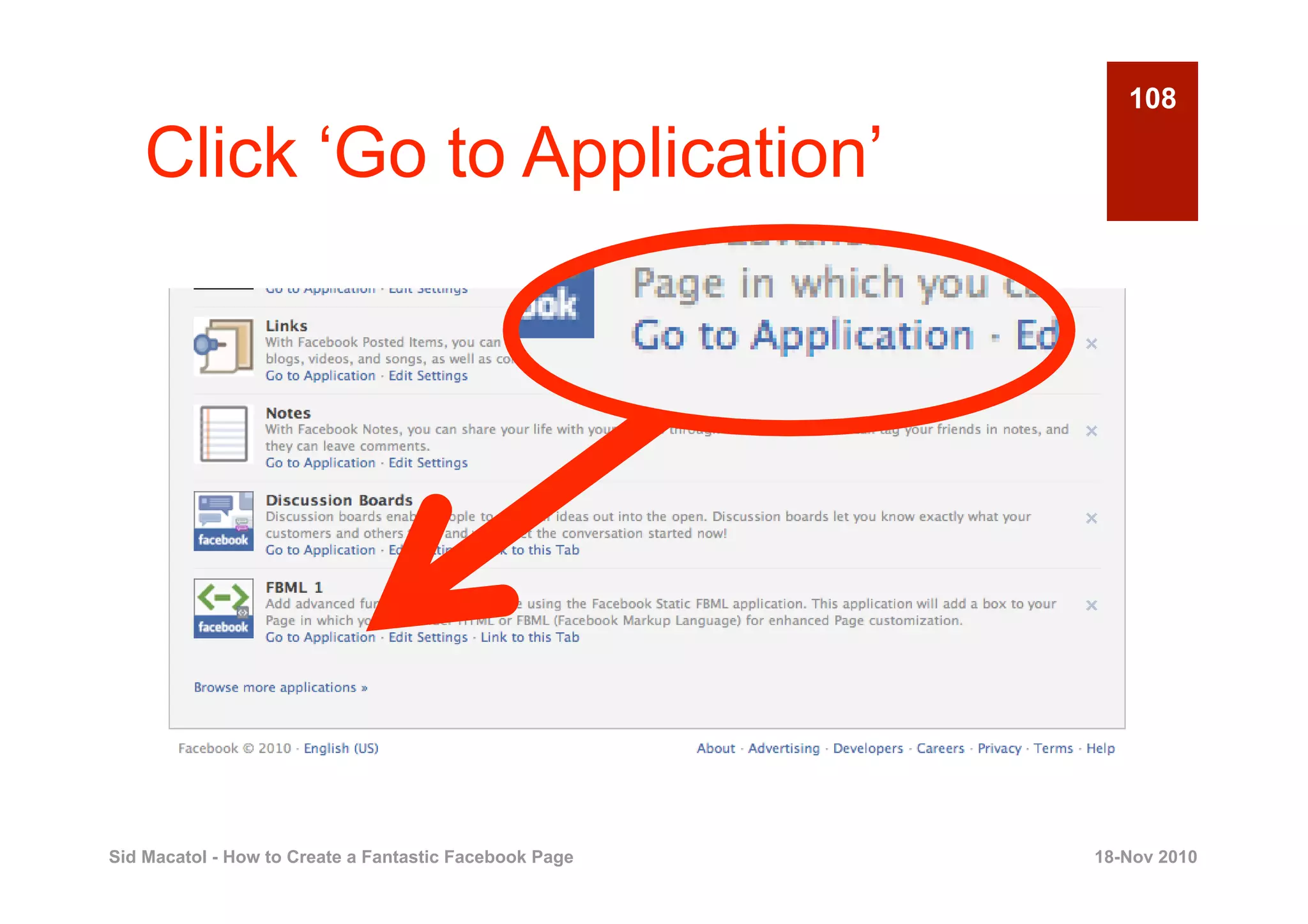
108

    Click ‘Go to Application’


Sid Macatol - How to Create a Fantastic Facebook Page   18-Nov 2010
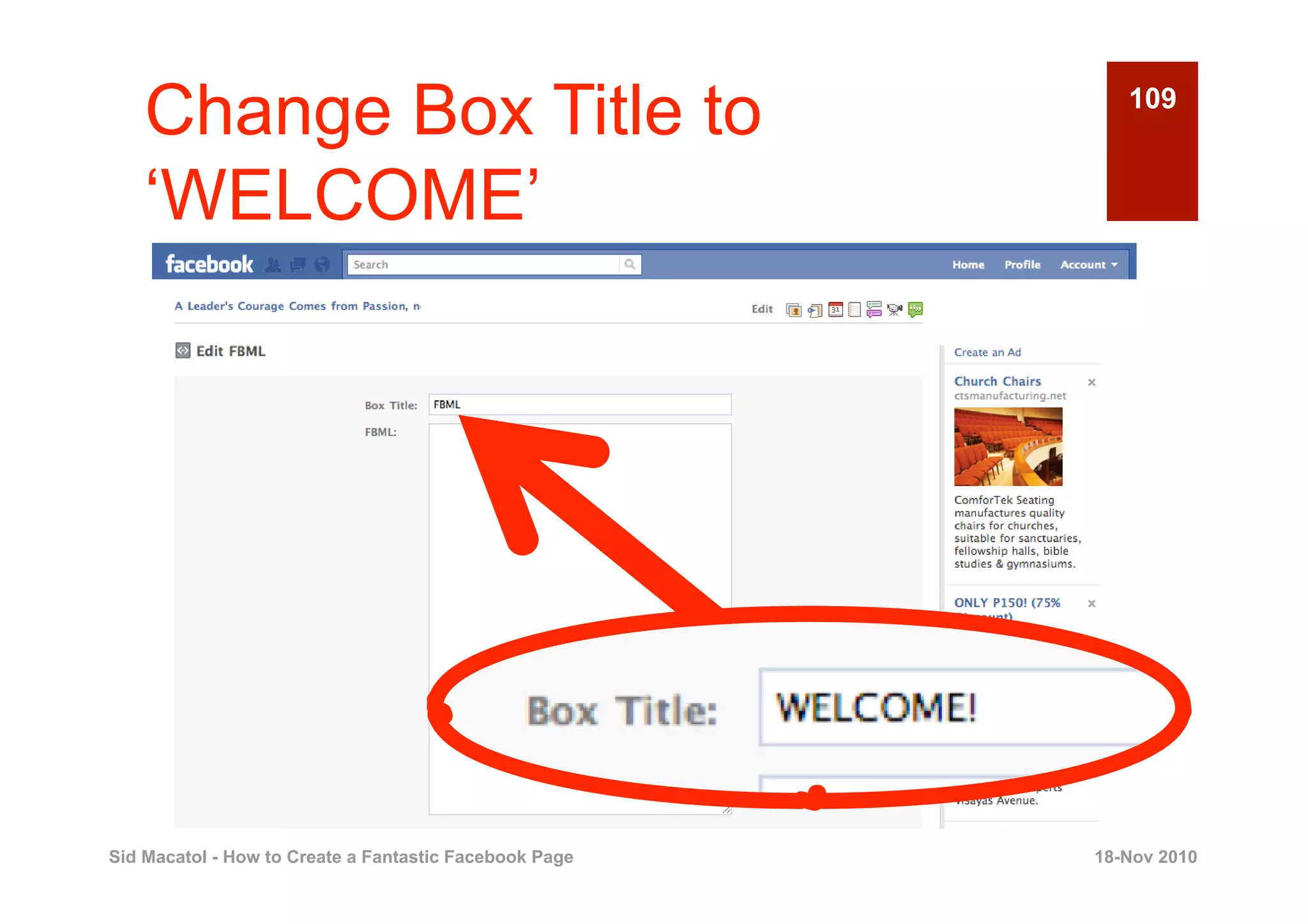
Change Box Title to                                    109


    ‘WELCOME’


Sid Macatol - How to Create a Fantastic Facebook Page   18-Nov 2010
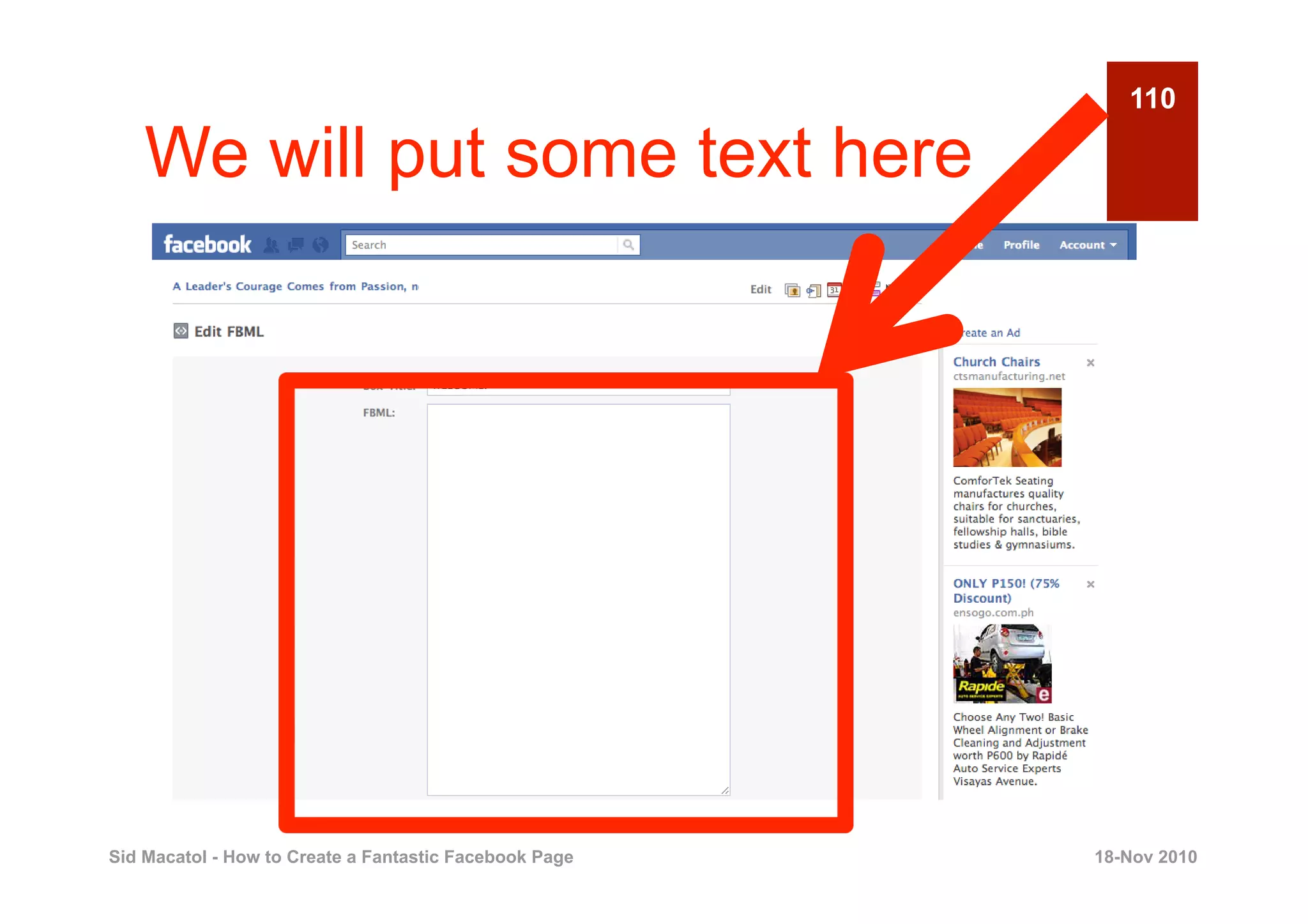
110

    We will put some text here


Sid Macatol - How to Create a Fantastic Facebook Page   18-Nov 2010
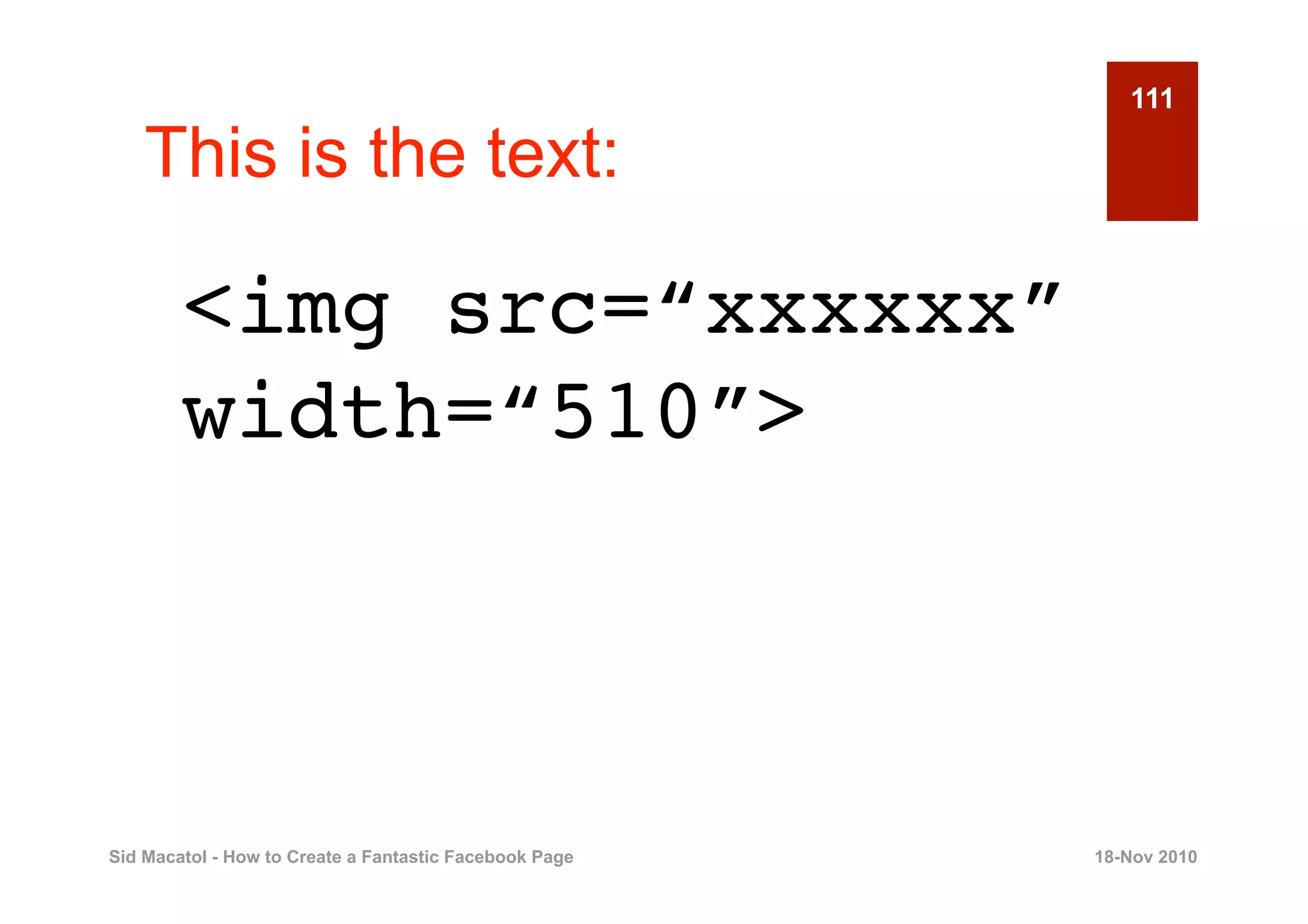
111

    This is the text:

        <img src=“xxxxxx”
        width=“510”>


Sid Macatol - How to Create a Fantastic Facebook Page   18-Nov 2010
112

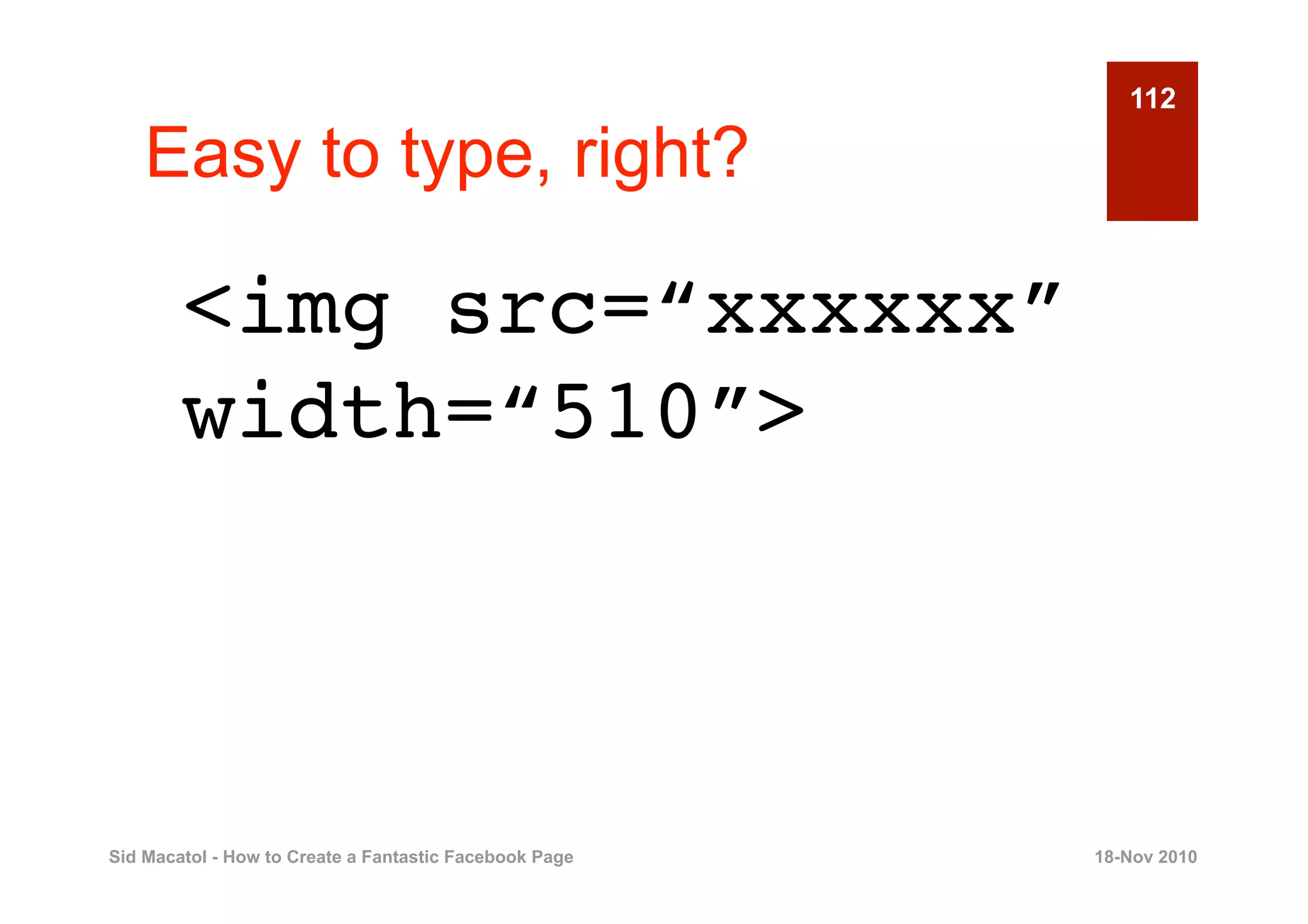
    Easy to type, right?

        <img src=“xxxxxx”
        width=“510”>


Sid Macatol - How to Create a Fantastic Facebook Page   18-Nov 2010
113

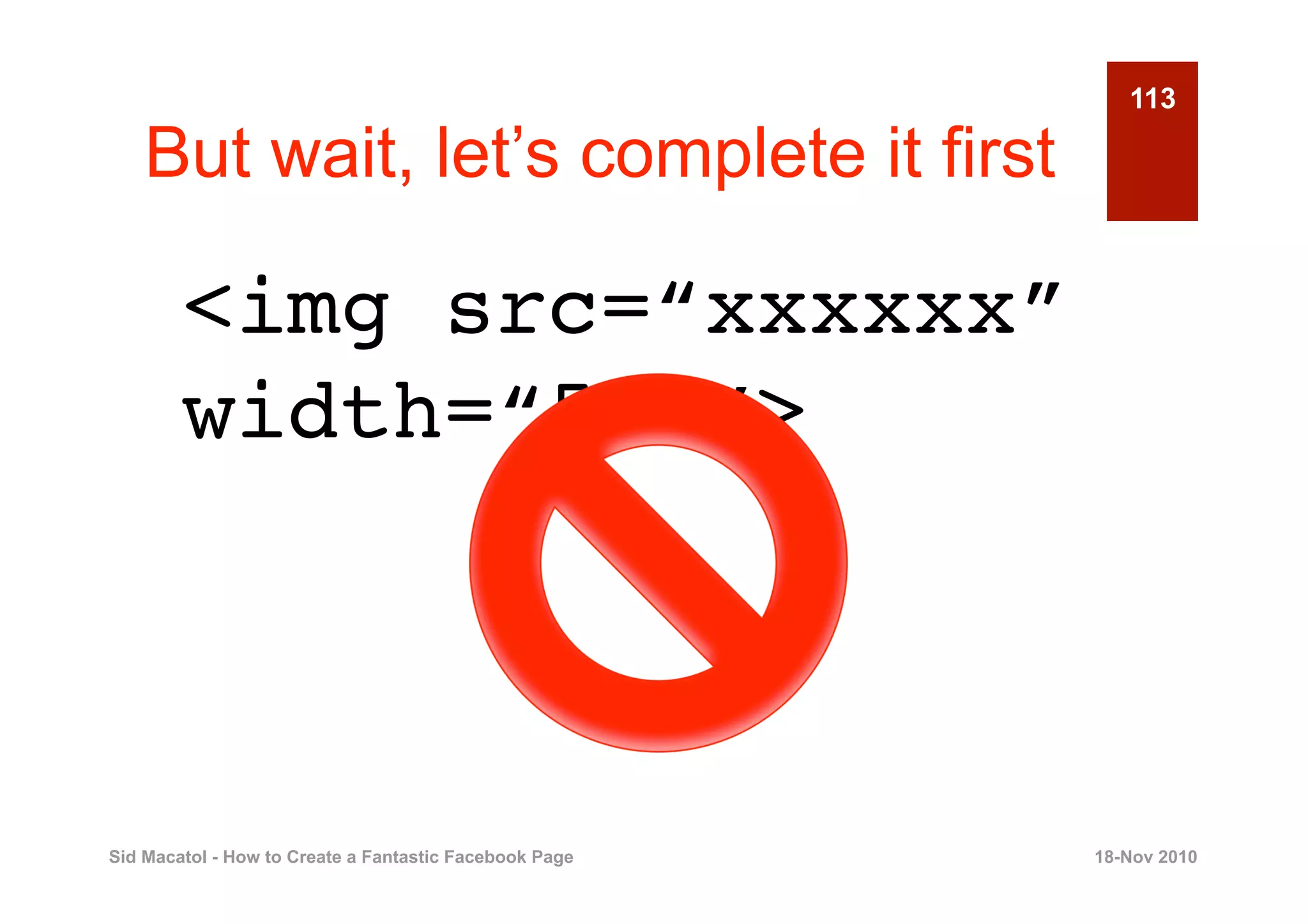
    But wait, let’s complete it first

        <img src=“xxxxxx”
        width=“510”>


Sid Macatol - How to Create a Fantastic Facebook Page   18-Nov 2010
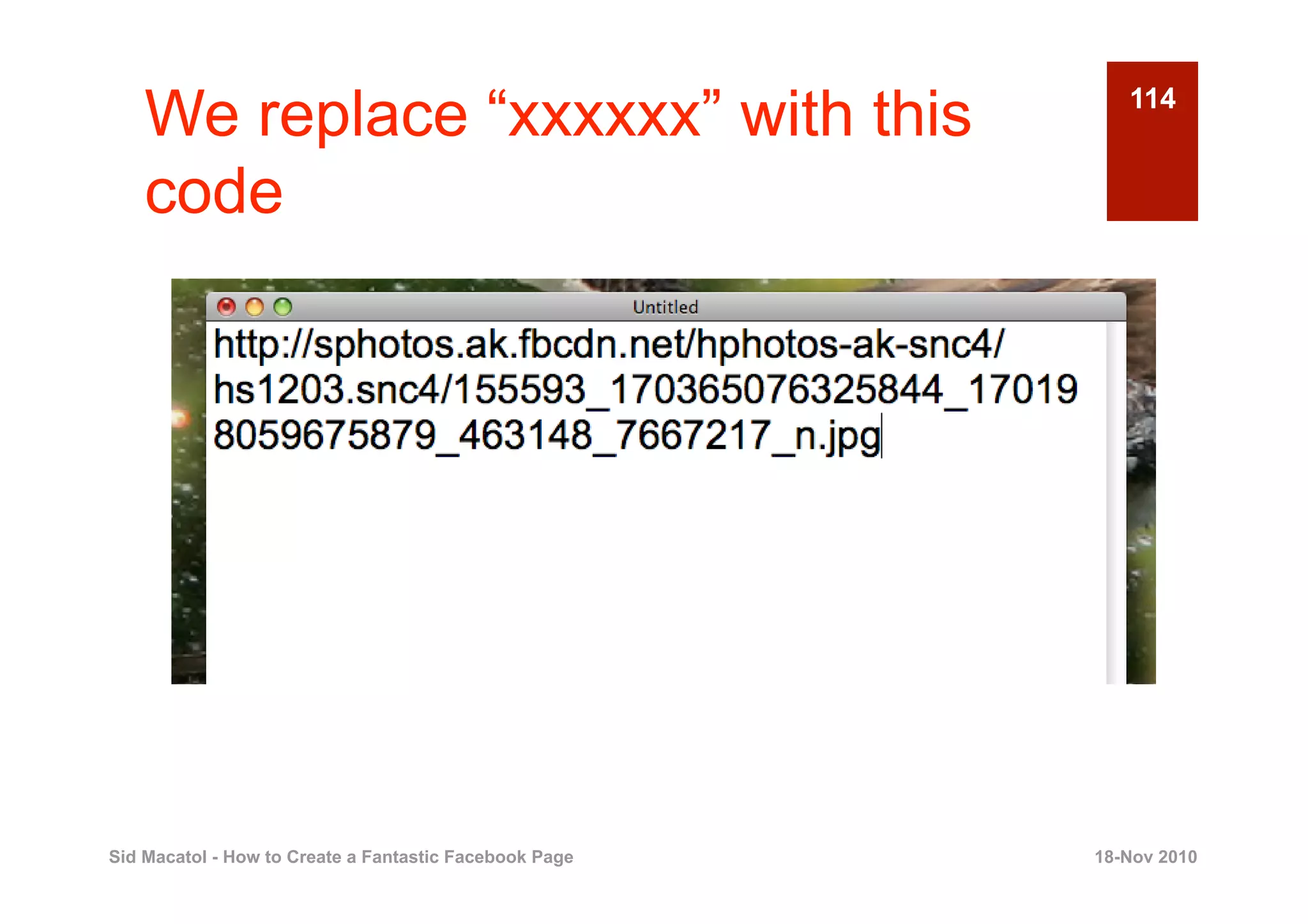
We replace “xxxxxx” with this                          114


    code


Sid Macatol - How to Create a Fantastic Facebook Page   18-Nov 2010
115

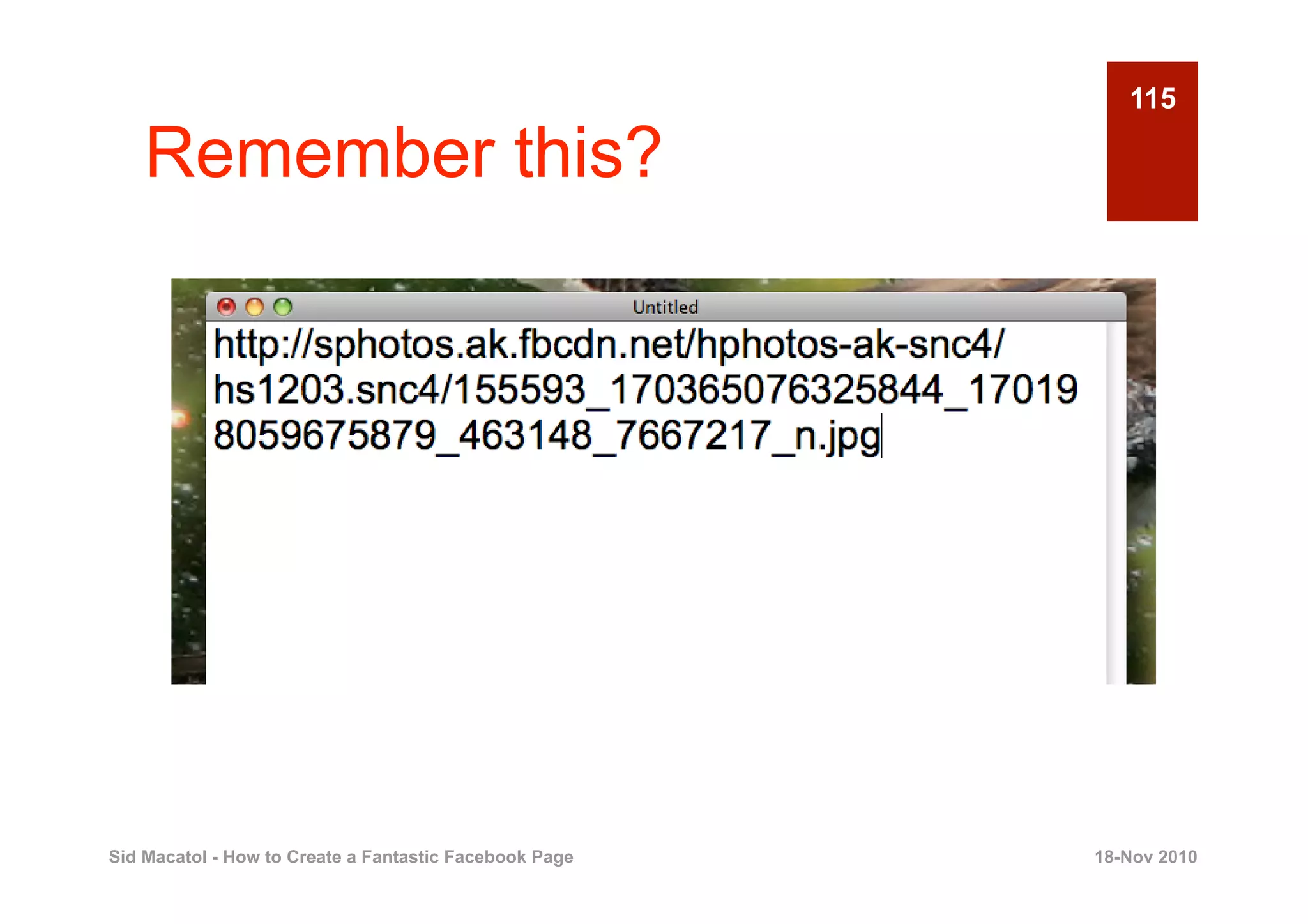
    Remember this?


Sid Macatol - How to Create a Fantastic Facebook Page   18-Nov 2010
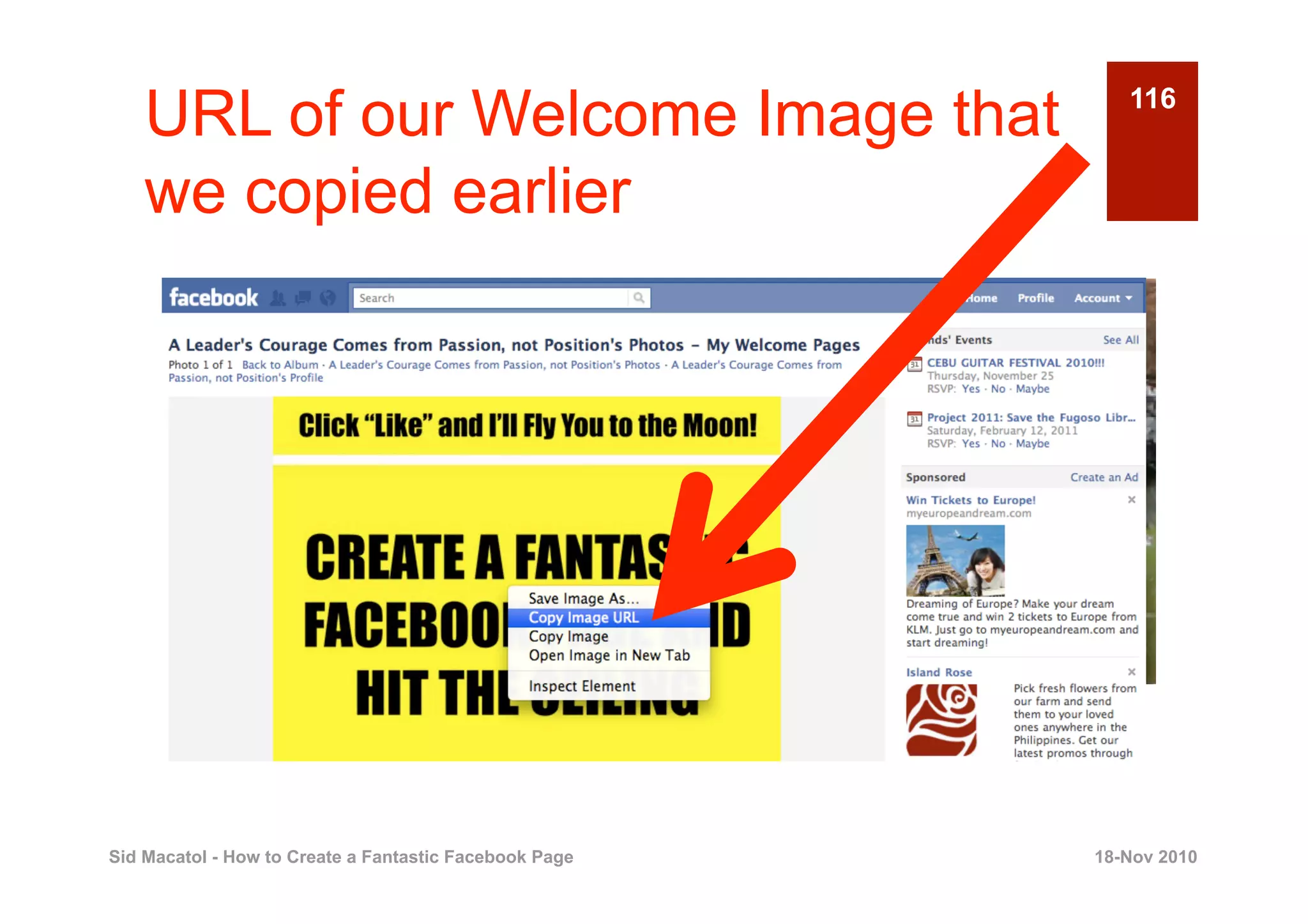
URL of our Welcome Image that                          116


    we copied earlier


Sid Macatol - How to Create a Fantastic Facebook Page   18-Nov 2010
117

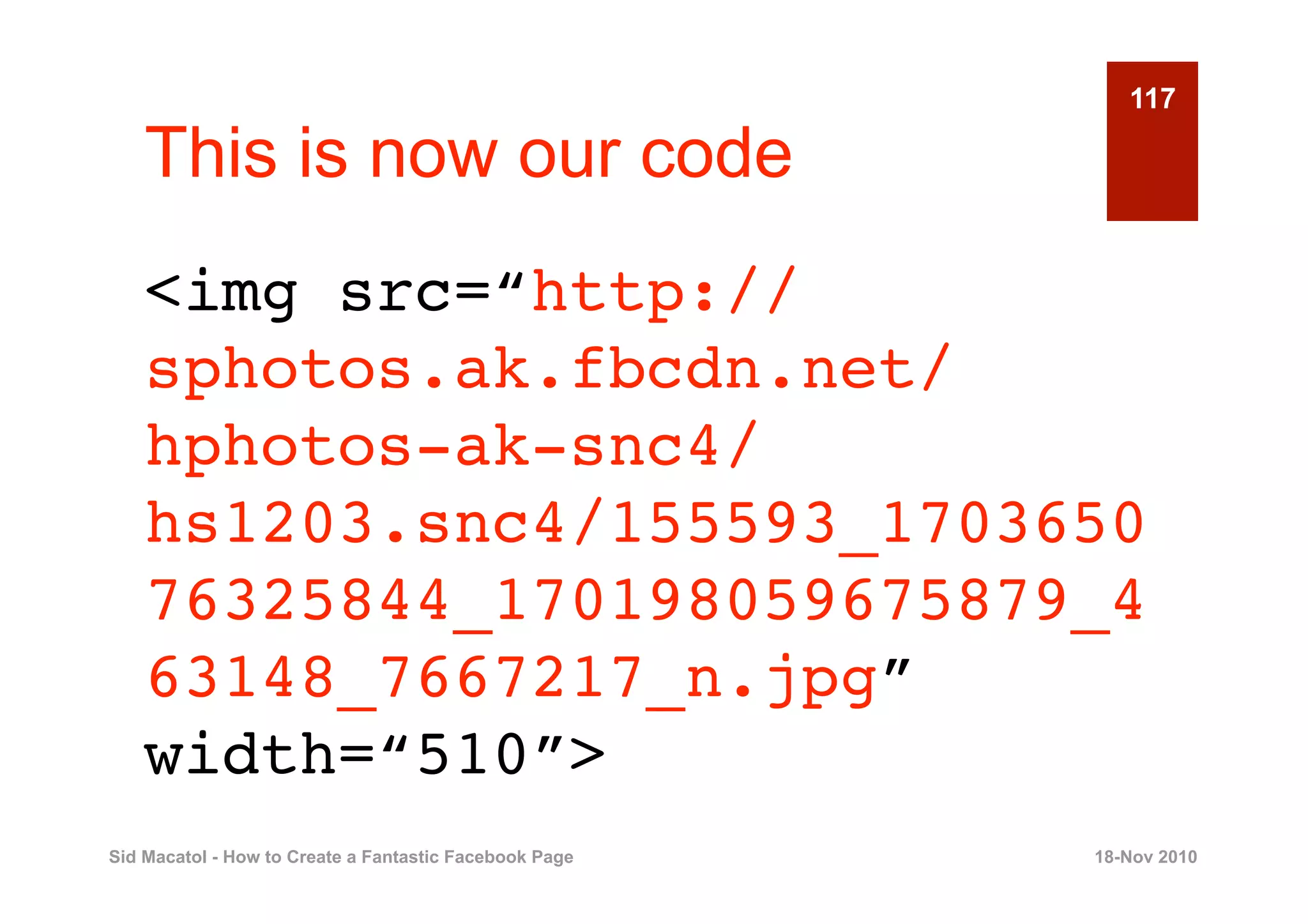
    This is now our code
    <img src=“http://
    sphotos.ak.fbcdn.net/
    hphotos-ak-snc4/
    hs1203.snc4/155593_1703650
    76325844_170198059675879_4
    63148_7667217_n.jpg”
    width=“510”>
Sid Macatol - How to Create a Fantastic Facebook Page   18-Nov 2010
118

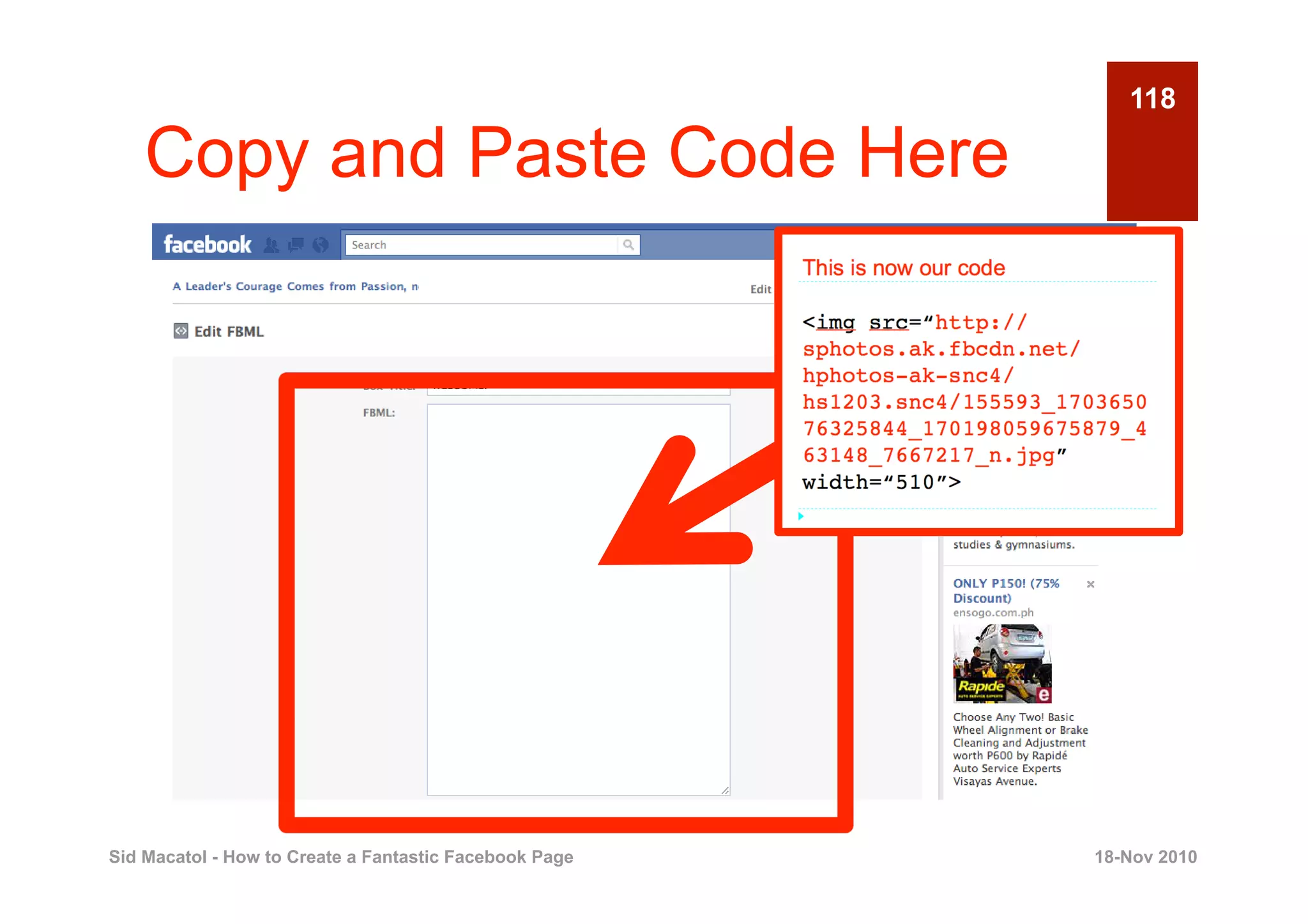
    Copy and Paste Code Here


Sid Macatol - How to Create a Fantastic Facebook Page   18-Nov 2010
119

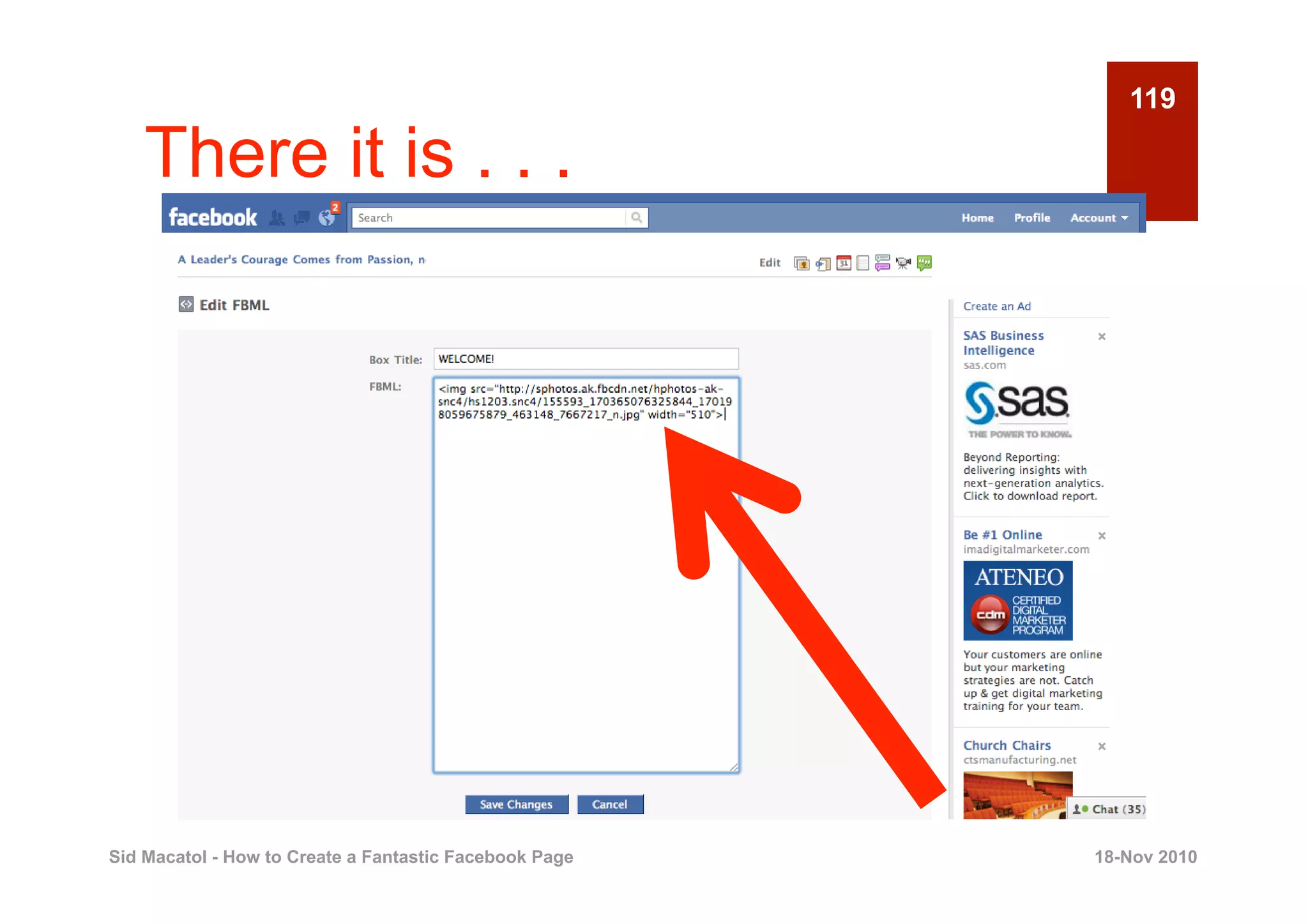
    There it is . . .


Sid Macatol - How to Create a Fantastic Facebook Page   18-Nov 2010
120

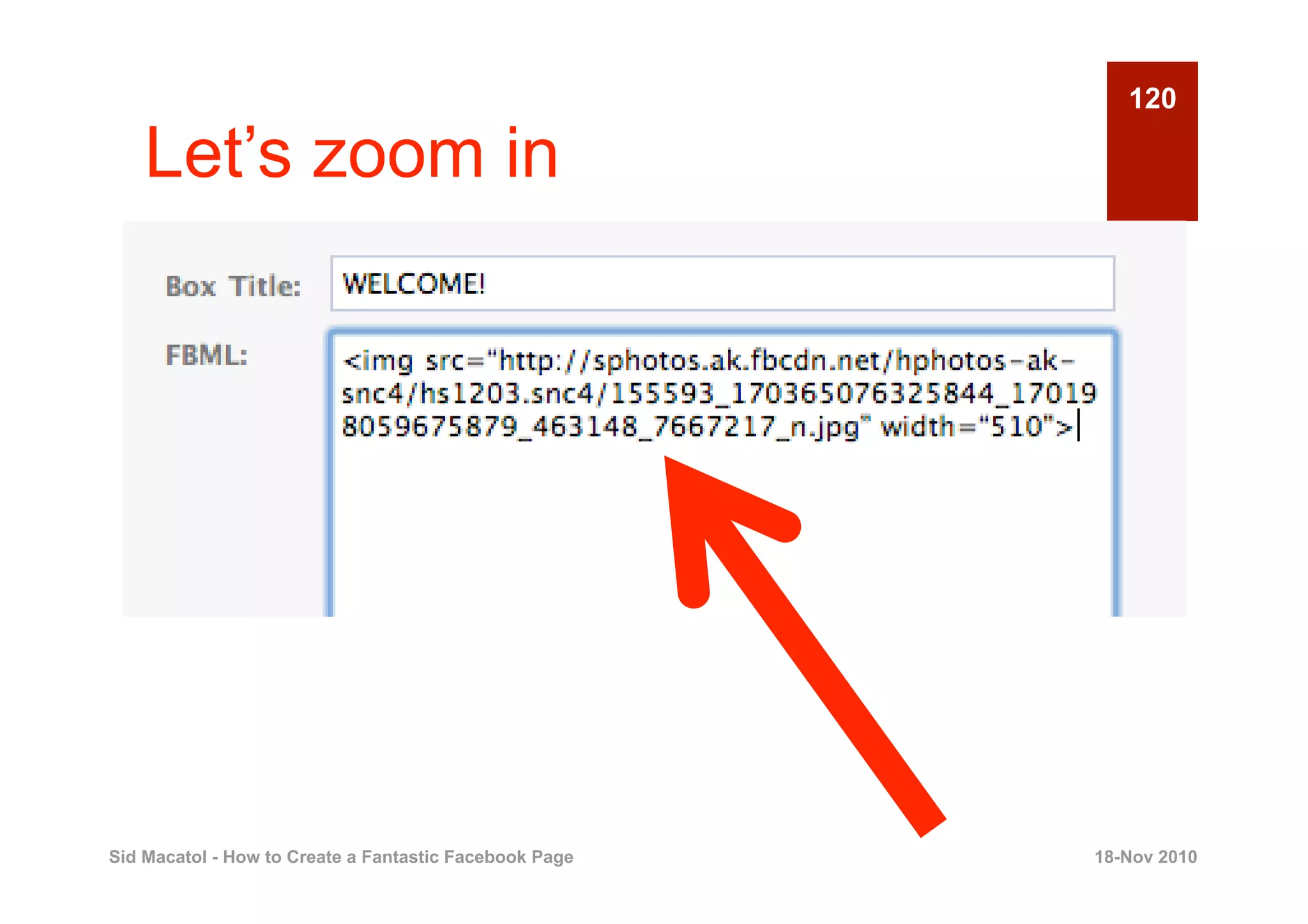
    Let’s zoom in


Sid Macatol - How to Create a Fantastic Facebook Page   18-Nov 2010
121

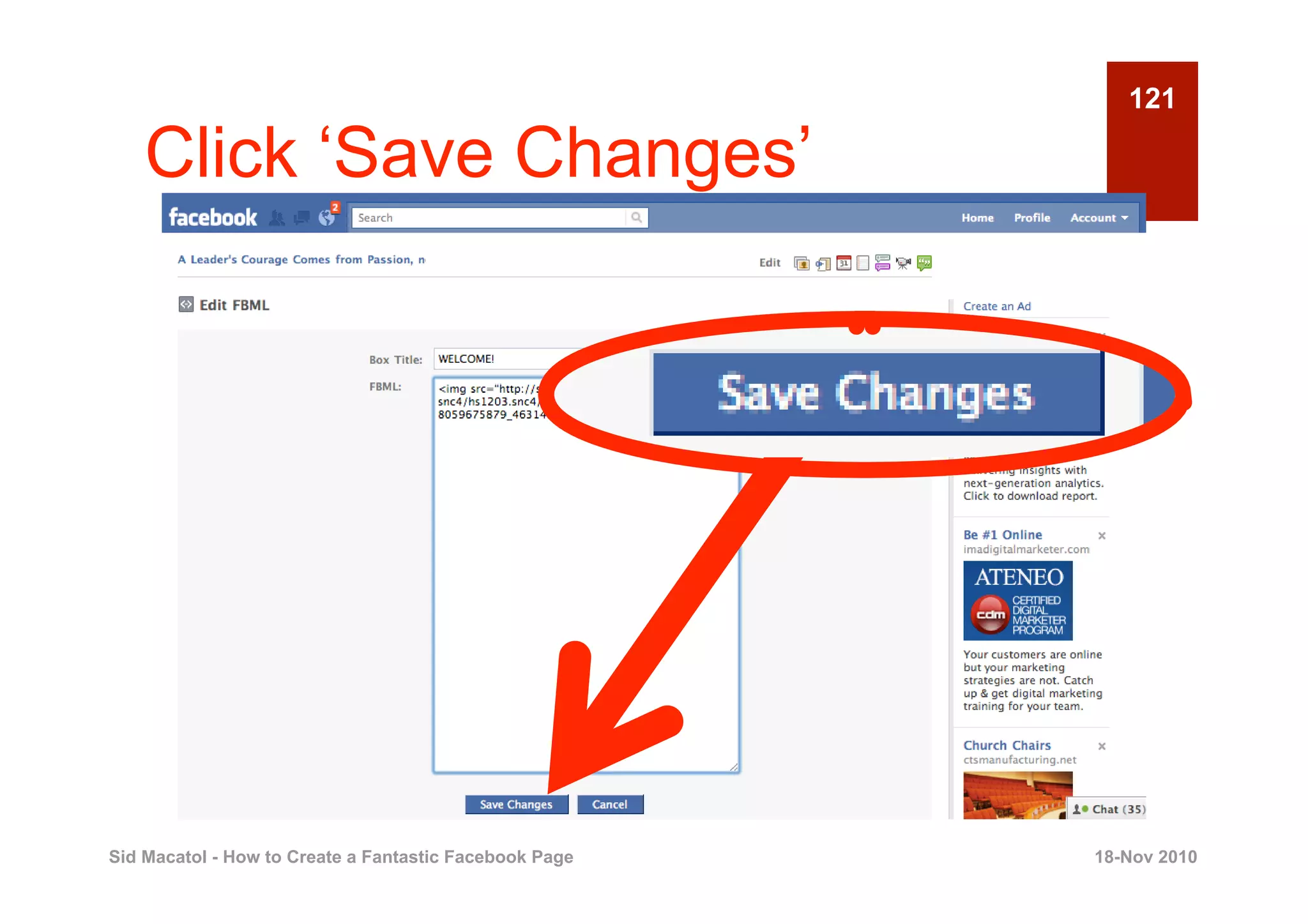
    Click ‘Save Changes’


Sid Macatol - How to Create a Fantastic Facebook Page   18-Nov 2010
122

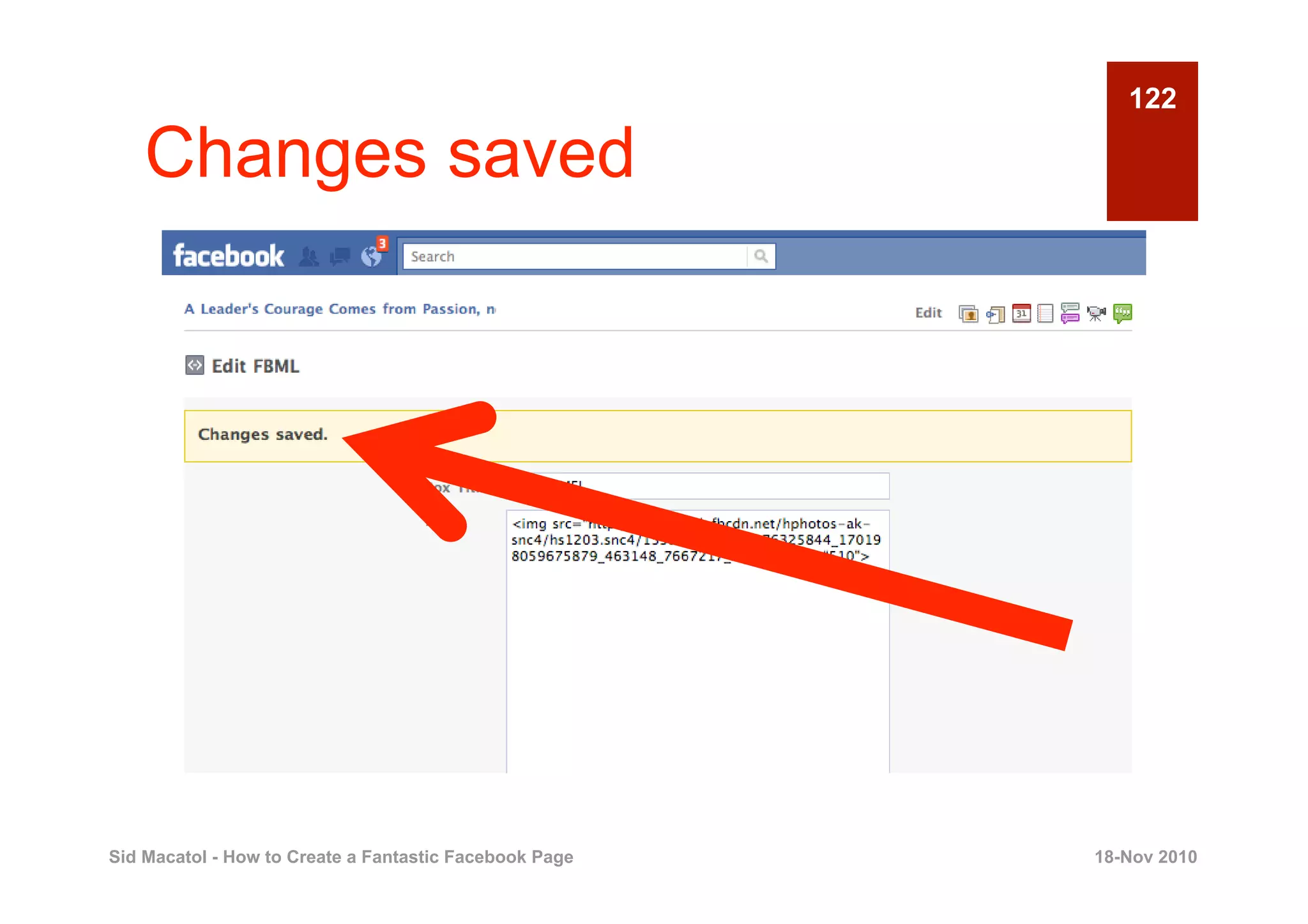
    Changes saved


Sid Macatol - How to Create a Fantastic Facebook Page   18-Nov 2010
123

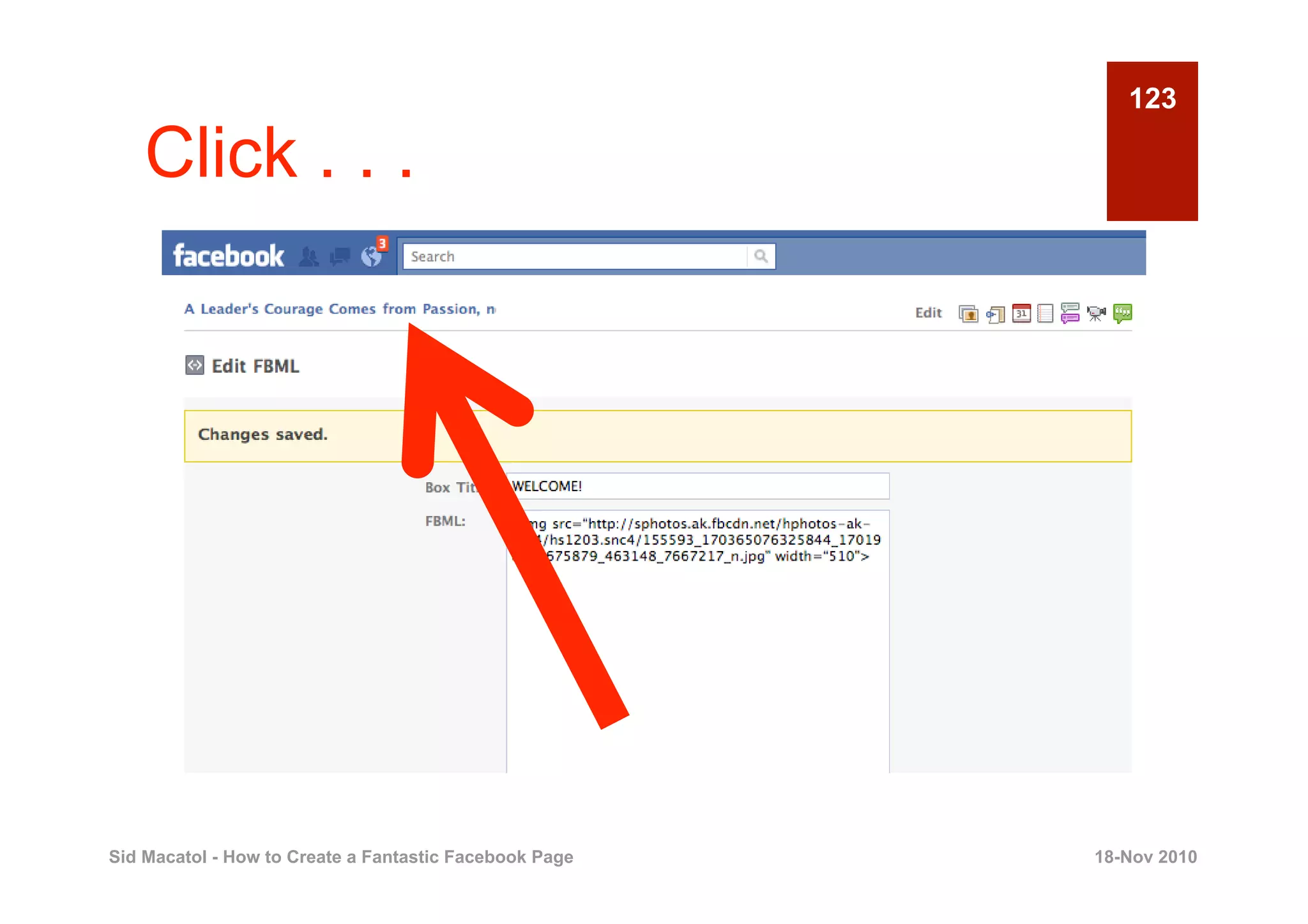
    Click . . .


Sid Macatol - How to Create a Fantastic Facebook Page   18-Nov 2010
124

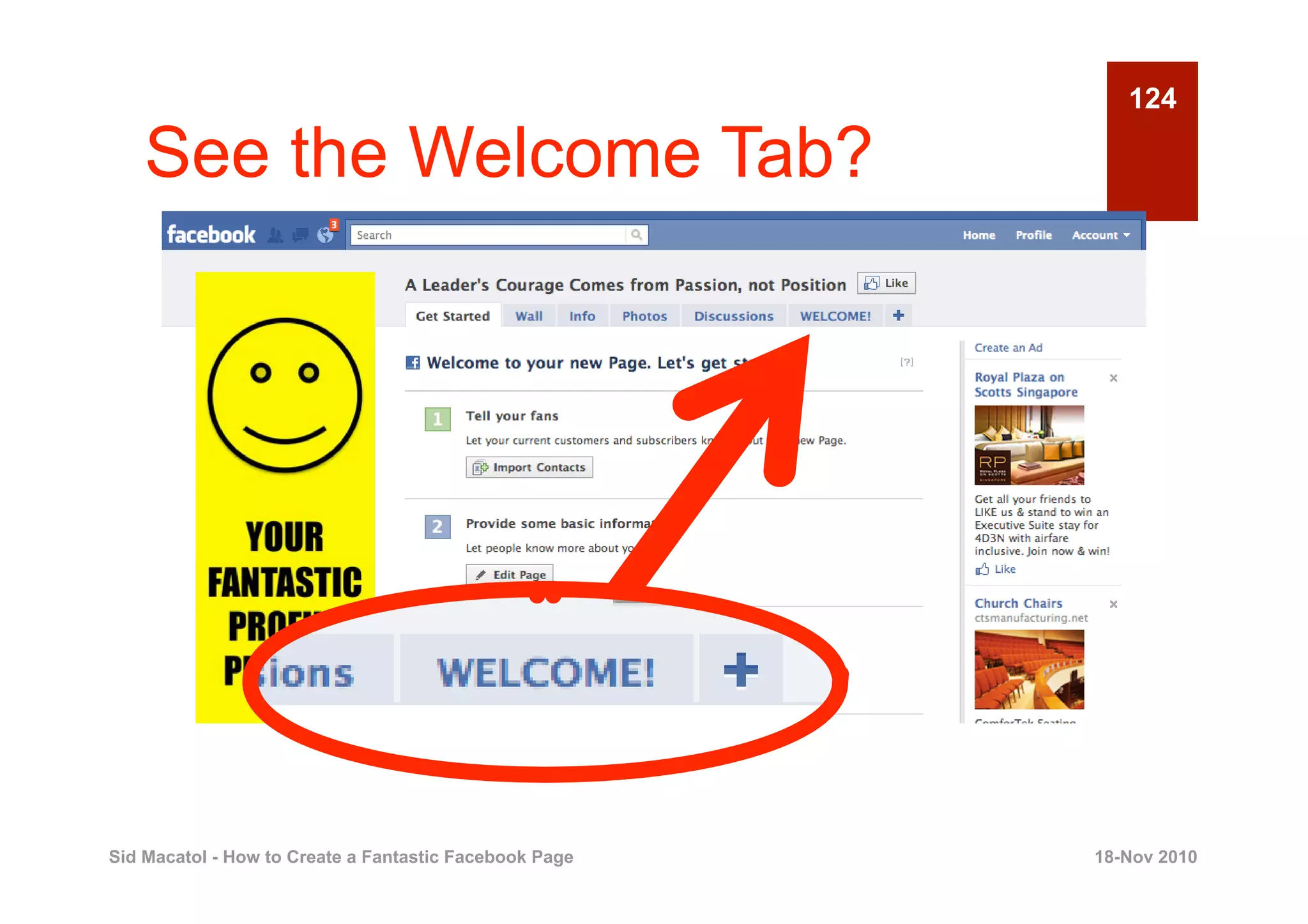
    See the Welcome Tab?


Sid Macatol - How to Create a Fantastic Facebook Page   18-Nov 2010
125

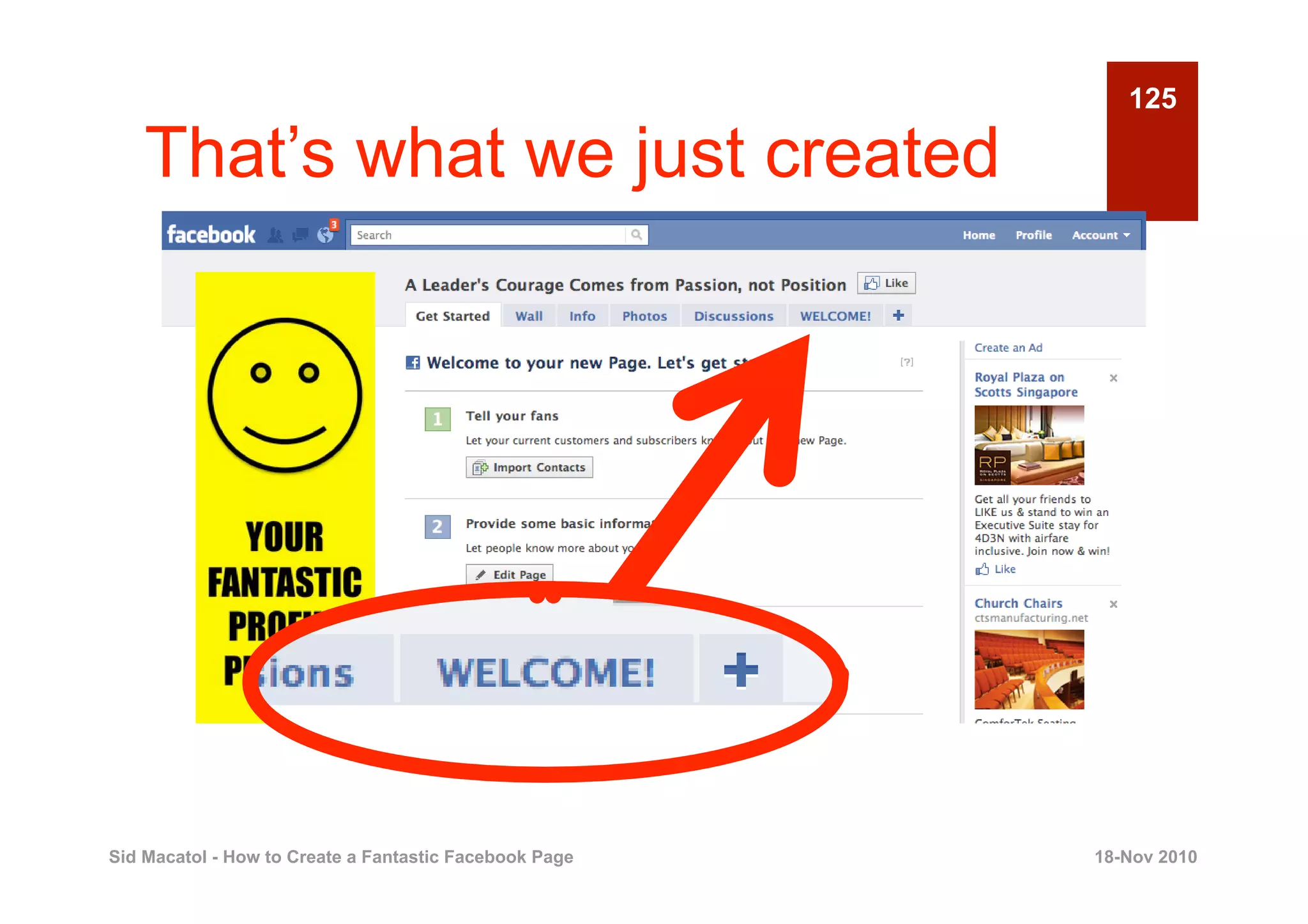
    That’s what we just created


Sid Macatol - How to Create a Fantastic Facebook Page   18-Nov 2010
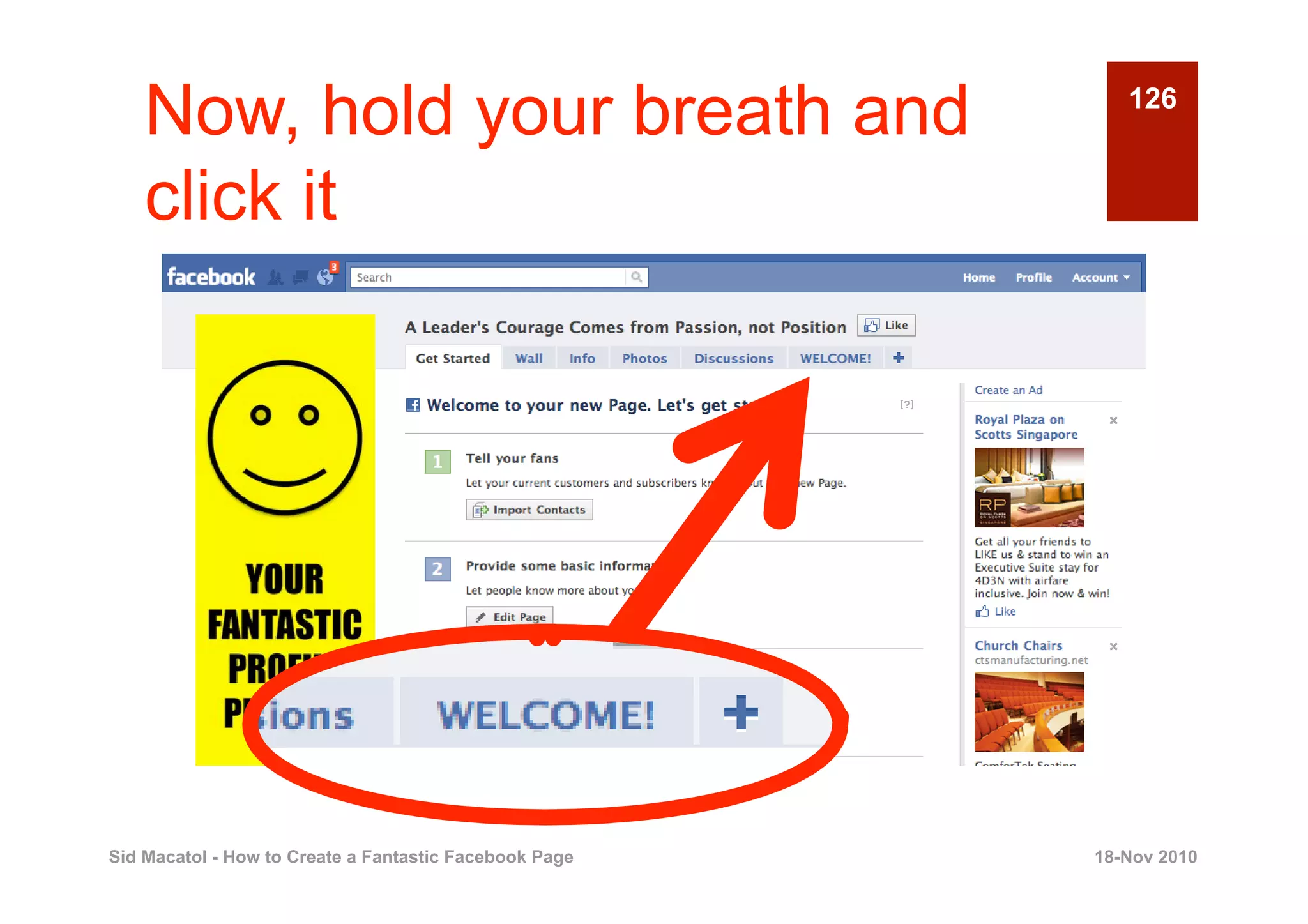
Now, hold your breath and                              126


    click it


Sid Macatol - How to Create a Fantastic Facebook Page   18-Nov 2010
127

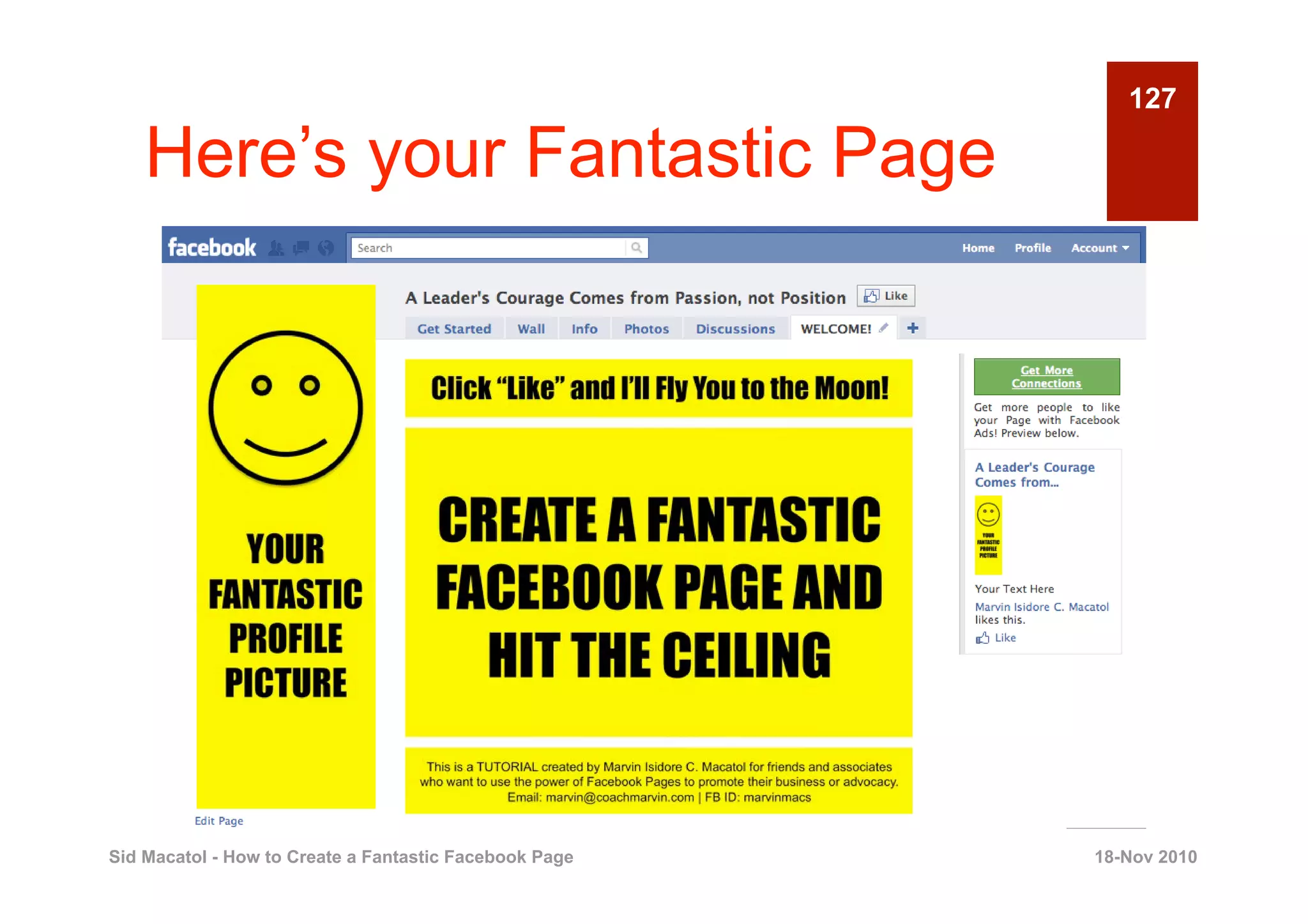
    Here’s your Fantastic Page


Sid Macatol - How to Create a Fantastic Facebook Page   18-Nov 2010
128

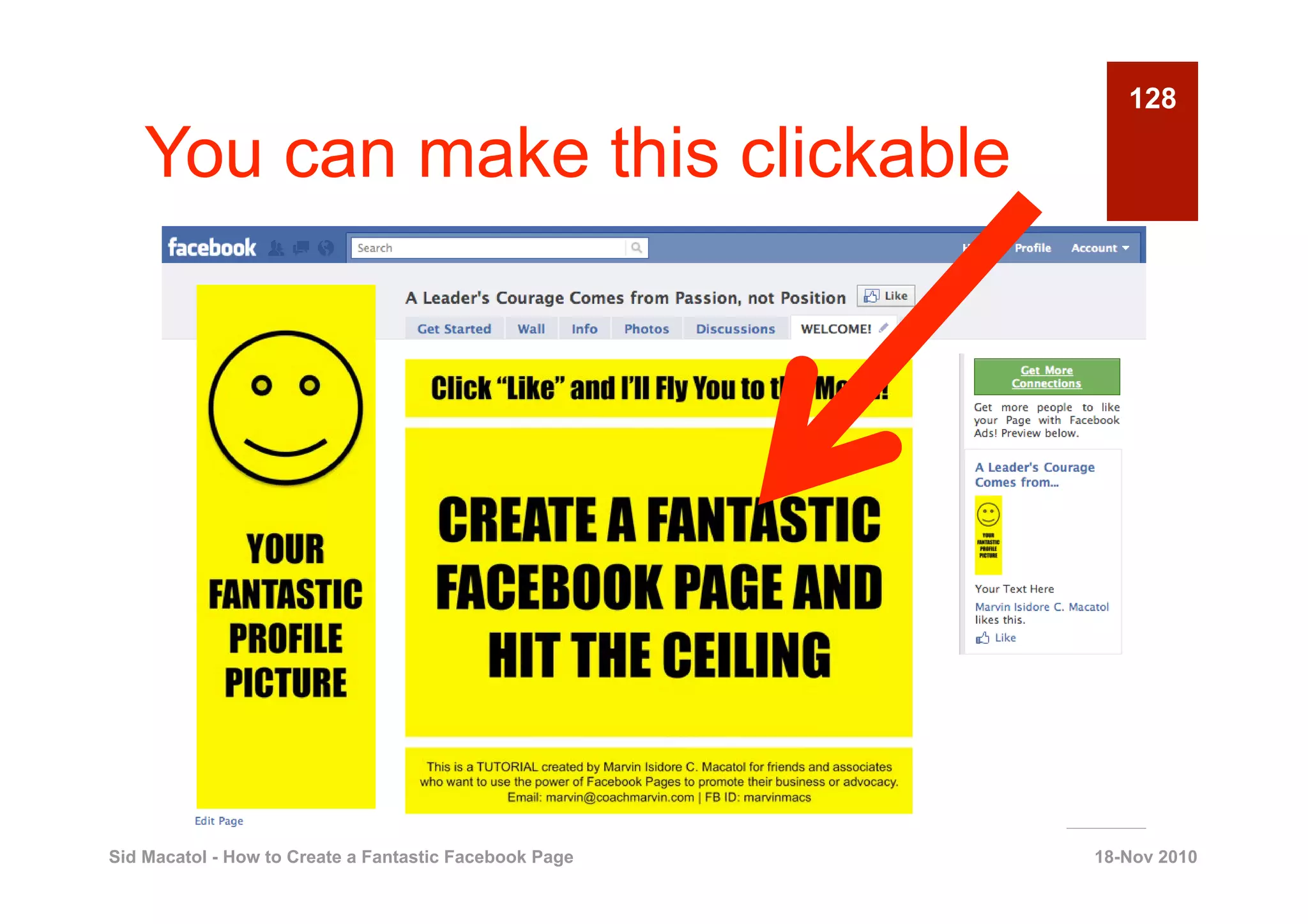
    You can make this clickable


Sid Macatol - How to Create a Fantastic Facebook Page   18-Nov 2010
Just add the right HTML code                           129


    here


Sid Macatol - How to Create a Fantastic Facebook Page   18-Nov 2010
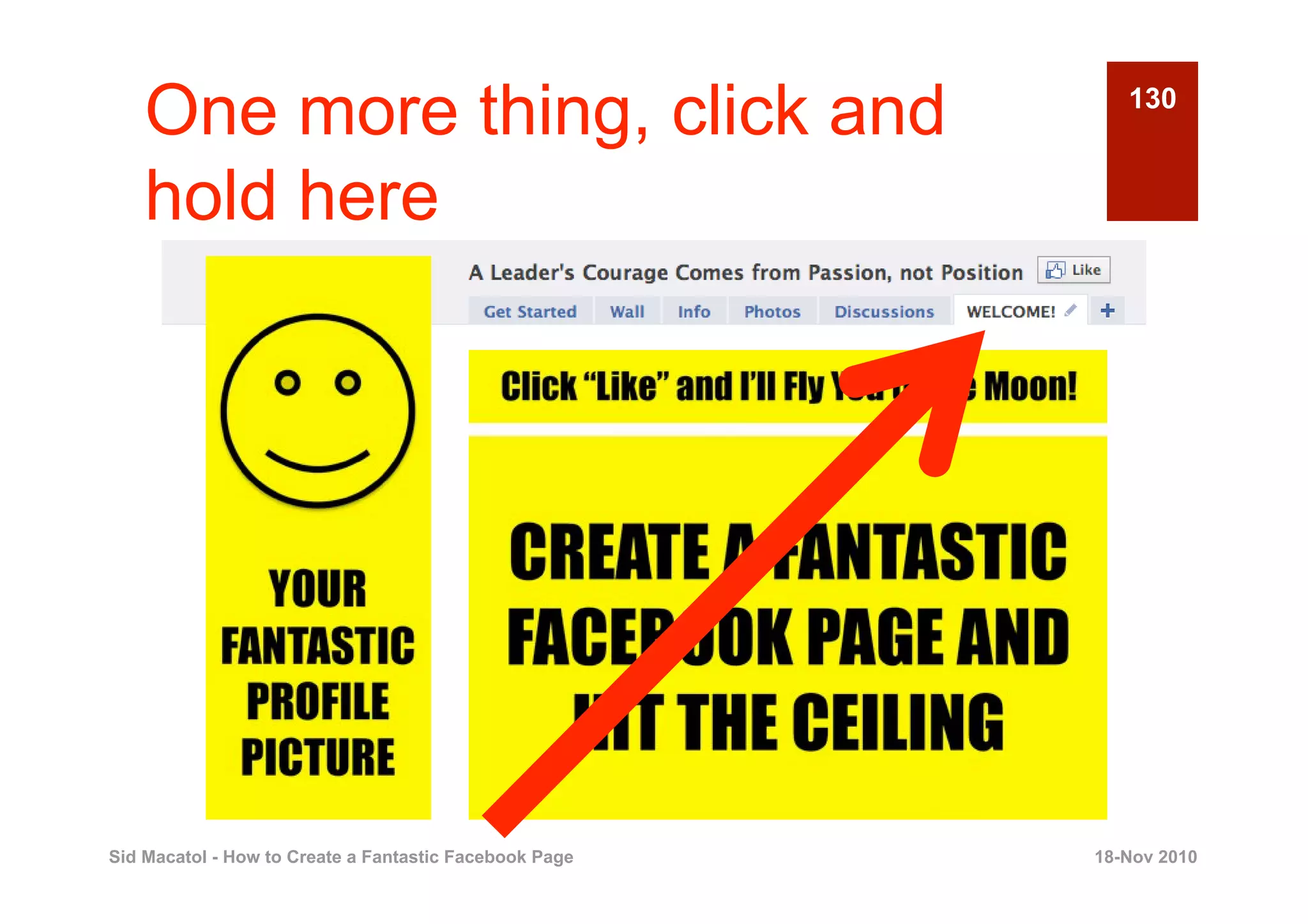
One more thing, click and                              130


    hold here


Sid Macatol - How to Create a Fantastic Facebook Page   18-Nov 2010
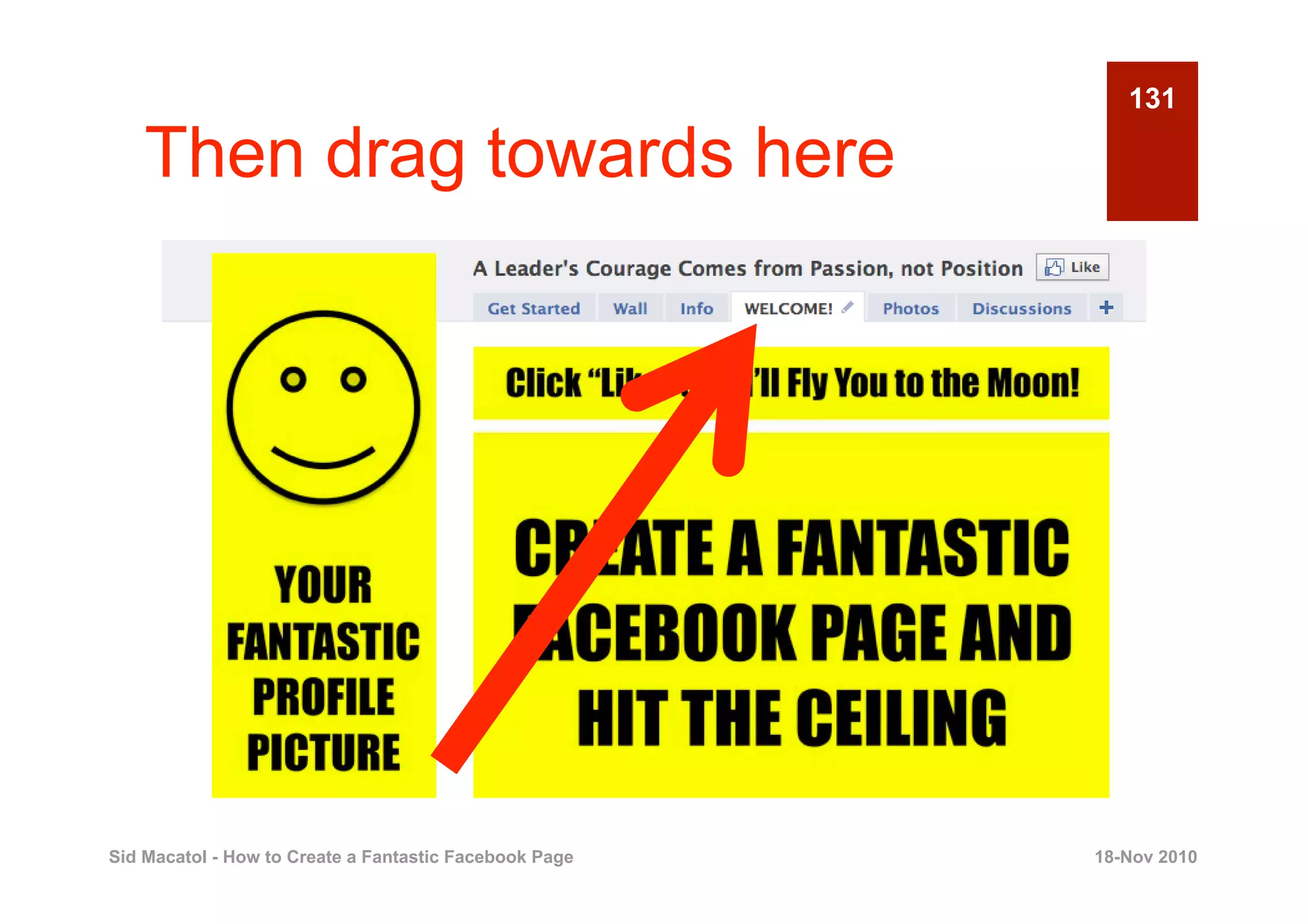
131

    Then drag towards here


Sid Macatol - How to Create a Fantastic Facebook Page   18-Nov 2010
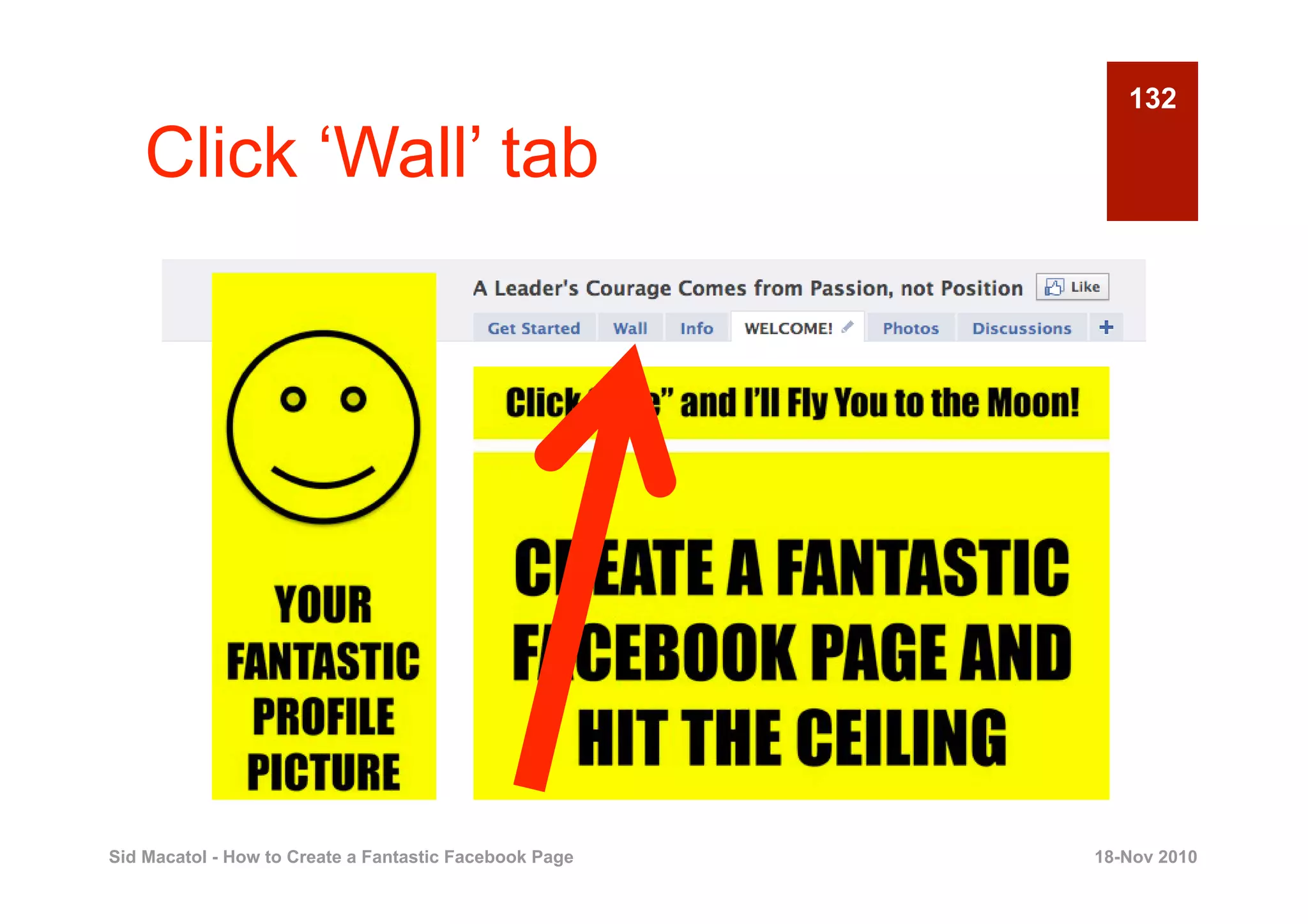
132

    Click ‘Wall’ tab


Sid Macatol - How to Create a Fantastic Facebook Page   18-Nov 2010
133

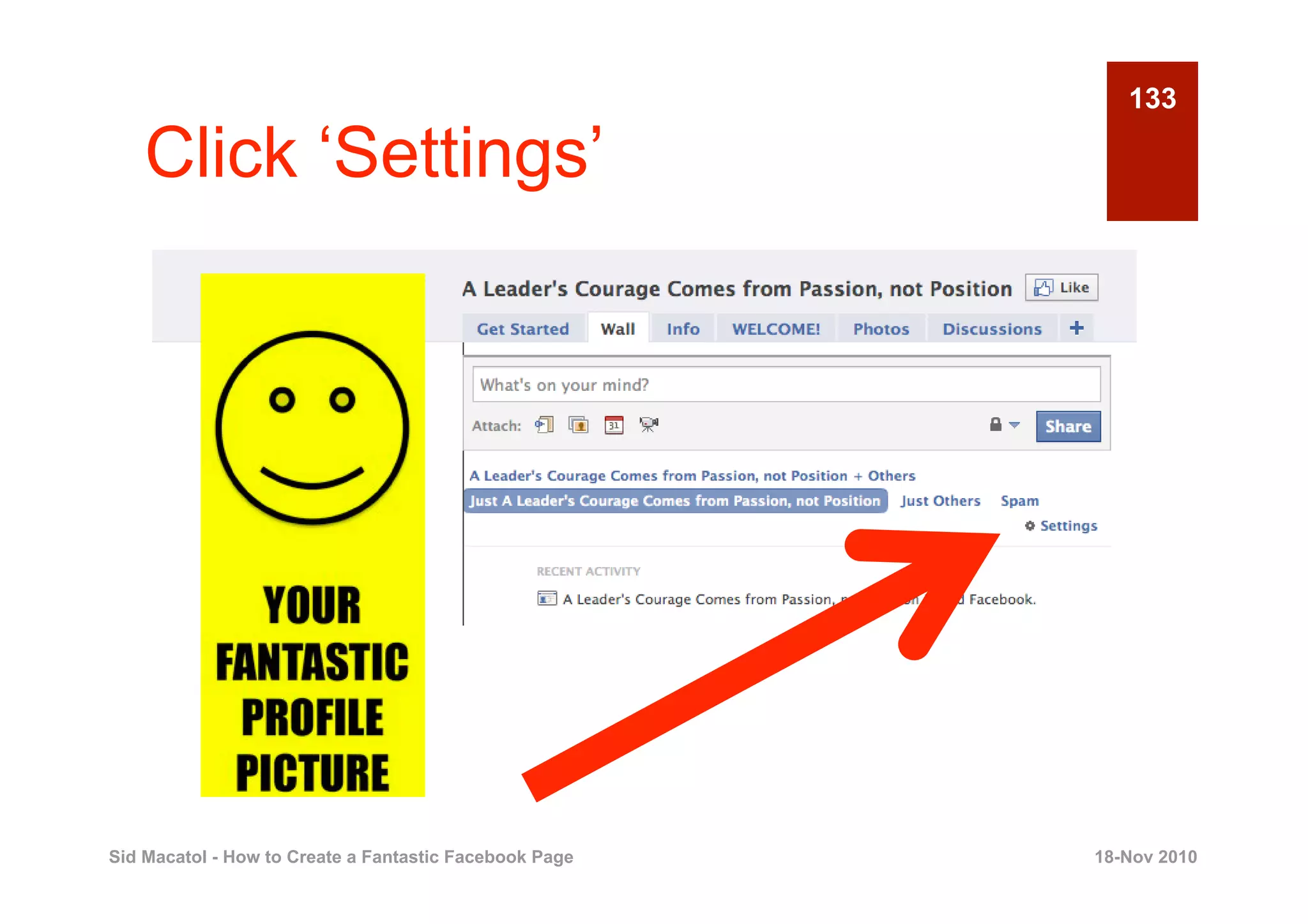
    Click ‘Settings’


Sid Macatol - How to Create a Fantastic Facebook Page   18-Nov 2010
134

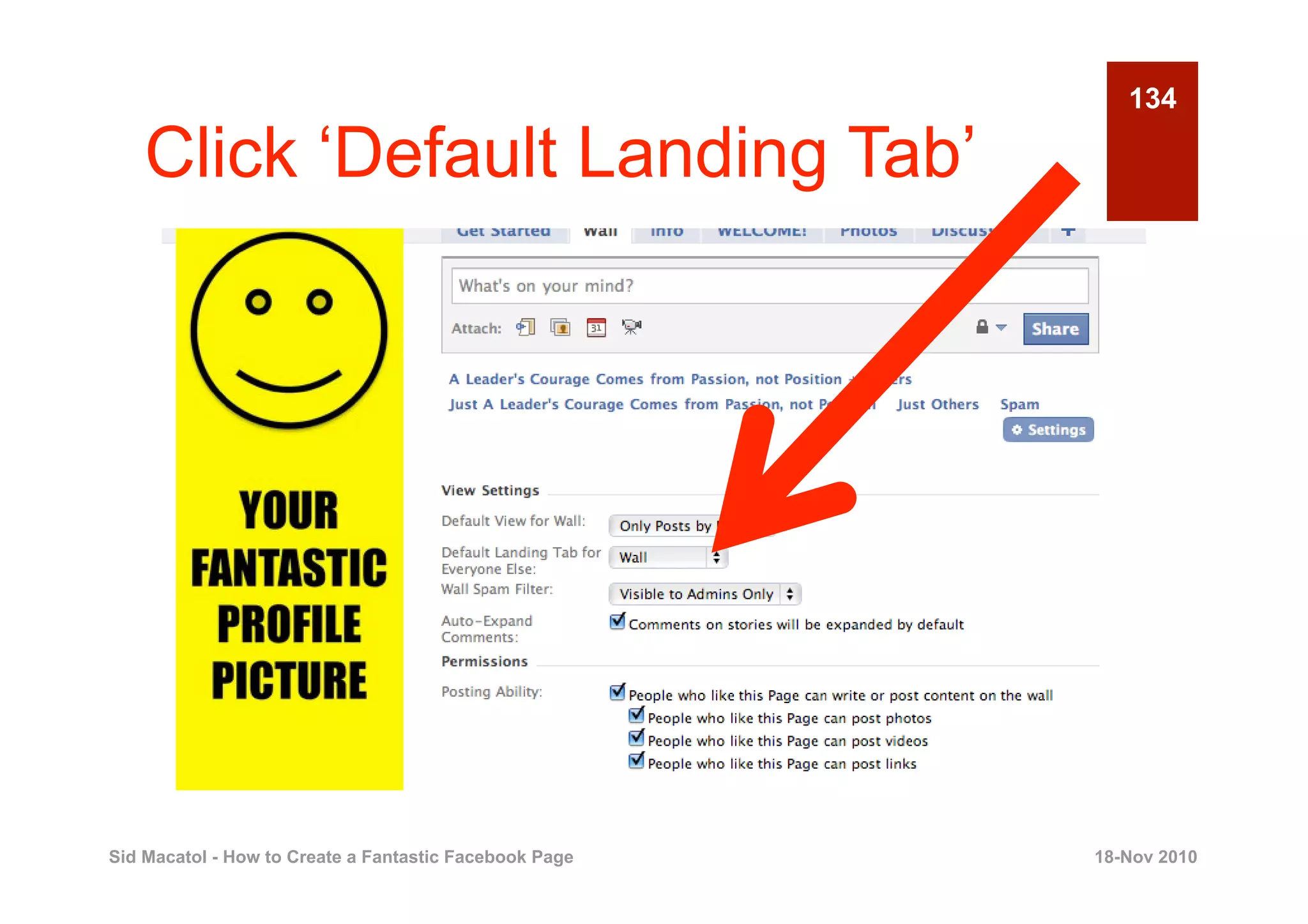
    Click ‘Default Landing Tab’


Sid Macatol - How to Create a Fantastic Facebook Page   18-Nov 2010
135

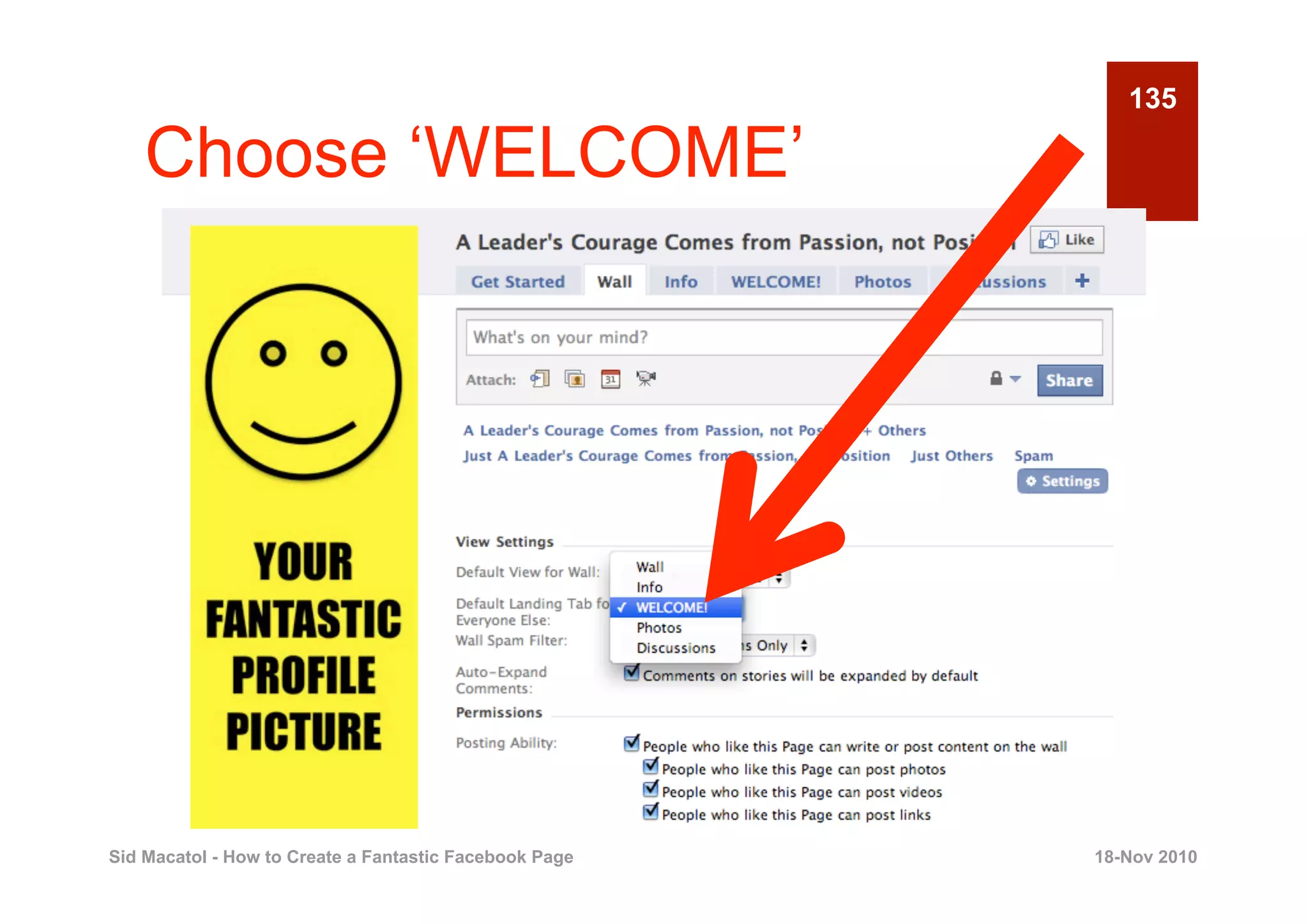
    Choose ‘WELCOME’


Sid Macatol - How to Create a Fantastic Facebook Page   18-Nov 2010
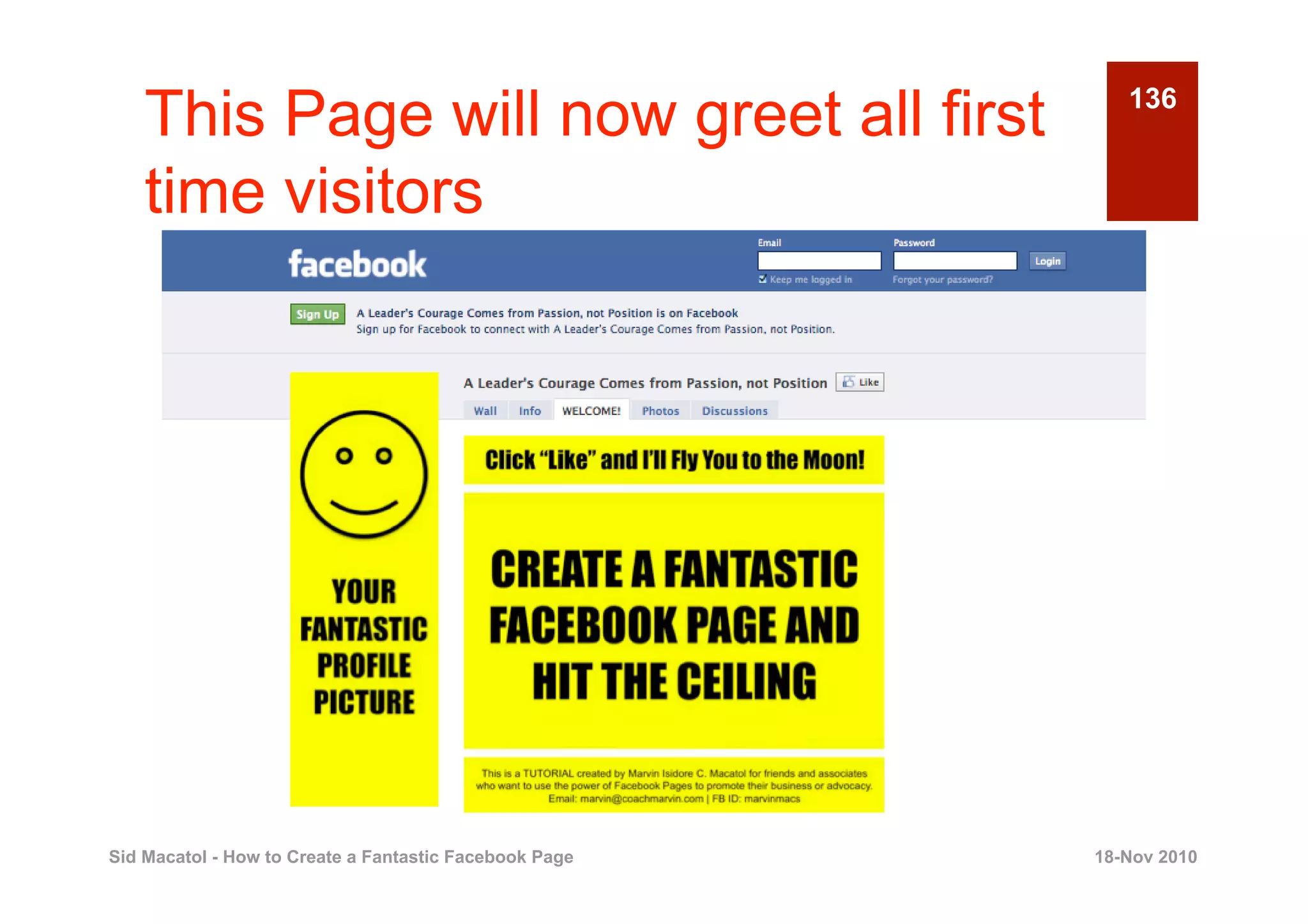
This Page will now greet all first                     136


    time visitors


Sid Macatol - How to Create a Fantastic Facebook Page   18-Nov 2010
137

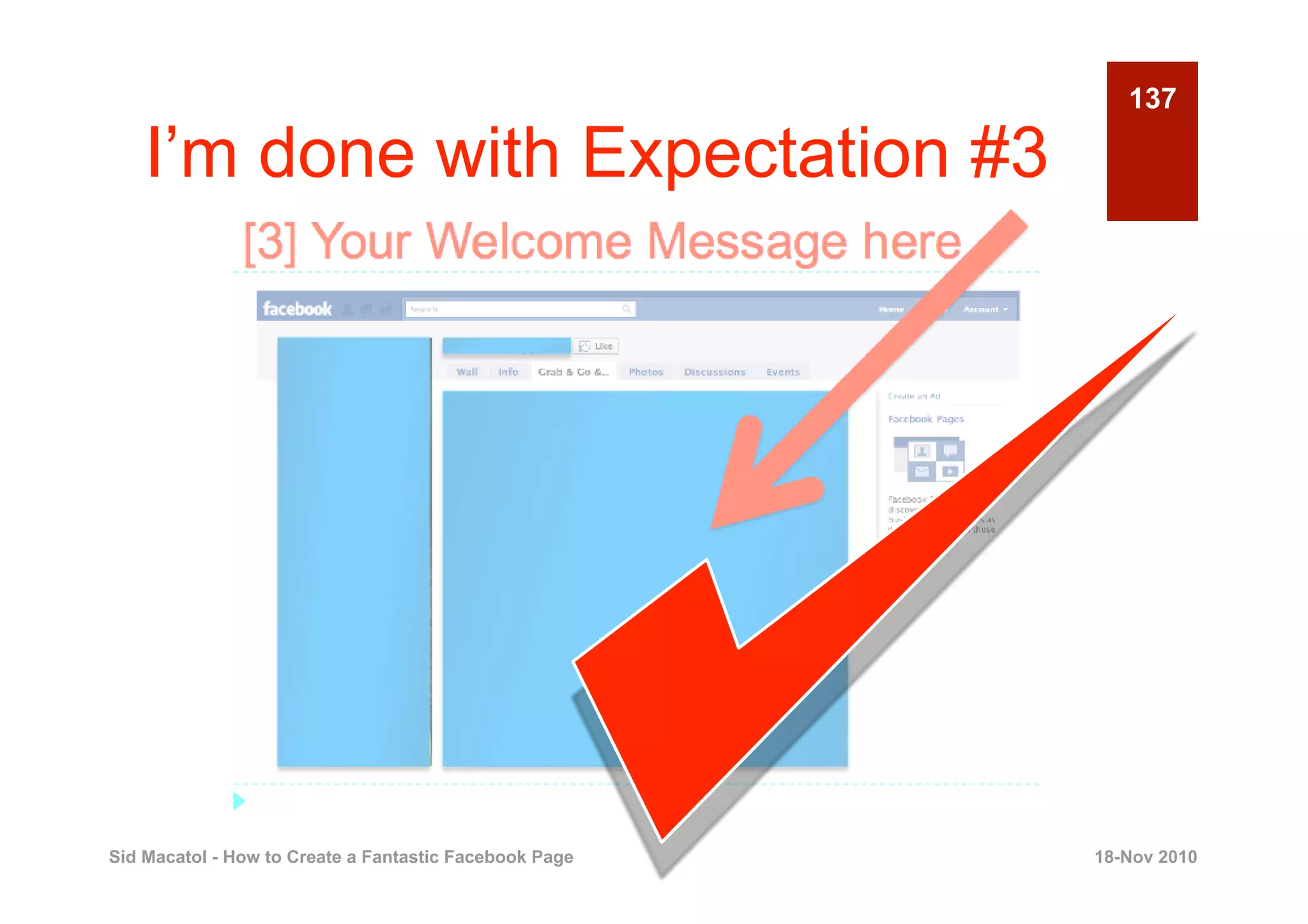
    I’m done with Expectation #3


Sid Macatol - How to Create a Fantastic Facebook Page   18-Nov 2010
138

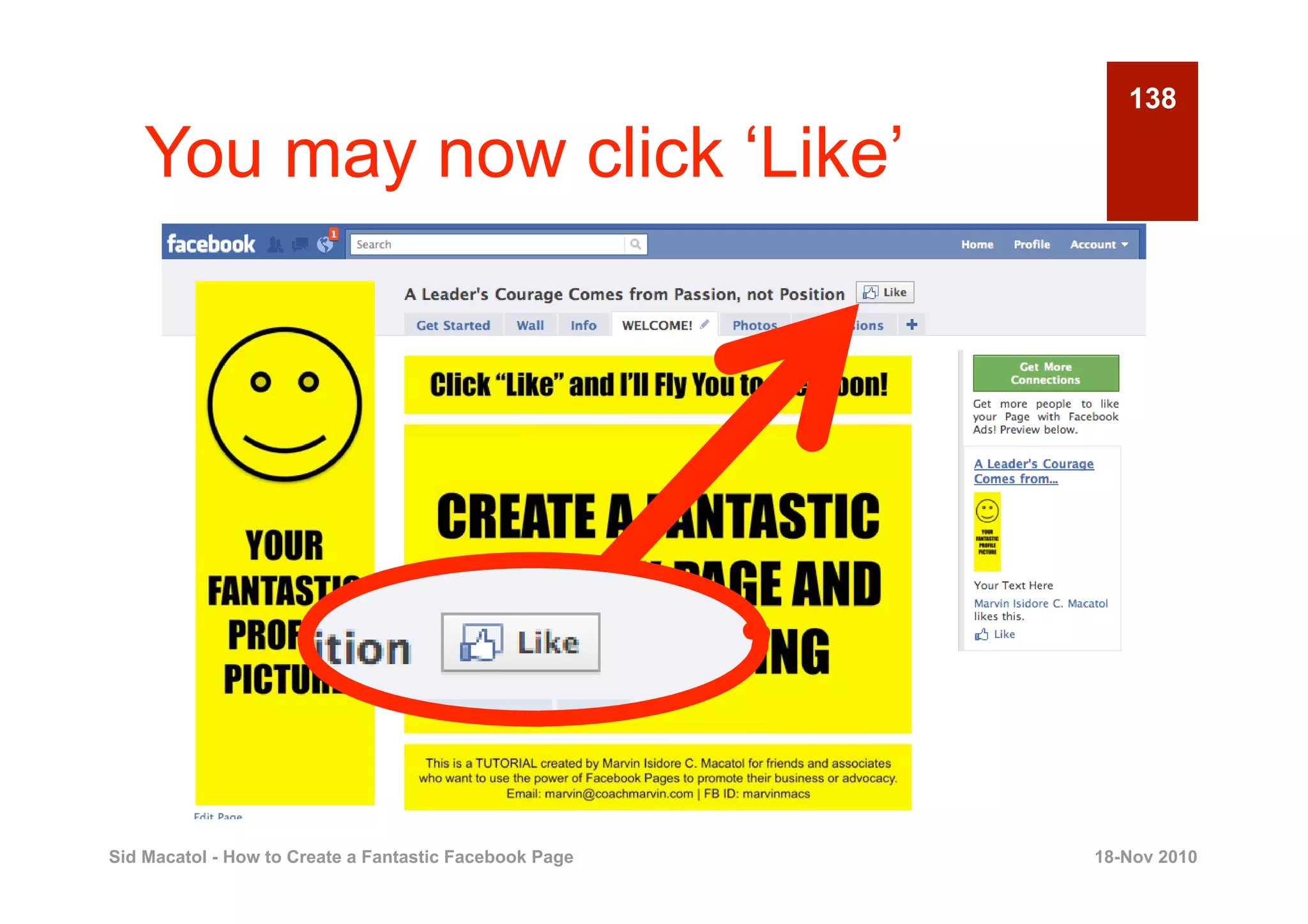
    You may now click ‘Like’


Sid Macatol - How to Create a Fantastic Facebook Page   18-Nov 2010
139
    Thanks for watching the slides.

    Polite comments are welcome at
    http://virtualsidekick.blogspot.com

    You may follow me at:
    http://www.google.com/profiles/sid.macatol


                                   Dream a Life!
                              Live your Dreams!
                                                        Sid Macatol


Sid Macatol - How to Create a Fantastic Facebook Page     18-Nov 2010

How to Create a Fantastic Facebook Page

  • 1.
    1 How to Create a Fantastic Facebook Page Sid Macatol Sid Macatol - How to Create a Fantastic Facebook Page 18-Nov 2010
  • 2.
    2 What is a Facebook Page? Sid Macatol - How to Create a Fantastic Facebook Page 18-Nov 2010
  • 3.
    3 Your News Feed is NOT a Page! Sid Macatol - How to Create a Fantastic Facebook Page 18-Nov 2010
  • 4.
    4 Your Profile is NOT a Page! Sid Macatol - How to Create a Fantastic Facebook Page 18-Nov 2010
  • 5.
    5 Someone’s Profile is NOT a Page. Sid Macatol - How to Create a Fantastic Facebook Page 18-Nov 2010
  • 6.
    6 This is a Facebook Page Sid Macatol - How to Create a Fantastic Facebook Page 18-Nov 2010
  • 7.
    7 See the Difference? Personal Facebook Account Facebook Page Sid Macatol - How to Create a Fantastic Facebook Page 18-Nov 2010
  • 8.
    Again, this isa Facebook 8 Page Sid Macatol - How to Create a Fantastic Facebook Page 18-Nov 2010
  • 9.
    This is aFantastic Facebook 9 Page Sid Macatol - How to Create a Fantastic Facebook Page 18-Nov 2010
  • 10.
    10 Study the Two Pages Sid Macatol - How to Create a Fantastic Facebook Page 18-Nov 2010
  • 11.
    Where Would YouMost 11 Likely Click “Like”? Sid Macatol - How to Create a Fantastic Facebook Page 18-Nov 2010
  • 12.
    12 Enticing promo Sid Macatol - How to Create a Fantastic Facebook Page 18-Nov 2010
  • 13.
    13 Pictures of prizes you can win Sid Macatol - How to Create a Fantastic Facebook Page 18-Nov 2010
  • 14.
    14 Faces of People you may know Sid Macatol - How to Create a Fantastic Facebook Page 18-Nov 2010
  • 15.
    15 A Call to Action Sid Macatol - How to Create a Fantastic Facebook Page 18-Nov 2010
  • 16.
    16 Disclaimer: It is YOUR job to develop your own promo Sid Macatol - How to Create a Fantastic Facebook Page 18-Nov 2010
  • 17.
    17 All I’m saying is, image is power Sid Macatol - How to Create a Fantastic Facebook Page 18-Nov 2010
  • 18.
    18 With these slides, learn how to do the following … Sid Macatol - How to Create a Fantastic Facebook Page 18-Nov 2010
  • 19.
    19 [1] Your promo name here Sid Macatol - How to Create a Fantastic Facebook Page 18-Nov 2010
  • 20.
    20 [2] Your fantastic profile here Sid Macatol - How to Create a Fantastic Facebook Page 18-Nov 2010
  • 21.
    [3] Your WelcomeMessage 21 here Sid Macatol - How to Create a Fantastic Facebook Page 18-Nov 2010
  • 22.
    22 Are the expectations clear? Sid Macatol - How to Create a Fantastic Facebook Page 18-Nov 2010
  • 23.
    23 OK Let’s proceed Sid Macatol - How to Create a Fantastic Facebook Page 18-Nov 2010
  • 24.
    24 1 PREPARE YOUR PROFILE PICTURE Creating a Fantastic Facebook Page Sid Macatol - How to Create a Fantastic Facebook Page 18-Nov 2010
  • 25.
    25 This is the profile picture Sid Macatol - How to Create a Fantastic Facebook Page 18-Nov 2010
  • 26.
    WIDTH 26 Width = 180 pixels HEIGHT YOUR Height = 540 pixels max FANTASTIC Image Resolution = 300 dpi PROFILE PICTURE Sid Macatol - How to Create a Fantastic Facebook Page 18-Nov 2010
  • 27.
    27 What is Image Resolution? Google it! Sid Macatol - How to Create a Fantastic Facebook Page 18-Nov 2010
  • 28.
    28 DPI means DOT PER INCH Sid Macatol - How to Create a Fantastic Facebook Page 18-Nov 2010
  • 29.
    29 300 dpi is good for your image Sid Macatol - How to Create a Fantastic Facebook Page 18-Nov 2010
  • 30.
    30 Less than 300 dpi is bad for your image Sid Macatol - How to Create a Fantastic Facebook Page 18-Nov 2010
  • 31.
    31 So, don’t kid around. Use 300 dpi. Sid Macatol - How to Create a Fantastic Facebook Page 18-Nov 2010
  • 32.
    32 ‘ YOUR We use this part FANTASTIC PROFILE as thumbnail PICTURE later Sid Macatol - How to Create a Fantastic Facebook Page 18-Nov 2010
  • 33.
    33 This is a thumbnail Sid Macatol - How to Create a Fantastic Facebook Page 18-Nov 2010
  • 34.
    34 That came from here Sid Macatol - How to Create a Fantastic Facebook Page 18-Nov 2010
  • 35.
    35 ‘ YOUR Thumbnail. FANTASTIC PROFILE Keep this in PICTURE mind Sid Macatol - How to Create a Fantastic Facebook Page 18-Nov 2010
  • 36.
    36 ‘ YOUR Its location in the FANTASTIC PROFILE picture profile PICTURE does not matter Sid Macatol - How to Create a Fantastic Facebook Page 18-Nov 2010
  • 37.
    37 2 PREPARE YOUR WELCOME IMAGE Creating a Fantastic Facebook Page Sid Macatol - How to Create a Fantastic Facebook Page 18-Nov 2010
  • 38.
    38 This is the Welcome Image Sid Macatol - How to Create a Fantastic Facebook Page 18-Nov 2010
  • 39.
    39 Width = 510 pixels Height is up to you WELCOME MESSAGE Image Resolution = 300 dpi Sid Macatol - How to Create a Fantastic Facebook Page 18-Nov 2010
  • 40.
    40 Tell people to click “Like” here Click “Like” and I’ll Fly You to the Moon Sid Macatol - How to Create a Fantastic Facebook Page 18-Nov 2010
  • 41.
    41 Put your promo here Sid Macatol - How to Create a Fantastic Facebook Page 18-Nov 2010
  • 42.
    42 Tell people who you are here Sid Macatol - How to Create a Fantastic Facebook Page 18-Nov 2010
  • 43.
    43 In this demo, we use this Sid Macatol - How to Create a Fantastic Facebook Page 18-Nov 2010
  • 44.
    44 Save the images in a folder Sid Macatol - How to Create a Fantastic Facebook Page 18-Nov 2010
  • 45.
    45 3 CREATE YOUR FACEBOOK PAGE Creating a Fantastic Facebook Page Sid Macatol - How to Create a Fantastic Facebook Page 18-Nov 2010
  • 46.
    46 Type this on your browser Sid Macatol - How to Create a Fantastic Facebook Page 18-Nov 2010
  • 47.
    47 Ignore this Sid Macatol - How to Create a Fantastic Facebook Page 18-Nov 2010
  • 48.
    48 Pay attention to this Sid Macatol - How to Create a Fantastic Facebook Page 18-Nov 2010
  • 49.
    49 Choose what applies to you Sid Macatol - How to Create a Fantastic Facebook Page 18-Nov 2010
  • 50.
    50 Sid Macatol -How to Create a Fantastic Facebook Page 18-Nov 2010
  • 51.
    51 Sid Macatol -How to Create a Fantastic Facebook Page 18-Nov 2010
  • 52.
    52 Sid Macatol -How to Create a Fantastic Facebook Page 18-Nov 2010
  • 53.
    For this demonstrationwe 53 choose this Sid Macatol - How to Create a Fantastic Facebook Page 18-Nov 2010
  • 54.
    54 Type your page name here Sid Macatol - How to Create a Fantastic Facebook Page 18-Nov 2010
  • 55.
    55 Click this button Sid Macatol - How to Create a Fantastic Facebook Page 18-Nov 2010
  • 56.
    56 Click this button Sid Macatol - How to Create a Fantastic Facebook Page 18-Nov 2010
  • 57.
    57 Click this button Sid Macatol - How to Create a Fantastic Facebook Page 18-Nov 2010
  • 58.
    58 You land on this page Sid Macatol - How to Create a Fantastic Facebook Page 18-Nov 2010
  • 59.
    59 You see the Page Name? Sid Macatol - How to Create a Fantastic Facebook Page 18-Nov 2010
  • 60.
    60 I’m done with Expectation #1 Sid Macatol - How to Create a Fantastic Facebook Page 18-Nov 2010
  • 61.
    61 There’s your “Like” button Sid Macatol - How to Create a Fantastic Facebook Page 18-Nov 2010
  • 62.
    62 DO NOT click “Like” yet Sid Macatol - How to Create a Fantastic Facebook Page 18-Nov 2010
  • 63.
    63 Click “Like” Once Page is Done Sid Macatol - How to Create a Fantastic Facebook Page 18-Nov 2010
  • 64.
    64 At this point it isn’t done yet Sid Macatol - How to Create a Fantastic Facebook Page 18-Nov 2010
  • 65.
    65 4 UPLOAD YOUR PROFILE PICTURE Creating a Fantastic Facebook Page Sid Macatol - How to Create a Fantastic Facebook Page 18-Nov 2010
  • 66.
    66 Click this Sid Macatol - How to Create a Fantastic Facebook Page 18-Nov 2010
  • 67.
    67 Click this Sid Macatol - How to Create a Fantastic Facebook Page 18-Nov 2010
  • 68.
    68 Select profile picture from your folder Sid Macatol - How to Create a Fantastic Facebook Page 18-Nov 2010
  • 69.
    69 Click “Open” or “OK” Sid Macatol - How to Create a Fantastic Facebook Page 18-Nov 2010
  • 70.
    70 There’s your profile picture Sid Macatol - How to Create a Fantastic Facebook Page 18-Nov 2010
  • 71.
    71 I’m done with Expectation #2 Sid Macatol - How to Create a Fantastic Facebook Page 18-Nov 2010
  • 72.
    Profile Picture Staysin the 72 Wall Tab Sid Macatol - How to Create a Fantastic Facebook Page 18-Nov 2010
  • 73.
    73 This is the Photos Tab Sid Macatol - How to Create a Fantastic Facebook Page 18-Nov 2010
  • 74.
    74 Wait a minute! Sid Macatol - How to Create a Fantastic Facebook Page 18-Nov 2010
  • 75.
    Thumbnail needs some 75 fixing! Sid Macatol - How to Create a Fantastic Facebook Page 18-Nov 2010
  • 76.
    76 Click this Sid Macatol - How to Create a Fantastic Facebook Page 18-Nov 2010
  • 77.
    77 Click ‘Edit Page’ Sid Macatol - How to Create a Fantastic Facebook Page 18-Nov 2010
  • 78.
    LATER . .. fill this up as 78 completely as you can Sid Macatol - How to Create a Fantastic Facebook Page 18-Nov 2010
  • 79.
    79 MEANTIME … click this Sid Macatol - How to Create a Fantastic Facebook Page 18-Nov 2010
  • 80.
    80 Scroll Down Sid Macatol - How to Create a Fantastic Facebook Page 18-Nov 2010
  • 81.
    81 Click this Sid Macatol - How to Create a Fantastic Facebook Page 18-Nov 2010
  • 82.
    82 Drag the image to adjust ✜ Sid Macatol - How to Create a Fantastic Facebook Page 18-Nov 2010
  • 83.
    83 There we go! Sid Macatol - How to Create a Fantastic Facebook Page 18-Nov 2010
  • 84.
    84 Click this Sid Macatol - How to Create a Fantastic Facebook Page 18-Nov 2010
  • 85.
    85 Click this Sid Macatol - How to Create a Fantastic Facebook Page 18-Nov 2010
  • 86.
    86 Click Photos Sid Macatol - How to Create a Fantastic Facebook Page 18-Nov 2010
  • 87.
    87 Looks like we fixed it  Sid Macatol - How to Create a Fantastic Facebook Page 18-Nov 2010
  • 88.
    88 5 UPLOAD YOUR WELCOME TAB Creating a Fantastic Facebook Page Sid Macatol - How to Create a Fantastic Facebook Page 18-Nov 2010
  • 89.
    89 Click ‘Create a Photo Album’ Sid Macatol - How to Create a Fantastic Facebook Page 18-Nov 2010
  • 90.
    90 Click ‘Select Photos’ Sid Macatol - How to Create a Fantastic Facebook Page 18-Nov 2010
  • 91.
    Select the WelcomeImage 91 file Sid Macatol - How to Create a Fantastic Facebook Page 18-Nov 2010
  • 92.
    Click ‘Open’ (Mac)or 92 ‘OK’ (Windows) Sid Macatol - How to Create a Fantastic Facebook Page 18-Nov 2010
  • 93.
    93 Give it a name Sid Macatol - How to Create a Fantastic Facebook Page 18-Nov 2010
  • 94.
    94 You can ignore ‘Location’ Sid Macatol - How to Create a Fantastic Facebook Page 18-Nov 2010
  • 95.
    95 Click ‘Create Album’ Sid Macatol - How to Create a Fantastic Facebook Page 18-Nov 2010
  • 96.
    96 Click this album Sid Macatol - How to Create a Fantastic Facebook Page 18-Nov 2010
  • 97.
    97 Click this thumbnail Sid Macatol - How to Create a Fantastic Facebook Page 18-Nov 2010
  • 98.
    98 Right Click on the Image Sid Macatol - How to Create a Fantastic Facebook Page 18-Nov 2010
  • 99.
    Click ‘Copy ImageURL’ (Mac) or 99 its equivalent in Windows Sid Macatol - How to Create a Fantastic Facebook Page 18-Nov 2010
  • 100.
    Paste the URLin a text file or 100 Notepad Sid Macatol - How to Create a Fantastic Facebook Page 18-Nov 2010
  • 101.
    101 You will need this later! Sid Macatol - How to Create a Fantastic Facebook Page 18-Nov 2010
  • 102.
    102 Click your Page Profile Sid Macatol - How to Create a Fantastic Facebook Page 18-Nov 2010
  • 103.
    103 Click ‘Edit Page’ Sid Macatol - How to Create a Fantastic Facebook Page 18-Nov 2010
  • 104.
    104 Click ‘Applications’ Sid Macatol - How to Create a Fantastic Facebook Page 18-Nov 2010
  • 105.
    105 Scroll Down Sid Macatol - How to Create a Fantastic Facebook Page 18-Nov 2010
  • 106.
    106 Add ‘Static FBML’ Sid Macatol - How to Create a Fantastic Facebook Page 18-Nov 2010
  • 107.
    107 There it is! Sid Macatol - How to Create a Fantastic Facebook Page 18-Nov 2010
  • 108.
    108 Click ‘Go to Application’ Sid Macatol - How to Create a Fantastic Facebook Page 18-Nov 2010
  • 109.
    Change Box Titleto 109 ‘WELCOME’ Sid Macatol - How to Create a Fantastic Facebook Page 18-Nov 2010
  • 110.
    110 We will put some text here Sid Macatol - How to Create a Fantastic Facebook Page 18-Nov 2010
  • 111.
    111 This is the text: <img src=“xxxxxx” width=“510”> Sid Macatol - How to Create a Fantastic Facebook Page 18-Nov 2010
  • 112.
    112 Easy to type, right? <img src=“xxxxxx” width=“510”> Sid Macatol - How to Create a Fantastic Facebook Page 18-Nov 2010
  • 113.
    113 But wait, let’s complete it first <img src=“xxxxxx” width=“510”> Sid Macatol - How to Create a Fantastic Facebook Page 18-Nov 2010
  • 114.
    We replace “xxxxxx”with this 114 code Sid Macatol - How to Create a Fantastic Facebook Page 18-Nov 2010
  • 115.
    115 Remember this? Sid Macatol - How to Create a Fantastic Facebook Page 18-Nov 2010
  • 116.
    URL of ourWelcome Image that 116 we copied earlier Sid Macatol - How to Create a Fantastic Facebook Page 18-Nov 2010
  • 117.
    117 This is now our code <img src=“http:// sphotos.ak.fbcdn.net/ hphotos-ak-snc4/ hs1203.snc4/155593_1703650 76325844_170198059675879_4 63148_7667217_n.jpg” width=“510”> Sid Macatol - How to Create a Fantastic Facebook Page 18-Nov 2010
  • 118.
    118 Copy and Paste Code Here Sid Macatol - How to Create a Fantastic Facebook Page 18-Nov 2010
  • 119.
    119 There it is . . . Sid Macatol - How to Create a Fantastic Facebook Page 18-Nov 2010
  • 120.
    120 Let’s zoom in Sid Macatol - How to Create a Fantastic Facebook Page 18-Nov 2010
  • 121.
    121 Click ‘Save Changes’ Sid Macatol - How to Create a Fantastic Facebook Page 18-Nov 2010
  • 122.
    122 Changes saved Sid Macatol - How to Create a Fantastic Facebook Page 18-Nov 2010
  • 123.
    123 Click . . . Sid Macatol - How to Create a Fantastic Facebook Page 18-Nov 2010
  • 124.
    124 See the Welcome Tab? Sid Macatol - How to Create a Fantastic Facebook Page 18-Nov 2010
  • 125.
    125 That’s what we just created Sid Macatol - How to Create a Fantastic Facebook Page 18-Nov 2010
  • 126.
    Now, hold yourbreath and 126 click it Sid Macatol - How to Create a Fantastic Facebook Page 18-Nov 2010
  • 127.
    127 Here’s your Fantastic Page Sid Macatol - How to Create a Fantastic Facebook Page 18-Nov 2010
  • 128.
    128 You can make this clickable Sid Macatol - How to Create a Fantastic Facebook Page 18-Nov 2010
  • 129.
    Just add theright HTML code 129 here Sid Macatol - How to Create a Fantastic Facebook Page 18-Nov 2010
  • 130.
    One more thing,click and 130 hold here Sid Macatol - How to Create a Fantastic Facebook Page 18-Nov 2010
  • 131.
    131 Then drag towards here Sid Macatol - How to Create a Fantastic Facebook Page 18-Nov 2010
  • 132.
    132 Click ‘Wall’ tab Sid Macatol - How to Create a Fantastic Facebook Page 18-Nov 2010
  • 133.
    133 Click ‘Settings’ Sid Macatol - How to Create a Fantastic Facebook Page 18-Nov 2010
  • 134.
    134 Click ‘Default Landing Tab’ Sid Macatol - How to Create a Fantastic Facebook Page 18-Nov 2010
  • 135.
    135 Choose ‘WELCOME’ Sid Macatol - How to Create a Fantastic Facebook Page 18-Nov 2010
  • 136.
    This Page willnow greet all first 136 time visitors Sid Macatol - How to Create a Fantastic Facebook Page 18-Nov 2010
  • 137.
    137 I’m done with Expectation #3 Sid Macatol - How to Create a Fantastic Facebook Page 18-Nov 2010
  • 138.
    138 You may now click ‘Like’ Sid Macatol - How to Create a Fantastic Facebook Page 18-Nov 2010
  • 139.
    139 Thanks for watching the slides. Polite comments are welcome at http://virtualsidekick.blogspot.com You may follow me at: http://www.google.com/profiles/sid.macatol Dream a Life! Live your Dreams! Sid Macatol Sid Macatol - How to Create a Fantastic Facebook Page 18-Nov 2010